

17 Best AI Marketing Automation Tools in 2026

Best AI Marketing Automation Tools Shortlist


AI marketing automation tools use artificial intelligence to handle campaign tasks, analyze data, and personalize outreach across channels, so you can focus on high-impact strategy. If you’re searching for ways to amplify your results, work smarter with limited resources, or orchestrate complex, multi-channel campaigns, the right tool can make a measurable difference.
In this list, you’ll discover today’s leading AI marketing automation solutions and what each does best, so you can confidently choose the platform that fits your team’s needs and goals.
Why Trust Our Software Reviews
We’ve been testing and reviewing marketing software since 2022. As marketing experts ourselves, we know how critical and difficult it is to make the right decision when selecting software.
We invest in deep research to help our audience make better software purchasing decisions. We’ve tested more than 2,000 tools for different marketing use cases and written over 1,000 comprehensive software reviews. Learn how we stay transparent & our software review methodology.
Best AI Marketing Automation Tools Summary
This comparison chart summarizes pricing details for my top AI marketing automation tools selections to help you find the best one for your budget and business needs.
| Tool | Best For | Trial Info | Price | ||
|---|---|---|---|---|---|
| 1 | Best for automated tool integrations | 14-day free trial + free plan + free demo available | From $19.99/month (billed annually) | Website | |
| 2 | Best for real-time customer messaging | Free plan + free demo available | From $9/month | Website | |
| 3 | Best for visual process building | Free plan + free demo available | From $9/month (billed annually) | Website | |
| 4 | Best for real-time customer engagement | 14-day free trial available | Pricing upon request | Website | |
| 5 | Best for tailored email journeys | 14-day free trial + free demo available | From $15/month (billed annually) | Website | |
| 6 | Best for unified contact management | Free plan + free demo available | From $20/user/month | Website | |
| 7 | Best for enterprise lead nurturing | Free demo available | Pricing upon request | Website | |
| 8 | Best for rapid content generation | 7-day free trial + free demo available | From $59/seat/month (billed annually) | Website | |
| 9 | Best for node-based AI workflows | Free plan available | From $30/month (billed annually) | Website | |
| 10 | Best for cross-channel personalization | Free trial + free demo available | From $25/user/month (billed annually) | Website |


Best AI Marketing Automation Tools Reviews
Below are my detailed summaries of the best AI marketing automation tools that made it onto my shortlist. My reviews offer a detailed look at the features, integrations, and best use cases of each platform to help you find the best one for you.

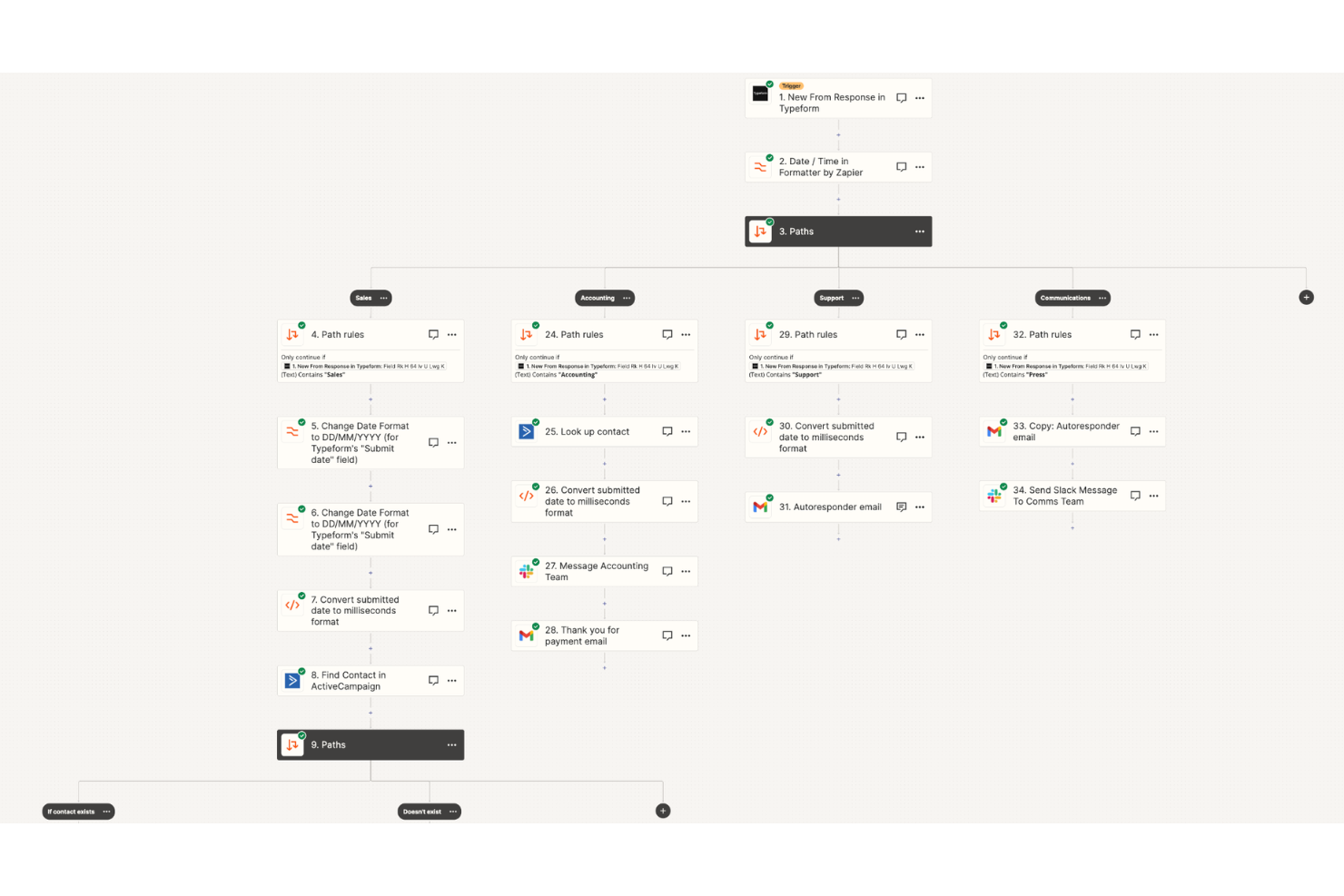
Zapier is a workflow automation platform for marketing teams that connects web apps, routes data between tools, and automates repetitive marketing tasks using customizable, AI-driven workflows.
Who Is Zapier Best For?
Zapier is a go-to choice and acts as an AI assistant for marketers, operations teams, and growth leaders at small to midsize businesses that need to automate work across diverse software stacks.
Why I Picked Zapier
I picked Zapier as one of the best because I can use AI-driven workflow creation to connect hundreds of marketing tools automatically, trigger campaigns from CRM or ad platform activity, and handle lead processing without coding.
Zapier Key Features
- Multi-step Zaps: Build automation workflows that include multiple actions and conditions.
- Scheduled triggers: Use specialized AI models to launch automated processes at optimal set intervals or times.
- Webhooks by Zapier: Send or receive data between Zapier and other apps using custom webhooks.
- Zap history: View detailed logs of all automated activities for error tracking and audit trails.
Zapier Integrations
Zapier offers thousands of native integrations with marketing and productivity tools, including Google Sheets, Slack, Mailchimp, HubSpot, Facebook Lead Ads, Trello, Notion, Typeform, Airtable, Salesforce, and Asana. An API is available for custom integrations.
Pros and Cons
Pros:
- Handles high-volume marketing data routing
- Quick setup for multi-step marketing processes
- AI can suggest automation workflows
Cons:
- Limited in-app reporting for marketing performance
- Multi-branch path features require premium tiers

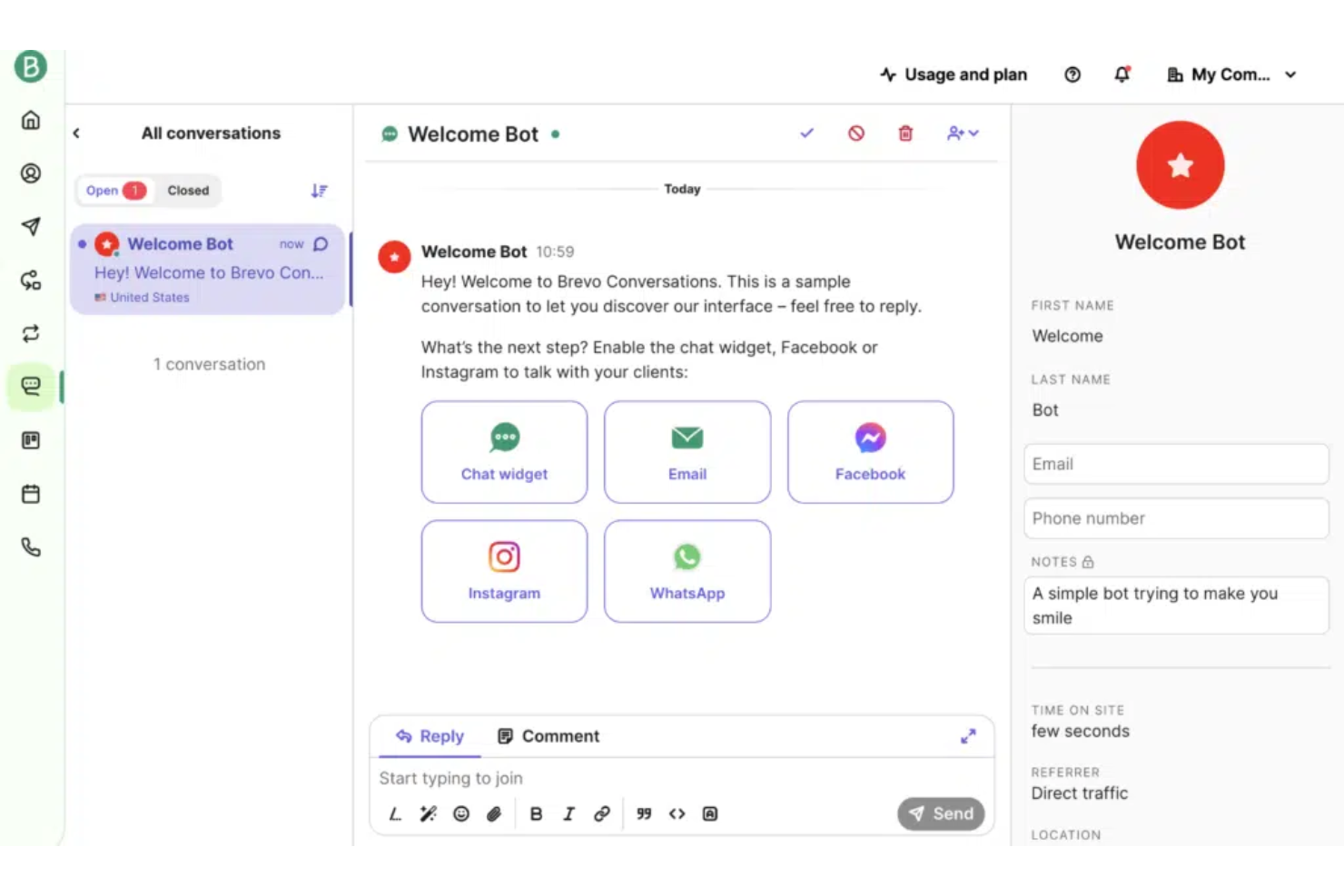
Brevo is a marketing automation platform for building, delivering, and analyzing email, SMS, WhatsApp, and live chat campaigns alongside advanced customer segmentation and automated workflow design.
Who Is Brevo Best For?
Brevo is a strong choice for marketing teams in e-commerce and retail who prioritize real-time messaging across email, SMS, and chat.
Why I Picked Brevo
I picked Brevo because I can set up real-time chat and messaging flows covering email, SMS, and WhatsApp. I like using scenario-based automations to trigger cross-channel messages when customers take specific actions on my site.
Brevo Key Features
- Drag-and-drop email builder: Design and customize emails with a visual editor.
- Transactional messaging tools: Send automated order updates, receipts, and alerts.
- Contact segmentation: Organize audiences by behavior, demographics, or preferences.
- Campaign analytics dashboard: Track delivery, open, and click rates for campaigns.
Brevo Integrations
Brevo offers 150+ integrations covering ecommerce (Shopify, WooCommerce, BigCommerce), CMS (WordPress), CRM (Salesforce), analytics (Google), and more, including PandaDoc, Stripe, Mailchimp, Tally, Klarna, and Jotform, through its marketplace. It connects with Zapier and Make, and provides an API for custom integrations.
Pros and Cons
Pros:
- Drag-and-drop builder for campaign workflows
- Advanced automation with conditional customer journeys
- Sends SMS, email, and WhatsApp messages in real time
Cons:
- Landing page features require plan upgrades
- Shared IP pools affect sender reputation
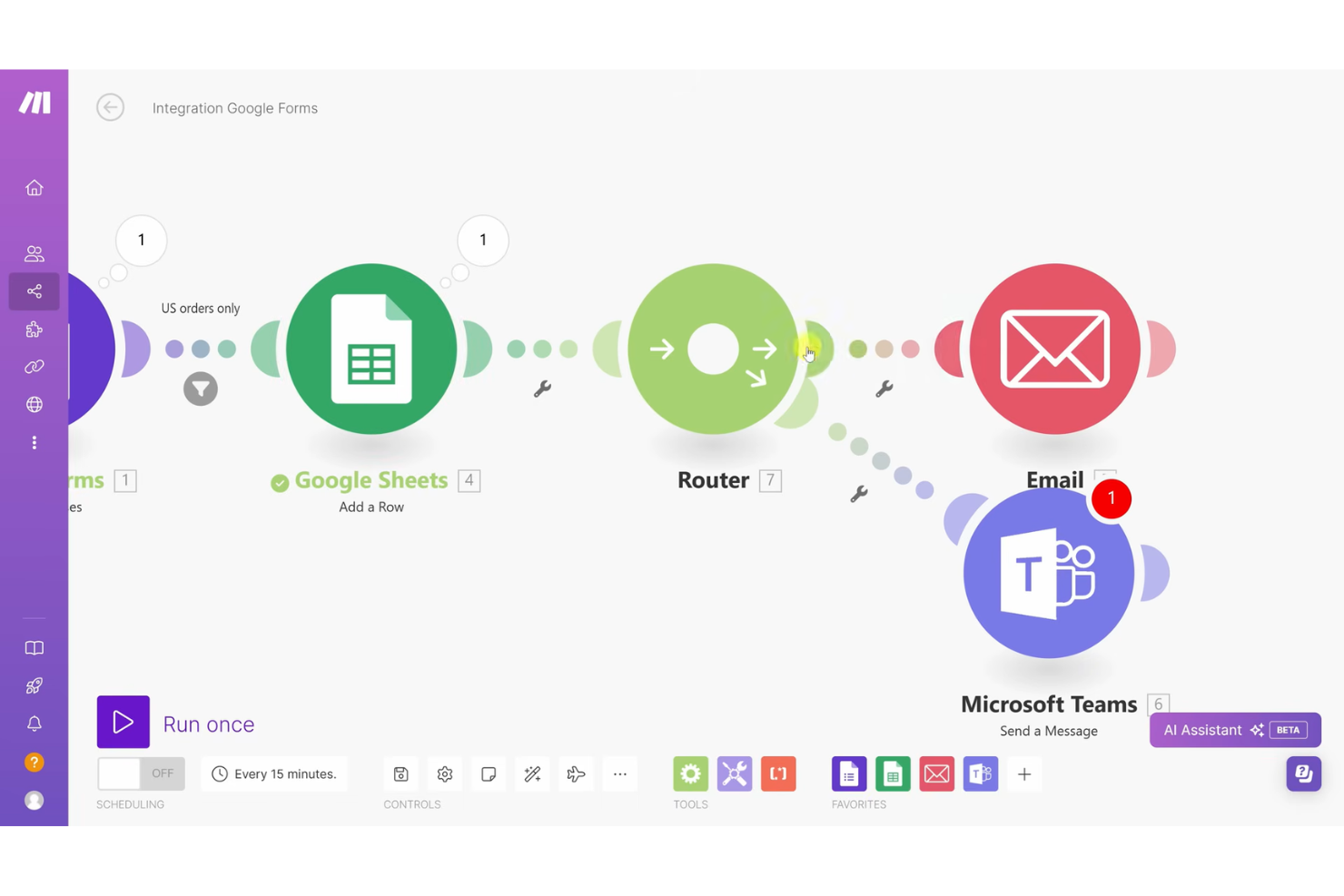
Make is a visual workflow automation platform for marketing teams that lets you connect apps, orchestrate campaigns, and automate processes using a drag-and-drop builder.
Who Is Make Best For?
Marketing managers and operations teams in midsize to large organizations who need to visually map, automate, and maintain multi-step campaigns across multiple platforms.
Why I Picked Make
I picked Make because I can design marketing automations visually and see how data flows step-by-step. I use its drag-and-drop builder to link apps, transform data, and build multi-branch campaigns quickly—no code required.
Make Key Features
- Scenario scheduling: Schedule automations to run at specific times or intervals.
- Error handling tools: Set up custom responses for failed steps or conditions.
- Data mapping: Map and transform data between connected apps within workflows.
- Built-in version history: Review and restore previous automation scenarios.
Make Integrations
Make offers 1000+ native integrations, including HubSpot, Salesforce, Mailchimp, Google Sheets, Facebook Ads, Shopify, Airtable, Slack, Trello, and Dropbox. An API is available for custom integrations.
Pros and Cons
Pros:
- Workflow template library for marketing tasks
- AI modules for campaign optimization
- Visual node editor for workflow customization
Cons:
- High volume usage quickly drains credits
- Multi-step architecture logic lacks clarity

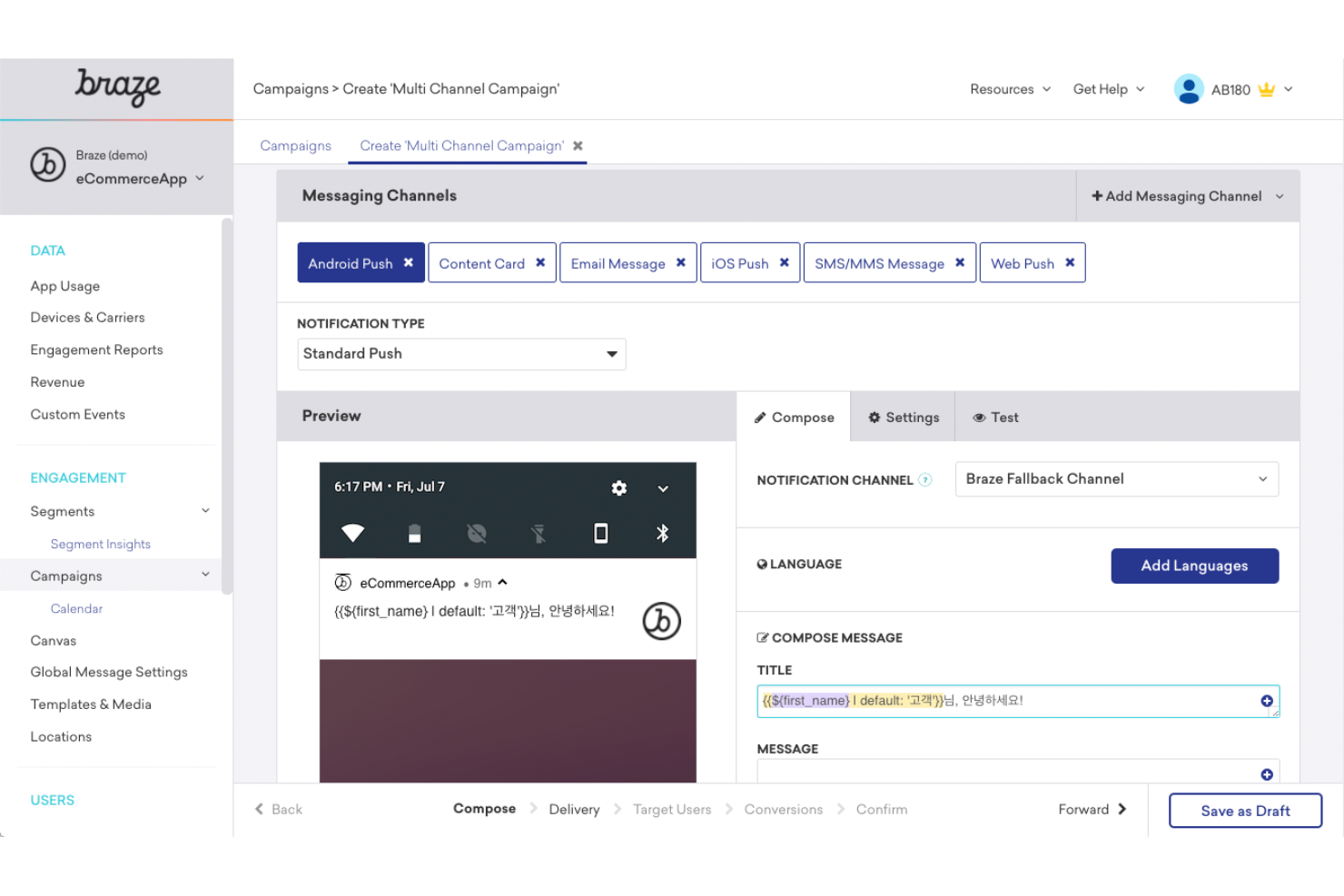
Braze is an AI-powered digital marketing automation platform that helps you build and orchestrate cross-channel campaigns, manage dynamic personalization, and analyze real-time engagement across email, mobile, and messaging channels.
Who Is Braze Best For?
Braze is a strong fit for marketing teams at fast-growing B2C brands wanting to engage customers across mobile apps, email, and digital messaging.
Why I Picked Braze
I picked Braze as one of the best because I can trigger real-time, context-aware messaging workflows based on user actions, use AI to automate cross-channel orchestration, and personalize engagement at scale on mobile, email, and messaging channels.
Braze Key Features
- AI copywriting tools: Generate, edit, or optimize high-quality campaign copy within the platform.
- Segmentation engine: Group audiences using real-time behavioral and demographic data.
- Multivariate testing: Test multiple campaign variations to optimize engagement and customer retention.
- Data import API: Sync external customer data into Braze for unified targeting.
Braze Integrations
Braze offers more than 200 native integrations, including Amplitude, Snowflake, Mixpanel, Segment, Salesforce Marketing Cloud, mParticle, Canva, Census, Adobe Analytics, Adjust, Figma, AppsFlyer, and Slack. Zapier and an API is available for custom integrations.
Pros and Cons
Pros:
- Built-in predictive audience segmentation
- AI-driven message personalization at scale
- Real-time cross-channel campaign orchestration
Cons:
- Premium data exports incur extra fees
- Workflow builder can feel complex initially

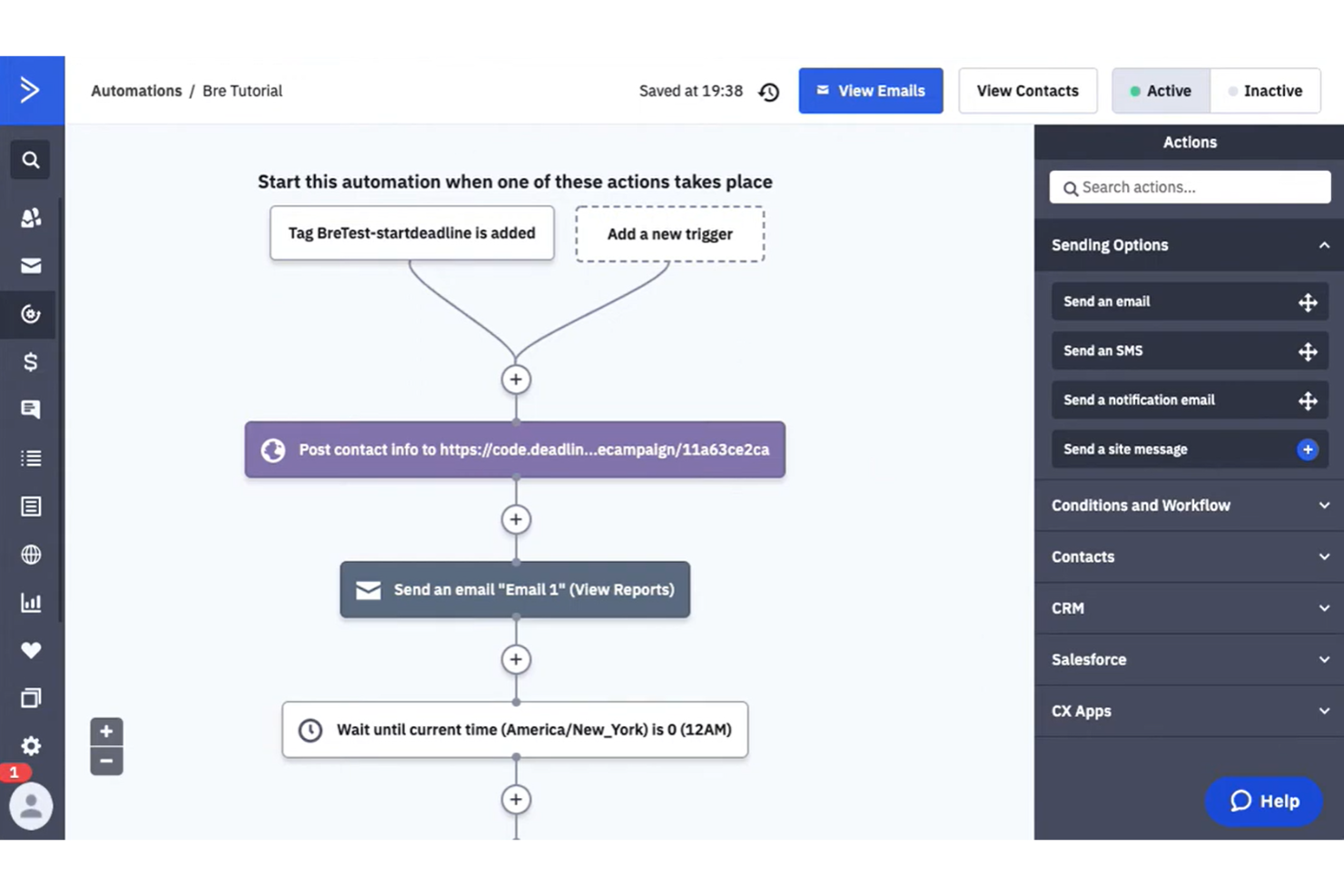
ActiveCampaign is an all-in-one marketing automation platform for building automated email workflows, managing contacts, segmenting audiences, and using AI to optimize campaign timing and content.
Who Is ActiveCampaign Best For?
ActiveCampaign suits marketing teams at SMBs and mid-size companies who need to create highly personalized automated email campaigns.
Why I Picked ActiveCampaign
I picked ActiveCampaign as one of the best because I can build highly targeted email automations combining event triggers, dynamic content blocks, and advanced AI-powered predictive sending to truly personalize each email journey at scale.
ActiveCampaign Key Features
- Contact scoring: Automatically ranks leads based on their interaction with your content marketing assets.
- Visual automation builder: Lets you design multi-step automations using a drag-and-drop interface.
- Multi-channel messaging: Supports marketing through email, SMS, and web channels.
- Custom deal pipelines: Manage and track sales processes visually within the platform.
ActiveCampaign Integrations
ActiveCampaign offers 1,000+ integrations through its app marketplace, including Salesforce, Microsoft Dynamics 365, Shopify, WooCommerce, Google Ads, Facebook, LinkedIn Ads, Slack, Zendesk, and WordPress. It's available on Zapier and provides an API for custom integrations.
Pros and Cons
Pros:
- Audience segmentation based on behavioral data
- Predictive content selection using AI
- Conditional logic for multi-step automations
Cons:
- Advanced automation may overwhelm new users
- Workflow setup requires multiple configuration steps

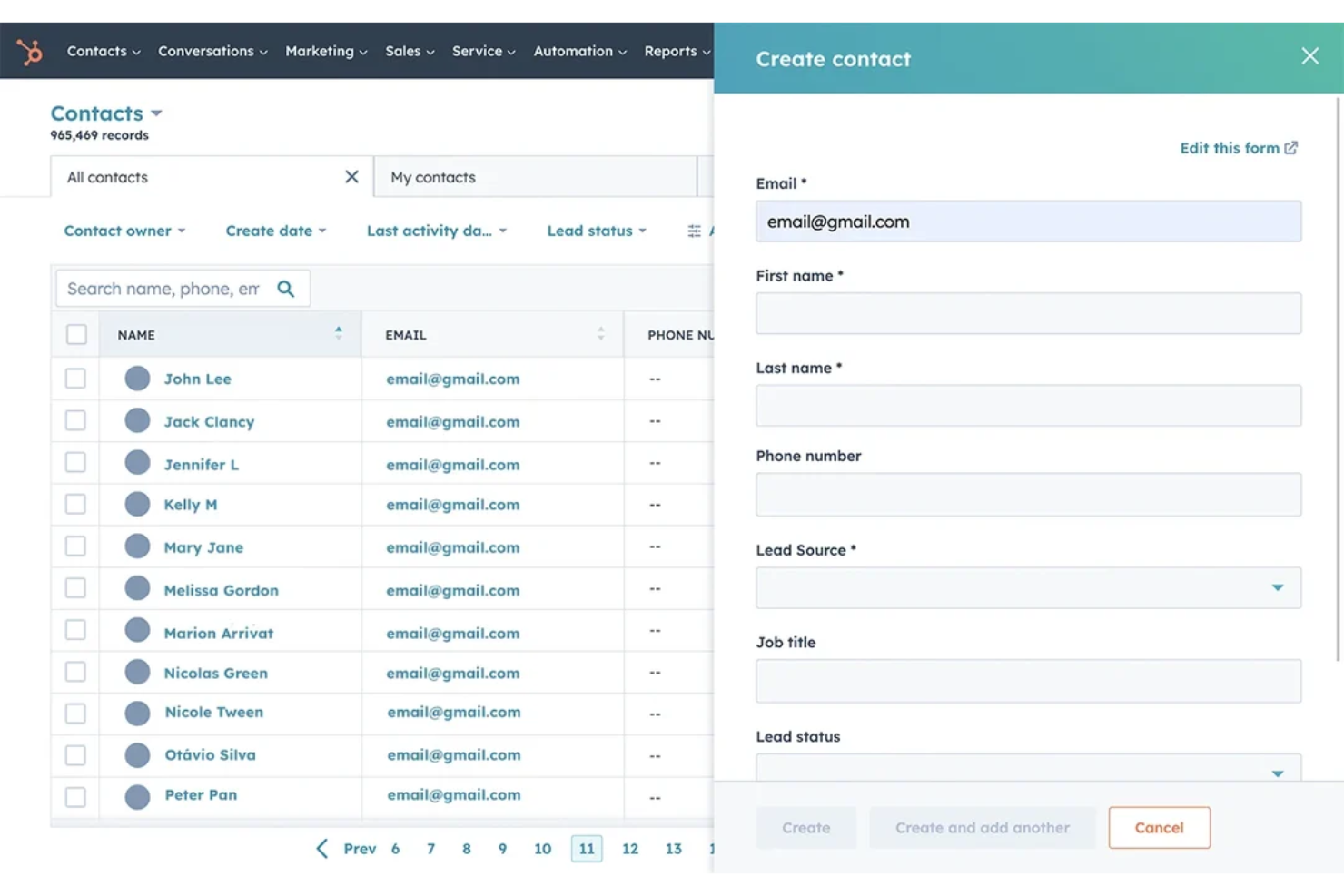
HubSpot is an AI-powered marketing automation platform with tools for campaign management, workflow automation, segmentation, analytics, and multi-channel communication.
Who Is HubSpot Best For?
HubSpot suits marketing teams at mid-sized to large businesses who want all contact, campaign, and workflow data in a single system.
Why I Picked HubSpot
I picked HubSpot as one of the best because its unified contact management lets me organize leads, segment audiences, and build automated nurture flows without jumping between disconnected databases or tools. I can trigger actions based on real-time contact activity.
HubSpot Key Features
- AI content assistant: Generate email copy and campaign content using AI-driven suggestions to scale your marketing efforts.
- Workflow automation builder: Design custom automation logic with a visual drag-and-drop interface.
- Multi-channel campaign tracking: Monitor email, social, SEO, and ad performance within a unified dashboard.
- Predictive lead scoring: Use AI agents to automatically score prospects based on engagement and fit.
HubSpot Integrations
HubSpot offers 2,000+ marketplace integrations, including Salesforce, Google Ads, Facebook Ads, LinkedIn Ads, Slack, WordPress, Shopify, Zoom, Microsoft 365, and connects with Zapier. An API is available for custom integrations.
Pros and Cons
Pros:
- AI features for content and campaign creation
- Visual automation builder supports complex workflows
- Centralizes multichannel contact interactions
Cons:
- Advanced automation requires higher-tier plans
- New scoring system requires manual migration


Adobe Marketo Engage is an AI-powered marketing automation platform designed for managing campaigns, scoring leads, and orchestrating targeted outreach across multiple channels.
Who Is Adobe Marketo Engage Best For?
Enterprise marketing teams that need to align a complex marketing strategy with multi-channel automation at scale will get the most from Adobe Marketo Engage.
Why I Picked Adobe Marketo Engage
I picked Adobe Marketo Engage as one of the best because I can automate long, multi-step lead nurturing campaigns using advanced AI audience segmentation and robust behavioral scoring models tailored for enterprise-scale workflows.
Adobe Marketo Engage Key Features
- Dynamic content personalization: Adjusts messaging and creative based on customer profile data in real time.
- Multi-channel campaign orchestration: Manages email, social, mobile, and web programs from one interface.
- A/B testing and experimentation: Lets you test natural language messaging, creative variations, and audience segments for campaign optimization.
- Account-based marketing tools: Align campaigns and scoring by account, supporting B2B targeting and measurement.
Adobe Marketo Engage Integrations
Adobe Marketo Engage offers native CRM integrations with Salesforce, Microsoft Dynamics, and Veeva, and tools including Clearbit, ZoomInfo, Zoom, ON24, Vibes, Google Ads, Facebook Ads, LinkedIn Ads, Outreach, and Gong. It also integrates across the Adobe Experience Cloud ecosystem, including Adobe Analytics, Adobe Target, Adobe Workfront, and Adobe Real-Time CDP. Marketo Engage connects with Zapier and provides REST APIs and webhooks for custom integrations.
Pros and Cons
Pros:
- Granular campaign and segment management options
- Precise behavioral and demographic lead scoring
- Advanced AI-driven journey orchestration tools
Cons:
- Platform UI features a steep learning curve
- Initial setup requires significant time investment

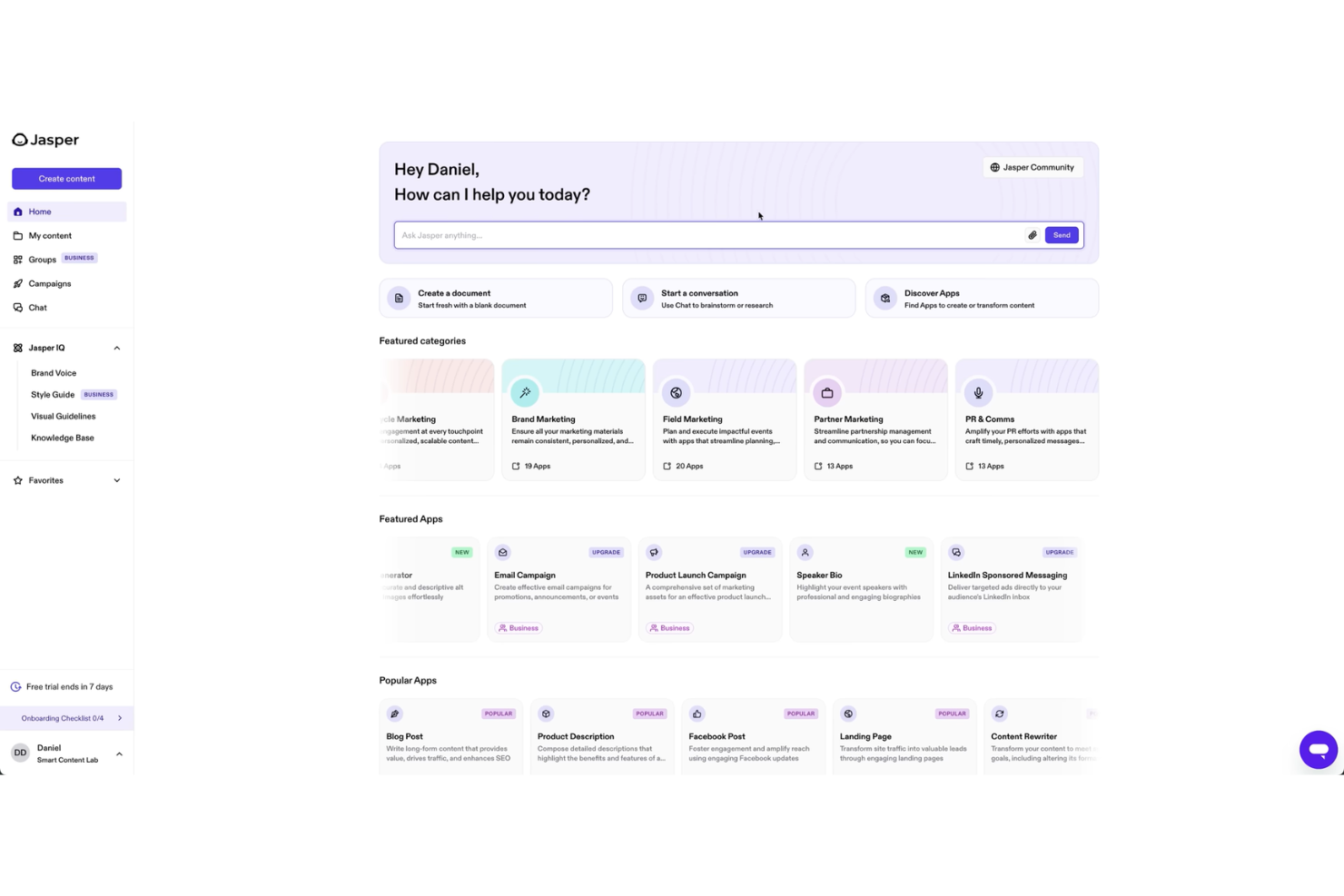
Jasper is an AI writing platform designed for marketing teams that need automated content creation, campaign copywriting workflows, and brand-aligned asset generation.
Who Is Jasper Best For?
Jasper is a strong fit for marketing teams at brands and agencies who need high-volume copy generation across channels.
Why I Picked Jasper
I picked Jasper as one of the best because I can use brand voice guidelines and campaign templates to produce high volumes of copy quickly. I like that I can prompt Jasper in chat for blog drafts, ads, or emails in one workflow.
Jasper Key Features
- AI image generation: Create original images to pair with your marketing content.
- Plagiarism checker: Scan the generated copy for originality before publishing.
- Collaboration workspace: Invite team members to review and edit drafts within Jasper.
- Knowledge base upload: Feed your brand resources and documentation into Jasper for on-brand content creation.
Jasper Integrations
Jasper offers native integrations with Slack, Salesforce, Semrush, Make, Box, Google Drive, Adobe Workfront, and more. It also connects with Zapier and provides an API for custom integrations.
Pros and Cons
Pros:
- Built-in plagiarism and originality checking
- Workflow templates for recurring campaign types
- Content generation tailored to brand guidelines
Cons:
- Plagiarism scans require extra credits
- Multi-seat plans require expensive upgrades

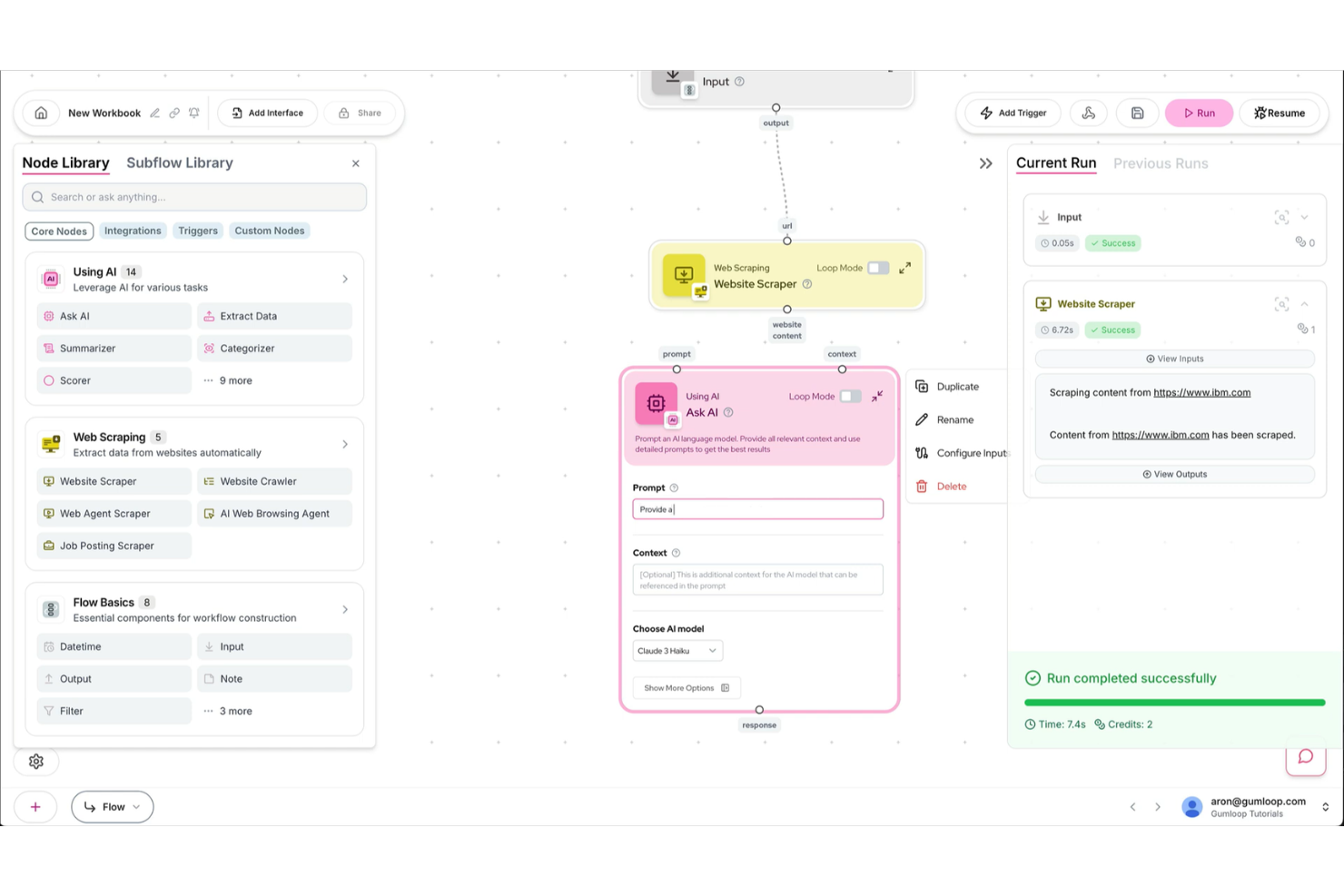
Gumloop is a drag-and-drop AI marketing automation platform where you can visually build, customize, and run complex workflows using node-based mapping and integration tools.
Who Is Gumloop Best For?
Marketing teams who want to design highly customized AI workflows visually without coding, especially in growth-oriented startups or creative agencies.
Why I Picked Gumloop
I picked Gumloop because I can drag nodes to build AI-driven marketing flows that connect data sources, automate creative generation, and personalize outreach. I like mapping every step visually and tweaking logic without writing any code.
Gumloop Key Features
- Batch processing: Automate large sets of marketing actions in a single workflow.
- Real-time data triggers: Launch campaigns or actions instantly based on incoming data.
- API integration toolbox: Connect with external apps and data platforms through built-in modules.
- Custom template library: Access and use pre-built workflow templates for common marketing tasks.
Gumloop Integrations
Gumloop offers 100+ integrations, including Airtable, Asana, Box, Confluence, Dropbox, Google Ads, Jira, QuickBooks, Salesforce, Shopify, and Slack. An API is available for custom integrations.
Pros and Cons
Pros:
- Workflow template library for rapid setup
- Supports complex AI-driven marketing campaigns
- Visual node editor for workflow customization
Cons:
- Variable AI usage costs fluctuate unpredictably
- Initial building requires system logic thinking

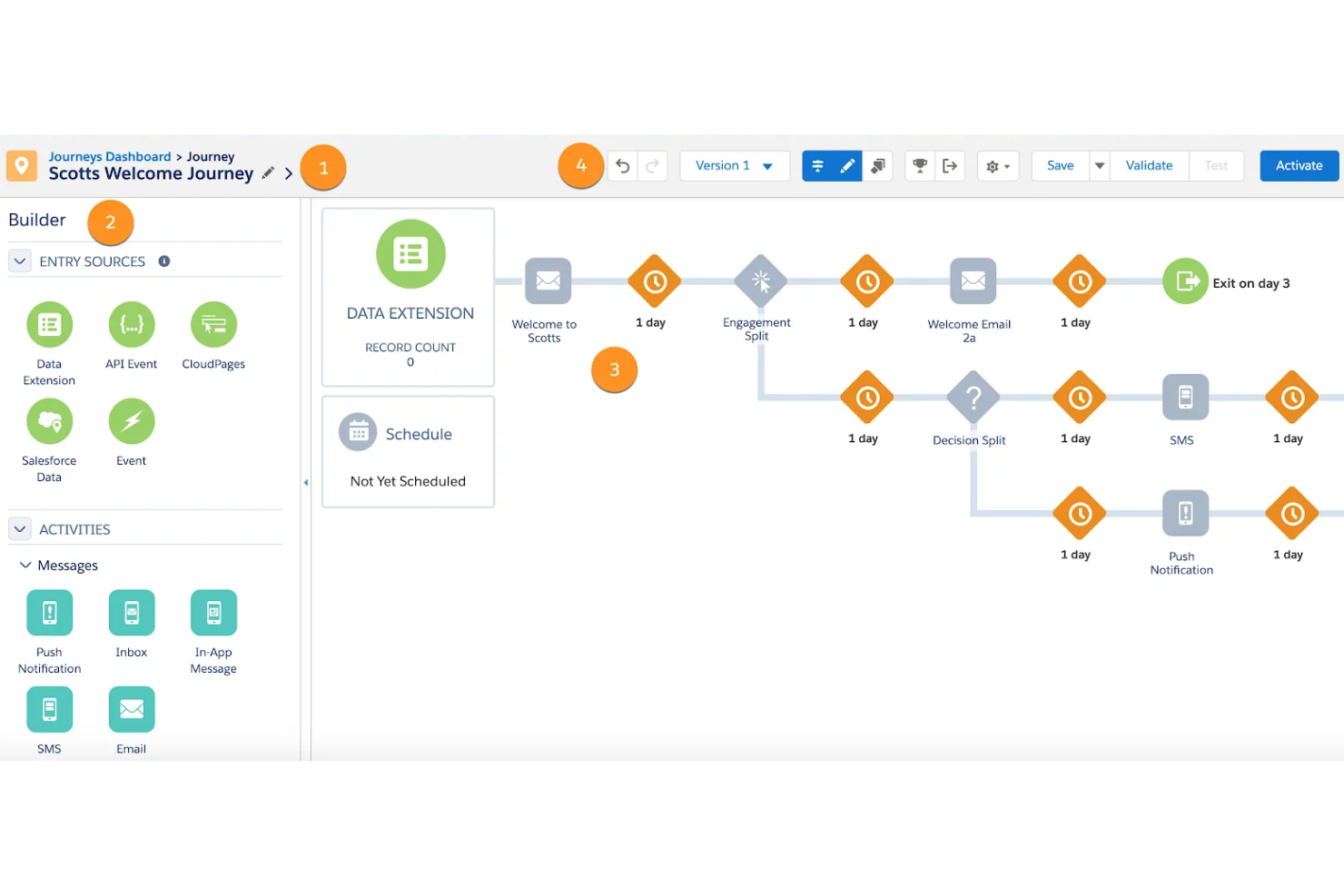
Salesforce Marketing Cloud is an AI-powered marketing automation platform that combines personalized messaging, campaign management, customer segmentation, analytics, and audience engagement tools across digital channels.
Who Is Salesforce Marketing Cloud Best For?
Salesforce Marketing Cloud fits enterprise marketing teams that need to deliver tailored messaging across multiple digital channels at scale.
Why I Picked Salesforce Marketing Cloud
I picked Salesforce Marketing Cloud as one of the best because I can use its AI-driven personalization to tailor content, offers, and timing across email, mobile, social, and ads in a single workflow. AI-powered Journey Builder helps us coordinate outreach at every customer touchpoint.
Salesforce Marketing Cloud Key Features
- Einstein AI analytics: Surfaces predictive insights and automates segments using real-time customer data.
- Content Builder: Centralizes content assets and enables team collaboration on email, mobile, and social creatives.
- Real-time behavioral tracking: Captures and analyzes customer behavior as they happen to trigger personalized messages instantly.
- Dynamic content blocks: Enables marketers to easily create and manage personalized content using generative AI in emails, ads, and landing pages.
Salesforce Marketing Cloud Integrations
Salesforce Marketing Cloud connects natively across the Salesforce ecosystem, including Sales Cloud, Service Cloud, Commerce Cloud, and Data Cloud, and offers a native integration with Google Analytics 4. Additional integrations are available through the Salesforce AppExchange marketplace, and MuleSoft provides pre-built connectors for external systems like SAP, Oracle, and NetSuite. REST and SOAP APIs are available for custom integrations.
Pros and Cons
Pros:
- Dynamic content personalization tools
- Omnichannel journey automation builder
- Advanced AI for audience segmentation
Cons:
- Advanced analytics and multi-touch attribution require expensive add-ons
- Initial setup can be time-intensive
Other AI Marketing Automation Tools
Here are some additional AI marketing automation tools options that didn’t make it onto my shortlist, but are still worth checking out:
- Mailchimp
For small business audience insights
- Sprout Social
For social content scheduling
- Customer.io
For behavior-based messaging
- GetResponse
For campaign workflow visualization
- Omnisend
For multichannel retail automation
- Klaviyo
For e-commerce triggered campaigns
- Oracle Marketing Cloud
For B2B segmentation capabilities


AI Marketing Automation Tools Selection Criteria
When selecting the best AI marketing automation tools to include in this list, I considered common buyer needs and pain points like consolidating omnichannel campaigns and leveraging AI for smarter personalization. I also used the following framework to keep my evaluation structured and fair:
Core Functionality (25% of total score)
To be considered for inclusion in this list, each solution had to fulfill these common use cases:
- Automate email marketing workflows
- Score and segment leads using AI
- Personalize messaging and content at scale
- Track multichannel user interactions
- Report campaign performance and insights
Additional Standout Features (25% of total score)
To help further narrow down the competition, I also looked for unique features, such as:
- Visual workflow or journey builder
- AI-powered predictive analytics
- Integrated chatbot or conversational AI tools
- Automated social media content scheduling
- Native e-commerce platform connections
Usability (10% of total score)
To get a sense of the usability of each system, I considered the following:
- Simple, intuitive user interface
- Customizable dashboard layouts
- Easy process for editing automations
- Responsive performance with large datasets
- Minimal technical setup requirements
Onboarding (10% of total score)
To evaluate the onboarding experience for each platform, I considered the following:
- Step-by-step onboarding product tours
- Access to templates for common automations
- In-app training videos or webinars
- Availability of live chat walkthroughs
- Clear migration tools for importing existing data
Customer Support (10% of total score)
To assess each software provider’s customer support services, I considered the following:
- Fast response times for support tickets
- Live chat or in-app help access
- Comprehensive knowledge base or help center
- Onboarding assistance from the support team
- Multi-channel support options
Value For Money (10% of total score)
To evaluate the value for money of each platform, I considered the following:
- Plan flexibility to match business size
- Transparent pricing with no hidden fees
- Free trial or demo options available
- Cost vs. feature comparison with competitors
- Discounts or pricing tiers for long-term contracts
Customer Reviews (10% of total score)
To get a sense of overall customer satisfaction, I considered the following when reading customer reviews:
- Positive feedback on automation features
- Consistent reliability and uptime reports
- Comments on the learning curve and onboarding
- Reported quality of support team interactions
- Mention of ROI improvements with tool use
How to Choose AI Marketing Automation Tools
It’s easy to get bogged down in long feature lists and complex pricing structures. To help you stay focused as you work through your unique software selection process, here’s a checklist of factors to keep in mind:
| Factor | What to Consider |
|---|---|
| Scalability | Can the tool handle increased campaign volumes and users if your marketing operations grow or diversify? |
| Integrations | Does it connect natively to your key systems (CRM, e-commerce, analytics)? Check for bottlenecks or possible workarounds. |
| Customizability | Can you adjust workflows, triggers, or message templates to accurately reflect your unique processes and brand identity? |
| Ease of use | Does your team require specialized training to use the tool, or can most marketers start using it with minimal ramp-up? |
| Implementation and onboarding | How long does setup take, and what resources will you need from IT or vendor support to get started and migrate data? |
| Cost | Beyond monthly fees, are there add-on charges for users, contacts, emails, or premium support? Are there discounts for annual contracts? |
| Security safeguards | Does the tool provide role-based access, data encryption, and detailed audit trails to protect sensitive campaign and customer data? |
| Support availability | What channels (chat, email, phone) are offered, and are support hours sufficient for your region and marketing deadlines? |
What Are AI Marketing Automation Tools?
AI marketing automation tools are digital platforms that use artificial intelligence to automate, optimize, and personalize marketing workflows across channels. These tools help your team manage repetitive tasks, segment audiences, deliver targeted campaigns, and analyze performance data. By leveraging AI, you can improve efficiency and enable smarter decision-making throughout your marketing processes.
Features of AI Marketing Automation Tools
When selecting AI marketing automation tools, keep an eye out for the following key features:
- AI-driven segmentation: Uses machine learning to group customers or leads based on behavior, preferences, and demographic data for more precise targeting.
- Automated campaign workflows: Allows you to configure multi-step, cross-channel campaigns triggered by user actions or data changes, reducing manual effort and ensuring timely outreach.
- Predictive analytics: Analyzes historical user data to forecast future behaviors, such as likelihood to convert or unsubscribe, helping you prioritize your marketing activities.
- Personalization engine: Delivers dynamic, tailored content or offers in email, ads, and web experiences based on user profiles and real-time actions.
- Omnichannel orchestration: Syncs messaging and timing across channels like email, SMS, web, and social media, maintaining consistency and maximizing engagement.
- A/B and multivariate testing: Lets you experiment with different messaging, creative, or targeting approaches to identify what resonates best with your audience.
- Lead scoring: Uses intelligent algorithms to automatically rate leads by readiness, streamlining handoffs to your sales team.
- Real-time reporting dashboards: Provide up-to-the-minute metrics and insights into campaign performance, enabling fast adjustments and ongoing optimization.
- Chatbot or conversational AI: Incorporates automated chat or messaging to engage users, answer questions, and capture leads on your website or social channels.
- Native integrations: Connects smoothly with your CRM, e-commerce, analytics, and advertising platforms for unified data and actions across your tool stack.
Benefits of AI Marketing Automation Tools
Implementing AI marketing automation tools provides several benefits for your team and your business. Here are a few you can look forward to:
- Smarter audience targeting: AI-powered segmentation and predictive analytics generated by AI-powered tools help you connect campaigns with audiences most likely to engage or convert.
- Personalized customer experiences: Dynamic content and personalization engines create tailored messaging for each contact based on behavior and preferences.
- Time and resource savings: Automated workflows and campaign triggers reduce manual tasks, freeing your team for higher-value projects.
- Consistent cross-channel marketing: Omnichannel orchestration ensures your messaging is always synchronized across email, SMS, social, and web channels.
- Actionable performance insights: Real-time reporting dashboards give you the metrics you need to continually optimize campaigns and maximize ROI.
- Improved lead management: Lead scoring and AI-driven qualification help your sales and marketing teams focus on high-potential opportunities.
- Scalable marketing operations: Workflow builders and integrations make it easier to expand your campaigns as your business grows without increasing complexity.
Costs and Pricing of AI Marketing Automation Tools
Selecting AI marketing automation tools requires an understanding of the various pricing models and plans available. Costs vary based on features, team size, add-ons, and more. The table below summarizes common plans, their average prices, and typical features included in AI marketing automation tools solutions:
Plan Comparison Table for AI Marketing Automation Tools
| Plan Type | Average Price | Common Features |
|---|---|---|
| Free Plan | $0 | Basic workflow automation, limited user seats, capped email sends, core reporting, and community support. |
| Personal Plan | $10-$30/user/month | Enhanced AI segmentation, more email sends, entry-level analytics, single-user access, and basic integrations. |
| Business Plan | $40-$120/user/month | Advanced workflow builders, A/B testing, campaign templates, team collaboration features, and priority support. |
| Enterprise Plan | $150-$400/user/month | Custom onboarding, dedicated account manager, premium integrations, unlimited user seats, and advanced security. |
AI Marketing Automation Tools FAQs
Here are some answers to common questions about AI marketing automation tools:
How do AI marketing automation tools personalize campaigns?
AI marketing automation tools use machine learning to analyze user behavior, preferences, and engagement history, then tailor content, timing, and channels for each contact. This lets you deliver relevant messages that increase engagement and conversion rates without manual segmentation.
Can AI marketing automation tools integrate with my CRM and e-commerce platforms?
Yes, most AI marketing automation tools offer integrations with major CRM and e-commerce platforms. Before choosing a tool, check for native connectors or robust APIs, as this ensures smooth data transfer and unified customer views across your marketing stack.
Are AI marketing automation tools difficult to set up and use?
No, most tools focus on user-friendly interfaces with visual automation builders, pre-built templates, and onboarding guides. While some advanced features may have a learning curve, most marketers can create automations and launch campaigns quickly.
Do AI marketing automation tools support omnichannel marketing?
Yes, many platforms enable you to coordinate and automate campaigns across email, SMS, social media, and your website. Omnichannel support helps keep your messaging consistent and meets customers where they are most active.
How can I evaluate if an AI marketing automation tool meets my security needs?
You should look for features like role-based access controls, data encryption, compliance certifications, and transparent privacy policies. Ask vendors for documentation on data handling and security practices to ensure they align with your requirements.