

Brevo Review: Pros, Cons, Key Features and Updated Pricing
Brevo stands out for its flexible pricing and user-friendly features, making it ideal for growing businesses seeking an affordable, scalable email marketing solution.

We review tools independently, and commissions help fund our testing. See our transparency policy, our methodology, or suggest a tool.
Brevo is an email marketing software built for teams that need to run email campaigns, SMS outreach, and marketing automation from one place. I'd consider it if your contact list is growing fast—Brevo charges by emails sent rather than contacts stored, which makes it a more cost-effective option than Mailchimp for teams with large lists but moderate send volumes.
Brevo Evaluation Summary
4.6/5
- From $8.08/month (billed annually)
- Free plan + free demo available
Why Trust Our Software Recommendations
6,700+
Reviews
20
Industry experts
16+
Evaluation factors
14
Years
Our team has been testing and reviewing software since 2012. As marketing leaders ourselves, we know how difficult—and important—it is to choose the right software.
For this guide, we evaluated tools using hands-on testing and independent research, scoring tools using our selection criteria.
Our reviews reflect our human editorial judgment, not a sales pitch.
Expert reviewers:
 Gui DrusinaCreative Director
- Shriya GhateSenior Marketing Lead
 Amanda JacquesMarketing Ops Leader

Brevo Overview
Brevo offers a clean interface, flexible pricing, and strong automation tools, making it a smart choice for teams comparing options with limited budgets or evolving needs. Its onboarding is straightforward, and support is responsive, but template customization and advanced segmentation can feel limited next to some competitors. Brevo excels for small to midsize businesses or those prioritizing ease of use and transparent costs. If you’re judging software on integration breadth, Brevo covers most essentials, but power users may want deeper analytics. For most marketing managers, it strikes a practical balance between features and affordability.
Pros
- Visual automation builder supports multi-step workflows
- Pay-as-you-go pricing model for flexible campaign budgets
- Transactional email and SMS features included in all plans
Cons
- List management tools have limited segmentation options
- Emails template library is smaller than some competitors
- Reporting lacks advanced attribution and funnel analysis
Is Brevo Right For Your Needs?
Who Would be a Good Fit for Brevo?
Brevo works best for organizations that need flexible pricing, straightforward automation, and reliable transactional messaging. Teams with limited technical resources or those running frequent, targeted campaigns will find its visual workflow builder and pay-as-you-go options especially useful. Brevo’s feature set is well-suited for small to midsize businesses, nonprofits, and departments that value ease of use over deep customization or analytics.
- StartupsAffordable entry-level plans allow for scaling as lists grow.
- Event OrganizersQuick campaign setup and RSVP tracking streamline event communications.
- Marketing AgenciesMulti-client management is supported with separate sender identities.
- Local Service ProvidersAutomated appointment reminders and follow-ups are easy to set up.
- NonprofitsPay-as-you-go pricing helps manage irregular campaign schedules and budgets.
- Small RetailersBrevo’s transactional SMS and email features support order updates and promotions.
Who Would be a Bad Fit for Brevo?
Brevo may not meet the needs of organizations that require advanced segmentation, deep analytics, or highly customized templates. Large enterprises or data-driven marketing teams may find its reporting and list management features too limited for complex, multi-channel strategies. If your team relies on granular targeting or detailed attribution, Brevo’s current capabilities may fall short.
- Large EnterprisesAdvanced reporting and segmentation features are less robust than needed.
- E-Commerce GiantsLimited product catalog integration and dynamic content options.
- Data-Driven MarketersAttribution and funnel analysis tools are basic compared to others.
- International CorporationsLocalization and multi-language support are not as extensive.
- Franchise NetworksCentralized control and granular user permissions are limited.
- B2B SaaS CompaniesAccount-based marketing and lead scoring features are minimal.
How We Test & Score Tools
We’ve spent years building, refining, and improving our software testing and scoring system. The rubric is designed to capture the nuances of software selection and what makes a tool effective, focusing on critical aspects of the decision-making process.
Below, you can see exactly how our testing and scoring works across seven criteria. It allows us to provide an unbiased evaluation of the software based on core functionality, standout features, ease of use, onboarding, customer support, integrations, customer reviews, and value for money.
Core Functionality (25% of final scoring)
The starting point of our evaluation is always the core functionality of the tool. Does it have the basic features and functions that a user would expect to see? Are any of those core features locked to higher-tiered pricing plans? At its core, we expect a tool to stand up against the baseline capabilities of its competitors.
Standout Features (25% of final scoring)
Next, we evaluate uncommon standout features that go above and beyond the core functionality typically found in tools of its kind. A high score reflects specialized or unique features that make the product faster, more efficient, or offer additional value to the user.
We also evaluate how easy it is to integrate with other tools typically found in the tech stack to expand the functionality and utility of the software. Tools offering plentiful native integrations, 3rd party connections, and API access to build custom integrations score best.
Ease of Use (10% of final scoring)
We consider how quick and easy it is to execute the tasks defined in the core functionality using the tool. High scoring software is well designed, intuitive to use, offers mobile apps, provides templates, and makes relatively complex tasks seem simple.
Onboarding (10% of final scoring)
We know how important rapid team adoption is for a new platform, so we evaluate how easy it is to learn and use a tool with minimal training. We evaluate how quickly a team member can get set up and start using the tool with no experience. High scoring solutions indicate little or no support is required.
Customer Support (10% of final scoring)
We review how quick and easy it is to get unstuck and find help by phone, live chat, or knowledge base. Tools and companies that provide real-time support score best, while chatbots score worst.
Customer Reviews (10% of final scoring)
Beyond our own testing and evaluation, we consider the net promoter score from current and past customers. We review their likelihood, given the option, to choose the tool again for the core functionality. A high scoring software reflects a high net promoter score from current or past customers.
Value for Money (10% of final scoring)
Lastly, in consideration of all the other criteria, we review the average price of entry level plans against the core features and consider the value of the other evaluation criteria. Software that delivers more, for less, will score higher.
Core Features
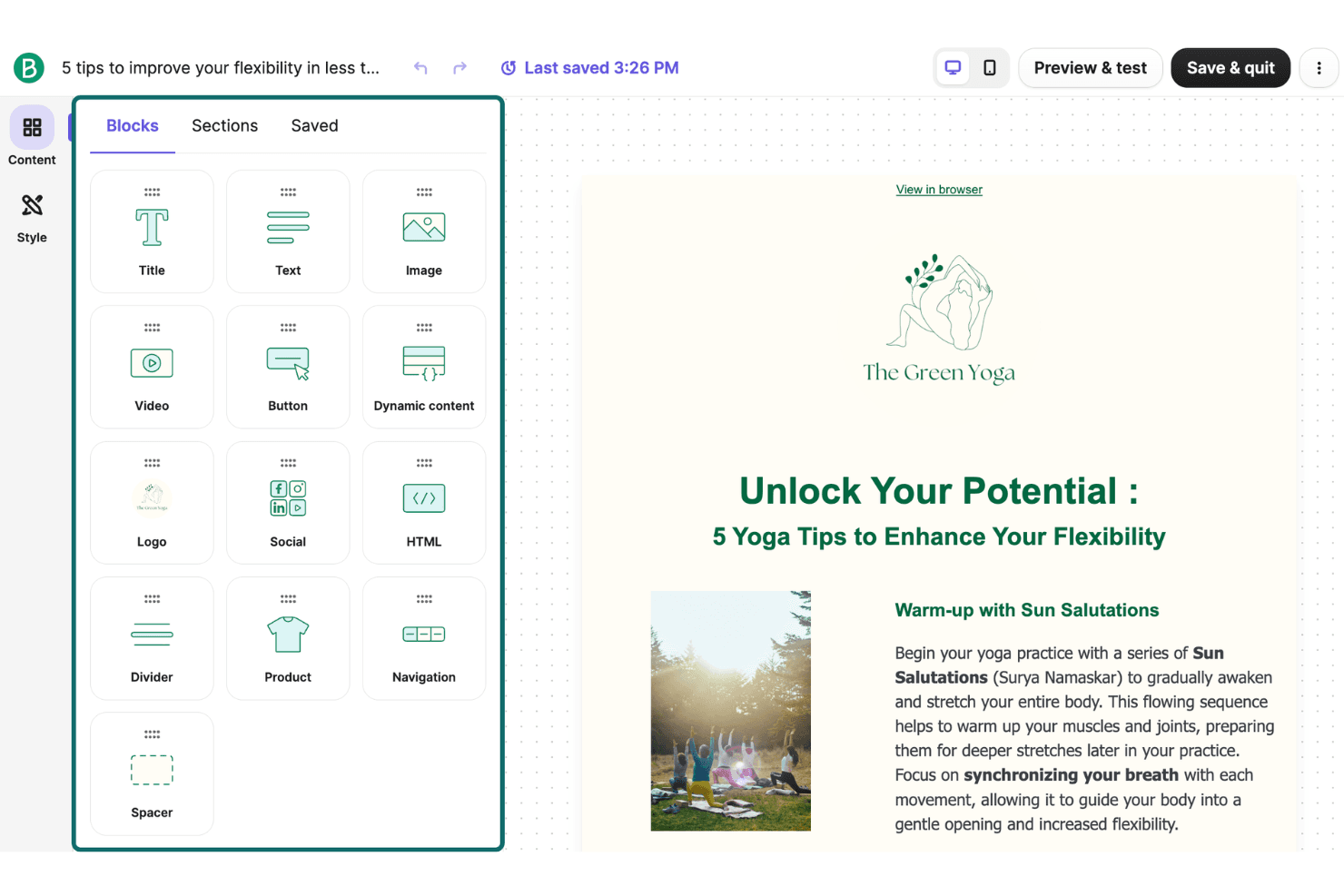
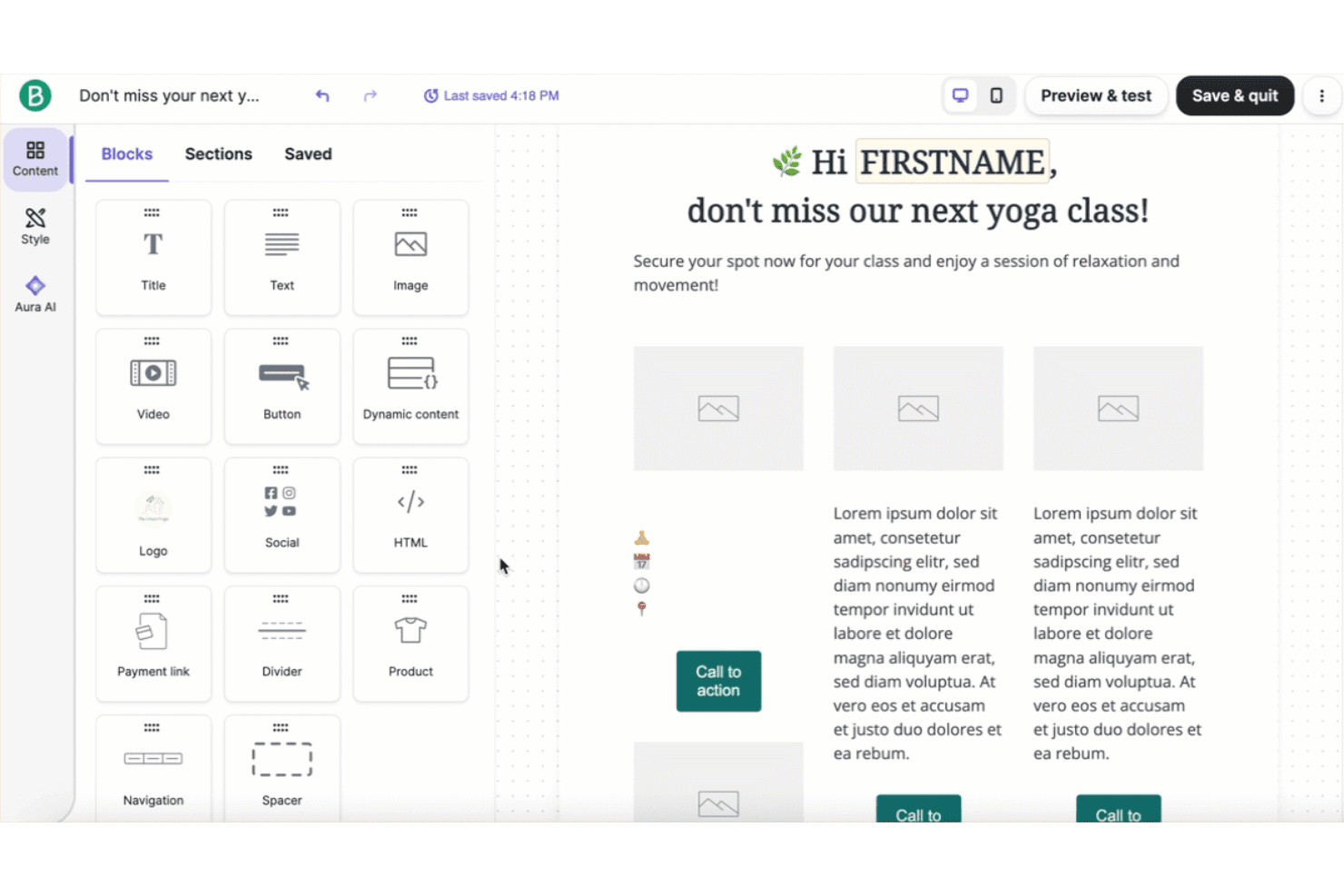
Drag-and-Drop Email Editor
Design emails visually with a simple interface and pre-built content blocks using the email builder and editor. Users can quickly create branded campaigns without coding.
Visual Automation Builder
Set up multi-step automation workflows for welcome emails, follow-ups, or abandoned carts. The builder uses a flowchart-style layout for easy logic mapping.
Transactional Email and SMS
Send order confirmations, password resets, and alerts directly from the platform. All plans include transactional messaging with real-time delivery tracking.
Email List Segmentation
Group contacts by behavior, demographics, or engagement for targeted campaigns. Brevo’s contact management capabilities make it easy to organize and maintain a list.
A/B Testing
Test subject lines, content, or send times to optimize performance. The dashboard highlights key metrics with visual summaries and exportable reports for analysis.
Campaign Reporting Dashboard
Track opens, clicks, bounces, and unsubscribes in real time. The dashboard offers visual summaries and exportable reports for analysis.
Ease of Use
Brevo is widely recognized for its intuitive interface and straightforward user experience, making it accessible for both new and experienced users. The drag-and-drop editor, visual automation builder, and clear campaign dashboards reduce setup time and confusion. Many users highlight the minimal onboarding required and the logical layout of features. While some advanced features are less prominent, Brevo’s focus on simplicity helps teams launch campaigns quickly without extensive training or technical support.
Integrations
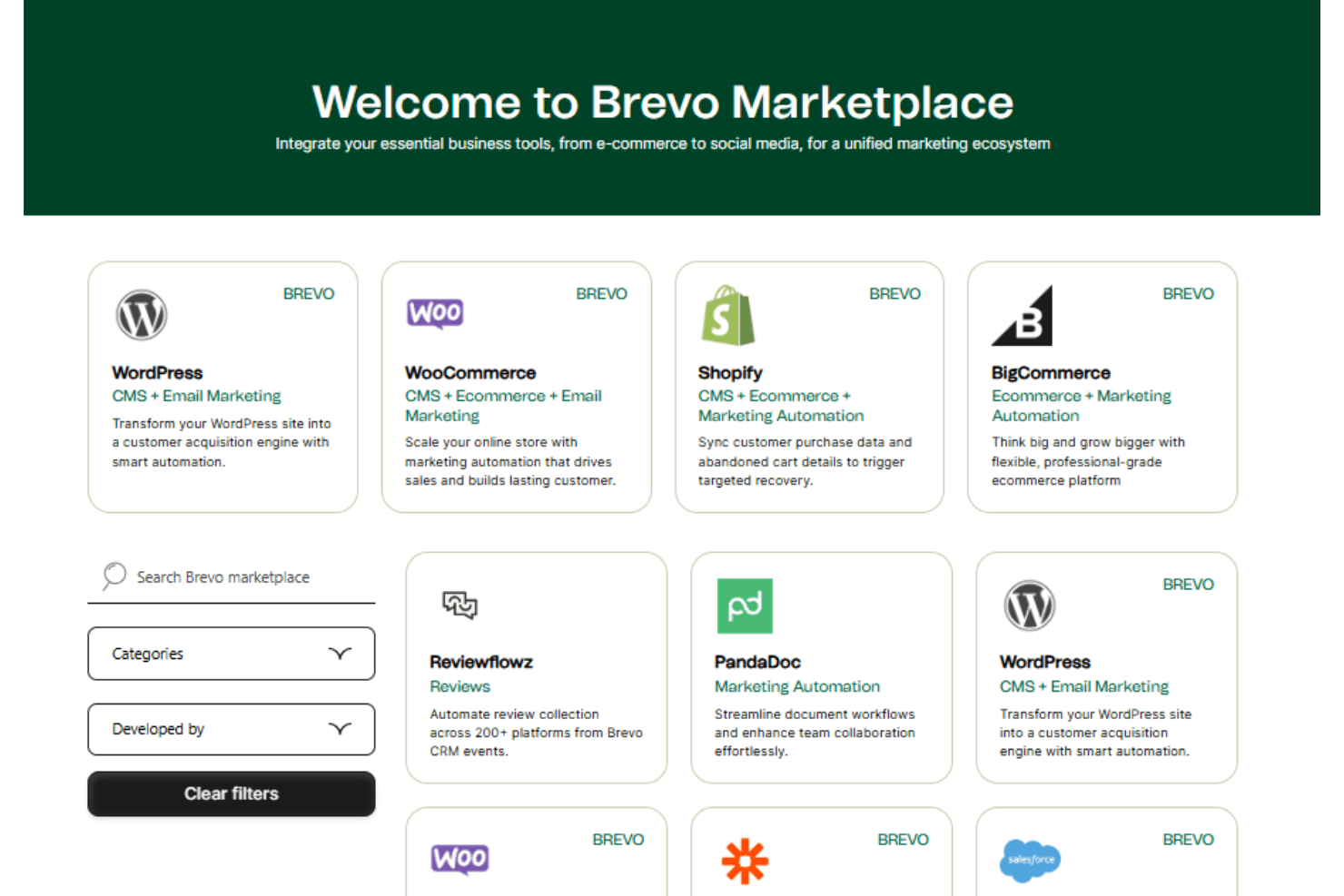
Brevo integrates with Constant Contact, WordPress, WooCommerce, HubSpot, Google Analytics, Mailchimp, ActiveCampaign, MailerLite, and Salesforce, among others.
Brevo also offers a robust API and connects with third-party integration tools, like Zapier, for custom workflows and extended functionality.
Brevo Specs
- A/B Testing: Yes
- API: Yes
- Audience Targeting: Yes
- Brand Management: Yes
- Calendar Management: Yes
- Campaign Management: Yes
- Compliance Tracking: Yes
- Contact Management: Yes
- Contact Sharing: Yes
- Conversion Tracking: Yes
- CRM Integration: Yes
- Customer Management: Yes
- Dashboard: Yes
- Data Export: Yes
- Data Import: Yes
- Data Visualization: Yes
- Email Integration: Yes
- External Integrations: Yes
- Google Apps Integration: Yes
- Lead Management: Yes
- Lead Scoring: Yes
- Link Tracking: Yes
- Marketing Automation: Yes
- Multi-User: Yes
- Notifications: Yes
- Scheduling: Yes
- Social-Media Integration: Yes
- Third-Party Plugins/Add-Ons: Yes


