

HubSpot Review: Pros, Cons, Features & Pricing
HubSpot is everywhere in marketing, but does it deliver? I reviewed its features, ease of use, pros and cons, and more so you can make the call.

We review tools independently, and commissions help fund our testing. See our transparency policy, our methodology, or suggest a tool.
HubSpot is a marketing software that combines email marketing, content management, social media, SEO, and lead management with a built-in CRM. It's a strong fit if your team needs to connect marketing activity directly to pipeline without managing a stack of disconnected tools. I'd consider it over something like Marketo if you want native CRM integration and a faster setup time, without needing a developer or a lengthy implementation to get campaigns running.
HubSpot Evaluation Summary
4.4/5
- From $20/user/month
- Free plan available
Why Trust Our Software Recommendations
6,700+
Reviews
20
Industry experts
16+
Evaluation factors
14
Years
Our team has been testing and reviewing software since 2012. As marketing leaders ourselves, we know how difficult—and important—it is to choose the right software.
For this guide, we evaluated tools using hands-on testing and independent research, scoring tools using our selection criteria.
Our reviews reflect our human editorial judgment, not a sales pitch.
Expert reviewers:
 Gui DrusinaCreative Director
- Shriya GhateSenior Marketing Lead
 Amanda JacquesMarketing Ops Leader

HubSpot Overview
HubSpot sets itself apart with its user-friendly interface and robust integration capabilities, making it ideal for teams seeking comprehensive marketing solutions.
Pros
- The intuitive interface makes it easy for your team to navigate and manage marketing tasks.
- Exceptional customer support ensures you get help quickly when needed.
- The onboarding process is smooth, getting your team up to speed in no time.
Cons
- Some users find it lacks certain financial-related features like budgets and expenses.
- Occasional glitches in allocations may require you to double-check assignments.
- Advanced users might find HubSpot's templated options limiting for unique customizations.
Is HubSpot Right For Your Needs?
Who Would be a Good Fit for HubSpot?
HubSpot suits small to medium-sized businesses and marketing teams in the tech and service industries. If your team values intuitive tools and efficient onboarding, you’ll find HubSpot’s user-friendly interface and comprehensive support beneficial. For instance, digital agencies can leverage the platform's marketing automation to streamline campaigns, while SaaS startups can use its detailed analytics to drive growth. HubSpot’s capabilities make it ideal for teams looking to enhance their marketing without getting bogged down by complex setups.
- Digital AgenciesHubSpot Marketing’s automation tools help your team manage multiple client campaigns efficiently.
- SaaS StartupsIts detailed analytics empower you to track user engagement and optimize marketing strategies.
- E-commerce BusinessesPersonalized email marketing features allow you to enhance customer engagement and boost sales.
- Educational InstitutionsHubSpot’s CRM integration helps you manage student outreach and engagement effectively.
- Healthcare ProvidersThe platform’s content management tools aid in maintaining a strong online presence.
- Non-Profit OrganizationsIts easy-to-use interface and support make managing campaigns and donor relationships straightforward.
Who Would be a Bad Fit for HubSpot?
Large enterprises with highly complex marketing needs might not find HubSpot suitable. If your team demands extensive customization or integration with a wide array of legacy systems, HubSpot’s standard features might fall short. For example, large corporations with intricate financial tracking requirements might find its financial-related functionalities limited, leading to inefficiencies. Teams looking for a more niche solution tailored to specific industries could also find HubSpot’s generalized approach less appealing.
- Large CorporationsComplex workflows and extensive customization needs may outgrow HubSpot’s capabilities.
- Financial ServicesIf your work involves intricate financial tracking, HubSpot’s basic financial functionalities might not suffice.
- Manufacturing IndustrySpecialized production and supply chain management aren’t well supported by HubSpot’s marketing focus.
- Government AgenciesThe need for strict compliance and unique workflows might not align with HubSpot’s offerings.
- Highly Specialized FirmsIf your industry requires niche marketing solutions, HubSpot’s general approach might not meet your demands.
- Legacy System UsersIf your team relies on older systems, HubSpot’s integration capabilities might not cover all your needs.
How We Test & Score Tools
We’ve spent years building, refining, and improving our software testing and scoring system. The rubric is designed to capture the nuances of software selection and what makes a tool effective, focusing on critical aspects of the decision-making process.
Below, you can see exactly how our testing and scoring works across seven criteria. It allows us to provide an unbiased evaluation of the software based on core functionality, standout features, ease of use, onboarding, customer support, integrations, customer reviews, and value for money.
Core Functionality (25% of final scoring)
The starting point of our evaluation is always the core functionality of the tool. Does it have the basic features and functions that a user would expect to see? Are any of those core features locked to higher-tiered pricing plans? At its core, we expect a tool to stand up against the baseline capabilities of its competitors.
Standout Features (25% of final scoring)
Next, we evaluate uncommon standout features that go above and beyond the core functionality typically found in tools of its kind. A high score reflects specialized or unique features that make the product faster, more efficient, or offer additional value to the user.
We also evaluate how easy it is to integrate with other tools typically found in the tech stack to expand the functionality and utility of the software. Tools offering plentiful native integrations, 3rd party connections, and API access to build custom integrations score best.
Ease of Use (10% of final scoring)
We consider how quick and easy it is to execute the tasks defined in the core functionality using the tool. High scoring software is well designed, intuitive to use, offers mobile apps, provides templates, and makes relatively complex tasks seem simple.
Onboarding (10% of final scoring)
We know how important rapid team adoption is for a new platform, so we evaluate how easy it is to learn and use a tool with minimal training. We evaluate how quickly a team member can get set up and start using the tool with no experience. High scoring solutions indicate little or no support is required.
Customer Support (10% of final scoring)
We review how quick and easy it is to get unstuck and find help by phone, live chat, or knowledge base. Tools and companies that provide real-time support score best, while chatbots score worst.
Customer Reviews (10% of final scoring)
Beyond our own testing and evaluation, we consider the net promoter score from current and past customers. We review their likelihood, given the option, to choose the tool again for the core functionality. A high scoring software reflects a high net promoter score from current or past customers.
Value for Money (10% of final scoring)
Lastly, in consideration of all the other criteria, we review the average price of entry level plans against the core features and consider the value of the other evaluation criteria. Software that delivers more, for less, will score higher.
Core Features
Email Marketing
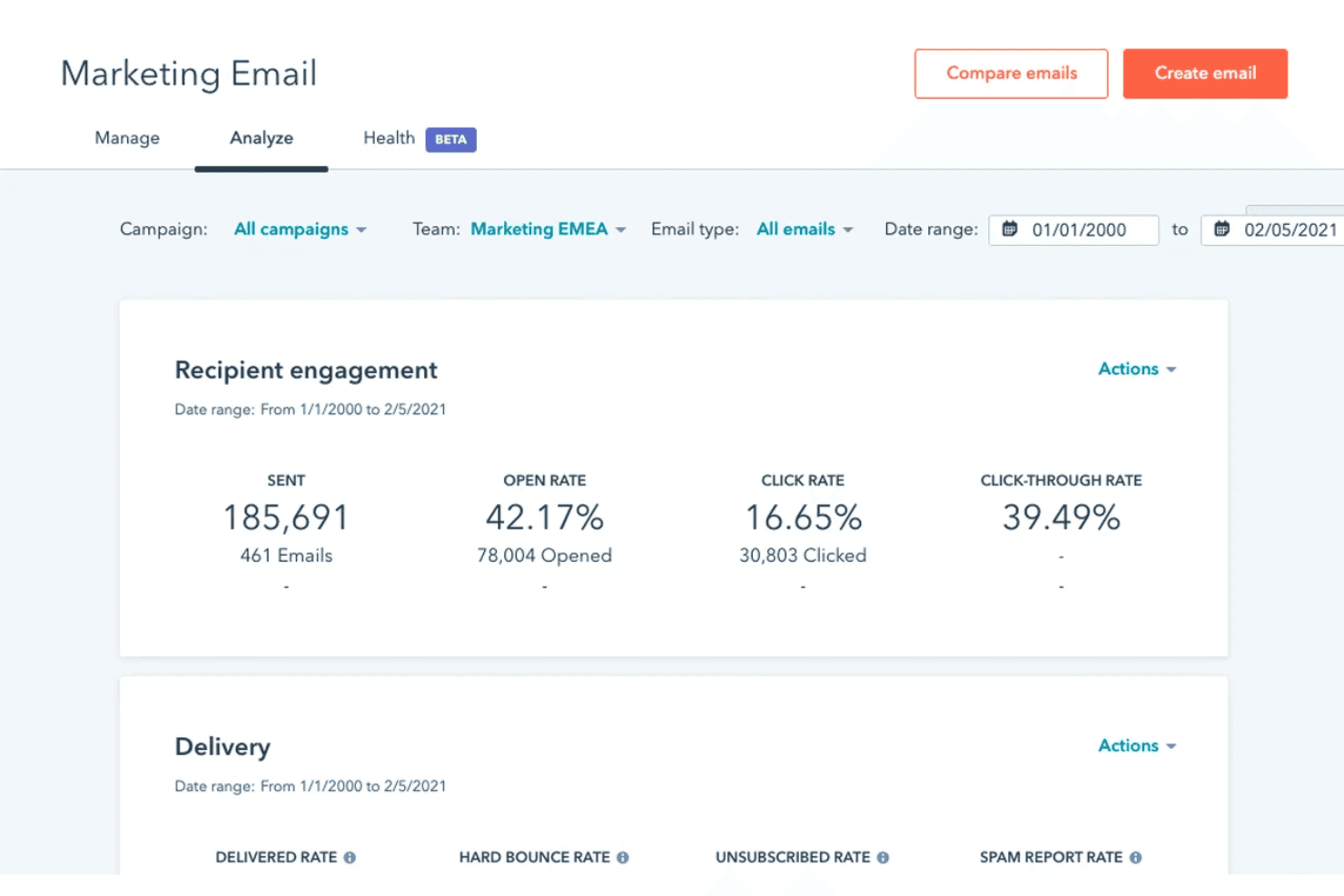
HubSpot's email marketing tools let you craft personalized emails with ease, making your campaigns more engaging. Its drag-and-drop editor simplifies design, helping your team create professional emails quickly.
Campaign Management
You can plan, execute, and track your marketing campaigns in one place. This feature helps your team stay organized and measure campaign success effectively.
Lead Management
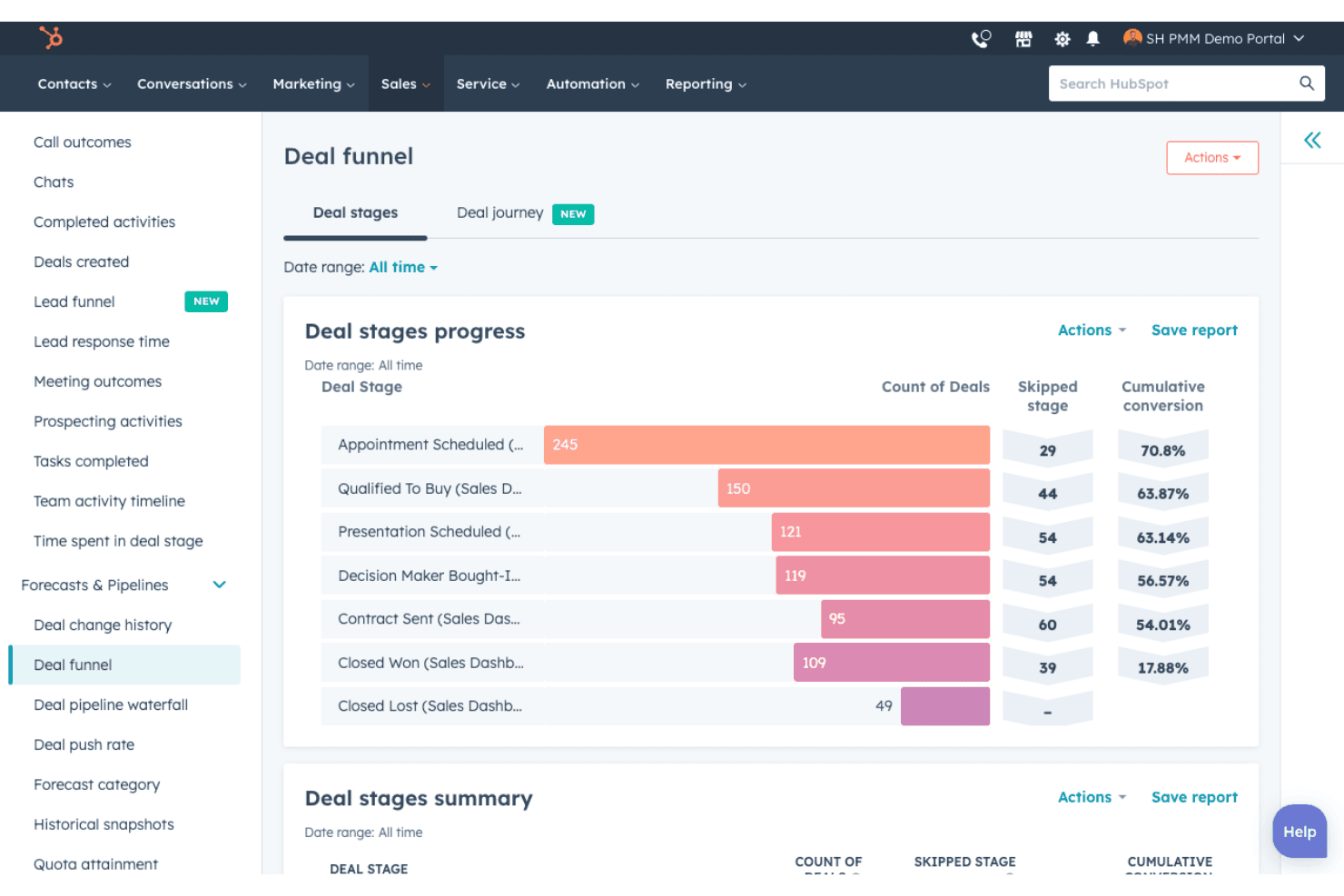
HubSpot allows you to track and nurture leads through the sales funnel. With detailed insights, your team can prioritize leads and improve conversion rates.
Analytics & Reporting
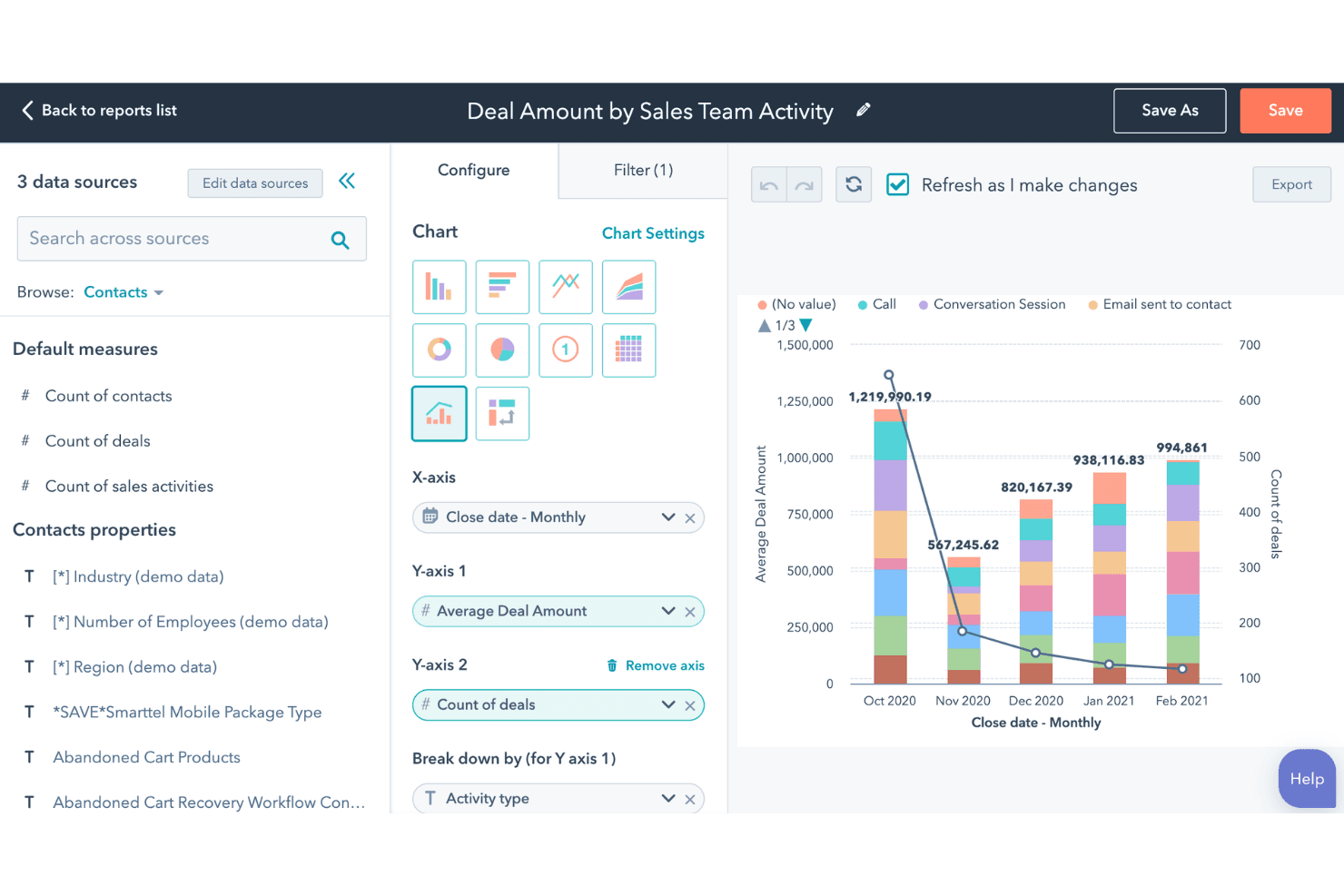
Gain insights into your marketing efforts with real-time data, customizable reports, and holistic marketing dashboards. This helps you make informed decisions and optimize your strategies.
Social Media Management
Schedule and publish posts across various platforms from one dashboard. This streamlines your social media management efforts and boosts your online presence.
Landing Pages
Create attractive landing pages without coding skills, capturing leads more efficiently. HubSpot's templates and A/B testing ensure your pages convert effectively.
Content Management System (CMS)
Its CMS is tightly integrated with WordPress, enabling easy content creation and management to boost SEO and attract leads.
SEO Tools
The platform provides robust SEO suggestions and tools, making it easier for marketers to optimize their content and improve search rankings.
Ease of Use
HubSpot is known for its intuitive interface and straightforward navigation, making it accessible for users at all skill levels. Your team can quickly adapt to its tools, thanks to the drag-and-drop editors and user-friendly dashboards. With clear tutorials and responsive customer support, you won’t face steep learning curves. These features help you focus on your marketing goals without getting bogged down by complicated processes, setting it apart from many other solutions.
Integrations
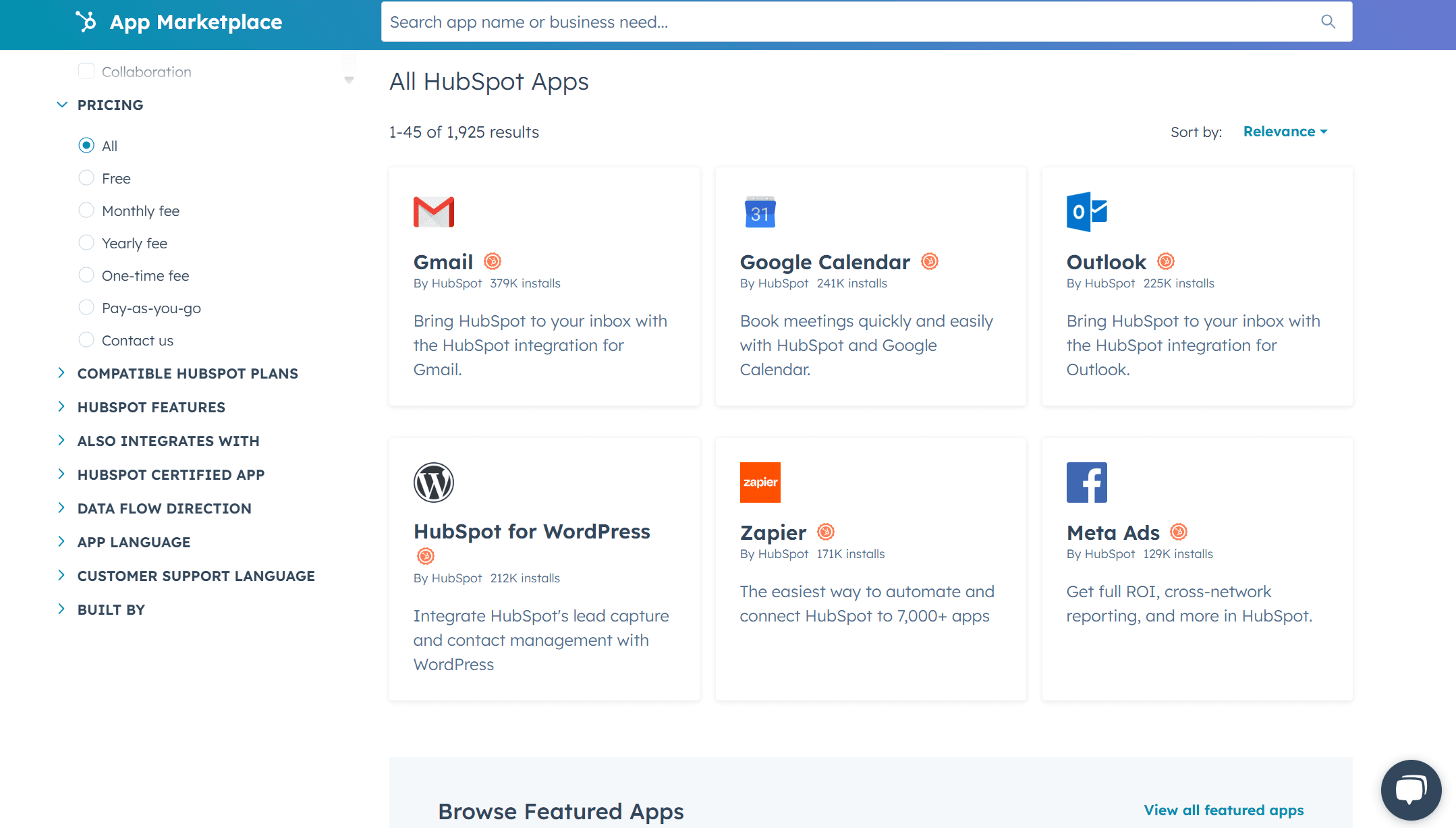
Integrations are available with 1,000+ apps, including Gmail, Google Calendar, Meta Ads, Slack, Zoom, Microsoft Teams, Make, Typeform, Google Search Console, Salesforce, Mailchimp, and Instagram. They also offer an API for custom integrations.
HubSpot Specs
- 2-Factor Authentication: Yes
- API: Yes
- Calendar Management: Yes
- Call Tracking: Yes
- Campaign Management: Yes
- Click-to-Dial: Yes
- Contact Management: Yes
- Contact Sharing: Yes
- Custom Data Forms: Yes
- Customer Management: Yes
- Dashboard: Yes
- Data Export: Yes
- Data Import: Yes
- Data Visualization: Yes
- Email Integration: Yes
- External Integrations: Yes
- File Sharing: Yes
- File Transfer: Yes
- Google Apps Integration: Yes
- Lead Management: Yes
- Lead Scoring: Yes
- Marketing Automation: Yes
- Mobile App: Yes
- Multi-User: Yes
- Notifications: Yes
- Pipeline Management: Yes
- Sales Automation: Yes
- Scheduling: Yes
- Social-Media Integration: Yes
- Task Scheduling/Tracking: Yes
- Third-Party Plugins/Add-Ons: Yes
Alternatives to HubSpot


HubSpot FAQs
What's Next
Subscribe to the CMO newsletter for more insights on the latest marketing tools, industry thought leadership, and expert advice.