
14 monday CRM Alternatives for 2026

monday CRM Alternatives Shortlist
Here’s my shortlist of monday CRM alternatives:


A strong monday CRM alternative combines flexible project management features with customizable workflows and reliable collaboration tools, with the ability to track tasks. If you’re searching for options beyond monday CRM, you’re likely looking for software that adapts to your team’s processes, is known for ease of use, supports seamless integrations with your existing tools, and offers both client and project management in one place. With so many platforms available, it’s tough to know which ones actually deliver on these needs. This list will help you quickly compare the top monday CRM alternatives for 2026, so you can find the right fit for your business and keep your projects moving forward.
What is monday CRM?
monday CRM is an all-in-one project management software by monday.com that helps small teams organize tasks, track client interactions, and manage workflows in one platform. It offers customizable boards, automation tools, and integrations with popular business apps and acts as a solid project management tool with CRM features. Teams use monday CRM to centralize project details, assign responsibilities, and monitor progress in real time. Its visual interface, advanced features, and flexible structure make it suitable for a range of industries and project types.
Best monday CRM Alternatives Summary
This comparison chart summarizes pricing details for my top monday CRM alternative selections to help you find the best one for your budget and business needs.
| Tool | Best For | Trial Info | Price | ||
|---|---|---|---|---|---|
| 1 | Best for AI-powered lead scoring | 21-day free trial + free demo available | From $9/user/month (billed annually) | Website | |
| 2 | Best for automated email campaign management | 14-day free trial + free demo available | From $15/month (billed annually) | Website | |
| 3 | Best for built-in marketing automation tools | Free demo + 14-day free trial available | From $15/month (billed annually) | Website | |
| 4 | Best for agile workflow support | Free plan + 14-day free trial available | From $7.91/user/month | Website | |
| 5 | Best for team collaboration features | Free plan available | From $10.99/user/month (billed annually) | Website | |
| 6 | Best for visual sales pipeline management | 14-day free trial available | From $14/seat/month (billed annually) | Website | |
| 7 | Best for Outlook integration | Free trial + free plan available | From $18/user/month (billed annually) | Website | |
| 8 | Best for enterprise-level data integration | 30-day free trial available | From $65/user/month (billed annually) | Website | |
| 9 | Best for customizable workflow automation | Free plan available | From $25/user/month (billed monthly/annually) | Website | |
| 10 | Best for customizable task hierarchies | Free plan + free demo available | From $4/user/month (billed annually) | Website |

Why Trust Our Software Reviews
We’ve been testing and reviewing marketing software since 2022. As marketing experts ourselves, we know how critical and difficult it is to make the right decision when selecting software.
We invest in deep research to help our audience make better software purchasing decisions. We’ve tested more than 2,000 tools for different marketing use cases and written over 1,000 comprehensive software reviews. Learn how we stay transparent & our software review methodology.


monday CRM Alternatives Reviews
Below are my detailed summaries of the best monday CRM alternatives that made it onto my shortlist. My reviews offer a detailed look at the features, best use cases, and integrations of each platform to help you find the best one for you.
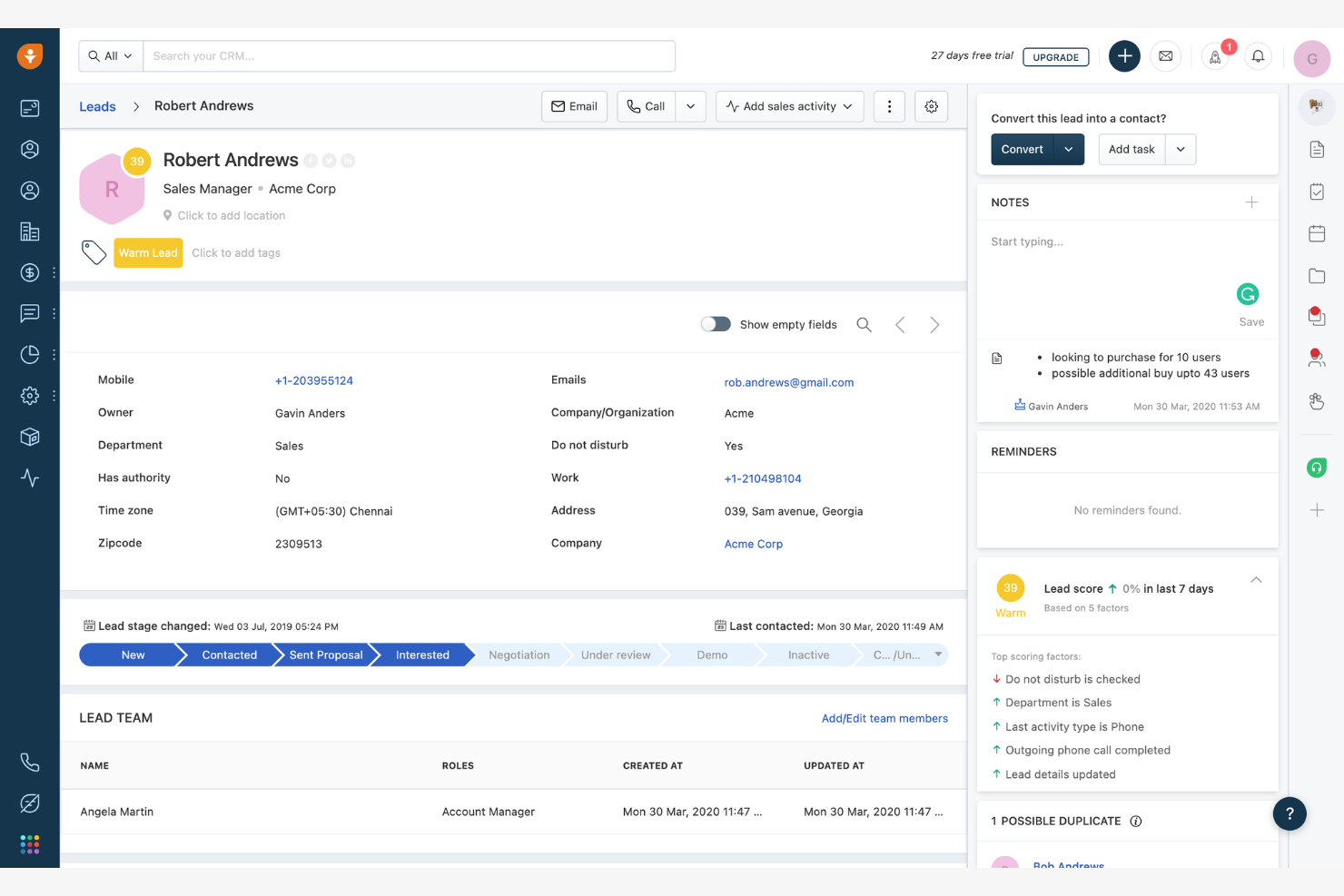
Sales teams looking for project management software with advanced lead qualification features may want to consider Freshsales. This platform uses AI-powered lead scoring to help prioritize deals and focus team efforts where they matter most. Unlike monday CRM, Freshsales automatically analyzes engagement signals and sales activities to surface high-potential leads directly within your project workflows.
Why Freshsales Is a Good monday CRM Alternative
For teams that want to prioritize leads and manage projects in one place, Freshsales offers a unique advantage. I picked Freshsales because its AI-powered lead scoring automatically ranks prospects based on engagement, deal stage, and historical data, so you can focus on the most promising opportunities. The platform also lets you set up workflows that assign tasks and reminders based on lead scores, keeping your project pipeline organized. If you need project management that’s tightly connected to sales intelligence, Freshsales brings these capabilities together in a way monday CRM doesn’t.
Freshsales Key Features
Some other features in Freshsales that project-focused teams may want to explore include:
- Kanban Deal Pipeline: Visualize and manage deals through customizable pipeline stages.
- Built-in Phone and Email: Make calls and send emails directly from the platform.
- Appointment Scheduling: Book meetings with leads and clients using integrated calendar tools.
- Custom Fields and Modules: Tailor records and workflows to match your team’s unique project needs.
Freshsales Integrations
Integrations include Freshdesk, Freshchat, Freshmarketer, Google Workspace, Microsoft 365, Mailchimp, Zapier, QuickBooks, Xero, and more.
Pros and Cons
Pros:
- Automated task assignment from workflow rules
- Built-in phone and email for direct outreach
- AI lead scoring updates with real-time data
Cons:
- Workflow automation restricted on lower plans
- No built-in time tracking for projects

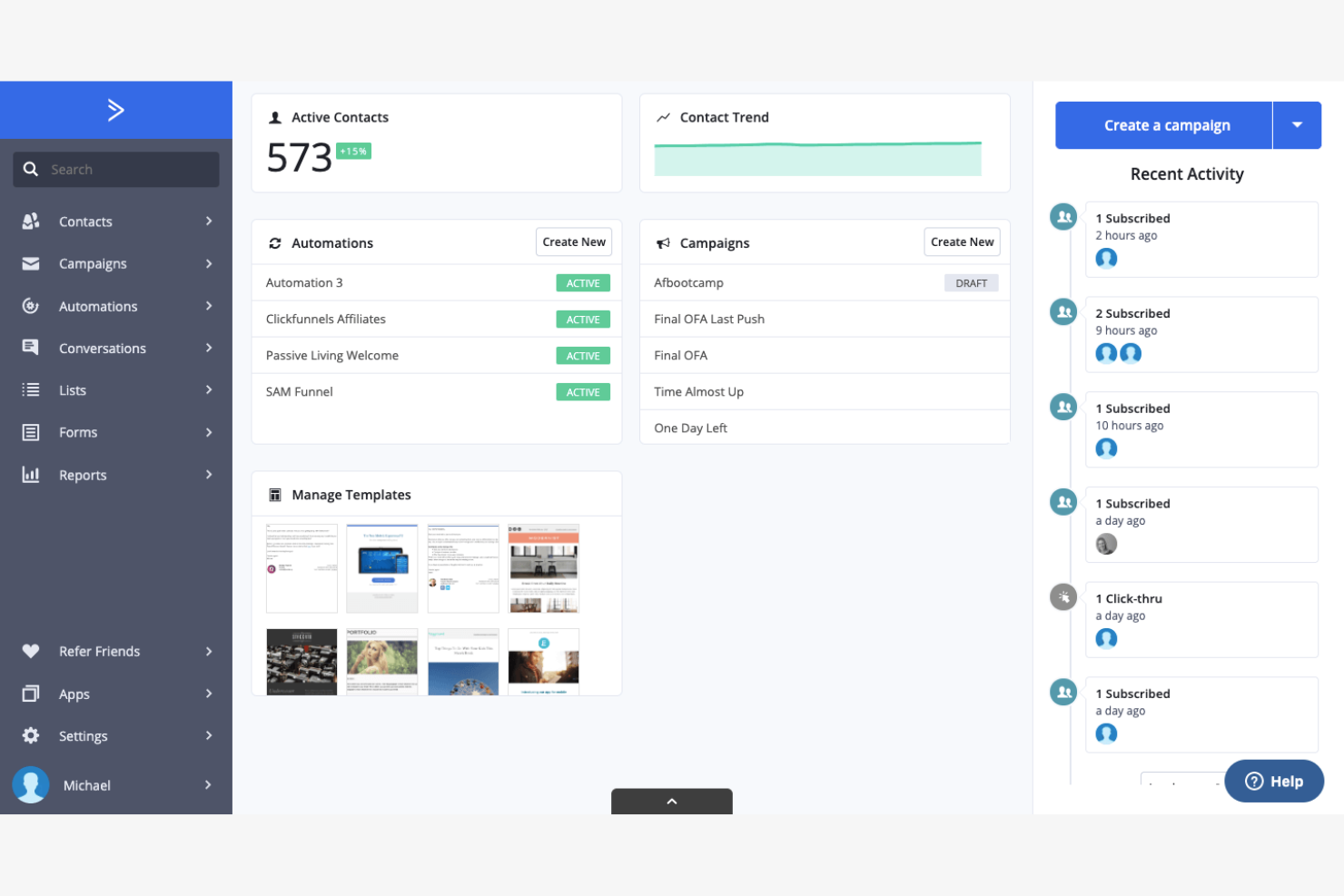
If your team needs advanced automation for email campaigns, ActiveCampaign delivers a platform focused on marketing and sales workflows. Marketing teams and small businesses often choose it for its visual automation builder and deep segmentation tools. Unlike monday CRM, ActiveCampaign specializes in automating personalized email journeys and managing complex campaign triggers.
Why ActiveCampaign Is a Good monday CRM Alternative
For teams that want to automate and personalize their outreach, ActiveCampaign offers advanced email campaign management that goes beyond what monday CRM provides. I picked ActiveCampaign because its visual automation builder lets you design complex, multi-step workflows for nurturing leads and managing customer journeys. The platform’s segmentation tools allow you to target specific audiences based on behavior, engagement, or custom data fields. If your project management needs include orchestrating automated communications and tracking campaign performance, ActiveCampaign brings specialized features that fill this gap.
ActiveCampaign Key Features
Some other features in ActiveCampaign that project managers may want to consider include:
- Lead Scoring: Assign scores to contacts based on engagement and activity.
- Deal Pipeline Management: Track sales opportunities through customizable pipeline stages.
- Task Assignment: Create and assign tasks to team members within deals.
- Site Tracking: Monitor website visitor activity and connect it to contact records.
ActiveCampaign Integrations
Integrations include Shopify, Salesforce, WordPress, Facebook, WooCommerce, Zapier, Google Analytics, Slack, Calendly, and more.
Pros and Cons
Pros:
- Sales pipeline view for tracking deals
- Email and SMS marketing in one platform
- Built-in lead scoring for prioritizing contacts
Cons:
- No built-in time tracking for tasks
- Reporting focuses on marketing, not projects

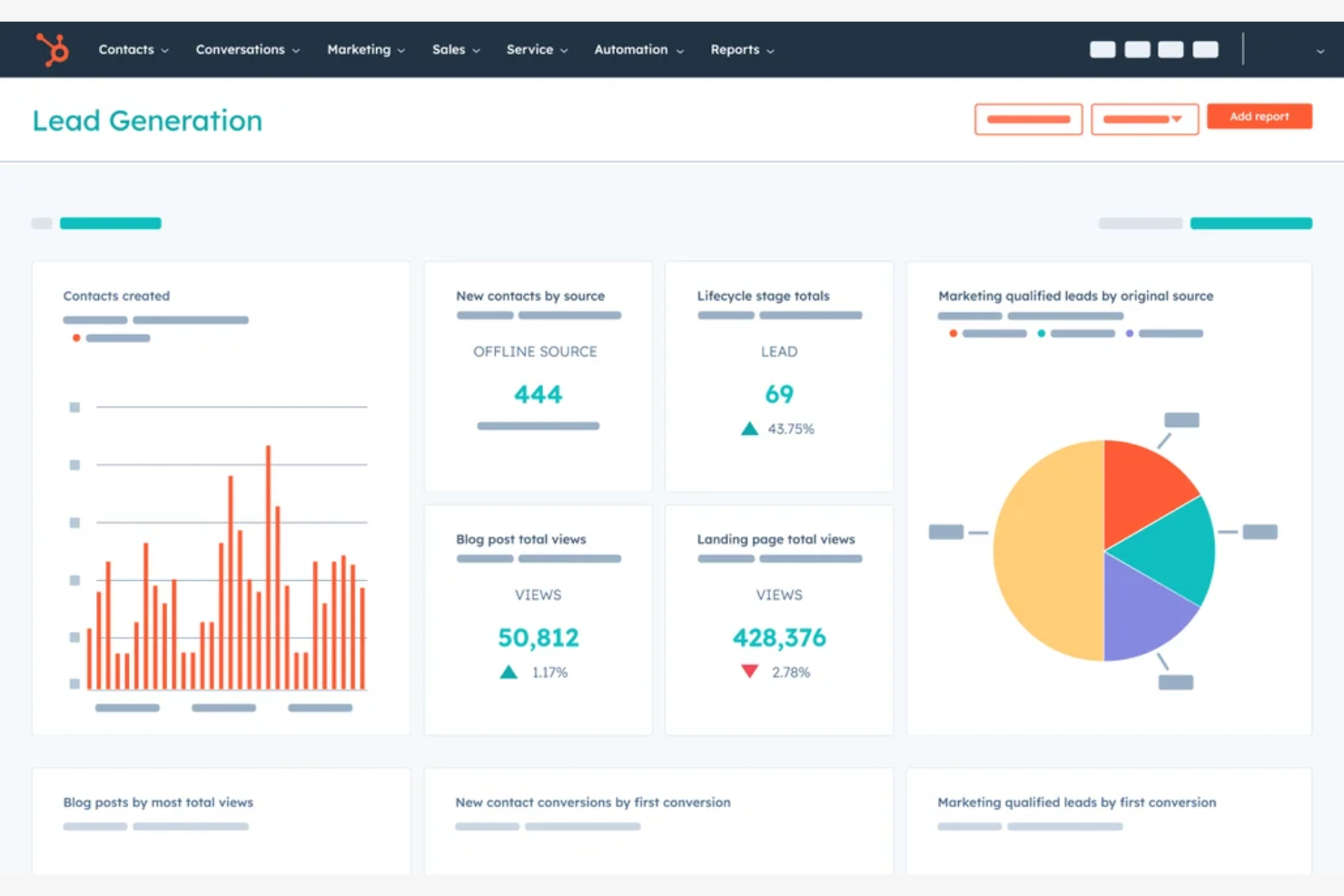
For teams that want project management and marketing automation in one place, HubSpot offers a unique approach. This platform is especially useful for marketing and sales teams that need to manage contacts, automate campaigns, and track project progress without switching tools. Unlike monday CRM, HubSpot’s built-in marketing automation features let you connect project tasks directly to email workflows, lead nurturing, and campaign tracking.
Why HubSpot Is a Good monday CRM Alternative
If you want project management that’s tightly connected to marketing automation, HubSpot is a strong choice. I picked HubSpot because its workflow automation tools let you trigger emails, assign tasks, and update records based on project milestones or deal stages. The platform’s campaign management features also help you coordinate marketing projects, track performance, and keep all related assets in one place. For teams that need to blend project tracking with automated outreach, HubSpot offers a level of integration that monday CRM doesn’t match.
HubSpot Key Features
Some other features in HubSpot that project-focused teams may want to explore include:
- Task Queues: Organize and prioritize project tasks for yourself or your team.
- Customizable Dashboards: Build dashboards to visualize project metrics and team performance.
- Document Management: Store, share, and track documents directly within the platform.
- Team Permissions: Set granular access controls for different users and teams.
HubSpot Integrations
Integrations include Asana, Gmail, Intercom, Mailchimp, Google Ads, Shopify, Slack, Microsoft Dynamics 365, Zoom, Salesforce, and more.
Pros and Cons
Pros:
- Email campaign tools connect to project workflows
- Contact and deal records link to projects
- Built-in marketing automation for project tasks
Cons:
- Task dependencies not supported in project boards
- No native Gantt chart for project timelines

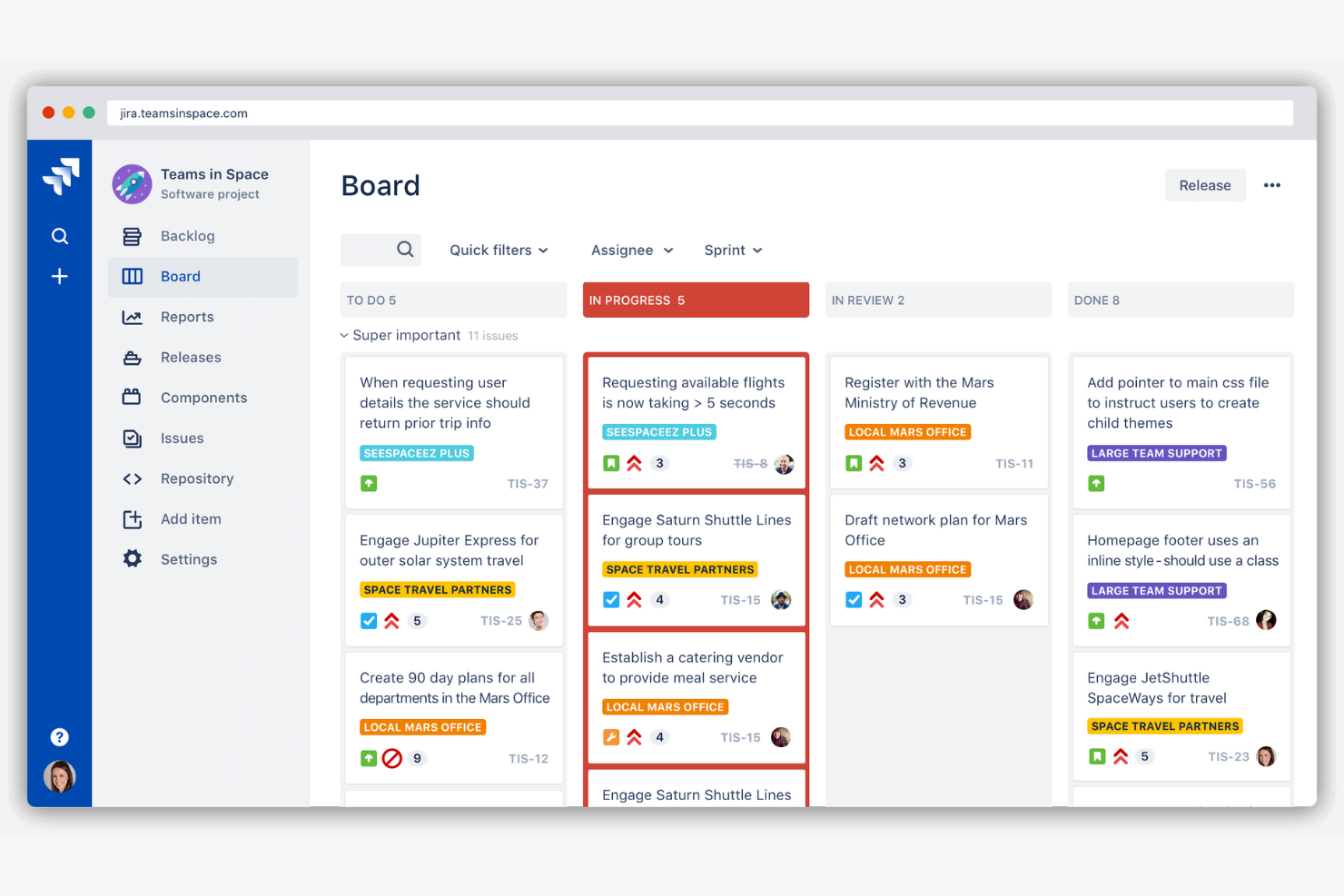
Teams looking for advanced agile project management often turn to Jira for its deep support of Scrum, Kanban, and custom workflows. The platform is especially popular with software development teams that need to manage sprints, track issues, and automate repetitive tasks. Unlike monday CRM, Jira is built to handle complex agile processes and detailed backlog management at scale, though it can come with a steeper learning curve. It also supports features like calendar views, spreadsheet-style data management, and plans that can scale to unlimited users.
Why Jira Is a Good monday CRM Alternative
If your team needs support for agile workflows, Jira is purpose-built for that environment. I picked Jira because it offers advanced Scrum and Kanban boards, letting you manage sprints, backlogs, and epics with granular detail. The platform also includes powerful automation tools for recurring tasks and custom workflow rules, which help teams streamline complex processes. For organizations that prioritize agile methodologies over traditional project tracking, Jira delivers capabilities that go far beyond what monday CRM provides.
Jira Key Features
Some other features in Jira that project managers may want to consider include:
- Advanced Issue Types: Create and customize issue types to match your team’s workflow needs.
- Roadmap Planning: Visualize project timelines and dependencies with built-in roadmaps.
- Granular Permissions: Set detailed user roles and permissions for projects and boards.
- Audit Logs: Track all changes and activities for compliance and transparency.
Jira Integrations
Integrations include Microsoft Teams, Google Drive, Google Docs, Figma, Miro, GitHub, Zoom, Confluence, Bitbucket, and more.
Pros and Cons
Pros:
- Roadmap view for project timeline visualization
- Custom issue types for different workflows
- Sprint planning tools built for agile teams
Cons:
- User permissions setup can be complex
- Limited support for non-technical project templates

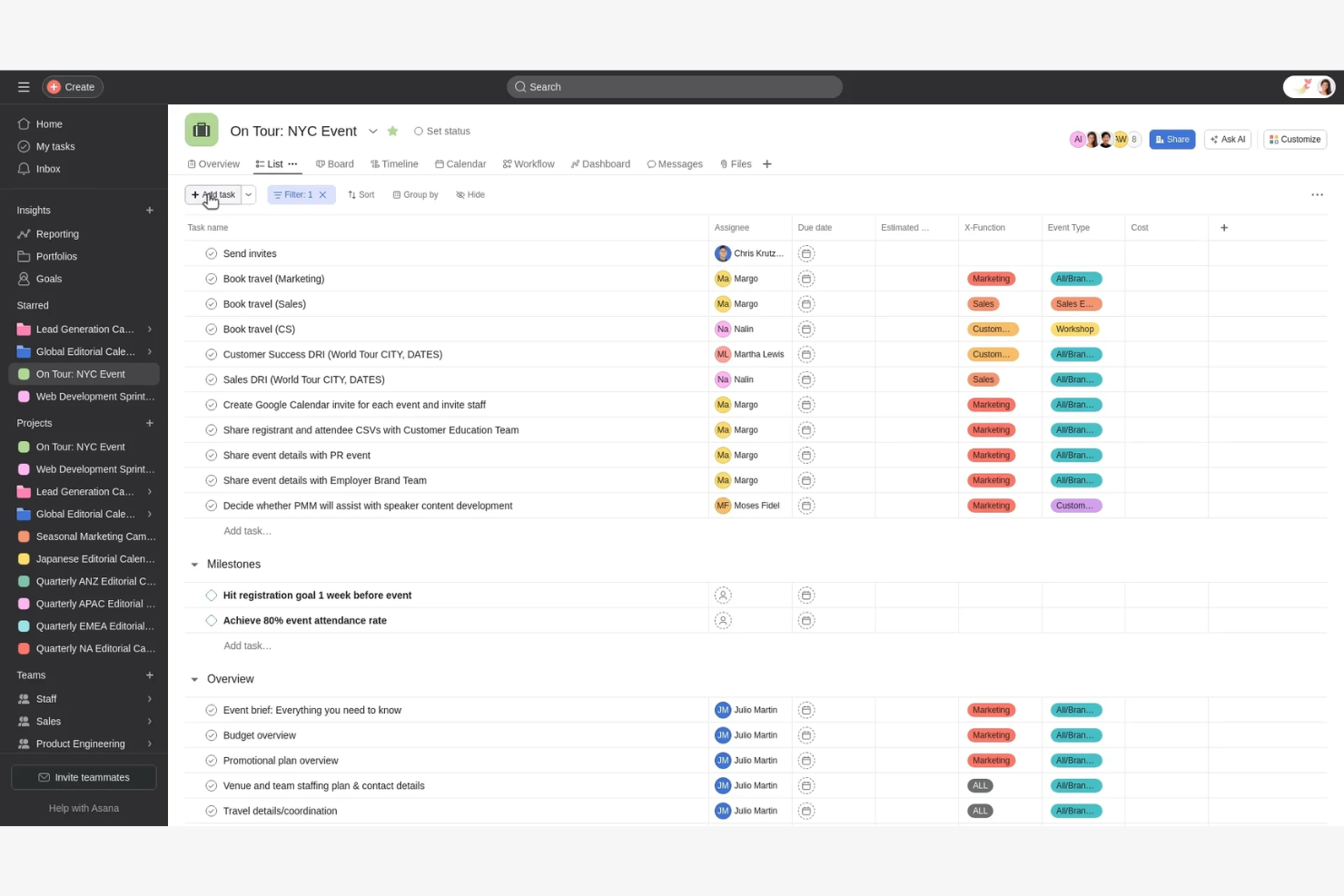
For teams that prioritize communication and coordination, Asana offers a project management platform built around collaboration. Marketing departments, creative agencies, and cross-functional teams often choose Asana for its real-time task updates and shared project views. Unlike monday CRM, Asana emphasizes features that keep everyone aligned and conversations connected to work, with flexible customization options and organized task lists.
Why Asana Is a Good monday CRM Alternative
When your team’s success depends on smooth collaboration, Asana stands out for its focus on keeping everyone connected. I picked Asana because its shared project boards and comment threads let teams discuss work directly where tasks live. The platform’s real-time updates and team calendar features help everyone stay on the same page, even as priorities shift. For groups that need to coordinate across departments or locations, Asana’s collaboration tools offer a clear advantage over monday CRM.
Asana Key Features
Some other features in Asana that project managers may want to explore include:
- Custom Fields: Add specific data points to tasks for tracking unique project details.
- Workflow Builder: Design and automate multi-step processes with a visual workflow tool.
- Milestone Tracking: Mark and monitor key project milestones to track progress.
- Workload Management: View team capacity and balance assignments across projects.
Asana Integrations
Integrations include Slack, Google Drive, Microsoft Teams, Zoom, Jira Cloud, Salesforce, Dropbox, Outlook, Figma, and more.
Pros and Cons
Pros:
- Milestone tracking highlights key project achievements
- Workload Management visualizes team capacity
- Workflow Builder automates repetitive project steps
Cons:
- Subtasks lack advanced filtering options
- Guest access controls can be restrictive

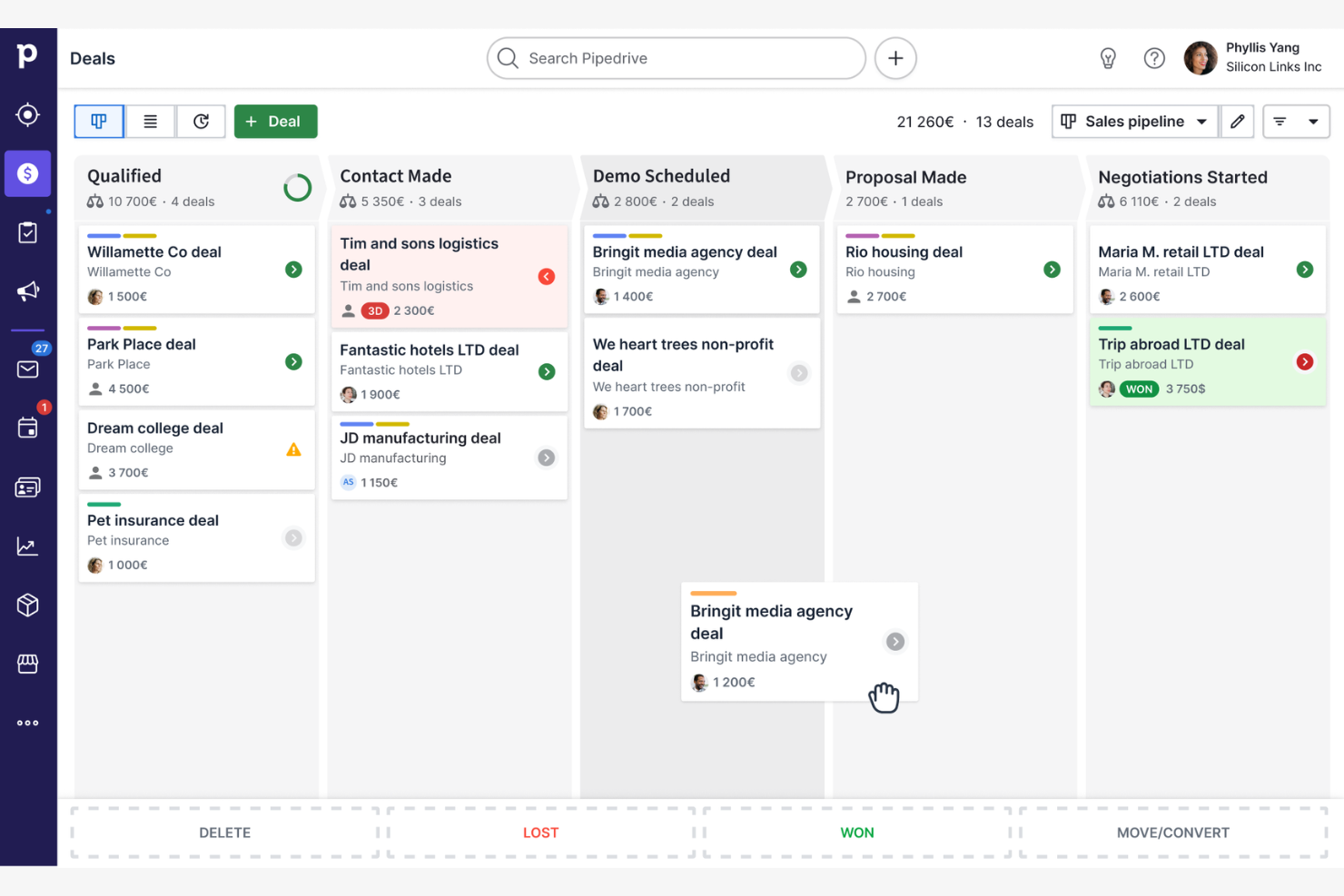
If your team needs a clear, visual way to track deals and sales activities, Pipedrive is worth a look. This tool is built for sales-focused teams that want to manage pipelines, automate follow-ups, and keep opportunities moving forward. Unlike monday CRM, Pipedrive centers everything around a drag-and-drop pipeline view that makes it easy to spot bottlenecks and prioritize work.
Why Pipedrive Is a Good monday CRM Alternative
When you need to manage sales projects with a strong visual focus, Pipedrive stands out for its pipeline-centric approach. I picked Pipedrive because its drag-and-drop pipeline view lets you organize deals, track progress, and quickly identify stalled opportunities. The customizable stages and color-coded deal cards make it easy to tailor the workflow to your team’s sales process. For project managers who want to keep sales activities front and center, Pipedrive offers a clear, actionable way to manage every step.
Pipedrive Key Features
Some other features in Pipedrive that project-focused teams may want to explore include:
- Activity Scheduler: Schedule calls, meetings, and deadlines directly from each deal or contact.
- Email Integration: Connect your email account to send, receive, and track messages within Pipedrive.
- Workflow Automation: Set up automated actions for repetitive tasks like assigning leads or sending reminders.
- Custom Fields: Add custom data fields to deals, contacts, or organizations to match your team’s unique process.
Pipedrive Integrations
Integrations include PandaDoc, Leadfeeder, JustCall, LinkPort, Outfunnel, Slack, QuickBooks, Trello, Zoom, and more.
Pros and Cons
Pros:
- Email tracking and templates for outreach
- Built-in activity scheduler links tasks to deals
- Visual pipeline view supports sales-driven workflows
Cons:
- Limited reporting for non-sales activities
- No built-in project management module

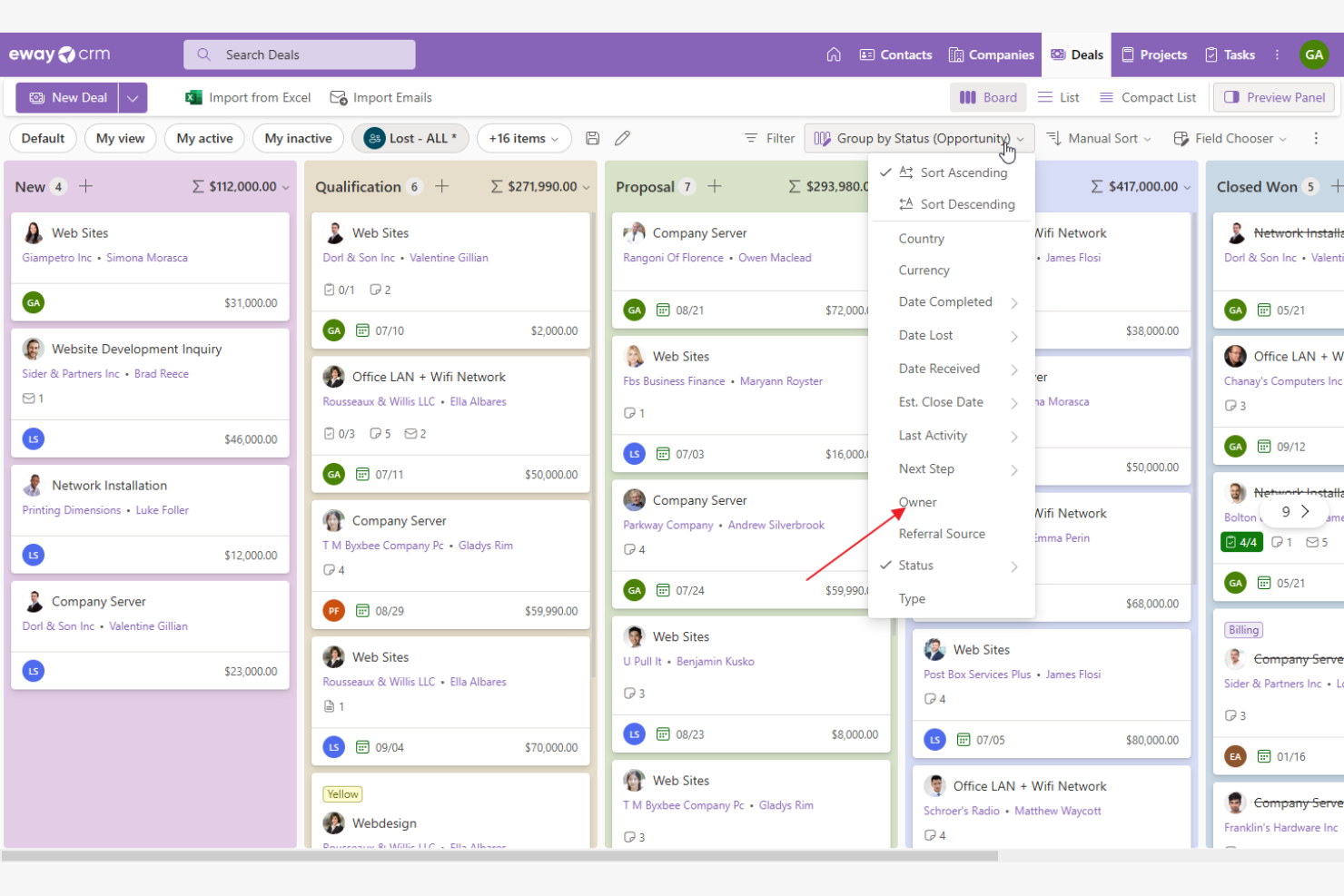
Teams that rely on Microsoft Outlook for daily communication often turn to eWay-CRM for project and client management. This tool embeds CRM and project tracking features directly inside Outlook, making it a fit for businesses that want to manage deals, tasks, and contacts without leaving their inbox. Unlike monday CRM, eWay-CRM stands out for its smooth Outlook integration and familiar interface for Microsoft users, with support for Excel, invoicing, real-time notifications, and API access for customization.
Why eWay-CRM Is a Good monday CRM Alternative
If your team already works in Outlook, eWay-CRM offers a unique approach by embedding project management and CRM tools directly into your existing email workflow. I picked eWay-CRM because it lets you manage deals, projects, and contacts without switching between platforms. The tool supports task tracking, document management, and automated email journaling—all from within Outlook. For businesses that want to keep everything in one familiar place, eWay-CRM delivers a tightly integrated experience that monday CRM doesn’t match.
eWay-CRM Key Features
Some other features in eWay-CRM that project-focused teams may want to explore include:
- Custom Fields: Add and configure custom data fields to fit your business processes.
- Workflow Automation: Set up automated workflows for sales, projects, or customer service.
- Time Tracking: Log and monitor time spent on tasks and projects.
- Mobile App: Access contacts, deals, and project information from iOS and Android devices.
eWay-CRM Integrations
Integrations include Microsoft Teams, Power BI, SharePoint, Power Automate, QuickBooks, Zapier, 3CX, and more.
Pros and Cons
Pros:
- Workflow automation for sales and projects
- Custom fields for tailored data capture
- Email journaling automatically links messages to deals
Cons:
- Interface depends on Microsoft Outlook environment
- No Kanban or board-style project views
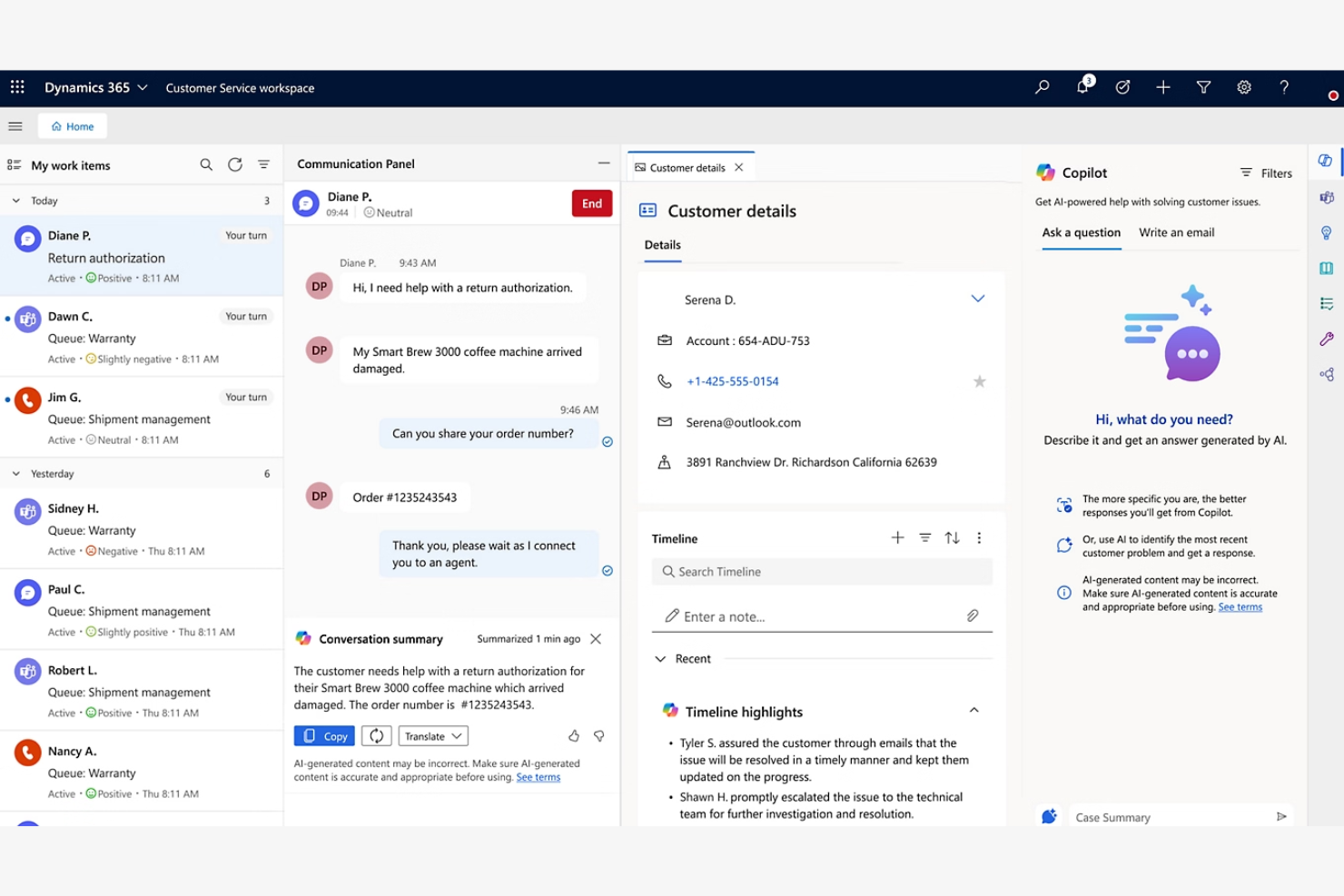
Large organizations that need to connect project management with finance, sales, and operations often turn to Microsoft Dynamics 365. This platform is designed for enterprises that want to unify data and workflows across multiple departments and business systems. Unlike monday CRM, Dynamics 365 offers deep integration with Microsoft’s ecosystem and advanced data management for complex, cross-functional projects.
Why Microsoft Dynamics 365 Is a Good monday CRM Alternative
For teams that need to manage projects alongside large volumes of business data, Microsoft Dynamics 365 offers a level of integration that monday CRM doesn’t match. I picked Dynamics 365 because it connects project management with finance, sales, HR, and supply chain data in real time. Its unified data model lets you automate workflows and reporting across departments, so you can coordinate complex projects without switching between disconnected systems. This makes it a strong choice for enterprises that need to align project work with broader business operations.
Microsoft Dynamics 365 Key Features
Some other features in Microsoft Dynamics 365 that project-driven teams may want to consider include:
- Resource Scheduling: Assign and manage team members, equipment, and other resources across multiple projects.
- Customizable Dashboards: Build visual dashboards to monitor project KPIs and progress in real time.
- Document Management: Store, share, and collaborate on project files directly within the platform.
- AI-Powered Forecasting: Use built-in AI tools to predict project outcomes and identify potential risks.
Microsoft Dynamics 365 Integrations
Integrations include Microsoft 365, Microsoft Teams, Outlook, Azure, Power BI, SharePoint, OneDrive, LinkedIn, Copilot, and more.
Pros and Cons
Pros:
- AI-driven forecasting for project outcomes
- Advanced resource scheduling for large teams
- Connects project data with finance and HR
Cons:
- Limited Kanban board visualization options
- Some features require separate Microsoft licenses
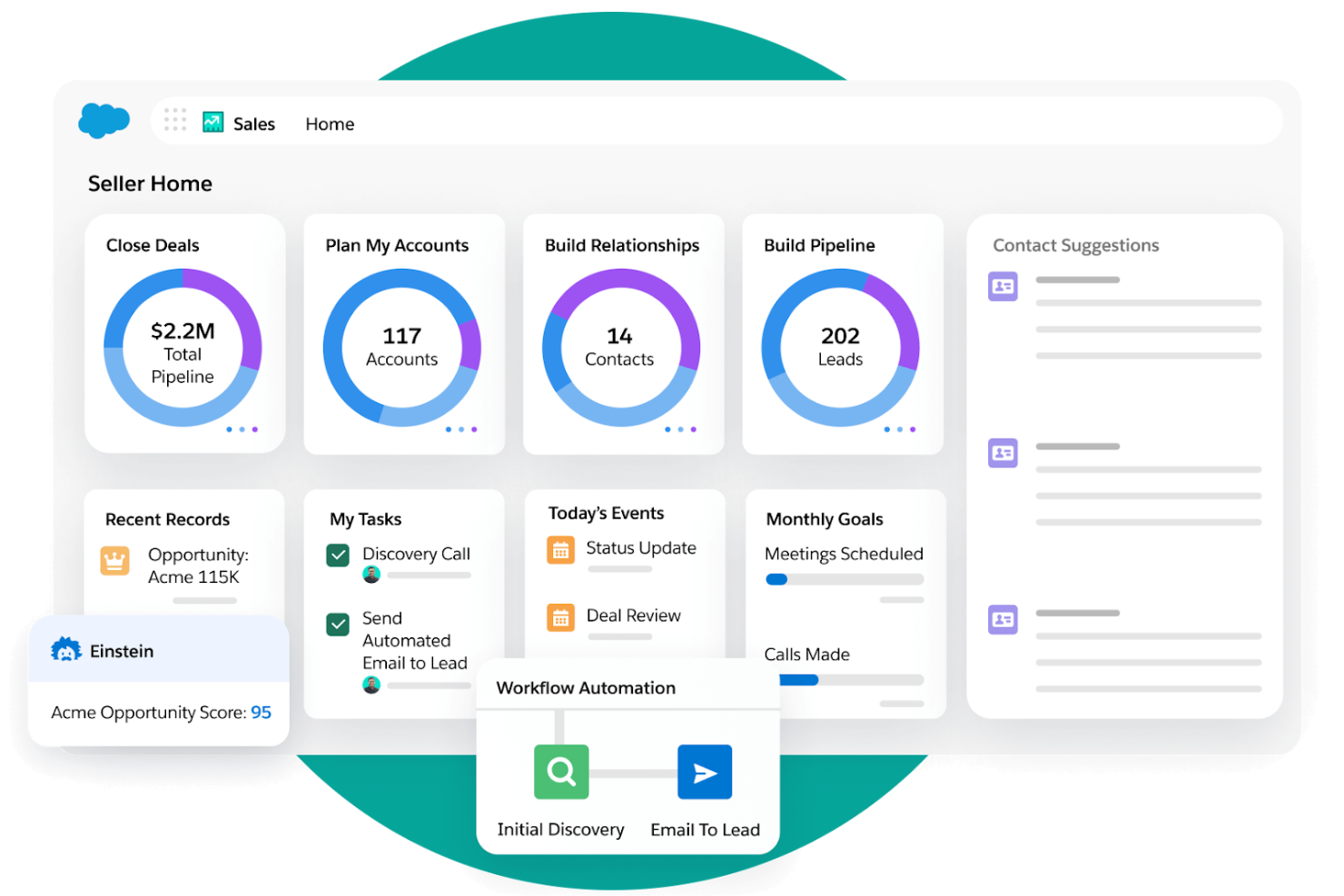
Agentforce Sales is a CRM platform designed for teams that need advanced workflow automation and deep customization for work management. It’s a strong fit for sales-driven organizations or businesses with complex processes that require tailored project management solutions. If you need to automate multi-step workflows and integrate data across departments, this platform offers flexibility beyond what monday CRM provides, with an intuitive interface, support for marketing campaigns, optional add-ons, and a free version for getting started.
Why Agentforce Sales Is a Good monday CRM Alternative
What sets Agentforce Sales apart is its highly customizable workflow automation, which goes far beyond basic task tracking. You can build complex, multi-step automations that trigger actions, assign tasks, and update records based on your team’s unique processes. I picked this tool for teams that need to manage intricate project pipelines or sales cycles with conditional logic and approvals. Its process builder and automation rules give you granular control over how work moves through your organization.
Agentforce Sales Key Features
Some other features in Agentforce Sales that project-focused teams may find useful include:
- Kanban-Style Opportunity Boards: Visualize and manage project or sales stages using drag-and-drop boards for quick status updates.
- Customizable Reporting Dashboards: Build tailored dashboards to track project metrics, team performance, and pipeline health in real time.
- Document Management: Store, share, and collaborate on project files directly within the platform.
- Role-Based Permissions: Control access to sensitive project data and workflows by assigning user roles and permissions.
Agentforce Sales Integrations
Integrations include Slack, Outlook, Gmail, Google Drive, DocuSign, QuickBooks, Mailchimp, HubSpot, LinkedIn, and more.
Pros and Cons
Pros:
- Strong lead and opportunity management tools
- Highly customizable dashboards and reports
- Advanced workflow automation for complex processes
Cons:
- Limited project templates compared to others
- Requires admin expertise for full customization

If your team needs flexible ways to organize complex projects, GoodDay offers a unique approach to task management. The platform lets you build custom task hierarchies, making it easier to break down work and visualize dependencies across multiple levels. Unlike monday CRM, GoodDay is designed for teams that want granular control over project structure and workflow design, while still offering a user-friendly interface that works well for smaller teams, startups, and even simple projects. It’s also a cost-effective option for teams that need flexibility without overspending.
Why GoodDay Is a Good monday CRM Alternative
What sets GoodDay apart for project management is its highly customizable task hierarchy system. I picked GoodDay because it lets you nest tasks within projects at multiple levels, so you can mirror even the most complex workflows. You can also define custom fields and statuses for each task, giving your team more control over how work is tracked and reported. For teams that need to manage layered projects or want to tailor their workspace structure, GoodDay offers flexibility that monday CRM doesn’t match.
GoodDay Key Features
Some other features in GoodDay that project managers may want to explore include:
- Gantt Chart View: Plan and track project timelines with interactive Gantt charts.
- Workload Management: Monitor team capacity and balance assignments across users.
- Built-in Time Tracking: Log hours directly within tasks for accurate reporting.
- Document Management: Store, share, and collaborate on files within each project workspace.
GoodDay Integrations
Integrations include G Suite, Gmail, Slack, Google Docs, Google Drive, Google Calendar, Dropbox, GitHub, GitLab, and more.
Pros and Cons
Pros:
- Workload management dashboard for resource allocation
- Built-in time tracking for individual tasks
- Task hierarchies support unlimited subtask levels
Cons:
- Limited reporting customization for advanced analytics
- No built-in CRM or sales pipeline
Other monday CRM alternatives
Here are some additional monday CRM alternatives that didn’t make it onto my shortlist, but are still worth checking out:
- Zoho CRM
For multichannel communication tracking
- Teamwork.com
For client-facing project collaboration
- Productive
For agency resource planning
- Wrike
For real-time workload visualization


monday CRM Alternatives Selection Criteria
When selecting the best monday CRM alternatives to include in this list, I considered common buyer needs and pain points related to project management software products, like managing complex workflows and integrating with existing tools. I also used the following framework to keep my evaluation structured and fair:
Core Functionality (25% of total score)
To be considered for inclusion in this list, each solution had to fulfill these common use cases:
- Create and assign tasks
- Track project progress
- Set deadlines and reminders
- Collaborate with team members
- Store and share project files
Additional Standout Features (25% of total score)
To help further narrow down the competition, I also looked for unique features, such as:
- Built-in time tracking
- Advanced workflow automation
- Native email integration
- Customizable dashboards
- Resource management tools
Usability (10% of total score)
To get a sense of the usability of each system, I considered the following:
- Simple and intuitive navigation
- Clean and modern interface design
- Minimal clicks to complete core actions
- Responsive layout on desktop and mobile
- Clear labeling and helpful tooltips
Onboarding (10% of total score)
To evaluate the onboarding experience for each platform, I considered the following:
- Availability of training videos and tutorials
- Pre-built templates for common workflows
- Interactive product tours for new users
- Access to live webinars or onboarding sessions
- In-app chatbots or guided setup wizards
Customer Support (10% of total score)
To assess each software provider’s customer support services, I considered the following:
- Multiple support channels available
- Fast response times to inquiries
- Access to a searchable help center
- Availability of live chat or phone support
- Helpful and knowledgeable support staff
Value For Money (10% of total score)
To evaluate the value for money of each platform, I considered the following:
- Transparent and flexible pricing plans
- Features included at each pricing tier
- Free trial or free plan availability
- No hidden fees or surprise charges
- Discounts for annual billing or larger teams
Customer Reviews (10% of total score)
To get a sense of overall customer satisfaction, I considered the following when reading customer reviews:
- Consistent positive feedback on reliability
- Praise for specific features or integrations
- Reports of responsive customer support
- Comments on ease of adoption and use
- Noted limitations or frustrations with the tool
Why Look For a Monday CRM Alternative?
While monday CRM is a good choice of project management software, there are a number of reasons why some users seek out alternative solutions. You might be looking for a monday CRM alternative because…
- You need deeper integration with Microsoft Outlook
- Your team requires advanced reporting or analytics
- You want more flexible workflow automation
- You need a tool with stronger resource management
- Your business operates in regions where monday CRM support is limited
- You prefer a platform with more native integrations
If any of these sound like you, you’ve come to the right place. My list contains several project management software options that are better suited for teams facing these challenges with monday CRM and looking for alternative solutions.
monday CRM Key Features
Here are some of the key features of monday CRM, to help you contrast and compare what alternative solutions offer:
- Visual pipeline and board views for tracking deals
- Customizable automations for repetitive tasks
- Centralized contact and account management
- Integrated email tracking and communication logging
- Activity and task management with reminders
- Custom fields and templates for data capture
- Reporting dashboards for sales and project insights
- File storage and document management
- Collaboration tools for team updates and mentions
- Mobile app access for on-the-go project management