
13 Best Content Marketing Automation Tools for 2026

Content Marketing Automation Tools Shortlist
Here’s my shortlist of content marketing automation tools:


Content marketing automation tools are software platforms that help your team plan, create, distribute, and analyze content with less manual effort. If you’re searching for ways to manage growing content demands, coordinate campaigns across channels, or keep up with shifting audience expectations, these tools can make a measurable difference.
In this list, you’ll find trusted options for automating repetitive tasks, improving collaboration, and gaining clearer insights—so you can focus on strategy and results, not just execution. Use this guide to compare features and find the right fit for your marketing goals in 2026.
Why Trust Our Software Reviews
We’ve been testing and reviewing marketing software since 2022. As marketing experts ourselves, we know how critical and difficult it is to make the right decision when selecting software.
We invest in deep research to help our audience make better software purchasing decisions. We’ve tested more than 2,000 tools for different marketing use cases and written over 1,000 comprehensive software reviews. Learn how we stay transparent & our software review methodology.
Best Content Marketing Automation Tools Summary
This comparison chart summarizes pricing details for my top content marketing automation tools selections to help you find the best one for your budget and business needs.
| Tool | Best For | Trial Info | Price | ||
|---|---|---|---|---|---|
| 1 | Best for rapid copywriting assistance | Free plan available | From $79/month (billed annually) | Website | |
| 2 | Best for collaborative editorial planning | Free plan available | From $19/user/month (billed annually) | Website | |
| 3 | Best for scheduling social media posts | Free plan available | From $5/month | Website | |
| 4 | Best for multichannel audience engagement | 30-day free trial + free demo available | From $75/month | Website | |
| 5 | Best for AI-powered content creation | 7-day free trial available | From $59/user/month (billed annually) | Website | |
| 6 | Best for automating cross-platform workflows | Free plan available | From $19.99/month (billed annually) | Website | |
| 7 | Best for automated blog post generation | Not available | From $9/month | Website | |
| 8 | Best for open-source marketing automation | 14-day free trial available | From €247.50/month | Website | |
| 9 | Best for integrated SEO-driven campaigns | 7-day free trial available | From $117.33/month (billed annually) | Website | |
| 10 | Best for personalized messaging automation | Free demo available | From $100/month | Website |
-

Demandbase
Visit WebsiteThis is an aggregated rating for this tool including ratings from Crozdesk users and ratings from other sites.4.4 -
6sense
Visit WebsiteThis is an aggregated rating for this tool including ratings from Crozdesk users and ratings from other sites.4.3 -
AnswerThePublic
Visit Website


Content Marketing Automation Tools Reviews
Below are my detailed summaries of the content marketing automation tools that made it onto my shortlist. My reviews offer a detailed look at the features, best use cases, and integrations of each platform to help you find the best one for you.

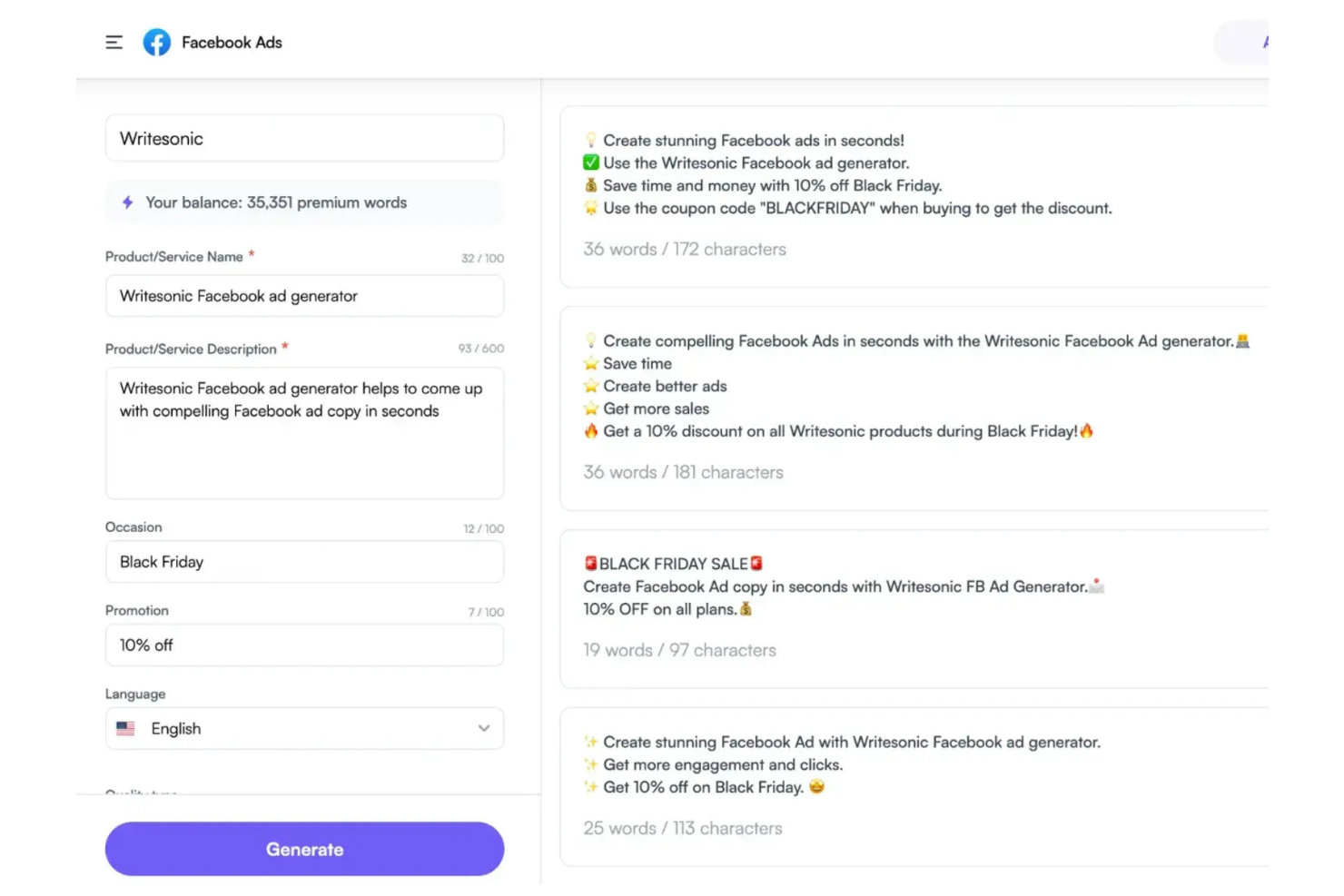
Writesonic offers AI-powered copywriting tools designed for marketers and content teams who need to generate high volumes of copy quickly. It’s especially useful for agencies, ecommerce brands, and social media managers looking to automate blog posts, ad copy, and product descriptions. With Writesonic, you can create drafts, headlines, and even long-form articles in minutes, helping you keep up with demanding content calendars.
Why I Picked Writesonic
When you need to generate marketing copy at scale, Writesonic stands out for its rapid copywriting assistance. I picked Writesonic because its AI-driven templates let you produce blog posts, landing page copy, and ad headlines in just a few clicks. The tool’s content rephrasing and expansion features help you quickly adapt messaging for different channels or audiences. For content marketers who need to keep up with fast-moving campaigns, Writesonic’s automation capabilities make it easy to fill your content pipeline without slowing down.
Writesonic Key Features
In addition to its rapid copywriting capabilities, I also found these features useful for content marketing automation:
- Bulk content generation: Create multiple pieces of content at once by uploading a list of topics or keywords.
- Brand voice customization: Adjust the AI’s writing style to match your brand guidelines and tone.
- Plagiarism checker: Scan generated content to ensure originality before publishing.
- AI image generator: Produce relevant images to accompany your written content directly within the platform.
Writesonic Integrations
Integrations include WordPress, Zapier, Webflow, Google Docs, Google Sheets, Surfer, Shopify, Wix, Notion, and an API is available for custom integrations.
Pros and Cons
Pros:
- Multilingual support for global content campaigns
- AI image generator for visual content needs
- Bulk article generation for multiple topics
Cons:
- No native integration with analytics tools
- No workflow management for team collaboration

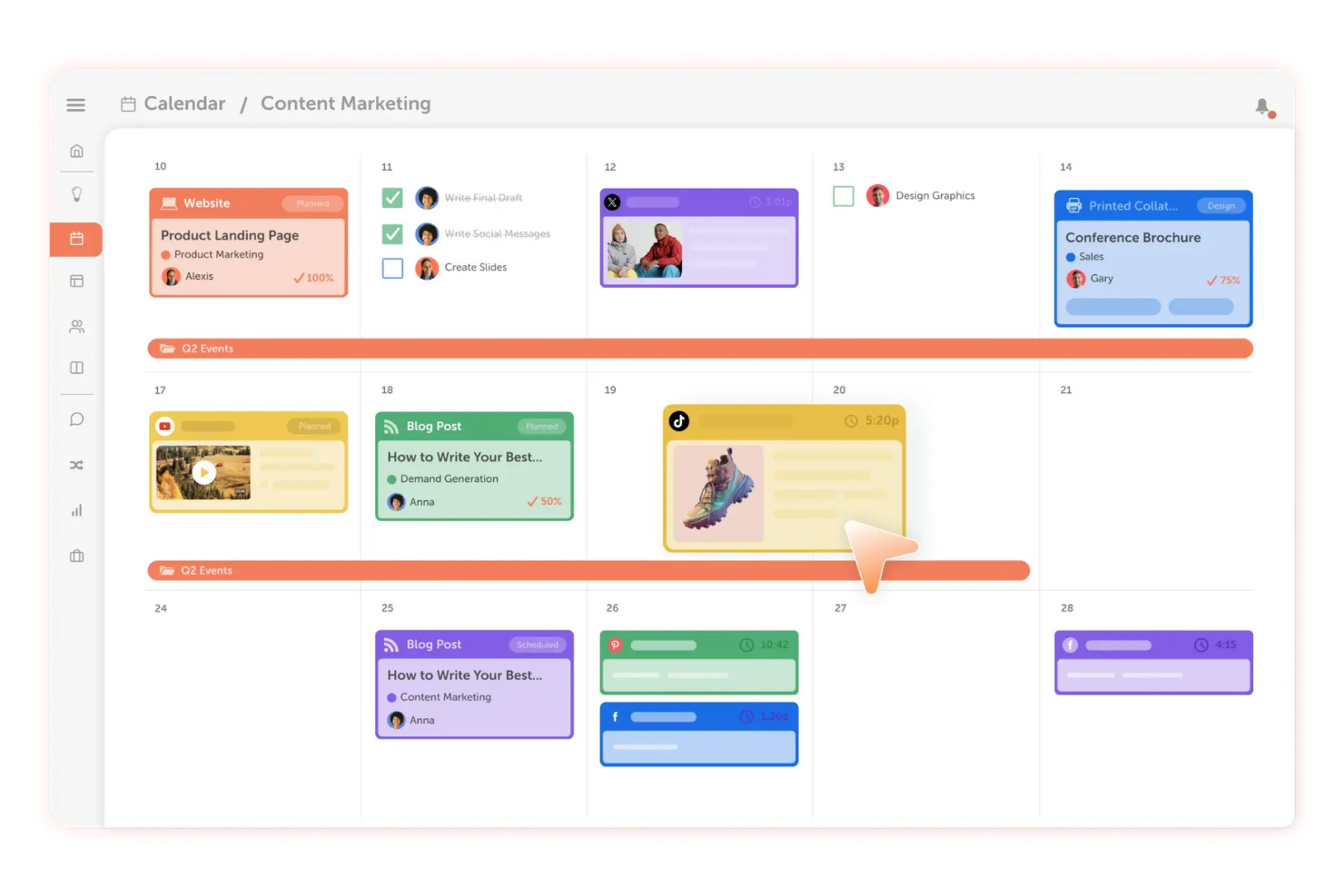
If your team needs a single place to plan, organize, and execute content, CoSchedule is built for you. Marketing teams, agencies, and content managers use it to coordinate editorial calendars, assign tasks, and keep everyone aligned on deadlines. Its collaborative approach helps reduce missed deadlines and keeps content production moving smoothly.
Why I Picked CoSchedule
CoSchedule stands out for teams that need to manage content production collaboratively from start to finish. I picked CoSchedule because its shared editorial calendar lets everyone see what’s coming up and who’s responsible for each task. The platform’s task assignment and workflow features help keep writers, editors, and designers on the same page throughout the content process. For content marketing teams juggling multiple projects and contributors, CoSchedule brings structure and visibility to every stage of planning and publishing.
CoSchedule Key Features
I also found several other features that support content marketing teams:
- Headline Studio integration: Analyze and optimize headlines directly within your workflow.
- Social media publishing: Schedule and publish posts to multiple social channels from the same platform.
- Asset organizer: Store, tag, and manage digital assets for easy access during content creation.
- Analytics dashboard: Track content performance and team productivity with built-in reporting tools.
CoSchedule Integrations
Integrations include WordPress, Google Drive, Dropbox, Canva, HubSpot, Mailchimp, Slack, Trello, Asana, and Google Analytics.
Pros and Cons
Pros:
- Social media scheduling alongside editorial planning
- Built-in headline analyzer for content optimization
- Shared calendar for cross-team content visibility
Cons:
- Asset library lacks advanced search
- No built-in email marketing automation

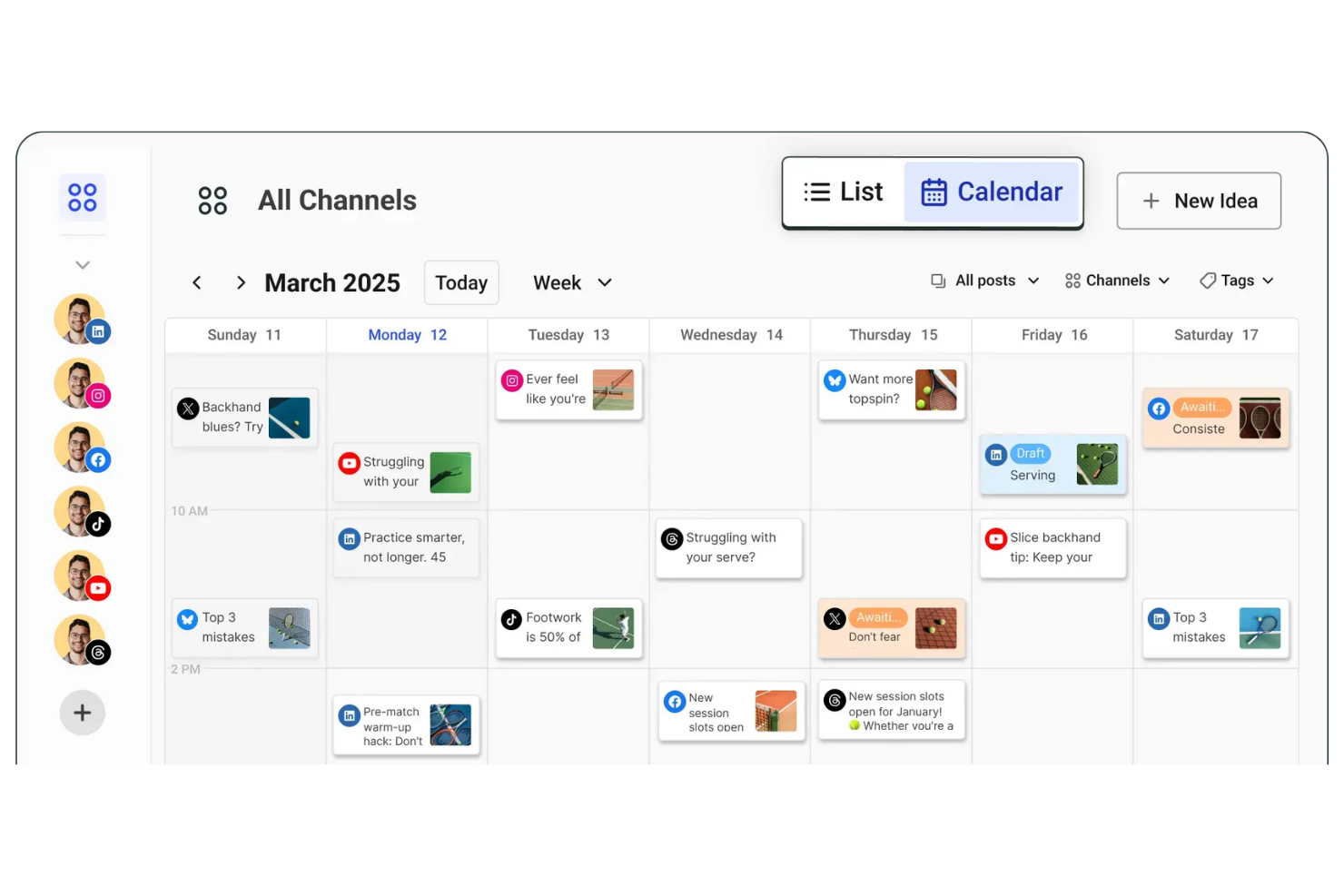
Buffer gives marketing teams and solo creators a way to plan and schedule social media posts across multiple platforms from one dashboard. It’s especially useful for those who want to maintain a consistent posting schedule without manual effort. With Buffer, you can queue content, preview posts, and analyze engagement to keep your social channels active and organized.
Why I Picked Buffer
Buffer is purpose-built for teams and individuals who need to schedule social media posts efficiently across multiple channels. I picked Buffer because its queue-based scheduling lets you plan content in advance and maintain a steady publishing cadence without manual posting. The platform’s post preview feature helps you see exactly how your content will appear on each network before it goes live. For content marketers focused on automation and consistency, Buffer’s scheduling tools keep campaigns organized and on track.
Buffer Key Features
Some other features make Buffer useful for content marketing automation:
- Link shortener integration: Automatically shorten URLs in your posts for cleaner links and easier tracking.
- Team collaboration tools: Invite team members to contribute, review, and approve posts before publishing.
- Hashtag manager: Save and reuse groups of hashtags to speed up post creation.
- Analytics dashboard: Monitor post performance and engagement metrics across all connected social accounts.
Buffer Integrations
Integrations include Dropbox, Google Drive, OneDrive, Instagram, X (Twitter), Facebook, LinkedIn, Pinterest, Shopify, and Google Photos.
Pros and Cons
Pros:
- Team approval workflow for content review
- Analytics dashboard for post engagement tracking
- Built-in hashtag manager for post templates
Cons:
- No built-in content ideation tools
- No automated content recycling feature

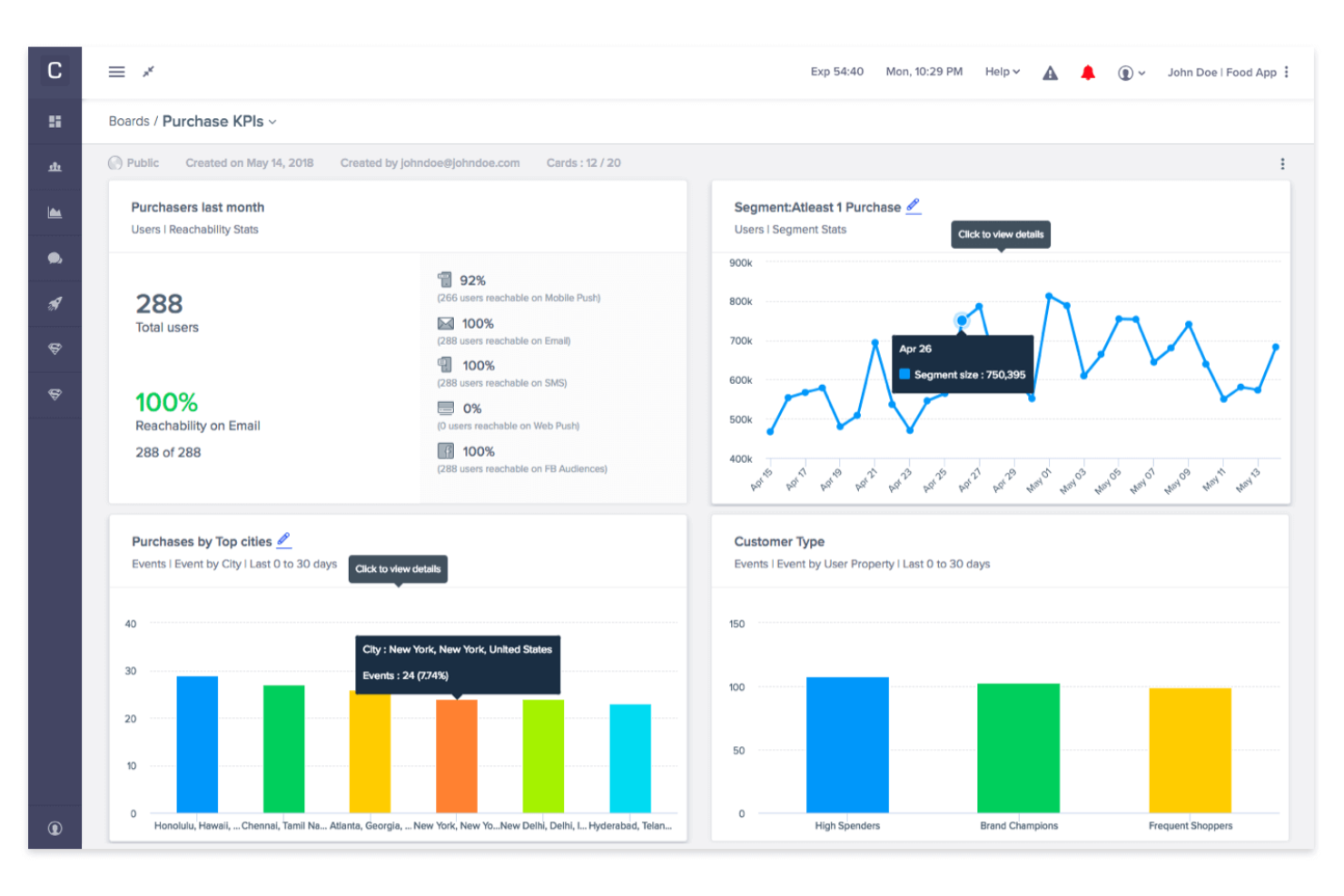
CleverTap brings advanced audience segmentation and multichannel engagement to marketers who need to orchestrate campaigns across mobile, web, email, and more. It’s a strong fit for consumer brands, app-first businesses, and growth teams aiming to personalize messaging at scale. With CleverTap, you can automate targeted content delivery based on real-time user behavior, helping you drive retention and conversion across every touchpoint.
Why I Picked CleverTap
What sets CleverTap apart for content marketing automation is its ability to unify audience engagement across multiple channels from a single platform. I picked CleverTap because it lets you automate personalized messaging through push notifications, in-app messages, SMS, email, and web—all triggered by real-time user behavior. Its advanced segmentation tools help you target users based on lifecycle stage, actions, or preferences, so your campaigns stay relevant and timely. For marketers focused on orchestrating consistent, multichannel experiences, CleverTap’s automation features make it possible to reach audiences wherever they are.
CleverTap Key Features
Some other features that make CleverTap valuable for content marketing automation include:
- A/B testing engine: Run experiments on messaging and campaigns to identify what resonates best with your audience.
- Journey builder: Design and automate multi-step customer journeys with drag-and-drop workflows.
- Real-time analytics dashboard: Monitor campaign performance and user engagement metrics as they happen.
- Rich media messaging: Send images, videos, and interactive content through supported channels to boost engagement.
CleverTap Integrations
Integrations include Adjust, Branch, Amplitude, mParticle, Tealium, Twilio Segment, Airbridge, RevenueCat, Exotel, and Vonage.
Pros and Cons
Pros:
- Built-in A/B testing for campaign optimization
- Journey builder automates complex campaign flows
- Real-time segmentation for audience targeting
Cons:
- Requires technical setup for event tracking
- Limited support for content personalization

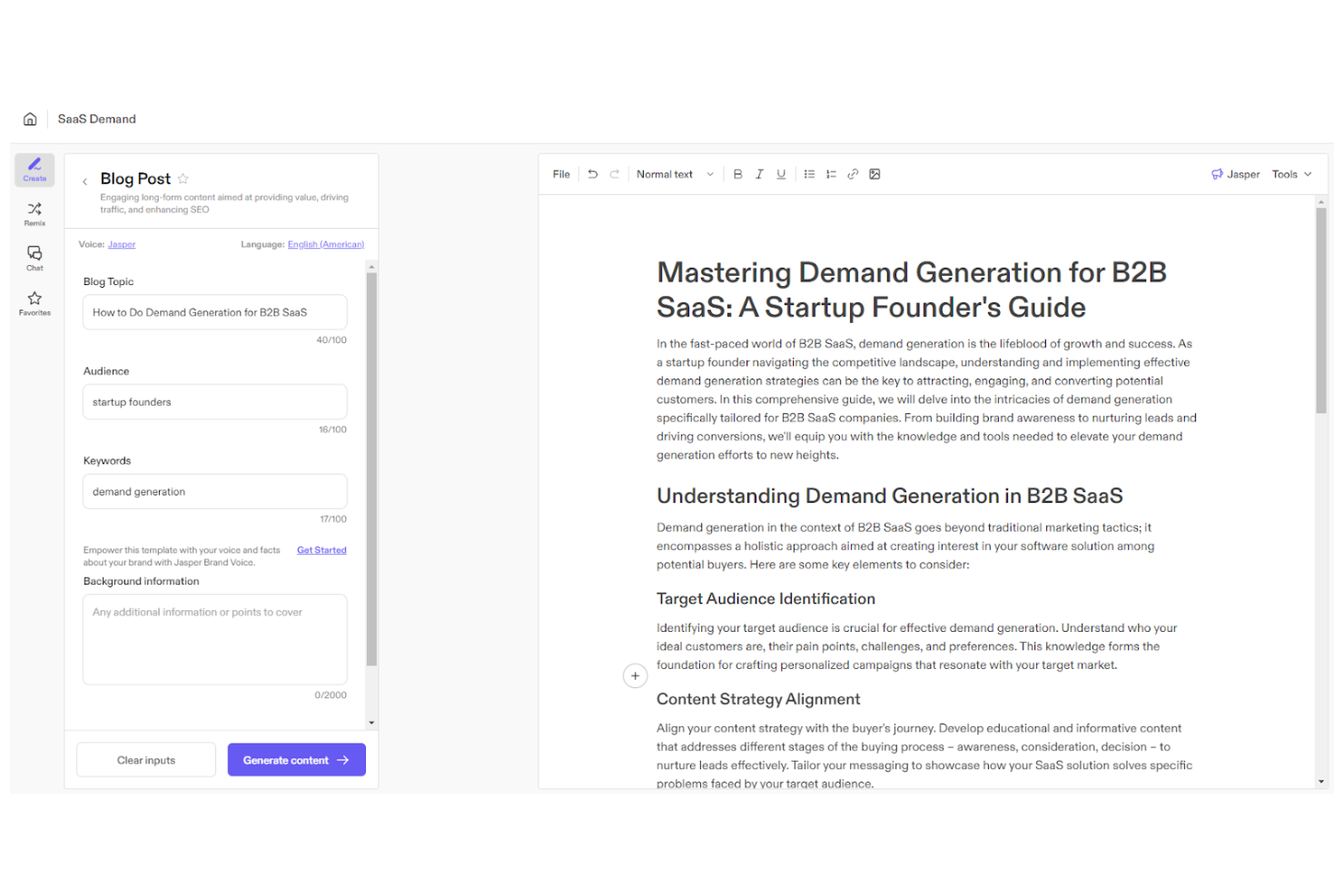
Jasper uses AI to help marketing teams create content at scale, making it a strong fit for businesses that need high-volume, on-brand copy. The platform appeals to content marketers and agencies looking to automate blog posts, ad copy, and social content with customizable brand voice controls. Jasper stands out for its ability to generate drafts, repurpose assets, and support multi-channel campaigns with AI-driven suggestions.
Why I Picked Jasper
Jasper stands out for content marketing automation because it brings advanced AI content generation directly into your workflow. I picked Jasper for its ability to produce long-form articles, ad copy, and social posts that match your brand’s tone and style. The platform’s brand voice controls and campaign templates help you maintain consistency across channels while speeding up content production. For teams that need to scale high-quality content creation, Jasper’s AI-powered approach is a strong fit.
Jasper Key Features
Some other features make Jasper a flexible option for content marketing automation:
- AI Art Generator: Create original images and graphics to pair with your written content.
- Content Workflow Management: Assign tasks, set deadlines, and track progress within collaborative content projects.
- Plagiarism Checker: Scan generated content to ensure originality and avoid duplicate text issues.
- Multilingual Support: Generate and translate content in over 30 languages for global campaigns.
Jasper Integrations
Integrations include Slack, Google BigQuery, Webflow, Microsoft Word, Google Sheets, Google Docs, Google Chrome, Zapier, Make, and Pabbly Connect.
Pros and Cons
Pros:
- Supports brand voice customization at scale
- Offers built-in plagiarism detection
- Generates content in over 30 languages
Cons:
- Requires manual review for compliance
- Occasional factual errors in generated content

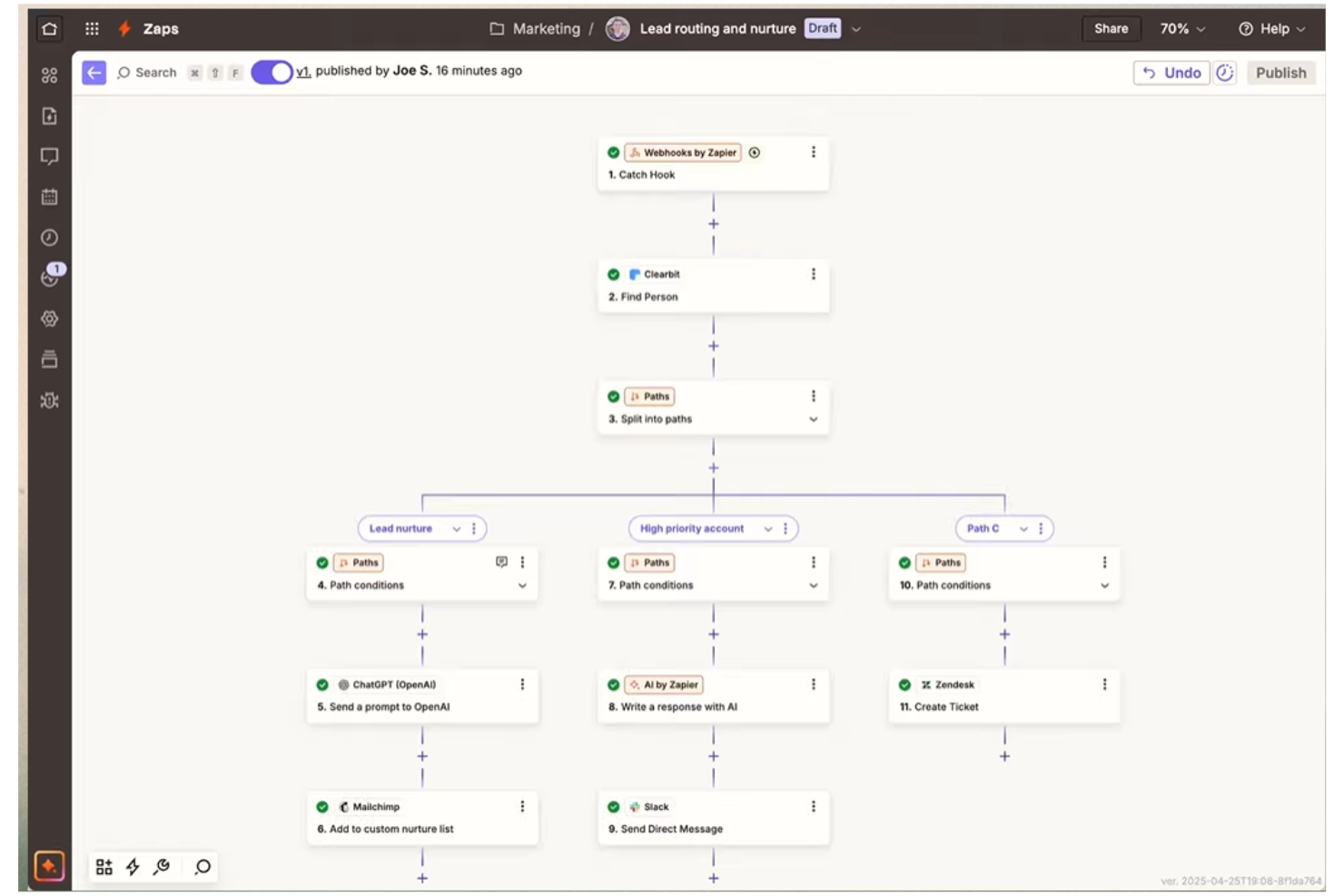
Zapier connects your content marketing stack by automating workflows between apps that don’t natively integrate. It’s a strong fit for marketing teams juggling multiple platforms and looking to reduce manual data entry or repetitive publishing tasks. If you need to trigger actions across tools like your CMS, email platform, and analytics, Zapier helps you keep everything in sync without custom development.
Why I Picked Zapier
For content marketing teams that need to connect tools across different platforms, Zapier stands out for its workflow automation capabilities. I picked Zapier because it lets you set up automated triggers—like publishing a blog post that instantly shares to social media or updates a spreadsheet—without writing code. Its multi-step workflows help you coordinate content distribution, lead capture, and reporting across your entire stack. This makes it especially useful for marketers who want to eliminate repetitive tasks and keep campaigns running smoothly across channels.
Zapier Key Features
Some other features make Zapier especially useful for content marketing teams:
- Conditional logic (Paths): Set up workflows that branch based on specific triggers or data, so you can automate more complex processes.
- Schedule by Zapier: Automate tasks to run at set times or intervals, such as sending weekly content reports or publishing posts on a schedule.
- Webhooks support: Connect with apps that aren’t natively supported by Zapier using custom webhooks for advanced automation.
- Task history and error tracking: Review detailed logs of every automated task and quickly identify or troubleshoot any issues in your workflows.
Zapier Integrations
Integrations include Google Sheets, Gmail, Slack, Google Calendar, Google Drive, Notion, HubSpot, Mailchimp, and more.
Pros and Cons
Pros:
- No coding required for workflow setup
- Connects hundreds of marketing and content tools
- Automates repetitive content publishing tasks
Cons:
- Occasional delays in trigger execution
- Limited formatting options for content transfers

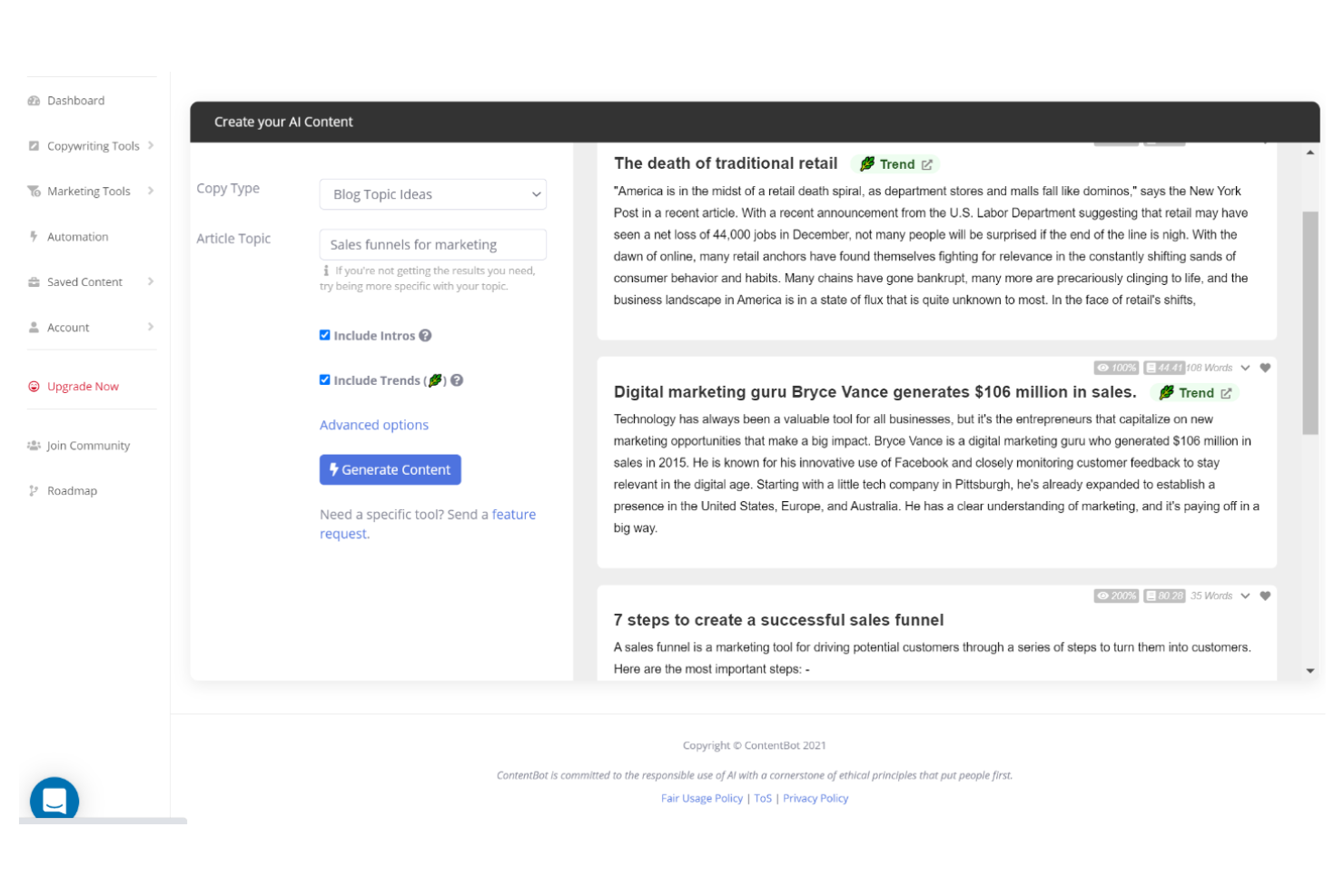
ContentBot focuses on automating long-form blog post creation for marketers and content teams who need to publish frequently. The platform appeals to agencies, startups, and SEO professionals looking to generate topic ideas, outlines, and full drafts with minimal manual input. ContentBot’s unique strength is its ability to produce entire articles from a single prompt, helping teams keep up with demanding editorial calendars.
Why I Picked ContentBot
When I need to automate blog post generation, ContentBot stands out for its ability to turn a single prompt into a full-length article. The tool’s automated blog post workflows let you generate outlines, introductions, and complete drafts without switching between multiple tools. I appreciate how ContentBot supports topic ideation and content scheduling, which helps teams keep their publishing pipeline full. For marketers focused on scaling blog content, these features make ContentBot a strong fit.
ContentBot Key Features
Some other features make ContentBot a versatile choice as a content marketing automation platform:
- AI-Powered Content Rewriter: Rewrite existing content to improve clarity or adapt to different tones.
- Automated Email Generator: Create marketing email campaigns and newsletters from prompts or templates.
- SEO Optimization Tools: Suggest keywords and optimize drafts for search engine visibility.
- Content Automation Workflows: Set up recurring content tasks and automate publishing schedules.
ContentBot Integrations
Integrations include WordPress and a Chrome extension.
Pros and Cons
Pros:
- Supports automated email and newsletter creation
- Offers AI-powered content rewriting tools
- Generates full-length blog posts from prompts
Cons:
- Requires manual fact-checking for accuracy
- Occasional repetitive phrasing in long articles

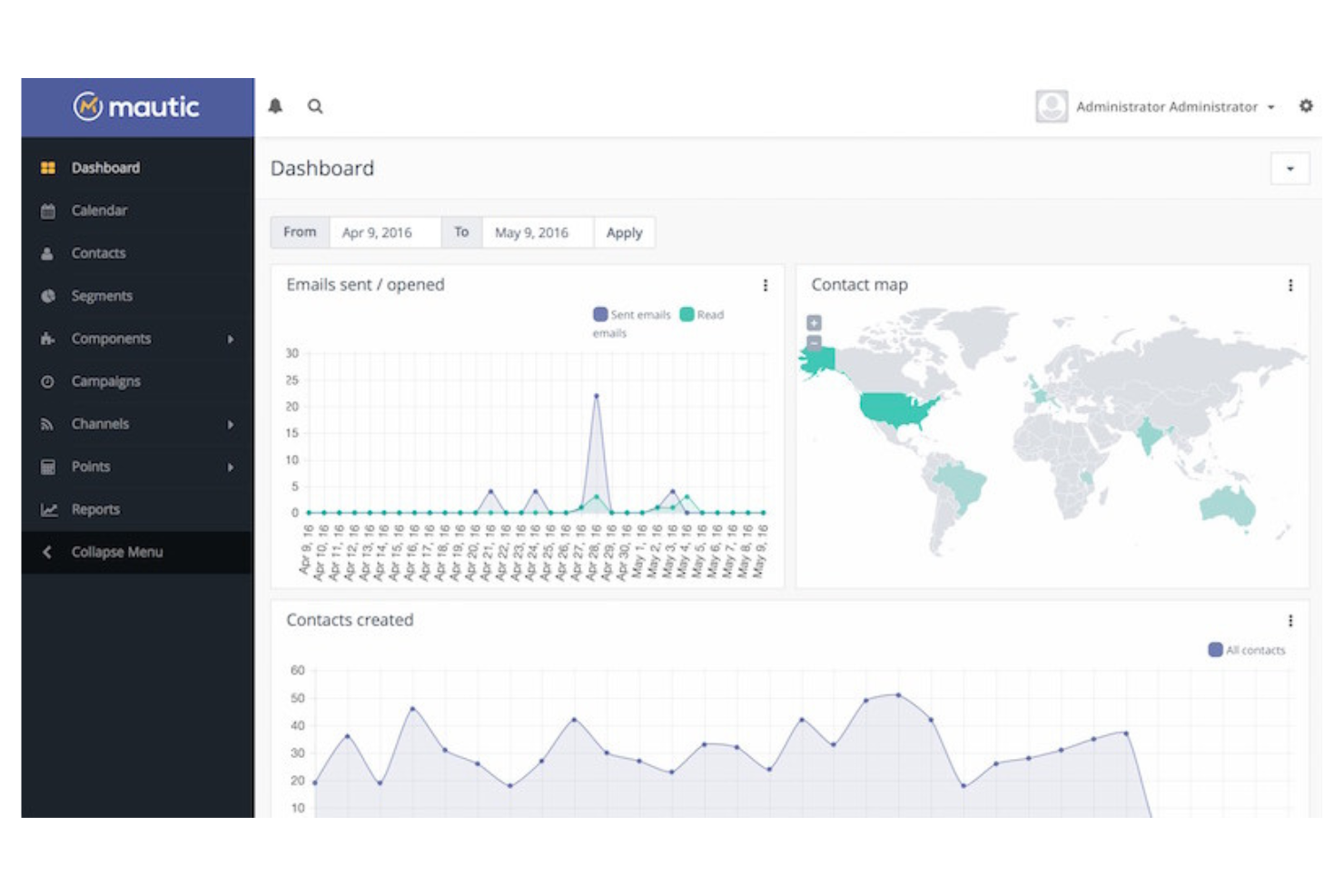
If you’re looking for a flexible, open-source approach to marketing automation, Mautic gives you full control over your campaigns and customer data. This platform is a strong fit for marketing teams with technical resources, agencies, or organizations with strict data privacy requirements. Mautic stands out by letting you customize and self-host your automation workflows, making it easier to tailor campaigns to unique business needs.
Why I Picked Mautic
Open-source flexibility is what sets Mautic apart in the content marketing automation space. I picked Mautic because it lets you fully customize automation workflows and campaign logic to fit your organization’s unique requirements. The platform supports advanced segmentation and dynamic content, so you can deliver highly personalized customer experiences across channels. For teams that want to self-host and control their marketing data, Mautic offers a level of transparency and adaptability that’s hard to match.
Mautic Key Features
Some other features make Mautic a versatile option for content marketing automation:
- Visual Campaign Builder: Design multi-step campaigns using a drag-and-drop interface.
- Landing Page Creator: Build and customize landing pages directly within the platform.
- A/B Testing Tools: Run split tests on emails and landing pages to optimize performance.
- Multi-Channel Messaging: Send messages across email, SMS, social, and web channels.
Mautic Integrations
Integrations include Salesforce, HubSpot, SugarCRM, Zoho CRM, Outlook, Gmail, Twilio, Mailjet, Amazon SES, and Slack. An API is available for custom integrations.
Pros and Cons
Pros:
- Active global community for support and plugins
- Flexible segmentation for targeted content delivery
- Fully open-source with self-hosting options
Cons:
- Limited built-in analytics for campaign reporting
- Requires technical setup and server management

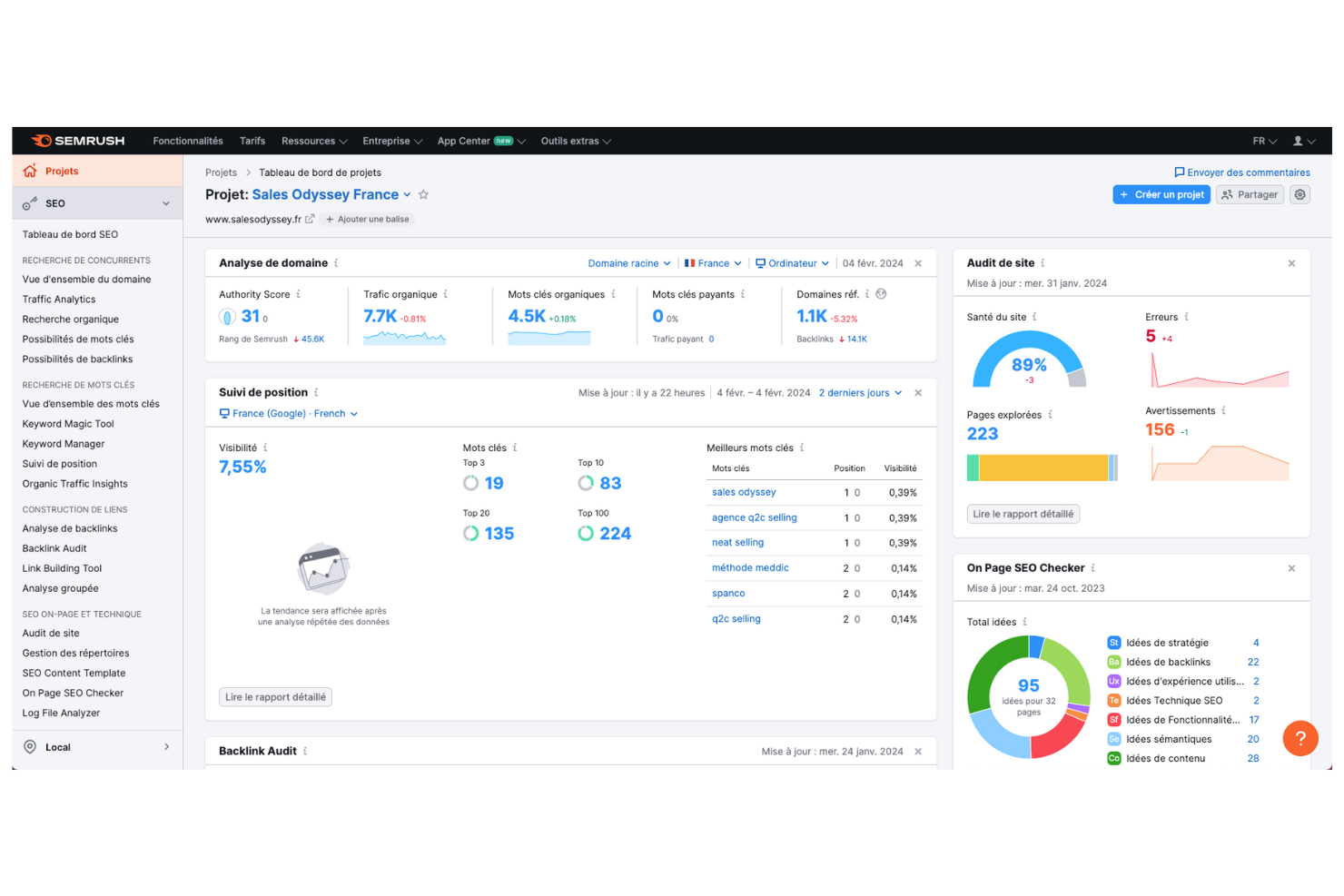
If you’re looking to unify your content marketing and SEO efforts, Semrush brings both under one roof. The platform is especially useful for marketing teams that want to plan, optimize, and measure content performance with real-time SEO data. Semrush helps you identify high-impact keywords, track rankings, and manage campaigns that tie organic search directly to your content strategy.
Why I Picked Semrush
What sets Semrush apart for content marketing automation is its ability to connect SEO insights directly to campaign planning and execution. I picked Semrush because it lets you research keywords, audit your content, and monitor rankings all in one place, making it easier to align your content with search demand. The platform’s content marketing toolkit helps you generate topic ideas, optimize articles, and track how your content performs in organic search. This integrated approach is especially valuable for teams that want to ensure every piece of content supports broader SEO-driven goals.
Semrush Key Features
Some other features make Semrush a versatile choice for content marketing teams:
- SEO Writing Assistant: Get real-time recommendations for readability, tone, and keyword usage as you draft content.
- Content Audit Tool: Analyze your website’s existing content to identify gaps, outdated pages, or optimization opportunities.
- Brand Monitoring: Track mentions of your brand or competitors across the web and social media.
- Post Tracking: Monitor the performance of individual articles published on external sites, including referral traffic and keyword rankings.
Semrush Integrations
Integrations include WordPress, Google Analytics, Google Search Console, Trello, HubSpot, Google Looker Studio, and more.
Pros and Cons
Pros:
- Audits existing content for SEO improvements
- Suggests content topics based on search trends
- Tracks keyword rankings alongside content analytics
Cons:
- No direct publishing to most CMS platforms
- Limits on tracked keywords per plan

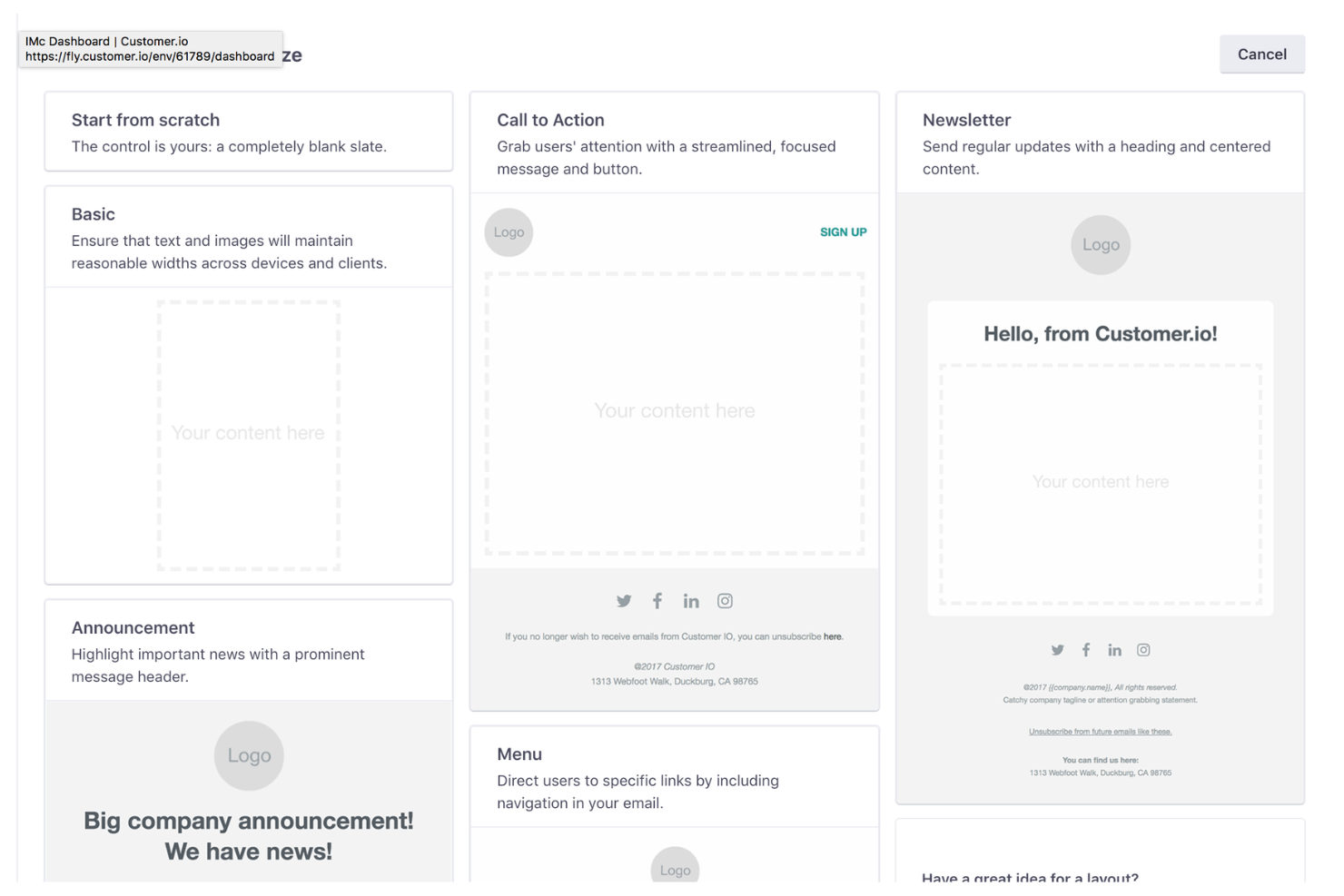
Customer.io is designed for teams that want to automate highly personalized messaging across email, SMS, and push notifications. It’s a strong choice for SaaS companies, ecommerce brands, and digital businesses that need to trigger content based on real-time user behavior. With its event-driven workflows and granular audience targeting, Customer.io helps you deliver the right message at the right moment.
Why I Picked Customer.io
Personalized messaging is where Customer.io really shines for content marketing automation. I picked Customer.io because it lets you trigger messages based on real-time user actions, so your campaigns always feel relevant and timely. The platform’s workflow builder supports advanced segmentation and dynamic content, making it easy to tailor messages for different audience segments. If you want to automate content delivery that adapts to each user’s journey, Customer.io gives you the tools to do it.
Customer.io Key Features
Some other features make Customer.io a flexible choice for content marketing automation:
- Drag-and-Drop Email Editor: Build and customize emails visually without coding.
- Transactional Messaging Support: Send automated transactional emails alongside marketing campaigns.
- Conversion Tracking: Monitor user actions and measure campaign impact directly within the platform.
- Webhooks: Trigger external actions or sync data with other tools using webhooks.
Customer.io Integrations
Integrations include Amazon S3, Amplitude, Branch, Salesforce, Google Ads, Mixpanel, Snowflake, Twilio, and Typeform.
Pros and Cons
Pros:
- Built-in transactional messaging alongside marketing
- Dynamic content blocks for personalized emails
- Supports multi-channel campaigns, including SMS
Cons:
- No built-in social media publishing tools
- Limited native CRM integrations
Other Content Marketing Automation Tools
Here are some additional content marketing automation tools options that didn’t make it onto my shortlist, but are still worth checking out:


Content Marketing Automation Tools Selection Criteria
When selecting the best content marketing automation tools to include in this list, I considered common buyer needs and pain points like automating multichannel content distribution and tracking content performance across platforms. I also used the following framework to keep my evaluation structured and fair:
Core Functionality (25% of total score)
To be considered for inclusion in this list, each solution had to fulfill these common use cases:
- Automate content publishing across channels
- Schedule and manage content calendars
- Track and report on content performance
- Segment and target audiences for campaigns
- Personalize content delivery at scale
Additional Standout Features (25% of total score)
To help further narrow down the competition, I also looked for unique features, such as:
- AI-powered content recommendations
- Multichannel journey builders
- Real-time behavioral segmentation
- Built-in A/B testing for campaigns
- Dynamic content personalization tools
Usability (10% of total score)
To get a sense of the usability of each system, I considered the following:
- Simple and intuitive user interface
- Clear navigation and dashboard layout
- Minimal clicks to complete core tasks
- Customizable views and workflows
- Responsive design for mobile and desktop
Onboarding (10% of total score)
To evaluate the onboarding experience for each platform, I considered the following:
- Availability of step-by-step product tours
- Access to training videos and documentation
- Pre-built templates for quick setup
- In-app chatbots or guided help
- Live webinars or onboarding sessions
Customer Support (10% of total score)
To assess each software provider’s customer support services, I considered the following:
- Multiple support channels like chat, email, and phone
- Fast response times to inquiries
- Access to a searchable knowledge base
- Availability of dedicated account managers
- Community forums or user groups
Value For Money (10% of total score)
To evaluate the value for money of each platform, I considered the following:
- Transparent and flexible pricing plans
- Features included at each pricing tier
- Free trial or demo availability
- No hidden fees or surprise charges
- Discounts for annual or volume commitments
Customer Reviews (10% of total score)
To get a sense of overall customer satisfaction, I considered the following when reading customer reviews:
- Positive feedback on automation capabilities
- Reports of reliable platform performance
- Comments on customer support quality
- User satisfaction with integrations
- Feedback on ease of onboarding and setup
How to Choose Content Marketing Automation Tools
It’s easy to get bogged down in long feature lists and complex pricing structures. To help you stay focused as you work through your unique software selection process, here’s a checklist of factors to keep in mind:
| Factor | What to Consider |
|---|---|
| Scalability | Will the tool support your content volume and audience growth over time? Check for user, channel, or campaign limits. |
| Integrations | Does the tool connect natively with your CRM, analytics, and publishing platforms? Gaps here can create manual work. |
| Customizability | Can you tailor workflows, templates, and reporting to your team’s needs? Rigid systems may slow you down. |
| Ease of use | How quickly can your team learn and adopt the tool? Look for clear navigation and minimal training requirements. |
| Implementation and onboarding | What resources and time are needed to get up and running? Ask about migration support, training, and setup services. |
| Cost | Are pricing tiers transparent and predictable as you scale? Watch for hidden fees, add-ons, or required upgrades. |
| Security safeguards | Does the tool offer data encryption, user permissions, and compliance with standards like GDPR? Protecting data is essential. |
| Support availability | What support channels are offered, and during what hours? Consider if you’ll need live chat, phone, or dedicated reps. |
What Are Content Marketing Automation Tools?
Content marketing automation tools are software platforms that help marketing teams plan, create, schedule, distribute, and analyze content across multiple channels automatically. These tools centralize campaign management, manage repetitive tasks, and enable targeted messaging based on audience behavior. By automating workflows and reporting, they free up time for strategy and creative work while ensuring consistent, data-driven content delivery.
Features of Content Marketing Automation Tools
When selecting a content marketing automation software, keep an eye out for the following key features:
- Content calendar: A visual scheduling tool that lets you plan, organize, and track content across channels, helping teams coordinate campaigns and deadlines.
- Multichannel publishing: The ability to distribute content to multiple platforms—such as email, blogs, and social media—from a single dashboard, reducing manual posting.
- Audience segmentation: Tools to group contacts based on demographics, behavior, or engagement, so you can target content to the right people at the right time.
- Workflow automation: Customizable rules and triggers that automate repetitive tasks like approvals, notifications, and content routing, improving efficiency and consistency.
- Performance analytics: Dashboards and reports that track metrics like reach, engagement, and conversions, giving you insight into what content is working.
- Personalization engine: Features that allow you to tailor content and messaging for different audience segments, increasing relevance and engagement.
- Collaboration tools: Shared workspaces, commenting, and task assignments that help teams work together on content creation and review.
- Asset management: Centralized storage and organization for images, documents, and other media, making it easy to find and reuse approved assets.
- Campaign tracking: Tools to monitor the progress and results of content campaigns, helping you measure ROI and optimize future efforts.
Benefits of Content Marketing Automation Tools
Implementing content marketing automation tools provides several benefits for your team and your business. Here are a few you can look forward to:
- Consistent content delivery: Automated scheduling and publishing ensure your content reaches audiences on time across all channels. Using a centralized marketing platform allows small businesses and large enterprises alike to reach their subscribers more effectively without burnout.
- Improved targeting: Audience segmentation and personalization features help you deliver relevant messages to the right people.
- Greater team efficiency: Workflow automation and collaboration tools reduce manual tasks and manage content production.
- Better performance insights: Built-in analytics and campaign tracking provide clear data on what’s working and where to improve.
- Centralized asset management: Storing and organizing content assets in one place makes it easier to find, reuse, and maintain brand consistency.
- Scalable campaign management: Multichannel publishing and automation features allow you to manage more campaigns without increasing workload.
- Faster onboarding and adoption: User-friendly interfaces and onboarding resources help teams get up and running quickly with new processes.
Costs and Pricing of Content Marketing Automation Tools
Selecting content marketing automation tools requires an understanding of the various pricing models and plans available. Costs vary based on features, team size, add-ons, and more. The table below summarizes common plans, their average prices, and typical features included in content marketing automation tools solutions:
Plan Comparison Table for Content Marketing Automation Tools
| Plan Type | Average Price | Common Features |
|---|---|---|
| Free Plan | $0 | Basic content calendar, limited publishing channels, simple analytics, and basic asset storage. |
| Personal Plan | $10-$30/user/month | Content scheduling, multichannel publishing, audience segmentation, and standard reporting tools. |
| Business Plan | $40-$100/user/month | Advanced workflow automation, collaboration tools, enhanced analytics, asset management, and integrations. |
| Enterprise Plan | $150-$500+/user/month | Custom workflows, dedicated support, advanced security, API access, and compliance and onboarding services. |
Content Marketing Automation Tools FAQs
Here are some answers to common questions about content marketing automation tools:
How do content marketing automation tools support multichannel campaigns?
Content marketing automation tools support your digital marketing efforts by letting you schedule, publish, and track content across multiple channels from one dashboard. This helps your team maintain consistent messaging and timing while reducing manual work and the risk of errors.
Can these tools integrate with my existing CRM or analytics platforms?
Yes, most content marketing automation tools offer integrations with popular CRM and analytics platforms like Adobe Experience Cloud. Always check for native integrations or available APIs to ensure smooth data flow and avoid manual data transfers. Strengthening the customer relationship becomes much easier when your data isn’t siloed, allowing you to nurture leads with personalized touchpoints based on their behavior.
What should I consider when migrating to a new content marketing automation tool?
Plan for data migration, team training, and workflow adjustments. Look for tools that offer onboarding support, import options for existing assets, and resources like tutorials or live help to ease the transition. If you are a marketing agency managing multiple clients, look for AI tools that can help generate ideas or optimize subject lines to take your open rates to the next level.
Are there security or compliance concerns with these tools?
Yes, you should review each tool’s security safeguards, such as data encryption and user permissions. If you handle sensitive data or operate in regulated industries, confirm compliance with standards like GDPR or SOC 2. Additionally, if you work with an external influencer, ensure the tool allows for secure, limited-access collaboration.
How do I measure ROI from content marketing automation tools?
Track metrics like conversion rates, engagement, and campaign performance using the tool’s analytics features. Compare these results to your previous manual processes to assess improvements in efficiency and outcomes.