

10 Best Buffer Alternatives Reviewed in 2026

Best Buffer Alternatives Shortlist


Managing social media can be a headache. As a marketing manager, you juggle multiple platforms, tight deadlines, and the constant demand for fresh content. Buffer might have been your go-to tool, but perhaps it no longer fits your growing needs.
You might be looking for features that Buffer lacks, or maybe you're seeking a more cost-effective option. In my experience, finding the right tool can make a world of difference for your team’s productivity and creativity.
In this article, I'll share my unbiased reviews of the best Buffer alternatives. I'll help you discover tools that can better align with your business goals and alleviate your daily challenges. Let's find the perfect fit for your social media strategy.
What is Buffer?
Buffer is a social media management platform designed to help businesses schedule and publish content across various platforms. It's commonly used by marketing managers, social media teams, and small business owners looking to optimize their online presence.
Scheduling, analytics, and team collaboration features will help you manage multiple accounts efficiently. Overall, Buffer offers a straightforward way to maintain a consistent and organized social media strategy.
Best Buffer Alternatives Summary
This comparison chart summarizes pricing details for my top Buffer alternatives to help you find the best one for your budget and business needs.
| Tool | Best For | Trial Info | Price | ||
|---|---|---|---|---|---|
| 1 | Best for small businesses | 14-day free trial available | From $64/month (billed annually) | Website | |
| 2 | Best for AI-driven content creation | Free trial available | From $24/user/month (billed annually) | Website | |
| 3 | Best for agencies and brands | Free trial available | From $49/month (billed annually) | Website | |
| 4 | Best for centralized content management | 14-day free trial available | From $29/month | Website | |
| 5 | Best for multi-brand collaboration | Free plan + free demo available | From $33/workspace/month (billed annually) | Website | |
| 6 | Best for cost-effective scalability | 14-day free trial + free demo available | From $30/month (billed annually) | Website | |
| 7 | Best for analytics-focused management | 14-day free trial and free plan available | From $33/month (billed annually) | Website | |
| 8 | Best for AI-powered engagement | 30-day free trial available | From $199/seat/month (billed annually) | Website | |
| 9 | Best for community management | Free demo available | Pricing upon request | Website | |
| 10 | Best for integrated workflows | Free plan available | From $18/10 brands/month (billed annually) | Website |
Why Trust Our Software Reviews
We’ve been testing and reviewing marketing software since 2022. As marketing experts ourselves, we know how critical and difficult it is to make the right decision when selecting software.
We invest in deep research to help our audience make better software purchasing decisions. We’ve tested more than 2,000 tools for different marketing use cases and written over 1,000 comprehensive software reviews. Learn how we stay transparent & our software review methodology.


Best Buffer Alternatives Reviews
Below are my detailed summaries of the best Buffer alternatives that made it onto my shortlist. My reviews offer a detailed look at the key features, pros and cons, integrations, and ideal use cases of each tool to help you find the best one for you.


Vista Social is a social media management platform designed for agencies and small businesses. It focuses on scheduling, analytics, and engagement to help manage and grow social media presence.
Why Vista Social is a good Buffer alternative: Vista Social's features are tailored to agencies and small businesses. With its scheduling tools, you can plan and distribute content efficiently across platforms. Its focus on supporting smaller teams makes it a practical choice for those looking to boost their social media strategies without complexity.
Standout Features and Integrations:
Features include a unified inbox that consolidates messages from all your social media accounts, simplifying your communication. You can use its sentiment analysis tools to gauge audience emotions and tailor your content strategy. The platform also provides customizable analytics to track your marketing efforts and performance, helping you make data-driven decisions.
Integrations include Facebook, X, Instagram, LinkedIn, YouTube, Google Business Profile, Pinterest, TikTok, Canva, and more.
Pros and Cons
Pros:
- Simplified communication management
- Great sentiment analysis tools
- Tailored to small businesses
Cons:
- Extra costs for advanced social listening
- Limited content curation features

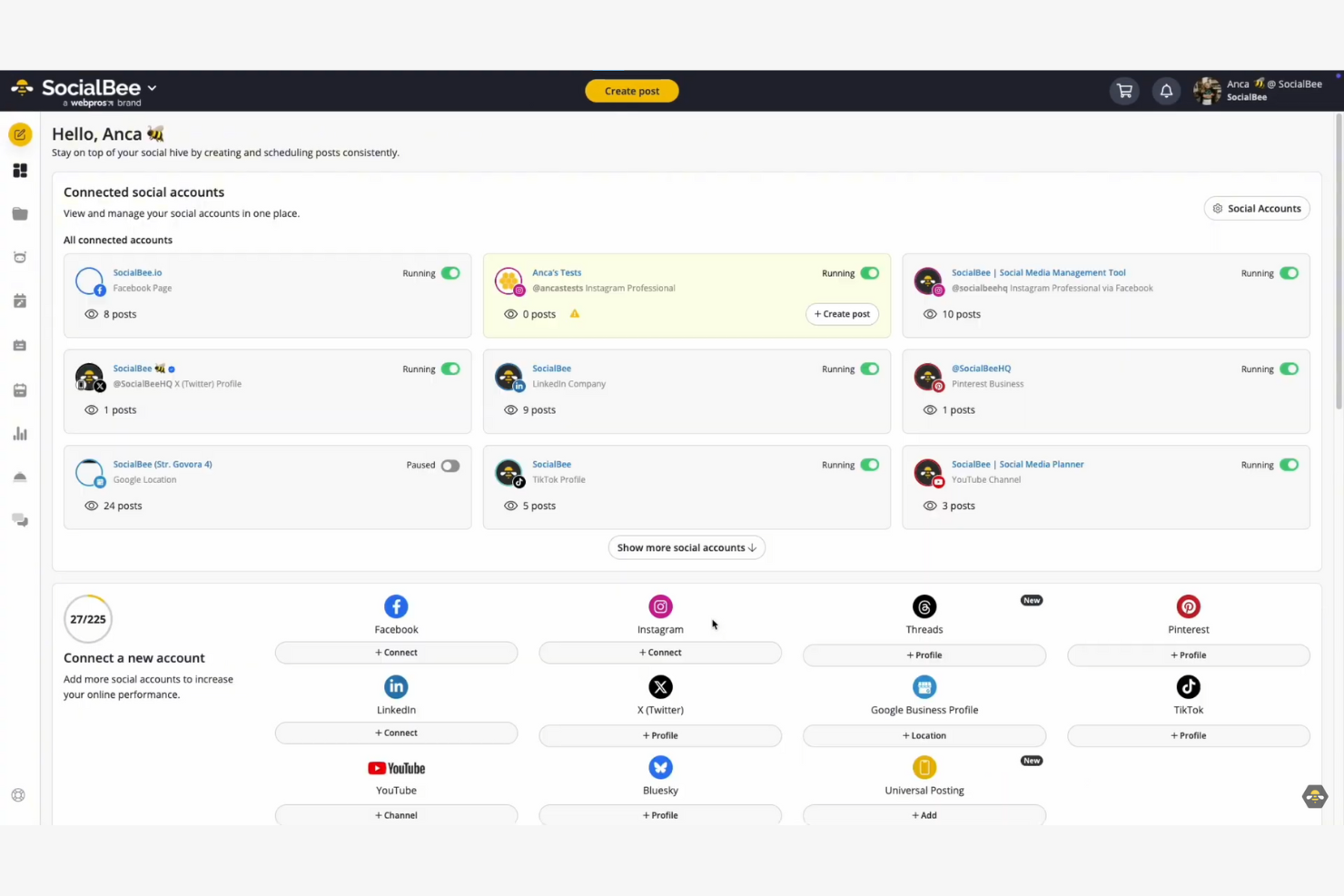
SocialBee is a social media management platform tailored to small businesses, entrepreneurs, and marketers. It focuses on content creation, post scheduling, and audience engagement.
Why SocialBee is a good Buffer alternative: SocialBee leverages AI-driven content creation to help your team generate and manage content effectively. The platform's content categories allow you to schedule RSS feeds and organize posts for stronger audience targeting. Its AI capabilities make it easier for businesses to maintain a consistent and engaging social media presence.
Standout Features and Integrations:
Features include a post recycling option that allows you to repurpose evergreen content. The platform's analytics can track the performance of your social media posts, while the content calendar helps you visualize and plan your campaigns more effectively across multiple platforms.
Integrations include Facebook, X, Instagram, LinkedIn, Google Business Profile, Pinterest, TikTok, YouTube, Zapier, Canva, and more.
Pros and Cons
Pros:
- Content calendar for planning
- Supports RSS feeds
- Automate content recyling
Cons:
- Complex UI for new users
- Initial setup time required

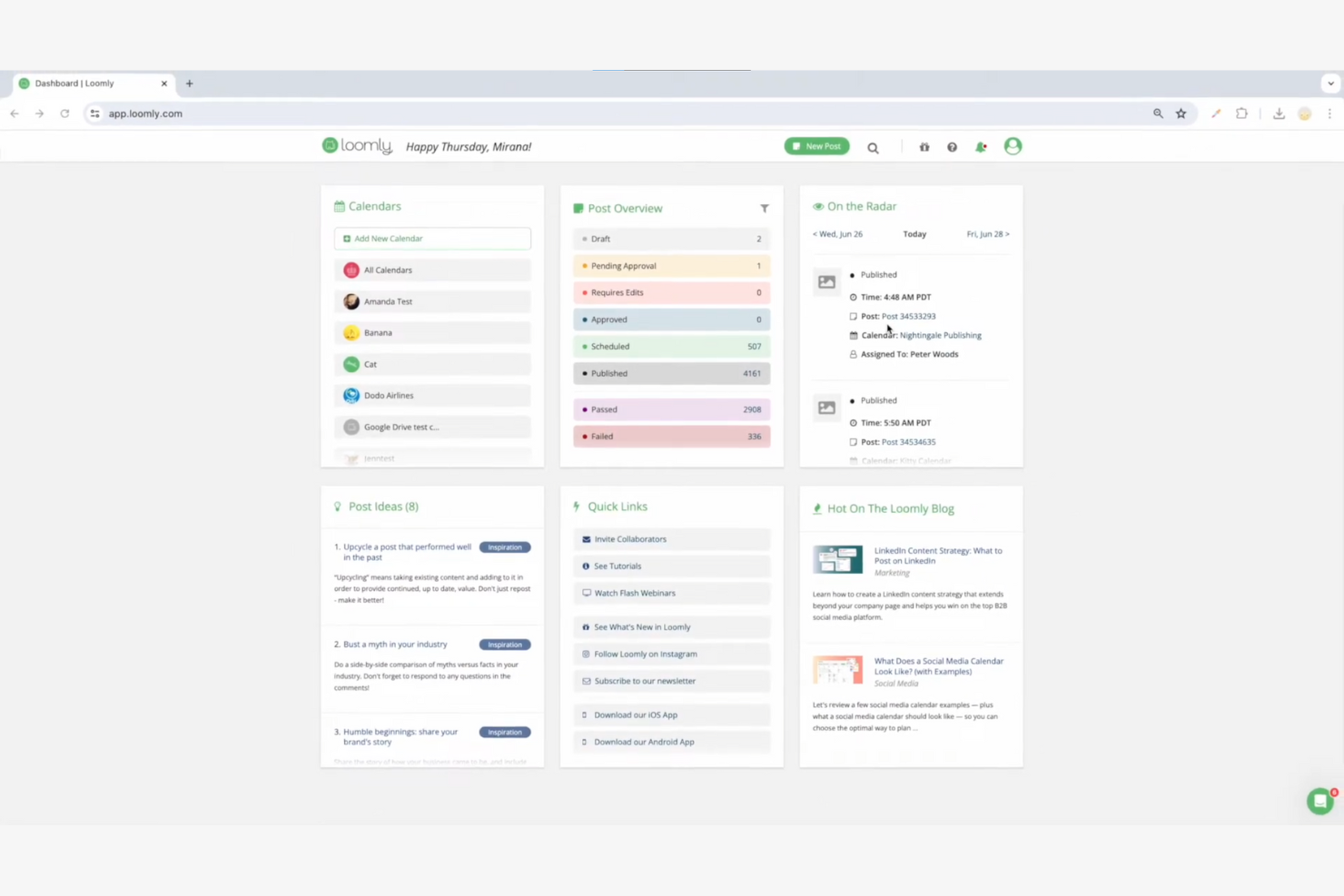
Loomly is a social media management platform designed for agencies, brands, and marketing teams to simplify content creation, scheduling, and collaboration. It helps users manage multiple social media accounts through its content calendar and post planning features.
Why Loomly is a good Buffer alternative: Loomly is tailored to agencies and brands, offering customizable approval workflows. Its ability to track campaign performance is important for agency reporting. The platform's focus on creative tools and campaign organization makes it a strong choice for those needing more structured social media management.
Standout Features and Integrations:
Features include a content calendar that helps you plan posts, daily inspirations to spark new post ideas, and access to a content library of over 5 million royalty-free media assets. It also offers advanced analytics to help you understand your audience better.
Integrations include Facebook, Instagram, LinkedIn, TikTok, YouTube, Pinterest, Google Drive, Canva, Slack, Microsoft Teams, and more.
Pros and Cons
Pros:
- Access to royalty-free media
- Generate trend-based post ideas
- Customizable approval workflows
Cons:
- Limited features in lower plans
- Requires manual Instagram posting

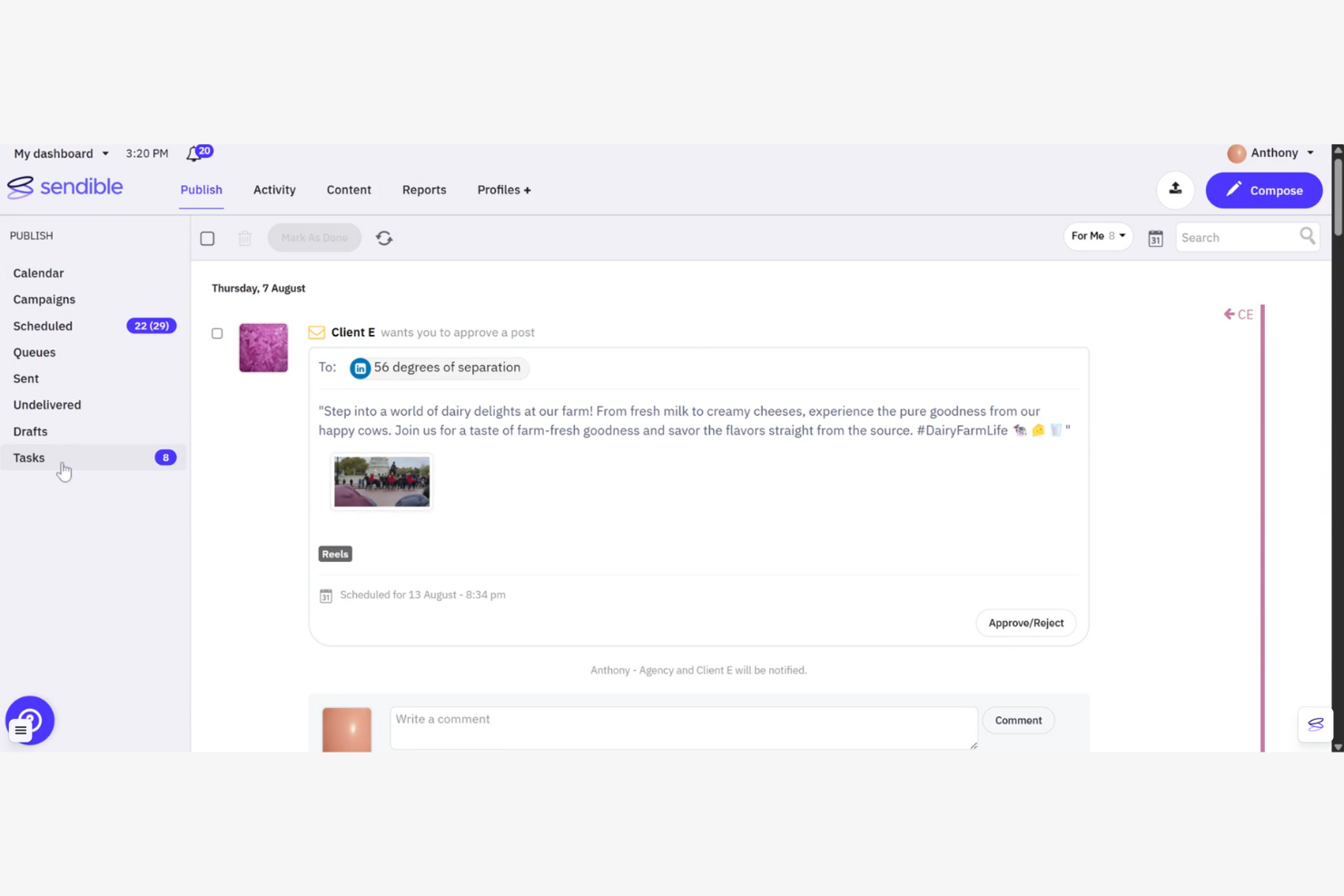
Sendible is a social media management platform designed for agencies and marketers to boost their social media strategies. It offers scheduling, analytics, and engagement tools to help manage multiple social media channels.
Why Sendible is a good Buffer alternative: Sendible excels in centralized content management, providing a unified platform to manage all your social media activities. It offers a content calendar that helps you organize and schedule posts efficiently. With its focus on centralizing content management, Sendible helps optimize your team's workflow.
Standout Features and Integrations:
Features include a social media inbox that consolidates messages from all your social networks, helping you manage communications effectively. You can use its sentiment analysis tools to understand your audience's emotions better. The platform also provides customizable analytics tools to track your social media marketing activities and performance, helping you make informed decisions.
Integrations include Facebook, X, Instagram, LinkedIn, Google Business Profile, Threads, YouTube, Canva, Google Analytics, Bluesky, and more.
Pros and Cons
Pros:
- Customizable reporting options
- Great analytics features
- Efficient scheduling tools
Cons:
- Limited customization in lower plans
- Initial setup can be complex


Planable is a social media collaboration platform designed for marketing teams and agencies. It focuses on content creation, approval workflows, and publishing schedules to improve social media management.
Why Planable is a good Buffer alternative: Planable excels in multi-brand collaboration, providing tools that help teams work together effectively. Its visual content calendar helps you organize and plan posts across different brands. Planable's features make it ideal for agencies managing multiple clients or brands, improving team collaboration and efficiency.
Standout Features and Integrations:
Features include a drag-and-drop interface that simplifies content scheduling and planning. You can preview posts as they will appear on social media, which helps in visualizing the final output. The platform also offers customizable approval workflows to fit your team's specific needs.
Integrations include Facebook, Instagram, X, LinkedIn, Google Business Profile, TikTok, YouTube, Pinterest, Threads, Zapier, and more.
Pros and Cons
Pros:
- Supports drag-and-drop scheduling
- Customizable approval workflows
- Great visual content calendar
Cons:
- Limited free plan features
- No native engagement metrics

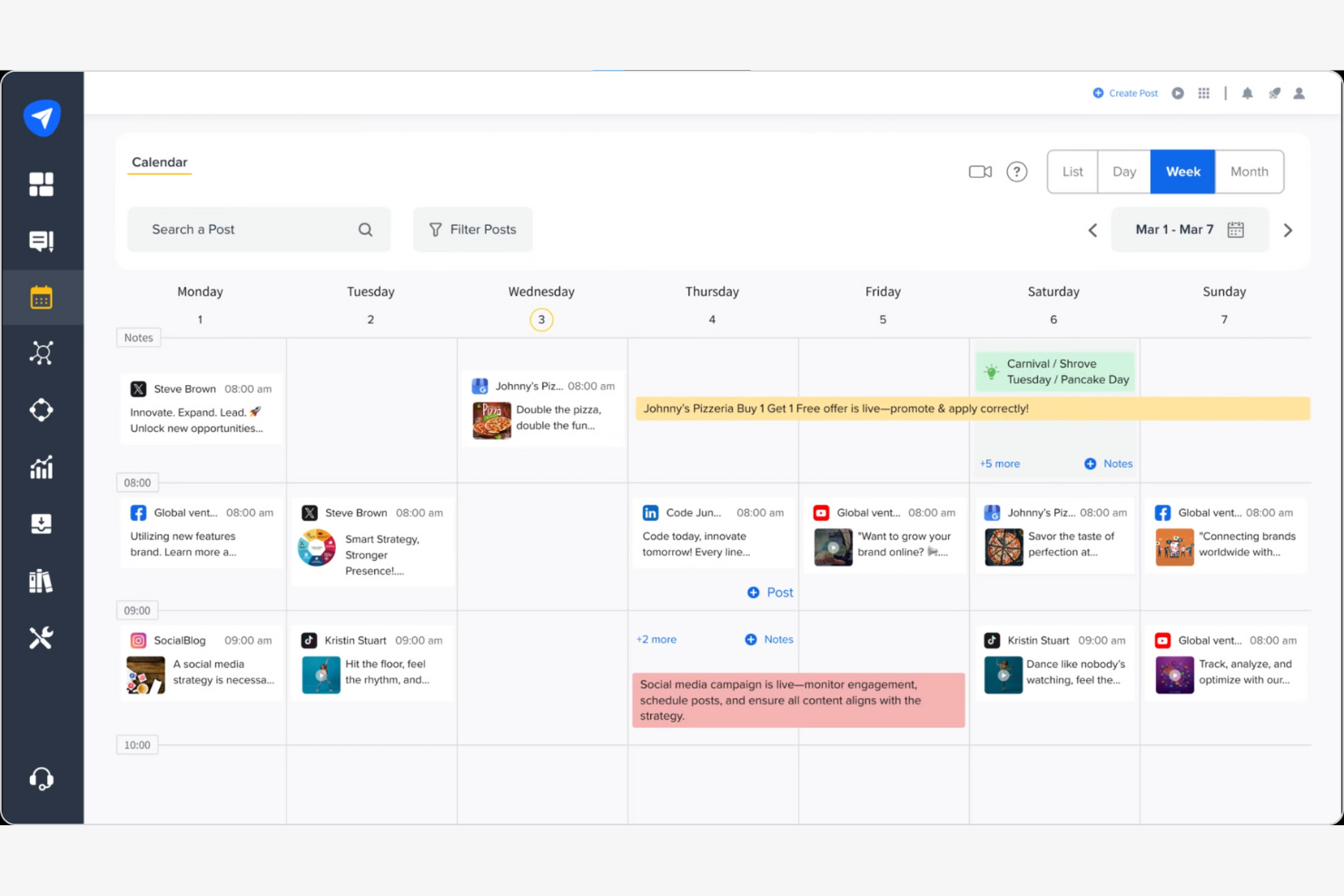
SocialPilot is a social media management tool designed for small- to medium-sized businesses, agencies, and marketers. It focuses on scheduling, analytics, and team collaboration to improve social media strategies.
Why SocialPilot is a good Buffer alternative: SocialPilot offers cost-effective scalability, making it ideal for growing teams. With its bulk scheduling and client management tools, you can efficiently manage multiple accounts without breaking the bank. The platform's affordability and focus on scalability are perfect for businesses looking to expand their social media presence. Its user-friendly interface ensures that your team can quickly adapt and grow.
Standout Features and Integrations:
Features include a content calendar that helps you visualize your social media strategy at a glance. You can use the social inbox to manage all your conversations from one place efficiently. The platform also provides detailed analytics to help you track your performance and make data-driven decisions.
Integrations include Facebook, X, LinkedIn, Instagram, Google Business Profile, Pinterest, Threads, TikTok, YouTube, Bluesky, and more.
Pros and Cons
Pros:
- Great bulk scheduling feature
- Detailed client management tools
- Cost-effective for growing teams
Cons:
- Basic analytics in lower plans
- No social listening feature


Iconosquare is a social media analytics and management platform aimed at marketers, brands, and agencies. It focuses on providing in-depth analytics, scheduling, and performance tracking for social media accounts.
Why Iconosquare is a good Buffer alternative: Iconosquare offers analytics-focused management, providing detailed insights into your social media performance. The platform's analytics tools help you measure engagement rates, track follower growth, and encourage brand advocacy. With its scheduling feature, you can plan content effectively across different social media platforms. The focus on data-driven insights makes it ideal for teams looking to optimize their social media strategies.
Standout Features and Integrations:
Features include a customizable dashboard that allows you to track key performance metrics. You can use its competitor analysis tools to gain insights into market trends. The platform also offers hashtag suggestions and tracking to help you monitor and optimize your content's reach.
Integrations include Facebook, Instagram, X, LinkedIn, YouTube, Threads, Pinterest, TikTok, Dropbox, Canva, and more.
Pros and Cons
Pros:
- Strong hashtag tracking capabilities
- Visual reports for non-experts
- Detailed analytics and insights
Cons:
- Less support for X than other platforms
- Higher cost for advanced features

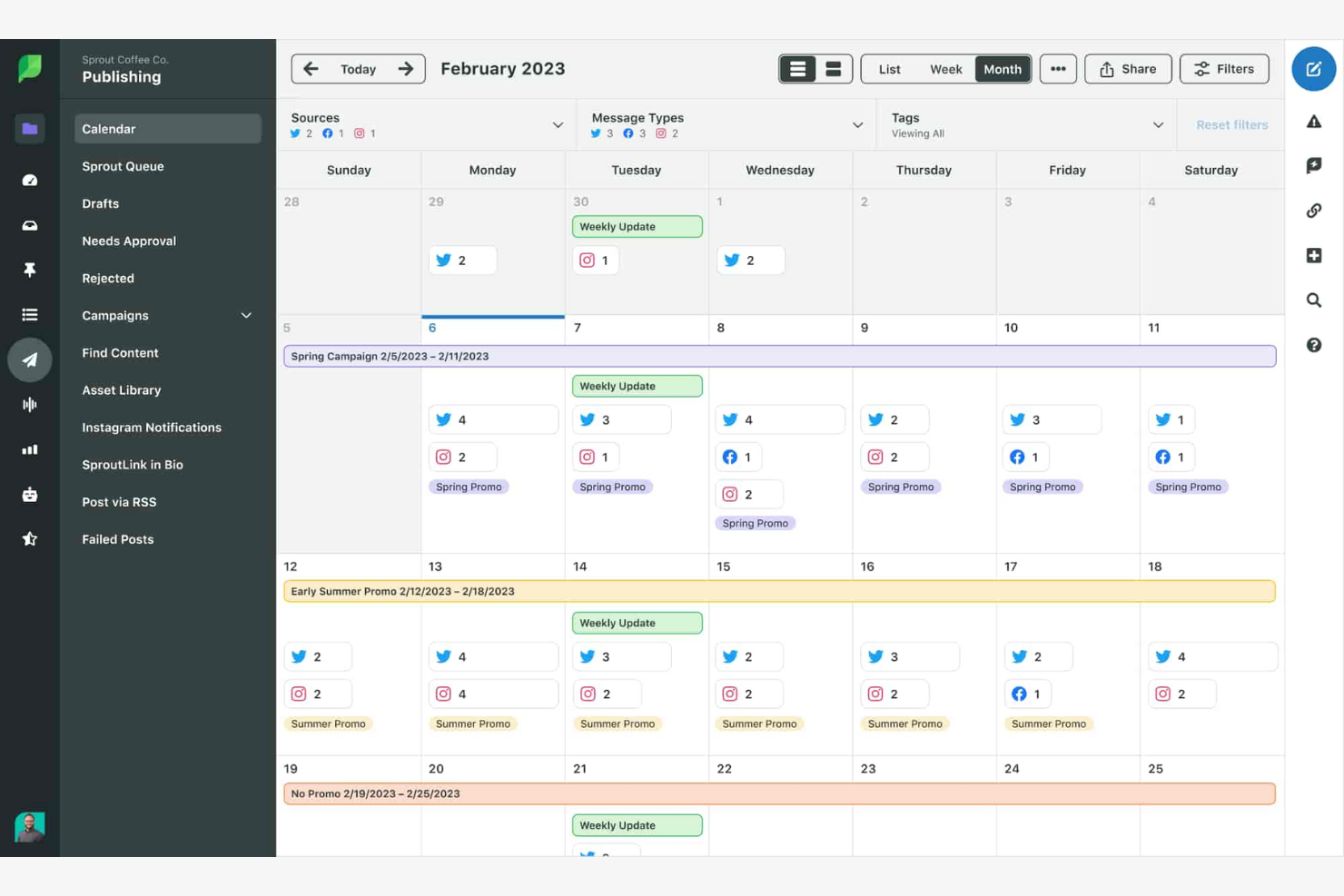
Sprout Social is a social media management platform aimed at businesses and marketers who need to manage multiple social media accounts efficiently. It supports key business functions, such as scheduling, analytics, and customer engagement.
Why Sprout Social is a good Buffer alternative: Sprout Social's AI-powered engagement tools help you interact with your audience more effectively. The platform offers advanced analytics and reporting features, allowing you to gain deeper insights into your social media performance. These features make it ideal for teams focusing on data-driven strategies.
Standout Features and Integrations:
Features include a smart inbox that consolidates messages from all your social networks, simplifying your communication. You can use its social listening tools to discover trends and engage with your audience more effectively. The platform also offers a content calendar to plan and organize your posts efficiently.
Integrations include Facebook, X, Instagram, LinkedIn, Pinterest, YouTube, Google Analytics, Zendesk, Slack, Bitly, and more.
Pros and Cons
Pros:
- Strong social listening capabilities
- Advanced analytics features
- AI-powered engagement tools
Cons:
- Linear per-user pricing model
- Lacks built-in AI content generation

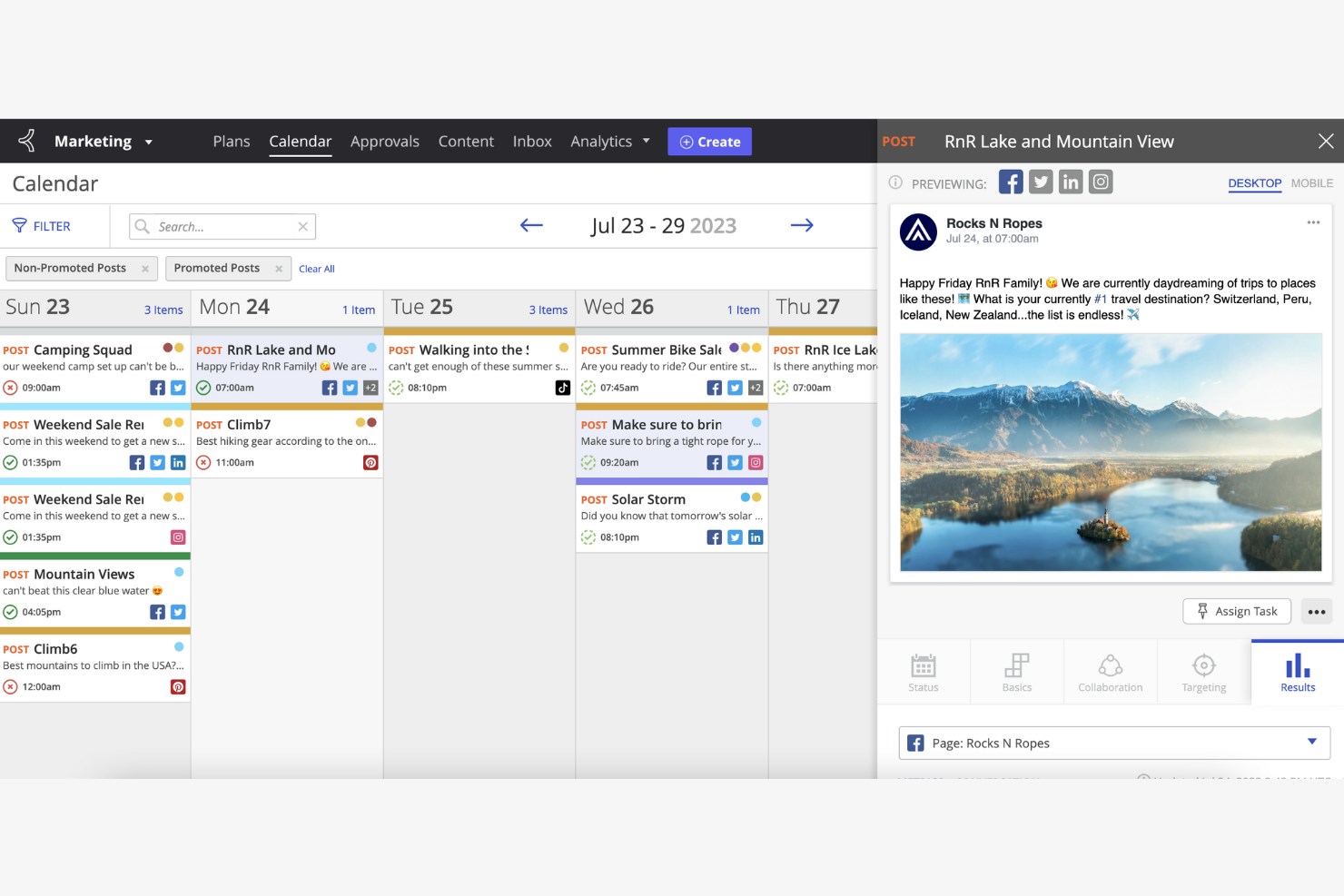
Khoros is a digital-first customer engagement platform designed for enterprises and large organizations. It focuses on social media management, community building, and customer service.
Why Khoros is a good Buffer alternative: Khoros excels in community management, providing tools to build and foster online communities effectively. It offers advanced moderation features to manage and curate user-generated content and ensure healthy interactions. The platform's reporting capabilities help you track community growth and engagement. Its focus on community-driven strategies makes it a perfect fit for businesses looking to improve customer interaction and support.
Standout Features and Integrations:
Features include sentiment analysis to gauge audience emotions and tailor your approach. You can leverage its workflow automation to refine your social media processes. The platform also provides a centralized dashboard for monitoring and responding to all customer interactions.
Integrations include Alteryx, Google Analytics, Opal, Salesforce, and more.
Pros and Cons
Pros:
- Centralized dashboard for interactions
- Supports community-driven strategies
- Advanced content moderation features
Cons:
- Designed for larger organizations
- Pricing details are not transparent

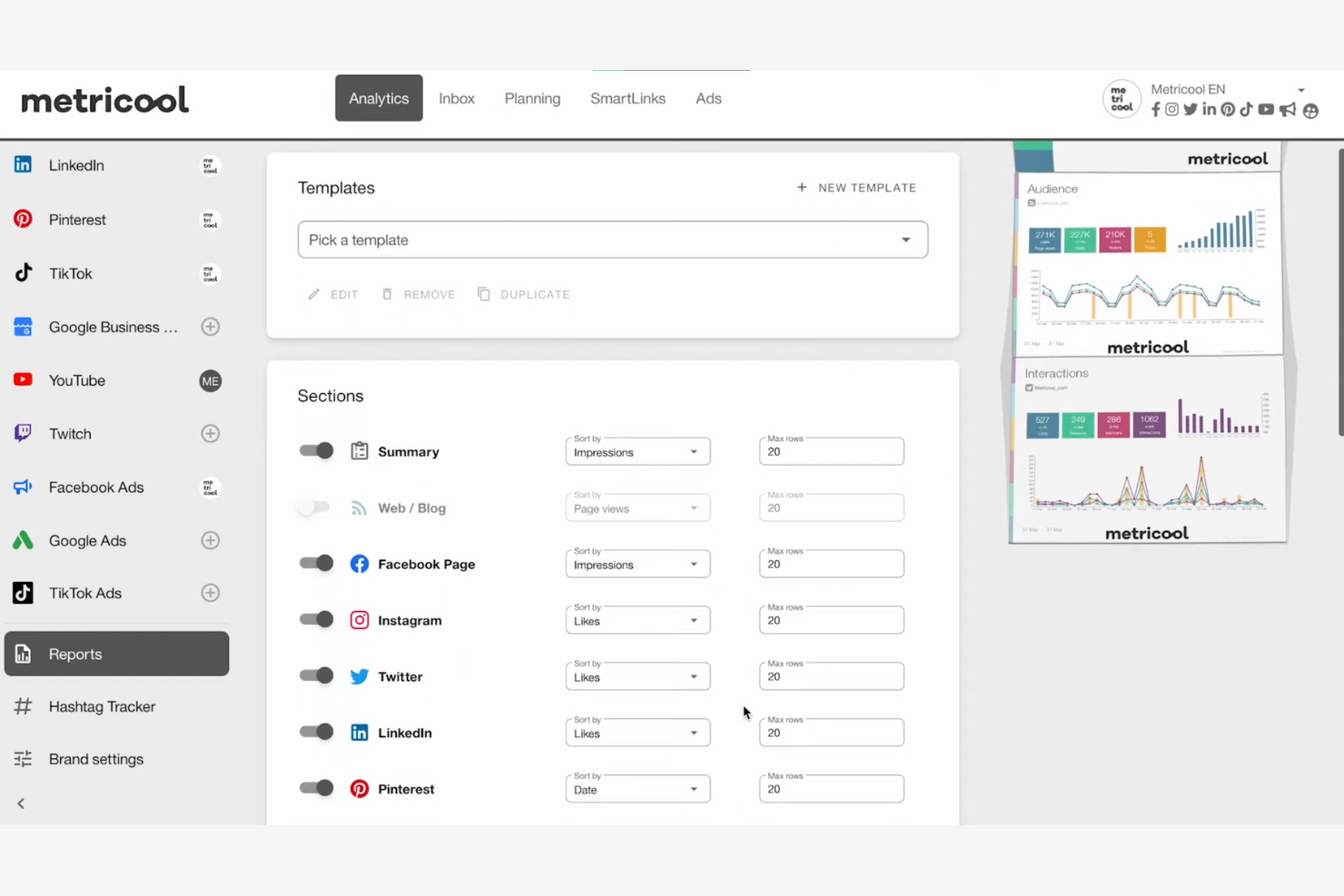
Metricool is a social media management tool that caters to marketers, businesses, and agencies focused on analytics, scheduling, and performance tracking. It helps users manage their online presence by providing insights and tools for effective content planning.
Why Metricool is a good Buffer alternative: Metricool offers integrated workflows that streamline your social media management processes. Its social media scheduling tool allows you to plan content across multiple channels efficiently. This workflow integration makes it easier for your team to manage and analyze social media profiles in one place.
Standout Features and Integrations:
Features include a real-time analytics dashboard to monitor your social media performance. You can use its competitor analysis tools to benchmark your performance against the market. The platform also provides customizable reports to help you track your marketing progress.
Integrations include Facebook, Instagram, X, LinkedIn, YouTube, Google Business Profile, TikTok, Pinterest, Twitch, Google Ads, and more.
Pros and Cons
Pros:
- Great competitor analysis tools
- Real-time analytics dashboard
- Manage Google Business reviews
Cons:
- No advanced video creation tools
- Inconsistent video thumbnail support
Other Buffer Alternatives
Here are some additional Buffer alternatives that didn’t make it onto my shortlist, but are still worth checking out:
- Typefully
For content creators
- Agorapulse
For social media inbox management
- RecurPost
For content recycling
- Later
For visual content planning


Buffer Alternatives Selection Criteria
When selecting the best Buffer alternatives to include in this list, I considered common buyer needs and pain points related to social media management software products, like scheduling flexibility and detailed analytics. I also used the following framework to keep my evaluation structured and fair:
Core Functionality (25% of total score)
To be considered for inclusion in this list, each solution had to fulfill these common use cases:
- Schedule posts across multiple platforms
- Analyze social media performance
- Engage with the audience through comments
- Manage multiple accounts
- Collaborate with team members
Additional Standout Features (25% of total score)
To help further narrow down the competition, I also looked for unique features, such as:
- AI-driven content creation
- Advanced social listening capabilities
- Customizable reporting dashboards
- Integration with CRM systems
- Automated content recycling
Usability (10% of total score)
To get a sense of the usability of each system, I considered the following:
- Intuitive user interface
- Easy navigation between features
- Mobile app availability
- Customizable user settings
- Speed and responsiveness
Onboarding (10% of total score)
To evaluate the onboarding experience for each platform, I considered the following:
- Availability of training videos
- Access to interactive product tours
- Presence of onboarding webinars
- Use of chatbots for guidance
- Availability of templates for setup
Customer Support (10% of total score)
To assess each software provider’s customer support services, I considered the following:
- Availability of 24/7 support
- Access to live chat assistance
- Great knowledge base
- Response time to queries
- Personalized support options
Value for Money (10% of total score)
To evaluate the value for money of each platform, I considered the following:
- Competitive pricing tiers
- Flexibility of subscription plans
- Features included in each plan
- Discounts for annual billing
- Trial periods for evaluation
Customer Reviews (10% of total score)
To get a sense of overall customer satisfaction, I considered the following when reading customer reviews:
- Overall satisfaction ratings
- Feedback on feature effectiveness
- Comments on ease of use
- Opinions on customer support
- Insights on platform reliability
Why Look for a Buffer Alternative?
While Buffer is a good choice for social media management software, there are a number of reasons why some users seek out alternative solutions. You might be looking for a Buffer alternative because:
- You need more advanced analytics
- Your team requires multi-user collaboration
- You want better integration with CRM tools
- Your business needs localized support
- You require more flexible pricing options
- Your team needs advanced content creation tools
If any of these sound like you, you’ve come to the right place. My list contains several social media management software options that are well-suited to teams facing these challenges with Buffer and looking for alternative solutions.
Features
Here are some of Buffer's key features, to help you contrast and compare what alternative solutions offer:
- User-friendly interface: Simplifies scheduling and managing posts across multiple social media platforms.
- Analytics and reporting: Provides insights into post performance and audience engagement.
- Content planning: Allows users to plan and organize content in advance.
- Collaboration tools: Facilitate teamwork by enabling multiple users to manage accounts and share content.
- Browser add-on: Offers a convenient way to share content directly from the web.
- Integration with other tools: Connects with various applications to boost functionality and simplify workflows.
What’s Next:
If you're in the process of researching social media management software, connect with a SoftwareSelect advisor for free recommendations.
You fill out a form and have a quick chat where they get into the specifics of your needs. Then you'll get a shortlist of software to review. They'll even support you through the entire buying process, including price negotiations.