
14 Social Media Automation Tools for 2026

Social Media Automation Tools Shortlist
Here’s my shortlist of social media automation tools:


Social media automation tools are platforms that let you schedule posts, manage content, and track engagement across multiple social channels from one place. If you’re searching for ways to save time, reduce manual work, and keep your brand active online, the right marketing automation tool can make a measurable difference for both enterprise teams and small businesses. This list will help you compare leading options for 2026, so you can find an all-in-one solution that fits your team’s workflows, social media marketing strategy, and reporting needs.
Why Trust Our Software Reviews
Best Social Media Automation Tools Summary
This comparison chart summarizes pricing details for my top social media automation tools selections to help you find the best one for your budget and business needs.
| Tool | Best For | Trial Info | Price | ||
|---|---|---|---|---|---|
| 1 | Best for managing multiple brands in one dashboard | Free trial available | From $24/user/month (billed annually) | Website | |
| 2 | Best for advanced team permissions | Free demo available | From $69/user/month (billed annually) | Website | |
| 3 | Best for social listening integration | 30-day free trial + free demo available | From $79/user/month (billed annually) | Website | |
| 4 | Best for client approval workflows | Free trial available | From $29/user/month (billed annually) | Website | |
| 5 | Best for custom workflow automation | Free demo available | From $9/10,000 credits/month | Website | |
| 6 | Best for bulk content uploading | Free demo available | From $30/month (billed annually) | Website | |
| 7 | Best for collaborative post scheduling | 14-day free trial + free plan available | From $5/channel/month (billed annually) | Website | |
| 8 | Best for unified inbox management | 30-day free trial + free demo available | From $199/seat/month (billed annually) | Website | |
| 9 | Best for content discovery and curation | Free trial available | From $19/month (billed annually) | Website | |
| 10 | Best for AI-powered content generation | Free plan available | From $37/10,000 credits/month | Website |
-

Demandbase
Visit WebsiteThis is an aggregated rating for this tool including ratings from Crozdesk users and ratings from other sites.4.4 -
6sense
Visit WebsiteThis is an aggregated rating for this tool including ratings from Crozdesk users and ratings from other sites.4.3 -
AnswerThePublic
Visit Website


Social Media Automation Tools Reviews
Below are my detailed summaries of the social media automation tools that made it onto my shortlist. My reviews offer a detailed look at the features, best use cases, and integrations of each platform to help you find the best one for you.

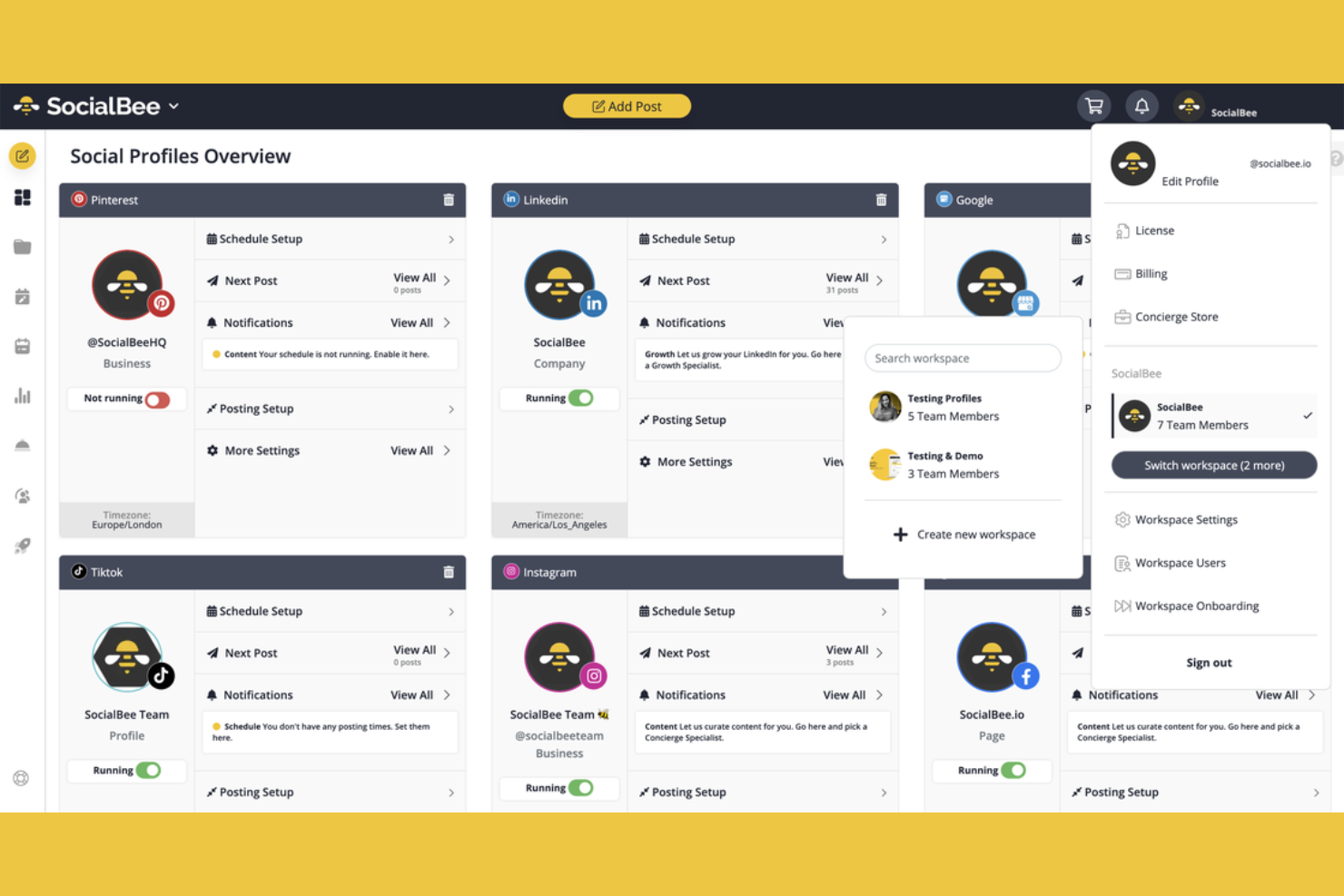
If you manage multiple brands or clients, SocialBee gives you a single dashboard to organize all your social media accounts. Agencies and marketing teams can use its workspace structure to keep content, scheduling, and analytics separate for each brand. This setup helps reduce confusion and makes it easier to collaborate without mixing up posts or data.
Why I Picked SocialBee
SocialBee stands out for teams that need to manage multiple brands or clients without mixing up content or analytics. I picked it because its dashboard lets you create separate workspaces for each brand, so you can keep posts, schedules, and reports organized. The tool also offers role-based access, which means you can assign team members to specific brands and control who sees what. This structure is especially useful for agencies or marketing teams juggling several clients at once.
SocialBee Key Features
Some other features in SocialBee help teams automate and optimize their social media management:
- Category-Based Scheduling: Organize posts into content categories and set unique schedules for each, so you can balance different types of content across your channels.
- Content Recycling: Automatically re-queue and repurpose evergreen posts to keep your feeds active without manual rescheduling.
- Post Variations: Create multiple versions of a single post to avoid repetition and keep your messaging fresh across platforms.
- Built-In URL Shortener: Shorten links directly within the platform and track click data for each post.
SocialBee Integrations
Integrations include Pinterest, TikTok, YouTube, and Threads.
Pros and Cons
Pros:
- Affordable entry for small agencies
- Unlimited AI credits for post creation
- Separate editors for each platform
Cons:
- Limited social listening features
- Underwhelming mobile app experience

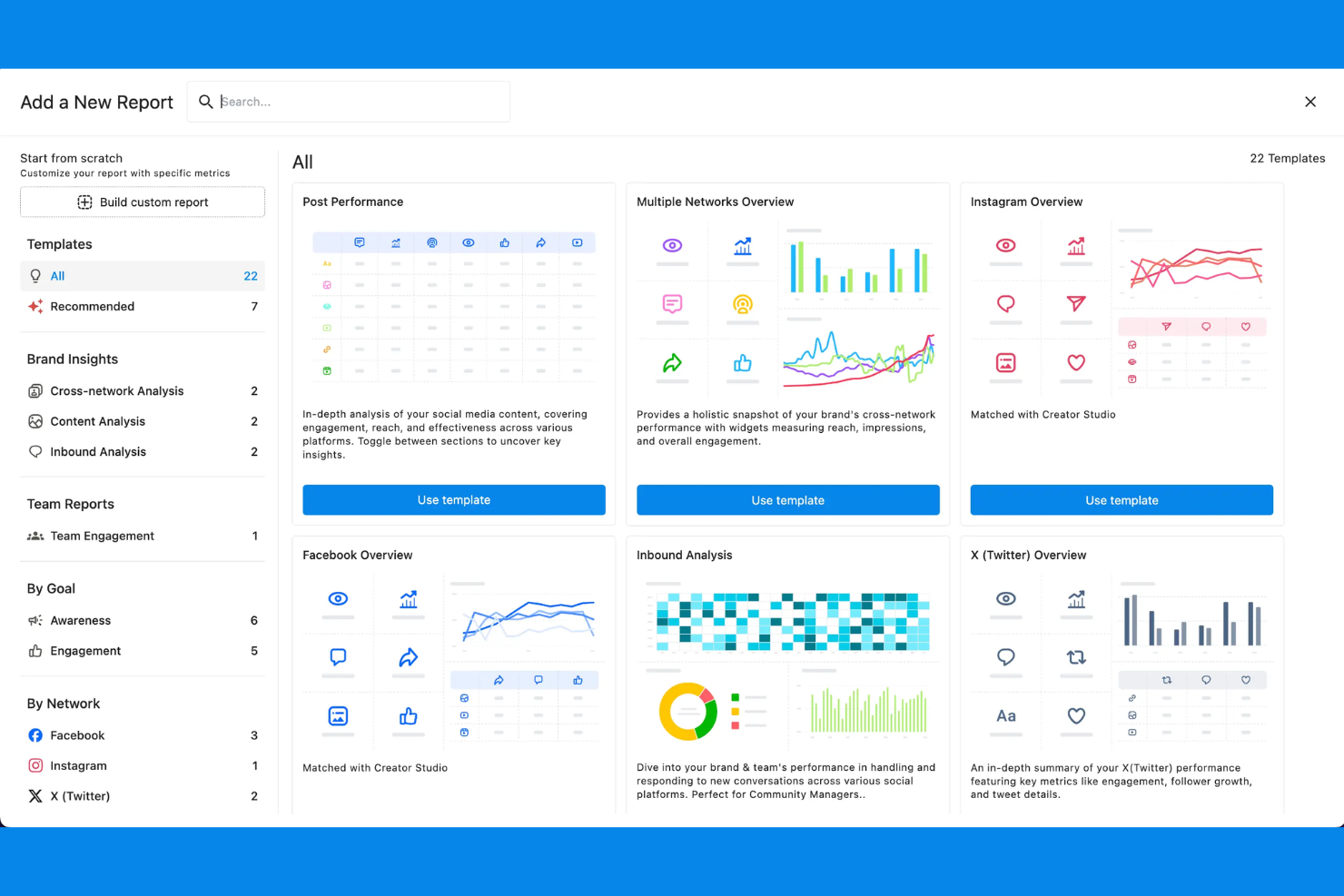
Statusbrew is designed for organizations that need granular control over social media workflows and user access. Marketing teams in regulated industries or large enterprises can use its advanced team permissions to manage who can create, approve, and publish content across multiple brands and social accounts. This level of control helps reduce risk and ensures only the right people have access to sensitive publishing actions.
Why I Picked Statusbrew
For teams that need strict control over who can access and manage social media accounts, Statusbrew stands out with its advanced team permissions. You can assign custom roles, set granular approval workflows, and restrict publishing rights to specific users or groups. I appreciate how this setup helps organizations maintain oversight and accountability, especially when multiple brands or regions are involved. These features make Statusbrew a strong choice for businesses where security and compliance are top priorities in social media automation.
Statusbrew Key Features
In addition to its advanced permission controls, Statusbrew offers several other features for managing social media at scale:
- Unified Social Inbox: Manage messages, comments, and mentions from multiple platforms in one place.
- Automated Publishing: Schedule and queue posts across different social channels with customizable timing.
- Performance Analytics: Access detailed reports on engagement, reach, and audience growth for each connected account.
- Ad Comment Management: Monitor and respond to comments on paid social media campaigns directly from the dashboard.
Statusbrew Integrations
Integrations include TikTok, Reddit, Pinterest, and Meta Threads.
Pros and Cons
Pros:
- Custom white-label reports for clients
- AI sentiment analysis and auto-routing
- Robust multi-step approval workflows
Cons:
- No built-in AI content generation
- Mobile app lacks full desktop power

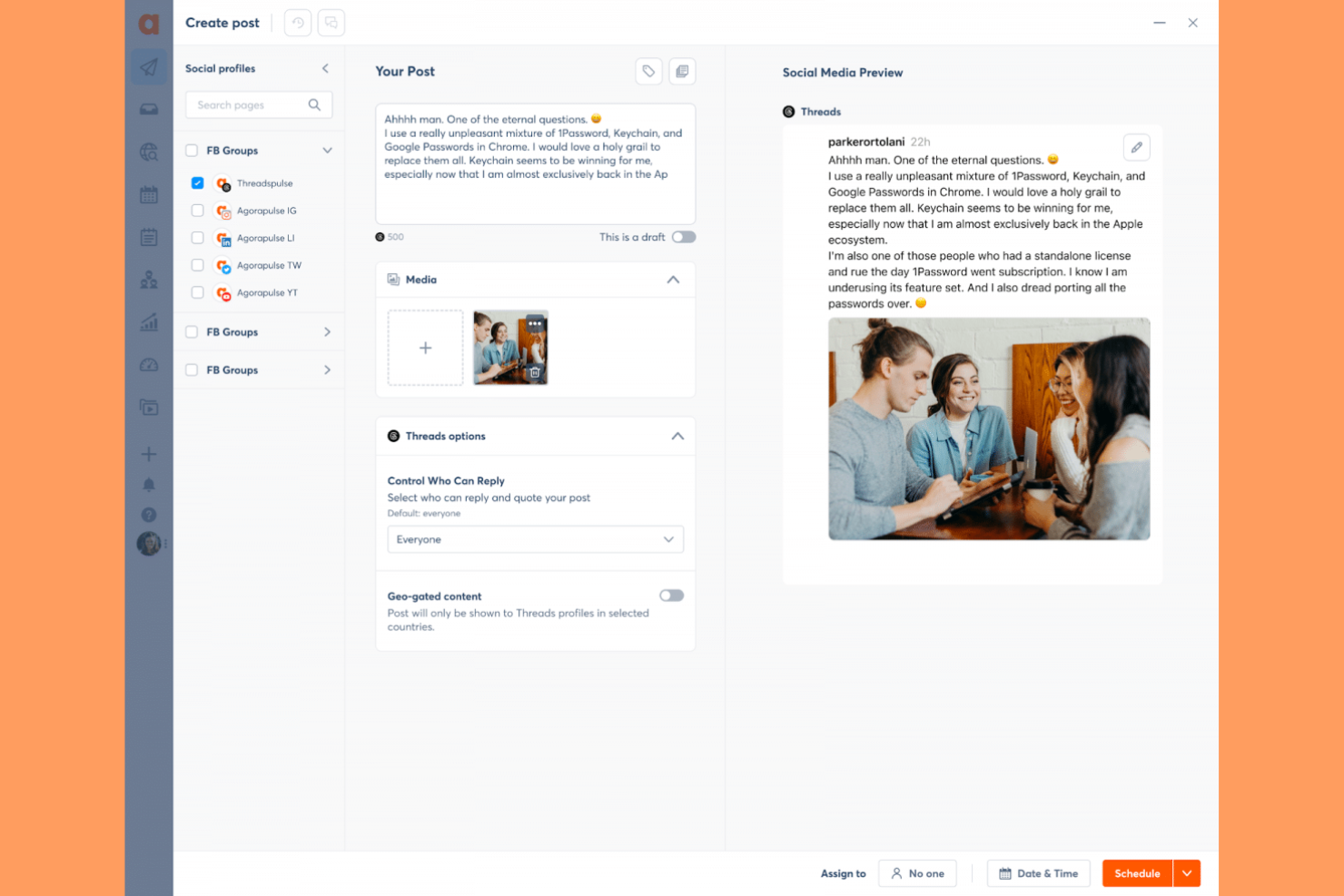
Agorapulse gives marketing teams a way to monitor, manage, and respond to social conversations from one place. If you need to track brand mentions, keywords, and competitor activity across multiple channels, its social listening integration stands out. Agencies and brands looking to stay ahead of trends and reputation issues will find these monitoring tools especially useful.
Why I Picked Agorapulse
What sets Agorapulse apart for me is its deep focus on social listening integration. You can set up custom keyword searches to monitor brand mentions, industry topics, and competitor activity across multiple platforms. I appreciate how the unified inbox brings all these conversations together, making it easier to track and respond in real time. For teams that need to keep a close eye on reputation and trends, these listening tools make Agorapulse a strong choice among social media automation tools.
Agorapulse Key Features
Some other features that make Agorapulse valuable for social media automation include:
- Publishing Queue: Organize and schedule posts in advance for multiple channels.
- Team Collaboration Tools: Assign messages, share notes, and manage user roles within your team.
- Reporting Dashboard: Access visual reports on engagement, reach, and content performance.
- Social CRM: Track user interactions and maintain detailed contact profiles for your audience.
Agorapulse Integrations
Integrations include YouTube, Threads, Canva, and Bitly.
Pros and Cons
Pros:
- Shared calendars for client approvals
- Built-in social listening for keywords
- Excellent ROI and analytics reporting
Cons:
- AI features are basic versus rivals
- High learning curve for power reports

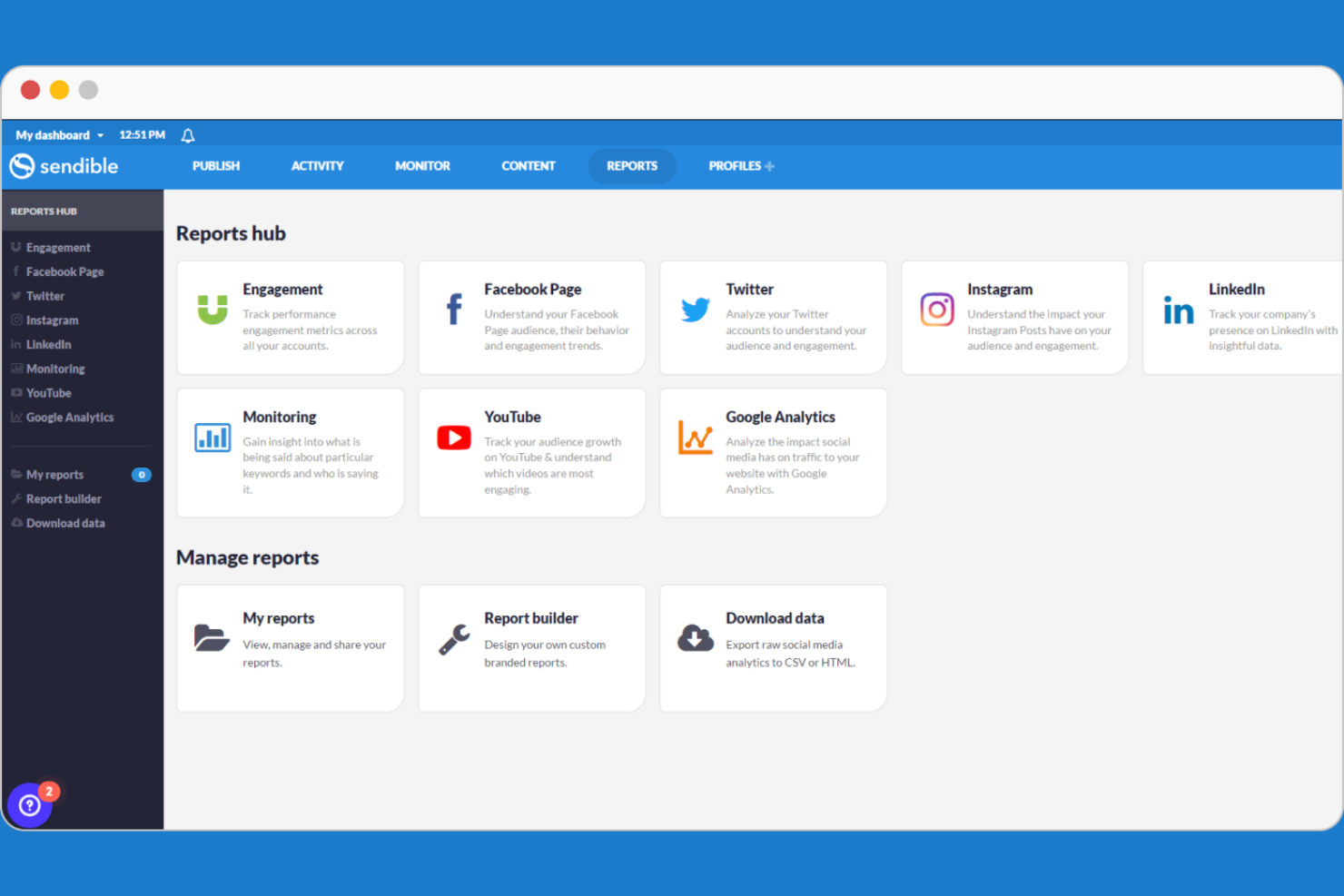
Sendible is designed for agencies and teams that need a structured client approval process for social media content. Marketing professionals managing multiple brands can use its built-in approval workflows to keep clients in the loop and ensure every post meets brand standards. This setup helps reduce back-and-forth and keeps content moving smoothly from draft to published.
Why I Picked Sendible
For teams that need to keep clients involved in the content process, Sendible stands out with its dedicated client approval workflows. I picked Sendible because it lets you set up multi-step approval chains, so clients can review, comment, and approve posts before anything goes live. The platform also provides clear audit trails and status updates for every piece of content, which helps agencies and clients stay aligned. If your workflow depends on client sign-off, these features make Sendible a strong fit for social media automation.
Sendible Key Features
Some other features that make Sendible useful for social media automation include:
- Content Calendar: View, organize, and manage all scheduled posts in a single calendar interface.
- Bulk Scheduling: Upload and schedule multiple posts at once using CSV files.
- Social Listening: Monitor keywords, hashtags, and brand mentions across supported platforms.
- Image Editor: Edit and enhance images directly within the platform before publishing.
Sendible Integrations
Integrations include Instagram, LinkedIn, Threads, TikTok.
Pros and Cons
Pros:
- Optimal time scheduling for engagement
- Seamless Canva and Pexels integration
- Centralized inbox for all comments
Cons:
- Frequent account reconnects needed
- High price for small solo creators
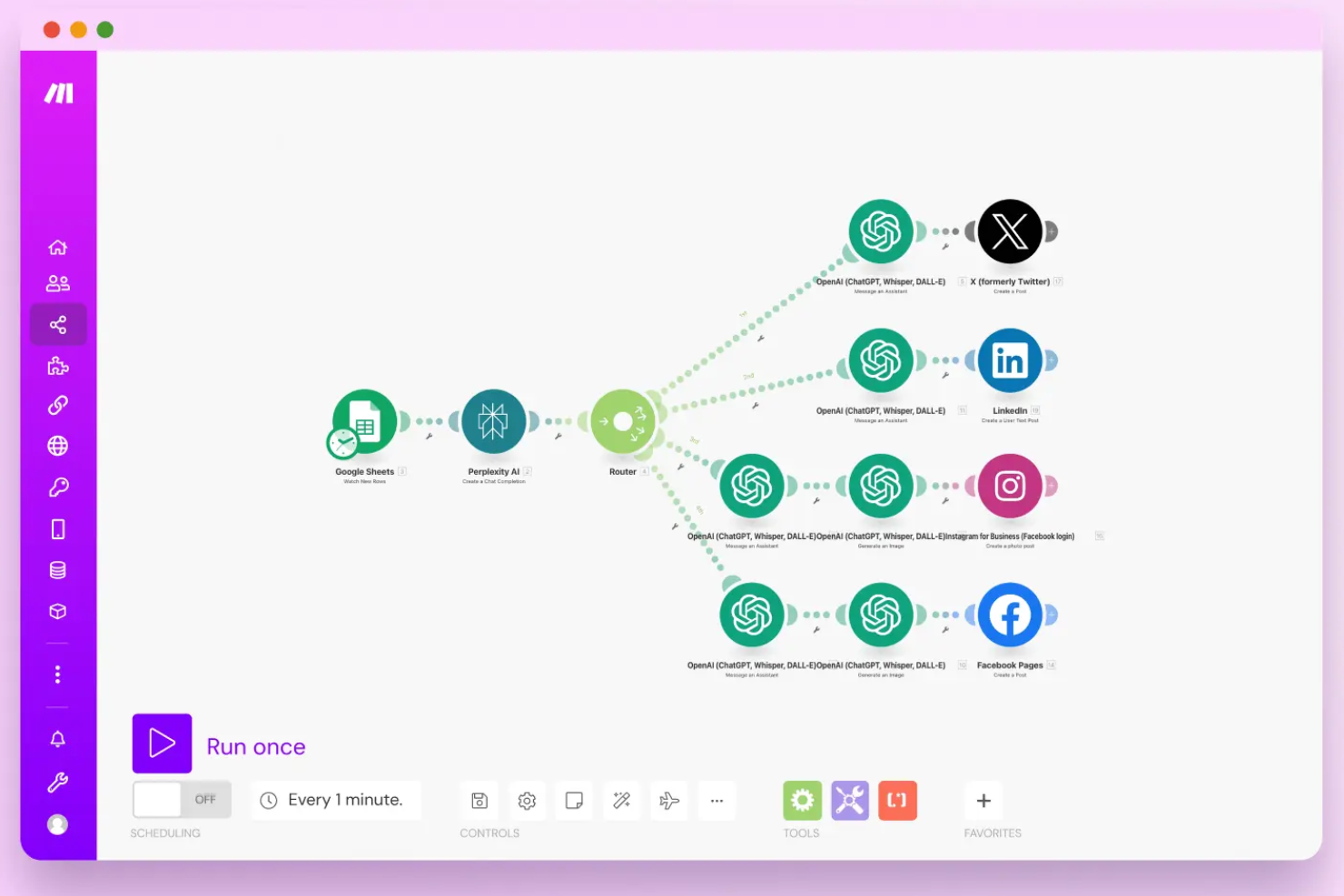
If you need to build highly customized social media workflows, Make offers a flexible automation platform that goes far beyond basic scheduling. It’s a strong fit for marketing teams, agencies, and technical users who want to connect multiple apps and automate complex, multi-step processes. With its visual workflow builder, Make helps you design automations that match your exact campaign and reporting needs.
Why I Picked Make
Unlike most social media automation tools that focus on standard scheduling, Make lets you design custom workflows tailored to your exact needs. You can build multi-step automations that connect social channels with CRMs, analytics platforms, and other business apps. I appreciate how the visual workflow builder allows you to map out complex processes, such as triggering posts based on data changes or automating cross-channel reporting. This level of customization makes Make a strong choice for teams that need more than just basic post scheduling.
Make Key Features
Some other Make features help teams automate and manage their social media operations:
- Prebuilt Templates Library: Access a wide range of ready-made automation templates for common social media tasks.
- Error Handling Tools: Set up custom error notifications and fallback actions to keep workflows running smoothly.
- Scheduling Module: Schedule automations to run at specific times or intervals for campaign consistency.
- Version History: Track changes and revert to previous workflow versions as needed.
Make Integrations
Integrations include Chat ON Desk, Disqus, dlvr.it, and Engage AI.
Pros and Cons
Pros:
- Detailed execution logs for debugging
- Built-in AI agents for content creation
- Cost-effective for multi-step scenarios
Cons:
- No built-in post preview or scheduler
- API limits on X and LinkedIn posting

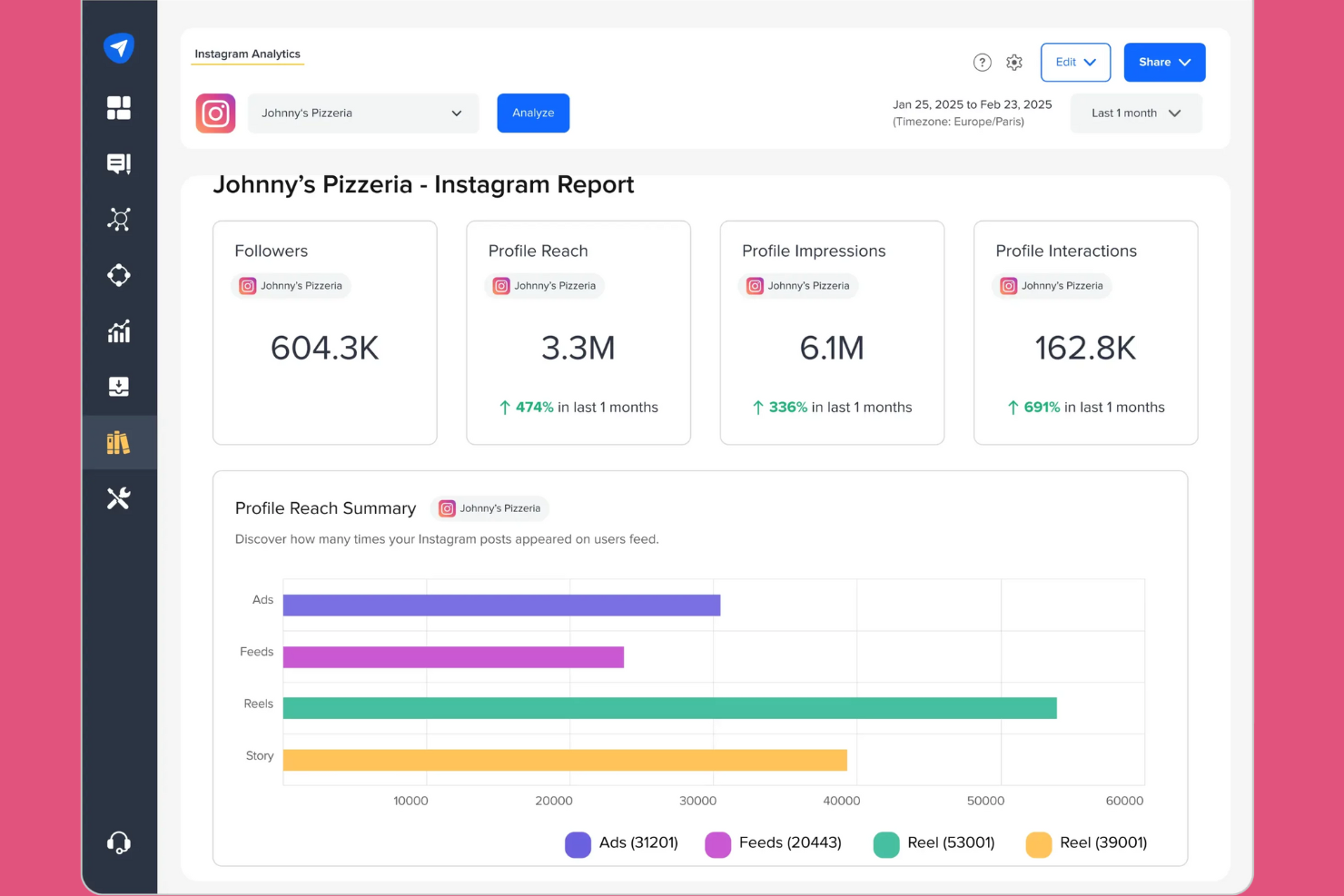
SocialPilot is designed for agencies and teams that need to manage high volumes of social content across multiple accounts. Its bulk content uploading feature helps social media managers save time by scheduling hundreds of posts at once. This makes it a strong fit for businesses handling frequent campaigns or working with many clients.
Why I Picked SocialPilot
For teams that need to schedule large volumes of content, SocialPilot’s bulk content uploading stands out. You can upload hundreds of posts at once using a CSV file, which is especially useful for agencies managing multiple clients or campaigns. I like that the tool also lets you preview and edit posts in bulk before scheduling them. This focus on high-volume scheduling makes SocialPilot a practical choice for anyone looking to automate repetitive posting tasks at scale.
SocialPilot Key Features
Some other SocialPilot features help teams manage and optimize their social media presence:
- Client Management Dashboard: Organize multiple client accounts and manage permissions from a single interface.
- Content Calendar: Visualize scheduled posts across all platforms in a drag-and-drop calendar view.
- Social Media Analytics: Track engagement, audience growth, and post performance with built-in analytics tools.
- Team Collaboration Tools: Assign roles, review posts, and approve content within your team.
SocialPilot Integrations
Integrations include LinkedIn, TikTok, Pinterest, and YouTube.
Pros and Cons
Pros:
- Easy approval workflows for large teams
- Managing many accounts is cost-effective
- AI assistant for captions and hashtags
Cons:
- Analytics are limited to company pages
- Social inbox is missing on basic plans

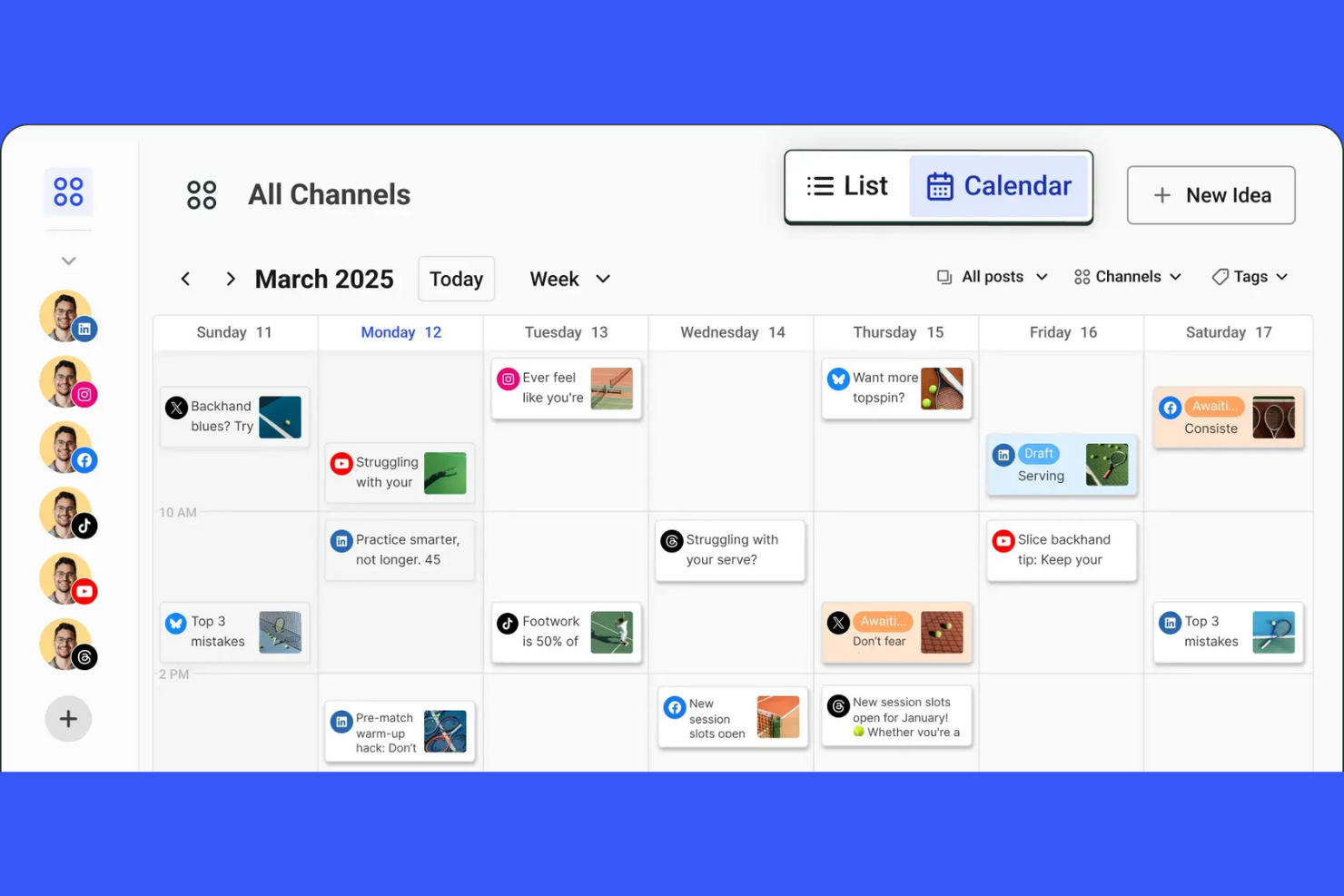
Buffer is designed for teams that need to collaborate on social media scheduling and approvals. Marketing managers and content creators can use its shared social media calendar and draft workflows to coordinate posts before they go live. This approach helps reduce miscommunication and keeps everyone aligned on campaign timing.
Why I Picked Buffer
Buffer makes it easy for teams to work together on social media content before anything gets published. I picked Buffer because its collaborative post scheduling tools let multiple users draft, review, and approve posts in a shared calendar. The approval workflow helps marketing leads oversee content and catch issues before posts go live. This setup is especially useful for businesses that need to coordinate messaging across several team members or departments.
Buffer Key Features
Some other Buffer features help teams automate and analyze their social media presence:
- Multi-Channel Publishing: Schedule and publish posts across platforms like Instagram, Facebook, LinkedIn, and X from one dashboard.
- Hashtag Manager: Save and insert groups of hashtags into posts to keep content organized and consistent.
- Analytics Dashboard: Track engagement, reach, and performance metrics for each connected account.
- Link Shortening and Tracking: Shorten URLs and monitor click data directly within the platform.
Buffer Integrations
Integrations include Mastodon, Pinterest, Threads, and TikTok.
Pros and Cons
Pros:
- Cleanest and most intuitive interface
- Unlimited AI generation on all tiers
- First to support Bluesky and Threads
Cons:
- No unified inbox for TikTok or YouTube
- Analytics lack deep competitor tracking

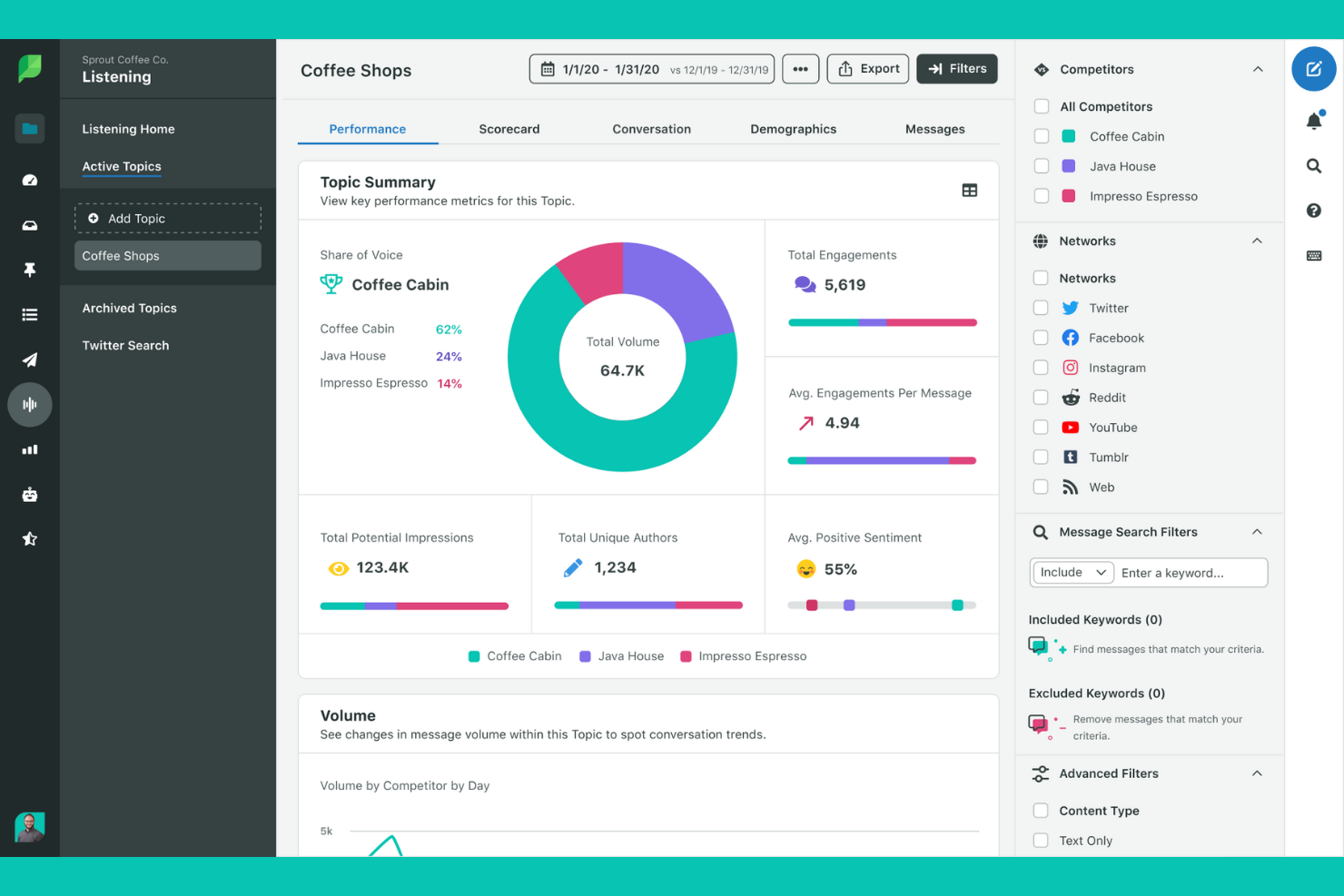
Sprout Social brings all your social conversations into a single, unified inbox, making it easier for marketing and customer care teams to stay organized. Agencies and brands managing high message volumes can use its collaborative tools to assign, tag, and respond to messages without missing a beat. This approach helps teams reduce response times and maintain a consistent brand voice across every channel.
Why I Picked Sprout Social
What sets Sprout Social apart for me is its unified inbox, which brings all your social messages, comments, and mentions into one dashboard. This feature is especially valuable for teams juggling multiple accounts or platforms, since it helps prevent missed messages and duplicate responses. I like that you can assign conversations to specific team members and track message status, which supports accountability and smooth collaboration. For organizations that prioritize fast, organized, and consistent communication, Sprout Social’s inbox management tools are a strong fit.
Sprout Social Key Features
Some other features that make Sprout Social a strong option for social media automation include:
- Automated Publishing Calendar: Plan, schedule, and manage posts across multiple platforms from a single calendar view.
- Social Listening Tools: Monitor keywords, hashtags, and brand mentions to track trends and audience sentiment.
- In-Depth Analytics Reports: Generate customizable reports on engagement, reach, and content performance.
- Asset Library: Store, organize, and reuse images, videos, and post templates for consistent branding.
Sprout Social Integrations
Integrations include Pinterest, Reddit, Threads, TikTok.
Pros and Cons
Pros:
- AI Optimal Send Times boost engagement
- Top-tier visual analytics and reports
- Unified Smart Inbox for all messages
Cons:
- No free version for small creators
- Many core features locked in top tiers
New Product Updates from Sprout Social

Sprout Social's New Design to Draft Integration
Sprout Social now allows designs from Canva and Adobe Express to be sent directly as draft posts. This update offers a more efficient way of integrating design tools with your social media management processes. For more information, visit Sprout Social's official site.
 .
.
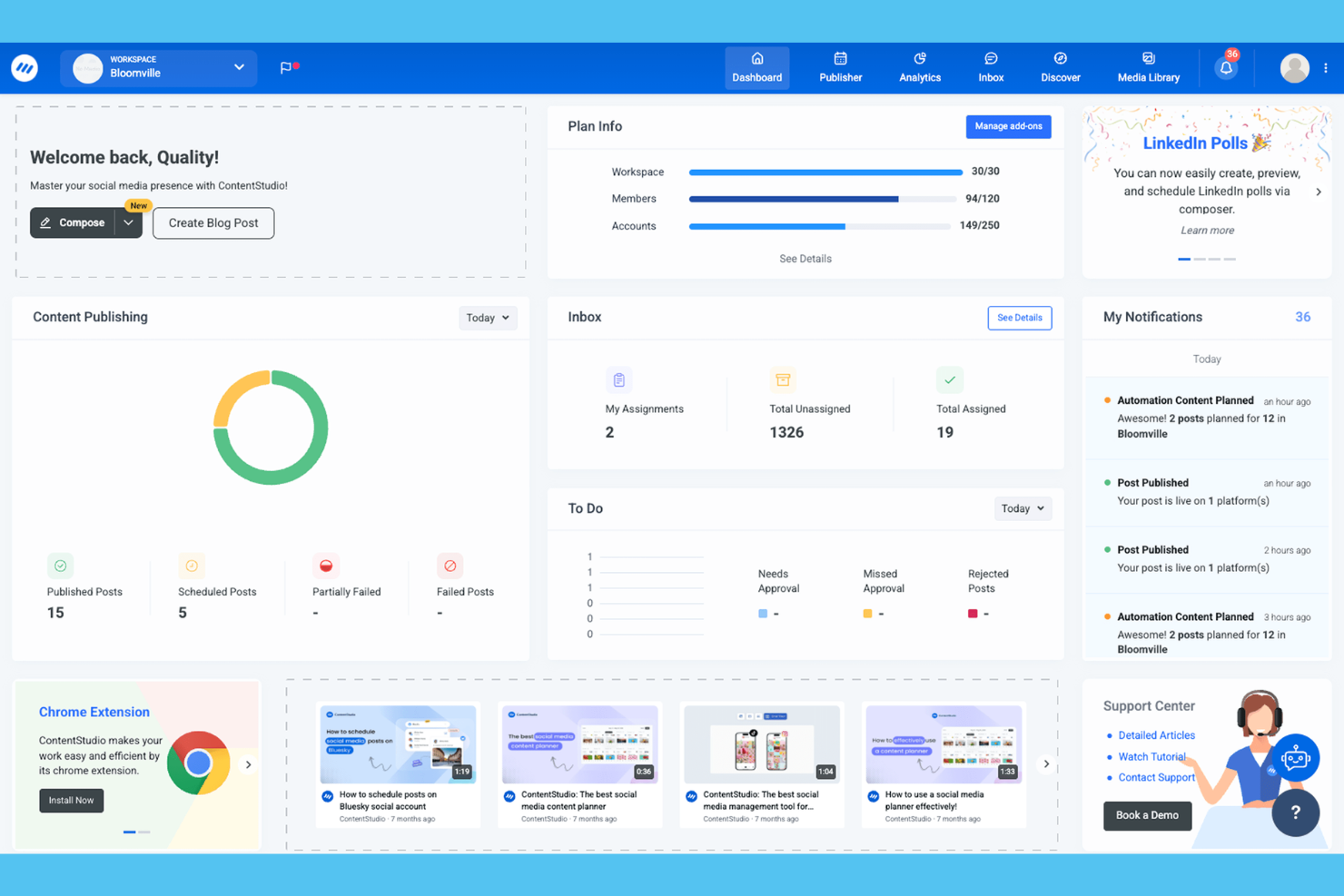
ContentStudio stands out for teams and agencies that need to discover, curate, and share trending content across multiple channels. Its content discovery engine helps marketers surface relevant articles, videos, and social posts tailored to their audience. If you’re looking to keep your feeds fresh and engaging without manual research, ContentStudio’s automation and curation tools are built for that workflow.
Why I Picked ContentStudio
For marketers who need to keep their social channels filled with relevant, timely content, ContentStudio’s discovery and curation capabilities are hard to match. The platform’s content discovery engine pulls trending articles, videos, and social posts from across the web, letting you quickly find material that fits your audience. I like how you can set up automation rules to curate and share this content directly to your feeds, reducing manual effort. If your workflow depends on surfacing and sharing high-quality third-party content, ContentStudio is built for that need.
ContentStudio Key Features
Some other features that make ContentStudio useful for social media automation include:
- Visual Post Composer: Create and edit posts with a built-in image editor and content formatting tools.
- Approval Workflow: Set up multi-step content approval processes for teams and clients.
- Analytics Dashboard: Track engagement, reach, and performance metrics across all connected channels.
- Hashtag Suggestions: Get real-time hashtag recommendations based on your post content and platform.
ContentStudio Integrations
Integrations include WordPress, Medium, Webflow, and Shopify.
Pros and Cons
Pros:
- Direct publishing to 11+ platforms
- Helpful AI assistant for fast captions
- Unified inbox for all social messages
Cons:
- Higher price point than basic tools
- Occasional glitches with mobile uploads

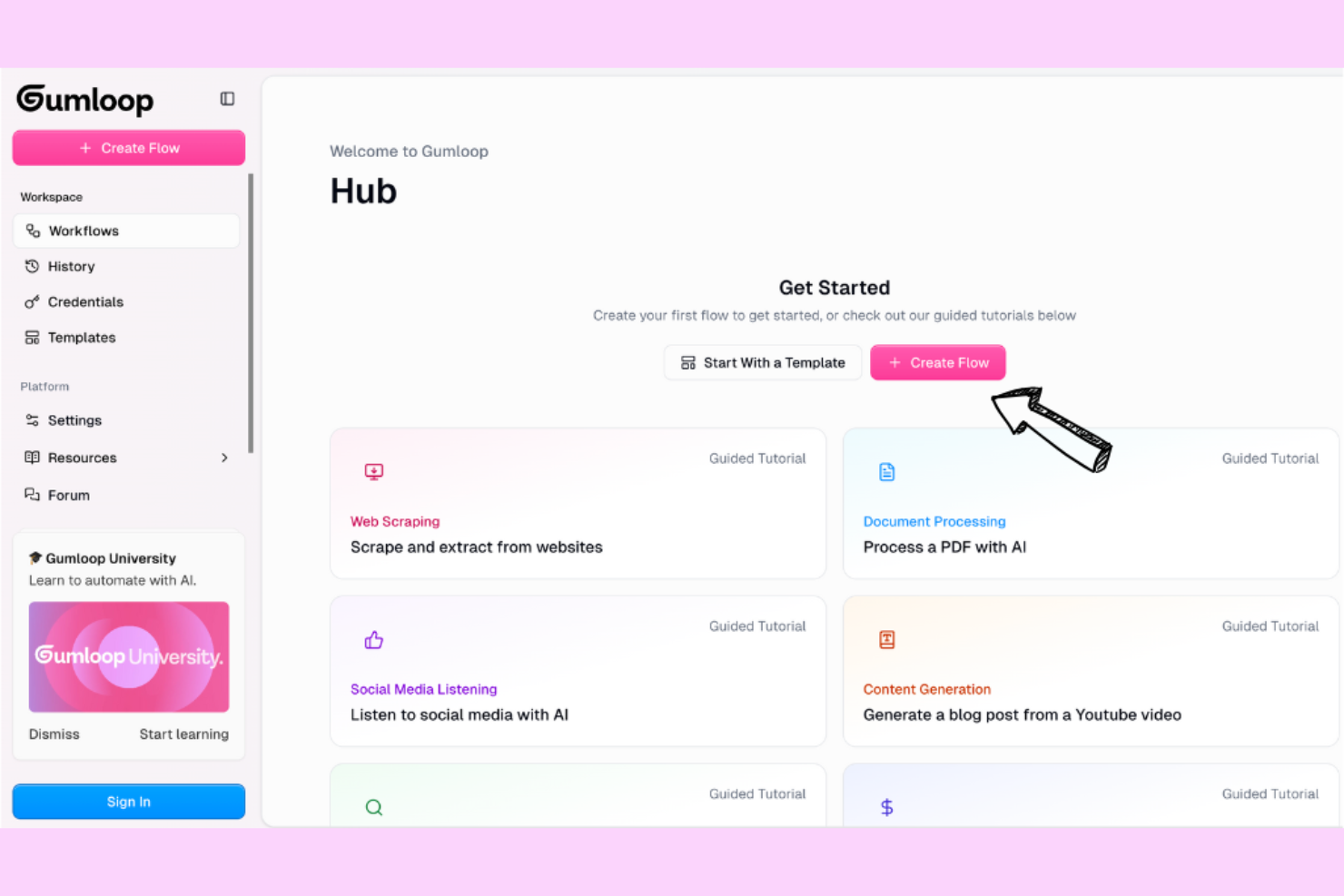
Gumloop brings AI-powered content generation to marketing teams looking to scale their social media presence. It’s especially useful for agencies and content creators who need to produce high volumes of original posts, captions, and creative assets across multiple platforms. With its focus on automating ideation and copywriting, Gumloop helps you keep your content pipeline full without sacrificing quality or variety.
Why I Picked Gumloop
What sets Gumloop apart is its focus on AI-powered content generation, which is especially valuable for social media teams facing constant content demands. The platform generates content ideas, original post ideas, captions, and creative assets tailored to your brand voice and campaign goals. I like that you can automate the ideation process and quickly fill your content calendar with fresh, relevant material. For marketers who need to maintain a steady stream of engaging posts, Gumloop’s AI-driven approach offers a practical solution.
Gumloop Key Features
Some other Gumloop features help teams manage and automate their social media content pipeline:
- Bulk Content Generation: Create multiple posts or captions at once for different platforms.
- Brand Voice Customization: Adjust AI-generated content to match your brand’s tone and style.
- Content Calendar Integration: Organize and schedule generated content directly within a visual calendar.
- Collaboration Tools: Invite team members to review, edit, and approve content before publishing.
Gumloop Integrations
Native integrations are not currently listed by Gumloop.
Pros and Cons
Pros:
- Reusable subflows keep projects tidy
- Gummie AI builds workflows for you
- Powerful web scraping and data extraction
Cons:
- Support is primarily through Discord/email
- High entry cost for basic paid tiers
Other Social Media Automation Tools
Here are some additional social media automation tools options that didn’t make it onto my shortlist, but are still worth checking out:
- Brand24
For real-time brand monitoring
- Hootsuite
For cross-platform analytics reporting
- Loomly
For visual content calendar planning
- Zoho Social
For scheduling posts based on audience activity


Social Media Automation Tools Selection Criteria
When selecting the best social media automation tools to include in this list, I considered common buyer needs and pain points like managing multiple social channels efficiently and automating repetitive posting tasks. I also used the following framework to keep my evaluation structured and fair:
Core Functionality (25% of total score)
To be considered for inclusion in this list, each solution had to fulfill these common use cases:
- Schedule posts across multiple social media platforms
- Monitor and respond to social media engagement
- Track analytics and performance metrics
- Manage multiple accounts or brands
- Automate repetitive posting tasks
Additional Standout Features (25% of total score)
To help further narrow down the competition, I also looked for unique features, such as:
- AI-powered content suggestions
- Real-time brand mention monitoring
- Automated sentiment analysis
- Influencer identification and tracking
- Advanced competitor benchmarking
Usability (10% of total score)
To get a sense of the usability of each system, I considered the following:
- Simple and intuitive dashboard navigation
- Clear labeling of features and actions
- Minimal clicks to complete core tasks
- Responsive and visually appealing interface
- Customizable views or layouts
Onboarding (10% of total score)
To evaluate the onboarding experience for each platform, I considered the following:
- Step-by-step product tours or walkthroughs
- Availability of training videos and documentation
- Pre-built templates for quick setup
- Access to live chat or onboarding webinars
- In-app tips and contextual help
Customer Support (10% of total score)
To assess each software provider’s customer support services, I considered the following:
- Multiple support channels like chat, email, and phone
- Fast response times to inquiries
- Access to a searchable knowledge base
- Availability of dedicated account managers
- Community forums or user groups
Value For Money (10% of total score)
To evaluate the value for money of each platform, I considered the following:
- Transparent and flexible pricing plans
- Features included at each pricing tier
- Free trial or demo availability
- No hidden fees or surprise charges
- Discounts for annual billing or nonprofits
Customer Reviews (10% of total score)
To get a sense of overall customer satisfaction, I considered the following when reading customer reviews:
- Consistent positive feedback on reliability
- Reports of responsive customer support
- User comments on feature usefulness
- Feedback on ease of setup and onboarding
- Critiques about limitations or missing features
How to Choose Social Media Automation Tools
It’s easy to get bogged down in long feature lists and complex pricing structures. To help you stay focused as you work through your unique software selection process, here’s a checklist of factors to keep in mind:
| Factor | What to Consider |
|---|---|
| Scalability | Will the tool support your growth in channels, users, or brands without major cost or disruption? |
| Integrations | Does it connect natively to your CRM, analytics, or content tools, or will you need workarounds? |
| Customizability | Can you tailor workflows, dashboards, and notifications to match your team’s processes? |
| Ease of use | Will your team adopt it quickly, or will training and support be a constant need? |
| Implementation and onboarding | How long will it take to get up and running, and what resources or support will you need? |
| Cost | Are there hidden fees, user limits, or volume-based pricing that could impact your budget? |
| Security safeguards | Does the tool offer role-based access, data encryption, and compliance with your industry needs? |
| Support availability | Can you reach support when you need it, and are there SLAs or dedicated contacts for urgent issues? |
What Are Social Media Automation Tools?
Social media automation tools are software platforms that help you schedule, publish, and manage content across multiple social media channels from one place. These tools automate repetitive tasks like posting, monitoring engagement, and tracking analytics. By centralizing workflows, they make it easier for marketing teams to maintain a consistent presence, respond to audience interactions, and measure campaign performance without manual effort on each platform.
Features of Social Media Automation Tools
When selecting social media automation tools, keep an eye out for the following key features:
- Post scheduling: Schedule content in advance to publish automatically across multiple social media platforms at optimal times.
- Multi-account management: Manage several social media profiles or brands from a single dashboard, making it easier to coordinate campaigns.
- Content calendar: Visualize and organize upcoming posts in a calendar view, helping teams plan and align content strategies.
- Engagement monitoring: Track and respond to comments, messages, and mentions from within the tool, so you never miss important interactions.
- Analytics and reporting: Access detailed metrics on post performance, audience growth, and engagement to inform future campaigns.
- Team collaboration: Assign roles, set permissions, and coordinate tasks among team members to streamline content creation and approval workflows.
- Content library: Store, organize, and reuse images, videos, and post templates for consistent branding and faster publishing.
- Hashtag and keyword tracking: Monitor specific hashtags or keywords to stay updated on relevant conversations and trends in your industry.
- Approval workflows: Set up review and approval processes to ensure content meets brand guidelines before it goes live.
Benefits of Social Media Automation Tools
Implementing social media automation tools provides several benefits for your team and your business. Here are a few you can look forward to:
- Consistent posting: Automated scheduling ensures your content goes live at the right times, even outside business hours.
- Centralized management: Manage multiple accounts, brands, and campaigns from a single dashboard, reducing manual effort and confusion.
- Faster response times: Engagement monitoring and unified inboxes help your team reply to comments and messages quickly.
- Data-driven decisions: Built-in analytics and reporting features provide actionable insights to refine your social media strategy.
- Improved collaboration: Team roles, approval workflows, and shared content libraries make it easier to coordinate and review content.
- Stronger brand presence: Content calendars and asset libraries help maintain a cohesive voice and visual identity across all channels.
- Scalable workflows: As your business grows, automation tools make it easier to handle increased posting volume and more complex campaigns.
Costs and Pricing of Social Media Automation Tools
Selecting social media automation tools requires an understanding of the various pricing models and plans available. Costs vary based on features, team size, add-ons, and more. The table below summarizes common plans, their average prices, and typical features included in social media automation tools solutions:
Plan Comparison Table for Social Media Automation Tools
| Plan Type | Average Price | Common Features |
|---|---|---|
| Free Plan | $0 | Basic post scheduling, limited accounts, basic analytics, and community support. |
| Personal Plan | $6-$29/month | Multi-account management, content calendar, engagement monitoring, and basic reporting. |
| Business Plan | $30-$99/month | Team collaboration, advanced analytics, approval workflows, and priority support. |
| Enterprise Plan | $179-$399/month | Custom integrations, dedicated account manager, advanced security, and tailored onboarding and training. |
Social Media Automation Tools FAQs
Here are some answers to common questions about social media automation tools:
Can social media automation tools post to all major platforms?
Yes, most social media automation tools support posting to major platforms like Facebook, X (Twitter), LinkedIn, and Instagram. However, some tools may have limited functionality or delayed posting for certain networks, so always check platform compatibility before choosing a solution.
How do social media automation tools handle user permissions and team roles?
Most tools let you assign roles and permissions to control who can create, edit, approve, or publish content. This helps prevent accidental posts and supports clear approval workflows, especially for larger teams managing multiple brands or channels.
Are there risks of being penalized by social networks for using automation tools?
Yes, if automation tools violate platform policies—such as spamming, bulk messaging, or using unauthorized APIs—accounts can be restricted or banned. Choose reputable tools that comply with each network’s terms of service and avoid aggressive automation tactics.
What kind of analytics do social media automation tools provide?
Most tools offer analytics on post performance, audience growth, engagement rates, and best times to post. Some also provide competitor benchmarking and sentiment analysis, helping you refine your strategy based on real data.
Can I migrate my existing content and data into a new social media automation tool?
Yes, many tools offer import features or migration support for existing content calendars, media libraries, and account data. Check for CSV import options, integration with cloud storage, or onboarding assistance to make the transition smoother.