
13 Best Instagram Tools for 2026

Instagram Tools Shortlist
Here’s my shortlist of Instagram tools:


Instagram tools are software platforms and marketing tools that help you schedule posts, analyze performance, and manage content across your Instagram accounts. If you’re searching for the best tools for social media marketing, you’re likely looking to save time, improve your content marketing strategy, and measure results more accurately. With so many social media platforms and options available, it’s tough to know which tools actually deliver on features like scheduling tools, instagram analytics tools, and team collaboration. This list will help you quickly compare top social media tools for 2026, so you can choose the right fit for your instagram growth goals and workflow.
Why Trust Our Software Reviews
Best Instagram Tools Summary
This comparison chart summarizes pricing details for my top Instagram tools selections to help you find the best one for your budget and business needs.
| Tool | Best For | Trial Info | Price | ||
|---|---|---|---|---|---|
| 1 | Best for team workflow approvals | Free trial available | From $49/month | Website | |
| 2 | Best for unified inbox management | 30-day free trial + free demo available | From $79/user/month (billed annually) | Website | |
| 3 | Best for in-depth performance insights | 14-day free trial + free plan + free demo available | From $33/month (billed annually) | Website | |
| 4 | Best for collaborative post scheduling | 14-day free trial + free plan available | From $5/channel/month (billed annually) | Website | |
| 5 | Best for advanced analytics reporting | 30-day free trial + free demo available | From $199/seat/month (billed annually) | Website | |
| 6 | Best for visual content planning | 14-day free trial + free demo available | From $18.75/month (billed annually) | Website | |
| 7 | Best for drag-and-drop grid design | 14-day free trial available | Pricing upon request | Website | |
| 8 | Best for direct publishing to stories | 14-day free trial + free demo available | From $49/3 accounts/month (billed annually) | Website | |
| 9 | Best for AI-powered content suggestions | 7-day free trial available | From $15/4 socials/month (billed annually) | Website | |
| 10 | Best for managing multiple social profiles | 30-day free trial + free demo available | From $199/user/month (billed annually) | Website |
-

Demandbase
Visit WebsiteThis is an aggregated rating for this tool including ratings from Crozdesk users and ratings from other sites.4.4 -
6sense
Visit WebsiteThis is an aggregated rating for this tool including ratings from Crozdesk users and ratings from other sites.4.3 -
AnswerThePublic
Visit Website


Instagram Tools Reviews
Below are my detailed summaries of the Instagram tools that made it onto my shortlist. My reviews offer a detailed look at the features, best use cases, and integrations of each platform to help you find the best one for you.

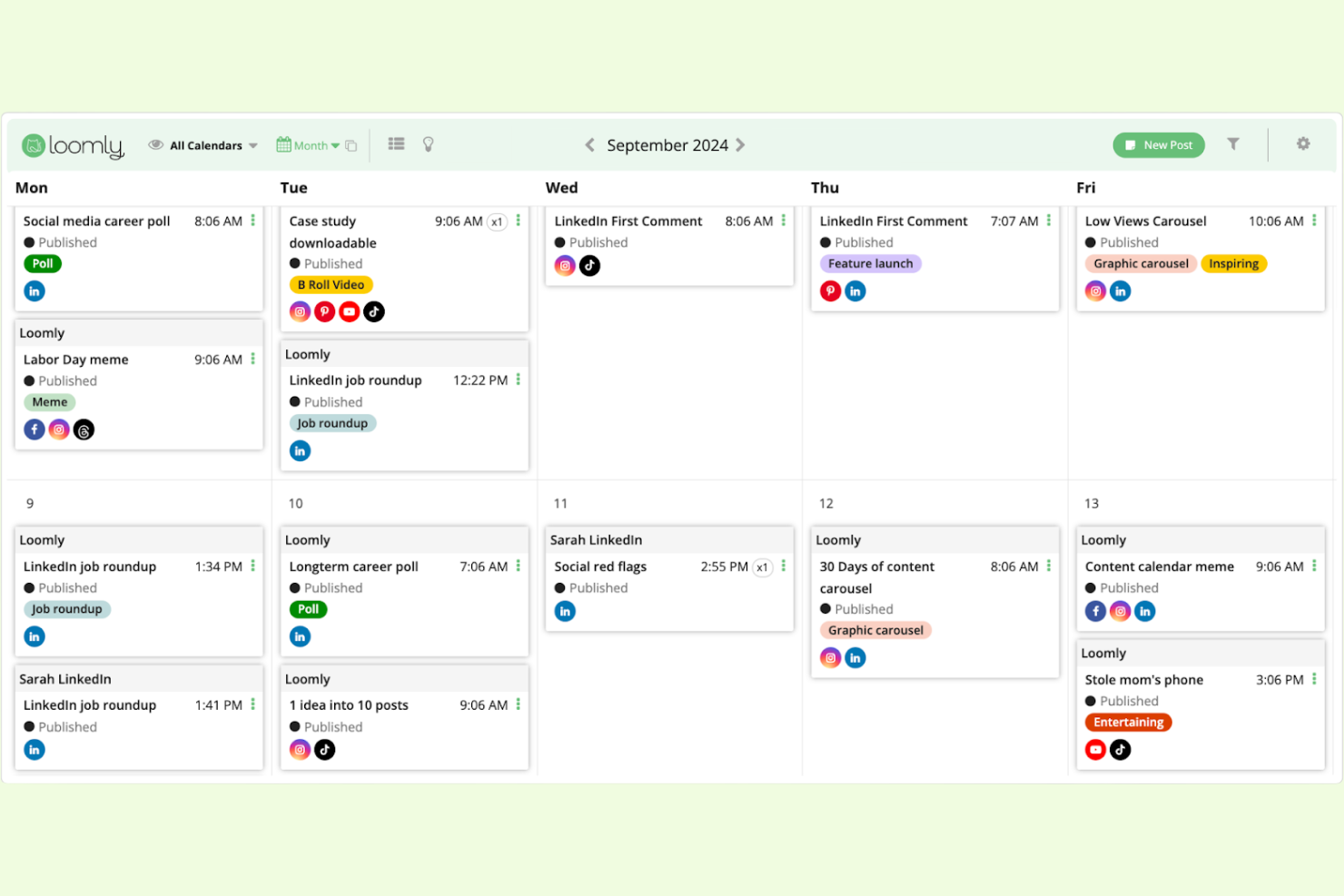
If your team needs a structured approval process for Instagram content, Loomly is built with collaboration in mind. The platform helps marketing teams and agencies manage post drafts, feedback, and approvals in one place. Loomly is especially useful for organizations that require multiple sign-offs before publishing to Instagram.
Why I Picked Loomly
For teams that need a clear approval workflow before posting to Instagram, Loomly offers built-in tools for managing feedback and sign-offs. The platform lets you assign roles, set up custom approval steps, and track the status of each post as it moves through the review process. I like that you can leave comments directly on post drafts, making it easy for team members and stakeholders to collaborate. These features make Loomly a strong choice for agencies or brands with multi-step content approval needs.
Loomly Key Features
Some other features that help Instagram marketers manage content and campaigns include:
- Post Ideas Generator: Get content inspiration based on trending topics and calendar events.
- Hashtag Suggestions: Receive automated hashtag recommendations for each Instagram post.
- Asset Library: Store, organize, and reuse images, videos, and post templates.
- Instagram Analytics: Monitor post performance, engagement, and audience growth with built-in reporting tools.
Loomly Integrations
Integrations include Instagram, Facebook, LinkedIn, TikTok, YouTube, Pinterest, Google Business Profile, Threads, Canva, and Giphy.
Pros and Cons
Pros:
- Easy mock up generation
- Good for agency workflows
- Visual calendar interface
Cons:
- Pricey for solo managers
- Interface looks slightly old

Managing Instagram conversations across multiple accounts can get overwhelming, especially for agencies and social media teams. Agorapulse brings all your Instagram messages, comments, and mentions into a single unified inbox. This helps you keep track of every interaction and respond quickly without missing important engagement opportunities.
Why I Picked Agorapulse
When you need to manage high volumes of Instagram engagement, Agorapulse’s unified inbox approach is a major advantage. The platform collects all your Instagram comments, direct messages, and mentions in one place, so you never have to switch between tabs or miss a message. I appreciate how Agorapulse lets you assign conversations to team members and track message status, which is especially useful for agencies or teams handling multiple accounts. This focus on centralized communication makes it a strong fit for anyone prioritizing Instagram inbox management.
Agorapulse Key Features
Some other features that make Agorapulse valuable for Instagram management include:
- Content Scheduling: Plan and schedule Instagram posts and stories directly from the platform.
- Social Listening: Monitor Instagram for keywords, hashtags, and brand mentions in real time.
- Reporting and Analytics: Access detailed Instagram performance reports and export them for stakeholders.
- Saved Replies: Create and use pre-written responses for common Instagram questions or comments.
Agorapulse Integrations
Integrations include Facebook, Instagram, X (Twitter), LinkedIn, Pinterest, TikTok, YouTube, Google Analytics, Canva, and HubSpot.
Pros and Cons
Pros:
- Great team workflow routing
- Built in social CRM tools
- Beautiful reporting exports
Cons:
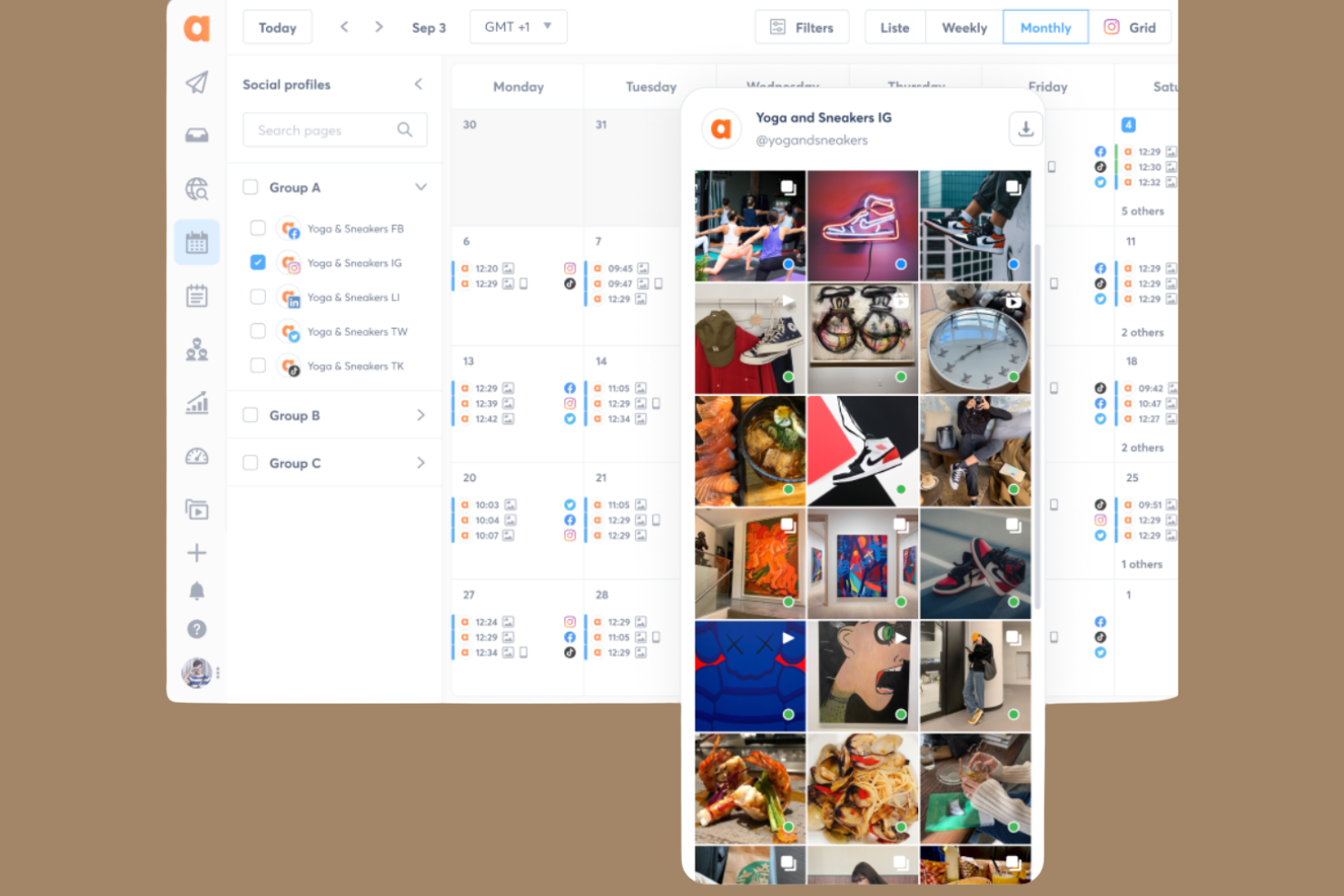
- Grid planner is very basic
- Mobile app lacks features

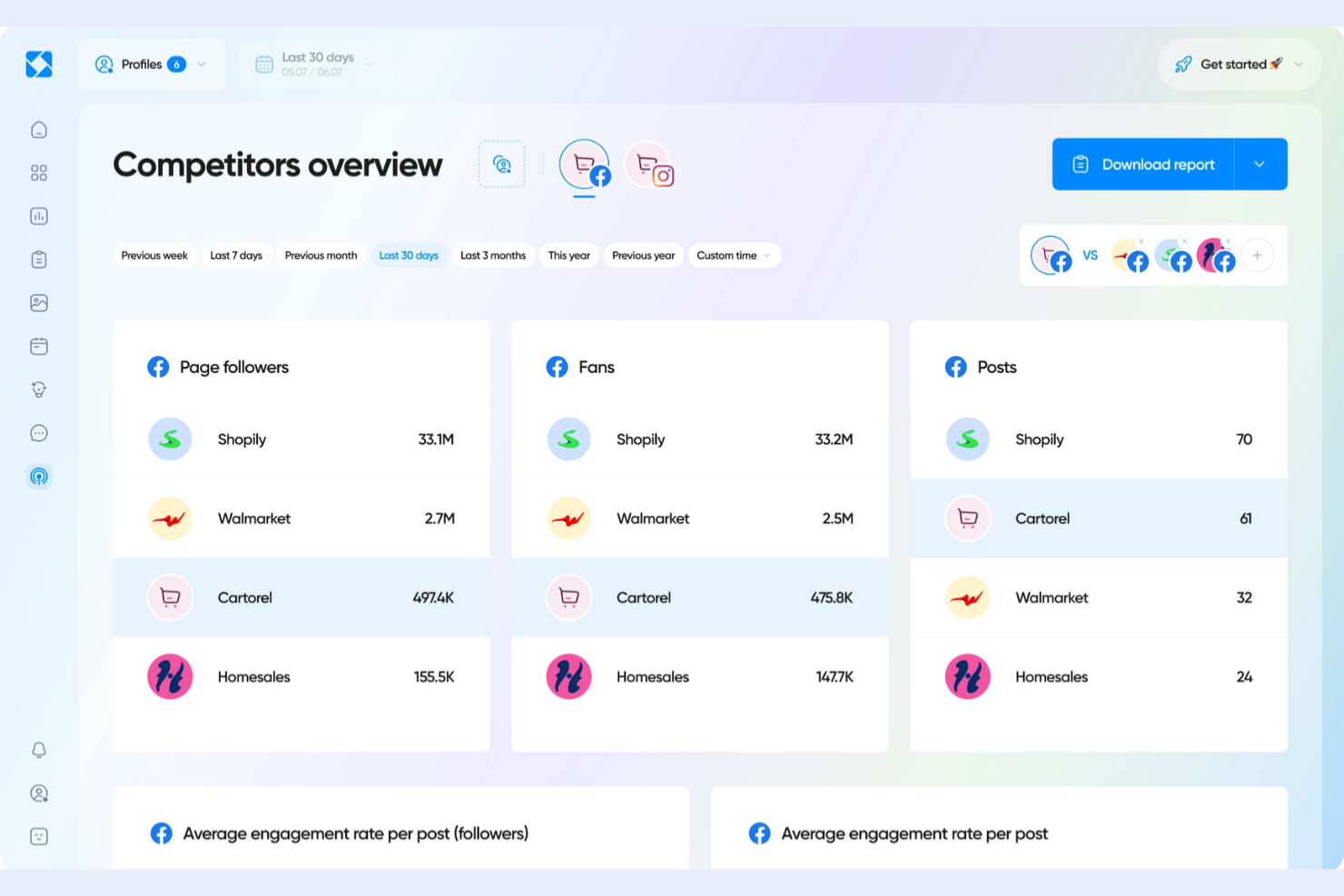
When you need deep analytics for Instagram, Iconosquare gives you access to detailed performance data and reporting. This platform is designed for social media managers and agencies who want to track engagement, follower growth, and content effectiveness over time. Iconosquare is especially useful for teams that need to make data-driven decisions and present clear insights to clients or stakeholders.
Why I Picked Iconosquare
For marketers who need more than basic Instagram metrics, Iconosquare delivers advanced analytics and reporting tools. The platform offers visual dashboards that break down engagement rates, follower demographics, and post performance in granular detail. I appreciate how you can schedule automated reports and benchmark your Instagram account against competitors. These features make Iconosquare a strong fit for teams focused on optimizing content strategy with data-driven insights.
Iconosquare Key Features
Some other features that help Instagram marketers manage and analyze their accounts include:
- Content Calendar: Plan and schedule Instagram posts with a visual drag-and-drop calendar.
- Comment Management: Monitor and reply to Instagram comments from a unified inbox.
- Hashtag Tracking: Track the performance of specific hashtags over time.
- Instagram Stories Analytics: Access dedicated analytics for Instagram Stories, including reach and completion rates.
Iconosquare Integrations
Integrations include Instagram, Facebook, TikTok, LinkedIn, X (Twitter), Pinterest, Threads, and YouTube.
Pros and Cons
Pros:
- Strong agency reporting
- Tracks IG Stories lifespan
- Custom metric dashboards
Cons:
- Publishing tools are basic
- UI focuses purely on data

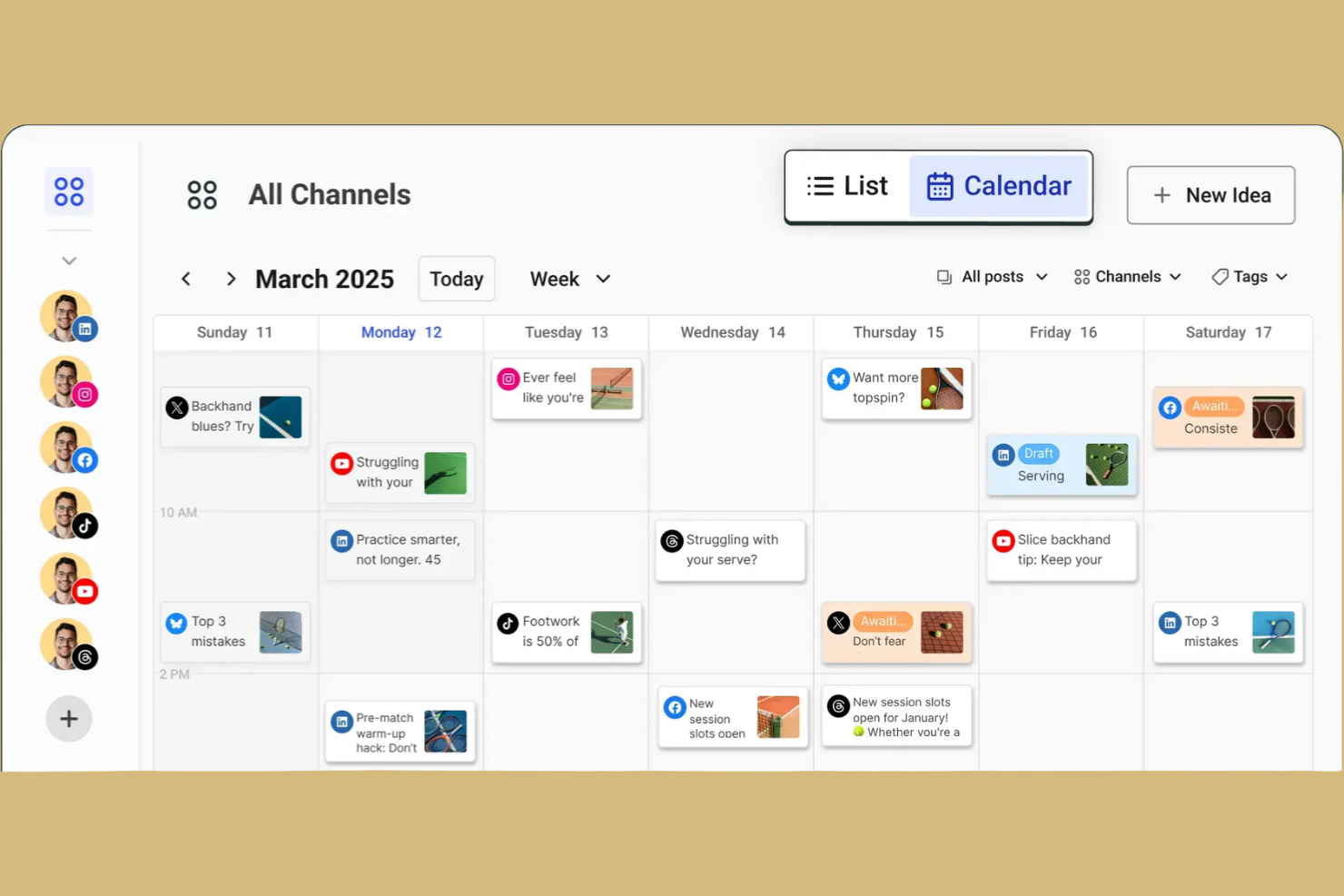
Buffer is a strong fit for teams that need to coordinate Instagram content and approvals in one place. It’s especially useful for marketing teams, agencies, and small businesses that want to plan, draft, and review posts together before publishing. With Buffer, you can streamline collaboration and keep your Instagram scheduling organized.
Why I Picked Buffer
When you need to coordinate Instagram posts with a team, Buffer stands out for its collaborative scheduling features. The platform lets multiple users draft, review, and approve posts before anything goes live, which is especially helpful for agencies or marketing teams managing brand voice and compliance. I appreciate that Buffer includes post approval workflows and shared content calendars, so everyone stays on the same page. These features make Buffer a strong choice if your Instagram process relies on teamwork and clear communication.
Buffer Key Features
Some other Buffer features help you manage Instagram content more efficiently:
- First Comment Scheduling: Add and schedule the first comment on Instagram posts to include hashtags or extra context.
- Instagram Stories Planning: Plan and organize Instagram Stories with reminders for manual posting.
- Link in Bio Tool: Create a customizable landing page to drive traffic from your Instagram bio link.
- Analytics and Reporting: Track Instagram post performance, engagement, and audience growth with built-in analytics.
Buffer Integrations
Integrations include Instagram, Facebook, X (Twitter), LinkedIn, Pinterest, Shopify, Canva, Google Drive, Dropbox, and OneDrive.
Pros and Cons
Pros:
- Fast IG post scheduling
- Clean link in bio builder
- Easy drag and drop calendar
Cons:
- Reels auto publish is buggy
- No unified IG inbox

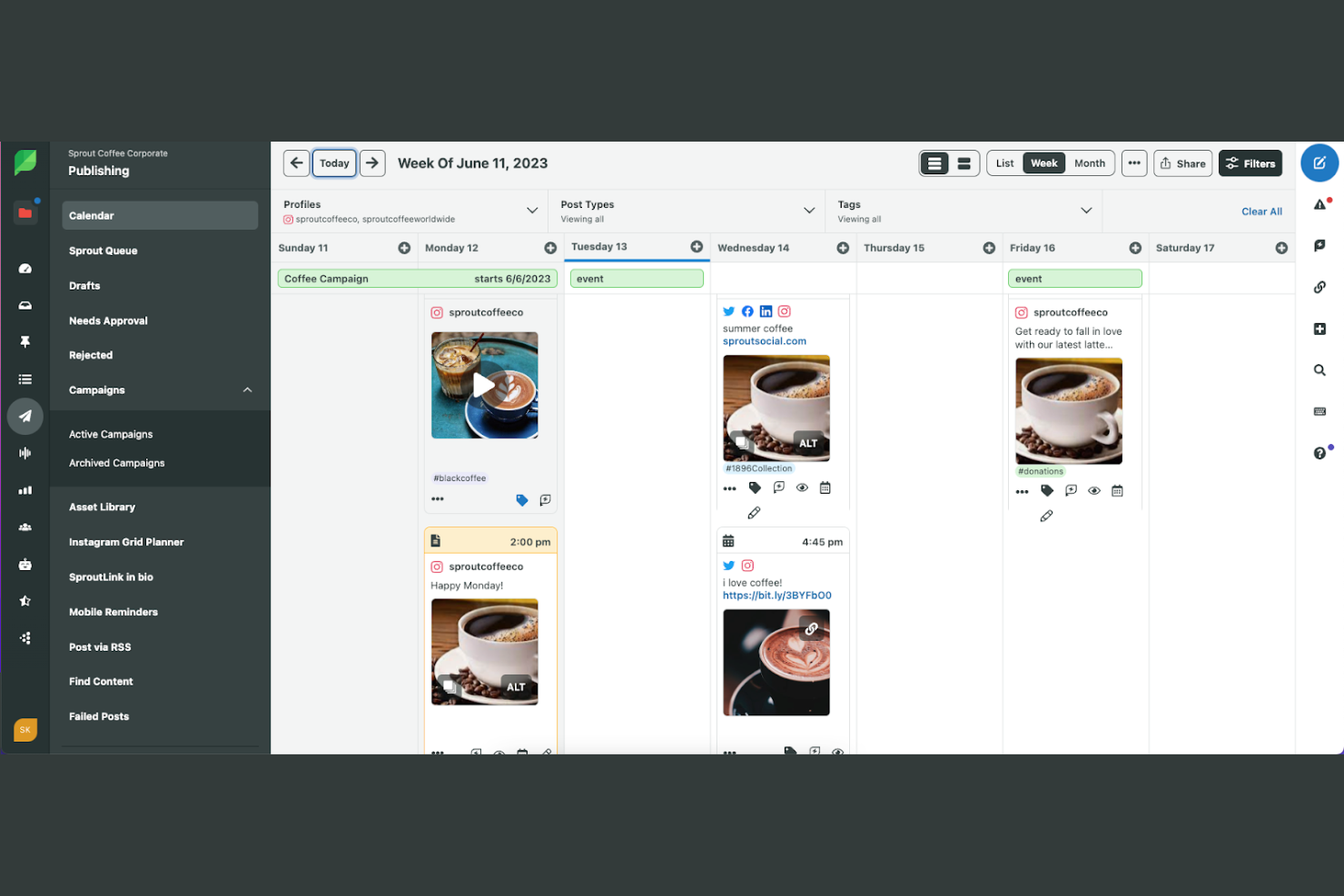
Sprout Social is designed for marketing teams and agencies that need deep insights into Instagram performance. It’s especially useful if you want to track campaign impact, audience trends, and competitor benchmarks all in one place. With Sprout Social, you can turn Instagram data into actionable reports for clients or leadership.
Why I Picked Sprout Social
For teams that need more than basic Instagram metrics, Sprout Social offers advanced analytics reporting that goes far beyond standard dashboards. The platform provides customizable, presentation-ready reports that let you dig into post performance, audience growth, and engagement trends over time. I like that you can benchmark your Instagram results against competitors and industry averages directly within the tool. These analytics features make Sprout Social a strong choice if you need to demonstrate ROI or optimize your Instagram strategy with data-driven insights.
Sprout Social Key Features
Some other Sprout Social features help you manage Instagram accounts more thoroughly:
- Smart Inbox: View and respond to all Instagram comments and messages from a unified inbox.
- Instagram Publishing Calendar: Plan, schedule, and organize Instagram posts with a visual calendar.
- Asset Library: Store, organize, and reuse images and videos for Instagram content.
- Approval Workflows: Set up multi-step post approval processes for teams managing Instagram accounts.
Sprout Social Integrations
Integrations include Instagram, Facebook, X (Twitter), LinkedIn, Pinterest, TikTok, YouTube, Salesforce, HubSpot, and Canva.
Pros and Cons
Pros:
- Highly professional reports
- Deep competitor tracking
- Smart optimal post times
Cons:
- Takes time to learn fully
- Complex initial setup
New Product Updates from Sprout Social

Sprout Social's New Design to Draft Integration
Sprout Social now allows designs from Canva and Adobe Express to be sent directly as draft posts. This update offers a more efficient way of integrating design tools with your social media management processes. For more information, visit Sprout Social's official site.
 .
.
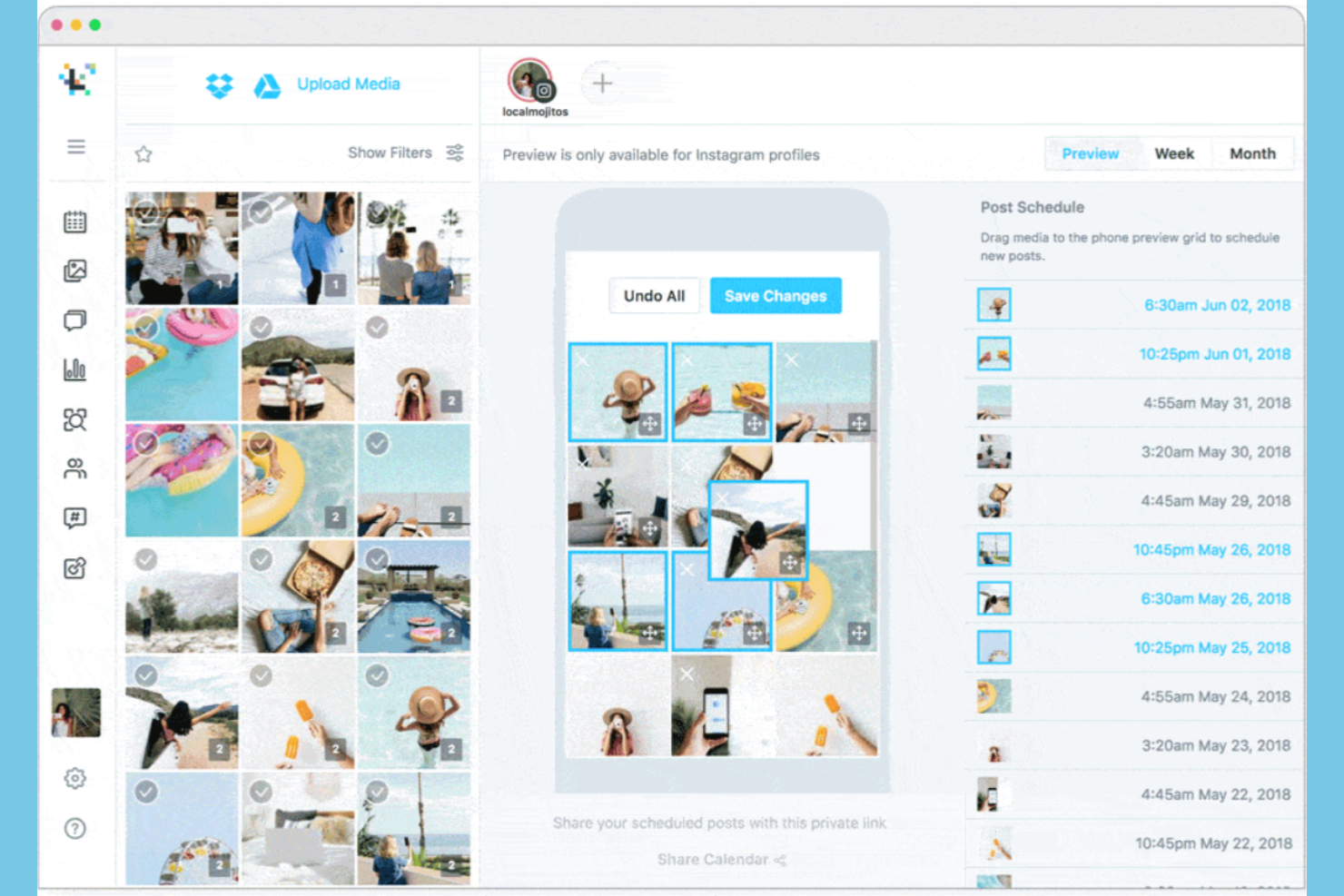
Later stands out for marketing teams and content creators who want to visually plan and organize their Instagram feeds. The platform’s drag-and-drop calendar and grid preview help you map out posts for a cohesive brand look. If you need to coordinate visual assets and schedule content in advance, Later offers a focused solution.
Why I Picked Later
When visual content planning is your top priority for Instagram, Later offers a set of features built specifically for that need. The drag-and-drop visual planner lets you arrange posts on a grid to preview how your feed will look before anything goes live. I appreciate that you can schedule images, videos, and carousels while seeing the overall aesthetic in real time. These planning tools make Later a strong fit for brands and creators who care about maintaining a cohesive and visually appealing Instagram presence.
Later Key Features
I also found several other features that help Instagram marketers manage content more efficiently:
- Media Library: Store, organize, and tag all your Instagram images and videos in one place.
- Link in Bio Tool: Create a clickable landing page to drive traffic from your Instagram profile.
- Instagram Analytics Dashboard: Track post performance, follower growth, and engagement metrics.
- User-Generated Content Collection: Collect and curate content from Instagram users for reposting.
Later Integrations
Integrations include Instagram, Facebook, Pinterest, TikTok, X (Twitter), LinkedIn, YouTube, Canva, Dropbox, and Google.
Pros and Cons
Pros:
- Saves hashtag collections
- Easy UGC content sourcing
- Strong link in bio feature
Cons:
- Basic multi channel sync
- Support response is slow

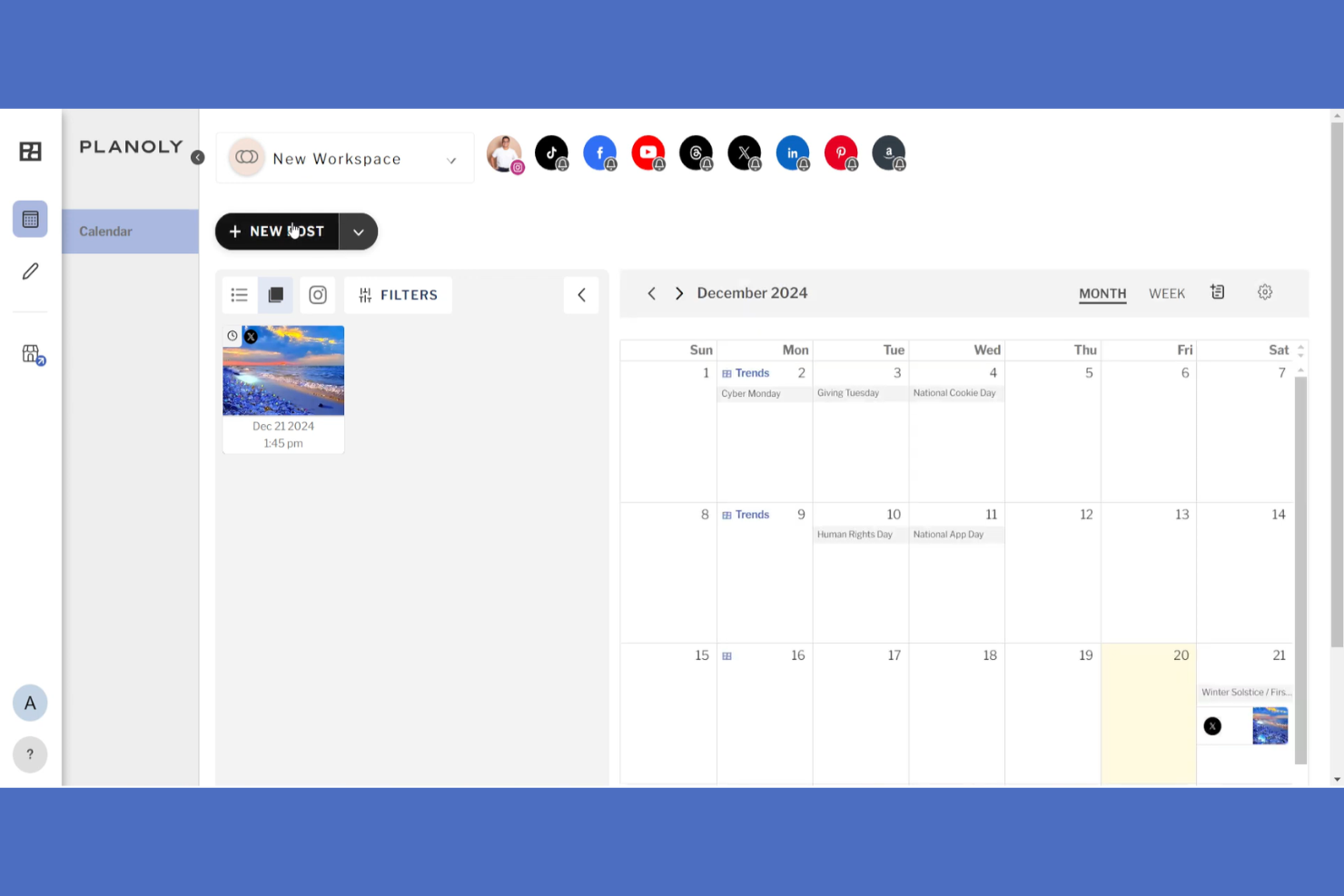
If you want to visually plan your Instagram feed with precision, Planoly gives you a true drag-and-drop grid design experience. This tool is especially useful for brands, creators, and social media managers who care about the look and flow of their Instagram grid. Planoly helps you arrange, preview, and schedule posts so your feed always matches your visual strategy.
Why I Picked Planoly
For anyone who wants to control the visual flow of their Instagram feed, Planoly’s drag-and-drop grid design stands out. You can move posts around on a live grid to see exactly how your feed will look before anything goes live. I like that Planoly lets you preview and rearrange scheduled content, which is especially helpful for brands and creators who care about aesthetics. This focus on visual planning makes it a strong choice for anyone prioritizing Instagram grid design.
Planoly Key Features
Some other features that make Planoly useful for Instagram management include:
- Auto-Post Scheduling: Schedule Instagram posts to publish automatically at set times.
- Hashtag Manager: Save and organize groups of hashtags for quick insertion into posts.
- Analytics Dashboard: Track post performance and engagement metrics within the platform.
- Linkit Tool: Create a shoppable link page to drive traffic from your Instagram bio.
Planoly Integrations
Integrations include Instagram, Facebook, Pinterest, TikTok, LinkedIn, Canva, Unsplash, Pexels, YouTube, and Amazon Posts.
Pros and Cons
Pros:
- Built in IG comment inbox
- Very easy to learn and use
- Great for lifestyle brands
Cons:
- Weaker team collaboration
- Video posting can be buggy

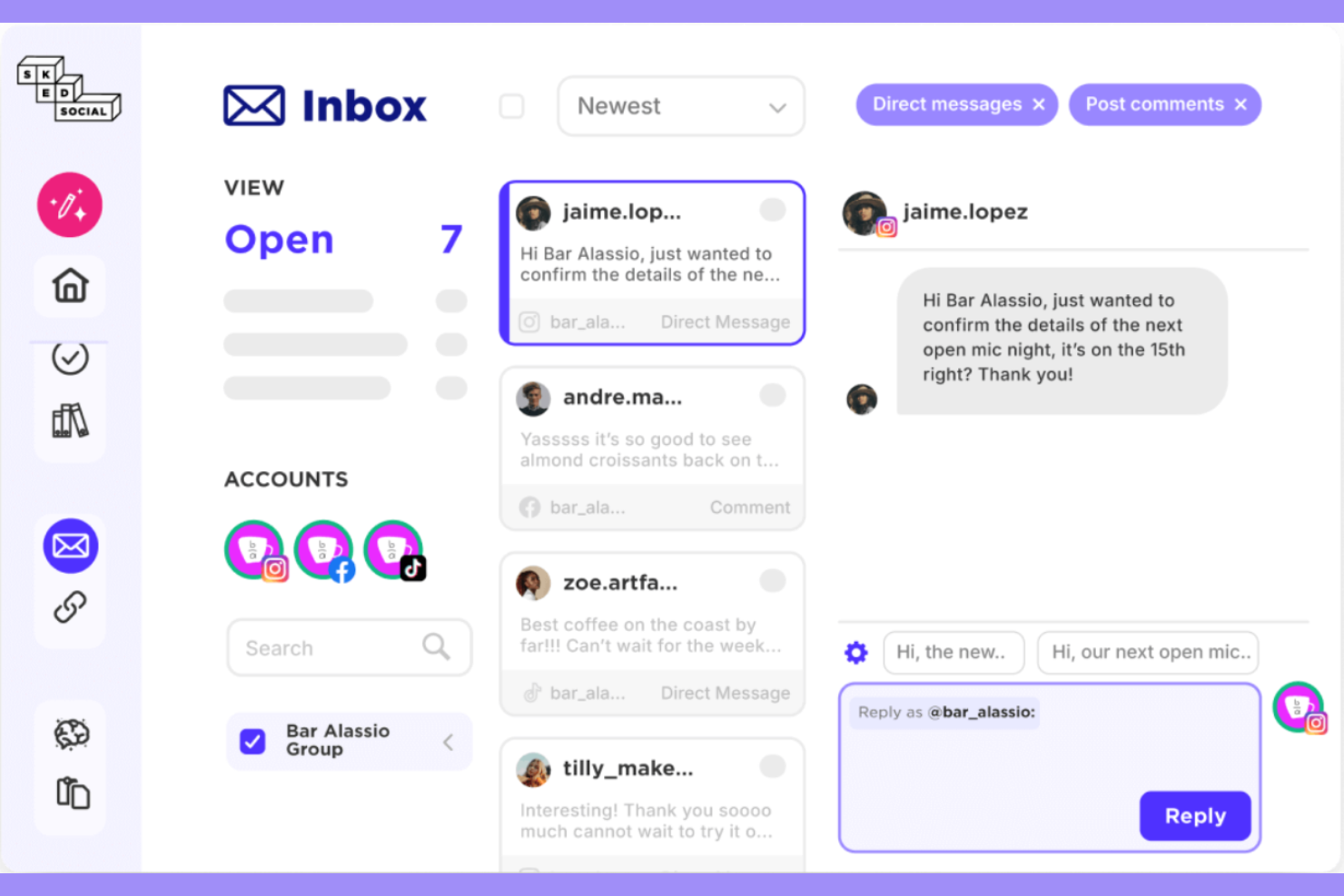
For teams that need to publish Instagram Stories directly without workarounds, Sked Social offers a rare native solution. This platform is especially useful for agencies, brands, and content creators who rely on Stories as a core part of their Instagram strategy. Sked Social stands out by supporting direct scheduling and publishing of Stories, which helps users maintain a consistent presence and avoid manual posting.
Why I Picked Sked Social
Unlike most Instagram tools, Sked Social allows you to schedule and publish Stories directly, without relying on push notifications or manual uploads. This direct publishing capability is especially valuable for brands and agencies that need to plan and automate time-sensitive Stories campaigns. I appreciate that Sked Social also supports advanced Story editing features, like stickers and links, so you can fully prepare your content before it goes live. For anyone who treats Instagram Stories as a key engagement channel, these features make Sked Social a strong fit.
Sked Social Key Features
Some other features that make Sked Social useful for Instagram management include:
- Bulk Image Upload: Upload and schedule multiple Instagram posts at once from your desktop.
- Hashtag Manager: Save, organize, and insert hashtag groups directly into your Instagram posts.
- Visual Content Calendar: Plan and view all scheduled Instagram content in a drag-and-drop calendar.
- Instagram Analytics: Access detailed metrics for posts, Stories, and audience engagement.
Sked Social Integrations
Integrations include Instagram, Facebook, TikTok, LinkedIn, Threads, Google Business Profile, YouTube, X (Twitter), Pinterest, and Snapchat.
Pros and Cons
Pros:
- Perfect for IG first brands
- Advanced link in bio tool
- Built in photo editor
Cons:
- Takes time to master UI
- Slow customer support
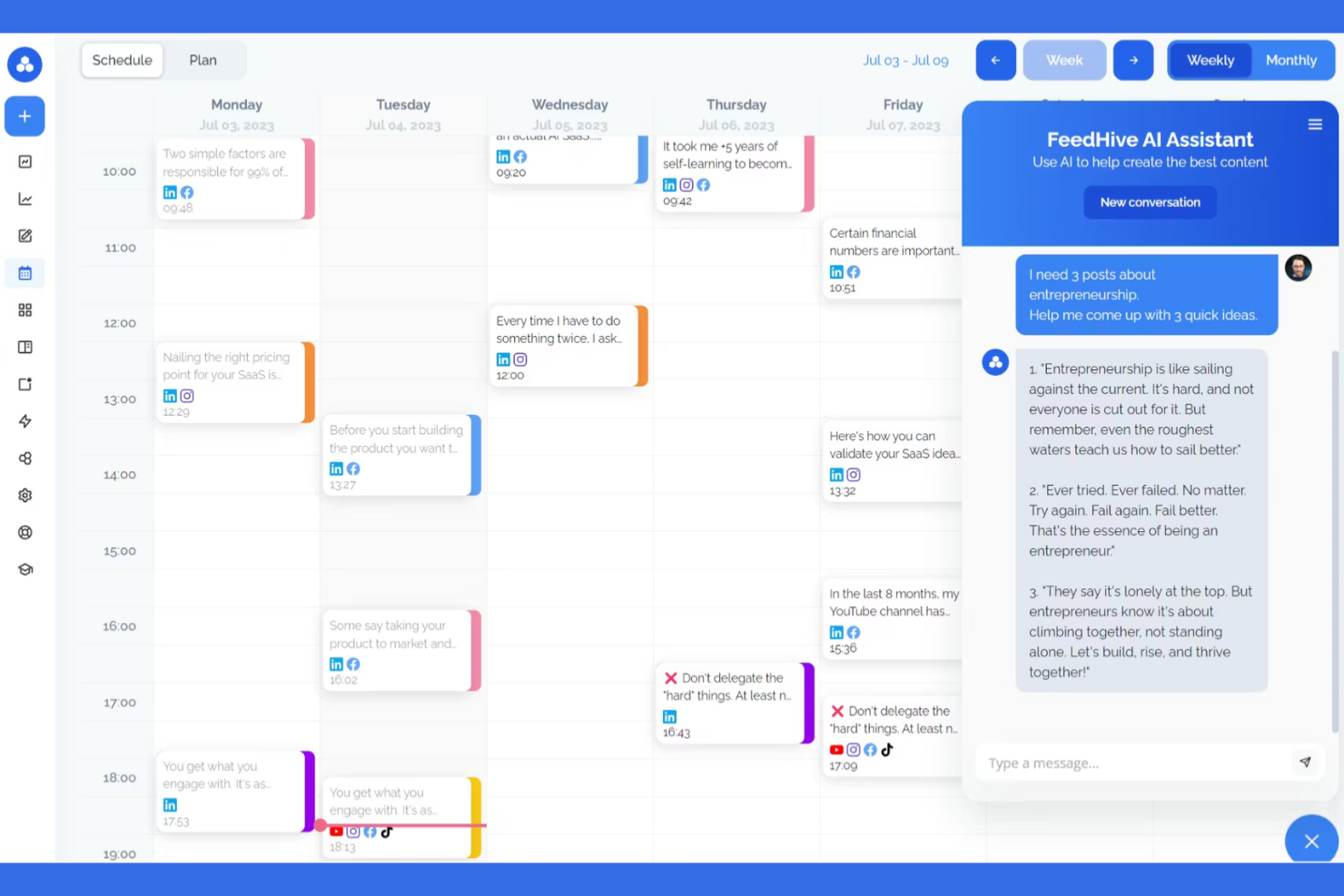
If you’re looking for AI-driven content ideas for Instagram, FeedHive offers automated suggestions and post generation. This tool is a good fit for social media managers, creators, and small businesses who want to keep their content pipeline full without spending hours brainstorming. FeedHive stands out for its ability to analyze your account and trends, then recommend relevant post topics and captions tailored to your audience.
Why I Picked FeedHive
What sets FeedHive apart for Instagram is its AI-powered content engine that generates post ideas and captions based on your niche and audience trends. The platform analyzes your past Instagram performance and current social trends to suggest relevant topics, helping you keep your content fresh and engaging. I like that you can also use its AI to automatically generate captions and hashtags tailored to each post. These features make FeedHive a strong choice for anyone who wants to maintain a consistent Instagram presence without spending hours brainstorming.
FeedHive Key Features
Some other features that make FeedHive useful for Instagram management include:
- Visual Post Scheduler: Schedule Instagram posts using a drag-and-drop calendar interface.
- Content Recycling: Automatically reshare top-performing Instagram posts at set intervals.
- Collaboration Tools: Invite team members to review and approve Instagram content before publishing.
- Analytics Dashboard: Track Instagram post performance with visual metrics and engagement breakdowns.
FeedHive Integrations
Integrations include Facebook, Instagram, YouTube, TikTok, LinkedIn, Pinterest, Google Business, Threads, Twitter/X, and Discord.
Pros and Cons
Pros:
- Great visual color coding
- Clean and modern interface
- Easy content recycling
Cons:
- Basic team collaboration
- Smaller integration list

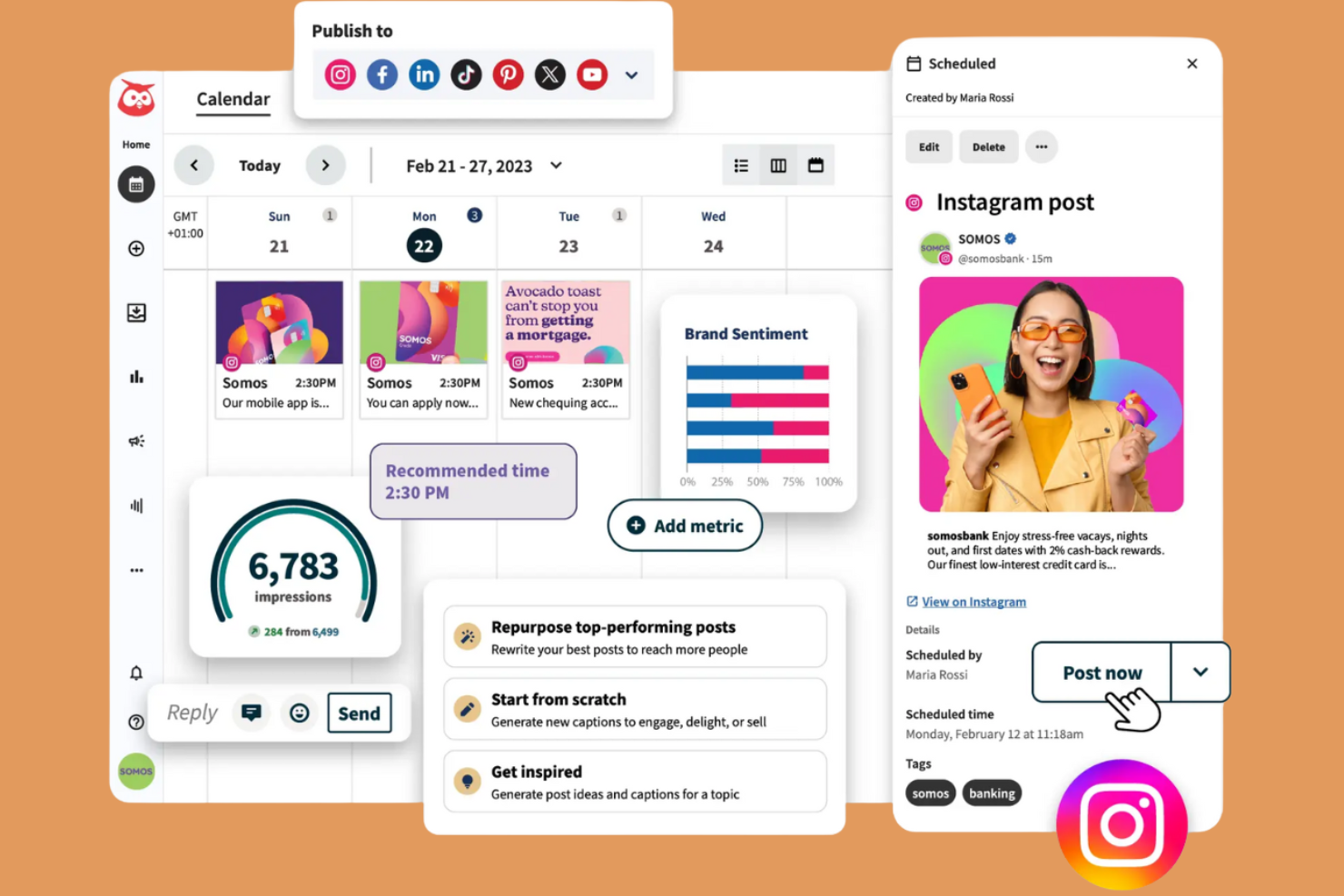
If you need to manage several Instagram accounts from one place, Hootsuite is built for you. This platform suits agencies, social media managers, and teams juggling multiple brands or clients. Its unified dashboard helps you organize posts, monitor engagement, and keep your Instagram presence consistent across profiles.
Why I Picked Hootsuite
Managing multiple Instagram profiles can get complicated, so I picked Hootsuite for its ability to centralize everything in one dashboard. The platform lets you schedule posts for several accounts at once and monitor engagement across all your profiles without switching tabs. I also like that you can assign team members to specific accounts, which helps agencies and larger teams keep responsibilities clear. These features make Hootsuite a strong choice if you need to coordinate content and engagement for multiple Instagram brands or clients.
Hootsuite Key Features
Some other features in Hootsuite help you manage Instagram more efficiently:
- Content Calendar: View and organize all your scheduled Instagram posts in a visual calendar layout.
- Hashtag Suggestions: Get automated recommendations for hashtags to use in your Instagram captions.
- Analytics Dashboard: Track post performance, follower growth, and engagement metrics in real time.
- Comment Moderation: Respond to and manage Instagram comments directly from the Hootsuite dashboard.
Hootsuite Integrations
Integrations include Facebook, Instagram, X (Twitter), LinkedIn, Pinterest, YouTube, TikTok, Canva, and Google Drive.
Pros and Cons
Pros:
- Bulk scheduling for posts
- Auto publishes IG Reels
- Strong team collaboration
Cons:
- Overkill for solo creators
- Support can be quite slow
Other Instagram Tools
Here are some additional instagram tools options that didn’t make it onto my shortlist, but are still worth checking out:
- SocialPilot
With bulk post scheduling
- Sendible
For agency client management
- Plann
For Canva integration


Instagram Tools Selection Criteria
When selecting the best instagram tools to include in this list, I considered common buyer needs and pain points like managing high volumes of Instagram engagement and scheduling content across multiple accounts. I also used the following framework to keep my evaluation structured and fair:
Core Functionality (25% of total score)
To be considered for inclusion in this list, each solution had to fulfill these common use cases:
- Schedule Instagram posts and stories
- Manage Instagram comments and direct messages
- Monitor Instagram mentions and hashtags
- Generate Instagram analytics and reports
- Collaborate with team members on Instagram content
Additional Standout Features (25% of total score)
To help further narrow down the competition, I also looked for unique features, such as:
- Unified inbox for all social channels
- Instagram competitor analysis tools
- Instagram hashtag performance tracking
- Saved replies for Instagram comments
- Instagram grid preview and planning
Usability (10% of total score)
To get a sense of the usability of each system, I considered the following:
- Simple and intuitive dashboard layout
- Clear navigation between Instagram features
- Minimal clicks to complete core tasks
- Responsive design for mobile and desktop
- Customizable views for different workflows
Onboarding (10% of total score)
To evaluate the onboarding experience for each platform, I considered the following:
- Step-by-step product tours for Instagram features
- Availability of training videos and tutorials
- Access to pre-built templates for Instagram posts
- In-app chatbots for onboarding support
- Live webinars or onboarding sessions
Customer Support (10% of total score)
To assess each software provider’s customer support services, I considered the following:
- Fast response times for support tickets
- 24/7 live chat or email support
- Access to a searchable help center
- Dedicated account managers for larger teams
- Community forums for peer support
Value For Money (10% of total score)
To evaluate the value for money of each platform, I considered the following:
- Transparent pricing with no hidden fees
- Flexible plans for different team sizes
- Features included at each pricing tier
- Free trial or demo availability
- Discounts for annual billing
Customer Reviews (10% of total score)
To get a sense of overall customer satisfaction, I considered the following when reading customer reviews:
- Positive feedback on Instagram-specific features
- Reports of reliable platform performance
- Comments on customer support quality
- User satisfaction with analytics and reporting
- Feedback on ease of onboarding and setup
How to Choose Instagram Tools
It’s easy to get bogged down in long feature lists and complex pricing structures. To help you stay focused as you work through your unique software selection process, here’s a checklist of factors to keep in mind:
| Factor | What to Consider |
|---|---|
| Scalability | Will the tool support your current and future Instagram account volume, team size, and content load? Check for user limits, account caps, and workflow bottlenecks. |
| Integrations | Does the tool connect natively with your existing marketing stack (e.g., Canva, HubSpot, analytics platforms)? Confirm compatibility before shortlisting. |
| Customizability | Can you tailor workflows, approval processes, or dashboards to match your team’s needs? Avoid tools that force rigid processes if you need flexibility. |
| Ease of use | How quickly can new team members learn the tool? Look for clear navigation, minimal training requirements, and a logical interface. |
| Implementation and onboarding | What resources are required to get started? Consider the time, training, and support needed for setup, migration, and user adoption. |
| Cost | Are pricing tiers aligned with your usage and growth plans? Watch for hidden fees, user minimums, or feature gating that could impact your budget. |
| Security safeguards | Does the tool offer secure authentication, data encryption, and compliance with privacy standards? This is especially important for agencies handling client accounts. |
| Support availability | What support channels are offered (chat, email, phone), and during what hours? Consider your team’s needs for urgent help or troubleshooting. |
What Are Instagram Tools?
Instagram tools are software platforms designed to help individuals and teams manage, schedule, analyze, and optimize their instagram business account presence. These tools centralize tasks like content curation, comment moderation, analytics tracking, and audience engagement for e-commerce or influencer marketing campaigns. Marketing professionals and any instagram influencer use them to coordinate campaigns, monitor brand mentions, and measure performance across multiple accounts, making it easier to maintain a consistent and effective Instagram strategy.
Features of Instagram Tools
When selecting Instagram tools, keep an eye out for the following key features:
- Content scheduling: Schedule posts, stories, and reels in advance to maintain a consistent posting calendar and reach your audience at optimal times.
- Unified inbox: Manage all Instagram comments, direct messages, and mentions from one centralized location to streamline engagement and response.
- Analytics and reporting: Track metrics like follower growth, engagement rates, and post performance to evaluate campaign effectiveness and inform future strategies.
- Hashtag tracking: Monitor the performance of specific hashtags to identify trends, expand reach, and refine your hashtag strategy.
- Social listening: Track brand mentions, keywords, and competitor activity on Instagram to stay informed about conversations relevant to your brand.
- Team collaboration: Assign roles, manage permissions, and coordinate content approvals to support efficient teamwork across marketing functions.
- Saved replies: Create and use pre-written responses for frequently asked questions or common comments to speed up communication.
- Grid preview: Visualize and plan your Instagram feed layout before publishing to ensure a cohesive and visually appealing profile.
- Competitor analysis: Benchmark your Instagram performance against competitors to identify strengths, weaknesses, and opportunities for growth.
Common Instagram Tools AI Features
Beyond the standard Instagram tools features listed above, many of these solutions are incorporating AI with features like:
- Caption generation: Automatically create engaging and relevant captions for posts based on image analysis, trending topics, or brand voice guidelines.
- Optimal posting time prediction: Analyze audience behavior and engagement patterns to recommend the best times to publish content for maximum reach.
- Sentiment analysis: Evaluate the tone and sentiment of comments and messages to help prioritize responses and monitor brand health.
- Image recognition for content tagging: Automatically detect objects, scenes, or brand logos in images to suggest relevant hashtags or categorize content.
- Automated comment moderation: Use AI to filter out spam, offensive language, or inappropriate comments, keeping your Instagram presence safe and on-brand.
Benefits of Instagram Tools
Implementing Instagram tools provides several benefits for your team and your business. Here are a few you can look forward to:
- Centralized engagement management: Handle all Instagram comments, messages, and mentions from one unified inbox, making it easier to stay on top of audience interactions.
- Consistent content scheduling: Plan and schedule posts, stories, and reels in advance to maintain a steady and strategic Instagram presence.
- Data-driven decision making: Access detailed analytics and reporting to measure performance, track growth, and refine your Instagram strategy based on real insights.
- Improved team collaboration: Assign roles, manage approvals, and coordinate content creation within the platform to streamline teamwork and reduce bottlenecks.
- Enhanced brand monitoring: Use social listening and hashtag tracking to monitor brand mentions, competitor activity, and trending topics relevant to your business.
- Faster response times: Leverage saved replies and automated moderation to quickly address common questions and filter out unwanted comments.
- Optimized visual planning: Preview your Instagram grid layout before publishing to ensure a cohesive and visually appealing profile.
Costs and Pricing of Instagram Tools
Selecting Instagram tools requires an understanding of the various pricing models and plans available. Costs vary based on features, team size, add-ons, and more. The table below summarizes common plans, their average prices, and typical features included in instagram tools solutions:
Plan Comparison Table for Instagram Tools
| Plan Type | Average Price | Common Features |
|---|---|---|
| Free Plan | $0 | Basic post scheduling, limited analytics, single account support, and basic comment management. |
| Personal Plan | $15-$99/month | Multi-account support, content calendar, basic reporting, hashtag tracking, and limited integrations. |
| Business Plan | $85-$399/month | Team collaboration tools, advanced analytics, unified inbox, approval workflows, and social listening. |
| Enterprise Plan | $300+/user/month | Custom integrations, dedicated support, advanced security, onboarding assistance, and API access. |
Instagram Tools FAQs
Here are some answers to common questions about instagram tools:
Can Instagram tools manage multiple accounts at once?
Yes, most Instagram tools let you manage multiple accounts from a single dashboard. This is useful for agencies, brands, or teams handling several profiles and helps keep content, engagement, and analytics organized in one place.
Do Instagram tools require my Instagram login credentials?
Yes, you’ll need to connect your Instagram account to the tool, usually through Instagram’s official API. This allows the tool to schedule posts, access analytics, and manage engagement securely without sharing your password directly.
Are there Instagram tools that support team collaboration?
Yes, many instagram tools include features for team collaboration, such as role-based permissions, content approval workflows, and shared content calendars. These help marketing teams coordinate campaigns and maintain brand consistency.
How do Instagram tools help with analytics?
Instagram tools provide dashboards and reports that track metrics like follower growth, engagement rates, and post performance. These insights help you measure campaign impact and adjust your strategy based on real data.
What should I look for in terms of security with Instagram tools?
Look for tools that use secure authentication, data encryption, and comply with privacy standards. This is especially important if you manage client accounts or sensitive brand information. Always review the tool’s security documentation before connecting your accounts.