
25 Best Landing Page Optimization Tools Reviewed in 2026

Best Landing Page Optimization Tools Shortlist
Here's my pick of the 12 best software from the 25 tools reviewed.


As a marketing manager, you're constantly juggling multiple tasks, from boosting conversion rates to improving user engagement. Landing page optimization tools can be your secret weapon, helping you tackle these challenges head-on.
I've independently tested and reviewed various software options, and I'm here to share my top picks with you. My goal is to offer unbiased, well-researched reviews so you can make the best choice for your team.
In this article, you'll find insights into the best tools available, their unique features, and how they can address your specific needs. Let's dive into solutions that can truly make a difference for your marketing efforts.
Why Trust Our Software Reviews
We’ve been testing and reviewing marketing software since 2022. As marketing experts ourselves, we know how critical and difficult it is to make the right decision when selecting software.
We invest in deep research to help our audience make better software purchasing decisions. We’ve tested more than 2,000 tools for different marketing use cases and written over 1,000 comprehensive software reviews. Learn how we stay transparent & our software review methodology.
Best Landing Page Optimization Tools Summary
This comparison chart summarizes pricing details for my top landing page optimization tools to help you find the best one for your budget and business needs.
| Tool | Best For | Trial Info | Price | ||
|---|---|---|---|---|---|
| 1 | Best for landing page performance tracking | Free plan available | Free | Website | |
| 2 | Best for sales funnel creation | 14-day free trial available | From $81/month (billed annually) | Website | |
| 3 | Best for customizable templates | 14-day free trial + free demo available | From $24/month (billed annually) | Website | |
| 4 | Best for user feedback integration | Free plan + Free demo available | From $19.99/month (billed annually) | Website | |
| 5 | Best for ease of use | 14-day free trial | From $37/month (billed annually) | Website | |
| 6 | Best for AI-driven insights | Free trial + free demo available | From $22/month (billed annually) | Website | |
| 7 | Best for large team support | 14-day free trial + free demo available | From $79/month (billed annually) | Website | |
| 8 | Best for A/B testing features | Free plan available | From $198/month (billed annually) | Website | |
| 9 | Best for enterprise solutions | Free demo available | Pricing upon request | Website | |
| 10 | Best for mobile optimization | 14-day free trial | From $29/month (billed annually) | Website | |
| 11 | Best for ecommerce landing experiences | Free demo available | Pricing upon request | Website | |
| 12 | Best for WordPress users | Not available | From $299/year | Website |
-

Eloqua
Visit WebsiteThis is an aggregated rating for this tool including ratings from Crozdesk users and ratings from other sites.4.4 -
Optimizely
Visit WebsiteThis is an aggregated rating for this tool including ratings from Crozdesk users and ratings from other sites.4.2 -
Uberflip
Visit WebsiteThis is an aggregated rating for this tool including ratings from Crozdesk users and ratings from other sites.4.3



Best Landing Page Optimization Tool Reviews
Below are my detailed summaries of the best landing page optimization tools that made it onto my shortlist. My reviews offer a detailed look at the key features, pros and cons, integrations, and ideal use cases of each tool to help you find the best one for you.
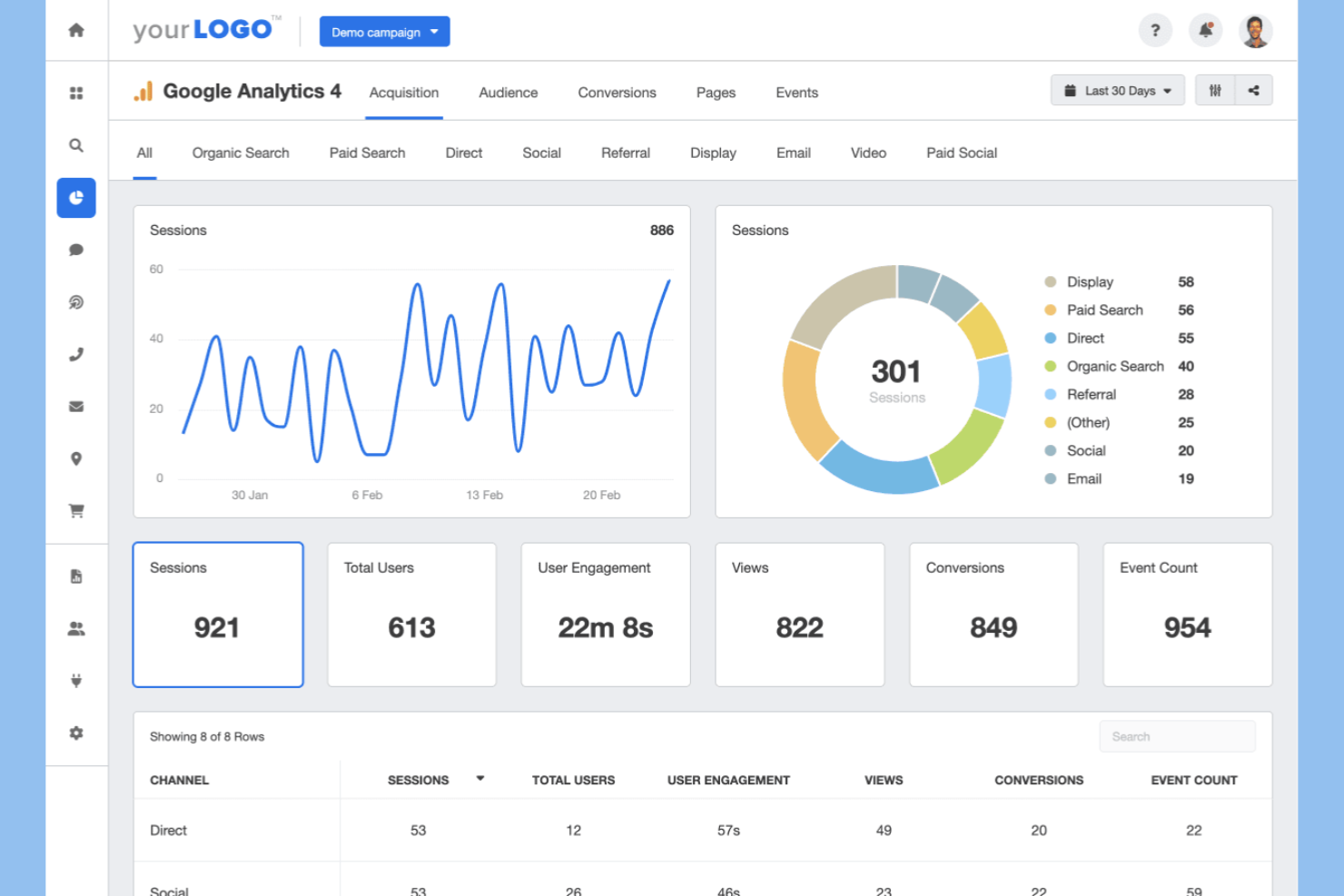
Google Analytics is a web analytics service designed for businesses of all sizes to track and report website traffic. It helps you understand your audience's behavior and refine your website for higher user engagement and conversions.
Why I picked Google Analytics: Its data tracking capabilities are unrivalled, offering insights into user demographics, behavior, and acquisition channels. You can set up custom reports to focus on the metrics that matter most to your team. The real-time data feature allows you to monitor user activity as it happens. Additionally, its goal tracking helps you measure conversions and assess the effectiveness of your campaigns.
Standout features and integrations:
Features include funnel visualization to see the steps users take to complete a goal. Cohort analysis tracks user engagement over time. Google Analytics also provides e-commerce tracking for monitoring sales and revenue.
Integrations include Google Ads, Looker Studio, Google Tag Manager, Shopify, WordPress, WooCommerce, BigCommerce, and more.
Pros and Cons
Pros:
- E-commerce tracking
- Customizable reports
- Extensive data tracking
Cons:
- Real-time analytics are limited
- Complex setup process

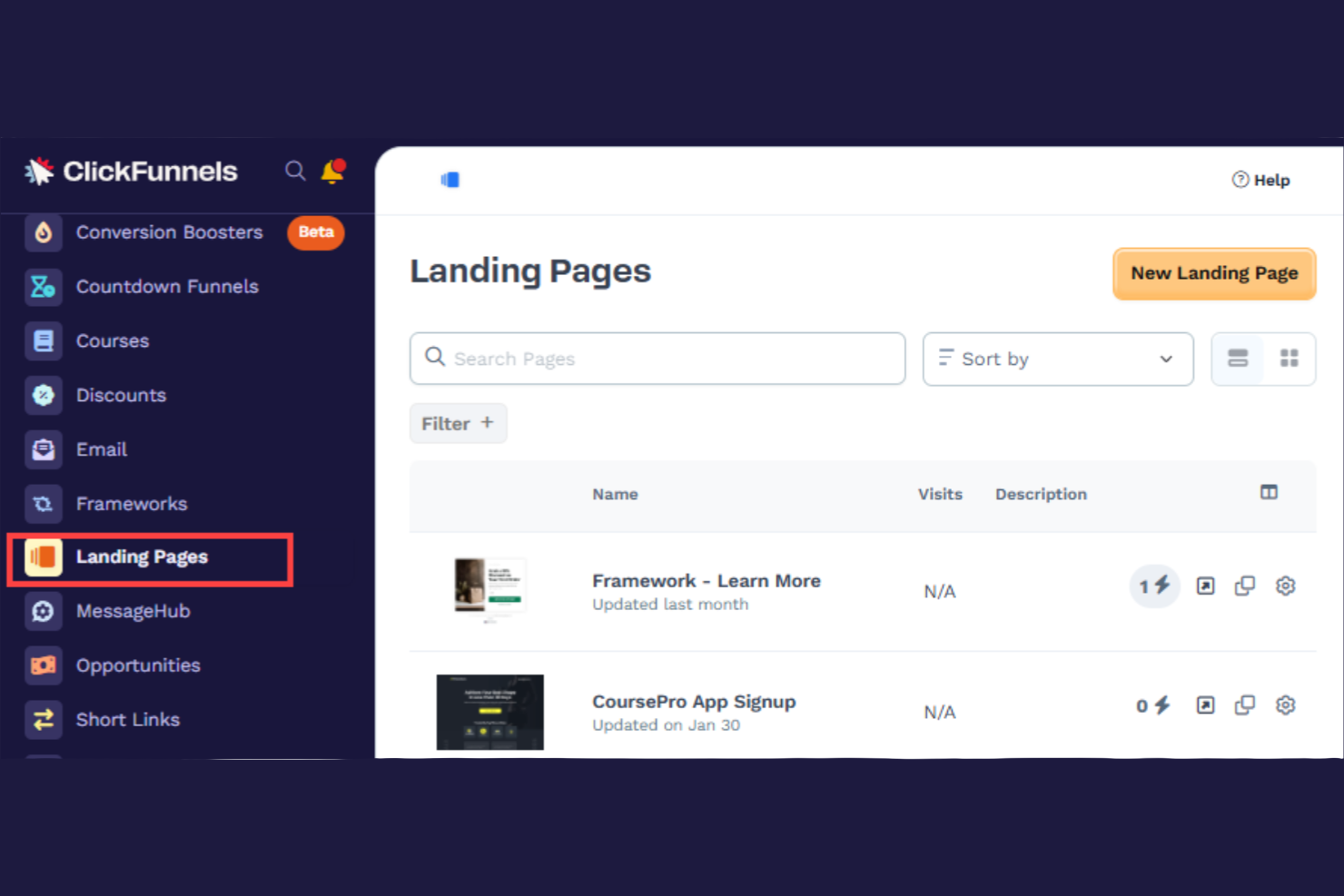
ClickFunnels is a sales funnel builder designed for entrepreneurs and small business owners who want to improve their sales processes. It allows you to create multi-step funnels, from landing pages to checkout, with built-in split testing to boost conversions and sales.
Why I picked ClickFunnels: The tool is ideal for building sales funnels that guide your customers through the purchasing journey. Its funnel templates cover various business needs and can be customized to fit your brand. The no-code drag-and-drop editor makes it easy to create pages. You can also use its built-in tools to manage email marketing and follow-up sequences, strengthening your sales process.
Standout features and integrations:
Features include a membership site builder for managing subscription-based content. An affiliate management system boosts your sales through partner promotions. The analytics dashboard provides insights into funnel performance, helping you track your wins, spot opportunities, and make informed decisions.
Integrations include Mailchimp, ActiveCampaign, HubSpot, GetResponse, Constant Contact, ConvertKit, Klaviyo, Slack, Pipedrive, Ontraport, Blastable, Keap, AWeber, Zapier, and more.
Pros and Cons
Pros:
- Detailed analytics dashboard
- Built-in membership and affiliate management
- All-in-one sales funnel creation
Cons:
- Limited design flexibility
- Higher onboarding effort

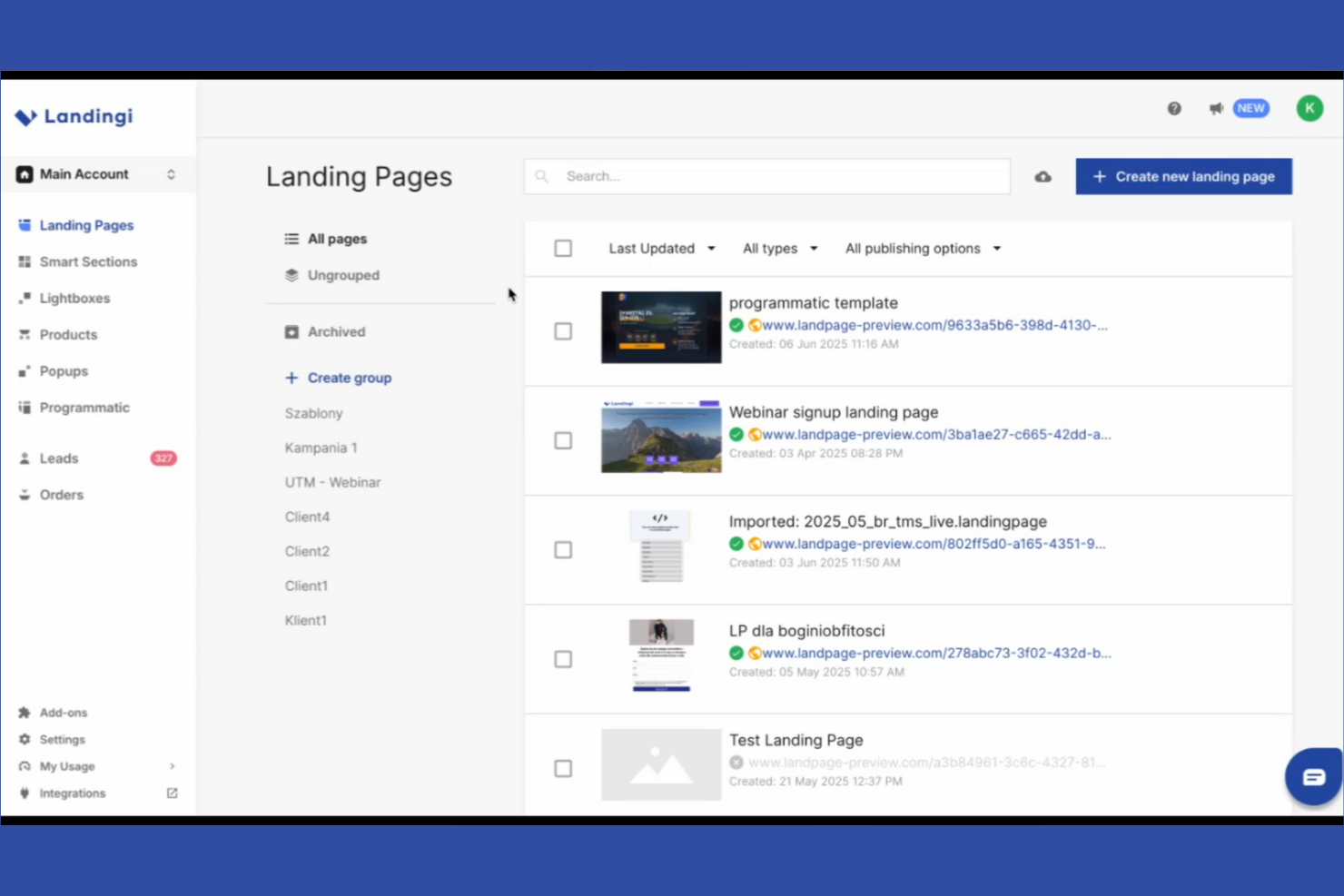
Landingi is a landing page builder designed for marketers and small businesses that lets them create high-performing landing pages without coding skills. It enables you to customize, publish, and test landing pages to drive conversions.
Why I picked Landingi: The tool offers a wide range of customizable templates that cater to different industries, and these are easy to modify to match your brand's style and needs. The drag-and-drop editor simplifies the page creation process, making it accessible for users with no technical background. A/B testing tools allow you to refine web pages to improve results and engagement.
Standout features and integrations:
Features include pop-up and form builders to capture leads effectively. The built-in image and digital asset library elevates your page designs. Analytics track your landing page performance and make data-driven decisions.
Integrations include Mailchimp, WordPress, Google Ads, Webflow, Google Sheets, Google Analytics, Pipedrive, Kit, ActiveCampaign, Unbounce, and more.
Pros and Cons
Pros:
- Effective lead capture forms
- Smooth CRM integrations
- Extensive template and image library
Cons:
- Limited mobile optimization
- Limited layout options

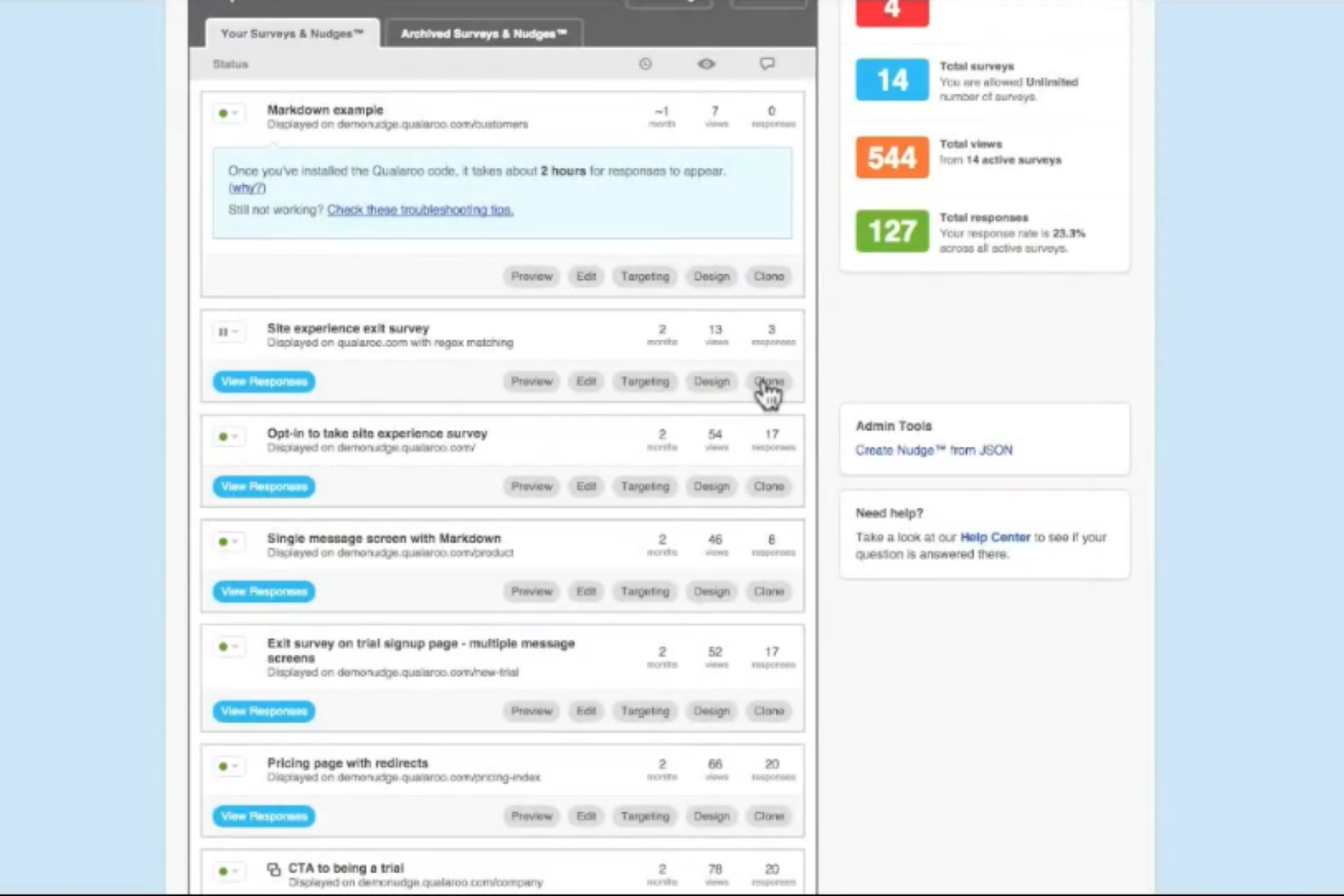
Qualaroo is a user feedback and survey platform aimed at businesses that want to gather insights directly from their website visitors. It helps you create targeted surveys to understand customer behavior and improve user experience.
Why I picked Qualaroo: This tool specializes in integrating user feedback into your decision-making process. Targeted Nudges ask the right questions at the right time, helping increase response rates. Its AI-powered sentiment analysis uncovers the emotions behind responses. Customization options allow you to tailor surveys to match your brand's voice and style.
Standout features and integrations:
Features include advanced targeting to deliver personalized surveys to user segments. The exit intent feature captures user feedback before they leave your site. The reporting dashboard shows survey results in charts and graphs, helping you make data-driven decisions.
Integrations include HubSpot, Salesforce, Marketo, Slack, Mailchimp, Zapier, Google Analytics, Segment, Optimizely, Tableau, Eloqua, KISSmetrics, SessionCam, and more.
Pros and Cons
Pros:
- Advanced targeting options
- Customizable surveys
- Sentiment analysis
Cons:
- Limited reporting features
- Pricing can be high for small teams


Leadpages is a landing page builder designed for small businesses and entrepreneurs. It helps you create high-converting landing pages, pop-ups, and alert bars without needing technical skills.
Why I picked Leadpages: It's known for its ease of use, making it accessible for those without a tech background. Using the drag-and-drop builder, you can quickly build landing pages and integrate forms, pop-ups, and lead capture tools. There are a variety of templates to suit different industries. Leadpages also includes built-in A/B testing, allowing you to compare page headlines, page variations, CTAs, and identify which design or copy converts best.
Standout features and integrations:
Features include a built-in conversion guidance system that provides real-time tips to improve your page performance. Alert bars help capture visitors' attention and drive conversions. Mobile-responsive templates ensure your pages display correctly on any device.
Integrations include Mailchimp, HubSpot, Salesforce, Marketo, AWeber, Constant Contact, Drip, Keap Max Classic, Google Analytics, Zapier, and more.
Pros and Cons
Pros:
- Built-in conversion guidance
- Mobile-responsive design templates
- Easy drag-and-drop builder
Cons:
- Basic A/B testing
- Limited advanced customization

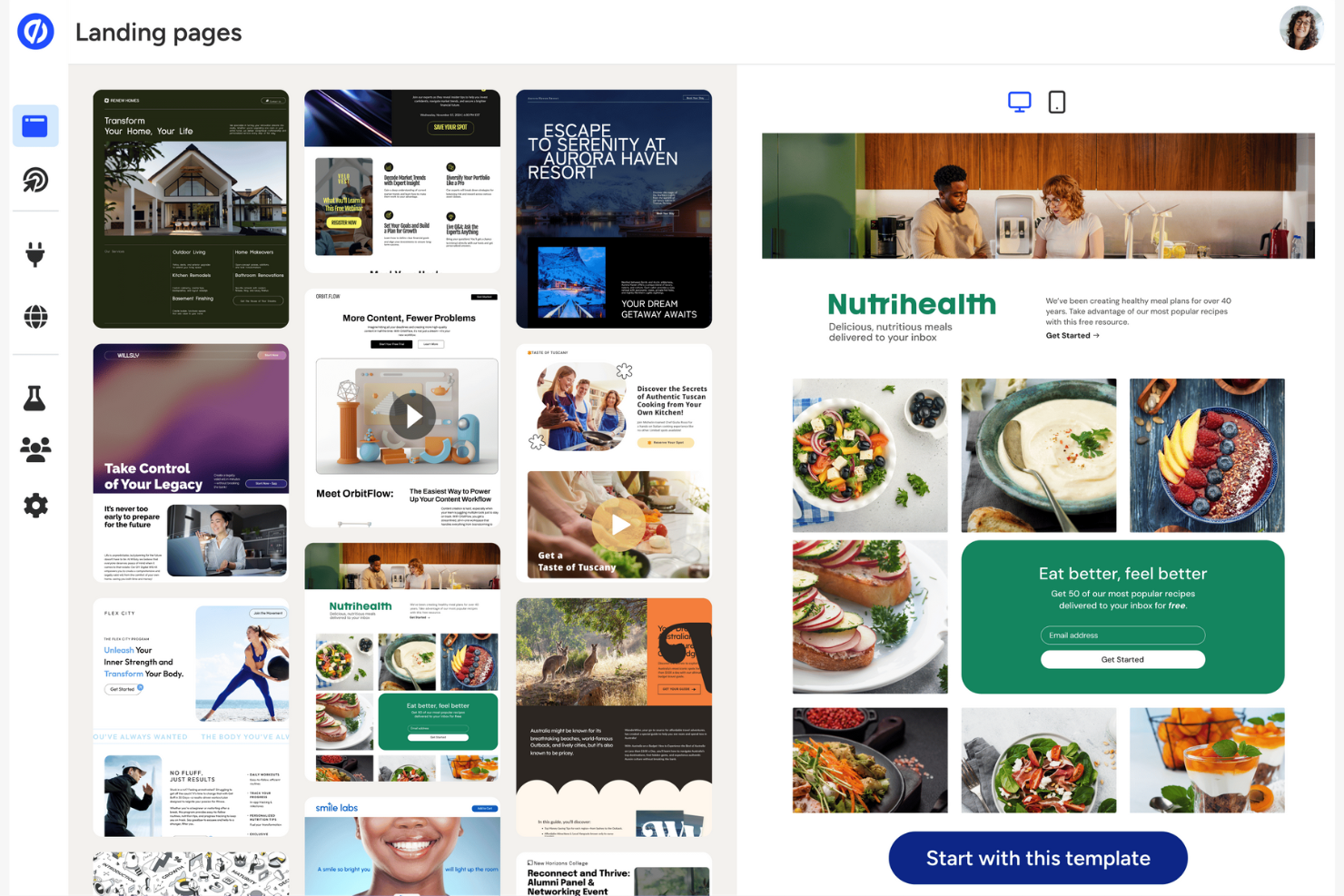
Unbounce is a landing page optimization tool designed for marketers and small to medium-sized businesses. It helps you create and test landing pages to boost conversion rates.
Why I picked Unbounce: This tool stands out with its AI-driven insights that guide your design decisions. You can use Smart Traffic to automatically send visitors to the best landing page variant for them. The Dynamic Text Replacement feature allows you to tailor your landing page content to match search queries. These features make Unbounce a top choice for those looking to leverage AI in their marketing strategies.
Standout features and integrations:
Features include a drag-and-drop builder to create custom landing pages. Pop-ups and sticky bars enable you to capture more leads effectively. Unbounce's Accelerated Mobile Pages (AMP) support ensures your pages load quickly on mobile devices, with a strong focus on mobile optimization and overall fast page performance.
Integrations include Google Analytics, Zapier, HubSpot, ActiveCampaign, Twilio, Chili Piper, Mailchimp, Salesforce, Insightly, Hotjar, and more.
Pros and Cons
Pros:
- Drag-and-drop builder
- Dynamic text replacement
- AI-driven insights
Cons:
- Higher learning curve
- Traffic- and domain-based pricing limits scalability

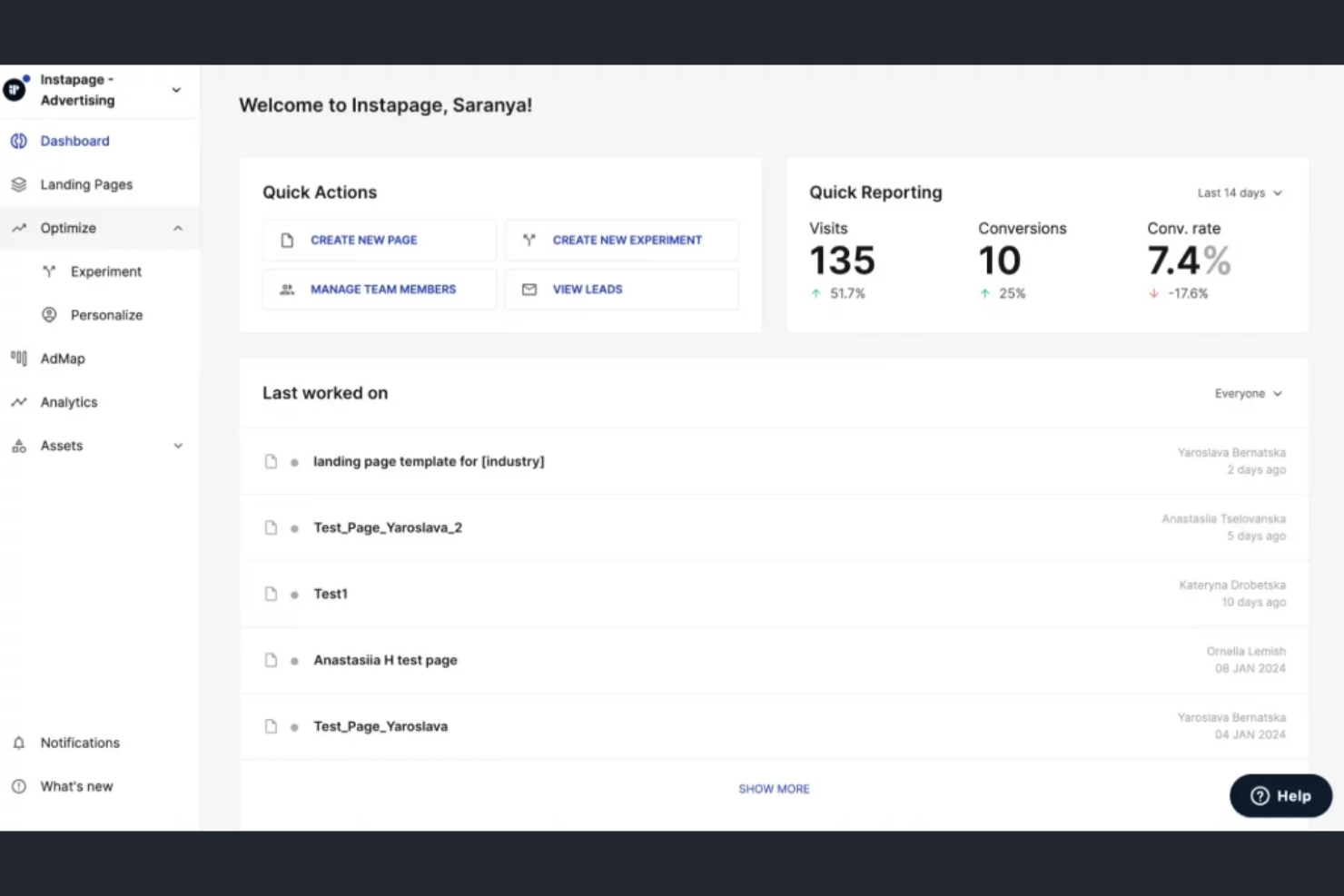
Instapage is a landing page optimization platform designed for marketing teams and agencies running performance-driven campaigns. It allows you to build, publish, and test landing pages at scale, with tools focused on conversion optimization, experimentation, and reliable page performance.
Why I picked Instapage: Instapage is especially well-suited for teams that need structured collaboration and fast approvals. Its shared workspaces, in-page comments, and approval workflows reduce back-and-forth between marketers, designers, and stakeholders. Reusable page blocks help maintain brand consistency across campaigns, while built-in A/B testing and performance stability support high-traffic, optimization-focused use cases common in agency and enterprise environments.
Standout features and integrations:
Features include page heatmaps that provide insights into user behavior. The A/B testing functionality optimizes your landing page performance, and the post-click optimization feature improves visitor conversion.
Integrations include ActiveCampaign, Salesforce, Zapier, HubSpot, Marketo, Mailchimp, Google Ads, WordPress, Drupal, Shopify, and more.
Pros and Cons
Pros:
- Collaborative workspace
- Scalable infrastructure
- Supports large teams
Cons:
- Complex interface
- Higher cost for small teams
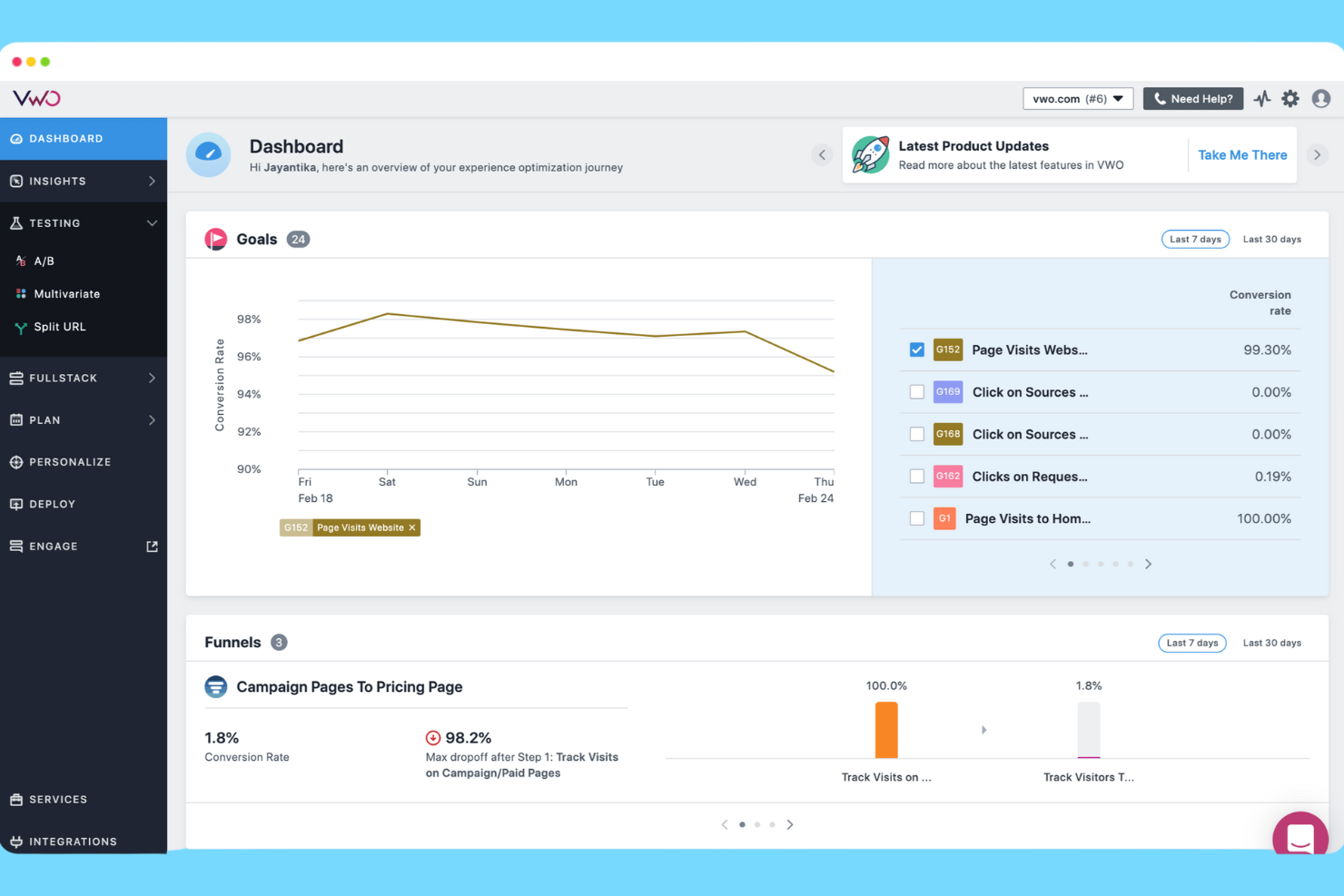
VWO is a conversion optimization platform designed for marketers and product teams. It enables you to conduct A/B tests, track visitor behavior, analyze session replays, and improve user experiences on your website.
Why I picked VWO: The tool excels in thorough A/B testing. You can run multiple tests simultaneously to see what works best for your audience. The visual editor allows you to make changes to the landing page design without needing coding skills. Heatmaps and session recordings provide insights into user interactions, making it easier to understand visitor behavior.
Standout features and integrations:
Features include funnel analysis to identify where users drop off. Form analytics reveal which fields slow users down, helping boost form completions and conversion rates. Personalization lets you deliver tailored experiences.
Integrations include Google Analytics, Adobe Analytics, Amplitude, PrestaShop, Drupal, Joomla, Marketo, WordPress, Salesforce, Shopify, BigCommerce, Mixpanel, and more.
Pros and Cons
Pros:
- Heatmaps and session recordings
- Visual editor
- In-depth A/B testing
Cons:
- Limited mobile testing options
- Requires technical skills

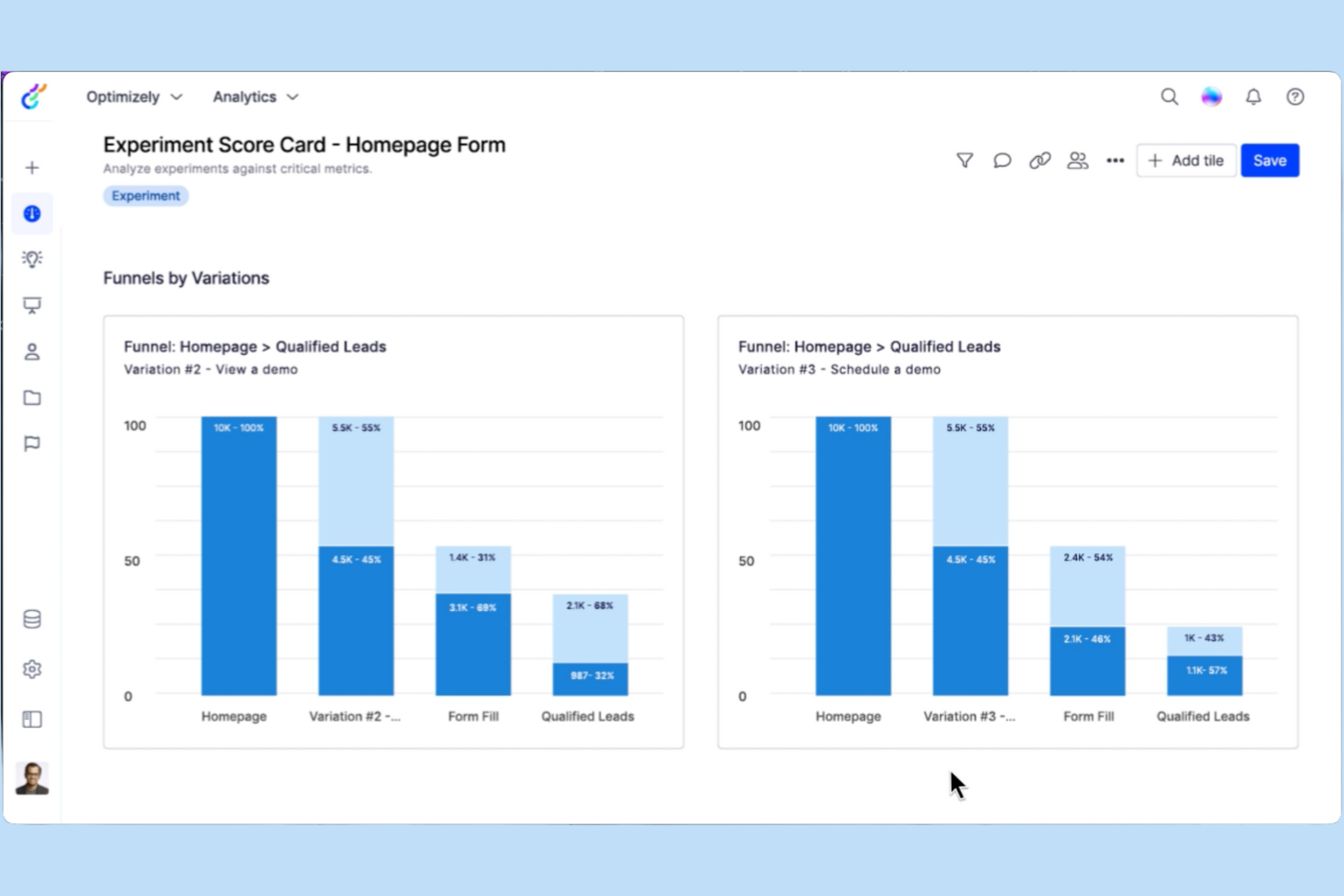
Optimizely is a digital experience platform designed for businesses looking to personalize their customers' online journey. It helps teams conduct experiments and make data-driven decisions to improve customer engagement and conversions.
Why I picked Optimizely: It's tailored for enterprises that need advanced experimentation and personalization capabilities. You can run A/B tests at scale and utilize multivariate testing to refine your digital experiences. The personalization engine uses real-time data to deliver tailored content to users. Its advanced analytics provide insights to help your team make informed business decisions.
Standout features and integrations:
Features include a visual editor that lets you make changes without coding. Feature flags allow gradual and controlled adjustments. Server-side testing allows for more complex experiments that require backend adjustments.
Integrations include Salesforce Commerce Cloud, Adobe Ads, Google Analytics, Shopify, WordPress, OpalMind, Piwik PRO, and more.
Pros and Cons
Pros:
- Powerful analytics
- Real-time personalization engine
- Advanced experimentation capabilities
Cons:
- Pricing details not publicly disclosed
- Requires exports or external tools for deep analysis

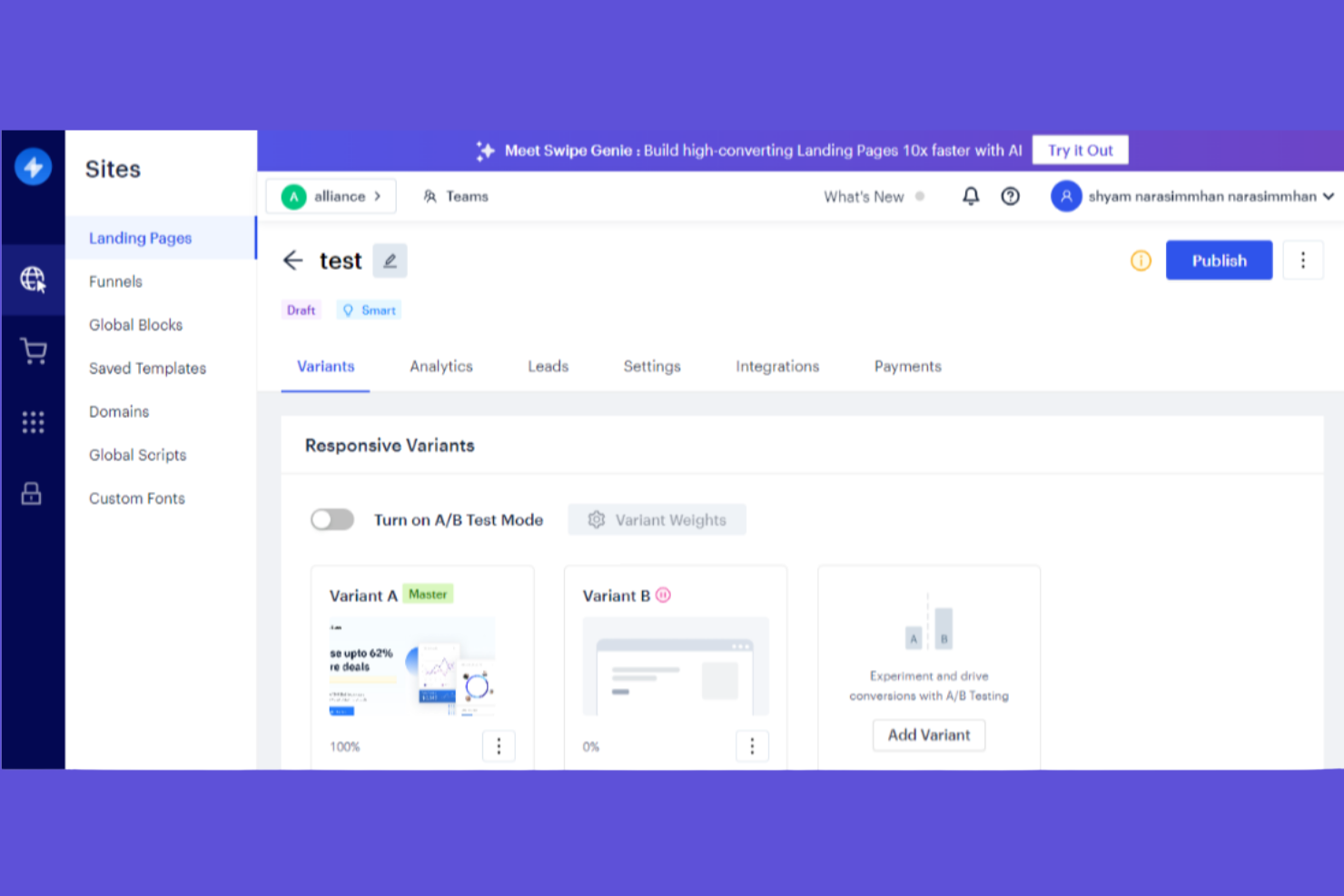
Swipe Pages is a landing page builder focused on the creation of mobile-optimized pages for marketers and businesses. Users can design responsive landing pages with fast load times that ensure a positive user experience on mobile devices.
Why I picked Swipe Pages: The tool specializes in delivering mobile-optimized landing pages that achieve high page speed using AMP. The drag-and-drop editor makes customizing pages easy with no coding required, so you can get up and running quickly.
Standout features and integrations:
Features include A/B testing to refine your landing pages for better results. Interactive elements such as sliders and carousels highlight multiple pieces of content. A library of predesigned templates speeds up the design process.
Integrations include Mailchimp, HubSpot, Zapier, ActiveCampaign, Kit, and more.
Pros and Cons
Pros:
- Fast-loading AMP landing pages
- Predesigned templates
- Fast mobile page loading
Cons:
- Lacks heatmap features
- Basic analytics and tracking

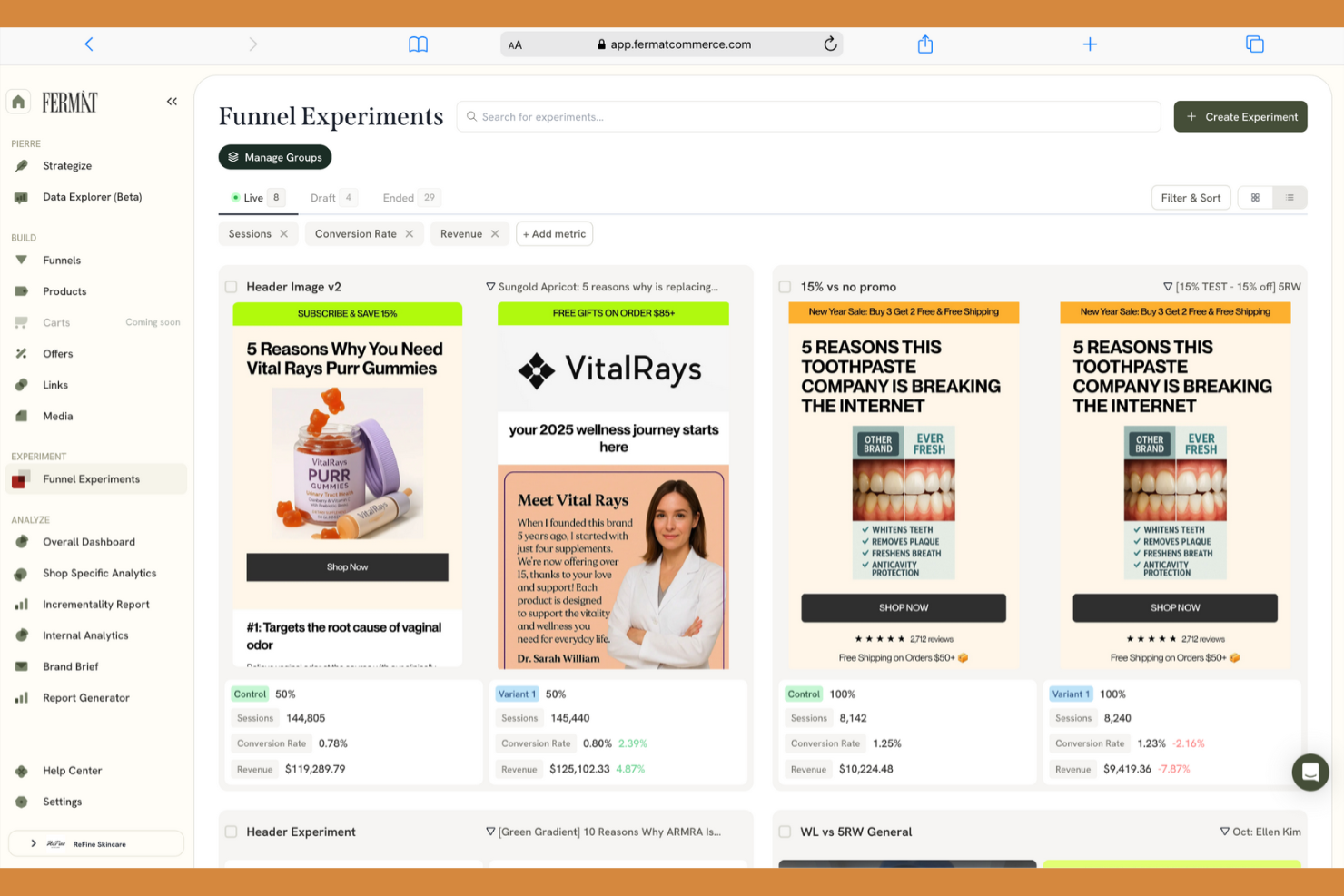
FERMÀT is an AI-driven platform designed for e-commerce businesses looking to personalize shopping experiences. It helps you create dynamic product pages and optimize customer journeys to improve conversion rates.
Why I picked FERMÀT: It enables small businesses to create AI-driven personalized shopping experiences by analyzing customer behavior and tailoring product recommendations. By integrating shopper signals from various channels, businesses can ensure content reaches the right audience at the right time.
Standout features and integrations:
Features include an AI Search Commerce Engine that tailors search results to user preferences. Dynamic product pages can display relevant products based on real-time shopper behavior. The Funnel Builder helps you design automated, optimized customer journeys.
Integrations include Salesforce Commerce Cloud, Oracle ATG, Adobe Commerce, Shopify Plus, Google Ads, Meta, and more.
Pros and Cons
Pros:
- Funnel Builder feature
- Dynamic product pages
- AI-driven personalization
Cons:
- Limited pricing transparency
- Requires technical expertise
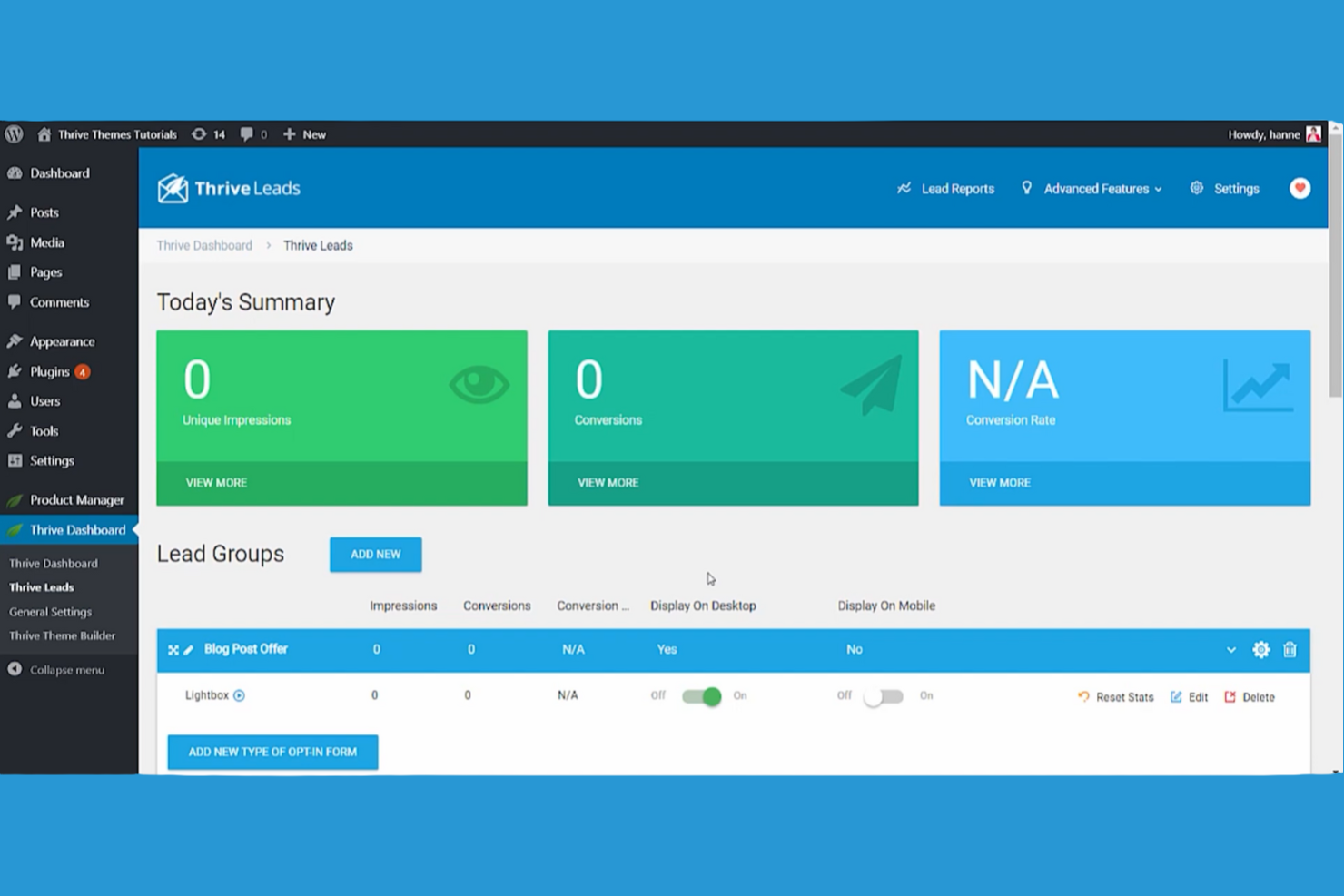
Thrive Suite is a suite of conversion-focused WordPress tools designed for content creators and entrepreneurs. It helps you create high-converting websites with its powerful themes and plugins.
Why I picked Thrive Suite: It's tailored for WordPress users who are focused on improving their site's conversion rates. Thrive Architect enables fast page creation with predesigned landing page templates. Thrive Leads supports lead capture with various opt-in forms. Countdown timers from Thrive Ultimatum create urgency and encourage visitors to act.
Standout features and integrations:
Features include a drag-and-drop landing page builder with pre-designed conversion-focused templates, built-in A/B testing to optimize page performance, and customizable call-to-action elements like forms, buttons, and countdown timers to drive conversions.
Integrations include ActiveCampaign, AWeber, Drip, Constant Contact, Dropbox, ConvertKit, Zapier, and more.
Pros and Cons
Pros:
- Large library of landing page templates
- Built-in conversion tools
- Customizable themes
Cons:
- Complex for beginners
- Limited third-party extensibility
Other Landing Page Optimization Tools
Here are some additional landing page optimization tools options that didn’t make it onto my shortlist, but are still worth checking out:
- Crazy Egg
For heatmap analytics
- Hotjar
For feedback
- UserTesting
For real-time feedback
- Popupsmart
For pop-up creation
- Userbrain
For user testing insights
- Shogun
For e-commerce pages
- Adobe Target
For personalized experiences
- Contentsquare
For behavior analytics
- Wynter
For message testing
- Lyssna
For design feedback
- ShortStack
For contest pages
- HubSpot Landing Page Builder
For marketing automation
- Convert
For multivariate testing


Related Reviews
Landing Page Optimization Tool Selection Criteria
When selecting the best landing page optimization tools to include in this list, I considered common buyer needs and pain points such as increasing conversion rates and improving user engagement. I also used the following framework to keep my evaluation structured and fair:
Core Functionality (25% of total score)
To be considered for inclusion in this list, each solution had to fulfill these common use cases:
- Create landing pages
- A/B testing
- Mobile responsiveness
- Lead capture forms
- Analytics and reporting
Additional Standout Features (25% of total score)
To help further narrow down the competition, I also looked for unique features, such as:
- AI-driven optimization
- Dynamic content personalization
- Heatmap analytics
- Multilingual support
- Built-in SEO tools
Usability (10% of total score)
To get a sense of the usability of each system, I considered the following:
- Intuitive interface
- Customization options
- Speed of setup
- User-friendly navigation
- Help and support accessibility
Onboarding (10% of total score)
To evaluate the onboarding experience for each platform, I considered the following:
- Availability of training videos
- Interactive product tours
- Access to templates
- Chatbot assistance
- Live webinars
Customer Support (10% of total score)
To assess each software provider's customer support services, I considered the following:
- 24/7 support availability
- Live chat options
- Email support response time
- Knowledge base resources
- Personalized support services
Value For Money (10% of total score)
To evaluate the value for money of each platform, I considered the following:
- Pricing transparency
- Features included in the base plan
- Competitor pricing comparison
- Flexibility of pricing tiers
- Discounts for annual billing
Customer Reviews (10% of total score)
To get a sense of overall customer satisfaction, I considered the following when reading customer reviews:
- Overall satisfaction ratings
- Commonly mentioned pros and cons
- Frequency of updates and improvements
- Reliability and performance feedback
- Ease of integration experiences
How To Choose Landing Page Optimization Tools
It's easy to get bogged down in long feature lists and complex pricing structures. To help you stay focused as you work through your unique software selection process, here's a checklist of factors to keep in mind:
| Factor | What To Consider |
|---|---|
| Scalability | Can the tool grow with your business? Consider your future needs and whether the tool can handle increased traffic and more complex campaigns without extra costs. |
| Integrations | Does it connect with your current tech stack? Check if it supports your CRM, email marketing, and analytics tools to avoid manual data transfer. |
| Customizability | Can you tailor it to your brand? Look for options that let you adjust templates and designs without needing a developer. |
| Ease of use | How intuitive is the interface? Test the user experience to ensure your team can use it efficiently without extensive training. |
| Implementation and onboarding | How long until you're up and running? Evaluate the setup time and available resources, like tutorials and support, to get started quickly. |
| Cost | What's the total expense? Compare pricing structures, including hidden fees or additional costs for extra features or users. |
| Security safeguards | Are your data and customer information protected? Look for compliance with data protection regulations and powerful security measures. |
| Support availability | What help can you expect? Check if support is available 24/7 and through preferred channels like chat, phone, or email. |
What Are Landing Page Optimization Tools?
Landing page optimization tools are software solutions designed to improve the effectiveness of landing pages by increasing conversion rates and user engagement. Marketers, small business owners, and digital marketing professionals typically use these tools to create, test, and refine landing pages. A/B testing, mobile responsiveness, and analytics capabilities help with tailoring content, understanding user behavior, and optimizing performance. Overall, these tools provide value by making it easier to convert visitors into leads or customers.
Features
When selecting landing page optimization tools, keep an eye out for the following key features:
- A/B testing: Allows you to test different versions of your landing page to find out which one performs better, helping to increase conversion rates.
- Mobile responsiveness: Ensures your landing pages look great and function well on mobile devices
- Drag-and-drop editor: Lets you easily create and customize landing pages without needing coding skills.
- Analytics and reporting: Provides insights into visitor behavior and page performance.
- Lead capture forms: Helps you collect visitor information effectively, turning prospects into leads for your marketing campaigns.
- Dynamic content personalization: Allows you to tailor content to individual users based on their behavior or characteristics.
- Integration capabilities: Facilitates connection with other tools such as CRM and email marketing platforms, ensuring efficient data flow.
- Customizable templates: Offers a variety of predesigned templates that can be modified to fit your brand.
- Heatmap analytics: Visualizes where users click and scroll on your pages.
- Security safeguards: Protects user data and ensures compliance with data protection regulations.
Benefits
Implementing landing page optimization tools provides several benefits for your team and your business. Here are a few you can look forward to:
- Increased conversions: A/B testing and analytics help you pinpoint what works best and turn more visitors into leads or customers.
- Upgraded user experience: Mobile responsiveness and dynamic content personalization ensure your pages are engaging and relevant.
- Time savings: Drag-and-drop editors and customizable templates speed up the page creation process.
- Better insights: Analytics and reporting provide valuable data on visitor behavior, helping you make informed decisions and improvements.
- Effective lead generation: Lead capture forms efficiently gather visitor information, supporting your marketing and sales efforts.
- Improved brand consistency: Customizable templates allow you to maintain a cohesive brand image across all landing pages.
- Data security: Security safeguards protect user information, ensuring compliance with data protection standards and building trust with your audience.
Costs & Pricing
Selecting landing page optimization tools requires an understanding of the various pricing models and plans available. Costs vary based on features, team size, add-ons, and more. The table below summarizes common plans, their average prices, and typical features included in landing page optimization tools solutions:
Plan Comparison Table for Landing Page Optimization Tools
| Plan Type | Average Price | Common Features |
|---|---|---|
| Free Plan | $0 | Basic templates, limited analytics, and minimal customization. |
| Personal Plan | $24-$81/month | Customizable templates, A/B testing, and basic integrations. |
| Business Plan | $50-$100/month | Advanced analytics, dynamic content personalization, and upgraded lead capture forms. |
| Enterprise Plan | $150-$1,150/month | Extensive support, full API access, advanced security features, and custom onboarding services. |
Landing Page Optimization Tools FAQs
Here are some answers to common questions about landing page optimization tools:
Can landing page optimization tools integrate with my existing CRM?
Yes, most landing page optimization tools offer integration capabilities with popular CRMs such as Salesforce, HubSpot, and others. Check the integration options on the tool’s website or contact their support team for confirmation.
How do landing page optimization tools improve conversion rates?
Landing page optimization tools boost conversion rates by testing different headlines, images, and calls-to-action. Using this data, you can then see which versions perform best. Some platforms provide real-time analytics, so you can tweak quickly based on actual visitor interactions.
What kind of support can I expect from these tools?
Support varies by provider, but you can generally expect options such as live chat, email support, and a knowledge base. Some tools offer 24/7 support or dedicated account managers for higher-tier plans. It’s important to review the support options available to ensure they meet your team’s needs, especially during onboarding.
Can I use landing page optimization tools without a developer?
Yes, most modern tools are built for marketers and require no coding. They offer drag-and-drop editors, simple integrations, and visual reports. You can launch tests, edit content, and analyze results without waiting on tech support. This speeds up your workflow and lets you test changes faster.
Are there customization options available?
Yes, most landing page optimization tools offer customization options for templates and page elements. You can typically adjust colors, fonts, and layouts to match your brand. Look for tools with drag-and-drop editors and flexible design features, which make it easier to create a landing page that reflects your company’s identity.
What is the difference between landing page builders and optimization tools?
Landing page builders let you create pages from scratch or templates. Optimization tools go further by adding testing, analytics, and visitor feedback features. Some platforms combine both, but true optimization tools are focused on finding what works best rather than just building pages.
What's Next:
If you're in the process of researching landing page optimization tools, connect with a SoftwareSelect advisor for free recommendations.
You fill out a form and have a quick chat where they get into the specifics of your needs. Then you'll get a shortlist of software to review. They'll even support you through the entire buying process, including price negotiations.