
18 Martech Tools Picked for 2026 to Power Your Marketing Strategy

Martech Tools Shortlist
Here’s my shortlist of martech tools:


Martech tools are software platforms that help marketing teams manage, automate, and analyze their campaigns across digital channels. If you’re searching for the best martech tools, you’re likely aiming to improve campaign performance, unify data, and keep up with fast-changing marketing demands. With so many options and overlapping features, it’s tough to know which tools will actually support your goals and integrate with your stack. This list will help you quickly compare top martech solutions for 2026, so you can find the right fit for your team’s strategy, channels, and growth targets.
Why Trust Our Software Reviews
Best Martech Tools Summary
This comparison chart summarizes pricing details for my top martech tools selections to help you find the best one for your budget and business needs.
| Tool | Best For | Trial Info | Price | ||
|---|---|---|---|---|---|
| 1 | Best for website traffic analysis | Free plan available | Pricing upon request | Website | |
| 2 | Best for product usage analytics | Free plan + free demo available | From $49/month (billed annually) | Website | |
| 3 | Best for social listening insights | Free demo available | Pricing upon request | Website | |
| 4 | Best for enterprise social media management | Free demo available | Pricing upon request | Website | |
| 5 | Best for multichannel campaign management | Free demo available | From $36/month | Website | |
| 6 | Best for inbound lead generation | Free plan available | From $9/seat/month (billed annually) | Website | |
| 7 | Best for paid search audience targeting | Not available | No base cost; pricing depends on ad campaign budget | Website | |
| 8 | Best for unified customer data pipelines | 14-day free trial + free plan available | From $120/month | Website | |
| 9 | Best for cross-platform ad placements | Free plan available | From $14.99/per verified profile | Website | |
| 10 | Best for CRM-driven marketing workflows | Free plan available | From $25/user/month | Website |


Martech Tools Reviews
Below are my detailed summaries of the martech tools that made it onto my shortlist. My reviews offer a detailed look at the features, best use cases, and integrations of each platform to help you find the best one for you.
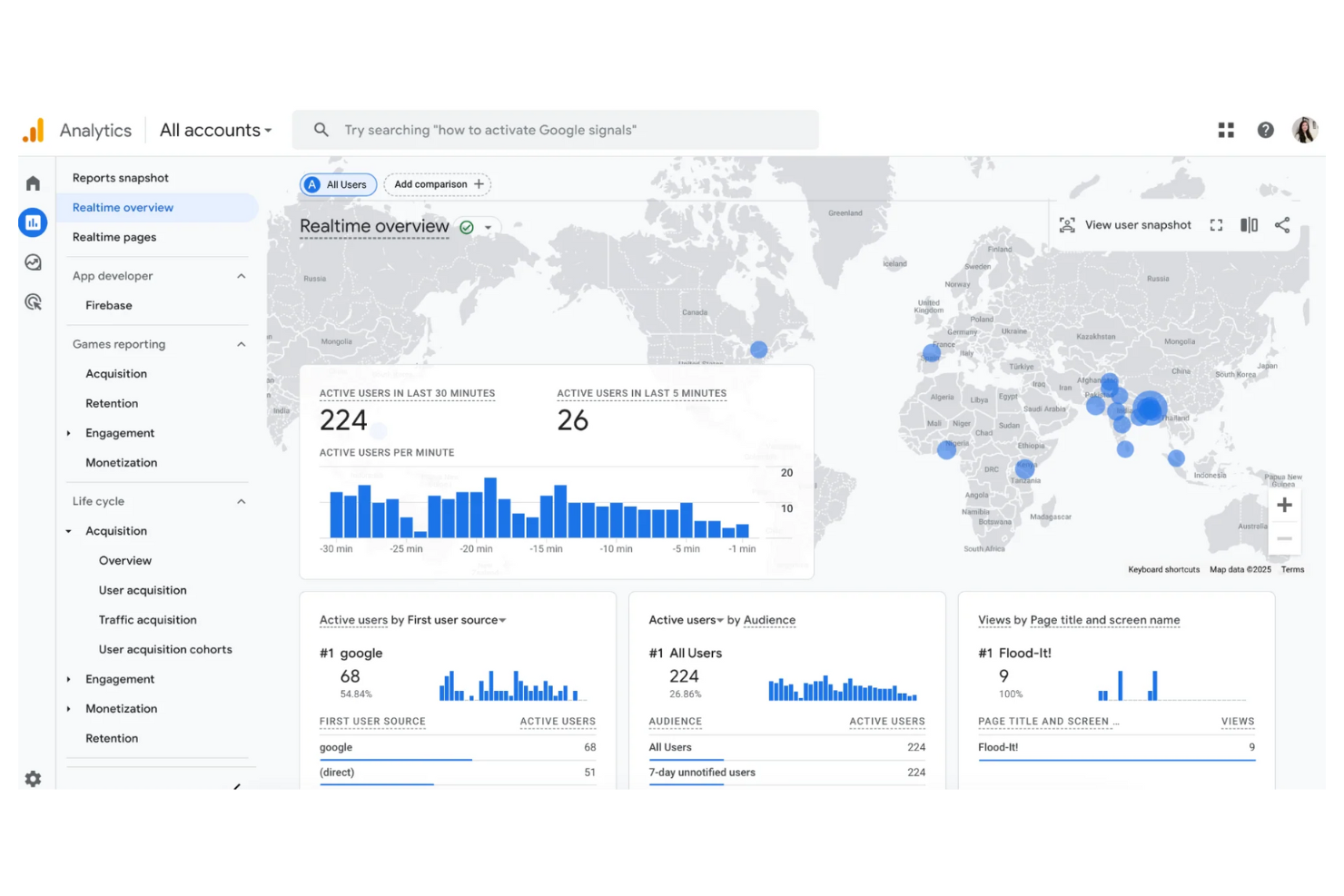
For marketers who need to understand how users interact with their websites, Google Analytics offers deep insights into traffic sources and on-site behavior. It’s especially useful for digital teams, ecommerce managers, and content strategists who want to track campaign performance and optimize user journeys. With customizable dashboards and real-time reporting, Google Analytics helps you pinpoint what’s driving engagement and where users drop off.
Why I Picked Google Analytics
When it comes to understanding website traffic in detail, Google Analytics stands out for its depth and flexibility. I picked Google Analytics because it gives you granular data on user acquisition, behavior flows, and conversion paths, all in one place.
The platform’s real-time reporting and customizable dashboards let you monitor key metrics as they happen and tailor insights to your team’s needs. For martech buyers focused on optimizing digital experiences, these features make Google Analytics a go-to choice for website traffic analysis.
Google Analytics Key Features
Some other features in Google Analytics that marketers often rely on include:
- Event tracking: Monitor specific user actions like downloads, video plays, or form submissions.
- Audience segmentation: Create and analyze custom user groups based on behavior, demographics, or technology.
- Multi-channel funnels: Visualize how different marketing channels contribute to conversions over time.
- Data import: Bring in external data sources to enrich your analytics and reporting.
Google Analytics Integrations
Integrations include Google Ads, Search Ads 360, Display & Video 360, Google Cloud, Google Search Console, Google AdSense, Google Ad Manager, Firebase, Google Tag Manager, and Google Workspace.
Pros and Cons
Pros:
- Extensive audience segmentation capabilities
- Granular event tracking for custom user actions
- Real-time campaign and traffic monitoring
Cons:
- Limited visibility into individual customer journeys
- Sampling occurs with large data sets
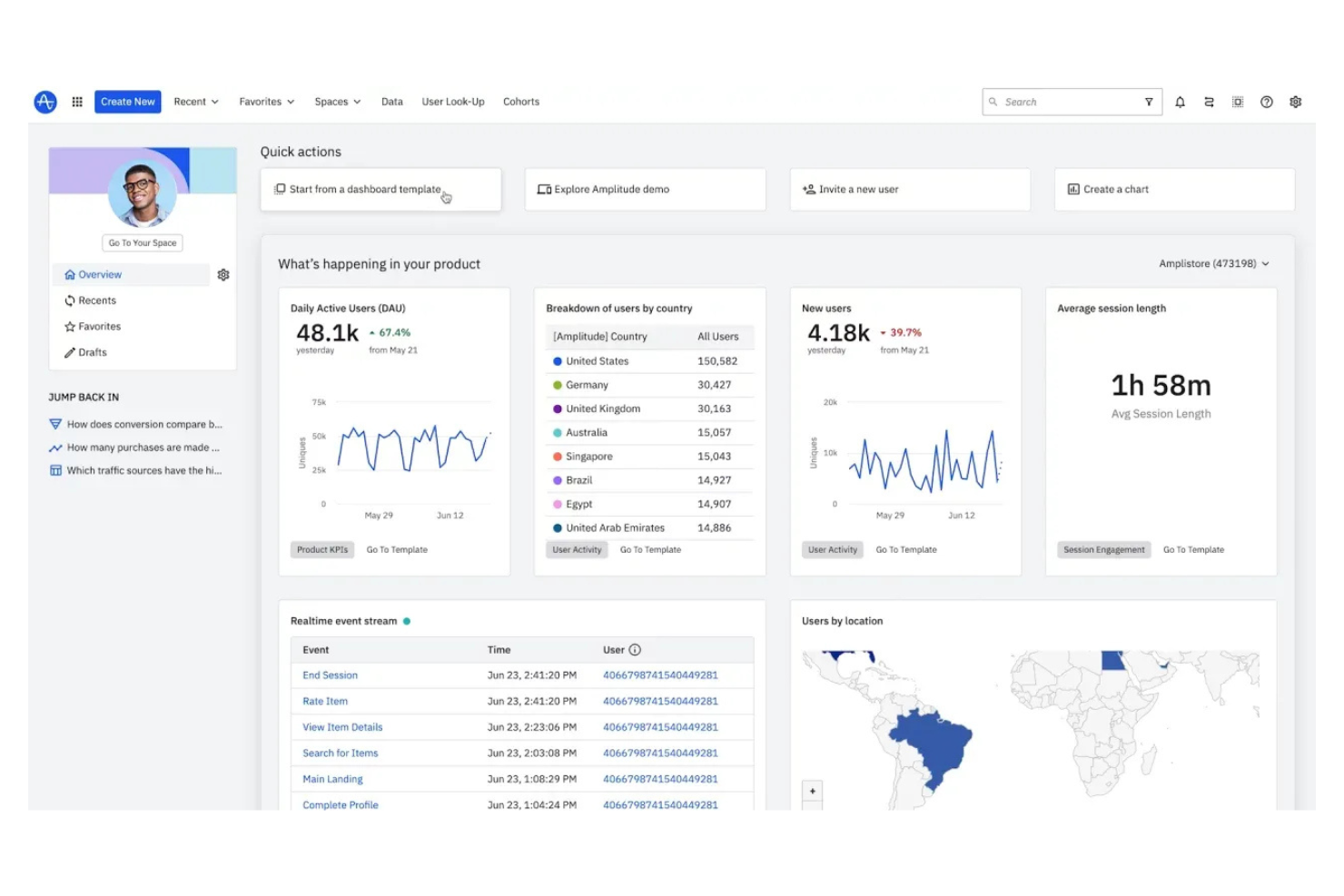
Amplitude gives product and growth teams a way to deeply analyze user behavior and product engagement. It’s especially useful for SaaS companies and digital businesses that need to understand how features drive retention and revenue. With its event-based analytics and cohort analysis, Amplitude helps you pinpoint what actions lead to growth or churn.
Why I Picked Amplitude
When you need to dig into product usage analytics, Amplitude stands out for its depth and flexibility. I picked Amplitude because it lets you track granular user events and visualize complex user journeys, which is essential for understanding how people interact with your product.
Its cohort analysis feature helps you segment users based on behaviors and outcomes, so you can see what drives retention or churn. For marketing and product teams focused on optimizing digital experiences, these analytics capabilities are hard to match.
Amplitude Key Features
Some other features that make Amplitude valuable for marketing and product teams include:
- A/B test analysis: Measure and compare the impact of experiments on user behavior.
- Data governance controls: Manage event tracking standards and maintain data quality across teams.
- Custom dashboards: Build and share tailored analytics views for different stakeholders.
- User path analysis: Visualize the most common paths users take through your product.
Amplitude Integrations
Integrations include Google Analytics, Mixpanel, Segment, Slack, Shopify, Salesforce, HubSpot, Marketo, Zendesk, and Looker.
Pros and Cons
Pros:
- Effective retention and user journey tracking
- Customizable reporting dashboards
- Detailed cohort analysis for behavioral insights
Cons:
- Requires technical knowledge for full value
- Steeper learning curve for new users

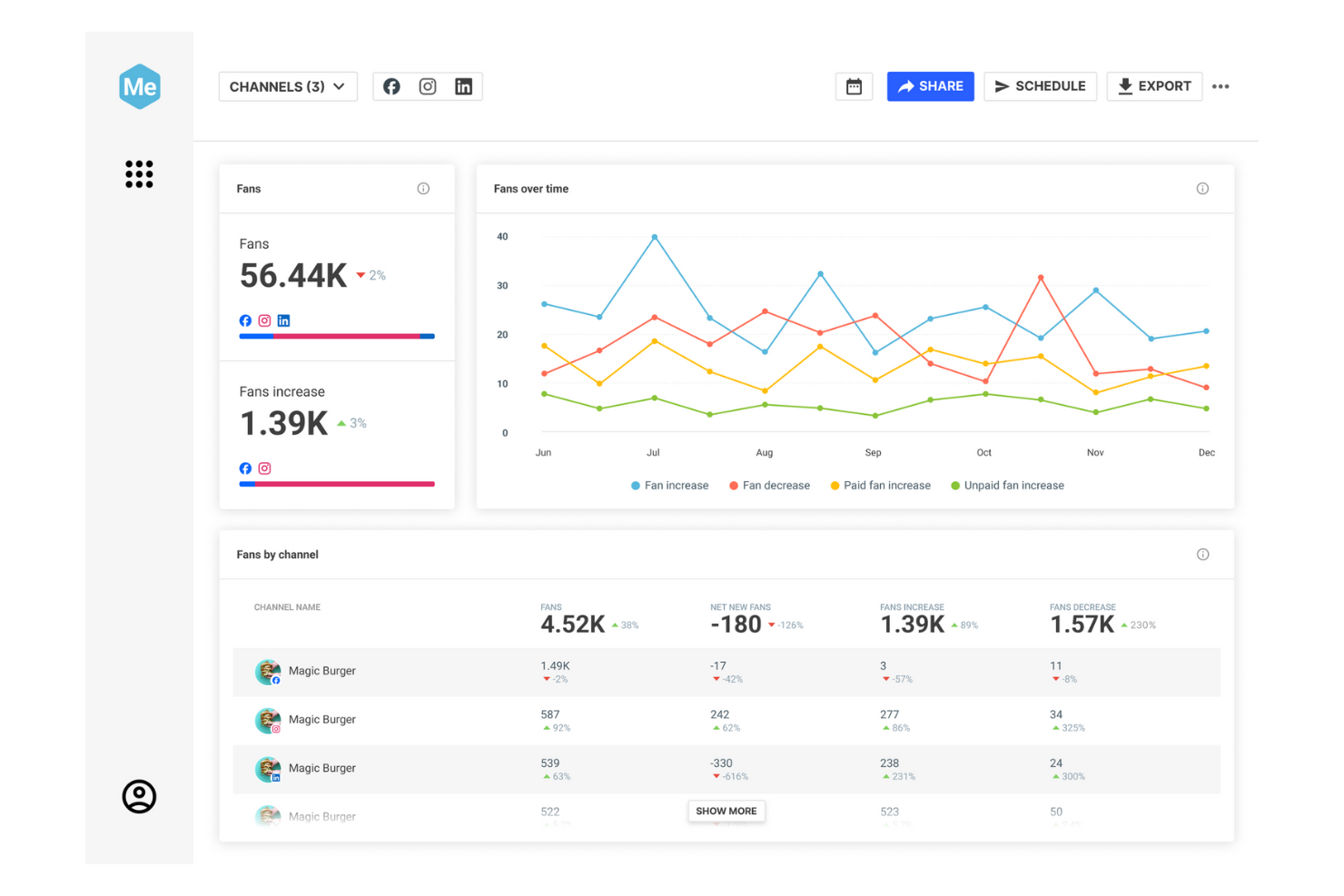
Brandwatch gives marketing and insights teams a way to monitor and analyze conversations happening across social, news, and online platforms. It’s especially useful for brands and agencies that need to track sentiment, spot trends, and manage reputation in real time. With its AI-driven analytics and customizable dashboards, Brandwatch helps you turn social data into actionable insights for campaign planning and crisis response.
Why I Picked Brandwatch
For teams focused on social listening insights, Brandwatch offers a level of depth and flexibility that’s hard to match. I picked Brandwatch because it lets you monitor millions of online sources, from social media to forums and news sites, giving you a broad view of brand sentiment and emerging trends.
Its AI-powered sentiment analysis and customizable alerting help you quickly identify shifts in public perception or spot potential crises. These features make Brandwatch a strong fit for marketing teams that need to stay ahead of conversations and respond with data-driven strategies.
Brandwatch Key Features
Some other features that make Brandwatch useful for marketing teams include:
- Influencer identification: Find and analyze key influencers relevant to your brand or industry.
- Custom dashboard builder: Create and share tailored dashboards for different teams or campaigns.
- Image recognition: Detect and analyze brand logos and visual mentions across social platforms.
- Automated reporting: Schedule and generate regular reports with customizable metrics and visualizations.
Brandwatch Integrations
Integrations include Hootsuite, Google Analytics, Salesforce, HubSpot, Slack, Microsoft Teams, Spredfast, Sprinklr, Meltwater, and Talkwalker.
Pros and Cons
Pros:
- Historical data access for long-term trend analysis
- Influencer identification across multiple platforms
- Automated sentiment analysis powered by AI
Cons:
- Real-time alerts may lag during high-volume spikes
- Dashboard customization requires advanced setup

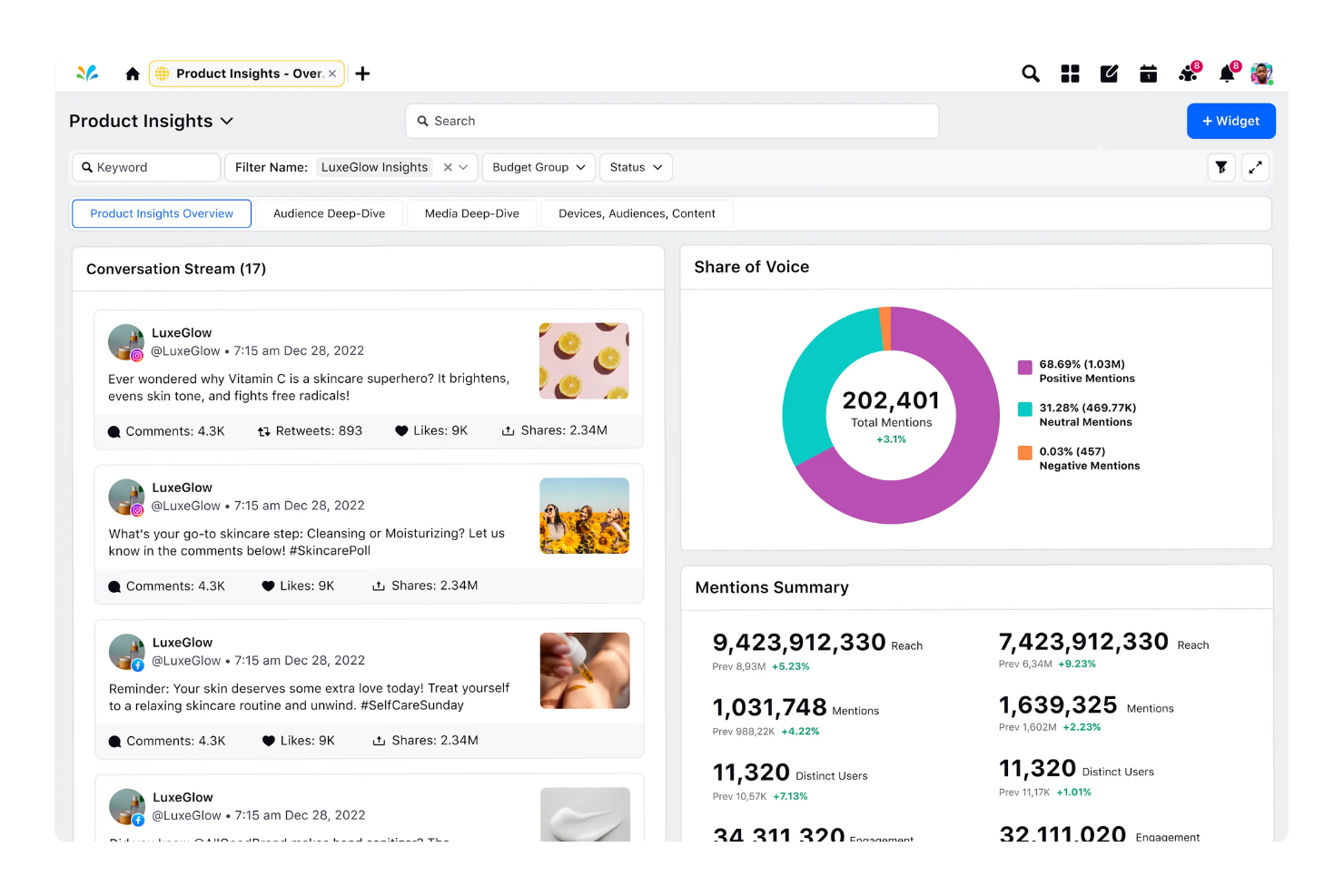
Sprinklr brings together social media management, customer engagement, and analytics in a single platform designed for large organizations. It’s built for enterprise marketing, communications, and customer care teams that need to manage complex, multi-channel social strategies at scale. With its unified approach, Sprinklr helps you coordinate campaigns, monitor brand health, and respond to customers across dozens of digital channels.
Why I Picked Sprinklr
When it comes to managing social media at an enterprise level, Sprinklr stands out for its ability to centralize and coordinate activity across dozens of channels. I picked Sprinklr because it offers unified publishing, monitoring, and engagement tools that help large teams maintain brand consistency and compliance.
Its advanced workflow management supports complex approval processes and collaboration across departments. For organizations that need to manage high volumes of content and interactions, Sprinklr’s scalable approach is a strong fit.
Sprinklr Key Features
Some other features that make Sprinklr valuable for enterprise teams include:
- AI-powered social listening: Track conversations and trends across multiple platforms using machine learning.
- Omnichannel customer engagement: Manage interactions across social, messaging, email, and chat channels from one interface.
- Custom analytics dashboards: Build and share tailored reports with real-time data visualizations.
- Asset management library: Store, organize, and reuse creative assets for campaigns and posts.
Sprinklr Integrations
Integrations include Twitter, Facebook, Instagram, LinkedIn, YouTube, Google Analytics, Microsoft Teams, Slack, Salesforce, and Zendesk.
Pros and Cons
Pros:
- Granular user permissions for large teams
- Advanced workflow automation for approvals
- Unified inbox for managing social conversations
Cons:
- Initial setup requires dedicated onboarding support
- Reporting exports can be slow with large datasets

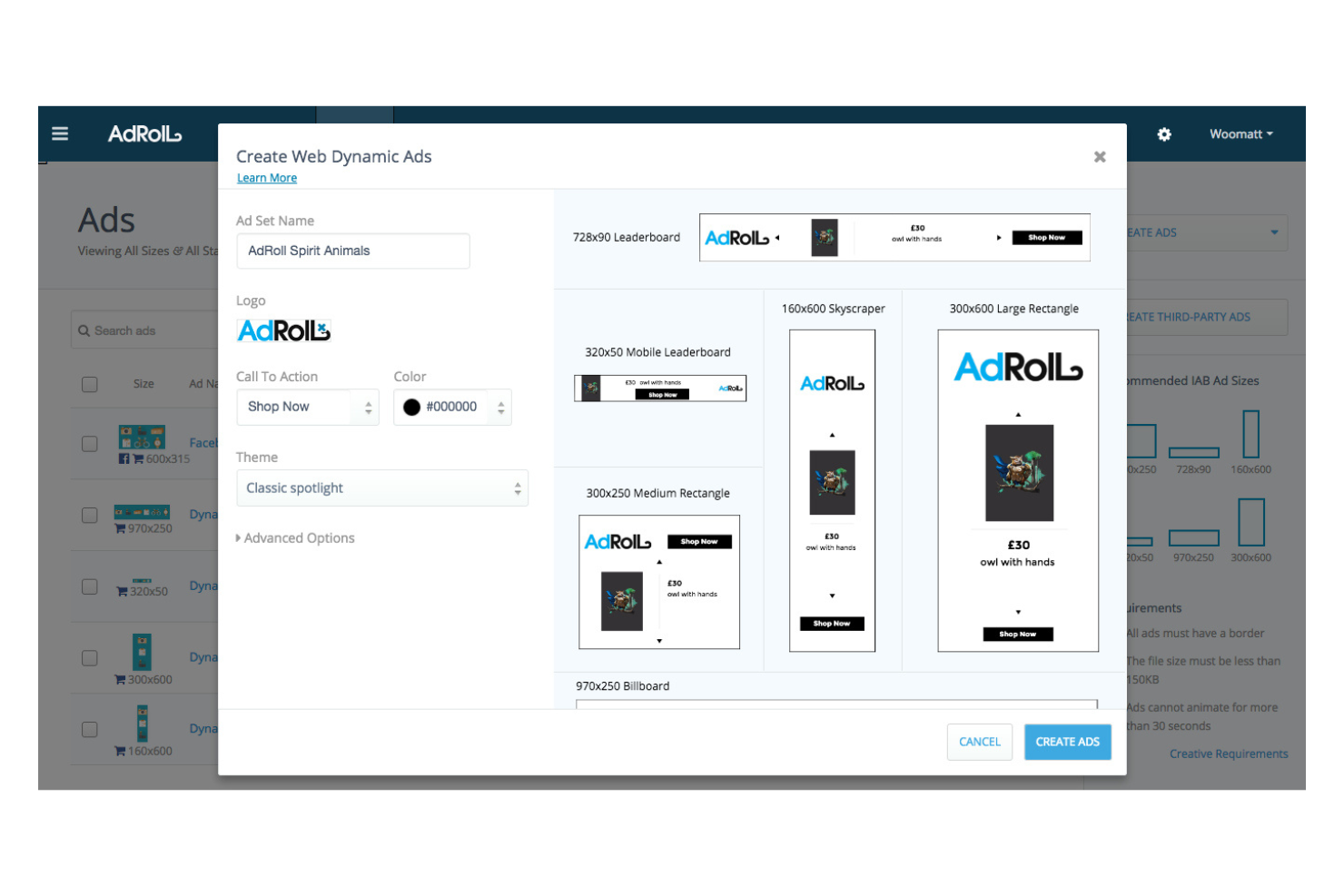
AdRoll helps marketing teams manage and optimize campaigns across web, social, and email from a single platform. It’s a strong fit for ecommerce brands and growth-focused businesses that need to coordinate messaging and retargeting across multiple channels. If you’re looking to unify your digital advertising and simplify multichannel management, AdRoll offers a focused solution.
Why I Picked AdRoll
I chose AdRoll because it brings all your digital advertising channels together for true multichannel campaign management. The platform lets you launch, monitor, and adjust ads across web, social, and email from one dashboard, which is especially useful for teams juggling multiple campaigns.
I like that AdRoll includes built-in retargeting and audience segmentation tools, so you can coordinate messaging and track performance across every channel. For marketers who need to keep campaigns consistent and data-driven, AdRoll’s unified approach stands out in the martech space.
AdRoll Key Features
Some other features in AdRoll that marketing teams might find useful include:
- Dynamic product ads: Automatically generate personalized ads based on user browsing and shopping behavior.
- Cross-device tracking: Track and attribute user interactions across desktop, mobile, and tablet for a complete view of campaign impact.
- A/B testing tools: Set up and compare multiple ad variations to see which creative or message performs best.
- Attribution dashboard: Access detailed reporting that breaks down conversions and revenue by channel, campaign, and audience segment.
AdRoll Integrations
Integrations include Shopify, WooCommerce, BigCommerce, Klaviyo, Meta, TikTok, Pinterest, Yotpo, Google Ads, and HubSpot.
Pros and Cons
Pros:
- Attribution dashboard with detailed conversion insights
- Built-in retargeting across web and social channels
- Centralizes multichannel ad campaign management
Cons:
- Limited creative editing tools inside the platform
- Reporting can lag during high traffic periods

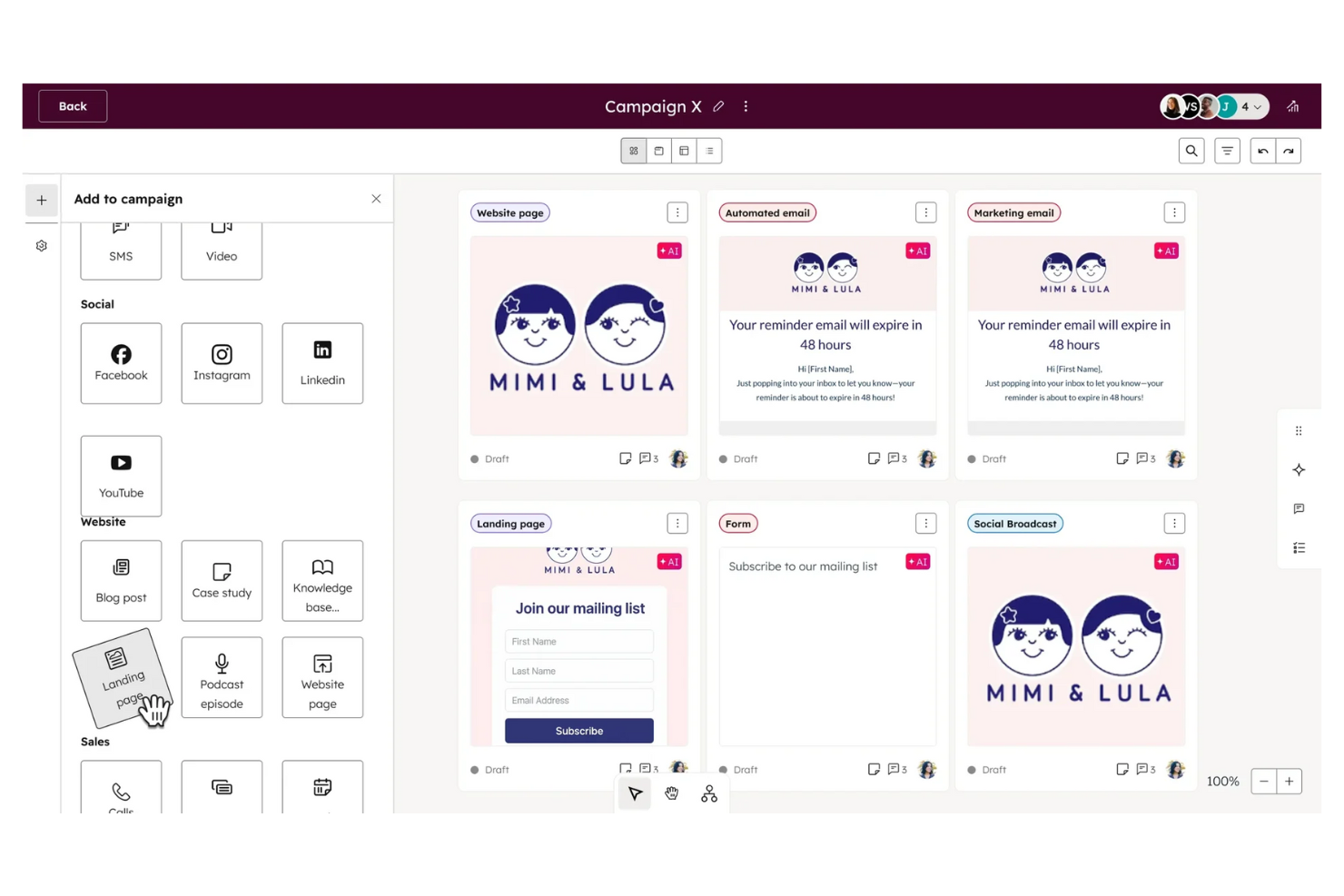
If you’re looking to attract and nurture leads through inbound marketing, HubSpot Marketing Hub brings together automation, content, and analytics in one platform. It’s a strong fit for marketing teams that want to manage campaigns, landing pages, and email workflows without juggling multiple tools. With built-in CRM integration and lead scoring, HubSpot helps you prioritize prospects and personalize outreach at scale.
Why I Picked HubSpot Marketing Hub
For teams focused on inbound lead generation, HubSpot Marketing Hub offers a unified approach to attracting, engaging, and converting prospects. I picked HubSpot because its landing page builder, email automation, and lead capture tools are tightly integrated with its CRM, making it easy to track every interaction.
The content management and SEO recommendations help you create assets that draw in qualified leads. These features make HubSpot a strong choice for marketers who want to centralize their inbound strategy and nurture leads from first touch to conversion.
HubSpot Marketing Hub Key Features
Some other features in HubSpot Marketing Hub that marketers often use include:
- A/B testing: Run experiments on emails, landing pages, and CTAs to compare performance.
- Social media publishing: Schedule and manage posts across multiple social channels from one dashboard.
- Ad management: Track and optimize paid ad campaigns directly within the platform.
- Marketing analytics dashboard: Visualize campaign performance and key metrics with customizable reports.
HubSpot Marketing Hub Integrations
Integrations include Gmail, Google Calendar, Outlook, WordPress, Meta Ads, Salesforce, Slack, Google Meet, Microsoft Teams, Zoom, and Google Chat.
Pros and Cons
Pros:
- SEO recommendations for blog and landing pages
- Automated email workflows with branching logic
- Built-in CRM for unified contact management
Cons:
- No native SMS marketing functionality
- Workflow automation restricted by subscription level

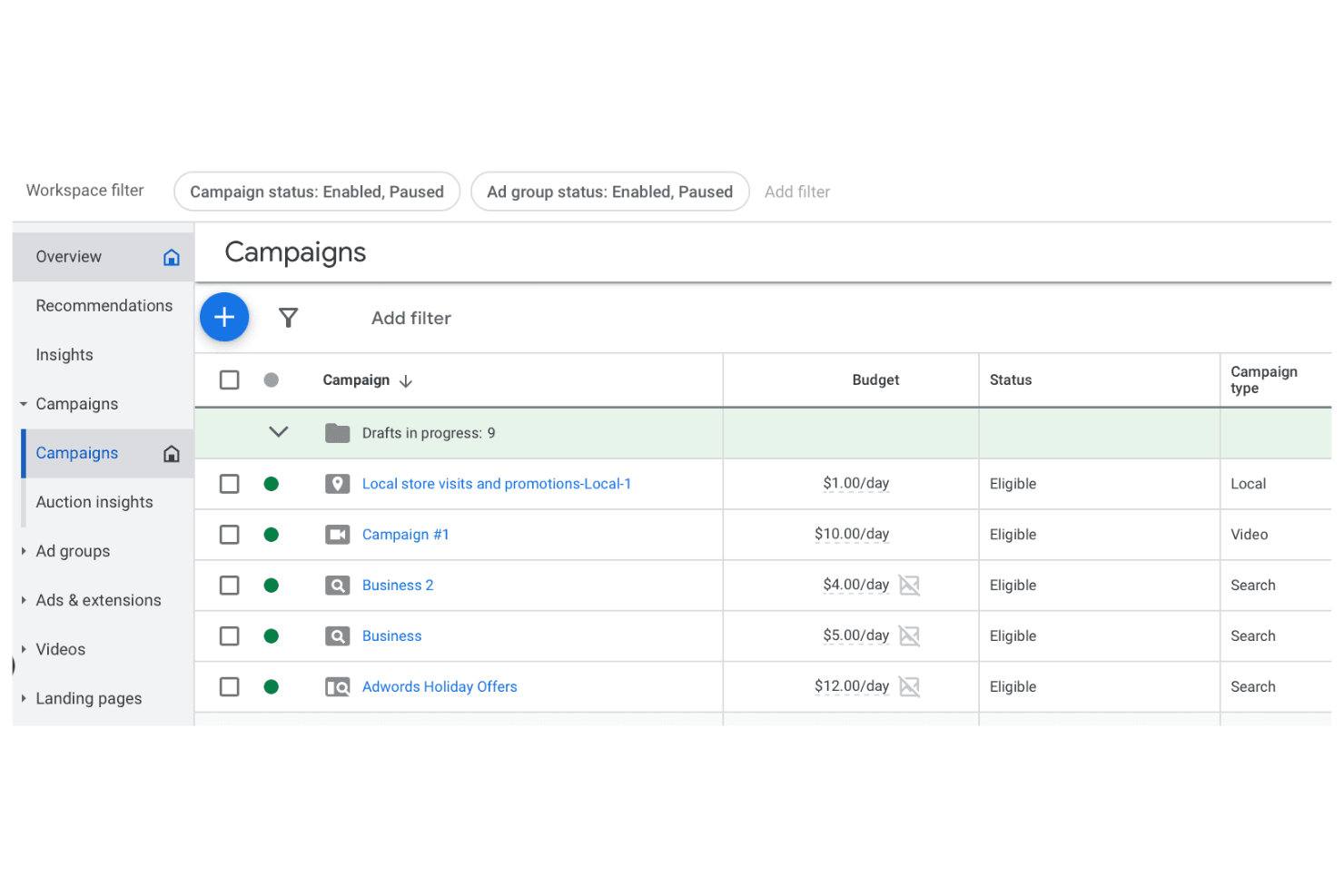
If you need to reach high-intent buyers through search, Google Ads gives you direct access to the world’s largest search audience. It’s especially useful for marketers and agencies focused on paid search, audience targeting, and granular budget control. With advanced targeting and real-time bidding, Google Ads helps you connect with users who are actively searching for your products or services.
Why I Picked Google Ads
What sets Google Ads apart for martech buyers is its unmatched ability to target audiences based on real-time search intent. I picked Google Ads because it lets you build highly specific keyword lists, layer on demographic and location targeting, and use audience segments to refine who sees your ads.
The platform’s in-depth controls for bid strategies and ad scheduling help you reach the right people at the right moment. For marketers who need precision in paid search audience targeting, Google Ads offers the most granular options available.
Google Ads Key Features
Some other features in Google Ads that marketers might find valuable include:
- Responsive search ads: Automatically test multiple headlines and descriptions to find the best-performing combinations.
- Ad extensions: Add site links, callouts, phone numbers, and more to your ads for increased visibility.
- Conversion tracking: Measure specific actions users take after clicking your ads, such as purchases or sign-ups.
- Google Ads Editor: Manage and edit campaigns offline with a downloadable desktop application.
Google Ads Integrations
Integrations include Google Analytics, Google Merchant Center, Google Business Profile, YouTube, Google Tag Manager, Google Data Studio, Google AdSense, Google AdMob, Google Cloud, and Google Workspace.
Pros and Cons
Pros:
- Detailed conversion and attribution reporting
- Real-time keyword and audience targeting
- Largest global search audience reach
Cons:
- Interface updates can disrupt campaign workflows
- Steep competition for high-value keywords

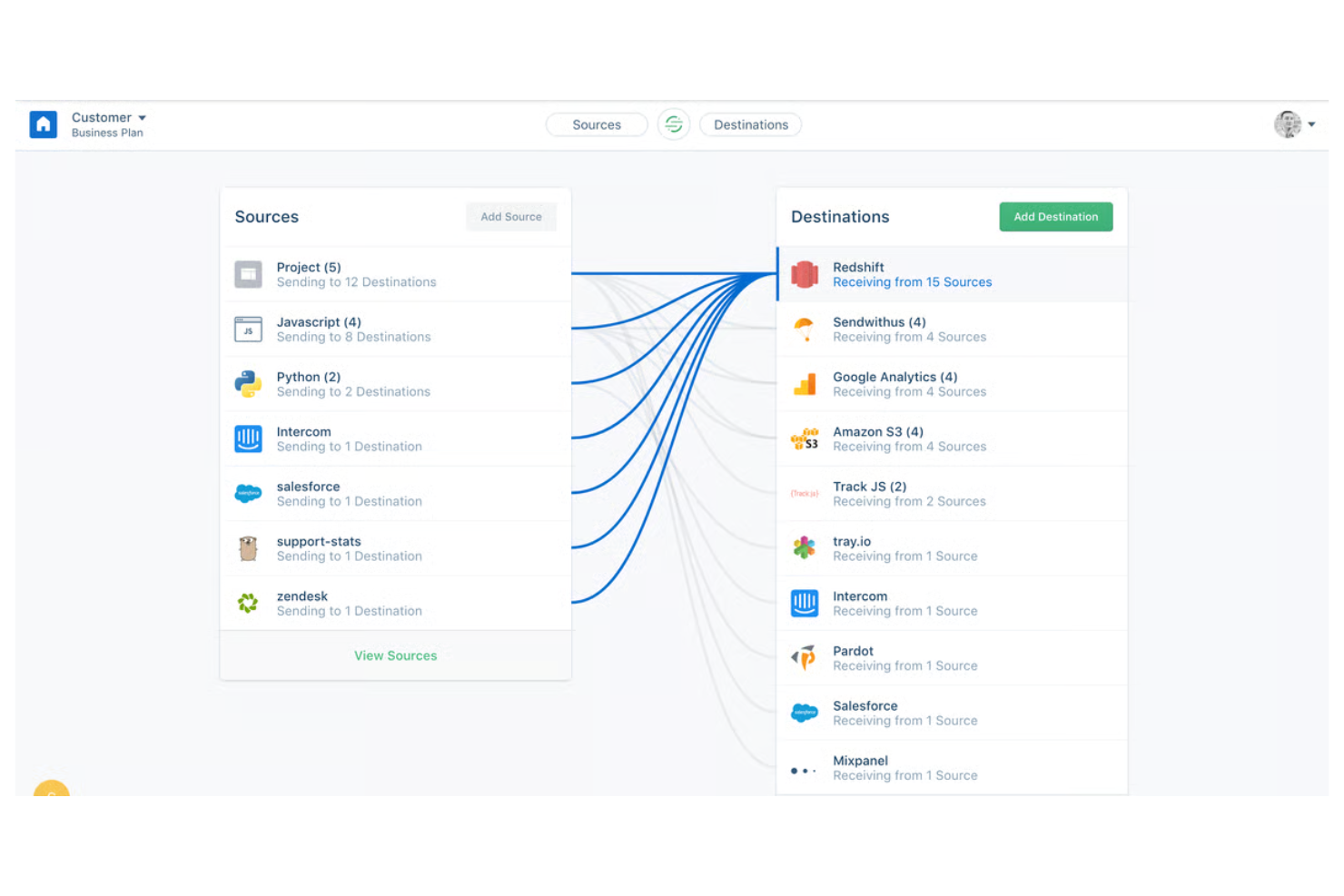
Twilio Segment helps marketing and data teams unify customer data from every channel into a single pipeline. It’s especially useful for businesses that need to connect web, mobile, and backend data sources without building custom integrations. By centralizing event tracking and identity resolution, Segment makes it easier to activate accurate, real-time data across your martech stack.
Why I Picked Twilio Segment
For teams that need a single source of truth for customer data, Twilio Segment offers a unified pipeline that connects every touchpoint. I picked Segment because it lets you collect, standardize, and route event data from web, mobile, and server sources without manual coding.
Its identity resolution feature helps you merge user profiles across devices, so marketing teams can deliver consistent, personalized experiences. This approach is especially valuable for businesses that want to activate real-time data across multiple martech tools.
Twilio Segment Key Features
Some other Segment features that marketing teams often rely on include:
- Audience builder: Create dynamic audience segments based on real-time behavioral data.
- Data governance tools: Set rules for data collection, validation, and privacy compliance.
- Destination catalog: Connect to hundreds of marketing, analytics, and data warehouse tools with pre-built integrations.
- Event replay: Re-send historical event data to new or existing destinations without manual re-tracking.
Twilio Segment Integrations
Integrations include Google Analytics, Salesforce, HubSpot, Shopify, Marketo, Zendesk, Amplitude, Mixpanel, Facebook Ads, and Slack.
Pros and Cons
Pros:
- Advanced audience segmentation workflows
- Granular control over customer data collection policies
- Real-time event tracking across multiple channels
Cons:
- Limited built-in reporting and visualization capabilities
- Initial implementation requires engineering resources
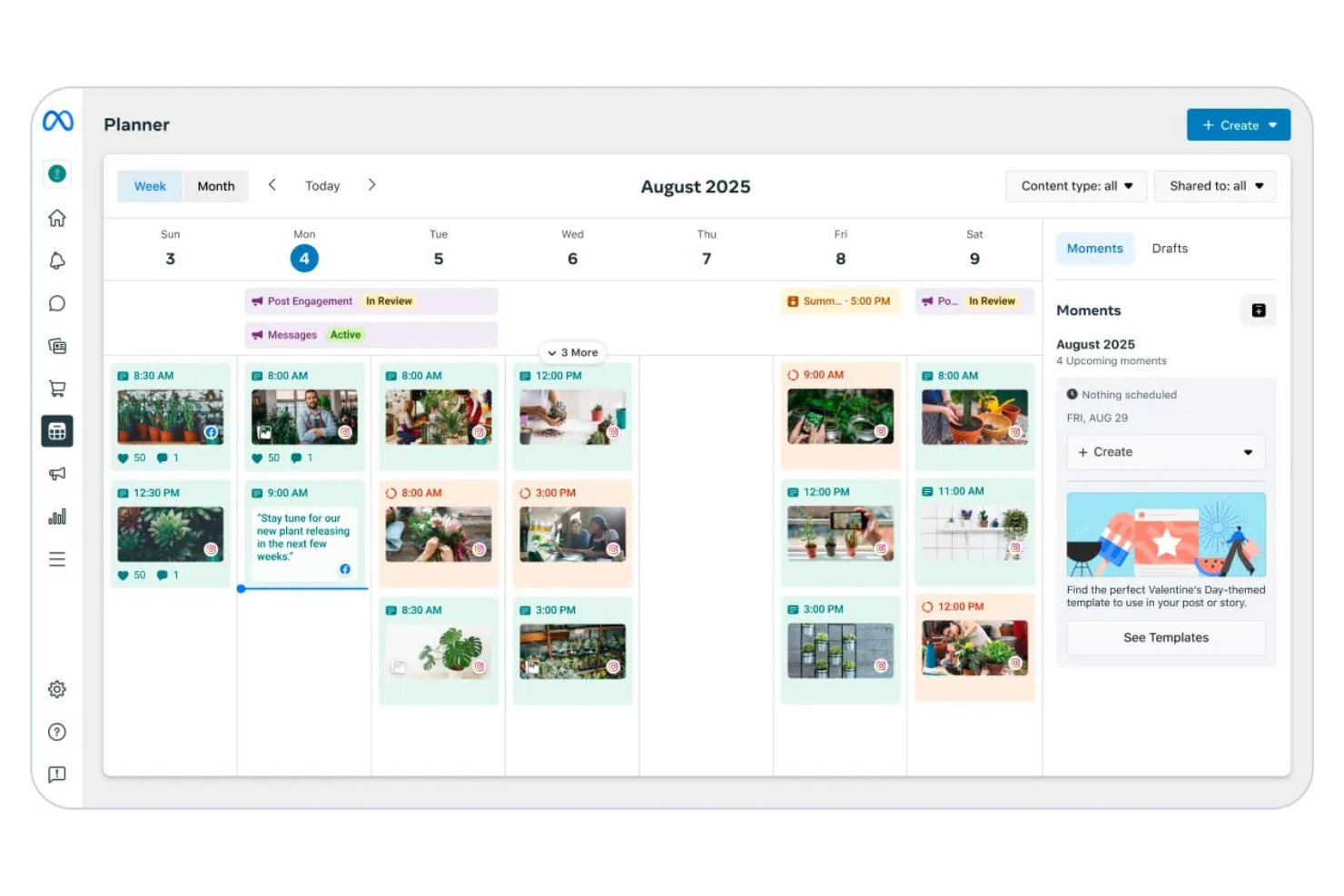
Meta Business gives marketers a centralized platform to manage, track, and optimize ads across Facebook, Instagram, Messenger, and WhatsApp. It’s especially useful for teams running campaigns that need to reach audiences on multiple Meta-owned channels without juggling separate tools. With unified reporting and cross-platform placement options, Meta Business helps you coordinate creative, budgets, and performance in one place.
Why I Picked Meta Business
For marketers who need to manage ads across multiple Meta platforms, Meta Business offers a unified solution that simplifies cross-platform ad placements. I picked Meta Business because it lets you create, schedule, and optimize campaigns for Facebook, Instagram, Messenger, and WhatsApp from a single dashboard.
The platform’s audience targeting tools help you reach users across different channels without duplicating work. With consolidated analytics, you can track performance and adjust budgets in real time, making it a strong fit for martech teams focused on multi-channel reach.
Meta Business Key Features
Some other features that make Meta Business useful for marketing teams include:
- Creative Hub: Build, preview, and collaborate on ad mockups before launching campaigns.
- Automated rules: Set custom triggers to automatically adjust budgets, bids, or pause ads based on performance.
- Pixel and conversion tracking: Monitor website actions and optimize campaigns using Meta Pixel and event tracking.
- Shared asset library: Store and manage images, videos, and creative assets for use across multiple campaigns.
Meta Business Integrations
Integrations include Shopify, WooCommerce, HubSpot, Mailchimp, Hootsuite, Salesforce, Google Analytics, WordPress, Slack, and Zendesk.
Pros and Cons
Pros:
- Real-time reporting across multiple placements
- Detailed audience targeting with lookalike audiences
- Centralized dashboard for Meta advertising channels
Cons:
- Pixel tracking setup can be technically complex
- Frequent interface changes disrupt workflows

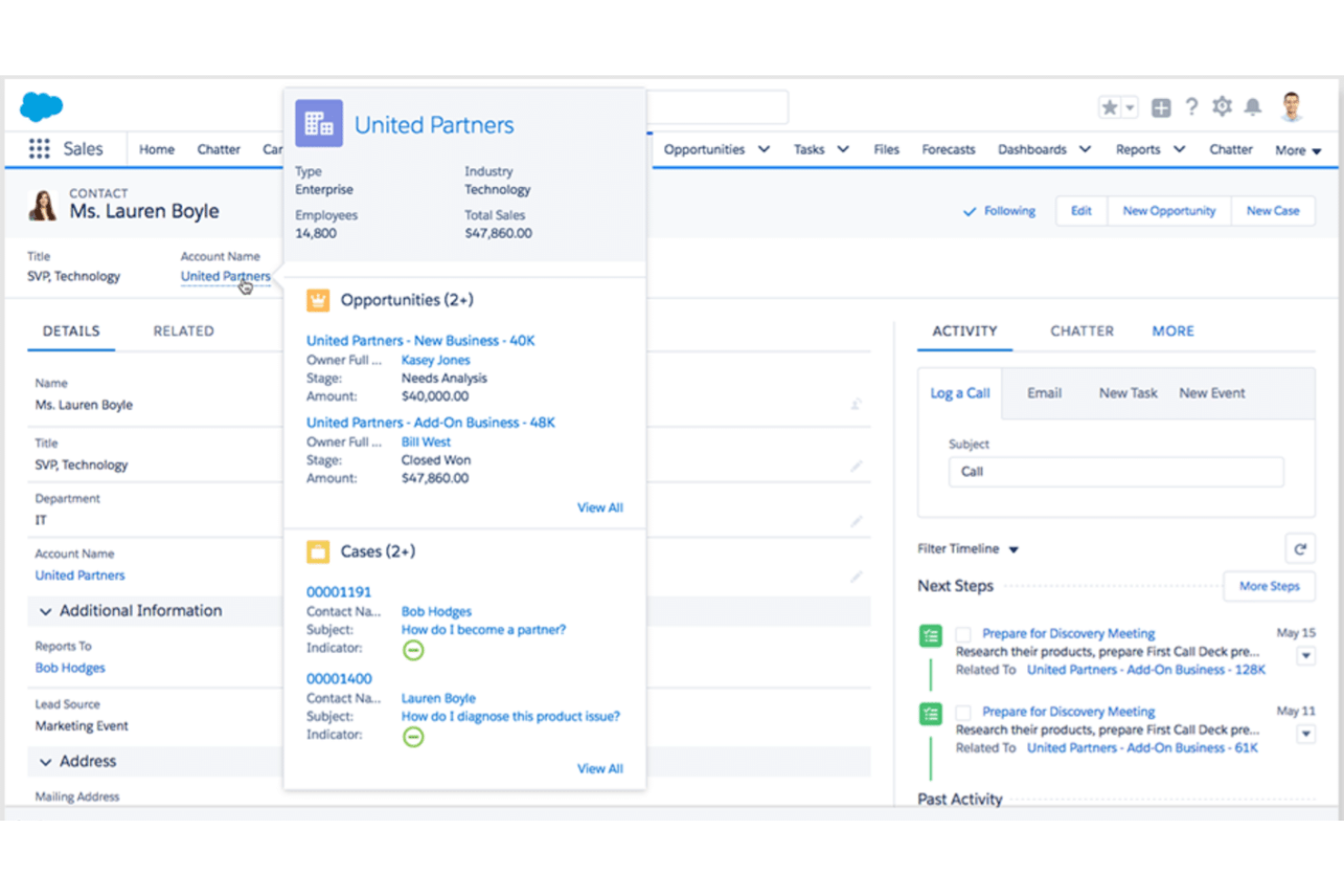
Salesforce brings together CRM, marketing automation, and analytics for teams that need unified customer data across every touchpoint. It’s a strong fit for marketing and sales teams in larger organizations that want to coordinate campaigns, track leads, and personalize outreach at scale. With its deep workflow automation and customizable dashboards, Salesforce helps businesses connect marketing activities directly to revenue outcomes.
Why I Picked Salesforce
When you need marketing workflows that are tightly connected to CRM data, Salesforce stands out for its unified approach. I picked Salesforce because it lets marketers automate campaigns based on real-time customer activity and sales pipeline changes.
Marketing technology like lead scoring and journey mapping tools helps teams prioritize outreach and tailor messaging at every stage. These features make Salesforce a strong choice for businesses that want to align marketing and sales efforts around a single source of truth.
Salesforce Key Features
Some other Salesforce features that marketing teams often rely on include:
- Customizable reporting dashboards: Build and share real-time dashboards tailored to specific campaign or sales metrics.
- Einstein AI-powered insights: Use predictive analytics to identify trends and recommend next actions.
- Campaign management module: Plan, execute, and track multi-channel campaigns from a single workspace.
- AppExchange marketplace: Extend platform functionality with thousands of pre-built apps and integrations.
Salesforce Integrations
Integrations include Jira, LinkedIn, QuickBooks, Docusign, Mailchimp, Google Workspace, Slack, Dropbox, ActiveCampaign, and more.
Pros and Cons
Pros:
- Customizable dashboards for campaign performance tracking
- Advanced lead scoring with AI recommendations
- Real-time syncing between sales and marketing data
Cons:
- Limited out-of-the-box social media tools
- Complex setup for marketing automation
Other Martech tools
Here are some additional martech tools options that didn’t make it onto my shortlist, but are still worth checking out:
- Mailchimp
For small business email campaigns
- Klaviyo
For ecommerce email automation
- UserMaven
For privacy-focused user analytics
- Hootsuite
For scheduling posts across networks
- RedTrack
For affiliate campaign tracking
- Canva
For rapid visual content creation
- Buffer
For collaborative content planning
- Mutiny
For website personalization at scale


Martech tools Selection Criteria
When selecting the best Martech tools to include in this list, I considered common buyer needs and pain points like connecting fragmented marketing data and managing campaigns across multiple channels. I also used the following framework to keep my evaluation structured and fair:
Core Functionality (25% of total score)
To be considered for inclusion in this list, each solution had to fulfill these common use cases:
- Manage and schedule marketing campaigns
- Track and report on campaign performance
- Segment and target audiences
- Collaborate on creative assets
- Integrate with other marketing platforms
Additional Standout Features (25% of total score)
To help further narrow down the competition, I also looked for unique features, such as:
- AI-driven content recommendations
- Automated budget optimization
- Cross-channel attribution modeling
- Real-time collaboration tools
- Advanced audience insights
Usability (10% of total score)
To get a sense of the usability of each system, I considered the following:
- Simple and intuitive navigation
- Clean and modern interface design
- Customizable dashboards
- Minimal clicks to complete core tasks
- Accessibility for users with different skill levels
Onboarding (10% of total score)
To evaluate the onboarding experience for each platform, I considered the following:
- Step-by-step product tours
- Availability of training videos and webinars
- Pre-built templates for quick setup
- In-app chatbots for onboarding support
- Clear documentation and help center
Customer Support (10% of total score)
To assess each software provider’s customer support services, I considered the following:
- 24/7 live chat or phone support
- Fast response times
- Knowledgeable support staff
- Access to user communities or forums
- Proactive outreach and follow-up
Value For Money (10% of total score)
To evaluate the value for money of each platform, I considered the following:
- Transparent and flexible pricing plans
- Features included at each pricing tier
- Free trial or free plan availability
- No hidden fees or surprise charges
- Discounts for annual billing or volume
Customer Reviews (10% of total score)
To get a sense of overall customer satisfaction, I considered the following when reading customer reviews:
- Consistent positive feedback on core features
- Reports of reliable performance
- Praise for customer support quality
- Feedback on ease of onboarding
- Value for price paid
How to Choose Martech tools
It’s easy to get bogged down in long feature lists and complex pricing structures. To help you stay focused as you work through your unique software selection process, here’s a checklist of factors to keep in mind:
| Factor | What to Consider |
|---|---|
| Scalability | Will the tool support your team’s growth and increased campaign volume over time? Check for user limits, data caps, or pricing jumps as usage expands. |
| Integrations | Does the tool connect natively with your CRM, analytics, and other core platforms? Confirm compatibility with your existing stack to avoid manual workarounds. |
| Customizability | Can you tailor workflows, dashboards, or reporting to your team’s needs? Assess whether the tool allows for flexible configuration or enforces rigid processes. |
| Ease of use | How quickly can new users become productive? Look for clear navigation, minimal training requirements, and a UI that matches your team’s technical comfort level. |
| Implementation and onboarding | What resources and time are required to get up and running? Ask about migration support, onboarding guides, and whether vendor assistance is included or extra. |
| Cost | Are pricing tiers transparent and predictable as your needs change? Watch for hidden fees, required add-ons, or steep increases for advanced features. |
| Security safeguards | Does the tool meet your organization’s data privacy and security standards? Check for encryption, user permissions, and compliance with regulations like GDPR. |
| Support availability | What support channels are offered, and during what hours? Consider if you’ll need 24/7 help, dedicated account management, or access to a user community. |
What are Martech tools?
Martech tools are software solutions that support marketing technology initiatives by helping teams plan, execute, measure, and improve their marketing efforts. These marketing tools play an important role in digital marketing, enabling organizations to manage campaigns, analyze performance, and deliver better customer experiences across multiple channels.
Many martech platforms combine capabilities such as marketing automation platforms, content management systems, customer relationship management, and customer data platforms (CDP) to support the entire customer journey. By connecting these tools into a unified marketing technology stack, teams can coordinate content marketing, search engine optimization, and campaigns across social media platforms.
More recently, modern martech solutions have increasingly included AI tools and generative AI capabilities that help automate processes, generate content, and uncover insights from customer behavior. When integrated into a broader tech stack, these automation tools help marketing teams reduce manual work, improve customer interactions, and make more informed decisions across their marketing ecosystem.
Features
When selecting martech tools, keep an eye out for the following key features:
- Campaign management: Centralizes the planning, scheduling, and execution of marketing campaigns across multiple channels, helping teams coordinate efforts and maintain consistency.
- Audience segmentation: Allows you to group contacts or leads based on shared characteristics, behaviors, or demographics for more targeted messaging and personalization.
- Analytics and reporting: Provides dashboards and customizable reports that track campaign performance, user engagement, and ROI, enabling data-driven decision-making.
- Collaboration tools: Supports team communication, file sharing, and feedback within the platform, making it easier to coordinate on creative assets and campaign tasks.
- Workflow automation: Automates repetitive marketing tasks such as email sends, lead nurturing, and approvals, reducing manual effort and minimizing errors.
- Asset management: Offers a centralized library for storing, organizing, and retrieving creative assets like images, videos, and documents for use in campaigns.
- Integration capabilities: Connects with other business systems such as CRM, analytics, and advertising platforms to ensure data flows smoothly between tools.
- Permission controls: Lets administrators set user roles and access levels, ensuring sensitive data and campaign settings are only available to authorized team members.
Common martech tools AI Features
Beyond the standard martech tools features listed above, many of these solutions are incorporating AI with features like:
- Predictive analytics: Uses AI algorithms to forecast campaign outcomes, customer behaviors, or sales trends based on historical and real-time data, helping teams make proactive decisions.
- Content generation: Automatically creates copy, headlines, or social posts tailored to specific audiences and channels, saving time and supporting consistent messaging.
- Dynamic personalization: Delivers individualized website content, emails, or ads in real time by analyzing user data and behavior, increasing engagement and conversion rates.
- Lead scoring: Applies machine learning to evaluate and rank leads based on their likelihood to convert, allowing teams to prioritize outreach and focus on high-potential prospects.
- Sentiment analysis: Analyzes customer feedback, reviews, or social media mentions to detect tone and sentiment, providing insights into brand perception and emerging issues.
Benefits
Implementing martech tools provides several benefits for your team and your business. Here are a few you can look forward to:
- Centralized campaign management: Coordinate all marketing activities from a single platform, making it easier to plan, execute, and monitor campaigns across channels.
- Improved targeting and personalization: Use segmentation and AI-driven personalization features to deliver more relevant messages to specific audience groups.
- Faster decision-making: Access real-time analytics and reporting dashboards that help your team quickly assess performance and adjust strategies.
- Enhanced team collaboration: Leverage built-in collaboration tools and asset management to streamline communication and creative workflows.
- Reduced manual effort: Automate repetitive tasks like campaign scheduling, lead nurturing, and reporting, freeing up time for strategic work.
- Better data integration: Connect your marketing stack with integrations that ensure data flows smoothly between platforms, reducing silos and manual data entry.
- Stronger data security: Control user permissions and access levels to protect sensitive information and maintain compliance with privacy regulations.
Costs & Pricing
Selecting martech tools requires an understanding of the various pricing models and plans available. Costs vary based on features, team size, add-ons, and more. The table below summarizes common plans, their average prices, and typical features included in martech tools solutions:
Plan Comparison Table for Martech tools
| Plan Type | Average Price | Common Features |
|---|---|---|
| Free Plan | $0 | Basic campaign management, limited analytics, single-user access, and basic integrations. |
| Personal Plan | $13.50-$60/month | Standard campaign tools, audience segmentation, basic automation, email support, and limited storage. |
| Business Plan | $90-$800/month | Advanced analytics, multi-user collaboration, workflow automation, asset management, and API access. |
| Enterprise Plan | $80-$3000+//month Note that Enterprise plans often come with high onboarding fees. | Custom integrations, advanced security, dedicated support, unlimited users, and compliance features. |
Martech tools FAQs
Here are some answers to common questions about martech tools:
How do I know if my team needs martech tools?
If your team manages multiple campaigns, struggles with manual processes, or finds it hard to track marketing performance, martech tools can help. These platforms centralize workflows, automate tasks, and provide analytics to support better decision-making.
Can martech tools integrate with my existing CRM or analytics platforms?
Yes, most martech tools offer integrations with popular CRM, analytics, and advertising platforms. Always check for native integrations or available APIs to ensure smooth data flow and avoid manual data entry.
What should I prioritize when evaluating martech tools?
Focus on scalability, integration capabilities, ease of use, and support options. Consider how well the tool fits your workflows, whether it can grow with your team, and if it meets your security and compliance requirements.
Are there hidden costs with martech tools?
Some martech tools charge extra for advanced features, additional users, or premium support. Review pricing tiers carefully and ask vendors about potential add-ons, overage fees, or contract minimums before committing.
How long does it take to implement a martech tool?
Implementation time varies by tool complexity and your team’s readiness. Simple tools may take a few days, while enterprise solutions can require weeks for setup, integration, and training. Ask vendors for onboarding timelines and available support resources.
What’s Next:
If you're in the process of researching martech tools, connect with a SoftwareSelect advisor for free recommendations.
You fill out a form and have a quick chat where they get into the specifics of your needs. Then you'll get a shortlist of software to review. They'll even support you through the entire buying process, including price negotiations.