
14 Best Grammarly Alternatives for 2026

Grammarly Alternatives Shortlist
Here’s my shortlist of Grammarly alternatives:


A strong Grammarly alternative offers advanced AI writing assistance, flexible editing features, and support for a range of content types beyond basic grammar checks and proofreading tools. If you’re searching for options that go further than Grammarly, or need better SEO tools, creative writing support, or complex sentence suggestions integrated into your workflow, you’re not alone.
With so many new AI writing assistants on the market, it’s tough to know which ones actually fit your team’s needs. This list will help you quickly compare the top Grammarly alternatives for 2026, so you can find the right tool for your writing, editing, and content goals, including options with premium plans.
What is Grammarly?
Grammarly is an AI-powered writing assistant that checks grammar, spelling, punctuation, and style in real time. It helps users improve clarity, tone, and correctness across emails, documents, and web content.
Grammarly is widely used by professionals, students, and teams who want to produce error-free writing and maintain a consistent voice. Its browser extensions, desktop apps, and integrations make it accessible across most writing platforms.
Best Grammarly Alternatives Summary
This comparison chart summarizes pricing details for my top Grammarly alternative selections to help you find the best one for your budget and business needs.
| Tool | Best For | Trial Info | Price | ||
|---|---|---|---|---|---|
| 1 | Best for AI-powered blog article generation | Free trial + free demo available | From $39/month (billed annually) | Website | |
| 2 | Best for SEO-focused content planning | 7-day free trial | From $30/month (billed annually) | Website | |
| 3 | Best for integration with CRM workflows | Free plan + free demo available | From $9/seat/month (billed annually) | Website | |
| 4 | Best for generating social media content | Free demo available + free plan available | From $24/month (billed annually) | Website | |
| 5 | Best for handling complex document analysis | Free plan available | From $17/month (billed annually) | Website | |
| 6 | Best for enforcing company style guidelines | Free 14-day trial | Pricing upon request | Website | |
| 7 | Best for quick multi-language drafts | Free plan available | From $7.50/month (billed annually) | Website | |
| 8 | Best for optimizing ad and landing page copy | Free plan + free 7-day trial available | From $39/month (billed annually) | Website | |
| 9 | Best for bulk product description creation | Free trial available | From $19/month (billed annually) | Website | |
| 10 | Best for creative story and narrative writing | Free trial available | From $10/month | Website |
Why Trust Our Software Reviews
-

Demandbase
Visit WebsiteThis is an aggregated rating for this tool including ratings from Crozdesk users and ratings from other sites.4.4 -
6sense
Visit WebsiteThis is an aggregated rating for this tool including ratings from Crozdesk users and ratings from other sites.4.3 -
AnswerThePublic
Visit Website


Grammarly Alternatives Reviews
Below are my detailed summaries of the Grammarly alternatives that made it onto my shortlist. My reviews offer a detailed look at the features, best use cases, and integrations of each software to help you find the best one for you.

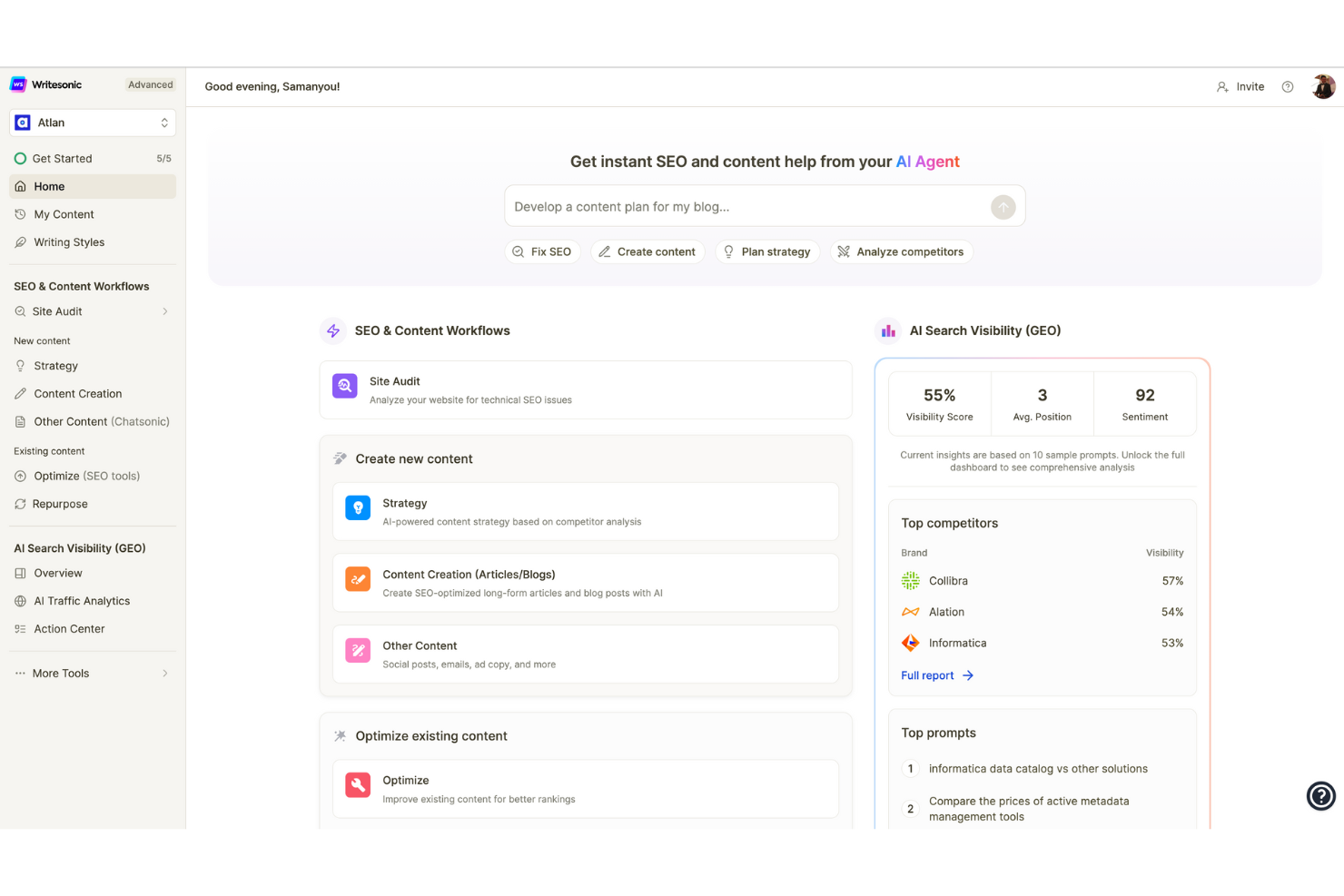
Writesonic is built for generating long-form blog content quickly. It appeals to content marketers, agencies, bloggers, and SEO professionals who want AI to handle full article drafts, not just grammar and style. Unlike Grammarly, Writesonic focuses on producing entire blog posts, complete with headlines, outlines, and SEO optimization.
Who is Writesonic Best For?
Content marketers and SEO teams in small to mid-sized organizations in North America and Europe producing AI-powered blog articles efficiently.
Why I Picked Writesonic
For anyone focused on publishing high-quality blog articles at scale, Writesonic offers a different approach than Grammarly. I picked Writesonic because its AI can generate entire blog posts from a single prompt, including headlines, outlines, and SEO-friendly content. The platform also provides tools for rewriting, expanding, or summarizing text, which helps you quickly adapt content for different channels. If your main goal is to automate long-form content creation, Writesonic delivers features that go far beyond grammar and style suggestions.
Writesonic Key Features
Some other features in Writesonic help teams create and manage content more flexibly:
- AI Article Summarizer: Condense long articles or reports into concise summaries for quick reference.
- Brand Voice Customization: Adjust the AI’s writing style to match your brand’s tone and guidelines.
- Bulk Content Generation: Produce multiple pieces of content at once using batch processing.
- Landing Page Generator: Create full landing page copy from a prompt or outline.
Writesonic Integrations
Integrations include WordPress, Shopify, Zapier, HubSpot, Google Docs, Trello, Slack, Microsoft Teams, Asana, Mailchimp, and more.
Pros and Cons
Pros:
- Includes a summarizer for condensing long-form content
- Offers AI-powered rewriting and content expansion tools
- Generates full-length blog articles from a single prompt
Cons:
- Limited support for real-time collaboration on documents
- AI-generated text sometimes requires significant manual editing

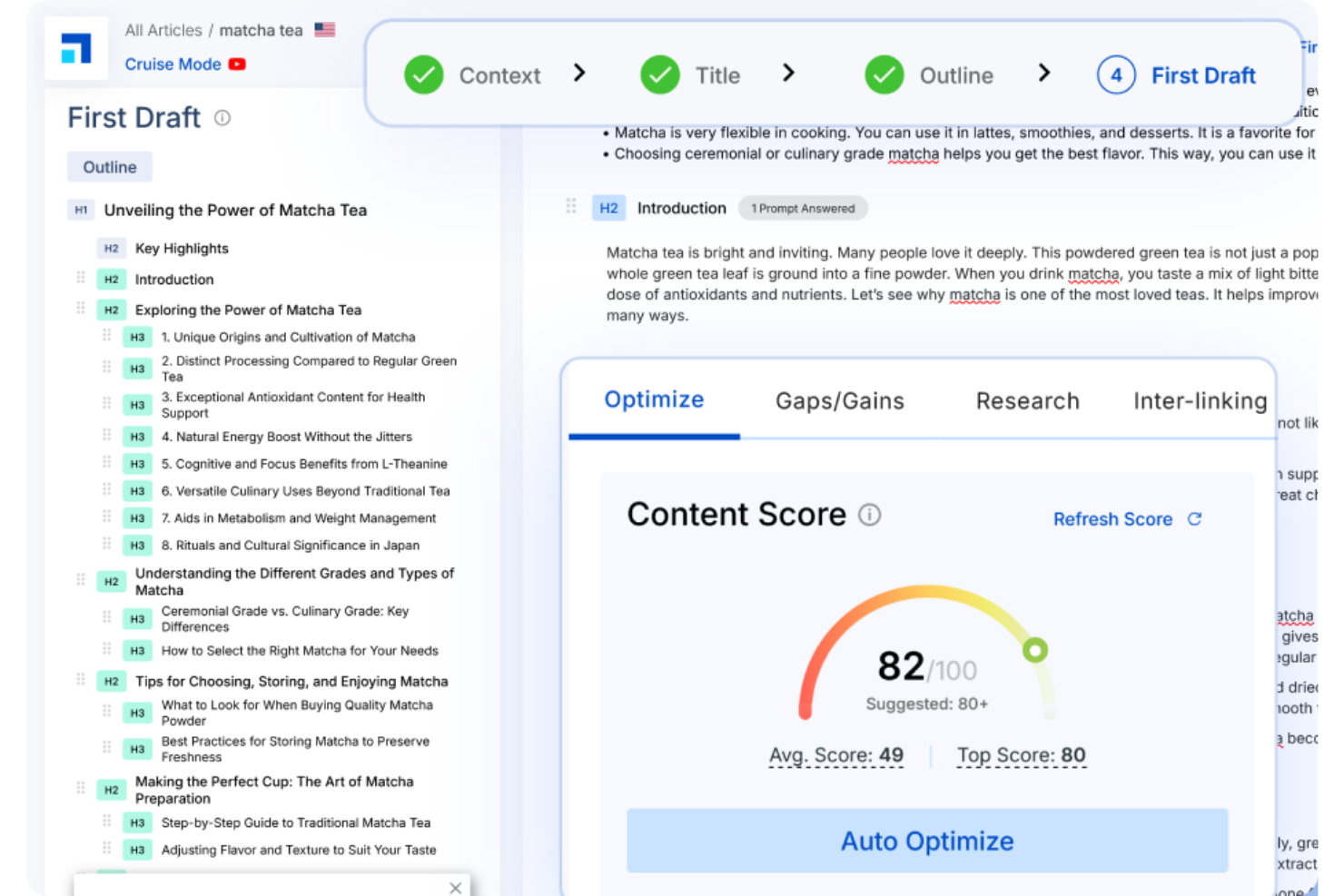
For marketers and content teams who need to plan and optimize for search, Scalenut offers a different approach than most writing assistants. This platform combines AI writing with in-depth SEO research and topic clustering, making it especially useful for those focused on organic growth. Unlike Grammarly, Scalenut helps you build content strategies around keyword data and competitive analysis, not just grammar and clarity.
Who is Scalenut Best For?
SEO and content strategy teams in small to mid-sized companies globally planning and generating SEO-focused content.
Why I Picked Scalenut
If your main goal is to create content that ranks, Scalenut brings a different set of tools than Grammarly. I picked Scalenut because it combines AI writing with SEO-focused features like keyword research, topic clustering, and SERP analysis.
The platform helps you plan content around search intent and competitive gaps, not just polish grammar and style, offering a grammar tool and support for grammar errors. For teams who want to build a content strategy that drives organic traffic, Scalenut offers capabilities that go far beyond basic writing assistance, with options available in both a free version and paid plans.
Scalenut Key Features
Some other features in Scalenut help content teams manage and optimize their workflow:
- Content Brief Generator: Automatically creates detailed content briefs based on top-ranking pages.
- AI-Powered Writing Templates: Offers pre-built templates for various content types like product descriptions and emails.
- Content Grading Tool: Scores your draft against SEO and readability benchmarks.
- Plagiarism Checker: Scans your content to identify duplicate or unoriginal text.
Scalenut Integrations
Integrations include WordPress, Semrush Cluster Booster, Semrush Keyword Researcher, Copyscape, and more.
Pros and Cons
Pros:
- Includes a content grading tool for SEO and readability
- Generates detailed content briefs based on SERP analysis
- Provides keyword research and topic clustering for SEO-driven writing
Cons:
- No browser extension for real-time writing assistance
- Limited support for non-English languages

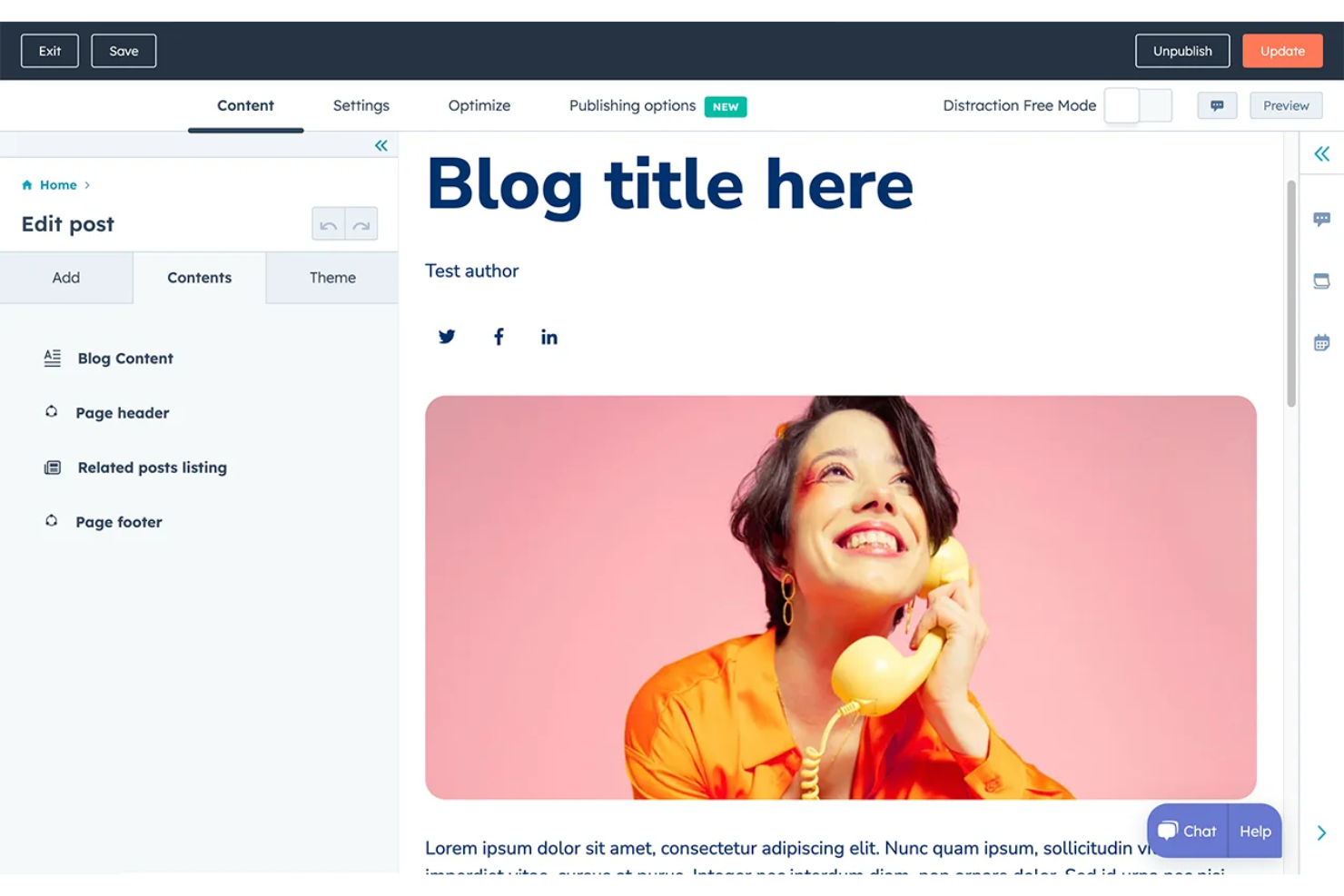
HubSpot brings AI-powered content tools directly into your CRM and marketing workflows, unlike most writing assistants. It’s a strong fit for marketing and sales teams that want to create, personalize, and optimize content within the same system used to manage leads and campaigns. If you need writing support that’s closely connected to contact data and automation, HubSpot offers a level of functionality that Grammarly and similar tools don’t provide.
Who is HubSpot Best For?
Marketing and sales teams in small to large organizations globally integrating content creation with CRM workflows.
Why I Picked HubSpot
If you want your writing assistant to work hand-in-hand with your CRM, HubSpot is a strong choice. I picked HubSpot because its AI writing tools are built directly into email, landing page, and blog editors that connect with your contact and deal data. You can generate, personalize, and optimize content for every stage of the customer journey without leaving your CRM environment, with support for grammar checker functionality and optional integration with LinguateTool for additional accuracy.
This level of workflow integration is something Grammarly doesn’t offer, making HubSpot a unique alternative for marketing and sales teams who might also benefit from premium version features.
HubSpot Key Features
Some other features in HubSpot help teams manage content and collaboration more efficiently:
- AI Blog Post Generator: Create full-length blog articles from a single prompt or outline.
- Content Calendar: Plan, schedule, and track all your marketing content in one place.
- SEO Recommendations: Get real-time suggestions to improve your content’s search visibility.
- Team Collaboration Tools: Assign, comment, and review content drafts within the platform.
HubSpot Integrations
Integrations include Gmail, Google Calendar, Outlook, WordPress, Outlook Calendar, Meta Ads, Zoom, Microsoft Teams, Slack, Salesforce, and more.
Pros and Cons
Pros:
- Offers content optimization suggestions based on SEO best practices
- Generates blog posts, emails, and landing pages from prompts
- AI writing tools are embedded in CRM, email, and marketing workflows
Cons:
- No dedicated plagiarism checker for written content
- AI suggestions sometimes miss context or brand voice nuances

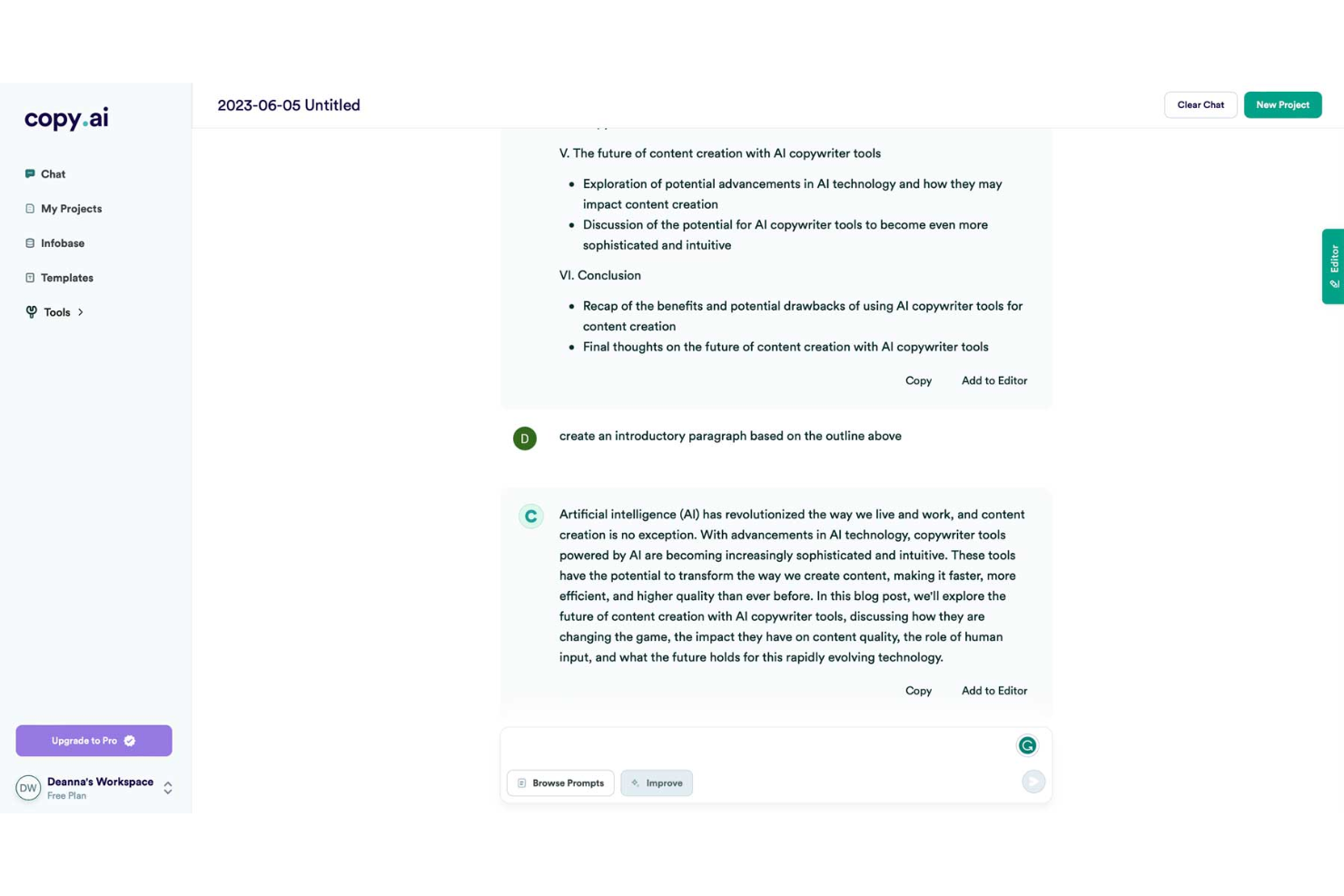
Copy.ai is built for creating high-volume, on-brand social media content. It’s especially useful for marketing teams, agencies, and content creators who want to generate posts, captions, and campaign ideas across multiple platforms. Unlike Grammarly, Copy.ai focuses on ideation and content variety, helping you quickly fill your social calendar with fresh, engaging copy.
Who is Copy.ai Best For?
Social media managers and marketing teams in small to mid-sized companies worldwide generating social media posts and short-form content.
Why I Picked Copy.ai
If your main goal is to generate creative, platform-specific social media content, Copy.ai offers a different approach than Grammarly. I picked Copy.ai because it specializes in producing ready-to-publish posts, captions, and campaign ideas tailored for channels like Instagram, LinkedIn, and Twitter.
Its content generator can adapt tone, style, and length to fit each platform’s requirements, making it easy to maintain a consistent brand voice. For marketers and content teams who need more than just grammar checks, Copy.ai delivers the variety and speed needed to keep social feeds active, while offering paraphrasing options and suggestions for word choice.
Copy.ai Key Features
Some other features in Copy.ai help expand its usefulness for content teams:
- Brand Voice Customization: Set and apply your brand’s tone and style guidelines to all generated content.
- Bulk Content Generation: Create multiple variations of posts or messages in a single workflow.
- Project Organization: Organize campaigns, drafts, and assets within dedicated project folders.
- Collaboration Tools: Invite team members to review, edit, and comment on content drafts.
Copy.ai Integrations
Integrations include Salesforce, HubSpot, Gong, Outreach, Salesloft, and more.
Pros and Cons
Pros:
- Adapts content tone and style to match brand guidelines
- Offers bulk content creation for campaign planning needs
- Generates multiple social media post variations in seconds
Cons:
- Lacks advanced grammar and style correction tools
- No real-time in-line editing within document editors
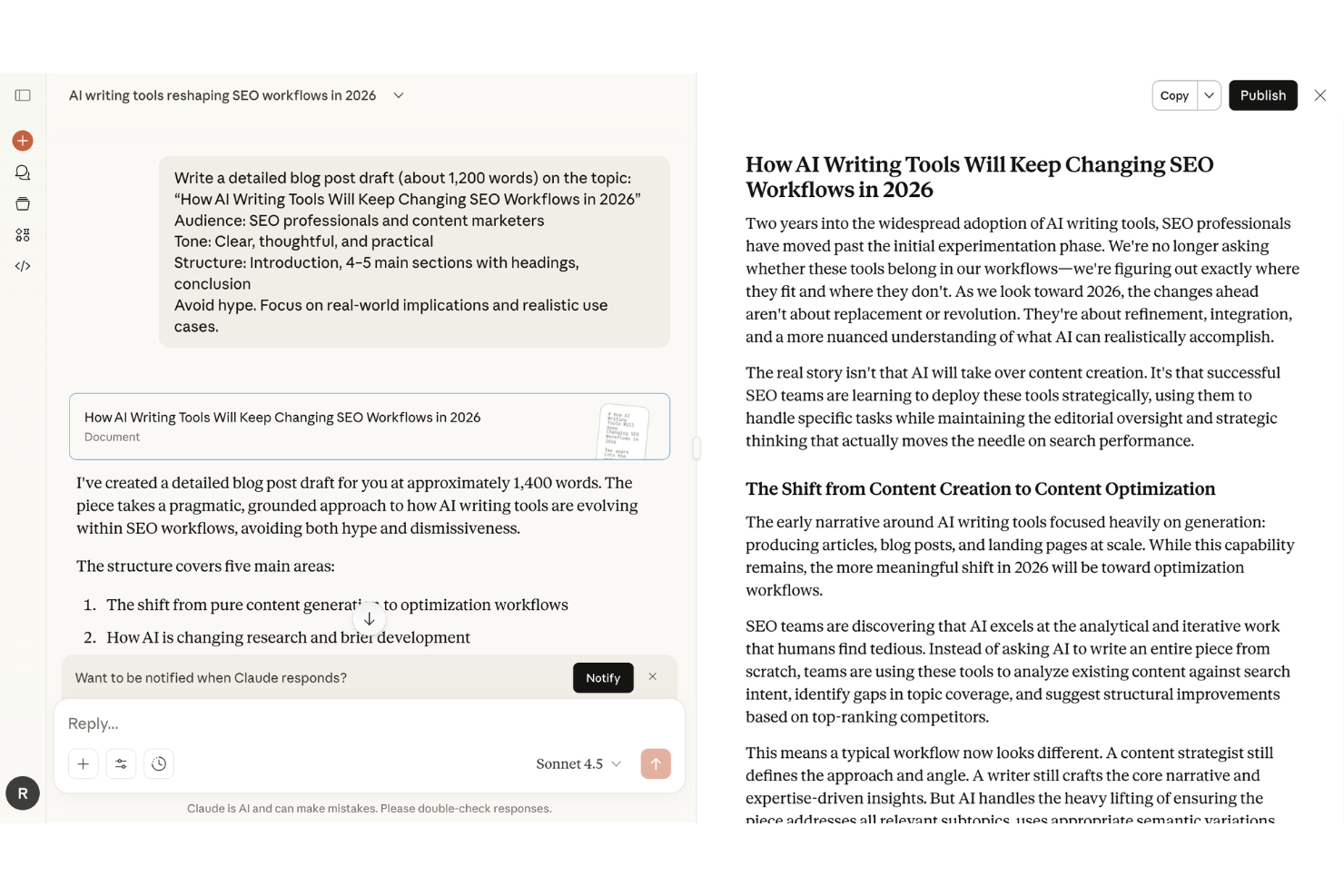
Claudei is an AI writing assistant that can process and analyze large, complex documents. It’s built for professionals who handle research reports, legal contracts, or technical documentation and need deep comprehension and summarization capabilities. Unlike Grammarly, Claude excels at understanding context, extracting insights, and managing multi-document workflows.
Who is Claude Best For?
Knowledge workers and content analysts in mid-sized to large organizations globally handling complex document analysis and synthesis.
Why I Picked Claude
For anyone who needs to analyze and work with complex documents, Claude offers capabilities that go far beyond grammar and style checks. I picked Claude because it can process lengthy files, extract key information, and generate detailed summaries from technical, legal, or research materials.
Its ability to handle multi-document analysis and answer nuanced questions about the content sets it apart from tools focused only on surface-level writing improvements. If your workflow involves deep document understanding rather than just editing, Claude is a strong alternative to Grammarly, offering plagiarism checks and proofreading support for thorough, accurate work.
Claude Key Features
Some other features in Claude make it a flexible tool for a range of writing and analysis tasks:
- Custom Prompt Templates: Save and reuse prompt structures for recurring analysis or writing needs.
- Document Upload Support: Attach and reference multiple file types, including PDFs and Word documents, directly in your workspace.
- Conversation Memory: Retain context across long sessions to support ongoing, multi-step projects.
- Code Interpretation: Analyze, explain, or generate code snippets within technical documents.
Claude Integrations
Integrations include Slack, Google Workspace, Chrome, Excel, PowerPoint, Amazon Bedrock, Google Cloud Vertex AI, and more.
Pros and Cons
Pros:
- Maintains conversation context for multi-step writing projects
- Summarizes, explains, and extracts insights from technical content
- Handles large and complex documents without file size limits
Cons:
- Lacks advanced grammar and style suggestions found in Grammarly
- No in-line editing or real-time suggestions within documents

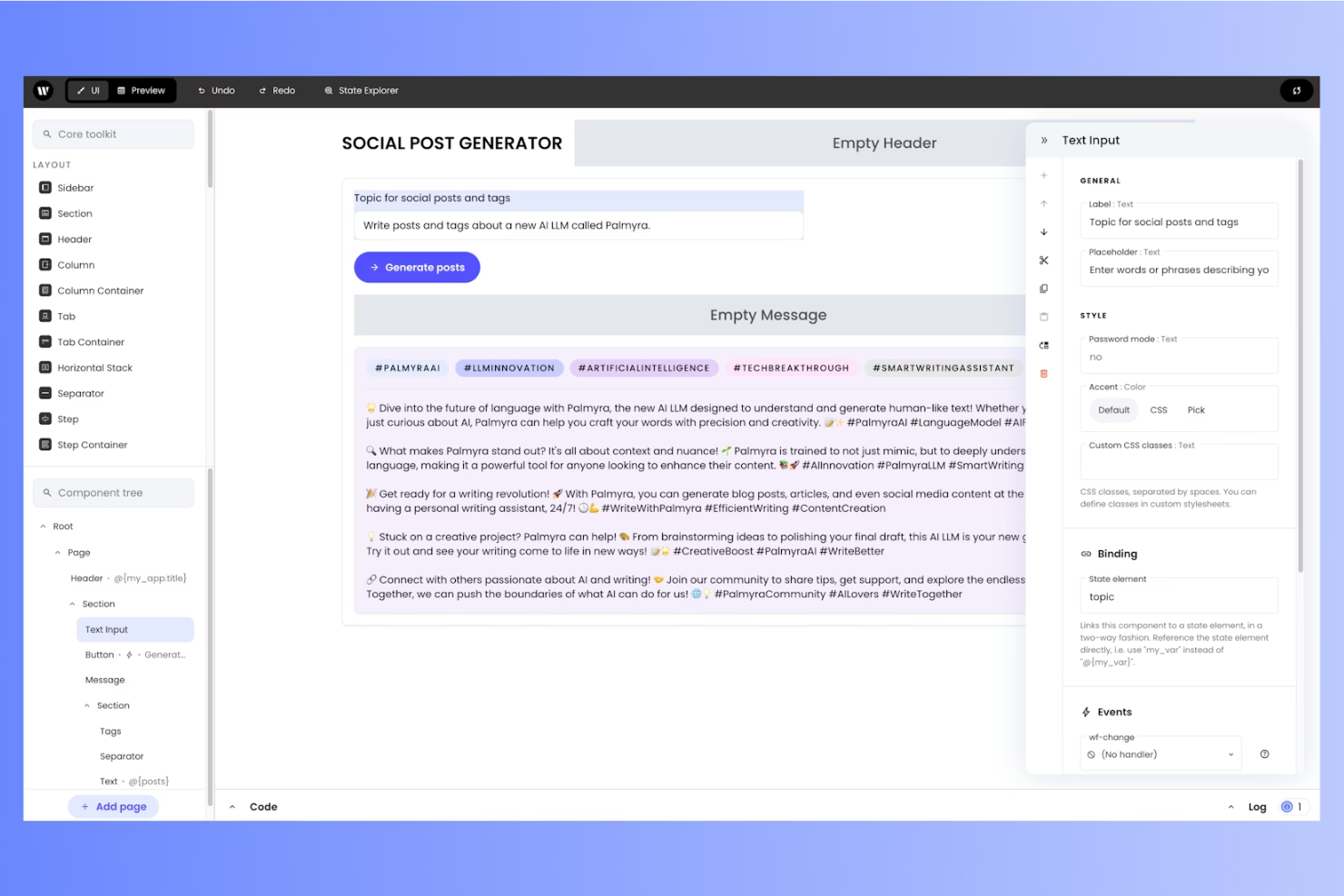
Writer offers specialized tools for teams that need to maintain a consistent brand voice across all content. It’s built for marketing departments, communications teams, and enterprises that want to standardize language, terminology, and tone. Unlike Grammarly, Writer lets you create and apply custom style rules that align with your organization’s unique standards.
Who is Writer Best For?
Content and compliance teams in mid-sized to large companies globally enforcing company style guidelines across documents and campaigns.
Why I Picked Writer
For teams that need consistency and style enforcement across all content, Writer is built to go beyond basic grammar checks. I picked Writer because it helps organizations maintain brand voice, catch grammatical errors, and reduce wordiness across documents.
The platform offers add-ons for browsers like Firefox and Safari, as well as a mobile app, so your team can edit and proofread wherever they work. For anyone seeking a free Grammarly alternative or a tool that supports multiple languages like French and Spanish, Writer provides flexible solutions for enterprise and creative teams alike.
Writer Key Features
Some other features in Writer help teams manage content quality and workflow:
- Plagiarism Detection: Scan content for duplicate or unoriginal text before publishing.
- Chrome Extension: Access Writer’s suggestions directly in browser-based apps and websites.
- Analytics Dashboard: Track writing trends, guideline adherence, and team performance over time.
- Content Scoring: Receive automated scores for readability, clarity, and inclusivity in your drafts.
Writer Integrations
Integrations include Google Docs, Microsoft Word, Figma, Contentful, Chrome, Outlook, Gmail, WordPress, Zendesk, Salesforce, and more.
Pros and Cons
Pros:
- Terminology management flags unapproved or off-brand language instantly
- Plagiarism detection is included for all business plans
- Custom style guide enforcement ensures brand consistency across teams
Cons:
- Limited grammar and spelling feedback
- Occasional false positives on style or inclusivity suggestions

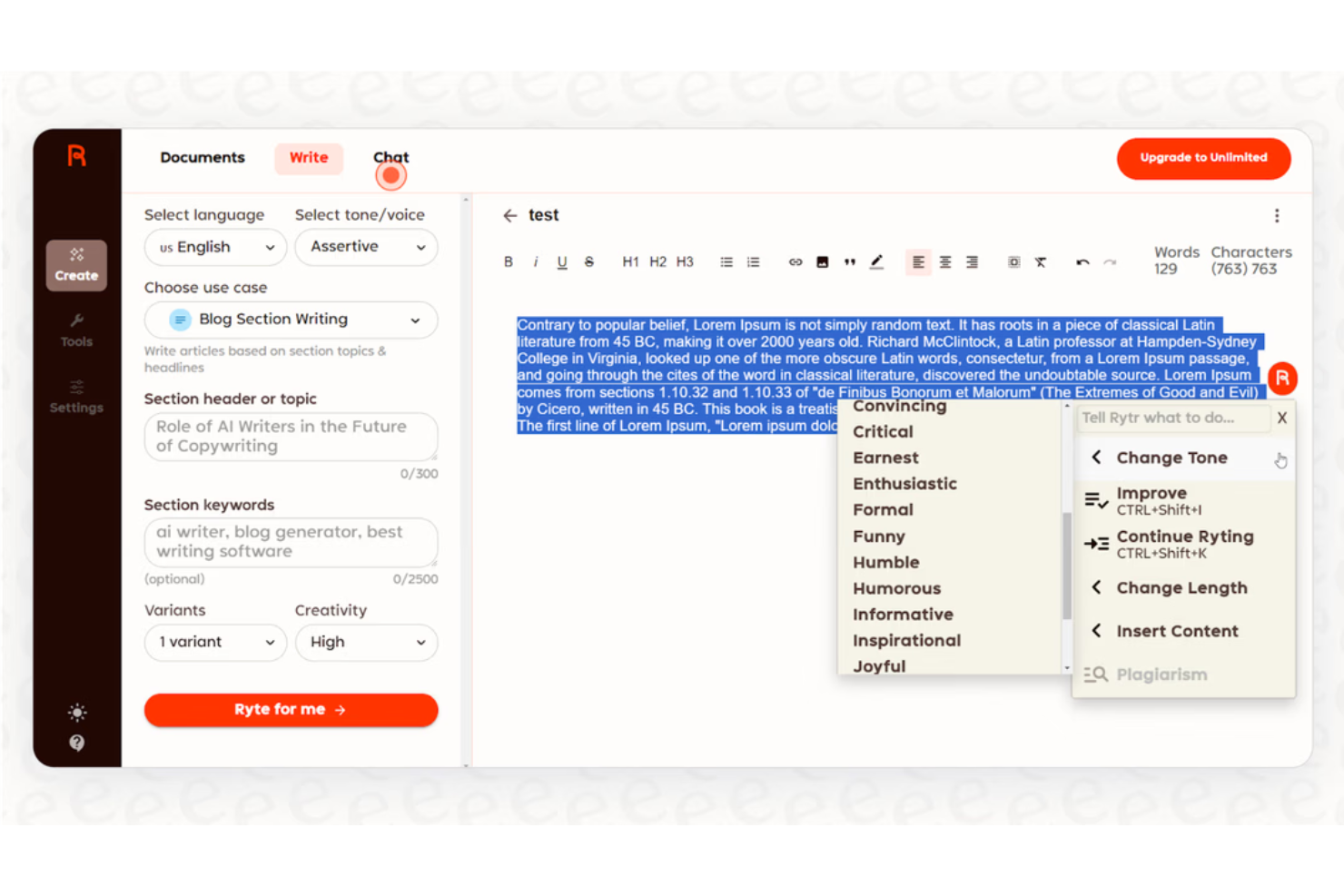
Rytr is designed for speed and versatility if you need to draft content in multiple languages on tight deadlines. It appeals to marketers, content creators, and agencies working across global markets or managing multilingual campaigns. Unlike Grammarly, Rytr supports instant content generation in over 30 languages and dozens of tones, making it a strong fit for teams with diverse language needs.
Who is Rytr Best For?
Marketing and content teams in small to mid-sized organizations worldwide generating multi-language drafts quickly.
Why I Picked Rytr
For teams that need to produce quick drafts in multiple languages, Rytr offers a unique advantage over Grammarly. I picked Rytr because it supports content generation in over 30 languages and lets you switch between dozens of tones and writing styles instantly.
The tool’s AI-powered templates help you create blog posts, emails, ads, and more with just a few prompts. If you’re looking for a writing assistant that can handle fast, multilingual content creation, Rytr is a strong choice.
Rytr Key Features
Some other features in Rytr help users manage and refine their content quickly:
- Built-In Plagiarism Checker: Scan your drafts for duplicate content before publishing.
- Document Management: Organize, save, and revisit your generated content in a central workspace.
- Custom Use Case Creation: Build your own templates for recurring content needs or formats.
- Browser Extension: Access Rytr’s writing tools directly within your favorite web apps.
Rytr Integrations
Integrations include WordPress, Shopify, Slack, Google Docs, HubSpot, Mailchimp, Trello, Microsoft Teams, Asana, Zapier, and more.
Pros and Cons
Pros:
- Includes multiple writing tones and use case templates
- Offers a built-in plagiarism checker for draft validation
- Supports content generation in over 30 languages for global teams
Cons:
- Limited control over AI output length and structure
- Generated content sometimes requires significant manual editing


Anyword is designed for marketers and teams focused on creating high-converting ad and landing page copy. It stands out by using predictive analytics to score and optimize messaging for specific audiences and channels. If you need data-driven content suggestions that go beyond grammar and style, Anyword offers targeted solutions for digital advertising, word choice, and campaign performance with built-in paraphrasing capabilities.
Who is Anyword Best For?
Marketing and content teams in small to mid-sized organizations in North America and Europe are optimizing ad copy and landing page messaging for campaigns.
Why I Picked Anyword
Anyword focuses on optimizing ad and landing page copy with AI-driven predictive performance scoring. I picked Anyword because it lets you test different messaging variations and see projected engagement metrics before publishing. The platform works smoothly on Windows via any modern browser, making it easy for teams to access without additional installations.
The platform’s audience targeting tools help tailor copy to specific demographics and channels, which is especially useful for marketing teams. If you want more than grammar checks and need actionable insights for digital campaigns, Anyword delivers specialized value, including sentence structure guidance and typo detection.
Anyword Key Features
Some other features in Anyword make it a versatile choice for content teams:
- Content Improver: Instantly rewrites existing copy to enhance clarity, tone, or persuasiveness.
- Brand Voice Customization: Lets you set and maintain consistent brand language across all generated content.
- Bulk Text Generation: Produces multiple variations of copy at once for A/B testing or campaign scaling.
- Plagiarism Detection: Checks your content for originality to help avoid duplicate messaging.
Anyword Integrations
Integrations include ChatGPT, Notion, Google Gemini, HubSpot, WordPress, Google Ads, Facebook Ads, LinkedIn Ads, Shopify, and more.
Pros and Cons
Pros:
- Plagiarism detection is included for originality assurance
- Bulk text generation speeds up campaign and A/B test workflows
- Brand voice controls ensure messaging consistency across campaigns
Cons:
- Lacks in-depth grammar and style suggestions found in Grammarly
- Limited support for long-form content editing and structure

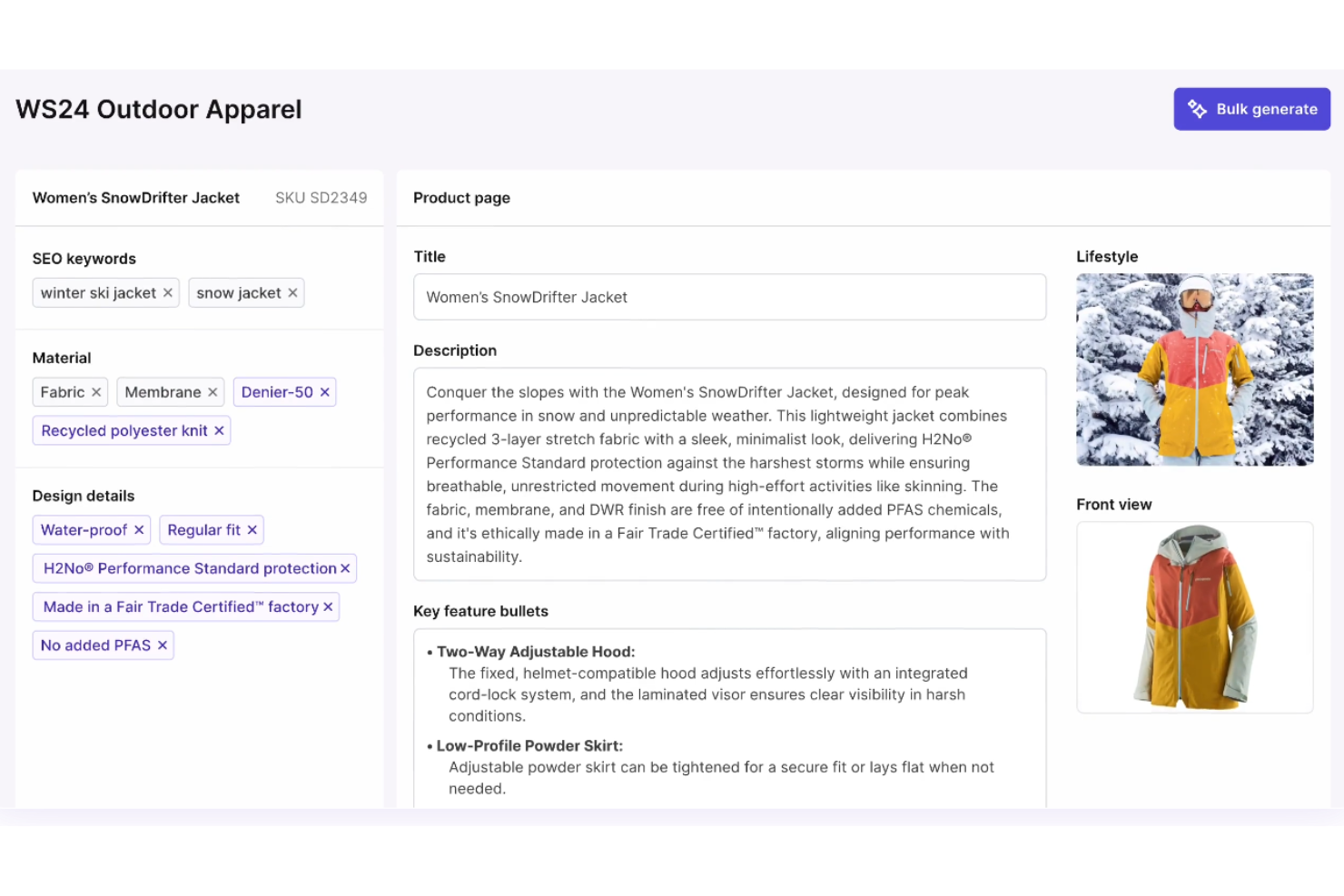
Hypotenuse AI is especially useful for eCommerce teams and marketplace sellers looking to automate product content at scale. It specializes in generating bulk product descriptions, letting you quickly create unique, SEO-friendly copy for large catalogs. Unlike Grammarly, Hypotenuse AI is built to handle high-volume product content needs with features tailored for eCommerce workflows.
Who is Hypotenuse AI Best For?
The eCommerce and product teams in small to mid-sized businesses in North America and Europe creating bulk product descriptions efficiently.
Why I Picked Hypotenuse AI
For businesses that need to generate hundreds or thousands of product descriptions, Hypotenuse AI offers a specialized solution that Grammarly doesn’t address. I picked Hypotenuse AI because it lets you upload product data in bulk and automatically creates unique, SEO-optimized descriptions for each item.
The tool also supports brand voice controls, so your product copy stays consistent across large catalogs. If you’re looking for an AI writing assistant focused on ecommerce content at scale, Hypotenuse AI is purpose-built for that challenge, offering advanced features and typo detection to ensure quality across high-volume content.
Hypotenuse AI Key Features
Some other features in Hypotenuse AI help support a range of eCommerce content needs:
- Image-to-Text Generation: Generate product descriptions directly from uploaded product images.
- Bulk Content Export: Export large batches of generated descriptions in CSV or other formats.
- Multilingual Support: Create product descriptions in multiple languages for global catalogs.
- Fact-Checking Tools: Automatically verify product details and claims within generated content.
Hypotenuse Integrations
Integrations include Shopify, Salsify, Salesforce Commerce Cloud, NetSuite, Akeneo, Plytix, Mirakl, Stibo, BigCommerce, and more.
Pros and Cons
Pros:
- Includes fact-checking tools to verify product information accuracy
- Maintains consistent brand voice across large product catalogs
- Generates hundreds of unique product descriptions in minutes
Cons:
- Limited plagiarism detection compared to Grammarly
- Focuses mainly on product descriptions, not broader content types

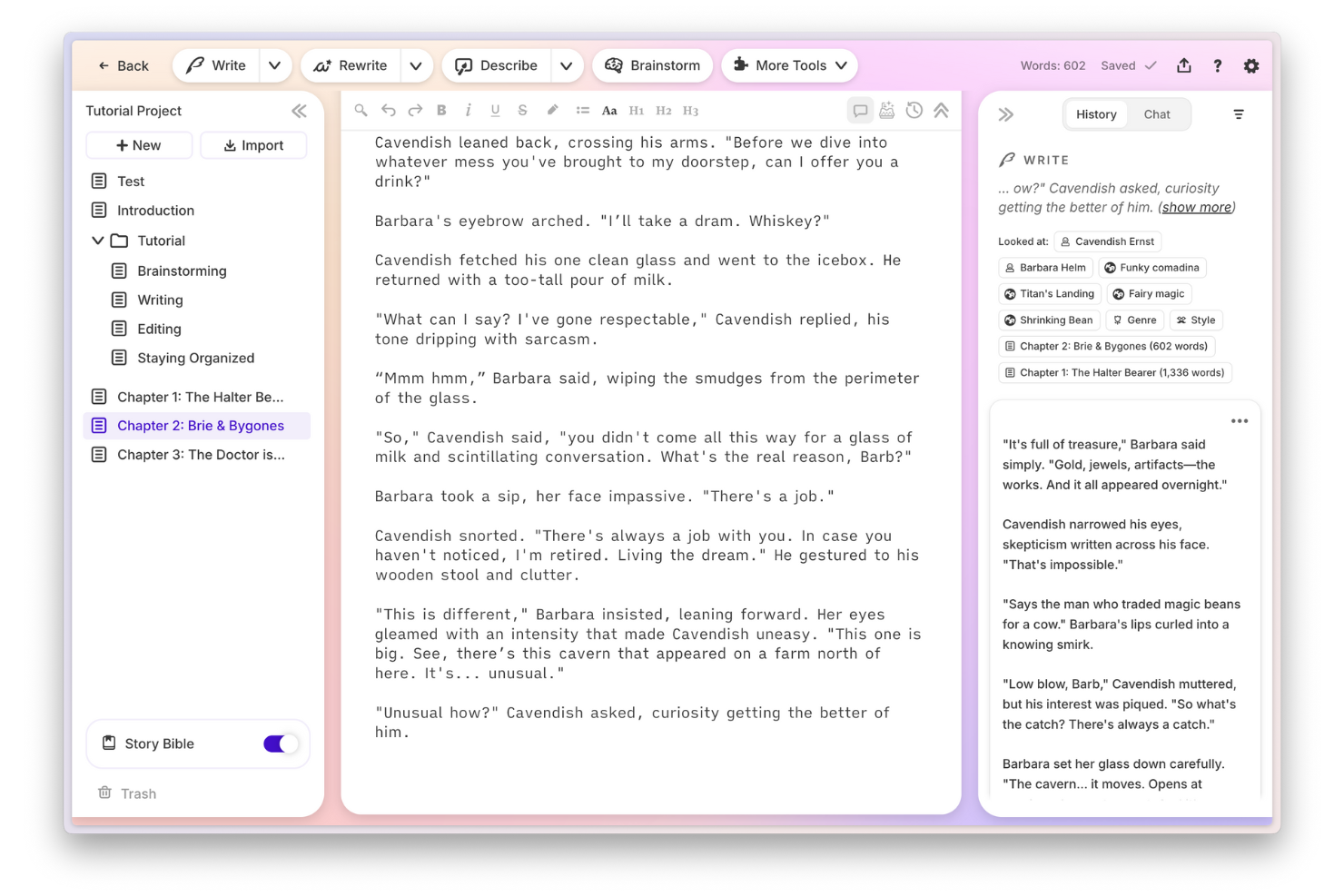
Sudowrite is designed for writers looking to craft stories, novels, or screenplays. It’s especially useful for authors, scriptwriters, and content creators who want AI-powered help with plot development, character arcs, and narrative flow. Unlike Grammarly, Sudowrite focuses on enhancing storytelling and imagination rather than just correcting grammar or style.
Who is Sudowrite Best For?
Writers and creative teams in small to mid-sized organizations in North America and Europe producing story-driven or narrative content.
Why I Picked Sudowrite
If you’re searching for an AI writing assistant that goes beyond grammar and style to make you a better writer, Sudowrite is built for creative storytelling. I picked Sudowrite because it helps writers brainstorm plot twists, develop characters, and generate vivid descriptions—features that Grammarly doesn’t offer.
The tool’s “Story Engine” guides you through outlining, drafting, and revising long-form fiction or scripts. For anyone focused on narrative craft rather than just technical accuracy, Sudowrite fills a unique gap, offering paraphrasing options and complex sentence suggestions to enhance flow and readability.
Sudowrite Key Features
Some other features in Sudowrite help writers get even more creative support:
- Rewrite Tool: Instantly rephrase or expand sections of your draft with AI-generated suggestions.
- Describe Tool: Generate sensory-rich descriptions for scenes, objects, or characters.
- Feedback Tool: Receive AI-powered feedback on pacing, tone, and clarity.
- Brainstorm Tool: Quickly generate lists of ideas for plot points, settings, or character traits.
Sudowrite Integrations
Integrations include Google Docs and more.
Pros and Cons
Pros:
- Supports long-form writing projects like novels and screenplays
- Helps develop character arcs and unique descriptions for fiction
- Generates creative story ideas and plot suggestions instantly
Cons:
- Limited to creative writing rather than business or academic content
- Does not check for grammar or spelling errors automatically
Other Grammarly Alternatives
Here are some additional Grammarly alternatives that didn’t make it onto my shortlist, but are still worth checking out:
- RivalFlow AI
For competitive content gap insights
- Jasper AI Image Suite
For brand voice customization
- HyperWrite
For personalized writing suggestions
- EnglishEdit.AI
For academic writing refinement


Grammarly Alternatives Selection Criteria
When selecting the best Grammarly alternatives to include in this list, I considered common buyer needs and pain points related to AI-enabled writing assistant software products, like improving content quality and supporting SEO-driven writing. I also used the following framework to keep my evaluation structured and fair:
Core Functionality (25% of total score) To be considered for inclusion in this list, each solution had to fulfill these common use cases:
- Check grammar and spelling
- Suggest style and tone improvements
- Detect plagiarism
- Offer AI-powered content generation
- Provide real-time writing feedback
Additional Standout Features (25% of total score) To help further narrow down the competition, I also looked for unique features, such as:
- SEO content optimization tools
- Automated content brief generation
- Topic clustering and keyword research
- Multilingual writing support
- Integration with publishing platforms
Usability (10% of total score) To get a sense of the usability of each system, I considered the following:
- Simple and intuitive user interface
- Clear navigation and labeling
- Minimal clicks to complete core tasks
- Responsive design across devices
- Customizable writing settings
Onboarding (10% of total score) To evaluate the onboarding experience for each platform, I considered the following:
- Availability of step-by-step product tours
- Access to training videos and documentation
- Pre-built templates for common writing tasks
- In-app chatbots or guided help
- Live or recorded onboarding webinars
Customer Support (10% of total score) To assess each software provider’s customer support services, I considered the following:
- Multiple support channels like chat, email, and phone
- Fast response times to inquiries
- Access to a searchable help center
- Availability of user communities or forums
- Proactive communication about updates and issues
Value For Money (10% of total score) To evaluate the value for money of each platform, I considered the following:
- Transparent and flexible pricing plans
- Features included at each pricing tier
- Free trial or free plan availability
- No hidden fees or surprise charges
- Discounts for annual billing or teams
Customer Reviews (10% of total score) To get a sense of overall customer satisfaction, I considered the following when reading customer reviews:
- Consistent positive feedback on writing quality
- Reports of reliable AI suggestions
- Comments on ease of integration and workflow fit
- Feedback on customer support experiences
- Noted limitations or frustrations with the tool
Why Look For a Grammarly Alternative?
While Grammarly is a good choice of AI-enabled writing assistant software, there are a number of reasons why some users seek out alternative solutions. You might be looking for a Grammarly alternative because…
- You need advanced SEO content planning features
- You want more control over AI-generated content styles
- You require support for languages other than English
- You need integrations with specific publishing platforms
- You want a tool with a stronger plagiarism checker
- You have concerns about data privacy or storage location
If any of these sound like you, you’ve come to the right place. My list contains several AI-enabled writing assistant software options that are better suited for teams facing these challenges with Grammarly and looking for alternative solutions.
Grammarly Key Features
Here are some of the key features of Grammarly, to help you contrast and compare what alternative solutions offer:
- Real-time grammar and spelling checks
- Style and tone suggestions for clarity and engagement
- Plagiarism detection across web sources
- Vocabulary enhancement recommendations
- Readability scoring and feedback
- Integration with browsers, Microsoft Office, and Google Docs
- AI-powered writing suggestions for emails and documents
- Personal dictionary for custom words
- Weekly writing performance reports
- Citation formatting assistance