
20 Best B2B SEO Tools Reviewed in 2026

10 Best B2B SEO Tools Shortlist
Here's my pick of the 10 best software from the 20 tools reviewed.


As a marketing manager, your mandate is clear: scale organic growth, acquire qualified leads, and prove SEO's direct contribution to pipeline and revenue. The complexity of B2B SEO tools demands a strategic, data-driven solution, not just a basic tool. That's where I come in.
I've tested and reviewed various B2B SEO tools to help you make informed decisions. In this article, I'll share my unbiased insights on the best solutions available, focusing on what truly matters to you and your team.
You'll find a detailed look at key features, pros and cons, and what sets each tool apart. My goal is to empower you with the information you need to pick the right tool for your business's unique needs. Let's dive in and find the perfect fit for your marketing strategy.
Why Trust Our Software Reviews
Best B2B SEO Tools Summary
This comparison chart summarizes pricing details for my top B2B SEO tools selections to help you find the best one for your budget and business needs.
| Tool | Best For | Trial Info | Price | ||
|---|---|---|---|---|---|
| 1 | Best for competitor analysis | Free demo available | From $29/month (billed annually) | Website | |
| 2 | Best for backlink analysis | Free trial + free demo available | From $129/month | Website | |
| 3 | Best for local SEO | 14-day free trial + free demo available | From $29/month (billed annually) | Website | |
| 4 | Best for AI-powered website analytics | Free trial + free demo available | Pricing upon request | Website | |
| 5 | Best for SEO beginners | Free trial + free plan available | From $12/month | Website | |
| 6 | Best for site audits | Free plan available | From $279/year | Website | |
| 7 | Best for content ideas | 7-day free trial available (for monthly plan) | From $13.33/user/month (billed annually) | Website | |
| 8 | Best for content optimization | Expert consultation available | From $99/month (billed annually) | Website | |
| 9 | Best for AI-driven technical SEO insights | Free demo available | Pricing upon request | Website | |
| 10 | Best for WordPress SEO | Free plan + demo available | From $7.99/month (billed annually) | Website |
-

Demandbase
Visit WebsiteThis is an aggregated rating for this tool including ratings from Crozdesk users and ratings from other sites.4.4 -
6sense
Visit WebsiteThis is an aggregated rating for this tool including ratings from Crozdesk users and ratings from other sites.4.3 -
AnswerThePublic
Visit Website


Best B2B SEO Tool Reviews
Below are my detailed summaries of the best B2B SEO tools that made it onto my shortlist. My reviews offer a detailed look at the key features, pros and cons, integrations, and ideal use cases of each tool to help you find the best one for you.

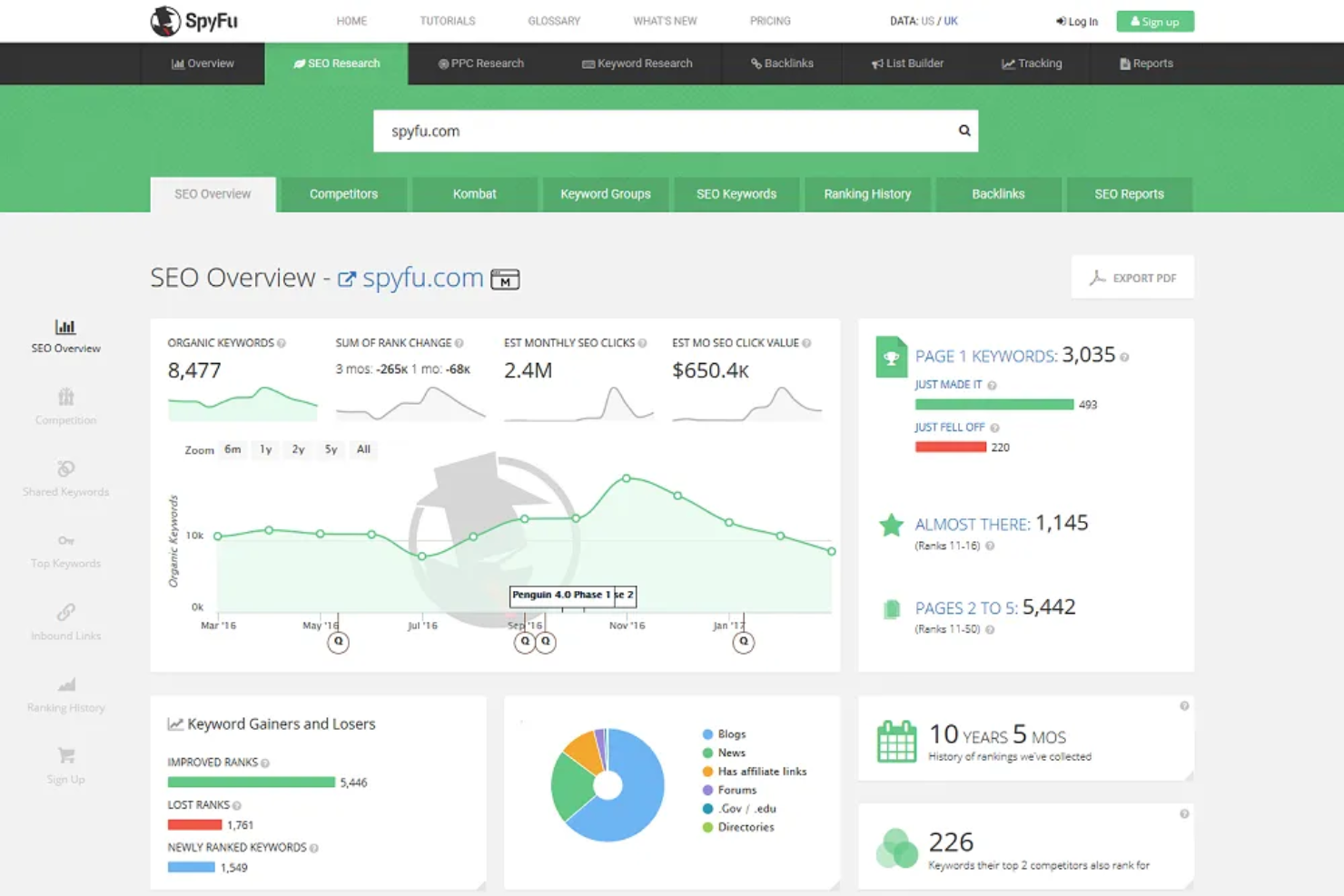
SpyFu is an SEO tool designed for marketers and businesses looking to gain insights into competitor strategies. It focuses on keyword research, competitive analysis, and PPC insights to support your digital marketing efforts.
Why I picked SpyFu: It's particularly effective for competitor analysis, allowing you to see which keywords your competitors are targeting. SpyFu's keyword research tool helps identify rankable search terms. The PPC competitor research feature provides insights into your competitors' ad strategies. These tools empower your team to refine your marketing approach and stay ahead in the competitive landscape.
Standout features and integrations:
Features include domain comparison to evaluate your site's performance against competitors. It also offers a backlink outreach tool to help you build quality links. Along with that, SpyFu provides a keyword ranking history to track changes over time.
Integrations are not publicly listed.
Pros and Cons
Pros:
- Tracks keyword ranking history
- Offers domain comparison tools
- Effective PPC strategy analysis
Cons:
- Limited customization options
- Focused primarily on competitor data

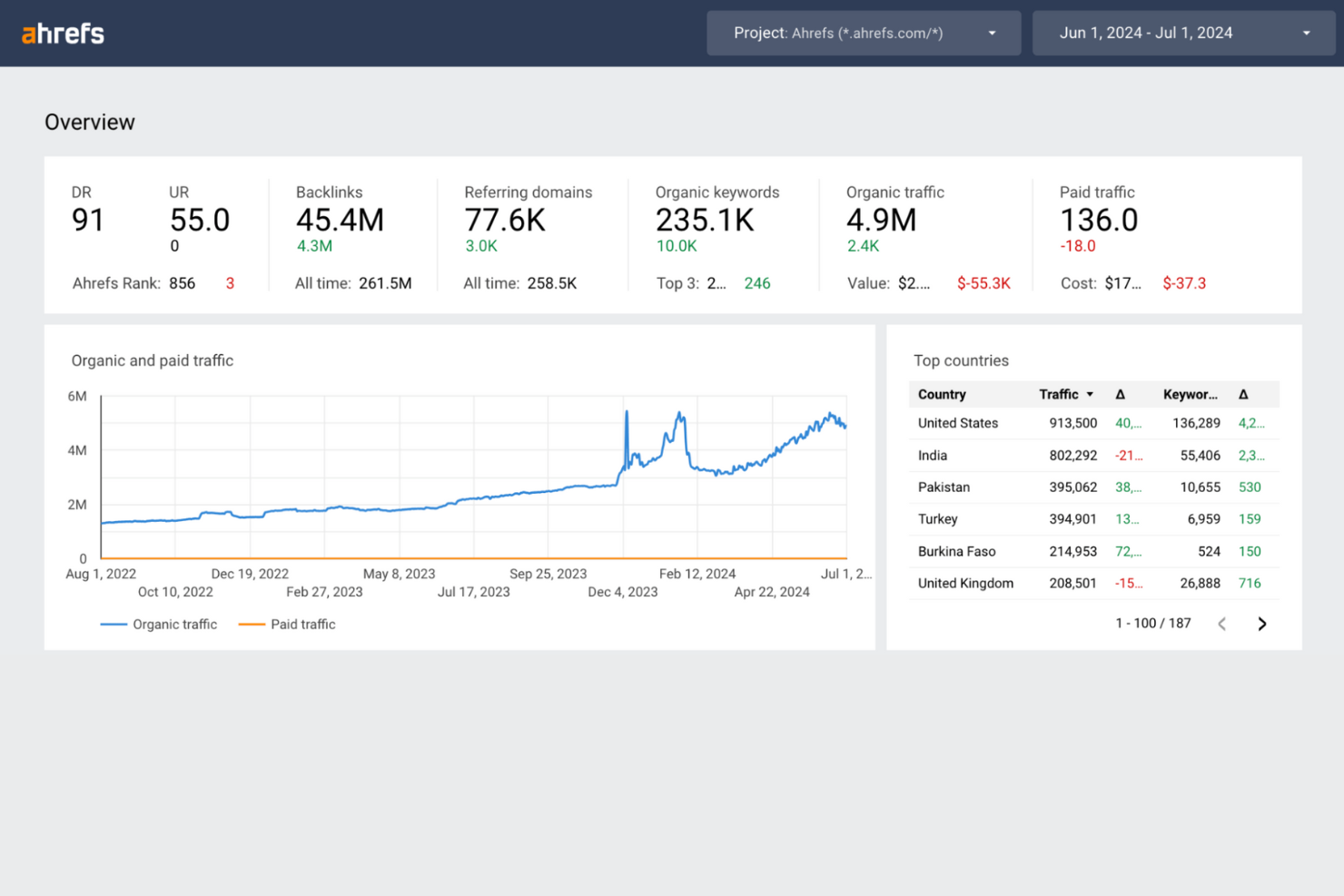
Ahrefs is a versatile SEO tool widely used by digital marketers and SEO professionals. It specializes in backlink analysis, keyword research, and competitive analysis to enhance online visibility.
Why I picked Ahrefs: Ahrefs is particularly valuable for its backlink analysis capabilities. It provides detailed insights into a website's backlink profile, making it easier for you to understand your competitors' strategies. The tool's Site Explorer offers a deep dive into organic search traffic and backlink profiles. Ahrefs also includes a Keywords Explorer, which helps you discover high-quality keywords and assess their potential to drive traffic to your site.
Standout features and integrations:
Features include a content explorer to find top-performing content, a rank tracker to monitor keyword rankings, and a site audit tool for identifying SEO issues. Ahrefs' alerts notify you of new and lost backlinks, updating you on your site's SEO health.
Integrations include Google Search Console, WordPress, Looker Studio, and more.
Pros and Cons
Pros:
- Accurate rank tracking
- In-depth keyword research
- Detailed backlink database
Cons:
- Can be costly for small teams
- No mobile app available

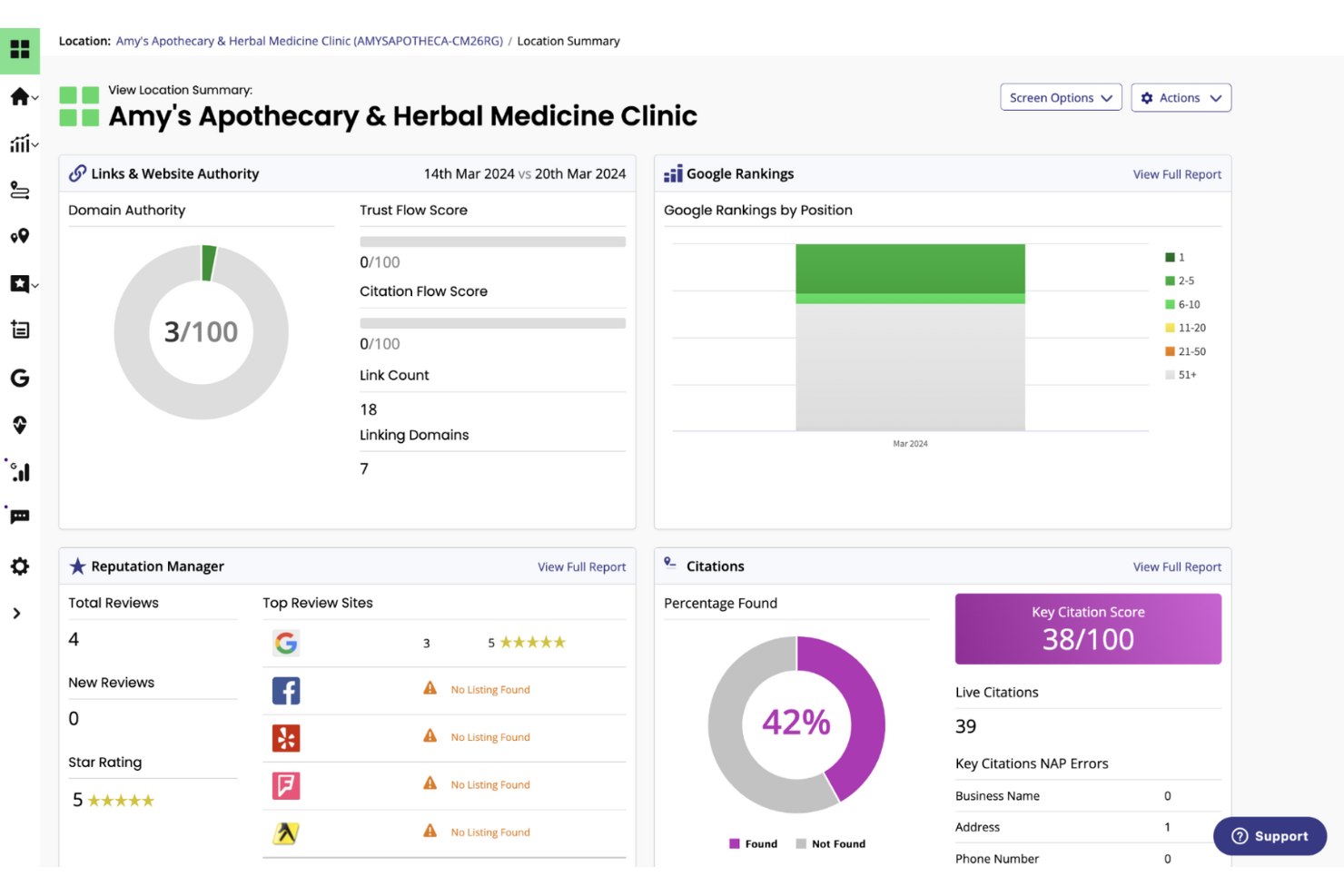
BrightLocal is a local SEO tool designed for small to medium-sized businesses and digital marketing agencies. It improves your local search performance, manages online reputation, and tracks local search rankings.
Why I picked BrightLocal: It's tailored for local SEO, making it ideal for businesses looking to boost their presence in local search results. BrightLocal provides tools for monitoring local search rankings and managing online reviews. It includes a citation tracker to keep your business information consistent across different directories. These features help with local visibility and lead generation.
Standout features and integrations:
Features include a local search audit tool that identifies areas for improvement in local SEO. The platform also offers a review management feature to collect and respond to customer reviews. Additionally, BrightLocal provides a white-label reporting option, allowing you to deliver branded reports to clients.
Integrations include Google Business Profile, Facebook, Yelp, Trustpilot, Google Analytics, and more.
Pros and Cons
Pros:
- Consistent citation tracking
- Effective review management
- Focused on local SEO needs
Cons:
- Limited reporting customization
- Requires manual data entry

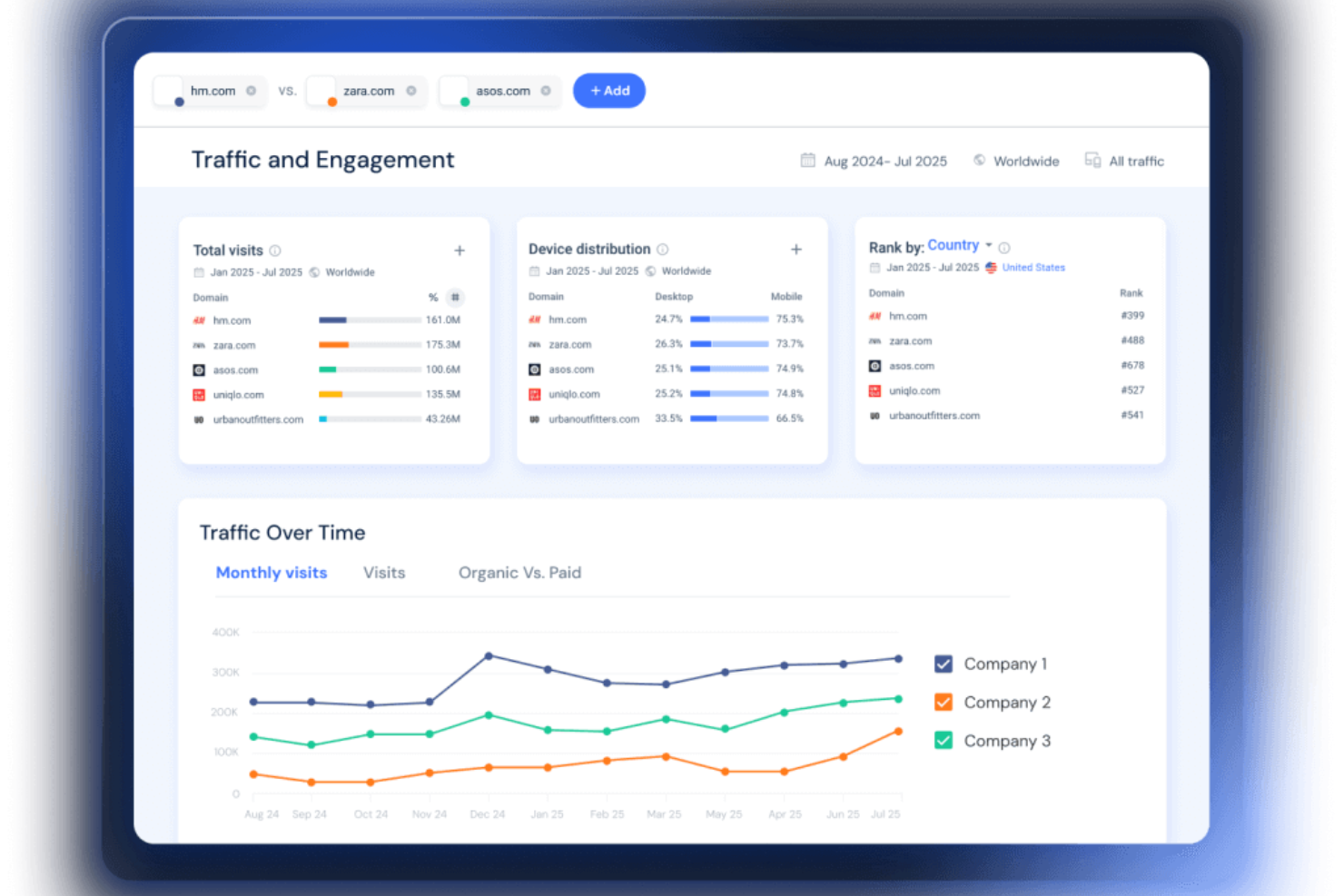
SimilarWeb is a digital intelligence platform used by marketers and analysts to gain insights into website traffic and performance. It provides competitive analysis, market research, and website analytics to enhance digital strategies.
Why I picked SimilarWeb: It excels in delivering detailed website analytics, helping you understand traffic sources and user behavior. SimilarWeb's Traffic Overview feature provides insights into visitor engagement and traffic channels. You can also track competitor performance to identify market opportunities. This data-driven approach supports your team in making informed decisions about digital marketing strategies.
Standout features and integrations:
Features include a market analysis tool that identifies industry trends and benchmarks. It also offers an audience interests feature to understand visitor preferences. Additionally, SimilarWeb provides an advertising research tool to analyze competitors' ad strategies.
Integrations include Salesforce, HubSpot, Tableau, Power BI, Looker Studio, and more.
Pros and Cons
Pros:
- Offers market trend analysis
- Covers multiple traffic channels
- Comprehensive traffic source analysis
Cons:
- May need additional tools for depth
- Limited real-time data updates

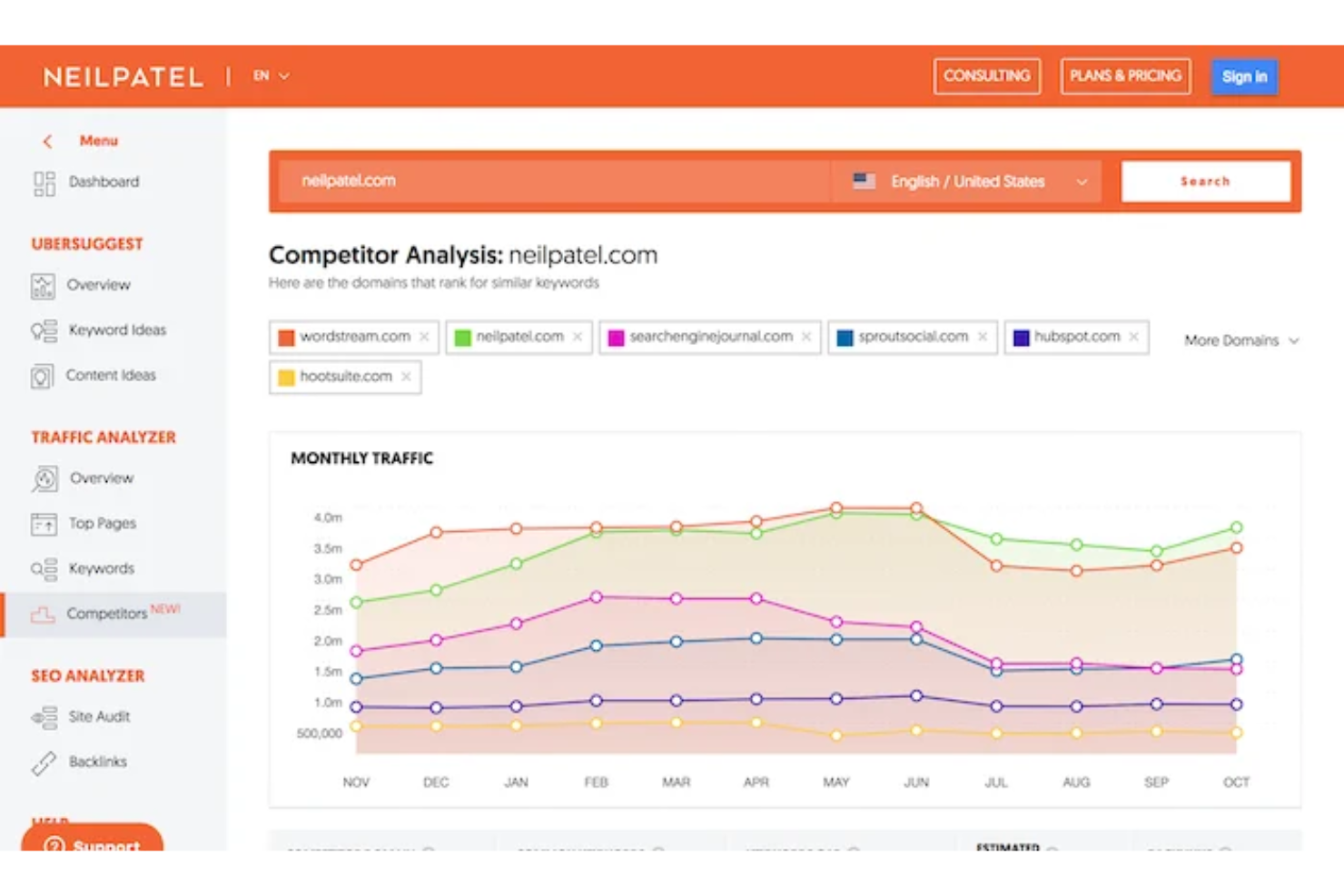
Ubersuggest is an SEO tool designed for marketers and small business owners looking to improve their website's search engine performance. It offers keyword research, site audits, and competitive analysis to help users get more visible online.
Why I picked Ubersuggest: It's particularly user-friendly for SEO beginners, providing straightforward tools that are easy to understand. Ubersuggest's keyword research feature identifies the best keywords for your content. The site audit tool checks for SEO issues and provides actionable recommendations. These elements make it a practical choice for team members who are new to SEO, helping them get started without feeling overwhelmed.
Standout features and integrations:
Features include a backlink analysis tool that lets you see who's linking to your site. It also offers a content ideas section to inspire your next blog post. Plus, Ubersuggest provides a traffic analyzer to help you understand your site's performance over time.
Integrations are not publicly listed.
Pros and Cons
Pros:
- Supports content gap analysis
- Offers actionable SEO insights
- Easy to use for beginners
Cons:
- Focused on entry-level users
- Basic analytics compared to competitors

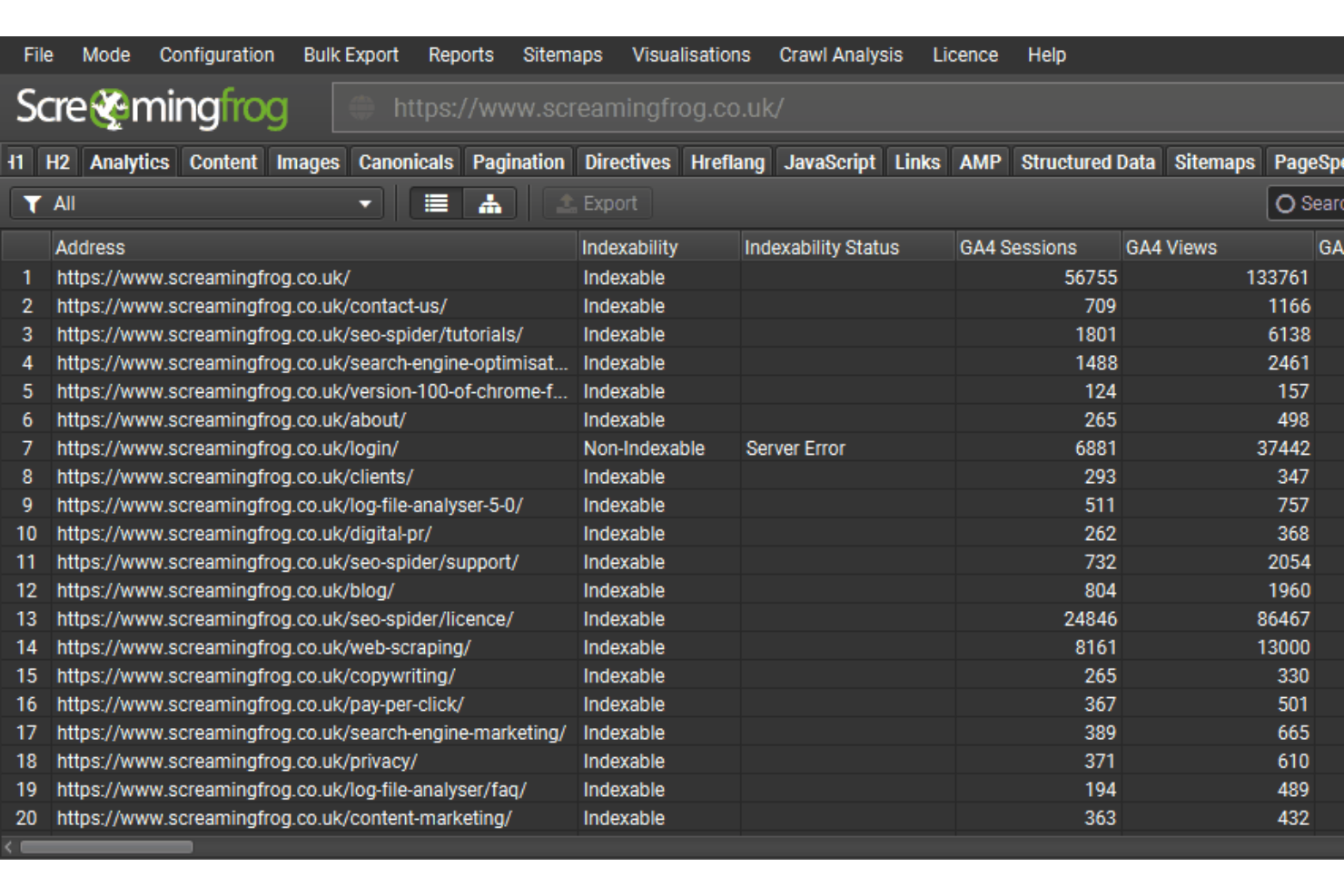
Screaming Frog SEO Spider is a website crawler tool primarily used by SEO professionals and digital marketers. It performs detailed site audits, identifying issues such as broken links and duplicate content to improve your site performance.
Why I picked Screaming Frog: It's a go-to tool for conducting thorough site audits, offering deep insights into website health. Screaming Frog's ability to crawl large sites helps you find hidden SEO issues. It provides detailed reports on duplicate pages, redirects, and meta tags. This functionality helps your team address technical SEO challenges.
Standout features and integrations:
Features include the ability to generate XML sitemaps for better site indexing. It also offers a JavaScript rendering feature to understand how search engines view your content. Additionally, Screaming Frog provides a custom extraction feature to pull specific data from your site.
Integrations include Google Analytics, Google Search Console, PageSpeed Insights, Ahrefs, Majestic, and more.
Pros and Cons
Pros:
- Generates XML sitemaps
- Supports JavaScript rendering
- Efficient at crawling large sites
Cons:
- Resource-intensive on local machines
- Limited cloud-based features

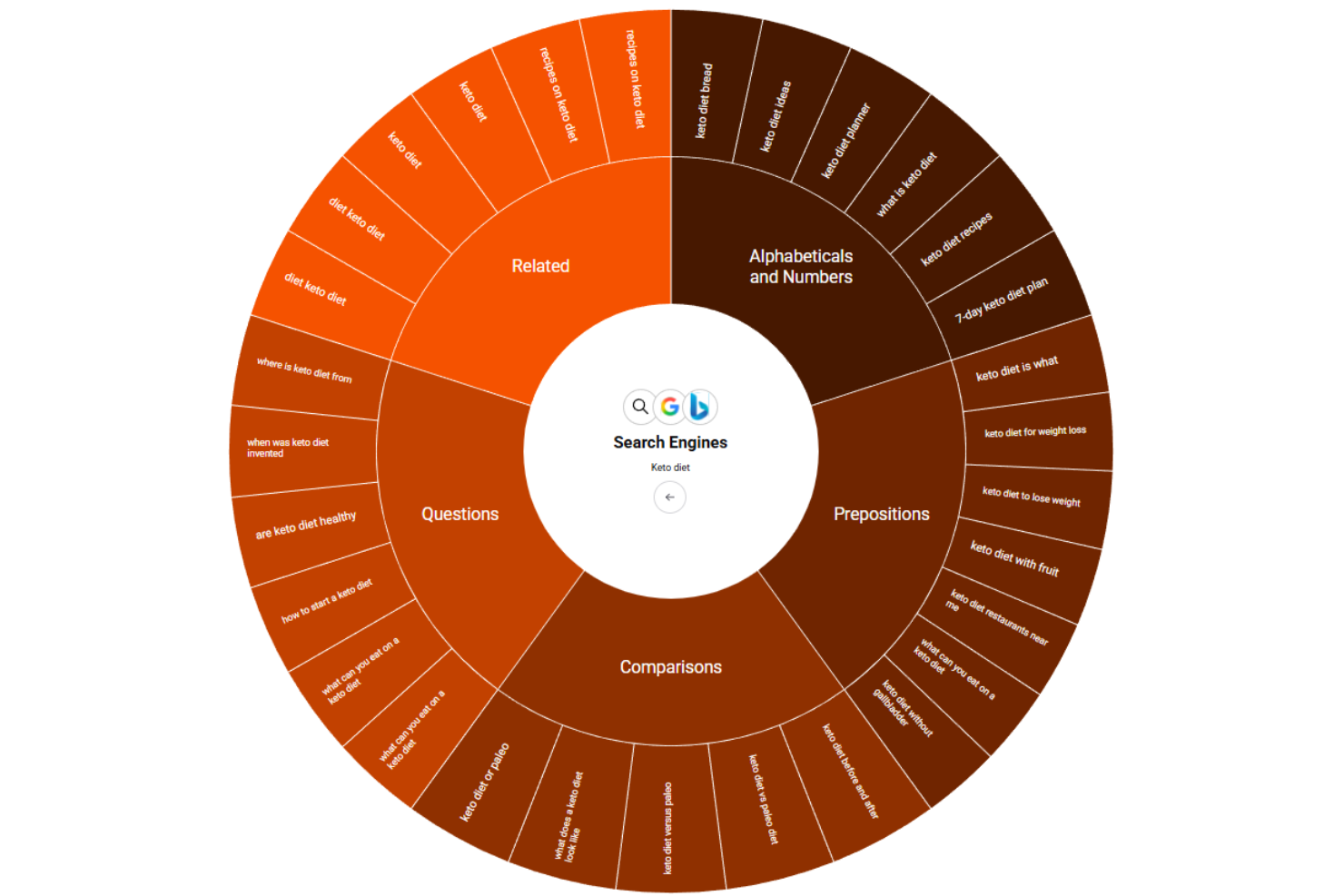
AnswerThePublic is a content research tool designed for marketers and content creators. It helps generate content ideas by visualizing search queries and questions people ask online.
Why I picked AnswerThePublic: It's ideal for brainstorming content ideas based on real user queries. The tool collects data from search engines to show what questions and phrases people commonly use. This insight can guide your content strategy to better match audience interests. Visualizing the data makes it easy for your team to spot trends and gaps in your content.
Standout features and integrations:
Features include a visualization tool that displays data in a user-friendly format, making it easier to digest. The tool also offers a comparison feature to analyze different keyword sets. Additionally, it provides data exports, allowing you to share insights with your team.
Integrations are not publicly listed.
Pros and Cons
Pros:
- Easy-to-use interface
- Visualizes search query data
- Generates unique content ideas
Cons:
- Only provides English search options
- Limited SEO features

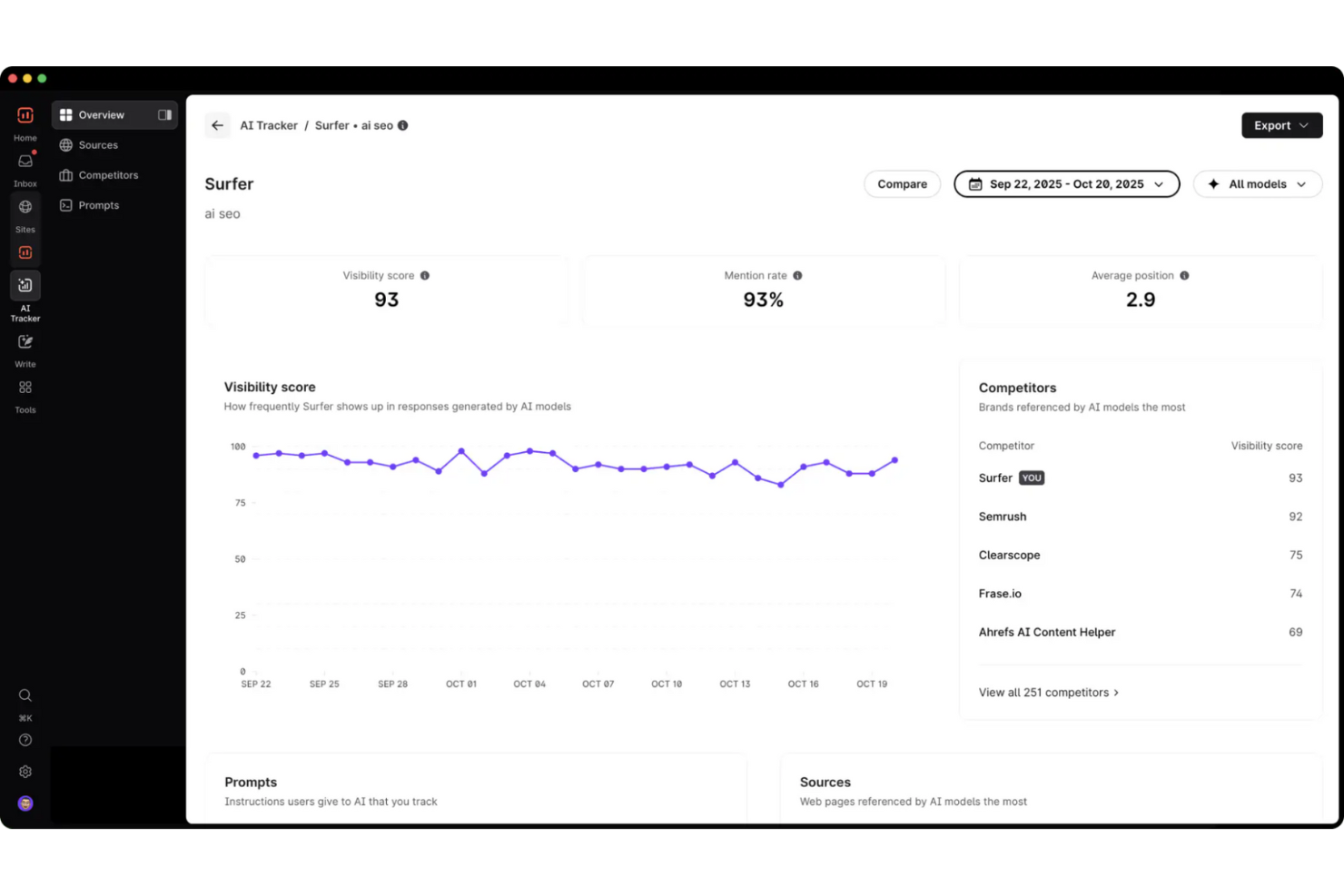
Surfer SEO is an SEO tool aimed at content creators and digital marketers. It assists in optimizing content to improve search engine rankings and drive organic traffic.
Why I picked Surfer SEO: It specializes in content optimization, making it a valuable tool when you’re refining your content strategy. Surfer SEO's Content Editor provides real-time suggestions to align your content with search engine requirements. The tool also offers a SERP Analyzer to understand competitors' strategies. These features ensure your team can create content that ranks higher and attracts more visitors.
Standout features and integrations:
Features include a keyword research tool that identifies high-potential keywords for your content. It also offers a content planner to organize and prioritize your content creation efforts. Additionally, Surfer SEO provides an audit feature to assess existing content and suggest improvements.
Integrations include Google Docs, WordPress, Contentful, Google Search Console, and more.
Pros and Cons
Pros:
- Support in content planning
- Detailed SERP analysis
- Real-time content optimization suggestions
Cons:
- Data-intensive processes
- Limited built-in backlink analysis

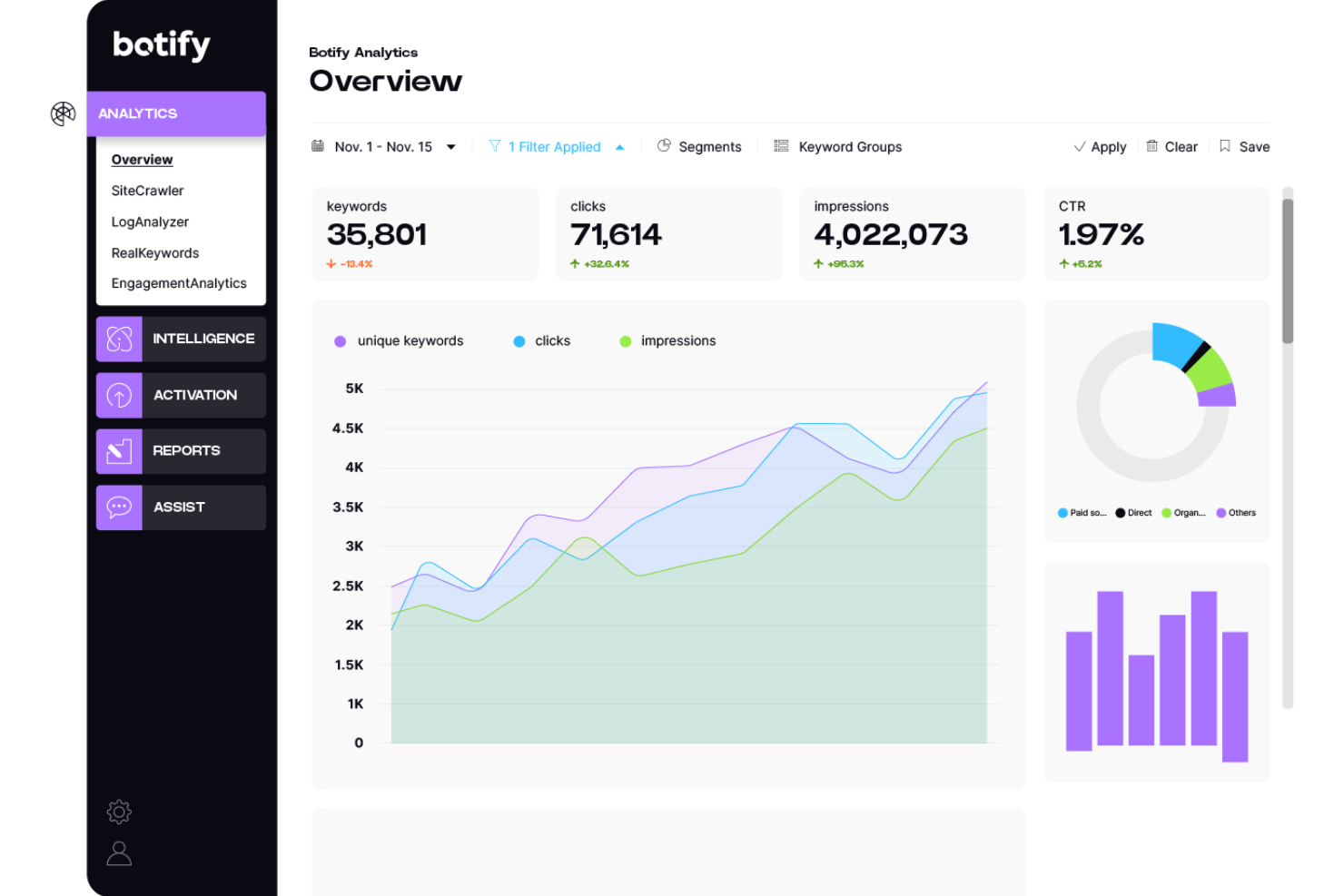
Botify is an AI-driven B2B SEO platform designed for enterprises. It focuses on improving organic search performance through advanced analytics and automation.
Why I picked Botify: It offers deep technical SEO insights, making it ideal for B2B marketers tackling complex search challenges. Botify's analytics gives detailed website performance data, while its Intelligence feature delivers AI-powered recommendations. The platform's automation capabilities simplify tasks such as content creation and indexing. Botify keeps your critical pages visible across search engines, helping you drive revenue and improve online presence.
Standout features and integrations:
Features include a site crawler that identifies technical issues, a keyword tracker for monitoring search performance, and a log analyzer for understanding search engine behavior. Botify also includes a data explorer to find actionable insights.
Integrations include Looker Studio, Adobe Analytics, Google Sheets, Google Analytics, WordPress, and more.
Pros and Cons
Pros:
- Automation to simplify tasks
- AI-driven recommendations
- Detailed technical SEO insights
Cons:
- Technical focus over content strategy
- Requires technical expertise

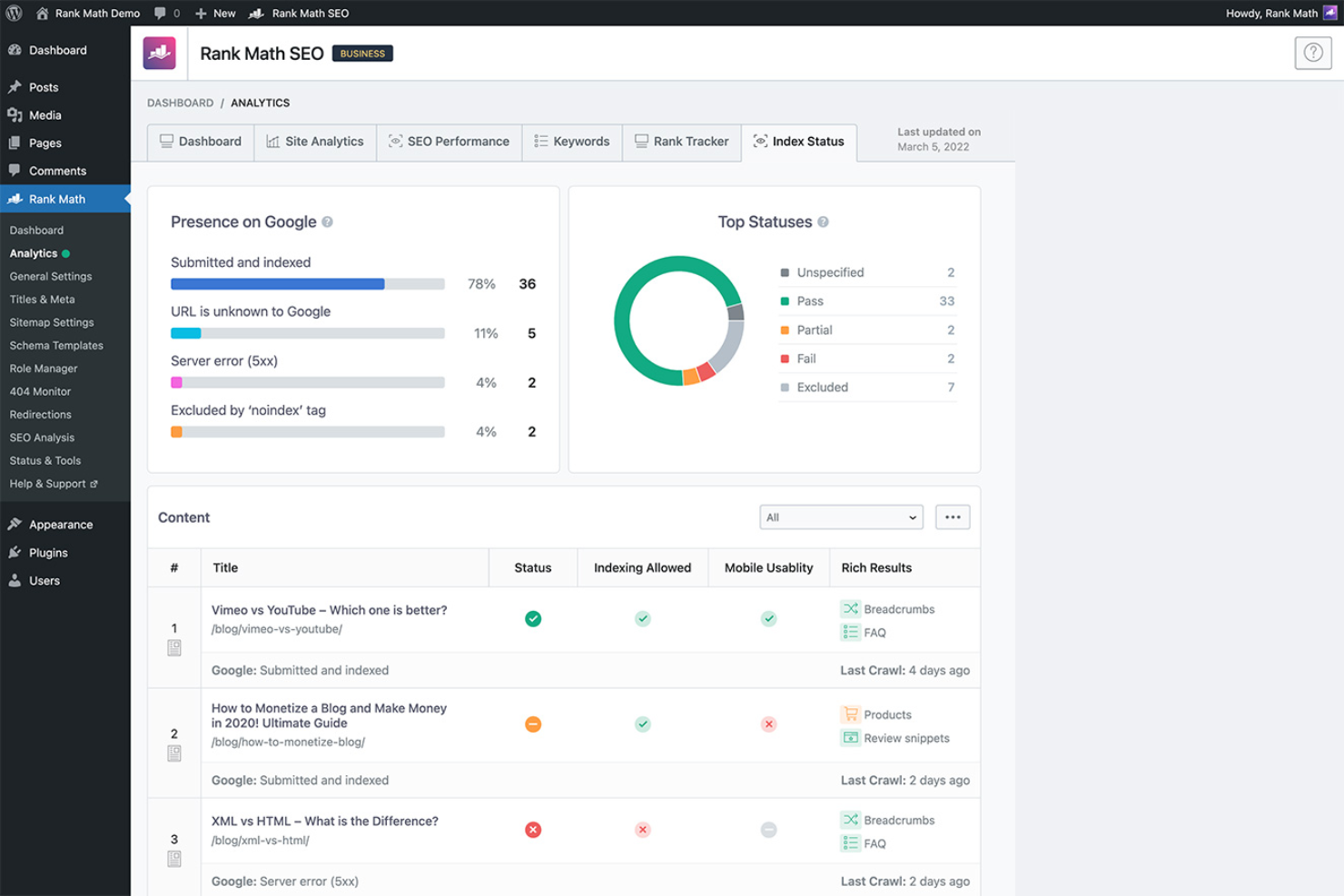
Rank Math is an SEO plugin designed for WordPress users, providing tools to optimize website content and improve search engine rankings. It's popular among bloggers, small business owners, and web developers who use WordPress for their sites.
Why I picked Rank Math: Rank Math offers a range of SEO tools tailored for WordPress. Its on-page SEO analysis provides real-time insights to elevate your content as you write. Rank Math's schema markup feature helps improve search visibility by making your content understandable for search engines. These functionalities make it a great choice for WordPress users looking to boost their site's SEO without needing extensive technical knowledge.
Standout features and integrations:
Features include a 404 monitor to identify broken links and a redirection manager to fix them. It also offers an advanced SEO analysis tool that evaluates your site's SEO performance and suggests improvements. Rank Math also includes an XML sitemap feature to ensure search engines can crawl your site.
Integrations include Google Search Console, Google Analytics, WooCommerce, Elementor, Divi, Advanced Custom Fields, and more.
Pros and Cons
Pros:
- Includes a 404 monitor
- Supports schema markup
- Seamless WordPress integration
Cons:
- Focused on content rather than technical SEO
- Limited to WordPress sites
Other B2B SEO Tools
Here are some additional B2B SEO tools options that didn’t make it onto my shortlist but are still worth checking out:
- Profound
For market research
- Semrush
For keyword research
- Conductor
For real-time SEO auditing
- Moz
For domain authority tracking
- Google Analytics
For detailed traffic insights
- SE Ranking
For rank tracking accuracy
- Frase
For content brief creation
- Google Search Console
For monitoring site performance
- Lumar
For large-scale site crawling
- SEO.AI
For AI-generated content suggestions


B2B SEO Tool Selection Criteria
When selecting the best B2B SEO tools to include in this list, I considered common buyer needs and pain points such as improving search visibility and managing keyword strategy. I also used the following framework to keep my evaluation structured and fair:
Core Functionality (25% of total score)
To be considered for inclusion in this list, each solution had to fulfill these common use cases:
- Keyword research
- Competitor analysis
- Backlink tracking
- Site audit
- Rank tracking
Additional Standout Features (25% of total score)
To help further narrow down the competition, I also looked for unique features, such as:
- AI-driven insights
- Customizable dashboards
- Local SEO capabilities
- Content optimization tools
- Real-time data updates
Usability (10% of total score)
To get a sense of the usability of each system, I considered the following:
- Intuitive interface
- Easy navigation
- Clear data visualization
- Customizable settings
- Minimal learning curve
Onboarding (10% of total score)
To evaluate the onboarding experience for each platform, I considered the following:
- Availability of training videos
- Interactive product tours
- Access to webinars
- User-friendly templates
- Responsive chatbots
Customer Support (10% of total score)
To assess each software provider’s customer support services, I considered the following:
- 24/7 support availability
- Multichannel support options
- Access to a knowledge base
- Quick response times
- Personalized assistance
Value For Money (10% of total score)
To evaluate the value for money of each platform, I considered the following:
- Competitive pricing
- Flexible subscription plans
- Free trial availability
- Included features vs. cost
- Discounts for annual billing
Customer Reviews (10% of total score)
To get a sense of overall customer satisfaction, I considered the following when reading customer reviews:
- Consistency of positive feedback
- Commonly mentioned drawbacks
- Frequency of feature requests
- Satisfaction with support services
- Overall reliability of the tool
How to Choose B2B SEO Tools
It’s easy to get bogged down in long feature lists and complex pricing structures. To help you stay focused as you work through your unique software selection process, here’s a checklist of factors to keep in mind:
| Factor | What to Consider |
|---|---|
| Scalability | Can the tool grow with your business? Consider if it handles increased data and users without performance issues. Look for options that offer scalable plans. |
| Integrations | Does it work with your existing tools? Check if it integrates with your CRM, analytics platforms, and other marketing software. |
| Customizability | Can you tailor it to fit your needs? Look for tools that allow you to customize dashboards, reports, and settings to match your workflows. |
| Ease of use | Is it user-friendly? Evaluate the interface and navigation. A simple design reduces training time and increases productivity. |
| Implementation and onboarding | How quickly can you get started? Consider the setup time and available resources like tutorials and support during the onboarding process. |
| Cost | Does it fit your budget? Compare pricing plans and look for hidden fees. Consider the total cost of ownership, including training and support. |
| Security safeguards | How secure is your data? Ensure the tool has encryption, regular updates, and compliance with data protection regulations. |
| Support availability | Is help readily available? Check for 24/7 support, multiple contact methods, and a responsive support team. |
What Are B2B SEO Tools?
B2B SEO tools are software solutions designed to improve a business's visibility in search engine results. Marketing professionals and SEO specialists commonly use these tools to enhance online presence and drive targeted traffic. Keyword research, competitor analysis, and site audit capabilities help with optimizing content and tracking performance. Overall, these tools provide valuable insights that aid in making informed marketing decisions.
Features
When selecting B2B SEO tools, keep an eye out for the following key features:
- Keyword research: Identifies high-potential keywords to target, helping you optimize content and improve search rankings.
- Competitor analysis: Provides insights into competitors' strategies, allowing you to refine your approach and gain a competitive edge.
- Site audit: Conducts thorough website evaluations to uncover technical issues and optimize site performance.
- Backlink tracking: Monitors backlinks to your site, helping you assess link-building efforts and improve your domain authority.
- Content optimization: Offers real-time suggestions to enhance content quality and alignment with search engine requirements.
- Rank tracking: Keeps track of keyword rankings over time, allowing you to measure SEO efforts and adjust strategies.
- Local SEO capabilities: Enhance visibility in local search results, driving more local traffic to your business.
- Customizable reporting: Allows you to tailor reports to match your specific needs and communicate results.
- Traffic analysis: Analyzes visitor data to understand user behavior and improve site engagement.
- Integration support: Ensures compatibility with other tools and platforms, improving workflows and data management.
Benefits
Implementing B2B SEO tools provides several benefits for your team and your business. Here are a few you can look forward to:
- Improved search visibility: By using keyword research and content optimization, your site can rank higher in search results, attracting more traffic.
- Enhanced competitive edge: Competitor analysis gives you insights to refine your strategies and stay ahead of the competition.
- Increased local presence: Local SEO capabilities help your business appear in local searches, driving more foot traffic and local engagement.
- Better decision making: With detailed traffic analysis and customizable reporting, you can make informed marketing decisions based on real data.
- Efficient issue resolution: Site audit features identify technical problems early, allowing you to fix them before they impact performance.
- Effective link-building: Backlink tracking helps you understand and improve your site's link profile, boosting authority.
- Consistent performance monitoring: Rank tracking keeps you informed about changes in keyword positions, so you can adjust strategies as needed.
Costs and Pricing
Selecting B2B SEO tools requires an understanding of the various pricing models and plans available. Costs vary based on features, team size, add-ons, and more. The table below summarizes common plans, their average prices, and typical features included in B2B SEO tools solutions:
Plan Comparison Table for B2B SEO Tools
| Plan Type | Average Price | Common Features |
|---|---|---|
| Free plan | $0 | Basic keyword research, limited site audits, and restricted competitor analysis. |
| Personal plan | $9-$30/user/month | Advanced keyword research, basic backlink tracking, and rank tracking. |
| Business plan | $40-$80/user/month | Comprehensive site audits, detailed competitor analysis, and custom reporting. |
| Enterprise plan | $90-$150/user/month | All features from lower plans, API access, and dedicated account management. |
B2B SEO Tools FAQs
Here are some answers to common questions about B2B SEO tools:
Can B2B SEO tools integrate with other marketing platforms?
Yes, many B2B SEO tools can integrate with other marketing platforms, such as Google Analytics, CRM systems, and content management systems. These integrations help improve data flow and improve your team’s efficiency. Check the tool’s integration options before purchasing to ensure compatibility with the platforms you already use.
How do B2B SEO tools help with content strategy?
B2B SEO tools help with content strategy by providing data-driven insights into keyword performance, competitor content, and audience interests. This information guides your team in creating content that resonates with your target audience and ranks well in search engines. Use these insights to identify content gaps and opportunities for improvement.
Are B2B SEO tools suitable for small businesses?
Yes, B2B SEO tools are suitable for small businesses. Many offer scalable plans that cater to smaller teams and budgets. These tools can help small businesses improve their online visibility and compete with larger companies by providing valuable insights into keyword performance and competitor strategies. Look for tools that offer flexible pricing and essential features to fit your needs.
What’s Next:
If you're in the process of researching B2B SEO tools, connect with a SoftwareSelect advisor for free recommendations.