
15 Best PPC Tools for 2026

PPC Tools Shortlist
Here’s my shortlist of PPC tools:


PPC tools help you create, manage, and optimize PPC ads and broader marketing campaigns across advertising platforms like Google, Bing, and social media. Whether you’re a beginner or an expert searching for the best automation tools, you’re likely focused on improving PPC marketing performance, automating time-consuming tasks, and gaining in-depth insights into your ad budget. With rising CPC rates and fierce competition, choosing the right ai tools can make a real difference in how you reach your audience and prove ROI alongside your content marketing efforts. This list will help you compare top options for 2026, so you can ditch the manual spreadsheet and find the right fit for your marketing goals and workflow.
Why Trust Our Software Reviews
We’ve been testing and reviewing marketing software since 2022. As marketing experts ourselves, we know how critical and difficult it is to make the right decision when selecting software.
We invest in deep research to help our audience make better software purchasing decisions. We’ve tested more than 2,000 tools for different marketing use cases and written over 1,000 comprehensive software reviews. Learn how we stay transparent & our software review methodology.
Best PPC Tools Summary
This comparison chart summarizes pricing details for my top PPC tool selections to help you find the best one for your budget and business needs.
| Tool | Best For | Trial Info | Price | ||
|---|---|---|---|---|---|
| 1 | Best for uncovering competitor ad strategies | Not available | From $39/month | Website | |
| 2 | Best for unified dashboard reporting | Free plan available | From $69/month | Website | |
| 3 | Best for Facebook and Instagram ad testing | 14-day free trial | From $49/month | Website | |
| 4 | Best for managing large-scale ad campaigns | Free demo available | Pricing upon request | Website | |
| 5 | Best for reaching Bing and partner audiences | Not available | No minimum fee only pay for clicks | Website | |
| 6 | Best for automated account optimization | 14-day free trial | From $209/month | Website | |
| 7 | Best for advanced ad testing workflows | 30-day free trial | From $149/month | Website | |
| 8 | Best for ecommerce marketplace advertising | Free demo available | From $695/month | Website | |
| 9 | Best for simplified campaign management | Free demo available | Not available | Website | |
| 10 | Best for actionable performance suggestions | 14-day free trial | From $129/month | Website |
-

Demandbase
Visit WebsiteThis is an aggregated rating for this tool including ratings from Crozdesk users and ratings from other sites.4.4 -
6sense
Visit WebsiteThis is an aggregated rating for this tool including ratings from Crozdesk users and ratings from other sites.4.3 -
AnswerThePublic
Visit Website


PPC Tools Reviews
Below are my detailed summaries of the PPC tools that made it onto my shortlist. My reviews offer a detailed look at the features, best use cases, and integrations of each platform to help you find the best one for you.

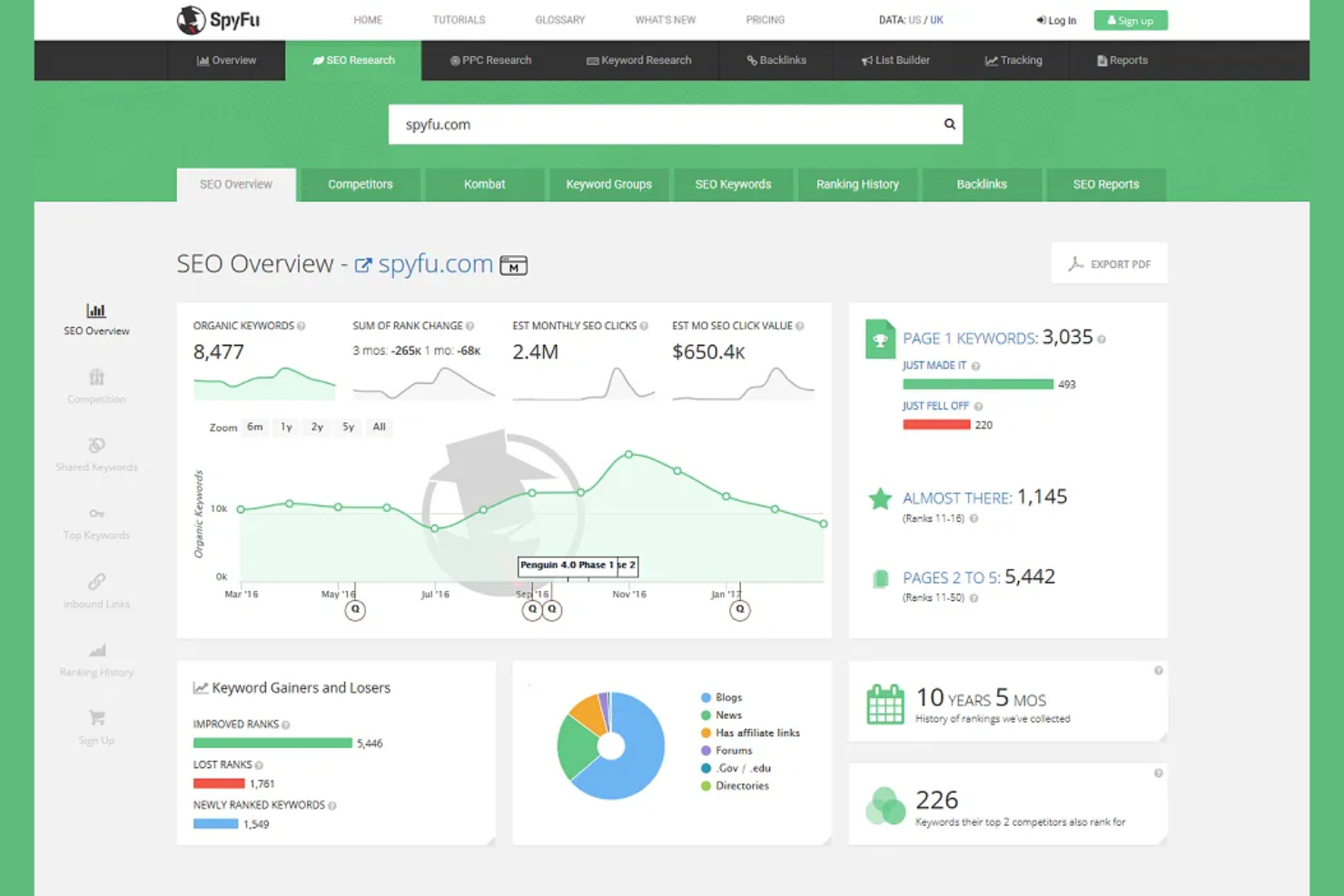
If you want to analyze your competitors’ paid search strategies, SpyFu gives you access to their historical and current PPC campaigns. This tool is especially useful for digital marketers and agencies looking to uncover which keywords, ad copy, and landing pages drive results for others in their space. With SpyFu, you can identify gaps in your own campaigns and find new opportunities to improve your paid search performance.
Why I Picked SpyFu
SpyFu stands out for its ability to reveal detailed competitor PPC strategies, which is essential for marketers who want to benchmark and outmaneuver rivals. I picked it because you can see the exact keywords competitors are bidding on, along with their ad copy and spend history. The tool also lets you track changes in competitors’ campaigns over time, so you can spot trends and shifts in their approach. For anyone focused on paid search, these insights make SpyFu a valuable resource for campaign planning and optimization.
SpyFu Key Features
In addition to its competitor research capabilities, SpyFu offers several other features for PPC campaign management:
- Ad History Reports: Access a timeline of historical ads for any domain to analyze messaging and creative changes.
- Keyword Grouping: Organize keywords into logical groups for easier campaign planning and management.
- SERP Analysis: Review search engine results pages to see which domains are ranking and advertising for target keywords.
- Custom Branded Reports: Generate downloadable reports with your own branding for client presentations or internal sharing.
SpyFu Integrations
Integrations include Google Ads, Google Analytics, Google Search Console, WriterAccess, and Slack.
Pros and Cons
Pros:
- Tracks ranking changes fast
- Easy to export ad templates
- Finds negative keyword ideas
Cons:
- Lacks social PPC tracking
- Only focuses on search ads
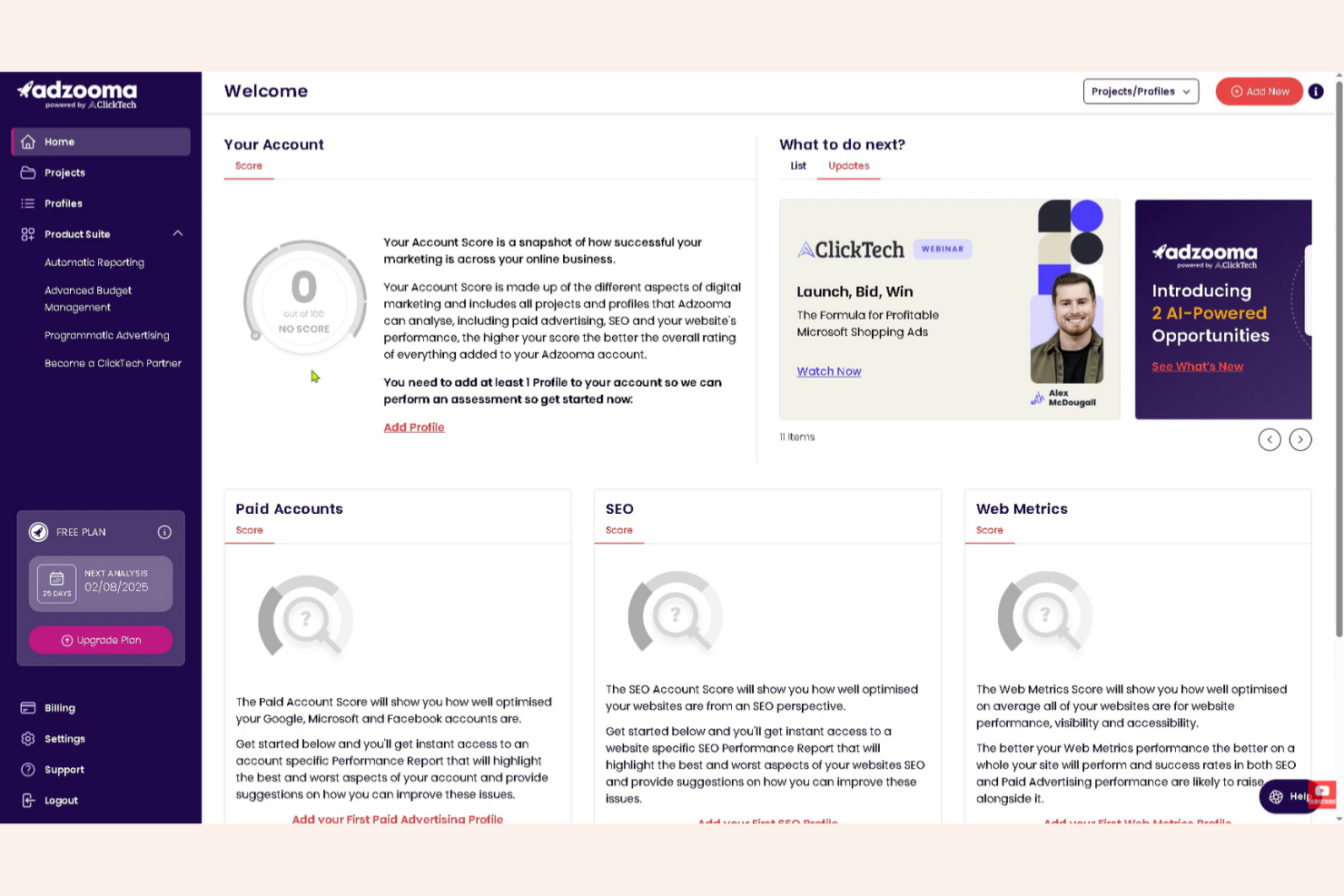
Adzooma brings PPC managers and digital marketing teams a unified dashboard for tracking and optimizing campaigns across multiple platforms. The tool is especially useful for agencies and businesses managing Google, Facebook, and Microsoft Ads in one place. If you need consolidated reporting and automated recommendations without toggling between accounts, Adzooma is built for that workflow.
Why I Picked Adzooma
For PPC teams juggling multiple ad platforms, Adzooma’s unified dashboard reporting is a major advantage. The platform pulls data from Google, Facebook, and Microsoft Ads into a single, customizable view, so you can monitor performance without switching tabs. I appreciate how Adzooma lets you build tailored reports and visualize cross-channel results in one place. This setup helps agencies and in-house marketers quickly spot trends and make informed decisions across all their campaigns.
Adzooma Key Features
Some other features that make Adzooma valuable for PPC management include:
- Opportunity Engine: Surfaces automated suggestions for campaign improvements based on account data.
- Task Automation: Lets you schedule and automate routine account management actions.
- Performance Comparison Tool: Compares results across different campaigns, ad groups, or time periods.
- White-Label Reporting: Generates customizable reports that can be branded for clients or stakeholders.
Adzooma Integrations
Integrations include Google Ads, Microsoft Advertising, and Meta Ads.
Pros and Cons
Pros:
- Helpful SEO agency directory
- Clean and simple interface
- Supports multiple networks
Cons:
- Occasional sync delays
- Advanced features cost extra

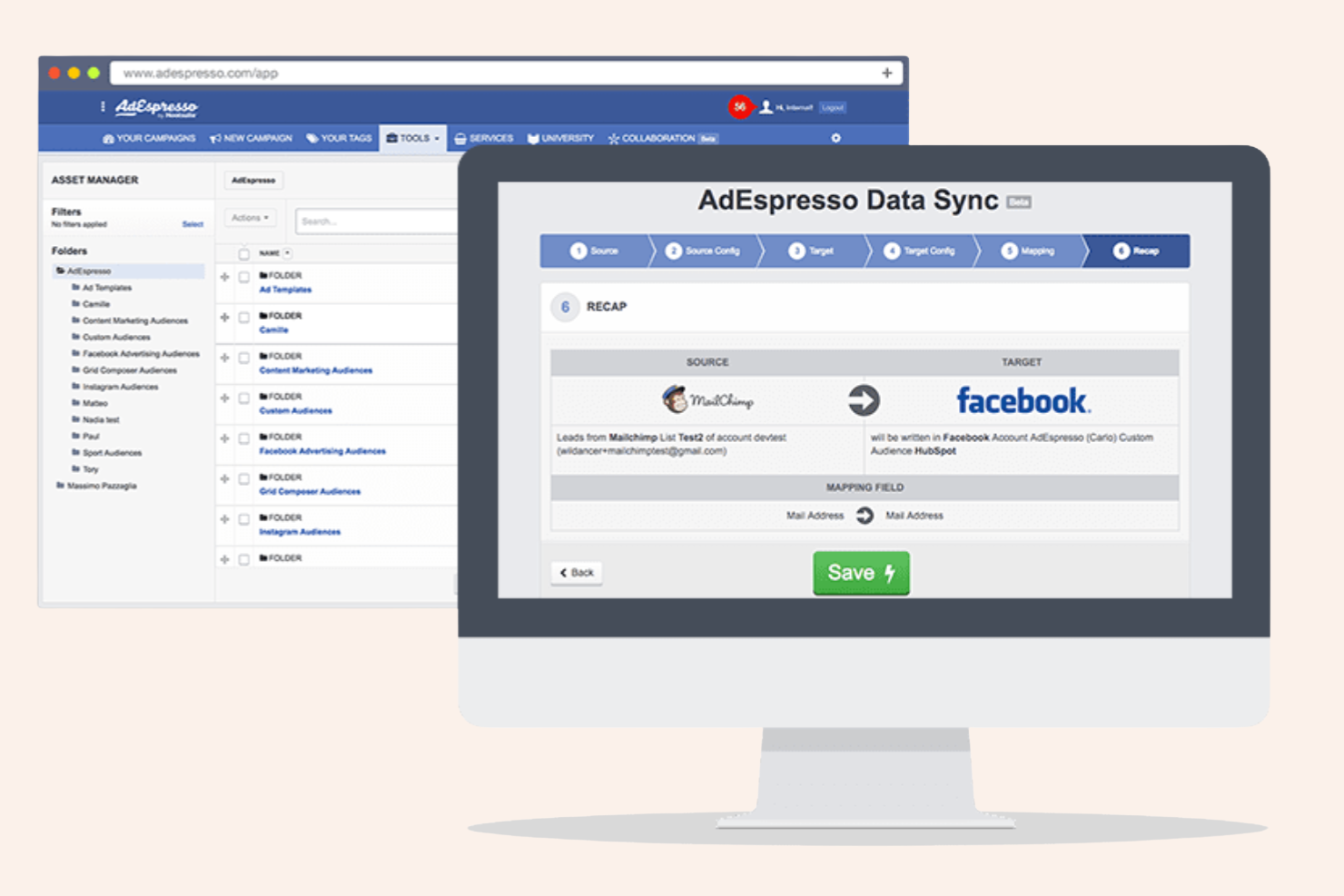
For marketers focused on paid social, AdEspresso offers specialized tools for testing and optimizing Facebook and Instagram ads. It’s a strong fit for agencies and in-house teams that want to run multivariate ad experiments without manual setup. The platform helps you quickly identify top-performing creative and audience combinations, making it easier to improve ROI on Meta platforms.
Why I Picked AdEspresso
AdEspresso is purpose-built for marketers who want to test and optimize Facebook and Instagram ads at scale. I picked it because its campaign creation workflow lets you set up multivariate tests across creative, audience, and placement variables in just a few steps. The platform’s analytics dashboard breaks down performance by each ad variation, so you can quickly spot what’s working. For anyone focused on paid social, these testing and reporting features make AdEspresso a strong choice.
AdEspresso Key Features
In addition to its testing and reporting capabilities, AdEspresso offers several other features for managing paid social campaigns:
- Automated Optimization Rules: Set custom rules to automatically pause, promote, or adjust ads based on performance metrics.
- Collaboration Tools: Invite team members or clients to review, comment, and approve campaigns within the platform.
- Ad Scheduling: Schedule ads to run at specific times or days to match your audience’s activity patterns.
- PDF Reporting: Generate customizable PDF reports to share campaign results with stakeholders.
AdEspresso Integrations
Integrations include Facebook Ads, Instagram Ads, and Google Ads.
Pros and Cons
Pros:
- Great for Meta advertising
- Automated optimization rules
- Clean visual dashboard
Cons:
- Analytics can load slowly
- Lacks Google Search depth

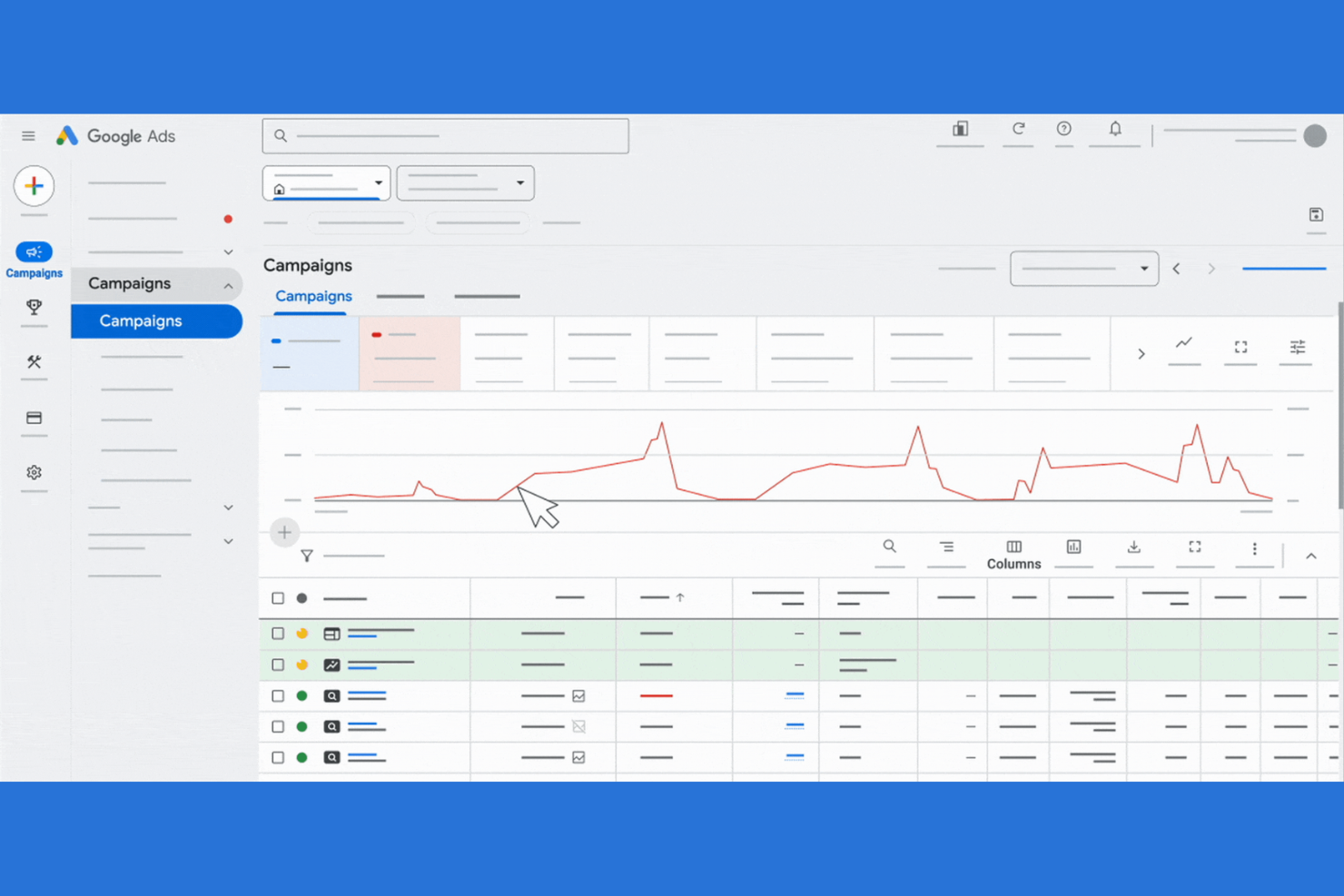
If you need to manage high-volume ad campaigns across multiple markets, Google Ads offers the reach and flexibility to do it. This platform is built for marketing teams and agencies that want granular control over budgets, targeting, and creativity at scale. It’s especially useful for businesses aiming to maximize visibility on Google Search, YouTube, and partner sites.
Why I Picked Google Ads
I chose Google Ads because it’s purpose-built for managing large-scale ad campaigns with complex requirements. The platform supports advanced campaign structures, letting you organize thousands of ads and keywords across multiple accounts and markets. I appreciate the detailed audience targeting and automated bidding options, which help you allocate budget efficiently at scale. Google Ads also offers robust reporting tools, so you can monitor performance and adjust strategies for high-volume campaigns.
Google Ads Key Features
Some other features in Google Ads that are especially useful for PPC management include:
- Responsive Search Ads: Automatically test different headlines and descriptions to find the best-performing ad combinations.
- Ad Extensions: Add site links, callouts, and structured snippets to your ads to provide more information and increase visibility.
- Conversion Tracking: Measure specific actions users take after clicking your ads, such as purchases or sign-ups, to evaluate campaign effectiveness.
- Google Keyword Planner: Research and discover new keywords, along with search volume and forecast data, to inform your campaign strategy.
Google Ads Integrations
Integrations include Google Analytics, Google Search Console, YouTube, Salesforce, and HubSpot.
Pros and Cons
Pros:
- Integrates with GA4 easily
- Deep audience targeting
- Powerful machine learning AI
Cons:
- Support can be unhelpful
- Interface changes often

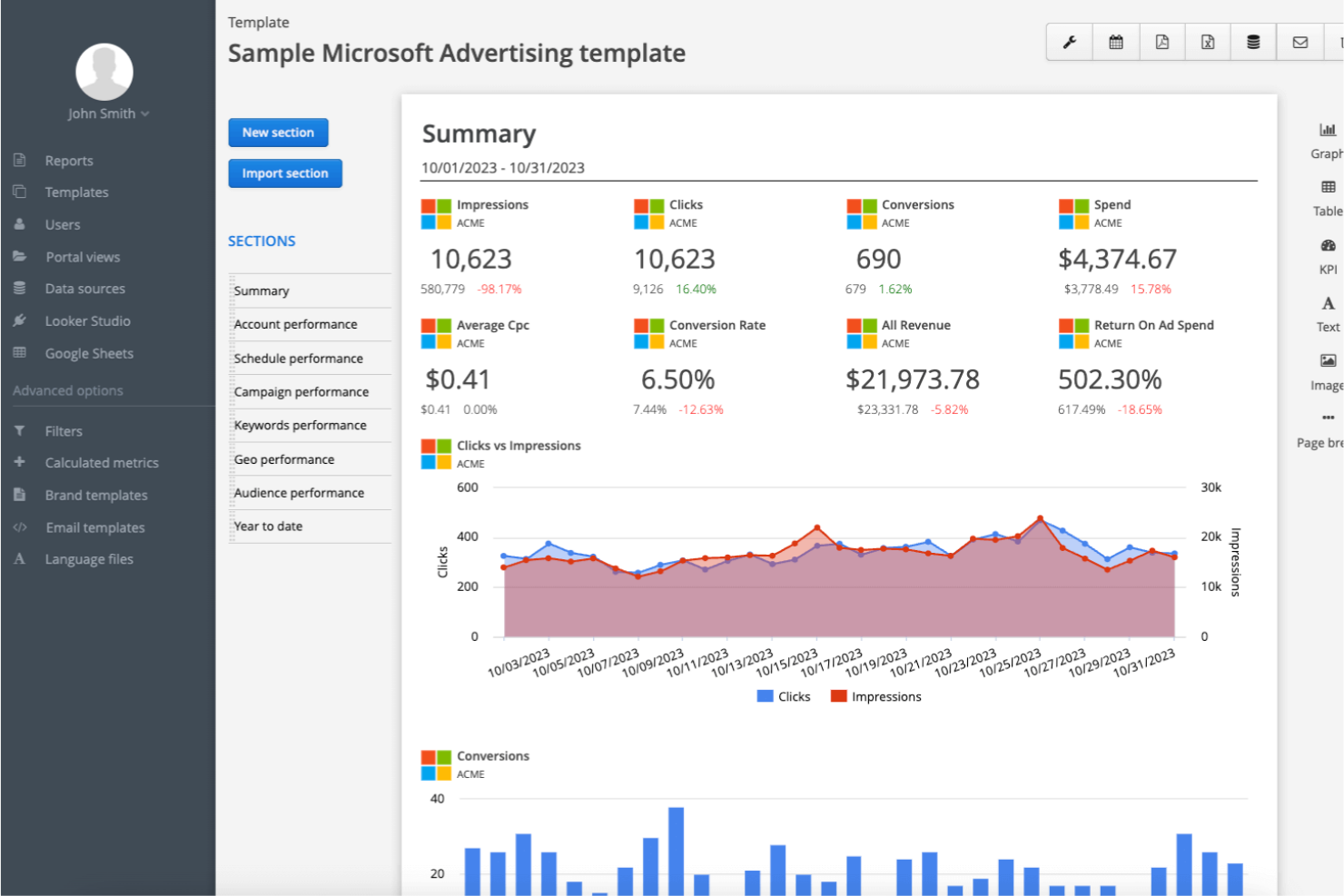
For marketers looking to reach audiences beyond Google, Microsoft Advertising opens access to Bing, Yahoo, and a network of partner sites. This platform is a strong fit for businesses aiming to diversify their PPC strategy and tap into unique search demographics. It’s especially useful for teams that want to extend their reach to users who aren’t as active on Google properties.
Why I Picked Microsoft Advertising
What sets Microsoft Advertising apart is its ability to reach audiences on Bing and a wide network of partner sites that aren’t accessible through Google Ads. This makes it a strong choice for PPC campaigns targeting users who prefer alternative search engines or have different browsing habits. I like that the platform offers LinkedIn profile targeting, which lets you refine your audience based on professional attributes. Microsoft Advertising also supports import tools for Google Ads campaigns, making it easier to expand your reach without rebuilding campaigns from scratch.
Microsoft Advertising Key Features
I also found several other features in Microsoft Advertising that are valuable for PPC management:
- Audience Network Ads: Deliver ads across Microsoft’s network of partner sites, apps, and placements beyond search results.
- Ad Customizers: Dynamically update ad content based on user location, device, or time of day.
- Shopping Campaigns: Promote products directly in Bing search results with detailed product information and images.
- Automated Rules: Set up custom rules to automatically adjust bids, budgets, or ad statuses based on performance criteria.
Microsoft Advertising Integrations
Integrations include Bing Places for Business, Bing Webmaster Tools, Microsoft Clarity, Microsoft 365, MSN, Microsoft Edge, and Netflix.
Pros and Cons
Pros:
- Strong B2B targeting options
- Easy Google Ads import tool
- Reaches older demographics
Cons:
- Support can be very slow
- Weak mobile search traffic


Optmyzr is designed for PPC managers and agencies who want to automate and scale account optimization across multiple platforms. The tool offers rule-based and AI-driven workflows that help you manage bids, budgets, and scripts without manual intervention. If you’re looking to reduce repetitive tasks and focus on strategy, Optmyzr brings automation and control to your paid search management.
Why I Picked Optmyzr
Automated account optimization is where Optmyzr really shines for PPC professionals who want to scale their efforts. I picked it because its rule-based optimizations and one-click account audits help you quickly identify and act on opportunities across multiple campaigns. The tool’s automation layering lets you combine scripts, custom rules, and AI-driven suggestions to keep accounts performing without constant manual checks. For anyone managing complex or high-volume PPC accounts, Optmyzr’s automation features can help you maintain control while reducing repetitive work.
Optmyzr Key Features
Some other features that make Optmyzr useful for PPC teams include:
- Shopping Campaign Builder: Create and manage Google Shopping campaigns with automated product group organization.
- PPC Investigator: Visualize performance shifts and diagnose root causes with interactive charts and breakdowns.
- Budget Tracking Tools: Monitor spend across accounts and set up alerts for pacing and budget limits.
- Custom Report Designer: Build and schedule branded performance reports with drag-and-drop widgets.
Optmyzr Integrations
Integrations include Google Ads, Microsoft Ads, Amazon Ads, Meta Ads, and LinkedIn Ads.
Pros and Cons
Pros:
- Excellent reporting tools
- One-click optimizations
- Multi-platform ad support
Cons:
- Overwhelming feature set
- Hard for PPC beginners

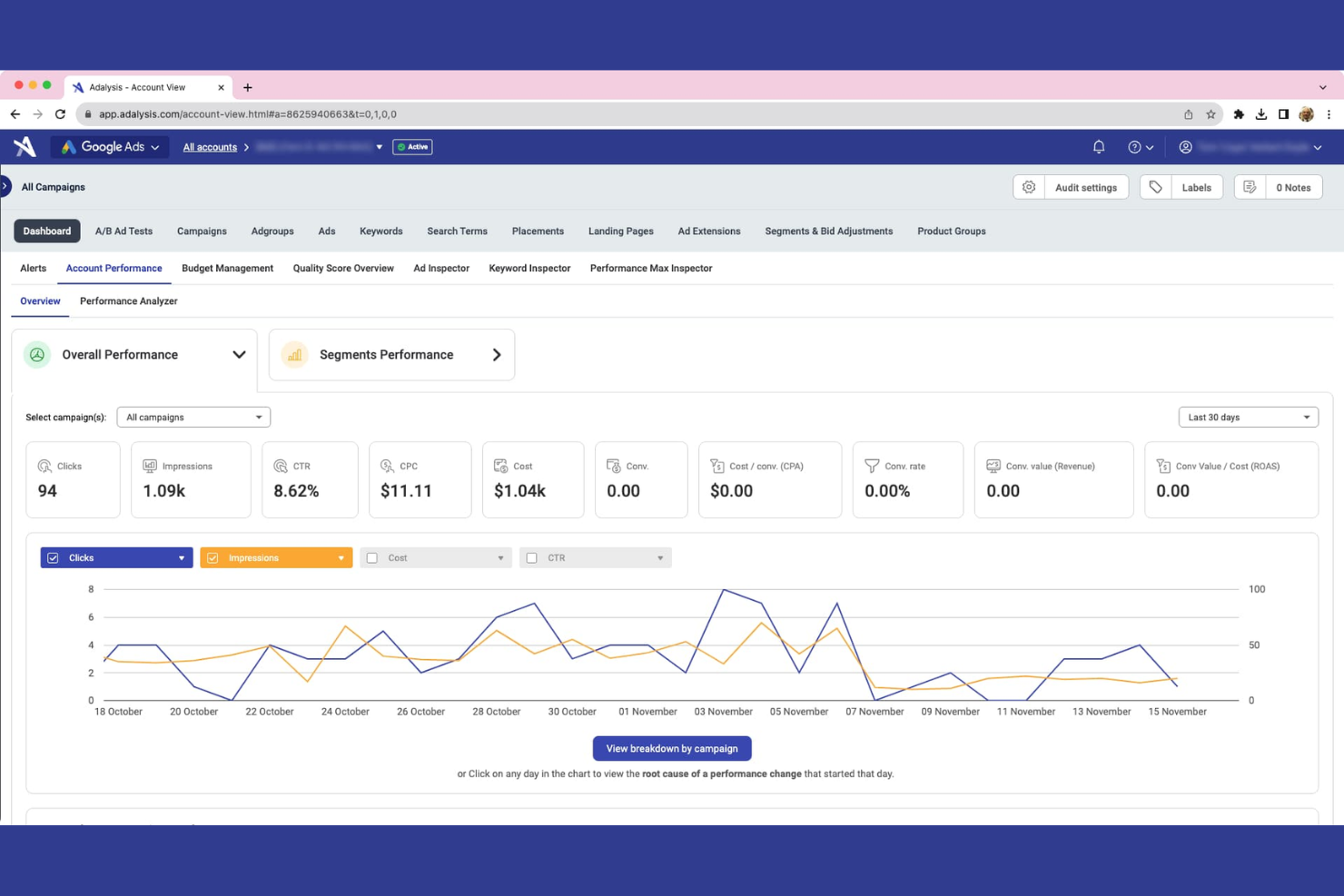
Adalysis is built for PPC specialists and agencies who want to run advanced ad testing at scale. The platform offers automated statistical analysis and actionable alerts, helping you quickly identify underperforming ads and optimize creative. If you manage high-volume campaigns and need structured, data-driven testing workflows, Adalysis brings rigor and automation to your ad optimization process.
Why I Picked Adalysis
Advanced ad testing workflows are where Adalysis sets itself apart for PPC teams focused on continuous improvement. I picked it because its automated statistical significance testing helps you quickly identify which ads are truly outperforming others, removing guesswork from creative decisions. The platform also provides actionable alerts and bulk testing tools, so you can manage experiments across hundreds of ad groups without manual tracking. For anyone who wants to bring scientific rigor and automation to their ad testing process, Adalysis offers a focused set of features built for that purpose.
Adalysis Key Features
In addition to its advanced ad testing capabilities, Adalysis offers several other features that support PPC management:
- Quality Score Tracker: Monitor changes in quality scores across campaigns and receive alerts for significant shifts.
- Automated Account Audits: Run regular audits to identify issues like broken links, missing ad extensions, or disapproved ads.
- Budget Management Tools: Set and track spend targets with pacing alerts and budget recommendations.
- Customizable Performance Dashboards: Build dashboards to visualize key metrics and trends for multiple accounts.
Adalysis Integrations
Integrations include Google Ads and Microsoft Ads.
Pros and Cons
Pros:
- Spots duplicate search terms
- Easy cross-campaign checks
- Automated account alerts
Cons:
- Limited social ad features
- Pricing scales with ad spend
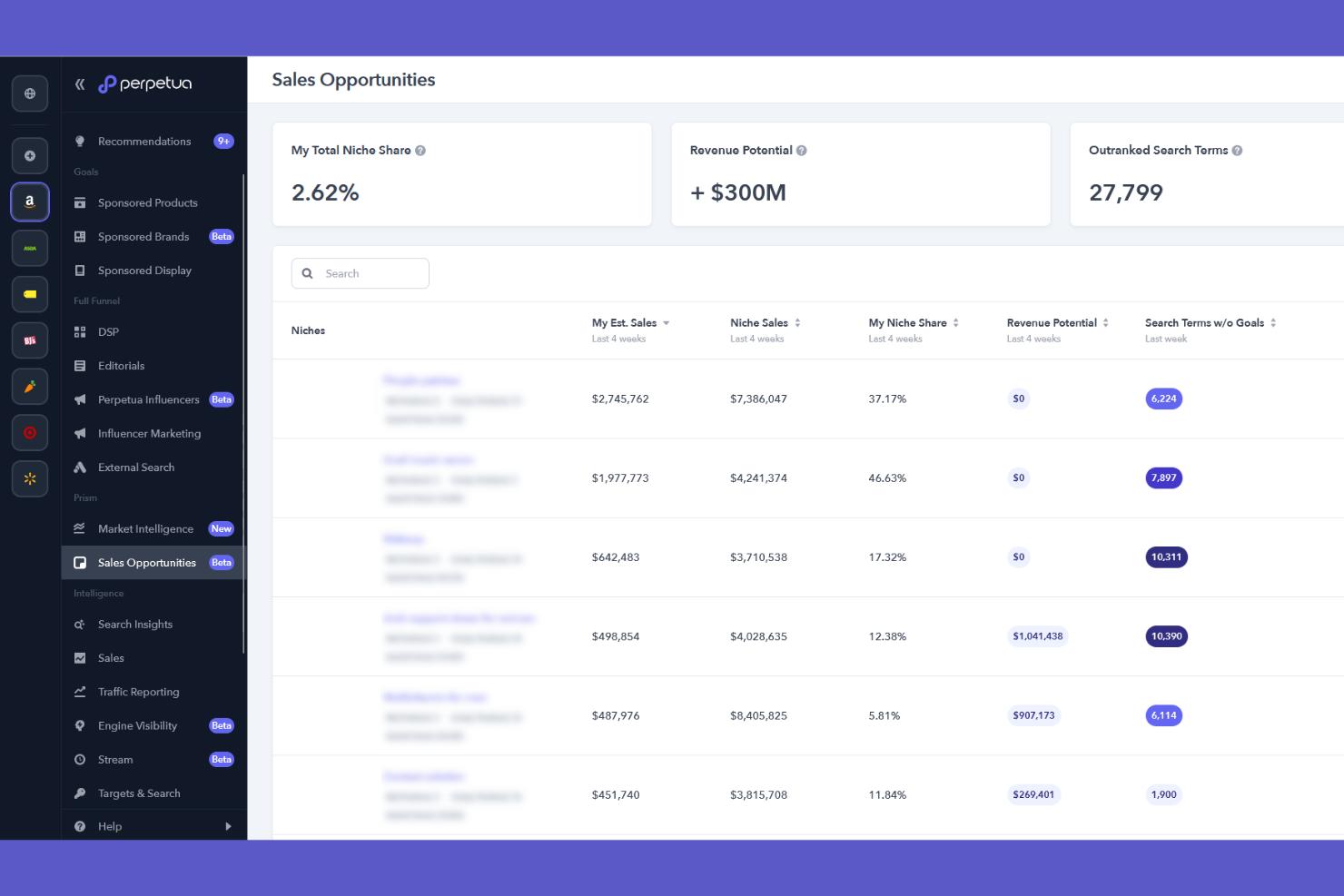
If you’re running ads on Amazon, Walmart, or other ecommerce marketplaces, Perpetua is built to help you manage and optimize those campaigns in one place. The platform is designed for ecommerce brands and agencies that need advanced automation, analytics, and creative tools tailored to marketplace advertising. Perpetua stands out for its marketplace-specific features, like AI-powered bid optimization and real-time keyword tracking, that address the unique challenges of retail media.
Why I Picked Perpetua
Unlike most PPC tools that focus on search or social channels, Perpetua is purpose-built for ecommerce marketplace advertising. I picked Perpetua because it offers AI-powered campaign automation and keyword harvesting specifically for platforms like Amazon, Walmart, and Instacart. The tool’s creative builder for sponsored brand video ads and real-time analytics dashboard are especially useful for retail media teams. These features help ecommerce brands and agencies manage marketplace campaigns with the precision and automation that general PPC platforms often lack.
Perpetua Key Features
Some other features that make Perpetua stand out for marketplace advertisers include:
- Share of Voice Tracking: Monitors your brand’s visibility and ranking for target keywords across marketplaces.
- Automated Dayparting: Adjusts bids and budgets based on time-of-day performance data.
- Custom Goal Setting: Lets you define and track campaign objectives like ROAS, sales, or new-to-brand customers.
- Marketplace Insights Dashboard: Aggregates performance data from multiple marketplaces into a single analytics view.
Perpetua Integrations
Integrations include Amazon Ads, Walmart Connect, Instacart Ads, Target Roundel, and Amazon Marketing Cloud.
Pros and Cons
Pros:
- Excellent video ad creator
- Boosts organic ad rankings
- Great market share insights
Cons:
- Complex onboarding process
- Takes time for AI to learn
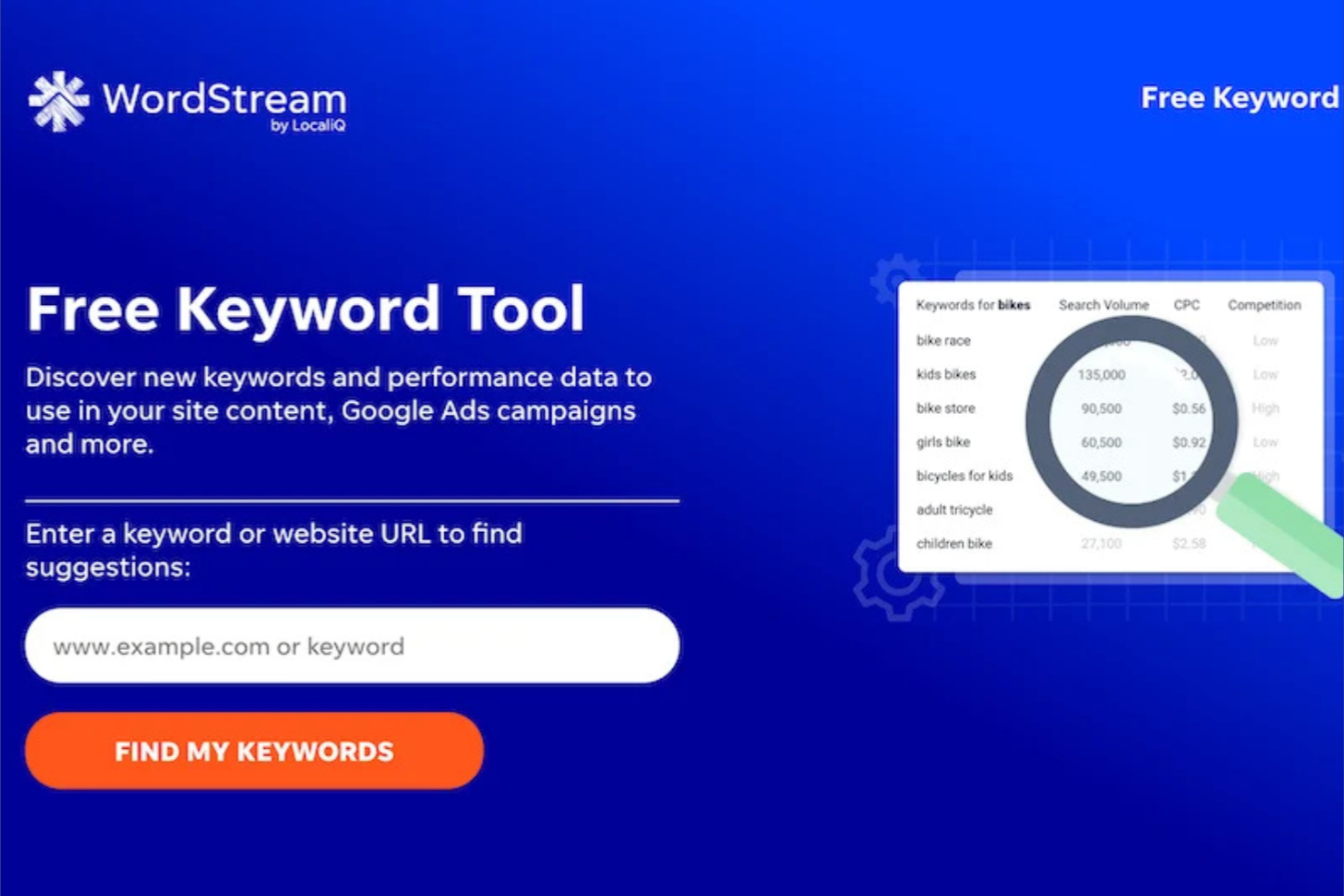
If you’re looking for a way to simplify PPC campaign management, WordStream is designed with small businesses and marketing teams in mind. The platform centralizes campaign creation, optimization, and reporting for Google, Microsoft, and Facebook Ads. WordStream is especially useful for those who want guided recommendations and automation without the complexity of enterprise-level tools.
Why I Picked WordStream
Simplified campaign management is where WordStream really delivers for PPC teams that want to reduce manual work. I picked it because its 20-Minute Work Week feature gives you a prioritized checklist of optimization tasks, making it easy to keep campaigns on track without getting overwhelmed. The platform also offers automated recommendations for bid adjustments, keyword additions, and negative keyword suggestions, which helps you quickly act on performance insights. For marketers who want to manage multiple ad channels without juggling separate dashboards, WordStream brings everything together in one place.
WordStream Key Features
Some other features that make WordStream useful for PPC management include:
- Cross-Platform Reporting: Generate unified reports for Google, Microsoft, and Facebook Ads in one dashboard.
- Landing Page Grader: Analyze landing pages for relevance and performance factors tied to ad campaigns.
- Call Tracking Integration: Track and attribute phone call conversions directly to your PPC campaigns.
- Account Structure Suggestions: Receive automated recommendations for restructuring campaigns and ad groups to improve performance.
WordStream Integrations
Integrations include Google Ads, Microsoft Advertising, and Facebook Ads.
Pros and Cons
Pros:
- Great educational resources
- Free performance grader
- Cross-platform reporting
Cons:
- Focuses mainly on SMBs
- Limited deep A/B testing

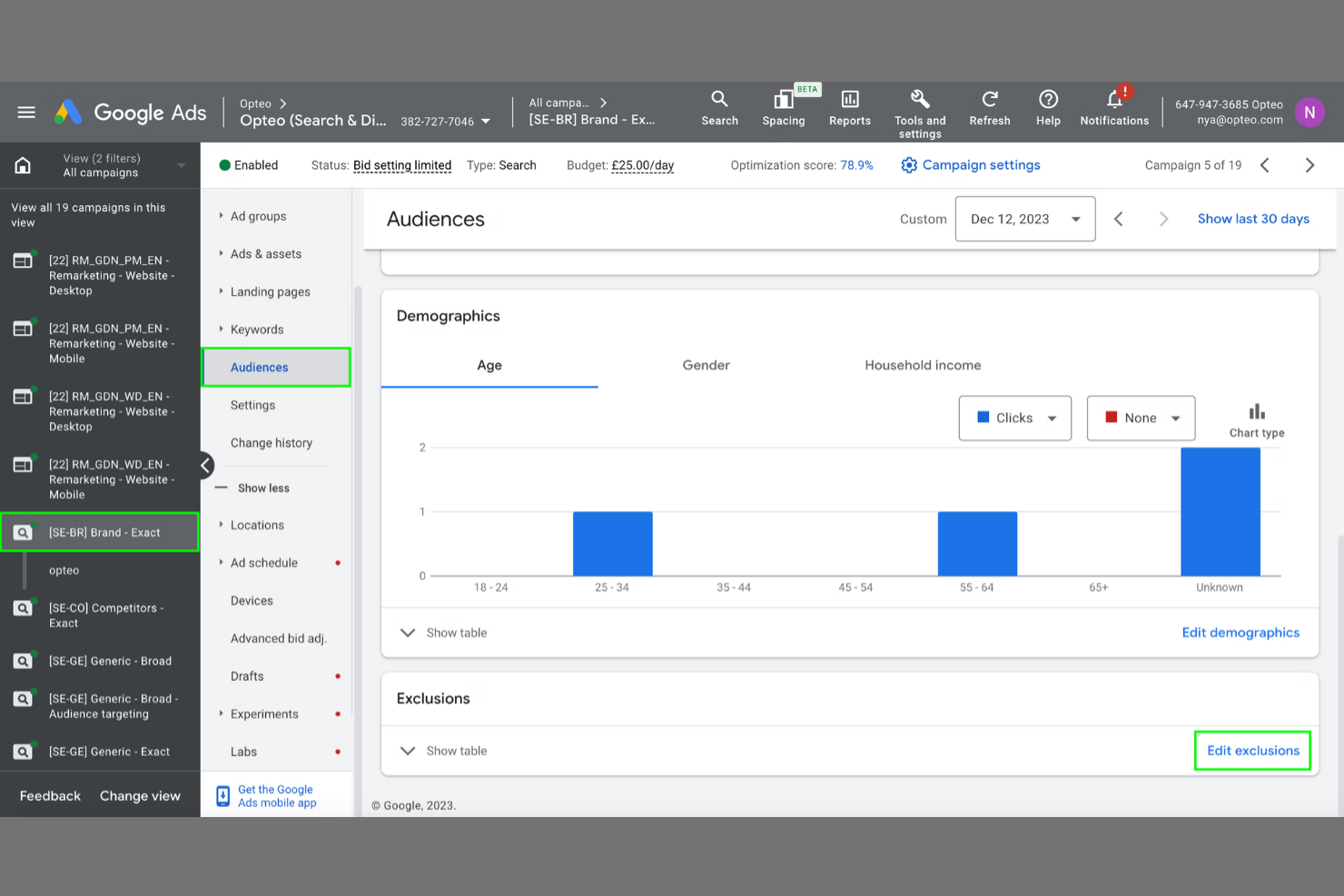
Opteo is designed for PPC managers and agencies who want actionable, data-driven suggestions to improve Google Ads performance. The platform analyzes account data in real time and surfaces prioritized recommendations, so you can focus on high-impact optimizations instead of manual audits. If you’re looking to automate routine monitoring and get clear, practical next steps, Opteo offers a focused solution.
Why I Picked Opteo
When you need actionable performance suggestions instead of generic alerts, Opteo stands out among PPC tools. The platform continuously analyzes your Google Ads account and delivers prioritized recommendations, so you know exactly which optimizations to tackle first. I like that Opteo breaks down each suggestion with clear explanations and direct links to implement changes. This approach helps PPC managers and agencies move quickly from insight to action, making it easier to improve campaign results without second-guessing what to do next.
Opteo Key Features
Some other features that make Opteo useful for PPC management include:
- Performance Monitoring Dashboard: Track key metrics and trends across all connected Google Ads accounts in one place.
- Budget Tracking Tools: Set and monitor spend targets to avoid overspending or underspending on campaigns.
- Change History Timeline: Review a detailed log of all account changes and optimizations made through Opteo.
- Slack Integration: Receive performance alerts and suggestions directly in your team’s Slack channels.
Opteo Integrations
Integrations include Google Ads and Slack.
Pros and Cons
Pros:
- Great Slack integration
- Easy budget pacing tools
- Pushes updates to Google Ads
Cons:
- Pricing scales with spend
- Automation isn't fully auto
Other PPC tools
Here are some additional PPC tools options that didn’t make it onto my shortlist, but are still worth checking out:
- PPC.io
For multi-platform ad automation
- Semrush
For competitor keyword research
- Supermetrics
For automated marketing data transfers
- Helium 10
For Amazon advertising analytics
- AdLabs
For AI-powered ad creative testing


PPC tools Selection Criteria
When selecting the best PPC tools to include in this list, I considered common buyer needs and pain points like optimizing ad spend across multiple channels and automating campaign management. I also used the following framework to keep my evaluation structured and fair:
Core Functionality (25% of total score)
To be considered for inclusion in this list, each solution had to fulfill these common use cases:
- Create and manage PPC campaigns
- Track and report on ad performance
- Automate bid adjustments
- Manage keywords and targeting
- Generate actionable insights from data
Additional Standout Features (25% of total score)
To help further narrow down the competition, I also looked for unique features, such as:
- AI-driven ad optimization
- Cross-channel attribution tracking
- Automated ad creative testing
- Real-time competitor monitoring
- Marketplace-specific campaign tools
Usability (10% of total score)
To get a sense of the usability of each system, I considered the following:
- Simple and intuitive dashboard layout
- Clear navigation between campaign elements
- Customizable reporting views
- Minimal clicks to complete core tasks
- Responsive interface with fast load times
Onboarding (10% of total score)
To evaluate the onboarding experience for each platform, I considered the following:
- Step-by-step product tours
- Access to training videos and documentation
- Availability of onboarding webinars
- Pre-built campaign templates
- In-app chat or guided setup support
Customer Support (10% of total score)
To assess each software provider’s customer support services, I considered the following:
- Live chat or phone support availability
- Fast response times to inquiries
- Access to a searchable help center
- Dedicated account management options
- Community forums or user groups
Value For Money (10% of total score)
To evaluate the value for money of each platform, I considered the following:
- Transparent and flexible pricing plans
- Features included at each pricing tier
- No hidden fees or surprise charges
- Free trial or demo availability
- Discounts for annual commitments
Customer Reviews (10% of total score)
To get a sense of overall customer satisfaction, I considered the following when reading customer reviews:
- Consistent positive feedback on results
- Reports of reliable platform performance
- Praise for customer support quality
- Comments on ease of use and learning
- Noted areas for improvement or limitations
How to Choose PPC tools
It’s easy to get bogged down in long feature lists and complex pricing structures. To help you stay focused as you work through your unique software selection process, here’s a checklist of factors to keep in mind:
| Factor | What to Consider |
|---|---|
| Scalability | Will the tool support your campaign volume and complexity as your business grows? Check for limits on accounts, users, or ad spend. |
| Integrations | Does the tool connect natively with your ad channels, analytics platforms, and reporting tools? Confirm compatibility with your current stack. |
| Customizability | Can you tailor dashboards, reporting, and workflows to your team’s needs? Look for flexible settings and user permissions. |
| Ease of use | How quickly can your team learn and navigate the platform? Request a demo or trial to assess the interface and workflow. |
| Implementation and onboarding | What resources are required to get started? Consider the time, training, and support needed for setup and migration. |
| Cost | Are pricing tiers aligned with your budget and usage? Watch for minimum spend requirements, add-on fees, or contract commitments. |
| Security safeguards | Does the tool offer role-based access, data encryption, and compliance with privacy standards? Ask about audit logs and user controls. |
| Support availability | What support channels are offered, and during what hours? Check for live chat, phone, or dedicated account management if your team needs hands-on help. |
What are PPC tools?
These tools help businesses create, manage, and optimize PPC advertising across digital channels, including specialized networks like Amazon PPC. These systems leverage advanced algorithms to support campaign setup, keyword management, bid adjustments, and performance tracking to improve ad spend efficiency without relying on basic excel exports. Marketing teams, agencies, and ecommerce brands use these solutions to automate routine tasks, analyze results, and scale their advertising efforts while maintaining control over budgets and targeting.
Features of PPC tools
When selecting PPC tools, keep an eye out for the following key features:
- Campaign management: Centralizes the creation, scheduling, and editing of ads across multiple platforms, allowing you to organize campaigns by objective, audience, or product line.
- Keyword research: Identifies high-performing keywords and negative keywords, helping you target the right search terms and avoid wasted ad spend.
- Bid management: Lets you set, adjust, and automate bids for keywords or ad groups, ensuring your ads remain competitive within your budget constraints.
- Ad scheduling: Enables you to specify when your ads appear, so you can target audiences at optimal times and days for better performance.
- Performance tracking: Monitors key metrics like clicks, impressions, conversions, and cost per acquisition, providing real-time data to inform campaign adjustments.
- Budget management: Allows you to allocate, monitor, and control ad spend at the campaign or account level, reducing the risk of overspending.
- Reporting and analytics: Generates customizable reports and dashboards that visualize campaign results, trends, and ROI for stakeholders.
- A/B testing: Facilitates the comparison of different ad creatives, copy, or landing pages to determine which variations drive the best results.
- Multi-channel support: Supports campaign management across various ad networks, such as search engines, social media, and marketplaces, from a single interface.
Common PPC tools AI Features
Beyond the standard PPC tools features listed above, many of these solutions are incorporating AI with features like:
- Predictive budget allocation: Uses AI to forecast campaign performance and automatically shifts budget to the highest-potential ads or channels based on real-time data patterns.
- Automated anomaly detection: Continuously monitors campaign metrics and alerts you to unusual spikes or drops in performance, helping you catch issues or opportunities early.
- Dynamic audience segmentation: Leverages AI to analyze user behavior and automatically group audiences for more precise targeting and personalized ad delivery.
- Creative performance analysis: Applies machine learning to evaluate which ad creatives are resonating with different segments, recommending adjustments to improve engagement and conversion rates.
- Natural language keyword expansion: Uses AI to suggest new, relevant keywords and negative keywords by analyzing search trends and user intent beyond basic keyword matching.
Benefits of PPC tools
Implementing PPC tools provides several benefits for your team and your business. Here are a few you can look forward to:
- Improved campaign efficiency: Centralized management and automation features help your team launch, monitor, and adjust campaigns faster across multiple channels.
- Better budget control: Built-in budget management and AI-powered allocation tools reduce overspending and maximize return on ad spend.
- Deeper performance insights: Advanced reporting, analytics, and AI-driven anomaly detection provide actionable data to refine your strategy and boost results.
- Enhanced targeting precision: Keyword research, dynamic audience segmentation, and multi-channel support enable you to reach the right audiences with relevant messaging.
- Faster optimization cycles: A/B testing, creative analysis, and automated bid adjustments allow you to quickly identify and scale what works.
- Reduced manual workload: Automation of routine tasks like bid management, scheduling, and keyword expansion frees up your team to focus on strategy and creative work.
- Scalable growth: Flexible campaign management and integration capabilities support your business as your advertising needs and complexity increase.
Costs and Pricing of PPC tools
Selecting PPC tools requires an understanding of the various pricing models and plans available. Costs vary based on features, team size, add-ons, and more. The table below summarizes common plans, their average prices, and typical features included in PPC tools solutions:
Plan Comparison Table for PPC tools
| Plan Type | Average Price | Common Features |
|---|---|---|
| Free Plan | $0 | Basic campaign management, limited keyword tracking, single user access, and standard reporting. |
| Personal Plan | $39-$209/month | Multi-channel support, enhanced keyword research, automated bid management, and email support. |
| Business Plan | $249-$499/month | Team collaboration tools, advanced analytics, custom reporting, API access, and priority support. |
| Enterprise Plan | $500+/month | Dedicated account management, custom integrations, advanced security controls, SLA guarantees, and onboarding assistance. |
PPC Tools FAQs
Here are some answers to common questions about PPC tools:
How do PPC tools help manage multiple ad platforms?
PPC tools let you create, monitor, and optimize campaigns across different ad networks from a single dashboard. This saves time, reduces manual errors, and helps you compare performance data side by side for better decision-making.
Can PPC tools automate bid adjustments?
Yes, most PPC tools offer automated bid management. These features use rules or AI to adjust bids in real time based on performance data, helping you stay competitive and control costs without constant manual oversight.
What integrations should I look for in a PPC tool?
Look for integrations with your primary ad platforms, analytics tools, CRM systems, and reporting software. Seamless integrations ensure your data flows smoothly and you can track the full customer journey from ad click to conversion.
Are there risks to automating PPC campaigns?
Yes, automation can sometimes make changes that don’t align with your goals if not properly configured. Always review automation rules, monitor performance closely, and set clear limits to avoid overspending or targeting the wrong audiences.
How do PPC tools support team collaboration?
Many PPC tools include user roles, permissions, and shared workspaces. These features let multiple team members manage campaigns, review changes, and access reports without compromising account security or data integrity.