
16 Best Notion Alternatives for 2026

Notion Alternatives Shortlist
Here’s my shortlist of Notion alternatives:


A strong Notion alternative offers flexible note-taking, easy organization, and reliable collaboration features without locking you into a single workflow. If you’re searching for the best alternatives to use Notion, you’re likely looking for tools that fit your team’s unique habits, integrate with your existing stack, or address gaps you’ve found in Notion’s approach. Many platforms combine project management features, dashboards, and automation with note-taking, creating an all-in-one workspace that helps teams streamline their work.
This list breaks down the top options for 2026 so you can compare features, strengths, and use cases—whether you need stronger project management capabilities, a more user-friendly interface, or a tool with a smaller learning curve for your team’s note-taking and collaboration needs.
What Is Notion?
Notion is a note-taking and workspace software that lets individuals and teams create, organize, and share notes, documents, databases, and tasks in one place. Users can build custom pages, link information, and collaborate in real time. Notion is popular for its flexible structure, allowing you to design workflows that fit your needs. It’s widely used for project planning, knowledge base management, and team documentation, while offering advanced features and AI features that enhance collaboration and productivity. As one of the leading productivity tools, it helps teams centralize information and streamline their work.
Best Notion Alternatives Summary
This comparison chart summarizes pricing details for my top Notion alternative selections to help you find the best one for your budget and business needs.
| Tool | Best For | Trial Info | Price | ||
|---|---|---|---|---|---|
| 1 | Best for advanced web clipping features | Free plan available | From $8.33/month (billed annually) | Website | |
| 2 | Best for linking and visualizing ideas | Free plan available | From $4/user/year (billed annually) | Website | |
| 3 | Best for Apple device synchronization | Free-forever plan available | Free to use | Website | |
| 4 | Best for quick visual note capture | Free trial available | From $6.30/user/month | Website | |
| 5 | Best with Microsoft 365 integration | 30-day free trial available | From $6/user/month (billed annually) | Website | |
| 6 | Best for distraction-free writing | Free to us | Free to use | Website | |
| 7 | Best for AI-powered meeting summaries | Free plan available | From €21/user/month | Website | |
| 8 | Best for handwritten note support | Free plan available | From $11.99/year | Website | |
| 9 | Best for open-source privacy controls | Free-forever plan available | Free to use | Website | |
| 10 | Best for annotating PDF documents | 7-day free trial + free plan + free demo available | From $4.19/month | Website | |
| 11 | Best for collaborative meeting notes | Free-forever plan available | Free to use | Website | |
| 12 | Best for technical documentation workflows | Free plan available | From $6.75/month (billed annually) | Website |
Why Trust Our Software Reviews
We’ve been testing and reviewing marketing software since 2022. As marketing experts ourselves, we know how critical and difficult it is to make the right decision when selecting software.
We invest in deep research to help our audience make better software purchasing decisions. We’ve tested more than 2,000 tools for different marketing use cases and written over 1,000 comprehensive software reviews. Learn how we stay transparent & our software review methodology.


Notion Alternatives Reviews
Below are my detailed summaries of the Notion alternatives that made it onto my shortlist. My reviews offer a detailed look at the features, best use cases, and integrations of each tool to help you find the best one for you.

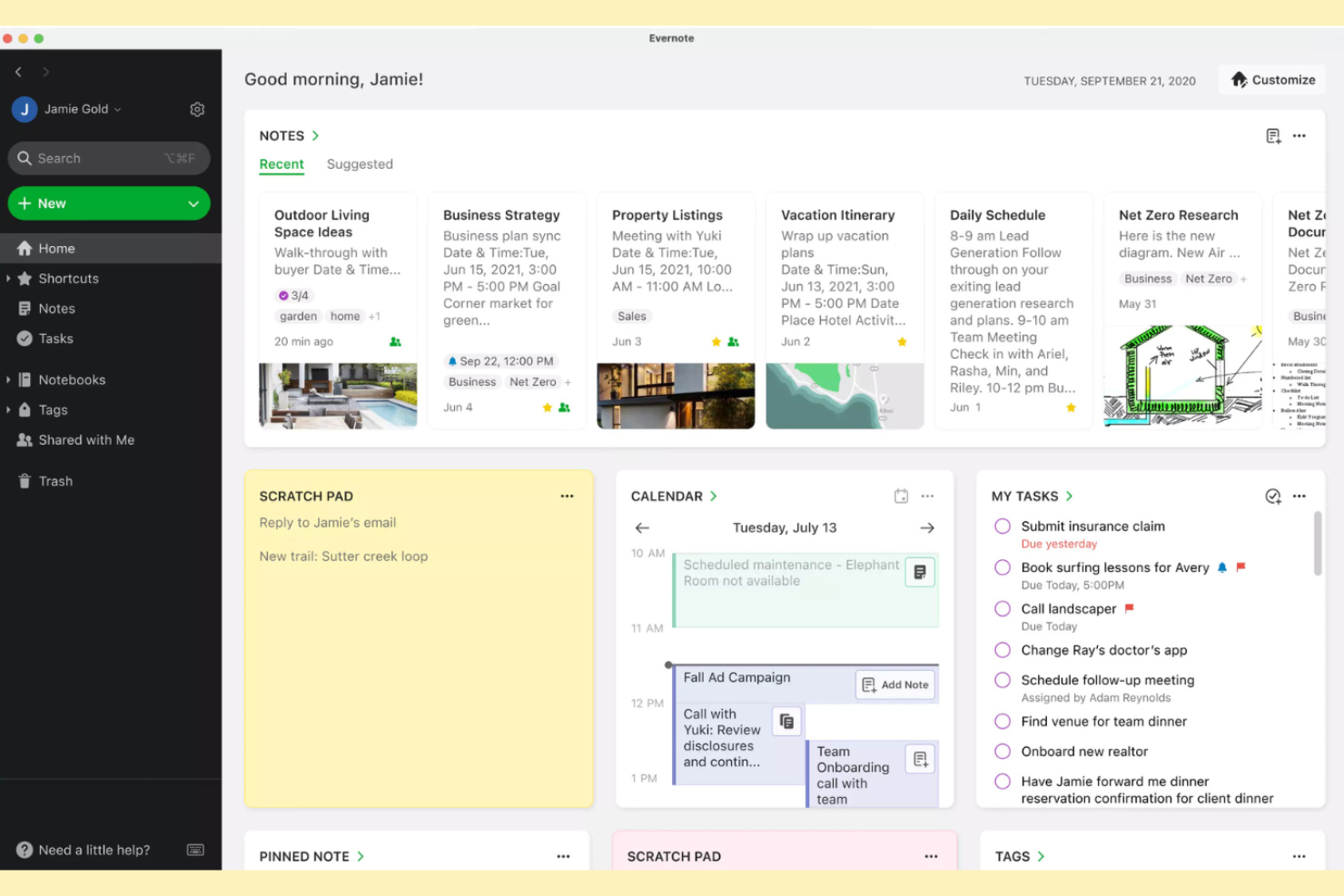
If you need to capture and organize content from across the web, Evernote offers advanced web clipping features that go beyond basic note-taking. It’s a strong fit for researchers, marketers, and content strategists who want to save articles, images, and PDFs directly into organized notebooks. Unlike Notion, Evernote’s Web Clipper extension lets you grab full pages, simplified articles, or screenshots and keep them searchable alongside your other notes.
Why Evernote Is a Good Notion Alternative
For anyone who needs to capture web content quickly and organize it for later use, Evernote stands out with its advanced web clipping features. I picked Evernote as a Notion alternative because its Web Clipper browser extension lets you save full web pages, simplified articles, or screenshots directly into your notebooks. You can also annotate clippings, tag them, and make everything searchable, which is especially useful for research-heavy workflows. If you want to build a searchable library of web content alongside your notes, Evernote offers a focused solution.
Evernote Key Features
Some other features in Evernote that may be valuable for professionals and teams include:
- Notebook Stacks: Group related notebooks together for better organization across projects.
- Document Scanning: Digitize physical documents and add them directly to your notes.
- Task Management: Create tasks with due dates, reminders, and flags within your notes.
- PDF Annotation: Mark up PDFs directly inside Evernote without needing a separate tool.
Evernote Integrations
Integrations include Google Drive, Google Calendar, Slack, Outlook, Gmail, and more.
Pros and Cons
Pros:
- PDF annotation supports research workflows
- Notebook stacks organize large note collections
- Image search recognizes text in scans
Cons:
- Limited rich media and widget embedding
- No kanban boards or database-style organization

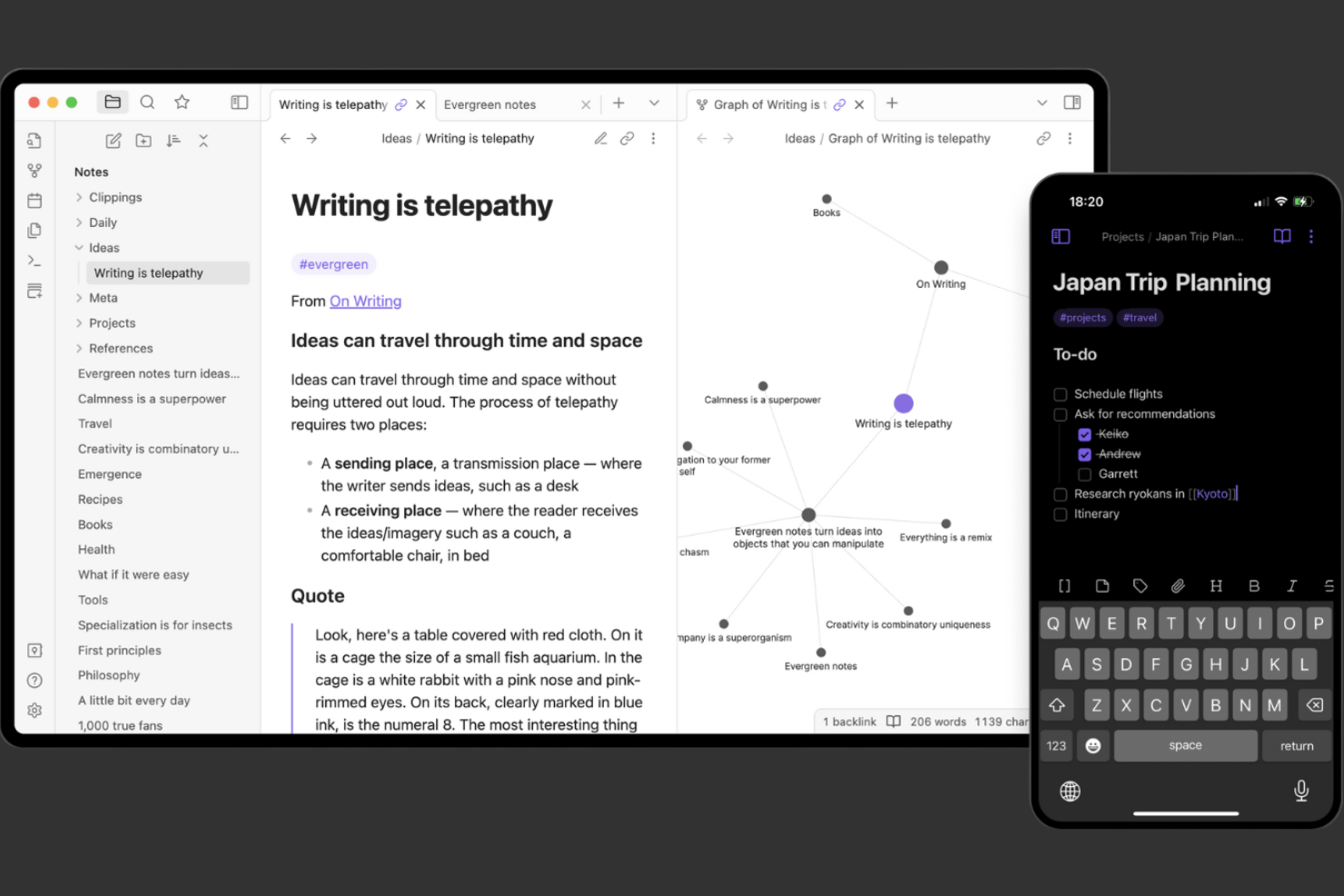
Obsidian takes a unique approach to note-taking by letting you build a network of linked ideas using plain text files. It’s especially useful for researchers, writers, and knowledge workers who want to visualize connections between notes and concepts. Unlike Notion, Obsidian’s graph view and backlinking features help you map out complex topics and see how your thoughts relate over time. With support for plugins like an AI assistant, customizable task lists, and optional paid plans, it works well for both beginners and advanced users, making it a great Notion alternative for connected knowledge management.
Why Obsidian Is a Good Notion Alternative
If you want to organize your notes by linking ideas and visualizing relationships, Obsidian offers a different approach than Notion. I picked Obsidian because its graph view lets you see how your notes connect, making it easier to spot patterns and gaps in your thinking. The ability to create bidirectional links and backlinks between notes helps you build a true knowledge network, not just a collection of documents. For anyone who values mapping out complex topics or research, Obsidian’s linking and visualization features set it apart.
Obsidian Key Features
Some other features in Obsidian that may interest note-takers and knowledge workers include:
- Markdown Support: Write and format notes using standard Markdown syntax for portability and simplicity.
- Community Plugins: Extend functionality with a wide range of user-created plugins available through the built-in plugin marketplace.
- Customizable Workspaces: Arrange panes, tabs, and sidebars to create a personalized note-taking environment.
- Local Storage: Store all your notes locally on your device, giving you full control over your data.
Obsidian Integrations
Native integrations are not currently listed.
Pros and Cons
Pros:
- Markdown editing supports portable notes
- Community plugins enable deep customization
- Local storage gives full control over data
Cons:
- Device syncing requires a paid add-on
- No kanban boards or database tables
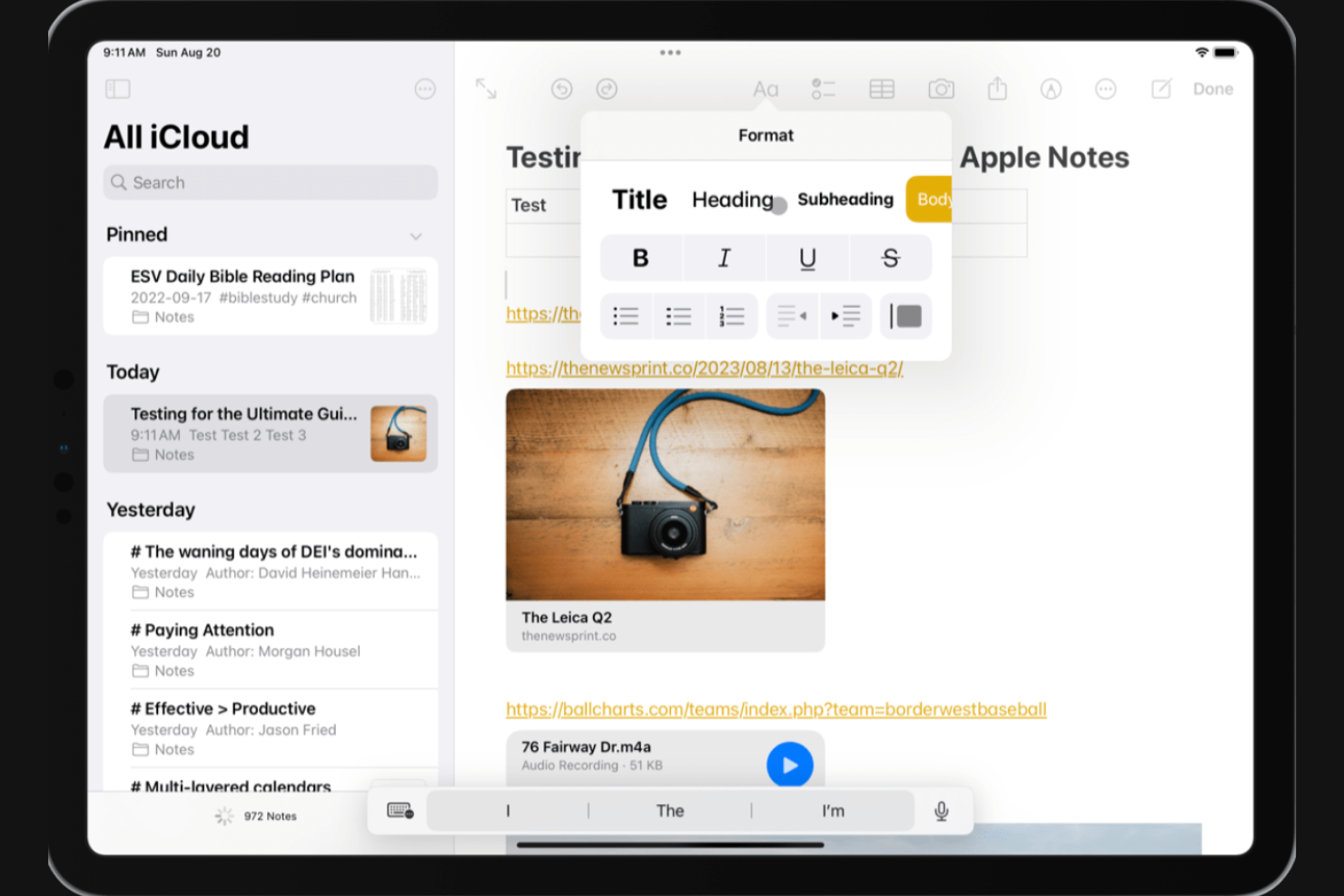
Anyone working across multiple Apple devices will find Apple Notes especially useful for keeping notes instantly accessible everywhere. The app is designed for professionals and teams who rely on iPhone, iPad, and Mac and need fast, automatic syncing without extra setup. Unlike Notion, Apple Notes is deeply integrated into the Apple ecosystem, making it easy to capture ideas, checklists, and attachments on the go.
Why Apple Notes Is a Good Notion Alternative
If you’re already using Apple devices for work, Apple Notes stands out for its synchronization across iPhone, iPad, and Mac. I picked it as a Notion alternative because it automatically keeps your notes, checklists, and attachments up to date on every device without any manual setup. Features like instant note capture from the lock screen and deep integration with Siri make it easy to jot down ideas or reminders wherever you are. For anyone who values fast, reliable syncing within the Apple ecosystem, Apple Notes is a strong choice.
Apple Notes Key Features
Some other features in Apple Notes that may interest teams and professionals include:
- Folder Organization: Create folders and subfolders to keep notes sorted by project or topic.
- Document Scanning: Scan documents directly into a note using your device’s camera.
- Collaboration: Share notes with others and allow real-time editing and comments.
- Rich Text Formatting: Add checklists, tables, images, and sketches to any note.
Apple Notes Integrations
Native integrations are not currently listed.
Pros and Cons
Pros:
- Folders and tags organize notes efficiently
- Shared notes enable real-time collaboration
- Document scanning and handwriting are supported
Cons:
- Lacks databases, kanban, and project tools
- No support for Windows or Android devices

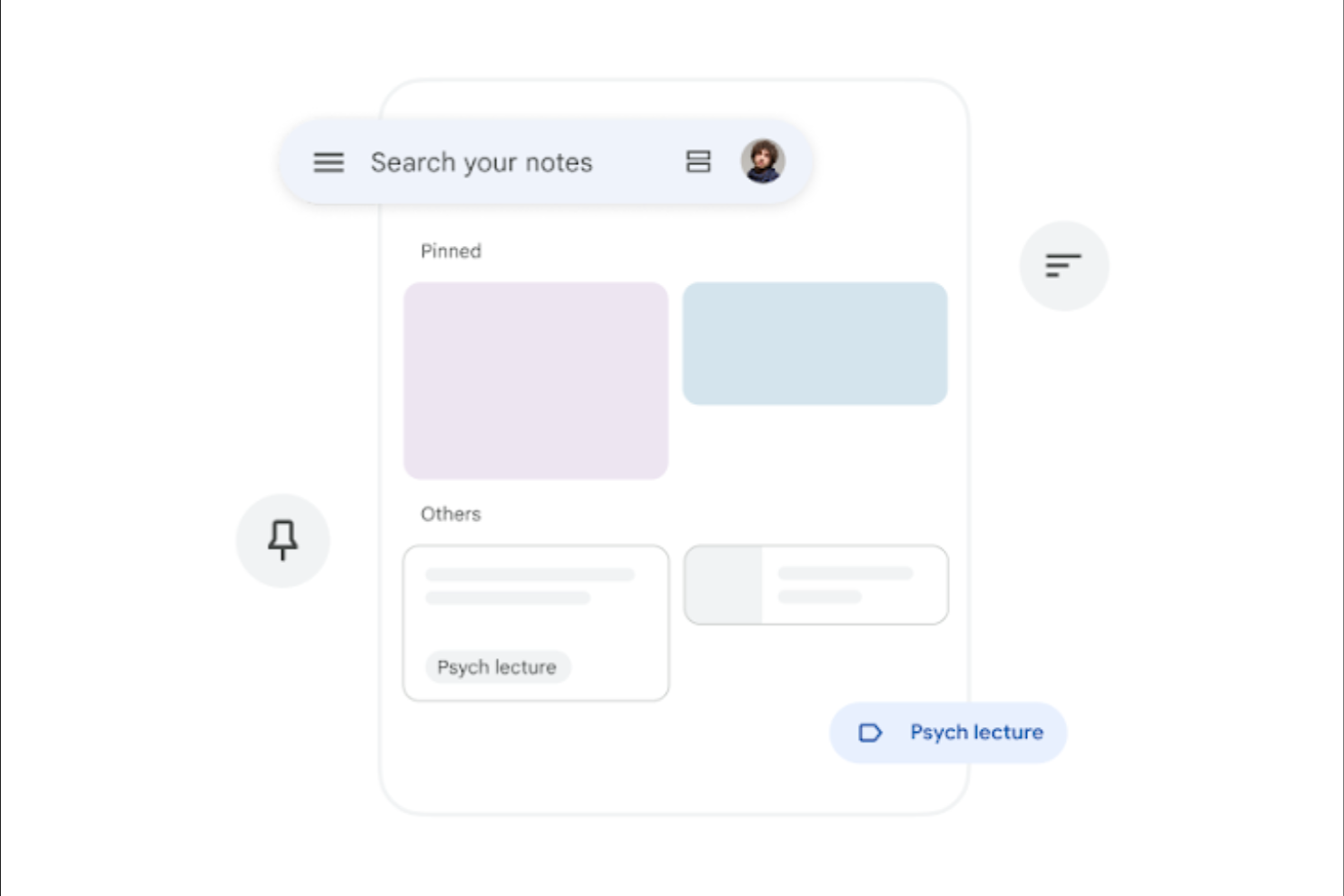
For anyone who needs to capture ideas quickly and visually, Google Keep offers a simple, color-coded approach to note-taking. It’s especially useful for marketers, creatives, and teams who want to organize thoughts, images, and lists on the fly. Unlike Notion, Google Keep makes it easy to pin, label, and share notes instantly across all devices with a lightweight user interface that supports quick team collaboration. While it’s not a full project management tool with features like time tracking or advanced workflows, it works well alongside tools such as spreadsheets and other Google Workspace apps for lightweight organization and idea capture.
Why Google Keep Is a Good Notion Alternative
When you need to capture notes visually and on the go, Google Keep offers a fast, flexible solution. I picked it as a Notion alternative because its color-coded notes, image attachments, and voice memo features make it easy to organize and recall ideas at a glance. The drag-and-drop interface lets you quickly rearrange notes, while labels and pins help you prioritize what matters most. For anyone who values speed and visual organization, Google Keep stands out as a practical choice.
Google Keep Key Features
Some other features in Google Keep that may be useful for teams and professionals include:
- Reminders: Set time-based or location-based reminders for any note.
- Collaboration: Share notes with others for real-time editing and updates.
- Archive Function: Move notes out of your main view without deleting them.
- Google Workspace Integration: Access and manage notes directly from Gmail and Google Calendar.
Google Keep Integrations
Native integrations are not currently listed.
Pros and Cons
Pros:
- Real-time collaboration with Google users
- Supports images, checklists, and voice memos
- Syncs across web, Android, and iOS devices
Cons:
- Formatting options are limited vs Notion
- No nested folders for hierarchical organization
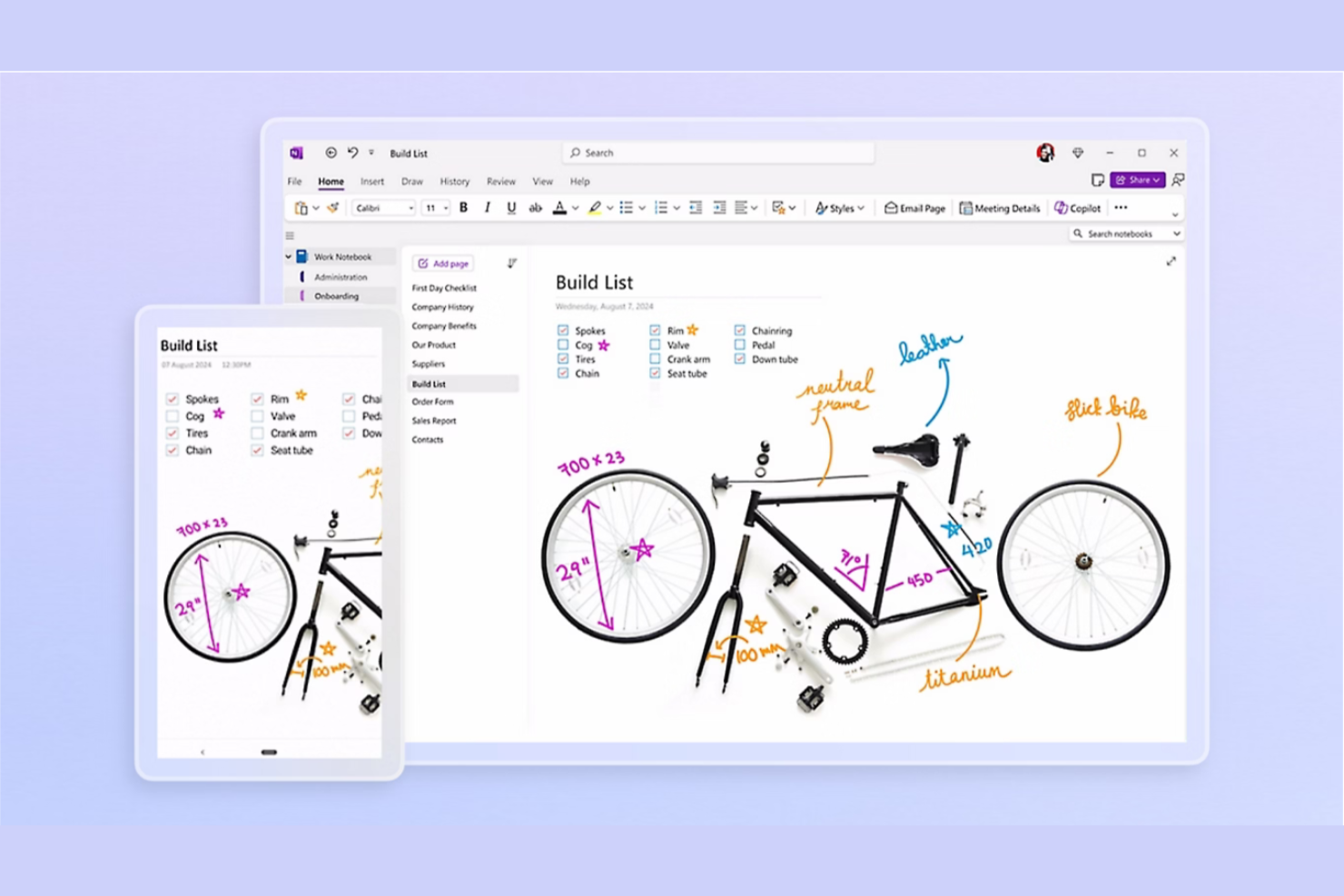
If your team already relies on Microsoft 365, Microsoft OneNote offers a note-taking solution that fits right into your existing workflow. It’s especially useful for businesses and professionals who need to capture, organize, and share notes across Outlook, Teams, and other Microsoft apps. OneNote stands out from Notion by providing deep integration with the Microsoft ecosystem and supporting handwritten notes and drawing.
Why Microsoft OneNote Is a Good Notion Alternative
For teams that already use Microsoft 365, OneNote offers a level of integration that’s hard to match in other note-taking tools. I picked it as a Notion alternative because it lets you embed notes directly into Outlook meetings, sync content across Teams, and organize information using a familiar notebook structure. OneNote also supports handwritten notes and drawing, which is useful for brainstorming or technical diagrams. If your workflow depends on Microsoft apps, OneNote keeps everything connected and accessible.
Microsoft OneNote Key Features
Some other features in Microsoft OneNote that may appeal to teams looking for a Notion alternative include:
- Audio Recording: Record audio notes directly within your notebooks for meetings or lectures.
- Tagging System: Add tags to notes for quick categorization and follow-up.
- Page Templates: Use built-in templates for meeting notes, to-do lists, and project planning.
- Multi-Device Sync: Access and edit notes across desktop, web, and mobile devices.
Microsoft OneNote Integrations
Integrations include Microsoft Teams, Outlook, Word, Excel, PowerPoint, SharePoint, OneDrive, Windows 11, Microsoft 365, and Sticky Notes.
Pros and Cons
Pros:
- Audio recording enriches note context
- Notebook structure organizes notes clearly
- Stylus support enables handwriting and drawing
Cons:
- Search can be slow in large notebooks
- No built-in databases or advanced tables

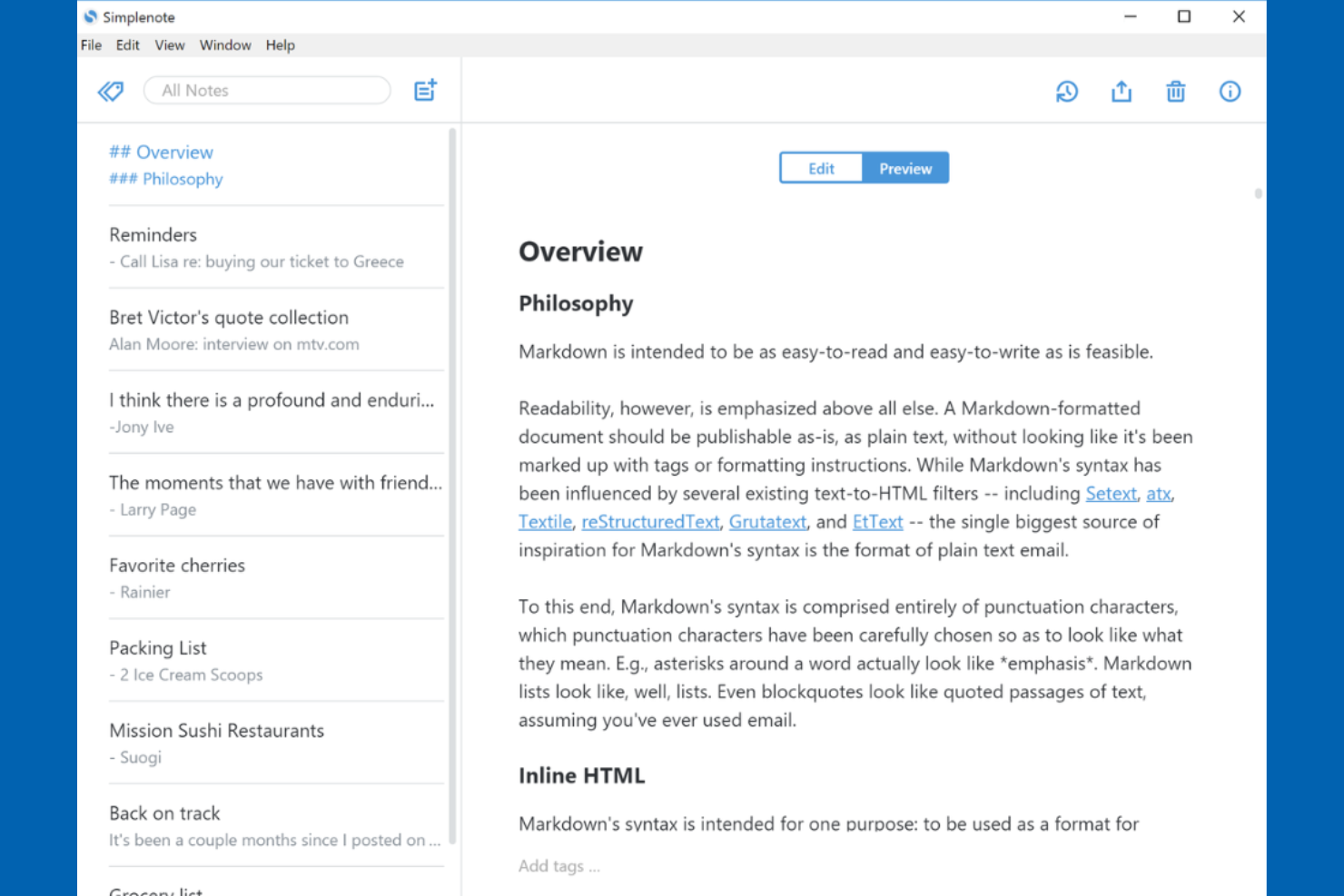
Writers and professionals who want a clean, focused space for capturing ideas often turn to Simplenote. This tool strips away formatting and complex features, letting you concentrate on pure text without distractions. If you’re looking for a note-taking solution that prioritizes speed and simplicity over databases or visual layouts, Simplenote offers a refreshingly minimal alternative to Notion.
Why Simplenote Is a Good Notion Alternative
For anyone who wants a note-taking app that keeps things simple and distraction-free, Simplenote is a strong alternative to Notion. I picked Simplenote because it focuses on plain text notes, so you can write and organize your thoughts without formatting tools or visual clutter getting in the way. Features like instant search and tagging help you quickly find and group your notes, keeping your workflow fast and focused. If you value a writing environment that lets you concentrate on content above all else, Simplenote delivers exactly that.
Simplenote Key Features
Some other features in Simplenote that may interest you include:
- Version History: Restore previous versions of any note to recover lost content.
- Cross-Platform Sync: Access and edit your notes across iOS, Android, Windows, macOS, Linux, and the web.
- Markdown Support: Write and preview notes using Markdown formatting for basic structure.
- Note Sharing: Publish notes to the web or collaborate by sharing a link with others.
Simplenote Integrations
Native integrations are not currently listed.
Pros and Cons
Pros:
- Version history restores previous note edits
- Markdown support enables structured note formatting
- Cross-platform sync works across all devices
Cons:
- No native calendar or task integrations
- No tables, kanban boards, or databases
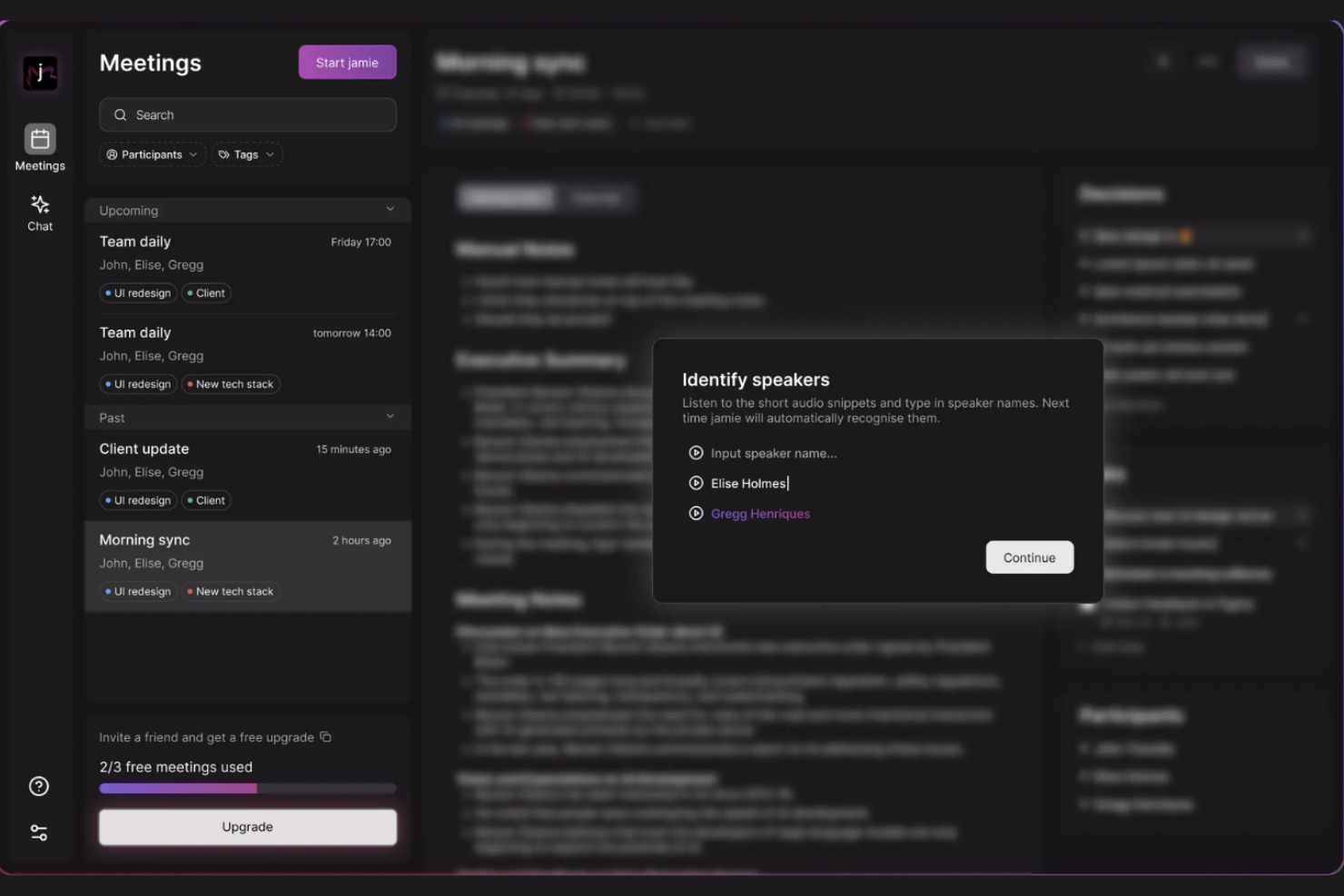
For teams that want meeting notes generated automatically, Jamie offers a focused solution. This tool uses AI to capture, summarize, and organize discussions, making it especially useful for professionals who attend frequent or complex meetings. Unlike Notion, Jamie is built to deliver instant, structured meeting summaries without manual note-taking.
Why Jamie Is a Good Notion Alternative
When you need meeting notes that practically write themselves, Jamie stands out as a strong Notion alternative. I picked Jamie because it uses AI to automatically record, transcribe, and summarize meetings, so you don’t have to take notes by hand. The tool generates structured summaries with key points, action items, and decisions, all organized for quick review. For anyone who wants to skip manual note-taking and focus on the conversation, Jamie offers a specialized approach that Notion doesn’t match.
Jamie Key Features
Some other features in Jamie that may be useful include:
- Multi-language Support: Generate meeting summaries in several different languages.
- Speaker Identification: Attribute comments and action items to specific meeting participants.
- Custom Summary Formatting: Adjust the structure and detail level of your meeting summaries.
- Downloadable Transcripts: Export full meeting transcripts for record-keeping or sharing.
Jamie Integrations
Integrations include Notion, Google Docs, HubSpot, Asana, Attio, OneNote, Salesforce, and Webhooks.
Pros and Cons
Pros:
- Speaker identification clarifies conversation context
- Multi-language support enables global meetings
- AI summaries capture key points and action items
Cons:
- Collaboration is focused mainly on meetings
- Manual note editing options are limited

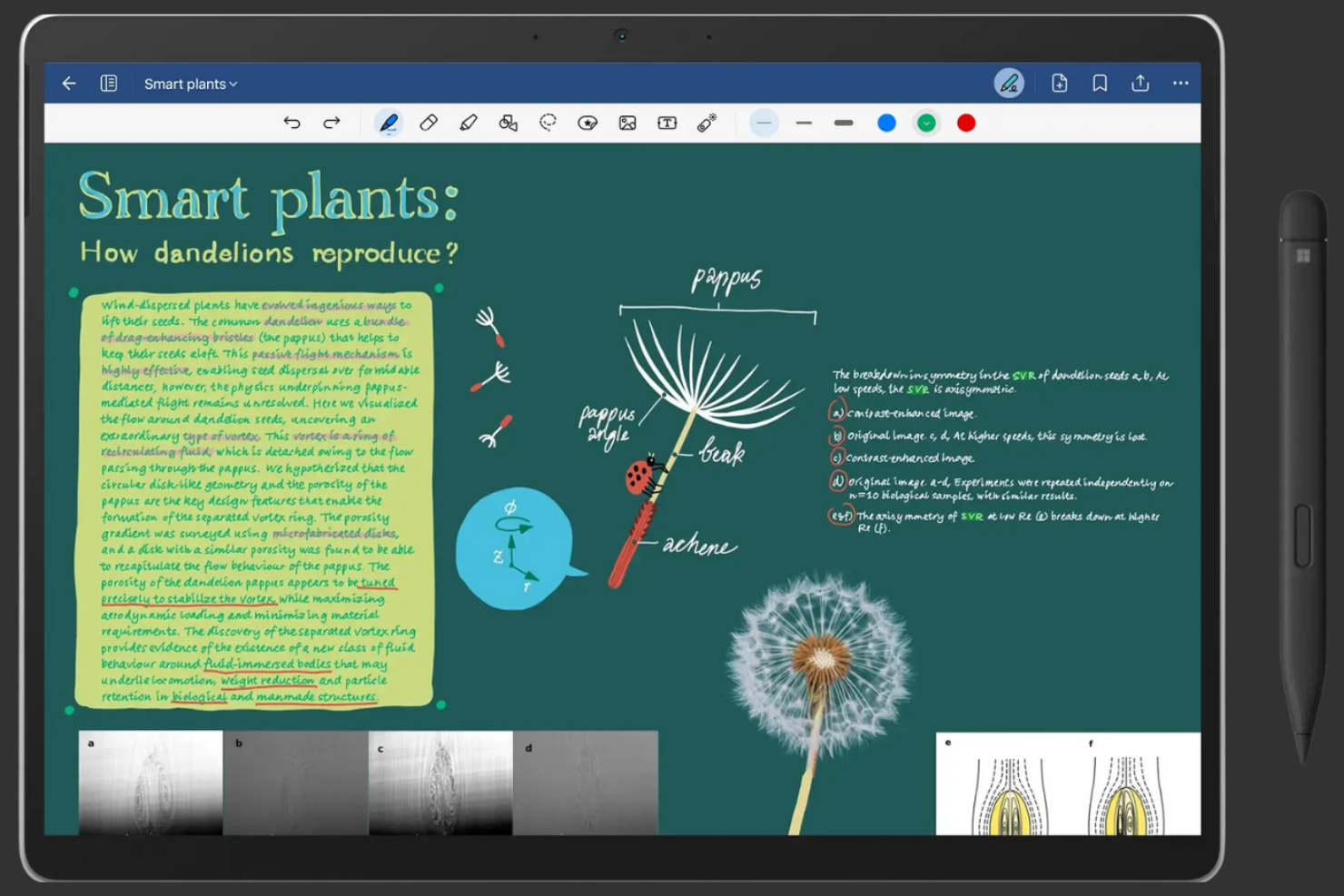
For anyone who prefers handwriting over typing, Goodnotes offers a digital notebook experience that feels natural and flexible. It’s especially useful for educators, students, and professionals who rely on sketching, diagramming, or annotating by hand. Unlike Notion, Goodnotes is built around stylus input and handwritten content, making it a strong fit for those who want to capture ideas in their own writing style.
Why Goodnotes Is a Good Notion Alternative
If you want a note-taking tool that truly supports handwritten input, Goodnotes is worth considering as an alternative to Notion. I picked Goodnotes because it lets you write, sketch, and annotate directly on digital pages using a stylus, which is ideal for capturing ideas in your own handwriting. The app also offers features like shape recognition and searchable handwritten notes, making it easy to organize and find your content later. For anyone who values the flexibility of pen-and-paper note-taking in a digital format, Goodnotes stands out as a strong choice.
Goodnotes Key Features
Some other features in Goodnotes that may appeal to digital note-takers include:
- Multiple Notebook Organization: Create, categorize, and manage separate notebooks for different subjects or projects.
- PDF Import and Annotation: Import PDF files and mark them up directly within your notes.
- Audio Recording: Record audio while taking notes to capture lectures or meetings alongside your written content.
- Collaboration Links: Share notebooks with others using secure links for viewing or editing.
Goodnotes Integrations
Native integrations are not currently listed.
Pros and Cons
Pros:
- Notebook structure organizes subjects and projects
- PDF import allows direct document markup
- Stylus support enables sketching and annotation
Cons:
- No web version for cross-platform access
- Collaboration limited to shared notebooks

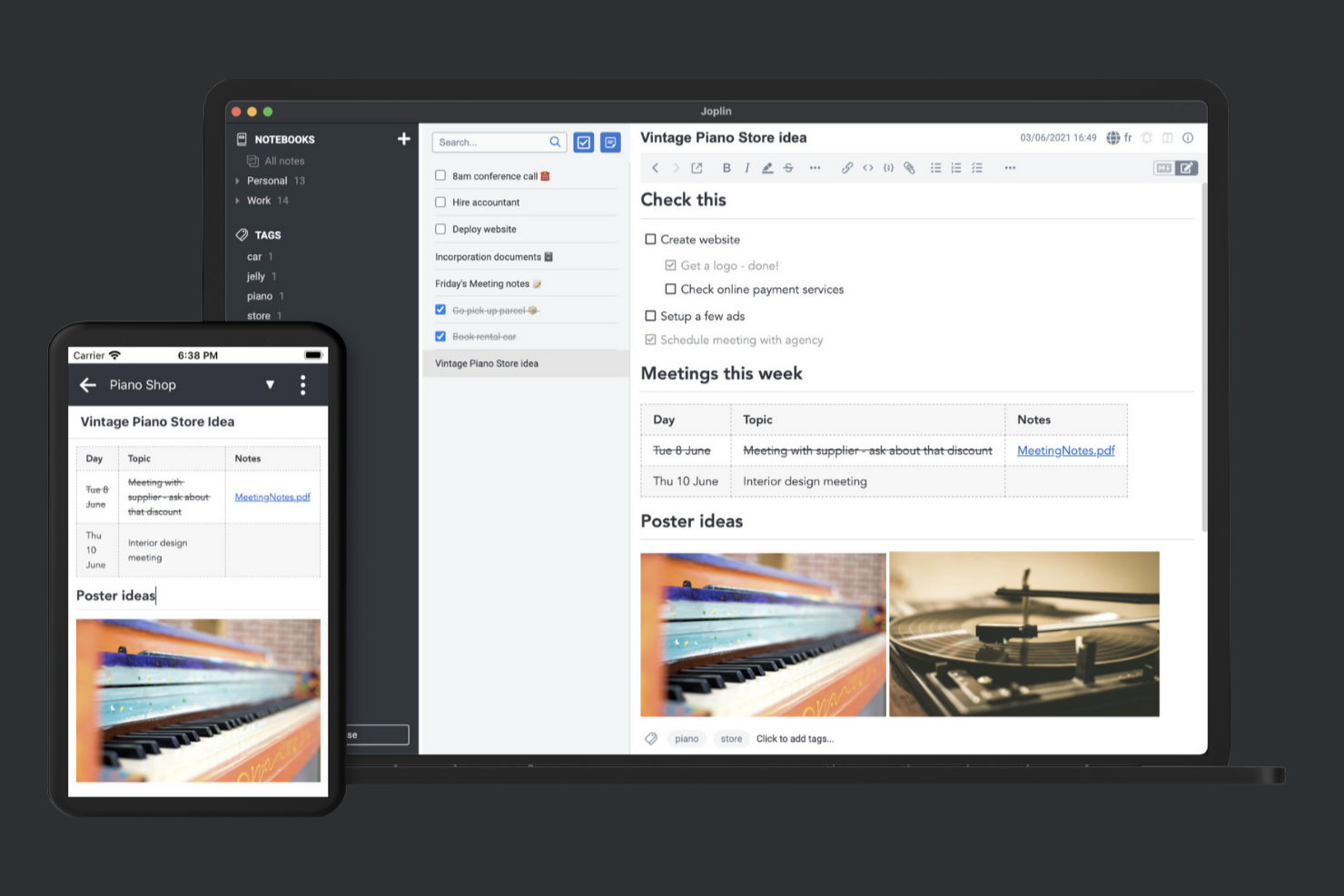
If privacy and data ownership are top priorities for your note-taking workflow, Joplin stands out as a strong contender. This open-source platform appeals to professionals and teams who want full control over their notes, including where and how they’re stored. Unlike Notion, Joplin lets you self-host your data and use end-to-end encryption, making it a solid choice for anyone with strict privacy requirements.
Why Joplin Is a Good Notion Alternative
Joplin is a strong pick if you want more control over your data than Notion allows. I like that Joplin is open-source, so you can review the code and even self-host your notes for maximum privacy. End-to-end encryption is built in, letting you protect sensitive information without relying on a third party. For anyone who needs to meet strict privacy standards or prefers open-source solutions, Joplin offers a level of transparency and control that’s hard to match.
Joplin Key Features
Some other features in Joplin that may interest you include:
- Web Clipper: Save web pages and screenshots directly to your notes from your browser.
- Rich Text and Markdown Editor: Switch between rich text and Markdown editing modes for flexible note formatting.
- Notebook Organization: Create nested notebooks to structure and categorize your notes.
- Attachment Support: Add images, PDFs, and other file types directly to your notes.
Joplin Integrations
Native integrations are not currently listed. However, Joplin offers an API for custom integrations.
Pros and Cons
Pros:
- Self-hosting provides full data control
- Supports Markdown and rich text editing
- End-to-end encryption protects sensitive notes
Cons:
- Collaboration limited to shared notebooks
- Sync can slow down with large note collections

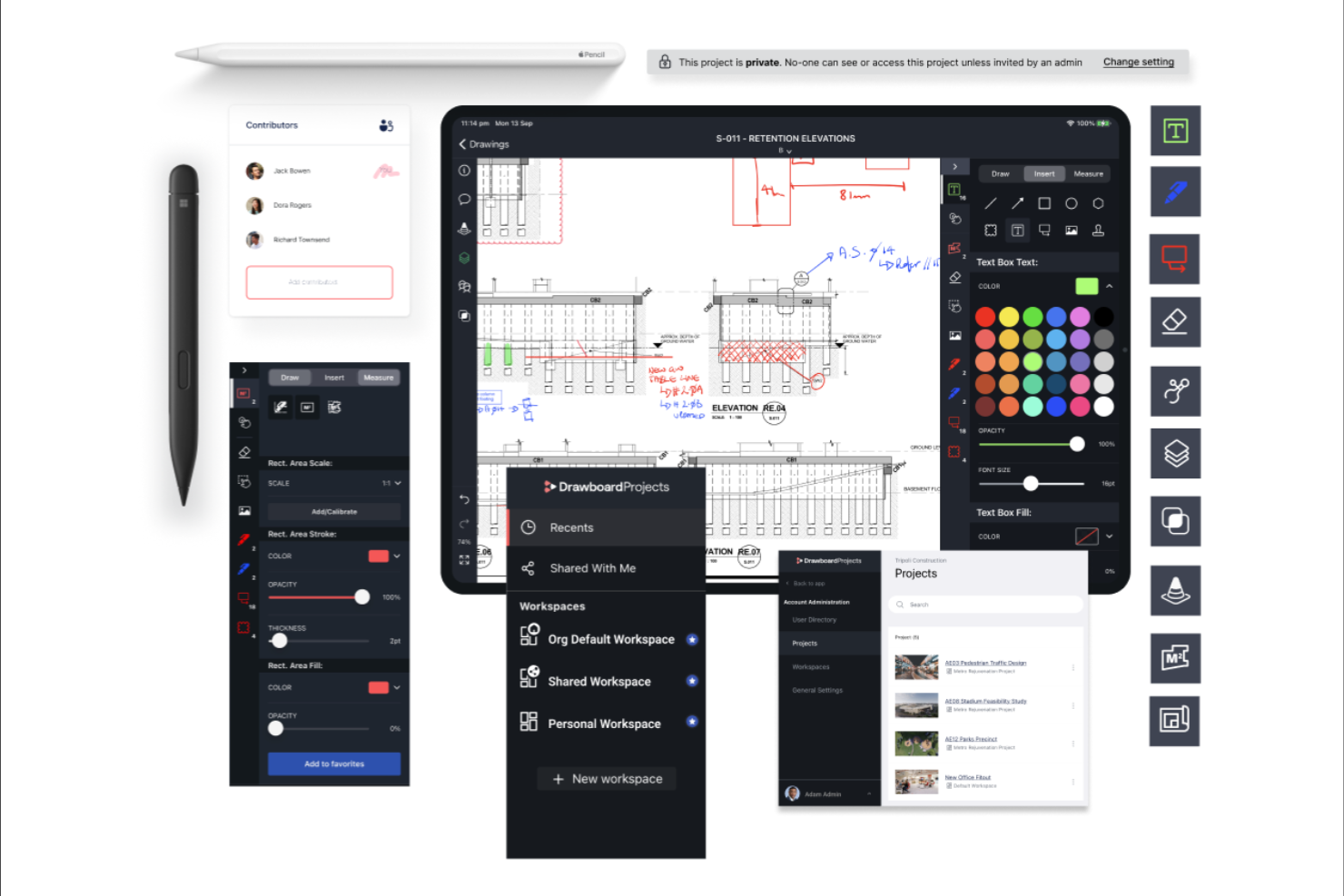
If you need to mark up and collaborate on PDF documents, Drawboard PDF offers a focused solution. It’s designed for architects, engineers, and professionals who work with technical drawings or need precise annotation tools. Unlike Notion, Drawboard PDF specializes in inking, commenting, and managing feedback directly on PDFs, making it ideal for document review workflows.
Why Drawboard PDF Is a Good Notion Alternative
For anyone who needs to annotate and review PDF documents as part of their workflow, Drawboard PDF fills a gap that Notion doesn’t address. I picked Drawboard PDF because it offers advanced inking tools, letting you draw, highlight, and comment directly on PDFs with precision. The platform also supports layering, measurement, and markup features that are essential for technical and design-focused teams. If your note-taking process centers around working with PDF files, Drawboard PDF’s specialized annotation capabilities make it a strong alternative.
Drawboard PDF Key Features
Some other features in Drawboard PDF that may be useful for document-heavy teams include:
- Cloud Project Spaces: Organize and manage multiple PDF projects in dedicated cloud workspaces.
- Version History: Access previous versions of annotated documents to track changes over time.
- Stamp and Signature Tools: Add custom stamps and digital signatures directly onto PDF files.
- Document Templates: Start new projects quickly with reusable PDF templates for common workflows.
Drawboard PDF Integrations
Integrations include Google Drive, SharePoint, Dropbox, Slack, Microsoft Teams, OneDrive, and more.
Pros and Cons
Pros:
- Version history tracks and restores changes
- Cloud project spaces organize documents
- Stylus support improves technical markups
Cons:
- No multimedia or web content embedding
- No databases or table views

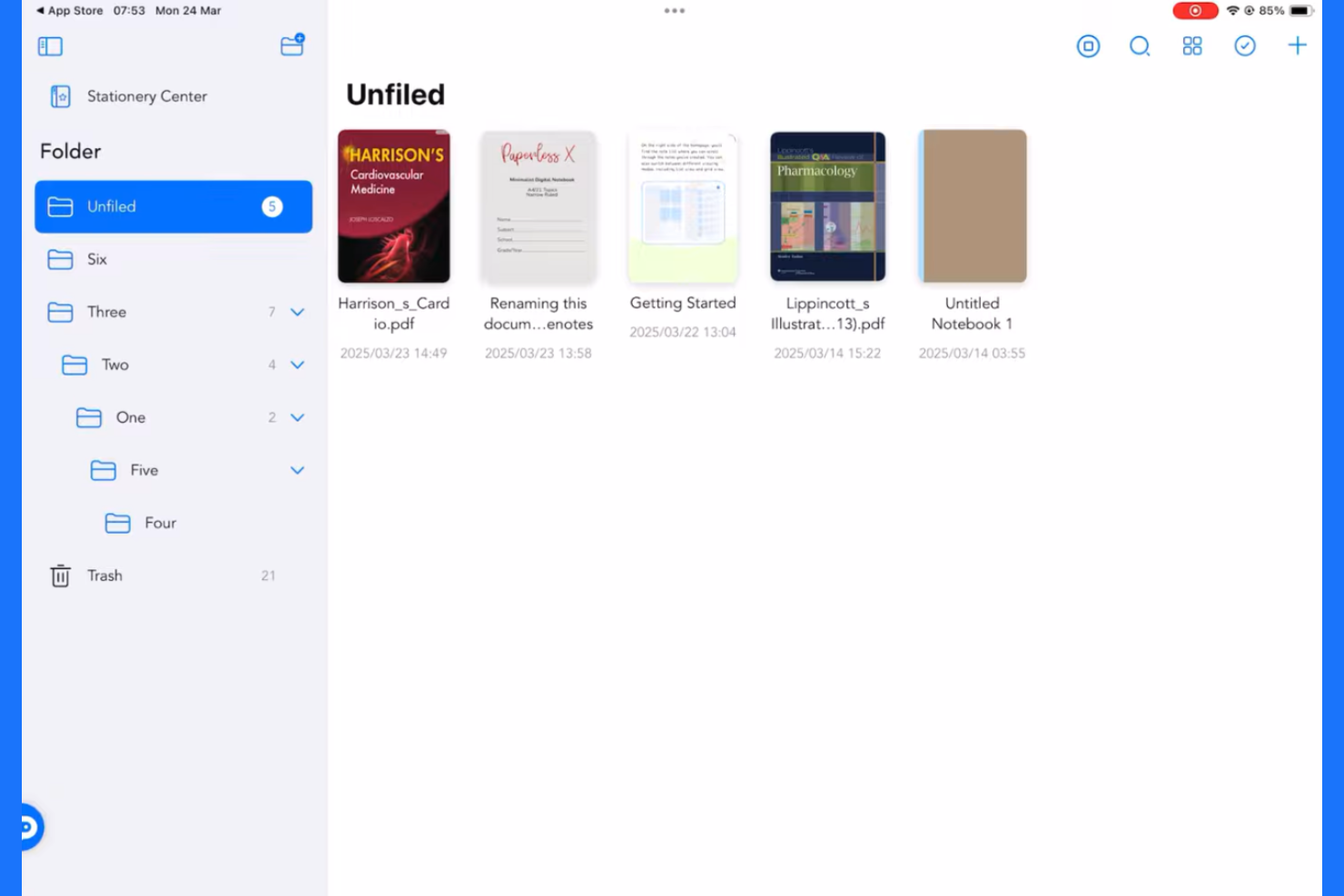
Teams looking for a dedicated space to capture and collaborate on meeting notes may find Freenotes especially useful. This tool is designed for professionals who need to co-edit agendas, action items, and decisions in real time. Unlike Notion, Freenotes centers its features around live collaboration during meetings, making it a strong fit for fast-paced, discussion-heavy environments, with whiteboard capabilities that support visual brainstorming alongside notes.
Why Freenotes Is a Good Notion Alternative
If your team’s main challenge is capturing and sharing meeting notes collaboratively, Freenotes is worth a close look. I picked Freenotes because it’s built specifically for real-time co-editing of agendas, notes, and action items during meetings. Features like live editing, shared note spaces, and built-in task assignment make it easy for everyone to contribute and stay aligned. For teams that want a focused, meeting-first approach instead of Notion’s broader workspace, Freenotes delivers a more specialized solution.
Freenotes Key Features
Some other features in Freenotes that may be helpful include:
- Template Library: Access a collection of ready-made templates for different meeting types.
- Searchable Note Archive: Quickly find past meeting notes using keyword search.
- Commenting: Add comments to specific sections of notes for follow-up or clarification.
- Export Options: Export meeting notes to PDF or other formats for sharing outside the platform.
Freenotes Integrations
Native integrations are not currently listed.
Pros and Cons
Pros:
- Searchable archives help retrieve past discussions
- Built-in templates standardize agendas and notes
- Real-time co-editing enables live meeting collaboration
Cons:
- Collaboration focuses mainly on meetings
- Note layout customization is limited

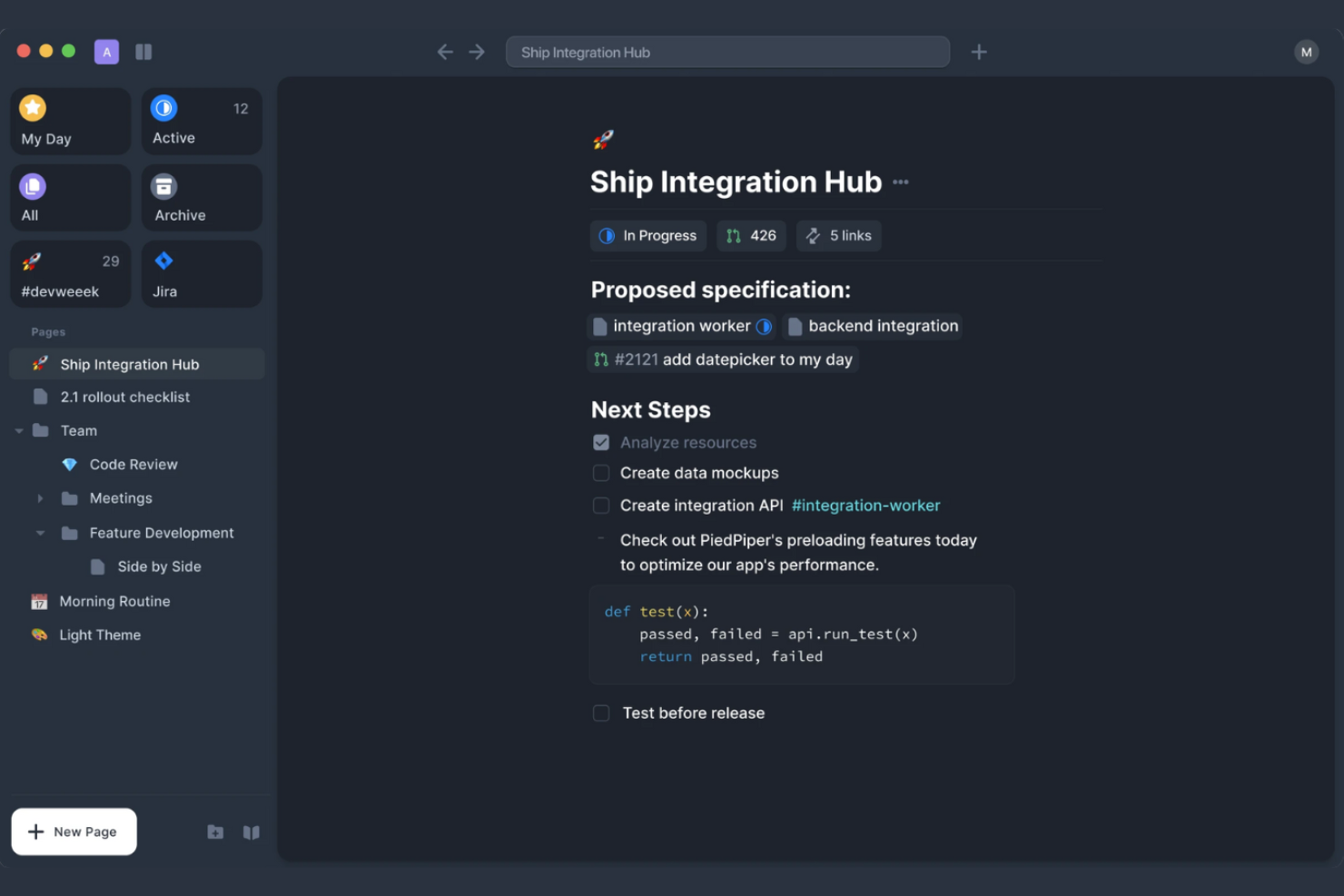
acreom is designed for teams and professionals who need structured technical documentation alongside their notes. If you work in software development or manage complex projects, acreom helps you organize code snippets, technical specs, and meeting notes in one place. Its workflow-focused approach sets it apart from more general note-taking tools like Notion, making it useful for teams with specific needs around documentation and knowledge organization. The platform can also support second brain–style note systems and structured thinking similar to mind maps for connecting ideas across projects.
Why acreom Is a Good Notion Alternative
acreom stands out for technical documentation workflows that go beyond what most note-taking tools offer. I picked it as a Notion alternative because it lets you organize technical docs, code snippets, and project notes in a single, structured workspace. Features like markdown support and version history help teams keep documentation accurate and easy to update. If you need a tool that’s built for technical clarity and collaboration, acreom is worth considering.
acreom Key Features
Some other features in acreom that may interest teams looking for a Notion alternative include:
- Task Management: Create, assign, and track tasks directly within your documentation workspace.
- Custom Templates: Build and reuse templates for recurring documentation needs or meeting notes.
- Search Functionality: Quickly find notes, documents, or technical references using advanced search tools.
- Access Controls: Set permissions for team members to manage who can view or edit specific documents.
acreom Integrations
Integrations include Jira, Google Calendar, GitHub, Linear, and more.
Pros and Cons
Pros:
- Note linking structures knowledge management
- Version history tracks documentation changes
- Markdown support enables technical documentation
Cons:
- No built-in database or table blocks
- Fewer ready-made templates available
Other Notion Alternatives
Here are some additional Notion alternatives that didn’t make it onto my shortlist, but are still worth checking out:


Notion Alternatives Selection Criteria
When selecting the best Notion alternatives to include in this list, I considered common buyer needs and pain points related to note-taking software products, like capturing meeting notes automatically and organizing information for easy retrieval. I also used the following framework to keep my evaluation structured and fair:
Core Functionality (25% of total score)
To be considered for inclusion in this list, each solution had to fulfill these common use cases:
- Create and edit notes
- Organize notes into folders or workspaces
- Search for notes by keyword or tag
- Share notes with others
- Sync notes across devices
Additional Standout Features (25% of total score)
To help further narrow down the competition, I also looked for unique features, such as:
- AI-powered meeting summaries
- Voice-to-text transcription
- Real-time collaboration on notes
- Customizable templates for different note types
- Integration with calendar and video conferencing tools
Usability (10% of total score)
To get a sense of the usability of each system, I considered the following:
- Simple and intuitive interface design
- Minimal clicks to access core features
- Clear navigation and labeling
- Responsive performance on web and mobile
- Accessibility for users with different needs
Onboarding (10% of total score)
To evaluate the onboarding experience for each platform, I considered the following:
- Availability of step-by-step product tours
- Access to training videos and documentation
- Pre-built templates for quick setup
- In-app chatbots or help widgets
- Webinars or live onboarding sessions
Customer Support (10% of total score)
To assess each software provider’s customer support services, I considered the following:
- Multiple support channels like chat, email, and phone
- Fast response times to inquiries
- Helpful and knowledgeable support staff
- Availability of a searchable help center
- Community forums or user groups
Value For Money (10% of total score)
To evaluate the value for money of each platform, I considered the following:
- Transparent and competitive pricing
- Flexible plans for different team sizes
- Free trial or free plan availability
- Features included at each pricing tier
- No hidden fees or surprise charges
Customer Reviews (10% of total score)
To get a sense of overall customer satisfaction, I considered the following when reading customer reviews:
- Positive feedback on note-taking features
- Reports of reliable syncing and uptime
- Comments on customer support experiences
- User opinions on ease of use and onboarding
- Suggestions for improvement or missing features
Why Look For a Notion Alternative?
While Notion is a good choice of note-taking software, there are a number of reasons why some users seek out alternative solutions. You might be looking for a Notion alternative because…
- You need AI-powered meeting summaries and transcription
- Your team wants more advanced audio or video note features
- You require offline access without limitations
- You need stronger privacy or data residency controls
- Your organization prefers a simpler, single-purpose tool
- You work in a region where Notion is not fully supported
If any of these sound like you, you’ve come to the right place. My list contains several note-taking software options that are better suited for teams facing these challenges with Notion and looking for alternative solutions.
Notion Key Features
Here are some of the key features of Notion, to help you contrast and compare what alternative solutions offer:
- Collaborative workspaces for teams and individuals
- Customizable databases for organizing notes, tasks, and projects
- Rich text editing with support for images, embeds, and code blocks
- Drag-and-drop page organization and hierarchy
- Real-time collaboration and commenting on pages
- Integration with tools like Slack, Google Drive, and GitHub
- Web clipper for saving content directly from your browser
- Template gallery for quick setup of common workflows
- Version history and page rollback options
- Cross-platform syncing on web, desktop, and mobile devices