

21 Best Confluence Alternatives in 2026

Confluence Alternatives Shortlist


A strong Confluence alternative gives your team flexible document collaboration, easy knowledge sharing, and smooth integration with your existing workflows. If you’re searching for Confluence alternatives, you’re likely looking for tools that better fit your team’s style, offer more customization, ease of use, or connect with the platforms you already use.
With so many options available, it’s important to find a solution that matches your collaboration needs and scales with your business.
This list will help you quickly compare the top Atlassian Confluence alternatives for 2026, so you can choose the right platform for your team’s documentation and project management.
What is Confluence?
Confluence is a team collaboration and knowledge management platform developed by Atlassian. It lets users create, organize, and share documents, meeting notes, and project plans in a centralized workspace.
Teams use Confluence to document processes, store important information, and collaborate on content in real time. Its integration with other Atlassian tools, like Jira, makes it popular for project management and cross-functional teamwork.
Best Confluence Alternatives Summary
This comparison chart summarizes pricing details for my top confluence alternatives selections to help you find the best one for your budget and business needs.
| Tool | Best For | Trial Info | Price | ||
|---|---|---|---|---|---|
| 1 | Best with integrated productivity apps | Free trial available | From $7/user/month | Website | |
| 2 | Best for customizable document workflows | Free plan available | From $10/user/month (billed annually) | Website | |
| 3 | Best for kanban-style task organization | Free trial + free plan available | From $5/user/month (billed annually) | Website | |
| 4 | Best for Microsoft 365 integration | Free trial + free plan available | From $4/user/month (billed annually) | Website | |
| 5 | Best for automated calendar scheduling | Free plan available | From $10/seat/month | Website | |
| 6 | Best for task and project tracking | Free trial + free plan available | From $10.99/user/month (billed annually) | Website | |
| 7 | Best for collaborative workspaces in Office | 30-day free trial | From $6/user/month (billed annually) | Website | |
| 8 | Best for shared inbox management | 30-day free trial + free plan available + free demo available | From $14/user/month (billed annually) | Website | |
| 9 | Best for visual workflow automation | Free plan available | From $9/seat/month (billed annually) | Website | |
| 10 | Best for real-time team communication | Free plan + free demo available | From $4.38/user/month | Website |

Why Trust Our Software Reviews
We’ve been testing and reviewing marketing software since 2022. As marketing experts ourselves, we know how critical and difficult it is to make the right decision when selecting software.
We invest in deep research to help our audience make better software purchasing decisions. We’ve tested more than 2,000 tools for different marketing use cases and written over 1,000 comprehensive software reviews. Learn how we stay transparent & our software review methodology.


Confluence Alternatives Reviews
Below are my detailed summaries of the Confluence alternatives that made it onto my shortlist. My reviews offer a detailed look at the features, integrations, and best use cases of each platform to help you find the best one for you.

Teams looking for a tightly integrated suite of productivity tools often turn to Google Workspace as an alternative to Confluence. It’s a strong fit for organizations that want to create, share, and collaborate on documents, spreadsheets, and presentations in real time. Google Workspace stands out by connecting content creation, communication, and file management in one unified platform.
Why Google Workspace Is a Good Confluence Alternative
For teams that want all their productivity tools in one place, Google Workspace offers a unified experience that Confluence doesn’t match. I picked Google Workspace because it combines document creation, spreadsheets, presentations, and shared drives in a single environment. Real-time collaboration in Google Docs, Sheets, and Slides lets teams co-edit and comment without switching platforms. If your team values seamless transitions between communication, content creation, and file storage, Google Workspace brings these elements together in a way that’s hard to replicate with Confluence alone.
Google Workspace Key Features
Some other features in Google Workspace help teams manage information and collaborate at scale:
- Shared Drives: Organize and control access to files across departments or projects.
- Google Sites: Build internal websites or knowledge bases without coding.
- Admin Console: Manage users, permissions, and security settings from a centralized dashboard.
- Google Keep: Capture notes, lists, and reminders that sync across devices.
Google Workspace Integrations
Integrations include Salesforce, DocuSign, Asana, Zoom, Slack, Trello, Box, Dropbox, Adobe Acrobat, and Jira.
Pros and Cons
Pros:
- Excellent commenting system
- Simple sharing permissions
- Very familiar UI for most
Cons:
- Lacks a unified wiki structure
- Drive folders get very messy
New Product Updates from Google Workspace

Google Workspace Enhances Email Proofreading In Gmail
Google Workspace introduces enhanced email proofreading in gmail. This update uses gemini to refine drafts for clarity, tone, and conciseness before sending. For more information, visit Google Workspace’s official site.
 .
.
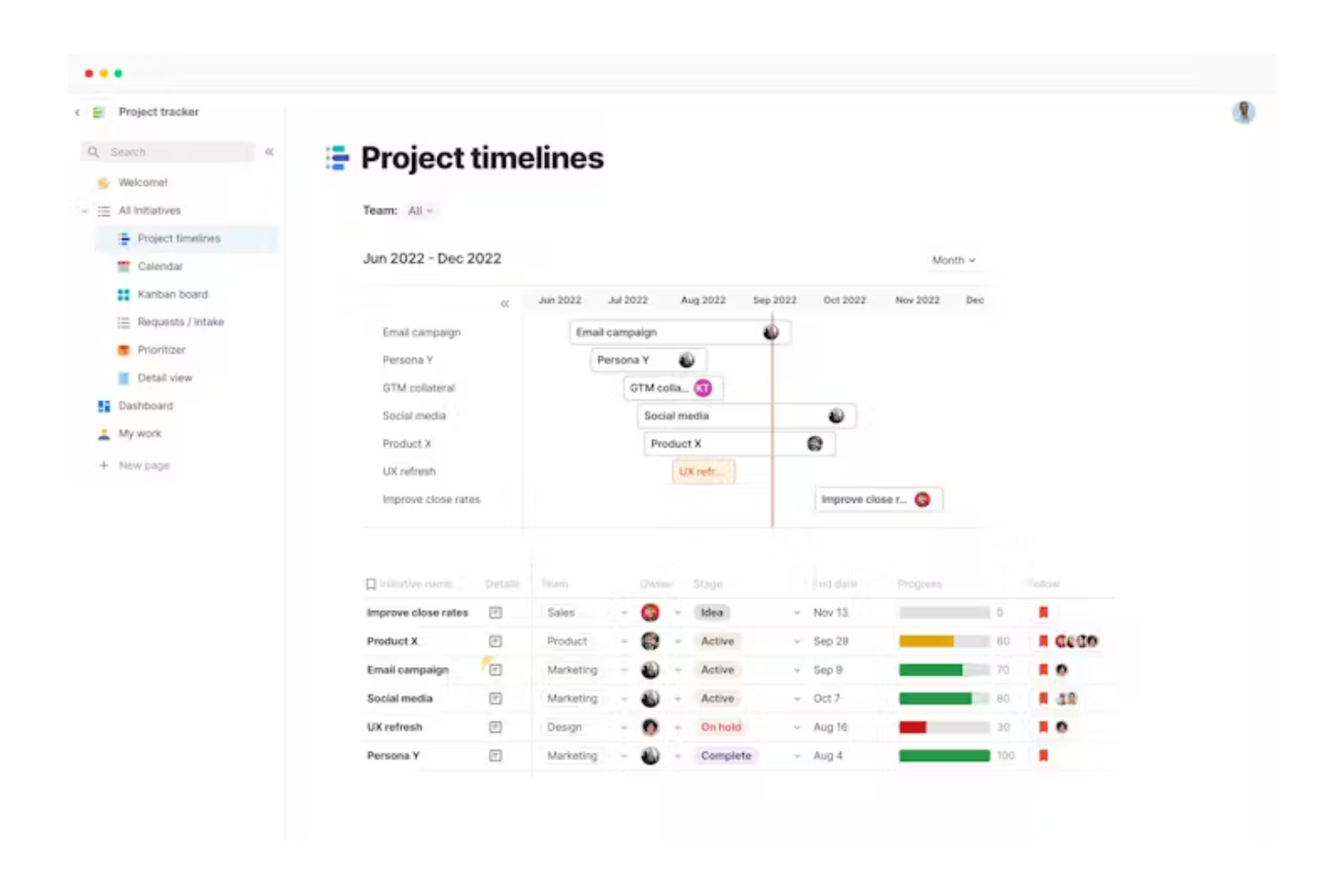
If you’re looking for a Confluence alternative that lets you build custom workflows and interactive docs, Coda is worth a look. Coda appeals to teams that want to combine documents, spreadsheets, and apps in one place, especially for project management, product development, or operations. Its flexibility stands out for users who need more than static pages—Coda lets you create dynamic tables, buttons, and automations directly inside your docs.
Why Coda Is a Good Confluence Alternative
Unlike traditional knowledge bases, Coda gives you the tools to design fully customizable document workflows that go far beyond static pages. I picked Coda because it lets you build docs that combine text, interactive tables, and embedded buttons, so your team can manage projects and processes in one place. You can automate repetitive tasks with built-in automations and create custom templates for recurring workflows. This flexibility makes Coda a strong choice for teams that want to tailor their workspace to fit unique business needs.
Coda Key Features
Some other features in Coda help teams organize and share knowledge more flexibly:
- Page Embedding: Embed Coda docs or external content directly into your pages for richer context.
- Granular Sharing Controls: Set view, comment, or edit permissions at the doc or page level.
- Pack Marketplace: Extend functionality with Packs that connect Coda to tools like Slack, Jira, and Google Calendar.
- Version History: Track changes and restore previous versions of your docs as needed.
Coda Integrations
Integrations include Figma, Jira, Asana, Airtable, Slack, Microsoft Teams, Gmail, Google Calendar, Salesforce, and Dropbox.
Pros and Cons
Pros:
- Replaces multiple single apps
- Interactive document blocks
- Built-in custom automations
Cons:
- Rigid text formatting options
- Sluggish with large datasets

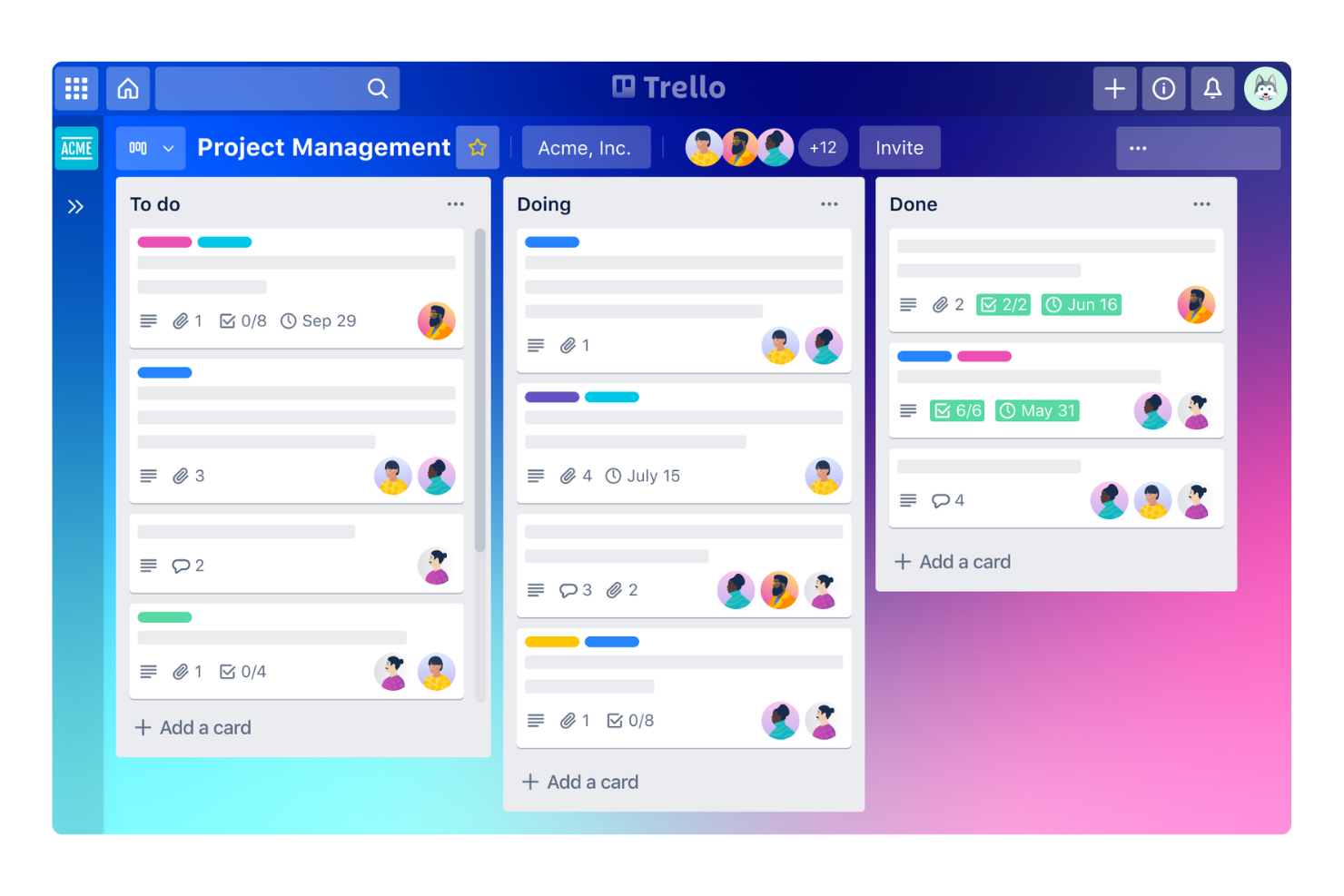
Teams looking for a simple, visual way to organize tasks often turn to Trello for its kanban-style boards. Trello is a strong fit for marketing, creative, and agile teams that want to manage projects, track progress, and share updates without the complexity of a traditional knowledge base. Unlike Confluence, Trello centers on cards and lists, making it easy to see work at a glance and quickly adjust priorities.
Why Trello Is a Good Confluence Alternative
For teams that want a kanban-style approach to organizing work, Trello offers a visual and flexible alternative to Confluence’s document-based structure. I picked Trello because its boards, lists, and cards make it easy to map out workflows, assign tasks, and track progress in real time. You can add checklists, attachments, and comments directly to cards, keeping all project details in one place. Trello is especially useful for teams that need a clear, visual overview of tasks rather than a traditional knowledge repository.
Trello Key Features
Some other features in Trello help teams manage information and collaborate beyond kanban boards:
- Power-Ups Marketplace: Add extra functionality like calendar views, voting, or integrations through a library of plugins and Power-Ups.
- Butler Automation: Automate repetitive actions on boards with rule-based triggers and custom buttons.
- Card Templates: Standardize recurring tasks or processes by creating reusable card templates.
- Advanced Checklists: Break down tasks into detailed steps with assignable checklist items and due dates.
Trello Integrations
Integrations include Slack, Jira, Miro, Egnyte, Gmail, IBM Connect, Harvest, GitHub, Google Calendar, and Dropbox Paper.
Pros and Cons
Pros:
- Powerful "Power-Up" add-ons
- Easy drag-and-drop mechanics
- Highly visual and intuitive interface
Cons:
- No nested page hierarchy
- Easy to lose track of old cards


If your organization already relies on Microsoft 365, Microsoft Teams offers a familiar and deeply integrated alternative to Confluence. It’s especially useful for businesses that want to combine chat, meetings, file sharing, and collaborative workspaces in one place. Teams stands out by embedding document collaboration and communication directly within the Microsoft 365 ecosystem, making it easy to keep projects and conversations connected.
Why Microsoft Teams Is a Good Confluence Alternative
When you need a workspace that fits seamlessly with Microsoft 365, Microsoft Teams is a natural choice for replacing Confluence. I picked Teams because it brings together chat, meetings, and document collaboration directly within the same environment as Word, Excel, and SharePoint. Teams channels let you organize conversations, files, and wikis by project or department, so everything stays connected. If your team already uses Microsoft 365 apps, Teams makes it easy to manage knowledge and communication without leaving the platform.
Microsoft Teams Key Features
Some other features in Microsoft Teams help teams manage projects and knowledge sharing beyond basic chat and meetings:
- Wiki Tabs: Create and organize internal documentation directly within each channel.
- Task Integration with Planner: Assign, track, and manage tasks using Microsoft Planner inside Teams.
- Third-Party App Tabs: Add tools like Trello, Asana, or Adobe Creative Cloud as tabs for quick access.
- Meeting Recording and Transcription: Record meetings and generate searchable transcripts for future reference.
Microsoft Teams Integrations
Integrations include Salesforce, ServiceNow, Workday, Adobe Acrobat, Trello, Asana, Mural, GitHub, Polly, and Zoom.
Pros and Cons
Pros:
- Native SharePoint connection
- Included in most Office plans
- Enterprise-grade security
Cons:
- Steep learning curve for admins
- Sluggish app performance

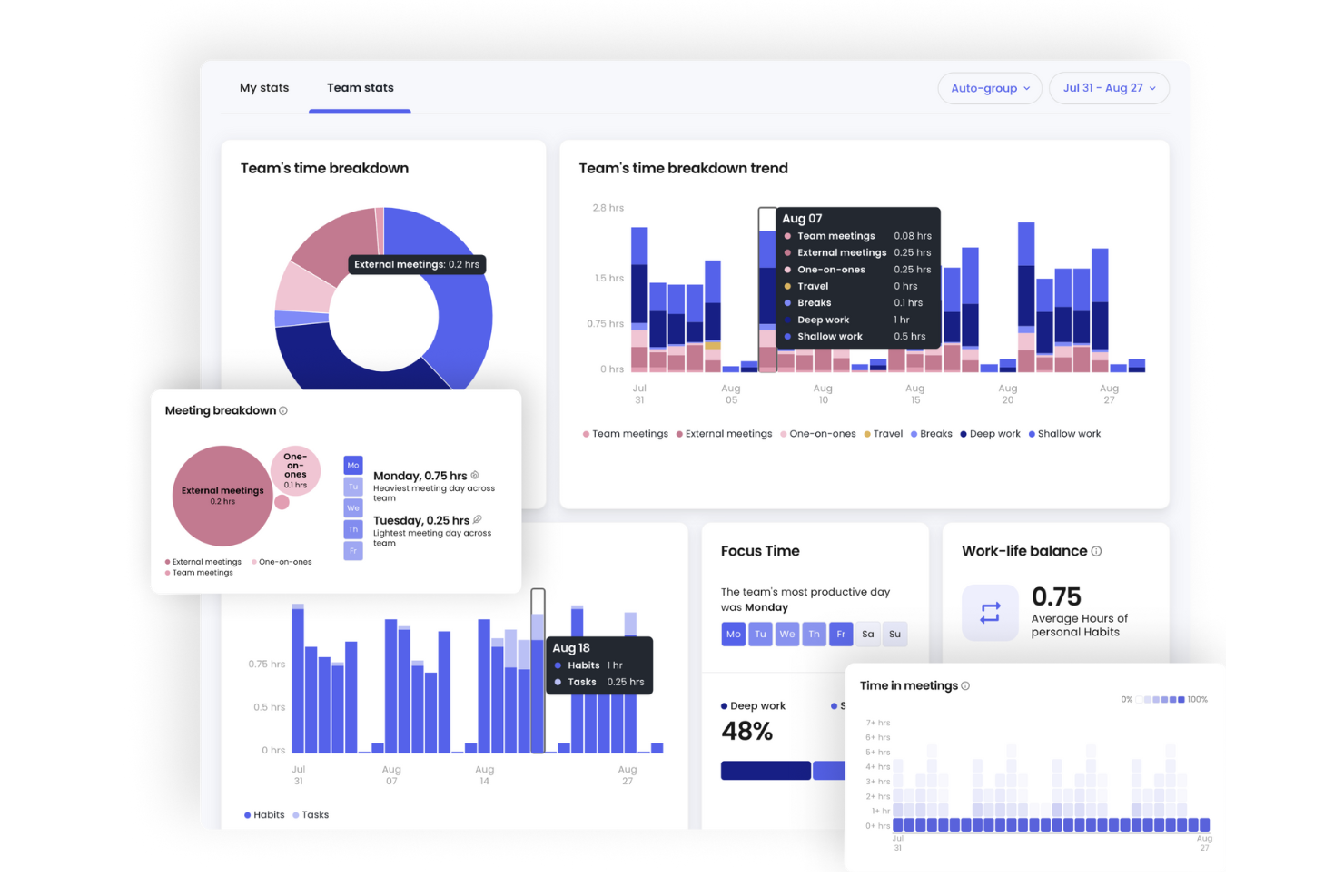
If your team needs more than just static documentation, Reclaim.ai brings automated scheduling and smart calendar management to the table. It’s designed for professionals and teams who want to coordinate meetings, tasks, and routines without manual back-and-forth. Unlike traditional knowledge bases like Confluence, Reclaim.ai focuses on optimizing your time and collaboration by automatically finding the best slots for work, meetings, and breaks.
Why Reclaim.ai Is a Good Confluence Alternative
For teams that want to move beyond static documentation and manual scheduling, Reclaim.ai offers automated calendar management that keeps everyone aligned. I picked Reclaim.ai because it automatically finds the best times for meetings, tasks, and routines, reducing the friction of coordinating across busy schedules. Its smart time-blocking and priority-based scheduling features help teams protect focus time while still making space for collaboration. This makes Reclaim.ai a strong choice for organizations that need to optimize both knowledge sharing and real-time coordination.
Reclaim.ai Key Features
Some other features in Reclaim.ai help teams coordinate and manage their time more efficiently:
- Smart Meeting Buffers: Automatically adds buffer time before and after meetings to prevent back-to-back scheduling.
- Personal Calendar Sync: Syncs work and personal calendars to avoid double-booking across accounts.
- Task Integration: Connects with task management tools to schedule tasks directly on your calendar.
- Analytics Dashboard: Provides insights into how time is spent across meetings, tasks, and routines.
Reclaim.ai Integrations
Integrations include Google Calendar, Outlook Calendar, Slack, Asana, Jira, Todoist, ClickUp, Linear, Google Tasks, and Zoom.
Pros and Cons
Pros:
- Syncs work and personal cals
- Auto-schedules daily tasks
- Protects team focus time
Cons:
- No central knowledge storage
- Completely useless as a wiki

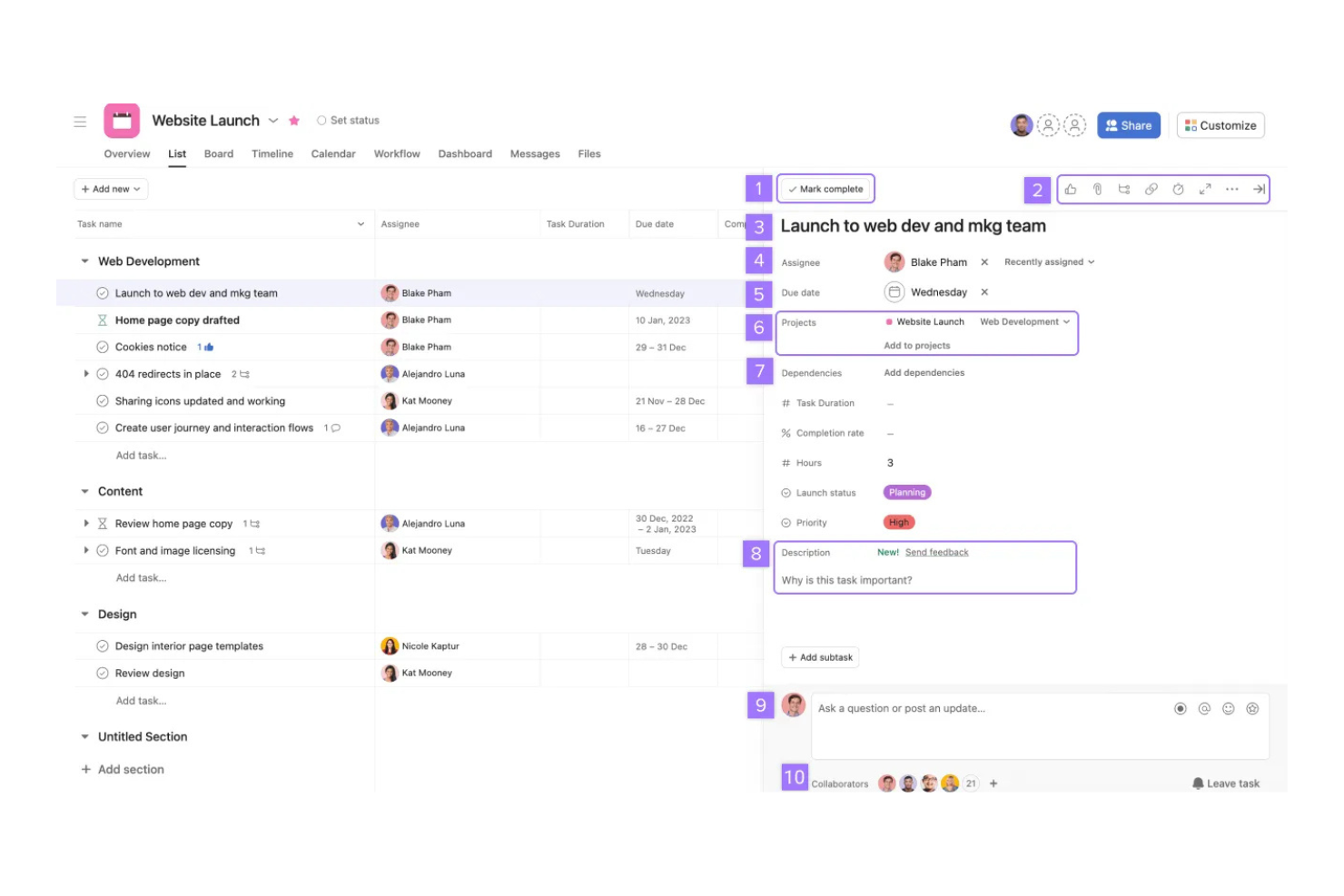
If your team needs a structured way to manage projects and tasks, Asana offers a clear alternative to document-focused platforms like Confluence. It’s built for marketing teams, project managers, and cross-functional groups who need to track work, assign responsibilities, and visualize progress. Asana stands out by turning project plans and workflows into actionable, trackable tasks rather than static documentation.
Why Asana Is a Good Confluence Alternative
Unlike traditional knowledge bases, Asana is built around task and project tracking, making it a strong choice for teams that need to organize and execute work rather than just document it. I picked Asana because it lets you create projects, break them down into actionable tasks, and assign owners and deadlines to keep everyone accountable. Features like Kanban boards and timeline views help teams visualize progress and dependencies in real time. For marketing teams and project leads who want to move from static documentation to active project management, Asana offers a more dynamic approach.
Asana Key Features
Some other features in Asana help teams organize and share work beyond basic task tracking:
- Custom Fields: Add specific data points to tasks and projects to capture details unique to your workflow.
- Task Dependencies: Mark tasks as waiting on others to clarify priorities and sequence work.
- Forms: Collect and route requests directly into projects using customizable intake forms.
- Milestones: Set and track key project checkpoints to highlight progress and important deadlines.
Asana Integrations
Integrations include Slack, Google Drive, Microsoft Teams, Salesforce, Zoom, Dropbox, Gmail, Outlook, Figma, and Notion.
Pros and Cons
Pros:
- Easy workload management
- Clear assignees and deadlines
- Visual project timelines
Cons:
- Lacks hierarchical pages
- Not designed as a company wiki

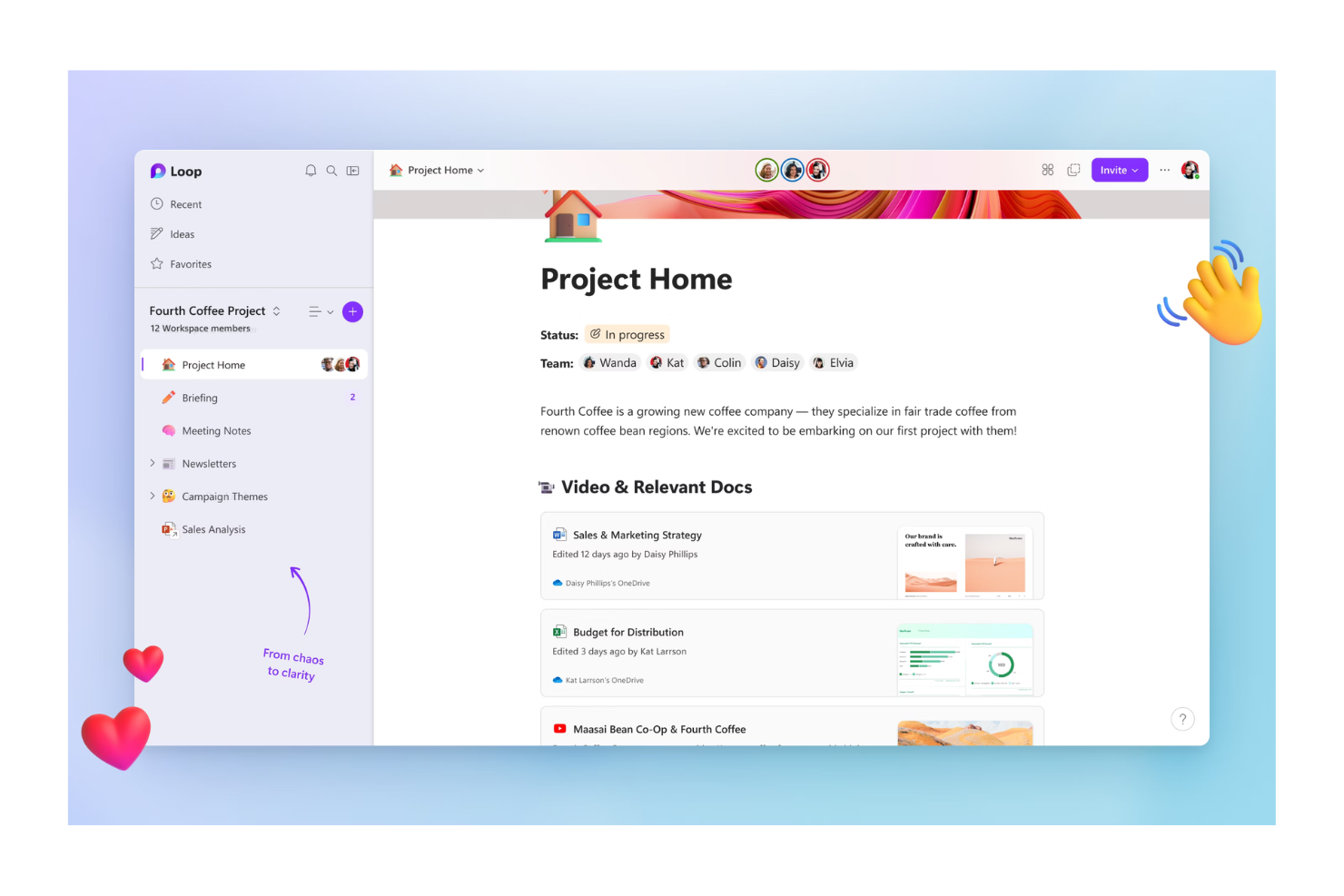
Teams already using Microsoft 365 will find Microsoft Loop especially useful for building collaborative workspaces that connect directly with their existing Office tools. Loop is designed for organizations that want to co-create documents, manage projects, and share knowledge in real time without leaving the Microsoft ecosystem. Unlike Confluence, Loop lets you embed live components from Word, Excel, and Teams, so your workspace always reflects the latest updates.
Why Microsoft Loop Is a Good Confluence Alternative
If your team relies on Microsoft 365, Microsoft Loop stands out for its deep integration with the Office suite and its focus on collaborative workspaces. I picked Loop because it lets users co-author documents, manage tasks, and embed live components from Word, Excel, and Teams directly into shared pages. This real-time collaboration means everyone always sees the most current information, without switching between multiple apps. For organizations that want a workspace tightly connected to their existing Microsoft tools, Loop offers a seamless way to bring people, content, and workflows together.
Microsoft Loop Key Features
Some other features in Microsoft Loop help teams organize and collaborate more flexibly:
- Workspace Templates: Choose from pre-built templates to quickly set up project spaces and documentation hubs.
- Task Lists: Create, assign, and track tasks directly within any workspace or page.
- Commenting and Reactions: Add comments and emoji reactions to any content block for quick feedback and discussion.
- Version History: Review and restore previous versions of pages or components to keep track of changes.
Microsoft Loop Integrations
Integrations include Microsoft Teams, Microsoft Outlook, Microsoft Word, Microsoft Excel, Microsoft OneNote, Microsoft OneDrive, Microsoft Designer, Microsoft Defender, Microsoft Copilot, and Microsoft Power Platform.
Pros and Cons
Pros:
- Easily embeddable content
- Clean and modern interface
- Real-time co-authoring
Cons:
- Poor external sharing options
- Weak granular permissions

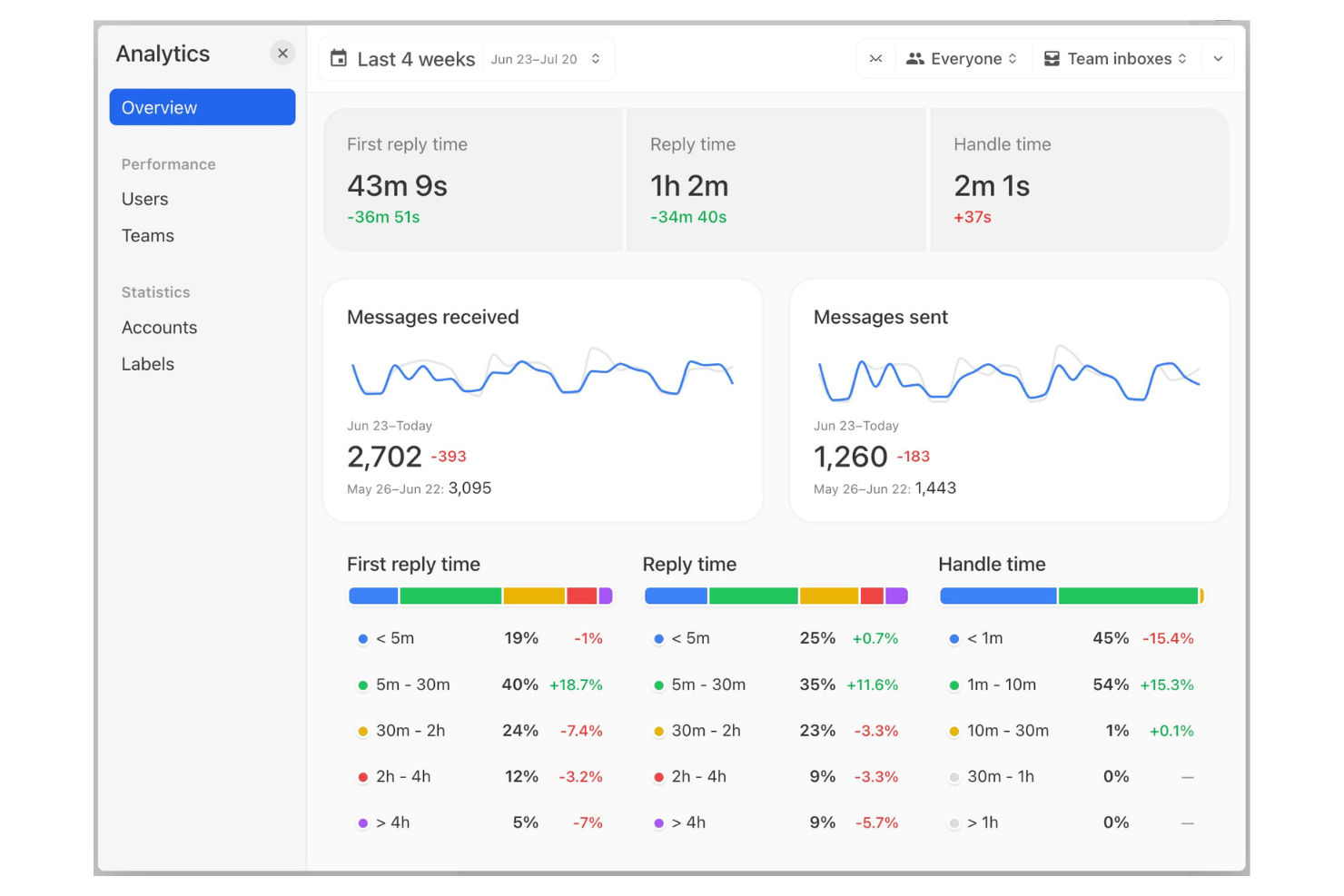
Teams that need to manage shared inboxes and collaborate on external communications may find Missive a strong alternative to Confluence. Unlike traditional knowledge bases, Missive combines email, chat, and task management in one interface, making it ideal for customer support, sales, and operations teams. It stands out by letting users assign, discuss, and organize conversations alongside internal documentation, all within the same workspace.
Why Missive Is a Good Confluence Alternative
For teams that need to manage shared inboxes and collaborate on external communications, Missive offers a unique approach compared to Confluence. I picked Missive because it lets you organize email, chat, and tasks in a single workspace, so your team can handle conversations and documentation together. Shared inboxes allow multiple users to assign, comment on, and resolve messages without switching tools. This makes Missive especially useful for customer-facing teams that want to keep knowledge, discussions, and action items tightly connected.
Missive Key Features
Some other features in Missive help teams organize information and collaborate more effectively:
- Internal Team Chat: Start private or group chats alongside your inbox for quick discussions.
- Shared Labels: Apply labels to conversations so everyone can categorize and find messages easily.
- Collaborative Drafts: Multiple users can edit email drafts together in real time.
- Integrations with Productivity Tools: Connect with tools like Asana, Trello, and Dropbox to manage tasks and files from within Missive.
Missive Integrations
Integrations include HubSpot, Salesforce, Asana, Trello, Dropbox, Google Drive, Zoom, Aircall, Shopify, and GitHub.
Pros and Cons
Pros:
- Collaborative draft writing
- Easy email task assignment
- Great for external comms
Cons:
- Lacks nested wiki pages
- Entirely email-centric UI
New Product Updates from Missive

Missive Adds Activity Feed, AI Inbox Analysis, and ClickUp Integration
Missive introduces an activity feed, AI inbox analysis, ClickUp integration, and jump to source navigation. These updates improve visibility, streamline workflows, and enhance how users manage conversations. For more information, visit Missive’s official site.
 .
.
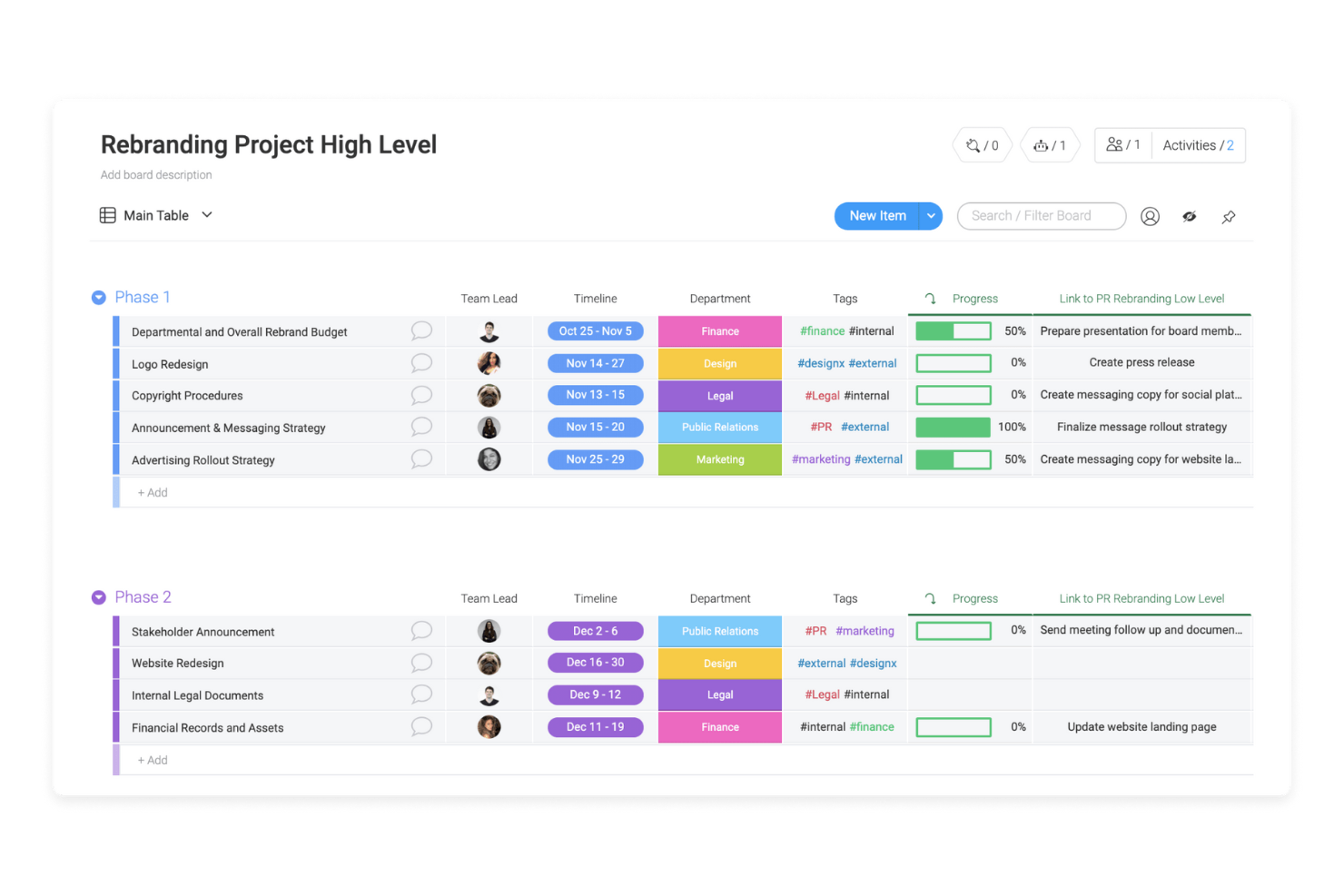
If your team needs a highly visual way to organize projects and automate workflows, Monday.com brings a flexible, user-friendly, board-based approach to collaboration. It’s especially useful for marketing, operations, and cross-functional teams that want to map out processes, assign tasks, and track progress in real time. Unlike Confluence, Monday.com centers on customizable boards, automation, and visual dashboards that help teams manage work and information flow together.
Why Monday.com Is a Good Confluence Alternative
Unlike traditional knowledge bases, Monday.com puts visual workflow automation at the center of project management and team collaboration. I picked Monday.com because its board-based system lets you design, automate, and track complex processes using drag-and-drop building blocks. You can set up AI-powered automations to trigger notifications, move items between boards, or update statuses based on custom rules. For teams that want to replace static documentation with dynamic, interactive workflows, Monday.com offers a flexible and visual alternative to Confluence.
Monday.com Key Features
Some other features in Monday.com help teams organize information and collaborate beyond workflow automation:
- Document Collaboration: Create, edit, and share documents directly within boards for real-time team input.
- Custom Views: Switch between Kanban, timeline, calendar, and table views to visualize work in different formats.
- Permissions Management: Set granular access controls for boards, items, and workspaces to manage visibility and editing rights.
- Form Builder: Collect structured input from stakeholders or external users by turning boards into shareable forms.
Monday.com Integrations
Integrations include Slack, Gmail, Microsoft Teams, GitLab, Mailchimp, Excel, Outlook, DocuSign, Google Drive, and Trello.
Pros and Cons
Pros:
- Easy project progress tracking
- Great custom automations
- Flexible column customization
Cons:
- UI gets cluttered over time
- Weak hierarchical wiki structure
New Product Updates from monday.com
monday.com Enhances List View With Column Mapping
monday.com introduces column mapping in List View. This update improves visibility across connected boards. For more information, visit monday.com’s official site.

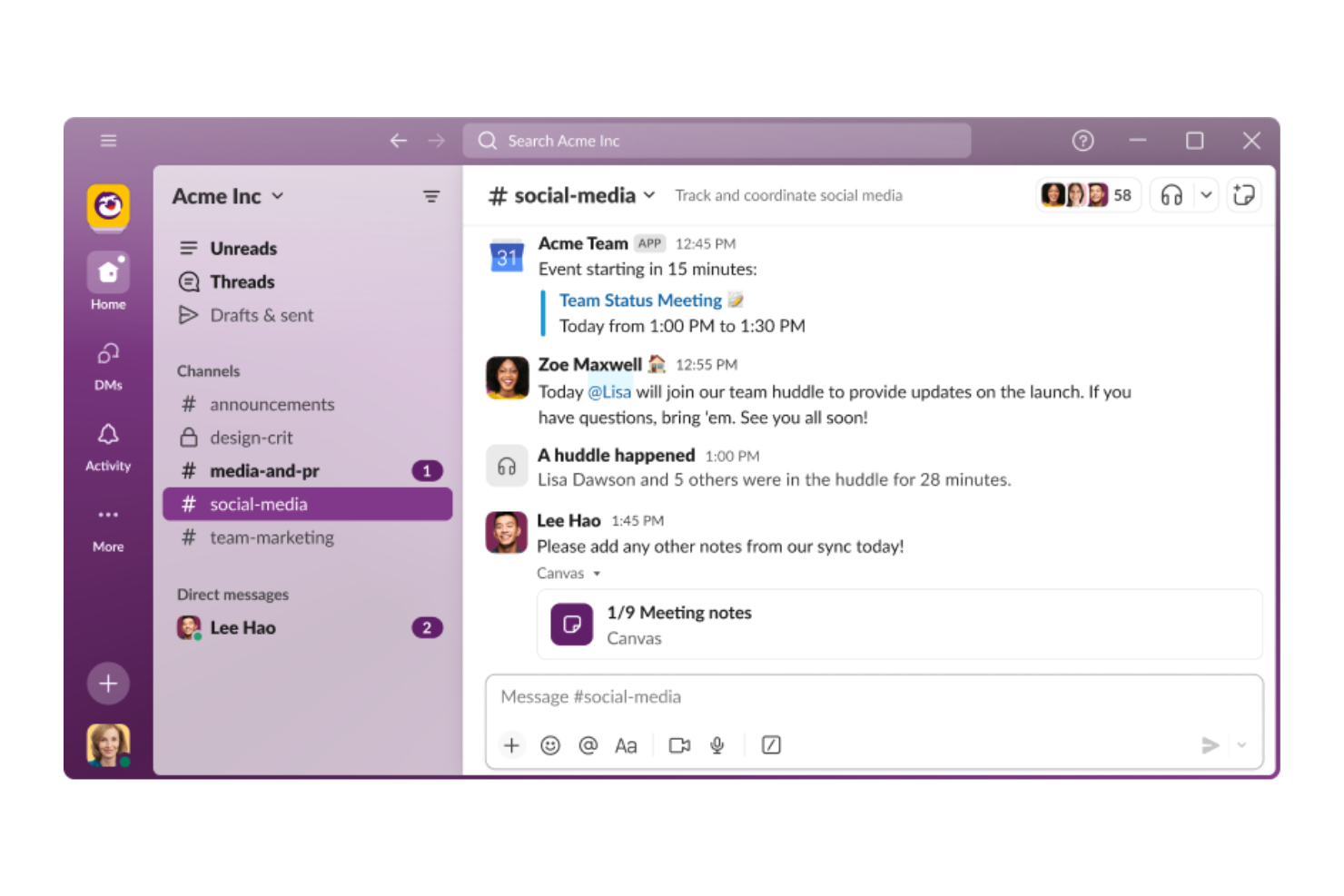
If your team needs fast, organized conversations instead of static documents, Slack is worth a look. This platform is built for real-time messaging, channels, and quick file sharing, making it ideal for fast-moving teams in tech, marketing, or customer support. Slack stands out from Confluence by prioritizing instant communication and searchable chat over traditional knowledge base pages.
Why Slack Is a Good Confluence Alternative
Unlike traditional documentation tools, Slack puts real-time team communication at the center of collaboration. I picked Slack as a Confluence alternative because it lets teams organize conversations into channels, making it easy to keep discussions focused and searchable. The platform’s instant messaging and file sharing features help teams quickly resolve questions and share updates without waiting for document edits. For groups that need fast answers and ongoing dialogue, Slack offers a dynamic alternative to static knowledge bases.
Slack Key Features
Some other features in Slack make it a flexible choice for teams looking beyond traditional documentation:
- Workflow Builder: Automate routine tasks and processes directly within Slack using customizable workflows.
- App Integrations: Connect with hundreds of external tools, including Google Drive, Asana, and Trello, to bring notifications and actions into your channels.
- Pinned Items and Bookmarks: Keep important messages, files, or links easily accessible at the top of any channel or conversation.
- Threaded Conversations: Organize replies and side discussions within a channel to keep main conversations clear and focused.
Slack Integrations
Integrations include Salesforce, Zoom, Google Drive, Trello, Asana, Zendesk, Jira, GitHub, Zapier, HubSpot, and Microsoft Office 365.
Pros and Cons
Pros:
- Great ad-hoc brainstorming
- Effortless file sharing
- Robust message search
Cons:
- No nested page hierarchy
- Old info gets buried fast
Other Confluence alternatives
Here are some additional Confluence alternatives options that didn’t make it onto my shortlist, but are still worth checking out:
- Smartsheet
For spreadsheet-based project planning
- Zoom
For virtual meeting collaboration
- Nuclino
For lightweight, fast note-taking and syncing
- Wrike
For cross-department project visibility
- Slite
For modern, asynchronous document collaboration
- Quip
For combining docs and spreadsheets in a scalable SaaS environment
- ClickUp
With all-in-one productivity dashboards
- GitBook
For developer documentation synced via git
- BookStack
For a self hosted wiki experience
- Bitwarden
For secure team password sharing
- XWiki
Open-source knowledge management option


Confluence Alternatives Selection Criteria
When selecting the best Confluence alternatives to include in this list, I considered common buyer needs and pain points related to Confluence alternatives products, like wanting more flexible project organization and easier real-time collaboration. I also used the following framework to keep my evaluation structured and fair:
Core Functionality (25% of total score) To be considered for inclusion in this list, each solution had to fulfill these common use cases:
- Create and organize pages or boards
- Share information, team knowledge, and updates with teams
- Assign and track tasks or action items
- Search for content across projects
- Collaborate with comments or mentions
Additional Standout Features (25% of total score) To help further narrow down the competition, I also looked for unique features, such as:
- Visual workflow or kanban board options
- Built-in automation for repetitive tasks
- Real-time collaborative editing
- Support for markdown and robust API access
- Customizable templates for documentation
- Advanced permission and access controls
Usability (10% of total score) To get a sense of the usability of each system, I considered the following:
- Simple and intuitive navigation
- Clean and modern interface design
- Minimal clicks to complete common actions
- Responsive performance on web and mobile
- Clear labeling and helpful tooltips
Onboarding (10% of total score) To evaluate the onboarding experience for each platform, I considered the following:
- Availability of step-by-step product tours
- Access to training videos and documentation
- Pre-built templates for quick setup
- In-app chatbots or guided help
- Live or recorded onboarding webinars
Customer Support (10% of total score) To assess each software provider’s customer support services, I considered the following:
- Multiple support channels like chat and email
- Fast response times to inquiries
- Helpful and knowledgeable support staff
- Access to a searchable help center
- Community forums for peer support
Value For Money (10% of total score) To evaluate the value for money of each platform, I considered the following:
- Transparent and flexible pricing plans
- Features included at each pricing tier
- Free plan or trial availability
- Discounts for annual billing or nonprofits
- No hidden fees or surprise charges
Customer Reviews (10% of total score) To get a sense of overall customer satisfaction, I considered the following when reading customer reviews:
- Consistent positive feedback on core features
- Reports of reliable uptime and performance
- Praise for customer support experiences
- User comments on ease of adoption
- Suggestions for improvement or missing features
Why Look For a Confluence Alternative?
While Confluence is a good choice of Confluence alternatives, there are a number of reasons why some users seek out alternative solutions. You might be looking for a Confluence alternative because…
- You want a more visual way to organize work
- You need simpler task management features
- You require real-time collaborative editing
- You find Confluence’s interface too complex
- You need better integration with your existing tools
- You want more flexible permission controls
If any of these sound like you, you’ve come to the right place. My list contains several Confluence alternatives that are better suited for teams facing these challenges with Confluence and looking for alternative solutions.
Confluence Key Features
Here are some of the key features of Confluence, to help you contrast and compare what alternative solutions offer:
- Page creation and hierarchical organization
- Real-time collaborative editing
- Advanced search across spaces and pages
- Customizable templates for documentation
- Inline comments and threaded discussions
- Permissions and access controls at multiple levels
- Integration with Jira and other Atlassian tools
- Version history and page rollback
- Task assignment and action items
- Embedding of multimedia and external content