
13 Best Advertising Software Picked for 2026

Advertising Software Shortlist
Here’s my shortlist of advertising software:


Advertising software helps your team plan, launch, manage, and analyze digital ad campaigns across multiple channels from a single platform. If you’re searching for the best advertising software, you’re likely looking to improve campaign performance, simplify reporting, and gain more control over your ad spend. Many tools support formats like PPC campaigns and DSP advertising, while also enabling features such as call tracking through a phone number for better attribution and performance insights. With so many options and features to consider, choosing the right tool can directly impact your marketing results and ROI. This guide will help you compare the top advertising software for 2026 so you can find the best fit for your goals, channels, and workflows.
Why Trust Our Software Reviews
We’ve been testing and reviewing marketing software since 2022. As marketing experts ourselves, we know how critical and difficult it is to make the right decision when selecting software.
We invest in deep research to help our audience make better software purchasing decisions. We’ve tested more than 2,000 tools for different marketing use cases and written over 1,000 comprehensive software reviews. Learn how we stay transparent & our software review methodology.
Best Advertising Software Summary
This comparison chart summarizes pricing details for my top advertising software selections to help you find the best one for your budget and business needs.
| Tool | Best For | Trial Info | Price | ||
|---|---|---|---|---|---|
| 1 | Best for AI-powered ad performance insights | 7-day free trial available | From $99/month (billed annually) | Website | |
| 2 | Best for integrated CRM marketing workflows | Free plan + 14-day free trial + free demo available | From $9/seat/month (billed annually) | Website | |
| 3 | Best for affiliate tracking automation | Free trial + free demo available | From $1,490/year | Website | |
| 4 | Best for multichannel campaign management | Free demo available | Pricing upon request | Website | |
| 5 | Best for programmatic media buying | Not available | Pricing upon request | Website | |
| 6 | Best for person-based B2B targeting | Free demo available | Pricing upon request | Website | |
| 7 | Best for creative optimization at scale | Free demo available | Pricing upon request | Website | |
| 8 | Best for publisher monetization solutions | Not available | Pricing upon request | Website | |
| 9 | Best for self-hosted ad serving control | Free, open-source | Free to use | Website | |
| 10 | Best for social media ad scheduling | 30-day free trial + free demo available | From $199/user/month (billed annually) | Website |
-

Demandbase
Visit WebsiteThis is an aggregated rating for this tool including ratings from Crozdesk users and ratings from other sites.4.4 -
6sense
Visit WebsiteThis is an aggregated rating for this tool including ratings from Crozdesk users and ratings from other sites.4.3 -
AnswerThePublic
Visit Website


Advertising Software Reviews
Below are my detailed summaries of advertising software that made it onto my shortlist. My reviews offer a detailed look at the features, best use cases, and integrations of each platform to help you find the best one for you.

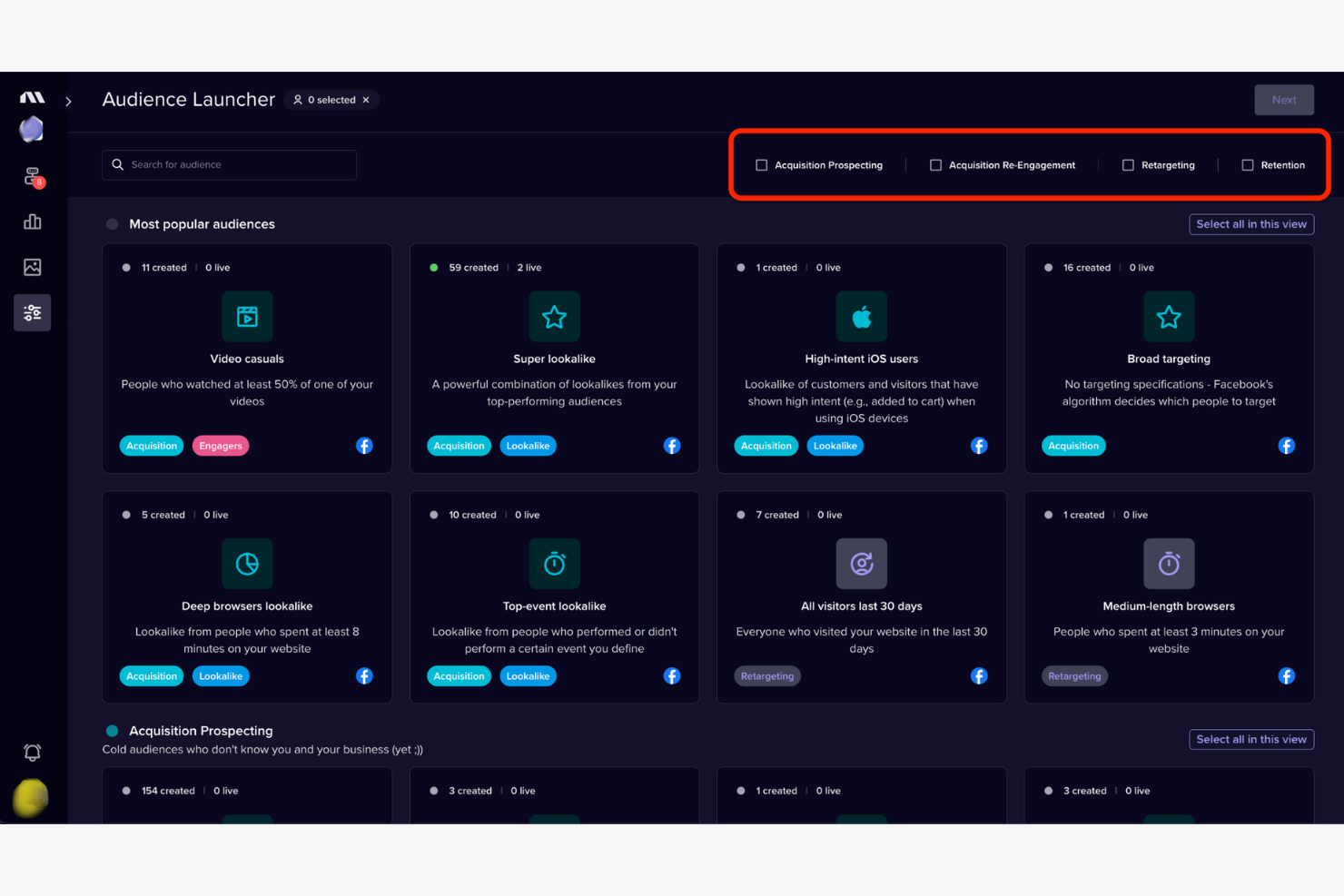
Madgicx uses AI to help marketers analyze and optimize ad performance across Facebook, Instagram, and Google. The platform is designed for digital marketing teams and agencies that want deeper insights and automation for paid campaigns. With features like creative analysis and automated budget allocation, Madgicx addresses the challenge of scaling ad results while managing spend.
Why I Picked Madgicx
For teams looking to get more from their ad data, Madgicx offers AI-driven insights that go beyond standard reporting. I picked Madgicx because it uses machine learning to analyze creative performance and audience segments, helping you identify what’s actually driving results. The platform’s automation tools also let you optimize budget allocation and bid strategies in real time, so you can react quickly to changes in campaign performance. If you want to make smarter, data-backed decisions for your paid ads, Madgicx brings advanced analytics and automation together in one place.
Madgicx Key Features
Some other features that make Madgicx valuable for advertisers include:
- One-click automation templates: Apply pre-built automation strategies to campaigns without manual setup.
- Creative asset management: Organize, tag, and analyze ad creatives within a centralized library.
- Cross-channel dashboard: View performance data from Facebook, Instagram, and Google Ads in a single interface.
- Audience launcher: Build and launch new audience segments directly from the platform.
Madgicx Integrations
Integrations include Meta (Facebook Ads and Instagram), Google Ads, Shopify, Klaviyo, and more.
Pros and Cons
Pros:
- Centralized dashboard for cross-channel ad data
- One-click automation templates for campaign management
- AI analyzes creative and audience performance
Cons:
- Creative insights may miss niche audience trends
- Some automation features require higher-tier plans

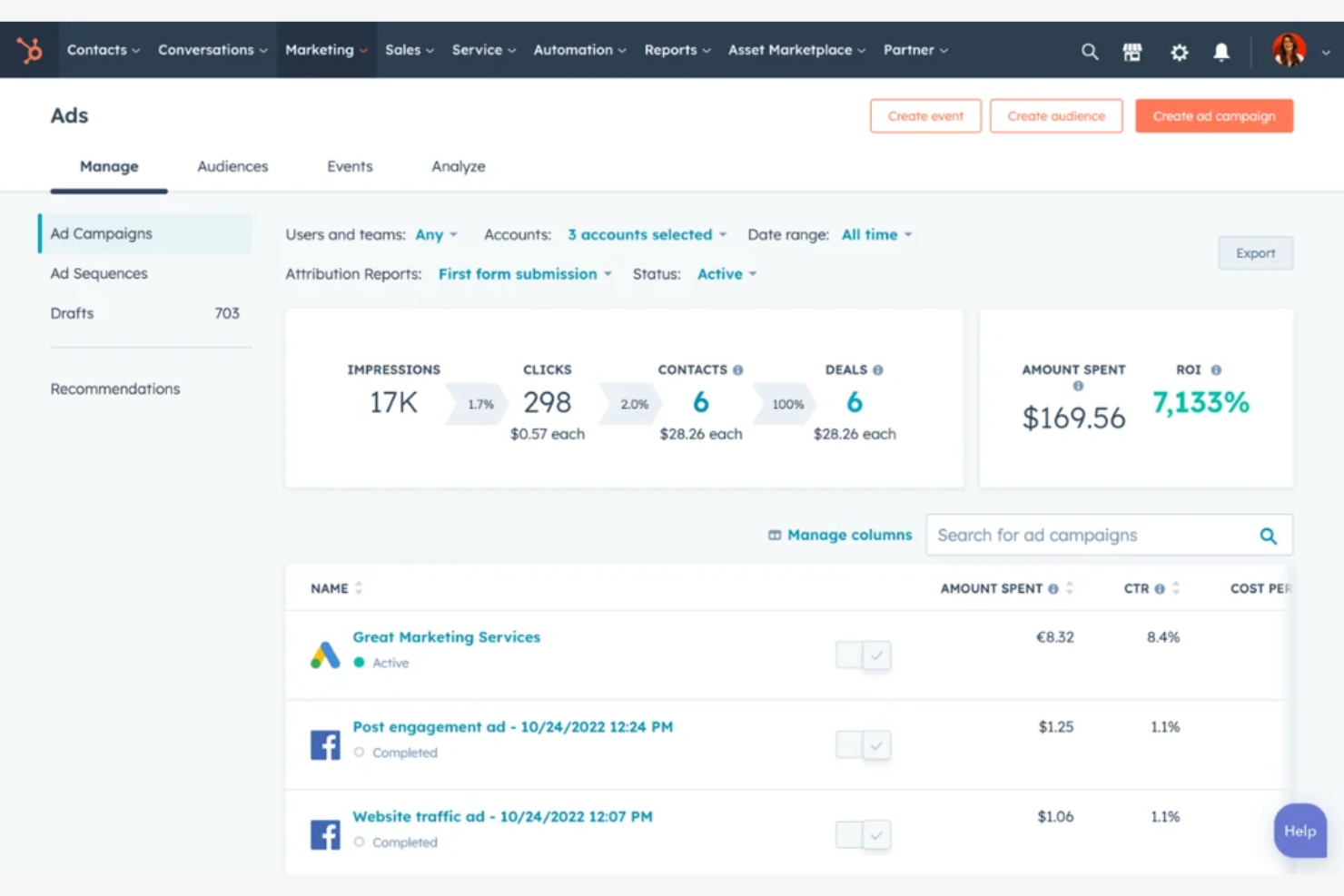
If you’re looking to connect your marketing campaigns directly with your CRM data, HubSpot offers a unified platform for marketing, sales, and customer management. Marketing teams in B2B and B2C organizations use HubSpot to automate campaigns, segment audiences, and track performance from first touch to closed deal. Its integrated workflows help you manage ads, email, and lead nurturing without switching between disconnected tools.
Why I Picked HubSpot
What sets HubSpot apart is how it connects marketing activities directly to CRM data, making it a strong choice for teams that want integrated workflows. I picked HubSpot because it lets you build automated campaigns that use real-time customer data for targeting and personalization. The platform’s ad management tools sync with your contact database, so you can track ad performance alongside lead and deal progress. This level of integration helps marketers close the loop between advertising spend and actual revenue outcomes.
HubSpot Key Features
Some other features in HubSpot that advertising teams might find useful include:
- A/B ad testing: Run split tests on ad creatives and copy to compare performance.
- Landing page builder: Create and publish landing pages without needing a developer.
- UTM tracking management: Generate and manage UTM parameters for all your campaigns in one place.
- Ad audience syncing: Sync CRM segments directly with ad platforms for precise targeting.
HubSpot Integrations
Integrations include Salesforce, Gmail, Outlook, Meta Ads, Google Ads, WordPress, Slack, Zoom, Microsoft Teams, and more.
Pros and Cons
Pros:
- Ad audience syncing with CRM segments
- Built-in landing page and form builder
- Automated lead nurturing from ad clicks
Cons:
- Workflow automation restricted by plan level
- Email send limits on lower-tier plans
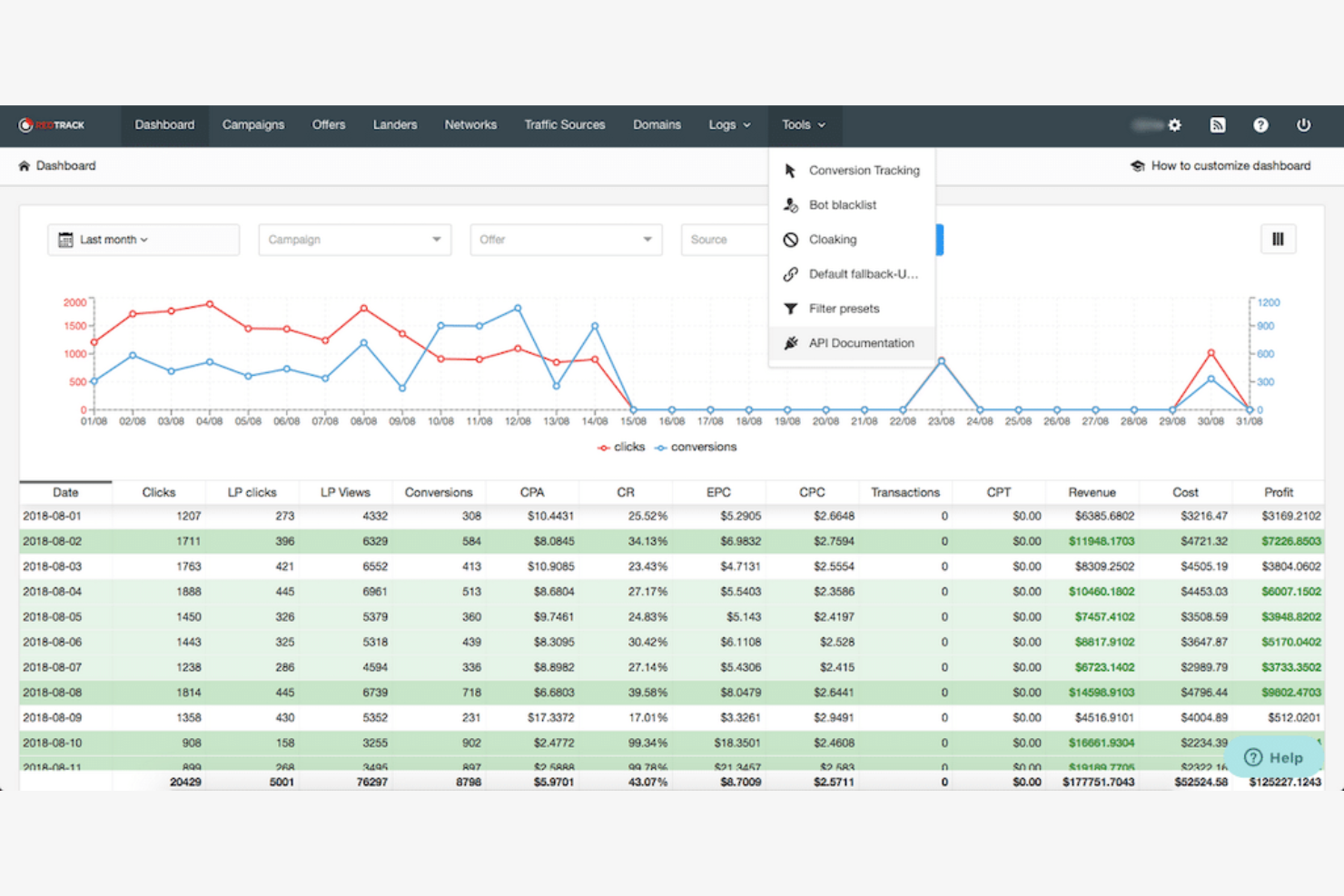
Affiliate marketers and performance-driven advertisers looking for automated tracking will find RedTrack built for their needs. The platform specializes in consolidating affiliate, influencer, and partner campaign data into a single dashboard. If you need to automate conversion tracking, attribution, and payout management across multiple channels, RedTrack addresses those challenges directly.
Why I Picked RedTrack
RedTrack stands out for teams that need to automate affiliate tracking and attribution across multiple channels. I picked it because it offers real-time conversion tracking, automated partner payout management, and customizable attribution models—all from a single dashboard. These features help marketers reduce manual work and minimize tracking errors when managing complex affiliate programs. If you’re looking for a solution that centralizes campaign data and automates repetitive tracking tasks, RedTrack is purpose-built for that need.
RedTrack Key Features
Some other features in RedTrack that are useful for advertising teams include:
- Traffic source cost integration: Import cost data from major ad networks to track ROI alongside conversions.
- Fraud detection tools: Identify suspicious clicks and filter out invalid traffic from your reports.
- White-label reporting: Customize dashboards and reports with your own branding for clients or partners.
- API access: Connect RedTrack data to your own systems or reporting tools for further analysis.
RedTrack Integrations
Integrations include Meta Ads, Google Ads, Google Analytics, Bing, TikTok Ads, YouTube, Snapchat, Taboola, Outbrain, Shopify, WooCommerce, and more.
Pros and Cons
Pros:
- Built-in fraud detection for traffic quality
- Real-time click and conversion monitoring
- Automated affiliate payout tracking and management
Cons:
- API access only on higher-tier plans
- No built-in creative asset management

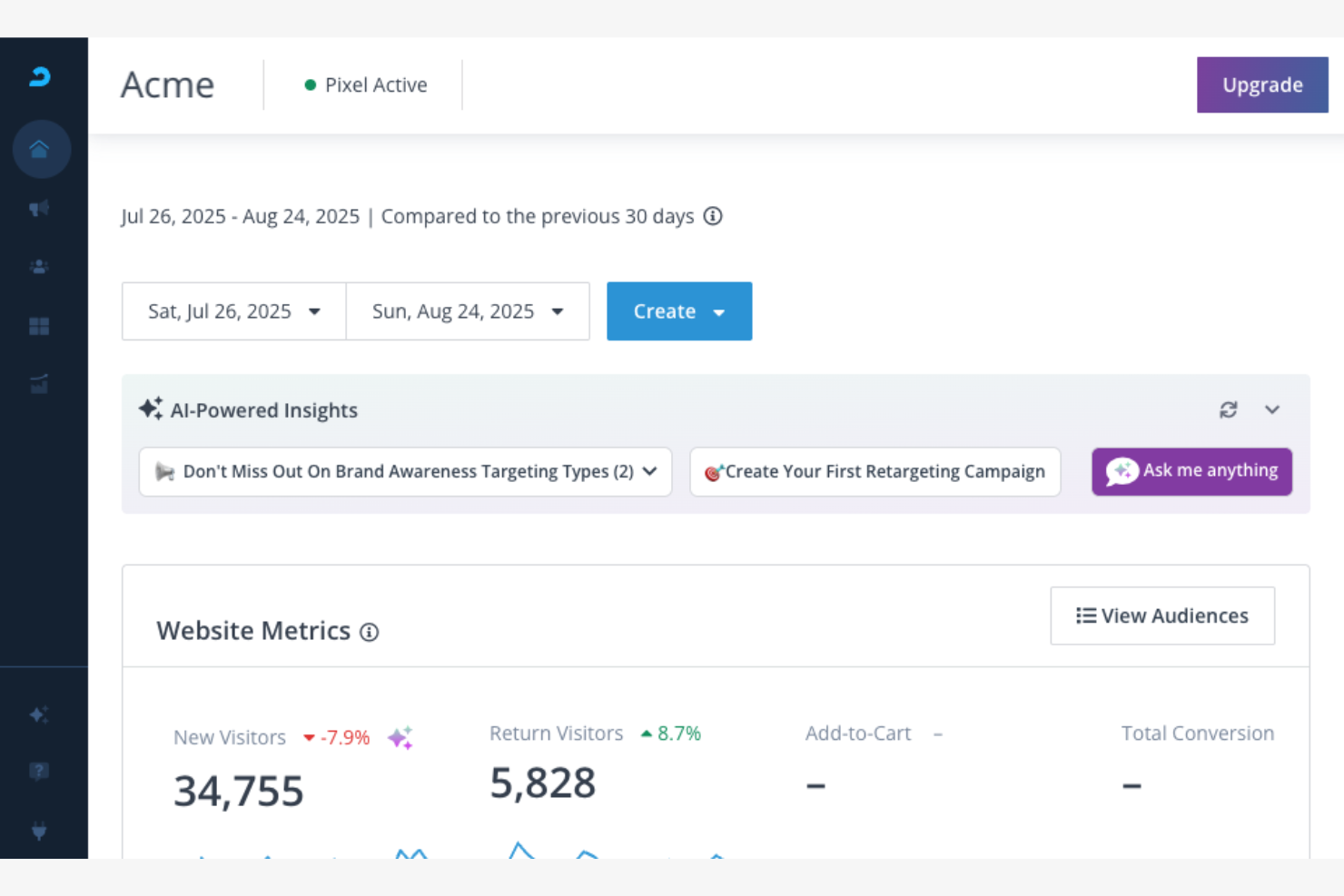
AdRoll brings multichannel campaign management into one platform for marketers who need to coordinate ads across web, social, and email. It’s a strong fit for ecommerce brands and growth-focused teams looking to unify audience targeting and reporting. If you want to manage retargeting, prospecting, and email ads from a single dashboard, AdRoll addresses that need directly.
Why I Picked AdRoll
I chose AdRoll because it brings together multichannel campaign management in a way that’s practical for marketers juggling multiple ad platforms. The unified dashboard lets you launch and monitor ads across web, social, and email without switching tools. I find it useful that you can set up retargeting and prospecting campaigns side by side, then view performance data in one place. AdRoll’s audience segmentation and cross-channel attribution features make it easier to coordinate messaging and measure results across every channel you use.
AdRoll Key Features
Some other features in AdRoll that stand out for advertising teams include:
- Dynamic product ads: Automatically generate personalized ads based on your product catalog and user behavior.
- Ad creative builder: Design and customize ad creatives directly within the platform using built-in templates and editing tools.
- A/B testing tools: Run split tests on ad variations to compare performance and optimize creative elements.
- Automated budget allocation: Distribute your ad spend across channels using rules-based automation to maximize reach and efficiency.
AdRoll Integrations
Integrations include Shopify, WooCommerce, BigCommerce, Wix, Squarespace, PrestaShop, Klaviyo, Zapier, Privy, and more.
Pros and Cons
Pros:
- Automated budget allocation across channels
- Built-in retargeting and prospecting tools
- Multichannel ad management from one dashboard
Cons:
- Limited creative editing compared to design tools
- Minimum daily ad spend required
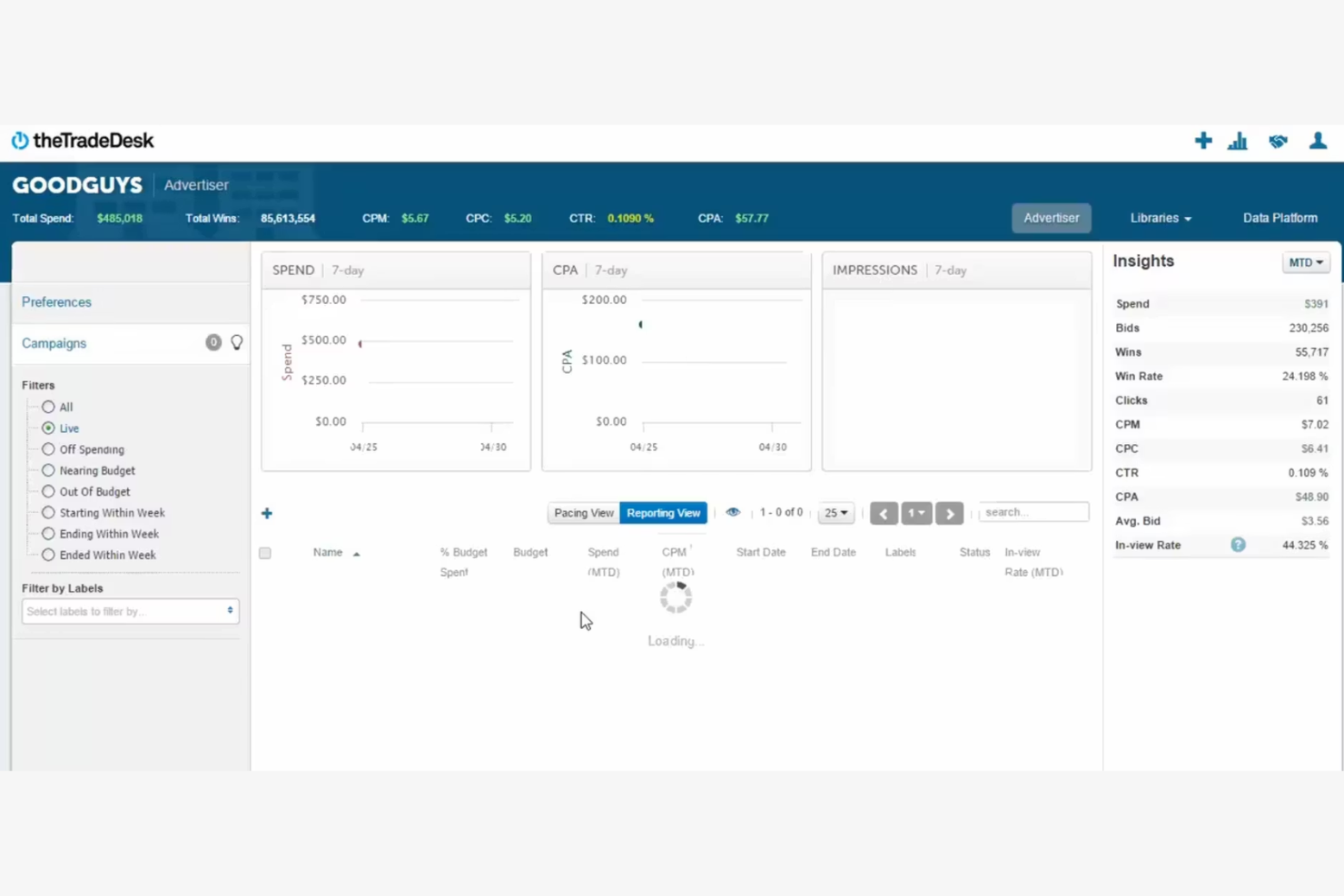
If you’re looking to manage large-scale digital ad campaigns across channels, The Trade Desk offers a programmatic platform built for data-driven marketers. Agencies and enterprise brands use it to access premium inventory, apply advanced targeting, and optimize spend in real time. The Trade Desk is especially useful for teams that need granular control over audience segments and transparent reporting on media buys.
Why I Picked The Trade Desk
For programmatic media buying, The Trade Desk stands out because it gives marketers access to a wide range of premium ad inventory across display, video, audio, and connected TV. I picked The Trade Desk for its advanced targeting capabilities, which let you build and refine audience segments using first- and third-party data. The platform’s real-time bidding and optimization tools help you control spend and maximize campaign performance at scale. If you need transparency and flexibility in how you buy and measure digital media, The Trade Desk is built for that level of control.
The Trade Desk Key Features
Some other features that make The Trade Desk valuable for advertising teams include:
- Cross-device targeting: Reach audiences across desktop, mobile, and connected TV from a single platform.
- Data marketplace access: Tap into a wide range of third-party data providers for enhanced audience insights.
- Creative management tools: Upload, organize, and optimize creative assets directly within the platform.
- API access: Integrate The Trade Desk with your own data sources and reporting systems for custom workflows.
The Trade Desk Integrations
Native integrations are not currently listed.
Pros and Cons
Pros:
- Real-time bidding with transparent reporting
- Advanced audience segmentation and targeting tools
- Access to premium inventory across channels
Cons:
- Creative approval process may delay campaign launches
- Requires significant ad spend to access the platform
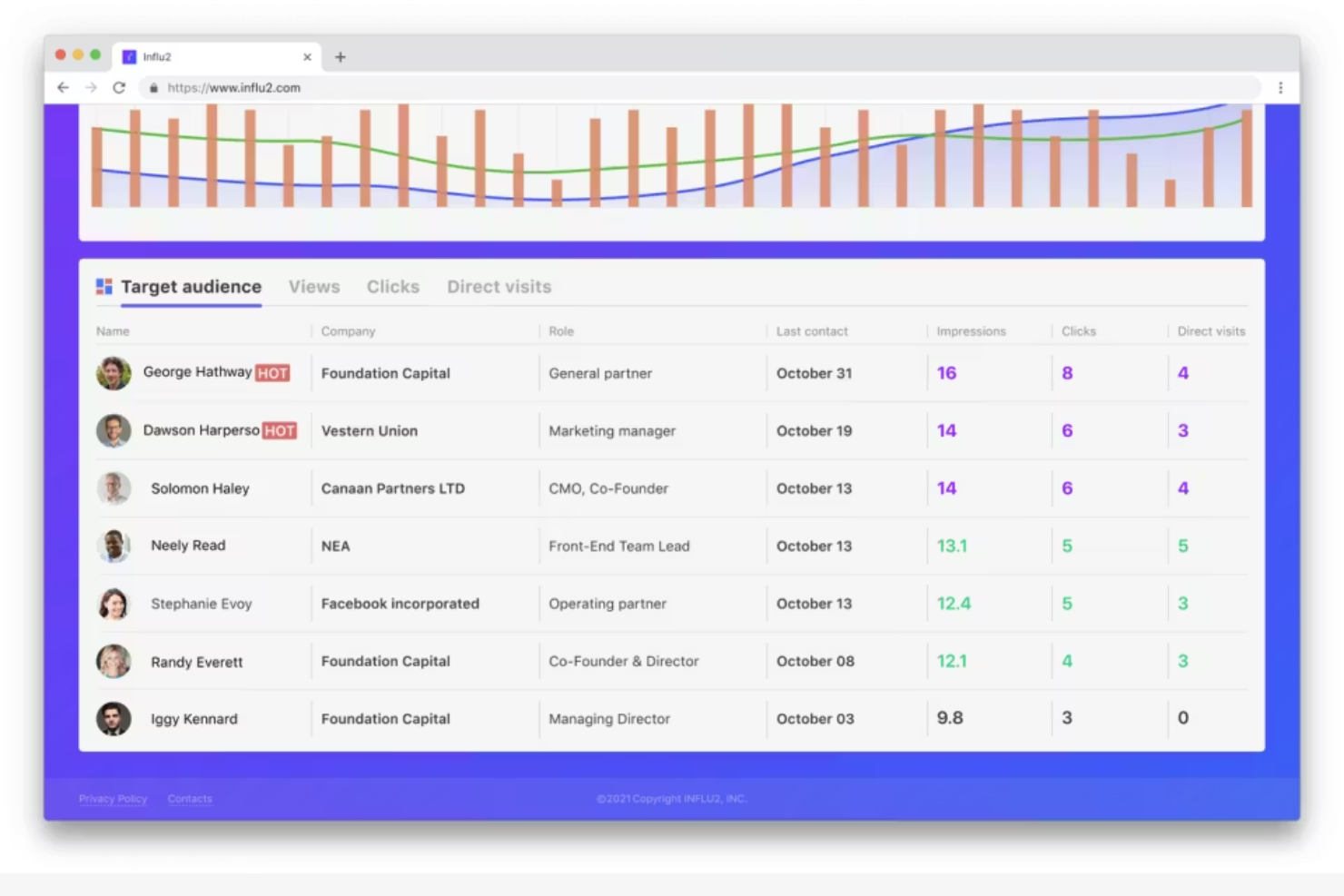
If you need to reach specific decision-makers within target accounts, Influ2 offers a person-based approach to B2B advertising. The platform lets marketing and sales teams deliver ads directly to named individuals, not just companies or segments. This helps you align campaigns with account-based strategies and track engagement at the contact level.
Why I Picked Influ2
Unlike most advertising platforms that target accounts or broad segments, Influ2 stands out for its ability to reach individual decision-makers within B2B organizations. I picked Influ2 because it lets you build campaigns that serve ads to specific people by name, not just job titles or companies. The platform’s person-based tracking shows you exactly who engaged with your ads, so you can align outreach with sales and measure true contact-level impact. For teams focused on account-based marketing, this level of targeting and attribution is hard to match.
Influ2 Key Features
Some other features that make Influ2 useful for B2B advertisers include:
- Intent-based audience segmentation: Build audiences based on behavioral signals and intent data to refine targeting.
- CRM integration: Sync campaign data with Salesforce, HubSpot, and other CRM platforms for unified reporting.
- Dynamic creative optimization: Automatically adjust ad creatives based on individual engagement and performance data.
- Multi-channel delivery: Run campaigns across display, social, and native ad placements from a single platform.
Influ2 Integrations
Integrations include Salesforce, HubSpot, Marketo, Pardot, Outreach, and more.
Pros and Cons
Pros:
- Offers intent-based audience segmentation
- Tracks engagement at the contact level
- Targets ads to named individuals directly
Cons:
- No self-serve onboarding without sales contact
- Requires accurate contact data for targeting
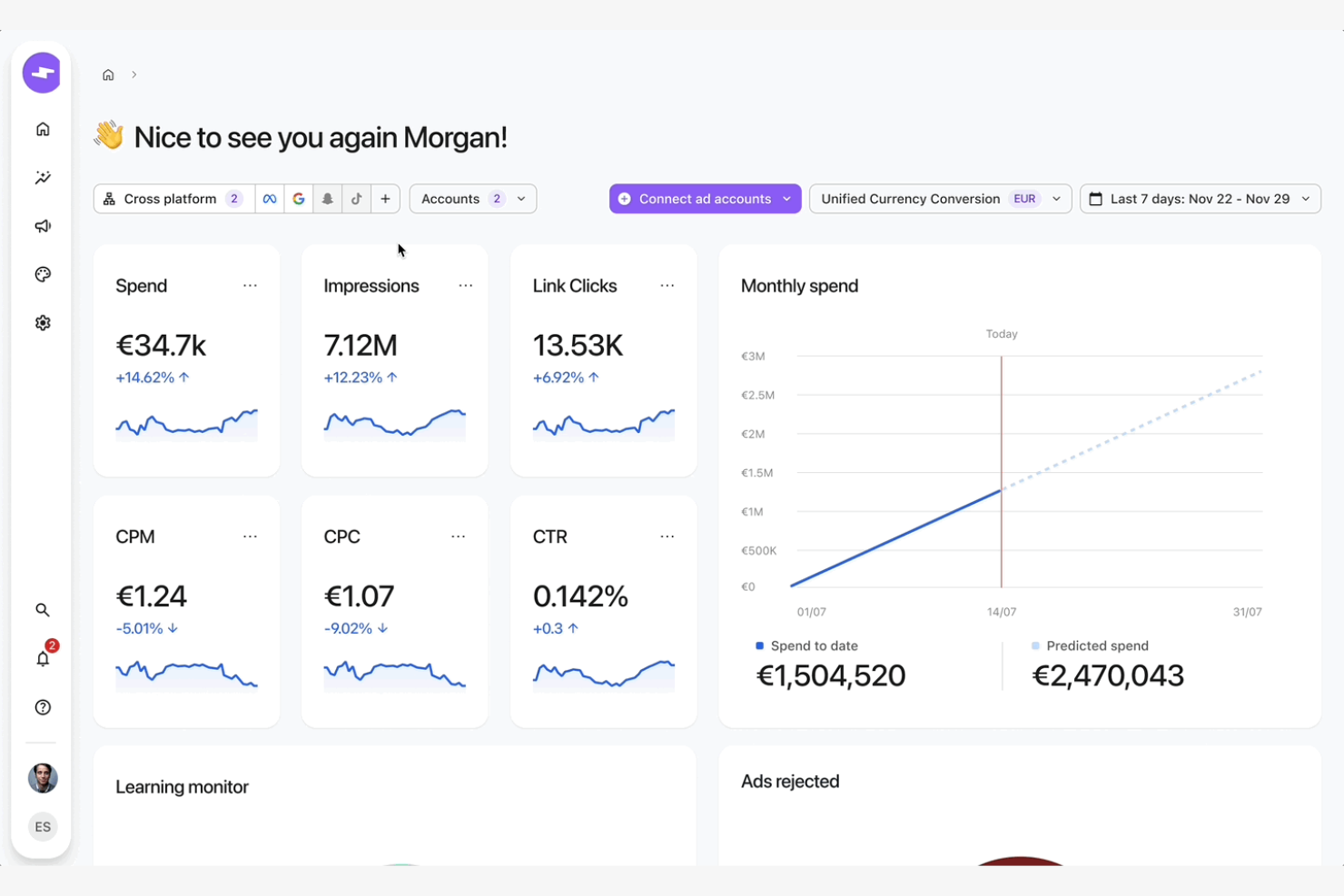
Smartly is built for marketing teams that need to manage and optimize high volumes of creative assets across multiple paid social channels. It’s especially useful for retail, ecommerce, and agencies running dynamic campaigns that require frequent creative testing and automation. With Smartly, you can automate creative production, personalize ads at scale, and centralize campaign management for platforms like Meta, TikTok, and Pinterest.
Why I Picked Smartly
For teams focused on scaling creative production and optimization, Smartly offers a specialized set of tools that address this challenge directly. I picked Smartly because it automates creative versioning and testing, letting you quickly generate and deploy hundreds of ad variations across channels. Its creative automation features help you personalize ads using dynamic data feeds, which is especially valuable for ecommerce and retail campaigns. The platform’s centralized dashboard also makes it easier to manage creative assets and performance insights in one place.
Smartly Key Features
Some other features that make Smartly appealing for advertising teams include:
- Automated campaign scheduling: Set up rules to launch, pause, or adjust campaigns based on performance or timing.
- Cross-channel analytics dashboard: View and compare ad performance across Meta, TikTok, Pinterest, and other platforms in one place.
- Creative collaboration tools: Share, review, and approve creative assets with internal and external stakeholders.
- Feed-based ad creation: Use product or content feeds to automatically generate and update ad creatives for catalog or dynamic campaigns.
Smartly Integrations
Integrations include Google, Meta, Pinterest, Reddit, Snapchat, TikTok, YouTube, and more.
Pros and Cons
Pros:
- Feed-based dynamic ad creative generation
- Automated rules for campaign optimization
- Bulk creative versioning for multi-market campaigns
Cons:
- Creative templates can feel restrictive
- No built-in search engine ad support

Equativ is designed for publishers and media owners who want more control over how they monetize their digital inventory. The platform offers a unified ad server, supply-side platform, and header bidding tools to help maximize yield across direct and programmatic channels. If you need flexible monetization options and transparent reporting, Equativ gives you tools to manage demand partners and optimize revenue streams.
Why I Picked Equativ
What sets Equativ apart from publisher monetization solutions is its unified approach to managing both direct and programmatic demand. I picked Equativ because it combines an ad server, supply-side platform, and header bidding into one platform, giving publishers more control over their inventory and revenue. The platform’s real-time analytics and yield optimization tools help you make data-driven decisions about which demand sources to prioritize. If you’re looking for transparency and flexibility in how you monetize digital content, Equativ is built to support those needs.
Equativ Key Features
In addition to its core monetization tools, I also found these features valuable for publishers:
- Private marketplace management: Set up and manage private deals with select buyers for premium inventory.
- Video ad support: Serve and optimize video ads across desktop, mobile, and connected TV environments.
- Brand safety controls: Apply customizable filters and verification tools to protect your inventory and audience.
- Granular reporting dashboard: Access detailed, real-time analytics on performance, demand sources, and revenue.
Equativ Integrations
Native integrations are not currently listed.
Pros and Cons
Pros:
- Customizable brand safety and fraud controls
- Offers advanced video and CTV ad formats
- Supports both direct and programmatic sales
Cons:
- API access may require additional negotiation
- Onboarding process can require technical support

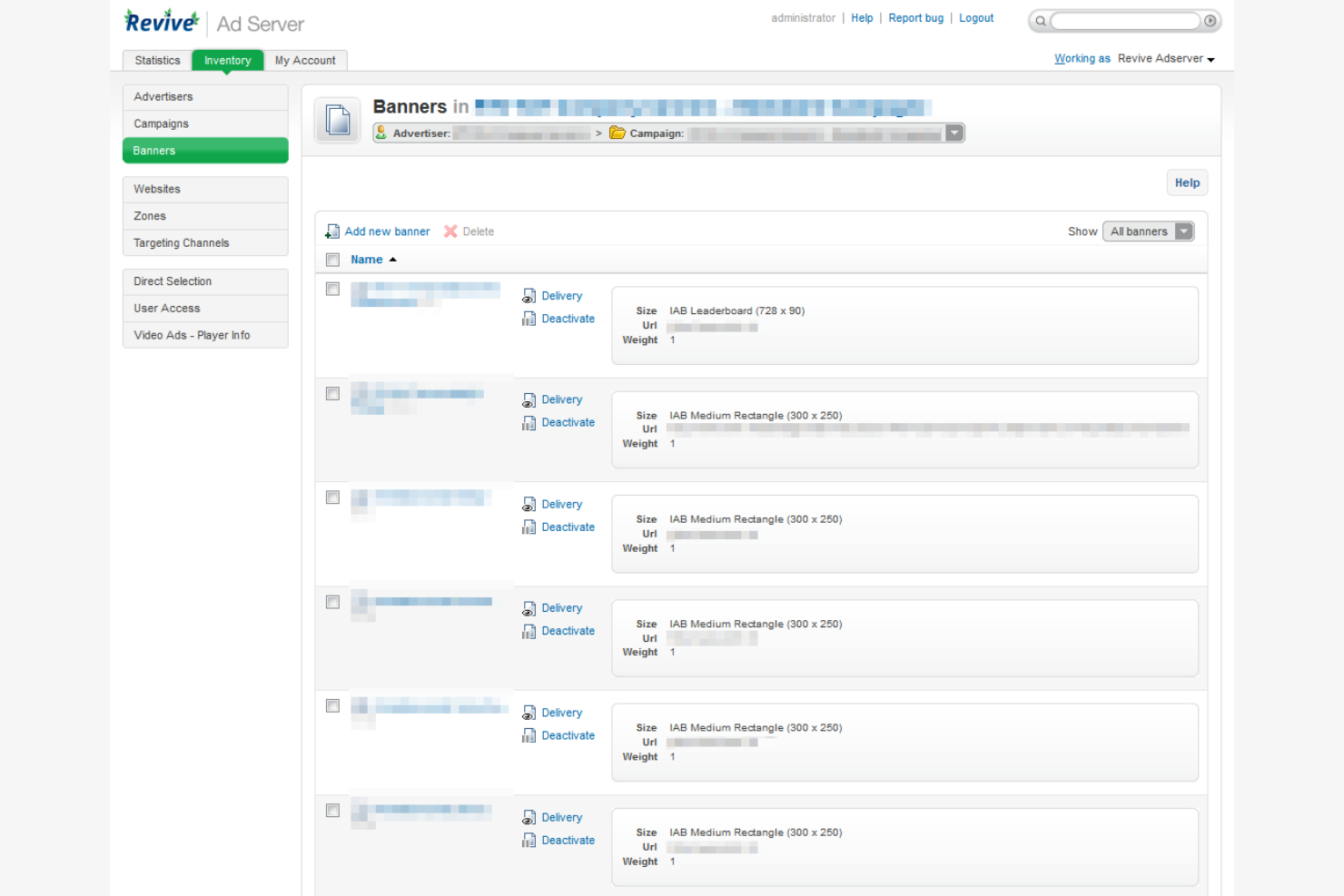
If you need full control over your ad serving infrastructure, Revive Adserver offers a self-hosted solution designed for publishers, networks, and agencies. It’s a strong fit for organizations that want to manage their own data, customize ad delivery, and avoid third-party dependencies. Revive Adserver helps you handle direct, programmatic, and network campaigns from a single, customizable platform.
Why I Picked Revive Adserver
Unlike cloud-based ad platforms, Revive Adserver gives you direct control over your ad serving environment, which is essential for teams with strict data privacy or customization requirements. I picked Revive Adserver because it lets you host and manage your own ad server, so you can tailor ad delivery, reporting, and targeting to your exact needs. The platform supports a wide range of ad formats and advanced targeting options, making it flexible for different campaign types. For organizations that want to avoid third-party dependencies and maintain full ownership of their ad data, Revive Adserver stands out as a strong choice.
Revive Adserver Key Features
Some other features that make Revive Adserver appealing for advertising teams include:
- Third-party ad network support: Serve and track ads from external ad networks alongside your direct campaigns.
- Zone-based ad placement: Assign and manage ad zones across multiple websites or apps for granular control.
- Frequency capping: Limit the number of times a user sees a specific ad within a set timeframe.
- Detailed plugin system: Extend core functionality with plugins for reporting, targeting, and additional ad formats.
Revive Adserver Integrations
Native integrations are not currently listed.
Pros and Cons
Pros:
- No recurring vendor fees for self-hosted use
- Supports multiple ad formats and media types
- Full control over ad server hosting environment
Cons:
- Requires manual updates and server maintenance
- No built-in support for video ad serving

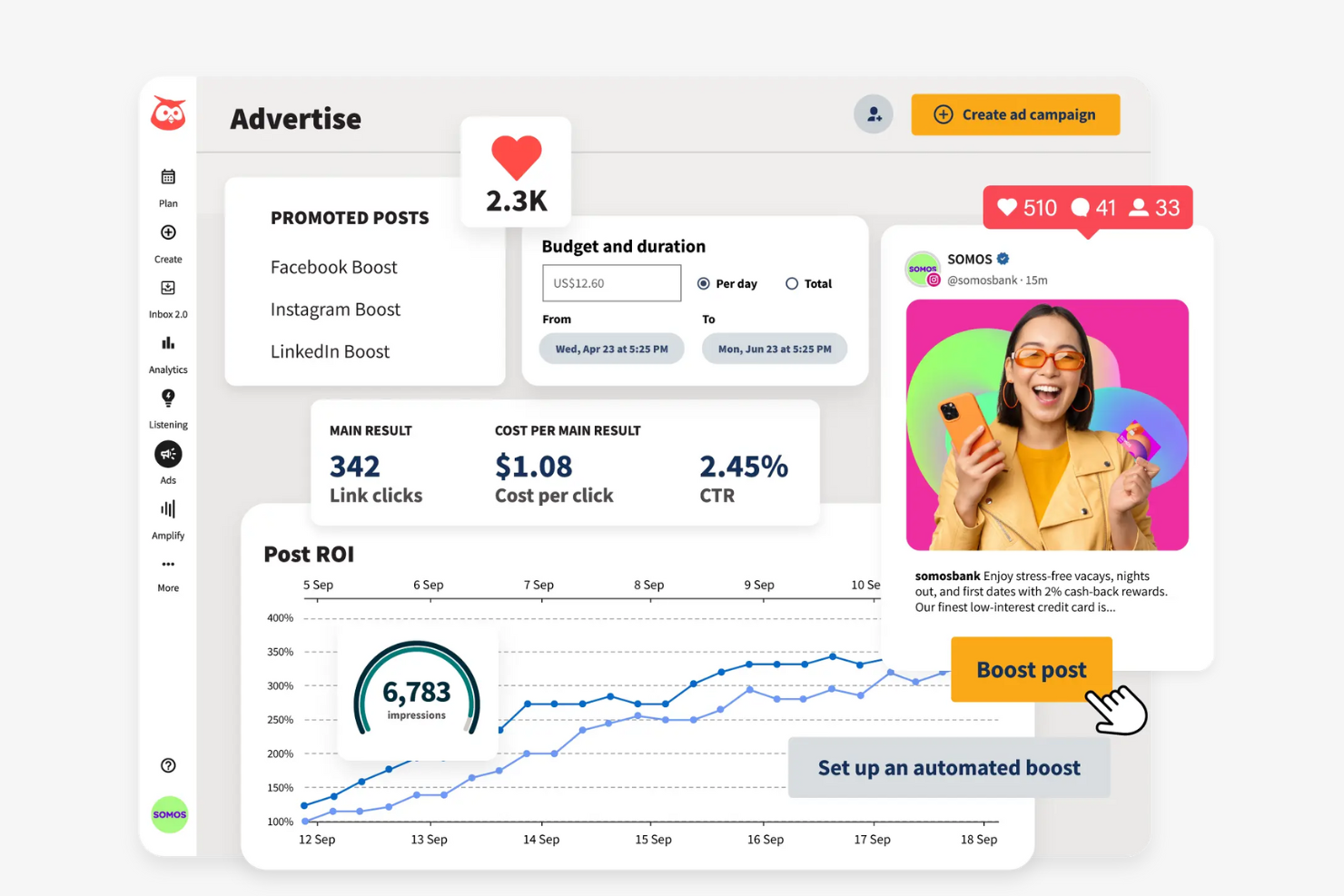
For marketing teams managing paid and organic social campaigns, Hootsuite brings ad scheduling and publishing into one unified dashboard. It’s especially useful for agencies and brands that need to coordinate multi-channel social ads and track performance in real time. Hootsuite helps you plan, schedule, and optimize social ad content across multiple platforms without switching between native tools.
Why I Picked Hootsuite
When it comes to managing and scheduling social media ads, Hootsuite stands out for its centralized approach to campaign planning. I picked Hootsuite because it lets you schedule paid and organic posts across multiple social platforms from a single calendar view, which is especially helpful for teams running time-sensitive campaigns. The tool also provides built-in ad management features, so you can create, monitor, and adjust social ads without leaving the dashboard. For marketers who need to coordinate and optimize social ad schedules at scale, Hootsuite offers a focused solution.
Hootsuite Key Features
Some other features that make Hootsuite valuable for advertising teams include:
- Social listening dashboard: Monitor brand mentions, keywords, and competitor activity across multiple social networks.
- Team collaboration tools: Assign tasks, share drafts, and manage approvals within your team.
- Analytics and reporting suite: Track ad and post performance with customizable reports and visual dashboards.
- Content library: Store, organize, and reuse creative assets for consistent campaign execution.
Hootsuite Integrations
Integrations include Instagram, Facebook, TikTok, YouTube, X (Twitter), LinkedIn, Pinterest, WhatsApp, Salesforce, and more.
Pros and Cons
Pros:
- Offers a unified calendar for campaign planning
- Supports ad management for multiple social platforms
- Schedules paid and organic posts together
Cons:
- Instagram ad scheduling may have publishing delays
- Bulk scheduling for ads can be inconsistent
Other Advertising Software
Here are some additional advertising software options that didn’t make it onto my shortlist, but are still worth checking out:
- Whatagraph
For cross-channel marketing reports
- DashThis
For automated dashboard creation
- 6sense
For predictive audience segmentation


Advertising Software Selection Criteria
When selecting the best advertising software to include in this list, I considered common buyer needs and pain points like tracking cross-channel ad performance and automating campaign optimization. I also used the following framework to keep my evaluation structured and fair:
Core Functionality (25% of total score)
To be considered for inclusion in this list, each solution had to fulfill these common use cases:
- Manage and launch ad campaigns
- Track and report on ad performance
- Support multiple ad channels
- Provide audience targeting tools
- Offer budget and spend management
Additional Standout Features (25% of total score)
To help further narrow down the competition, I also looked for unique features, such as:
- AI-powered creative analysis
- Automated bid and budget optimization
- Cross-channel attribution modeling
- Real-time performance alerts
- Built-in creative asset management
Usability (10% of total score)
To get a sense of the usability of each system, I considered the following:
- Simple and intuitive dashboard layout
- Clear navigation between features
- Customizable reporting views
- Minimal clicks to complete core tasks
- Modern and visually appealing interface
Onboarding (10% of total score)
To evaluate the onboarding experience for each platform, I considered the following:
- Availability of step-by-step product tours
- Access to training videos and documentation
- Pre-built campaign templates
- Responsive onboarding support or chatbots
- Webinars or live onboarding sessions
Customer Support (10% of total score)
To assess each software provider’s customer support services, I considered the following:
- Live chat or real-time support options
- Detailed help center or knowledge base
- Fast response times to inquiries
- Access to dedicated account managers
- Community forums or user groups
Value For Money (10% of total score)
To evaluate the value for money of each platform, I considered the following:
- Transparent and flexible pricing plans
- Features included at each pricing tier
- Free trial or demo availability
- No hidden fees or surprise charges
- Discounts for annual billing or volume
Customer Reviews (10% of total score)
To get a sense of overall customer satisfaction, I considered the following when reading customer reviews:
- Consistent positive feedback on core features
- Reports of reliable platform performance
- Praise for customer support quality
- Noted improvements from regular updates
- Constructive criticism and vendor responsiveness
How to Choose Advertising Software
It’s easy to get bogged down in long feature lists and complex pricing structures. To help you stay focused as you work through your unique software selection process, here’s a checklist of factors to keep in mind:
| Factor | What to Consider |
|---|---|
| Scalability | Will the software handle increased ad spend, more campaigns, or additional users as your business grows? Check for limits on accounts, channels, or data volume. |
| Integrations | Does the tool connect natively with your ad platforms, analytics tools, and CRM? Confirm compatibility with your current stack to avoid manual data work. |
| Customizability | Can you tailor dashboards, workflows, or reporting to your team’s needs? Consider whether rigid templates will slow down your processes or limit insights. |
| Ease of use | How quickly can your team learn and use the platform? Look for clear navigation, minimal training requirements, and intuitive workflows. |
| Implementation and onboarding | What resources are needed to get started? Assess the time, technical skills, and support required for setup, data migration, and initial campaign launches. |
| Cost | Are pricing tiers aligned with your usage and growth plans? Watch for hidden fees, minimum commitments, or extra charges for advanced features. |
| Security safeguards | Does the vendor offer data encryption, user permissions, and compliance with privacy standards? Ensure your ad data and customer information are protected. |
| Support availability | What support channels are offered and during what hours? Consider if you’ll need 24/7 help, dedicated account management, or self-service resources. |
What Is Advertising Software?
Advertising software is a digital marketing platform that helps businesses plan, launch, manage, and analyze digital advertising campaigns across multiple channels. These tools act as an all-in-one solution for campaign creation, ad targeting, budget management, and performance tracking, helping teams reach the right target audience more effectively. Marketing teams and team members use advertising software to optimize ad spend, improve user experience, and align marketing strategies across platforms like social media, search engines, and even email marketing. These tools are widely used by small businesses, startups, and growing teams looking for the best ad solutions to scale their campaigns and drive results.
Features
When selecting advertising software, keep an eye out for the following key features:
- Campaign management: Centralizes the creation, scheduling, and deployment of ads across multiple channels, allowing you to coordinate and monitor campaigns from a single dashboard.
- Audience targeting: Lets you define and segment audiences based on demographics, interests, behaviors, or custom criteria to ensure ads reach the right people.
- Budget management: Tracks and controls ad spend by setting daily or campaign-level budgets, helping you allocate resources and avoid overspending.
- Performance analytics: Provides real-time and historical data on impressions, clicks, conversions, and other metrics so you can measure campaign effectiveness.
- Multi-channel support: Enables you to run and manage ads across various platforms such as social media, search engines, and display networks from one interface.
- Creative asset management: Stores, organizes, and tags ad creatives, making it easier to reuse, update, or analyze assets for future campaigns.
- Automated reporting: Generates customizable reports on campaign performance, spend, and ROI, reducing manual work and supporting data-driven decisions.
- Collaboration tools: Offers user roles, permissions, and shared workspaces so teams can work together on campaign planning and execution.
- Compliance controls: Helps ensure ads meet platform policies and regulatory requirements by flagging issues or providing approval workflows.
Common Advertising Software AI Features
Beyond the standard advertising software features listed above, many of these solutions are incorporating AI with features like:
- Predictive audience segmentation: Uses AI to analyze historical data and automatically identify new audience segments likely to convert, helping you target campaigns more precisely.
- Automated bid optimization: Continuously adjusts bids in real time based on predicted performance, maximizing results while staying within budget constraints.
- Creative performance analysis: Applies machine learning to evaluate which ad creatives are most effective for different audiences, suggesting improvements or new creative directions.
- Anomaly detection: Monitors campaign data for unusual patterns or performance drops, alerting you to issues or opportunities that may require immediate attention.
- Dynamic budget allocation: Uses AI to redistribute budget across campaigns or channels based on real-time performance, ensuring resources are focused where they have the most impact.
Benefits
Implementing advertising software provides several benefits for your team and your business. Here are a few you can look forward to:
- Centralized campaign management: Manage all your ad campaigns and channels from one platform, reducing manual work and improving coordination.
- Improved audience targeting: Use advanced segmentation and targeting tools to reach the right audiences with relevant messaging.
- Data-driven decision making: Access real-time analytics and automated reporting to measure performance and optimize campaigns based on actionable insights.
- Optimized budget allocation: Track spend and leverage automated budget controls to ensure resources are used efficiently across campaigns.
- Faster creative iteration: Store, organize, and analyze creative assets to quickly test and refine ad content for better results.
- Enhanced team collaboration: Assign roles, set permissions, and share workspaces to simplify teamwork and approval processes.
- Proactive campaign optimization: Leverage AI-powered features like predictive segmentation and anomaly detection to identify opportunities and address issues before they impact results.
Costs & Pricing
Selecting advertising software requires an understanding of the various pricing models and plans available. Costs vary based on features, team size, add-ons, and more. The table below summarizes common plans, their average prices, and typical features included in advertising software solutions:
Plan Comparison Table for Advertising Software
| Plan Type | Average Price | Common Features |
|---|---|---|
| Free Plan | $0 | Basic campaign management, limited reporting, single-user access, and restricted integrations. |
| Personal Plan | $20-$50/user/month | Multi-channel support, standard analytics, basic audience targeting, and email support. |
| Business Plan | $100-$300/month | Advanced reporting, team collaboration tools, creative asset management, and priority customer support. |
| Enterprise Plan | $500-$1500/month | Custom integrations, dedicated account management, advanced security controls, and onboarding assistance. |
Advertising Software FAQs
Here are some answers to common questions about advertising software:
How do I know if my business needs advertising software?
If you manage multiple ad campaigns, use several channels, or need better tracking and reporting, advertising software can help. It centralizes campaign management and analytics, making it easier to optimize spend and measure results as your marketing efforts grow.
Can advertising software integrate with my existing marketing tools?
Yes, most advertising software offers integrations with popular CRM, analytics, and marketing automation platforms. Always check compatibility with your current stack to avoid manual data transfers and ensure a smooth workflow.
What should I look for when comparing advertising software vendors?
Focus on scalability, integration options, ease of use, onboarding support, and pricing transparency. Consider how each tool fits your team’s workflows, technical skills, and growth plans before making a decision.
How long does it take to implement advertising software?
Implementation time varies by platform and complexity. Simple tools can be set up in a few hours, while enterprise solutions may take several weeks for data migration, integration, and training. Ask vendors for a clear onboarding timeline.
Is my campaign and customer data secure in advertising software?
Most reputable advertising software providers offer data encryption, user permissions, and compliance with privacy standards. Always review a vendor’s security documentation and ask about certifications relevant to your industry.