
14 Best YouTube SEO Tools for 2026

YouTube SEO Tools Shortlist
Here's my pick of the 10 best software from the 14 tools reviewed.


YouTube SEO tools are specialized platforms and features that help you optimize your videos, channels, and metadata to improve visibility and ranking on YouTube and general search engine results. If you’re looking to grow your channel, reach new audiences, or outpace competitors to rank higher, choosing the right all-in-one YouTube SEO tools is essential. This list will help you quickly compare trusted free tools and premium solutions for keyword research, competitor analysis, seo-optimized video creation, and performance tracking—so you can make informed decisions and drive measurable results for your channel in 2026.
Why Trust Our Software Reviews
Best YouTube SEO Tools Summary
This comparison chart summarizes pricing details for my top YouTube SEO tools selections to help you find the best one for your budget and business needs.
| Tool | Best For | Trial Info | Price | ||
|---|---|---|---|---|---|
| 1 | Best for in-depth competitor channel analysis | Free limited access to Site Explorer and Site Audit | From $129/month | Website | |
| 2 | Best for actionable channel audit reports | Free plan available | From $4.95/month (billed annually) | Website | |
| 3 | Best for cross-platform analytics integration | Free plan available | From $18/10 brands/month (billed annually) | Website | |
| 4 | Best for real-time channel performance tracking | Free plan available | From $4.50/month (billed annually) | Website | |
| 5 | Best for long-tail keyword research | 30-day money back guarantee | From $69/month (billed annually) | Website | |
| 6 | Best for bulk video optimization tasks | Free plan available + 14-day free trial | From $12/month | Website | |
| 7 | Best for AI-powered keyword suggestions | Free plan available | From $16.58/month (billed annually) | Website | |
| 8 | Best for copyright-safe audio discovery | No trial info available | From $8.25/month (billed annually) | Website | |
| 9 | Best for quick video metadata checks | Free | Completely free | Website | |
| 10 | Best for influencer benchmarking insights | Free demo available | From $1,499/3 months | Website | |
| 11 | Best for instant tag generation | Free plan available | From $6/month | Website |
-

Demandbase
Visit WebsiteThis is an aggregated rating for this tool including ratings from Crozdesk users and ratings from other sites.4.4 -
6sense
Visit WebsiteThis is an aggregated rating for this tool including ratings from Crozdesk users and ratings from other sites.4.3 -
AnswerThePublic
Visit Website


YouTube SEO Tools Reviews
Below are my detailed summaries of the YouTube SEO tools that made it onto my shortlist. My reviews offer a detailed look at the features, best use cases, and capabilities of each tool to help you find the best one for you.

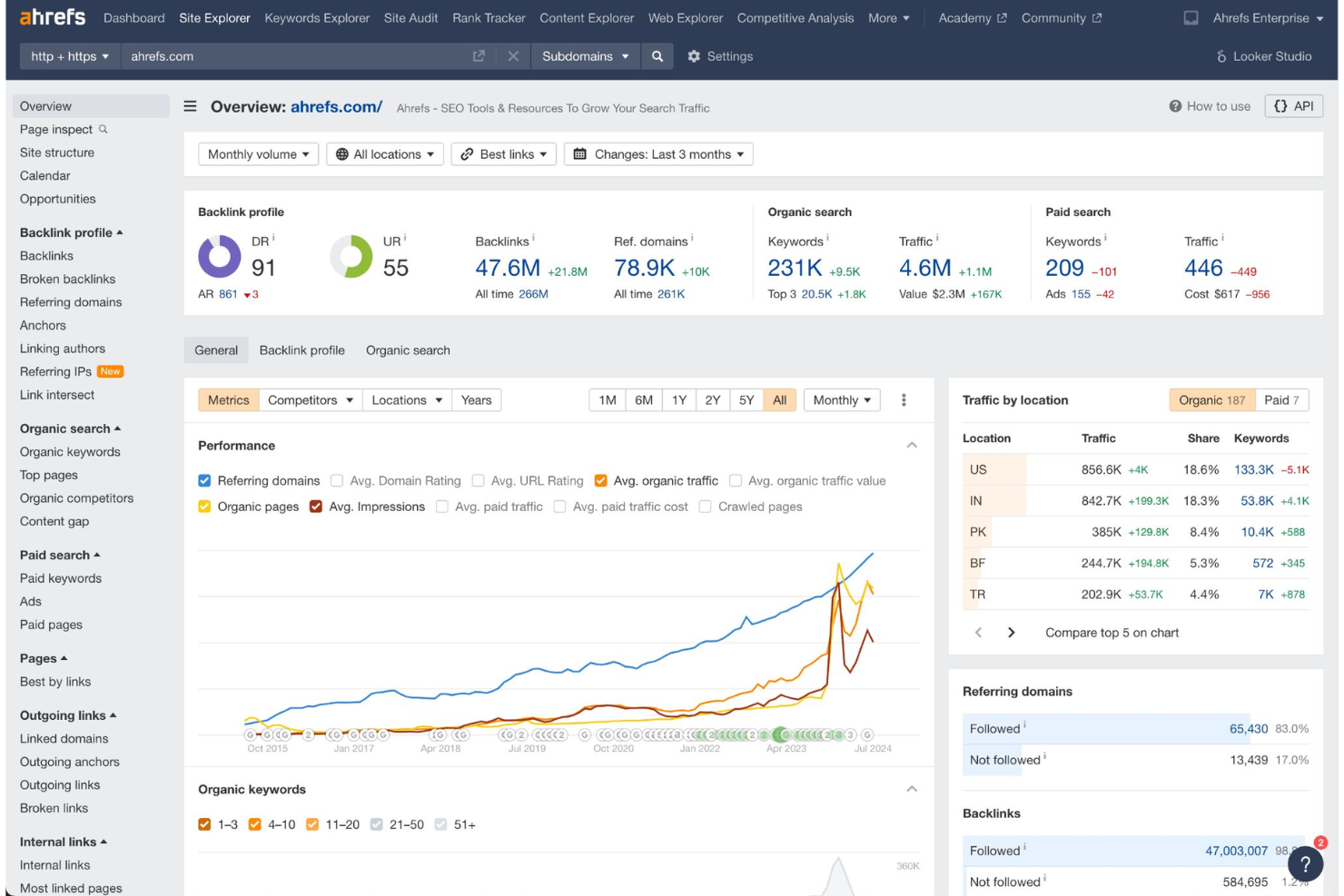
If you want to dig deep into your YouTube competitors’ strategies, Ahrefs offers advanced channel and video analysis features. This tool is a strong fit for marketers and content teams who need to uncover keyword gaps, track ranking changes, and benchmark against top-performing channels. Use Ahrefs to identify what’s working for others in your niche and refine your own YouTube SEO approach.
Why I Picked Ahrefs
I chose Ahrefs for this list because its competitor channel analysis tools go deeper than most YouTube SEO platforms. With features like channel comparison, video keyword tracking, and visibility trend reports, you can see exactly how your rivals are performing and what’s driving their growth. I appreciate how Ahrefs lets you analyze competitors’ top-ranking videos and discover keyword opportunities they’re targeting. This level of insight is especially useful if you want to refine your own content strategy based on real data from leading channels in your niche.
Ahrefs Key Features
Some other features in Ahrefs can help you get even more out of your YouTube SEO efforts:
- Content Explorer: Search for top-performing YouTube videos by keyword or topic to identify trends and content gaps.
- Backlink Analysis: Review which websites are linking to your videos or channel to understand referral traffic sources.
- Alerts: Set up notifications for new mentions, backlinks, or keyword rankings related to your channel or videos.
- Site Audit: Scan your linked website for technical SEO issues that could impact your YouTube channel’s discoverability.
Ahrefs Integrations
Integrations include Google Search Console, Looker Studio, and a public API for custom integrations.
Pros and Cons
Pros:
- Reliable keyword difficulty
- Shows exact search volumes
- Tracks competitor channels
Cons:
- No direct YouTube integration
- Overkill for casual vloggers

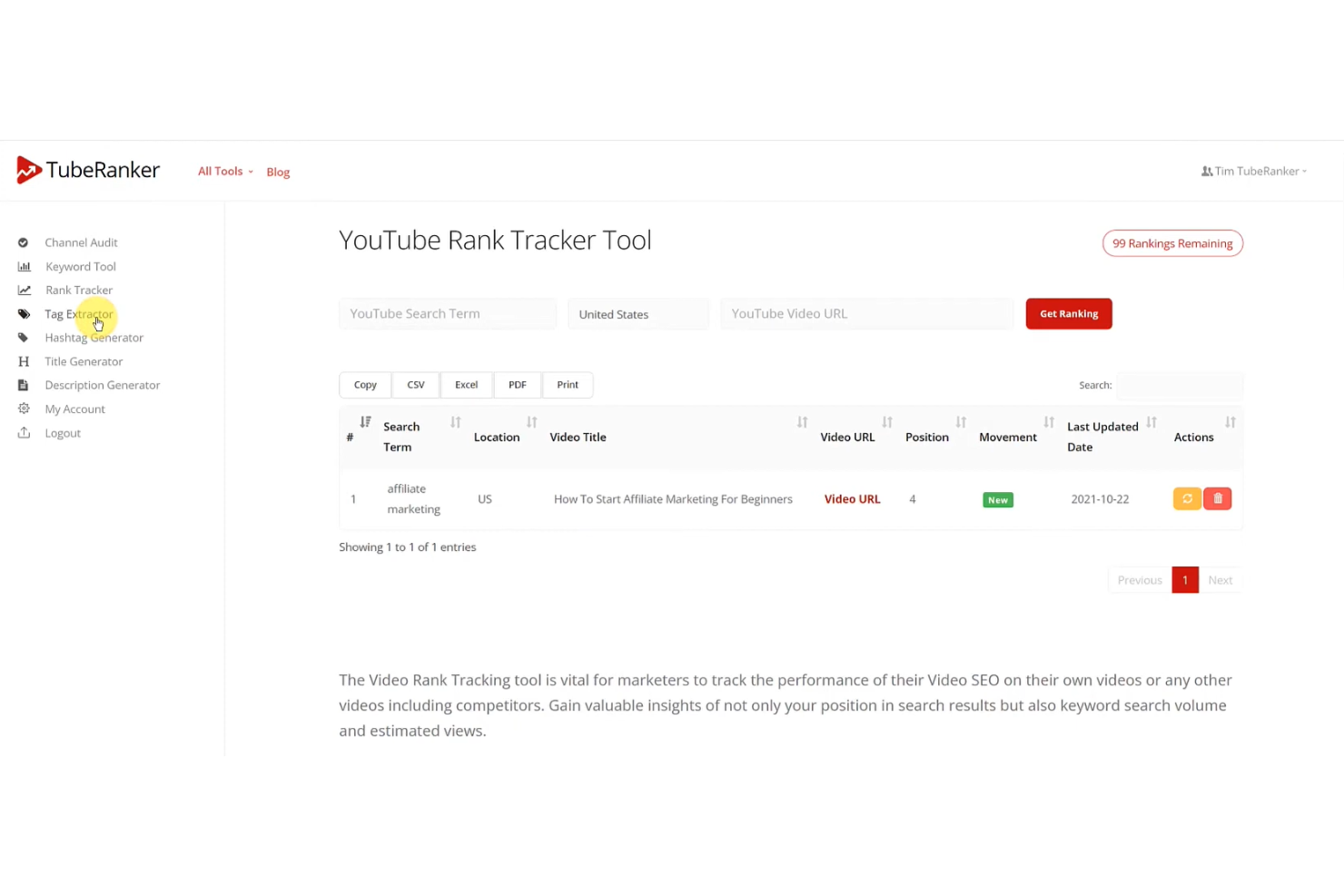
TubeRanker is designed for YouTube creators and marketers who want clear, actionable insights to improve their channel’s performance. The platform’s channel audit reports break down SEO issues, keyword gaps, and optimization opportunities in detail. If you need practical recommendations to boost your video rankings and channel health, TubeRanker offers focused tools for that purpose.
Why I Picked TubeRanker
What stands out about TubeRanker is its focus on delivering actionable channel audit reports that go beyond surface-level metrics. I picked this tool because it highlights specific SEO issues, such as missing tags or poorly optimized descriptions, and provides clear recommendations for improvement. The audit feature also identifies keyword gaps and suggests targeted keywords to help you strengthen your channel’s visibility. For anyone who wants practical, step-by-step guidance to optimize their YouTube presence, TubeRanker’s audit reports are a direct fit.
TubeRanker Key Features
Some other features in TubeRanker can help you get more out of your YouTube SEO workflow:
- YouTube Tag Generator: Generate relevant tags for your videos based on your target keywords.
- Rank Tracker: Monitor how your videos rank for specific keywords over time.
- Title and Description Analyzer: Evaluate and optimize your video titles and descriptions for better SEO.
- Comment Moderation Tool: Identify and manage spam or inappropriate comments on your channel.
TubeRanker Integrations
Integrations include YouTube, Google Chrome, Mozilla Firefox, and Safari.
Pros and Cons
Pros:
- Good for beginner creators
- Simple title generation
- Generates optimized tags
Cons:
- No browser extension
- Lacks deep competitor data

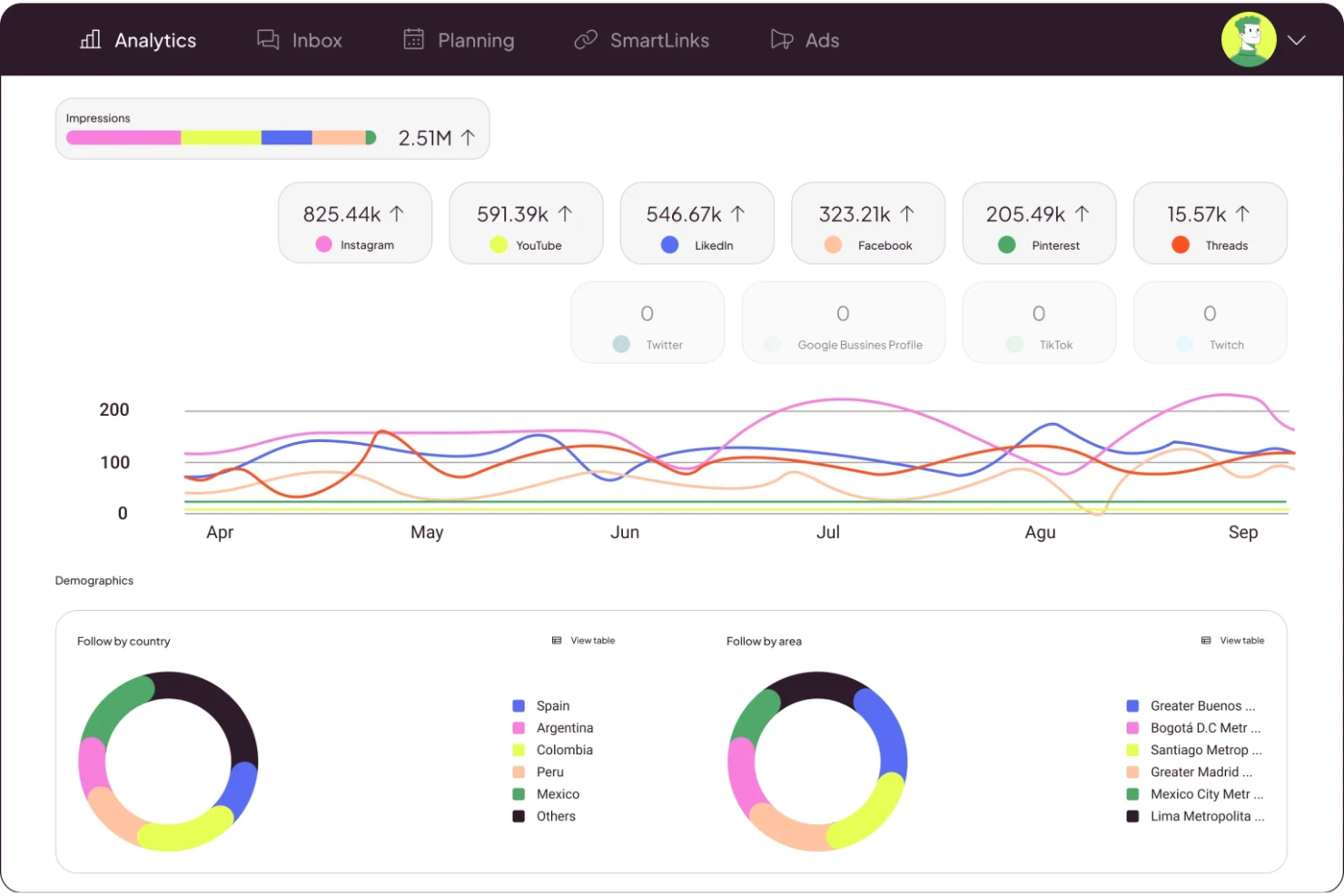
Metricool brings cross-platform analytics integration to marketers and agencies managing YouTube alongside other social channels. The platform lets you track, compare, and report on YouTube performance in the context of your broader digital strategy. If you need unified analytics and scheduling for YouTube, Instagram, Facebook, and more, Metricool helps you see the bigger picture and coordinate campaigns across platforms.
Why I Picked Metricool
Unlike most YouTube SEO tools, Metricool stands out for its ability to integrate analytics from YouTube with data from other social platforms in a single dashboard. This cross-platform view lets you compare YouTube performance alongside Instagram, Facebook, and X, so you can spot trends and coordinate content strategies. I picked Metricool because it gives marketing teams a unified reporting workflow, making it easier to measure YouTube’s impact within a broader digital mix. For anyone managing multi-channel campaigns, Metricool’s analytics and scheduling features help keep YouTube efforts aligned with your overall strategy.
Metricool Key Features
Some other features that make Metricool useful for YouTube SEO include:
- YouTube Video Scheduling: Schedule YouTube video uploads and manage publishing times directly from the Metricool dashboard.
- Hashtag Tracker: Monitor hashtag performance across YouTube and other connected platforms to inform your content strategy.
- Customizable Reporting: Build and export custom reports that include YouTube analytics alongside other social data.
- Comment Management: View and respond to YouTube comments from within Metricool to keep engagement organized.
Metricool Integrations
Integrations include Facebook, Instagram, Twitter, LinkedIn, and YouTube.
Pros and Cons
Pros:
- Good competitor tracking
- Tracks viewer retention
- Clean analytics dashboard
Cons:
- Lacks YouTube tag tools
- No keyword search volume

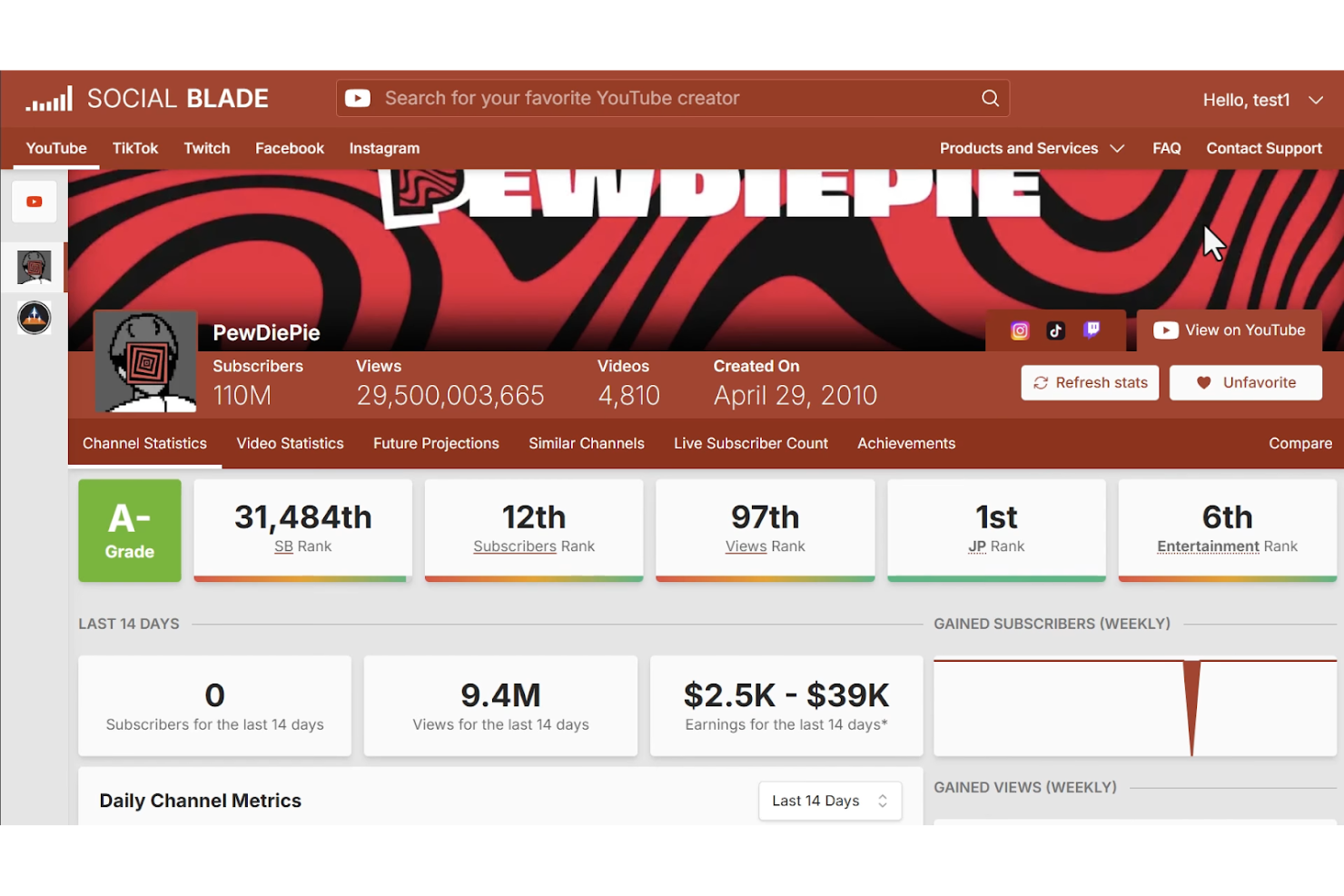
Social Blade offers real-time channel analytics and ranking data for YouTube, making it a go-to resource for marketers, agencies, and creators who need to monitor performance trends. The platform is especially useful if you want to benchmark your channel against competitors or track subscribers and view growth as it happens. With its public leaderboard and historical data features, Social Blade helps you spot shifts in channel momentum and audience engagement quickly.
Why I Picked Social Blade
What sets Social Blade apart is its ability to deliver real-time channel performance tracking, which is essential for anyone focused on YouTube SEO. I picked Social Blade because it provides up-to-the-minute subscriber counts, view statistics, and channel rankings, letting you monitor growth and spot trends as they happen. The platform’s public leaderboards and historical data charts make it easy to benchmark your channel against others in your niche. If you need to react quickly to shifts in audience engagement or competitor activity, Social Blade gives you the live data you need to make informed decisions.
Social Blade Key Features
Some other features make Social Blade useful for YouTube SEO work:
- Channel Grade System: Assigns a letter grade to channels based on performance metrics.
- Future Projections Tool: Estimates future subscriber and view counts using current trends.
- Detailed Video Statistics: Breaks down stats for individual videos, including daily view and engagement data.
- Exportable Reports: Lets you download channel and video analytics for offline analysis or sharing.
Social Blade Integrations
Integrations include YouTube, Twitch, Twitter, Instagram, and TikTok.
Pros and Cons
Pros:
- Historical data charts
- Grades channel performance
- Free competitor spying
Cons:
- Lacks tag recommendations
- Does not optimize metadata
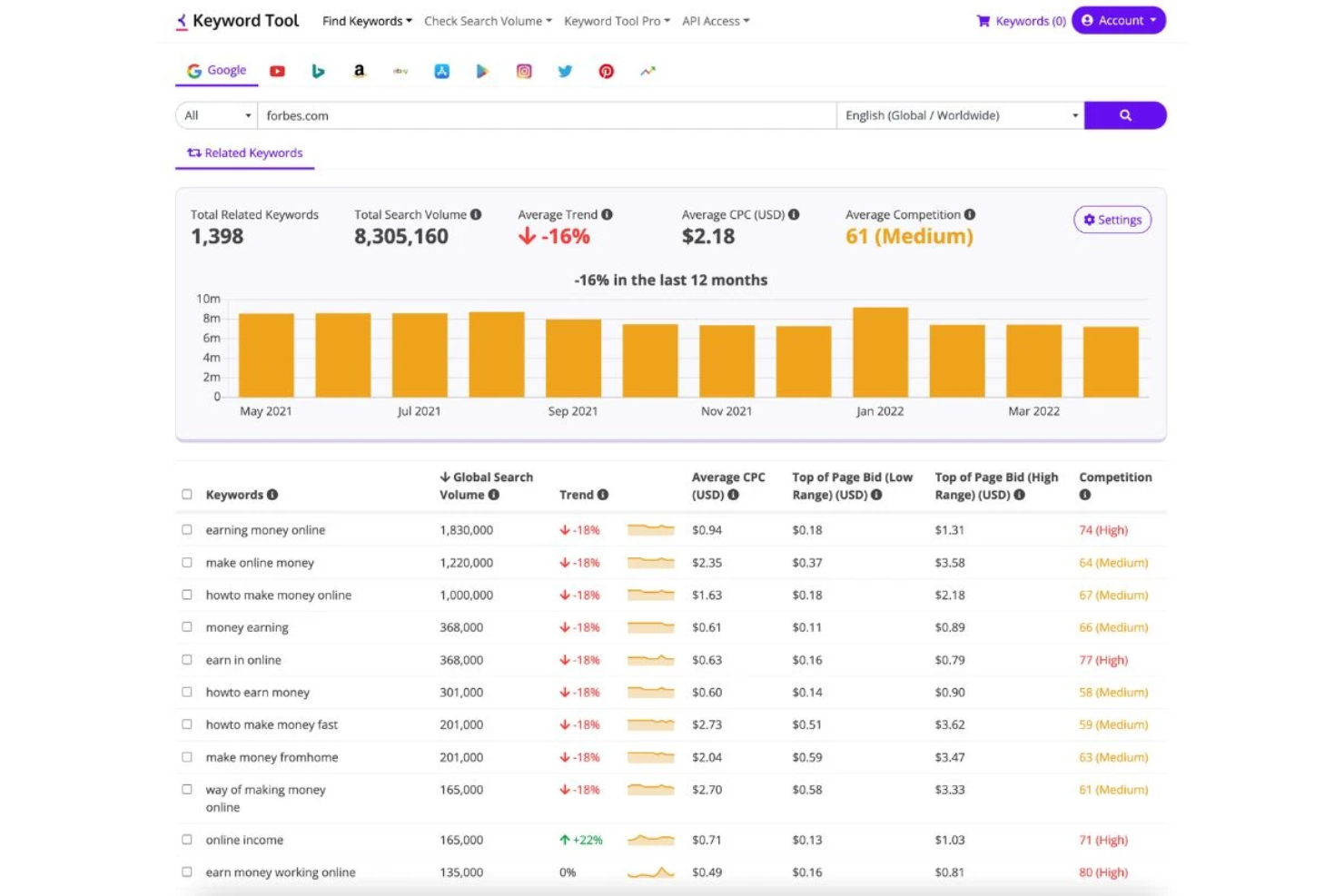
If you’re searching for long-tail keywords to boost your YouTube SEO, Keyword Tool specializes in uncovering phrases real viewers are searching for. This tool is a strong fit for content marketers, agencies, and creators who want to target specific niches or topics with less competition. Keyword Tool stands out for its ability to generate hundreds of keyword suggestions directly from YouTube’s autocomplete data.
Why I Picked Keyword Tool
When I want to find long-tail keywords that real YouTube viewers are searching for, Keyword Tool is my go-to resource. It pulls keyword suggestions directly from YouTube’s autocomplete, which means you get access to phrases that reflect actual user intent and trending topics. The tool also lets you filter results by language and region, so you can tailor your research to specific audiences. For anyone focused on reaching niche markets or optimizing for less competitive search terms, Keyword Tool offers targeted insights that are hard to match.
Keyword Tool Key Features
Some other features that make Keyword Tool valuable for YouTube SEO include:
- Bulk Keyword Export: Download large lists of keyword suggestions in CSV format for further analysis.
- Negative Keyword Filtering: Exclude unwanted terms from your keyword results to refine your research.
- Search Volume Data: View estimated monthly search volumes for each keyword suggestion.
- Keyword Trends Graph: Visualize keyword popularity over time to spot seasonal or emerging topics.
Keyword Tool Integrations
Integrations include Google, YouTube, Bing, Amazon, and Instagram.
Pros and Cons
Pros:
- Generates hundreds of ideas
- Supports multiple languages
- Finds related hashtags
Cons:
- Lacks channel analytics
- No video editing features

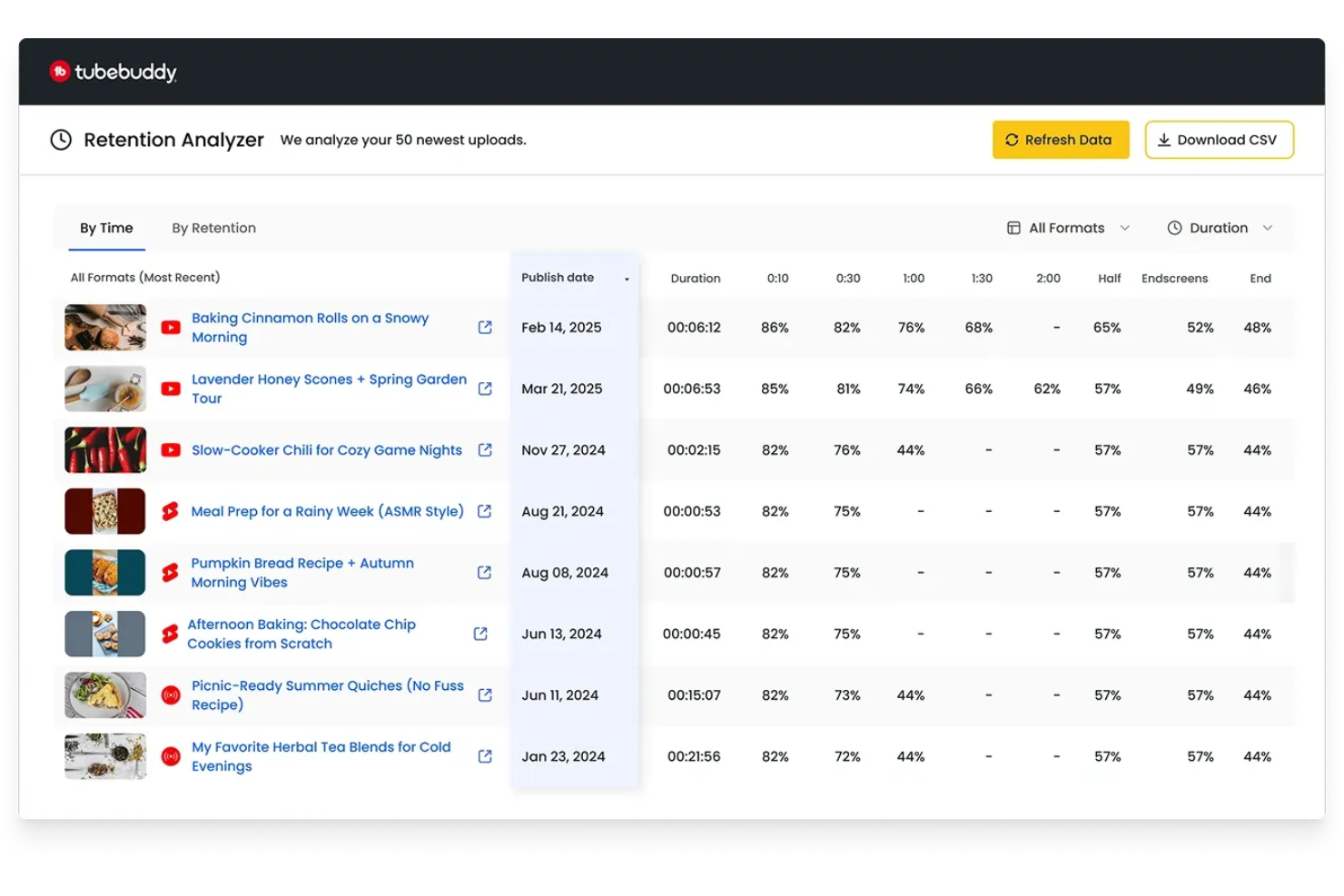
When you need to optimize large batches of YouTube videos, TubeBuddy offers a suite of bulk editing and automation tools built for creators and channel managers. This platform is especially useful for agencies, brands, or anyone managing high-volume content who wants to update tags, descriptions, or thumbnails across multiple videos at once. TubeBuddy helps you save time on repetitive SEO tasks so you can focus on growing your channel’s reach.
Why I Picked TubeBuddy
Bulk video optimization is where TubeBuddy really shines for YouTube SEO. I picked this tool because it lets you update titles, tags, descriptions, and thumbnails across dozens or even hundreds of videos in just a few clicks. The bulk processing features are especially valuable for channels with large libraries that need to keep metadata consistent or quickly implement new SEO strategies. If you’re managing a lot of content and want to avoid repetitive manual edits, TubeBuddy’s automation tools make large-scale optimization much more manageable.
TubeBuddy Key Features
Some other features in TubeBuddy can help you get even more out of your YouTube SEO workflow:
- A/B Testing: Test different titles, thumbnails, and tags to see which versions perform best on your videos.
- Tag Explorer: Discover high-performing tags and keywords to improve your video’s search visibility.
- SEO Studio: Get step-by-step guidance for optimizing individual videos based on YouTube’s best practices.
- Competitor Scorecard: Track and compare your channel’s performance metrics against selected competitors.
TubeBuddy Integrations
Integrations include YouTube, Facebook, Twitter, Patreon, and Amazon Alexa.
Pros and Cons
Pros:
- SEO studio for metadata
- Built-in tag suggestions
- A/B testing for thumbnails
Cons:
- Mobile app lacks features
- Requires channel access

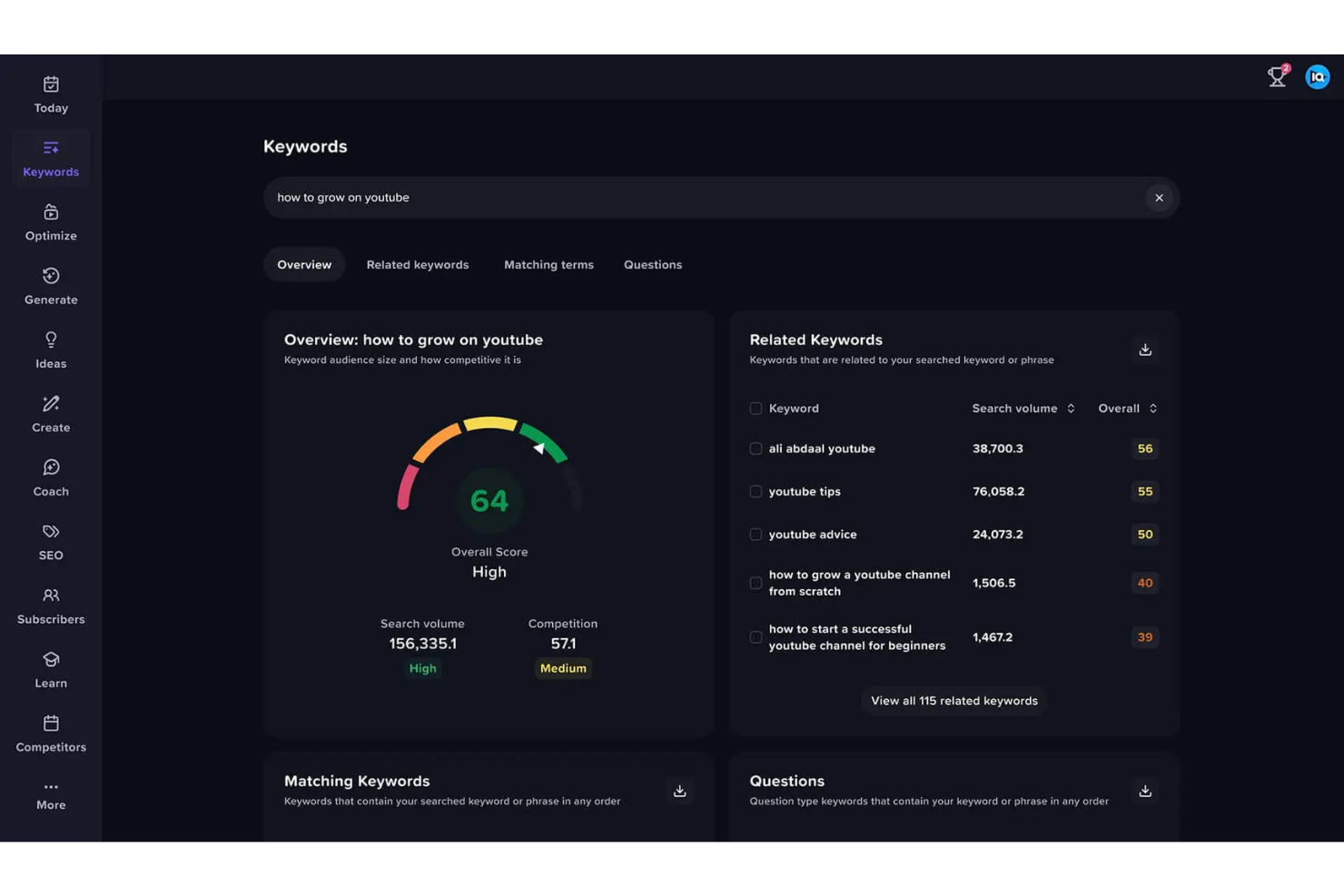
If you’re looking for AI-driven keyword research tailored to YouTube, vidIQ offers a specialized suite for creators and marketers focused on search visibility. The platform’s AI Keyword Generator helps you uncover trending topics and high-impact keywords that can boost your video rankings. It’s especially useful for channels aiming to grow their audience by targeting what viewers are actually searching for right now.
Why I Picked vidIQ
AI-powered keyword suggestions set vidIQ apart for YouTube SEO. I picked this tool because its AI Keyword Generator analyzes current trends and search patterns to recommend keywords that are likely to drive more views. The platform also provides keyword scores and search volume data, so you can prioritize which terms to target in your titles, tags, and descriptions. For anyone who wants to keep their content strategy data-driven and responsive to what viewers are searching for, vidIQ’s AI features are a strong fit.
vidIQ Key Features
Some other features in vidIQ can help you get more out of your YouTube SEO efforts:
- Competitor Tracking: Monitor and analyze the performance of other channels in your niche.
- Channel Audit Tool: Review your channel’s health and get actionable recommendations for improvement.
- Thumbnail Generator: Create custom video thumbnails directly within the platform.
- Real-Time Video Scorecard: View live analytics and SEO scores while browsing YouTube videos.
vidIQ Integrations
Integrations include YouTube, TikTok, Facebook, Twitter, and Google Chrome.
Pros and Cons
Pros:
- Real-time velocity stats
- Channel audit tool included
- Shows competitor tags
Cons:
- Clutters YouTube interface
- Requires full channel sync

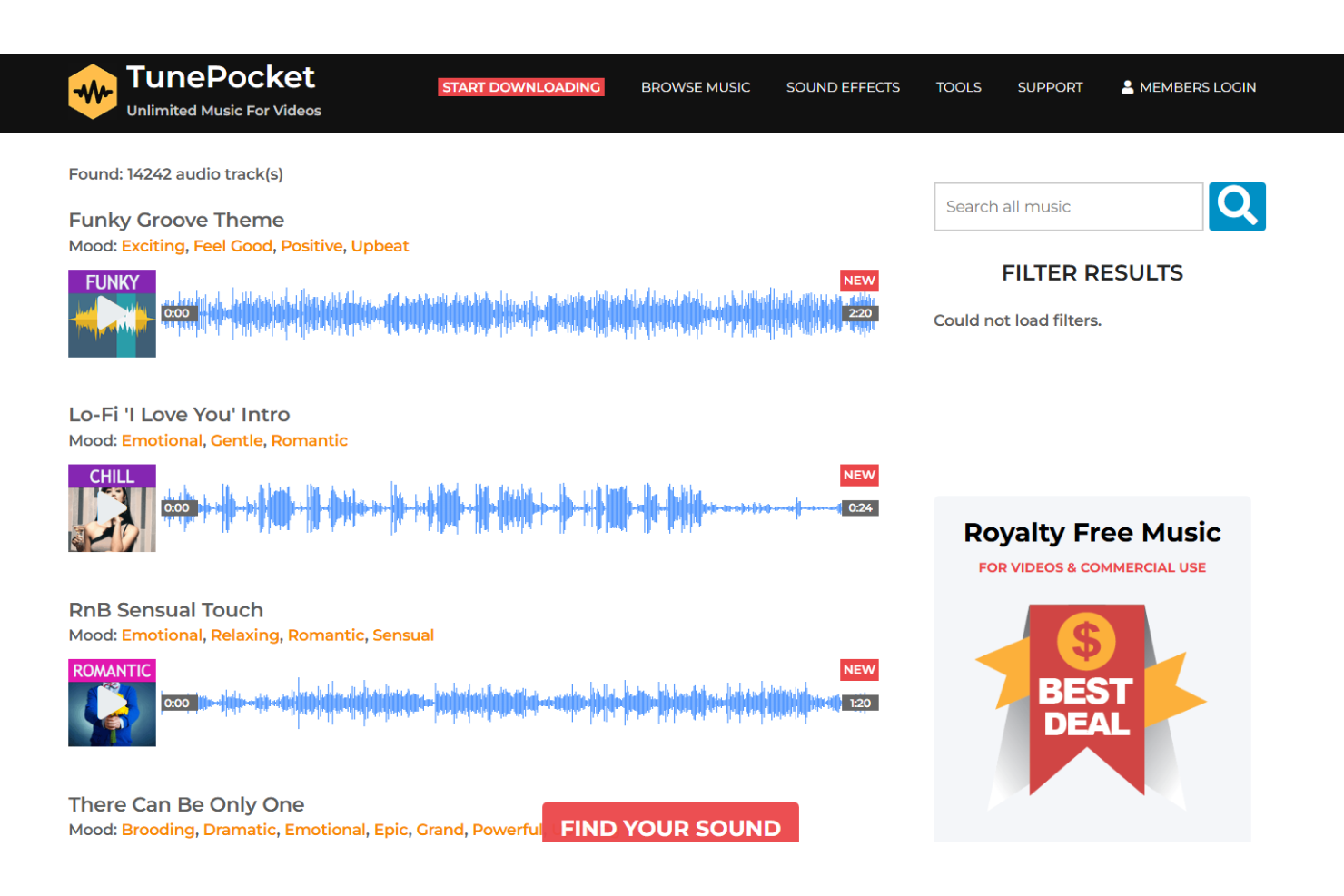
If you’re searching for copyright-safe audio to use in your YouTube videos, TunePocket offers a curated library built for creators who want to avoid copyright claims. The platform is especially useful for marketers, agencies, and content teams who need royalty-free music and sound effects that won’t trigger YouTube’s content ID system. With advanced search tools and clear licensing, TunePocket helps you quickly find audio tracks that fit your channel’s needs.
Why I Picked TunePocket
What makes TunePocket a strong fit for YouTube SEO tools is its focus on copyright-safe audio discovery, which is essential for creators who want to avoid takedowns and monetization issues. I picked TunePocket because it offers a large library of royalty-free music and sound effects, all cleared for YouTube use. The platform’s advanced search filters let you quickly find tracks by mood, genre, or instrument, so you can match audio to your video’s style and audience. For anyone who needs reliable, copyright-safe audio to support their YouTube content strategy, TunePocket delivers a targeted solution.
TunePocket Key Features
I also found several other features that support YouTube creators and marketers:
- Unlimited Downloads: Download as many tracks and sound effects as you need without restrictions.
- Lifetime License: Use downloaded audio in your YouTube videos forever, even after your subscription ends.
- Curated Playlists: Browse themed playlists to quickly find music for specific video types or moods.
- Audio Previews: Listen to full-length previews of tracks before downloading to ensure the right fit for your content.
TunePocket Integrations
Integrations include YouTube, Adobe Premiere Pro, Final Cut Pro, and DaVinci Resolve.
Pros and Cons
Pros:
- Avoids monetization loss
- Easy licensing process
- Improves viewer retention
Cons:
- Not an analytics platform
- Does not track rankings
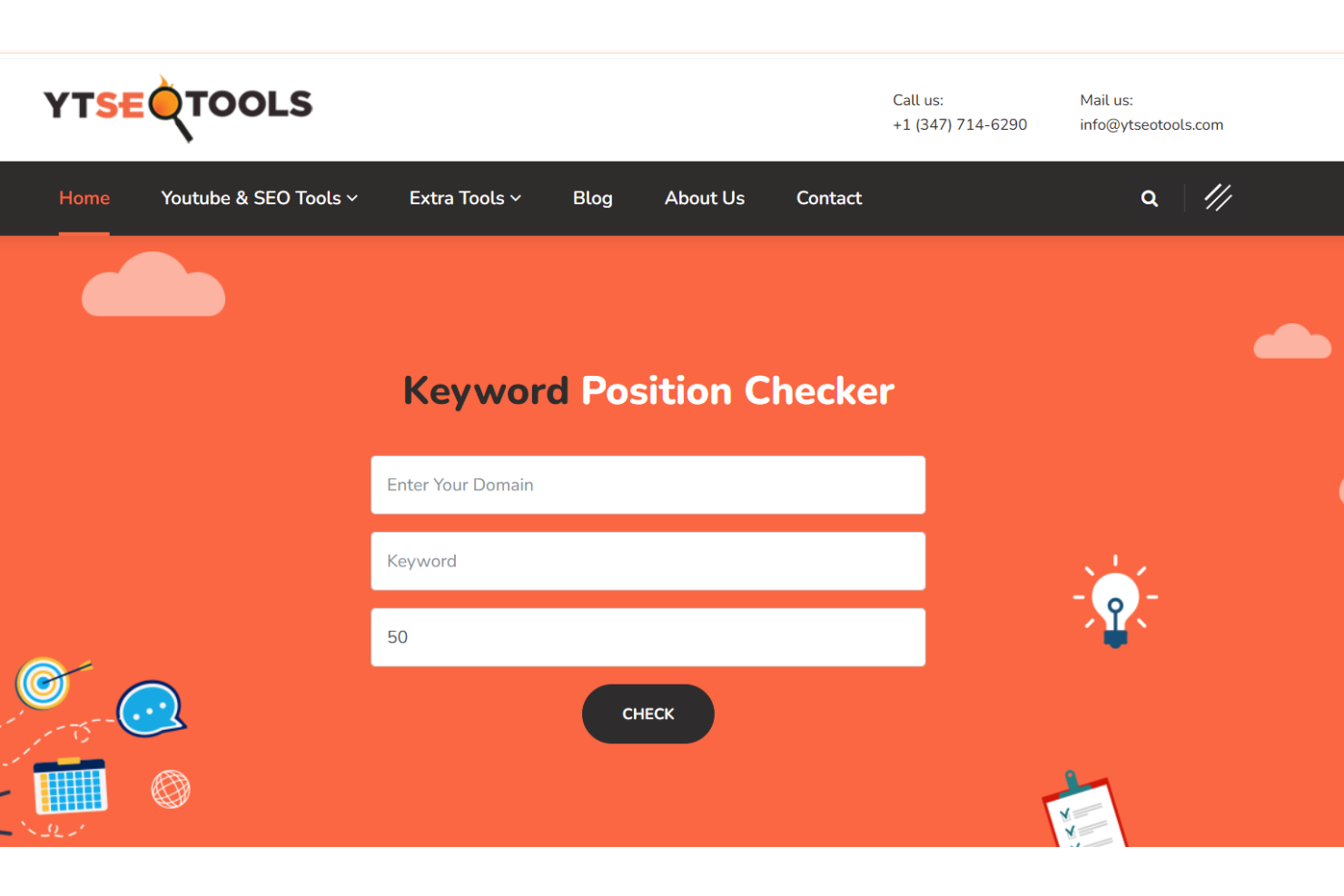
YTseotools gives you a fast way to check and analyze YouTube video metadata, making it a practical choice for marketers, content creators, and agencies who need quick insights into video performance factors. The tool is especially useful if you want to audit titles, tags, and descriptions for SEO opportunities or competitor research. With its focus on instant access to metadata, YTseotools helps you spot optimization gaps without digging through YouTube manually.
Why I Picked YTseotools
For anyone who needs to quickly check YouTube video metadata, YTseotools stands out for its direct, no-frills approach. I picked YTseotools because it lets you instantly pull up details like video titles, tags, and descriptions just by entering a URL. The tool also highlights keyword density and tag usage, which helps you spot SEO opportunities or gaps at a glance. If you’re focused on rapid video audits or competitor research, YTseotools gives you the core data you need without extra steps.
YTseotools Key Features
Some other features make YTseotools useful for YouTube SEO work:
- Bulk Video Analysis: Analyze metadata for multiple YouTube videos at once to speed up audits.
- Thumbnail Downloader: Download video thumbnails directly for review or creative inspiration.
- Channel Statistics Tool: Access channel-level metrics like subscriber count and total views.
- Video Duration Checker: Instantly see the length of any video without opening YouTube.
YTseotools Integrations
Integrations include YouTube, Google Chrome, Mozilla Firefox, and Safari.
Pros and Cons
Pros:
- No login required
- Checks metadata instantly
- Calculates video ROI
Cons:
- No direct YT integration
- Lacks competitor tracking

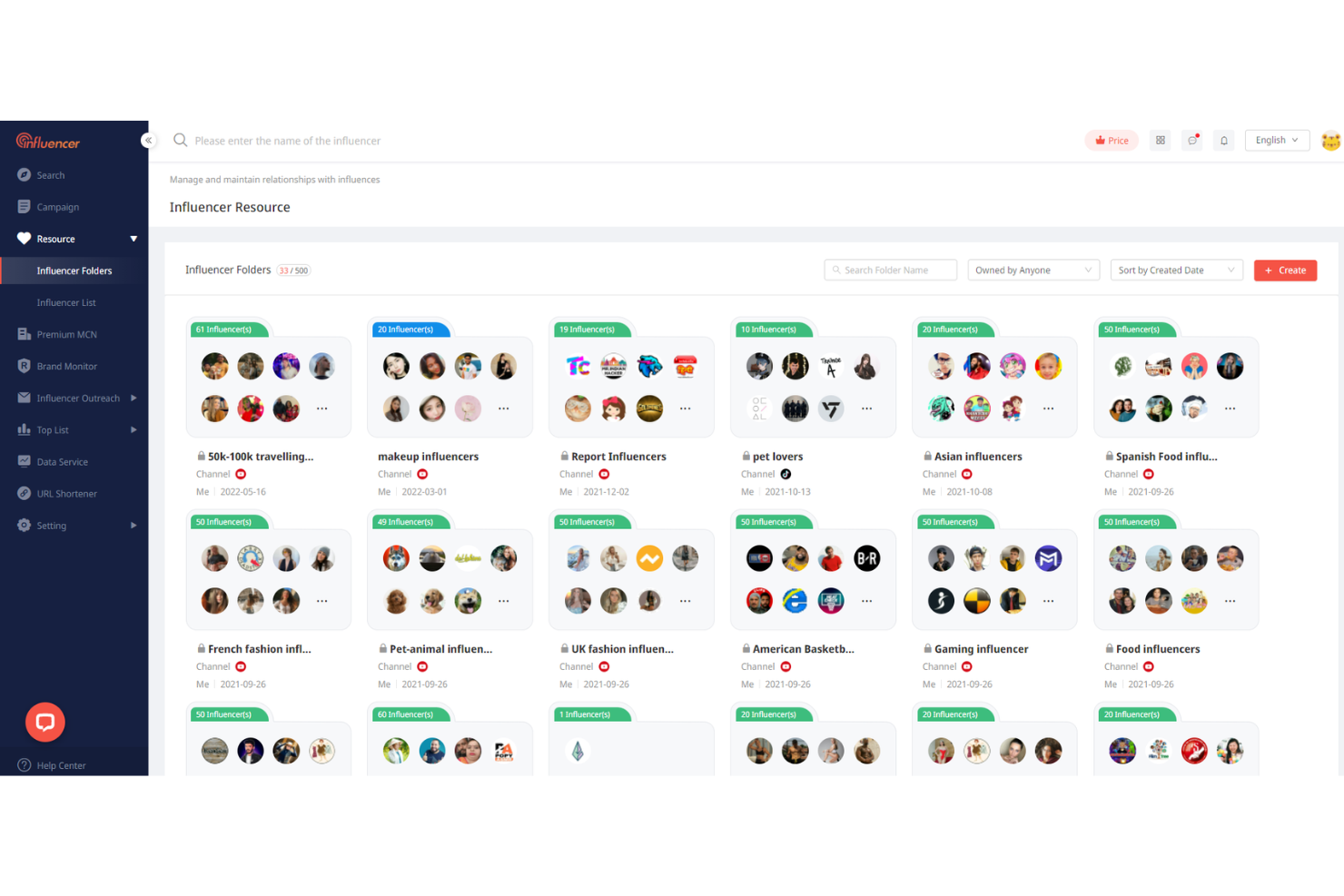
If you need to compare YouTube influencers side by side, NoxInfluencer offers detailed benchmarking insights that go beyond basic analytics. The platform is especially useful for brands, agencies, and marketers who want to evaluate influencer performance, audience demographics, and engagement rates before launching campaigns. With its influencer comparison and campaign analysis tools, NoxInfluencer helps you make data-driven decisions about which creators best fit your marketing goals.
Why I Picked NoxInfluencer
Unlike many YouTube SEO tools that focus only on channel analytics, NoxInfluencer stands out for its influencer benchmarking insights. I picked NoxInfluencer because it lets you compare multiple YouTube creators side by side, using metrics like engagement rate, audience demographics, and estimated earnings. The platform’s influencer ranking and campaign analysis features help you identify which creators align best with your brand’s goals. If you’re looking to optimize your influencer marketing strategy on YouTube, NoxInfluencer gives you the data needed to make informed choices.
NoxInfluencer Key Features
In addition to influencer benchmarking, NoxInfluencer offers several other features for YouTube SEO work:
- Keyword Search Tool: Lets you analyze trending keywords and their search volume on YouTube.
- Channel Audit Reports: Provides detailed breakdowns of channel performance, including subscriber growth and video engagement.
- Video Analytics Dashboard: Displays real-time data on video views, likes, and comments for any public YouTube video.
- Influencer Discovery Engine: Helps you search and filter YouTube creators by niche, location, and audience size.
NoxInfluencer Integrations
Integrations include YouTube, TikTok, Instagram, Twitch, and Twitter.
Pros and Cons
Pros:
- Compares multiple channels
- Tracks competitor growth
- Great for sponsor pricing
Cons:
- Paid plans are expensive
- No keyword volume data

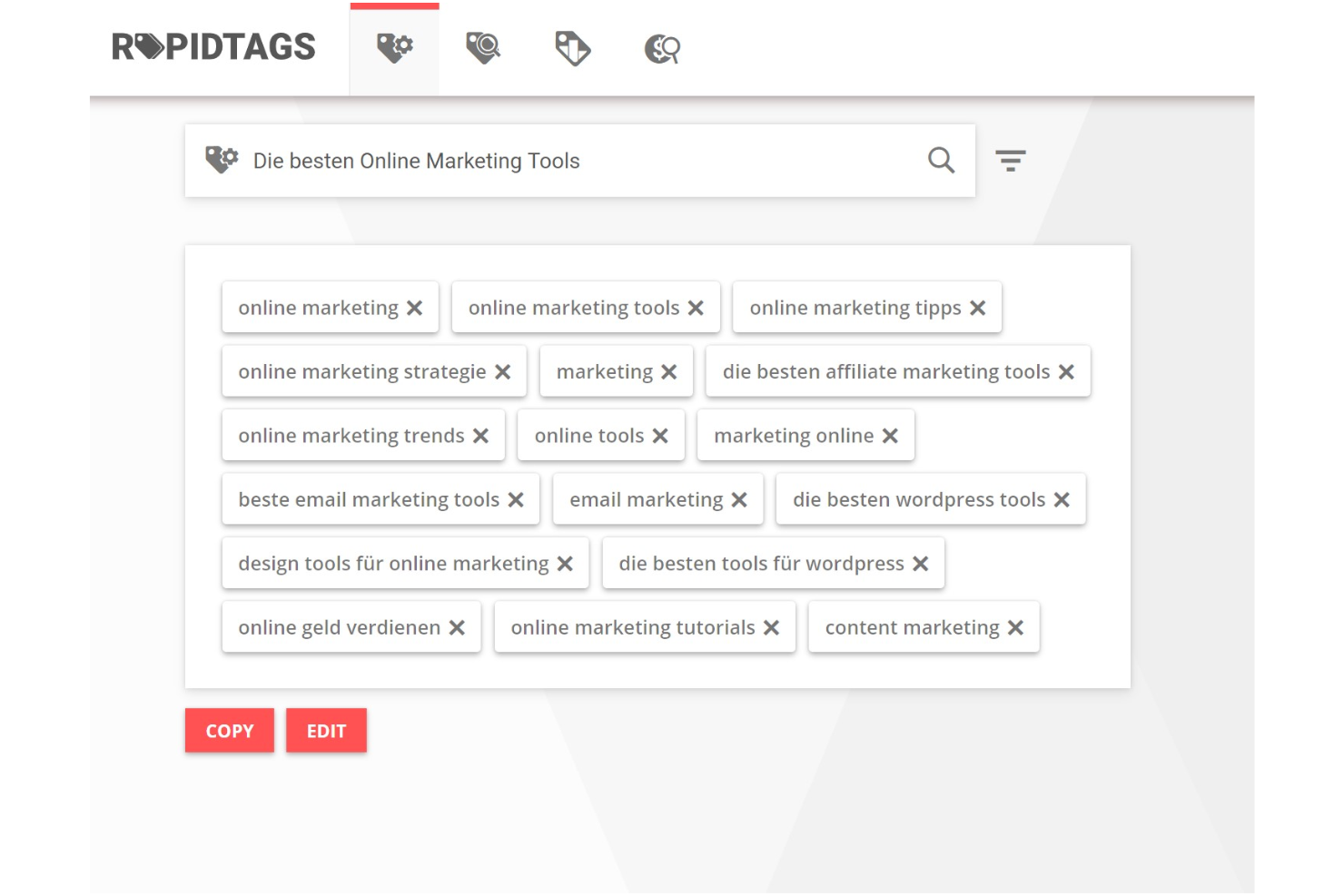
When you need to generate YouTube tags quickly, Rapidtags gives you instant, relevant suggestions based on your video topic. This tool is a fit for creators, marketers, and agencies who want to optimize video discoverability without spending time on manual keyword research. Rapidtags stands out for its speed and simplicity, making it easy to find tags that match current YouTube trends.
Why I Picked Rapidtags
For anyone focused on optimizing YouTube videos quickly, Rapidtags delivers instant tag generation that saves time and removes guesswork. I picked Rapidtags because it lets you enter a video topic or keyword and immediately receive a list of relevant, high-traffic tags tailored for YouTube’s algorithm. The tool also offers a tag analyzer, so you can review and refine your tag choices before publishing. If you want to boost your video’s discoverability without manual research, Rapidtags is a straightforward solution.
Rapidtags Key Features
Some other features that make Rapidtags useful for YouTube SEO work include:
- Tag Translator: Converts your generated tags into multiple languages for broader reach.
- YouTube Title Generator: Suggests optimized video titles based on your keywords.
- Description Generator: Creates keyword-rich video descriptions to support SEO.
- YouTube Thumbnail Analyzer: Evaluates your video thumbnails for best practices and visual appeal.
Rapidtags Integrations
Integrations include YouTube, TikTok, Twitter, and Facebook.
Pros and Cons
Pros:
- Very beginner friendly
- Fast copy and paste
- No account signup needed
Cons:
- No channel audit tools
- Lacks competition scores
Other YouTube SEO Tools
Here are some additional YouTube SEO tools options that didn’t make it onto my shortlist, but are still worth checking out:
- Semrush
For cross-platform keyword research
- Google Trends
For tracking real-time search interest
- Morningfame
For actionable channel growth analytics


YouTube SEO Tools Selection Criteria
When selecting the best YouTube SEO tools to include in this list, I considered common buyer needs and pain points like optimizing video discoverability and tracking channel growth. I also used the following framework to keep my evaluation structured and fair:
Core Functionality (25% of total score)
To be considered for inclusion in this list, each solution had to fulfill these common use cases:
- Track video performance metrics
- Analyze keyword rankings
- Suggest video tags and descriptions
- Monitor channel analytics
- Generate SEO reports
Additional Standout Features (25% of total score)
To help further narrow down the competition, I also looked for unique features, such as:
- AI-powered title and description suggestions
- Competitor channel benchmarking
- Bulk video optimization tools
- Integration with multiple social platforms
- Automated alerts for ranking changes
Usability (10% of total score)
To get a sense of the usability of each system, I considered the following:
- Simple and intuitive dashboard layout
- Clear navigation between analytics and tools
- Fast loading times for reports
- Customizable data views
- Mobile accessibility
Onboarding (10% of total score)
To evaluate the onboarding experience for each platform, I considered the following:
- Step-by-step setup guides
- Availability of training videos
- Access to pre-built templates
- Interactive product tours
- Responsive onboarding support
Customer Support (10% of total score)
To assess each software provider’s customer support services, I considered the following:
- Live chat or email support availability
- Knowledge base with up-to-date articles
- Access to community forums
- Timely response to support tickets
- Multilingual support options
Value For Money (10% of total score)
To evaluate the value for money of each platform, I considered the following:
- Transparent pricing structure
- Range of features included in each plan
- Free trial or free plan availability
- Flexible subscription options
- Discounts for annual billing
Customer Reviews (10% of total score)
To get a sense of overall customer satisfaction, I considered the following when reading customer reviews:
- Positive feedback on feature usefulness
- Reports of reliable performance
- Comments on customer support quality
- User satisfaction with updates and improvements
- Value perception compared to competitors
How to Choose YouTube SEO Tools
It’s easy to get bogged down in long feature lists and complex pricing structures. To help you stay focused as you work through your unique software selection process, here’s a checklist of factors to keep in mind:
| Factor | What to Consider |
|---|---|
| Scalability | Will the tool support your channel as your video library and analytics needs grow over time? |
| Integrations | Does the tool connect natively with your existing analytics, social media, or content planning platforms? |
| Customizability | Can you tailor dashboards, reports, or workflows to match your team’s unique processes and KPIs? |
| Ease of use | How quickly can new team members learn the tool and start using it without extensive training? |
| Implementation and onboarding | What resources, guides, or support does the vendor provide to help you get up and running quickly? |
| Cost | Are pricing tiers clear, and do they align with your usage needs and budget as your channel grows? |
| Security safeguards | Does the tool offer secure authentication and data privacy controls, especially for sensitive channel data? |
| Support availability | Can you access timely help via chat, email, or phone when you encounter issues or have questions? |
What Are YouTube SEO Tools?
Whether you need a dedicated youtube keyword tool or a comprehensive suite, these specialized software platforms help users optimize their videos and channels for better visibility starting right from the YouTube search bar. These platforms provide features like a keyword research tool, tag suggestions, analytics tracking, and competitor analysis. Marketers, content creators, and agencies use them—often alongside platforms like WordPress for blog embedding—to improve video discoverability, monitor performance, and refine their content strategies based on actionable data.
Features
When selecting YouTube SEO tools, keep an eye out for the following key features:
- Keyword research: Find relevant and high-traffic keywords to target in your video titles, descriptions, and tags, helping your content reach the right audience.
- Tag suggestions: Receive recommendations for effective tags based on your video content and trending topics, making it easier to categorize and surface your videos.
- Channel analytics: Access detailed metrics on channel growth, audience demographics, watch time, and engagement to inform your content strategy.
- Competitor analysis: Compare your channel and videos against similar creators to identify gaps, opportunities, and best practices in your niche.
- SEO scoring: Get an overall score or grade for your videos based on how well they are optimized for YouTube search and discovery.
- Thumbnail analysis: Evaluate the effectiveness of your video thumbnails by comparing click-through rates and visual appeal against industry benchmarks.
- Content scheduling: Plan and schedule video uploads in advance to maintain a consistent publishing cadence and maximize audience engagement.
- Performance tracking: Monitor the ranking and visibility of your videos for specific keywords over time to measure the impact of your SEO efforts.
- Custom reporting: Build and export tailored reports that highlight the metrics and insights most relevant to your team or stakeholders.
Benefits
Implementing YouTube SEO tools provides several benefits for your team and your business. Here are a few you can look forward to:
- Improved video discoverability: Optimize titles, tags, and descriptions to help your videos appear in more relevant search results and suggested feeds.
- Data-driven content strategy: Use analytics and performance tracking to identify what resonates with your audience and refine your publishing approach.
- Competitive insights: Analyze competitor channels and videos to uncover new opportunities and benchmark your performance in your niche.
- Consistent publishing workflow: Schedule content in advance and manage uploads efficiently to maintain a steady presence on your channel.
- Actionable performance reporting: Generate custom reports that highlight key metrics and trends, making it easier to share insights with stakeholders.
- Audience growth tracking: Monitor subscriber and engagement trends to measure the impact of your SEO efforts over time.
- Centralized channel management: Manage comments, analytics, and optimization tasks from a single platform, reducing manual work and saving time.
Costs & Pricing
Selecting YouTube SEO tools requires an understanding of the various pricing models and plans available. Costs vary based on features, team size, add-ons, and more. The table below summarizes common plans, their average prices, and typical features included in YouTube SEO tools solutions:
Plan Comparison Table for YouTube SEO Tools
| Plan Type | Average Price | Common Features |
|---|---|---|
| Free Plan | $0 | Basic keyword research, limited analytics, basic tag suggestions, and access to community support. |
| Personal Plan | $4-$99/month | Advanced keyword research, channel analytics, video SEO scoring, and limited competitor analysis. |
| Business Plan | $30-$399/month | Multi-channel management, custom reporting, content scheduling, and enhanced competitor analysis. |
| Enterprise Plan | $100-$999+/month | API access, advanced integrations, dedicated account support, custom onboarding, and security controls. |
YouTube SEO Tools FAQs
Here are some answers to common questions about YouTube SEO tools:
Do YouTube SEO tools help with video ranking?
Yes, YouTube SEO tools help improve video ranking by providing keyword suggestions, optimization tips, and analytics that guide you in making your videos more discoverable. These tools highlight areas for improvement so your content aligns better with YouTube’s search and recommendation algorithms.
Can YouTube SEO tools track competitor channels?
Yes, many YouTube SEO tools offer competitor analysis features that let you monitor other channels’ performance, keyword strategies, and content trends. This helps you identify gaps in your own strategy and spot new opportunities for growth.
Are YouTube SEO tools suitable for small channels?
Yes, YouTube SEO tools are useful for channels of all sizes. Even small channels benefit from keyword research, tag suggestions, and analytics to grow their audience and improve video performance from the start.
What integrations should I look for in a YouTube SEO tool?
Look for integrations with analytics platforms, social media management tools, and content planning software. These connections help you centralize data, streamline workflows, and get a more complete view of your channel’s performance.
How often should I use a YouTube SEO tool?
Use a YouTube SEO tool regularly—ideally before uploading new videos, when reviewing analytics, and when planning content. Frequent use helps you stay on top of trends, optimize new uploads, and adjust your strategy based on real-time data.