

Synup Review: Pros, Cons, Features and Pricing Explained


Managing local visibility across dozens of locations can turn into a maintenance job of its own. The right platform keeps listings, reviews, and rankings under control without forcing your team to juggle multiple tools.
Synup is a local SEO tool built for agencies, resellers, and multi-location brands that need listings, reviews, social posts, and local search visibility running from one workspace. I’d reach for it when you’re handling hundreds or thousands of locations across Google Business Profile, Apple Maps, Bing Places, Facebook, and industry directories, and you want a single source of truth feeding every channel instead of three vendors doing separate jobs. What separates it from similar tools is Sydekick, an AI agent that does the work rather than describing it, plus flat pricing and a free trial that let you roll it out without a sales cycle.
Synup Evaluation Summary
- From $79/month (billed annually)
- Free demo available
Why Trust Our Software Reviews
We’ve been testing and reviewing marketing software since 2022. As marketing experts ourselves, we know how critical and difficult it is to make the right decision when selecting software.
We invest in deep research to help our audience make better software purchasing decisions. We’ve tested more than 2,000 tools for different marketing use cases and written over 1,000 comprehensive software reviews. Learn how we stay transparent & our software review methodology.
Synup Overview
If you’re judging Synup against other local SEO tools, the pull is coverage. Listings, reputation, social, local rankings, and visibility inside AI generated answers all sit in one workspace, with a white label layer built for resale rather than bolted on. Sydekick, the platform’s AI agent, handles first run setup, listing corrections, review replies, and post scheduling, and every action it takes can be audited and rolled back. Pricing is flat and published, with a free trial and no minimum contract, so nothing basic sits behind a sales call. The gaps are real but narrow: no paid ads management beyond boosted social posts, no social listening yet, and store locator pages come through a managed service. I’d suggest Synup if you run local marketing at volume and want fewer vendors doing it.
pros
-
Automates listing fixes, review replies, and social posts through a built in AI agent.
-
Covers listings, reputation, social, and AI answer visibility in one workspace.
-
Flat published pricing, a free trial with no minimum contract.
cons
-
No paid search or local services ads management beyond boosted posts on Meta.
-
Social listening and brand mention tracking aren’t part of the platform yet.
-
Store locator and location pages come through a managed service rather than self serve.
-

Demandbase
Visit WebsiteThis rating combines scores from multiple user review sites to reflect overall customer sentiment about the product.4.4 -
6sense
Visit WebsiteThis rating combines scores from multiple user review sites to reflect overall customer sentiment about the product.4.3 -
AnswerThePublic
Visit Website


How We Test & Score Tools
We’ve spent years building, refining, and improving our software testing and scoring system. The rubric is designed to capture the nuances of software selection and what makes a tool effective, focusing on critical aspects of the decision-making process.
Below, you can see exactly how our testing and scoring works across seven criteria. It allows us to provide an unbiased evaluation of the software based on core functionality, standout features, ease of use, onboarding, customer support, integrations, customer reviews, and value for money.
Core Functionality (25% of final scoring)
The starting point of our evaluation is always the core functionality of the tool. Does it have the basic features and functions that a user would expect to see? Are any of those core features locked to higher-tiered pricing plans? At its core, we expect a tool to stand up against the baseline capabilities of its competitors.
Standout Features (25% of final scoring)
Next, we evaluate uncommon standout features that go above and beyond the core functionality typically found in tools of its kind. A high score reflects specialized or unique features that make the product faster, more efficient, or offer additional value to the user.
We also evaluate how easy it is to integrate with other tools typically found in the tech stack to expand the functionality and utility of the software. Tools offering plentiful native integrations, 3rd party connections, and API access to build custom integrations score best.
Ease of Use (10% of final scoring)
We consider how quick and easy it is to execute the tasks defined in the core functionality using the tool. High scoring software is well designed, intuitive to use, offers mobile apps, provides templates, and makes relatively complex tasks seem simple.
Onboarding (10% of final scoring)
We know how important rapid team adoption is for a new platform, so we evaluate how easy it is to learn and use a tool with minimal training. We evaluate how quickly a team member can get set up and start using the tool with no experience. High scoring solutions indicate little or no support is required.
Customer Support (10% of final scoring)
We review how quick and easy it is to get unstuck and find help by phone, live chat, or knowledge base. Tools and companies that provide real-time support score best, while chatbots score worst.
Customer Reviews (10% of final scoring)
Beyond our own testing and evaluation, we consider the net promoter score from current and past customers. We review their likelihood, given the option, to choose the tool again for the core functionality. A high scoring software reflects a high net promoter score from current or past customers.
Value for Money (10% of final scoring)
Lastly, in consideration of all the other criteria, we review the average price of entry level plans against the core features and consider the value of the other evaluation criteria. Software that delivers more, for less, will score higher.
Core Features
Centralized Listings Management
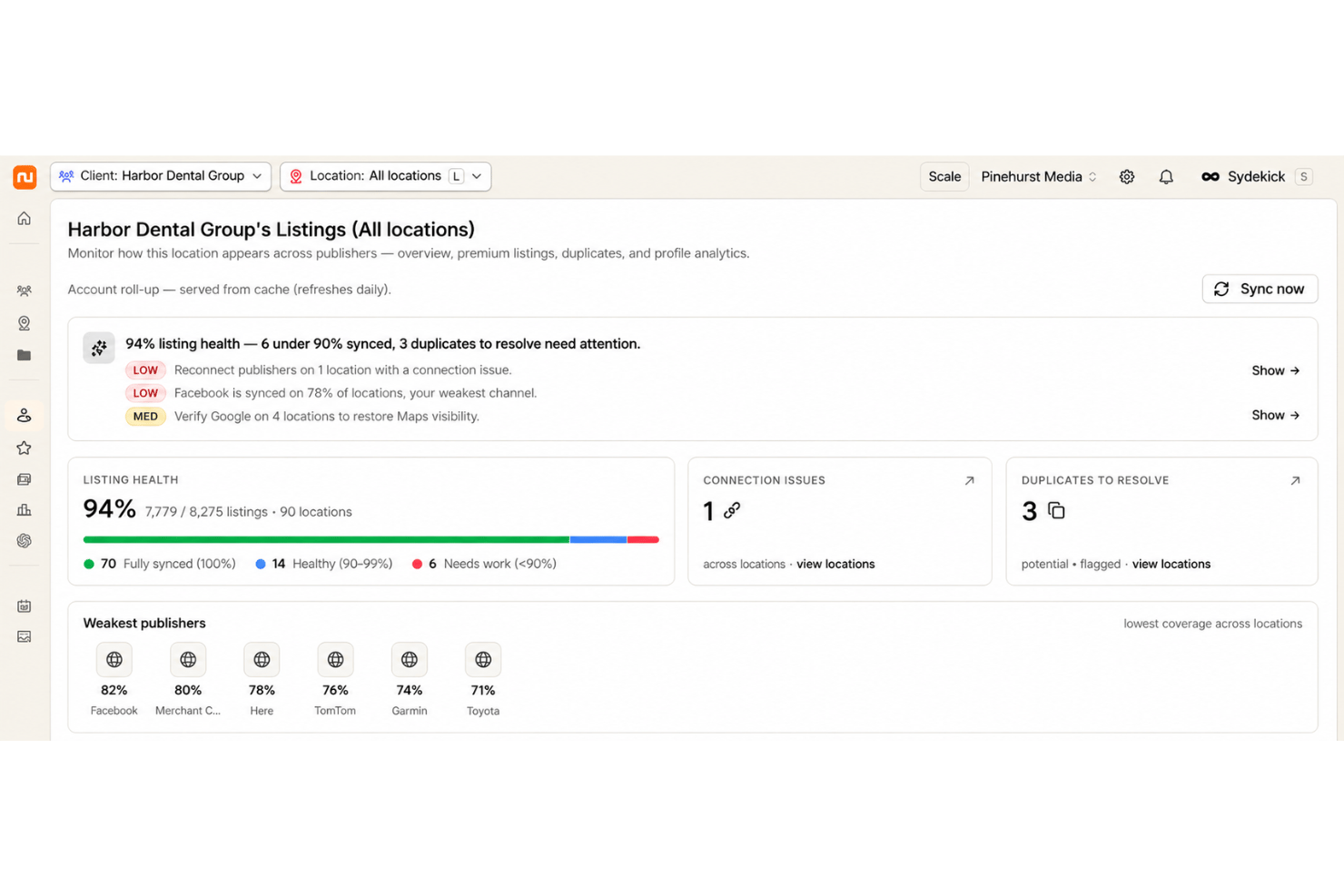
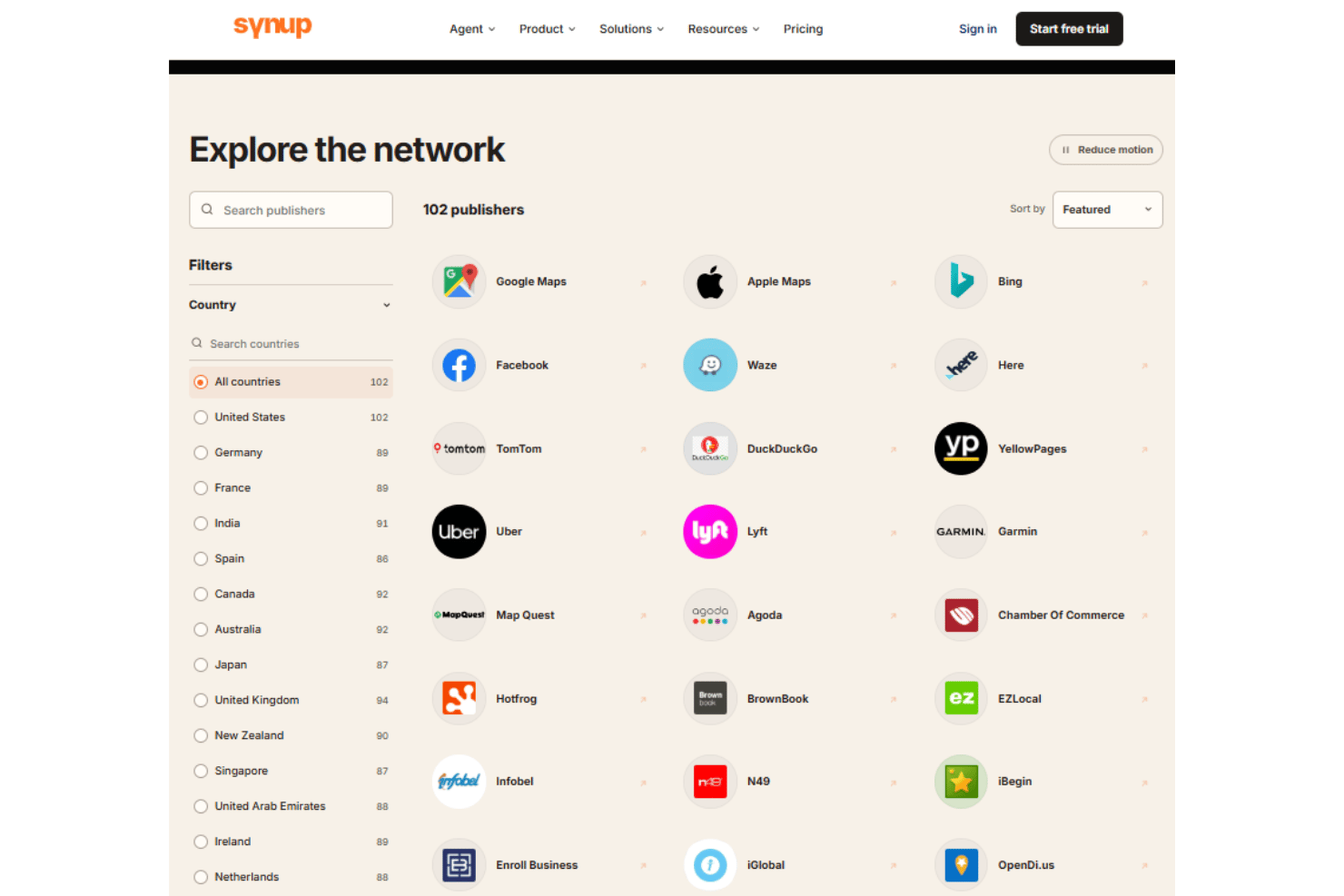
Push one set of location data to Google Business Profile, Apple Maps, and the wider publisher network. Track what’s live and which profiles disagree with your source of truth.
Review Monitoring and Response
Watch reviews arrive across major platforms and reply from one queue, in the brand’s voice. Review requests run from the same place, so response time and review volume move together.
Social Publishing and Scheduling
Draft, schedule, and publish posts across connected profiles for every location, with the agent writing first drafts you approve. Fresh posts and photos also feed the signals that local search and AI answers read as evidence a business is active.
Local Rank and Answer Engine Tracking
See how each location ranks by keyword and geography, and where the brand shows up inside AI generated answers. Visibility drops get flagged with a recommended fix attached rather than left as a line on a chart.
Bulk Update Controls
Make mass edits across every location, whether that’s holiday hours or a phone number change, without touching profiles one at a time. Locations import in bulk from a spreadsheet, the API, or a connected Google Business Profile account.
Audit and Duplicate Suppression
Scan for missing listings, data conflicts, or duplicates across directories. Remove or suppress duplicate profiles that confuse customers and split your search signals.
Reporting and Analytics Dashboard
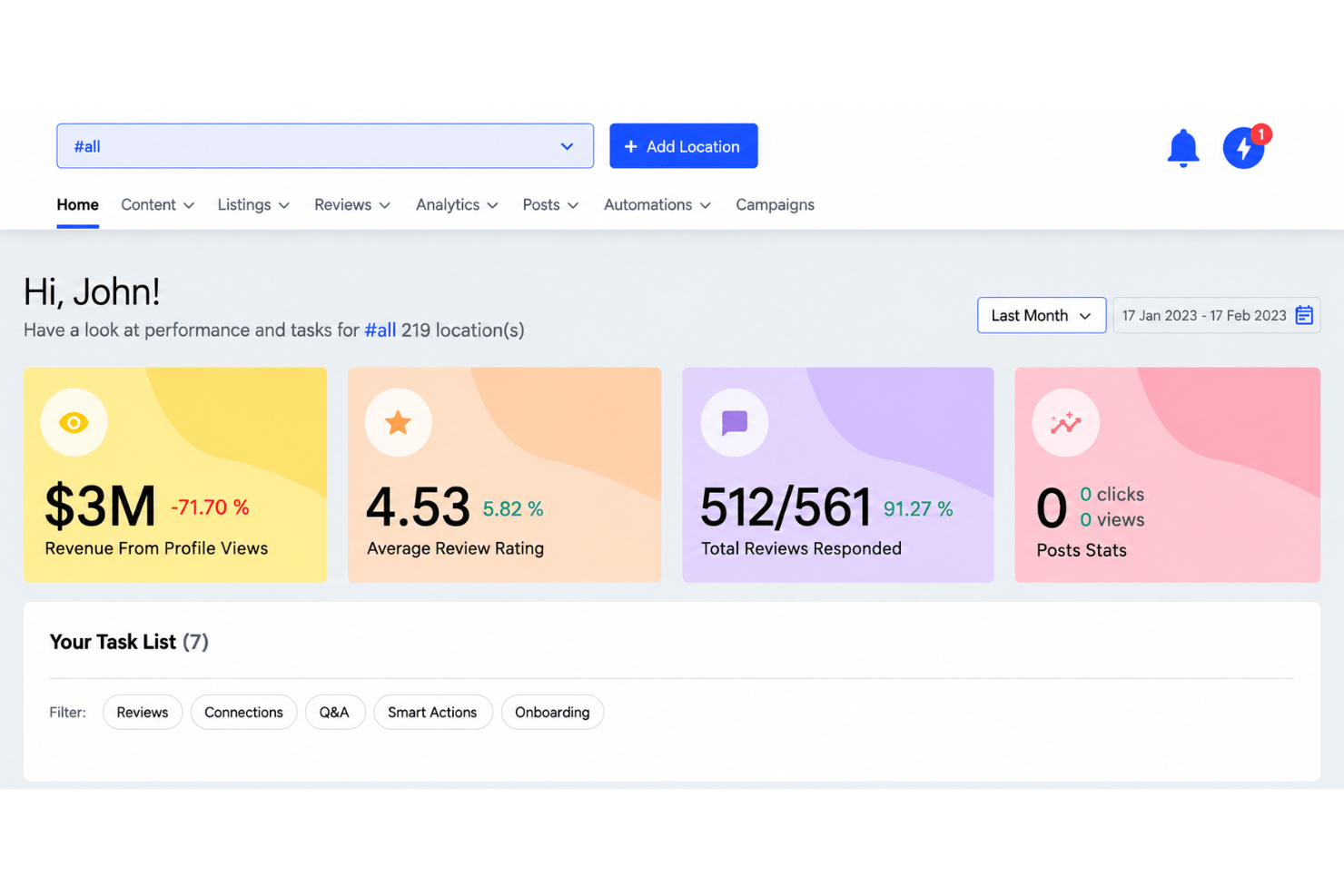
View performance across locations, including review activity, rankings, and listing coverage. The underlying data layer pulls in Google Analytics and Search Console alongside local signals, so reports can go further than listing status.
Ease of Use
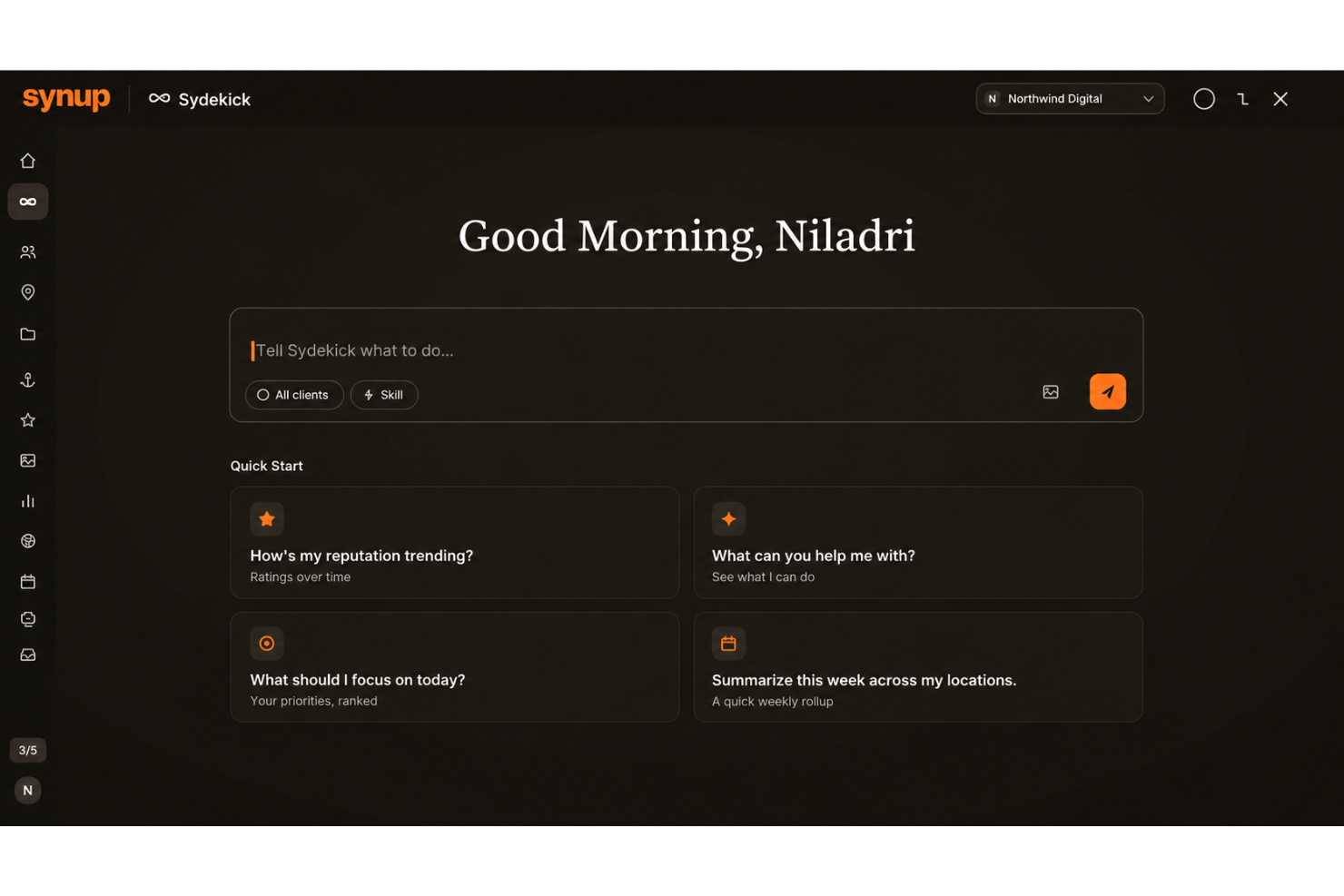
Synup’s workspace puts listings, reviews, rankings, and social in one place, and the daily work sits roughly where you’d expect to find it. The bigger shift is that you can brief Sydekick in plain language and review what it produces instead of clicking through configuration screens. Bulk edits and alerts carry the load once dozens or hundreds of locations are live. Running the platform takes no technical skill beyond verifying ownership of your publisher accounts, and the API is there if you want it, not something you need.
Integrations
Synup publishes to Google Business Profile, Apple Maps, Bing Places, Facebook, Yelp, Foursquare, Yellow Pages, MapQuest, Citysearch, and TripAdvisor, among others.
The data layer also pulls from Google Analytics and Google Search Console and includes a web scraper plus local signals such as weather and events. Public APIs, an MCP endpoint, and developer documentation cover custom workflows, though there’s no native connector for no-code tools like Zapier.
Synup Specs
- API
- Brand Management
- Dashboard
- External Integrations
- Feedback Management
- Google Apps Integration
- Multi-Site
- Multi-User
- Net Promoter Score
- Notifications
- Review Monitoring
- Sentiment Analysis
- Social Media Monitoring
- Social-Media Integration