
Synup Review: Pros, Cons, Features and Pricing Explained
I’ve put Synup through its paces, and here’s what actually matters if you manage local visibility for a lot of locations or a lot of clients. Expect practical answers on the AI agent, the pricing, and where the platform stops short.

We review tools independently, and commissions help fund our testing. See our transparency policy, our methodology, or suggest a tool.
Managing local visibility across dozens of locations can turn into a maintenance job of its own. The right platform keeps listings, reviews, and rankings under control without forcing your team to juggle multiple tools.
Synup is a local SEO tool built for agencies, resellers, and multi-location brands that need listings, reviews, social posts, and local search visibility running from one workspace. I’d reach for it when you’re handling hundreds or thousands of locations across Google Business Profile, Apple Maps, Bing Places, Facebook, and industry directories, and you want a single source of truth feeding every channel instead of three vendors doing separate jobs. What separates it from similar tools is Sydekick, an AI agent that does the work rather than describing it, plus flat pricing and a free trial that let you roll it out without a sales cycle.
Synup Evaluation Summary
4.5/5
- From $79/month (billed annually)
- Free demo available
Why Trust Our Software Recommendations
6,700+
Reviews
20
Industry experts
16+
Evaluation factors
14
Years
Our team has been testing and reviewing software since 2012. As marketing leaders ourselves, we know how difficult—and important—it is to choose the right software.
For this guide, we evaluated tools using hands-on testing and independent research, scoring tools using our selection criteria.
Our reviews reflect our human editorial judgment, not a sales pitch.
Expert reviewers:
 Gui DrusinaCreative Director
- Shriya GhateSenior Marketing Lead
 Amanda JacquesMarketing Ops Leader

Synup Overview
If you’re judging Synup against other local SEO tools, the pull is coverage. Listings, reputation, social, local rankings, and visibility inside AI generated answers all sit in one workspace, with a white label layer built for resale rather than bolted on. Sydekick, the platform’s AI agent, handles first run setup, listing corrections, review replies, and post scheduling, and every action it takes can be audited and rolled back. Pricing is flat and published, with a free trial and no minimum contract, so nothing basic sits behind a sales call. The gaps are real but narrow: no paid ads management beyond boosted social posts, no social listening yet, and store locator pages come through a managed service. I’d suggest Synup if you run local marketing at volume and want fewer vendors doing it.
Pros
- Automates listing fixes, review replies, and social posts through a built in AI agent.
- Covers listings, reputation, social, and AI answer visibility in one workspace.
- Flat published pricing, a free trial with no minimum contract.
Cons
- No paid search or local services ads management beyond boosted posts on Meta.
- Social listening and brand mention tracking aren’t part of the platform yet.
- Store locator and location pages come through a managed service rather than self serve.
Is Synup Right For Your Needs?
Who Would be a Good Fit for Synup?
Synup is a strong option for teams running local marketing at volume: agencies and resellers with many clients, multi-location brands, franchise groups, and software companies folding local presence into what they already sell. It suits healthcare, dental, hospitality, restaurants, retail, finance, insurance, automotive, real estate, home services, and fitness, where listings, reviews, and map visibility drive the phone calls. The appeal is one source of truth feeding every channel, with an agent doing the repetitive work across hundreds of locations.
- Multi-Location RetailBulk updates, alerts, and agent driven corrections keep store listings and review replies moving across dozens or hundreds of sites without a dedicated team behind them.
- Restaurant ChainsHours, service details, and seasonal changes push out in one pass, and reviews from Google, Yelp, and TripAdvisor land in a single queue instead of five browser tabs.
- Franchise OperatorsPer location workspaces, API access, and client facing reporting give franchisors oversight without taking the keyboard away from individual operators.
- Local Marketing AgenciesAgencies onboard clients quickly, work every account from one place, and hand each client a branded portal that never mentions the platform behind it.
- Healthcare NetworksProvider and practice details stay consistent across directories, which matters when a stale address or a wrong hours field quietly costs appointments.
- Vertical Software ProvidersSoftware companies serving local businesses can embed listings and location data through the public APIs and resell the full presence stack under their own brand.
Who Would be a Bad Fit for Synup?
Synup is a poor fit when local presence isn’t the point. Pure e-commerce brands, remote-first companies, and any business without a physical or service area footprint get little from listings, local rankings, or review management. Teams shopping for paid ads management or social listening will need a separate vendor for both, and organizations that require on-premise deployment are out, since the platform is cloud only. A single storefront can sign up through the self-serve path and use it happily, but the bulk tooling that justifies the platform won’t earn its keep on one address.
- Online-Only and Remote-First BrandsWith no physical or service area presence, there’s nothing for listings, local rankings, or map visibility to work on.
- Paid Search and Ads ManagementPaid search, local services ads, and campaign management sit outside the platform. Boosted posts on Meta are as far as paid activity goes.
- Social Listening and Mention TrackingTeams that need to track brand conversation and unlinked mentions across the web will have to keep a separate tool for it.
- Self-Serve Store Locator BuildsStore locator and location pages are delivered as a managed service, so teams expecting to build and ship them on their own should plan around that.
- On-Premise Deployment RequirementsThe platform is cloud only, which rules it out for organizations whose policies require software to run inside their own infrastructure.
- Buyers Who Want an Agency, Not a PlatformThe agent removes most of the manual work, but strategy, approvals, and client relationships still sit on your side of the table.
How We Test & Score Tools
We’ve spent years building, refining, and improving our software testing and scoring system. The rubric is designed to capture the nuances of software selection and what makes a tool effective, focusing on critical aspects of the decision-making process.
Below, you can see exactly how our testing and scoring works across seven criteria. It allows us to provide an unbiased evaluation of the software based on core functionality, standout features, ease of use, onboarding, customer support, integrations, customer reviews, and value for money.
Core Functionality (25% of final scoring)
The starting point of our evaluation is always the core functionality of the tool. Does it have the basic features and functions that a user would expect to see? Are any of those core features locked to higher-tiered pricing plans? At its core, we expect a tool to stand up against the baseline capabilities of its competitors.
Standout Features (25% of final scoring)
Next, we evaluate uncommon standout features that go above and beyond the core functionality typically found in tools of its kind. A high score reflects specialized or unique features that make the product faster, more efficient, or offer additional value to the user.
We also evaluate how easy it is to integrate with other tools typically found in the tech stack to expand the functionality and utility of the software. Tools offering plentiful native integrations, 3rd party connections, and API access to build custom integrations score best.
Ease of Use (10% of final scoring)
We consider how quick and easy it is to execute the tasks defined in the core functionality using the tool. High scoring software is well designed, intuitive to use, offers mobile apps, provides templates, and makes relatively complex tasks seem simple.
Onboarding (10% of final scoring)
We know how important rapid team adoption is for a new platform, so we evaluate how easy it is to learn and use a tool with minimal training. We evaluate how quickly a team member can get set up and start using the tool with no experience. High scoring solutions indicate little or no support is required.
Customer Support (10% of final scoring)
We review how quick and easy it is to get unstuck and find help by phone, live chat, or knowledge base. Tools and companies that provide real-time support score best, while chatbots score worst.
Customer Reviews (10% of final scoring)
Beyond our own testing and evaluation, we consider the net promoter score from current and past customers. We review their likelihood, given the option, to choose the tool again for the core functionality. A high scoring software reflects a high net promoter score from current or past customers.
Value for Money (10% of final scoring)
Lastly, in consideration of all the other criteria, we review the average price of entry level plans against the core features and consider the value of the other evaluation criteria. Software that delivers more, for less, will score higher.
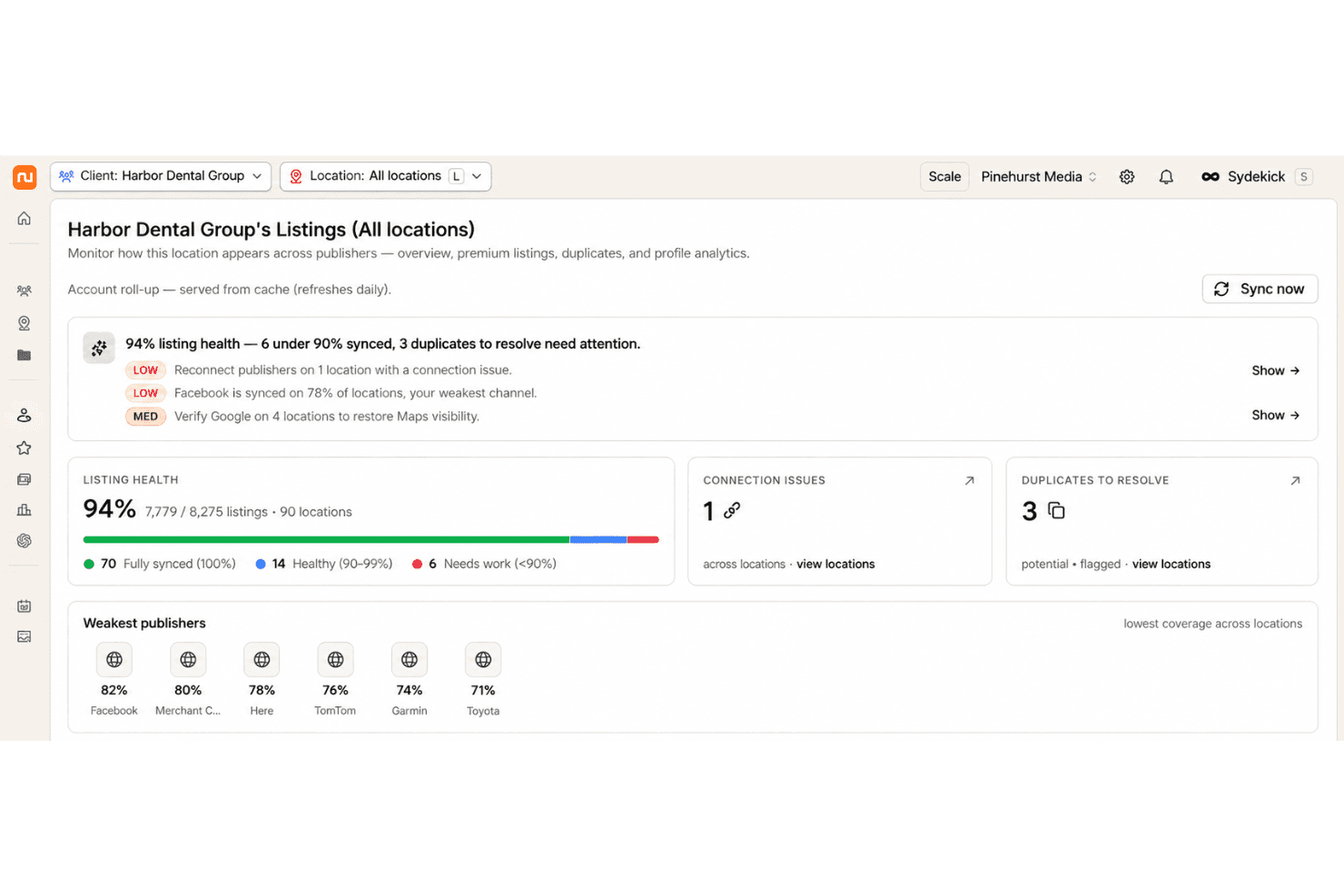
Core Features
Centralized Listings Management
Push one set of location data to Google Business Profile, Apple Maps, and the wider publisher network. Track what’s live and which profiles disagree with your source of truth.
Review Monitoring and Response
Watch reviews arrive across major platforms and reply from one queue, in the brand’s voice. Review requests run from the same place, so response time and review volume move together.
Social Publishing and Scheduling
Draft, schedule, and publish posts across connected profiles for every location, with the agent writing first drafts you approve. Fresh posts and photos also feed the signals that local search and AI answers read as evidence a business is active.
Local Rank and Answer Engine Tracking
See how each location ranks by keyword and geography, and where the brand shows up inside AI generated answers. Visibility drops get flagged with a recommended fix attached rather than left as a line on a chart.
Bulk Update Controls
Make mass edits across every location, whether that’s holiday hours or a phone number change, without touching profiles one at a time. Locations import in bulk from a spreadsheet, the API, or a connected Google Business Profile account.
Audit and Duplicate Suppression
Scan for missing listings, data conflicts, or duplicates across directories. Remove or suppress duplicate profiles that confuse customers and split your search signals.
Reporting and Analytics Dashboard
View performance across locations, including review activity, rankings, and listing coverage. The underlying data layer pulls in Google Analytics and Search Console alongside local signals, so reports can go further than listing status.
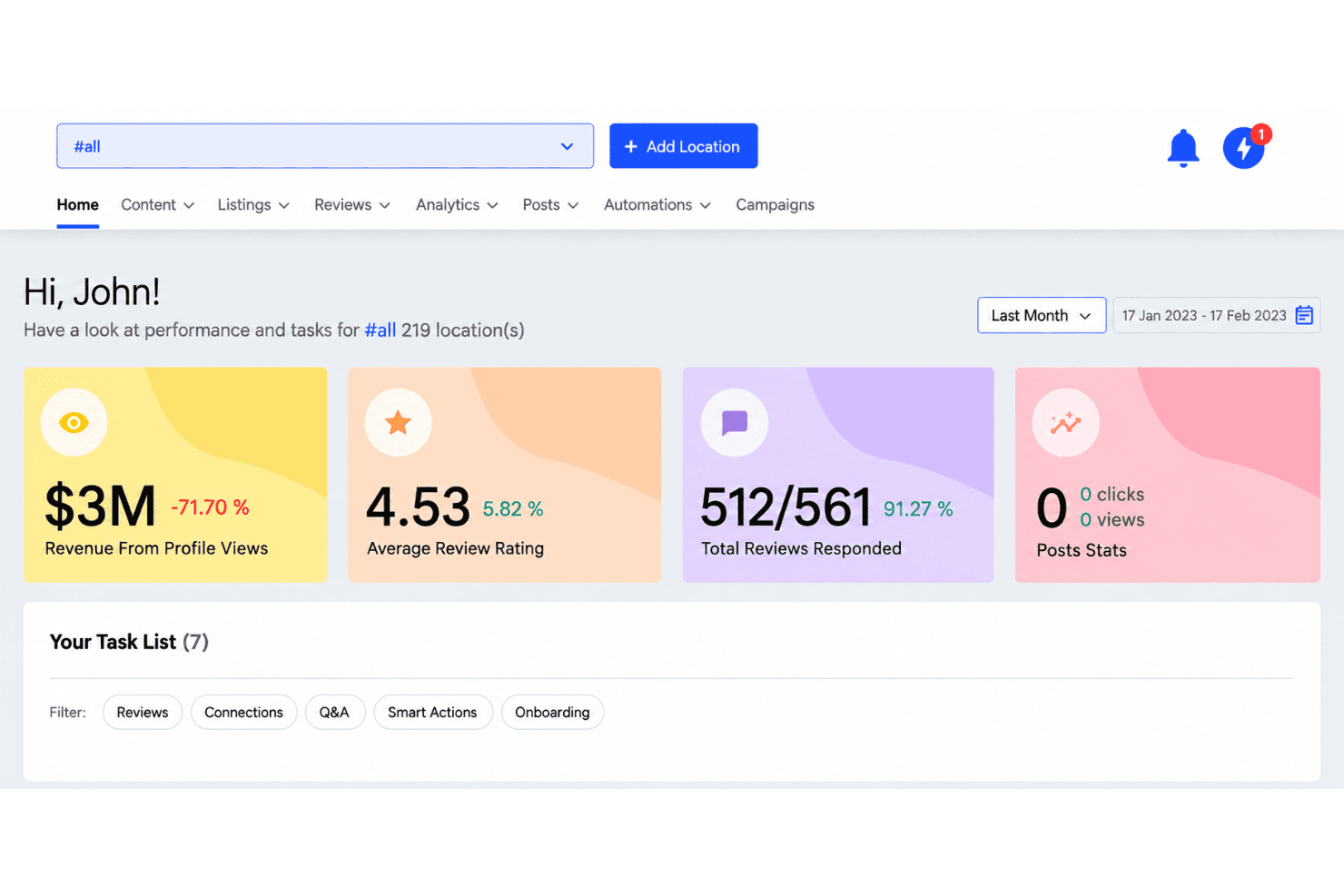
Standout Features
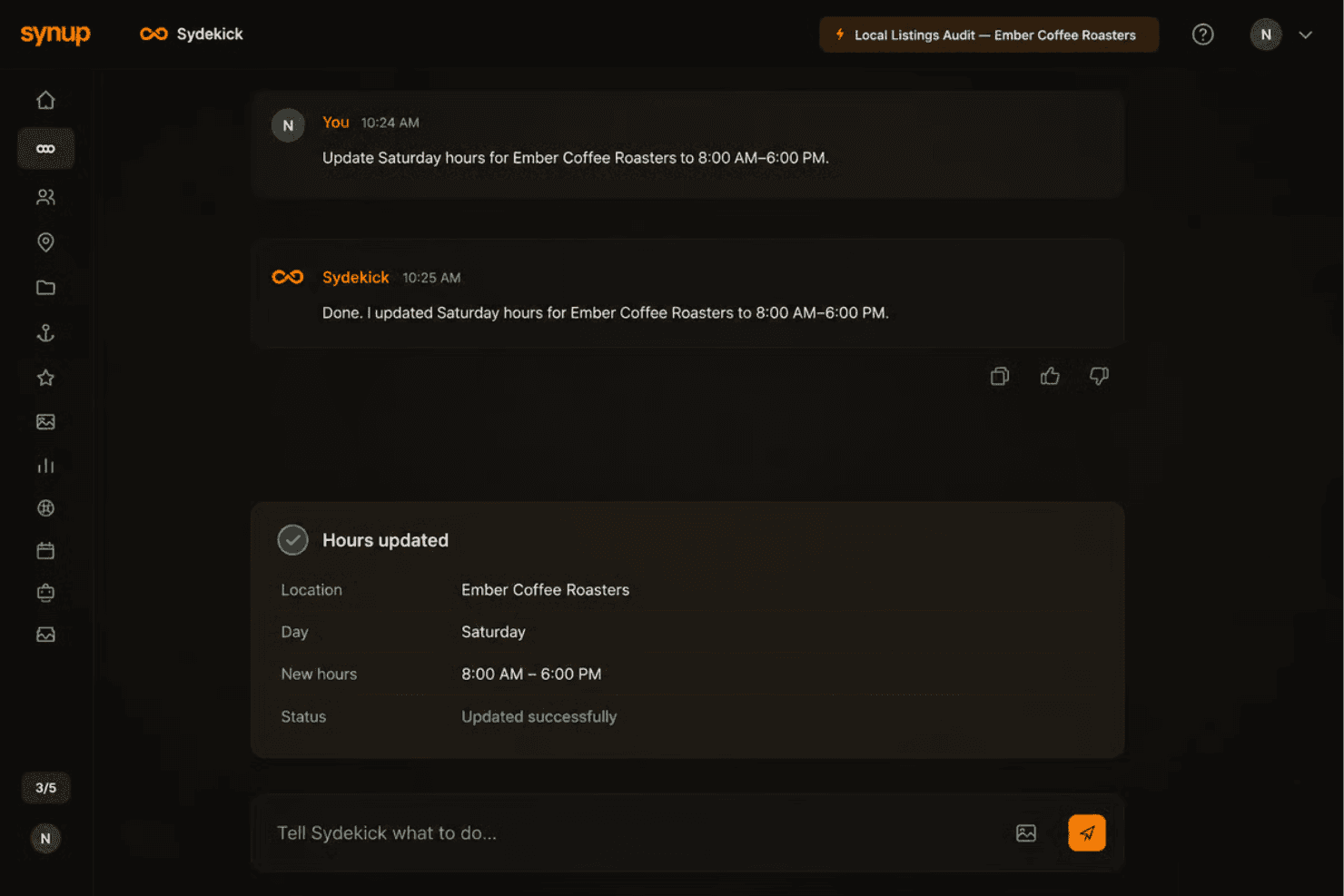
Sydekick
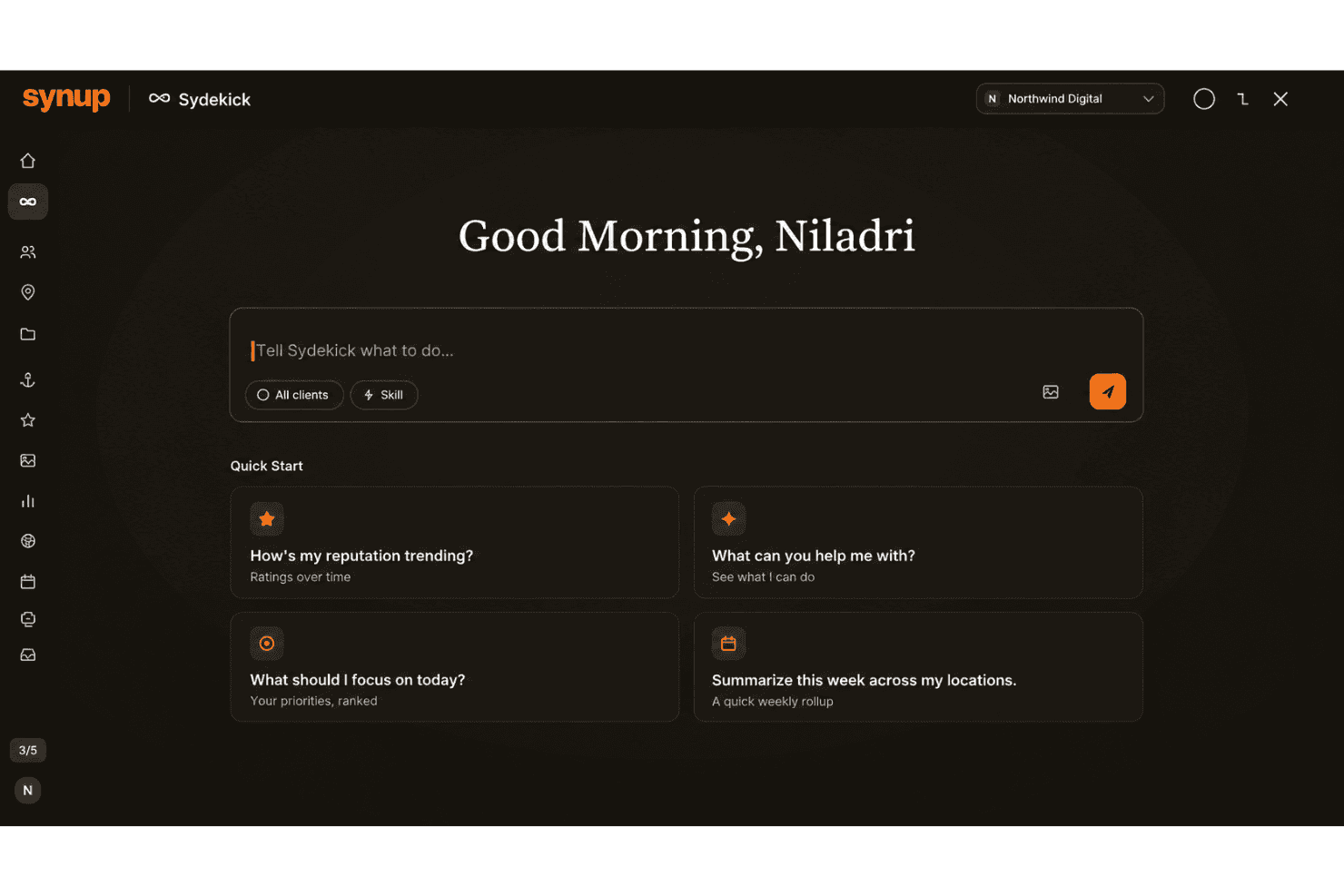
Sydekick, the built-in AI assistant, works inside the same data layer as the rest of the platform, so it publishes and corrects listings, answers reviews in the brand’s voice, drafts and schedules posts, and raises a flag when visibility slips.
White-Label Client Portal
Hand clients a branded portal with their listings, reviews, and reports in it, with no trace of Synup anywhere in the experience. Per client workspaces and partner pricing leave agencies room for margin, which is the difference between reselling a platform and merely using one.
Open Developer Platform
Public APIs for listings and location data, an MCP endpoint, and proper developer documentation let brands and software partners pull Synup into their own products and internal systems rather than working only through the interface.
Ease of Use
Synup’s workspace puts listings, reviews, rankings, and social in one place, and the daily work sits roughly where you’d expect to find it. The bigger shift is that you can brief Sydekick in plain language and review what it produces instead of clicking through configuration screens. Bulk edits and alerts carry the load once dozens or hundreds of locations are live. Running the platform takes no technical skill beyond verifying ownership of your publisher accounts, and the API is there if you want it, not something you need.
Onboarding
Onboarding splits by account size. Small accounts sign up, start the free trial, and add a first location in minutes, with Sydekick pulling existing listing data, flagging what disagrees across publishers, and proposing fixes, replies, and posts for approval. Larger agencies, resellers, and multi-location brands get a dedicated onboarding contact, training for their team, and help with bulk imports, publisher connections, and white label setup. Locations come in from a spreadsheet, the API, or a connected Google Business Profile account. Your first real task is reviewing work, not configuring software.
Customer Support
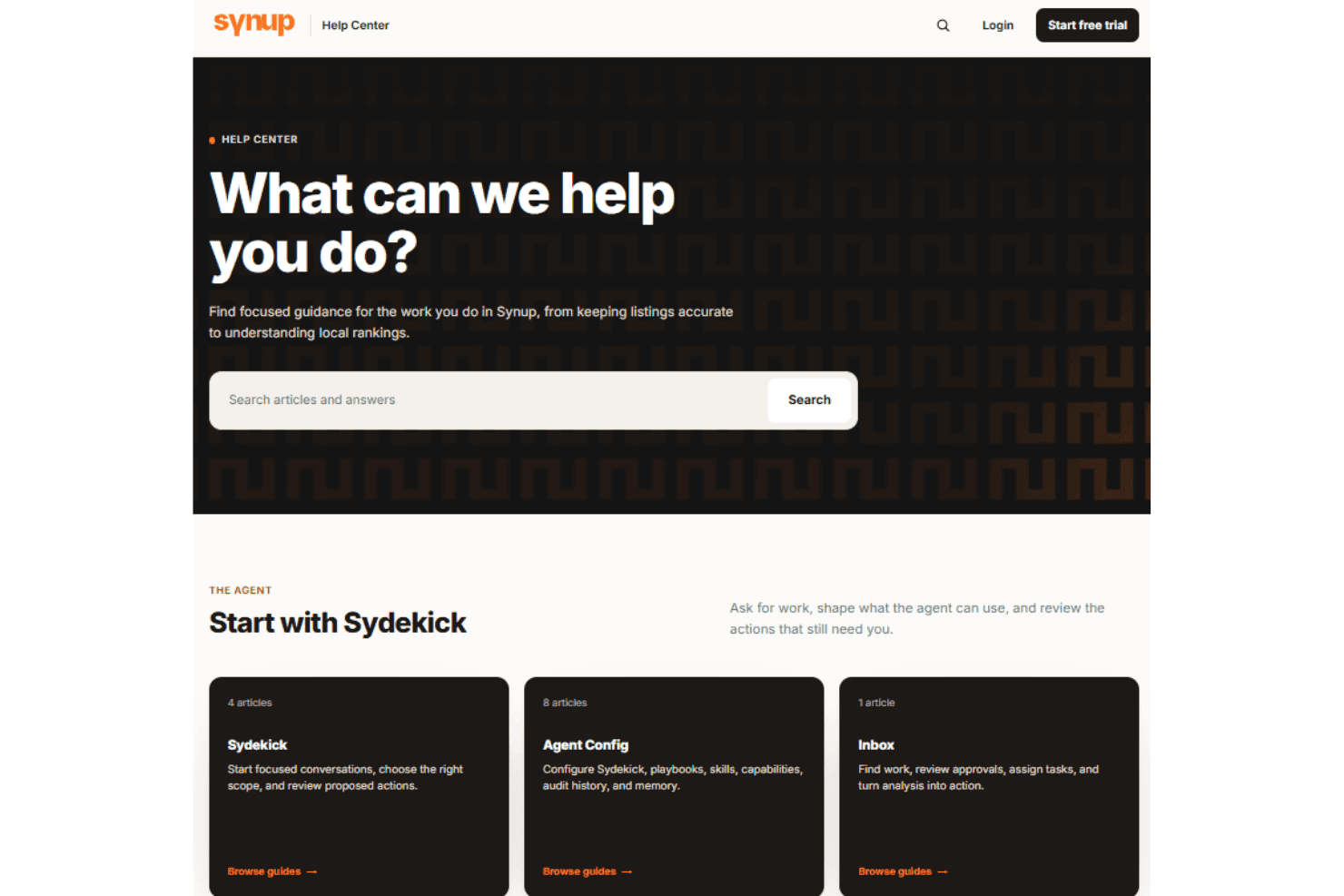
Support scales with the account rather than sitting at one level for everyone. Self-serve users lean on the knowledge base and email, which covers a straightforward setup. Agencies, resellers, and multi-location brands get a named onboarding contact and team training, and the developer documentation covers the API and MCP endpoint for anyone building on top. Hands-on help is there, but it arrives through the guided path rather than as a chat bubble on every plan.
Integrations
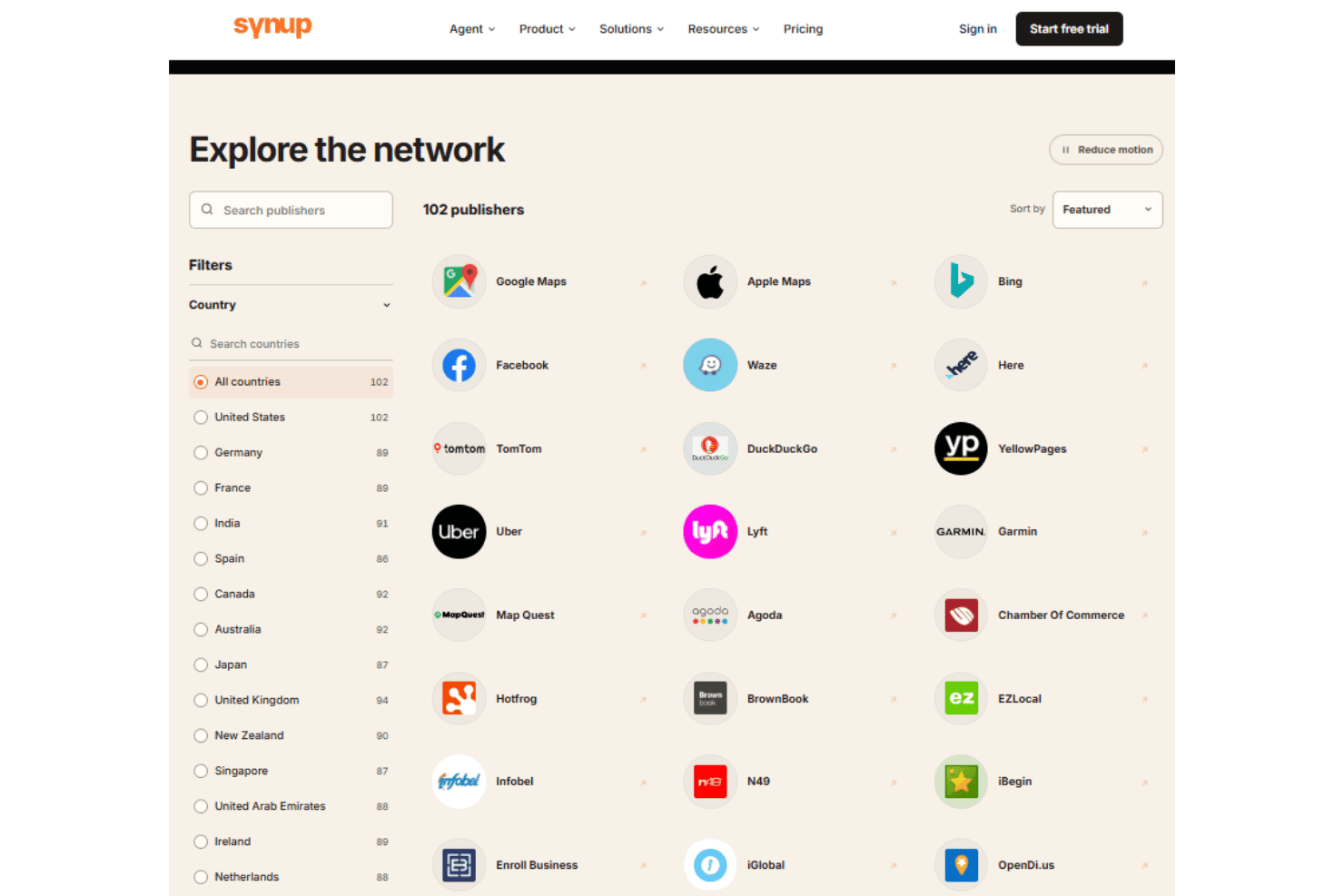
Synup publishes to Google Business Profile, Apple Maps, Bing Places, Facebook, Yelp, Foursquare, Yellow Pages, MapQuest, Citysearch, and TripAdvisor, among others.
The data layer also pulls from Google Analytics and Google Search Console and includes a web scraper plus local signals such as weather and events. Public APIs, an MCP endpoint, and developer documentation cover custom workflows, though there’s no native connector for no-code tools like Zapier.
Value for Money
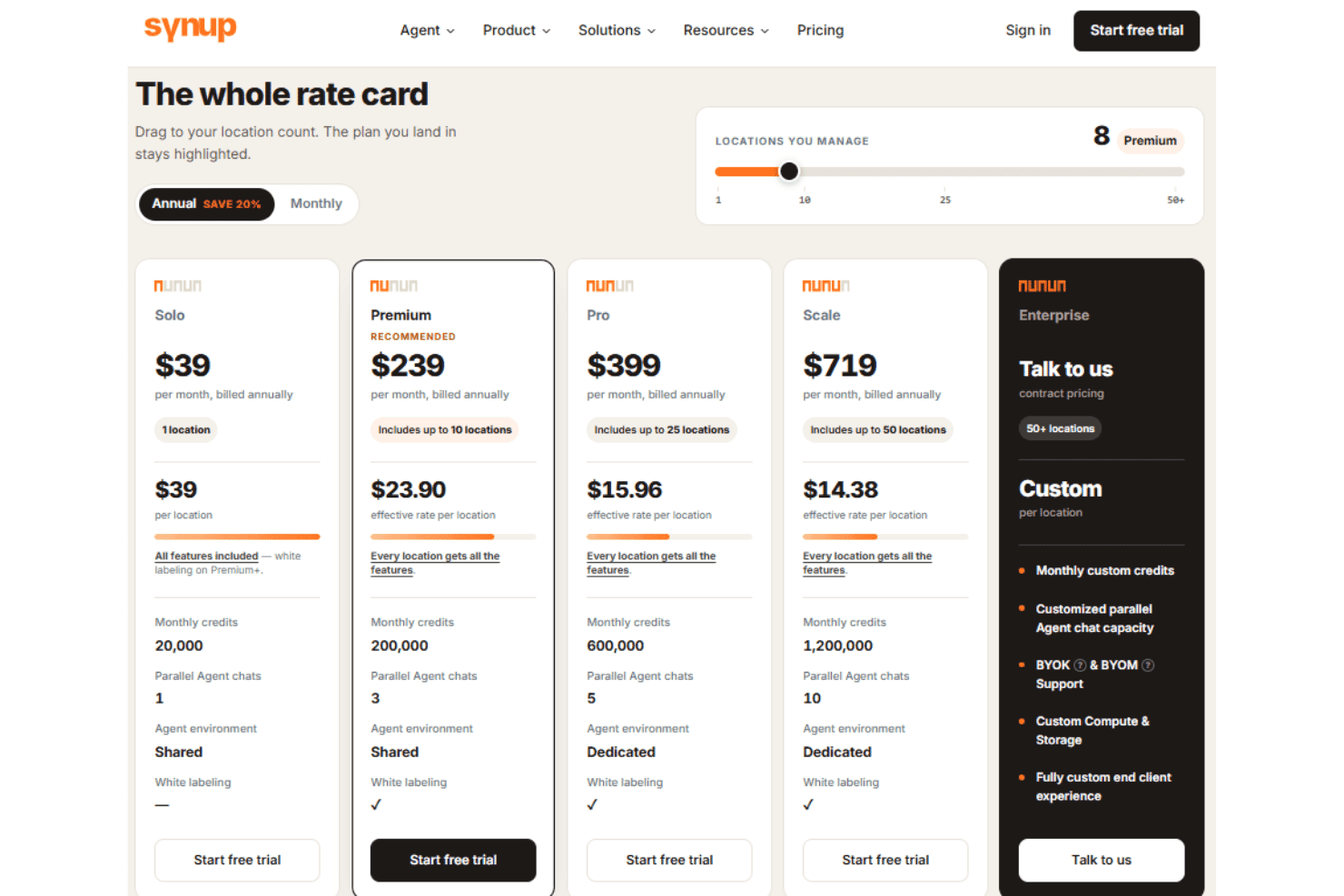
Pricing is flat and published, with a free trial and no minimum contract, so you can put the platform in front of a team before anyone speaks to sales. There’s no per location quote standing between you and the core features, which is still unusual in this category. Agencies and resellers get partner pricing built to leave margin once they mark it up, and the white label layer is a large part of what you’re paying for.
- Solo: Offers listings management, review monitoring, social publishing, local SEO tracking, AI visibility tools, and location landing pages.
- Premium: Adds higher location limits, more AI credits, additional Agent capacity, and white labeling.
- Pro: Adds a dedicated Agent environment, increased AI capacity, more parallel chats, and white labeling.
- Scale: Expands location coverage, AI credits, parallel Agent capacity, and dedicated infrastructure for larger teams.
- Enterprise: Offers custom location limits, AI capacity, dedicated infrastructure, bring-your-own model options, and a fully customized client experience.
Synup Specs
- API: Yes
- Brand Management: Yes
- Dashboard: Yes
- External Integrations: Yes
- Feedback Management: Yes
- Google Apps Integration: Yes
- Multi-Site: Yes
- Multi-User: Yes
- Net Promoter Score: Yes
- Notifications: Yes
- Review Monitoring: Yes
- Sentiment Analysis: Yes
- Social Media Monitoring: Yes
- Social-Media Integration: Yes
Synup FAQs
Synup Company Overview & History
Synup is a SaaS company focused on local marketing for agencies, resellers, and multi-location brands, spanning listings, reputation, social, local SEO, and AI answer visibility. Headquartered in New York, it operates globally through a large partner network and is one of the more established API providers in local search. The company is independently owned and does not appear to operate other products or have notable corporate affiliations. Notable clients mentioned on the website include Nissan, Remax, and Berkshire Hathaway HomeServices.
Synup Major Milestones
- 2013: Synup founded by Ashwin Ramesh, Karthik Krishnamoorthy, and Mohan Gopalakrishnan
- 2015: Public launch of the Synup platform for local business listing management.
- 2016: Secured $6 million in Series A funding led by Vertex Ventures.
- 2018: Reached 150,000 business locations managed on the platform.
- 2021: Featured in Martech Series for new integrations and product innovations.