
26 Best Webflow Alternatives Picked for 2026

Best Webflow Alternatives Shortlist
Here’s my shortlist of Webflow alternatives:


A strong Webflow alternative gives you visual website building, flexible design controls, and the ability to launch sites without code. If you’re searching for Webflow alternatives, you’re likely weighing cost, ease of use, or specific features that better fit your workflow or client needs. With so many website builders on the market, it’s tough to know which platforms actually deliver the creative freedom and publishing power you expect.
This guide compares the top Webflow alternatives for 2026, so you can quickly find the right fit for your next project—whether you need advanced design, open-source flexibility, or a simpler tool for fast launches.
What Is Webflow?
Webflow is a visual website builder that lets users design, build, and launch responsive websites without writing code. It combines a drag-and-drop interface with advanced design controls, making it popular among designers and marketers who want creative flexibility. Webflow also includes hosting, content management, and ecommerce features, so you can manage your entire site in one platform. This approach appeals to teams looking for both design freedom and streamlined publishing.
Best Webflow Alternatives Summary
This comparison chart summarizes pricing details for my top webflow alternative selections to help you find the best one for your budget and business needs.
| Tool | Best For | Trial Info | Price | ||
|---|---|---|---|---|---|
| 1 | Simple, no-code website builder with white-label options | Free 14-day trial available | From $10.38/month (billed every 2 years) | Website | |
| 2 | Open-source CMS with extensive plugin support | Free plan available | From $160/month (billed annually) | Website | |
| 3 | All-in-one platform with built-in ecommerce and blogging | Free 14-day trial available | From $25/month | Website | |
| 4 | Visual builder with dynamic data and user authentication | Free plan available | From $5/month | Website | |
| 5 | Visual page builder plugin for WordPress | Free 30-day trial available | From $5/month (billed annually) | Website | |
| 6 | Best for canvas-based visual web design and instant publishing | 14-day free trial + free plan available | From $7/user/month | Website | |
| 7 | Free, open-source website builder for designers and developers | Free plan available | Free to use | Website | |
| 8 | Serverless CMS for building scalable web projects | Free plan available | Pricing upon request | Website | |
| 9 | Open-source visual website builder with collaborative editing | Free plan available | From $15/month (billed annually) | Website | |
| 10 | 3D and animation-focused web design platform | Free plan available | From $14/site/month (billed annually) | Website |
Why Trust Our Software Reviews
-

Demandbase
Visit WebsiteThis is an aggregated rating for this tool including ratings from Crozdesk users and ratings from other sites.4.4 -
6sense
Visit WebsiteThis is an aggregated rating for this tool including ratings from Crozdesk users and ratings from other sites.4.3 -
AnswerThePublic
Visit Website


Best Webflow Alternatives Reviews
Below are my detailed summaries of the Webflow alternatives that made it onto my shortlist. My reviews offer a detailed look at the features, capabilities, and best use cases of each platform to help you find the best one for you.

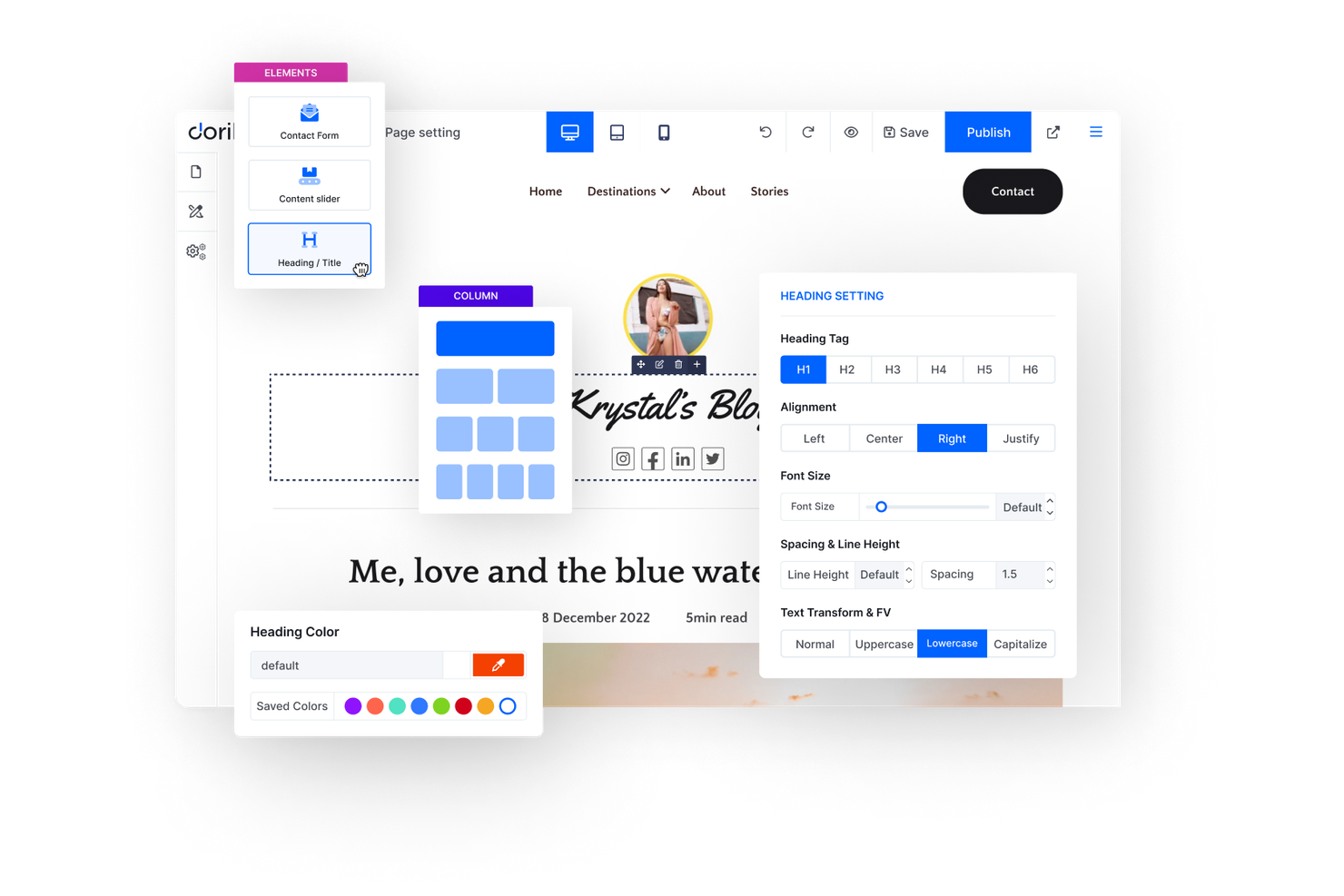
For anyone who needs a fast, no-fuss way to launch a single-page website, Dorik is worth a look. It’s designed for freelancers, small businesses, and individuals who want a simple, attractive web presence without technical complexity. Dorik stands apart from Webflow and similar platforms by focusing on one-page site creation with minimal setup and maintenance.
Who is Dorik Best For?
Founders and small business owners in North America and Europe creating simple, single-page websites without complex setup.
Why I Picked Dorik
If you’re looking to build a simple one-page site without extra complexity, Dorik is a strong option. The platform offers a focused set of tools for single-page layouts, including pre-built sections and templates that help you launch quickly. I like that Dorik keeps the editing experience simple, so you can concentrate on content and design without distractions. For anyone who wants a straightforward solution for landing pages or personal sites, Dorik fills a gap that Webflow’s broader feature set can sometimes overcomplicate.
Dorik Key Features
Some other features in Dorik help you customize and manage your site:
- Custom Domain Support: Connect your own domain name directly to your Dorik site.
- Form Builder: Add and configure contact or signup forms without extra plugins.
- White Labeling: Remove Dorik branding and use your own logo and colors.
- Built-In Hosting: Host your site on Dorik’s infrastructure with SSL included.
Dorik Integrations
Native integrations are not currently publicly listed.
Pros and Cons
Pros:
- Native integrations support payments, analytics, and email marketing
- Built-in hosting removes the need for external providers
- White-label dashboard allows agencies to fully brand client portals
Cons:
- No built-in CMS for complex dynamic content structures
- Design controls are less granular than Webflow’s visual editor

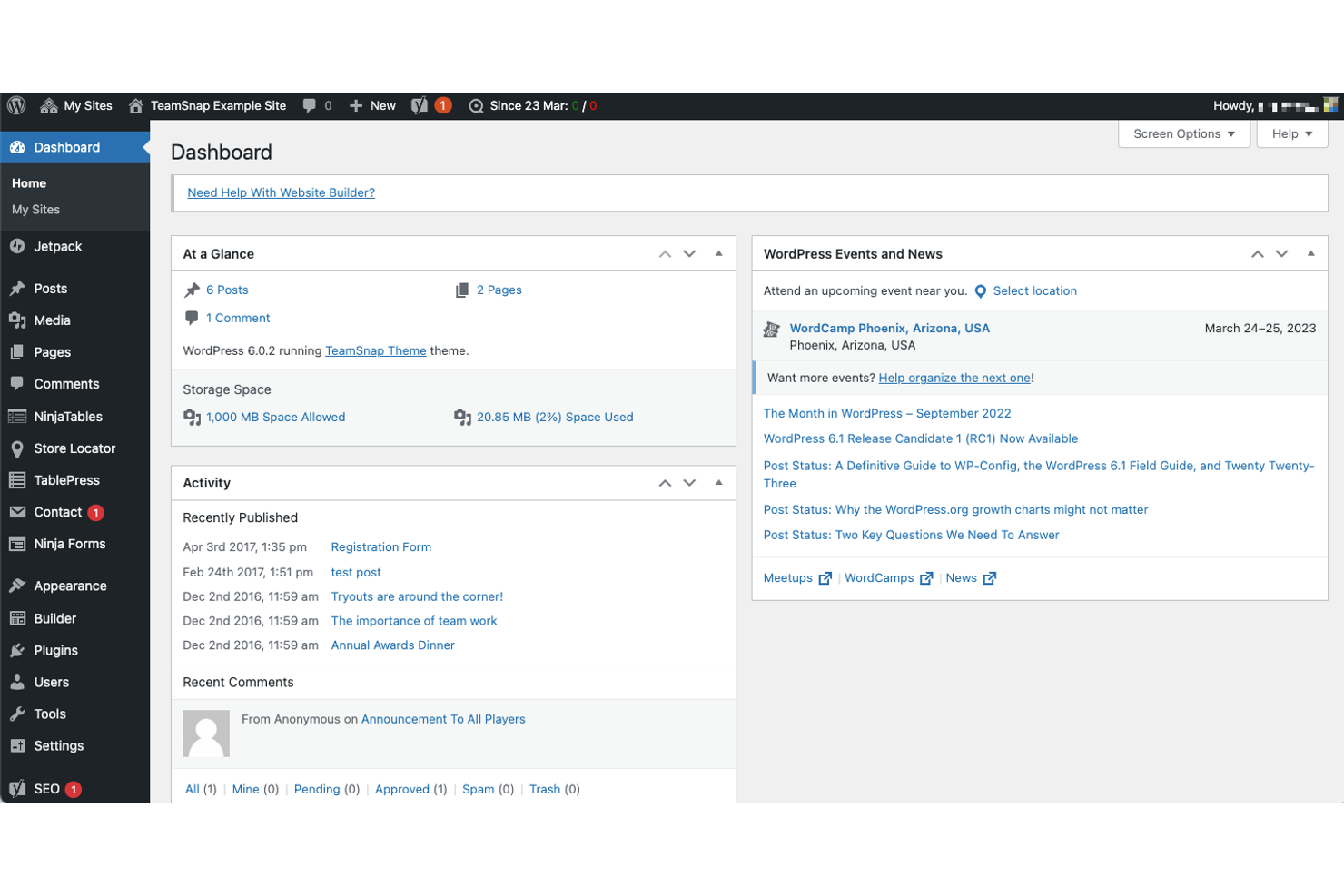
If you want full control over your site’s design and functionality, WordPress stands out for its open-source flexibility. Developers, agencies, and marketers often choose WordPress to build anything from simple landing pages to complex, custom web applications. Its vast ecosystem of plugins and themes lets you tailor every aspect of your site in ways most visual website builders can’t match.
Why WordPress Is a Good Webflow Alternative
Unlike most visual website builders, WordPress gives you open-source access to every layer of your site. I picked WordPress because its plugin and theme ecosystem lets you add advanced design elements, custom fields, and dynamic content without being locked into a single vendor’s limitations.
You can choose from thousands of themes for different industries or build your own from scratch. This flexibility makes WordPress a strong Webflow alternative for anyone who wants to customize both the look and the underlying functionality of their site.
WordPress Key Features
Some other features in WordPress that visual website builder buyers may want to know about include:
- Block Editor (Gutenberg): Build pages visually using drag-and-drop content blocks for text, images, and media.
- User Role Management: Assign different permissions and access levels to site contributors, editors, and admins.
- Multisite Network: Manage multiple websites from a single WordPress installation.
- Media Library: Upload, organize, and reuse images, videos, and documents across your site.
WordPress Integrations
Integrations include WooCommerce, Jetpack, Akismet, Yoast SEO, Contact Form 7, Elementor, bbPress, Classic Editor, LiteSpeed Cache, and Gutenberg.
Pros and Cons
Pros:
- The multisite feature lets you manage multiple sites from one dashboard
- Thousands of plugins extend functionality for ecommerce, SEO, and more
- Open-source codebase allows for full site and code control
Cons:
- No built-in visual animation or interaction tools like Webflow’s designer
- Performance optimization often needs manual setup and extra plugins


If you want full control over your site’s design and functionality, WordPress stands out for its open-source flexibility. Developers, agencies, and marketers often choose WordPress to build anything from simple landing pages to complex, custom web applications. Its vast ecosystem of plugins and themes lets you tailor every aspect of your site in ways most visual website builders can’t match.
Why WordPress Is a Good Webflow Alternative
Unlike most visual website builders, WordPress gives you open-source access to every layer of your site. I picked WordPress because its plugin and theme ecosystem lets you add advanced design elements, custom fields, and dynamic content without being locked into a single vendor’s limitations.
You can choose from thousands of themes for different industries or build your own from scratch. This flexibility makes WordPress a strong Webflow alternative for anyone who wants to customize both the look and the underlying functionality of their site.
WordPress Key Features
Some other features in WordPress that visual website builder buyers may want to know about include:
- Block Editor (Gutenberg): Build pages visually using drag-and-drop content blocks for text, images, and media.
- User Role Management: Assign different permissions and access levels to site contributors, editors, and admins.
- Multisite Network: Manage multiple websites from a single WordPress installation.
- Media Library: Upload, organize, and reuse images, videos, and documents across your site.
WordPress Integrations
Integrations include WooCommerce, Jetpack, Akismet, Yoast SEO, Contact Form 7, Elementor, bbPress, Classic Editor, LiteSpeed Cache, and Gutenberg.
Pros and Cons
Pros:
- Ecommerce features include inventory, shipping, and digital products
- Built-in blogging and podcasting tools support content-driven sites
- Template designs are visually polished and modern across categories
Cons:
- Custom code support is restricted to certain plan tiers
- Limited control over site structure compared to Webflow’s designer

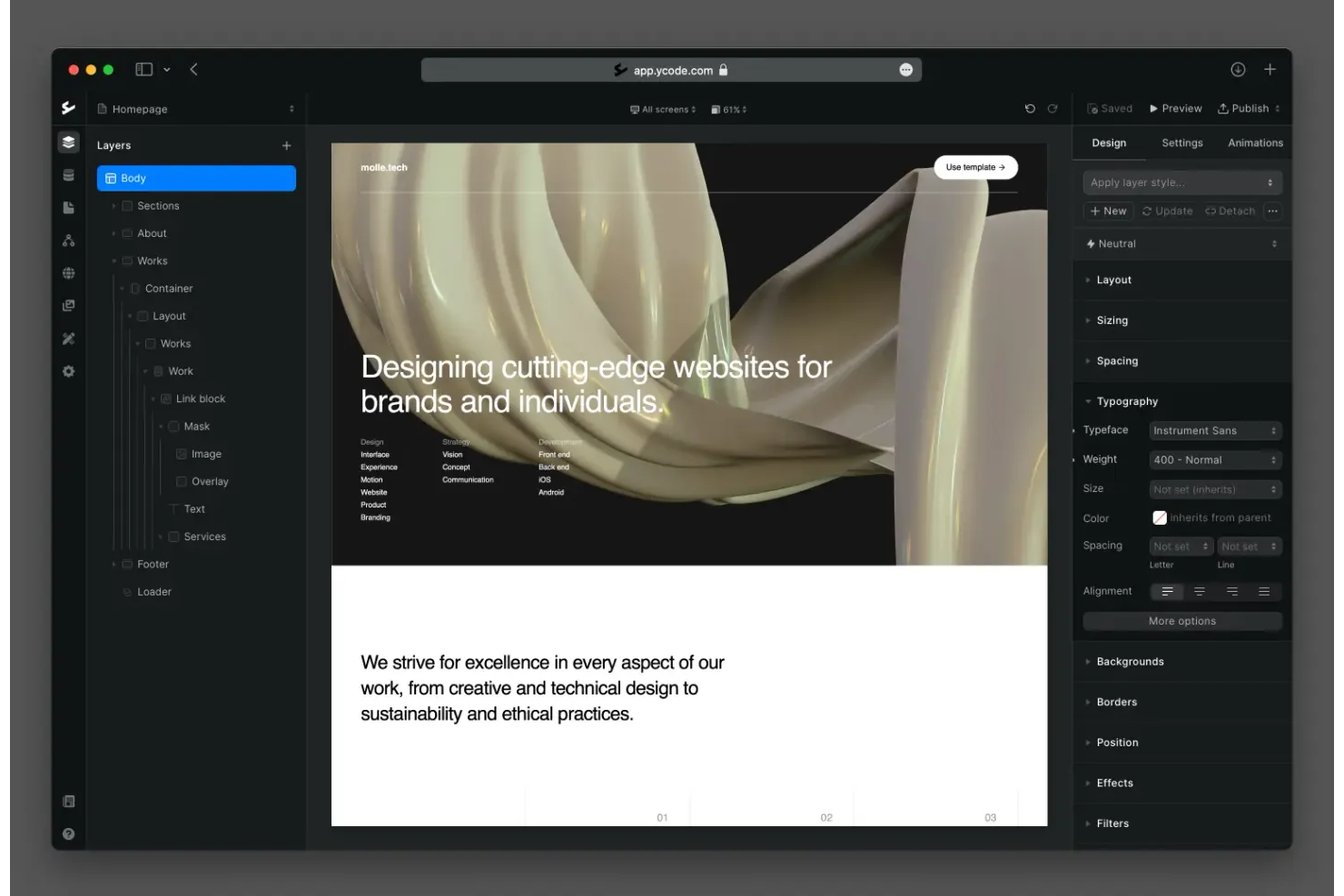
Ycode gives you a way to build web apps visually while managing your own database and user authentication—all without code. Product teams, SaaS startups, and internal tool builders often turn to Ycode when they need more than static sites or simple landing pages. The platform’s built-in database and logic tools let you create dynamic, data-driven apps that go beyond what most visual website builders offer.
Why Ycode Is a Good Webflow Alternative
Unlike most visual website builders, Ycode lets you create web apps with a built-in database and user authentication, making it a strong choice for dynamic projects. I picked Ycode because you can visually design interfaces while connecting them directly to your own data collections and user roles.
The platform’s logic builder allows you to set up workflows and conditional actions without code, which is something Webflow doesn’t natively support. If you need to build interactive, data-driven apps rather than just static sites, Ycode offers a level of flexibility that stands out in this space.
Ycode Key Features
Some other features in Ycode that visual website builder buyers may want to know about include:
- Drag-and-Drop Editor: Arrange and customize page elements visually without writing code.
- Responsive Design Controls: Adjust layouts and components for different device sizes directly in the editor.
- Custom Code Embeds: Add HTML, CSS, or JavaScript blocks for advanced customization when needed.
- Version History: Track changes and restore previous versions of your project at any time.
Ycode Integrations
Integrations include LemonSqueezy, Klaviyo, HubSpot, GetResponse, Brevo, Beehiiv, ActiveCampaign, Heroicons, Remix Icon, and MailerLite.
Pros and Cons
Pros:
- User authentication features enable gated content and memberships
- Visual logic builder supports advanced workflows without code
- Built-in database lets you manage dynamic content natively
Cons:
- No built-in e-commerce functionality for selling products directly
- Fewer pre-built templates than most Webflow alternatives

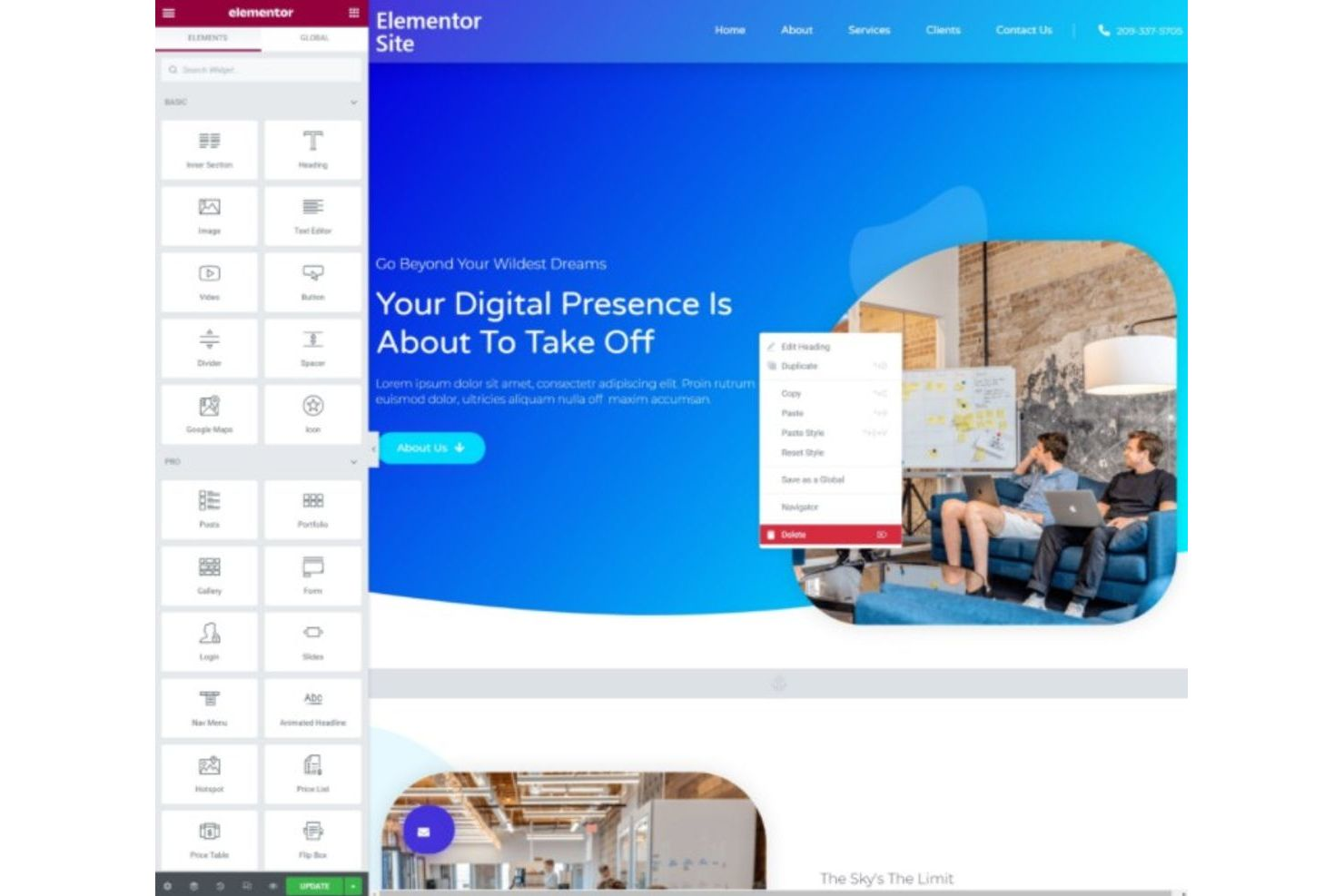
Elementor gives WordPress users a true drag-and-drop design experience without needing to code. Agencies, freelancers, and marketers often choose Elementor for its advanced visual controls and wide selection of pre-built templates. If you want to build highly customized pages directly inside WordPress, Elementor offers more granular design options than most visual website builders.
Why Elementor Is a Good Webflow Alternative
For anyone who wants advanced visual design controls inside WordPress, Elementor stands out as a strong Webflow alternative. I picked Elementor because its drag-and-drop editor lets you customize every section, column, and widget with pixel-level precision. You can also use its theme builder to design headers, footers, and dynamic templates. This level of design flexibility is ideal for marketers and agencies who want to create unique layouts without touching code.
Elementor Key Features
Some other features in Elementor that visual website builder buyers may want to know about include:
- Template Library: Access hundreds of pre-designed pages and block templates for quick site creation.
- Responsive Editing: Adjust and preview designs for desktop, tablet, and mobile views directly in the editor.
- Popup Builder: Create and manage popups with advanced targeting and trigger options.
- Role Manager: Control which WordPress user roles can access and edit Elementor features.
Elementor Integrations
Integrations include WooCommerce, Yoast, HubSpot, MailChimp, AWeber, Drip, ActiveCampaign, ConvertKit, LearnDash, and Slack.
Pros and Cons
Pros:
- Popup builder is included for on-site lead capture and messaging
- Template and block library speeds up page creation for teams
- Visual editor supports real-time design changes on WordPress sites
Cons:
- Custom animations and interactions are more limited than in Webflow
- No built-in hosting or site management like Webflow offers
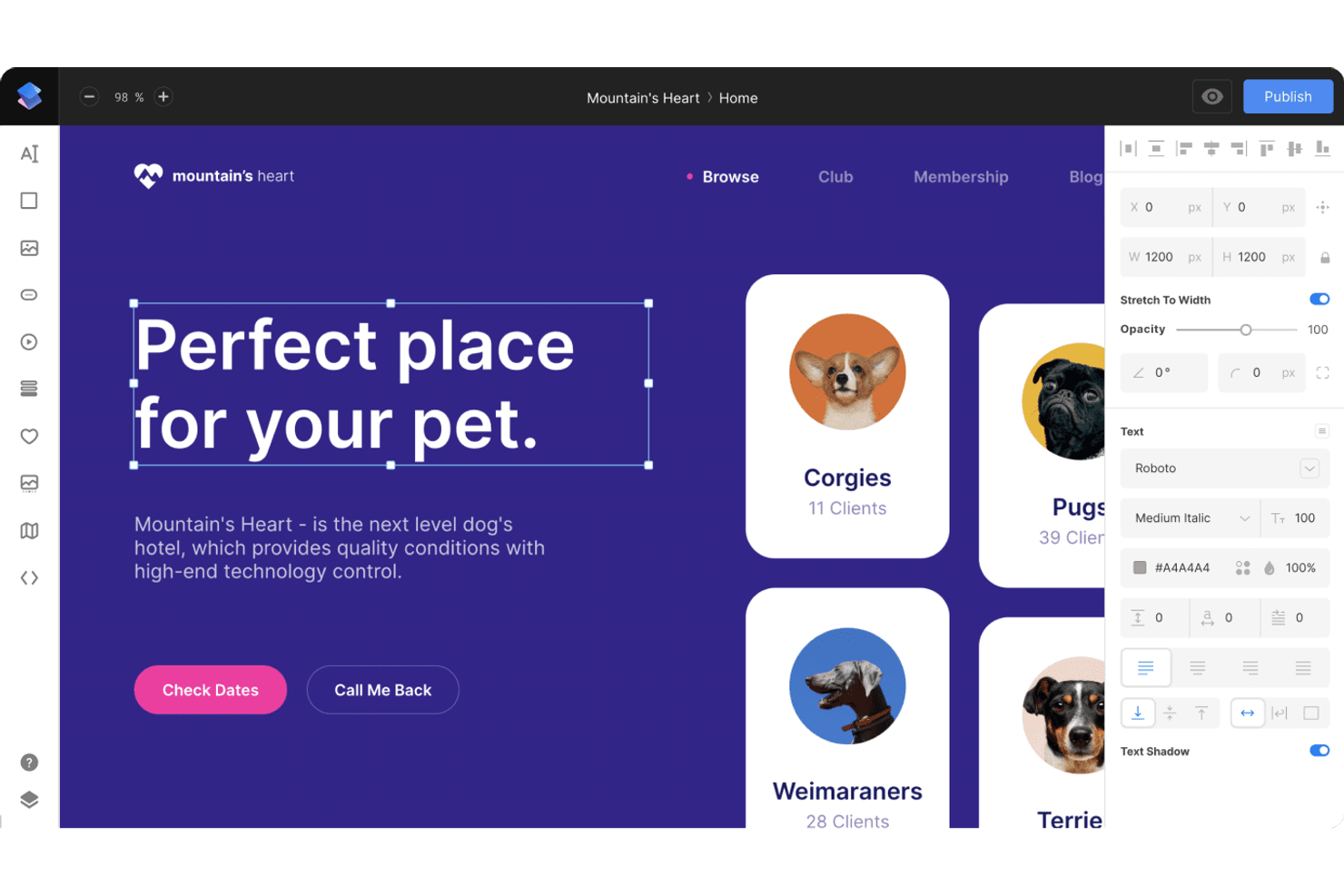
Designers looking for a Figma-like experience in a website builder often turn to Siter.io. The platform appeals to creative teams and agencies that want real-time collaboration and pixel-level control over layouts. Siter.io’s interface and workflow feel familiar to those who use design tools, making it easier to translate visual concepts directly into live websites.
Why Siter.io Is a Good Webflow Alternative
Siter.io stands out for its intuitive visual editor and real-time collaboration, which is a rare combination among website builders. I picked Siter.io because you can design with freeform, pixel-level precision, just like in popular design tools, and instantly see those changes reflected on your live site. The platform’s real-time collaboration lets multiple team members work together on the same project, making it ideal for creative teams and agencies. If you want a website builder that feels like a design tool and supports true collaborative workflows, Siter.io is a strong Webflow alternative.
Siter.io Key Features
Some other features in Siter.io that visual website builder buyers may want to know about include:
- Custom Fonts Support: Upload and use your own fonts to match brand guidelines.
- SVG and Vector Editing: Edit and manipulate vector graphics directly within the builder.
- Password-Protected Pages: Restrict access to specific pages for private projects or client previews.
- One-Click Publishing: Launch your site instantly with a single click, without extra setup.
Siter.io Integrations
Integrations include Figma, Unsplash, YouTube, and support for custom code embeds.
Pros and Cons
Pros:
- Editor supports freeform, pixel-precise web design
- Direct Figma import streamlines workflow for design teams
- Real-time collaboration allows multiple users to edit simultaneously
Cons:
- Limited e-commerce features compared to other website builders
- No built-in CMS for managing dynamic content collections

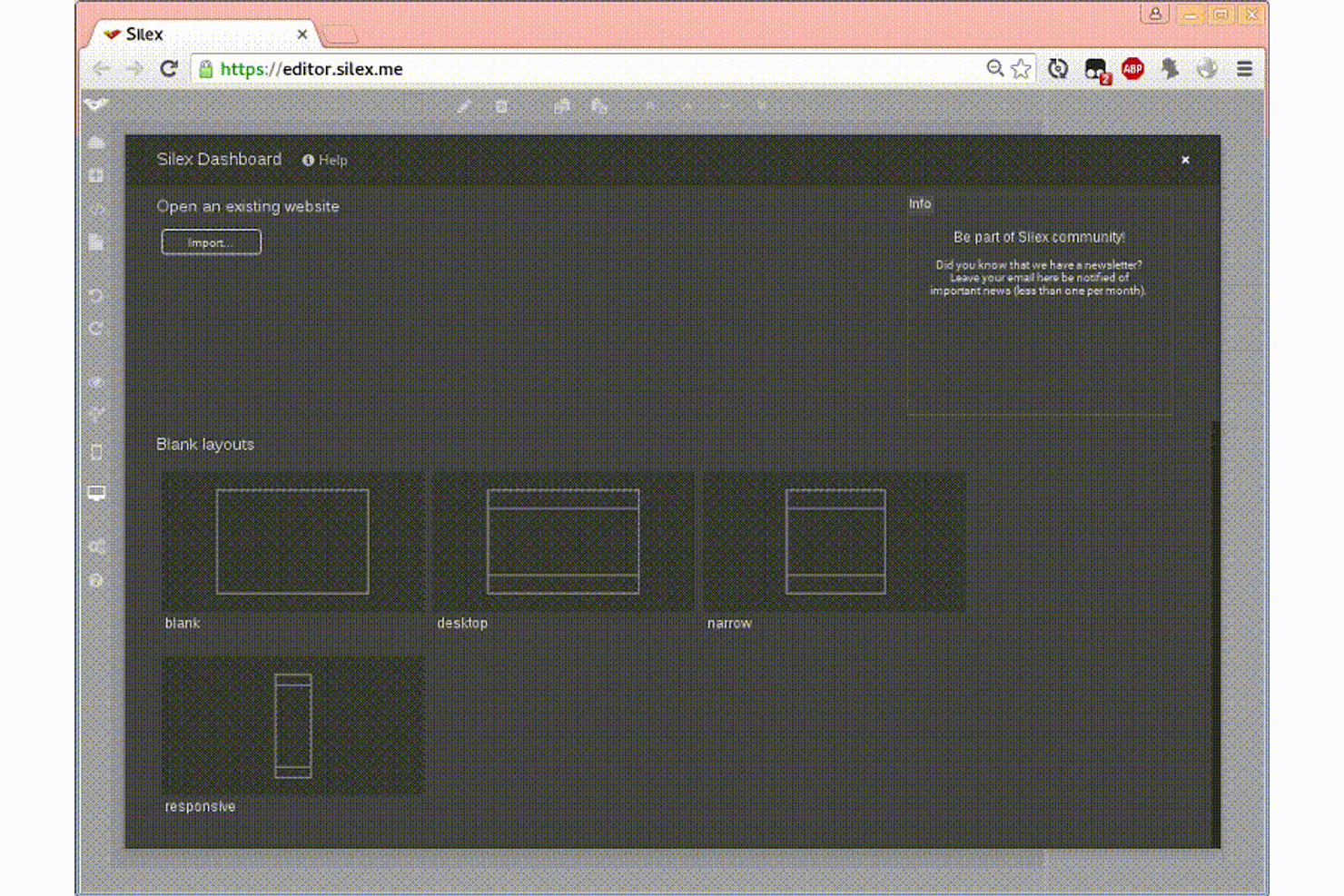
If you want a free, open-source website builder with true design flexibility, Silex is worth a look. Silex appeals to designers, freelancers, and small agencies who want full control over their site’s HTML, CSS, and hosting. Unlike Webflow, Silex lets you export clean code and host your site anywhere, making it a strong choice for those who need portability and customization.
Why Silex Is a Good Webflow Alternative
For teams and individuals who want an open-source, drag-and-drop website builder, Silex offers a unique approach compared to Webflow. I like that Silex lets you visually design pages while giving you direct access to the underlying HTML and CSS, so you can fine-tune every detail.
You can export your site’s code and host it anywhere, which is ideal if you want full ownership and portability. Silex is a strong fit for designers and developers who value creative freedom and control over their web projects.
Silex Key Features
Some other features in Silex that visual website builder buyers may want to know about include:
- Responsive Design Tools: Adjust layouts and elements for different screen sizes directly in the editor.
- Template Library: Access a collection of pre-made templates to jumpstart new projects.
- Custom Widget Support: Add and configure custom widgets for advanced functionality.
- Collaborative Editing: Invite others to co-edit and build sites together in real time.
Silex Integrations
Integrations include WordPress, Strapi, GraphQL, Squidex, and Supabase.
Pros and Cons
Pros:
- Sites can be exported and hosted on any web server
- Free to use with no paid upgrade requirements or limits
- Open-source platform allows full access to the underlying site code
Cons:
- Fewer native integrations with marketing or analytics platforms
- Lacks advanced animation and interaction tools found in Webflow

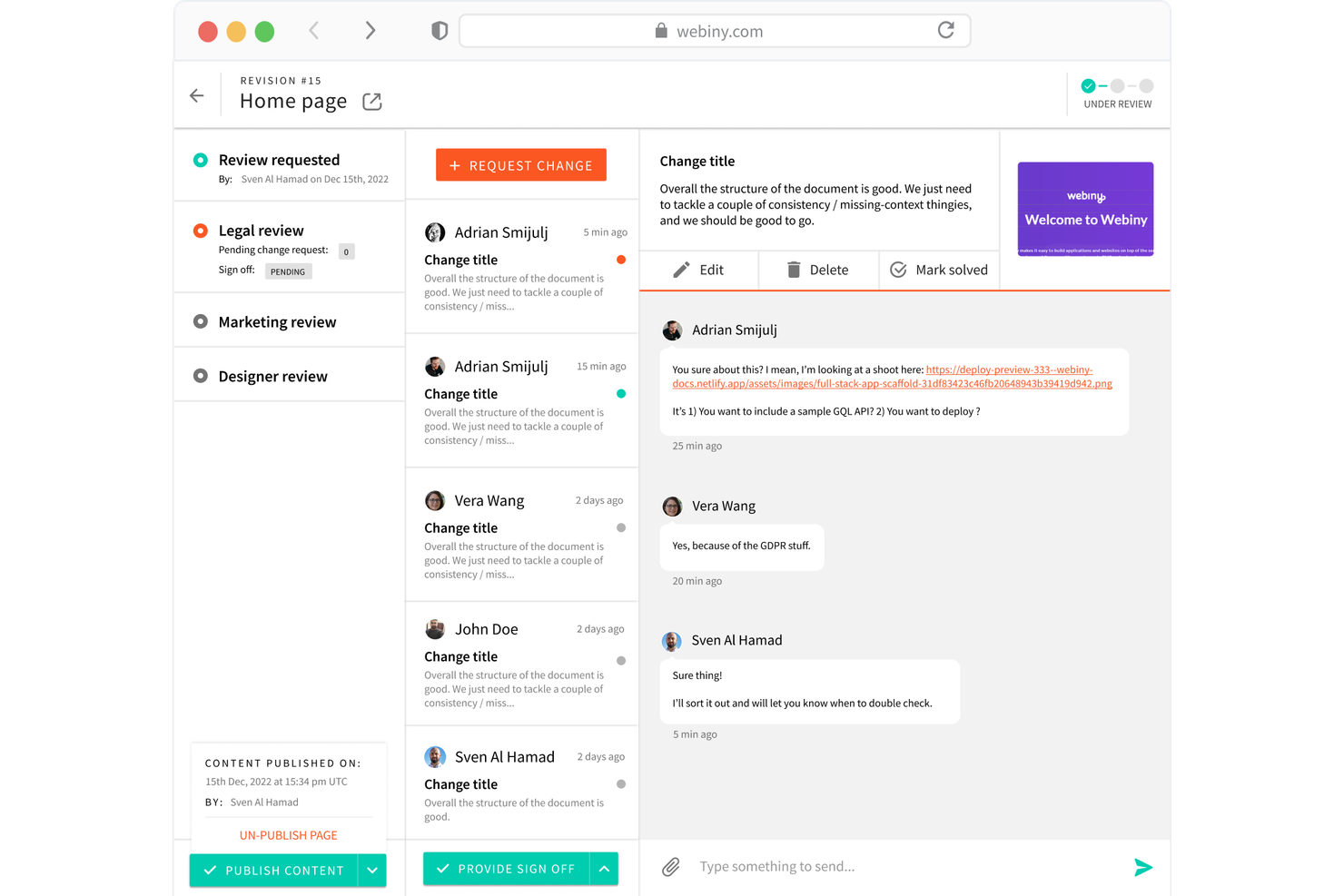
For teams that want full control over their content infrastructure, Webiny offers an open-source, serverless CMS built for scalability and customization. It’s a strong fit for developers, agencies, and enterprises looking to self-host and extend their website builder with custom plugins and APIs. Webiny stands out from Webflow by letting you deploy on your own cloud and tailor every layer of your content platform.
Why Webiny Is a Good Webflow Alternative
Unlike most visual website builders, Webiny gives you a fully open-source, serverless CMS that you can self-host and scale as needed. I picked Webiny because it lets you deploy on your own cloud infrastructure, which is ideal for teams with strict security or compliance requirements.
The platform’s plugin architecture and GraphQL API make it possible to customize and extend your content workflows far beyond what’s possible in Webflow. If you need a website builder that’s both flexible and built for large-scale, custom projects, Webiny is a strong choice.
Webiny Key Features
Some other features in Webiny that visual website builder buyers may want to know about include:
- Page Builder: Create and edit pages visually with a drag-and-drop editor.
- Form Builder: Build and manage custom forms directly within the platform.
- File Manager: Organize and store media assets in a centralized library.
- Role-Based Access Control: Set granular permissions for different users and teams.
Webiny Integrations
Native integrations are not currently listed by Webiny. An API is available for custom integrations.
Pros and Cons
Pros:
- Built-in role-based access control supports complex team structures
- Visual page builder offers drag-and-drop editing for non-developers
- Open-source codebase allows for deep customization and extensions
Cons:
- Fewer pre-built templates compared to Webflow and similar tools
- Requires cloud infrastructure knowledge for initial deployment

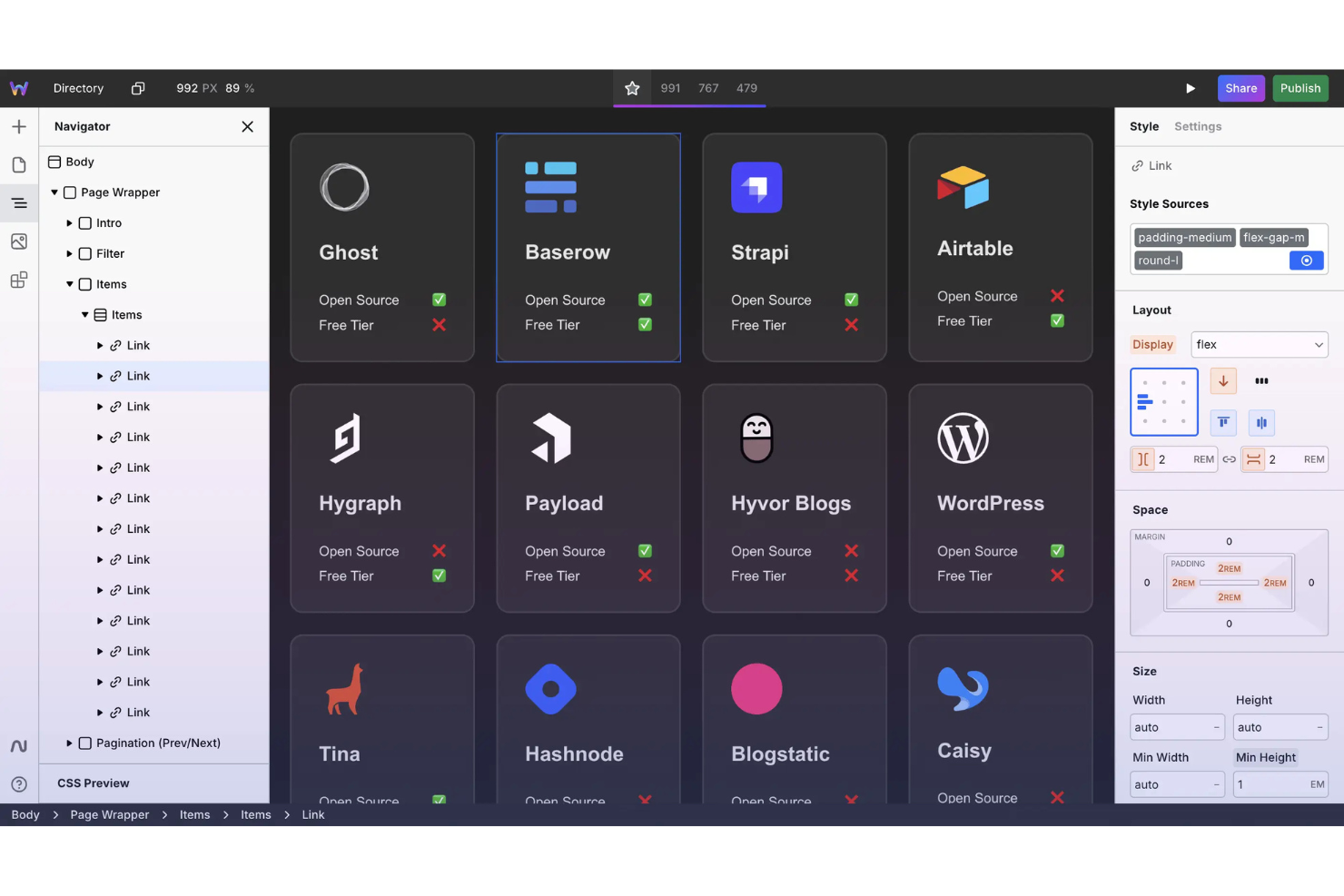
If you’re looking for an open-source alternative to Webflow, Webstudio stands out with its collaborative editing and transparent development model. This platform appeals to agencies, freelancers, and teams who want more control over their website’s code and hosting. Webstudio is a strong fit for users who value flexibility, open standards, and the ability to contribute to or customize their website builder.
Why Webstudio Is a Good Webflow Alternative
Webstudio’s open-source approach and collaborative editing set it apart from most visual website builders. I picked it for this list because you can work with your team in real time, making it easier to co-design and iterate on projects. The platform’s open codebase means you can inspect, modify, or extend the builder to fit unique requirements. This level of transparency and flexibility is especially valuable for teams that want more control than Webflow typically allows.
Webstudio Key Features
Some other features in Webstudio that visual website builder buyers may find useful include:
- Component Library: Access a library of reusable components to speed up your design process and maintain consistency across projects.
- Custom Code Support: Add custom HTML, CSS, or JavaScript directly within the builder for advanced customization.
- Version History: Track changes and revert to previous versions of your site, which helps with error recovery and experimentation.
- Responsive Design Controls: Adjust layouts and elements for different screen sizes using built-in responsive design tools.
Webstudio Integrations
Integrations include Airtable, Supabase, Ghost, Payload, Hygraph, Notion, Strapi, Baserow, Directus, and WordPress.
Pros and Cons
Pros:
- Supports direct custom code injection for advanced site functionality
- Real-time collaborative editing supports team-based design workflows
- Open-source platform allows for full code transparency and control
Cons:
- Hosting and deployment require more manual setup than Webflow
- Lacks built-in ecommerce features compared to Webflow’s native tools

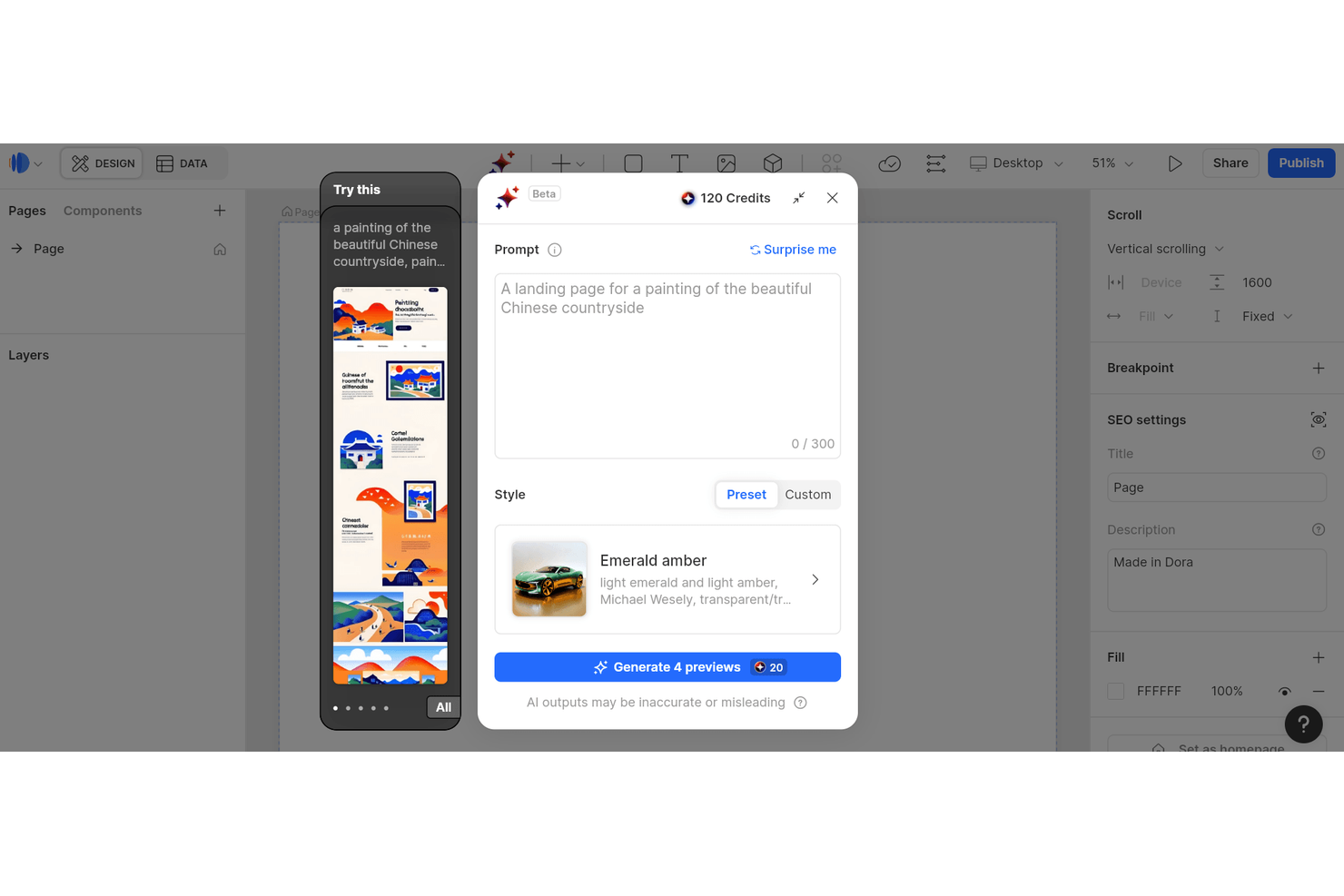
Creative teams searching for a website builder with advanced 3D and animation capabilities will find Dora especially appealing. The platform is designed for designers and agencies who want to build visually immersive, interactive sites without coding. Dora’s focus on native 3D elements and timeline-based animation sets it apart from most visual website builders, including Webflow.
Why Dora Is a Good Webflow Alternative
Dora takes a different approach from most website builders by putting 3D and animation at the center of its platform. I picked Dora because you can create interactive, visually rich sites using native 3D elements and timeline-based animation tools—features that go far beyond what Webflow offers out of the box. The platform lets you design and animate objects directly in the editor, so you don’t need to rely on third-party plugins or custom code for advanced motion effects. If you want to build immersive web experiences with built-in 3D and animation, Dora is a strong Webflow alternative.
Dora Key Features
Some other features in Dora that visual website builder buyers may want to know about include:
- Component Library: Access a collection of reusable design components for faster site creation.
- Custom Domain Support: Connect your own domain directly within the platform.
- Responsive Layout Controls: Adjust layouts for different devices using built-in breakpoints.
- Version History: Review and restore previous versions of your projects as needed.
Dora Integrations
Native integrations are not currently listed by Dora.
Pros and Cons
Pros:
- Real-time collaborative editing allows multiple users to work together
- Timeline-based animation editor supports complex motion design workflows
- Native 3D design tools enable immersive, interactive web experiences
Cons:
- Platform is newer, so some features may be less mature
- Community resources and tutorials are limited compared to Webflow
Other Webflow Alternatives
Here are some additional Webflow alternative options that didn’t make it onto my shortlist, but are still worth checking out:
- Framer
Real-time interactive design and prototyping for web
- Wix
Drag-and-drop builder with a large template library
- HubSpot
Drag-and-drop website builder with integrated CRM features
- Shopify
E-commerce website builder with integrated payment processing
- Weebly
Drag-and-drop website builder for small businesses
- Canva
Simple website builder with design-focused templates
- Bubble
No-code platform for building interactive web applications
- Drupal
Open-source CMS for complex, scalable websites
- Appy Pie
No-code platform for building websites and mobile apps
- Contentful
Headless CMS for custom website development
- Adalo
Visual builder for web and mobile apps without coding
- Geo Targetly
Location-based content and redirection tools for websites
- Wappler
Visual web app builder with direct code editing
- FlutterFlow
Visual builder for Flutter-based web and mobile apps
- Without Code
No-code website builder for designers and agencies
- Hostinger Website Builder
AI-powered website builder with fast hosting


Webflow Alternatives Selection Criteria
When selecting the best Webflow alternatives to include in this list, I considered common buyer needs and pain points related to visual website builder platform products, like the ability to export clean code and flexibility in hosting options. I also used the following framework to keep my evaluation structured and fair:
Core Functionality (25% of total score)
To be considered for inclusion in this list, each solution had to fulfill these common use cases:
- Build and edit web pages visually
- Customize layouts and design elements
- Publish websites to a custom domain
- Support responsive design for mobile and desktop
- Add and manage basic site content
Additional Standout Features (25% of total score)
To help further narrow down the competition, I also looked for unique features, such as:
- Open-source code access and export
- Advanced animation and interaction tools
- Built-in e-commerce capabilities
- Real-time collaborative editing
- Integration with headless CMS platforms
Usability (10% of total score)
To get a sense of the usability of each system, I considered the following:
- Intuitive drag-and-drop interface
- Clear navigation and menu structure
- Minimal clicks to complete common tasks
- Consistent design language throughout the platform
- Accessibility of help and support resources
Onboarding (10% of total score)
To evaluate the onboarding experience for each platform, I considered the following:
- Availability of step-by-step tutorials or product tours
- Access to template libraries for quick starts
- In-app guidance or chatbots for new users
- Training videos and live webinars
- Ease of importing or migrating existing sites
Customer Support (10% of total score)
To assess each software provider’s customer support services, I considered the following:
- Availability of live chat or email support
- Response time to support inquiries
- Quality and depth of help documentation
- Access to user communities or forums
- Availability of onboarding or setup assistance
Value For Money (10% of total score)
To evaluate the value for money of each platform, I considered the following:
- Transparent and flexible pricing plans
- Features included in the free or entry-level plan
- Cost compared to similar platforms
- No hidden fees or surprise charges
- Scalability of pricing as needs grow
Customer Reviews (10% of total score)
To get a sense of overall customer satisfaction, I considered the following when reading customer reviews:
- Consistency of positive feedback across platforms
- Commonly reported issues or frustrations
- Praise for unique or standout features
- Reports of customer support experiences
- Overall rating and recommendation rate
Why Look For a Webflow Alternative?
While Webflow is a good choice for a visual website builder platform, there are a number of reasons why some users seek out alternative solutions. You might be looking for a Webflow alternative because…
- You need to export and self-host your website code
- You want open-source tools for more customization and control
- You require built-in e-commerce or payment features
- You need more affordable or flexible pricing options
- You want a platform with more native integrations
- You need support for advanced animations or interactions
If any of these sound like you, you’ve come to the right place. My list contains several visual website builder platform options that are better suited for teams facing these challenges with Webflow and looking for alternative solutions.
Webflow Key Features
To better compare your options, here are some of Webflow’s core features:
- visual drag-and-drop website builder
- Advanced CSS, HTML, and JavaScript customization controls
- Responsive design tools for mobile and desktop
- Built-in CMS for dynamic content management
- Animation and interaction design tools
- Managed hosting with global CDN and SSL
- E-commerce functionality for online stores
- Built-in optimization for search engines
- Reusable symbols and components
- Client billing and white-label options
Understanding how Webflow approaches design tools, SEO, customization, and pricing can help you evaluate whether alternatives like WordPress, Squarespace, Shopify, or Framer better align with your specific website builder needs, whether you are looking for deeper customization options or something more user-friendly for beginners.
What’s Next:
If you're in the process of researching Webflow alternatives, connect with a SoftwareSelect advisor for free recommendations.
You fill out a form and have a quick chat where they get into the specifics of your needs. Then you'll get a shortlist of software to review. They'll even support you through the entire buying process, including price negotiations.