
17 Best Typeform Alternatives in 2026

Typeform Alternatives Shortlist
Here’s my shortlist of Typeform alternatives:


A strong Typeform alternative gives you flexible conversational forms, advanced features, and reliable integrations—without the limitations or pricing concerns that come with Typeform. If you’re searching for Typeform alternatives, you’re likely looking for tools that offer more customization, better data control, or a pricing model that fits your team’s needs. This list will help you quickly compare the top options for 2026, so you can find a survey tool that matches your workflow, integrates with your stack, and supports your customer feedback and market research goals.
What Is Typeform?
Typeform is an online form builder that lets you create interactive forms, surveys, and quizzes across various formats with a conversational, user-friendly design. It’s widely used by marketing teams, product managers, and customer experience professionals who want to collect data or feedback in a more engaging way to prevent respondent drop-off. Typeform stands out for its customizable templates, logic jumps, and integrations with popular tools, making it a go-to choice for businesses focused on user experience—though many eventually seek out a robust free version or more affordable paid plans.
Best Typeform Alternatives Summary
This comparison chart summarizes pricing details for my top Typeform alternatives selections to help you find the best one for your budget and business needs.
| Tool | Best For | Trial Info | Price | ||
|---|---|---|---|---|---|
| 1 | Best for interactive calculators and quizzes | 7-day free trial | From $22/month | Website | |
| 2 | Best for mobile-friendly form creation | Free plan available | From $19/month (billed annually) | Website | |
| 3 | Best for branded landing page creation | 7-day free trial + free plan available | From $24/month (billed annually) | Website | |
| 4 | Best for personalized customer journeys | Free plan available | From $29/month (billed annually) | Website | |
| 5 | Best for workflow automation integration | Free demo + 14-day free trial available | From $83/month (billed annually) | Website | |
| 6 | Best with CRM system compatibility | Free plan available + free demo available | From $10/month (billed annually) | Website | |
| 7 | Best for unlimited form submissions | Free plan available | From $24/month (billed annually) | Website | |
| 8 | Best with open source deployment options | Free plan available | From 20/month (billed annually) | Website | |
| 9 | Best with privacy-focused data collection | Free plan available | Contact us | Website | |
| 10 | Best for advanced conditional logic | Free plan available | From $15/month | Website | |
| 11 | Best for custom UI design flexibility | Free plan available | Custom pricing | Website | |
| 12 | Best with extensive template library | Free plan available | From $19.50/month (billed annually) | Website |
Why Trust Our Software Reviews
We’ve been testing and reviewing marketing software since 2022. As marketing experts ourselves, we know how critical and difficult it is to make the right decision when selecting software.
We invest in deep research to help our audience make better software purchasing decisions. We’ve tested more than 2,000 tools for different marketing use cases and written over 1,000 comprehensive software reviews. Learn how we stay transparent & our software review methodology.
-

Demandbase
Visit WebsiteThis is an aggregated rating for this tool including ratings from Crozdesk users and ratings from other sites.4.4 -
6sense
Visit WebsiteThis is an aggregated rating for this tool including ratings from Crozdesk users and ratings from other sites.4.3 -
AnswerThePublic
Visit Website


Typeform Alternatives Reviews
Below are my detailed summaries of the Typeform alternatives that made it onto my shortlist. My reviews offer a detailed look at the features, best use cases, and integrations of each platform to help you find the best one for you.

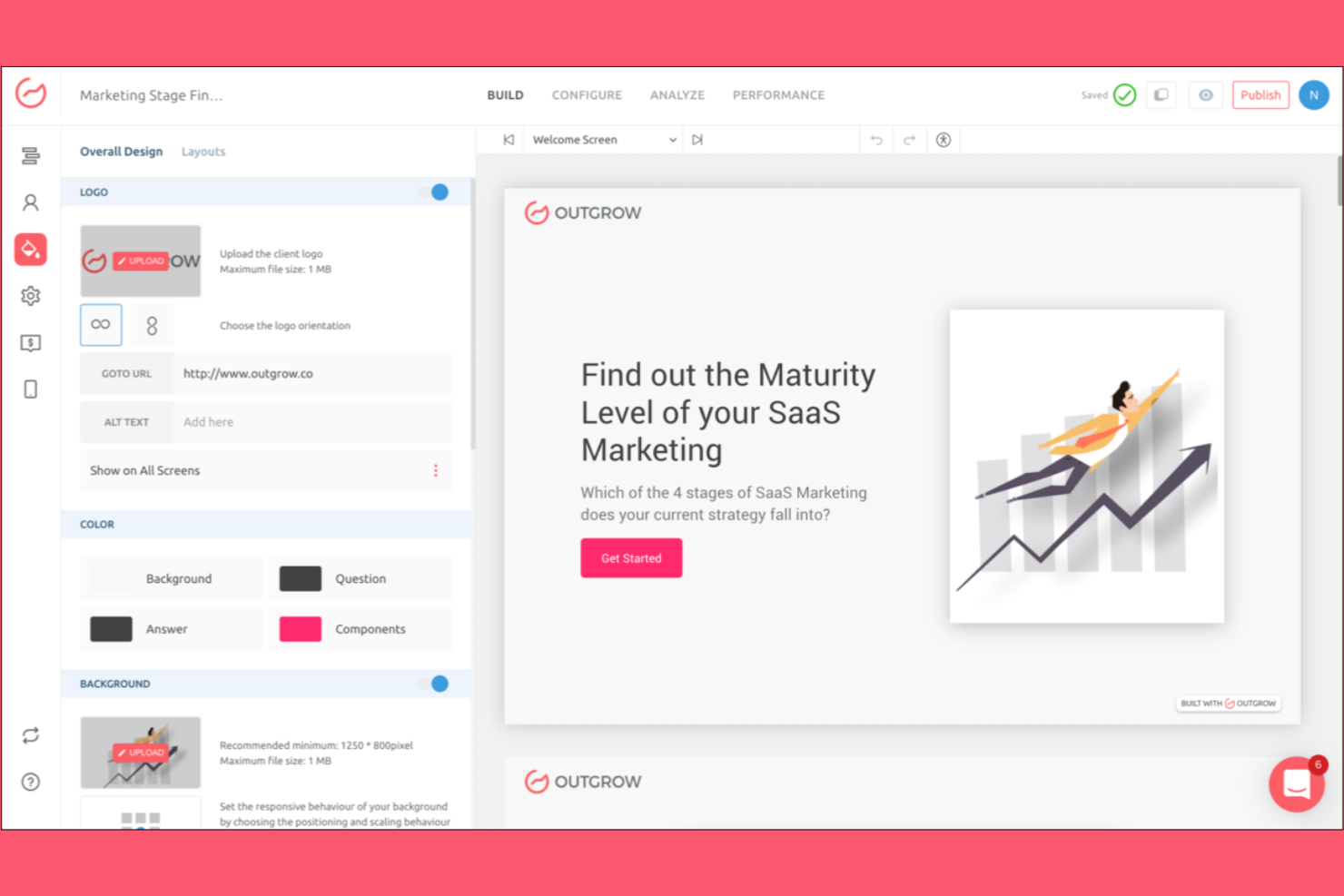
If you want to build interactive calculators or quizzes that go beyond standard forms, Outgrow is worth a look. It’s designed for marketers, agencies, and SaaS teams who need to capture leads or personalize experiences with dynamic, engaging content. Outgrow stands out from Typeform by letting you create calculators, assessments, and quizzes that deliver instant results and tailored recommendations.
Why Outgrow Is a Good Typeform Alternative
For teams that want more than just forms, Outgrow offers interactive calculators and quizzes that Typeform doesn’t support natively. I picked Outgrow because it lets you build tools like ROI calculators, product recommendation quizzes, and assessments that deliver personalized results instantly. You can use advanced logic, formulas, and branching to create highly tailored user experiences. This makes Outgrow a strong choice if you need interactive content that goes beyond simple surveys or data collection.
Outgrow Key Features
Some other features in Outgrow that are worth noting include:
- Drag-and-Drop Builder: Create interactive content without any coding.
- Pre-Built Templates: Choose from a library of templates for quizzes, calculators, and surveys.
- Custom Branding: Add your own logos, colors, and styles to match your brand.
- Lead Generation Tools: Capture user information with built-in lead forms and gated results.
Outgrow Integrations
Integrations include HubSpot, Salesforce, Marketo, Mailchimp, ActiveCampaign, Google Sheets, and Stripe.
Pros and Cons
Pros:
- Deep marketing tool sync
- Highly engaging visual style
- Built-in ROI calculators
Cons:
- Requires heavy asset creation
- Complex builder interface

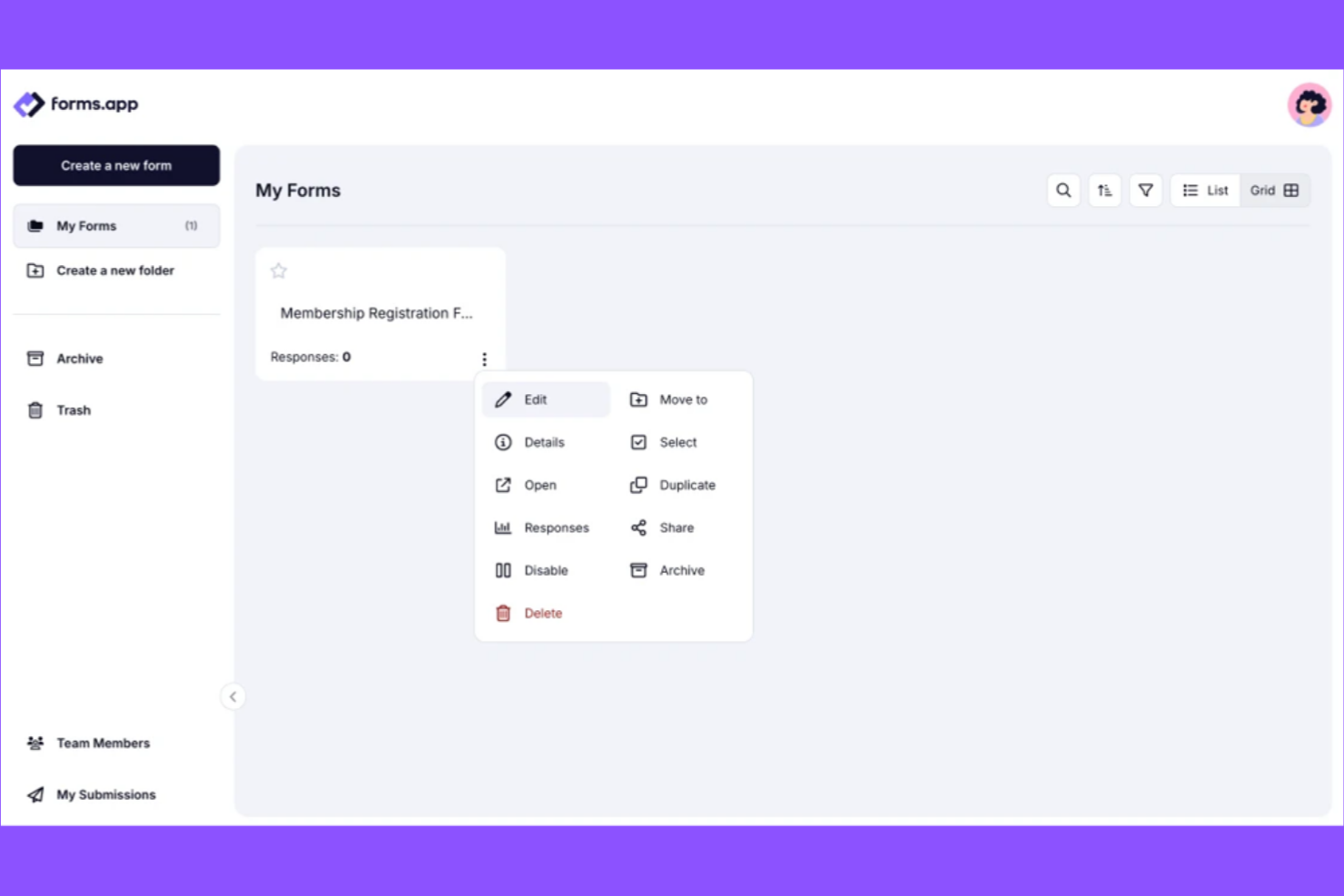
If you’re looking for forms that work perfectly on any device, forms.app is designed with mobile users in mind. It’s a strong fit for marketers, event organizers, and field teams who need to create, share, and collect responses on the go. Unlike Typeform, forms.app emphasizes mobile optimization and responsive design for both form creators and respondents.
Why forms.app Is a Good Typeform Alternative
For teams that need forms to look and work great on smartphones and tablets, forms.app is built with mobile-first design at its core. I picked forms.app because every form you create is automatically responsive, so respondents have a smooth experience no matter their device. The platform also offers a dedicated mobile app for creating, editing, and managing forms on the go. This focus on mobile usability makes forms.app a strong alternative to Typeform for anyone prioritizing mobile-friendly data collection.
forms.app Key Features
Some other features that stood out to me include:
- Conditional Logic: Show or hide questions based on previous answers to personalize the form experience.
- Payment Collection: Accept payments directly through forms using integrations with Stripe and PayPal.
- Form Templates Library: Access a wide range of pre-built templates for surveys, quizzes, and registrations.
- Custom URL and Branding: Set a custom form URL and add your own logo and colors for brand consistency.
forms.app Integrations
Integrations include Slack, Google Analytics, Microsoft Excel, PayPal, Stripe, Google Sheets, HubSpot CRM, Notion, WhatsApp Messenger, and Discord.
Pros and Cons
Pros:
- Fast template deployment
- Clean and simple design
- Easy conversational layouts
Cons:
- Not for advanced workflows
- Support is relatively slow

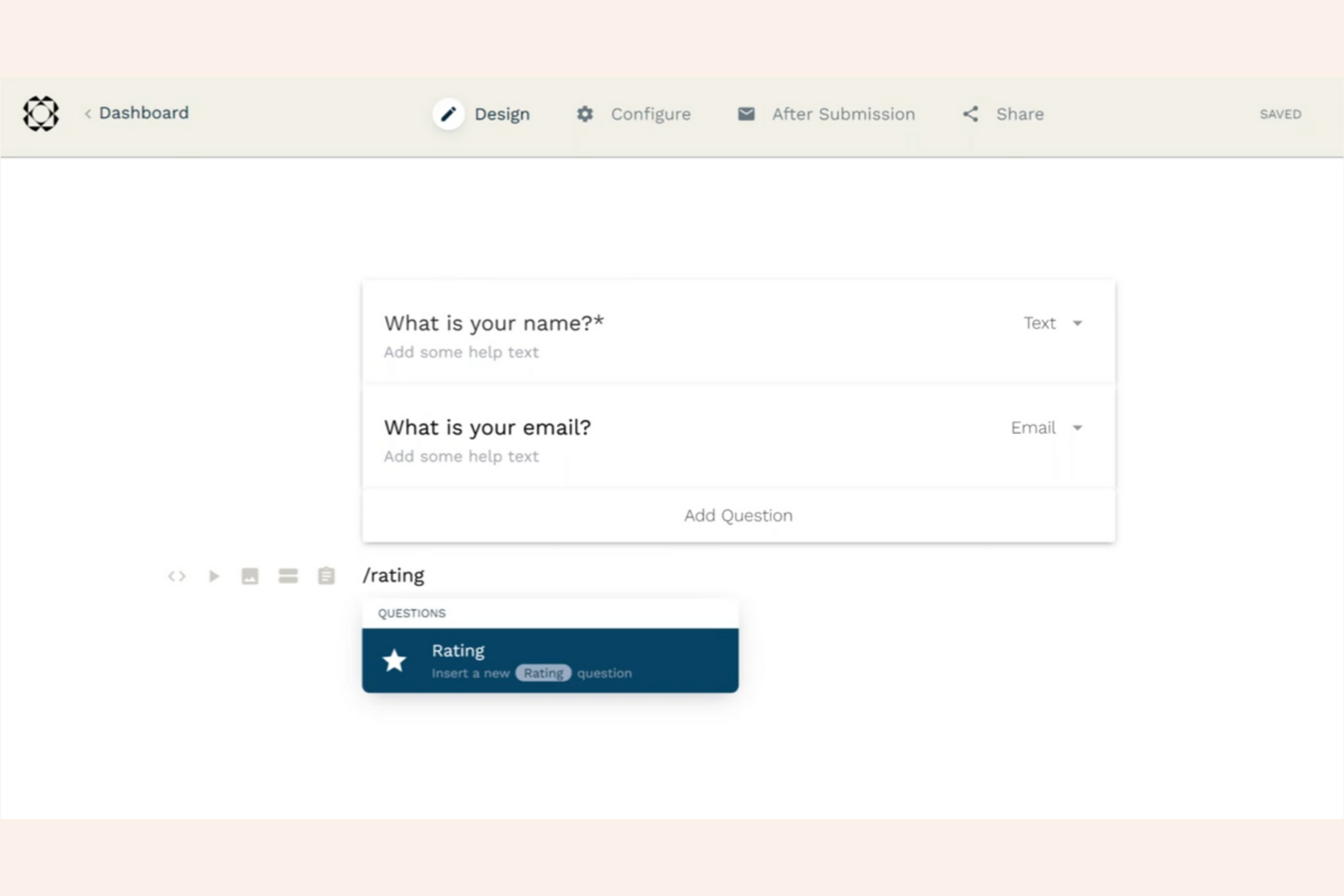
If you want a Typeform alternative that lets you create branded, interactive landing pages alongside forms, Paperform is a strong option. It’s especially useful for marketers, agencies, and small businesses that need to match forms to their brand and create a cohesive user experience. Paperform’s flexible editor and design controls help you build forms that look and feel like custom landing pages, not just embedded surveys.
Why Paperform Is a Good Typeform Alternative
Unlike Typeform, Paperform gives you full control over the look and feel of your forms so you can create branded landing pages that match your business. I picked Paperform because its editor lets you add custom fonts, images, videos, and even product catalogs directly to your forms. You can design forms that look like standalone web pages, not just embedded surveys. This makes Paperform a strong choice for anyone who wants their forms to double as polished, on-brand landing pages.
Paperform Key Features
Some other features in Paperform that are worth noting include:
- Advanced Calculations: Build forms that perform real-time calculations based on user input.
- Appointment Scheduling: Let respondents book meetings or appointments directly within your forms.
- Custom Thank You Pages: Design unique confirmation pages for each form submission.
- Analytics Dashboard: Track form performance and submission data with built-in analytics.
Paperform Integrations
Integrations include Stripe, PayPal, Square, Google Sheets, Mailchimp, ActiveCampaign, and Slack.
Pros and Cons
Pros:
- Rich media embeds supported
- Great for taking payments
- Easy slash command typing
Cons:
- Limited native analytics
- Steep entry level pricing

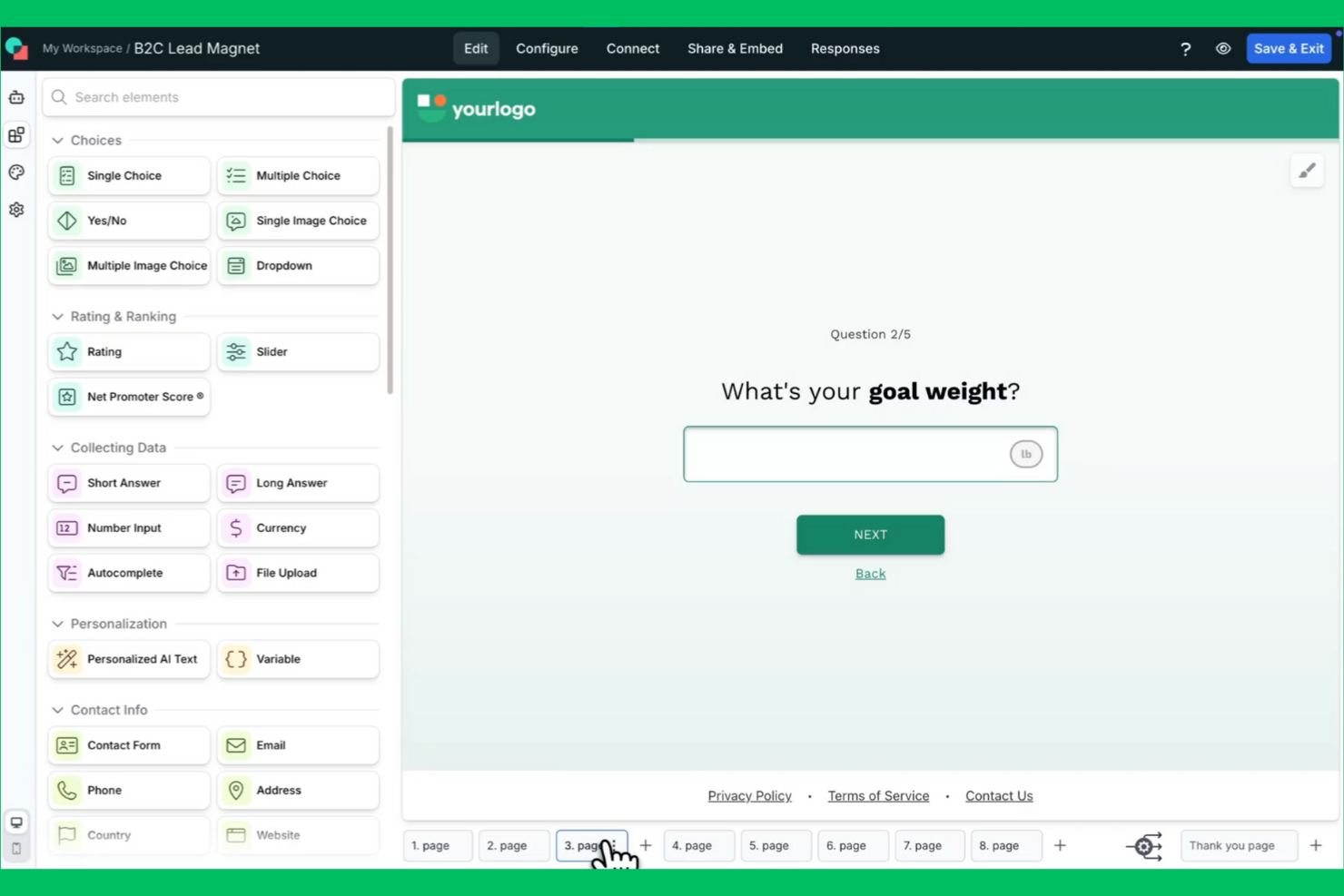
For teams focused on building personalized customer journeys, involve.me offers a flexible alternative to Typeform. It’s designed for marketers, sales teams, and customer experience professionals who want to create interactive forms, quizzes, and calculators that adapt to each user’s responses. With advanced personalization and logic features, involve.me helps you deliver tailored experiences that drive engagement and capture richer data.
Why involve.me Is a Good Typeform Alternative
What sets involve.me apart from Typeform is its focus on creating highly personalized customer journeys. I picked involve.me because it lets you build interactive forms, quizzes, and calculators that adapt in real time to each respondent’s answers. With advanced conditional logic and personalized content blocks, you can tailor every step of the experience to individual users. This makes involve.me a strong choice for marketers and sales teams who want to boost engagement and collect more meaningful data.
involve.me Key Features
Some other features in involve.me that are worth noting include:
- Drag-and-Drop Builder: Create forms and interactive content without any coding.
- Payment Collection: Accept payments directly through your forms using Stripe or PayPal.
- Custom Scoring: Assign scores to responses for quizzes, assessments, or lead qualification.
- Analytics Dashboard: Track submissions, completion rates, and user behavior in real time.
involve.me Integrations
Integrations include HubSpot, Salesforce, Mailchimp, ActiveCampaign, Stripe, PayPal, and Google Sheets.
Pros and Cons
Pros:
- Excellent for marketing teams
- Strong personalization tags
- Interactive drag-and-drop UI
Cons:
- Not a traditional form tool
- Pricing scales up very fast
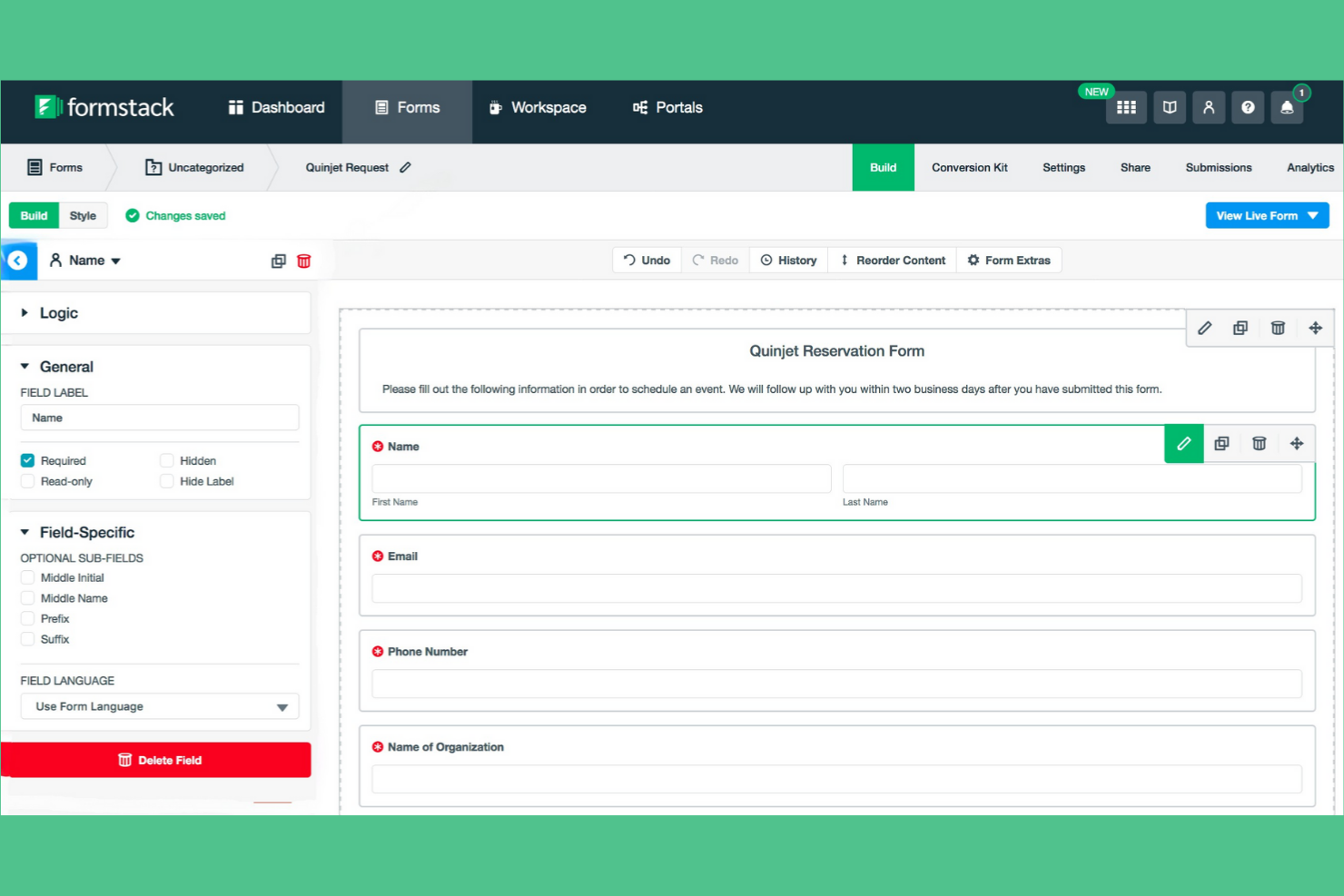
Formstack stands out for teams that want to connect forms directly to automated workflows. It’s a strong fit for operations, HR, and marketing teams that need to move data between forms, approvals, and other business processes without manual steps. If you’re looking for a Typeform alternative that goes beyond data collection and helps automate what happens next, Formstack is worth considering.
Why Formstack Is a Good Typeform Alternative
For teams that need more than just data collection, Formstack offers workflow automation features that Typeform doesn’t match. I picked Formstack because you can trigger approvals, route submissions, and automate document generation directly from form responses. Its workflow builder lets you map out multi-step processes, assign tasks, and set up conditional logic for complex routing. This makes Formstack a strong choice if you want your forms to kick off and manage business processes automatically.
Formstack Key Features
Some other features in Formstack that caught my attention include:
- Drag-and-Drop Form Builder: Create and customize forms using a visual editor with no coding required.
- Electronic Signatures: Collect legally binding e-signatures directly within your forms.
- A/B Testing: Test different versions of your forms to optimize completion rates.
- Data Encryption: Protect sensitive information with built-in encryption for all form submissions.
Formstack Integrations
Integrations include Salesforce, HubSpot, Mailchimp, Google Drive, Microsoft Power Automate, Stripe, and PayPal.
Pros and Cons
Pros:
- High data compliance levels
- Strong Salesforce sync tools
- Automated document creation
Cons:
- Requires heavy onboarding
- Lacks Typeform aesthetics
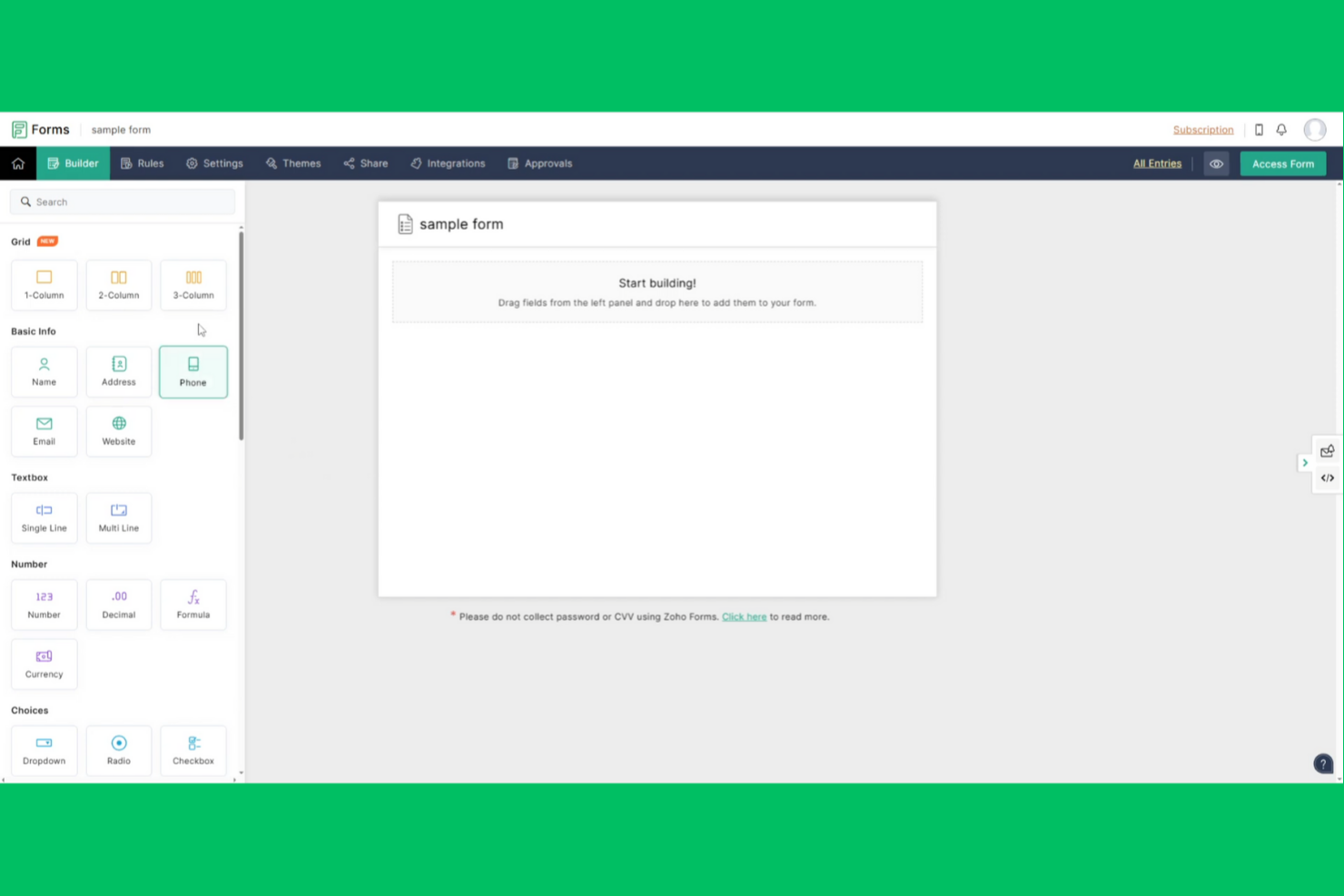
If you need forms that connect directly with your CRM, Zoho Forms is built for you. It’s especially useful for sales, marketing, and support teams that want to capture leads and sync data with Zoho CRM or other Zoho apps. Unlike Typeform, Zoho Forms focuses on seamless CRM integration and automating follow-up actions from form submissions.
Why Zoho Forms Is a Good Typeform Alternative
Zoho Forms stands out if you want your forms to work hand-in-hand with your CRM system. I picked Zoho Forms because it lets you automatically push form responses into Zoho CRM, assign leads, and trigger follow-up tasks without manual effort. You can also set up rules to update records, send notifications, or even create workflows that span across other Zoho apps. This makes Zoho Forms a strong choice for teams that need forms to drive real-time CRM updates and automate sales or support processes.
Zoho Forms Key Features
Some other features in Zoho Forms that are worth noting include:
- Drag-and-Drop Builder: Build and customize forms visually without any coding.
- Custom Themes: Apply branded colors, fonts, and logos to match your organization’s style.
- Mobile App: Create, edit, and manage forms on iOS and Android devices.
- Form Analytics: Track views, submissions, and conversion rates with built-in reporting tools.
Zoho Forms Integrations
Integrations include Zoho CRM, Zoho Desk, Zoho Campaigns, Zoho Flow, Salesforce, Google Sheets, Microsoft Teams, Slack, Mailchimp, and WordPress.
Pros and Cons
Pros:
- Good mobile app experience
- Strong multi-page logic
- Great offline data collection
Cons:
- Lacks conversational flow
- Forms look extremely basic

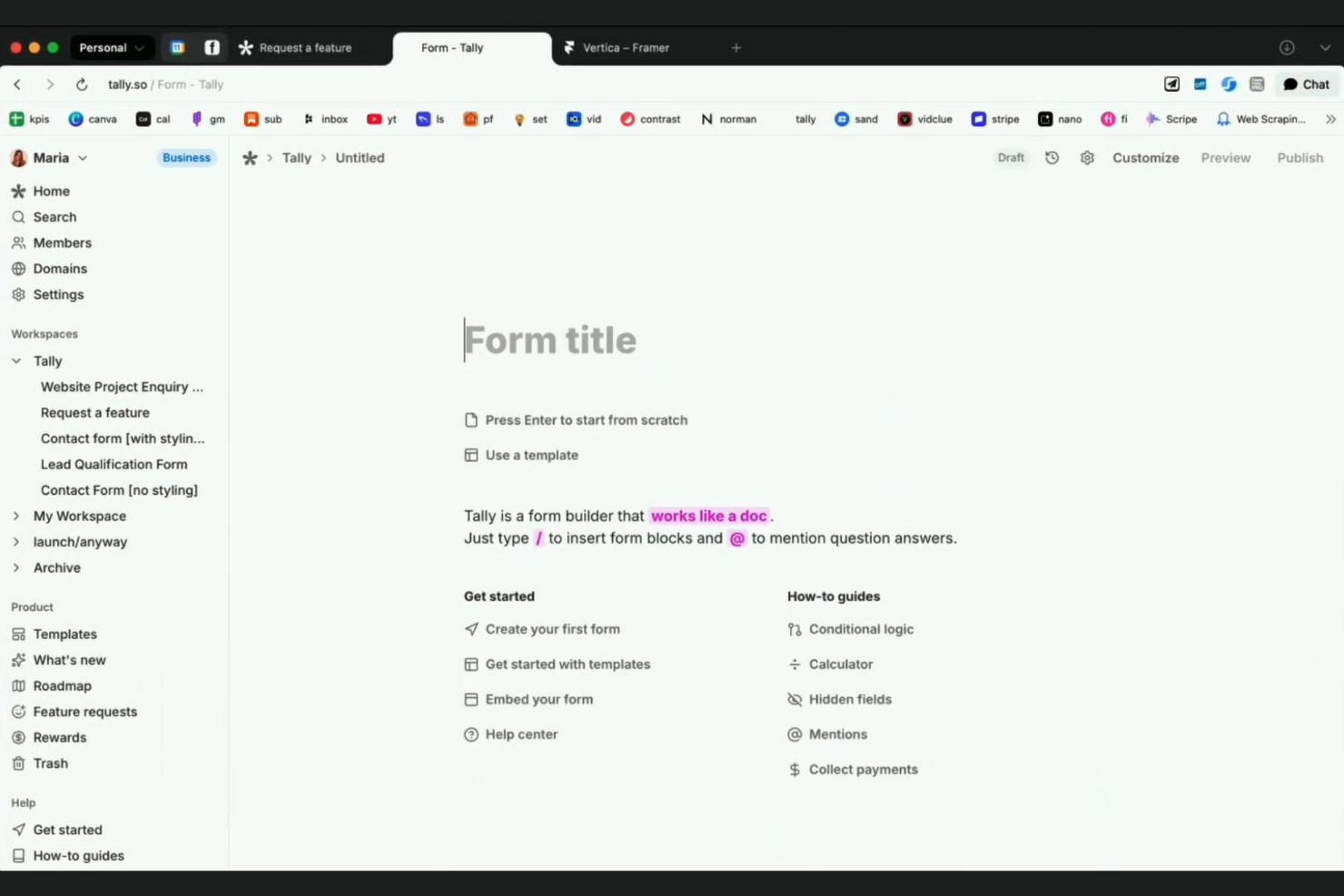
Tally stands out for teams and creators who need to collect unlimited responses without worrying about hitting submission caps. It’s especially useful for marketers, educators, and community managers running high-volume surveys or registrations. Unlike Typeform, Tally removes limits on form submissions even on its free plan, making it a strong choice for large-scale data collection.
Why Tally Is a Good Typeform Alternative
If you need to gather a high volume of responses without extra costs, Tally is built for unlimited form submissions. I picked Tally because it lets you collect as many responses as you want, even on the free plan, which is rare among Typeform alternatives. Tally also supports unlimited forms and questions, so you’re not restricted by quotas as your needs grow. This makes it a strong fit for teams running large campaigns, public surveys, or ongoing feedback programs.
Tally Key Features
Some other features that caught my attention include:
- Custom Form Logic: Set up conditional logic to show or hide questions based on previous answers.
- Notion Integration: Send form responses directly to Notion databases for easy data management.
- File Upload Field: Allow respondents to upload files as part of their form submission.
- Custom Thank You Pages: Redirect users to a personalized thank you page after they complete a form.
Tally Integrations
Integrations include Notion, Slack, Airtable, Google Sheets, Coda, Discord, Linear, Webhooks, Make, and Integrately.
Pros and Cons
Pros:
- Zero platform branding cost
- Very clean modern aesthetic
- Unlimited free submissions
Cons:
- No native mobile app yet
- Lacks complex visual themes
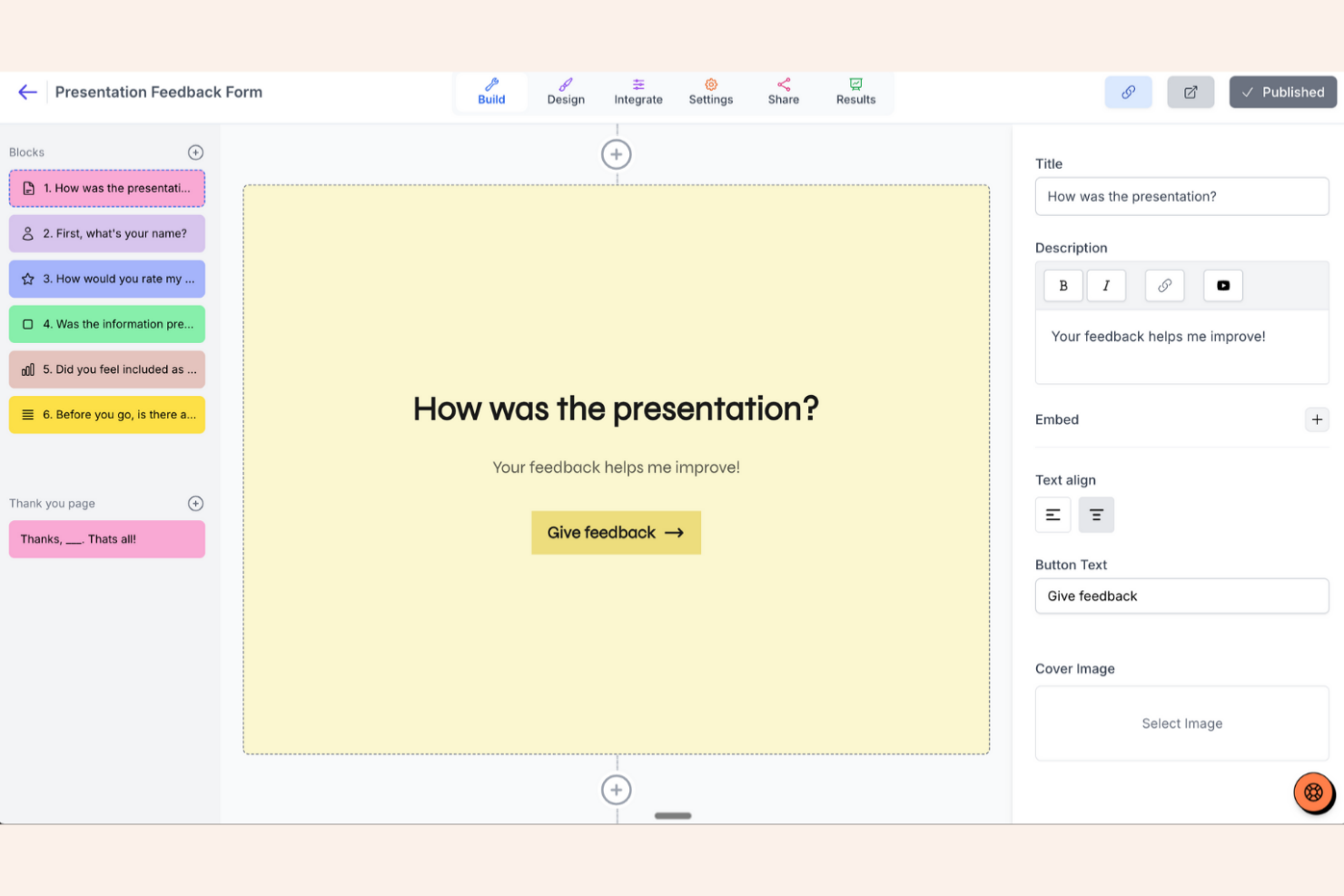
If you’re looking for a Typeform alternative with open source deployment options, Youform is a strong contender. It’s built for organizations and teams that need full control over data privacy, hosting, and customization. Youform stands out by letting you self-host forms and surveys, making it a fit for IT teams, regulated industries, or anyone with strict compliance needs.
Why Youform Is a Good Typeform Alternative
Unlike most Typeform alternatives, Youform gives you the option to deploy on your own infrastructure with its open source edition. I picked Youform because it’s one of the few tools that lets you self-host forms and surveys, which is essential for teams with strict data residency or compliance requirements. You can access the full source code, customize workflows, and control every aspect of your data. This makes Youform especially appealing for IT teams, regulated industries, or anyone who needs more control than cloud-only form builders provide.
Youform Key Features
Some other features in Youform that are worth highlighting include:
- Conditional Logic: Build dynamic forms that show or hide questions based on user responses.
- Custom Themes: Apply your own branding and styles to match your organization’s look.
- Multi-Language Support: Create forms in multiple languages for global teams or audiences.
- Webhook Support: Send form responses directly to other tools or systems in real time.
Youform Integrations
Integrations include Notion, Airtable, Google Sheets, Slack, Discord, and Stripe.
Pros and Cons
Pros:
- Clean conversational styling
- Highly affordable paid tier
- Very simple user interface
Cons:
- Basic analytics and reports
- Relatively new to the market

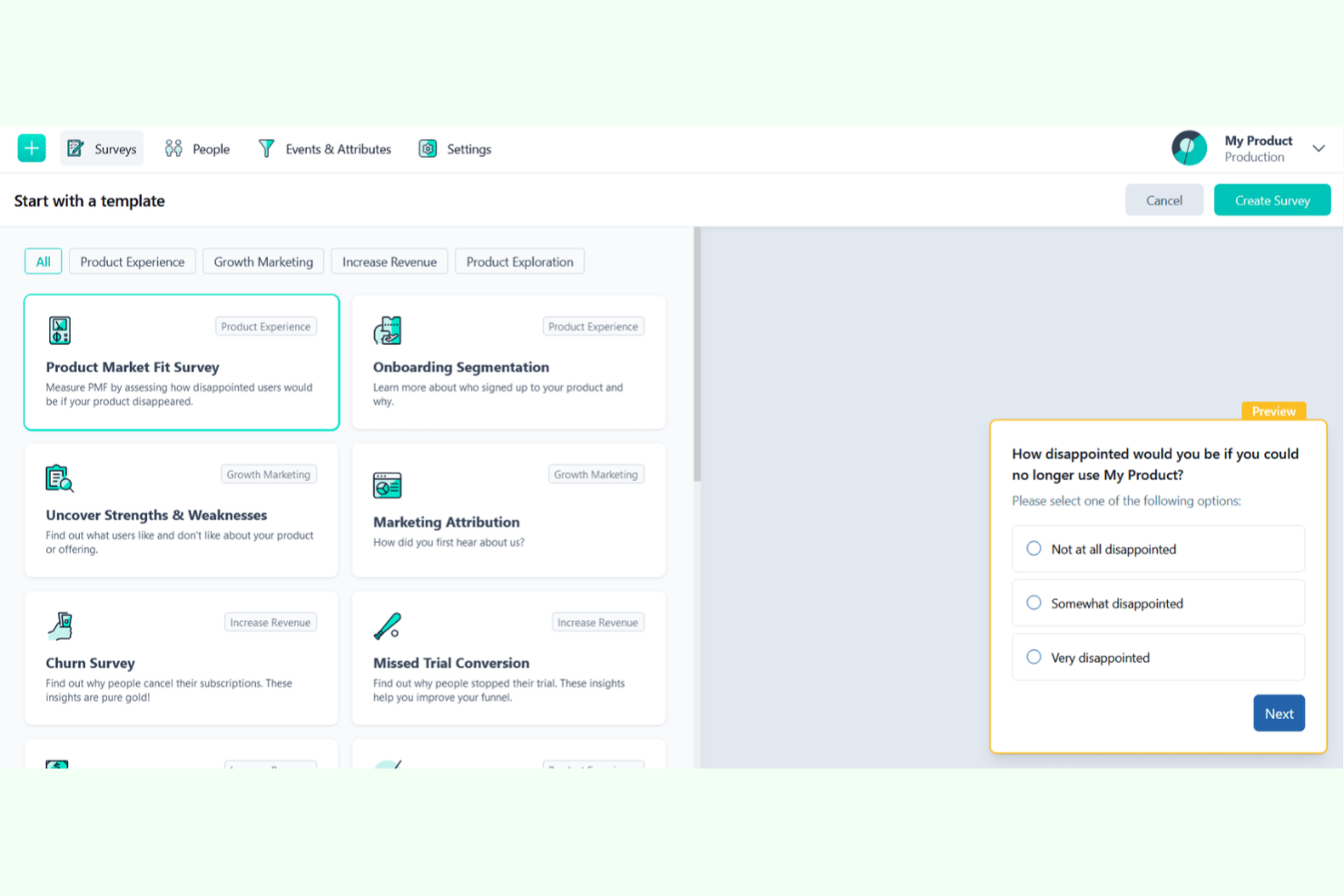
Formbricks is designed for organizations that need to collect sensitive data while meeting strict privacy requirements. It’s a strong fit for healthcare, education, and EU-based teams that must comply with GDPR or require on-premise deployment. Unlike Typeform, Formbricks offers open-source options and advanced privacy controls for secure, compliant data collection.
Why Formbricks Is a Good typeform Alternative
For teams that need to prioritize privacy and data protection, Formbricks offers features Typeform doesn’t match. I picked Formbricks because it provides open-source deployment and on-premise hosting, which gives you full control over your data. The platform also includes advanced consent management and GDPR compliance tools, making it easier to meet regulatory requirements. If you’re handling sensitive information or working in a regulated industry, these privacy-focused features set Formbricks apart from other Typeform alternatives.
Formbricks Key Features
Some other features that make Formbricks stand out include:
- Customizable Form Themes: Adjust colors, fonts, and layouts to match your brand.
- Multi-Language Support: Create forms in multiple languages for global audiences.
- Real-Time Response Dashboard: Monitor incoming responses as they arrive in a live dashboard.
- Webhooks: Send form data instantly to other tools or systems using webhooks.
Formbricks Integrations
Integrations include PostHog, Slack, Discord, Notion, Airtable, Make, and n8n.
Pros and Cons
Pros:
- Clean native styling engine
- Self-hosting options exist
- Highly developer friendly
Cons:
- Smaller integration ecosystem
- Not for standalone long forms

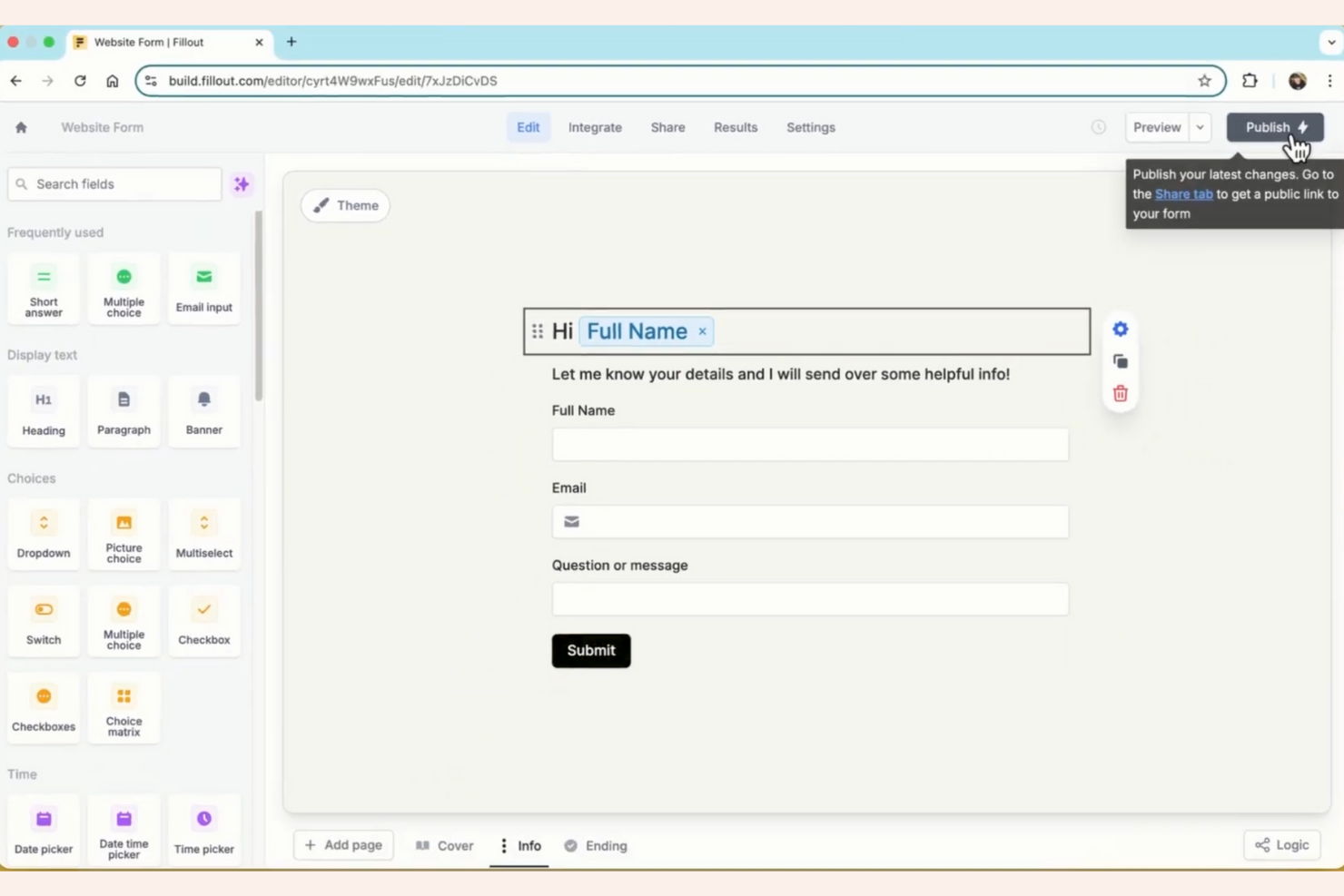
Fillout is a form builder designed for teams that need advanced conditional logic and granular control over form flows. It’s a strong fit for marketing teams, SaaS businesses, and agencies that want to create dynamic, personalized forms without coding. If you’re looking for more flexibility than Typeform offers, especially around logic and branching, Fillout stands out.
Why Fillout Is a Good Typeform Alternative
What sets Fillout apart as a Typeform alternative is its advanced conditional logic capabilities. I picked Fillout for teams that need to build forms with complex branching, dynamic question paths, and personalized user experiences. You can set up multi-step logic, show or hide questions based on previous answers, and create highly tailored workflows. This level of control is ideal if you want to go beyond the basic logic options found in Typeform.
Fillout Key Features
Some other features in Fillout that stand out for teams comparing Typeform alternatives include:
- Custom Themes: Apply your brand colors, fonts, and logos to every form for a consistent look.
- File Uploads: Collect files, images, or documents directly through your forms.
- Pre-Filled Fields: Pass data into forms via URL parameters to personalize the experience for each respondent.
- Response Management Dashboard: View, filter, and export all form responses from a centralized dashboard.
Fillout Integrations
Integrations include Airtable, Notion, Salesforce, HubSpot, SmartSuite, Google Sheets, and Stripe.
Pros and Cons
Pros:
- Airtable sync is flawless
- Beautiful modern interface
- Generous free tier limits
Cons:
- Premium plans get expensive
- Not purely conversational

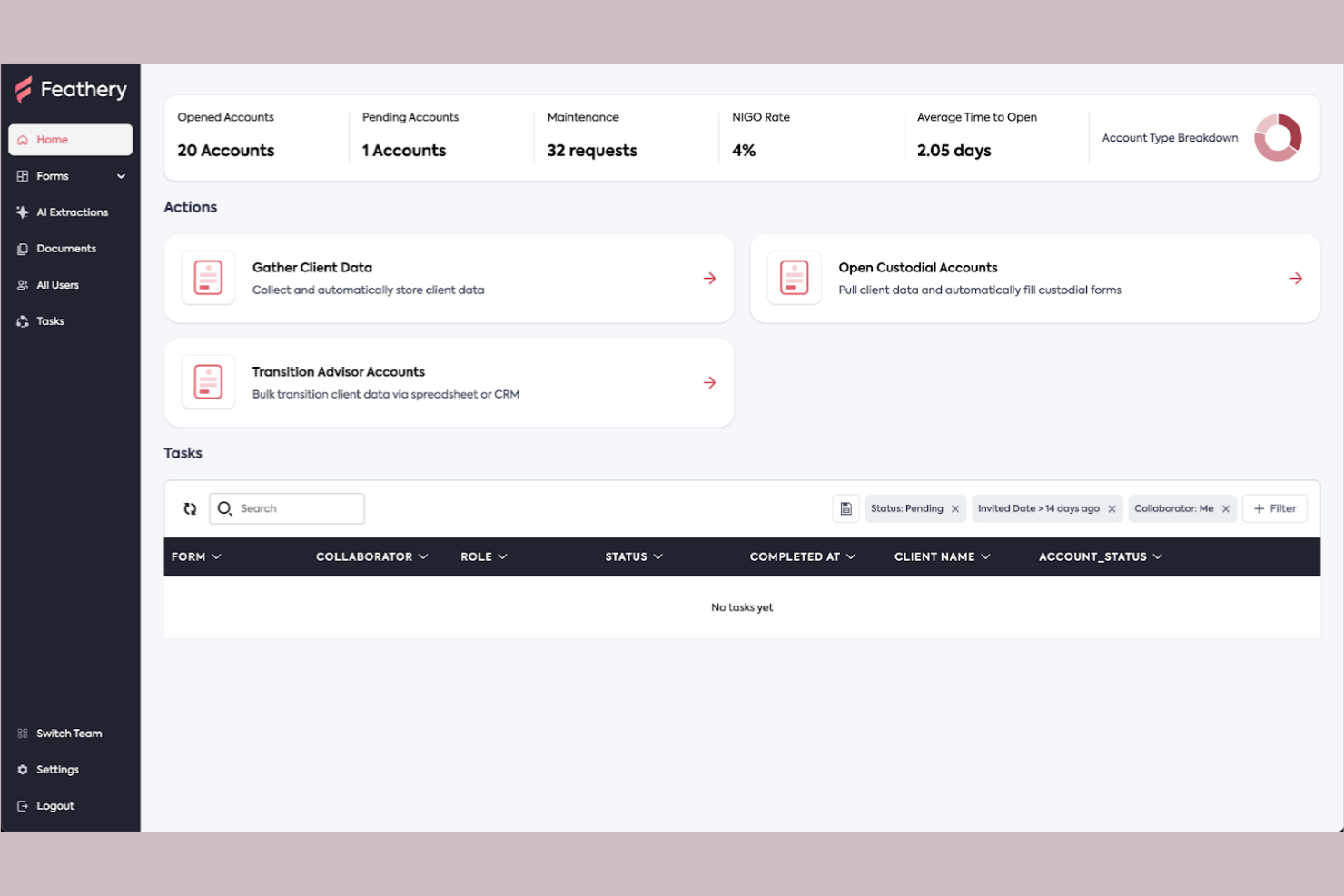
Feathery gives you full control over form UI, making it a strong choice for teams that want to match complex brand or product design requirements. It’s especially useful for product managers, designers, and SaaS companies that need pixel-perfect, highly customized forms. If you’ve found Typeform’s design options limiting, Feathery lets you build forms that look and behave exactly how you want.
Why Feathery Is a Good Typeform Alternative
Unlike most form builders, Feathery gives you granular control over every aspect of your form’s UI. I picked Feathery for teams that need to match exact brand guidelines or embed forms that feel like a natural extension of their product. You can customize layouts, add custom CSS, and use advanced logic to create unique user flows. This level of design flexibility is hard to find in Typeform or most other alternatives.
Feathery Key Features
Some other features in Feathery that are worth highlighting include:
- Multi-Step Forms: Build forms that guide users through several steps or pages.
- Conditional Logic: Show or hide fields based on user responses.
- Real-Time Collaboration: Invite team members to edit and review forms together.
- Webhooks: Send form data instantly to other tools or services.
Feathery Integrations
Integrations include Stripe, Plaid, HubSpot, Salesforce, Segment, Google Sheets, and Slack.
Pros and Cons
Pros:
- Great for SaaS onboarding
- Deep third-party integrations
- Complex login flow creation
Cons:
- Overkill for simple surveys
- Requires technical knowledge
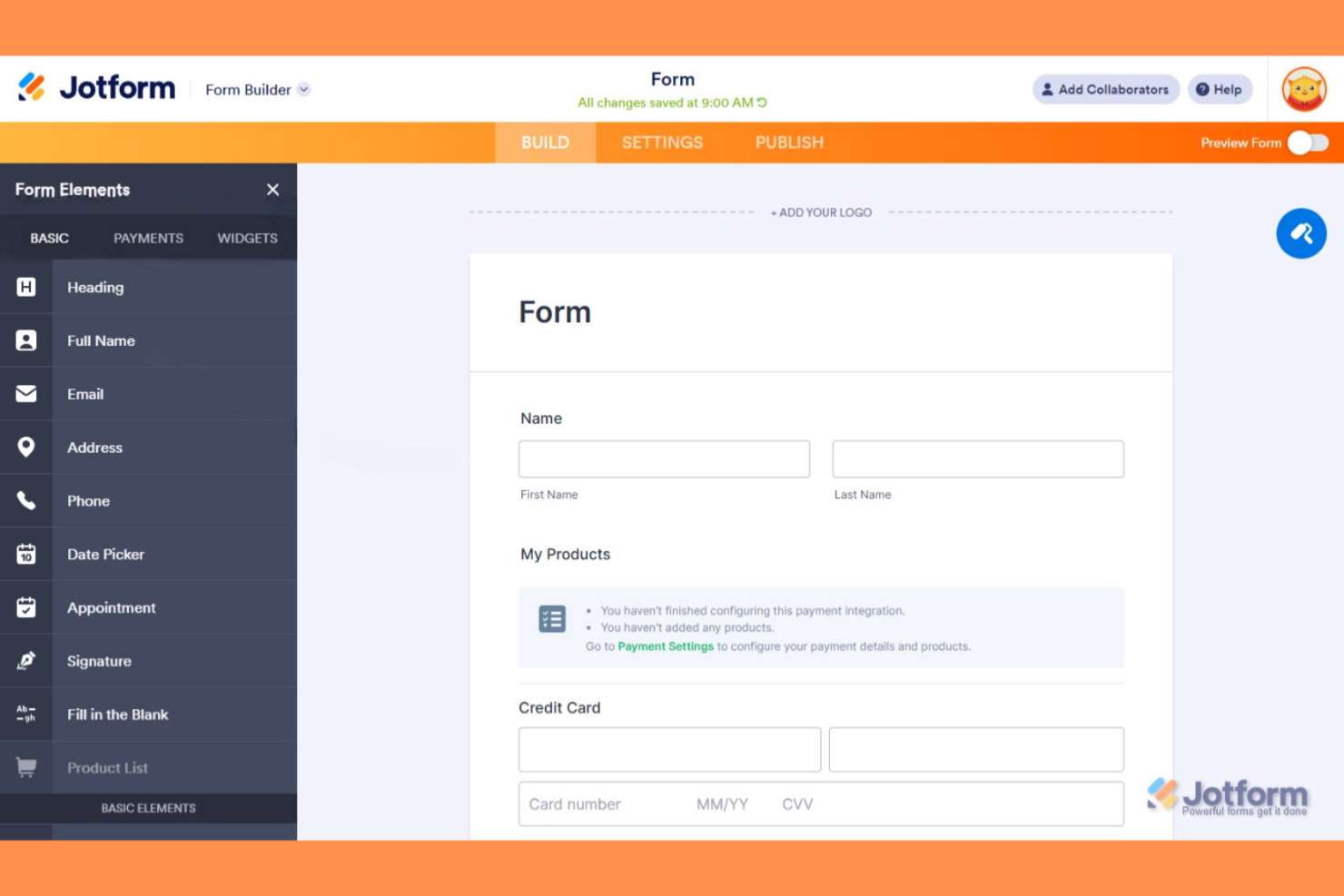
If you’re searching for a Typeform alternative with a huge variety of ready-made templates, Jotform is worth a close look. It’s especially useful for teams in HR, education, healthcare, and event management who need to launch forms, surveys, or registrations quickly. Jotform’s extensive template library helps you get started fast, even for specialized use cases that other tools may not cover out of the box.
Why Jotform Is a Good Typeform Alternative
Jotform stands out from Typeform by offering one of the largest template libraries available for forms and surveys. I picked Jotform because you can choose from thousands of pre-built templates for everything from event registrations to medical intake forms. The template search and filtering options make it easy to find exactly what you need, even for niche use cases. This makes Jotform a strong fit for teams that want to launch new forms quickly without starting from scratch.
Jotform Key Features
Some other features in Jotform that are worth highlighting include:
- Conditional Logic: Show or hide fields, sections, or pages based on user responses.
- PDF Form Creation: Convert forms into fillable PDFs for offline use or distribution.
- Payment Processor Integrations: Collect payments directly through forms using Stripe, PayPal, Square, and more.
- HIPAA Compliance: Enable HIPAA features for secure collection of sensitive healthcare data.
Jotform Integrations
Integrations include Salesforce, HubSpot, PayPal, Stripe, Square, Google Drive, and Dropbox.
Pros and Cons
Pros:
- Massive integration options
- Secure HIPAA compliant tiers
- Excellent mobile app scanner
Cons:
- Confusing account settings
- Support can be quite slow
Other Typeform Alternatives
Here are some additional typeform alternatives options that didn’t make it onto my shortlist, but are still worth checking out:
- SurveyMonkey
For advanced survey analytics
- Google Forms
For quick form creation with Google integration
- Microsoft Forms
For collaboration within Microsoft 365
- Budibase
For building forms with database connectivity
- GoFormz
For digitizing paper-based workflows


Typeform Alternatives Selection Criteria
When selecting the best typeform alternatives to include in this list, I considered common buyer needs and pain points related to typeform alternatives products, like wanting more control over data privacy and needing advanced customization options. I also used the following framework to keep my evaluation structured and fair:
Core Functionality (25% of total score) To be considered for inclusion in this list, each solution had to fulfill these common use cases:
- Build and publish online forms
- Collect and store form responses
- Customize form appearance and logic
- Share forms via link or embed
- Export response data
Additional Standout Features (25% of total score) To help further narrow down the competition, I also looked for unique features, such as:
- Open-source deployment options
- On-premise hosting capabilities
- Advanced privacy and consent management
- Multi-language form support
- Real-time response dashboards
Usability (10% of total score) To get a sense of the usability of each system, I considered the following:
- Simple and intuitive form builder interface
- Clear navigation and menu structure
- Responsive design for mobile and desktop
- Minimal clicks to complete key tasks
- Accessible design for all users
Onboarding (10% of total score) To evaluate the onboarding experience for each platform, I considered the following:
- Availability of step-by-step product tours
- Access to template libraries for quick start
- Training videos and documentation
- In-app chatbots or guided help
- Webinars or live onboarding sessions
Customer Support (10% of total score) To assess each software provider’s customer support services, I considered the following:
- Multiple support channels like chat and email
- Fast response times to inquiries
- Helpful and knowledgeable support staff
- Access to community forums or FAQs
- Availability of dedicated account managers
Value For Money (10% of total score) To evaluate the value for money of each platform, I considered the following:
- Transparent and flexible pricing plans
- Features included in lower-tier plans
- Free plan or free trial availability
- No hidden fees or surprise charges
- Discounts for annual billing or nonprofits
Customer Reviews (10% of total score) To get a sense of overall customer satisfaction, I considered the following when reading customer reviews:
- Positive feedback on reliability and uptime
- Praise for feature set and flexibility
- Reports of helpful customer support
- Comments on ease of setup and use
- Critiques about limitations or missing features
Why Look For A Typeform Alternative?
While typeform is a good choice of typeform alternatives, there are a number of reasons why some users seek out alternative solutions. You might be looking for a typeform alternative because…
- You need more advanced data privacy controls
- You want open-source or on-premise deployment
- You require deeper customization of form logic
- You need native integrations not supported by Typeform
- You want more affordable pricing for high response volumes
- You need better support for multi-language forms
If any of these sound like you, you’ve come to the right place. My list contains several typeform alternatives options that are better suited for teams facing these challenges with typeform and looking for alternative solutions.
Typeform Key Features
Here are some of the key features of typeform, to help you contrast and compare what alternative solutions offer:
- Conversational, one-question-at-a-time form experience
- Drag-and-drop form builder
- Conditional logic and branching
- Customizable themes and branding
- Built-in analytics and reporting
- File upload fields
- Multi-language support
- Collaboration tools for team editing
- Integration with popular apps like Google Sheets and Slack
- Response notifications via email or webhooks