
14 SEO Writing Tools Picked for 2026

SEO Writing Tools Shortlist
Here’s my shortlist of SEO writing tools:


SEO writing tools are specialized platforms that help you research, create, and optimize content to rank higher in search results. If you’re looking for ways to improve your content’s visibility, keep up with changing algorithms, or manage large-scale content projects, the right SEO writing tool can make a measurable difference.
This list will help you compare the top options for 2026, so you can choose solutions that fit your workflow, support your goals, and keep your content competitive.
Why Trust Our Software Reviews
We’ve been testing and reviewing marketing software since 2022. As marketing experts ourselves, we know how critical and difficult it is to make the right decision when selecting software.
We invest in deep research to help our audience make better software purchasing decisions. We’ve tested more than 2,000 tools for different marketing use cases and written over 1,000 comprehensive software reviews. Learn how we stay transparent & our software review methodology.
Best SEO Writing Tools Summary
This comparison chart summarizes pricing details for my seo writing tools selections to help you find the best one for your budget and business needs.
| Tool | Best For | Trial Info | Price | ||
|---|---|---|---|---|---|
| 1 | Best for readability and relevance grading | Free demo available | From $129/month | Website | |
| 2 | Best for tracking content performance metrics | 14-day free trial + free demo available | From $103.20/month (billed annually) | Website | |
| 3 | Best for quick draft generation with templates | Free trial + free demo available | From $39/month (billed annually) | Website | |
| 4 | Best for in-depth competitor content analysis | Free limited access to Site Explorer and Site Audit | From $129/month | Website | |
| 5 | Best for content quality scoring at scale | Free plan + free trial available | From $99/month (billed annually) | Website | |
| 6 | Best for research-backed content suggestions | Free plan + free demo available | From $20/month | Website | |
| 7 | Best for conversational content ideation | Free plan available | From $20/month | Website | |
| 8 | Best for AI-powered long-form content creation | 7-day free trial + free demo available | From $59/seat/month (billed annually) | Website | |
| 9 | Best for real-time content optimization suggestions | Free trial available | From $49/month (billed annually) | Website | |
| 10 | Best for automated topic research and outlines | 7-day free trial | From $39/month (billed annually) | Website |
-

Demandbase
Visit WebsiteThis is an aggregated rating for this tool including ratings from Crozdesk users and ratings from other sites.4.4 -
6sense
Visit WebsiteThis is an aggregated rating for this tool including ratings from Crozdesk users and ratings from other sites.4.3 -
AnswerThePublic
Visit Website


SEO Writing Tools Reviews
Below are my detailed summaries of the SEO writing tools that made it onto my shortlist. My reviews offer a detailed look at the features, best use cases, and integrations of each platform to help you find the best one for you.

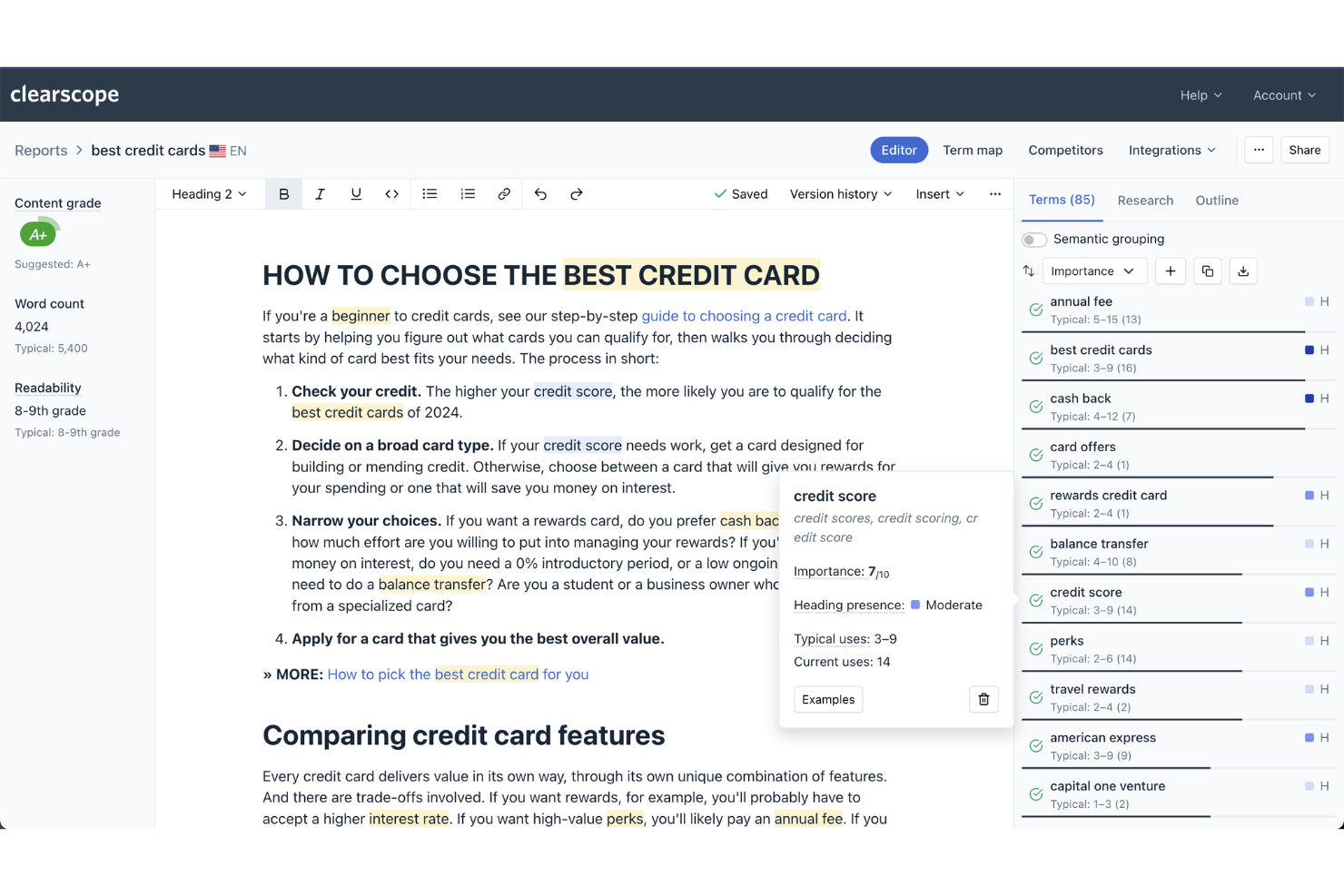
Clearscope offers content creators, bloggers, and SEO professionals a way to grade and optimize their writing for both readability and topical relevance. The platform analyzes your drafts and provides real-time feedback on keyword coverage, reading level, and content clarity. If you need to ensure your content is both easy to understand and highly relevant to search intent, Clearscope gives you targeted, actionable guidance.
Why I Picked Clearscope
Clearscope stands out for its focus on grading both readability and topical relevance, which is essential for SEO content that needs to perform well with both users and search engines. The platform’s content editor scores your writing for keyword coverage and reading level, giving you a clear sense of how well your draft matches search intent.
I like that Clearscope highlights missing related terms and provides a readability grade, so you can quickly spot areas that need improvement. For anyone who wants to ensure their content is both accessible and highly relevant, Clearscope offers targeted, actionable feedback.
Clearscope Key Features
Some other features in Clearscope that support SEO content creation include:
- Google Docs Add-on: Edit and optimize content directly within Google Docs using Clearscope’s recommendations.
- Content Report Sharing: Share interactive content reports with collaborators or clients for feedback and review.
- Multi-Language Support: Analyze and optimize content in several major languages beyond English.
- Export Options: Download reports and recommendations in multiple formats for offline review or documentation.
Integrations
Integrations include Google Docs, WordPress, HubSpot, and Webflow.
Pros and Cons
Pros:
- Useful content inventory tracking
- Highly accurate NLP recommendations
- Clean, writer-friendly interface
Cons:
- No public free trial available
- Lacks backlink or technical SEO tools

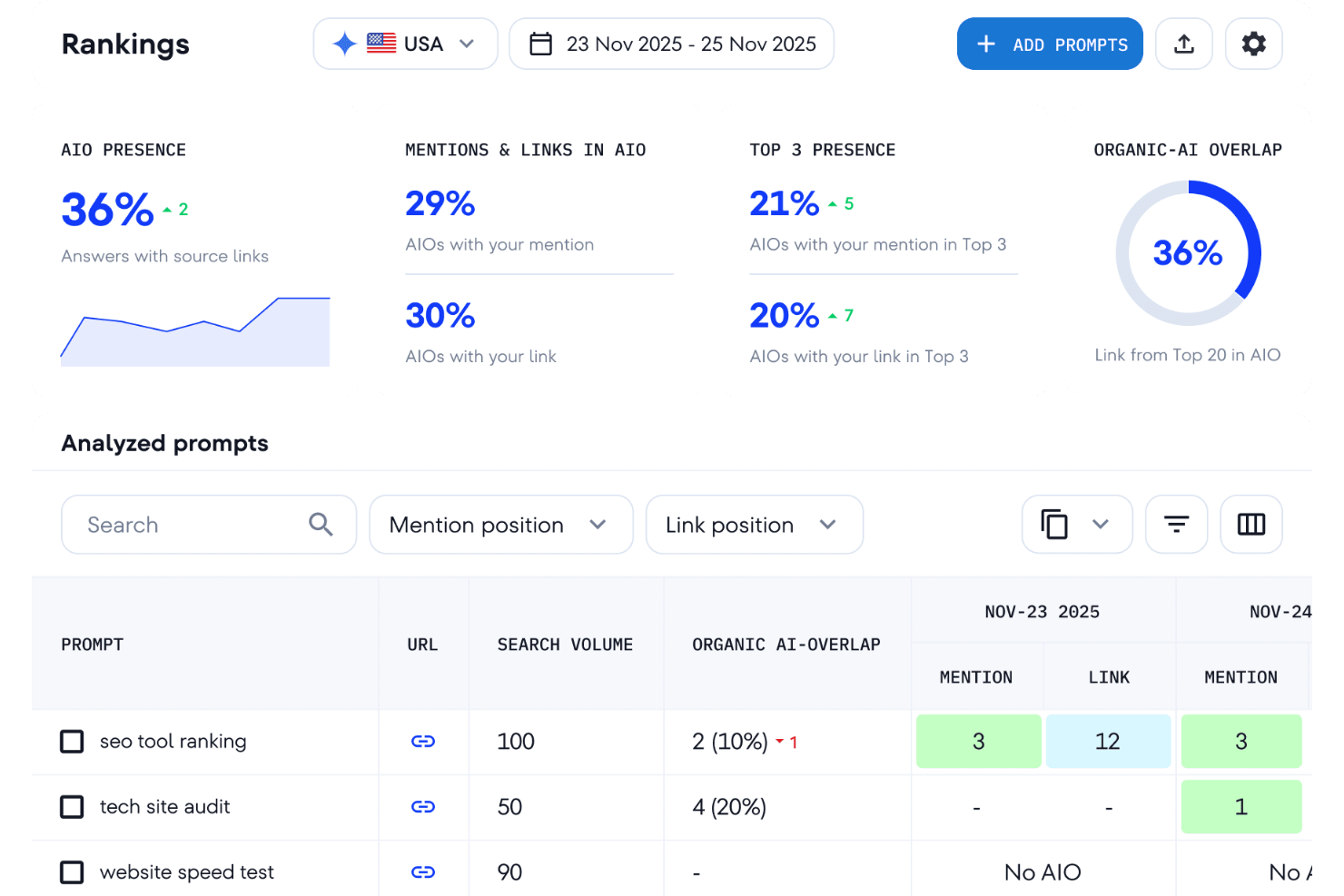
SE Ranking provides detailed metrics and tracking tools for monitoring how content performs in search. It’s built for SEO professionals and marketing teams who want to connect keyword rankings, traffic, and on-page data in one place. The platform highlights which content drives results and where optimization efforts should be focused.
Why I Picked SE Ranking
When it comes to tracking content performance metrics, SE Ranking stands out for its ability to connect your SEO writing efforts directly to measurable results. The platform offers real-time keyword ranking tracking, so you can see how your content is performing in search over time.
I appreciate that SE Ranking also provides detailed analytics on organic traffic and visibility, helping you pinpoint which pieces are driving the most value. For anyone focused on optimizing content based on actual performance data, SE Ranking gives you the insights you need to make informed decisions.
SE Ranking Key Features
Some other features in SE Ranking can help you get more from your SEO writing and analysis:
- Content Editor: Generate content briefs and optimize drafts with real-time SEO recommendations.
- Competitor Analysis: Compare your content performance and keyword rankings against direct competitors.
- Backlink Monitoring: Track new and lost backlinks to understand your content’s authority growth.
- Website Audit Tool: Scan your site for technical SEO issues that could impact content visibility.
Integrations
Integrations include Google Analytics, Google Search Console, Google Data Studio, HubSpot, and LinkedIn.
Pros and Cons
Pros:
- Clean and intuitive interface
- Highly accurate rank tracking
- Great value for the cost
Cons:
- Smaller database than top rivals
- Slow customer support response


Writesonic is designed for marketers and content creators who need to generate SEO-focused drafts quickly using a wide range of templates. The platform offers ready-made structures for blog posts, landing pages, and product descriptions, helping you move from idea to first draft in minutes. If you’re looking to speed up content production without sacrificing keyword targeting, Writesonic is built for that workflow.
Why I Picked Writesonic
When you need to move from concept to draft in a matter of minutes, Writesonic’s template-driven approach stands out for SEO writing. The platform offers dozens of pre-built templates for blog posts, landing pages, and product descriptions, so you can quickly generate content that’s structured for search.
I like that you can input keywords and target audience details directly into the templates, which helps tailor each draft for SEO relevance. For teams or individuals who want to accelerate content creation without starting from scratch every time, Writesonic delivers a focused solution.
Writesonic Key Features
I also found several other features in Writesonic that support SEO-focused content creation:
- AI Article Writer: Generate full-length articles from a headline or brief.
- Paraphrasing Tool: Instantly rewrite existing content to improve originality.
- Bulk Content Generation: Create multiple pieces of content at once for campaigns.
- Browser Extension: Access Writesonic’s writing tools directly from your browser.
Integrations
Integrations include Zapier, WordPress, Shopify, HubSpot, and Google Docs.
Pros and Cons
Pros:
- Easy user interface
- 100+ writing templates
- Live web data access
Cons:
- Manual editing required
- Credit-based usage limits

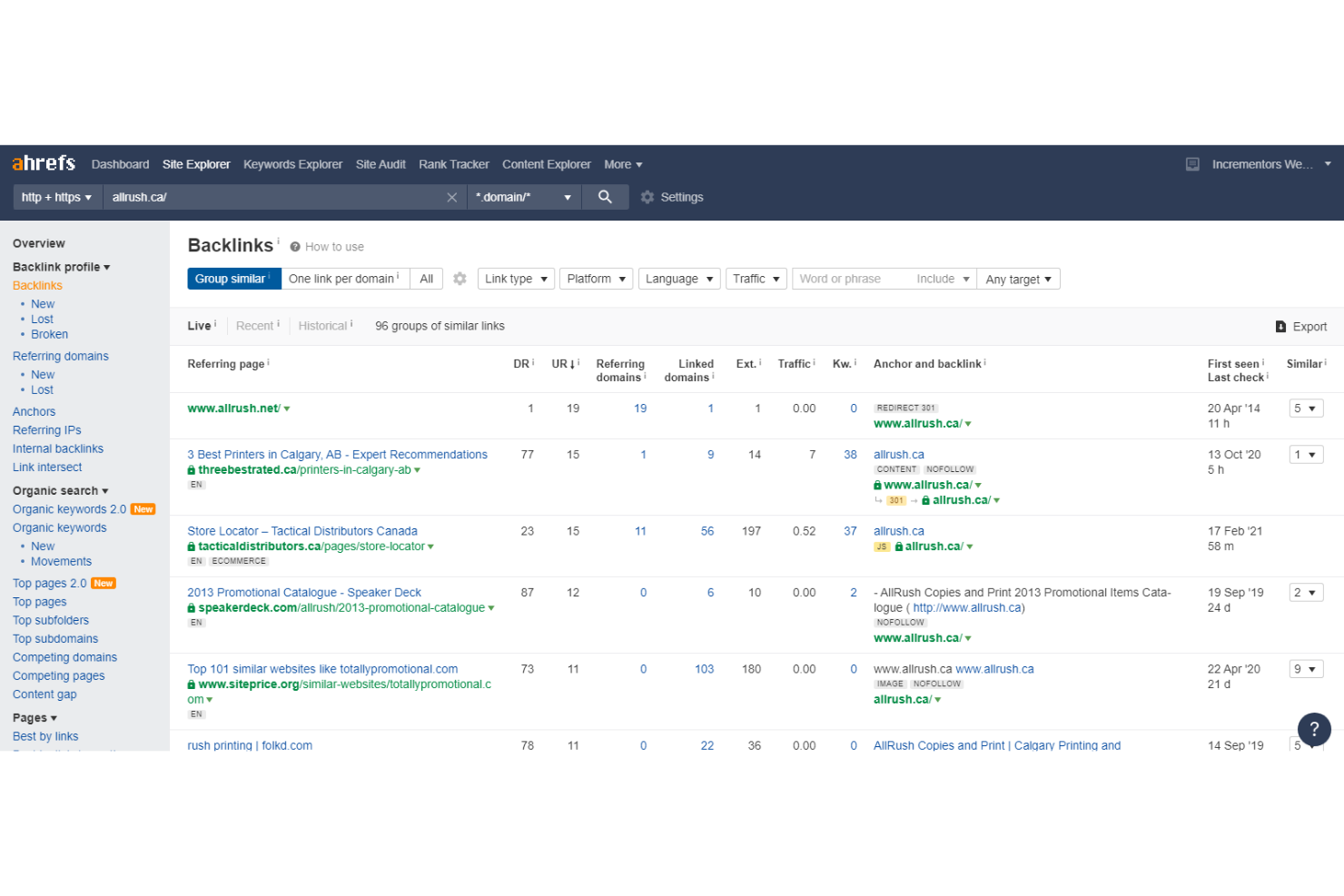
Ahrefs gives content marketers and SEO professionals a way to analyze competitor strategies and uncover content gaps. The platform stands out for its deep backlink data and keyword research tools, making it especially useful for teams focused on outperforming rivals in search rankings. If you need to benchmark your content against top competitors or identify new keyword opportunities, Ahrefs offers targeted solutions.
Why I Picked Ahrefs
I chose Ahrefs for this list because its competitor content analysis tools go deeper than most SEO writing platforms. The site explorer feature lets you see exactly which keywords and pages drive traffic to your competitors, so you can spot content gaps and new opportunities.
I also appreciate the content gap tool, which highlights keywords your competitors rank for that you don’t. These capabilities make Ahrefs a strong choice for teams who want to build content strategies based on real, actionable data from the competitive landscape.
Ahrefs Key Features
Some other features in Ahrefs support a wide range of SEO writing and content planning tasks:
- Keyword Explorer: Research keyword ideas and analyze their difficulty, search volume, and potential traffic.
- Content Explorer: Discover top-performing content in any niche and analyze trends across millions of articles.
- Rank Tracker: Monitor your website’s keyword rankings over time and compare them with competitors.
- Site Audit: Scan your website for technical SEO issues that could impact content performance.
Integrations
Integrations include Google Analytics, Google Search Console, and Google Sheets.
Pros and Cons
Pros:
- Includes a robust content explorer
- Provides accurate keyword difficulty metrics
- Offers detailed competitor content
Cons:
- No integration with Google Docs or WordPress
- Lacks built-in content writing or optimization editor

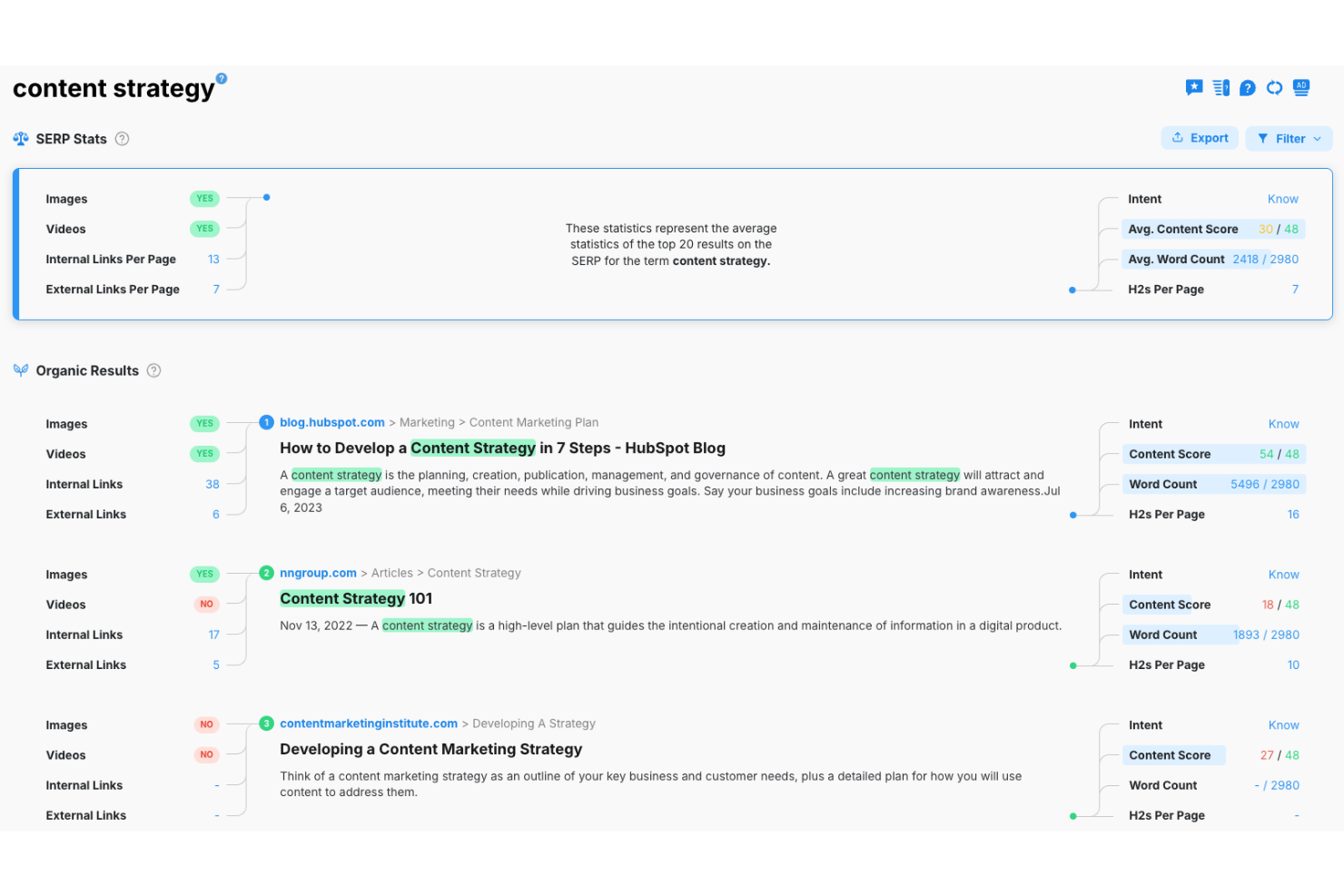
MarketMuse is designed for content strategists and SEO teams who need to assess and improve content quality at scale. The platform uses AI to score your content against top-performing pages, helping you identify gaps and opportunities for optimization. If you manage large content libraries or want to prioritize updates based on quality and authority, MarketMuse offers targeted insights that go beyond basic keyword analysis.
Why I Picked MarketMuse
What stands out about MarketMuse is its ability to deliver content quality scoring at scale, which is especially valuable for teams managing large volumes of content. The platform uses AI-driven analysis to evaluate your pages against top competitors, assigning each piece a quality score and surfacing specific areas for improvement.
I appreciate how MarketMuse highlights content gaps and provides topic suggestions, making it easier to prioritize updates that will have the most impact. For anyone focused on elevating the authority and depth of their content, MarketMuse offers a data-backed approach that goes beyond surface-level SEO checks.
MarketMuse Key Features
Some other features in MarketMuse that support SEO content workflows include:
- Content Inventory Management: Organize and track all your content assets in a centralized dashboard.
- Personalized Difficulty Scores: View custom difficulty scores for ranking specific topics based on your site’s authority.
- Automated Content Briefs: Generate detailed briefs with suggested structure, topics, and questions to cover.
- Competitive Content Analysis: Compare your content directly against top-ranking competitors for targeted improvements.
Integrations
Integrations include HubSpot, WordPress, Google Docs, Google Analytics, and Google Search Console.
Pros and Cons
Pros:
- Advanced topic modeling technology
- Automated, highly detailed briefs
- Personalized topic difficulty scores
Cons:
- Limited queries on lower-tier plans
- Dashboard can feel overwhelming

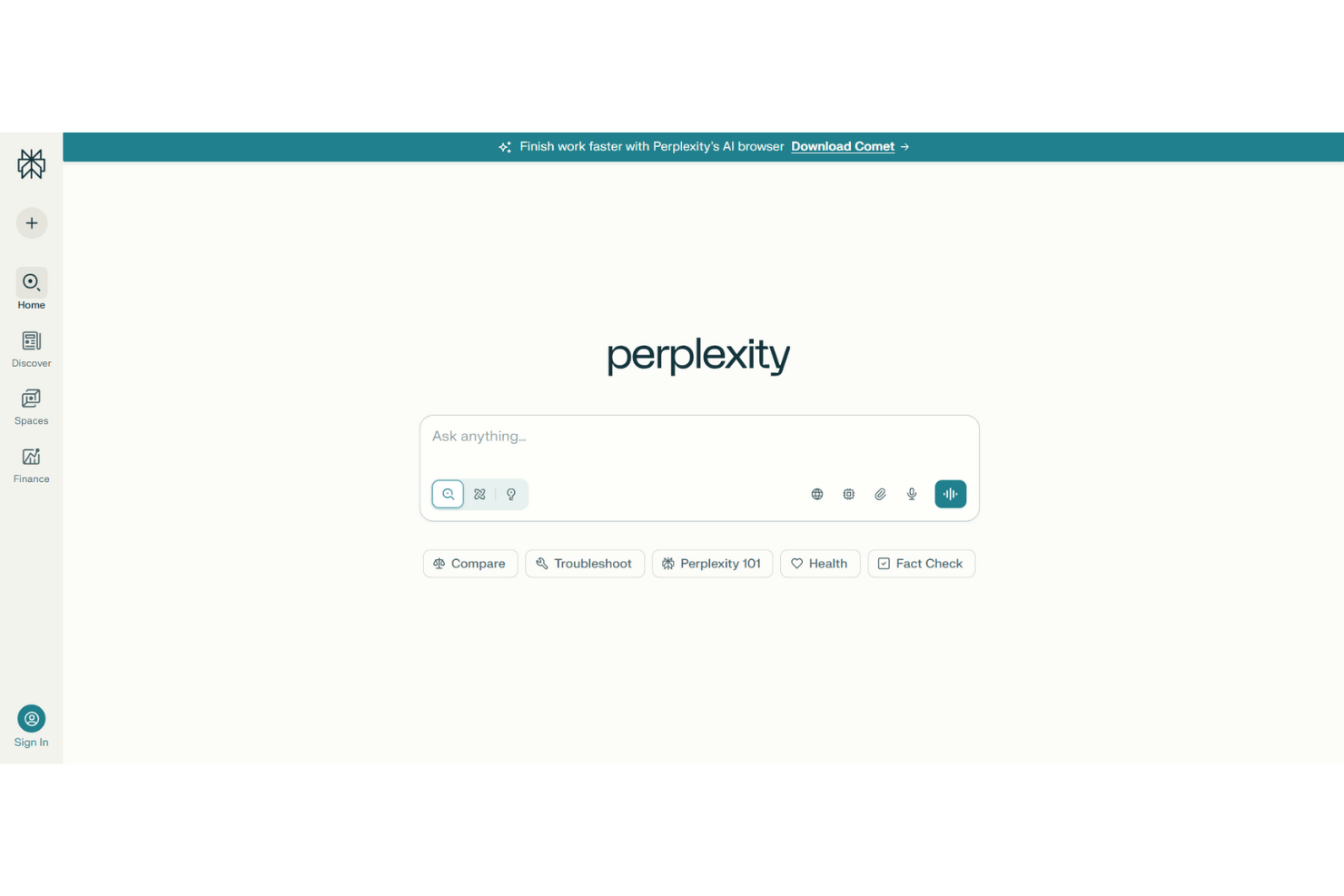
Perplexity offers a research-driven approach for SEO writers and marketers who need content ideas backed by credible sources. It appeals to teams and professionals aiming to ground their content in up-to-date facts, citations, and authoritative references. The tool generates outlines, summaries, and topic suggestions with supporting links, making it easier to produce trustworthy, SEO-friendly content.
Why I Picked Perplexity
What sets Perplexity apart for SEO writing is its focus on research-backed content suggestions, which is essential for building authority and trust in your writing. The tool automatically cites sources and provides links to supporting research, so you can verify facts and add credibility to your content. I like that you can generate topic ideas, outlines, and summaries that are grounded in up-to-date information from reputable sites. For marketers and writers who need to ensure their SEO content is both accurate and well-supported, Perplexity offers a clear advantage.
Perplexity Key Features
Some other features in Perplexity can help you get more from your SEO writing workflow:
- Focus Mode: Narrow search results to academic, news, or web sources for more targeted research.
- Threaded Conversations: Organize research and content ideas in separate, ongoing chat threads.
- File Uploads: Attach documents for the AI to reference and summarize during content generation.
- Export Options: Download responses and research summaries in various formats for easy sharing or editing.
Integrations
Integrations include Google Analytics, Salesforce, Microsoft Power BI, and Zapier.
Pros and Cons
Pros:
- Deep technical analysis
- Multi-model switching
- Fast content research
Cons:
- Occasional hallucinations
- Limited technical SEO code

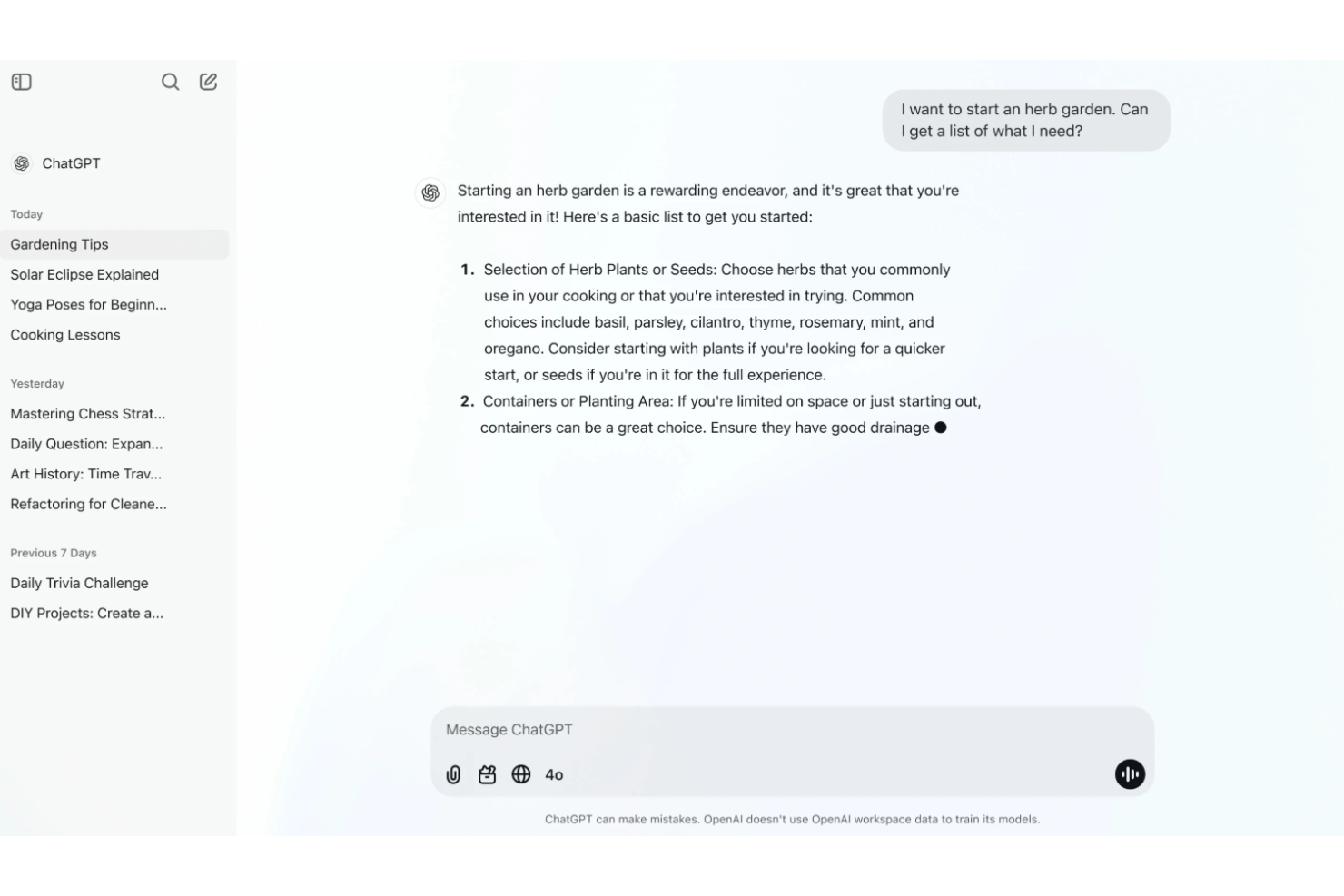
ChatGPT helps teams brainstorm and refine SEO content ideas through natural conversation. Marketers, content strategists, and SEO specialists use it to generate outlines, headlines, and keyword-rich prompts by simply chatting with the AI. Its conversational interface makes it easy to explore new angles and quickly iterate on content concepts.
Why I Picked ChatGPT
Unlike most SEO writing tools, ChatGPT lets you ideate content in a conversational way, which is especially useful for brainstorming and refining ideas on the fly. The tool’s chat-based interface helps you generate keyword lists, outline blog posts, and develop content angles just by asking questions or giving prompts.
I appreciate how you can quickly iterate on ideas, clarify your intent, and get instant feedback, making it easier to shape content that aligns with your SEO goals. For marketers who want a more interactive and dynamic approach to content ideation, ChatGPT offers a flexible solution.
ChatGPT Key Features
Some other features in ChatGPT can also support your SEO writing workflow:
- Custom Instructions: Set preferences for tone of voice, style, and target audience in your prompts.
- Document Uploads: Attach files for the AI to reference during content generation.
- Code Interpreter: Analyze data or generate scripts for technical SEO tasks.
- Conversation History: Review and revisit previous chats to track content development.
Integrations
Integrations include Slack, Microsoft Teams, Zoom, Salesforce, Zendesk, Google Workspace, and HubSpot.
Pros and Cons
Pros:
- Detailed content outlines
- Instant meta tag generation
- Fast keyword brainstorming
Cons:
- High risk of hallucinations
- Lacks live search volume
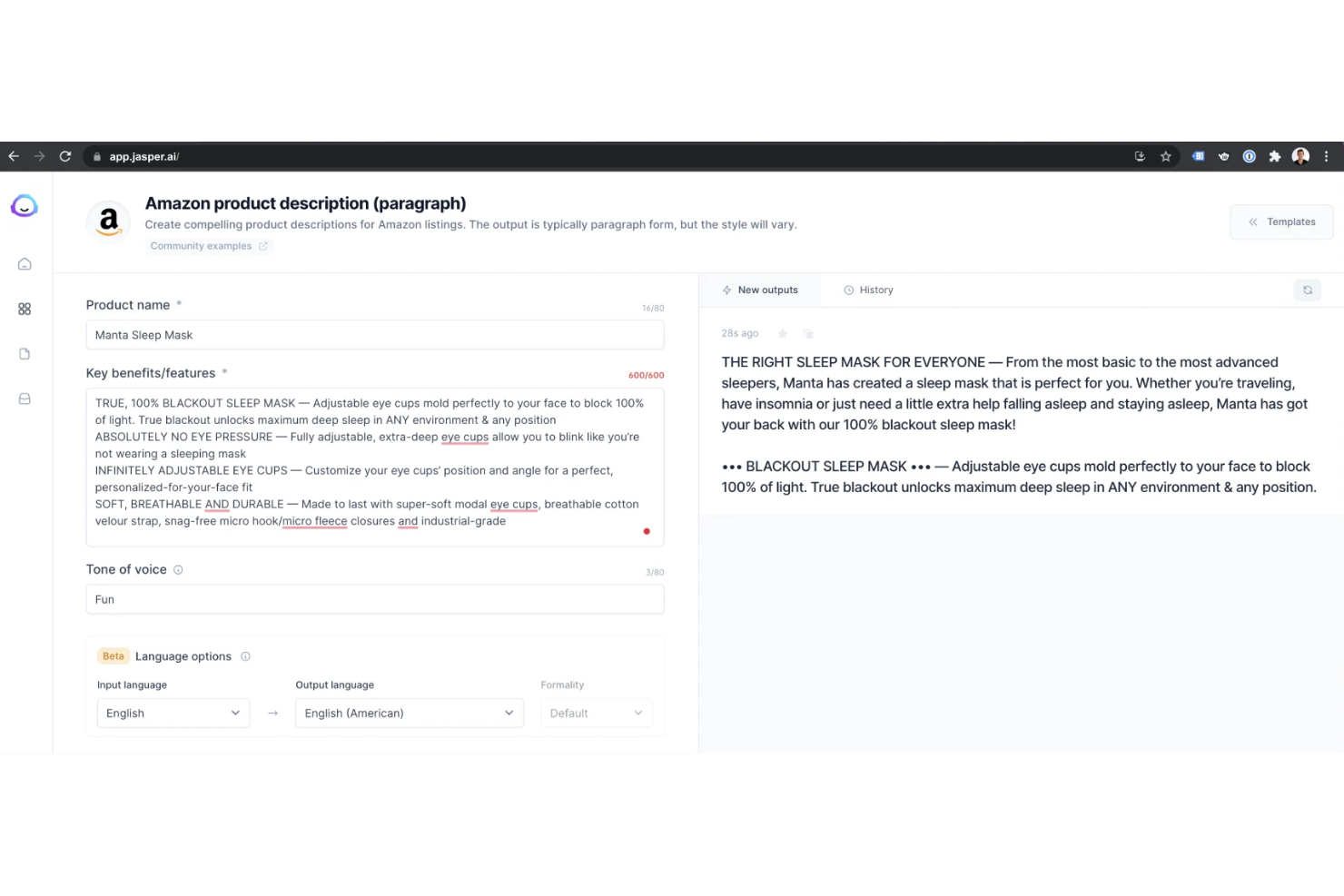
Jasper brings AI-driven content creation to marketers and content teams who need to produce long-form, SEO-friendly articles at scale. The platform’s advanced writing models help you generate in-depth blog posts, guides, and web pages that align with your brand voice. If you’re looking to speed up content production without sacrificing quality or search relevance, Jasper offers a focused solution.
Why I Picked Jasper
For teams focused on producing long-form, SEO-optimized content, Jasper’s AI writing capabilities offer a distinct advantage. The platform generates detailed articles and blog posts that can be tailored to specific keywords and brand guidelines, which is essential for search visibility.
I appreciate how Jasper’s content workflows let you guide the AI with briefs and outlines, so you maintain control over structure and depth. If you need to scale up high-quality, long-form content without losing consistency, Jasper is built for that purpose.
Jasper Key Features
Some other features in Jasper that support SEO content creation include:
- Brand Voice Customization: Train Jasper to write in your company’s preferred tone and style.
- Plagiarism Checker Integration: Scan generated content for originality before publishing.
- Image Generation Suite: Create AI-generated images to pair with your written content.
- Collaboration Tools: Invite team members to review, edit, and manage content projects together.
Integrations
Integrations include Surfer SEO, Grammarly, Copyscape, HubSpot, Shopify, and Google Docs.
Pros and Cons
Pros:
- 50+ writing templates
- Customizable brand voice
- Built-in SEO integrations
Cons:
- Repetitive phrasing
- Occasional factual errors
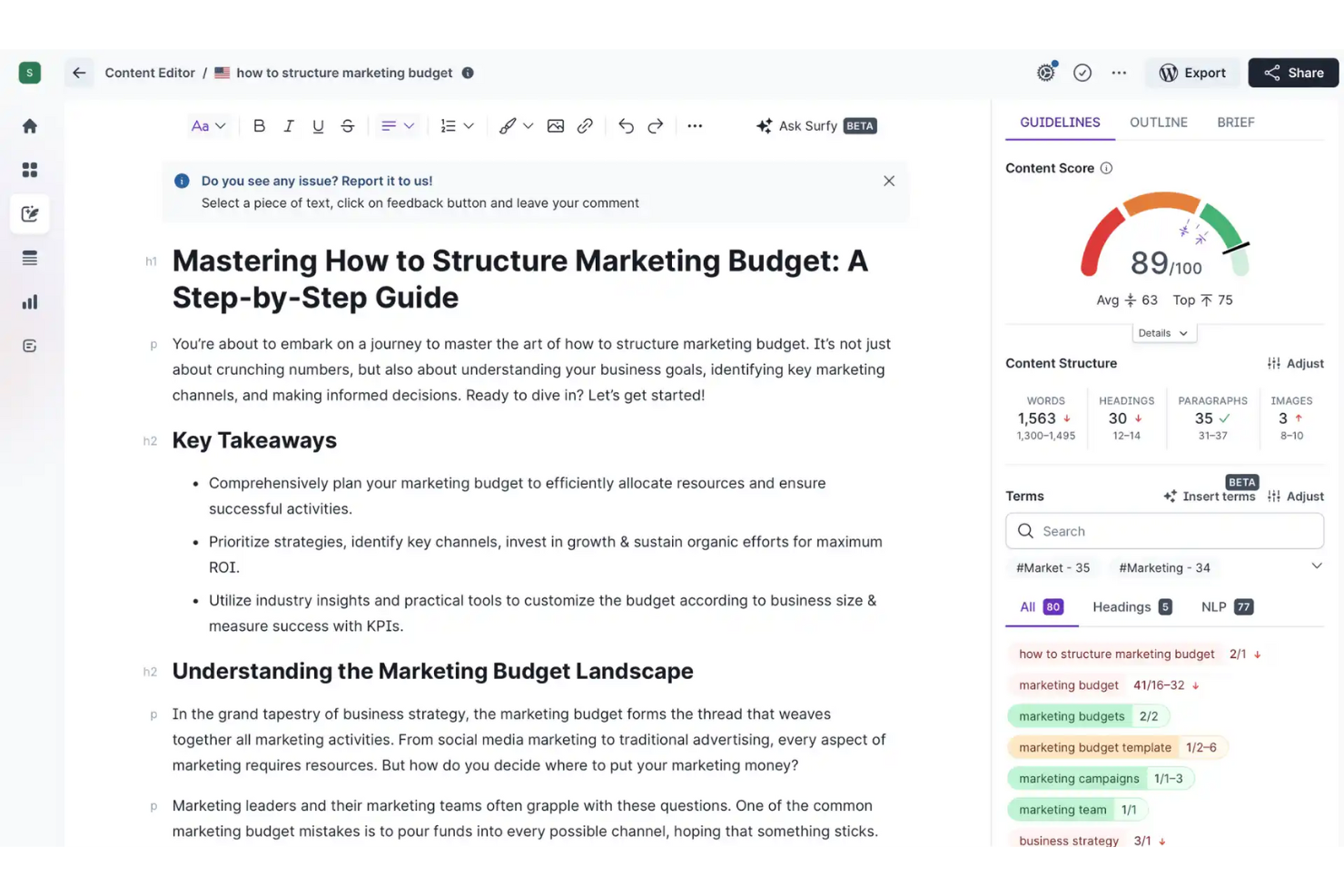
Surfer gives content marketers and SEO specialists real-time, data-driven suggestions as they write and optimize content. The tool is especially useful for teams who want to improve rankings by aligning on-page elements with what’s working in top-performing search results. With Surfer, you can see keyword usage, structure, and optimization opportunities as you draft, making it easier to close SEO gaps before publishing.
Why I Picked Surfer
One thing that sets Surfer apart is its ability to deliver real-time content optimization suggestions as you write. The tool analyzes your draft against top-ranking pages and provides instant feedback on keyword usage, content structure, and on-page elements.
I appreciate how Surfer highlights missing terms and suggests improvements while you’re still in the editing process. For anyone focused on closing SEO gaps before publishing, Surfer’s live optimization features make it a strong choice.
Surfer Key Features
Some other features in Surfer help round out its SEO writing toolkit:
- Content Planner: Generate topic clusters and keyword maps for your content strategy.
- Audit Tool: Review published pages for on-page SEO issues and get actionable recommendations.
- SERP Analyzer: Analyze top-ranking pages for any keyword and compare over 500 on-page factors.
- Grow Flow: Receive weekly AI-driven tasks to improve your site’s SEO performance.
Integrations
Integrations include Google Docs, WordPress, Google Search Console, Jasper, and Shopify.
Pros and Cons
Pros:
- User-friendly editing interface
- Real-time NLP scoring system
- Streamlines content optimization
Cons:
- Limited backlink analysis data
- Can lead to over-optimization

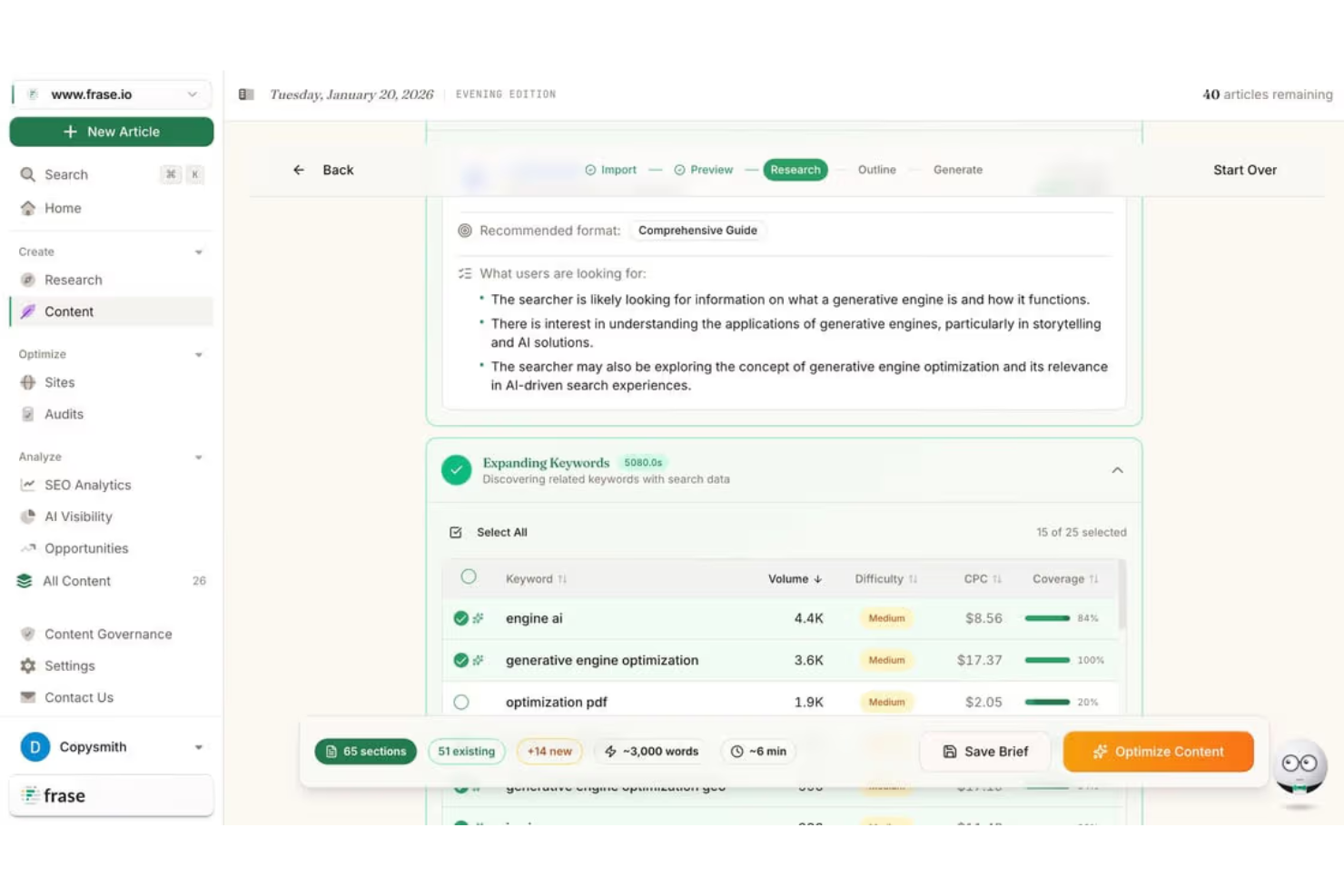
Frase uses AI to automate topic research and outline creation for content teams and SEO professionals. The platform is especially helpful for marketers who want to quickly identify what to cover in their articles based on real search data. With Frase, you can build detailed briefs and outlines in minutes, helping your team target the right topics and keywords from the start.
Why I Picked Frase
What drew me to Frase is its focus on automating the research and outlining process for SEO-driven content. The tool pulls data from top-ranking pages and search results to suggest relevant topics, headings, and questions to include in your outline.
I like that you can generate detailed content briefs in just a few clicks, which helps teams align on structure and coverage before writing begins. For anyone who wants to speed up research and ensure their content targets the right topics, Frase’s automation features are a strong fit.
Frase Key Features
I also found several other features in Frase that support SEO content creation:
- AI Writer: Generate draft content and paragraphs using built-in AI writing tools.
- Content Optimization Score: Get a real-time score based on keyword usage and on-page factors.
- Answer Engine: Build and manage a knowledge base to answer site visitor questions automatically.
- Document Collaboration: Invite team members to edit, comment, and review content drafts in one place.
Integrations
Integrations include WordPress, Google Docs, HubSpot, Mailchimp, Slack, and Zapier.
Pros and Cons
Pros:
- Tracks content decay and growth gaps
- Integrated AI writer and optimizer
- Fast SERP-based research and outlines
Cons:
- AI drafts often need heavy editing
- Basic keyword research functionality
Other SEO Writing Tools
Here are some additional SEO writing tools options that didn’t make it onto my shortlist, but are still worth checking out:
- SEO WRITING
For AI-driven content brief generation
- Semrush
For integrated keyword research workflows
- Grammarly
For advanced grammar and tone suggestions
- Anyword
For predictive content performance insights


SEO Writing Tools Selection Criteria
When selecting the best SEO writing tools to include in this list, I considered common buyer needs and pain points like optimizing content for search visibility and ensuring content quality meets SEO standards. I also used the following framework to keep my evaluation structured and fair:
Core Functionality (25% of total score) To be considered for inclusion in this list, each solution had to fulfill these common use cases:
- Optimize content for target keywords
- Analyze on-page SEO factors
- Provide content scoring or grading
- Offer keyword suggestions and research
- Check for duplicate or plagiarized content
Additional Standout Features (25% of total score) To help further narrow down the competition, I also looked for unique features, such as:
- AI-powered content generation
- Predictive performance analytics
- Real-time competitor content analysis
- Integration with popular CMS platforms
- Multilingual content optimization
Usability (10% of total score) To get a sense of the usability of each system, I considered the following:
- Simple and intuitive user interface
- Clear navigation between features
- Minimal steps to complete core tasks
- Customizable dashboards or workspaces
- Accessibility for users with different skill levels
Onboarding (10% of total score) To evaluate the onboarding experience for each platform, I considered the following:
- Availability of step-by-step product tours
- Access to training videos and documentation
- Pre-built templates for common SEO tasks
- Responsive onboarding support or chatbots
- Webinars or live training sessions
Customer Support (10% of total score) To assess each software provider’s customer support services, I considered the following:
- Multiple support channels like chat, email, and phone
- Fast response times to inquiries
- Access to a searchable help center or knowledge base
- Availability of dedicated account managers
- Community forums or user groups
Value For Money (10% of total score) To evaluate the value for money of each platform, I considered the following:
- Transparent and flexible pricing plans
- Features included at each pricing tier
- Free trial or free plan availability
- No hidden fees or surprise charges
- Discounts for annual or multi-user subscriptions
Customer Reviews (10% of total score) To get a sense of overall customer satisfaction, I considered the following when reading customer reviews:
- Consistent positive feedback on core features
- Reports of reliable performance and uptime
- Praise for customer support quality
- User comments on ease of adoption
- Constructive criticism and how vendors respond
How to Choose SEO Writing Tools
It’s easy to get bogged down in long feature lists and complex pricing structures. To help you stay focused as you work through your unique software selection process, here’s a checklist of factors to keep in mind:
| Factor | What to Consider |
|---|---|
| Scalability | Will the tool support your content volume as your team or website grows? Check for user limits, project caps, and upgrade paths. |
| Integrations | Does the tool connect natively with your CMS, analytics, or workflow platforms? Avoid tools that require manual exports or third-party connectors for core tasks. |
| Customizability | Can you tailor content guidelines, scoring, or reporting to your brand’s needs? Rigid tools may not fit unique workflows or industry requirements. |
| Ease of use | How quickly can new team members start using the tool? Look for clear navigation, minimal training requirements, and accessible documentation. |
| Implementation and onboarding | What resources are needed to get up and running? Consider the time, technical skills, and support required for setup, migration, and initial training. |
| Cost | Are pricing tiers transparent and aligned with your usage? Watch for hidden fees, required add-ons, or steep jumps between plans. |
| Security safeguards | Does the tool protect your content and data? Confirm compliance with your organization’s security standards, including user permissions and data encryption. |
| Support availability | What support channels and response times are offered? Consider if you need 24/7 help, dedicated account management, or self-service resources. |
What Are SEO Writing Tools?
SEO writing tools are software platforms that help you create, optimize, and analyze written content for better search engine visibility. These tools typically offer keyword research, on-page SEO analysis, content scoring, and optimization suggestions.
They support marketing teams and content creators in aligning their writing with current SEO best practices, making it easier to produce content that ranks well and attracts the right audience.
Features
When selecting SEO writing tools, keep an eye out for the following key features:
- Keyword research: Identify relevant keywords and phrases to target in your content based on search volume, competition, and user intent.
- On-page SEO analysis: Evaluate your content for SEO elements like headings, meta tags, internal links, and keyword placement to ensure alignment with search engine guidelines.
- Content scoring: Assign a score or grade to your content based on SEO best practices, readability, and keyword optimization.
- Plagiarism checking: Detect duplicate or unoriginal content to maintain originality and avoid search engine penalties.
- Competitor analysis: Compare your content and keyword usage against top-ranking competitors to identify gaps and opportunities.
- Readability assessment: Analyze sentence structure, word choice, and formatting to ensure your content is clear and accessible to your target audience.
- Content brief creation: Generate structured outlines and guidelines for writers to follow, ensuring consistency and SEO alignment across all content.
- Backlink tracking: Monitor the number and quality of backlinks pointing to your content, which can influence search rankings.
- Website audit: Scan your site for technical SEO issues that could impact content visibility, such as broken links, slow loading times, or missing tags.
Benefits
Implementing SEO writing tools provides several benefits for your team and your business. Here are a few you can look forward to:
- Improved search visibility: Optimize content for target keywords and on-page SEO factors to help your pages rank higher in search results.
- Consistent content quality: Use content scoring, readability assessment, and plagiarism checking to maintain high standards across all published material.
- Faster content production: Streamline research, brief creation, and optimization steps so your team can publish more content in less time.
- Data-driven decision making: Leverage competitor analysis, keyword research, and backlink tracking to inform your content strategy with real insights.
- Reduced risk of SEO errors: Identify and fix technical and on-page issues before publishing, minimizing the chance of search engine penalties.
- Better collaboration: Provide structured content briefs and shared guidelines to keep writers, editors, and SEO specialists aligned on every project.
- Scalable content operations: Support growing content needs with tools that handle higher volumes, multiple projects, and evolving SEO requirements.
Costs and Pricing
Selecting SEO writing tools requires an understanding of the various pricing models and plans available. Costs vary based on features, team size, add-ons, and more. The table below summarizes common plans, their average prices, and typical features included in SEO writing tools solutions:
Plan Comparison Table for SEO Writing Tools
| Plan Type | Average Price | Common Features |
|---|---|---|
| Free Plan | $0 | Basic keyword research, limited on-page analysis, and simple content scoring. |
| Personal Plan | $10-$30/user/month | Full keyword research, on-page SEO analysis, content scoring, and basic competitor analysis. |
| Business Plan | $40-$100/user/month | Advanced keyword tracking, team collaboration, content briefs, website audits, and reporting tools. |
| Enterprise Plan | $150-$500+/month | Custom integrations, dedicated support, advanced analytics, unlimited projects, and security controls. |
SEO Writing Tools FAQs
Here are some answers to common questions about SEO writing tools:
Do SEO writing tools work for all types of content?
Yes, most SEO writing tools support a wide range of content types, including blog posts, landing pages, product descriptions, and website copy. Some tools also offer templates or guidelines tailored to specific formats, making it easier to optimize content for different channels and audiences.
How do SEO writing tools help with keyword research?
SEO writing tools typically provide keyword suggestions, search volume data, and competition analysis. This helps you identify the best keywords to target in your content, prioritize topics, and understand what your audience is searching for. Many tools also track keyword rankings over time.
Can SEO writing tools integrate with my existing workflow?
Yes, many SEO writing tools offer integrations with popular CMS platforms, project management tools, and analytics software. Before choosing a tool, check for native integrations or available APIs to ensure it fits smoothly into your team’s content creation and publishing process.
Are there free SEO writing tools available?
Yes, some SEO writing tools offer free plans with limited features, such as basic keyword research or on-page analysis. Free versions are useful for individuals or small teams starting out, but larger teams or advanced users may need to upgrade for more functionality.
How often should I use SEO writing tools during content creation?
Use SEO writing tools throughout the content lifecycle—from initial research and outlining to drafting, editing, and final optimization. Regular use helps ensure your content stays aligned with SEO best practices and adapts to changing search trends.
What’s Next:
If you're in the process of researching seo writing tools, connect with a SoftwareSelect advisor for free recommendations.
You fill out a form and have a quick chat where they get into the specifics of your needs. Then you'll get a shortlist of software to review. They'll even support you through the entire buying process, including price negotiations.