
14 Best Podcast Hosting Platforms for 2026

Podcast Hosting Platforms Shortlist
Here’s my shortlist of podcast hosting platforms:


Podcast hosting platforms are online services that store, distribute, and manage your podcast audio files and show data. If you’re searching for the best podcast hosting platforms, you’re likely looking for reliable tools to publish episodes, track audience analytics, and reach listeners across major directories.
With so many options and features to compare—like distribution, collaboration, and analytics—it’s tough to know which platform fits your workflow and growth goals. This guide breaks down the top podcast hosting platforms for 2026, so you can confidently choose the right solution for your show’s needs.
Why Trust Our Software Reviews
Best Podcast Hosting Platforms Summary
This comparison chart summarizes pricing details for my top podcast hosting platform selections to help you find the best one for your budget and business needs.
| Tool | Best For | Trial Info | Price | ||
|---|---|---|---|---|---|
| 1 | Best for private episode distribution | 14-day free trial available | From $19/month | Website | |
| 2 | Best with WordPress integration | 30-day free trial available | From $15/month | Website | |
| 3 | Best for unlimited episode hosting | Free plan available | From $11.99/month (billed annually) | Website | |
| 4 | Best for user-friendly episode scheduling | Free plan available | From $19/month | Website | |
| 5 | Best for detailed listener demographics | 14-day free trial available | From $9/month | Website | |
| 6 | Best with direct Spotify distribution | Free plan available | Free to use | Website | |
| 7 | Best for multi-platform publishing tools | 30-day free trial available | From $12/month | Website | |
| 8 | Best for advanced audience analytics | 14-day free trial available | From $13.50/month (billed annually) | Website | |
| 9 | Best for branded podcast web pages | 14-day free trial available | From $19/user/month | Website | |
| 10 | Best for integrated live streaming | Free plan available | From $12/month (billed annually) | Website |
-

Demandbase
Visit WebsiteThis is an aggregated rating for this tool including ratings from Crozdesk users and ratings from other sites.4.4 -
6sense
Visit WebsiteThis is an aggregated rating for this tool including ratings from Crozdesk users and ratings from other sites.4.3 -
AnswerThePublic
Visit Website


Podcast Hosting Platforms Reviews
Below are my detailed summaries of podcast hosting platforms that made it onto my shortlist. My reviews offer a detailed look at the features, best use cases, and integrations of each platform to help you find the best one for you.
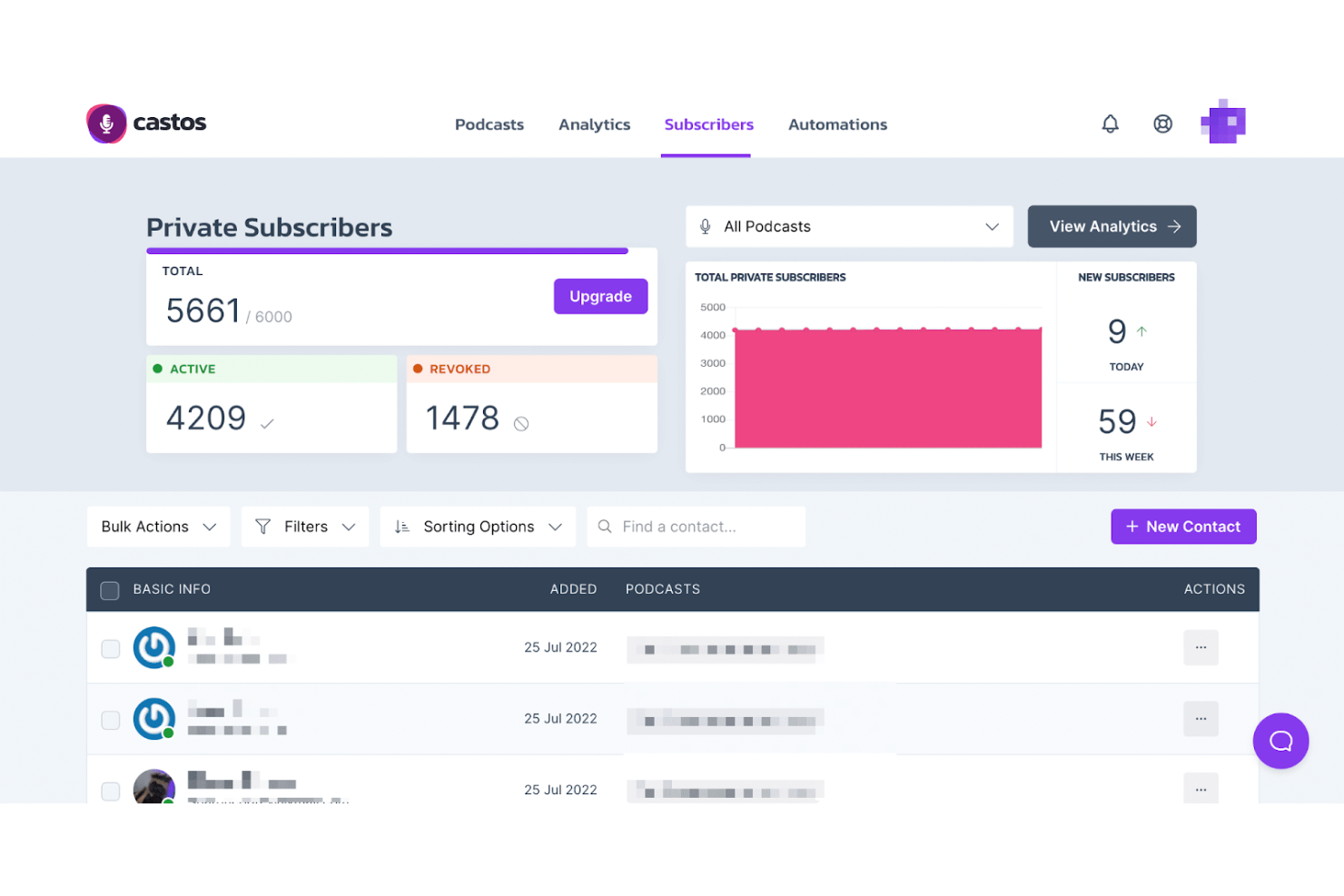
Castos is designed for organizations and creators who need to control access to their podcast content, making it a strong choice for private episode distribution. It’s especially useful for businesses, membership sites, and educators who want to share exclusive audio with select audiences. If you’re looking to manage public and private podcasts from one platform, Castos offers flexible tools for both.
Why I Picked Castos
What sets Castos apart is its focus on private episode distribution, which is a key need for many organizations and membership-based businesses. You can create private podcasts and control access for individual listeners or groups, making it easy to share exclusive content securely. I appreciate that Castos lets you manage both public and private shows from a single dashboard, so you don’t have to juggle multiple tools. For anyone who needs to deliver audio content to a select audience, Castos offers the right mix of privacy controls and podcast management features.
Castos Key Features
In addition to its privacy controls, I also found these features worth noting:
- Automated Podcast Transcription: Generate episode transcripts automatically to improve accessibility and searchability.
- YouTube Republishing: Publish podcast episodes directly to a YouTube channel as video content.
- Customizable Podcast Website: Create a dedicated website for your podcast with built-in templates and branding options.
- Advanced Analytics Dashboard: Track listener trends, episode performance, and audience locations in real time.
Castos Integrations
Integrations are not publicly available.
Pros and Cons
Pros:
- Simple private podcasting subscriber management
- Automatic YouTube video republishing tools
- Unlimited storage for all episodes
Cons:
- Limited player and website customization
- Native video hosting requires expensive plans

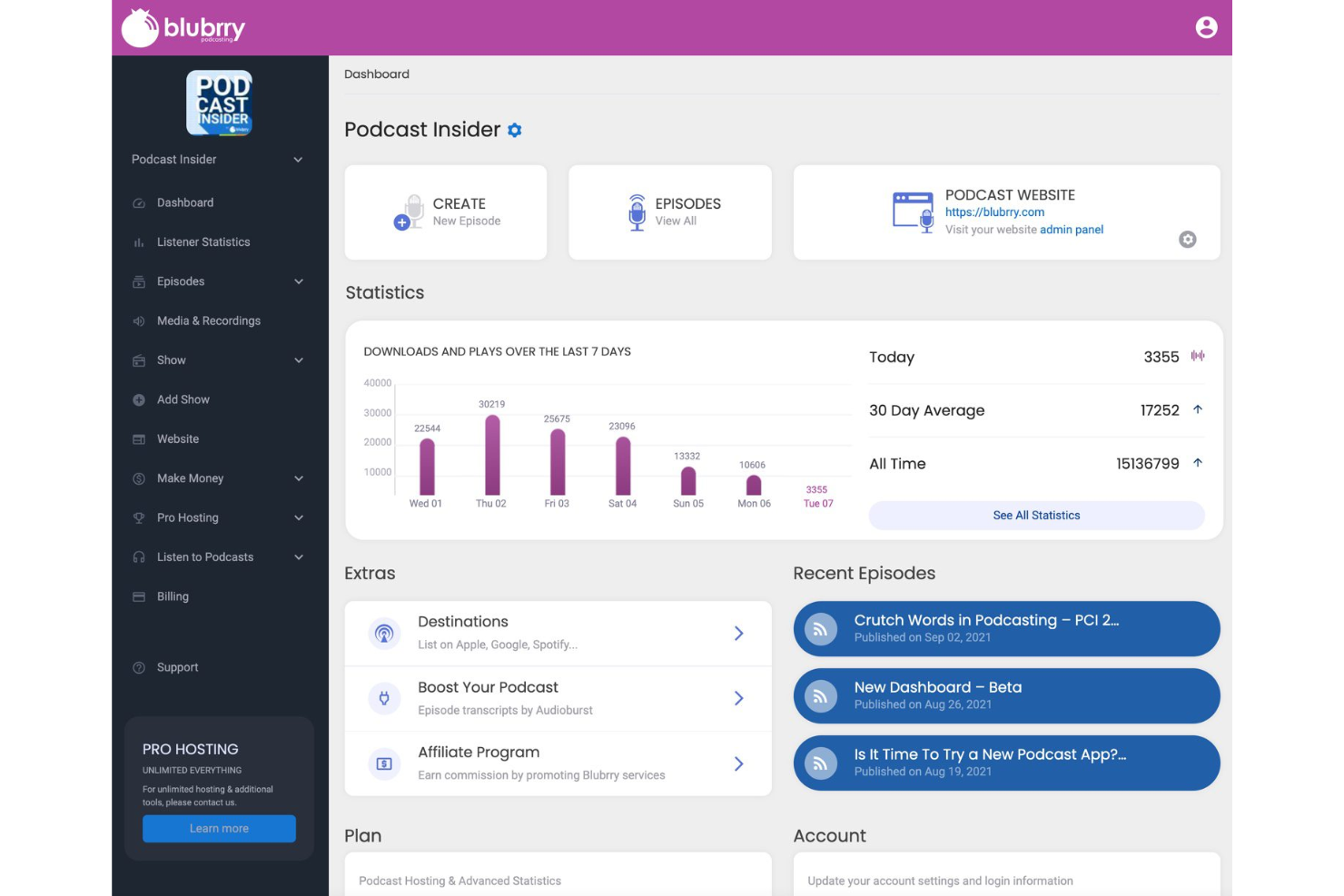
Blubrry stands out for podcasters who want tight integration with WordPress through its PowerPress plugin. It’s a strong fit for content creators, marketers, and publishers who already manage their website on WordPress and want to control podcast publishing from the same dashboard. If you’re looking to manage podcast management and website updates in one place, Blubrry is built for that workflow.
Why I Picked Blubrry
Blubrry’s direct integration with WordPress through the PowerPress plugin makes it a unique choice for podcasters who want to manage everything from their own website. You can publish, update, and control your podcast feed right from the WordPress dashboard, which is especially useful for teams already using WordPress for content management. I like that Blubrry gives you full ownership of your podcast feed and website, so you’re not locked into a proprietary platform. For anyone who values flexibility and control over their podcast’s web presence, Blubrry’s WordPress integration is a major advantage.
Blubrry Key Features
Some other features that make Blubrry a strong option for podcast hosting include:
- IAB Certified Podcast Statistics: Access detailed, industry-standard analytics on downloads and audience behavior.
- Private Podcasting: Restrict access to select episodes or shows for members or internal teams.
- Podcast Migration Tool: Move your podcast from another host without losing data or disrupting your feed.
- Audio and Video Hosting: Upload and distribute both audio and video podcast episodes from the same platform.
Blubrry Integrations
Integration includes WordPress.
Pros and Cons
Pros:
- Flexible storage with no overage fees
- Accurate IAB-certified audience analytics
- Exceptional WordPress PowerPress plugin integration
Cons:
- Non-intuitive user interface
- No built-in episode recording tools

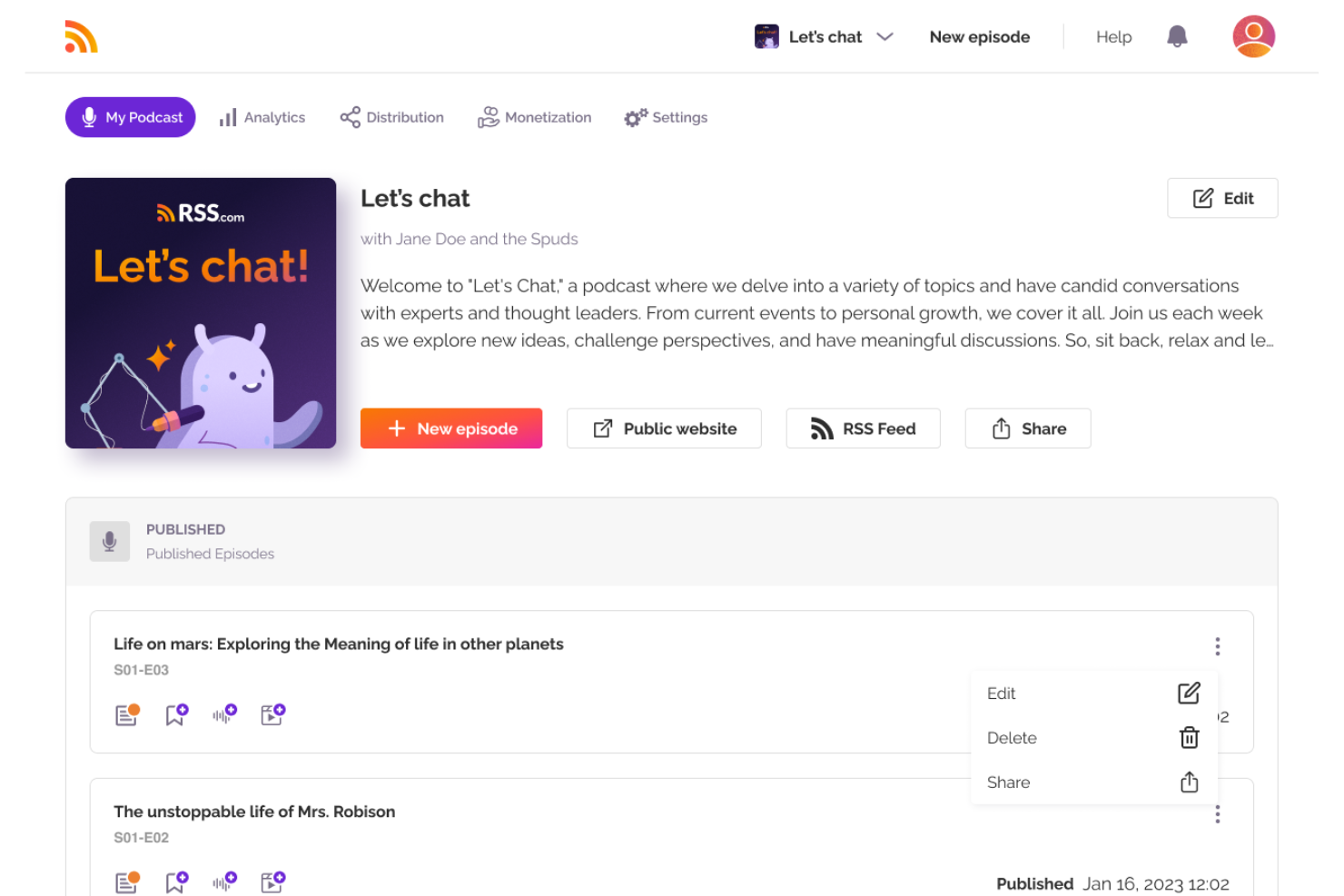
RSS.com is a strong choice for podcasters who want to publish unlimited episodes without worrying about storage limits or extra fees. It’s especially useful for content creators, educators, and organizations planning frequent or long-running shows. If you need a platform that won’t restrict your publishing schedule, RSS.com removes those barriers.
Why I Picked RSS.com
When unlimited episode hosting is a top priority, RSS.com is hard to overlook. The platform lets you upload as many episodes as you want, with no caps on storage or bandwidth, which is ideal for high-volume podcasters or teams running multiple shows. I appreciate that RSS.com supports long-form content and frequent publishing schedules without hidden limits. For anyone who doesn’t want to worry about outgrowing their hosting plan, RSS.com’s approach is a clear advantage.
RSS.com Key Features
In addition to unlimited episode hosting, there are several other features worth noting:
- Automatic Distribution: RSS.com distributes your podcast to major podcast apps like Spotify, Apple Podcasts, and Google Podcasts.
- Podcast Website: Every show gets a customizable website with episode listings and subscription options.
- Episode Scheduling: Schedule episodes to publish automatically at future dates and times.
- Analytics Dashboard: Access listener statistics, download numbers, and geographic data in a single dashboard.
RSS.com Integrations
Integrations are not publicly available.
Pros and Cons
Pros:
- Generous unlimited storage on all plans
- Automated AI episode transcript generation
- Easy one-click social media sharing
Cons:
- No native private podcasting options
- No dedicated mobile management app

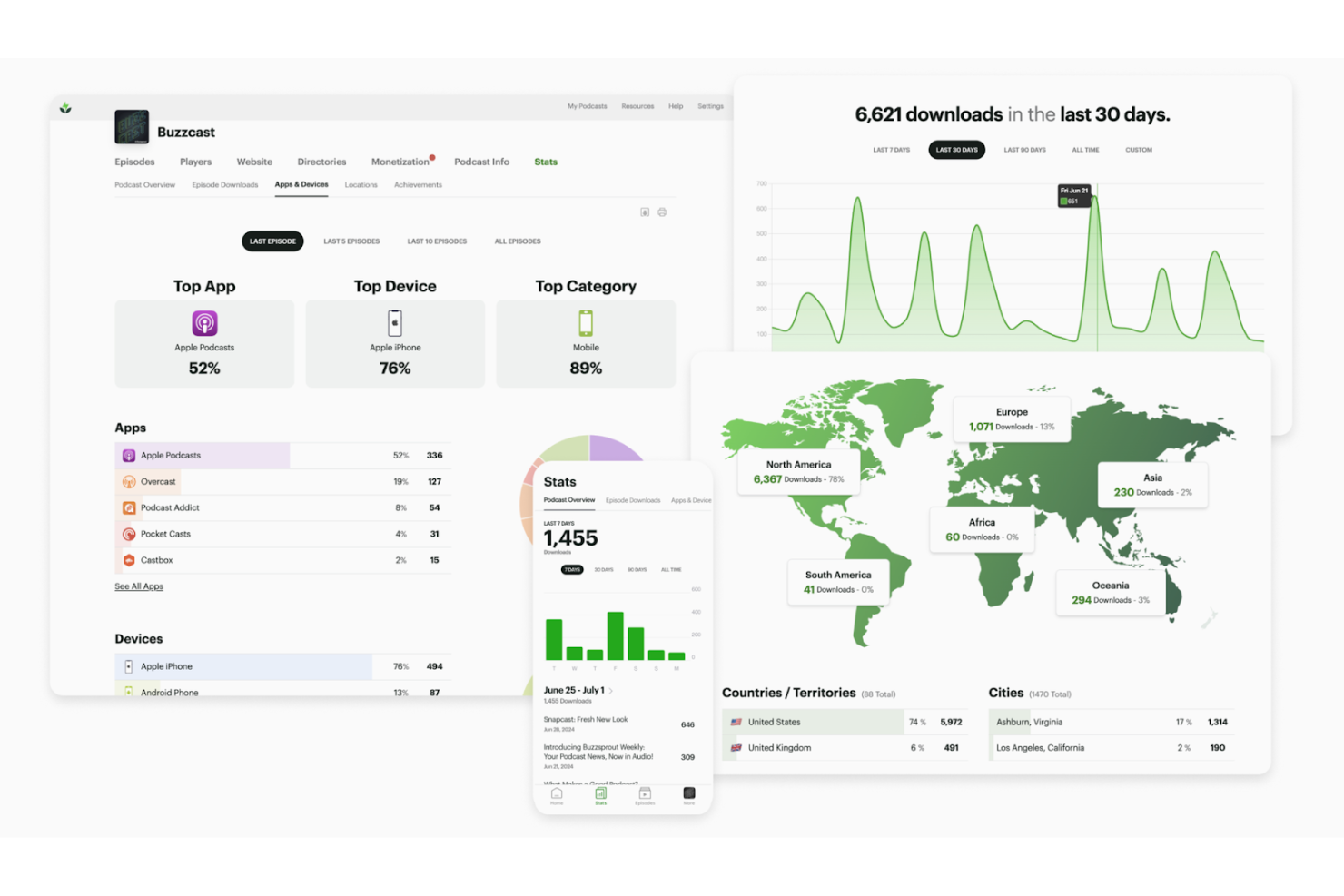
Buzzsprout is designed for podcasters who want a straightforward way to schedule and publish episodes. It’s especially useful for solo creators, small teams, or marketing professionals who need to plan releases in advance without extra complexity. If you’re looking for a platform that makes episode scheduling and management simple, Buzzsprout is built with that workflow in mind.
Why I Picked Buzzsprout
What sets Buzzsprout apart is how it simplifies episode scheduling for podcasters at any experience level. You can upload episodes in advance and set them to publish automatically, which is especially helpful for teams managing content calendars or batching production. I appreciate that Buzzsprout’s scheduling tool is built right into the episode workflow, so you don’t have to navigate away or use extra tools. For anyone who wants a reliable way to plan and automate podcast releases, Buzzsprout makes the process straightforward.
Buzzsprout Key Features
Some other features that make Buzzsprout appealing for podcast hosting include:
- Magic Mastering: Apply automatic audio processing to enhance sound quality before publishing.
- Visual Soundbites: Create short, shareable video clips of your audio for social media promotion.
- Podcast Website: Launch a customizable website for your show directly from the platform.
- Listener Analytics: Access detailed stats on downloads, listening apps, and audience locations.
Buzzsprout Integrations
Buzzsprout offers an API for custom integrations.
Pros and Cons
Pros:
- Extensive educational resources for new creators
- Non-destructive dynamic content insertion tools
- Beginner-friendly guided upload workflow
Cons:
- Basic monetization options
- Restrictive monthly audio upload hour limits
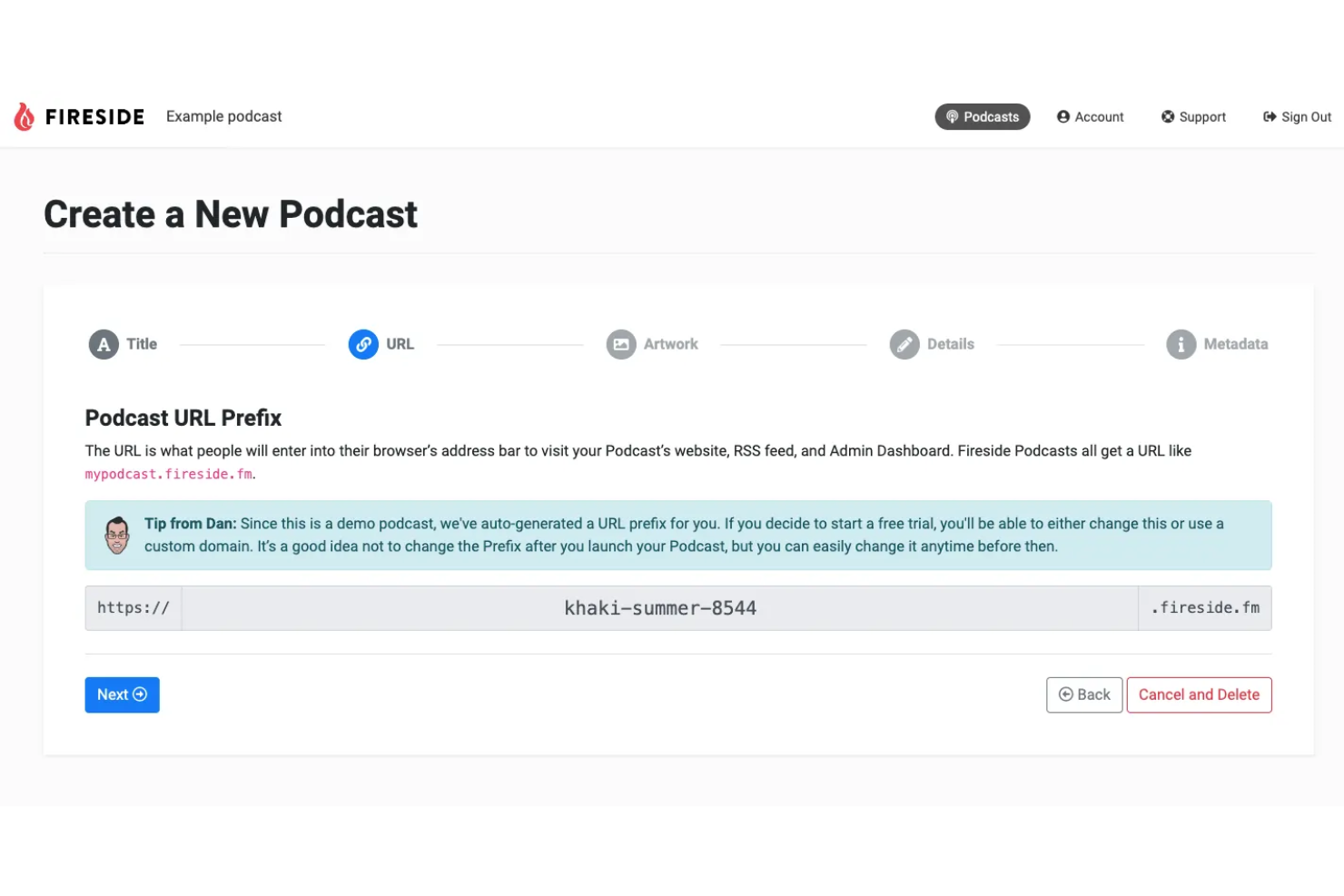
Fireside is built for podcasters who want deep insights into their audience, making it a strong fit for marketers, agencies, and brands focused on data-driven growth. Its advanced analytics go beyond basic download counts, offering detailed listener demographics and engagement metrics. If you need to understand exactly who’s tuning in and how they interact with your content, Fireside gives you the tools to dig into the data.
Why I Picked Fireside
For podcast teams that want to go beyond surface-level stats, Fireside stands out for its detailed listener demographics. You get access to granular data on audience location, device type, and listening behavior, which helps you tailor content and marketing strategies. I like that Fireside’s analytics dashboard breaks down engagement metrics, so you can see where listeners drop off or re-engage with episodes. If understanding your audience is a top priority, Fireside’s data-driven approach makes it a strong fit for podcast hosting.
Fireside Key Features
Some other features that make Fireside appealing include:
- Built-In Podcast Website: Every show gets a customizable website with episode pages and subscription links.
- Episode Chapter Markers: Add chapters to episodes so listeners can easily navigate to specific segments.
- Direct Audio File Uploads: Upload and manage audio files directly from the dashboard without third-party tools.
- Custom RSS Feed Management: Control and edit your podcast’s RSS feed settings for distribution and syndication.
Fireside Integrations
Integrations are not publicly available.
Pros and Cons
Pros:
- Accurate real-time listener engagement data
- Simple one-click podcast import tool
- All-in-one responsive podcast website builder
Cons:
- Difficult to import existing podcasts
- No native integrations with marketing platforms

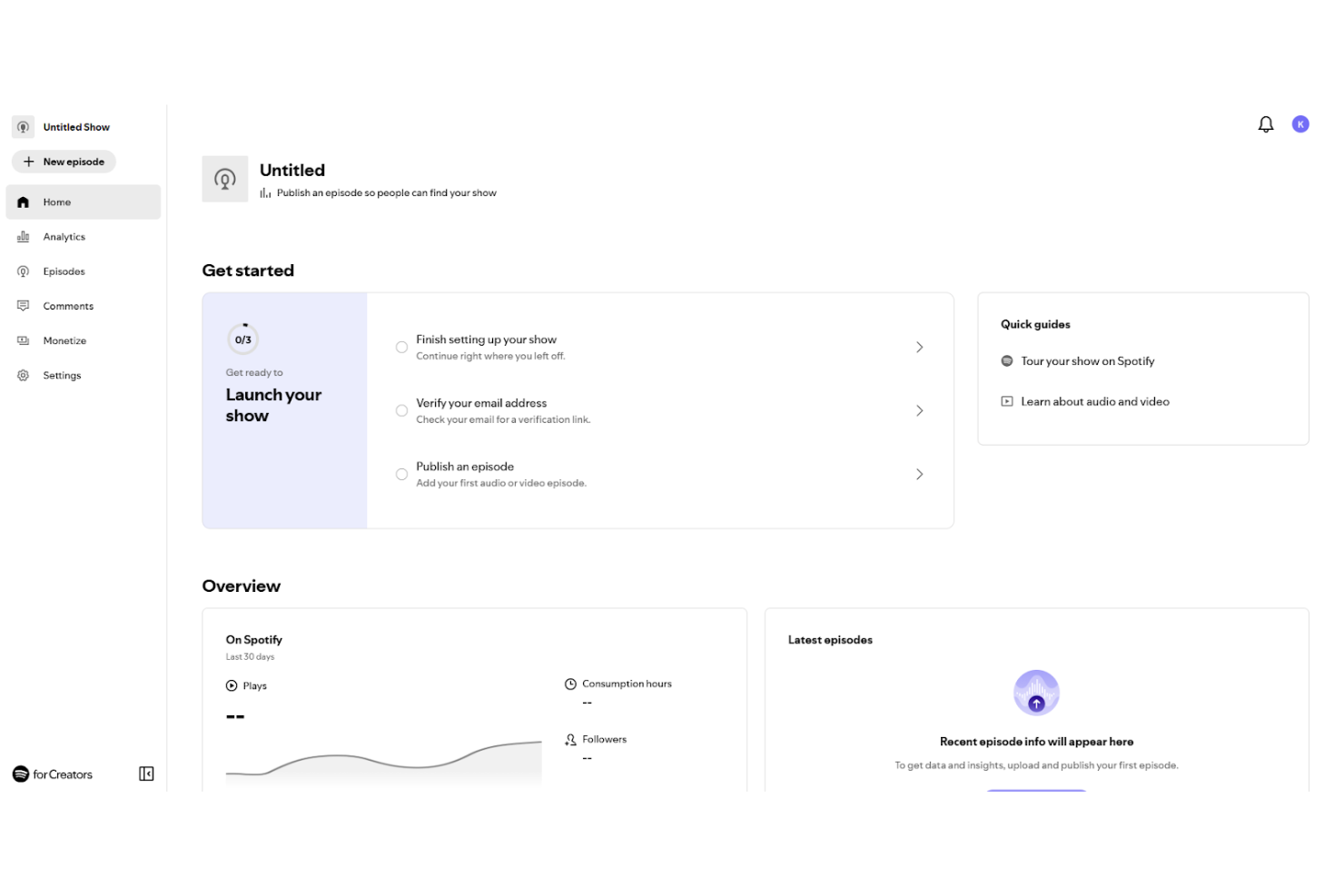
Spotify for Creators gives podcasters a direct path to distribute their shows on Spotify and manage their presence on one of the world’s largest audio platforms. It’s especially useful for creators and brands focused on reaching Spotify’s audience and tracking detailed listener analytics. If you want to optimize your podcast for Spotify and access platform-specific tools, this solution is built for you.
Why I Picked Spotify for Creators
What sets Spotify for Creators apart is its direct integration with Spotify, making it the go-to choice for anyone who wants their podcast to reach Spotify listeners without extra distribution steps. You can manage your show’s presence, update metadata, and access Spotify-specific analytics all from one dashboard. I appreciate how the platform gives you tools to engage with listeners through features like Q&A and polls, which are unique to Spotify. For podcasters focused on maximizing their reach and engagement within Spotify’s ecosystem, this platform offers a clear advantage.
Spotify for Creators Key Features
Some other features that make Spotify for Creators useful for podcasters include:
- Episode Scheduling: Schedule podcast episodes to publish at specific dates and times.
- Audio Enhancement Tools: Access built-in tools to improve audio quality before publishing.
- Listener Demographics Dashboard: View detailed breakdowns of your audience’s age, location, and listening habits.
- Podcast Trailer Creation: Create and publish a dedicated trailer to introduce your show to new listeners.
Spotify for Creators Integrations
Integrations include Riverside and Stripe.
Pros and Cons
Pros:
- Direct access to Spotify audience polls
- Native video podcast support
- Completely free hosting and distribution
Cons:
- High 50% ad revenue split
- No IAB-certified third-party analytics
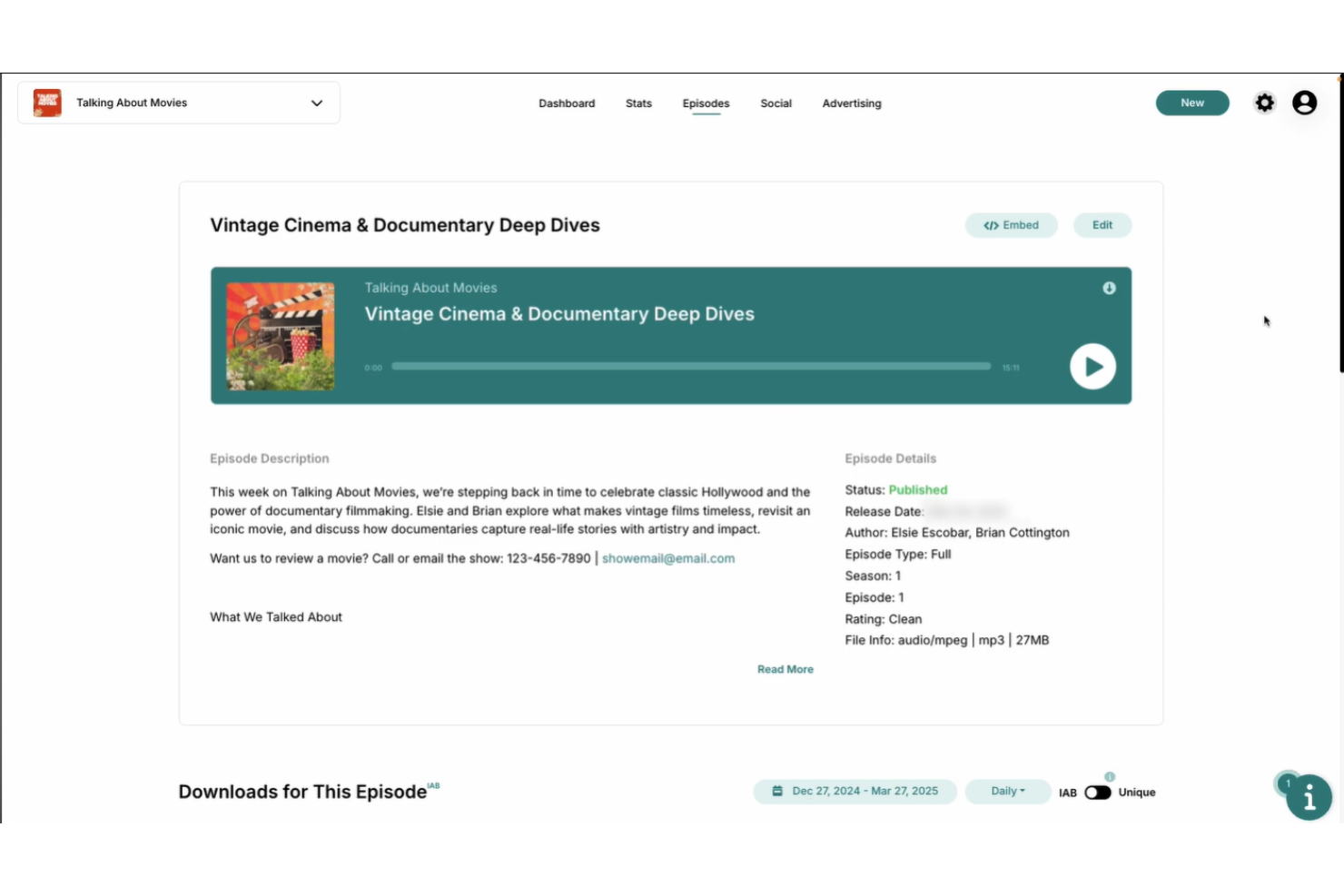
Libsyn is a podcast hosting site built for those who want to distribute content across multiple platforms easily. It’s especially useful for marketing teams, content creators, and businesses aiming to maximize reach and automate publishing workflows. If you need centralized control over multi-channel podcast distribution, Libsyn offers tools that address this challenge directly.
Why I Picked Libsyn
Libsyn offers some of the most advanced multi-platform publishing tools available for podcast hosting. You can schedule and automate episode releases across major podcast directories, social media channels, and custom destinations from a single dashboard. I appreciate that Libsyn gives you granular control over how and when your content appears on each platform. For anyone focused on maximizing reach and simplifying distribution, Libsyn’s publishing features are a strong fit.
Libsyn Key Features
In addition to its multi-platform publishing tools, I also found these features worth noting:
- Custom Podcast Website: Build and manage a dedicated website for your show directly from Libsyn.
- Monetization Options: Access tools for dynamic ad insertion, premium content, and sponsorship management.
- Detailed Audience Analytics: Track downloads, listener locations, and device usage with in-depth reporting.
- Episode Embeddable Player: Use a customizable podcast player to embed episodes on your own site or blog.
Libsyn Integrations
Integrations are not publicly available.
Pros and Cons
Pros:
- Flexible storage-based monthly pricing plans
- Extensive custom distribution and app options
- Multi-platform publishing available
Cons:
- Limited options for private podcast feeds
- Complex add-on pricing for analytics
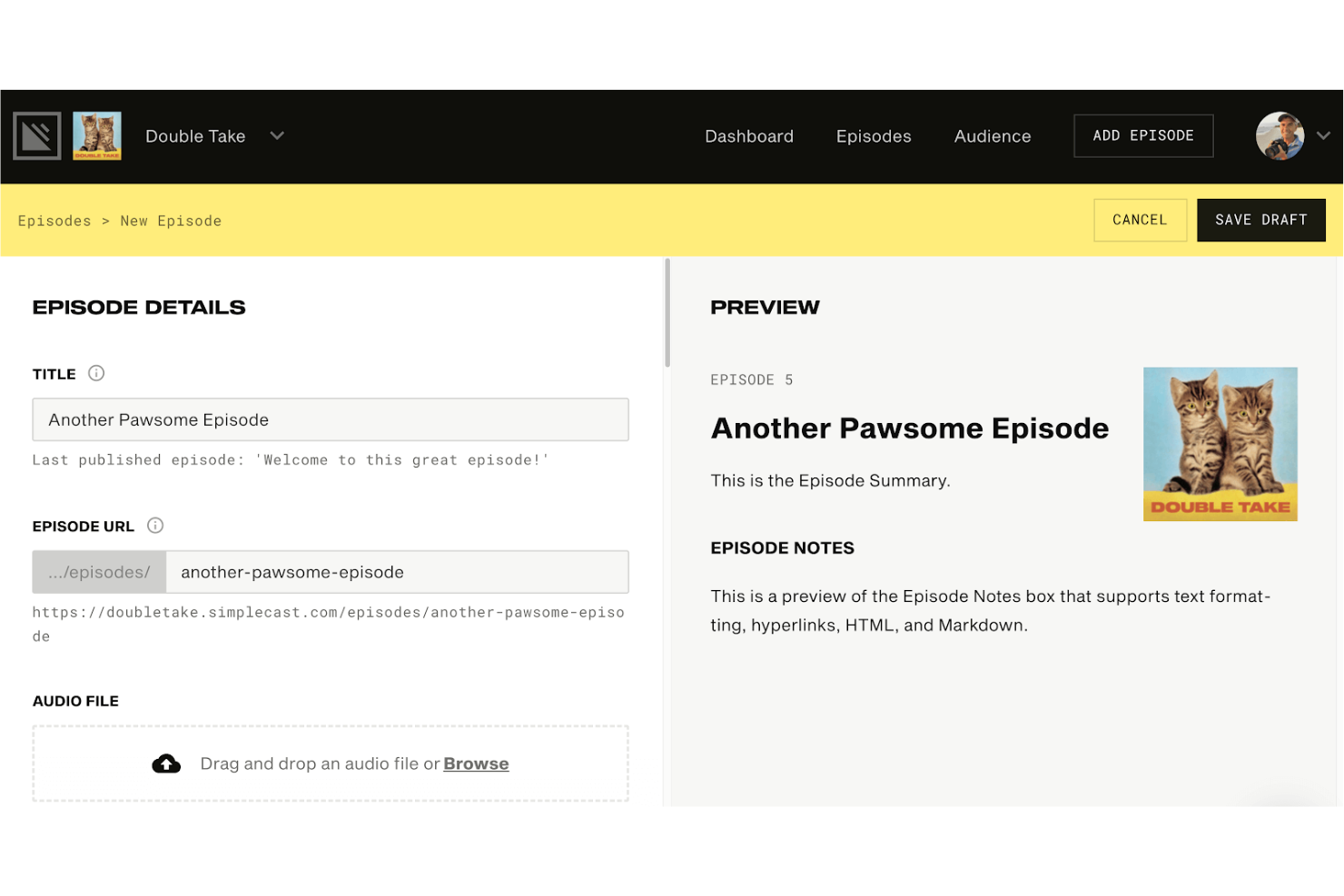
Simplecast is a podcast hosting service designed for those who want deep insights into their audience and listening trends. It stands out for its advanced analytics, making it a strong choice for creators and teams focused on growing and understanding their shows. If you need detailed data to inform your content and marketing decisions, Simplecast offers the tools to help.
Why I Picked Simplecast
I chose Simplecast because its advanced audience analytics set it apart from other podcast hosting platforms. The platform offers detailed listener reports, including unique listener counts, geographic data, and device breakdowns, which help you understand exactly who’s tuning in and how they’re engaging. I also appreciate the episode comparison tools that let you track performance trends over time. For podcasters who want to make data-driven decisions about content and promotion, Simplecast’s analytics capabilities are a strong fit.
Simplecast Key Features
Some other features that make Simplecast a strong option for podcast hosting include:
- Recast® Sharing Tool: This feature lets you create and share custom, embeddable audio clips for social media promotion.
- Multiple User Roles: Assign different access levels to a cohost or team members, making collaboration and workflow management easier.
- Customizable Show Websites: Simplecast provides automatically generated podcast websites that you can personalize with your branding.
- One-Click Distribution: Distribute your podcast to major directories like Apple Podcasts, Spotify, and Google Podcasts with a single click.
Simplecast Integrations
Integrations are not publicly available.
Pros and Cons
Pros:
- Customizable podcast websites
- High-end infrastructure for enterprise networks
- Easy social sharing with Recast tool
Cons:
- No native video podcasting workflows
- Limited seats on lower-tier plans

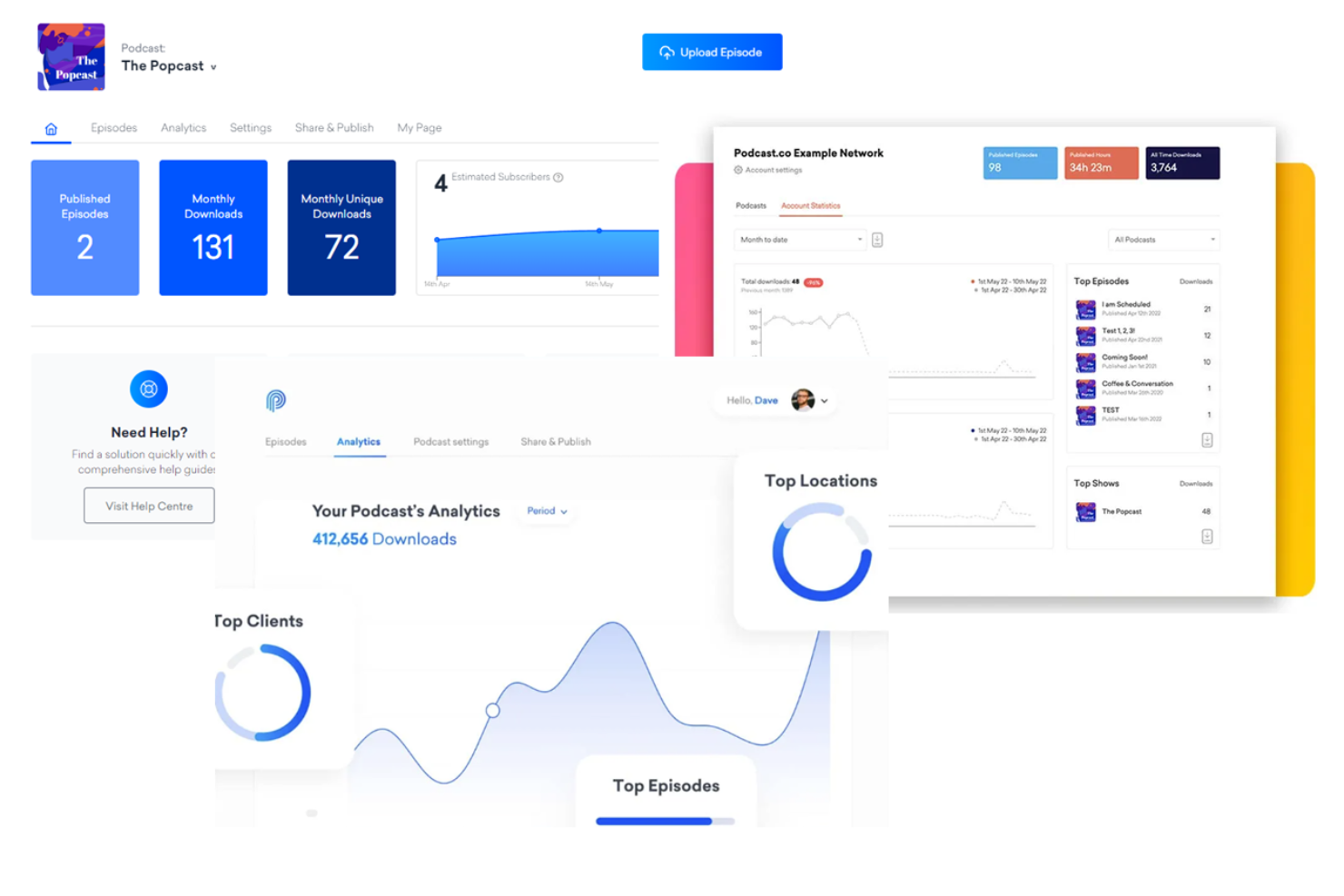
If you want your podcast to have a polished, branded web presence, Podcast.co is built for that need. The platform appeals to marketing teams, agencies, and creators who want more control over how their show is presented online. With Podcast.co, you can design a custom website for your podcast that matches your brand and helps attract listeners.
Why I Picked Podcast.co
For podcasters who want their show to stand out visually, Podcast.co offers branded podcast web pages that go beyond the basics. The platform lets you customize your podcast’s website with your own colors, logos, and layouts, so your online presence matches your brand identity. I like that Podcast.co includes built-in episode players and subscription buttons, making it easy for listeners to engage with your content directly from your site. If you’re looking to create a cohesive brand experience for your podcast, these web page features make Podcast.co a strong fit.
Podcast.co Key Features
Some other features that caught my attention include:
- Automated Distribution: Distribute your podcast to platforms like Spotify, Apple Podcasts, and Google Podcasts automatically.
- Team Collaboration Tools: Invite team members to manage, edit, or publish episodes with role-based permissions.
- Listener Analytics: Track downloads, listener locations, and engagement trends in a dedicated analytics dashboard.
- Private Podcasting: Create invite-only podcasts for internal communications or exclusive content.
Podcast.co Integrations
Integrations are available via Zapier.
Pros and Cons
Pros:
- Reliable automatic directory distribution system
- Built-in tools for audience growth
- Minimalist and modern episode dashboard
Cons:
- Limited video podcasting support options
- Advanced collaboration features require upgrades
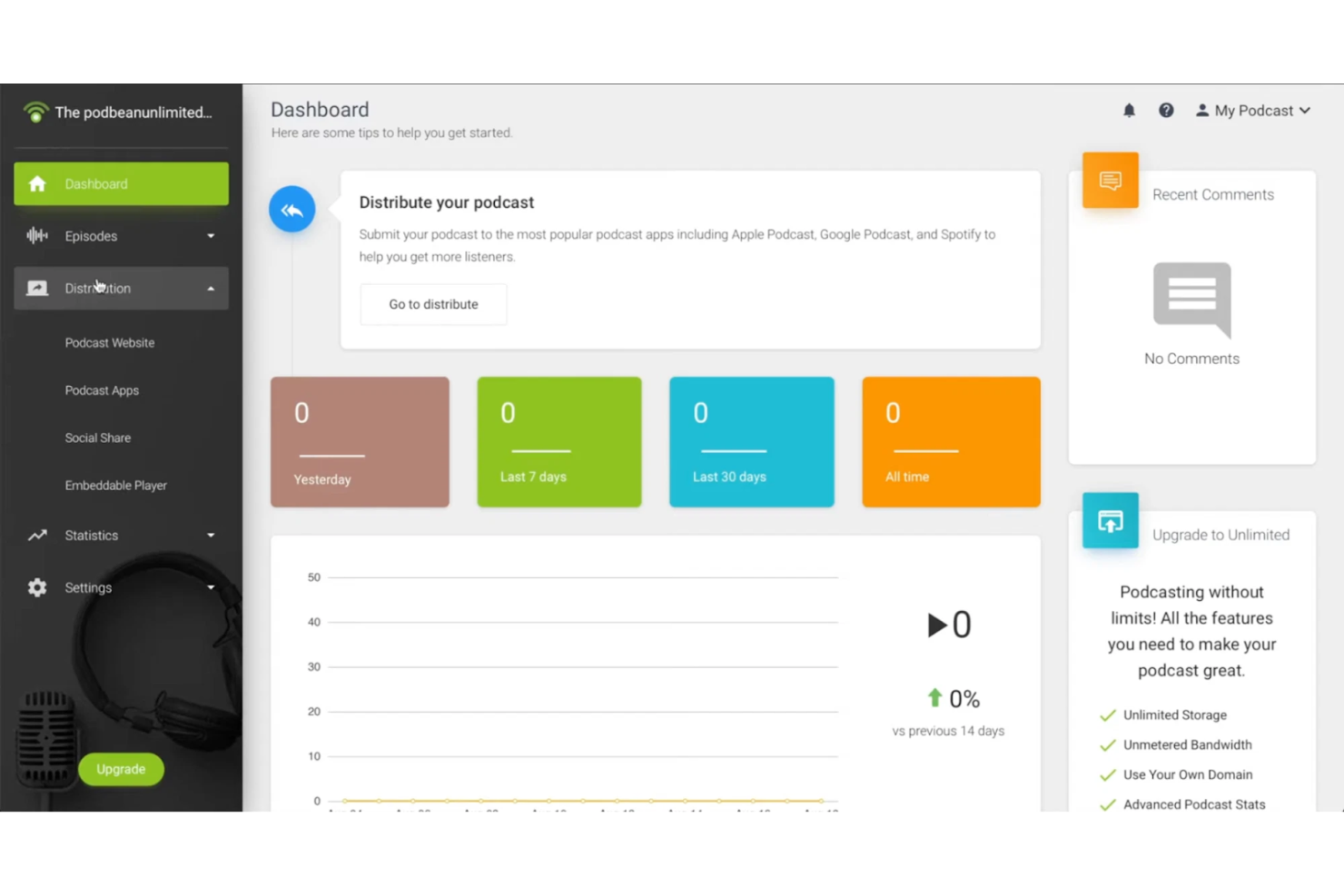
Podbean gives creators a way to host a free podcast, distribute, and even live-stream their shows from one platform. It’s a strong fit for creators and brands that want to engage audiences in real time or experiment with live podcast formats. If you’re looking for a hosting solution that supports both traditional and live podcasting, Podbean brings these capabilities together.
Why I Picked Podbean
What drew me to Podbean is its integrated live streaming capabilities, which are rare among podcast hosting platforms. Podbean lets you host live shows, interact with listeners through live chat, and even invite guests to join your broadcast in real time. I like that you can record these live sessions and publish them as on-demand episodes, making it easy to repurpose content. For podcasters who want to build community and experiment with live formats, Podbean offers a unique set of tools.
Podbean Key Features
Some other features that make Podbean appealing for podcast hosting include:
- Monetization Marketplace: Podbean connects you with sponsorship opportunities and dynamic ad insertion tools.
- Customizable Podcast Website: Every account includes a website you can personalize with your branding and content.
- Mobile App for Creators: The Podbean app lets you record, publish, and manage episodes directly from your phone.
- Comprehensive Analytics Dashboard: Track downloads, listener locations, and trends with detailed reporting tools.
Podbean Integrations
Integrations include Mailchimp, Google Analytics, Apple Podcasts Subscriptions, and more.
Pros and Cons
Pros:
- Diverse internal monetization and ad marketplace
- Built-in live audio streaming capabilities
- Integrated mobile recording and editing app
Cons:
- Higher tiers required for multiple shows
- Dated website templates
Other Podcast Hosting Platforms
Here are some additional podcast hosting platforms options that didn’t make it onto my shortlist, but are still worth checking out:
- Transistor
For managing multiple shows
- Captivate
For team collaboration features
- Firstory
With cross-platform distribution tools
- Alitu
For automated audio editing workflows


Podcast Hosting Platforms Selection Criteria
When selecting the best podcast hosting platforms to include in this list, I considered common buyer needs and pain points like reliable distribution to major directories and analytics for audience growth. I also used the following framework to keep my evaluation structured and fair:
Core Functionality (25% of total score)
To be considered for inclusion in this list, each solution had to fulfill these common use cases:
- Host and store podcast audio files
- Generate and manage RSS feeds
- Distribute episodes to major podcast directories
- Provide basic listener analytics
- Support episode scheduling and publishing
Additional Standout Features (25% of total score)
To help further narrow down the competition, I also looked for unique features, such as:
- Branded podcast web pages
- Private or invite-only podcasting options
- Automated audio editing tools
- Dynamic ad insertion capabilities
- Advanced team collaboration controls
Usability (10% of total score)
To get a sense of the usability of each system, I considered the following:
- Clean and intuitive dashboard design
- Logical episode management workflow
- Accessibility of analytics and reports
- Mobile-friendly interface
- Minimal steps to publish new episodes
Onboarding (10% of total score)
To evaluate the onboarding experience for each platform, I considered the following:
- Availability of step-by-step setup guides
- Access to training videos and tutorials
- Pre-built templates for podcast pages
- Interactive product tours or walkthroughs
- Migration support for existing podcasts
Customer Support (10% of total score)
To assess each software provider’s customer support services, I considered the following:
- Live chat or email support availability
- Response time to support inquiries
- Access to a searchable help center
- Community forums or user groups
- Availability of onboarding webinars
Value For Money (10% of total score)
To evaluate the value for money of each platform, I considered the following:
- Transparent and competitive pricing tiers
- Features included in entry-level plans
- Flexibility to scale with usage
- No hidden fees or overage charges
- Free trial or demo availability
Customer Reviews (10% of total score)
To get a sense of overall customer satisfaction, I considered the following when reading customer reviews:
- Consistency of positive feedback across platforms
- Reports of technical reliability and uptime
- Feedback on customer support experiences
- User comments on feature usefulness
- Frequency of updates and new features
How to Choose Podcast Hosting Platforms
It’s easy to get bogged down in long feature lists and complex pricing structures. To help you stay focused as you work through your unique software selection process, here’s a checklist of factors to keep in mind:
| Factor | What to Consider |
|---|---|
| Scalability | Will the platform handle your growth in episodes, listeners, and team members without extra costs or migration headaches? |
| Integrations | Does the platform connect natively to your marketing, analytics, or content management tools, or will you need workarounds? |
| Customizability | Can you tailor podcast web pages, player widgets, and branding to match your organization’s identity and audience expectations? |
| Ease of use | How quickly can new team members learn the system and manage episodes without extensive training or support? |
| Implementation and onboarding | What resources, guides, or migration support does the vendor provide to help you get up and running with minimal disruption? |
| Cost | Are pricing tiers clear, and do they align with your current and projected usage, considering storage, bandwidth, and team seats? |
| Security safeguards | What measures are in place to protect your content, listener data, and account access from unauthorized use or breaches? |
| Support availability | Is help available when you need it—especially during launches or technical issues—and through your preferred channels (chat, email, phone)? |
What Are Podcast Hosting Platforms?
Podcast hosting platforms are online services that store, manage, and distribute podcast audio files and metadata. These platforms generate RSS feeds, deliver episodes to major podcast directories, and provide tools for publishing, analytics, and audience engagement. They help creators and organizations reliably share their podcasts with listeners, track performance, and maintain control over their content and branding.
Features of Podcast Hosting Platforms
When selecting podcast hosting platforms, keep an eye out for the following key features:
- Audio file hosting: Securely stores your podcast episodes and ensures reliable delivery to listeners without bandwidth or storage limitations.
- RSS feed management: Automatically generates and updates your podcast’s RSS feed, which is essential for distributing episodes to directories and apps.
- Episode scheduling: Lets you set release dates and times for episodes, so you can plan content drops in advance and maintain a consistent publishing cadence.
- Analytics dashboard: Tracks downloads, listener locations, and engagement metrics, giving you insights into audience growth and episode performance.
- Directory distribution: Publishes your podcast to major platforms like Apple Podcasts, Spotify, and Google Podcasts with minimal manual effort.
- Customizable web pages: Provides branded podcast websites or landing pages where listeners can browse episodes, subscribe, and learn more about your show.
- Team collaboration: Allows multiple users to manage, edit, and publish episodes with role-based permissions for a centralized workflow.
- Private podcasting: Supports invite-only or password-protected podcasts for internal communications, training, or exclusive content.
- Monetization tools: Offers options for dynamic ad insertion, sponsorship management, or listener support to help you generate revenue from your podcast.
Common Podcast Hosting Platforms AI Features
Beyond the standard podcast hosting platforms' features listed above, many of these solutions are incorporating AI with features like:
- Automated transcription: Uses AI to convert spoken audio into accurate, searchable text transcripts, making episodes more accessible and improving SEO.
- AI-powered audio enhancement: Automatically detects and reduces background noise, levels volume, and improves overall sound quality without manual editing.
- Content summarization: Generates concise episode summaries or show notes using AI, saving time and helping listeners quickly understand episode topics.
- Topic and keyword tagging: Analyzes audio content to suggest relevant tags and keywords, improving discoverability and organization within directories.
- Listener sentiment analysis: Uses AI to analyze listener feedback and reviews, identifying trends and audience sentiment to inform content strategy.
Benefits of Podcast Hosting Platforms
Implementing podcast hosting platforms provides several benefits for your team and your business. Here are a few you can look forward to:
- Centralized content management: Store, organize, and publish all your podcast episodes from a single, secure platform.
- Automated distribution: Reach listeners on major directories automatically through built-in RSS feed management and syndication tools.
- Audience insights: Access analytics dashboards that track downloads, listener locations, and engagement to inform your content strategy.
- Consistent branding: Use customizable web pages and player widgets to maintain a cohesive brand experience for your audience.
- Team collaboration: Assign roles and permissions so multiple team members can manage, edit, and publish episodes efficiently.
- Private and exclusive content: Deliver invite-only or password-protected podcasts for internal communications or premium subscriber content.
- Monetization opportunities: Leverage built-in tools for ad insertion, sponsorship management, or listener support to generate revenue from your podcast.
Costs and Pricing of Podcast Hosting Platforms
Selecting podcast hosting platforms requires an understanding of the various paid plans and pricing models available. Costs vary based on features, team size, add-ons, and more. The table below summarizes common plans, their average prices, and typical features included in podcast hosting solutions:
Plan Comparison Table for Podcast Hosting Platforms
| Plan Type | Average Price | Common Features |
|---|---|---|
| Free Plan | $0 | Basic audio hosting, limited storage, basic analytics, and directory distribution. |
| Personal Plan | $5-$20/month | Increased storage, custom branding, episode scheduling, and basic support. |
| Business Plan | $20-$50/month | Advanced analytics, team collaboration, customizable web pages, private podcasting, and monetization tools. |
| Enterprise Plan | $50-$200/month | Unlimited storage, advanced security, dedicated support, custom integrations, and compliance options. |
Podcast Hosting Platforms FAQs
Here are some answers to common questions about podcast hosting platforms:
Do I need a podcast hosting platform to publish my podcast?
Yes, you need a podcast hosting platform to store your audio files, generate an RSS feed, and distribute your episodes to directories like Apple Podcasts and Spotify. Hosting platforms also help you manage your content and track listener analytics.
Can I migrate my podcast from one hosting platform to another?
Yes, most podcast hosting platforms support migration by importing your existing RSS feed and audio files. Check if the new platform offers migration tools or support to ensure a smooth transition without losing subscribers or analytics data.
How much storage and bandwidth do I need for my podcast?
The amount depends on your episode length, frequency, and audience size. Most platforms offer plans with enough storage and bandwidth for weekly shows with standard-length episodes. If you publish daily or have a large audience, look for plans with higher limits or unlimited options.
What happens if my podcast goes viral and traffic spikes?
Most reputable podcast hosting platforms can handle sudden increases in downloads and listener traffic. Check if your plan includes bandwidth limits or overage fees, and consider platforms with scalable infrastructure to avoid interruptions.
Are there podcast hosting platforms for private or internal podcasts?
Yes, many platforms offer private podcasting features, such as password protection or invite-only access. These are useful for internal communications, training, or sharing exclusive content with select audiences. Always review privacy and access controls before choosing a platform.
What’s Next:
If you're in the process of researching podcast hosting platforms, connect with a SoftwareSelect advisor for free recommendations.
You fill out a form and have a quick chat where they get into the specifics of your needs. Then you'll get a shortlist of software to review. They'll even support you through the entire buying process, including price negotiations.