
19 Best monday.com Alternatives Reviewed in 2026

10 Best monday.com Alternatives Shortlist
Here's my pick of the 10 best software from the 19 tools reviewed.
- 5. Asana


monday.com is a popular marketing management software known for its ability to organize and track work projects efficiently. However, some users might seek an alternative to monday.com if they require more customization options or face budget constraints.
Using my experience with marketing software, I tested and compared several of the top monday.com alternatives available. From there, I compiled my results into detailed reviews to help you find the best software for your unique needs.
What Is monday.com?
monday.com is a marketing management software that helps teams organize and track their work projects. It's generally used by marketing, project management, and operations professionals who need to manage tasks and collaborate with their teams.
Customizable boards, automation, and integration capabilities help organize tasks, improve team collaboration, and keep everyone on the same page. Overall, monday.com provides a straightforward way to streamline your team's workflow.
Why Trust Our Software Reviews
We’ve been testing and reviewing marketing software since 2022. As marketing managers ourselves, we know how critical and difficult it is to make the right decision when selecting software. We invest in deep research to help our audience make better software purchasing decisions.
We’ve tested more than 2,000 tools for different marketing use cases and written over 1,000 comprehensive software reviews. Learn how we stay transparent & check out our software review methodology.
Best monday.com Alternatives Summary
This comparison chart summarizes pricing details for my top monday.com alternative selections to help you find the best one for your budget and business needs.
| Tool | Best For | Trial Info | Price | ||
|---|---|---|---|---|---|
| 1 | Best for task automation features | Free plan + free demo available + 15-day free trial | From $4/user/month (billed annually) | Website | |
| 2 | Best for customizable workflows | Free plan + free demo + 14-day free trial available | From $10/user/month (billed annually) | Website | |
| 3 | Best for custom app building | Free plan + free demo available | From $20/user/month (billed annually) | Website | |
| 4 | Best for client work management | 30-day free trial + free plan + free demo available | From $10.99/user/month (billed annually) | Website | |
| 5 | Free plan available | From $10.99/user/month (billed annually) | Website | ||
| 6 | Best for remote collaboration | Free plan available | From $5.42/user/month | Website | |
| 7 | Best for small team collaboration | 30-day free trial + + free plan + free demo available | From $15/user/month | Website | |
| 8 | Best for integrated workspaces | 14-day free trial + free plan available | From $10/user/month (billed annually) | Website | |
| 9 | Best free workspace solution | Free plan + 15-day free trial available | From $49/month (billed annually) | Website | |
| 10 | Best for resource scheduling | Free 30-day trial available | From $4.16/user/month | Website |


Best monday.com Alternatives Reviews
Below are my detailed summaries of the best monday.com alternatives that made it onto my shortlist. My reviews offer a thorough look at each tool’s key features, pros and cons, integrations, and ideal use cases to help you find the best one.

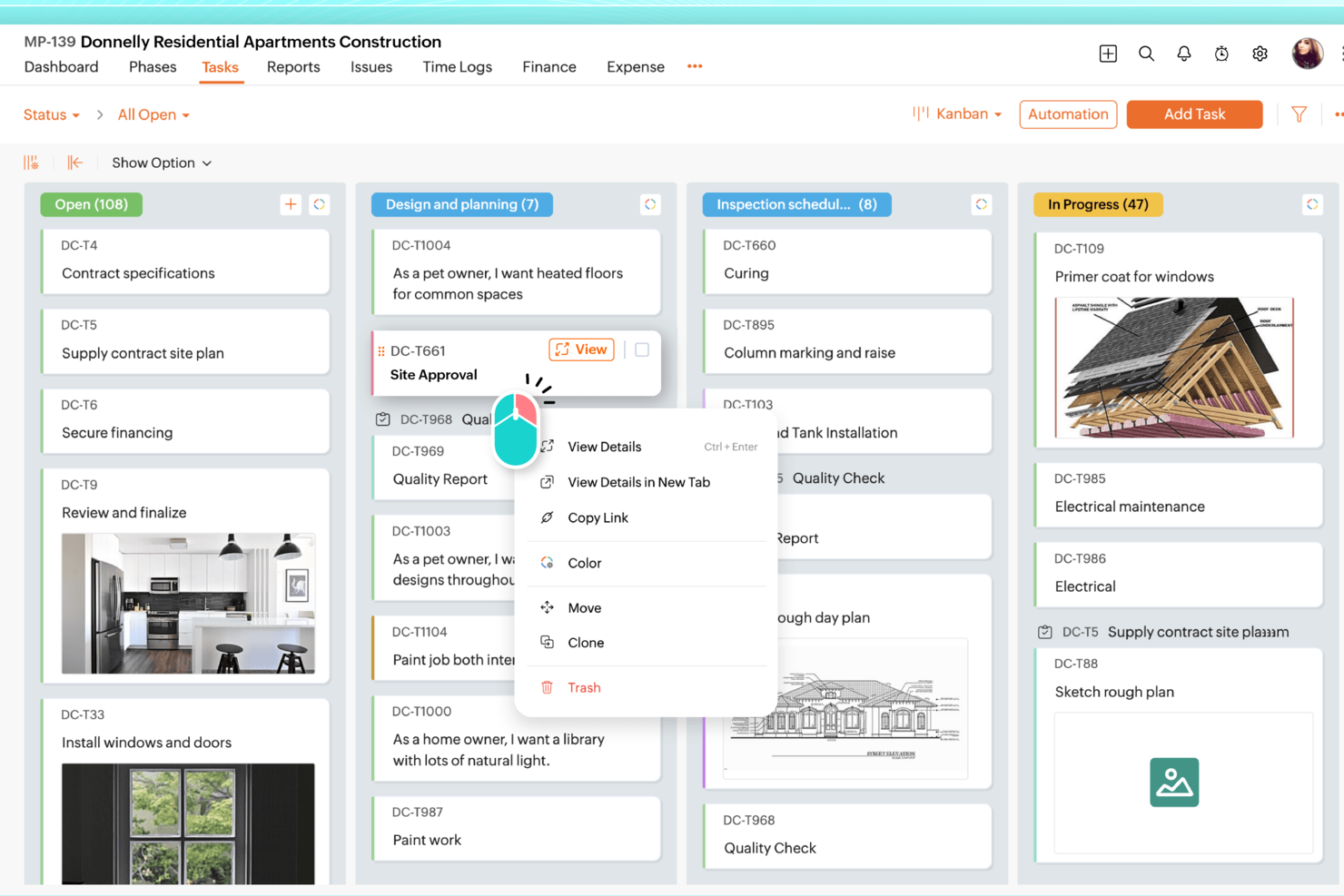
For teams seeking a monday.com alternatives solution that balances functionality with user privacy, Zoho Projects presents a compelling option. It's designed to appeal to a wide range of industries, from IT to construction, by offering task management and collaborative tools without monetizing user data. Zoho Projects tackles challenges such as task automation and integration with other tools, ensuring your team can focus on what truly matters, getting projects done efficiently.
Why I Picked Zoho Projects
I picked Zoho Projects as a strong monday.com alternatives solution due to its user-friendly interface and customizable templates that cater to diverse project management needs. You can leverage its task automation feature, which allows for streamlined workflows through a simple drag-and-drop interface, saving you time on repetitive tasks. Additionally, Zoho Projects offers Zia intelligence, an AI-driven tool that provides insights to enhance decision-making. These features make it a great fit for teams looking to optimize their project management processes.
Zoho Projects Key Features
In addition to its automation and AI capabilities, Zoho Projects offers several other features that enhance its appeal.
- Task Management: Provides tools like Gantt charts, task dependencies, and recurring tasks to keep your projects on track.
- Time Tracking: Allows you to monitor time spent on tasks and projects, ensuring accurate billing and productivity assessment.
- Issue Tracking: Helps your team identify, report, and resolve project-related issues efficiently.
- Team Collaboration: Includes in-app chat, forums, and document management for seamless communication and collaboration.
Zoho Projects Integrations
Integrations include Google Calendar, Microsoft Office 365, Slack, Dropbox, GitHub, Zapier, Zoho CRM, Zoho Books, Zoho Invoice, and Zoho Analytics.
Pros and Cons
Pros:
- Competitive pricing with rich features
- Strong automation and workflow tools
- Robust task and dependency management
Cons:
- Limited dashboard customization options
- Interface feels complex initially

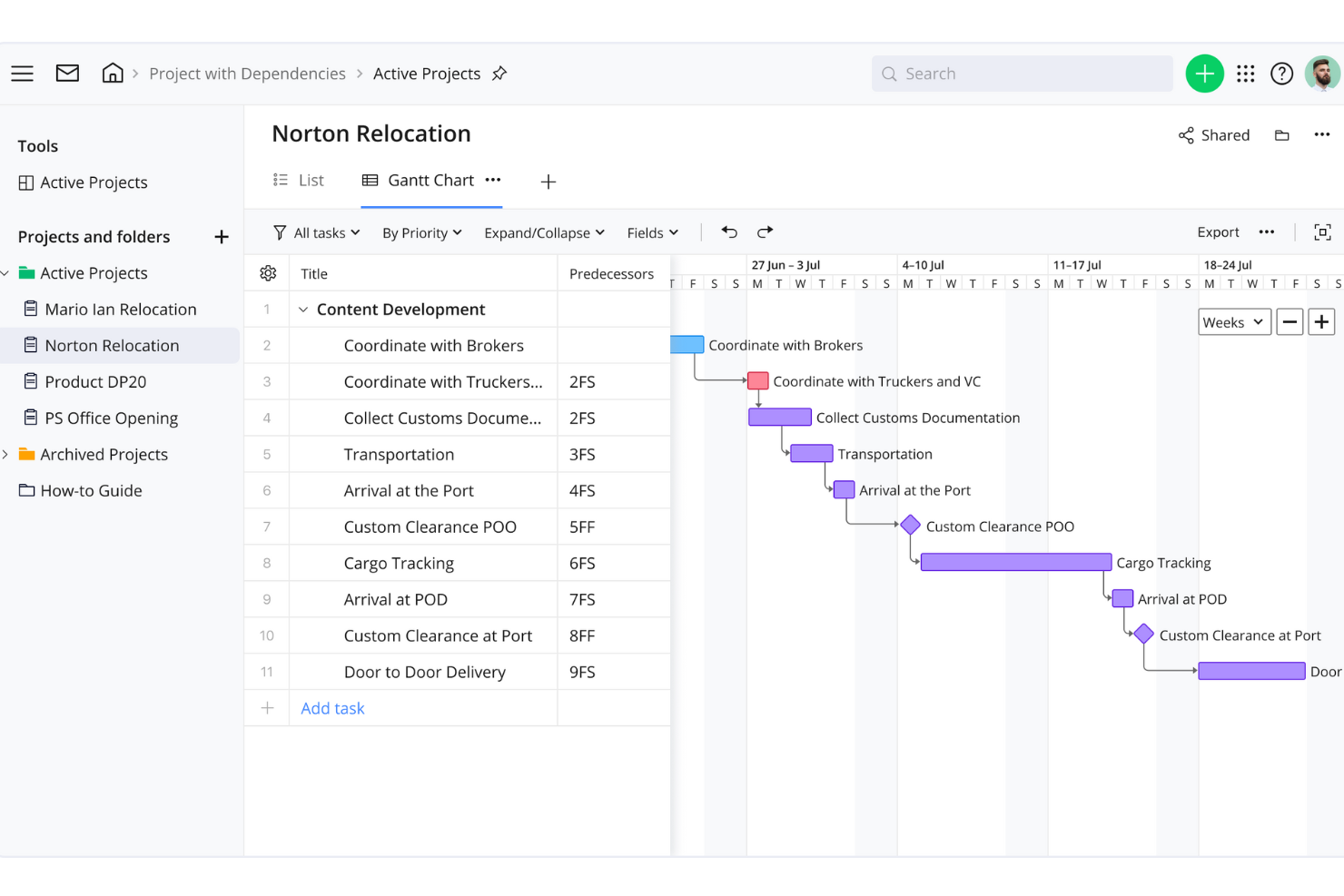
Wrike is a project management tool designed for teams and businesses looking to enhance collaboration and productivity. It offers features for task management, time tracking, and workload management, facilitating efficient project workflows.
Why Wrike is a good monday.com alternative: Wrike's customizable workflows allow you to tailor project stages to fit your team's specific processes. This flexibility ensures that your projects align with your unique operational needs, enhancing efficiency. Additionally, Wrike's real-time collaboration features, such as live editing and commenting, keep your team connected and informed, reducing the need for lengthy email threads.
Standout features & integrations:
Features include task prioritization, custom dashboards, request forms, approvals, file sharing, document versioning, calendar view, Kanban boards, workload management, and advanced reporting on project performance, resource allocation, and timelines.
Integrations include Adobe Creative Suite, Photoshop, Illustrator, InDesign, Facebook, Twitter, LinkedIn, Marketo, HubSpot, Salesforce, Microsoft Teams, and Slack.
Pros and Cons
Pros:
- Advanced reporting features
- Time tracking to monitor resource allocation
- Customizable workflows for tailored processes
Cons:
- Occasional performance issues with large projects
- Learning curve for new users
New Product Updates from Wrike

Streamlining Workspaces with New Updates
Wrike announces custom space templates, AI Agents in Wrike Labs, and a new Guage widget to improve project management. For more information, visit Wrike's official site.

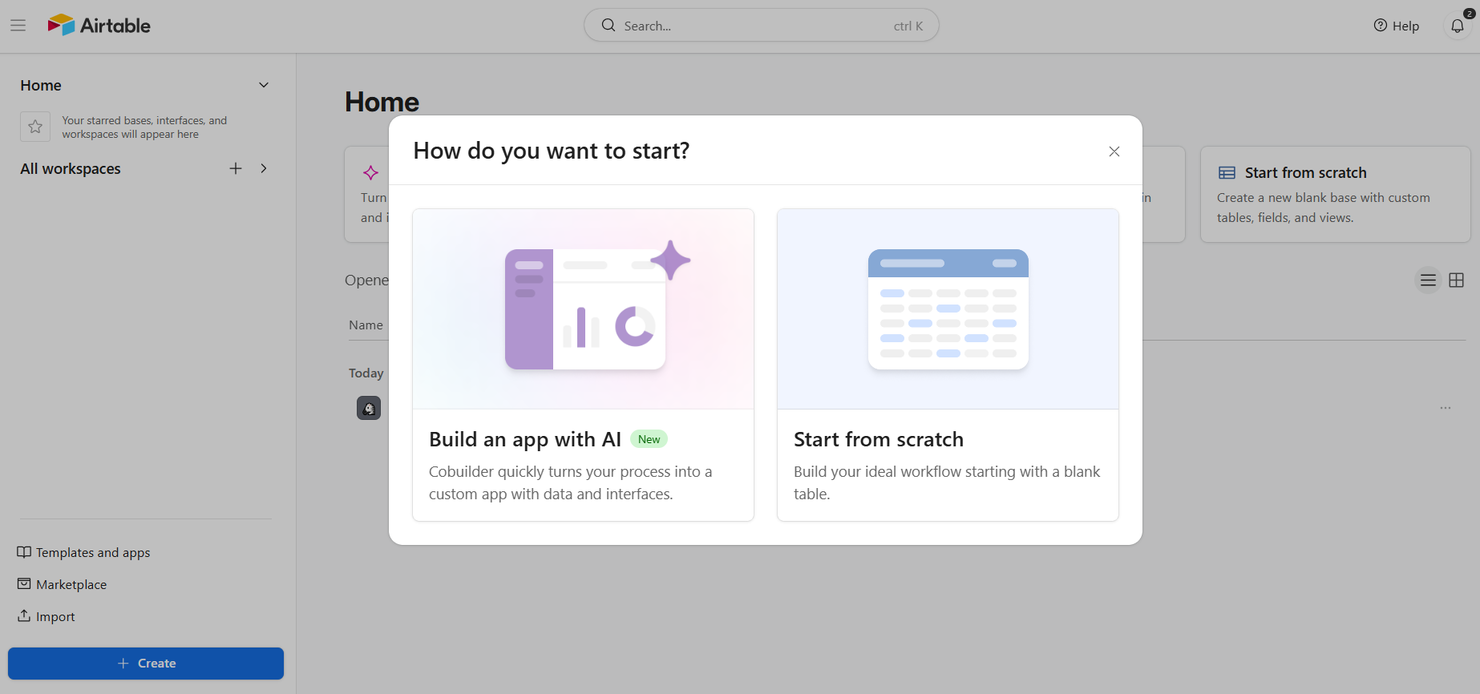
Airtable is a flexible database and collaboration tool that allows users to create custom applications to manage data and workflows. It's used by teams across various industries who need a versatile platform to organize information and collaborate.
Why Airtable is a good monday.com alternative: Airtable offers custom app building capabilities, which set it apart from monday.com's project management focus. Its grid view allows you to organize data similarly to a spreadsheet, making it intuitive for those familiar with Excel. The form view lets you collect information quickly, and its Kanban board aids in visualizing workflows. These features suit teams needing customizable solutions to manage diverse projects.
Standout features & integrations:
Features include grid view, form view, and Kanban board. Grid view lets you organize information like a spreadsheet, making it familiar and easy to use. Form view helps you collect and manage data efficiently.
Integrations include Slack, Google Calendar, Dropbox, Trello, Asana, Jira, Mailchimp, GitHub, Zendesk, and Salesforce.
Pros and Cons
Pros:
- Visual workflow tools
- Flexible data management
- Customizable applications
Cons:
- Basic reporting features
- May need customization

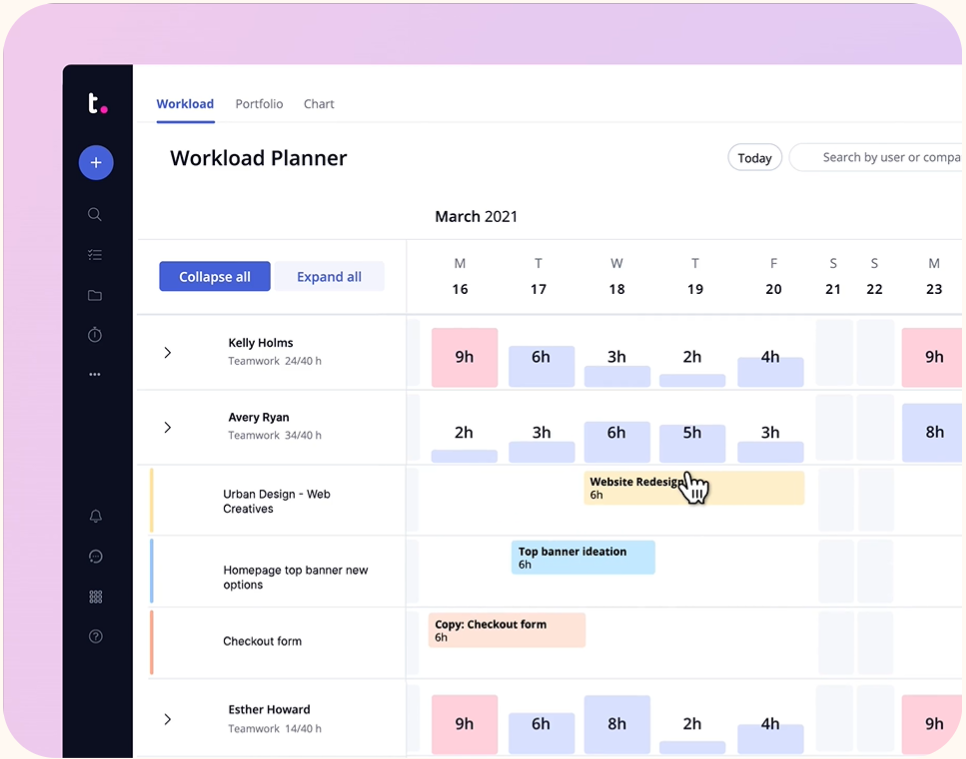
Teamwork.com is a project management software for teams managing client work and collaboration. It’s mainly used by agencies and businesses that must keep track of client projects and improve team communication.
Why Teamwork.com is a good monday.com alternative: Teamwork.com offers features tailored for managing client-based projects, setting it apart from monday.com’s broad project management focus. Its time tracking and billing features help ensure you accurately capture billable hours. The project templates make it easy to standardize processes across different client projects. The task management tools also help you organize and prioritize work effectively, enhancing productivity for client-focused teams.
Standout features & integrations:
Features include time tracking, billing, and project templates. Time tracking ensures you accurately capture billable hours, essential for client work. Billing features streamline invoicing, making financial management more manageable for your team. Project templates help standardize processes, saving you time when managing similar projects.
Integrations include Slack, HubSpot, Google Drive, Dropbox, QuickBooks, Zapier, Microsoft Teams, Xero, Harvest, and OneDrive.
Pros and Cons
Pros:
- Customizable project templates
- Detailed time tracking
- Effective client management
Cons:
- Complex setup process
- Can be overwhelming


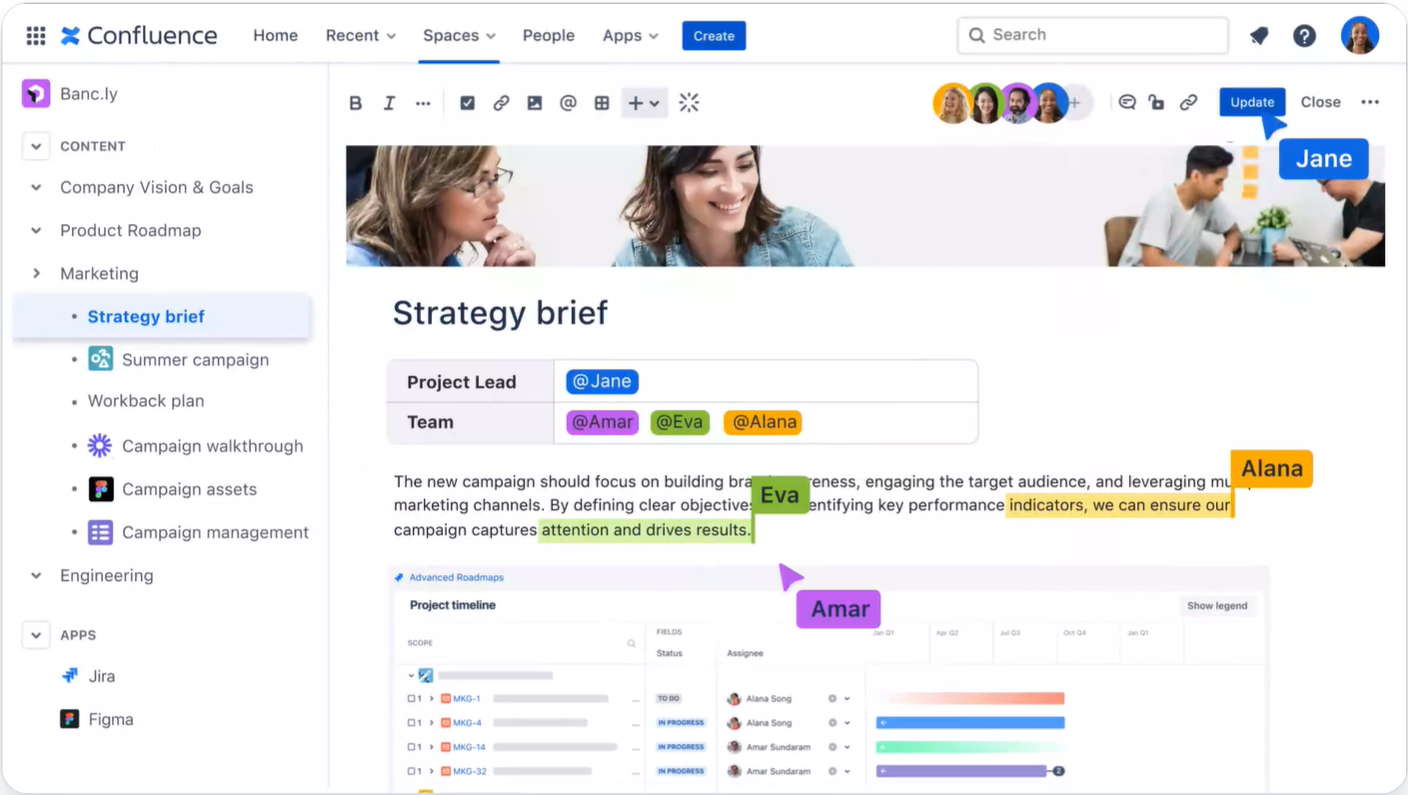
Confluence is a collaboration and knowledge management tool designed for teams to create, share, and collaborate on projects and documents. It's mainly used by teams that organize information and facilitate communication across various departments.
Why Confluence is a good monday.com alternative: Confluence excels in remote collaboration, providing features that differ from monday.com’s project management tools. Its collaborative workspaces allow multiple users to edit and update documents in real time. The page versioning feature helps keep track of document changes and ensures everyone has access to the latest information. Additionally, the customizable templates speed up document creation, making it ideal for teams that prioritize collaborative content creation.
Standout features & integrations:
Features include collaborative workspaces that enable your team to work together in real time on projects and documents. Page versioning ensures you can track changes and access the most recent information. Customizable templates help you quickly create documents tailored to your team's needs.
Integrations include Jira, Trello, Slack, Microsoft Teams, Google Drive, Dropbox, Salesforce, Box, GitHub, and Zoom.
Pros and Cons
Pros:
- Tracks document changes
- Real-time document editing
- Effective remote collaboration
Cons:
- May need customization
- Basic reporting features

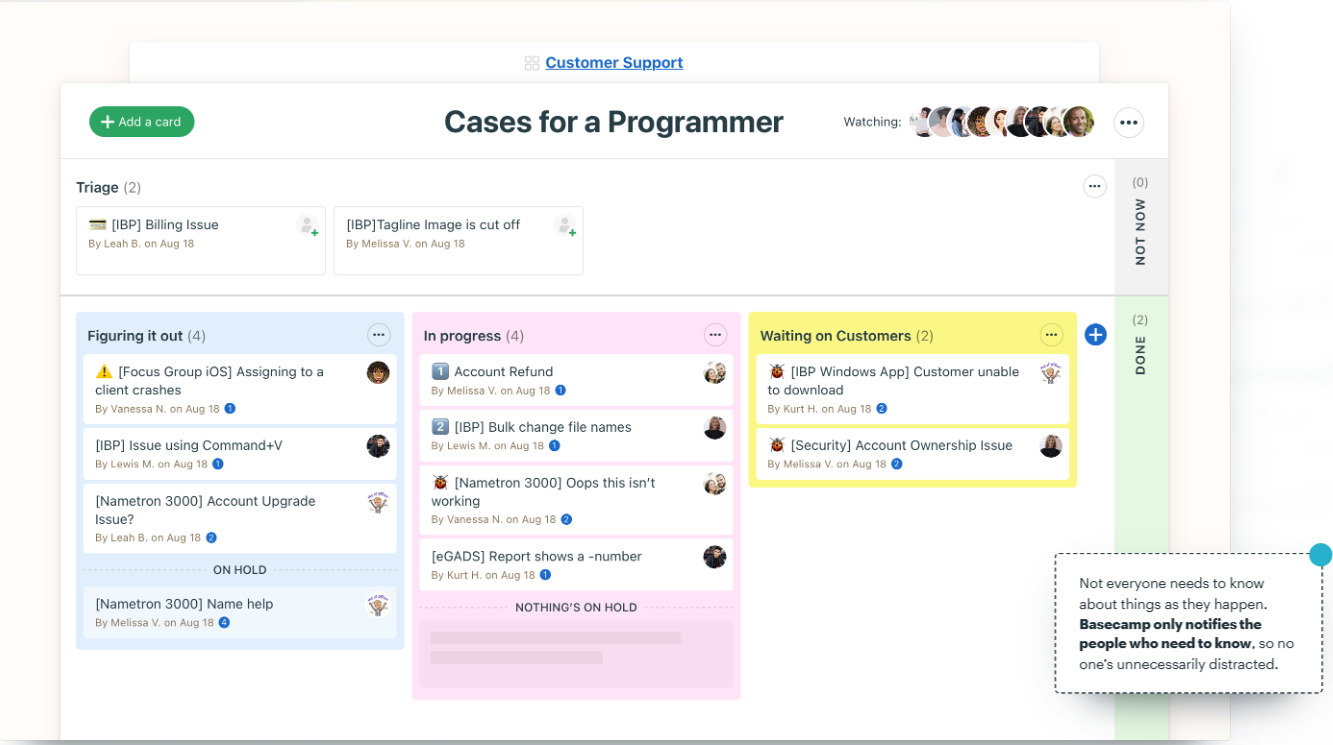
Basecamp is project management and team collaboration software for small to medium-sized teams. It helps businesses manage tasks, communicate effectively, and keep all project-related information in one place.
Why Basecamp is a good monday.com alternative: Basecamp is tailored for small team collaboration, making it different from monday.com’s broader project management tools. Its message boards and to-do lists help your team communicate and organize tasks efficiently. The campfire chat feature enables quick, informal conversations to keep everyone in the loop. The automatic check-ins provide regular updates without constant meetings, making it ideal for teams wanting a simple collaboration tool.
Standout features & integrations:
Features include message boards, to-do lists, and campfire chat. Message boards let your team have organized discussions without cluttering up email. To-do lists help you track and manage tasks, ensuring everything gets done. Campfire chat allows for quick, informal conversations, keeping communication lines open.
Integrations include Zapier, Slack, Trello, Dropbox, Google Drive, Microsoft Teams, HubSpot, Asana, Toggl, and Harvest.
Pros and Cons
Pros:
- Suitable for small teams
- Regular updates via check-ins
- Easy task management
Cons:
- Basic reporting tools
- Limited advanced features
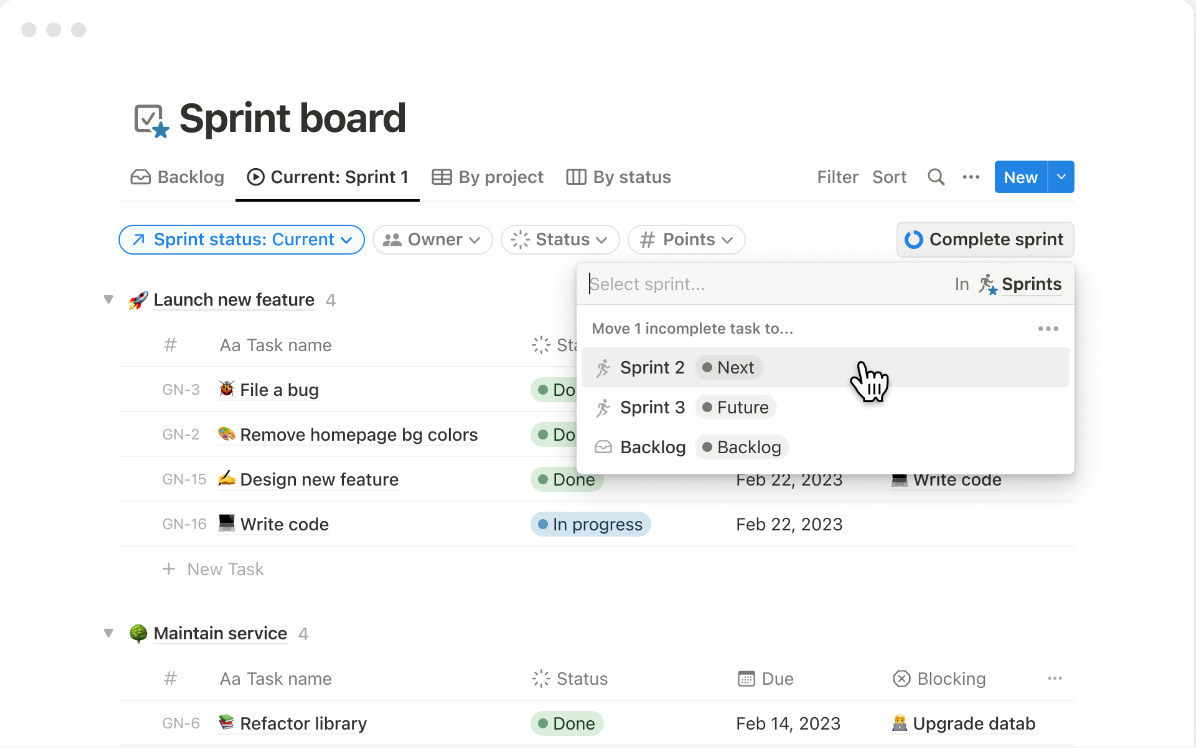
Notion Projects is a project management and collaboration tool that helps teams organize tasks, documents, and databases in one unified workspace. It's used by teams looking for a flexible platform to manage their work and collaborate effectively.
Why Notion Projects is a good monday.com alternative: Notion Projects combines project management with an integrated workspace, which sets it apart from monday.com's focus on task management. Its database functionality allows your team to store and organize information in customizable ways. The drag-and-drop editor lets you easily adjust layouts to fit your workflow needs. Additionally, the ability to link documents and databases provides a holistic view of projects, making it ideal for teams wanting everything in one place.
Standout features & integrations:
Features include database functionality, drag-and-drop editor, and document linking. Database functionality lets you store and organize information to suit your team. The drag-and-drop editor allows you to customize layouts and workflows easily. Document linking helps provide a comprehensive view of projects, ensuring all related information is accessible.
Integrations include Slack, Google Drive, Trello, Asana, Jira, Figma, Zapier, Typeform, and Microsoft Teams.
Pros and Cons
Pros:
- Intuitive drag-and-drop
- Customizable databases
- Flexible workspace
Cons:
- Limited advanced features
- Initial setup complexity

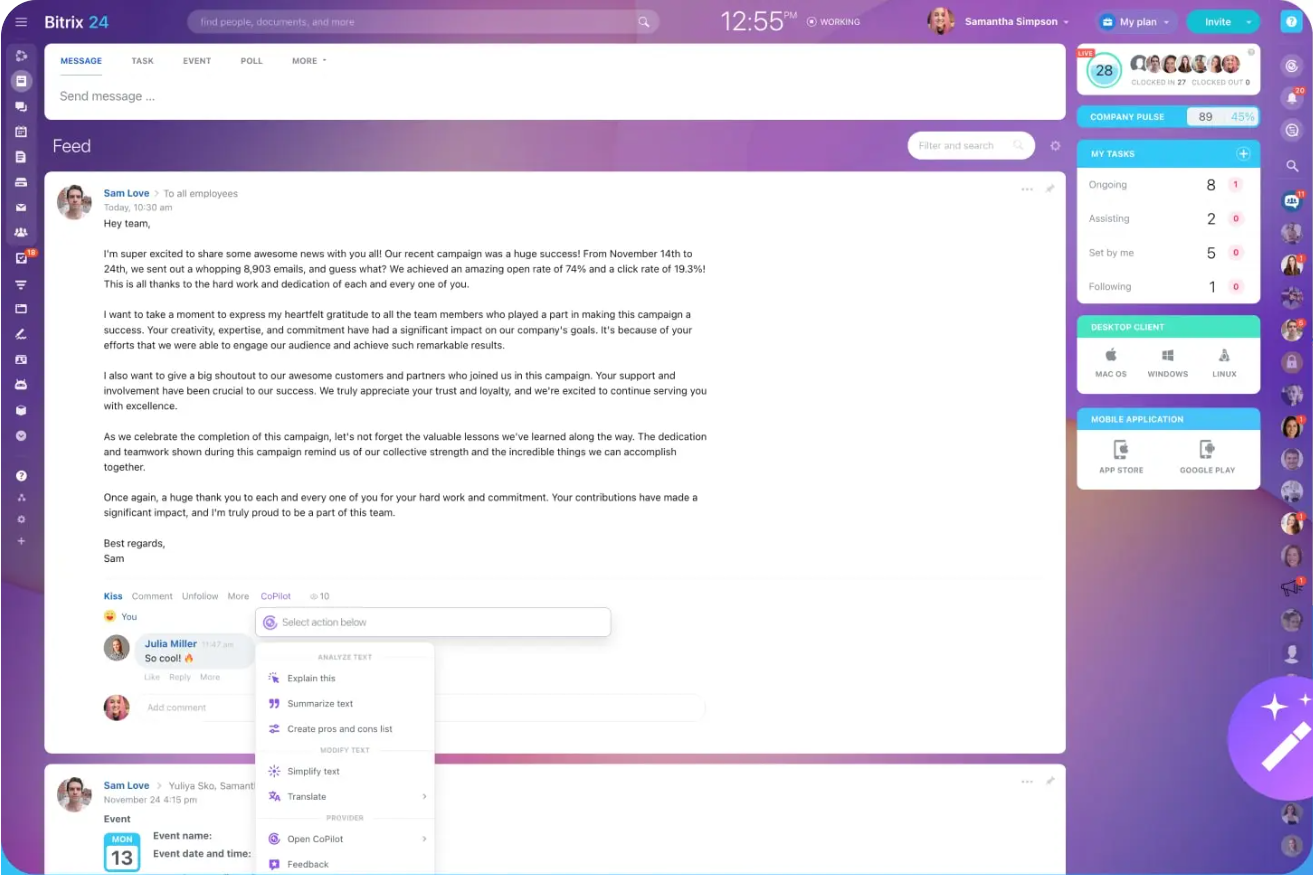
Bitrix24 is a collaboration and project management platform for teams seeking an all-in-one workspace. It serves businesses that need tools for communication, task management, and customer relationship management.
Why Bitrix24 is a good monday.com alternative: Bitrix24 offers a free workspace solution, setting it apart from monday.com’s paid plans. Its communication tools, like video calls and chat, make it easy for your team to stay connected. The task management features help you organize and prioritize work efficiently. Additionally, its CRM capabilities allow you to manage customer interactions without needing separate software, making it ideal for small businesses or startups on a budget.
Standout features & integrations:
Features include communication tools, task management, and CRM capabilities. Communication tools such as video calls and chat help your team stay connected. Task management lets you organize and prioritize tasks efficiently. CRM capabilities provide a way to manage customer interactions directly within the platform.
Integrations include Google Drive, Dropbox, Slack, Zapier, Microsoft Office, Mailchimp, Xero, QuickBooks, OneDrive, and Salesforce.
Pros and Cons
Pros:
- Strong communication tools
- All-in-one platform
- Free version available
Cons:
- Requires technical knowledge
- Limited customization

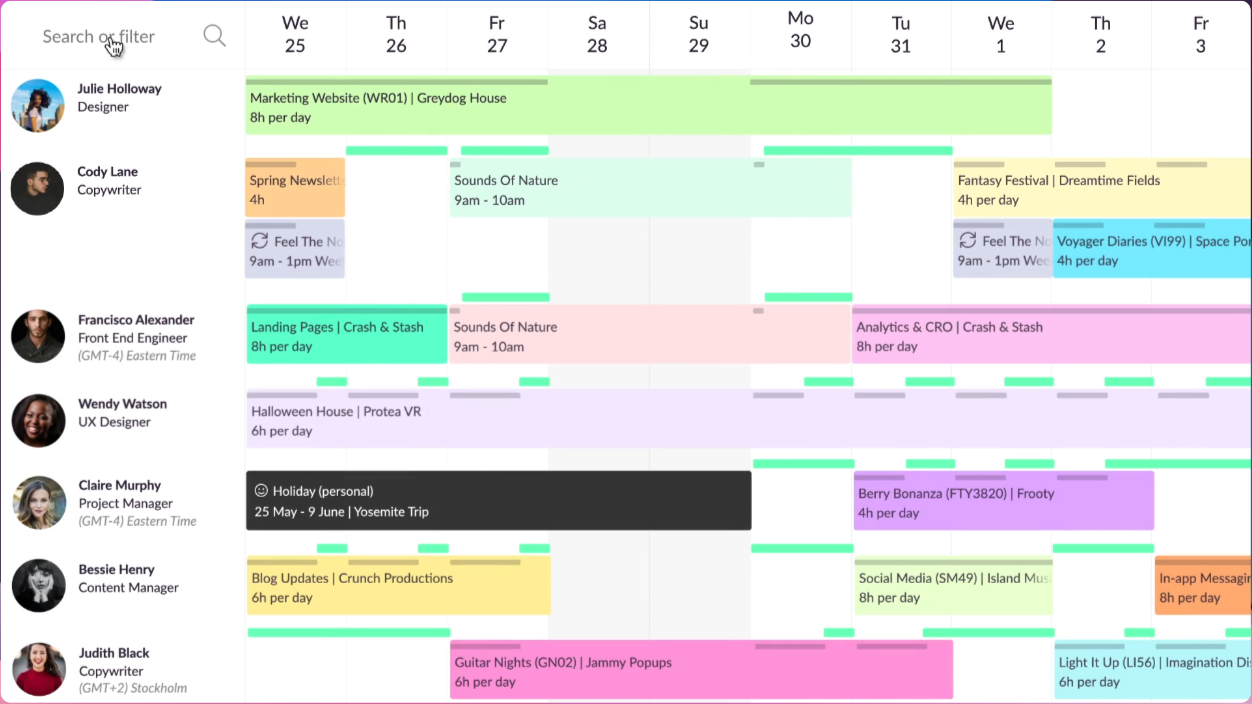
Resource Guru is a resource scheduling software designed for teams that need to manage and allocate resources efficiently. It's mainly used by project managers and teams in various industries who need a clear overview of their resources and schedules.
Why Resource Guru is a good monday.com alternative: Resource Guru specializes in resource scheduling, which sets it apart from monday.com’s broader project management approach. Its drag-and-drop scheduling and availability bar help you manage resources in real time. The software’s capacity planning ensures you don’t overbook your team, while the waiting list feature enables you to manage resources during peak times. These features make it an ideal solution for teams that need precise resource allocation.
Standout features & integrations:
Features include drag-and-drop scheduling, capacity planning, and an availability bar. Drag-and-drop scheduling allows you to adjust your team's tasks and resources easily. Capacity planning helps ensure that your team is well-booked, maintaining productivity. The availability bar gives a quick overview of who’s available and when which helps schedule tasks efficiently.
Integrations include Google Calendar, Outlook, iCal, Slack, Zapier, Asana, Basecamp, Trello, Jira, and Microsoft Teams.
Pros and Cons
Pros:
- Quick drag-and-drop scheduling
- Real-time availability tracking
- Easy resource visualization
Cons:
- Few customization options
- Limited project management tools
New Product Updates from Resource Guru

Resource Guru Launches Asana Integration
Resource Guru now integrates with Asana to enhance task scheduling by providing insights into availability and skills. For more information, visit Resource Guru's official site.
 .
.Other monday.com Alternatives
Here are some additional monday.com alternatives that didn’t make it onto my shortlist but are still worth checking out.
- Scoro
For professional services
- Bonsai Agency Software
For agencies
- Shortcut
For software development
- Hub Planner by Milient
For resource management
- Hive
For team collaboration tools
- Salesforce CRM
For customer relationship management
- ClickUp
For customizable workflows
- Pneumatic Workflow
For workflow automation
- Jira
For Agile software teams


monday.com Alternatives Selection Criteria
When selecting the best monday.com project management solution alternatives in this list, I considered everyday buyer needs and pain points related to marketing management software products, like customization options and budget constraints. I also used the following framework to keep my evaluation structured and fair.
Core Functionality (25% of total score)
To be considered for inclusion in this list, each solution had to fulfill these common use cases:
- Task management
- Time tracking
- Collaboration tools
- Project planning
- Reporting and analytics
Additional Standout Features (25% of total score)
To help further narrow down the competition, I also looked for unique features, such as:
- Custom workflows
- Advanced automation
- Industry-specific templates
- Mobile accessibility
- Multi-language support
- Collaboration features
Usability (10% of total score)
To get a sense of the usability of each system, I considered the following:
- User-friendly, intuitive interface
- Easy navigation
- Clear instructions
- Responsive design
- Customizable dashboards
Onboarding (10% of total score)
To evaluate the onboarding experience for each platform, I considered the following:
- Availability of training videos
- Interactive product tours
- Pre-built templates
- Chatbot assistance
- Access to webinars
Customer Support (10% of total score)
To assess each software provider’s customer support services, I considered the following:
- 24/7 availability
- Live chat support
- Email response time
- Knowledge base resources
- Community forums
Value For Money (10% of total score)
To evaluate the value for money of each platform, I considered the following:
- Competitive pricing
- Flexible plans
- Comprehensive features
- Cost-saving potential
- Free trial availability
Customer Reviews (10% of total score)
To get a sense of overall customer satisfaction, I considered the following when reading customer reviews:
- Overall satisfaction score
- Common praise points
- Frequent complaints
- User feedback on updates
- Recommendations from peers
Why Look for a monday.com Alternative?
While monday.com is a good choice of marketing management software, there are several reasons why some users seek out alternative solutions. You might be looking for a monday.com alternative because of the following.
- You need more customization options
- Your budget is limited for software tools
- You prefer a more straightforward user interface
- Your team requires more integrations
- You're looking for better customer support
If any of these sound like you, you’ve come to the right place. My list contains several marketing management software options better suited for teams facing these challenges with monday.com and looking for alternative solutions.
monday.com Alternative Key Features
When exploring alternatives to Monday.com, it's essential to focus on key features that meet your project's specific needs while removing duplicates and unnecessary elements. Here are the refined features to look for:
- User-Friendly Interface and Ease of Use: An intuitive, easy-to-navigate platform that minimizes the learning curve, allowing your team to adopt the tool quickly.
- Task Lists and Subtasks: Organize work efficiently by creating task lists and breaking down tasks into manageable subtasks.
- Task Assignments and Dependencies: Assign tasks to team members and set task dependencies to streamline workflows and meet project deadlines effectively.
- Custom Fields: Customize your projects with custom fields to capture all the specific information your team needs.
- Due Dates and Milestones: Set due dates for tasks and track milestones to keep your project on schedule.
- Notifications: Get real-time notifications about task updates, deadlines, and team communications.
- Approvals Workflow: Implement an approvals process to maintain quality control and ensure accountability within your projects.
- File Sharing: Share files seamlessly within the platform to facilitate collaboration and keep all project resources in one place.
- Track Projects and Tasks: Monitor the progress of projects and individual tasks to identify bottlenecks and ensure everything stays on track.
- Mobile App (iOS and Android): Access your projects on the go with a mobile app available for iOS and Android devices.
- Unlimited User Support: Support for unlimited users, allowing your team to grow without additional costs per user.
- Dashboards: Get a real-time overview of your projects with customizable dashboards that visualize key data points and help you make informed decisions.
- Automations: Save time on repetitive tasks with no-code automations that keep your workflows efficient by automating routine processes.
- Collaborative Docs: Co-author and share documents with your team using collaborative docs with chat features for accessible communication.
- Time Tracking: Time tracking features make it easy to track work hours, helping you manage productivity and allocate resources effectively.
- Resource Management and Workload View: Manage team resources by assigning tasks and monitoring workloads to ensure a balanced distribution of work; visualize resource allocation with workload views.
- Integrations: Connect with other tools and platforms to create a centralized workspace, reducing context switching and increasing productivity.
- Forms: Collect feedback effortlessly with customizable forms that automatically populate your tables, streamlining information gathering and data entry.
By focusing on these essential features and eliminating duplicates, you can effectively compare Monday.com alternatives and select a project management tool that aligns with your team's workflow and enhances productivity.
What’s Next?
Ready to grow?
Subscribe to The CMO newsletter to stay on top of trends and get the latest tips, resources, and guides from our community of seasoned marketing leaders straight to your inbox.