
14 Best Hotjar Alternatives Reviewed in 2026

Best Hotjar Alternatives Shortlist
Here’s my shortlist of the best Hotjar alternatives:


As a marketing manager, you face constant pressure to understand user behavior and improve your website analytics performance. Hotjar is a popular tool, but it might not fit your specific needs or budget. You might be searching for alternatives that offer unique features and mobile apps, or better align with your team's goals.
In my experience, finding the right behavior analytics saas solution can streamline decision-making. That's why I've independently tested and reviewed various alternatives to Hotjar. My goal is to help you find a solution that suits your business challenges.
In this article, I'll share my top picks, highlighting their unique selling points and how they can benefit your team. Whether it's enhanced analytics or better data compliance, there's an option for you.
What Is Hotjar?
Hotjar is a behavior analytics software solution and heatmap tool that helps you understand how users interact with your website. It's commonly used by marketers, product managers, and UX researchers and designers who want to gain insights into user behavior and improve website performance. Heatmaps, session recordings, and feedback polls help you see where users click, scroll, and share their thoughts, enabling you to make data-driven decisions. Overall, Hotjar provides valuable insights to optimize user experience and boost conversions.
Best Hotjar Alternatives Summary
This comparison chart summarizes pricing plans and details for my top Hotjar alternative selections to help you find the best one for your budget and business needs.
| Tool | Best For | Trial Info | Price | ||
|---|---|---|---|---|---|
| 1 | Best for privacy-compliant tracking | 14-day free trial + free plan + free demo available | From $25/month (billed annually) | Website | |
| 2 | Best for mobile and web tracking | 30-day free trial + free plan available | From $55/month | Website | |
| 3 | Best for event tracking without SQL | Free plan + free demo available | Pricing upon request | Website | |
| 4 | Best for high-fidelity session replays | Free plan + free demo available | Pricing upon request | Website | |
| 5 | Best for augmented journey mapping | Free demo available | Pricing upon request | Website | |
| 6 | Best for cross-platform user-testing tools | Free demo available | From $34/session | Website | |
| 7 | Best for in-app guidance and analytics | Free plan + free demo available | Pricing upon request | Website | |
| 8 | Best for AI-powered product insights | 14-day free trial + free plan available | From $175/month (billed annually) | Website | |
| 9 | Best for AI-powered digital analytics | Free plan + free demo available | From $49/month | Website | |
| 10 | Best for free behavioral data | Free forever | Free forever | Website |
Why Trust Our Software Reviews
We’ve been testing and reviewing marketing software since 2022. As marketing experts ourselves, we know how critical and difficult it is to make the right decision when selecting software.
We invest in deep research to help our audience make better software purchasing decisions. We’ve tested more than 2,000 tools for different marketing use cases and written over 1,000 comprehensive software reviews. Learn how we stay transparent & our software review methodology.
-

Eloqua
Visit WebsiteThis is an aggregated rating for this tool including ratings from Crozdesk users and ratings from other sites.4.4 -
Optimizely
Visit WebsiteThis is an aggregated rating for this tool including ratings from Crozdesk users and ratings from other sites.4.2 -
Uberflip
Visit WebsiteThis is an aggregated rating for this tool including ratings from Crozdesk users and ratings from other sites.4.3




Best Hotjar Alternatives Reviews
Below are my detailed summaries of the best Hotjar alternatives that made it onto my shortlist. My reviews offer a detailed look at the key features, pros and cons, integrations, and ideal use cases of each tool to help you find the best one for you.

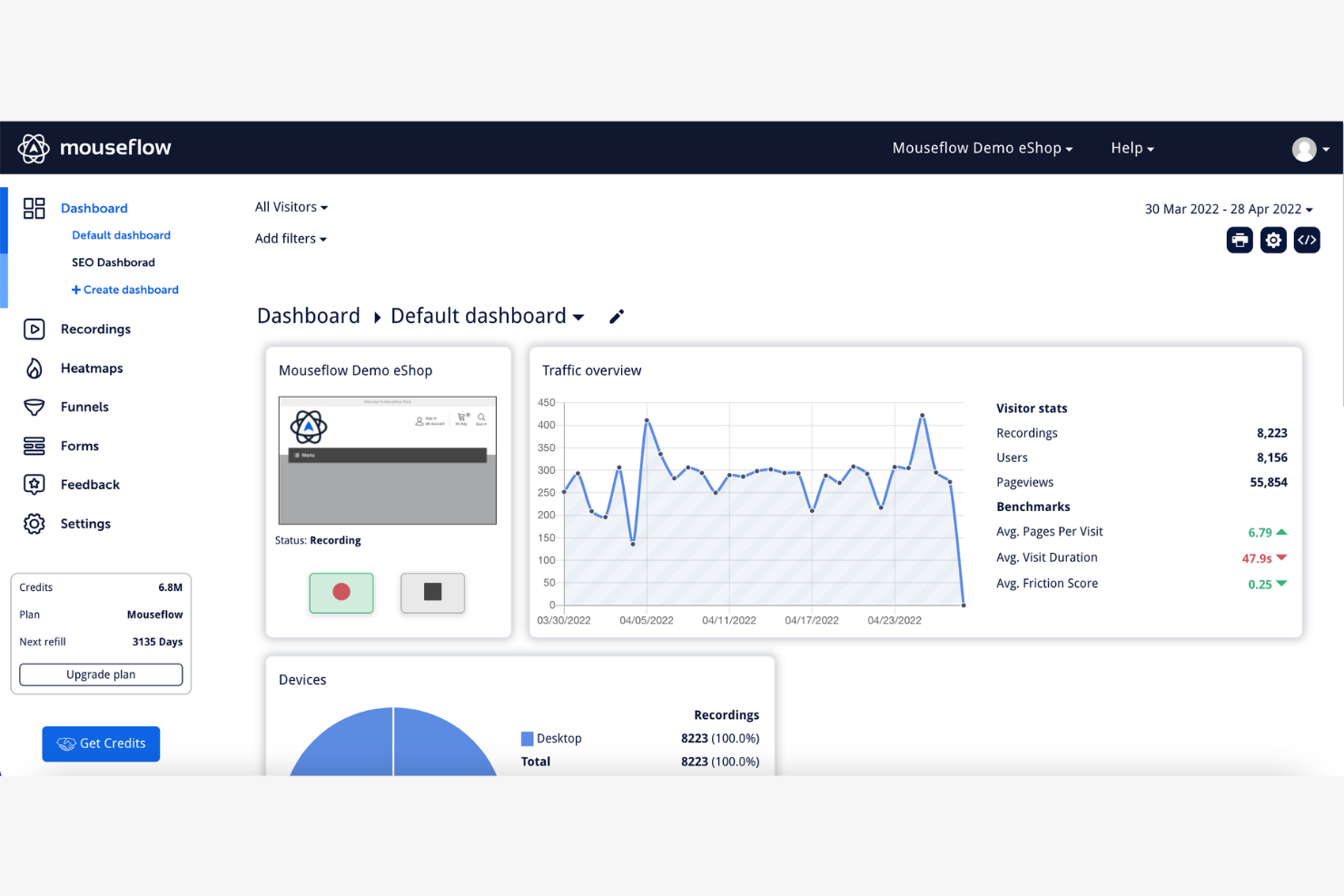
Mouseflow is a behavior analytics tool used by marketers and UX designers to track user interactions on websites. It helps teams understand user behavior through heatmaps, screen recordings, and funnel analysis.
Why Mouseflow is a good Hotjar alternative: Mouseflow's focus on privacy-compliant tracking sets it apart, ensuring your data collection meets legal standards. The tool's session replay feature captures user interactions without compromising privacy. Heatmaps provide insights into user engagement that help you optimize your web pages, while funnel analysis highlights drop-off points to help improve conversion rates.
Standout features and integrations:
Features include form analytics, feedback campaigns, and session replays. Form analytics help you identify where users abandon forms, while feedback campaigns let you gather user opinions directly on your site.
Integrations include Google Analytics, WordPress, Shopify, HubSpot, Magento, BigCommerce, Drupal, Wix, Squarespace, and more.
Pros and Cons
Pros:
- Effective funnel visualization
- Detailed heatmap analysis
- Privacy-compliant tracking
Cons:
- Basic reporting capabilities
- Limited form analytics features

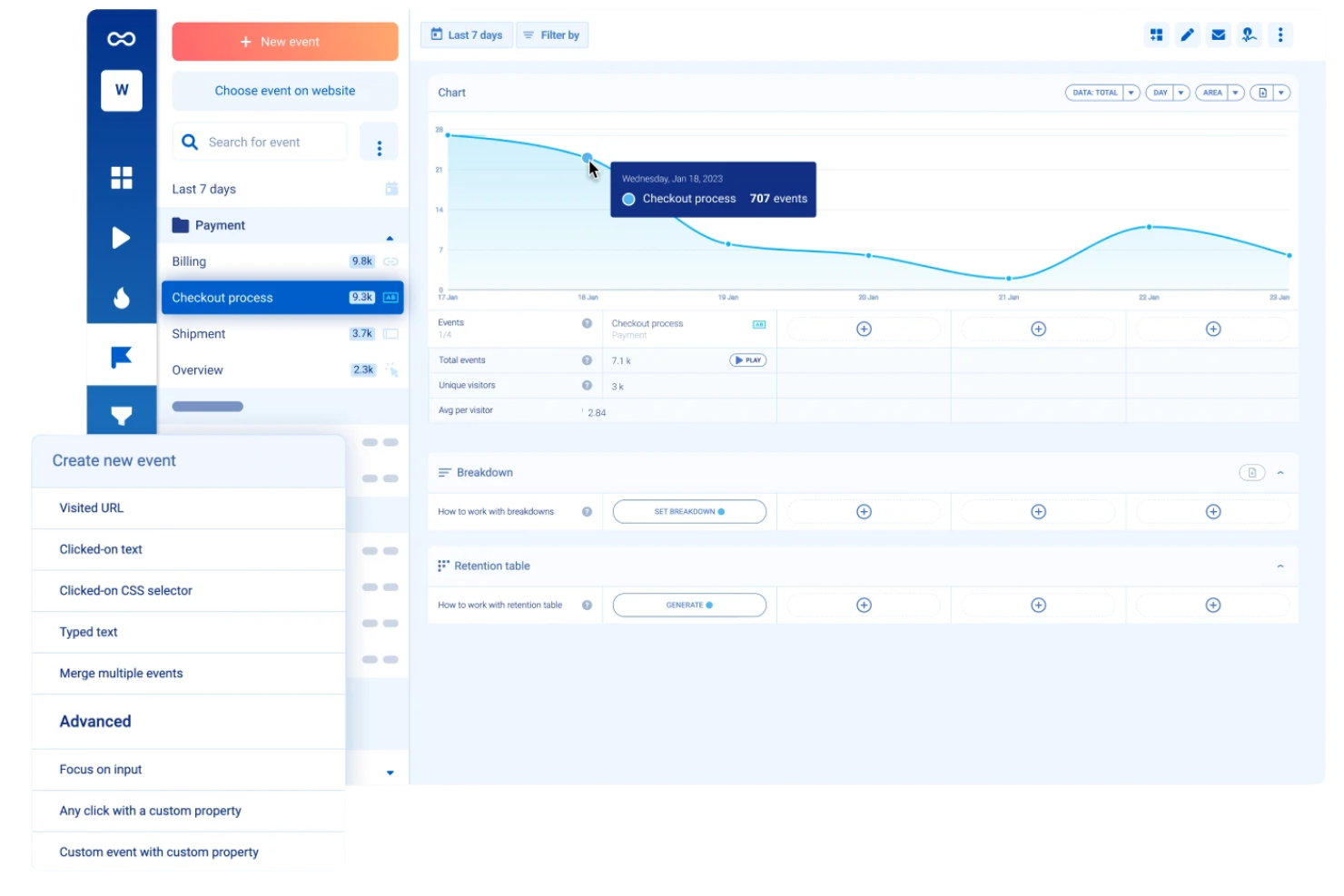
Smartlook is a qualitative analytics solution designed for both websites and native mobile apps, offering session recordings, heatmaps, and funnel tracking. It provides retroactive data analysis, allowing marketing teams to define and analyze events using historical data.
Why Smartlook is a good Hotjar alternative: Smartlook offers parity between web and mobile app tracking, which is essential for modern SaaS companies with multi-platform products. Its codeless event tracking and retroactive funnel analysis allow your team to pivot their strategy and get instant data on a new funnel without waiting for future sessions to record.
Standout features and integrations:
Features include native mobile app recording (iOS/Android), retroactive event tracking, and crash reports that link directly to session replays.
Integrations include Slack, Zendesk, Salesforce, Intercom, Twilio, and more.
Pros and Cons
Pros:
- Automatic rage click tracking
- Retroactive analytics for past data
- Native mobile app support
Cons:
- Higher starting price for paid plans
- Steeper learning curve than competitors

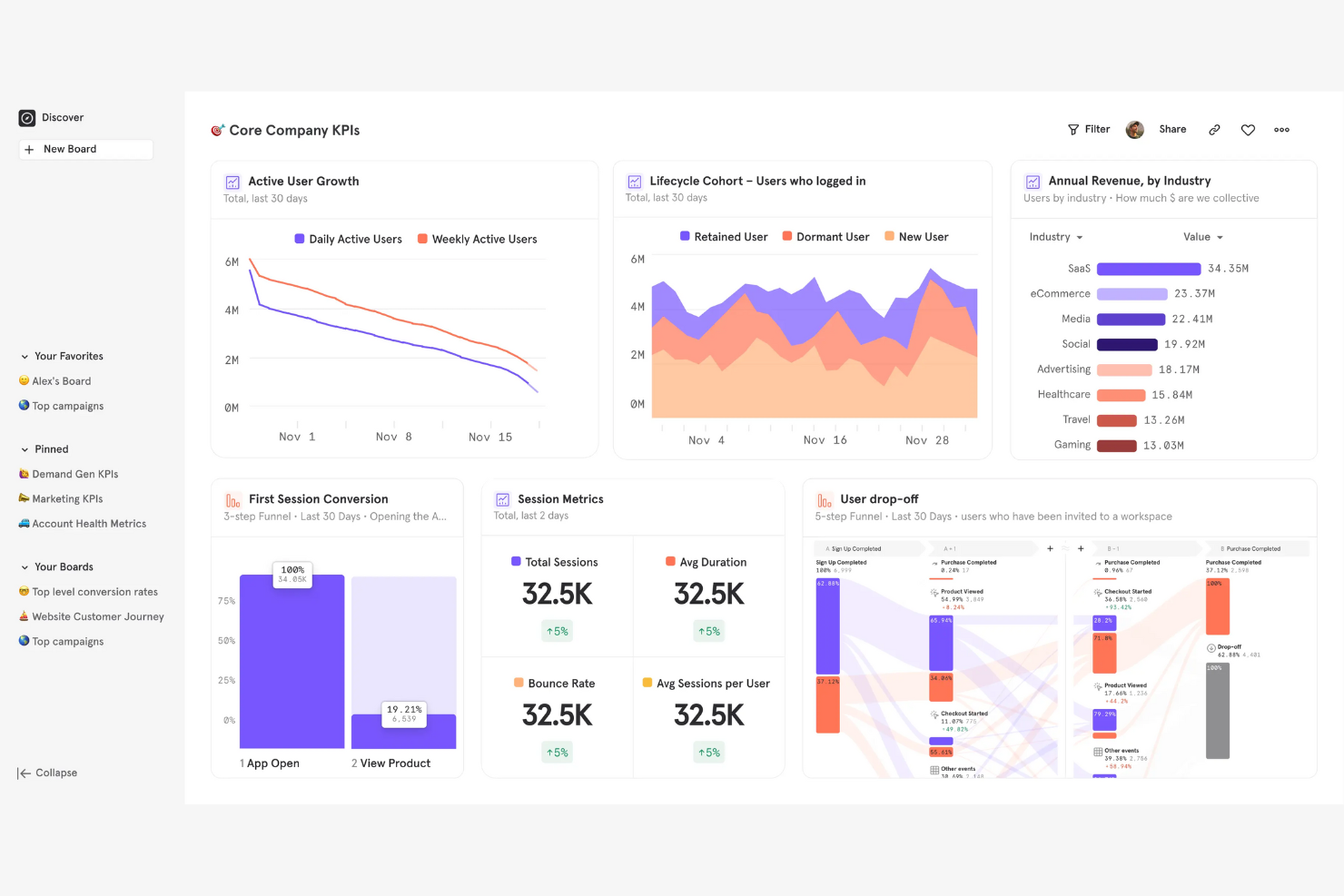
Mixpanel is a product analytics platform used by product development teams and marketers to track user interactions and analyze data for better decision-making. It helps businesses understand how users engage with their products and identify trends in user behavior.
Why Mixpanel is a good Hotjar alternative: Mixpanel's event-tracking capabilities let you monitor user interactions without SQL knowledge. The tool's user-friendly interface makes it easy to set up and track events, and its advanced analytics provide detailed insights into user behavior and trends. These features help your team make informed decisions and enhance user engagement.
Standout features and integrations:
Features include funnel analysis, cohort analysis, and retention tracking. Funnel analysis helps you understand user conversion paths, while cohort analysis lets you group users based on shared behaviors over time.
Integrations include Salesforce, Segment, HubSpot, Google Cloud, Slack, Zapier, Intercom, Optimizely, and more.
Pros and Cons
Pros:
- Detailed retention tracking
- Advanced cohort analysis
- Easy event tracking setup
Cons:
- Requires data cleansing
- Limited custom reports

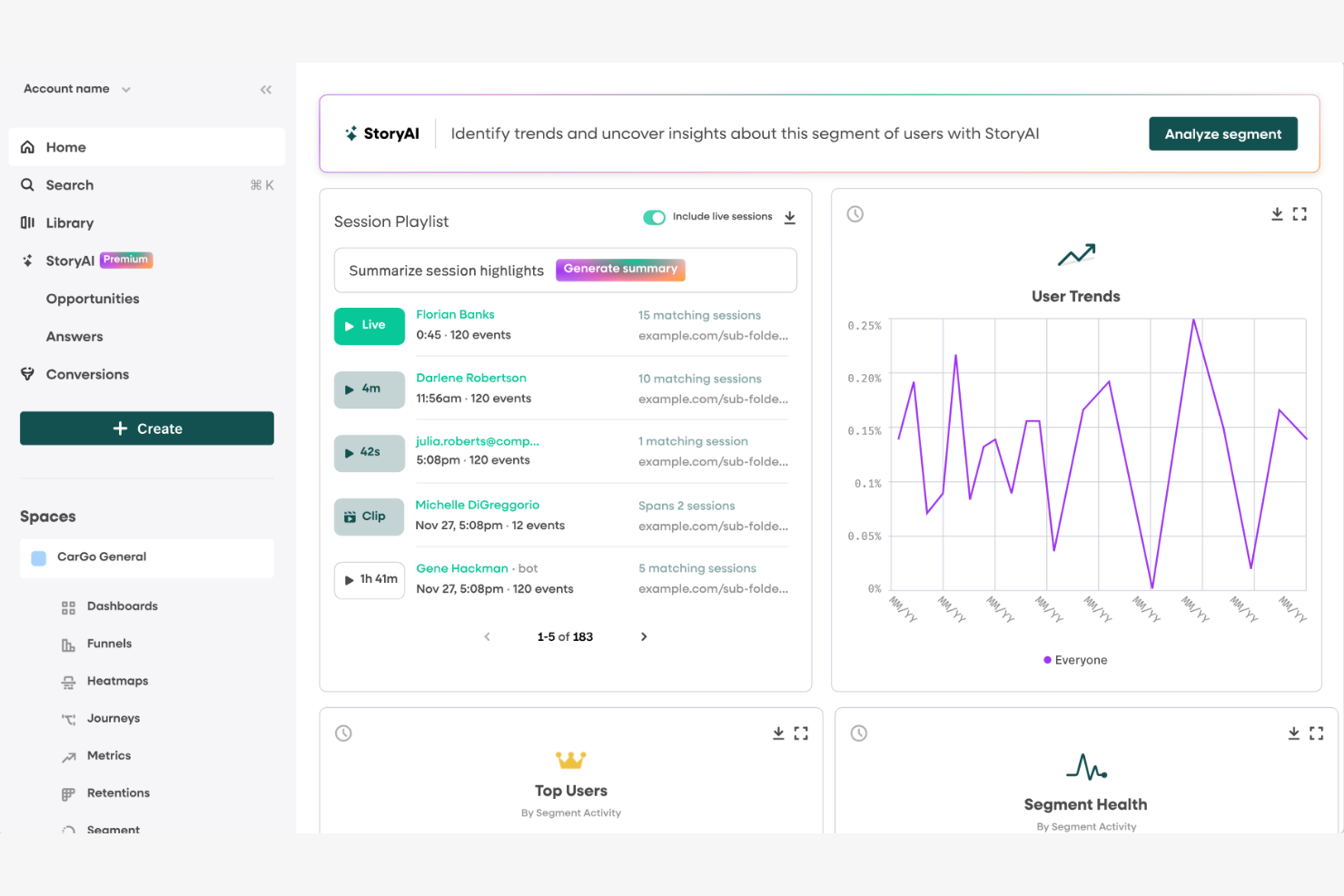
Fullstory is a digital experience analytics platform used by product teams, UX designers, and marketers to understand user behavior and improve digital experiences. It helps businesses optimize their websites and applications by offering actionable insights into user interactions.
Why Fullstory is a good Hotjar alternative: Fullstory's AI-driven insights offer a deeper understanding of user behavior than Hotjar. Its session replay feature captures every user interaction, while heatmaps highlight popular areas on your site. The funnel analysis helps identify where users drop off in the conversion process. These capabilities support data-driven decisions and user experience optimization.
Standout features and integrations:
Features include session replay, heatmaps, rage clicks, and funnel analysis. Session replay lets you watch user interactions in real time, while heatmaps visualize where users click and scroll, helping you identify popular areas on your site.
Integrations include Google Analytics, Slack, Segment, Optimizely, Jira, Mixpanel, Salesforce, Trello, and more.
Pros and Cons
Pros:
- Strong collaboration workflows around shared sessions
- Powerful segmentation filters across user journeys
- High-fidelity session replays for troubleshooting
Cons:
- Complex user interface and setup
- Limited heatmap customization

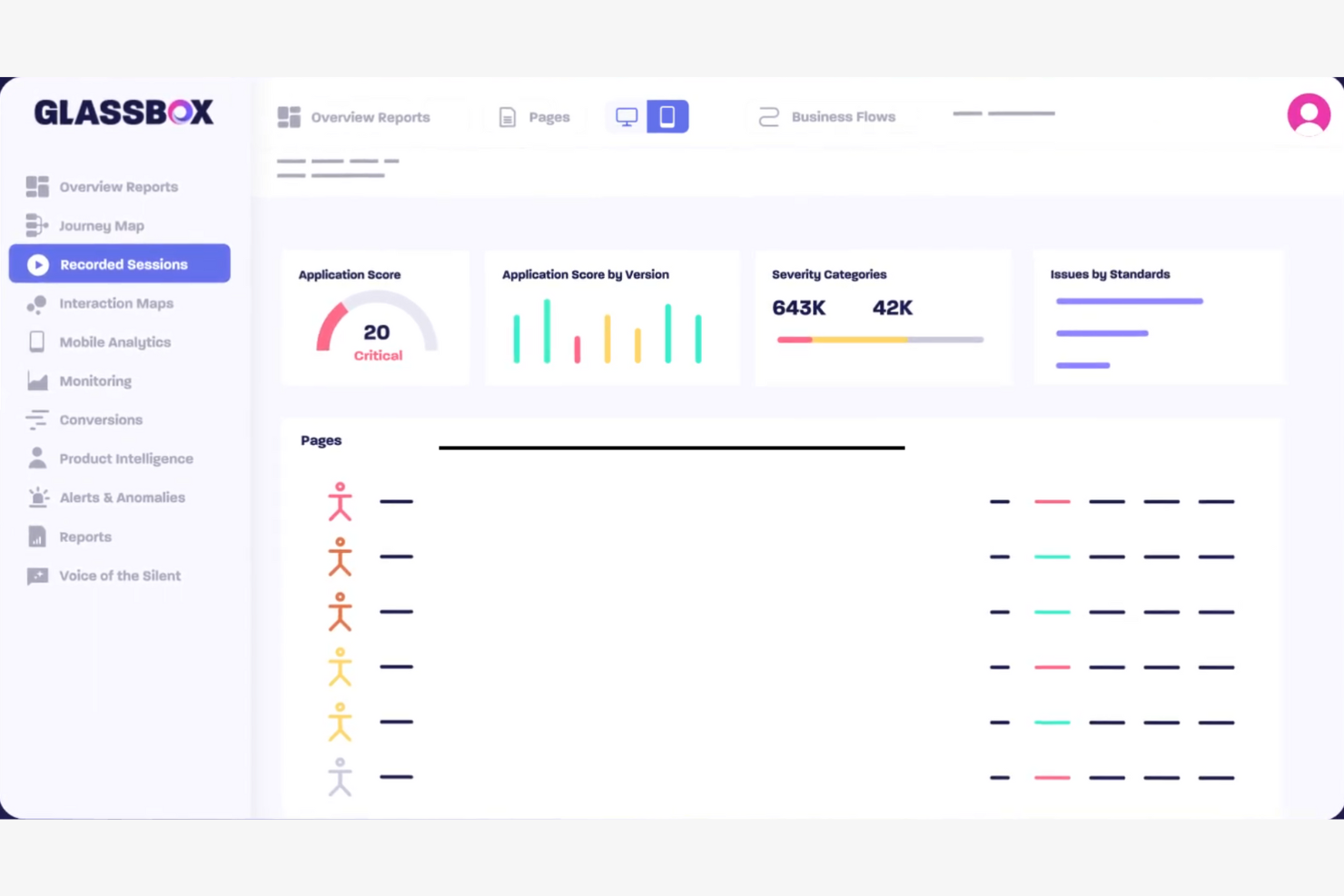
Glassbox is an all-in-one digital experience analytics platform designed for product managers, UX designers, and marketers in small businesses and larger enterprises to analyze and optimize user journeys. It provides insights into user interactions to improve customer experience and digital performance.
Why Glassbox is a good Hotjar alternative: Glassbox excels in augmented journey mapping, offering a detailed view of user paths across digital platforms. Its session replay feature captures detailed user interactions, while heatmaps highlight areas of high engagement. Journey mapping tools help you visualize and optimize user flows. These capabilities can give you a deeper understanding of user behavior and enhance your decision-making.
Standout features and integrations:
Features include real-time session replay, anomaly detection, and user journey analysis. Real-time session replay lets you see user interactions as they happen, while anomaly detection alerts you to unexpected user behavior, helping you address issues promptly.
Integrations include Salesforce, Adobe Analytics, Google Analytics, Splunk, Jira, Tealium, Optimizely, and more.
Pros and Cons
Pros:
- Effective anomaly detection
- Real-time session replays
- Detailed journey mapping
Cons:
- Historical session queries can feel slow
- Interface overwhelms new users without training

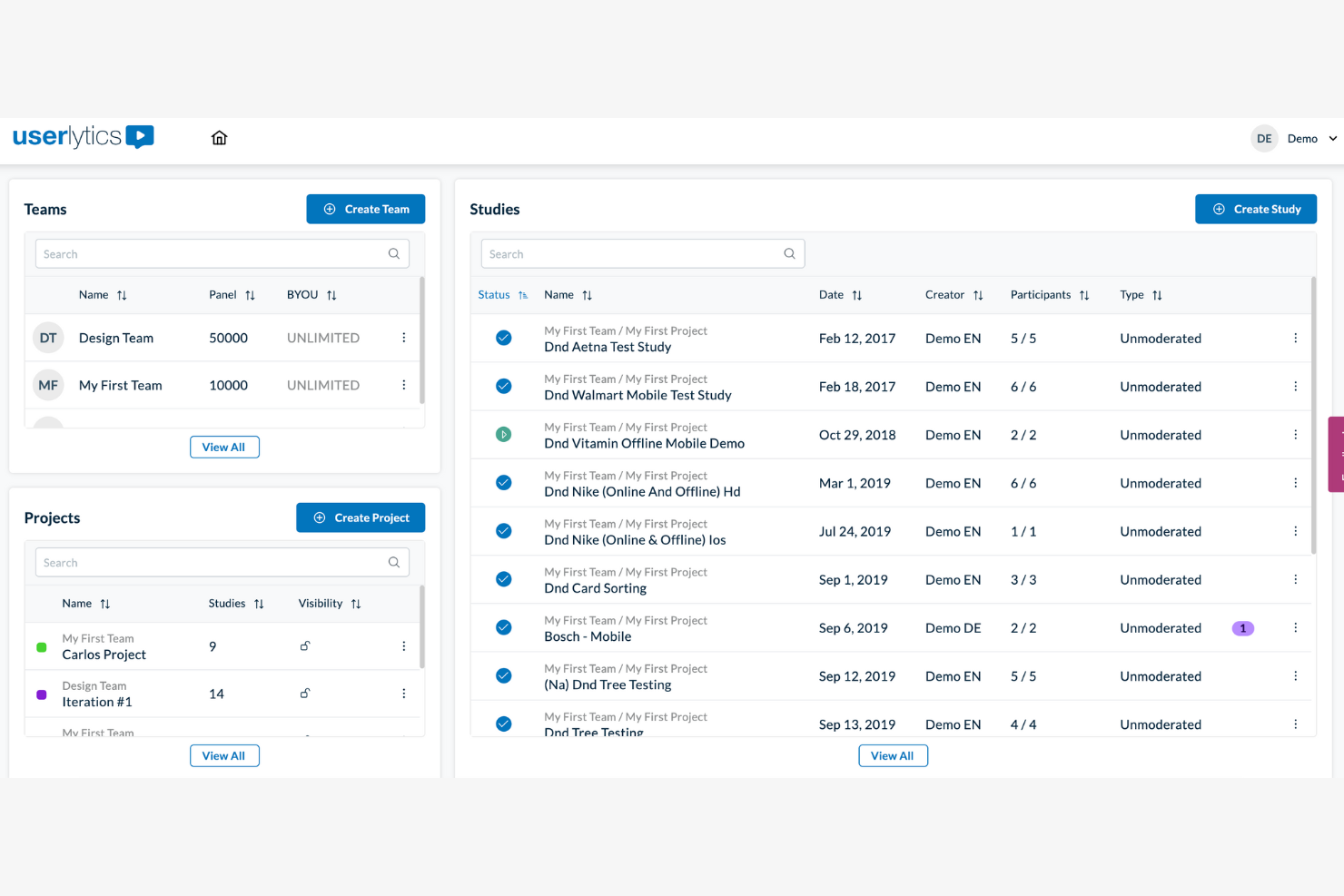
Userlytics is a user testing platform designed for user research teams, designers, and product managers to gather feedback on digital products. It helps businesses improve user experience by providing insights into user interactions across various devices.
Why Userlytics is a good Hotjar alternative: Userlytics excels at cross-platform user testing, enabling you to gather feedback across devices and environments. Its remote usability testing feature lets you observe real users as they interact with your product, while video session recordings provide detailed insights into user behavior. These capabilities help your team understand user experiences and make informed design decisions.
Standout features and integrations:
Features include remote usability testing, video session recordings, and user survey tools. Remote usability testing allows you to gather insights from real users, while video session recordings capture user interactions for detailed analysis.
Integrations include Adobe XD, Sketch, Figma, InVision, Axure, Proto.io, Marvel, and more.
Pros and Cons
Pros:
- Flexible testing environments
- Detailed video session recordings
- Cross-platform testing capabilities
Cons:
- Inconsistent participant quality and screening
- High cost for infrequent testing
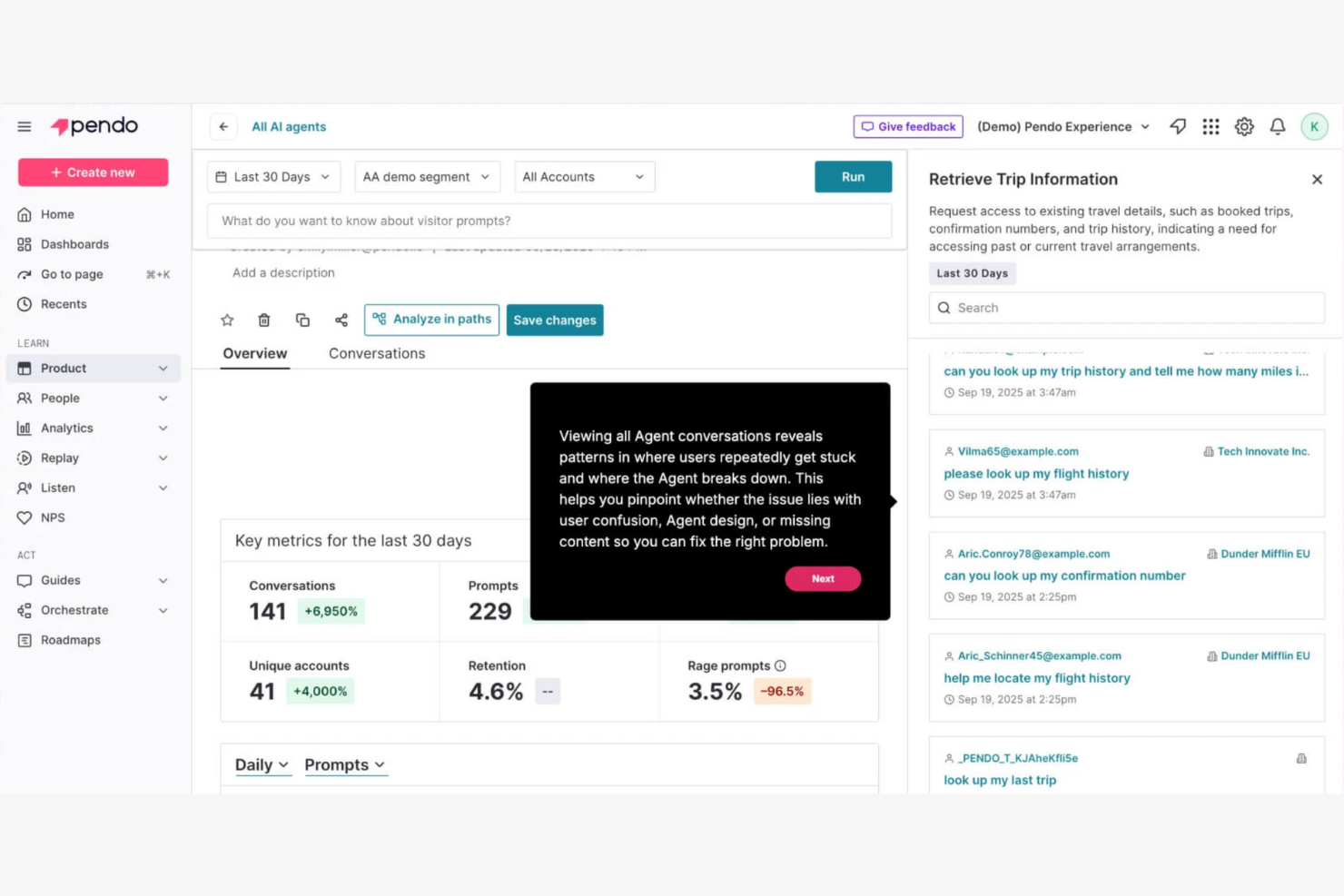
Pendo is a product experience platform used by product teams and UX designers to improve user engagement and retention. It helps businesses understand user behavior and deliver personalized experiences through analytics and in-app messaging.
Why Pendo is a good Hotjar alternative: Pendo offers predictive user engagement analytics that help you anticipate user needs and personalize experiences. Its product usage insights reveal how website visitors interact with your features, and its in-app messaging widgets allow you to communicate directly with them, enhancing their experience. These capabilities enable your team to better understand user journeys and drive engagement.
Standout features and integrations:
Features include in-app guides, product usage analytics, and feedback collection. In-app guides help users access your product effectively, while product usage analytics provide insights into how features are used.
Integrations include Salesforce, Slack, Segment, HubSpot, Zendesk, Marketo, Intercom, and more.
Pros and Cons
Pros:
- Detailed product usage insights
- Effective in-app messaging
- Predictive analytics capabilities
Cons:
- Reporting gaps and data inconsistencies
- Enterprise pricing escalates quickly
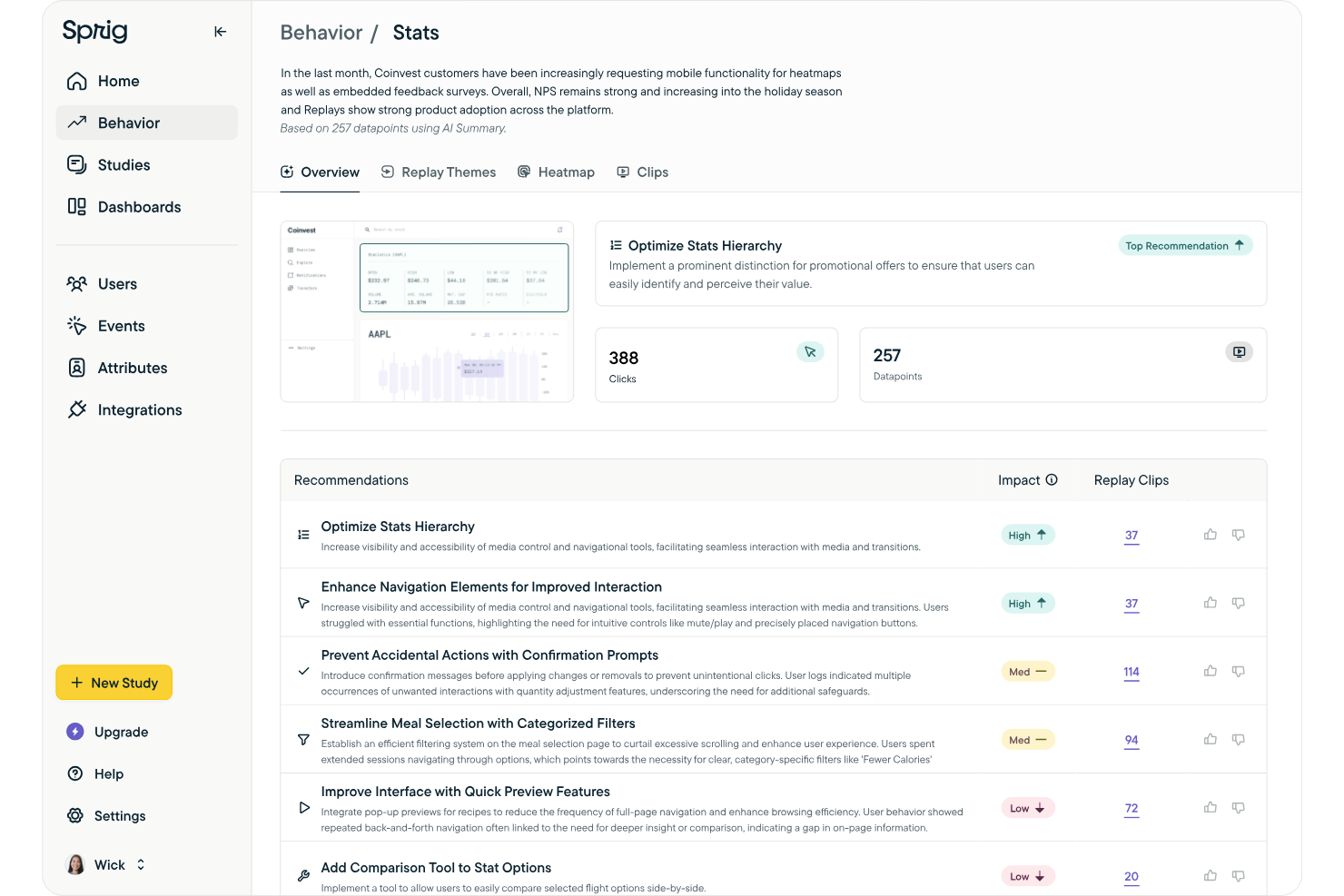
Sprig is an all-in-one product research platform that integrates targeted microsurveys, session replays, and prototype testing. It helps marketing and product leaders capture real-time qualitative data to reduce churn and improve product adoption.
Why Sprig is a good Hotjar alternative: Sprig has the ability to automate the heavy lifting of user research through GPT-powered analysis. It provides instant, actionable themes from thousands of open-ended survey responses, eliminating the need for manual review. Its focus on "trigger-based" feedback ensures you’re reaching users at the exact moment they interact with a new feature or reach a conversion milestone.
Standout features and integrations:
Features include AI-powered thematic clustering of feedback, codeless event triggering, and browser-based prototype testing for Figma and Adobe XD.
Integrations include Segment, Google Tag Manager, Mixpanel, Amplitude, Slack, Figma, and more.
Pros and Cons
Pros:
- Cross-platform support
- In-product survey triggers
- AI-driven qualitative analysis
Cons:
- Data volume can be overwhelming
- Higher starting price

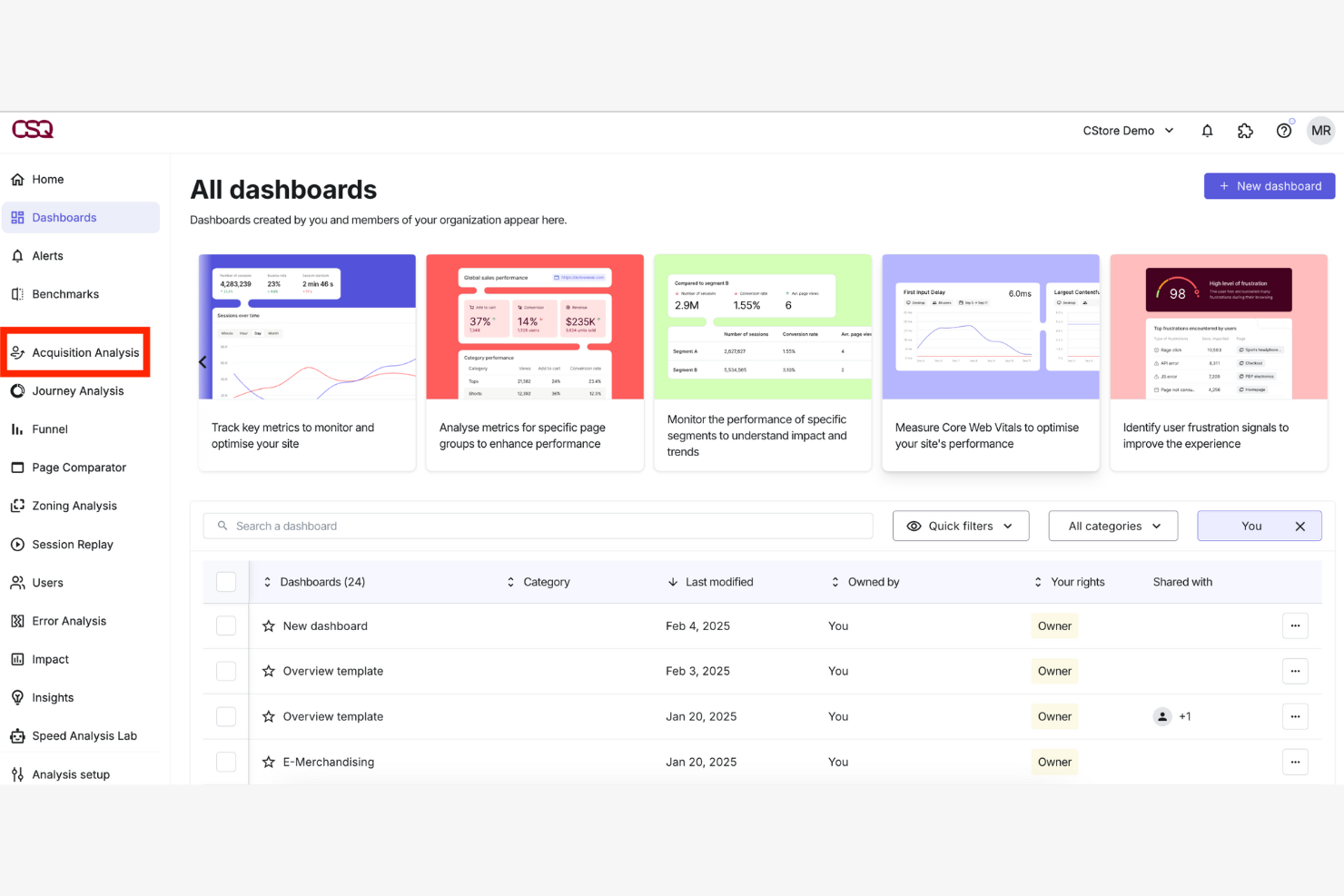
Contentsquare is a digital experience analytics platform used by UX designers, product managers, and marketers to improve user engagement and conversions. It analyzes user interactions for insights into customer behavior and digital performance.
Why Contentsquare is a good Hotjar alternative: Contentsquare offers AI-powered analytics that deliver advanced insights into user behavior. It offers zone-based heatmaps that show how different areas of your page perform and session replays that provide detailed views of user interactions that help you understand user journeys. These features support data-driven decisions for an enhanced user experience.
Standout features and integrations:
Features include journey analysis, zone-based heatmaps, and session replays. Journey analysis helps you visualize user paths and identify drop-off points, while zone-based heatmaps highlight which page elements get the most interaction.
Integrations include Adobe Analytics, Google Analytics, Salesforce, Tealium, Optimizely, Slack, and more.
Pros and Cons
Pros:
- Experience analytics
- Effective journey mapping
- Detailed heatmap analysis
Cons:
- Changes to the interface make navigation challenging
- Requires heavy tagging during implementation

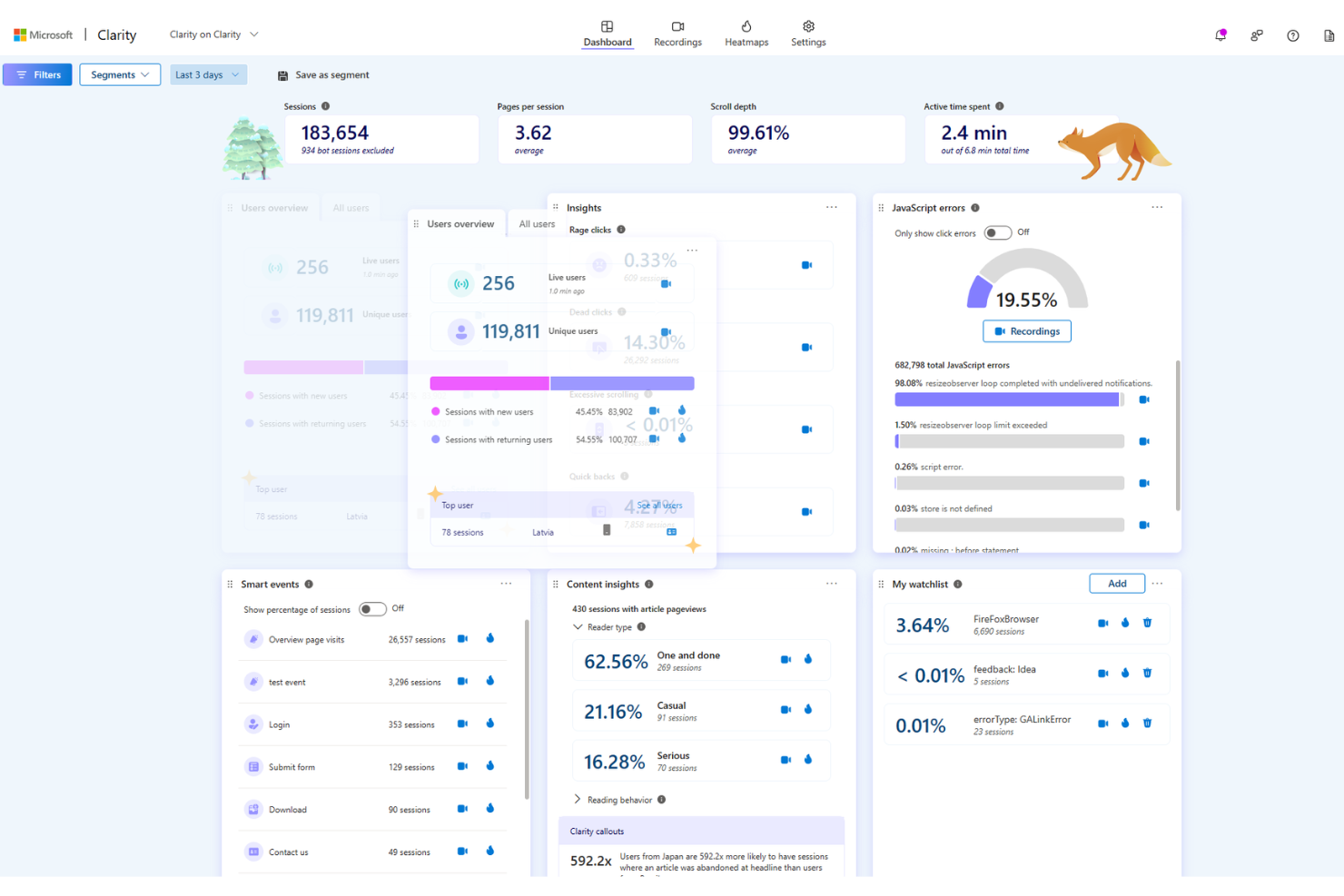
Microsoft Clarity is a free behavioral analytics tool that provides session recordings, heatmaps, and ML-powered insights without traffic caps. It helps marketing leaders identify friction points like rage clicks and excessive scrolling to improve landing page conversions.
Why Microsoft Clarity is a good Hotjar alternative: I chose this tool because it offers an enterprise-grade feature set for free, making it ideal for scale-up CMOs who need to monitor high-volume traffic without worrying about session limits. Its AI-powered summaries and "Copilot" chat feature allow busy marketing executives to get instant answers about user struggles on sign-up pages without manually watching hundreds of hours of video.
Standout features and integrations:
Features include unlimited heatmaps for all pages, AI-generated session summaries, and advanced frustration metrics like rage clicks and dead clicks.
Integrations include Google Analytics, Adobe Tag Manager, Shopify, WordPress, Slack, and more.
Pros and Cons
Pros:
- Privacy-first design with automated masking
- AI-powered behavioral insights
- No session limits or traffic caps
Cons:
- No native A/B testing functionality
- Limited built-in funnel analysis
Other Hotjar Alternatives
Here are some additional Hotjar alternatives that didn’t make it onto my shortlist, but are still worth checking out:
- Crazy Egg
For visual heatmap insights
- Heap
For automated retroactive data capture
- Lucky Orange
For real-time conversion support
- Noibu
For e-commerce


Hotjar Alternatives Selection Criteria
When selecting the best Hotjar alternatives to include in this list, I considered common buyer needs and pain points related to behavior analytics software products, such as understanding user behavior and improving conversion rates. I also used the following framework to keep my evaluation structured and fair:
Core Functionality (25% of total score)
To be considered for inclusion in this list, each solution had to fulfill these common use cases:
- Track user interactions
- Provide heatmaps, click maps, and scroll maps
- Offer session recordings
- Analyze conversion funnels and a/b testing
- Collect customer feedback
Additional Standout Features (25% of total score)
To help further narrow down the competition, I also looked for unique features, such as:
- AI-driven insights
- Real-time monitoring
- Customizable dashboards
- Multi-device tracking
- Advanced segmentation
Usability (10% of total score)
To get a sense of the usability of each system, I considered the following:
- Ease of navigation
- Intuitive interface
- Customizable settings
- Speed of the platform
- Availability of tutorials
Onboarding (10% of total score)
To evaluate the onboarding experience for each platform, I considered the following:
- Availability of training videos
- Interactive product tours
- Use of templates
- Access to webinars
- Presence of chatbots
Customer Support (10% of total score)
To assess each software provider’s customer support services, I considered the following:
- Availability of live chat
- Response time
- Quality of support documentation
- Availability of phone support
- Access to a community forum
Value For Money (10% of total score)
To evaluate the value for money of each platform, I considered the following:
- Pricing transparency
- Features included in the basic plan
- Cost compared to competitors
- Availability of discounts
- Flexibility of subscription plans
Customer Reviews (10% of total score)
To get a sense of overall customer satisfaction, I considered the following when reading customer reviews:
- User satisfaction scores
- Commonly reported issues
- Frequency of updates
- Feedback on support services
- Overall reliability of the platform
Why Look For A Hotjar Alternative?
While Hotjar is a good choice of behavior analytics software, there are several reasons why some users seek out alternative solutions. You might be looking for a Hotjar alternative because…
- You need more advanced analytics features
- Your team requires better integration options
- You need a solution with improved scalability
- Your business operates in a region not supported
- You need more customization for specific needs
- Your budget constraints require a more affordable option
If any of these sound like you, you’ve come to the right place. My list contains several behavior analytics software options that are better suited for teams facing these challenges with Hotjar and looking for alternative solutions.
Hotjar Key Features
Here are some of the key features of Hotjar, to help you contrast and compare what alternative solutions offer:
- Heatmaps: Visualize where users click, move, and scroll on your site to understand user behavior better.
- Session recordings: Watch real user sessions to see how they interact with your site and identify issues.
- Feedback polls: Collect user feedback directly on your website to understand user needs and improve their experience.
- Surveys: Design and deploy surveys to gather in-depth user insights from your audience about their preferences.
- Conversion funnels: Analyze where users drop off in your sales funnel to find opportunities for improvement.
- Incoming feedback: Let users provide instant feedback on specific parts of your site to pinpoint problem areas.
- Form analysis: Understand how users interact with forms on your site to improve completion rates.
- Recruit user testers: Find and invite users to test your site and provide feedback on their experience.
- Behavior logic: Use triggers to display surveys or feedback tools, such as polls based on user actions, to gather targeted feedback.
What’s Next:
If you're researching behavior analytics software, connect with a SoftwareSelect advisor for free recommendations.
You fill out a form and have a quick chat where they get into the specifics of your needs. Then you'll get a shortlist of software to review. They'll even support you through the entire buying process, including price negotiations.