
15 Basecamp Alternatives Picked for 2026

Basecamp Alternatives Shortlist
Here's my pick of the 10 best software from the 15 tools reviewed.


A strong Basecamp alternative offers flexible team collaboration features, easy project tracking, and tools that adapt to your team’s workflow. If you’re searching for Basecamp alternatives, you’re likely looking for software that better fits your team’s communication style, project complexity, or integration needs.
With so many options available, it’s tough to know which platforms actually deliver on collaboration, organization, and usability. This list will help you quickly compare the top Basecamp alternatives for 2026, so you can find the right solution to keep your projects and teams moving forward.
What is Basecamp?
Basecamp is a team collaboration software that combines project management, messaging, file sharing, and scheduling in one platform. Teams use Basecamp to organize tasks, communicate in real time, and keep project information accessible in a central location.
Its simple interface and all-in-one approach make it popular for businesses that want to coordinate work and conversations without switching between multiple tools.
Best Basecamp Alternatives Summary
This comparison chart summarizes pricing details for my top Basecamp alternatives selections to help you find the best one for your budget and business needs.
| Tool | Best For | Trial Info | Price | ||
|---|---|---|---|---|---|
| 1 | Best for building interactive docs | Free plan + free demo available | From $10//month (billed annually) | Website | |
| 2 | Best for video meeting collaboration | Free plan available | From $14.16/user/month (billed annually) | Website | |
| 3 | Best for secure file sharing | Free plan available | From $9.99/month (billed annually) | Website | |
| 4 | Best for integrated chat and tasks | 30-day free trial + free plan available | From $4.50/user/month (billed annually) | Website | |
| 5 | Best with integrated productivity apps | Free demo available | From $7/user/month (billed annually) | Website | |
| 6 | Best for visual project tracking | 30-day free trial + free plan available | From $10.99/user/month (billed annually) | Website | |
| 7 | Best for customizable workspaces | Free plan + free demo available | From $10/member/month (billed annually) | Website | |
| 8 | Best for automated scheduling | Free plan available | From $10/month (billed annually) | Website | |
| 9 | Best for collaborative content creation | 30-day free trial | From $6/user/month (billed annually) | Website | |
| 10 | Best for shared team inbox management | 30-day free trial + free plan available | From $14/user/month (billed annually) | Website |
Why Trust Our Software Reviews


Basecamp Alternatives Reviews
Below are my detailed summaries of the best Basecamp alternatives that made it onto my shortlist. My reviews offer a detailed look at the features, best use cases, and integrations of each platform to help you find the best one for you.
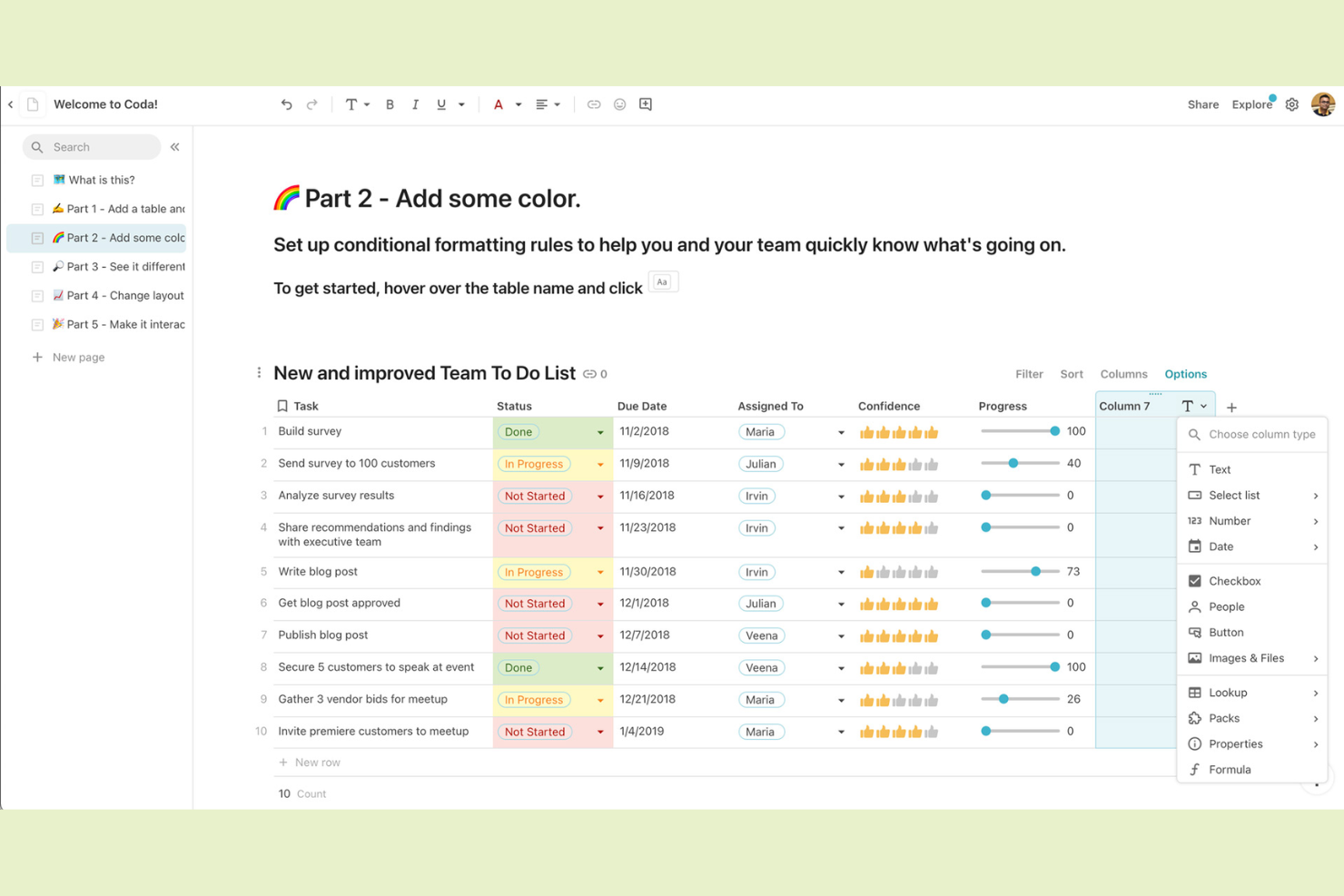
If your team needs to turn documents into interactive workspaces, Coda gives you the flexibility to build custom solutions inside a doc. It’s a strong fit for product managers, operations teams, and startups that want to combine text, tables, and workflows in one place. Unlike Basecamp, Coda lets you create dynamic docs with embedded automations, interactive tables, and integrations tailored to your team’s unique processes.
Why Coda Is a Good Basecamp Alternative
Unlike traditional project management tools, Coda lets you build interactive docs that combine text, data, and workflows in a single workspace. I picked Coda because it allows teams to create custom tables, buttons, and automations directly inside documents, making collaboration more dynamic than what you get with Basecamp. You can design docs that act as project trackers, meeting notes, or even lightweight apps, all tailored to your team’s needs. For teams that want to move beyond static documents and create living, interactive workspaces, Coda is a flexible alternative to Basecamp.
Coda Key Features
Some other Coda features help teams organize and manage their work in flexible ways:
- Pack Integrations: Connect your docs to tools like Slack, Jira, and Google Calendar for real-time data syncing.
- Commenting and Reactions: Add comments or emoji reactions directly to any part of a doc for quick feedback.
- Template Gallery: Access a library of pre-built templates for project management, meeting notes, and more.
- Granular Sharing Controls: Set view, edit, or comment permissions at the doc or section level.
Coda Integrations
Integrations include Figma, Jira, Asana, Airtable, Slack, Microsoft Teams, Gmail, Google Calendar, Salesforce, and Dropbox.
Pros and Cons
Pros:
- Packs connect docs to external tools
- Automations for recurring team workflows
- Interactive tables and buttons inside docs
Cons:
- Mobile app lacks full desktop functionality
- No built-in Gantt or timeline views

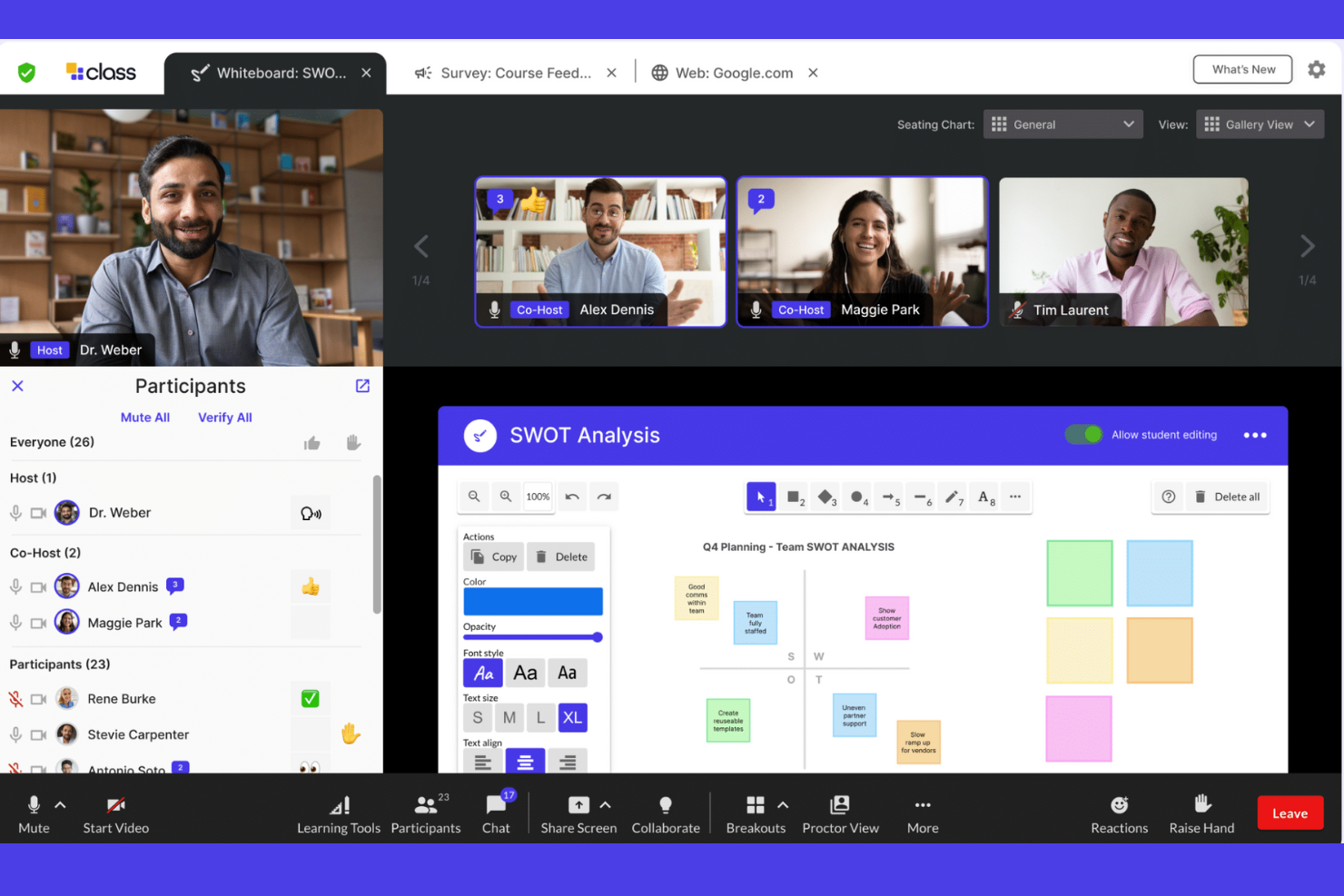
When your team needs reliable video meeting collaboration, Zoom offers a dedicated platform for virtual face-to-face communication. It’s especially useful for distributed teams, client-facing professionals, and organizations that prioritize high-quality video, breakout rooms, and interactive meeting features. Unlike Basecamp, Zoom focuses on real-time video engagement, making it easier to host webinars, workshops, and large group discussions.
Why Zoom Is a Good Basecamp Alternative
For teams that rely on live discussions and face-to-face interaction, Zoom brings video meeting collaboration to the forefront. I picked Zoom because it offers HD video conferencing, breakout rooms for small group work, and built-in screen sharing, all of which help teams connect in real time. These features make it easy to run interactive workshops, client presentations, and team check-ins without switching platforms. If your collaboration depends on seeing and hearing your team, Zoom fills a gap that Basecamp’s text-based approach can’t address.
Zoom Key Features
Some other features in Zoom help teams collaborate and manage meetings more efficiently:
- Meeting Recording: Capture and store video meetings for later review or sharing with absent team members.
- Virtual Backgrounds: Customize your video appearance with branded or personal backgrounds during calls.
- Polling and Q&A: Engage participants with live polls and manage questions in real time during meetings or webinars.
- Whiteboard: Use a digital whiteboard for brainstorming, sketching ideas, or visual collaboration during sessions.
Zoom Integrations
Integrations include Slack, Microsoft Teams, Google Workspace, Salesforce, HubSpot, Asana, Trello, Dropbox, Box, and Calendly.
Pros and Cons
Pros:
- Whiteboard feature allows real-time visual collaboration
- Breakout rooms enable focused small group work
- HD video quality supports large group meetings
Cons:
- Chat history is limited to meeting sessions
- No built-in task or project management
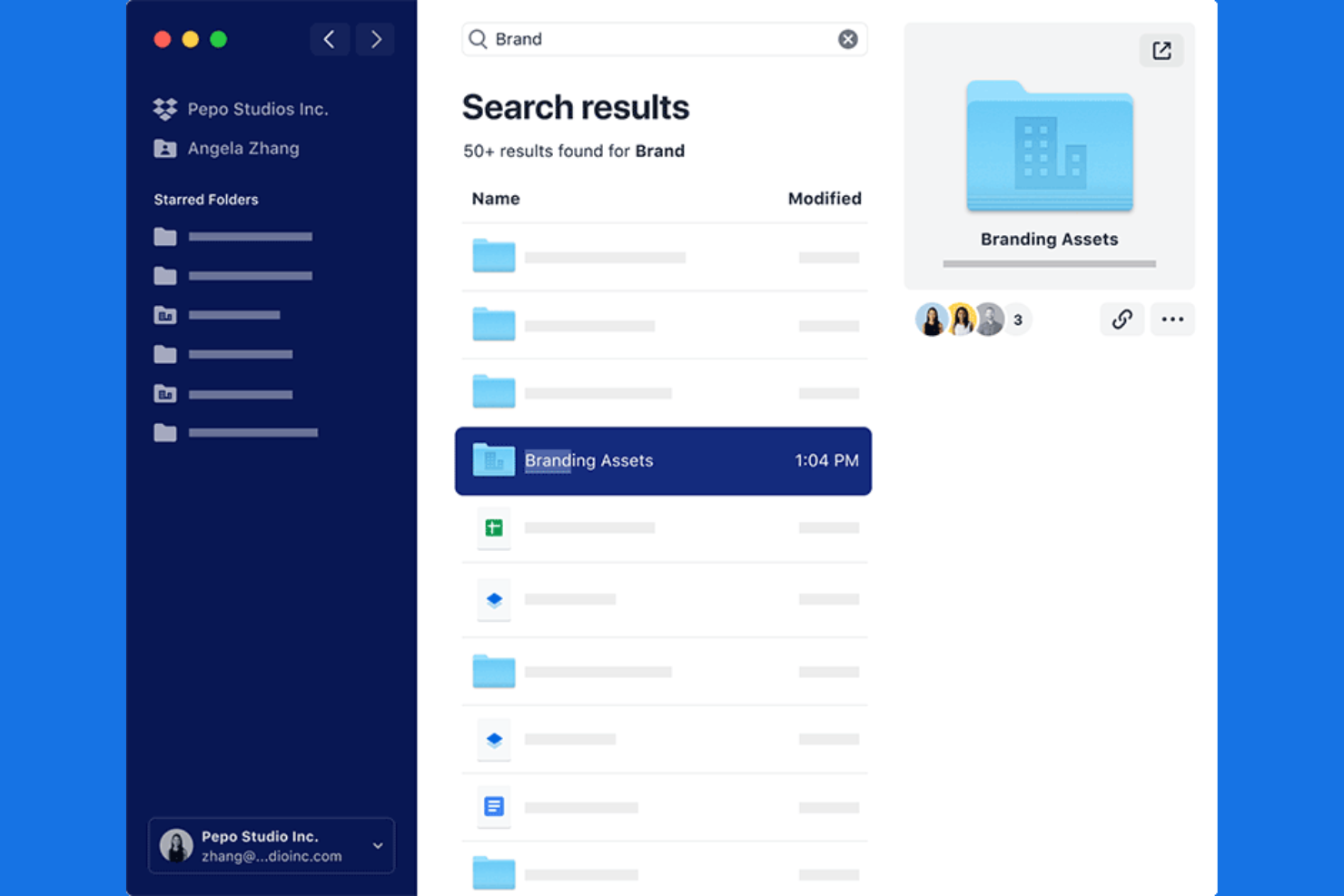
When secure file sharing is your team’s top priority, Dropbox offers a focused solution for managing and protecting sensitive documents. It’s especially useful for agencies, legal teams, and creative professionals who need granular control over file access and sharing permissions. Unlike Basecamp, Dropbox emphasizes advanced security features and audit trails to help teams collaborate confidently on confidential files.
Why Dropbox Is a Good Basecamp Alternative
For teams that need to prioritize secure file sharing above all else, Dropbox offers advanced controls that go beyond what Basecamp provides. I appreciate how Dropbox lets you set detailed permissions, password-protect shared links, and monitor file activity with audit logs. These features help teams manage sensitive documents and ensure only the right people have access. If your collaboration depends on sharing confidential files safely, Dropbox is a strong alternative to Basecamp.
Dropbox Key Features
Some other Dropbox features help teams stay organized and collaborate on projects:
- File Requests: Collect files from anyone, even if they don’t have a Dropbox account.
- Paper Collaboration Docs: Create, edit, and share notes or project plans directly within Dropbox Paper.
- Team Folders: Set up shared folders with custom access levels for different groups or projects.
- File Recovery: Restore deleted files or previous versions for up to 180 days, depending on your plan.
Dropbox Integrations
Integrations include Google Workspace, Microsoft, Adobe, HubSpot, Autodesk, Canva, AWS, Slack, Zoom, and Trello.
Pros and Cons
Pros:
- Native document collaboration with Dropbox Paper
- File recovery up to 180 days
- Advanced file permission settings for teams
Cons:
- Limited chat or messaging features
- No built-in project or task boards

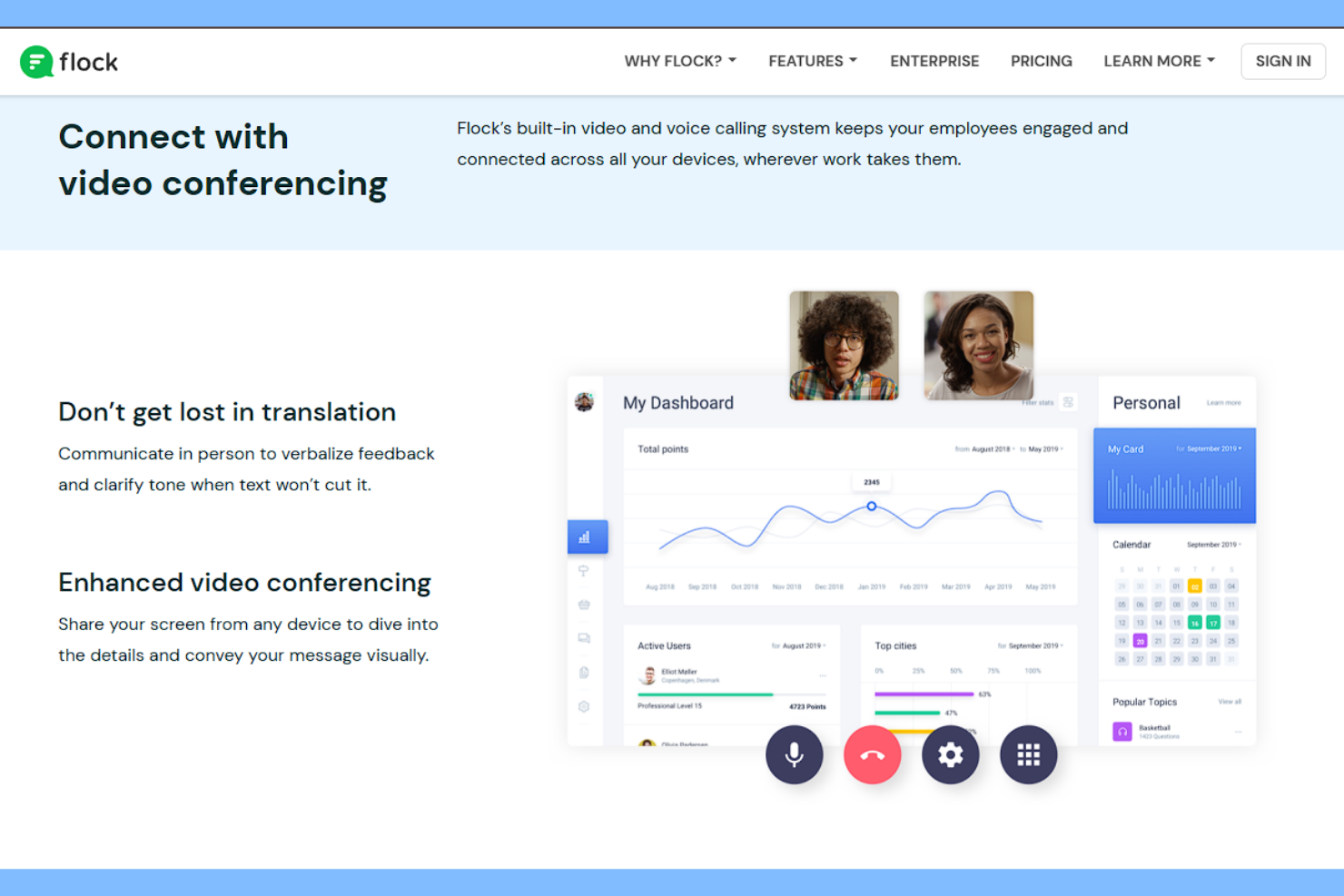
If your team wants chat and task management in one place, Flock brings both together in a single platform. It’s a good fit for marketing teams, agencies, and small businesses that need to keep conversations and action items tightly linked. Unlike Basecamp, Flock lets you turn messages into tasks and track them without switching tools.
Why Flock Is a Good Basecamp Alternative
Unlike Basecamp, Flock puts chat and task management side by side so your team can move from conversation to action without missing a beat. I picked Flock because you can create, assign, and track tasks directly from any chat, keeping everyone focused and accountable. The built-in to-do lists and reminders make it easy to follow up on discussions and ensure nothing slips through the cracks. This tight integration between messaging and task tracking is especially useful for teams that want to keep collaboration and execution in one place.
Flock Key Features
Some other features in Flock help teams coordinate and share information more easily:
- Channel-Based Conversations: Organize discussions by topic, project, or team in dedicated channels.
- File Sharing: Upload and share documents, images, and other files directly within chats.
- Video Conferencing: Start video calls with team members from within the app.
- Polls and Surveys: Create quick polls or surveys to gather team feedback or make decisions.
Flock Integrations
Integrations include Google Drive, Trello, GitHub, Asana, Dropbox, Google Calendar, Twitter, Bitbucket, Zendesk, and Zoom.
Pros and Cons
Pros:
- Video calls launch directly from chat
- Built-in polls and notes for quick input
- Chat and tasks are tightly integrated
Cons:
- Mobile app notifications can be unreliable
- Search function misses older messages

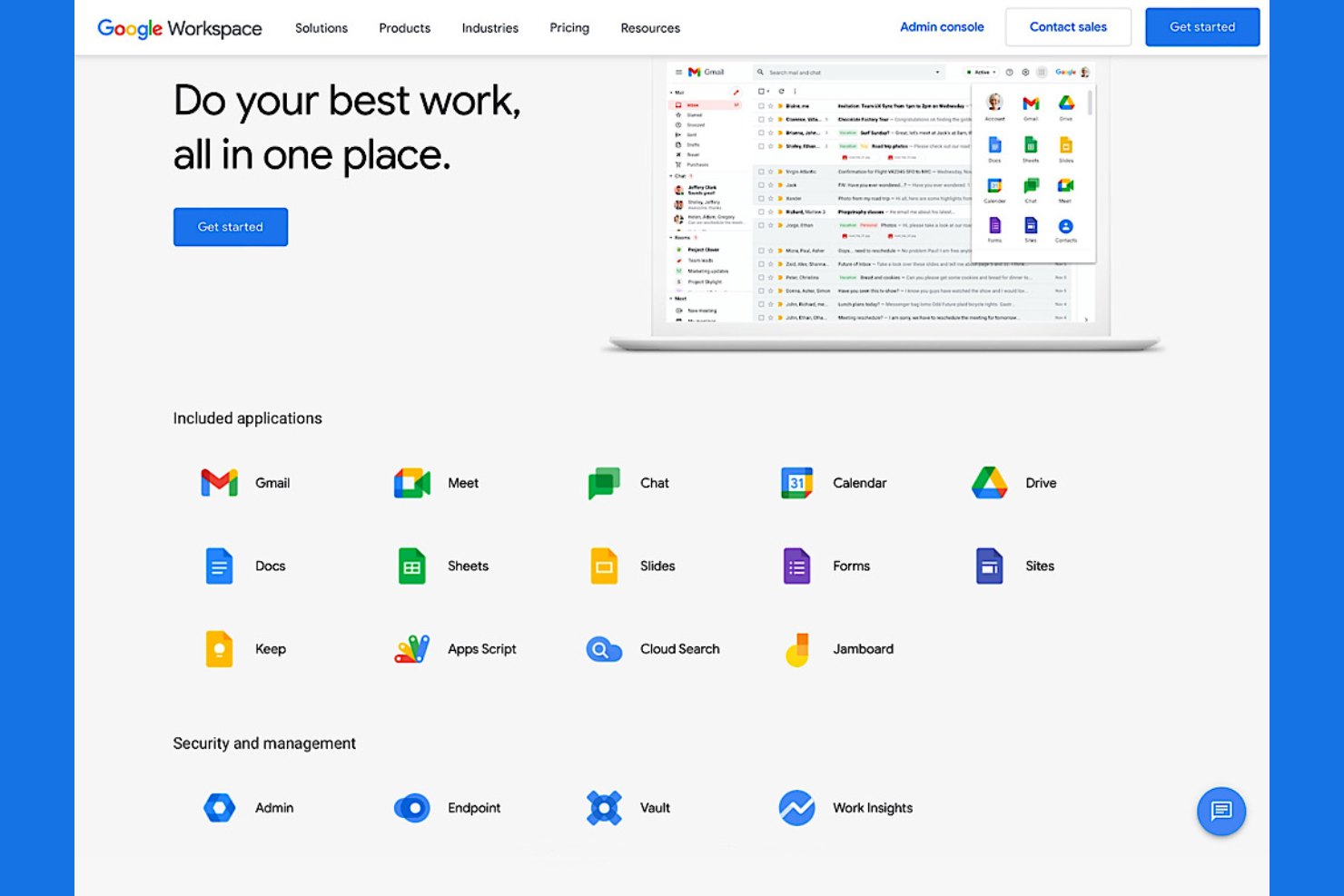
If your team relies on real-time document editing and integrated productivity tools, Google Workspace brings everything together in one platform. It’s a strong fit for marketing, creative, and cross-functional teams that need to collaborate on docs, spreadsheets, and presentations without switching apps. Unlike Basecamp, Google Workspace connects email, chat, file storage, and content creation in a single, unified environment.
Why Google Workspace Is a Good Basecamp Alternative
Teams that want all their productivity tools in one place often turn to Google Workspace for its integrated approach. I picked Google Workspace because it combines document editing, spreadsheets, presentations, and team chat in a single platform. You can co-edit files in real time, leave comments, and manage shared drives without leaving the workspace. This level of integration helps teams keep projects, communication, and content creation tightly connected.
Google Workspace Key Features
Some other features in Google Workspace help teams coordinate and manage their work more efficiently:
- Shared Calendars: Schedule meetings, set reminders, and view team availability in one place.
- Google Meet Video Conferencing: Host secure video calls directly from your calendar or email.
- Admin Console: Manage user access, security settings, and device policies from a centralized dashboard.
- Google Forms: Create surveys, collect feedback, and gather data from your team or clients.
Google Workspace Integrations
Integrations include Gmail, Google Drive, Google Meet, Google Chat, Google Calendar, Google Docs, Google Sheets, Google Slides, Google Forms, Google Sites, and Google Keep.
Pros and Cons
Pros:
- Integrated chat and video meetings with Meet
- Seamless file sharing across Google Drive
- Real-time co-editing in Docs and Sheets
Cons:
- No built-in task or project boards
- Limited offline functionality for some apps
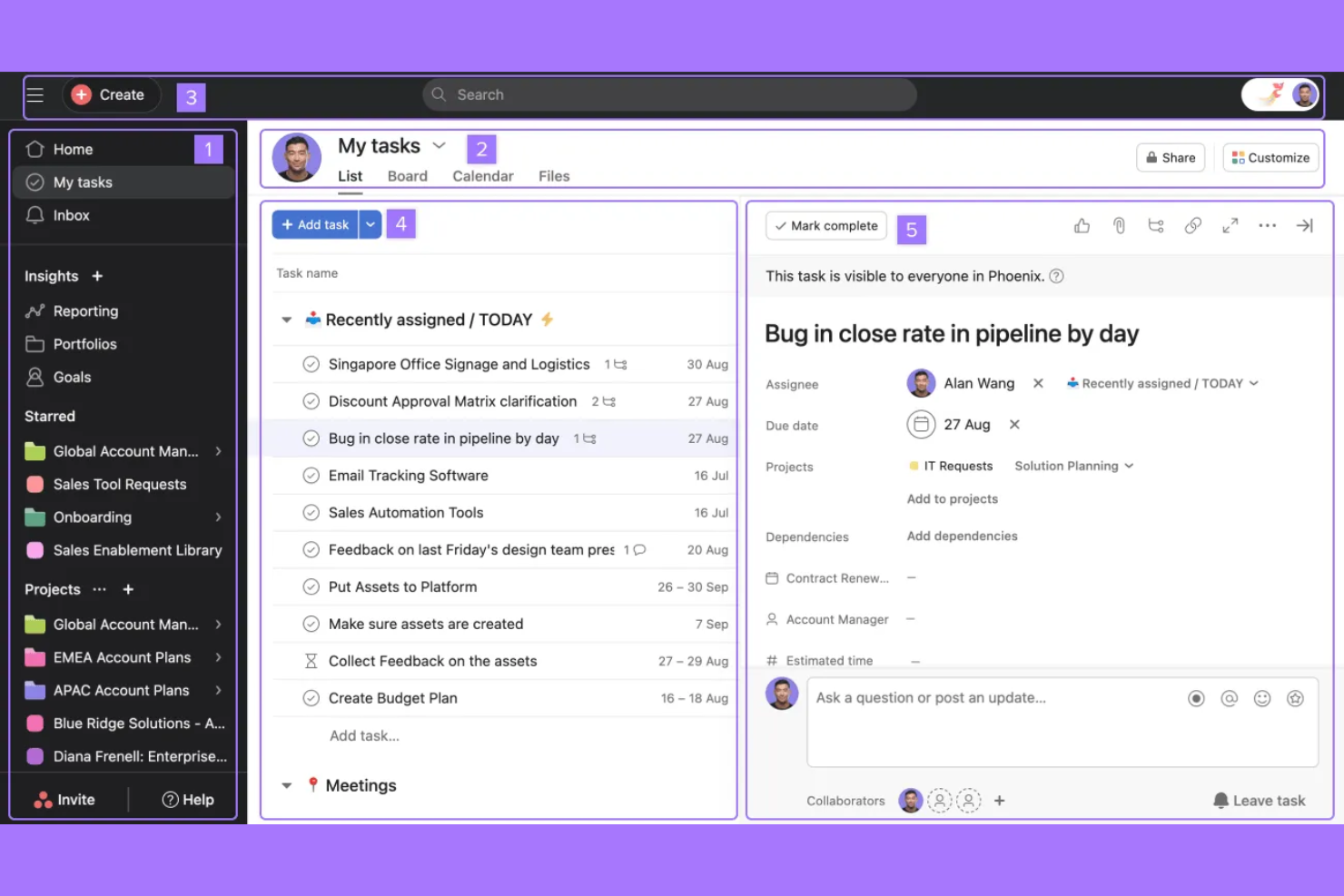
If your team needs a clear way to visualize project progress, Asana delivers flexible boards, timelines, and workload views. It’s a strong fit for marketing teams, creative agencies, and project leads who want to track tasks, dependencies, and deadlines in one place. Unlike Basecamp, Asana emphasizes visual project tracking, making it easier to spot bottlenecks and manage complex workflows.
Why Asana Is a Good Basecamp Alternative
When your team needs to actually see how work is progressing, Asana’s visual project tracking stands out. I picked Asana because its Kanban boards, timeline (Gantt) views, and workload charts give you a clear picture of project status and team capacity. These features help you manage dependencies, spot bottlenecks, and adjust plans quickly as priorities shift. For teams that want more than just lists and messages, Asana’s visual approach offers a level of clarity that Basecamp doesn’t provide.
Asana Key Features
Some other features in Asana help teams coordinate and manage work more effectively:
- Task Comments: Team members can discuss tasks directly within each task card to keep conversations organized.
- Custom Fields: Add specific data points to tasks, such as priority or stage, to tailor workflows to your team’s needs.
- Automated Rules: Set up triggers and actions to automate repetitive steps in your project workflows.
- Project Templates: Start new projects quickly with pre-built templates for common workflows and processes.
Asana Integrations
Integrations include Slack, Google Drive, Microsoft Teams, Dropbox, Salesforce, Zoom, Jira, HubSpot, Box, and Outlook.
Pros and Cons
Pros:
- Custom fields tailor tasks to team processes
- Task dependencies help manage complex workflows
- Visual boards and timelines clarify project status
Cons:
- Limited chat and real-time messaging features
- No built-in document editing or wikis

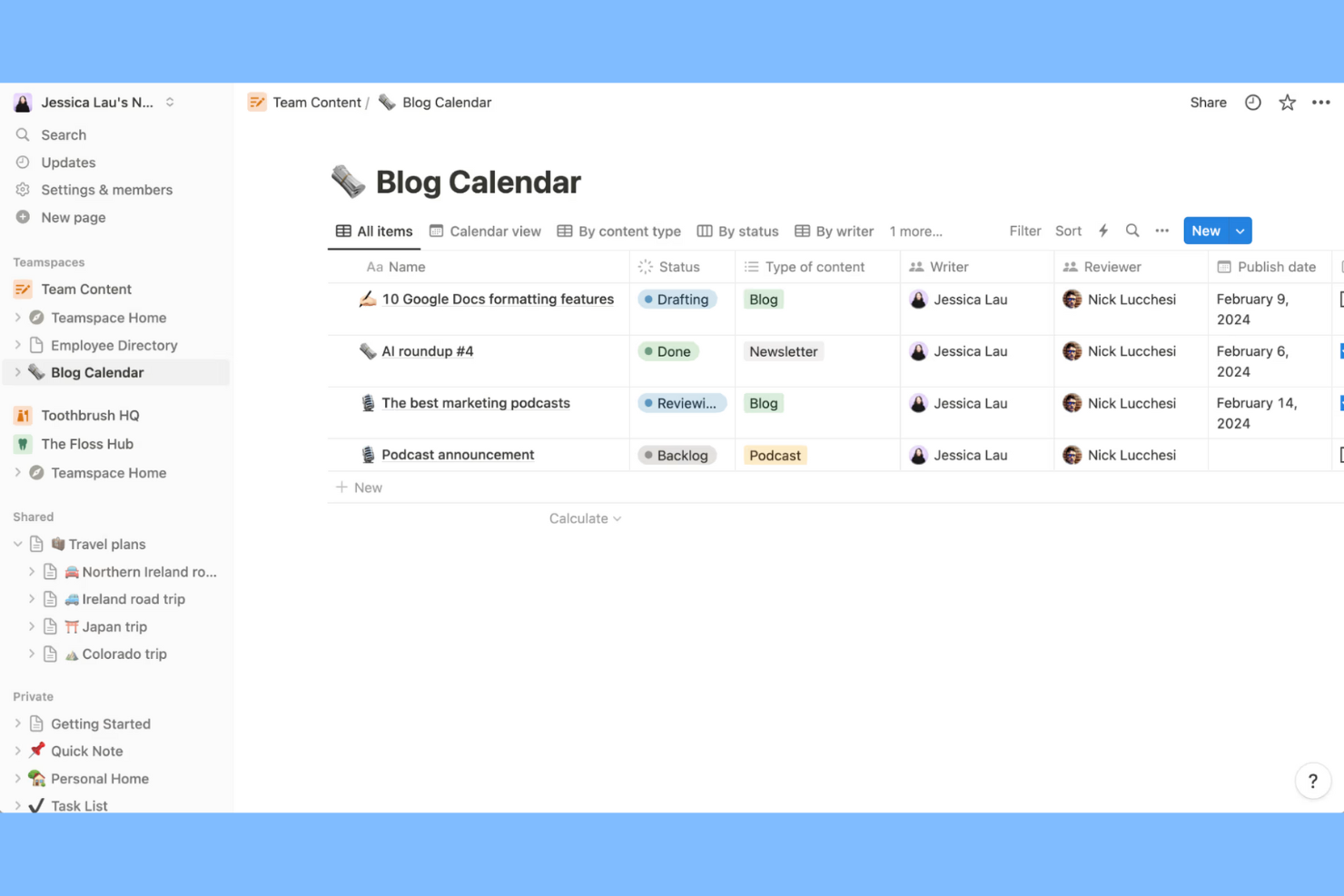
Notion gives teams a flexible platform to build their own collaboration workspace from the ground up. It’s a strong fit for marketing teams, product managers, and agencies that want to combine notes, tasks, wikis, and databases in one place. Unlike Basecamp, Notion lets you design custom workflows and page layouts to match your team’s exact needs.
Why Notion Is a Good Basecamp Alternative
For teams that want to shape their workspace to fit unique processes, Notion stands out with its customizable approach. I picked Notion because you can build pages, databases, and dashboards from scratch, tailoring everything from project trackers to knowledge bases. Its drag-and-drop blocks let you mix text, tasks, tables, and media on any page, so your workspace can evolve as your team’s needs change. This level of flexibility goes far beyond what Basecamp offers for teams that want to design their own collaboration environment.
Notion Key Features
Some other features in Notion help teams organize and collaborate on work in different ways:
- Real-Time Collaboration: Multiple users can edit pages and databases at the same time.
- Permissions and Sharing Controls: Set granular access levels for pages, databases, and workspaces.
- Template Gallery: Access a library of pre-built templates for project management, meeting notes, and more.
- Version History: Review and restore previous versions of any page or database.
Notion Integrations
Integrations include Slack, Jira, GitHub, Asana, Google Drive, Figma, Trello, GitLab, Typeform, and Webex.
Pros and Cons
Pros:
- Drag-and-drop blocks enable flexible page layouts
- Nested pages organize complex team documentation
- Custom databases support advanced project tracking
Cons:
- Offline access is limited and inconsistent
- No built-in chat or direct messaging

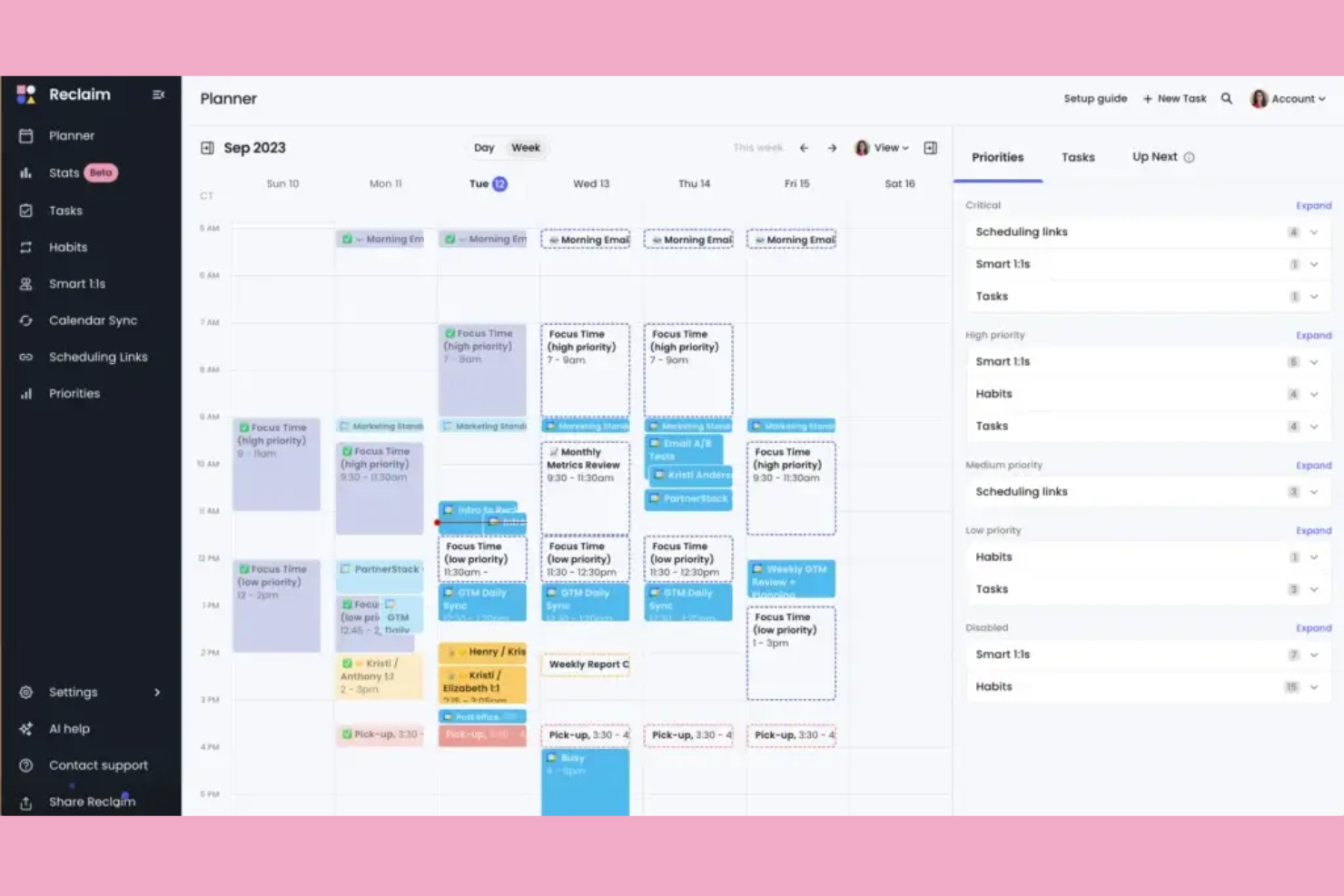
For teams that struggle to coordinate meetings and protect focus time, Reclaim.ai brings automated scheduling directly into your calendar. It’s especially useful for fast-paced marketing teams, agencies, and remote organizations that need to balance meetings, deep work, and personal commitments. Unlike Basecamp, Reclaim.ai automatically finds the best meeting times, blocks focus time, and adapts to shifting priorities without manual calendar management.
Why Reclaim.ai Is a Good Basecamp Alternative
If your team needs to automate scheduling and protect focus time, Reclaim.ai offers a unique approach that Basecamp doesn’t cover. I picked Reclaim.ai because it automatically finds the best times for meetings, tasks, and breaks by syncing with your existing calendar. Its smart time-blocking and adaptive rescheduling features help teams avoid conflicts and keep priorities on track. For groups that want to reduce manual calendar management and keep collaboration running smoothly, Reclaim.ai fills a gap that most project management tools leave open.
Reclaim.ai Key Features
Some other features that help teams coordinate and stay organized include:
- Task Sync: Automatically syncs tasks from tools like Asana and Todoist into your calendar.
- Habits Scheduling: Lets you set recurring habits, such as daily planning or weekly reviews, directly in your calendar.
- Buffer Time Management: Adds buffer time before and after meetings to prevent back-to-back scheduling.
- Analytics Dashboard: Provides insights into how your time is spent across meetings, tasks, and focus blocks.
Reclaim.ai Integrations
Integrations include Google Calendar, Outlook Calendar, Slack, Asana, Todoist, ClickUp, Jira, Linear, Google Tasks, and Zoom.
Pros and Cons
Pros:
- Automatically reschedules conflicts and overlaps
- Syncs with multiple calendar platforms
- Smart time-blocking for meetings and tasks
Cons:
- Lacks document or file sharing features
- No built-in project discussion threads
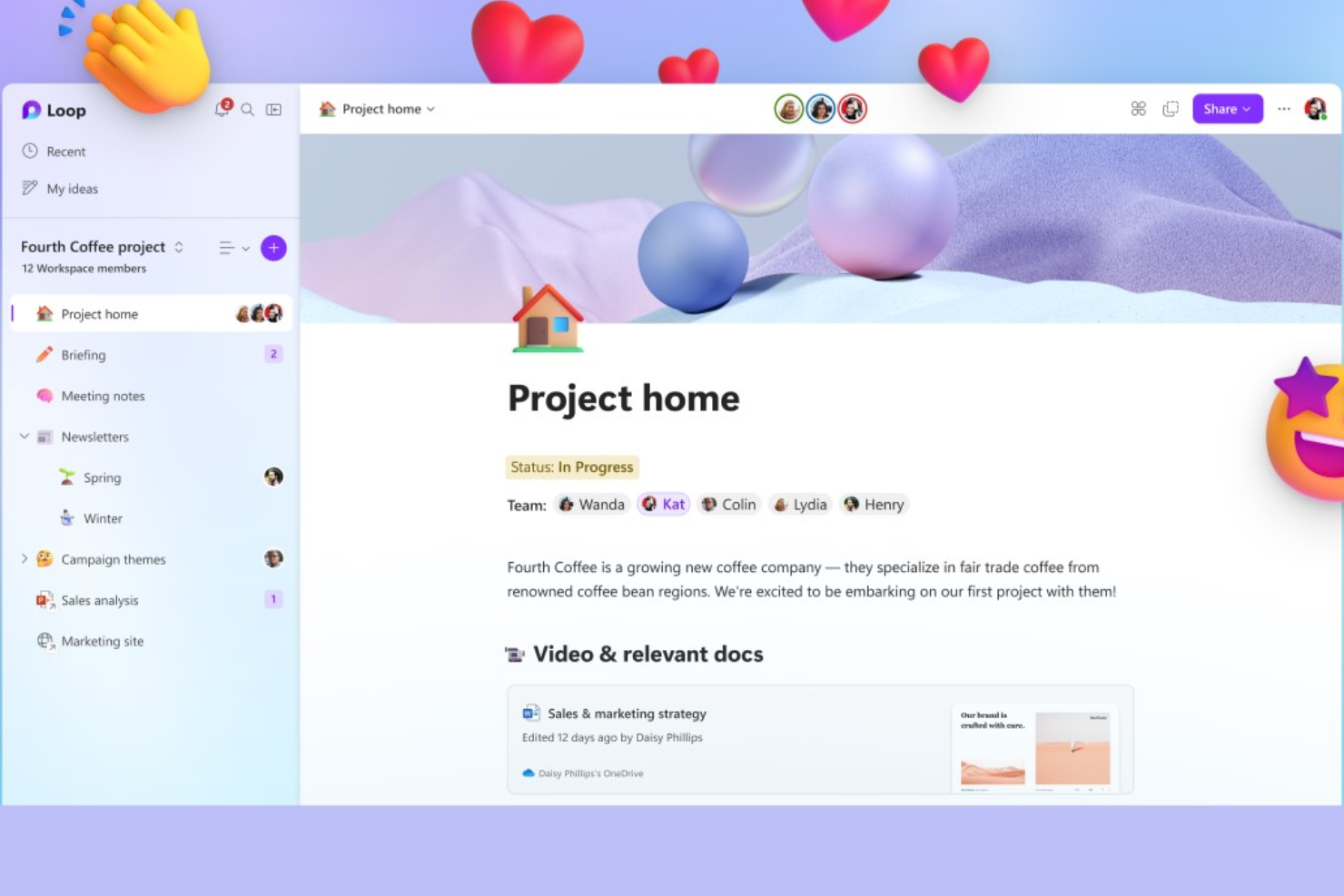
Unlike traditional project management tools, Microsoft Loop is designed for teams that need to co-create and iterate on content in real time. It’s a strong fit for marketing teams, product managers, and cross-functional groups who want to build living documents, brainstorm, and manage ideas together. Loop stands out from Basecamp by letting you embed dynamic components—like tables, lists, and tasks—directly into chats, meetings, and documents across the Microsoft 365 ecosystem.
Why Microsoft Loop Is a Good Basecamp Alternative
For teams that need to create and edit content together in real time, Microsoft Loop offers a flexible workspace that goes beyond static project boards. I picked Loop because it lets you build interactive pages and share live components—like task lists, tables, and notes—across chats, meetings, and documents. This makes it easy for teams to brainstorm, capture feedback, and keep content up to date without switching tools. If your group values collaborative content creation as part of your workflow, Loop fills a gap that Basecamp doesn’t address.
Microsoft Loop Key Features
Some other features that help teams collaborate and organize their work include:
- Workspace Templates: Offers pre-built templates for project planning, meeting notes, and brainstorming sessions.
- Commenting and Reactions: Allows users to leave comments and emoji reactions directly on content blocks.
- Version History: Tracks changes and lets you restore previous versions of pages or components.
- Task Assignment: Lets you assign tasks to team members and track their status within collaborative documents.
Microsoft Loop Integrations
Integrations include Microsoft Teams, Microsoft Outlook, Microsoft Word, Microsoft Excel, Microsoft OneNote, Microsoft OneDrive, Microsoft Designer, Microsoft Defender, Microsoft Copilot, and Microsoft Power Platform.
Pros and Cons
Pros:
- Version history for tracking content changes
- Embeds live components in Microsoft 365 apps
- Real-time co-authoring for documents and pages
Cons:
- Limited project timeline or Gantt chart views
- No built-in chat or messaging feature

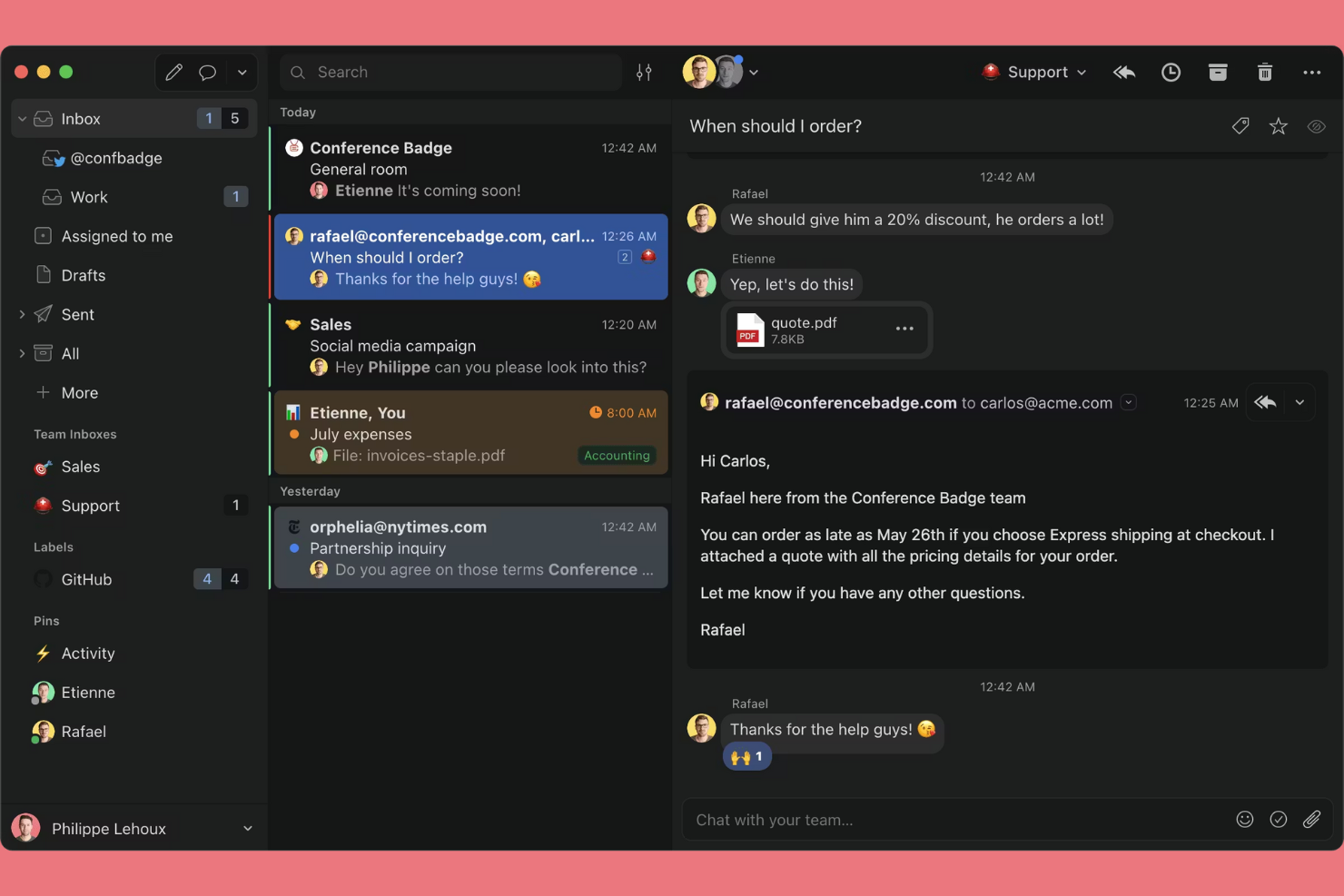
Teams that need to manage shared inboxes and collaborate on email conversations often turn to Missive. It’s especially useful for customer support, sales, and operations teams that want to handle group email, chat, and tasks in one place. Unlike Basecamp, Missive lets you assign, comment on, and organize emails together without leaving your inbox.
Why Missive Is a Good Basecamp Alternative
For teams that need to manage shared inboxes alongside their projects, Missive offers a unique approach that Basecamp doesn’t cover. I picked Missive because it lets you assign emails, chat internally about specific messages, and turn emails into actionable tasks—all within the same interface. The ability to collaborate on email threads in real time helps teams keep customer conversations organized and transparent. This makes Missive especially valuable for groups that rely on email as a core part of their workflow.
Missive Key Features
Some other features in Missive help teams coordinate and manage communication more efficiently:
- Shared Labels: Apply labels to conversations so everyone on the team can organize and filter messages consistently.
- Canned Responses: Create and use pre-written replies to speed up responses to common questions.
- Calendar Integration: Connect your calendar to schedule meetings and manage events directly from your inbox.
- Rules Automation: Set up custom rules to automatically sort, assign, or tag incoming messages based on criteria you define.
Missive Integrations
Integrations include Google Drive, Dropbox, Zoom, Asana, Trello, HubSpot, Salesforce, Shopify, GitHub, and Aircall.
Pros and Cons
Pros:
- Assign emails as tasks to team members
- Internal chat threads on specific emails
- Shared inboxes support real-time team collaboration
Cons:
- Limited file storage compared to Basecamp
- No built-in project timeline or Gantt
New Product Updates from Missive

Missive Introduces MCP Integrations for AI Workflows
Missive introduces MCP integrations, enabling its AI to interact with external tools and systems. This update allows teams to automate workflows and access data across platforms directly within conversations. For more information, visit Missive’s official site.
 .
.Other Basecamp Alternatives
Here are some additional basecamp alternatives options that didn’t make it onto my shortlist, but are still worth checking out:
- Slack
For real-time team messaging
- Smartsheet
For spreadsheet-style workflows
- Mural
For visual brainstorming sessions
- monday.com
For customizable workflow automation
- Atlassian
With advanced project tracking tools


Basecamp Alternatives Selection Criteria
When selecting the best Basecamp alternatives to include in this list, I considered common buyer needs and pain points related to team collaboration software products, like managing distributed teams and keeping project communication organized. I also used the following framework to keep my evaluation structured and fair:
Core Functionality (25% of total score)
To be considered for inclusion in this list, each solution had to fulfill these common use cases:
- Assign and track tasks
- Share files and documents
- Organize projects by team or topic
- Enable team discussions or comments
- Set deadlines and reminders
Additional Standout Features (25% of total score)
To help further narrow down the competition, I also looked for unique features, such as:
- Real-time collaborative editing
- Embedded whiteboards or brainstorming tools
- Automated workflow or process templates
- Integration with video conferencing tools
- Advanced permission or guest access controls
Usability (10% of total score)
To get a sense of the usability of each system, I considered the following:
- Clean and intuitive interface design
- Minimal clicks to complete common actions
- Logical navigation and menu structure
- Responsive performance on web and mobile
- Accessibility for users with different needs
Onboarding (10% of total score)To evaluate the onboarding experience for each platform, I considered the following:
- Availability of step-by-step product tours
- Access to training videos and documentation
- Pre-built templates for quick setup
- In-app chatbots or guided help
- Webinars or live onboarding sessions
Customer Support (10% of total score)
To assess each software provider’s customer support services, I considered the following:
- Multiple support channels like chat, email, and phone
- Fast response times to inquiries
- Helpful and knowledgeable support staff
- Access to a searchable help center or knowledge base
- Community forums or user groups
Value For Money (10% of total score)
To evaluate the value for money of each platform, I considered the following:
- Transparent and flexible pricing plans
- Features included at each pricing tier
- Free trial or free plan availability
- Discounts for annual billing or nonprofits
- No hidden fees or surprise charges
Customer Reviews (10% of total score)
To get a sense of overall customer satisfaction, I considered the following when reading customer reviews:
- Positive feedback on collaboration features
- Reports of reliable uptime and performance
- Comments on customer support experiences
- User sentiment about pricing and value
- Suggestions for improvement or missing features
Why Look For a Basecamp Alternative?
While Basecamp is a good choice of team collaboration software, there are a number of reasons why some users seek out alternative solutions. You might be looking for a Basecamp alternative because…
- You need more advanced task management features
- Your team relies on real-time document collaboration
- You want deeper integrations with tools outside the Basecamp ecosystem
- You require more granular permission controls for sensitive projects
- Your organization needs built-in video or chat communication
- You’re looking for better support for large or distributed teams
If any of these sound like you, you’ve come to the right place. My list contains several team collaboration software options that are better suited for teams facing these challenges with Basecamp and looking for alternative solutions.
Basecamp Key Features
Here are some of the key features of Basecamp, to help you contrast and compare what alternative solutions offer:
- To-do lists for task tracking
- Message boards for team discussions
- Schedule/calendar for project milestones
- Document and file storage
- Automatic check-ins for team updates
- Group chat (Campfire) for quick conversations
- Client access for external collaboration
- Hill Charts for visualizing project progress
- Email forwarding into project discussions
- Centralized notifications for all project activity
What’s Next:
If you're in the process of researching Basecamp alternatives, connect with a SoftwareSelect advisor for free recommendations.
You fill out a form and have a quick chat where they get into the specifics of your needs. Then you'll get a shortlist of software to review. They'll even support you through the entire buying process, including price negotiations.