


OpusClip Review: Pros, Cons, Features, and Pricing



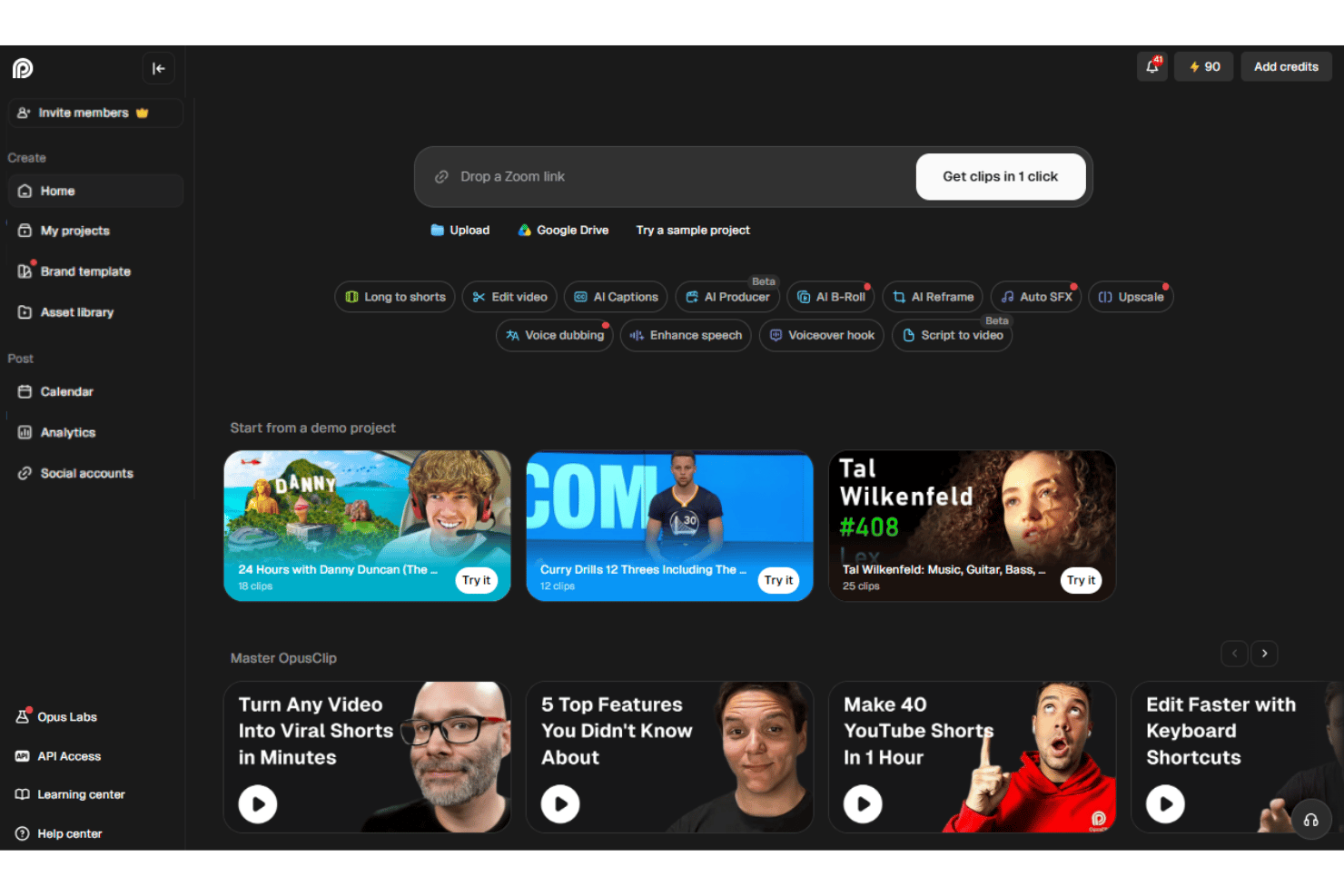
OpusClip is an AI video editor that turns long-form videos, webinars, and podcasts into short, caption-ready clips for TikTok, Instagram Reels, YouTube Shorts, and LinkedIn. I'd reach for it when your team is sitting on hours of recorded content and needs a fast way to spin up social-ready cuts without staffing a dedicated editor.
Compared to a timeline-based tool like Descript, OpusClip is the better pick when your goal is high-volume short-form repurposing with auto-generated hooks, virality scoring, and face-tracking reframing, rather than full multitrack editing from scratch.
OpusClip Evaluation Summary
- From $15/month
- Free plan available
Why Trust Our Software Recommendations
Our team has been testing and reviewing software since 2012. As marketing leaders ourselves, we know how difficult—and important—it is to choose the right software.
For this guide, we evaluated tools using hands-on testing and independent research, scoring tools using our selection criteria.
Our reviews reflect our human editorial judgment, not a sales pitch.
Expert reviewers:
OpusClip Overview
OpusClip is my pick for turning long recordings into social clips, not for full multitrack production. Its browser interface makes onboarding simple: upload a file or paste a supported source, then review AI-selected clips, captions, subtitles, and virality scores. Pricing is tiered, with a free plan for limited processing and paid plans that increase usage limits and unlock more advanced features. Higher tiers add capabilities such as scheduling, team seats, dubbing, B-roll, API access, and exports for professional editing tools. Support is available through chat on select plans.
pros
-
ClipAnything identifies moments using visual, audio, and sentiment cues.
-
AI reframe feature keeps speakers centered across vertical social formats.
-
Users report finding several usable clips without manual episode review.
cons
-
AI clip selection often produces only a few usable edits.
-
Face tracking can distort guests during automatic reframing.
-
Free exports carry watermarks and expire after three days.
-

Eloqua
Visit WebsiteThis rating combines scores from multiple user review sites to reflect overall customer sentiment about the product.4.3 -
Optimizely
Visit WebsiteThis rating combines scores from multiple user review sites to reflect overall customer sentiment about the product.4.2 -
Uberflip
Visit WebsiteThis rating combines scores from multiple user review sites to reflect overall customer sentiment about the product.4.3





How We Test & Score Tools
We’ve spent years building, refining, and improving our software testing and scoring system. The rubric is designed to capture the nuances of software selection and what makes a tool effective, focusing on critical aspects of the decision-making process.
Below, you can see exactly how our testing and scoring works across seven criteria. It allows us to provide an unbiased evaluation of the software based on core functionality, standout features, ease of use, onboarding, customer support, integrations, customer reviews, and value for money.
Core Functionality (25% of final scoring)
The starting point of our evaluation is always the core functionality of the tool. Does it have the basic features and functions that a user would expect to see? Are any of those core features locked to higher-tiered pricing plans? At its core, we expect a tool to stand up against the baseline capabilities of its competitors.
Standout Features (25% of final scoring)
Next, we evaluate uncommon standout features that go above and beyond the core functionality typically found in tools of its kind. A high score reflects specialized or unique features that make the product faster, more efficient, or offer additional value to the user.
We also evaluate how easy it is to integrate with other tools typically found in the tech stack to expand the functionality and utility of the software. Tools offering plentiful native integrations, 3rd party connections, and API access to build custom integrations score best.
Ease of Use (10% of final scoring)
We consider how quick and easy it is to execute the tasks defined in the core functionality using the tool. High scoring software is well designed, intuitive to use, offers mobile apps, provides templates, and makes relatively complex tasks seem simple.
Onboarding (10% of final scoring)
We know how important rapid team adoption is for a new platform, so we evaluate how easy it is to learn and use a tool with minimal training. We evaluate how quickly a team member can get set up and start using the tool with no experience. High scoring solutions indicate little or no support is required.
Customer Support (10% of final scoring)
We review how quick and easy it is to get unstuck and find help by phone, live chat, or knowledge base. Tools and companies that provide real-time support score best, while chatbots score worst.
Customer Reviews (10% of final scoring)
Beyond our own testing and evaluation, we consider the net promoter score from current and past customers. We review their likelihood, given the option, to choose the tool again for the core functionality. A high scoring software reflects a high net promoter score from current or past customers.
Value for Money (10% of final scoring)
Lastly, in consideration of all the other criteria, we review the average price of entry level plans against the core features and consider the value of the other evaluation criteria. Software that delivers more, for less, will score higher.
Core Features
AI Clip Generation
OpusClip analyzes long videos and selects short segments with hooks, dialogue, and pacing suited to social content. You can turn a webinar or podcast into several draft clips without reviewing the entire recording manually.
ClipAnything
ClipAnything finds moments through visual, audio, and sentiment cues, rather than relying only on transcripts. This helps surface clips such as product demonstrations, reactions, or audience moments that keyword-based selection can miss.
AI Reframing
AI reframing automatically adjusts the crop for vertical, square, and landscape formats while keeping speakers in view. A two-person podcast can become a vertical clip with the active speaker positioned clearly for mobile viewers.
Animated Captions
OpusClip generates AI captions and applies animated styling to match short-form video formats. Captions keep the message readable when viewers watch a product explanation or interview without sound.
Virality Score
Virality scores estimate how likely each generated clip is to attract attention based on factors such as pacing, content structure, and audience interest. Your team can use the score to prioritize which clips to review first, while still applying human judgment.
AI B-Roll
AI B-roll adds relevant visual footage over spoken sections to support the clip’s topic. For example, a marketing interview about analytics can receive supporting visuals instead of showing the same speaker throughout.
Ease of Use
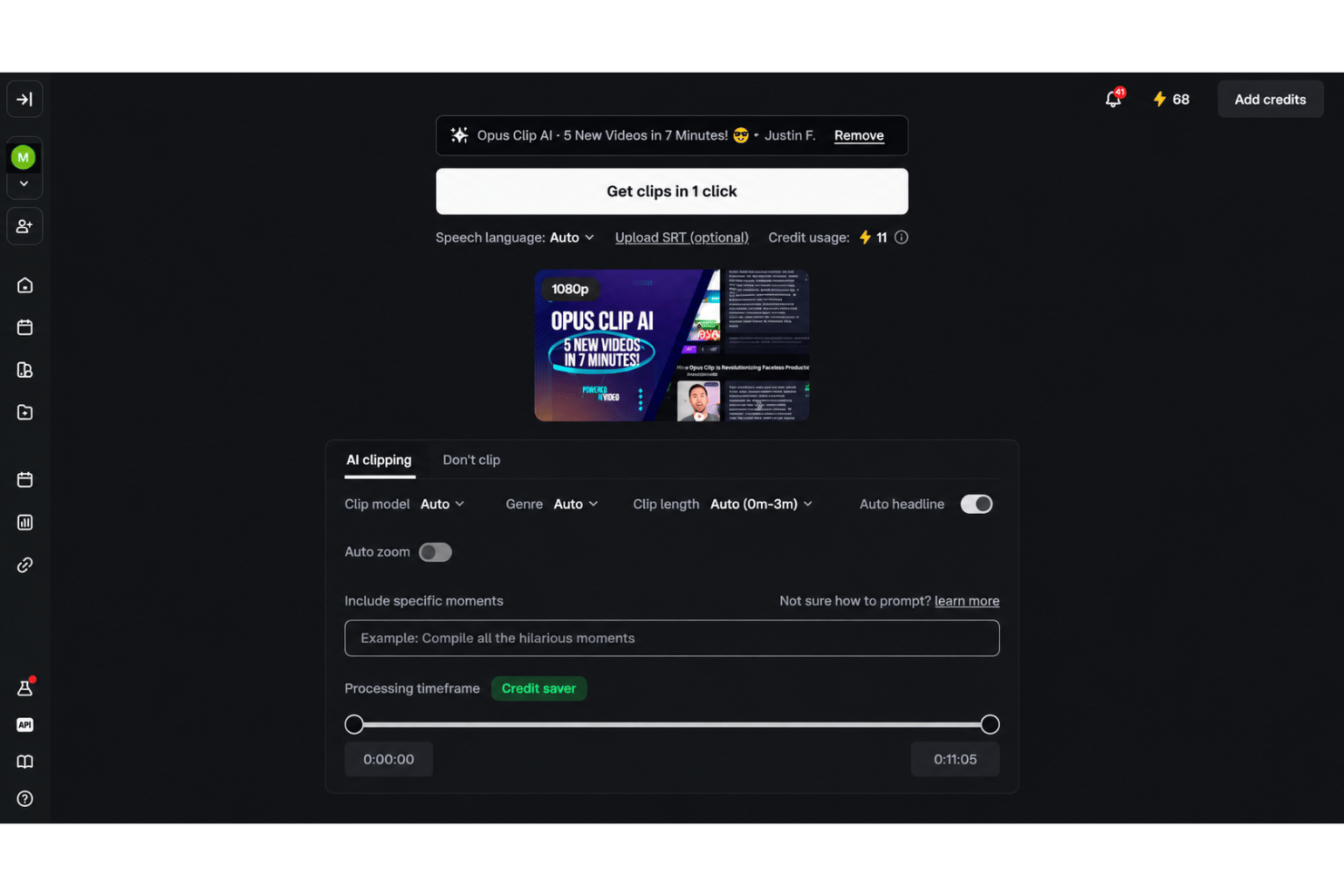
OpusClip is easy to use for fast social repurposing, especially if you prefer guided automation over manual editing. Upload a recording, then review AI-selected clips, animated captions, reframing, and virality scores in the browser. Text and timeline editing provide useful control afterward. User feedback supports the quick workflow, though reviewers often report only a few usable clips, occasional face-tracking distortion, and watermarked free exports that expire after three days.
Integrations
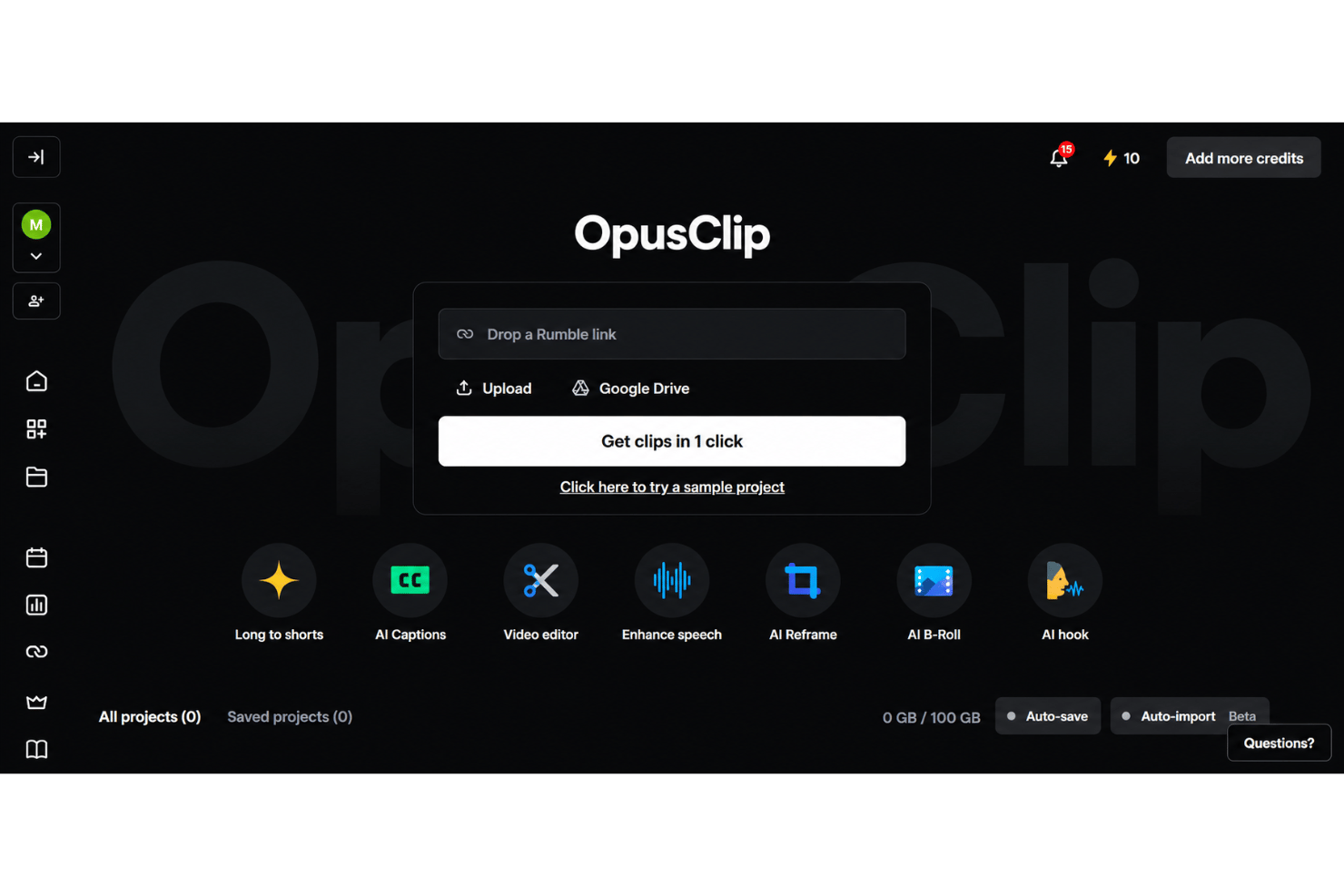
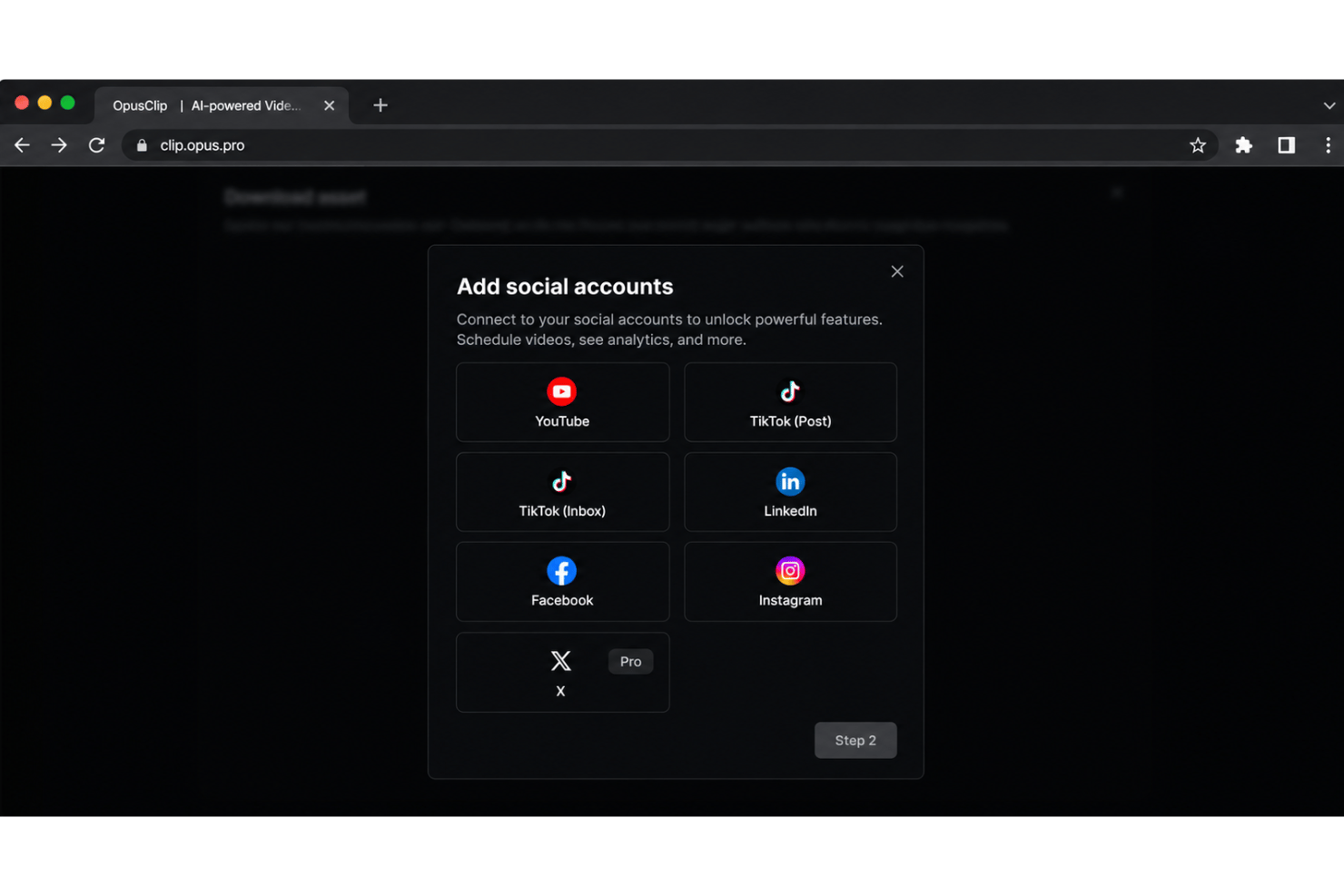
OpusClip integrates with YouTube, TikTok, Instagram Reels, Facebook, X, Google Drive, Vimeo, and Zoom, among others.
It also offers an API and connects with third-party integration tools including Zapier.
OpusClip Specs
- CAD Tools
- Data Export
- Data Import
- Multi-User
- Pixel Graphics
- Third-Party Plugins/Add-Ons
- Vector File Support
- Video