


HubSpot vs. Adobe Marketo Engage: Comparison and Expert Reviews for 2026


Choosing between HubSpot and Adobe Marketo Engage can feel overwhelming when you’re under pressure to prove ROI, streamline campaigns, and keep your team productive. You want marketing automation software that’s powerful, easy to use, and fits your budget—but the differences between these two giants aren’t always obvious. From integration headaches to learning curves, the stakes are high for your next move.
In this article, you’ll get a clear, side-by-side comparison of HubSpot and Marketo. I’ll break down the pros and cons, use cases, pricing, security, and usability so you can make the best decision for your team.
HubSpot vs. Adobe Marketo Engage: An Overview
HubSpot


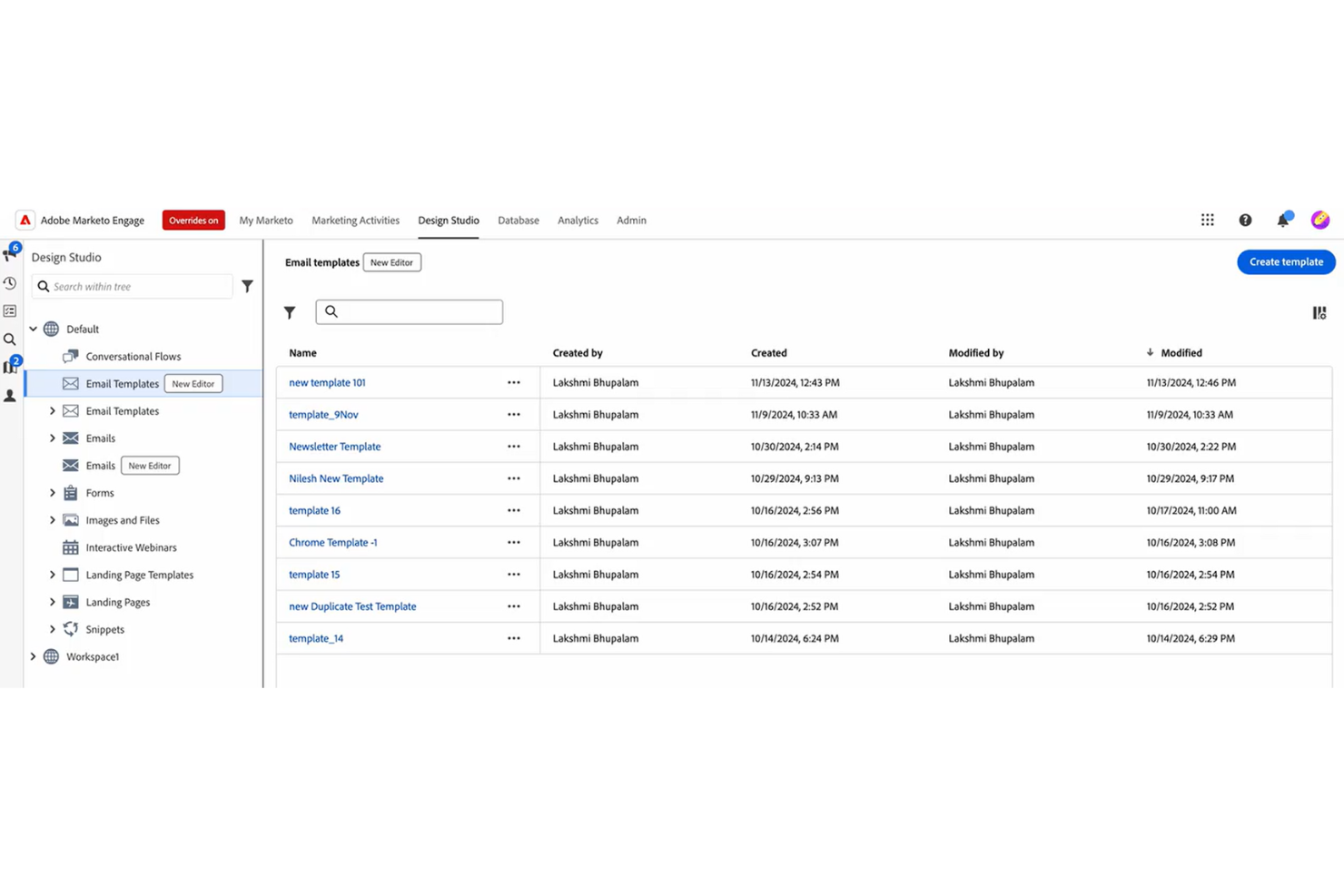
Adobe Marketo Engage
Why Trust Our Software Reviews
We’ve been testing and reviewing marketing software since 2022. As marketing experts ourselves, we know how critical and difficult it is to make the right decision when selecting software.
We invest in deep research to help our audience make better software purchasing decisions. We’ve tested more than 2,000 tools for different marketing use cases and written over 1,000 comprehensive software reviews. Learn how we stay transparent & our software review methodology.
HubSpot vs. Adobe Marketo Engage Pricing Comparison
| HubSpot | Adobe Marketo Engage | |
|---|---|---|
| Free Trial | Free plan available | Free demo available |
| Pricing | From $9/month (billed annually) | Pricing upon request |
HubSpot vs. Marketo Pricing & Hidden Costs
HubSpot uses a tiered pricing model with transparent packages based on features, seats, and contact limits, and it stands out by offering a free CRM plan and free trial options for paid tiers. However, costs can rise quickly as your database grows or you upgrade tiers. Marketo, on the other hand, offers packaged tiers but requires custom quotes, making it harder to predict total spend upfront. Both platforms may introduce extra costs for onboarding, advanced features, or add-ons like additional data, integrations, and support.
To choose the right vendor, map out your current and projected contact list size, required features, and integration needs. Ask each provider for a detailed quote that includes onboarding fees, usage limits, and any add-ons. This approach helps you avoid surprises and ensures you’re comparing the true total cost of ownership for each platform.
HubSpot vs. Adobe Marketo Engage Feature Comparison
Both HubSpot and Marketo offer essential marketing automation features like email marketing, lead nurturing, campaign management, analytics, and CRM integration. You’ll also find tools for landing page creation, workflow automation, and robust reporting in both platforms. These shared features cover the basics most marketing teams need to run and measure campaigns.
HubSpot stands out with its all-in-one approach, combining marketing, sales, and service tools in a single, user-friendly platform. Marketo, meanwhile, is known for its advanced customization and powerful lead scoring, making it a favorite for complex, enterprise-level marketing operations. Each platform’s unique strengths can make a big difference depending on your team’s goals and technical needs.
| HubSpot | Adobe Marketo Engage | |
|---|---|---|
| API | ||
| Campaign Management | ||
| Contact Management | ||
| Contact Sharing | ||
| Customer Management | ||
| Data Export | ||
| Data Import | ||
| Email Integration | ||
| External Integrations | ||
| Lead Management | ||
| Lead Scoring | ||
| Marketing Automation | ||
| Multi-User | ||
| Notifications | ||
| Social-Media Integration |
HubSpot vs. Marketo Integrations
| Integration | HubSpot | Marketo |
| Salesforce | ✅ | ✅ |
| Microsoft Dynamics | ✅ | ✅ |
| Shopify | ✅ | ❌ |
| Slack | ✅ | ✅ |
| Zoom | ✅ | ✅ |
| Google Ads | ✅ | ✅ |
| Eventbrite | ✅ | ❌ |
| Adobe Analytics | ❌ | ✅ |
| Oracle Eloqua | ❌ | ✅ |
| API | ✅ | ✅ |
| Zapier | ✅ | ✅ |
HubSpot and Marketo both cover the most popular integrations, but HubSpot offers more out-of-the-box connections for ecommerce and event tools, while Marketo shines with enterprise and Adobe ecosystem integrations. Both platforms support API and Zapier, so you can connect to almost any tool your team relies on.
HubSpot vs. Marketo Security, Compliance & Reliability
| Factor | HubSpot | Marketo |
| Data Privacy | Offers GDPR, CCPA, and SOC 2 compliance with built-in privacy tools. | Provides GDPR, CCPA, and HIPAA compliance with advanced privacy controls. |
| Encryption | Uses TLS encryption for data in transit and at rest. | Secures data with TLS/SSL encryption and granular access controls. |
| Uptime Guarantee | Delivers a 99.99% uptime SLA and real-time status updates. | Maintains a 99.9% uptime SLA with robust disaster recovery protocols. |
| Access Controls | Supports SSO, 2FA, and customizable user permissions. | Offers SSO, 2FA, and detailed role-based access management. |
| Audit Logging | Provides detailed activity logs and exportable audit trails. | Includes comprehensive audit logs and monitoring for all user actions. |
Marketo edges ahead with more advanced compliance options and granular controls, while HubSpot impresses with its transparency and ease of use for security management. Both platforms deliver strong reliability and privacy features, but Marketo is often favored by enterprises with strict regulatory needs.
HubSpot vs. Marketo Ease of Use
| Factor | HubSpot | Marketo |
| User Interface | Features a clean, intuitive dashboard with drag-and-drop functionality. | Offers a powerful but complex interface that can feel overwhelming. |
| Onboarding | Provides guided onboarding, tutorials, and a helpful knowledge base. | Requires more self-guided learning and often benefits from expert help. |
| Setup Process | Quick to set up with step-by-step wizards and templates. | Setup is more technical and time-consuming, especially for integrations. |
| Customer Support | Delivers responsive chat, email, and phone support with live help. | Offers support, but response times and depth can vary by plan. |
| Learning Curve | Easy for beginners to pick up and use right away. | Steeper learning curve, best suited for experienced marketing teams. |
HubSpot is much easier for new users and small teams, while Marketo’s complexity pays off for advanced users who need deep customization. HubSpot’s approachable design and support make it a favorite for fast onboarding, but Marketo’s flexibility rewards those willing to invest the time to master it.
HubSpot vs Adobe Marketo Engage: Pros & Cons
HubSpot
- The onboarding process is smooth, getting your team up to speed in no time.
- Exceptional customer support ensures you get help quickly when needed.
- The intuitive interface makes it easy for your team to navigate and manage marketing tasks.
- Advanced users might find HubSpot's templated options limiting for unique customizations.
- Occasional glitches in allocations may require you to double-check assignments.
- Some users find it lacks certain financial-related features like budgets and expenses.
Adobe Marketo Engage
- Flexible campaign automation with AI-powered personalization
- Strong analytics and multi-touch attribution reporting
- Advanced segmentation and targeting for complex campaigns
- Outdated user interface compared to newer platforms
- Batch-based processing can delay real-time campaign updates
- High total cost of ownership for most organizations
Best Use Cases for HubSpot and Adobe Marketo Engage
HubSpot
- Digital Agencies HubSpot Marketing’s automation tools help your team manage multiple client campaigns efficiently.
- SaaS Startups Its detailed analytics empower you to track user engagement and optimize marketing strategies.
- E-commerce Businesses Personalized email marketing features allow you to enhance customer engagement and boost sales.
- Educational Institutions HubSpot’s CRM integration helps you manage student outreach and engagement effectively.
- Healthcare Providers The platform’s content management tools aid in maintaining a strong online presence.
- Non-Profit Organizations Its easy-to-use interface and support make managing campaigns and donor relationships straightforward.
Adobe Marketo Engage
- Dedicated Marketing Ops Teams with technical resources can fully customize and automate campaigns.
- Healthcare Organizations HIPAA-ready features and secure data handling are available.
- Higher Education Multi-channel engagement and segmentation support diverse student journeys.
- Regulated Industries Compliance tools and audit trails help meet strict regulatory requirements.
- B2B Technology Companies Account-based marketing and lead scoring features align with long sales cycles.
- Enterprise Marketing Teams Marketo supports complex workflows, global campaigns, and advanced reporting.
Who Should Use HubSpot, And Who Should Use Adobe Marketo Engage?
HubSpot is best suited for small to mid-sized businesses and growing marketing teams that want an all-in-one platform without heavy technical complexity. While it combines CRM, sales, and service tools, its real strength for marketers lies in its unified Marketing Hub—where you can manage content, SEO, email campaigns, social media, and automation from a single dashboard. This makes it ideal for teams focused on inbound marketing, lead generation, and campaign execution, since all tools work together seamlessly to attract, nurture, and convert leads without needing multiple integrations.
Marketo, on the other hand, is better suited for mid-market to enterprise organizations with complex marketing operations and dedicated technical resources. It excels in advanced automation, account-based marketing, and multi-channel orchestration, making it a strong fit for large B2B teams with long sales cycles and sophisticated segmentation needs. However, its depth and flexibility come with a steeper learning curve, so it’s best for organizations that can invest in marketing ops and fully leverage its advanced capabilities.
Differences Between HubSpot and Adobe Marketo Engage
| HubSpot | Adobe Marketo Engage | |
|---|---|---|
| All-in-One Platform | Full CRM platform combining marketing, sales, service, and CMS tools. | Primarily a marketing automation platform that relies on external CRM integrations. |
| Automation Depth | Strong but more structured automation suited for common workflows. | Highly advanced, customizable automation for complex, multi-step journeys. |
| Reporting & Analytics | Strong reporting with user-friendly dashboards. | More advanced analytics, attribution, and revenue modeling capabilities. |
| Scalability | Scales well but can become expensive at higher contact tiers. | Built for large-scale, global operations with complex data and campaign needs. |
| User Interface | Intuitive, beginner-friendly UI with quick onboarding. | More complex interface with a steeper learning curve and need for training. |
| Read HubSpot ReviewOpens new window | Read Adobe Marketo Engage ReviewOpens new window |
Similarities Between HubSpot and Adobe Marketo Engage
| CRM Integrations | HubSpot and Marketo integrate with major CRMs like Salesforce and Microsoft Dynamics for unified data management. |
|---|---|
| Email Campaigns | Both offer robust email campaign creation, automation, and analytics, with customizable templates and A/B testing. |
| Landing Pages | Both include tools to build landing pages and capture leads through customizable forms. |
| Lead Management | Each platform provides lead scoring, segmentation, and nurturing tools to help teams qualify and convert leads. |
| Multi-Channel Campaigns | Both support multi-channel campaigns, including email, web, and paid media integrations. |
| Read HubSpot ReviewOpens new window Read Adobe Marketo Engage ReviewOpens new window | |