
14 Loom Alternatives Picked for 2026

Loom Alternatives Shortlist
Here’s my shortlist of Loom alternatives:


A strong Loom alternative lets your team record, share, and manage video messages with the same speed, flexibility, and ease that Loom offers—while adding features or integrations that better fit your workflow. If you’re searching for Loom alternatives, you’re likely looking for a screen recording tool or recording software that supports async video updates, secure sharing, built-in editing capabilities, video creation tools, voiceovers, and options comparable to a free Loom plan, including control over watermarks. This list will help you compare the top options for video messaging, so you can find the right fit for your team’s communication style, security needs, and collaboration goals.
What Is Loom?
Loom is a video messaging and screen capture software that lets users record, share, and store short, high-quality videos for communication and collaboration. Teams use Loom to create quick screen recordings, walkthroughs, animations, and async updates without scheduling live meetings. The platform supports browser, desktop, and mobile recording, offers flexible recording time options depending on your plan, and includes features like link sharing, viewer analytics, and workspace organization. Loom is popular with remote teams, educators, and anyone needing fast, visual communication.
Best Loom Alternatives Summary
This comparison chart summarizes pricing details for my top Loom alternative selections to help you find the best one for your budget and business needs.
| Tool | Best For | Trial Info | Price | ||
|---|---|---|---|---|---|
| 1 | Best for quick video messaging in Google Workspace | Free plan available | Pricing upon request | Website | |
| 2 | Best for large group video communications | Free trial + free demo available | From $66.67/month (billed annually) | Website | |
| 3 | Best with built-in AI transcription features | Free trial available | Pricing upon request | Website | |
| 4 | Best for integrated messaging in Microsoft 365 | 30-day free trial + demo available | From $4/user/month (billed annually) | Website | |
| 5 | Best for enterprise-grade security compliance | Free plan available | From $144/user/month (billed annually) | Website | |
| 6 | Best for scheduling recurring video updates | 30-day free trial available | From $69/user/month | Website | |
| 7 | Best for unified communications across devices | 14-day free trial available | From $20/user/month (billed annually) | Website | |
| 8 | Best for tracking viewer engagement analytics | 14-day free trial + free demo available | From $59/seat/month (billed annually) | Website | |
| 9 | Best for personalized video email campaigns | Free trial available | From $36/month (billed annually) | Website | |
| 10 | Best for custom video branding options | Free demo available | From $49/month | Website |
Why Trust Our Software Reviews
We’ve been testing and reviewing marketing software since 2022. As marketing experts ourselves, we know how critical and difficult it is to make the right decision when selecting software.
We invest in deep research to help our audience make better software purchasing decisions. We’ve tested more than 2,000 tools for different marketing use cases and written over 1,000 comprehensive software reviews. Learn how we stay transparent & our software review methodology.
-

Demandbase
Visit WebsiteThis is an aggregated rating for this tool including ratings from Crozdesk users and ratings from other sites.4.4 -
6sense
Visit WebsiteThis is an aggregated rating for this tool including ratings from Crozdesk users and ratings from other sites.4.3 -
AnswerThePublic
Visit Website


Loom Alternatives Reviews
Below are my detailed summaries of the Loom alternatives that made it onto my shortlist. My reviews offer a detailed look at the features, best use cases, and integrations of each platform to help you find the best one for you.

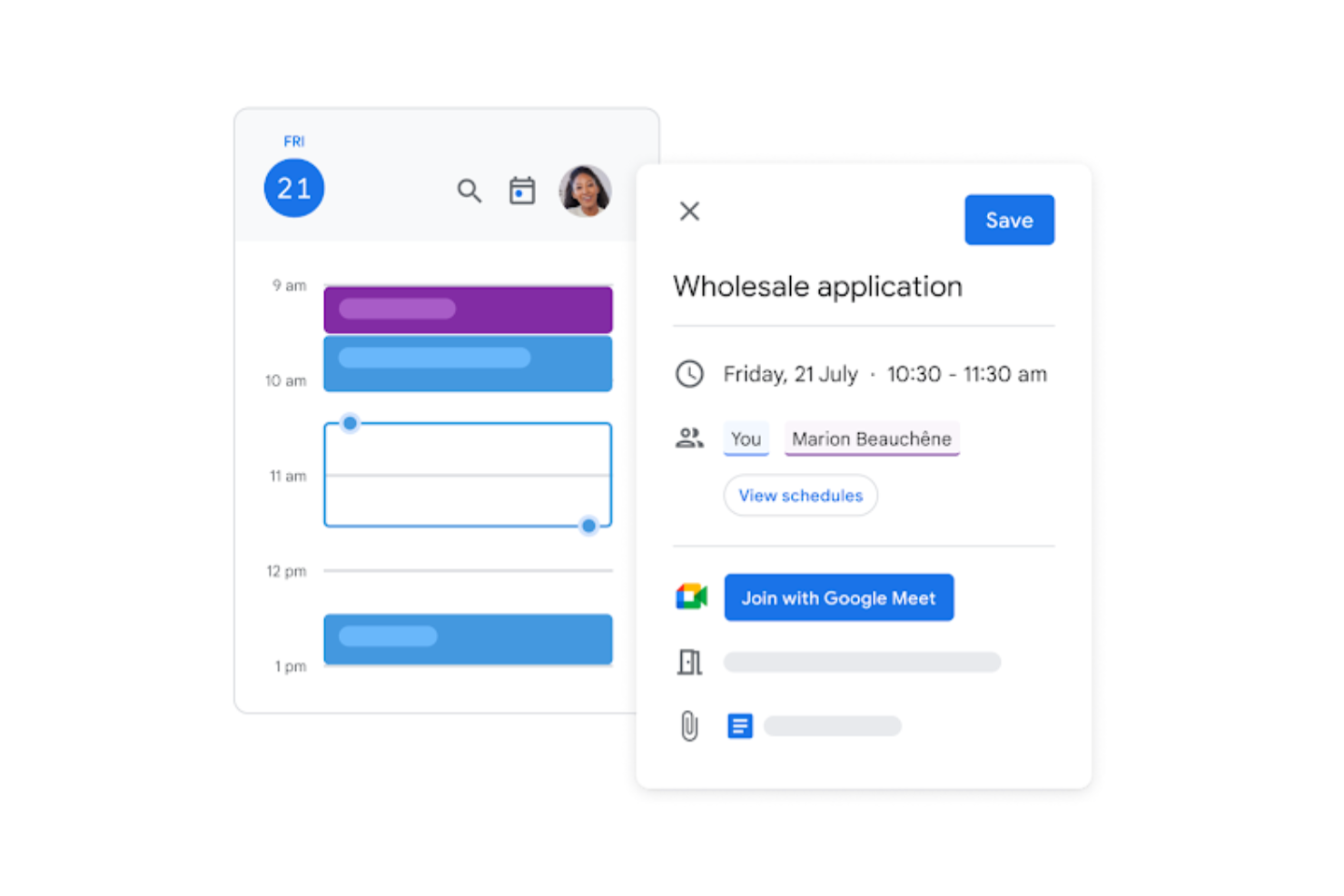
If your team already uses Google Workspace, Google Meet offers a familiar way to record and share quick video messages. It’s a strong fit for businesses that want video messaging tightly integrated with Gmail, Calendar, and Drive. Google Meet helps you keep async updates and meetings in one place, reducing the need to switch between multiple tools.
Why Google Meet Is a Good Loom Alternative
Google Meet stands out for teams that want to send quick video messages without leaving the Google Workspace environment. I picked it because you can start or record a video directly from Gmail or Calendar, making async updates part of your daily workflow. The ability to share meeting links instantly and store recordings in Google Drive keeps everything accessible and organized. For businesses already using Google tools, this tight integration makes video messaging feel like a natural extension of your existing processes.
Google Meet Key Features
Some other features in Google Meet that are useful for video messaging include:
- Live Captioning: Automatically generates real-time captions during video messages and meetings for improved accessibility.
- Noise Cancellation: Filters out background noise so your video messages are clear, even in busy environments.
- Hand Raise and Polls: Lets participants interact during recorded or live sessions, making async feedback easier to collect.
- Breakout Rooms: Allows you to split larger meetings or recorded sessions into smaller groups for focused discussions.
Google Meet Integrations
Integrations include Google Calendar, Gmail, Google Drive, Google Chat, Google Docs, Google Sheets, Google Slides, Google Classroom, Jamboard, and Google Tasks.
Pros and Cons
Pros:
- Drive-integrated storage
- Zero-install recording
- Native Google alignment
Cons:
- No live drawing/markup
- Basic editor limits

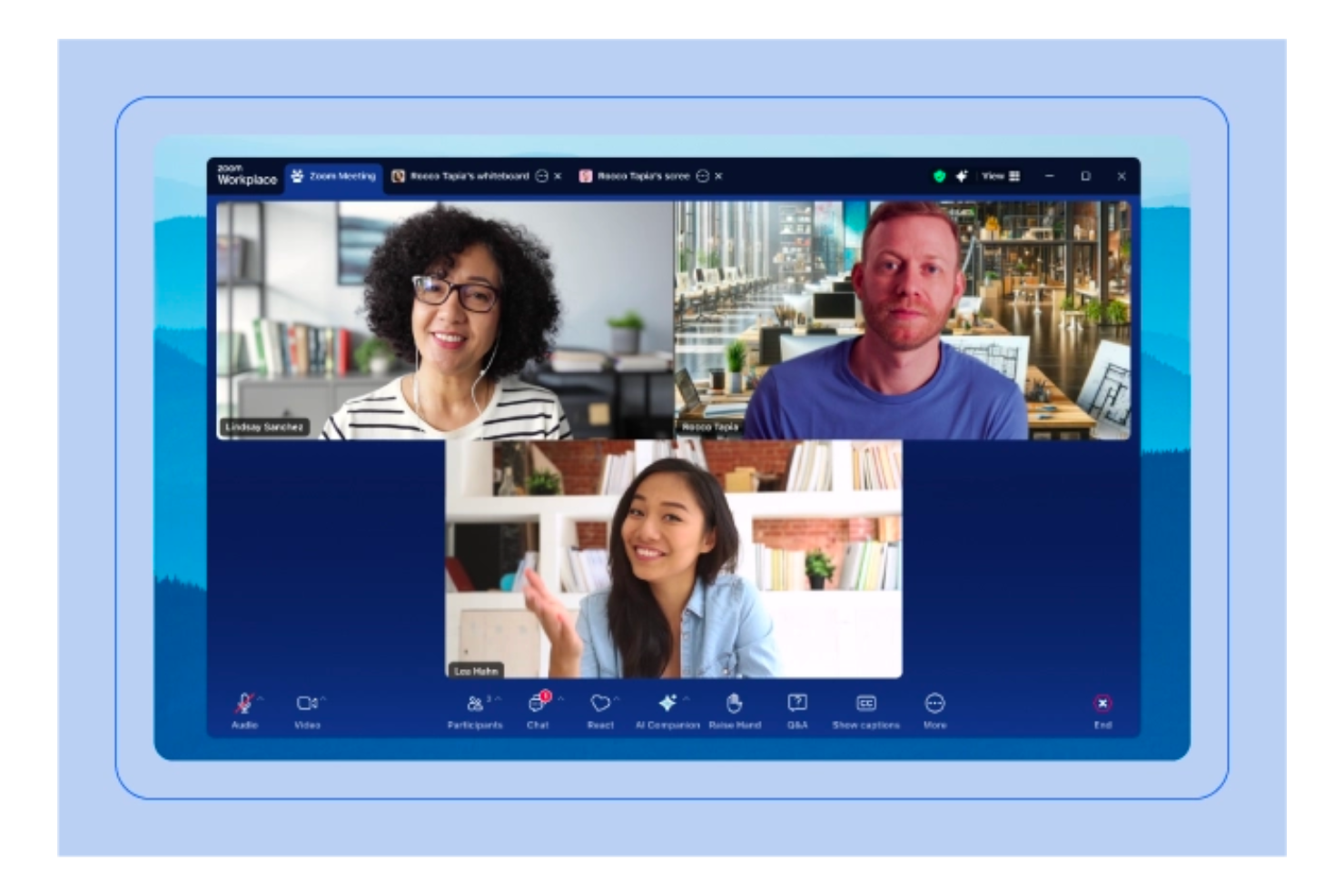
When you need to connect large groups for live video meetings, Zoom is a go-to platform for organizations of all sizes. It’s especially useful for teams, educators, and event hosts who need reliable video, breakout rooms, and webinar capabilities. Unlike Loom, Zoom is built for real-time group communication and interactive sessions rather than asynchronous video sharing, and it offers a free version for smaller teams or basic meeting needs, with full support for Mac and macOS devices.
Why Zoom Is a Good Loom Alternative
If you’re looking for a solution that handles live video with large groups, Zoom is built for that purpose. I picked Zoom because it supports high-capacity meetings, interactive webinars, and breakout rooms for real-time collaboration. Features like participant management and live polling make it easy to engage audiences during sessions, and its free version provides accessible entry-level meeting capabilities. For teams that need to host live discussions or events rather than just send recorded messages, Zoom offers capabilities that Loom doesn’t.
Zoom Key Features
Some other features in Zoom that are helpful for video communication include:
- Cloud Recording: Lets you save meeting recordings directly to the cloud for easy access and sharing.
- Virtual Backgrounds: Allows users to customize their video background during meetings.
- In-Meeting Chat: Provides a chat panel for participants to send messages during live sessions.
- Waiting Room: Gives hosts control over who can join the meeting and when.
Zoom Integrations
Integrations include Google Calendar, Microsoft Outlook, Slack, Microsoft Teams, Salesforce, HubSpot, Dropbox, Box, Zapier, and Moodle.
Pros and Cons
Pros:
- Persistent cloud archiving
- Dynamic breakout logic
- 1,000-participant live capacity
Cons:
- Host-dependent security
- Browser-limited editor
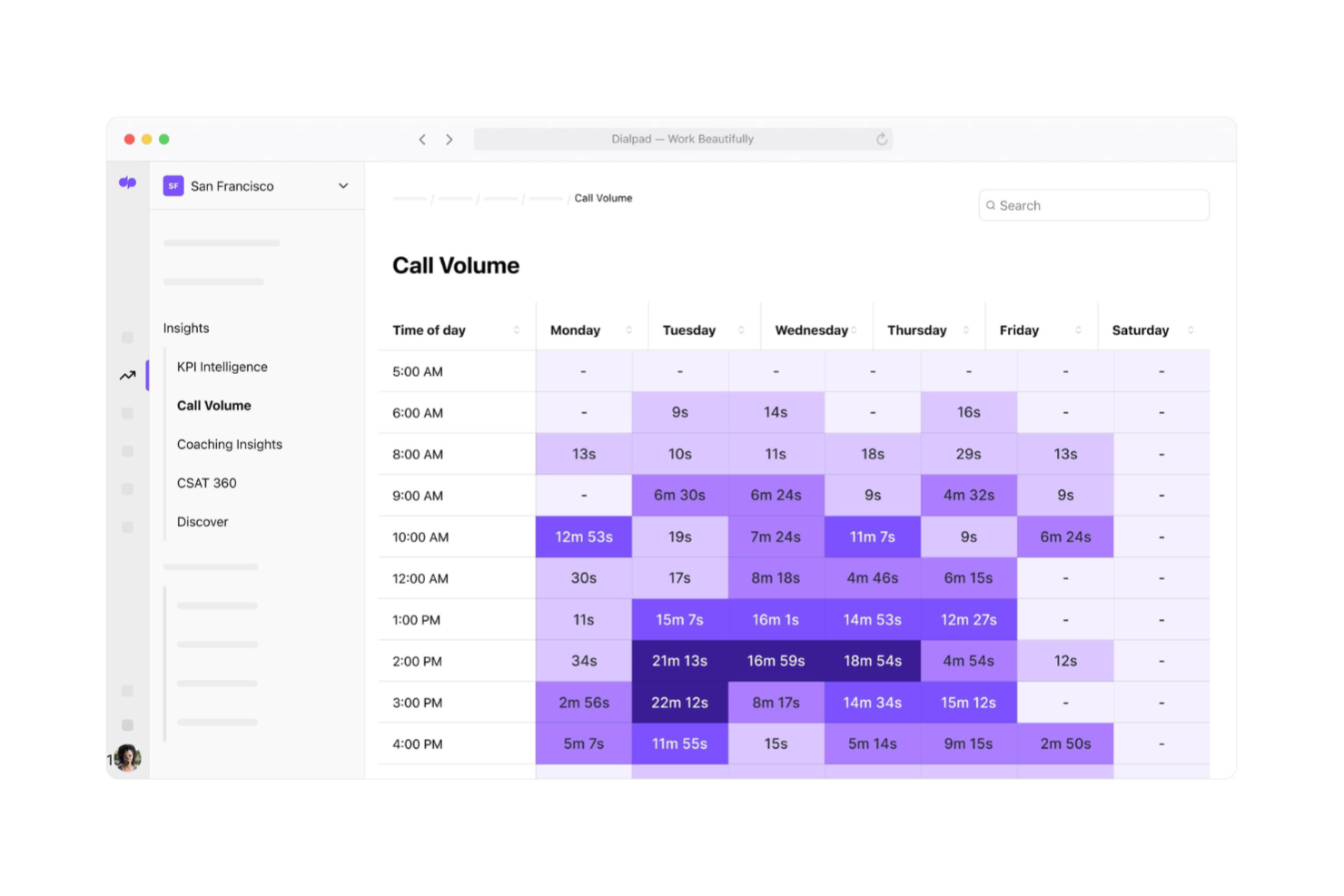
If you’re looking for video messaging with real-time AI transcription, Dialpad brings advanced voice intelligence to your calls and meetings. It’s a strong choice for sales, support, and distributed teams that need searchable transcripts, live call insights, and automatic subtitles. Unlike Loom, Dialpad combines video, voice, and AI-powered note-taking in one web-based platform accessible from anywhere.
Why Dialpad Is a Good Loom Alternative
For teams that want more than just video messaging, Dialpad’s built-in AI transcription features set it apart from Loom. I picked Dialpad because it automatically transcribes meetings and calls in real time, making it easy to search and review conversations later. The platform also offers live sentiment analysis and highlights action items as you talk. If you need video communication with searchable, AI-powered transcripts, Dialpad covers needs that Loom doesn’t address.
Dialpad Key Features
Some other features in Dialpad that are useful for video messaging and collaboration include:
- Screen Sharing: Lets users share their screen during video calls for presentations or walkthroughs.
- Virtual Backgrounds: Allows participants to customize their video background for a more professional appearance.
- Call Recording: Enables users to record video meetings and calls for later playback.
- Mobile App Support: Provides access to video meetings and messaging from iOS and Android devices.
Dialpad Integrations
Integrations include Google Workspace (Calendar, Gmail), Microsoft 365 (Outlook, Teams), Salesforce, and more.
Pros and Cons
Pros:
- AI-driven summary automation
- Omni-platform CRM sync
- Einstein/Copilot native insight
Cons:
- Performance-sync latency
- Manual external sharing

For teams already using Microsoft 365, Microsoft Teams brings chat, video meetings, and file sharing into one integrated workspace. It’s a strong fit for organizations that want to keep all communication and collaboration within the Microsoft ecosystem. Unlike Loom, Microsoft Teams connects messaging, live video, and document collaboration in a single platform. While there can be a learning curve for new users, it supports smooth meeting transitions and one-click joining to simplify day-to-day collaboration.
Why Microsoft Teams Is a Good Loom Alternative
When you need video messaging that’s tightly connected to your daily workflow, Microsoft Teams stands out for its deep integration with Microsoft 365 apps. I picked Microsoft Teams because it lets you move smoothly between chat, video calls, and document collaboration without leaving the platform. Features like threaded conversations and in-meeting file sharing make it easy to keep context and resources together. For businesses that rely on Microsoft 365, Teams offers a unified space for both live and asynchronous communication that Loom doesn’t provide.
Microsoft Teams Key Features
Some other features in Microsoft Teams that are useful for video messaging and collaboration include:
- Meeting Transcriptions: Automatically generates searchable transcripts of video meetings for later reference.
- Customizable Meeting Layouts: Lets users adjust how video feeds and shared content appear during calls.
- Together Mode: Places participants in a shared virtual environment to create a more engaging meeting experience.
- Guest Access: Allows external collaborators to join meetings and channels with controlled permissions.
Microsoft Teams Integrations
Integrations include Microsoft Outlook, Microsoft Excel, OneNote, PowerPoint, SharePoint, Trello, and more.
Pros and Cons
Pros:
- Secure guest B2B logic
- SharePoint-backed archiving
- Native M365 document sync
Cons:
- M365 subscription barrier
- No native async loops

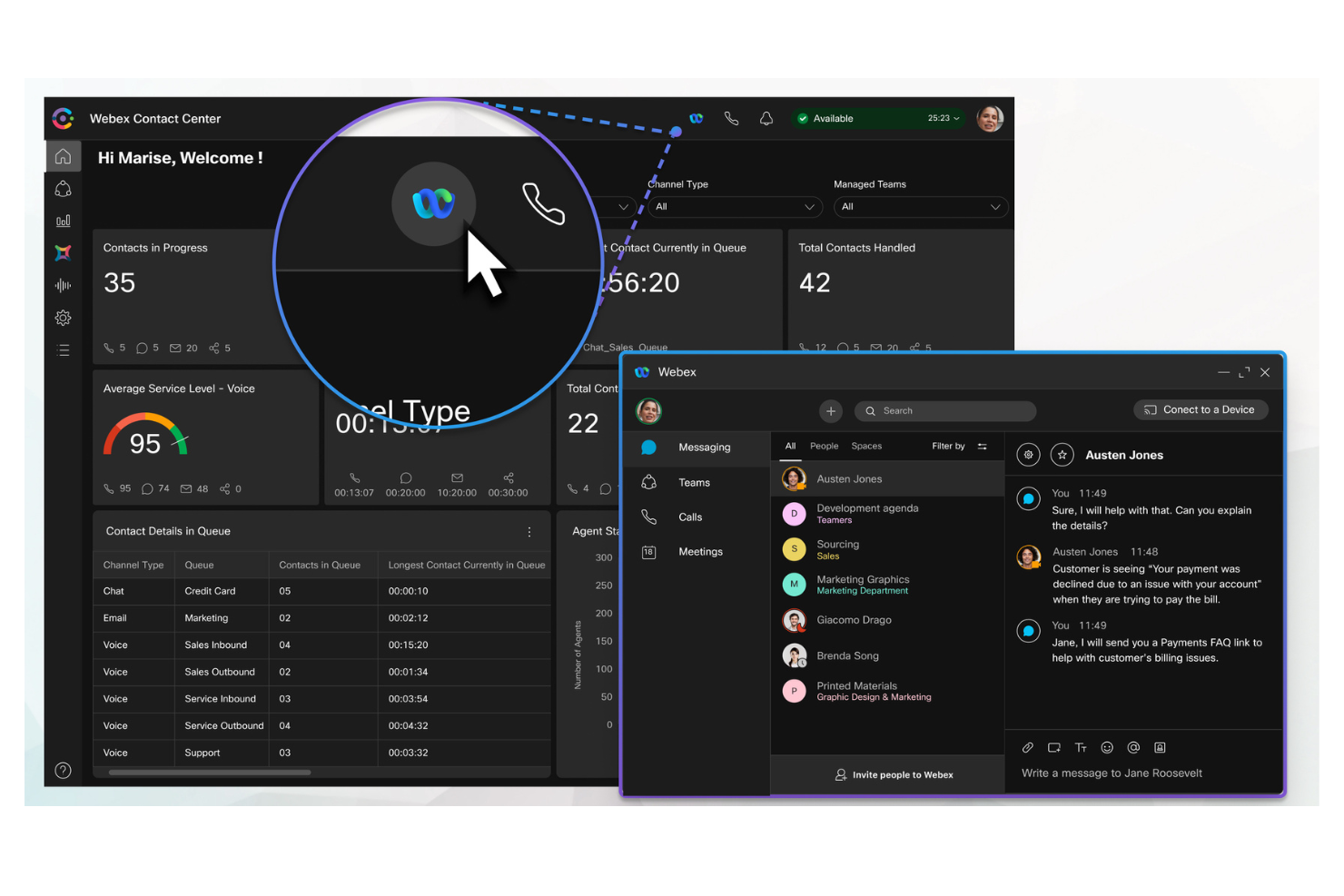
For teams that need strict security and compliance, Webex offers enterprise-grade video messaging and collaboration. It’s a strong fit for organizations in regulated industries or those with advanced IT requirements. Unlike Loom, Webex provides granular security controls and compliance features designed for large-scale, security-conscious environments.
Why Webex Is a Good Loom Alternative
When security and compliance are top priorities, Webex stands out as a strong Loom alternative. I picked Webex because it offers end-to-end encryption and advanced meeting controls that help organizations meet strict regulatory requirements. The platform also provides detailed audit logs, data loss prevention features, CRM integrations, and a Chrome extension for quick access to meetings and recordings. If your team needs video messaging with enterprise-grade security and smooth workflow connections, Webex delivers protections that go beyond what Loom offers.
Webex Key Features
Some other features in Webex that are useful for video messaging and collaboration include:
- AI-Powered Meeting Transcriptions: Automatically generates searchable transcripts for recorded meetings.
- Breakout Sessions: Lets hosts divide participants into smaller groups for focused discussions.
- Virtual Backgrounds: Allows users to customize their video background during calls and recordings.
- Integrated Whiteboarding: Provides a digital whiteboard for real-time visual collaboration during meetings.
Webex Integrations
Integrations include Google Calendar, Microsoft 365, Slack, Salesforce, ServiceNow, Box, Canvas, Moodle, and more.
Pros and Cons
Pros:
- Interactive visual loops
- AI-indexed intelligence
- Zero-trust compliance
Cons:
- Mobile performance lag
- Tiered AI accessibility

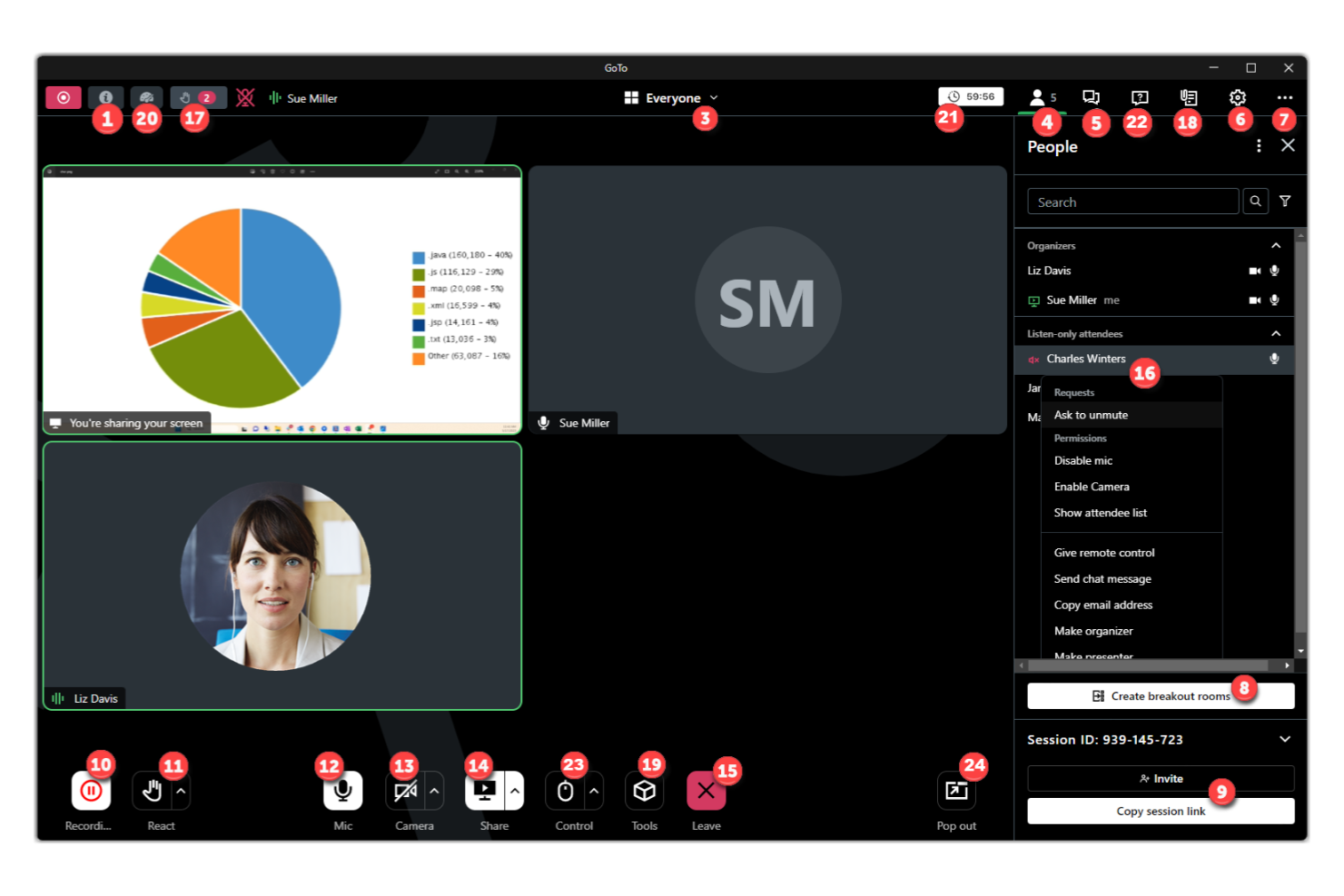
When you need a reliable way to schedule and manage recurring video meetings, GoTo Meeting is worth considering. It’s a strong fit for teams, project managers, and client-facing professionals who need to coordinate regular updates or check-ins. Unlike Loom, GoTo Meeting is built for live, interactive sessions with strong scheduling and calendar integration features.
Why GoTo Meeting Is a Good Loom Alternative
If you’re looking for a tool to handle recurring video updates, GoTo Meeting offers features that Loom doesn’t. I picked GoTo Meeting because it lets you schedule repeating meetings, send automated reminders, and manage a calendar of live sessions all in one place. The platform supports recurring meeting links and integrates with most major calendar systems, making it easy to keep everyone on track. For teams that need to coordinate regular, interactive video check-ins rather than just send recordings, GoTo Meeting is a strong fit.
GoTo Meeting Key Features
Some other features in GoTo Meeting that help teams run live video sessions include:
- Cloud Recording Storage: Store and access meeting recordings securely in the cloud.
- Transcription Services: Automatically generate searchable transcripts of your meetings.
- In-Session Chat: Send messages and share links with participants during meetings.
- Presenter Switching: Easily hand off presenter controls to other attendees.
GoTo Meeting Integrations
Integrations include Microsoft Outlook, Google Calendar, Slack, Salesforce, Zendesk, HubSpot, Box, Dropbox, and more.
Pros and Cons
Pros:
- Multi-host presenter switching
- Basic cloud archiving
- Standard recurring sync
Cons:
- Dated user interface
- Sync-locked legacy flow
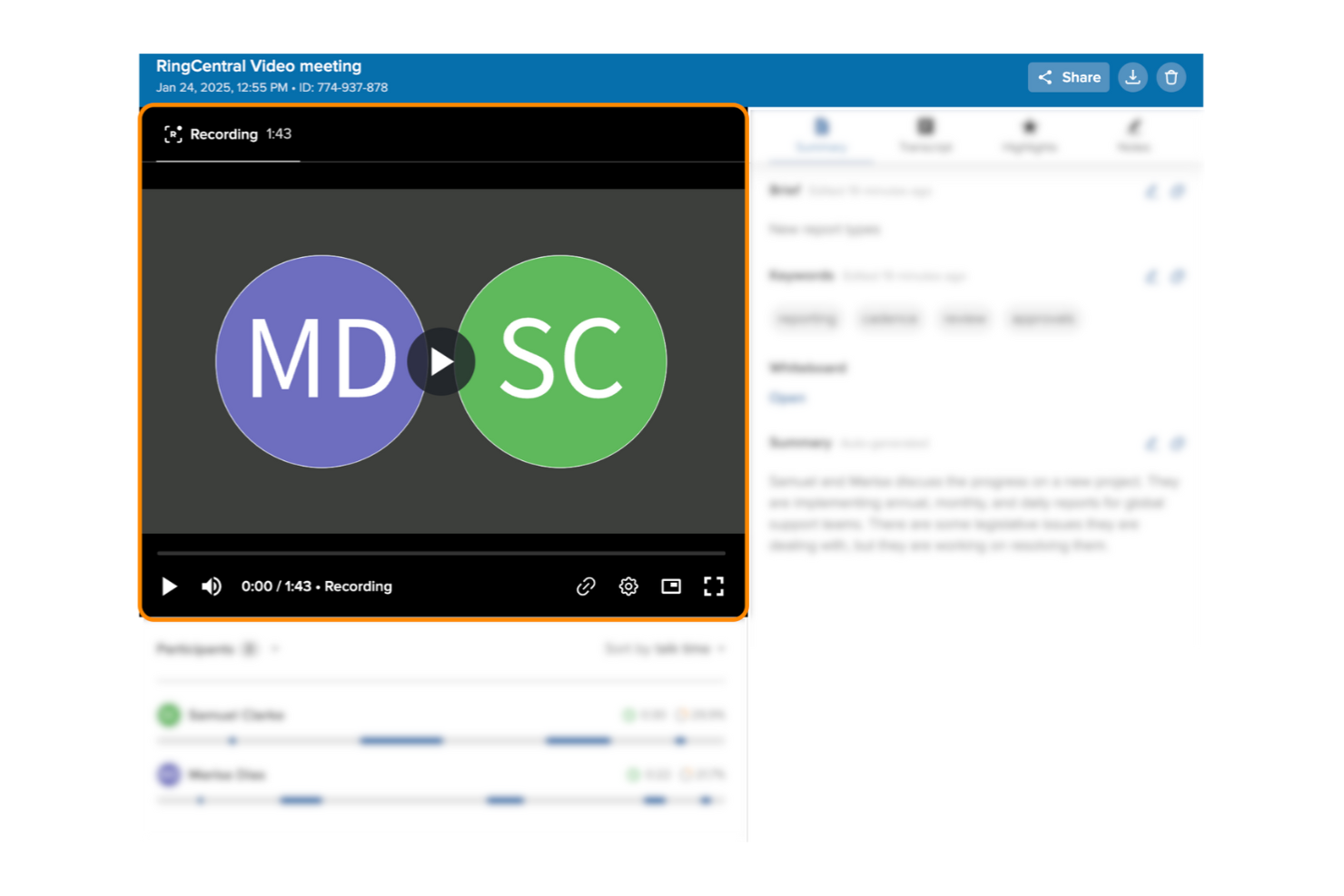
RingCentral brings video, messaging, and phone together in one unified platform for teams that need to stay connected across devices. It’s especially useful for businesses with hybrid or remote teams who want to manage calls, video meetings, and chat from a single app. Unlike Loom, RingCentral focuses on real-time collaboration and device flexibility for smooth communication, while also supporting AI features, shareable links for meetings and recordings, and tools like screenshots to improve team interactions and follow-ups.
Why RingCentral Is a Good Loom Alternative
If you want a video messaging tool that works smoothly across desktop, mobile, and even desk phones, RingCentral is worth considering. I picked RingCentral because it lets you switch between devices during a call or meeting without interruption, which is something Loom doesn’t offer. The platform also combines video meetings, team messaging, and phone calls in one place, making it easy to manage all your communications. For teams that need unified communications and flexibility across devices, RingCentral covers needs that go beyond Loom’s focus on asynchronous video.
RingCentral Key Features
Some other features in RingCentral that are useful for video messaging and collaboration include:
- Breakout Rooms: Lets meeting hosts split participants into smaller groups for focused discussions.
- Whiteboard Collaboration: Offers a digital whiteboard for real-time brainstorming and visual collaboration during meetings.
- Meeting Recording: Allows users to record video meetings and store them in the cloud for later access.
- Team Calendar Integration: Syncs with Google and Microsoft calendars to schedule and join meetings directly from your calendar.
RingCentral Integrations
Integrations include Salesforce, HubSpot, Zendesk, Microsoft Teams, Google Workspace, Outlook, Box, and Zapier.
Pros and Cons
Pros:
- Persistent cloud archiving
- Unified UCaaS stack
- Smooth device handoff
Cons:
- Tier-locked AI companion
- Sync-first recording loops

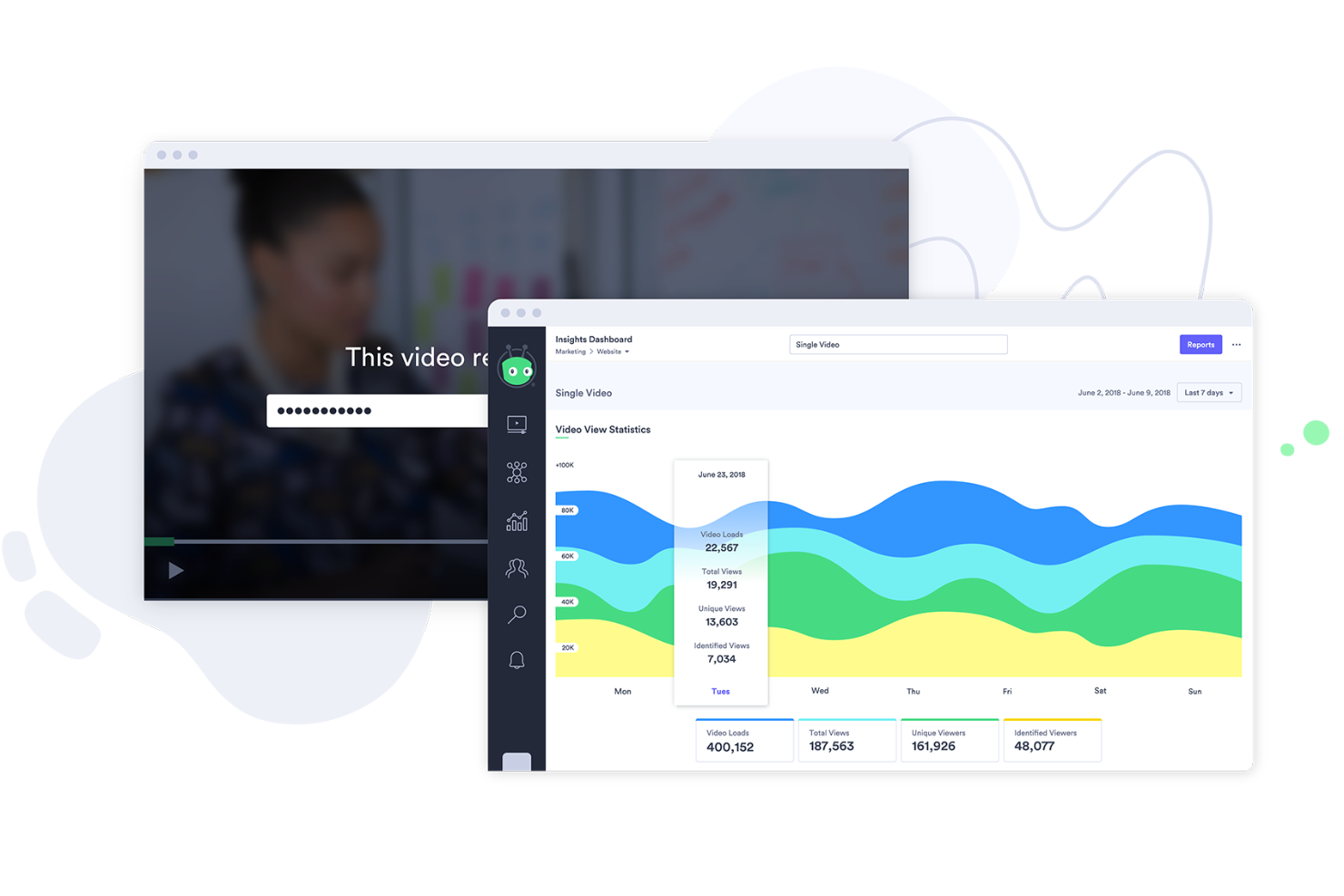
For teams that need to understand exactly how viewers interact with their videos, Vidyard offers advanced engagement analytics that go beyond basic view counts. Sales professionals, marketers, and customer success teams can use Vidyard to track who watched their videos, for how long, which sections held the most attention, and even identify filler words to refine messaging clarity. Unlike Loom, Vidyard’s detailed analytics help you measure impact and optimize your video messaging strategy.
Why Vidyard Is a Good Loom Alternative
When you need to know exactly how your audience engages with your videos, Vidyard stands out for its detailed analytics. I picked Vidyard because it tracks not just who watched your video, but also how much of it they viewed and which sections they rewatched or skipped. The platform provides heatmaps and viewer-level insights, so you can see where attention drops off or spikes. For anyone who wants to measure the real impact of their video messages, Vidyard offers a level of engagement tracking that Loom doesn’t match.
Vidyard Key Features
Some other Vidyard features that help teams create and share video messages include:
- Browser Extension: Record your screen or webcam directly from your browser without installing extra software.
- Custom Video Thumbnails: Choose or upload a thumbnail image to increase video click-through rates.
- Video Chaptering: Add chapters to longer videos so viewers can jump to key sections.
- Password Protection: Restrict access to sensitive videos with password controls.
Vidyard Integrations
Integrations include Salesforce, HubSpot, Marketo, Microsoft Dynamics 365, Google Analytics, Drift, Snagit, and ZoomInfo. Vidyard also connects to platforms like Slack and Zapier for workflow automation and improved engagement tracking.
Pros and Cons
Pros:
- Click-driving thumbnails
- Structured video chapters
- Granular watch-time tracking
Cons:
- Basic editor limits
- Restrictive free-tier cap

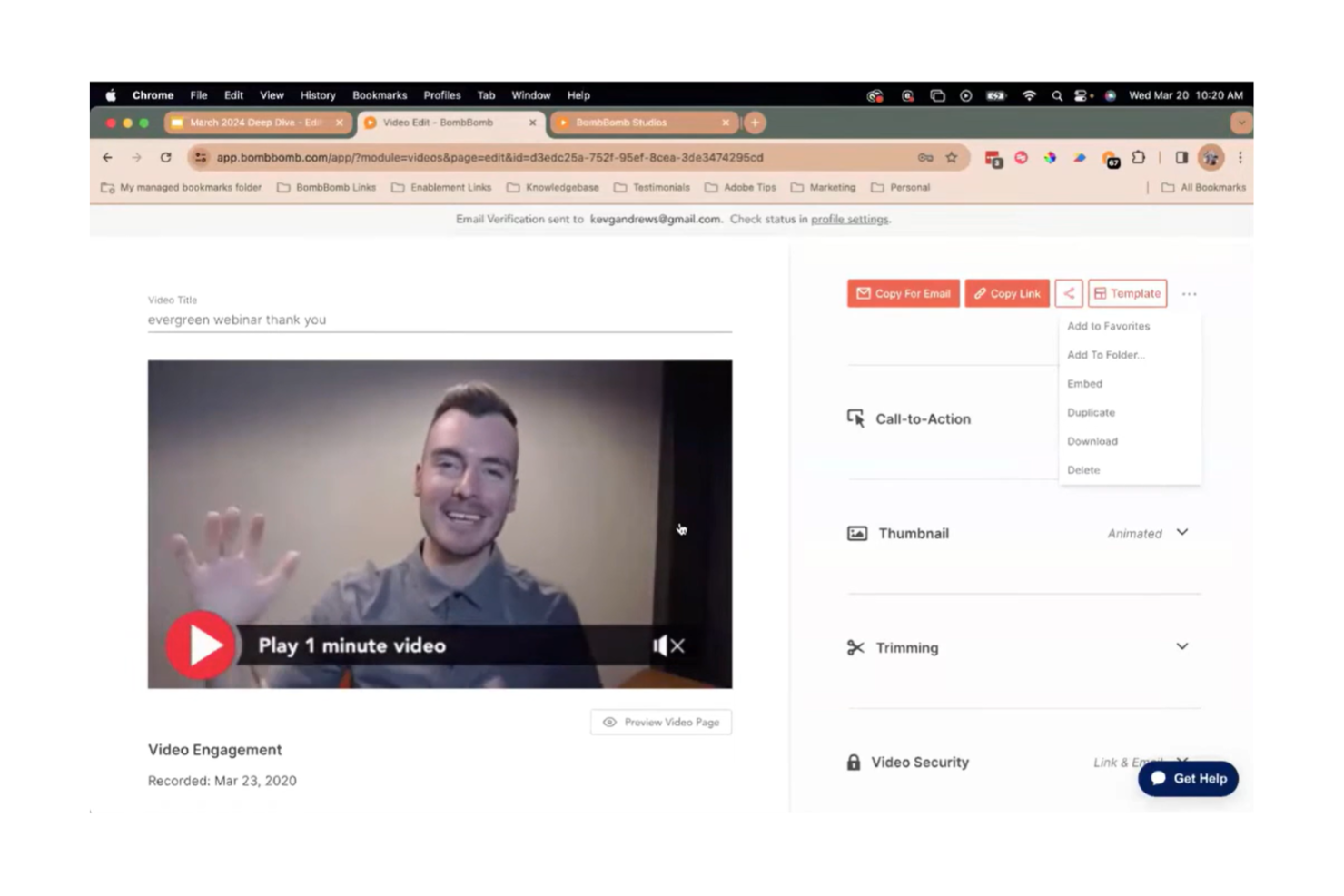
If you’re looking to add a personal touch to your email outreach, BombBomb is built for sending video messages directly inside your emails. Sales teams, real estate professionals, and customer success managers often use BombBomb to boost response rates and build trust with prospects. Unlike Loom, BombBomb specializes in video email campaigns with tracking and analytics designed for one-to-one communication, offering unlimited recording on select paid plans, built-in and advanced editing features, annotations for added context, and scalable options, including an enterprise plan for larger teams.
Why BombBomb Is a Good Loom Alternative
BombBomb stands out for teams that want to send personalized video messages directly within their email campaigns. I picked BombBomb because it’s built around video email, offering features like in-email video recording and detailed tracking for opens, clicks, and video views. The platform also includes built-in tools similar to lightweight video editing software, allowing you to trim and refine recordings before sending. It lets you create video templates and automate follow-ups, which is especially useful for sales and outreach. If your main goal is to make your email outreach more personal and measurable, BombBomb offers a focused solution that Loom doesn’t.
BombBomb Key Features
Some other features in BombBomb that are useful for video messaging include:
- Contact Management: Lets you organize, segment, and manage your video email recipients in one place.
- Mobile App: Allows you to record and send video messages directly from your phone.
- Video Library: Stores all your recorded videos for easy access and reuse in future campaigns.
- Custom Branding: Enables you to add your company’s logo and colors to your video emails for a consistent look.
BombBomb Integrations
Integrations include Salesforce, HubSpot, Gmail, Outlook, Zapier, Slack, Pipedrive, Microsoft Teams, Follow Up Boss, and Zoho CRM.
Pros and Cons
Pros:
- Template-driven outreach
- Granular viewer tracking
- Cross-platform inbox sync
Cons:
- Restricted editing scope
- No native screen capture

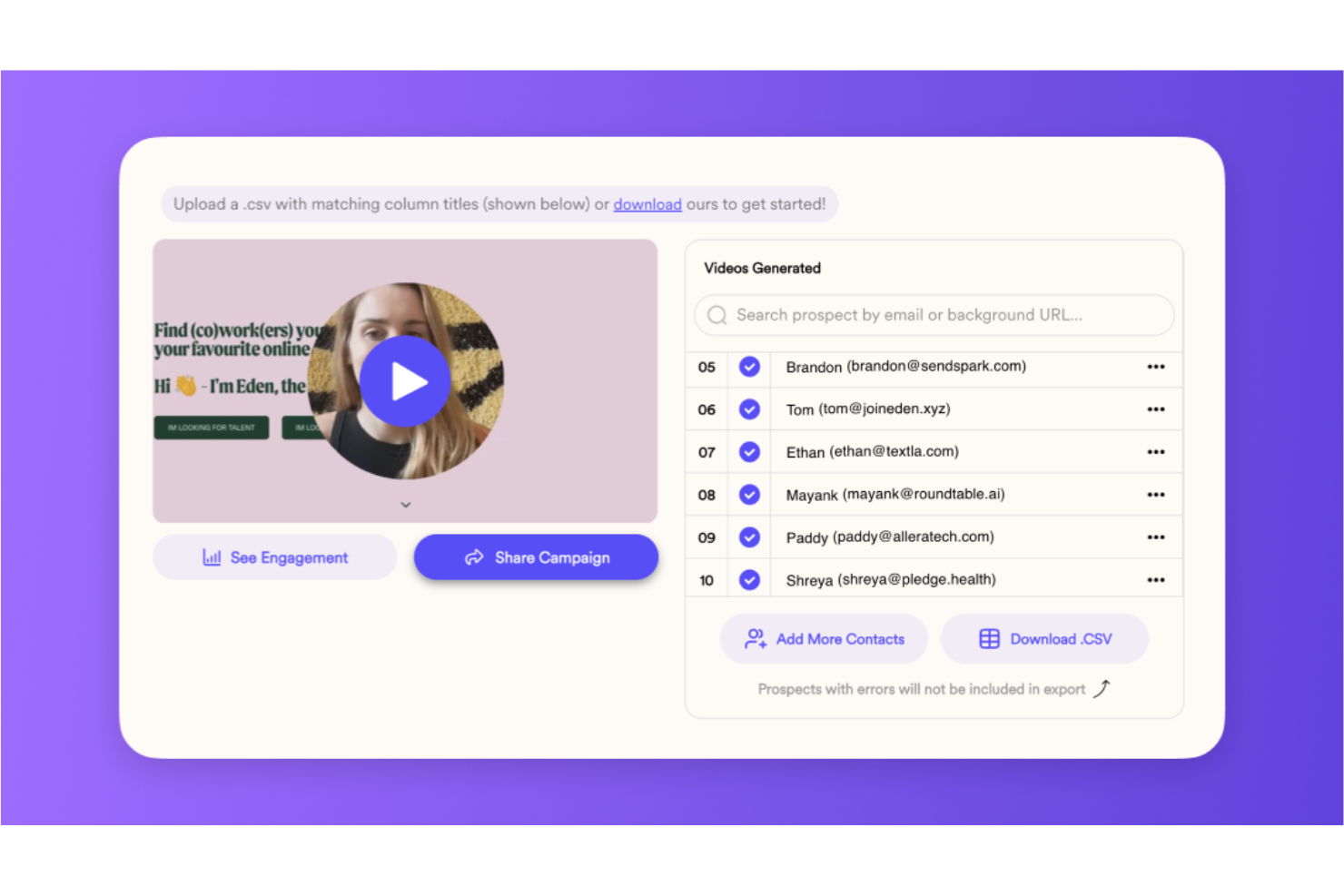
If you want your video messages to reflect your brand at every touchpoint, Sendspark gives you advanced custom branding options that go beyond what Loom offers. Marketing teams, sales reps, and customer support professionals can use Sendspark to add logos, brand colors, and personalized landing pages to every video. This makes it easier to deliver a consistent, on-brand experience in every message you send.
Why Sendspark Is a Good Loom Alternative
Unlike Loom, Sendspark lets you fully customize the look and feel of your video messages to match your brand. I picked Sendspark because you can add your logo, brand colors, and even create branded video landing pages for every message you send. The platform also supports dynamic personalization, so you can tailor video content and landing pages for each recipient. If you want every video to reinforce your brand identity, Sendspark gives you more control than most other video messaging tools.
Sendspark Key Features
Some other Sendspark features that help teams deliver engaging video messages include:
- Browser Extension: Record your screen or webcam directly from Chrome or Edge.
- Video Request Links: Invite others to record and submit videos without needing a Sendspark account.
- GIF Video Previews: Generate animated GIF previews to embed in emails and boost open rates.
- Team Video Library: Organize, manage, and share videos across your team from a central library.
Sendspark Integrations
Integrations include HubSpot, Salesforce, Gmail, Outlook, Slack, Zapier, Intercom, and Stripe, enabling CRM syncing, email personalization, and automated video workflows.
Pros and Cons
Pros:
- Asynchronous request links
- AI-driven dynamic variables
- Branded landing microsites
Cons:
- Non-native mobile flow
- No engagement heatmaps
Other Loom Alternatives
Here are some additional loom alternatives that didn’t make it onto my shortlist, but are still worth checking out:


Loom Alternatives Selection Criteria
When selecting the best Loom alternatives to include in this list, I considered common buyer needs and pain points related to video messaging software products, like wanting more advanced branding options or needing better video analytics. I also used the following framework to keep my evaluation structured and fair:
Core Functionality (25% of total score)
To be considered for inclusion in this list, each solution had to fulfill these common use cases:
- Record and share screen or webcam videos
- Store and manage video files in the cloud
- Generate shareable video links
- Allow basic video trimming or editing
- Support video commenting or feedback
Additional Standout Features (25% of total score)
To help further narrow down the competition, I also looked for unique features, such as:
- Custom-branded video landing pages
- Dynamic video personalization for recipients
- Video request links for collecting responses
- GIF video previews for email embedding
- Advanced video analytics and viewer tracking
Usability (10% of total score)
To get a sense of the usability of each system, I considered the following:
- Simple and intuitive user interface
- Fast video recording and uploading process
- Easy navigation between features
- Minimal clicks to complete core tasks
- Clean, modern design aesthetic
Onboarding (10% of total score)
To evaluate the onboarding experience for each platform, I considered the following:
- Availability of step-by-step product tours
- Access to training videos and tutorials
- Pre-built templates for common use cases
- In-app chatbots or guided help
- Live or recorded onboarding webinars
Customer Support (10% of total score)
To assess each software provider’s customer support services, I considered the following:
- Multiple support channels like chat, email, and phone
- Fast response times to inquiries
- Helpful and knowledgeable support staff
- Access to a searchable help center or knowledge base
- Availability of onboarding or technical support
Value For Money (10% of total score)
To evaluate the value for money of each platform, I considered the following:
- Transparent and competitive pricing tiers
- Features included at each pricing level
- Availability of a free plan or trial
- No hidden fees or surprise charges
- Flexibility to scale up or down as needed
Customer Reviews (10% of total score)
To get a sense of overall customer satisfaction, I considered the following when reading customer reviews:
- Consistent positive feedback on core features
- Reports of reliable performance and uptime
- Praise for customer support experiences
- User comments on ease of adoption
- Constructive feedback on areas for improvement
Why Look For a Loom Alternative?
While Loom is a good choice of video messaging software, there are a number of reasons why some users seek out alternative solutions. You might be looking for a Loom alternative because…
- You need more advanced branding and customization options
- Your team requires deeper video analytics and viewer tracking
- You want better integration with your CRM or sales tools
- You need a solution with more flexible pricing or a true free plan
- Your organization has strict data residency or privacy requirements
- You want to collect video responses from people without accounts
If any of these sound like you, you’ve come to the right place. My list contains several video messaging software options that are better suited for teams facing these challenges with Loom and looking for alternative solutions.
Loom Key Features
Here are some of the key features of Loom, to help you contrast and compare what alternative solutions offer:
- Screen and webcam recording with audio narration
- Instant sharing via unique video links
- Viewer engagement analytics and notifications
- Video trimming and basic editing tools
- Password protection for sensitive videos
- Video commenting and time-stamped feedback
- Integration with Slack, Gmail, and other productivity tools
- Video transcription and closed captions
- Team video library for organizing and managing content
- Custom call-to-action buttons on video pages
What’s Next:
If you're in the process of researching loom alternatives, connect with a SoftwareSelect advisor for free recommendations.
You fill out a form and have a quick chat where they get into the specifics of your needs. Then you'll get a shortlist of software to review. They'll even support you through the entire buying process, including price negotiations.