
29 Best AI Content Management Tools in 2026

AI Content Management Tools Shortlist
Here’s my shortlist of the best AI content management tools:


AI content management tools use artificial intelligence to organize, create, and optimize digital content across your business. If you’re searching for ways to manage growing content libraries, automate repetitive tasks, or keep your team aligned, these tools can help you stay ahead. With so many options available, choosing the right platform is essential for keeping your business processes efficient and your content strategy on track. This list will help you quickly compare top AI content management tools so you can find the best fit for your team’s needs and goals.
Why Trust Our Software Reviews
We’ve been testing and reviewing marketing software since 2022. As marketing experts ourselves, we know how critical and difficult it is to make the right decision when selecting software.
We invest in deep research to help our audience make better software purchasing decisions. We’ve tested more than 2,000 tools for different marketing use cases and written over 1,000 comprehensive software reviews. Learn how we stay transparent & our software review methodology.
Best AI Content Management Tools Summary
This comparison chart summarizes pricing details for my top ai content management tools selections to help you find the best one for your budget and business needs.
| Tool | Best For | Trial Info | Price | ||
|---|---|---|---|---|---|
| 1 | Best for automated content governance | Free demo available | Pricing upon request | Website | |
| 2 | Best for AI-powered content ideation | Free demo available | From $24/month (billed annually) | Website | |
| 3 | Best with advanced compliance controls | Free trial + free demo available | Pricing upon request | Website | |
| 4 | Best for secure cloud-based file management | Free demo available | From $7/user/month (billed annually) | Website | |
| 5 | Best for brand voice consistency | 7-day free trial + free demo available | From $59/seat/month (billed annually) | Website | |
| 6 | Best for collaborative workspace integration | Free plan + free demo available | From $10/member/month (billed annually) | Website | |
| 7 | Best for open-source customization options | Free plan + free trial available | From $45/month | Website | |
| 8 | Best for workflow automation in content teams | Free trial + free demo available | From $36/workspace/month (billed annually) | Website | |
| 9 | Best for flexible headless architecture | Free plan + free demo available | Pricing upon request | Website | |
| 10 | Best with document automation for large teams | Free demo available | Pricing upon request | Website |
-

Demandbase
Visit WebsiteThis is an aggregated rating for this tool including ratings from Crozdesk users and ratings from other sites.4.4 -
6sense
Visit WebsiteThis is an aggregated rating for this tool including ratings from Crozdesk users and ratings from other sites.4.3 -
AnswerThePublic
Visit Website


AI Content Management Tools Reviews
Below are my detailed summaries of the best AI content management tools that made it onto my shortlist. My reviews offer a detailed look at the features, capabilities, and integrations of each platform to help you find the best one for you.
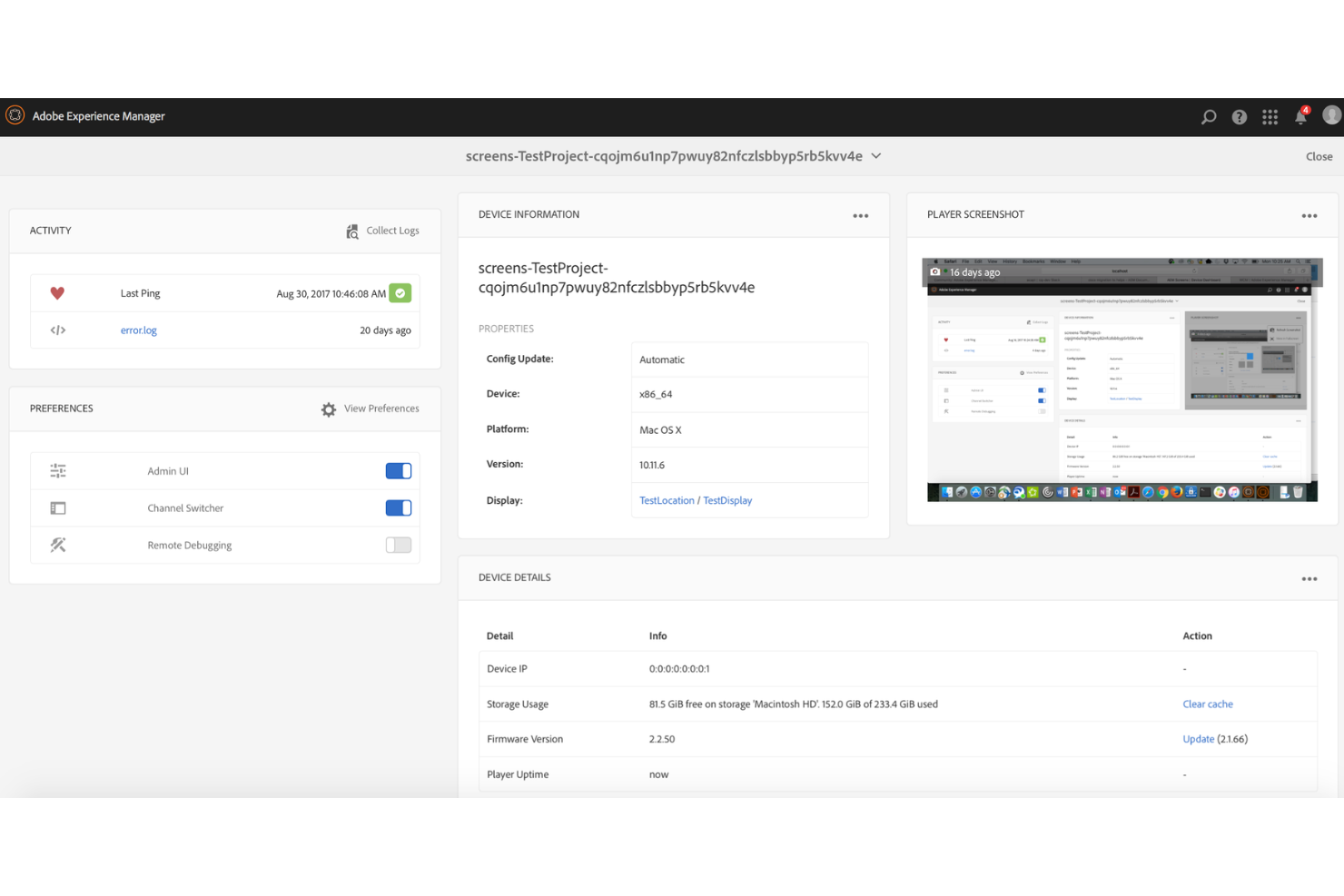
Adobe Experience Manager is an enterprise content management platform with AI-driven capabilities designed for marketing and digital teams that need to manage and deliver content across multiple channels at scale.
Who Is Adobe Experience Manager Best For?
Large marketing teams and digital experience leaders at enterprise organizations that require structured governance, personalization support, and scalable content operations.
Why I Picked Adobe Experience Manager
I picked Adobe Experience Manager for its ability to combine enterprise CMS functionality with automated asset tagging and structured governance workflows. Adobe Sensei supports tasks such as content classification and organization, helping teams manage large content libraries efficiently. Integrated approval workflows and audit trails provide oversight across publishing processes.
Adobe Experience Manager Key Features
- AI-powered asset tagging: Automatically tags images and videos using Adobe Sensei for faster search and organization.
- Omnichannel content delivery: Publishes content across web, mobile, email, and social channels from a single platform.
- Personalization engine: Delivers tailored experiences to different audience segments using AI-driven recommendations.
- Headless CMS capabilities: Supports API-first content delivery for flexible integration with custom apps and digital experiences.
Adobe Experience Manager Integrations
Integrations include Adobe Creative Cloud, Adobe Analytics, Adobe Target, Adobe Commerce, Marketo Engage, Workfront, and Real-Time CDP.
Pros and Cons
Pros:
- Advanced content versioning and audit trails
- Supports omnichannel content delivery at scale
- AI auto-tags and organizes digital assets
Cons:
- Customization often needs developer resources
- Requires significant setup and onboarding time

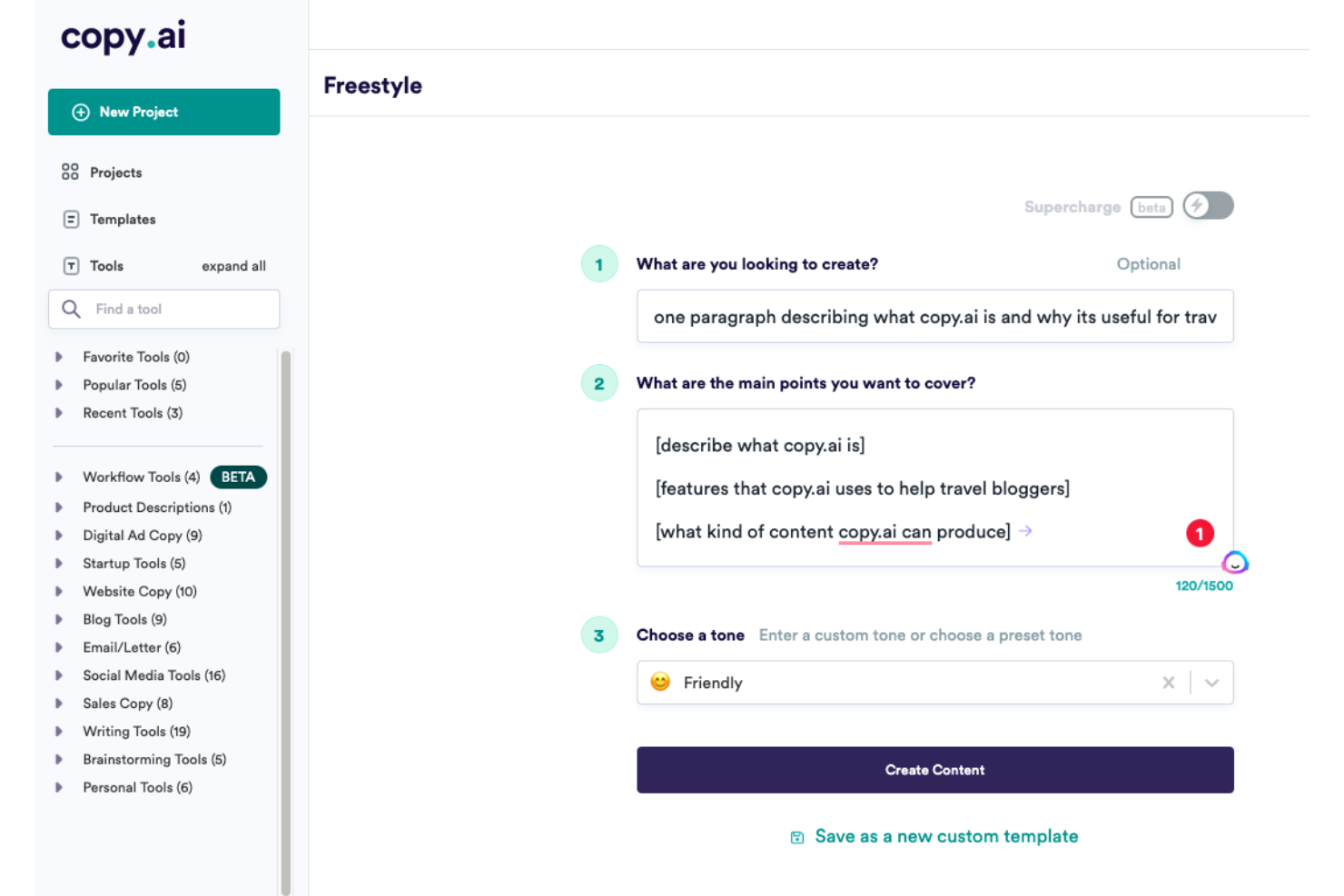
If you need a platform that automates content creation with AI, Copy AI is worth considering. It’s designed for marketing teams, agencies, and content professionals who want to generate ideas and draft copy quickly. The tool helps tackle creative blocks and speeds up the production of blogs, emails, and social posts.
Who Is Copy AI Best For?
Copy AI is a strong fit for marketing teams and content creators at small to mid-sized businesses who need to generate and refine written content at scale.
Why I Picked Copy AI
What drew me to Copy AI is how it uses AI to spark new content ideas and accelerate the brainstorming process. For teams that need to generate a high volume of fresh copy, its suite of ideation tools—like blog topic generators and social post prompts—helps keep content pipelines full. I also appreciate how you can quickly turn those ideas into first drafts with automated copywriting features. This focus on ideation and rapid content creation makes Copy.ai especially useful for marketers and content managers looking to keep campaigns moving without creative slowdowns.
Copy AI Key Features
Some other features that make Copy AI useful for AI content management include:
- Workflow automation: Automate repetitive content tasks and approvals within the platform to speed up production cycles.
- Brand voice customization: Set and apply brand guidelines so generated content matches your company’s tone and resonates with your target audience.
- Team collaboration tools: Invite team members, assign roles, and manage projects together in shared workspaces.
- Content export options: Download or copy generated content in multiple formats for use across different channels.
Copy AI Integrations
Integrations include Salesforce, HubSpot, Slack, Microsoft Teams, Google Workspace, Notion, and more.
Pros and Cons
Pros:
- Supports exporting content in various formats
- Brand voice settings for consistent output
- AI generates content ideas for multiple formats
Cons:
- No direct publishing to major CMS platforms
- Limited advanced editing within the platform

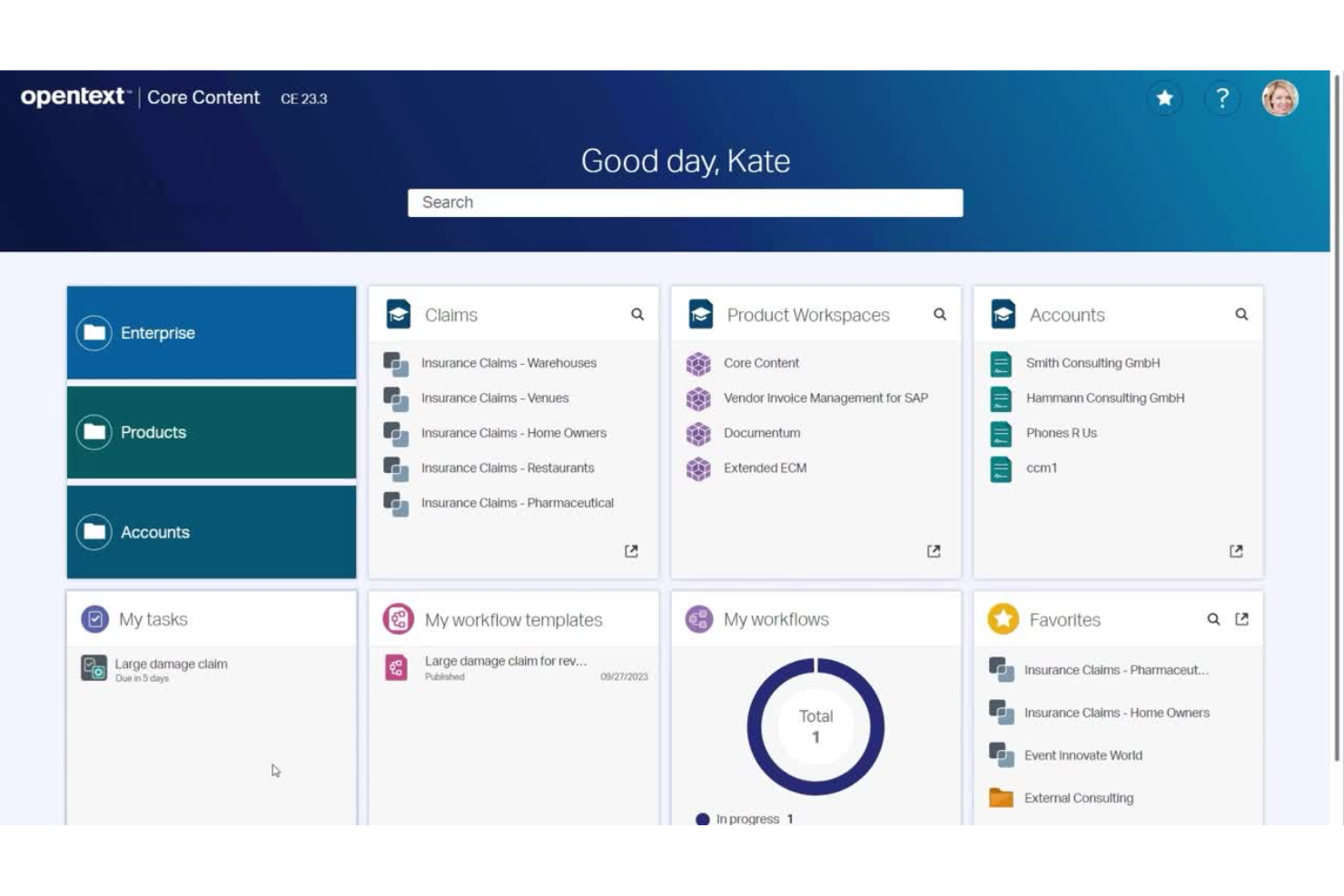
OpenText offers an AI-powered content management platform designed for organizations with strict regulatory or data governance needs. It’s a strong fit for enterprises in highly regulated industries like finance, healthcare, or government. If you need to manage sensitive content while maintaining control over access, retention, and data privacy, OpenText provides tools to help you meet those requirements.
Who Is OpenText Best For?
Large enterprises in regulated industries that require strict compliance and data governance for their content management.
Why I Picked OpenText
What stands out to me about OpenText is its deep focus on advanced compliance controls, which is essential for organizations handling sensitive or regulated content. The platform offers granular access permissions, audit trails, and automated retention policies that help ensure content is managed according to strict legal and industry standards. I also appreciate its AI-driven classification and risk detection features, which support proactive compliance and reduce manual oversight. For teams that need to demonstrate regulatory adherence and manage complex governance requirements, OpenText brings specialized capabilities that go beyond typical content management solutions.
OpenText Key Features
In addition to its compliance-focused capabilities, OpenText offers several other features relevant to AI content management:
- AI-powered content search: Uses natural language processing to help users quickly find relevant documents and information across large repositories.
- Automated metadata tagging: Applies AI to automatically generate and assign metadata to content, improving organization and discoverability.
- Document version control: Tracks changes and maintains a full history of document edits, allowing users to revert to previous versions as needed.
- Multi-channel publishing: Enables content distribution across web, mobile, and other digital channels from a single platform.
OpenText Integrations
Integrations include SAP, Microsoft 365, Salesforce, Guidewire, Amazon Web Services, Google Cloud, Microsoft Azure, ServiceNow, BMC Helix ITSM, and IBM.
Pros and Cons
Pros:
- Flexible deployment options for cloud or on-premises
- AI-driven content classification and risk detection
- Advanced compliance and audit trail features
Cons:
- Steep technical administrative overhead
- Limited mobile-friendly development features

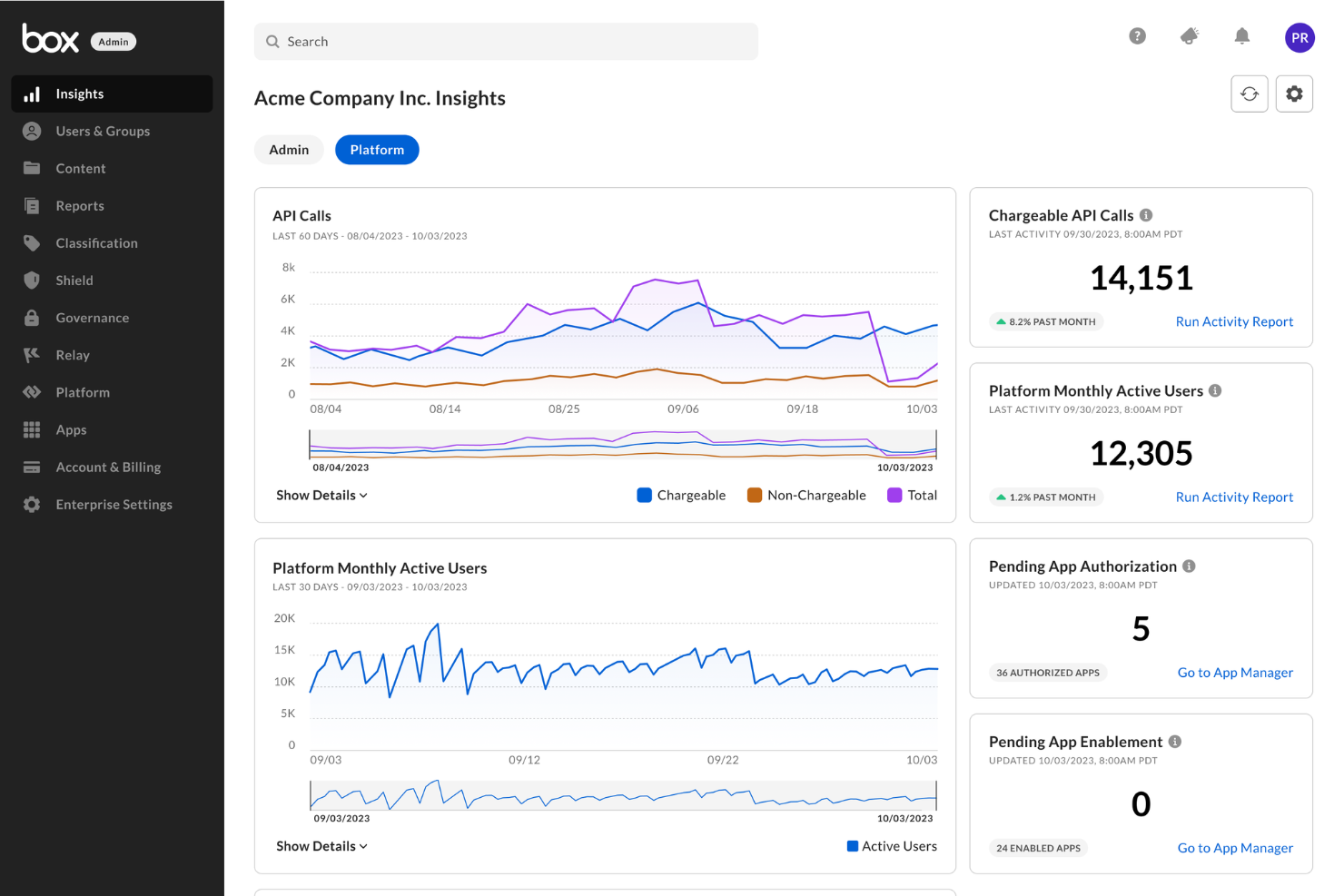
Box offers secure cloud-based file management with advanced collaboration and workflow features. It’s a strong fit for organizations that need to manage sensitive content and automate document processes at scale. Teams looking for AI-powered content classification and compliance controls will find Box especially relevant in the AI content management space.
Who Is Box Best For?
Box is well-suited for mid-sized to large organizations in regulated industries that require secure, cloud-based content management and collaboration.
Why I Picked Box
What drew me to Box for AI content management is its strong focus on secure cloud-based file management. I see Box as a top choice for teams that need to protect sensitive documents while still enabling collaboration and automated workflows. Its AI-driven content classification and granular permission controls help organizations maintain compliance and reduce risk. I also appreciate how Box automates document retention and supports secure sharing, which is essential for businesses handling confidential or regulated information.
Box Key Features
Some other features that make Box valuable for AI content management include:
- Metadata tagging and search: Add custom metadata to files and use advanced search to quickly locate content across your organization.
- Version history and file recovery: Track changes with detailed version histories and restore previous versions of documents as needed.
- Workflow automation builder: Design and automate multi-step content approval and review processes directly within Box.
- Native e-signature integration: Collect legally binding electronic signatures on documents without leaving the platform.
Box Integrations
Integrations include Microsoft 365, Google Workspace, Salesforce, Slack, Zoom, Adobe, Oracle NetSuite, ServiceNow, Workday, and more.
Pros and Cons
Pros:
- Native e-signature for secure approvals
- Granular permission controls for document access
- AI-driven content classification for sensitive files
Cons:
- Time-consuming metadata tagging setup
- Workflow automation builder lacks advanced logic
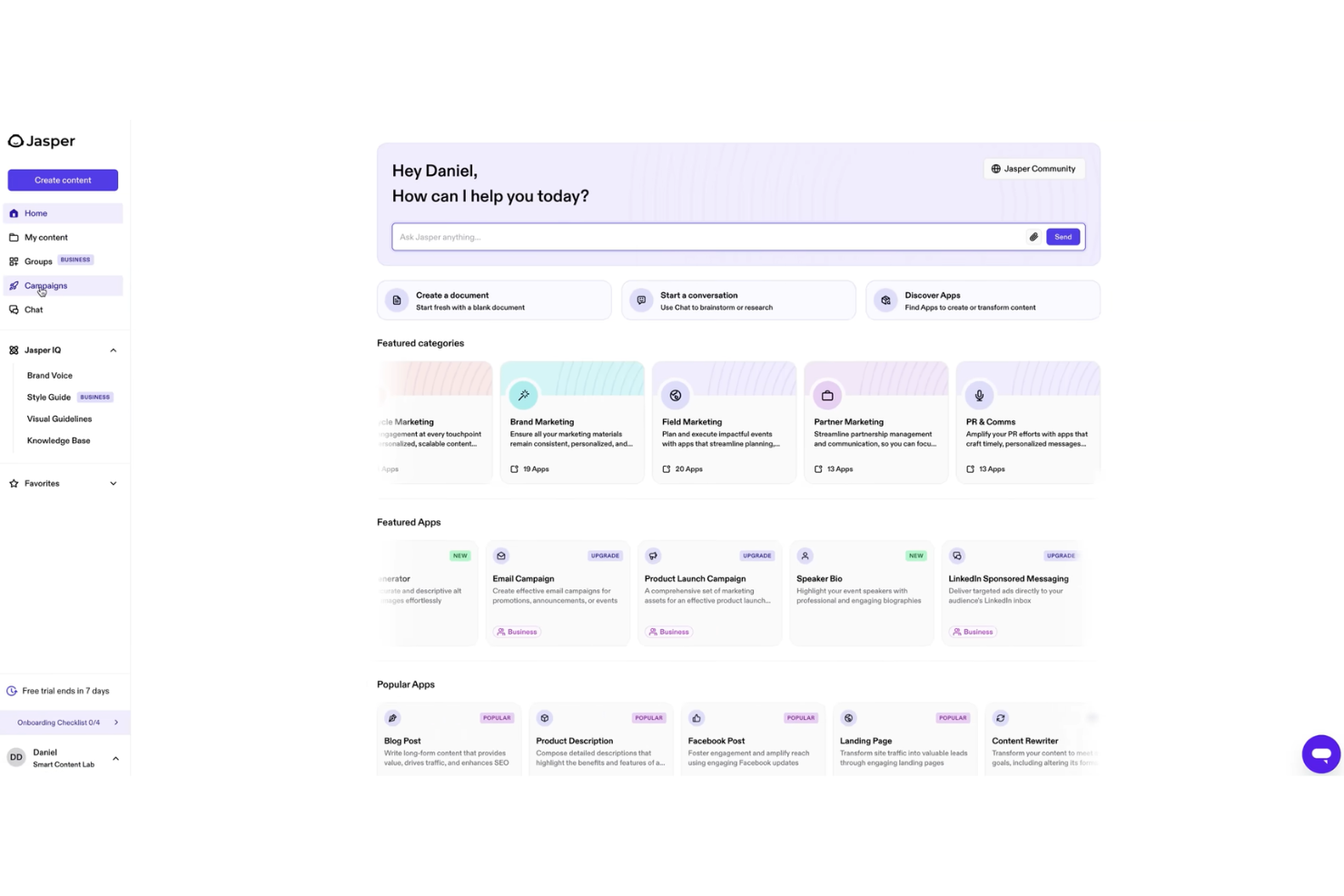
Jasper is an AI content platform designed for marketing teams and content professionals who need to manage high volumes of branded content. It appeals to businesses that want to unify messaging across channels and maintain control over their content assets. The platform helps solve challenges around scaling content production while keeping messaging aligned and on-brand.
Who Is Jasper Best For?
Jasper is a strong fit for marketing teams and content managers at mid-sized to large businesses that need to maintain consistent brand messaging across multiple channels.
Why I Picked Jasper
What sets Jasper apart for me is its focus on brand voice consistency across all content outputs. The platform lets you create and manage detailed brand voice guidelines, so every piece of AI-generated content matches your company’s tone and messaging. I also like that Jasper offers templates and workflows designed specifically for marketing teams who need to keep messaging unified across campaigns and channels. These features make Jasper a strong choice for businesses that can’t afford off-brand or inconsistent content in their marketing efforts.
Jasper Key Features
Some other features that make Jasper useful for AI content management include:
- Content calendar: Plan, schedule, and organize content production within a visual calendar interface.
- Collaboration tools: Assign roles, share projects, and manage team permissions for easier teamwork.
- Multi-channel content generation: Create content tailored for social media posts, blogs, email, and ads from a single workspace.
- Plagiarism checker: Scan generated content to ensure originality and avoid duplicate text issues.
Jasper Integrations
Integrations include Slack, Google BigQuery, Webflow, Microsoft Word, Google Sheets, Google Docs, Zapier, Make, and more.
Pros and Cons
Pros:
- Content calendar for planning and scheduling
- Built-in plagiarism detection for content originality
- Workflow templates for multi-channel campaigns
Cons:
- Brand voice settings can be inconsistent
- Limited advanced formatting within the editor

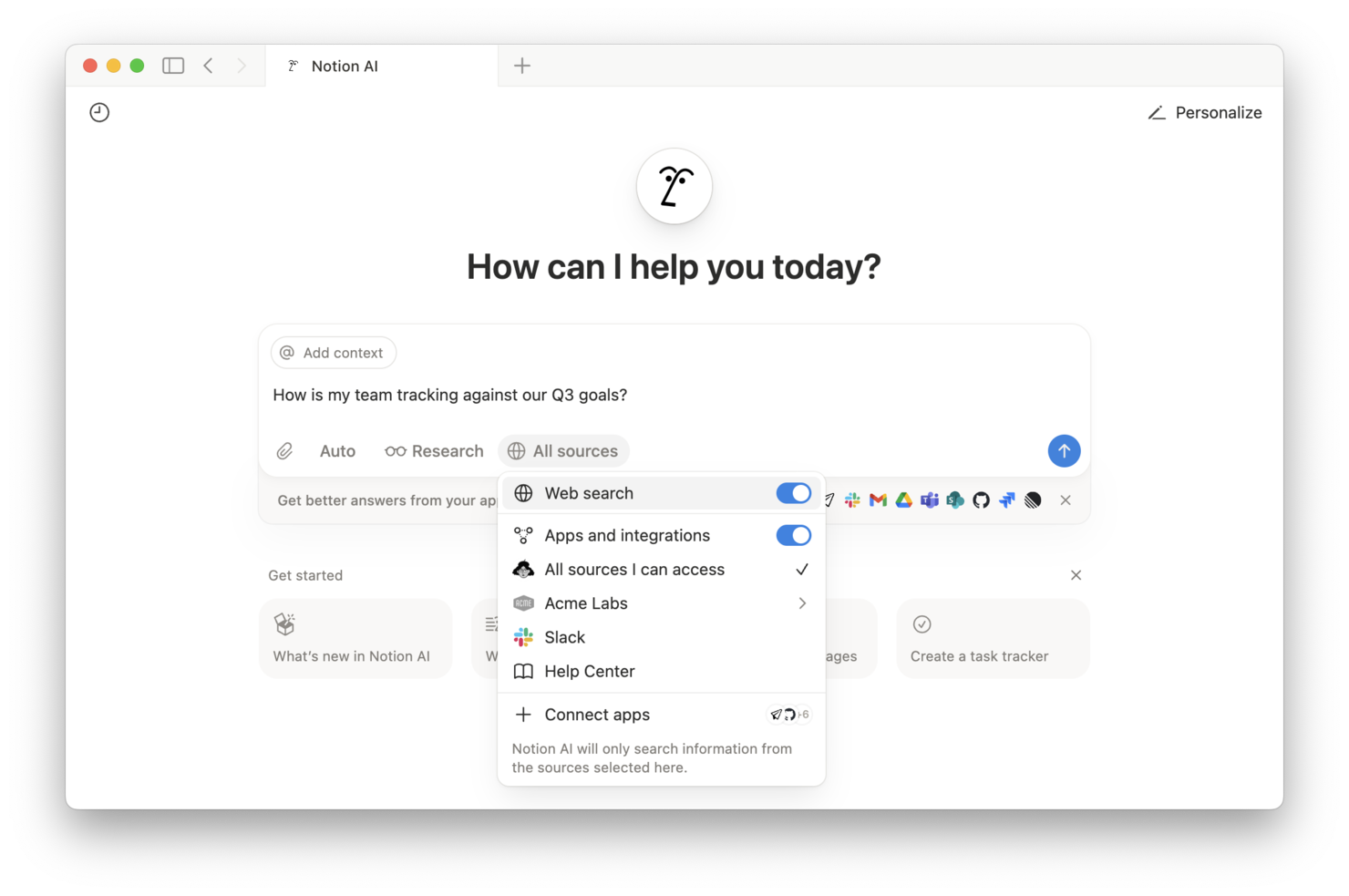
Notion brings together notes, docs, databases, and no-code project management in a single workspace. It’s a strong fit for teams that want to centralize content creation, collaboration, and knowledge sharing. If you’re looking for a flexible platform to organize and manage both structured and unstructured content, Notion offers a unified approach that appeals to marketing, product, and operations teams alike.
Who Is Notion Best For?
Notion is well-suited for cross-functional teams at startups and mid-sized companies that need a collaborative workspace for managing content, projects, and documentation.
Why I Picked Notion
What stands out to me about Notion is how it blends content management with real-time collaboration in a single workspace. For teams managing AI-driven content projects, Notion’s ability to combine wikis, databases, and document editing means everyone can contribute, review, and organize information without switching tools. I also appreciate how its flexible page structure lets you embed AI-generated content, track feedback, and manage workflows all in one place. This makes Notion a strong choice for organizations that want to keep content, context, and collaboration tightly integrated.
Notion Key Features
Some other features that make Notion valuable for AI content management include:
- AI-powered writing assistant: Generate, summarize, and edit content directly within any Notion page using built-in AI tools.
- Version history: Track changes and restore previous versions of pages to maintain content accuracy and accountability.
- Custom templates: Create and reuse page and database templates for consistent content structure across projects.
- Granular permissions: Set detailed access controls for pages, databases, and workspaces to manage who can view or edit content.
Notion Integrations
Integrations include Slack, Jira, GitHub, Asana, Google Drive, Figma, Trello, Webex, Datadog, and more.
Pros and Cons
Pros:
- Custom templates speed up repetitive content tasks
- Real-time collaboration supports multi-user editing
- AI assistant generates summaries and content drafts
Cons:
- AI features require paid plan access
- Limited bulk content editing capabilities

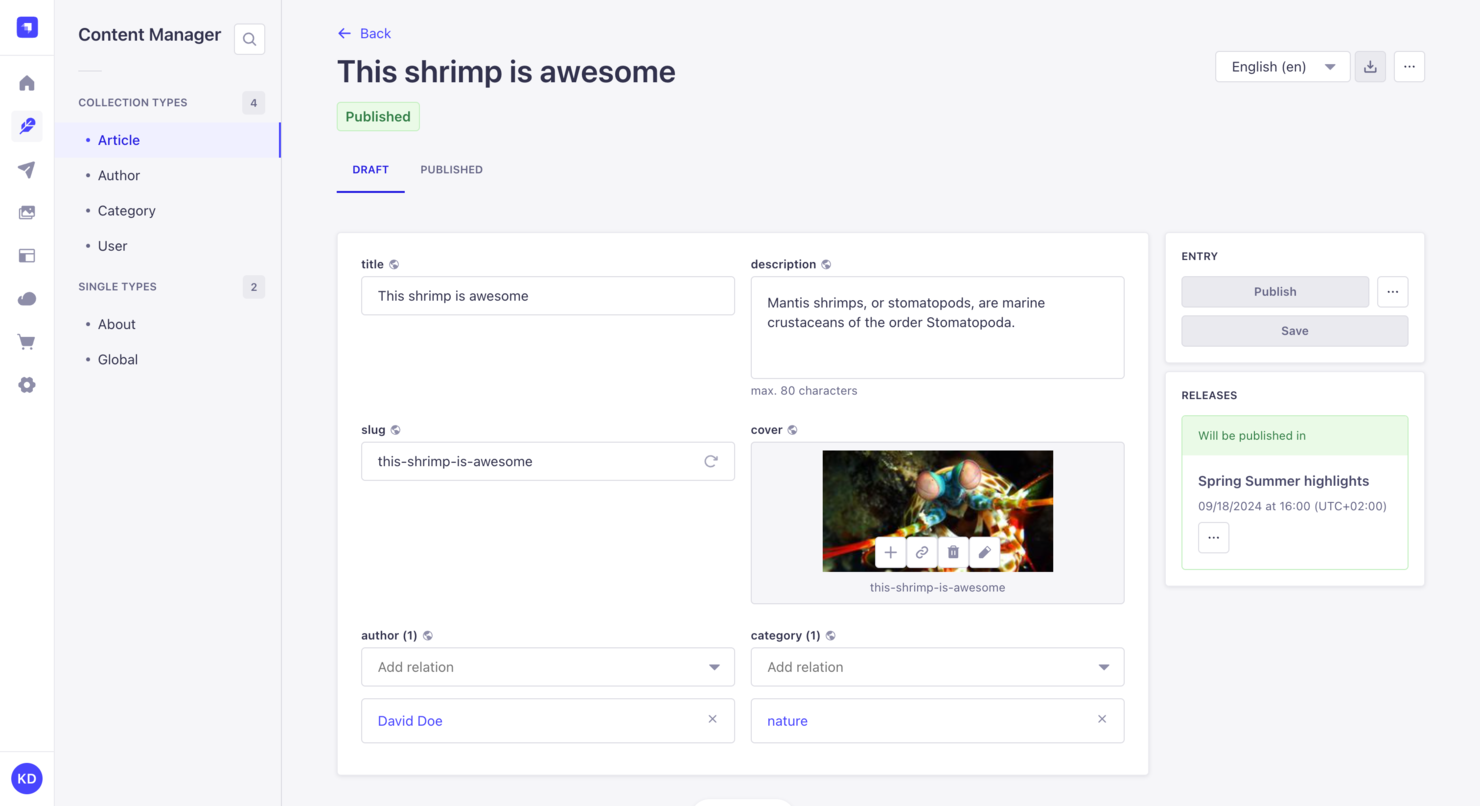
Strapi is an open-source content management platform built for developers and technical teams who want full control over their content architecture. It’s a strong fit for organizations that need to customize workflows, data models, and integrations to fit unique business requirements. If you’re looking for a flexible solution that can adapt to complex or evolving content needs, Strapi offers a modular approach that stands out from traditional, out-of-the-box systems.
Who Is Strapi Best For?
Strapi is a good fit for development teams at startups and mid-sized companies that need a highly customizable, open-source content management framework.
Why I Picked Strapi
What drew me to Strapi is its open-source foundation, which gives teams unmatched flexibility to customize every aspect of their content management environment. I see real value in its plugin system and extensible API, which let developers tailor workflows, data structures, and automation to fit unique business needs. Strapi’s headless architecture also means you can connect content to any front-end or channel, making it a strong choice for organizations with complex or evolving digital strategies. For teams that want to build AI-driven content solutions without being boxed in by vendor limitations, Strapi’s customization options are hard to match.
Strapi Key Features
Some other features that make Strapi appealing for AI content management include:
- Role-based access control: Assign granular permissions to users and groups to manage who can view, edit, or publish content.
- Media library management: Organize, upload, and manage images, videos, and other assets directly within the platform.
- Internationalization (i18n): Manage and deliver content in multiple languages for global audiences.
- Webhooks support: Trigger automated actions or connect with external services when content is created, updated, or deleted.
Strapi Integrations
Integrations include Cloudinary, Algolia, SendGrid, Drip, React Native, Expo, Astro, Vercel, and more.
Pros and Cons
Pros:
- Strong developer documentation and support
- Active plugin ecosystem for added functionality
- Open-source codebase allows deep customization
Cons:
- Role-based permissions can be complex to configure
- No built-in AI content generation tools

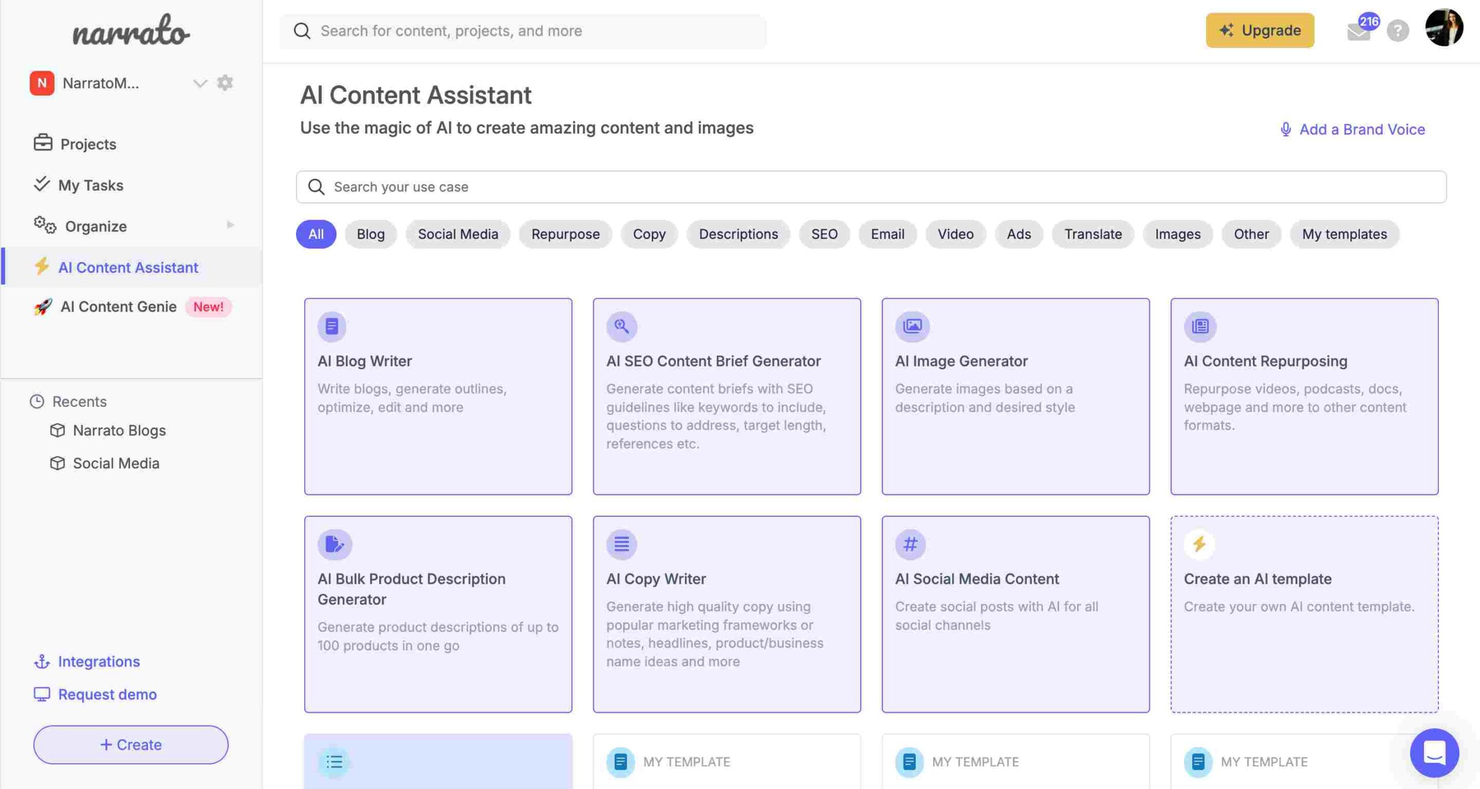
If your content team needs a centralized platform to manage and automate content operations, Narrato is worth a look. It’s designed for marketing teams, agencies, and publishers who want to centralize content creation, collaboration, and approvals. Narrato brings together AI-powered content tools and workflow management to help teams handle high content volumes with less manual effort.
Who Is Narrato Best For?
Narrato is a strong fit for marketing teams and agencies that need to automate and manage high-volume content workflows.
Why I Picked Narrato
What stands out to me about Narrato is how it brings workflow automation directly into the content management process. I picked Narrato because it lets teams build custom workflows with automated task assignments, status tracking, and deadline management—all within a single platform. The built-in generative AI content assistant also helps automate repetitive writing and editing tasks, which is especially useful for teams handling large volumes of content. This focus on workflow automation makes Narrato a strong choice for content marketing teams that want to reduce manual coordination and keep projects moving efficiently.
Narrato Key Features
Some other features that make Narrato valuable for AI content management include:
- AI content idea generator: Generate topic suggestions and outlines based on keywords or themes.
- Content calendar: Plan, schedule, and visualize content production timelines across your team.
- Custom content templates: Create and reuse structured templates for different content types and formats.
- Collaboration tools: Enable in-line commenting, file sharing, and real-time feedback within each project.
Narrato Integrations
Integrations include WordPress, Webflow, LinkedIn, Facebook, Instagram, Contentful, Strapi, and more.
Pros and Cons
Pros:
- Real-time collaboration with in-line comments
- AI-powered content idea and brief generation
- Automated workflow builder for content processes
Cons:
- Limited bulk content import/export options
- Limited content performance analytics
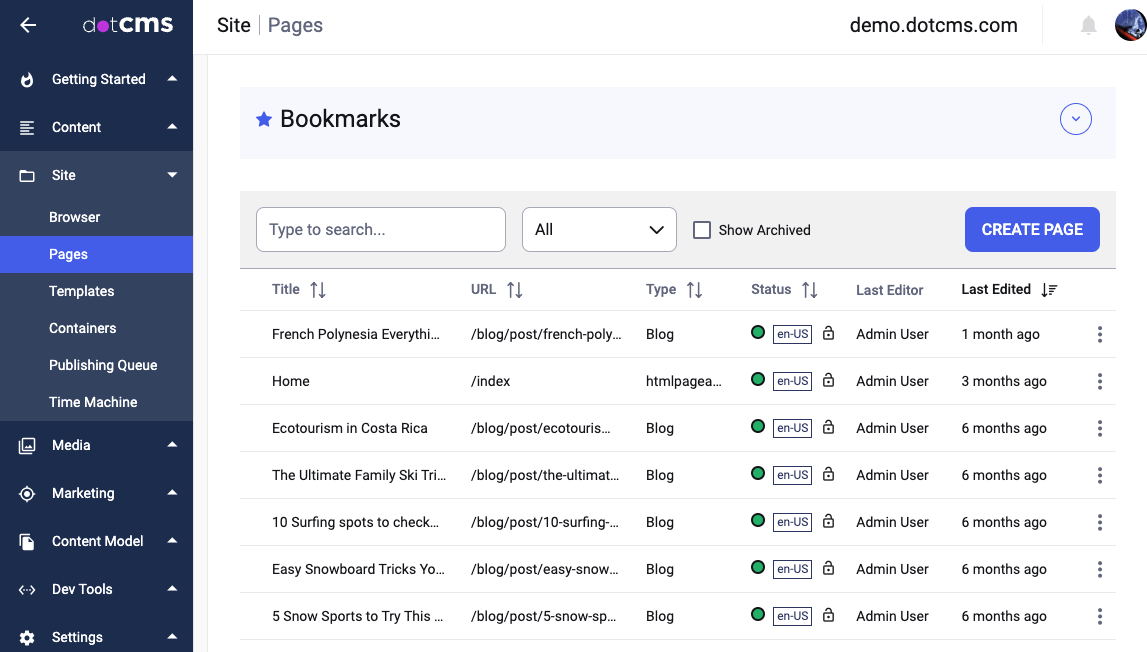
dotCMS is a content management platform built for teams that need flexibility in how they deliver digital experiences. It’s a strong fit for organizations with complex content needs, such as multi-brand enterprises or businesses managing content across multiple channels. If you’re looking for a solution that supports both traditional and modern content delivery, dotCMS offers tools to help you manage, structure, and publish content at scale.
Who Is dotCMS Best For?
Digital teams at mid-sized to large enterprises that need flexible content delivery across multiple channels and brands.
Why I Picked dotCMS
What drew me to dotCMS is its flexible headless architecture and support for various AI models, which gives teams full control over how and where content is delivered. For organizations managing content across web, mobile, and emerging digital channels, dotCMS lets you decouple content creation from presentation using APIs and customizable content models. I also like that it supports both headless and hybrid deployments, so you can choose the right approach for each project. This flexibility is especially valuable for businesses that need to future-proof their content management strategy using the best AI tools.
dotCMS Key Features
Some other features that make dotCMS stand out for AI content management include:
- Content approval workflows: Set up multi-step review and approval processes to manage content governance across teams.
- Personalization engine: Deliver targeted content experiences using built-in rules and audience segmentation.
- Version control: Track, compare, and restore previous versions of content items for better content management.
- Multilingual content management: Create, manage, and publish content in multiple languages from a single platform.
dotCMS Integrations
Integrations include OpenAI, Zapier, Prerender.io, and more.
Pros and Cons
Pros:
- Built-in multilingual and localization support
- Hybrid headless and traditional CMS options
- Flexible content modeling for complex structures
Cons:
- Fewer AI-powered content automation features
- Limited built-in analytics and reporting

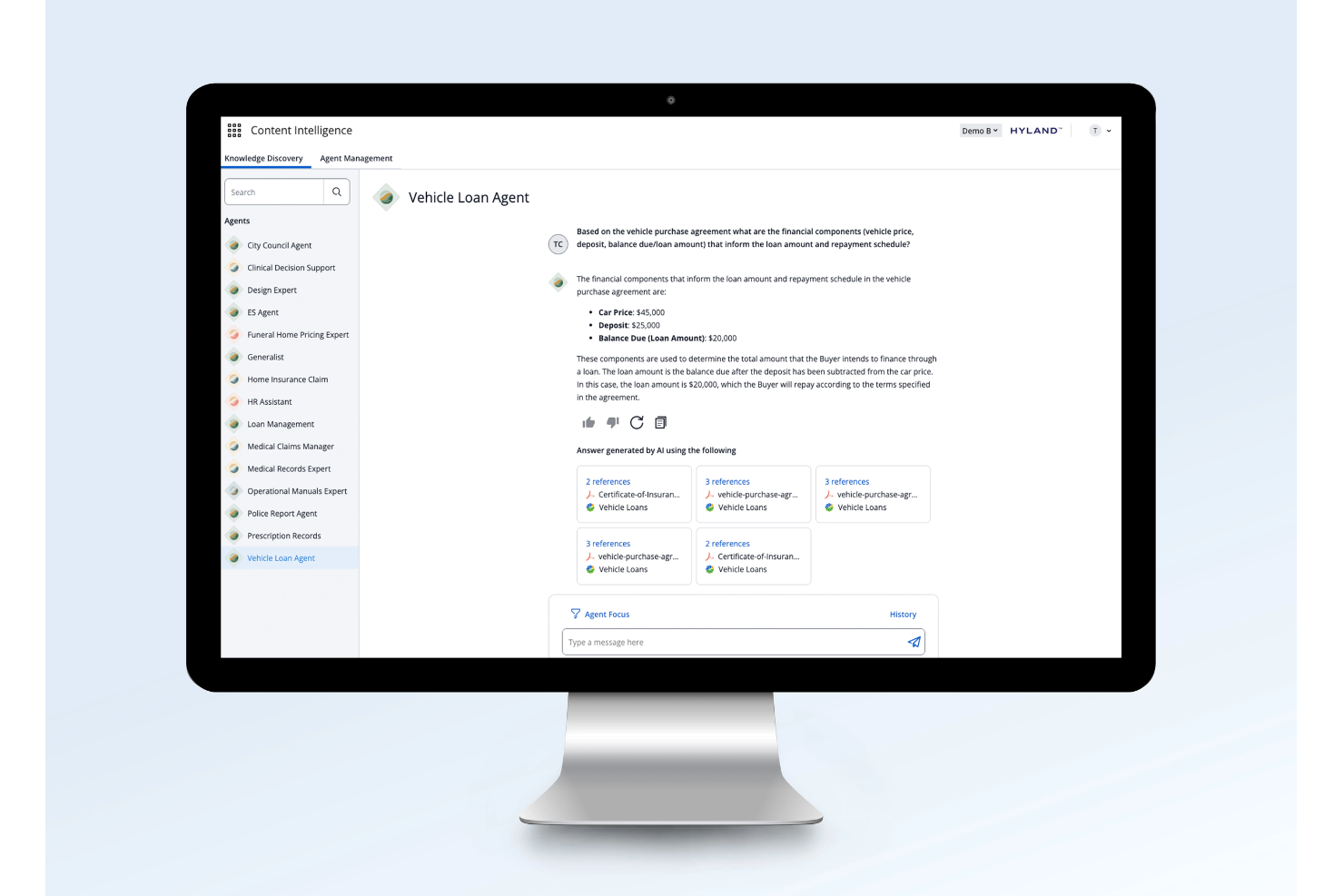
Hyland offers a content services platform designed for organizations that need to manage high volumes of documents and automate complex workflows. It’s a strong fit for large teams in industries like healthcare, finance, and government that require secure, scalable document management. If your business handles sensitive information and needs to centralize document processing, Hyland provides tools to centralize, organize, and automate content operations.
Who Is Hyland Best For?
Large organizations in regulated industries that need secure, automated document management across complex workflows.
Why I Picked Hyland
I picked Hyland because its document automation capabilities address the needs of large teams managing complex, high-volume content. The platform’s workflow automation lets you route documents, trigger approvals, and enforce compliance rules without manual intervention. I also appreciate its advanced document capture and classification tools, which help teams extract data and organize files at scale. These features make Hyland a strong choice for organizations that need to automate and secure document-heavy processes within their AI content management strategy.
Hyland Key Features
In addition to its document automation strengths, Hyland offers several other features that support enterprise content management:
- Content lifecycle management: Manage retention schedules and automate content archiving or disposal based on compliance requirements.
- Granular access controls: Set detailed permissions for users, groups, or roles to protect sensitive information.
- Full-text search: Quickly locate documents and data across repositories using advanced search capabilities.
- Audit logging: Track user actions and document changes for security and regulatory compliance.
Hyland Integrations
Integrations include PeopleSoft, Accela, Google Docs, Tempest Prospero, Adobe Sign, MuleSoft, NextGen, Microsoft Outlook, Cerner, and more.
Pros and Cons
Pros:
- Strong compliance and audit tracking features
- Built-in AI for document classification
- Advanced workflow automation for document-heavy teams
Cons:
- Requires IT support for complex configurations
- Limited out-of-the-box analytics dashboards
Other AI Content Management Tools
Here are some additional AI content management tools options that didn’t make it onto my shortlist, but are still worth checking out:
- Kontent.ai
For modular content workflows in enterprises
- Averi
With multilingual content generation
- HubSpot Content Hub
For unified marketing content planning
- Optimizely
For experimentation-driven content updates
- Canva
For visual content collaboration
- Kentico
For omnichannel content orchestration
- Lately
With AI-driven content repurposing
- Screendragon
For configurable approval processes
- Frontify
For brand asset organization
- VEED
For enterprise video content editing
- Blaze AI
For AI-powered content briefs
- Hootsuite
For social content scheduling
- Contentful
For structured content delivery
- Sanity
For real-time content editing
- Hygraph
With federated content APIs
- ClickUp
For integrated task and content tracking
- Gumloop
For interactive content creation workflows
- EasyContent
For editorial workflow templates
- Storyteq
For dynamic creative asset management
- Poppy AI
With automated content tagging


AI Content Management Tools Selection Criteria
When selecting the best AI content management tools to include in this list, I considered common buyer needs and pain points like automating repetitive content tasks and managing high-volume content workflows. I also used the following framework to keep my evaluation structured and fair:
Core Functionality (25% of total score)
To be considered for inclusion in this list, each solution had to fulfill these common use cases:
- Create and edit content with AI assistance
- Organize and store digital content assets
- Collaborate with team members on content projects
- Assign and track content tasks and deadlines
- Publish or export content to multiple channels
Additional Standout Features (25% of total score)
To help further narrow down the competition, I also looked for unique features, such as:
- Automated content brief generation
- AI-powered content optimization suggestions
- Custom workflow automation for approvals
- Built-in plagiarism detection
- Real-time content performance analytics
Usability (10% of total score)
To get a sense of the usability of each system, I considered the following:
- Simple and intuitive user interface
- Clear navigation and menu structure
- Minimal clicks to complete core tasks
- Responsive design for different devices
- Customizable dashboards or views
Onboarding (10% of total score)
To evaluate the onboarding experience for each platform, I considered the following:
- Step-by-step product tours or walkthroughs
- Availability of training videos and documentation
- Pre-built templates for common workflows
- Access to onboarding webinars or live sessions
- In-app chatbots or help widgets for quick support
Customer Support (10% of total score)
To assess each software provider’s customer support services, I considered the following:
- Multiple support channels like chat, email, and phone
- Fast response times to support requests
- Access to a searchable knowledge base
- Availability of dedicated customer success managers
- Community forums or user groups for peer support
Value For Money (10% of total score)
To evaluate the value for money of each platform, I considered the following:
- Transparent and flexible pricing plans
- Features included at each pricing tier
- Free trial or free plan availability
- No hidden fees or surprise charges
- Discounts for annual or volume commitments
Customer Reviews (10% of total score)
To get a sense of overall customer satisfaction, I considered the following when reading customer reviews:
- Positive feedback on core features and reliability
- Reports of helpful and responsive support
- Case studies on ease of adoption and onboarding
- Critiques of any missing or weak features
- Overall value and ROI for the price
How to Choose AI Content Management Tools
It’s easy to get bogged down in long feature lists and complex pricing structures. To help you stay focused as you work through your unique software selection process, here’s a checklist of factors to keep in mind:
| Factor | What to Consider |
|---|---|
| Scalability | Will the tool handle your current and future content volume? Consider growth plans and user limits. |
| Integrations | Does it connect natively to your CMS, analytics, or marketing platforms? Check for required integrations. |
| Customizability | Can you tailor workflows, templates, and permissions to match your team’s processes? |
| Ease of use | Will your team adopt it quickly? Look for intuitive navigation and minimal training requirements. |
| Implementation and onboarding | How long will setup take, and what resources are needed? Ask about migration support and onboarding help. |
| Cost | Are pricing tiers clear and predictable? Factor in user seats, storage, and any add-on fees. |
| Security safeguards | Does the tool offer encryption, access controls, and compliance with your industry’s standards? |
| Support availability | What support channels are offered, and during what hours? Consider if you need 24/7 or dedicated support. |
What Are AI Content Management Tools?
AI content management tools are software platforms that use artificial intelligence to help teams create, organize, and manage digital content. These tools automate tasks like content generation, workflow routing, and metadata tagging, making it easier to handle large volumes of content. They support collaboration, manage approvals, and often include analytics to track content performance, helping marketing teams work more efficiently and maintain consistency across channels.
Features of AI Content Management Tools
When selecting AI content management tools, keep an eye out for the following key features:
- AI-powered content creation: Uses artificial intelligence and machine learning to generate, rewrite, or suggest content, helping teams produce drafts, headlines, or summaries quickly.
- Automated workflow management: Assigns tasks, tracks progress, and routes content for review or approval based on customizable rules, reducing manual coordination.
- Content version control: Maintains a history of edits and changes, allowing users to revert to previous versions or track who made specific updates.
- Metadata and tagging automation: Automatically generates and applies tags, categories, or metadata to content, improving searchability and organization.
- Collaboration tools: Enables multiple users to comment, edit, and provide feedback in real time within the platform, supporting teamwork and transparency.
- Content calendar: Provides a visual schedule for planning, publishing, and tracking content across channels, helping teams stay organized and meet deadlines.
- Multi-channel publishing: Allows users to distribute content for marketing campaigns directly to websites, social media, or other platforms from within the tool.
- Content analytics: Tracks performance metrics such as views, engagement, and conversions, giving teams insights into what content is working.
- Template management: Lets users create, store, and reuse templates for different content types, ensuring consistency and saving time.
- Access controls and permissions: Sets user roles and permissions to manage who can view, edit, or approve content, supporting security and compliance needs.
Benefits of AI Content Management Tools
Implementing AI content management tools provides several benefits for your team and your business. Here are a few you can look forward to:
- Faster content production: AI-powered creation and workflow automation help teams generate and publish content more quickly.
- Improved content consistency: Template management and automated approvals ensure brand guidelines and messaging stay uniform across all channels.
- Reduced manual effort: Automated tagging, routing, and scheduling minimize repetitive tasks and free up time for strategic work.
- Better collaboration: Real-time editing, commenting, and task assignment features keep teams aligned and projects moving forward.
- Enhanced content organization: Metadata automation and version control make it easier to find, manage, and update high-quality digital assets.
- Data-driven decision making: Built-in analytics provide insights into content performance, helping teams refine strategies and focus on what works.
- Scalable content operations: Multi-channel publishing and customizable workflows support growing content needs without adding complexity.
Costs and Pricing of AI Content Management Tools
Selecting AI content management tools requires an understanding of the various pricing models and plans available. Costs vary based on features, team size, add-ons, and more. The table below summarizes common plans, their average prices, and typical features included in AI content management tools solutions:
Plan Comparison Table for AI Content Management Tools
| Plan Type | Average Price | Common Features |
|---|---|---|
| Free Plan | $0 | Basic AI content creation, limited storage, single-user access, and basic workflow management. |
| Personal Plan | $5-$25/user/month | AI writing tools, content calendar, limited integrations, basic analytics, and email support. |
| Business Plan | $25-$75/user/month | Team collaboration, workflow automation, advanced analytics, multi-channel publishing, and templates. |
| Enterprise Plan | $75-$200+/user/month | Custom workflows, API access, advanced security, dedicated support, and compliance features. |
AI Content Management Tools FAQs
Here are some answers to common questions about AI content management tools:
How do AI content management tools differ from traditional content management systems?
AI content management tools use artificial intelligence to automate tasks like content creation, tagging, and workflow routing. Traditional systems rely more on manual processes and offer fewer automation features, making AI tools better suited for teams managing high content volumes or complex workflows.
Can AI content management tools integrate with my existing marketing stack?
Yes, most AI content management tools offer integrations with popular platforms like CRMs, analytics tools, and social media schedulers. Always check for native integrations or available APIs to ensure compatibility with your current systems and avoid manual data transfers.
Are AI content management tools secure for sensitive content?
Yes, many AI content management tools include security safeguards such as encryption, access controls, and compliance certifications. Review each tool’s security documentation to confirm it meets your organization’s requirements, especially if you handle regulated or confidential information.
What should I consider when migrating to an AI content management tool?
Plan for data migration, user training, and workflow adjustments. Look for tools that offer onboarding support, import utilities, and clear documentation to minimize disruption and help your team realize value quickly.
Do AI content management tools require technical expertise to set up?
No, most modern AI content management tools are designed for non-technical users and offer intuitive interfaces. However, advanced customizations or integrations may require some technical support, so assess your team’s comfort level and available resources before choosing a solution.