
15 Best AI Advertising Tools in 2026

AI Advertising Tools Shortlist
Here’s my shortlist of the best AI advertising tools:


AI advertising tools are software platforms that use artificial intelligence to automate, optimize, and analyze digital ad campaigns across channels. If you’re searching for ways to improve targeting, boost creative performance, or manage campaigns more efficiently, these best AI tools can help you keep up with fast-changing ad platforms and audience behaviors. In this list, you’ll find expert-vetted AI advertising solutions, each with unique features to help your team drive better results and prove ROI in competitive markets.
Why Trust Our Software Reviews
Best AI Advertising Tools Summary
This comparison chart summarizes pricing details for my top AI advertising tools selections to help you find the best fit for improving targeting, optimizing creative performance, and managing campaigns more efficiently.
| Tool | Best For | Trial Info | Price | ||
|---|---|---|---|---|---|
| 1 | Best with multi-channel targeting options | Free demo available | Pricing upon request | Website | |
| 2 | Best for Meta ad creative optimization | 7-day free trial available | From $99/month (billed annually) | Website | |
| 3 | Best for instant URL-to-video ad creation | Free plan available | From $39/month | Website | |
| 4 | Best for rapid ad creative generation | Free demo available | From $39/month | Website | |
| 5 | Best for ecommerce retargeting solutions | Free demo available | Pricing upon request | Website | |
| 6 | Best with integrated campaign management tools | Free demo available | Pricing upon request | Website | |
| 7 | Best for creative performance analytics | Free demo available | From $250/month | Website | |
| 8 | Best for script-based video ad production | Free plan available | From $29/month | Website | |
| 9 | Best for cross-channel campaign automation | Free demo available | Pricing upon request | Website | |
| 10 | Best with customizable AI video actors | Free demo available | Pricing upon request | Website |
-

Demandbase
Visit WebsiteThis is an aggregated rating for this tool including ratings from Crozdesk users and ratings from other sites.4.4 -
6sense
Visit WebsiteThis is an aggregated rating for this tool including ratings from Crozdesk users and ratings from other sites.4.3 -
AnswerThePublic
Visit Website


AI Advertising Tools Reviews
Below are my detailed summaries of the best AI advertising tools that made it onto my shortlist. My reviews offer a detailed look at the features, capabilities, and integrations of each platform to help you find the best one for you.

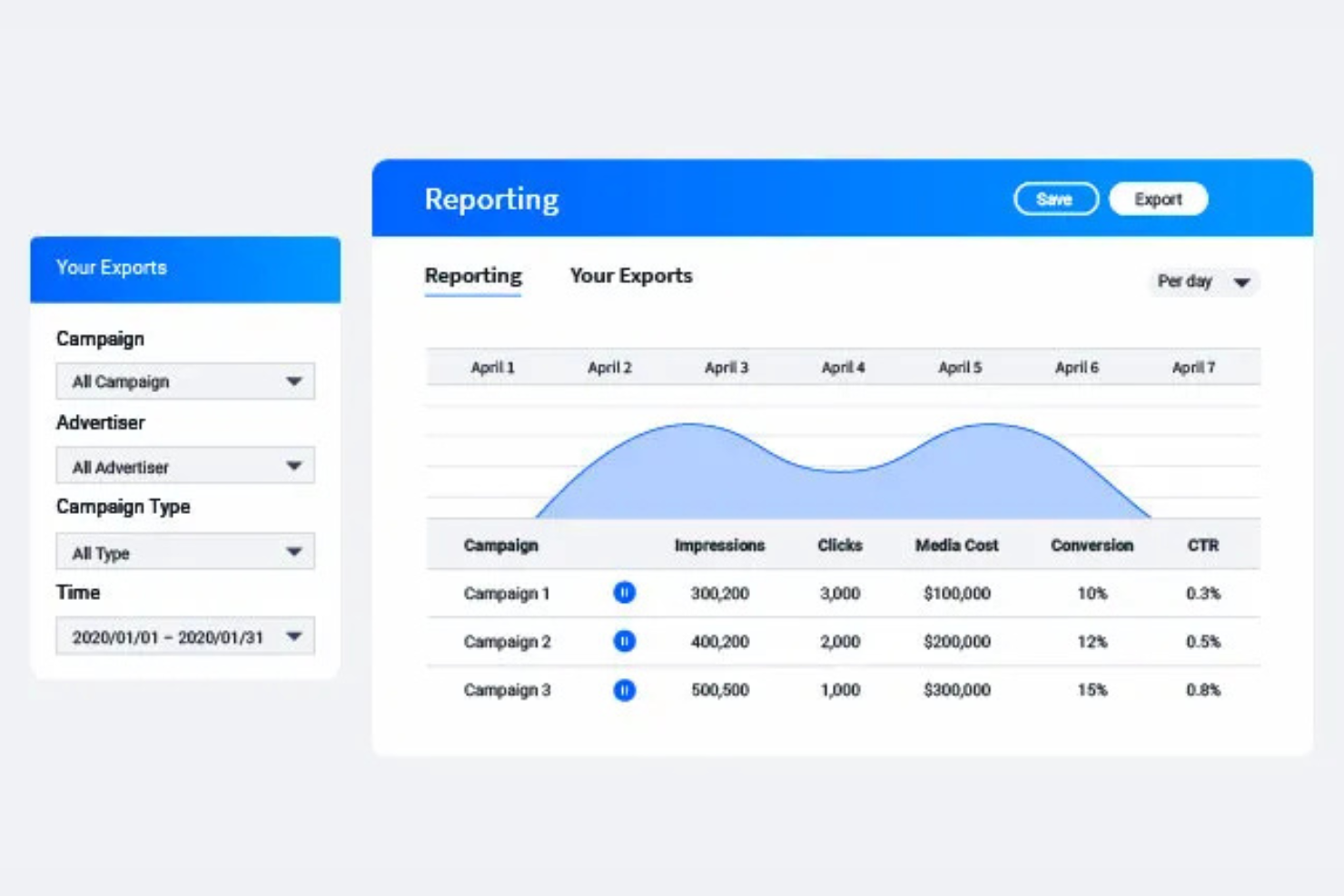
StackAdapt is a programmatic advertising platform designed for marketers who need advanced targeting and campaign control. It appeals to agencies and brands looking to reach audiences across display, video, native, and connected TV channels. The platform helps solve challenges around fragmented media buying and campaign optimization in digital advertising.
Who Is StackAdapt Best For?
StackAdapt is a strong fit for digital marketing teams at agencies and mid-sized brands that need to manage and optimize campaigns across multiple digital channels.
Why I Picked StackAdapt
What drew me to StackAdapt is its strong focus on multi-channel targeting options, which is essential for modern AI-driven advertising strategies. The platform lets you run campaigns across display, native, video, audio, and connected TV from a single interface, making it easier to coordinate messaging and reach. I appreciate how StackAdapt’s AI-powered audience targeting and contextual tools help you identify and engage the right users across these channels. This flexibility is especially valuable for marketers who need to adapt quickly to shifting audience behaviors and optimize spend across multiple digital environments.
StackAdapt Key Features
Some other features I found valuable in StackAdapt include:
- Custom audience creation: Build and target audiences using first-party, third-party, or lookalike data.
- Dynamic retargeting: Serve personalized ads to users based on their previous interactions and behaviors.
- Brand safety controls: Set parameters to avoid placements alongside inappropriate or unsafe content.
- Detailed reporting dashboard: Access real-time analytics and customizable reports to monitor campaign performance.
StackAdapt Integrations
Integrations include A+E Networks, Xumo, iHeartMedia, Disney, LG Ad Solutions, Philo, Dotdash Meredith, NBC, SiriusXM Media, and an API for custom integrations.
Pros and Cons
Pros:
- Contextual AI ad placement
- Machine learning bid pacing
- Great multi channel reach
Cons:
- Overkill for local business
- Needs dedicated account reps

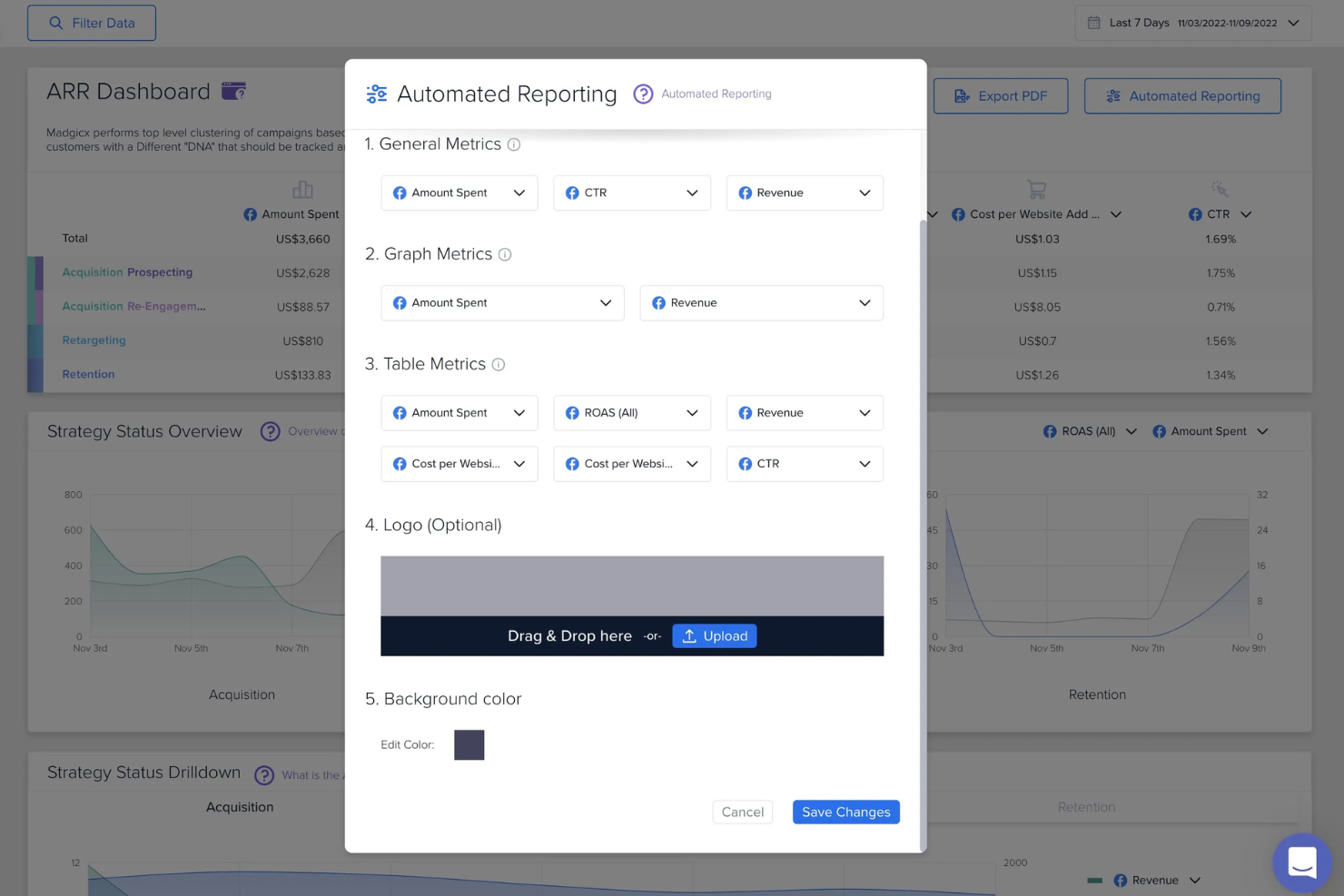
Madgicx is an AI-powered advertising platform built for marketers who want to maximize results from Meta ad campaigns. It’s especially useful for ecommerce brands and agencies looking to automate creative testing and audience targeting. The platform helps teams address challenges around scaling ad performance and making data-driven creative decisions.
Who Is Madgicx Best For?
Madgicx is a strong fit for ecommerce marketers and agencies focused on optimizing Meta ad creative and scaling paid social campaigns.
Why I Picked Madgicx
What stands out about Madgicx is its deep specialization in optimizing Meta ad creative using AI-driven insights. The platform offers creative performance analysis that breaks down which ad elements drive results, helping you refine visuals and messaging for Meta campaigns. I also like that Madgicx automates creative testing and rotation, so you can continuously improve ad effectiveness without manual intervention. These features make it a strong choice for marketers who want to maximize ROI from Meta ads through data-backed creative decisions.
Madgicx Key Features
Some other features I found valuable in Madgicx include:
- Audience launcher: Build and launch AI-powered audiences for Meta campaigns based on behavioral and demographic data.
- Automated budget optimization: Allocate ad spend dynamically across campaigns and ad sets to maximize performance.
- Ad copy insights: Analyze and score ad copy variations to identify top-performing messaging.
- Cross-account management: Manage and optimize multiple Meta ad accounts from a single dashboard.
Madgicx Integrations
Integrations include Meta (Facebook and Instagram) and Shopify.
Pros and Cons
Pros:
- Spots audience fatigue early
- Fast one click AI campaigns
- Smart creative insights data
Cons:
- Needs constant data feeds
- AI rules can conflict easily

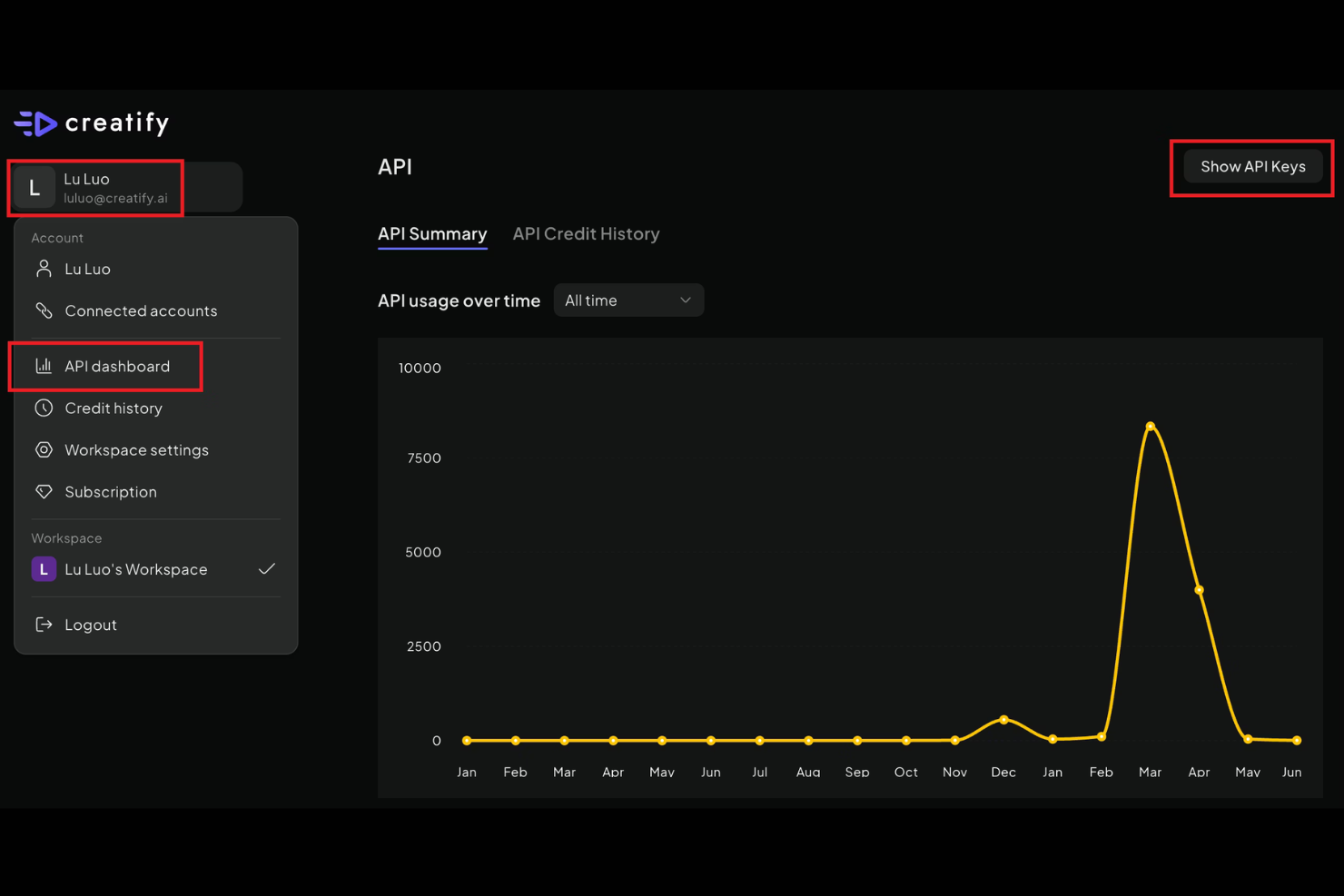
Creatify offers a fast way for marketers and ecommerce teams to turn website content into video ads. The platform is designed for businesses that want to quickly generate video creatives without manual editing or production. If you need to scale ad creation using your existing product pages or landing pages, Creatify provides a unique solution.
Who Is Creatify Best For?
Creatify is a strong fit for ecommerce marketers and small businesses that need to quickly generate video ads from existing web content.
Why I Picked Creatify
What drew me to Creatify is how it instantly transforms any URL into a ready-to-use video ad, which is rare among AI advertising tools. This approach lets you generate video creatives directly from your product or landing pages, pulling in images, copy, and branding automatically. I appreciate that you can quickly edit the generated video, swap assets, or adjust messaging before exporting. For marketers who need to produce a high volume of ads without a dedicated video team, Creatify’s URL-to-video workflow is a major advantage.
Creatify Key Features
Some other features that make Creatify useful for AI-driven ad creation include:
- AI voiceover options: Choose from a range of AI-generated voices to narrate your video ads.
- Brand kit management: Upload and store your brand colors, fonts, and logos for consistent video output.
- Template library: Access a selection of video ad templates tailored for different platforms and campaign types.
- Multi-format export: Download finished ads in various aspect ratios and resolutions for use across social and digital channels.
Creatify Integrations
Integrations include Shopify, TikTok Ads, Meta Ads, and YouTube.
Pros and Cons
Pros:
- Very simple drag and drop UI
- Great for TikTok and Reels
- Huge library of AI voiceovers
Cons:
- Limited complex video editing
- B-roll choices can miss mark


If you need to generate ad creatives quickly and at scale, AdCreative.ai is built for you. This platform uses AI to produce ad visuals and copy tailored for marketers, agencies, and ecommerce teams. It’s especially useful if you want to test multiple creative variations without relying on manual design work.
Who Is AdCreative.ai Best For?
AdCreative.ai is a strong fit for marketing teams and agencies that need to produce high volumes of ad creatives for digital campaigns.
Why I Picked AdCreative.ai
What stands out to me about AdCreative.ai is how it uses AI to generate ad creatives in minutes, making it ideal for teams that need to launch campaigns fast. The platform lets you input your brand assets and campaign goals, then produces dozens of ad variations tailored for different channels and formats. I also like that it scores each creative for predicted performance, so you can prioritize the versions most likely to convert. This focus on rapid, data-driven creative production makes AdCreative.ai a strong choice for anyone looking to scale their ad output without sacrificing quality.
AdCreative.ai Key Features
Some other features that make AdCreative.ai useful for AI-powered advertising include:
- Collaboration tools: Invite team members, assign roles, and manage creative projects together within the platform.
- Brand asset library: Store and organize logos, images, and brand guidelines for consistent creative output.
- Multi-language support: Generate ad creatives in multiple languages to reach global audiences.
- Ad platform integrations: Connect directly to Meta, Google, LinkedIn, and other ad platforms for streamlined creative deployment.
AdCreative.ai Integrations
Integrations include Meta, Google Ads, LinkedIn Ads, Pinterest, Slack, Zapier, Shopify, WooCommerce, Google Analytics, and HubSpot.
Pros and Cons
Pros:
- Huge time saver for design
- Reads brand colors perfectly
- Connects to major ad accounts
Cons:
- Downloads lack layer control
- Credits burn very quickly

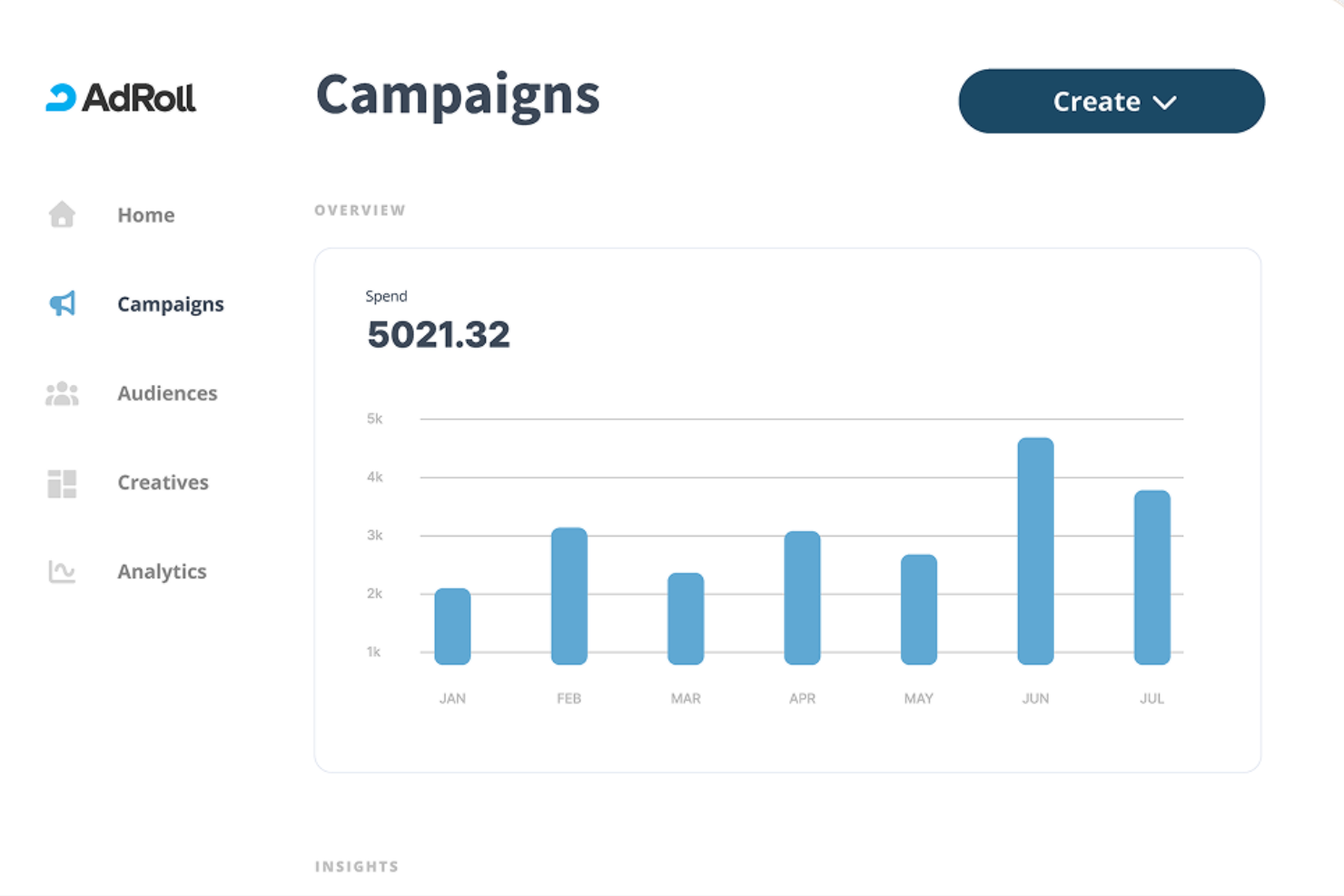
AdRoll is a digital advertising platform built for ecommerce brands and marketers who want to drive conversions through targeted ads. The platform uses AI to automate audience segmentation and optimize ad placements across web, social, and email channels. If you’re looking to unify your retargeting and prospecting efforts in one place, AdRoll offers tools designed to help you reach shoppers at every stage of the funnel.
Who Is AdRoll Best For?
AdRoll is a strong choice for ecommerce businesses and digital marketers who need advanced retargeting and audience segmentation across multiple channels.
Why I Picked AdRoll
What drew me to AdRoll is how it specializes in ecommerce retargeting solutions that use AI to maximize ad relevance and reach. The platform’s dynamic product ads automatically show shoppers items they’ve viewed or left in their cart, helping you recover lost sales. I also appreciate the unified dashboard that lets you manage retargeting campaigns across web, social, and email from one place. These features make AdRoll a strong fit if you want to automate and scale your retargeting efforts with AI-driven precision.
AdRoll Key Features
Some other features that make AdRoll useful for AI-powered advertising include:
- Cross-channel attribution dashboard: Track and compare performance across web, social, and email campaigns in one place.
- AI-driven audience builder: Automatically segments and targets audiences based on real-time behavior and purchase intent.
- Creative ad builder: Design and customize display ads directly within the platform using built-in templates and tools.
- Automated email retargeting: Trigger personalized email campaigns to re-engage site visitors who didn’t convert.
AdRoll Integrations
Integrations include Shopify, WooCommerce, BigCommerce, Klaviyo, Meta, TikTok, Pinterest, Yotpo, Google Ads, and HubSpot.
Pros and Cons
Pros:
- Simple dashboard interface
- Great cross device tracking
- Predictive dynamic products
Cons:
- Attribution can be skewed
- Lacks deep top funnel AI

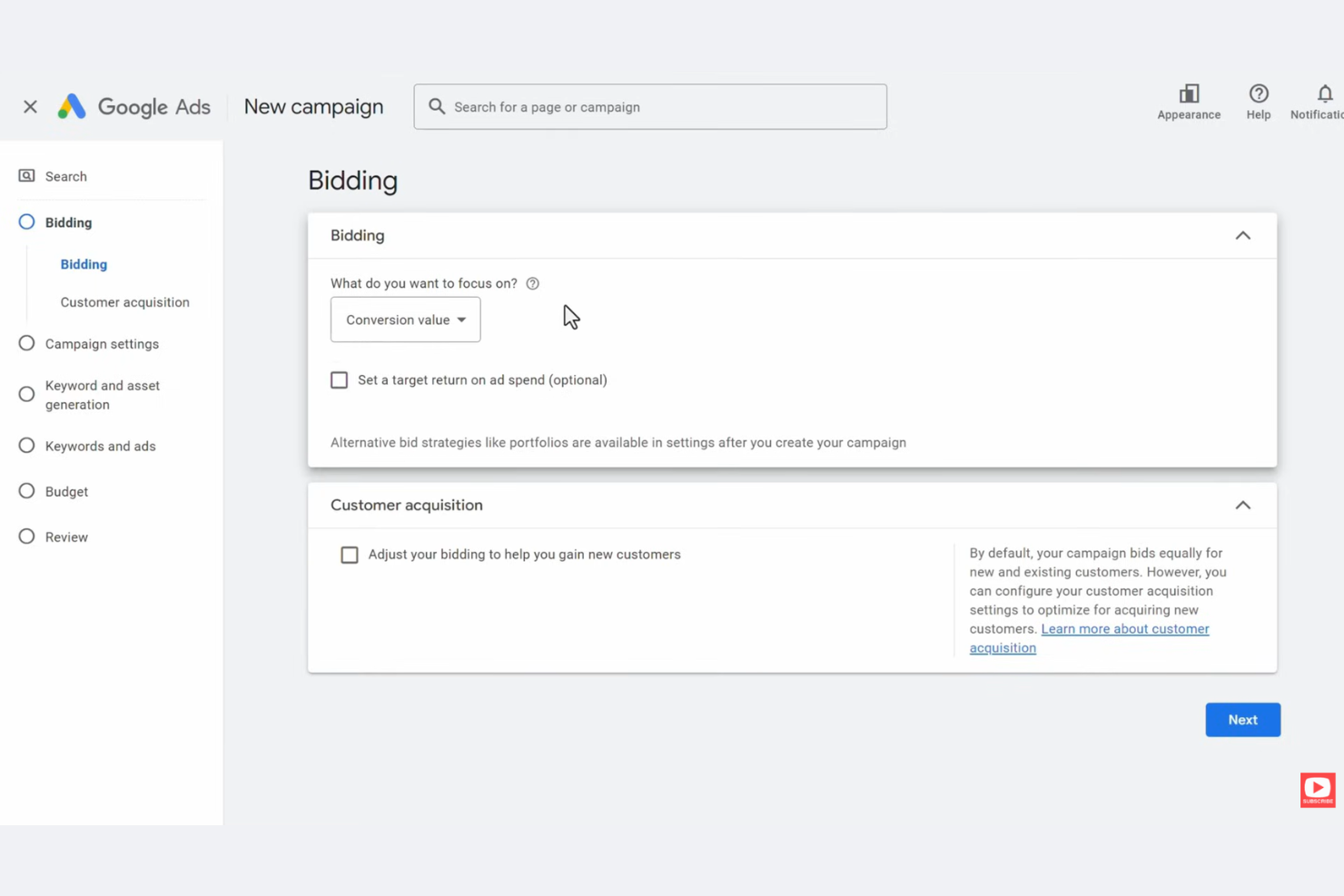
Google Ads is a digital advertising platform designed for marketers who want to reach audiences across Google Search, YouTube, and partner sites. It’s a strong fit for businesses of all sizes looking to manage, automate, and optimize campaigns with AI-driven tools. Teams use Google Ads to handle complex targeting, budget allocation, and performance measurement in one place.
Who Is Google Ads Best For?
Google Ads is a good fit for marketing teams and agencies that need to manage and optimize digital ad campaigns across multiple Google-owned channels.
Why I Picked Google Ads
What makes Google Ads stand out for me is how it brings campaign creation, management, and optimization together in one platform. I picked it because you can set up, monitor, and adjust search, display, and video campaigns from a single dashboard, which is especially useful for teams juggling multiple channels. The platform’s AI-driven recommendations and automated bidding tools help you optimize spend and targeting without manual guesswork. This level of integration is hard to match if you want to manage complex, multi-channel ad strategies efficiently.
Google Ads Key Features
Some other features I found valuable in Google Ads include:
- Responsive search ads: Automatically test multiple headlines and descriptions to find the best-performing combinations for your audience.
- Keyword planner: Research and forecast keyword performance to inform your campaign targeting and budget decisions.
- Audience manager: Build and segment custom audiences based on website activity, app usage, or customer data.
- Conversion tracking: Measure specific actions users take after clicking your ads to understand campaign impact and optimize for results.
Google Ads Integrations
Integrations include Google Analytics, Merchant Center, Google Business Profile, YouTube Ads, Google Ads Mobile App, Performance Max, and Reach Planner.
Pros and Cons
Pros:
- Integrates with Google tools
- Deep intent based targeting
- Auto generates text variants
Cons:
- Eats budgets if unmonitored
- Pushes broad match too much

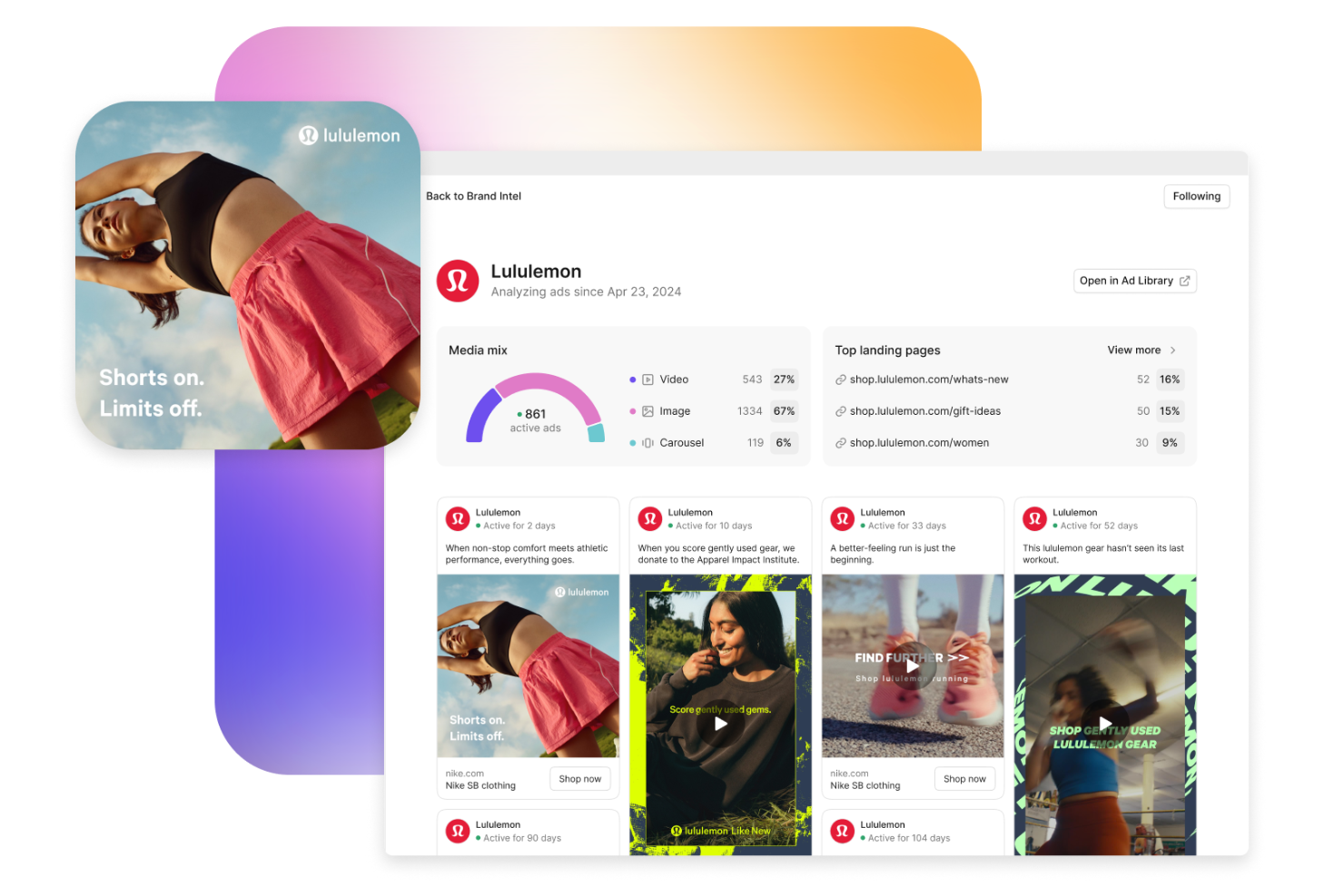
Motion is designed for marketing teams and agencies that want to understand which ad creatives drive results. The platform brings together creative data, performance metrics, and AI-driven insights in one place. If you need to optimize ad spend and make creative decisions based on real performance data, Motion offers a focused solution.
Who Is Motion Best For?
Motion is a strong fit for marketing teams and agencies that need detailed analytics to evaluate and improve ad creative performance.
Why I Picked Motion
What drew me to Motion is its focus on creative performance analytics, which is a key need for teams running high-volume ad campaigns. The platform automatically pulls in creative assets and performance data from your ad accounts, then uses AI to surface trends and actionable insights about what’s working. I like that you can break down results by creative type, audience, and channel, making it easier to spot patterns and optimize future campaigns. For anyone who wants to make data-driven creative decisions, Motion offers a specialized toolkit that goes deeper than standard ad reporting.
Motion Key Features
Some other features that make Motion useful for AI-powered advertising include:
- Creative tagging system: Automatically tags and organizes creative assets for easier filtering and analysis.
- Competitor ad tracking: Monitors and benchmarks your creative performance against competitors’ ads.
- Automated creative reporting: Generates scheduled reports with visual breakdowns of creative effectiveness.
- Collaboration tools: Lets teams comment, share feedback, and manage creative projects within the platform.
Motion Integrations
Integrations include Meta Ads Manager, TikTok Ads Manager, YouTube Ads, Google Analytics, and Northbeam.
Pros and Cons
Pros:
- Great custom metric tracking
- Spots ad fatigue instantly
- Bridges media and design teams
Cons:
- Relies on clean naming rules
- Expensive for smaller agencies
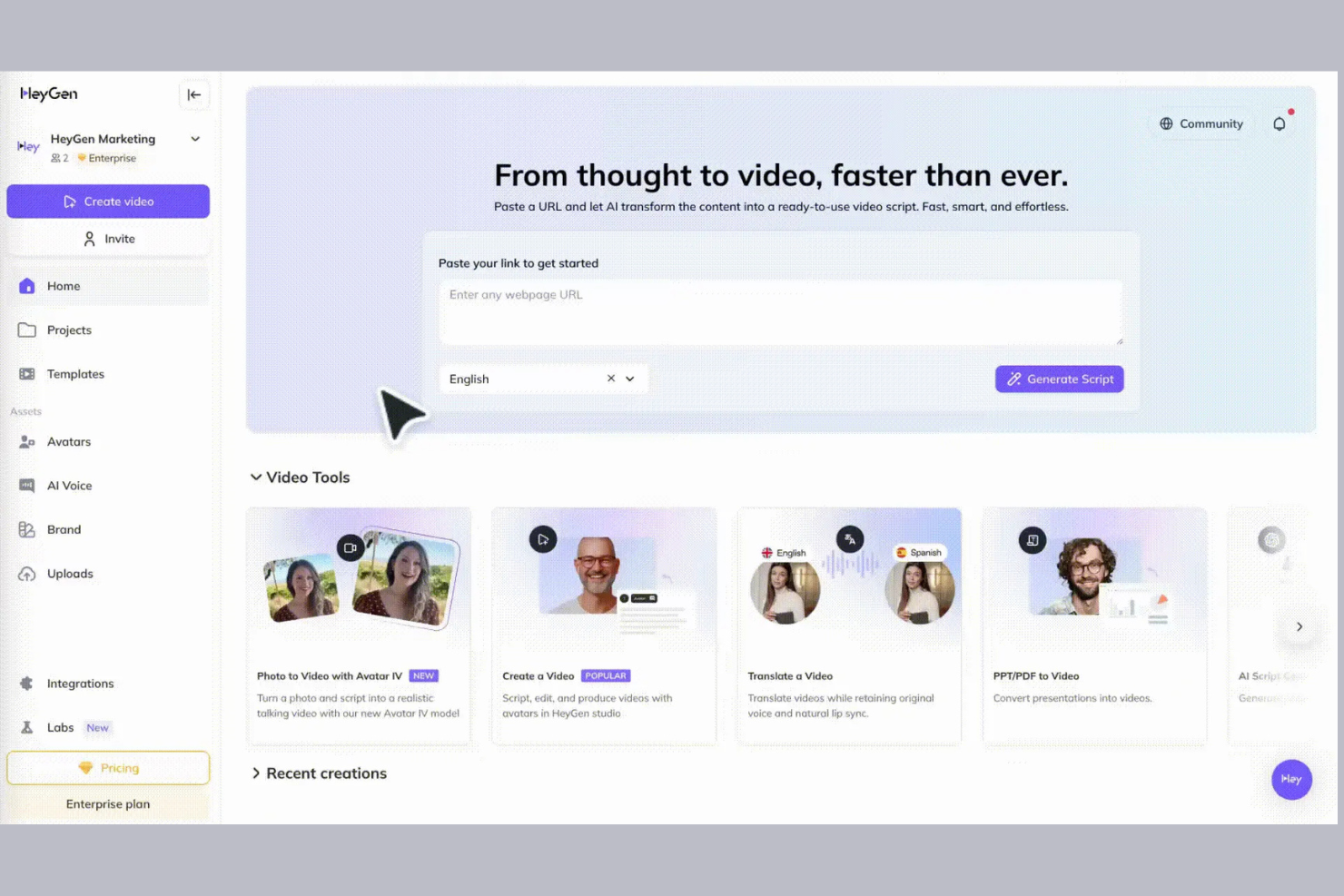
HeyGen offers AI-powered video ad creation designed for marketers and creative teams who want to turn scripts into polished video ads. The platform stands out for its ability to generate videos with customizable avatars and voiceovers, making it appealing to brands seeking a human touch in their advertising. If you need to produce high-quality video ads without a full production crew, HeyGen provides a practical solution.
Who Is HeyGen Best For?
HeyGen is a strong fit for marketing teams and agencies that need to produce script-driven video ads with customizable avatars and voiceovers.
Why I Picked HeyGen
What makes HeyGen stand out for me is its focus on script-based video ad production, which is especially valuable for marketers who want to control messaging and storytelling. The platform lets you input a script and then generates a video using AI avatars and voiceovers, so you can quickly turn written concepts into engaging ads. I also like that you can customize the avatar’s appearance and select from a variety of languages and voices, which helps tailor ads for different audiences. For teams that need to produce high-quality, on-brand video ads without traditional filming, HeyGen’s script-to-video workflow is a practical solution.
HeyGen Key Features
Some other features that make HeyGen useful for AI-driven ad creation include:
- Video background customization: Choose from a range of backgrounds or upload your own to match your brand or campaign.
- Stock media library: Access a built-in library of stock images and video clips to enhance your ads.
- Multi-scene video support: Create ads with multiple scenes to tell a more complete story.
- Team collaboration tools: Invite team members to review, edit, and comment on video projects within the platform.
HeyGen Integrations
Integrations include Canva, ChatGPT, Zapier, Discord, HubSpot, and Salesforce.
Pros and Cons
Pros:
- Easy script to video builder
- Great for spokesperson ads
- Flawless voice translation
Cons:
- Strict terms on clone usage
- Still feels slightly robotic
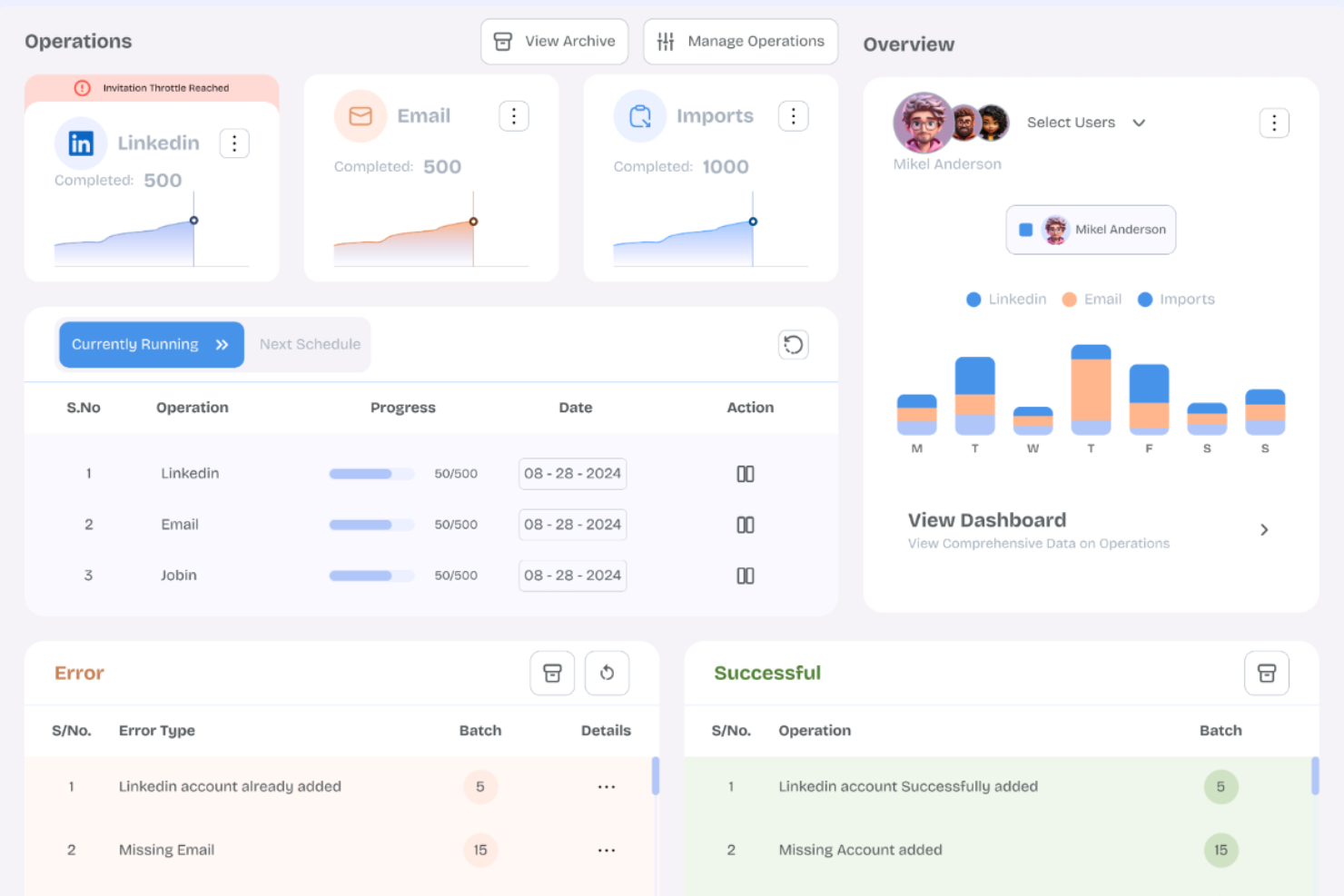
Albert is an AI-driven advertising platform designed for marketing teams managing complex, multi-channel campaigns. It’s a strong fit for brands and agencies looking to automate campaign optimization and scale digital advertising efforts. With Albert, you can address challenges like fragmented data, manual adjustments, and the need for real-time insights across channels.
Who Is Albert Best For?
Albert suits marketing teams at mid-sized to large enterprises that need to automate and optimize digital advertising across multiple channels.
Why I Picked Albert
I chose Albert because its AI-driven approach to cross-channel campaign automation stands out in the crowded advertising technology space. The platform uses machine learning to autonomously manage and optimize campaigns across search, social, and programmatic channels, reducing the need for manual intervention. I appreciate how Albert continuously analyzes performance data and reallocates budgets in real time to maximize results. Its ability to unify campaign management and automate complex workflows makes it a strong fit for teams looking to scale digital advertising efficiently.
Albert Key Features
Some other features I found valuable in Albert include:
- Audience segmentation: Segment audiences based on behavior, demographics, and engagement data for more precise targeting.
- Creative testing: Run automated A/B tests on ad creatives to identify top-performing variations.
- Predictive analytics: Use AI-powered forecasting to anticipate campaign outcomes and inform strategy adjustments.
- Automated reporting: Generate real-time, customizable reports that track campaign performance across all channels.
Albert Integrations
Integrations include Google Ads, Facebook, Instagram, YouTube, TikTok, Bing, DV360, LinkedIn, Zoho One, and Shareaholic.
Pros and Cons
Pros:
- Great for enterprise brands
- Scales ad spend efficiently
- 24/7 real time adjustments
Cons:
- Steep learning curve for team
- Setup takes significant time

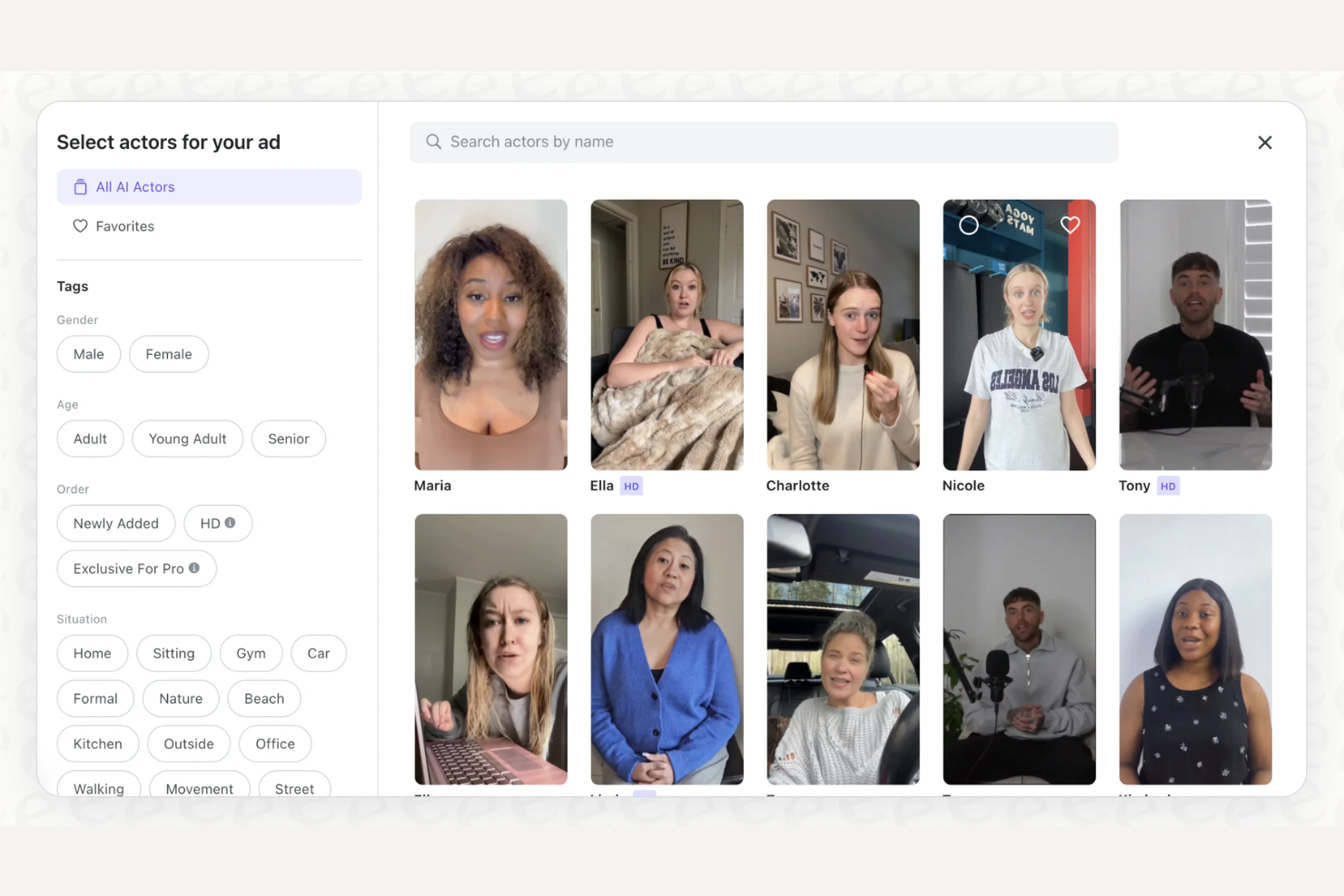
If you’re looking to create video ads with AI-generated actors, Arcads offers a specialized solution for marketing and creative teams. The platform lets you produce custom video content without hiring on-camera talent or video crews. Arcads is a fit for businesses that want to scale video ad production while maintaining control over messaging and brand visuals.
Who Is Arcads Best For?
Arcads is a good fit for marketing teams and agencies that need to produce high volumes of video ads with customizable AI-generated presenters.
Why I Picked Arcads
What stands out about Arcads is its ability to generate AI video actors that you can fully customize for your brand’s ads. This is especially valuable for marketers who want to create diverse, on-brand video content without relying on stock footage or expensive shoots. The platform lets you adjust the appearance, voice, and script of each AI actor, so you can tailor messaging for different audiences or campaigns. For teams focused on scaling video ad production while maintaining creative control, Arcads offers a unique and flexible solution.
Arcads Key Features
Some other features that make Arcads useful for AI-driven ad creation include:
- Script import and editing: Upload or write scripts directly in the platform for your AI actors to deliver.
- Multi-language support: Generate video ads with AI actors speaking in multiple languages for global campaigns.
- Brand asset library: Store and manage logos, images, and other brand assets for quick use in video projects.
- Video export options: Download finished videos in various formats and resolutions for use across different ad platforms.
Arcads Integrations
Integrations include Shopify, TikTok Ads, Meta Ads, and Zapier.
Pros and Cons
Pros:
- Extremely fast rendering time
- Translates ads to languages
- Great lip sync tech included
Cons:
- Gestures feel repetitive
- Credit system gets expensive
Other AI Advertising Tools
Here are some additional AI advertising tools options that didn’t make it onto my shortlist, but are still worth checking out:
- Improvado
For unifying cross-channel ad data
- Jasper
For brand voice consistency in ad copy
- DFIRST AI
For automated campaign strategy suggestions
- Canva Grow
For rapid visual ad creation
- Predis.ai
For generating ad creatives from text prompts


AI Advertising Tools Selection Criteria
When selecting the best AI advertising tools to include in this list, I considered common buyer needs and pain points like generating high-quality ad creatives quickly and managing ad content across multiple channels. I also used the following framework to keep my evaluation structured and fair:
Core Functionality (25% of total score)
To be considered for inclusion in this list, each solution had to fulfill these common use cases:
- Generate ad creatives using AI
- Support multiple ad formats and channels
- Enable script or text-based ad creation
- Offer basic editing and customization tools
- Export or publish ads to marketing platforms
Additional Standout Features (25% of total score)
To help further narrow down the competition, I also looked for unique features, such as:
- AI-powered video avatar generation
- Multilingual voiceover and translation support
- Automated campaign performance suggestions
- Built-in stock media libraries
- Team collaboration and approval workflows
Usability (10% of total score)
To get a sense of the usability of each system, I considered the following:
- Simple and intuitive user interface
- Clear navigation between features
- Minimal steps to create and export ads
- Responsive design for different devices
- Accessible help and tooltips throughout the platform
Onboarding (10% of total score)
To evaluate the onboarding experience for each platform, I considered the following:
- Availability of step-by-step product tours
- Access to training videos and tutorials
- Pre-built templates for quick start
- In-app chatbots or guided support
- Webinars or live onboarding sessions
Customer Support (10% of total score)
To assess each software provider’s customer support services, I considered the following:
- Multiple support channels like chat and email
- Fast response times to inquiries
- Access to a searchable help center
- Availability of dedicated account managers
- Community forums or user groups
Value For Money (10% of total score)
To evaluate the value for money of each platform, I considered the following:
- Transparent and flexible pricing plans
- Free trials or freemium options
- Features included at each pricing tier
- No hidden fees or surprise charges
- Discounts for annual or volume commitments
Customer Reviews (10% of total score)
To get a sense of overall customer satisfaction, I considered the following when reading customer reviews:
- Consistent positive feedback on results
- Reports of reliable platform performance
- Praise for customer support quality
- User comments on feature usefulness
- Feedback on ease of adoption and ROI
How to Choose AI Advertising Tools
It’s easy to get bogged down in long feature lists and complex pricing structures. To help you stay focused as you work through your unique software selection process, here’s a checklist of factors to keep in mind:
| Factor | What to Consider |
|---|---|
| Scalability | Will the tool handle increased ad volume or new channels as your campaigns grow? Check for user limits, asset caps, or workflow bottlenecks. |
| Integrations | Does the tool connect natively with your ad platforms, analytics, or creative tools? Avoid manual exports or workarounds that slow your process. |
| Customizability | Can you tailor templates, workflows, or outputs to match your brand and campaign needs? Look for flexible settings, not just preset options. |
| Ease of use | How quickly can your team learn and use the tool? Consider the learning curve for both technical and non-technical users. |
| Implementation and onboarding | What resources or time are needed to get started? Ask about migration support, training, and how soon you can launch your first campaign. |
| Cost | Are pricing tiers clear and predictable as usage grows? Watch for hidden fees, overage charges, or required add-ons. |
| Security safeguards | Does the tool meet your company’s data privacy and security standards? Ask about encryption, user permissions, and compliance certifications. |
| Support availability | What support channels are offered, and during what hours? Consider if you’ll need live chat, phone, or dedicated account management for urgent issues. |
What Are AI Advertising Tools?
AI advertising tools are software platforms that use artificial intelligence to automate, optimize, and personalize digital advertising tasks. These tools can generate ad creatives, analyze campaign performance, and suggest targeting strategies based on data patterns. Marketing teams use them to speed up ad production, improve targeting accuracy, and manage campaigns across multiple channels with less manual effort.
Features
When selecting AI advertising tools, keep an eye out for the following key features:
- AI-powered creative generation: Deploys AI agents to automatically produce ad copy, images, or videos based on your input, supporting rapid campaign launches.
- Audience targeting optimization: Uses data analysis and machine learning to identify and refine the best audiences for your ads, improving relevance and reach.
- Performance analytics dashboard: Centralizes campaign metrics and insights, allowing you to monitor results, compare creatives, and make data-driven decisions.
- Multi-channel campaign management: Lets you create, schedule, and manage ads across platforms like social media, search, and display from a single interface.
- A/B testing automation: Runs experiments on different ad variations, automatically tracking which versions perform best and recommending improvements.
- Dynamic content personalization: Customizes ad creatives and messaging in real time based on user data, behaviors, or segments to boost engagement.
- Integration with ad platforms: Connects directly to major advertising networks and tools, streamlining campaign setup, reporting, and optimization.
- Compliance and brand safety controls: Ensures ads meet regulatory requirements and brand guidelines, reducing risk and maintaining consistency.
- Collaboration and approval workflows: Supports team-based editing, feedback, and sign-off processes to keep campaigns on track and stakeholders aligned.
Benefits
Implementing AI advertising tools provides several benefits for your team and your business. Here are a few you can look forward to:
- Faster ad production: AI-driven creative generation and automation features help your team launch campaigns quickly without waiting on manual design or copywriting.
- Improved targeting accuracy: Machine learning algorithms analyze data to refine audience segments, ensuring your ads reach the most relevant users.
- Consistent brand messaging: Built-in compliance and brand safety controls help maintain your brand’s voice and standards across all campaigns.
- Data-driven decision making: Centralized analytics dashboards and automated A/B testing provide actionable insights to optimize ad performance.
- Simplified multi-channel management: Unified interfaces and integrations allow you to manage campaigns across multiple platforms from one place.
- Enhanced collaboration: Team workflows and approval processes keep everyone aligned and speed up campaign review cycles.
- Scalable campaign execution: Automated processes and flexible tools make it easier to handle increased ad volume as your business grows.
Costs & Pricing
Selecting AI advertising tools requires an understanding of the various pricing models and plans available. Costs vary based on features, team size, add-ons, and more. The table below summarizes common plans, their average prices, and typical features included in AI advertising tools solutions:
Plan Comparison Table for AI Advertising Tools
| Plan Type | Average Price | Common Features |
|---|---|---|
| Free Plan | $0 | Basic creative generation, limited ad formats, watermarked exports, and access to community support. |
| Personal Plan | $19-$110/month | Standard creative tools, more export options, basic analytics, and limited integrations. |
| Business Plan | $49-$250/month | Multi-channel management, advanced analytics, team collaboration, and priority support. |
| Enterprise Plan | $500+/month | Custom integrations, dedicated account management, enhanced security, and advanced workflow controls. |
AI Advertising Tools FAQs
Here are some answers to common questions about AI advertising tools:
How do AI advertising tools improve ad performance?
AI advertising tools improve ad performance by analyzing large datasets to identify trends, optimize targeting, and suggest creative adjustments. This helps your team make data-driven decisions, test new ideas quickly, and allocate budget to the highest-performing ads.
Can AI advertising tools integrate with existing marketing platforms?
Yes, most AI advertising tools offer integrations with popular ad networks, analytics platforms, and creative tools. This allows you to manage campaigns, track results, and sync data without switching between multiple systems.
Are AI advertising tools suitable for small teams or solo marketers?
Yes, many AI advertising tools offer plans and features designed for small teams or individual users. These often include simplified interfaces, templates, and automation to help users with limited resources create and manage effective ad campaigns.
What data privacy considerations should I keep in mind?
You should ensure the tool complies with relevant data privacy regulations and offers features like user permissions, encryption, and secure data storage. Always review the vendor’s privacy policy and ask about compliance with standards like GDPR or CCPA.
How long does it take to implement an AI advertising tool?
Implementation time varies, but many tools offer quick onboarding with product tours, templates, and support resources. For more complex setups, especially at the enterprise level, expect a longer process involving integrations and team training.