


WebinarGeek vs. GoTo Webinar: Comparison and Expert Reviews for 2026


If webinars are a key part of how you generate leads, educate customers, or drive revenue, the platform you choose matters more than you think. You need something that’s easy to use, reliable when it counts, and flexible enough to support everything from live events to automated campaigns.
In this article, you’ll get a side-by-side look at two popular webinar software solutions: WebinarGeek and GoTo Webinar, so you can confidently pick the platform that fits your goals, team, and audience.
WebinarGeek vs. GoTo Webinar: An Overview
WebinarGeek
GoTo Webinar
Why Trust Our Software Reviews
We’ve been testing and reviewing marketing software since 2022. As marketing experts ourselves, we know how critical and difficult it is to make the right decision when selecting software.
We invest in deep research to help our audience make better software purchasing decisions. We’ve tested more than 2,000 tools for different marketing use cases and written over 1,000 comprehensive software reviews. Learn how we stay transparent & our software review methodology.
WebinarGeek vs. GoTo Webinar Pricing Comparison
| WebinarGeek | GoTo Webinar | |
|---|---|---|
| Free Trial | 14-day free trial | 30-day free trial + free demo available |
| Pricing | From $65/month (billed annually) | From $62/month (billed annually) |
WebinarGeek vs. GoTo Webinar Pricing & Hidden Costs
WebinarGeek uses a tiered subscription model with plans based on the number of viewers, session duration, and included features. You can upgrade, downgrade, or cancel at any time. Some advanced features—like extra users, localization, branding profiles, and certain integrations—are available as add-ons for an extra fee. This means your costs can increase if you need more customization or advanced integrations as your webinars grow.
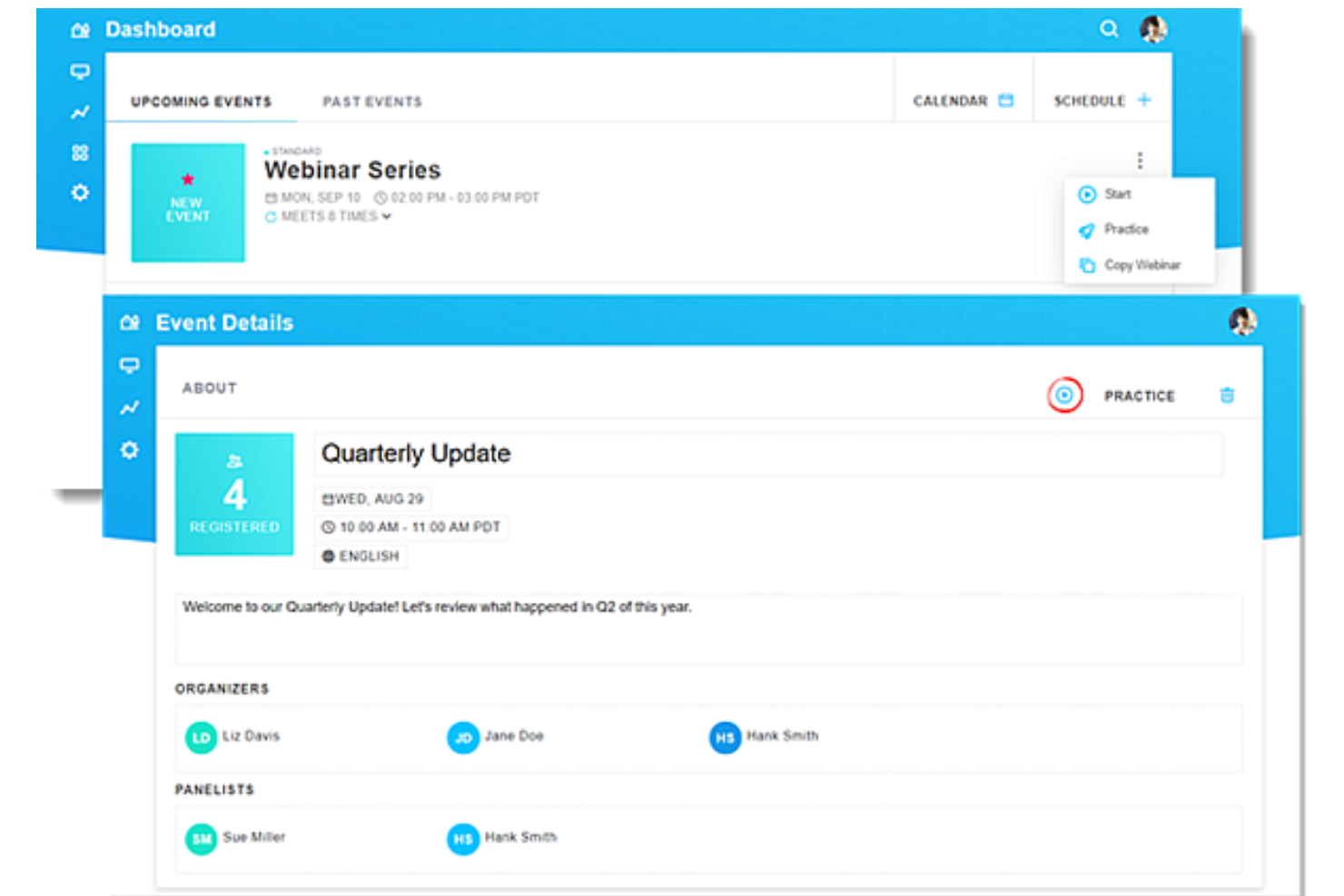
GoTo Webinar also uses tiered pricing, but its structure is more closely tied to attendee limits and the number of organizers. For example, entry-level plans start around 500 participants with one organizer, while higher tiers increase both capacity and team access. Most core features—such as registration pages, automated emails, analytics, and engagement tools—are included in the base plans, with more advanced capabilities (like breakout rooms, AI summaries, or higher storage limits) available in higher tiers.
To choose the right pricing model, start by mapping out your expected webinar size, frequency, and must-have features. List any integrations or branding needs you can’t compromise on. Then, compare what’s included in each vendor’s base plan versus what requires an upgrade or add-on. This approach helps you avoid surprise costs and ensures you’re investing in a platform that fits your current needs and future growth.
WebinarGeek vs. GoTo Webinar Feature Comparison
Both WebinarGeek and GoTo Webinar cover the core features you’d expect from a modern all-in-one webinar platform. You can host live and automated sessions, build registration pages, send automated emails, and engage audiences with tools like screen sharing, polls, Q&A, and chat. Both also offer analytics to track attendance and engagement, along with integrations that connect webinar data to your marketing and sales workflows.
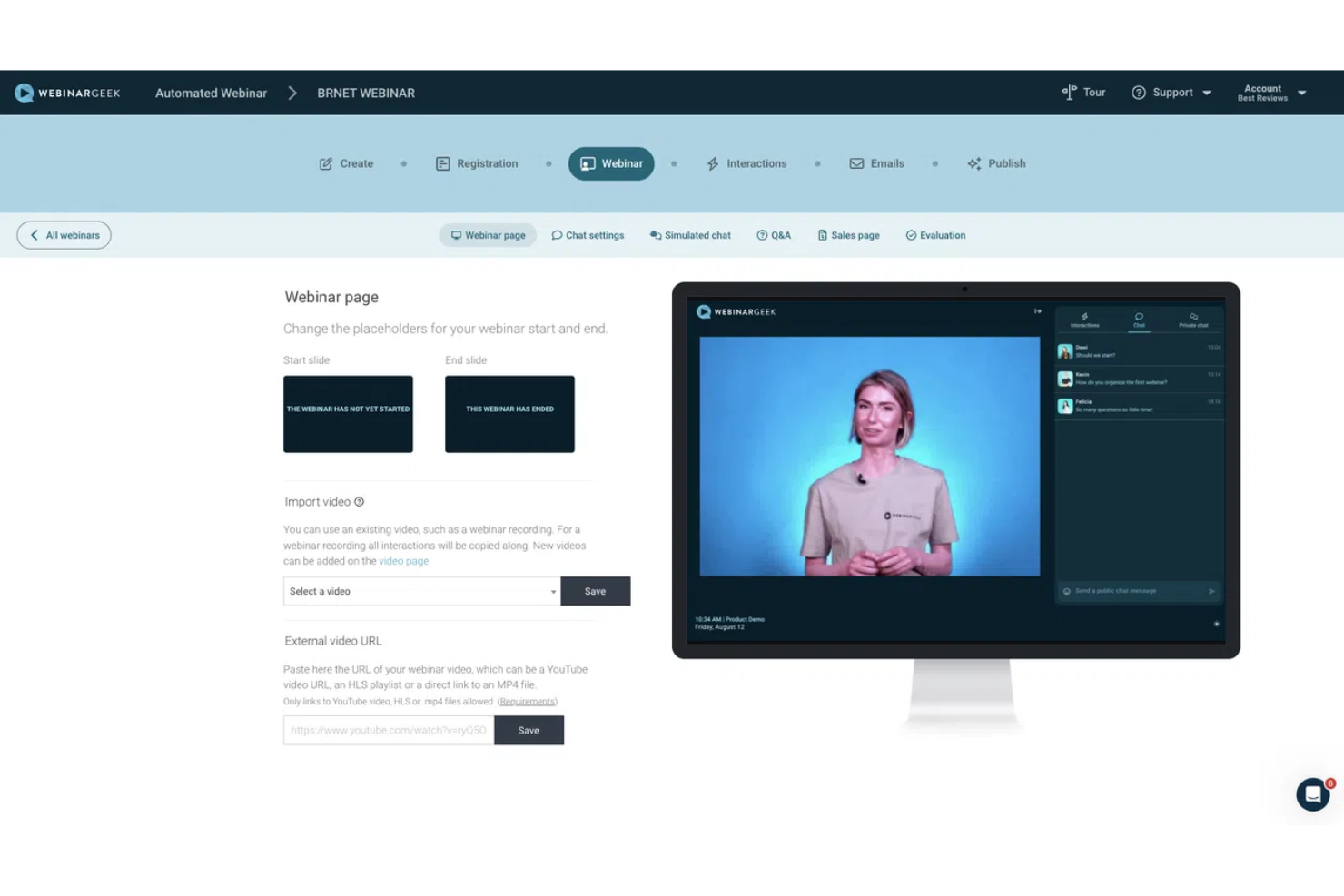
Where they start to differ is in how they approach specific functionality. WebinarGeek leans into marketing and automation, with unique features like simulated engagement (chat, polls, and quizzes) for automated webinars and highly customizable, branded webinar experiences. GoTo Webinar, on the other hand, stands out with tools like GoToStage—a built-in platform for sharing and promoting recorded webinars to a broader audience—and webcast mode for large-scale browser-based events.
| WebinarGeek | GoTo Webinar | |
|---|---|---|
| API | ||
| Calendar Management | ||
| Chat | ||
| Contact Management | ||
| Contact Sharing | ||
| Email Integration | ||
| External Integrations | ||
| Google Apps Integration | ||
| History/Version Control | ||
| Multi-User | ||
| Notifications | ||
| Project Management | ||
| Scheduling |
WebinarGeek vs. GoTo Webinar Integrations
| Integration | WebinarGeek | GoTo Webinar |
| HubSpot | ✅ | ✅ |
| Mailchimp | ✅ | ❌ |
| Salesforce | ✅ | ✅ |
| ActiveCampaign | ✅ | ❌ |
| Microsoft Teams | ❌ | ✅ |
| Slack | ❌(via Zapier) | ✅ |
| Marketo | ✅ | ✅ |
| Pipedrive | ✅ | ✅ |
| API | ✅ | ✅ |
| Zapier | ✅ | ✅ |
WebinarGeek and GoTo Webinar both integrate with key CRM and marketing tools, and both offer API access and Zapier connections to extend functionality across hundreds of other apps. WebinarGeek stands out for its native integrations with tools like Mailchimp and ActiveCampaign—making it especially strong for marketing automation workflows—though some integrations like HubSpot and Salesforce require paid add-ons. GoTo Webinar, on the other hand, offers native integrations with tools like Slack and Microsoft Teams and generally offers a broader set of out-of-the-box options for general business and communication ecosystems.
WebinarGeek vs. GoTo Webinar Security, Compliance & Reliability
| Factor | WebinarGeek | GoTo Webinar |
| Data Privacy | GDPR-compliant, with data stored in the EU and strong privacy controls. | Supports GDPR compliance and operates across multiple regions. |
| Encryption | Uses end-to-end encryption for all webinar streams and recordings. | Provides encryption in transit and at rest for all data and sessions. |
| Uptime Guarantee | Offers a 99.9% uptime SLA on the enterprise plan, with real-time status monitoring. | Delivers high uptime and robust failover systems for reliability. |
| Access Controls | Includes 2FA, IP restrictions, and registration-based access controls. | Supports role-based access and secure attendee entry with authentication. |
| Compliance Audits | Focuses on GDPR and DPA agreements but does not publicly list certifications like SOC 2 or ISO 27001. | Offers enterprise-grade security practices, though certification details should be confirmed with the vendor. |
Both providers offer solid security foundations, but they differ in how transparent and enterprise-focused their posture is. WebinarGeek emphasizes GDPR compliance, EU data residency, and practical access controls, making it a strong choice for privacy-focused teams. GoTo Webinar, meanwhile, is built on more established infrastructure with broader enterprise positioning, which may appeal to organizations with stricter compliance or global deployment needs—but specific certifications should be verified during procurement.
WebinarGeek vs. GoTo Webinar Ease of Use
| Factor | WebinarGeek | GoTo Webinar |
| User Interface | Features a clean, modern dashboard with user-friendly drag-and-drop editors for pages and emails. | Uses a more traditional interface that’s familiar to experienced users but may feel less modern. |
| Onboarding | Offers a self-serve onboarding experience with guided tutorials, demo webinars, and in-app walkthroughs. | Provides setup guidance, templates, and extensive help documentation. |
| Setup Process | Lets you launch and host webinars quickly with simple scheduling, branding tools, and built-in workflows. | Setup is straightforward but can involve more configuration depending on event complexity. |
| Customer Support | Provides live chat and support during business hours, along with a detailed help center. | Offers support resources including documentation and customer support, with availability depending on plan. |
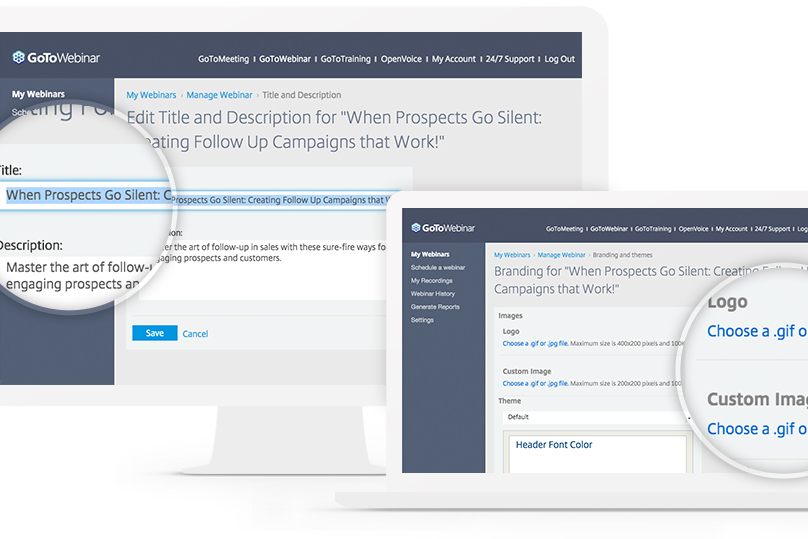
| Customization | Allows easy branding and interactive elements without technical skills. | Supports customization and event configuration, though some features may require more setup. |
WebinarGeek is generally easier for beginners, small teams, and mid-sized organizations, thanks to its browser-based setup, guided onboarding, and focus on simplicity. GoTo Webinar, on the other hand, offers a more traditional experience that can feel familiar to experienced
WebinarGeek vs GoTo Webinar: Pros & Cons
WebinarGeek
- Provides detailed viewer-level analytics and performance insights within the webinar tool.
- Strong branding and customization options (pages, emails, domains).
- Supports multiple webinar formats, including live, automated, hybrid, and on-demand.
- The number of features can feel overwhelming for first-time users, though the basic plan lets you start small.
- No native breakout rooms (workarounds required).
- Some key integrations (e.g., HubSpot, Salesforce) require paid add-ons on lower-tier plans.
GoTo Webinar
- Interactive features like polls, Q&A, and breakout rooms.
- Built-in analytics and reporting for attendee engagement.
- Reliable performance for large-scale live webinars.
- Fewer branding options for registration and event pages.
- Limited automation for follow-up and nurture workflows.
- Dated interface compared to newer webinar platforms.
Best Use Cases for WebinarGeek and GoTo Webinar
WebinarGeek
- Demand Generation & Sales Teams WebinarGeek is well-suited for generating and nurturing leads through webinars, with built-in registration pages, automated emails, integrations, and analytics that help track engagement and conversion.
- Customer Enablement Teams can use live or hybrid webinars to deliver product demos, onboard customers, and share knowledge at scale, combining pre-recorded content with live interaction where needed.
- Evergreen Webinar Programs Automated and on-demand professional webinars—enhanced with simulated chat and interactions—make it easier to scale repeatable content while maintaining an engaging experience.
- Education & Training Interactive features like polls, Q&A, and assessments support learning and participation, making WebinarGeek a good fit for training programs, courses, and internal knowledge sharing.
- Internal Communication WebinarGeek can be used for internal updates, live event town halls, and company-wide communication, especially when broadcasting to larger audiences is more important than small-group collaboration.
- Healthcare & Professional Services Webinars provide a low-cost, accessible way to share expertise, connect with peers, and deliver live streaming and informational sessions without requiring in-person events.
GoTo Webinar
- Enterprise Training GoTo Webinar supports high attendee counts and robust video conferencing registration management.
- Higher Education The platform’s Q&A, polls, and breakout rooms enhance virtual lectures.
- Marketing Teams Built-in analytics and lead capture tools support campaign measurement.
- Healthcare Providers HIPAA-compliant options and secure access suit patient education events.
- HR Departments Automated reminders and attendance tracking simplify onboarding webinars.
- Professional Associations Reliable large-event hosting fits member updates and certification sessions.
Who Should Use WebinarGeek, and Who Should Use GoTo Webinar?
If you want a webinar platform that makes smart use of AI (e.g., AI-powered subtitles and insights) and is easy to launch, simple to manage, and built for marketing-driven results, WebinarGeek is likely the better fit. It works especially well if you’re running repeatable webinar campaigns, need strong branding and automation, and don’t want to rely on technical support to get things live. You’ll get the most value if you’re a small business or mid-sized team focused on lead generation, customer (or general) education, or ongoing webinar programs.
GoTo Webinar makes more sense if you need a platform that can handle larger-scale virtual events and fits into a broader business or enterprise environment. If you’re managing bigger audiences, multiple organizers, or more structured internal and external events, its setup and feature depth may suit you better. It’s a stronger choice when reliability, scale, and alignment with existing business tools matter more than ease of use alone.
Differences Between WebinarGeek and GoTo Webinar
| WebinarGeek | GoTo Webinar | |
|---|---|---|
| Artificial Intelligence | More powerful uses of AI, with AI analysis, captions, and automated summaries. | Offers AI summaries and transcripts in higher tiers. |
| Automation | Strong support for automated, hybrid, and on-demand webinars with built-in tools. | Supports pre-recorded and on-demand webinars, but less focused on automation workflows. |
| Engagement Tools | Includes chat, polls, quizzes, CTAs, and simulated engagement for automated webinars. | Includes polls, Q&A, handouts, and engagement dashboards. |
| User Interface | Modern, intuitive dashboard designed for quick setup and ease of use. | Classic interface with more options, but a steeper learning curve. |
| Webinar Formats | Supports live streaming, automated, hybrid, on-demand, and paid webinars. | Supports online events that are live, pre-recorded, and on-demand. |
| Visit WebinarGeekOpens new window | Read GoTo Webinar ReviewOpens new window |
Similarities Between WebinarGeek and GoTo Webinar
| API & Zapier Access | WebinarGeek and GoTo Webinar both support API and Zapier integrations, making it easy to connect with other tools. |
|---|---|
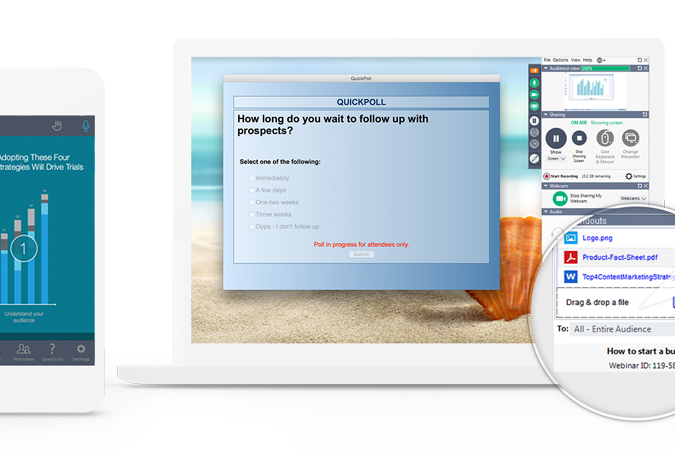
| Live Webinar Hosting | Both platforms let you host live webinars with interactive features like polls, Q&A, and chat to boost engagement. |
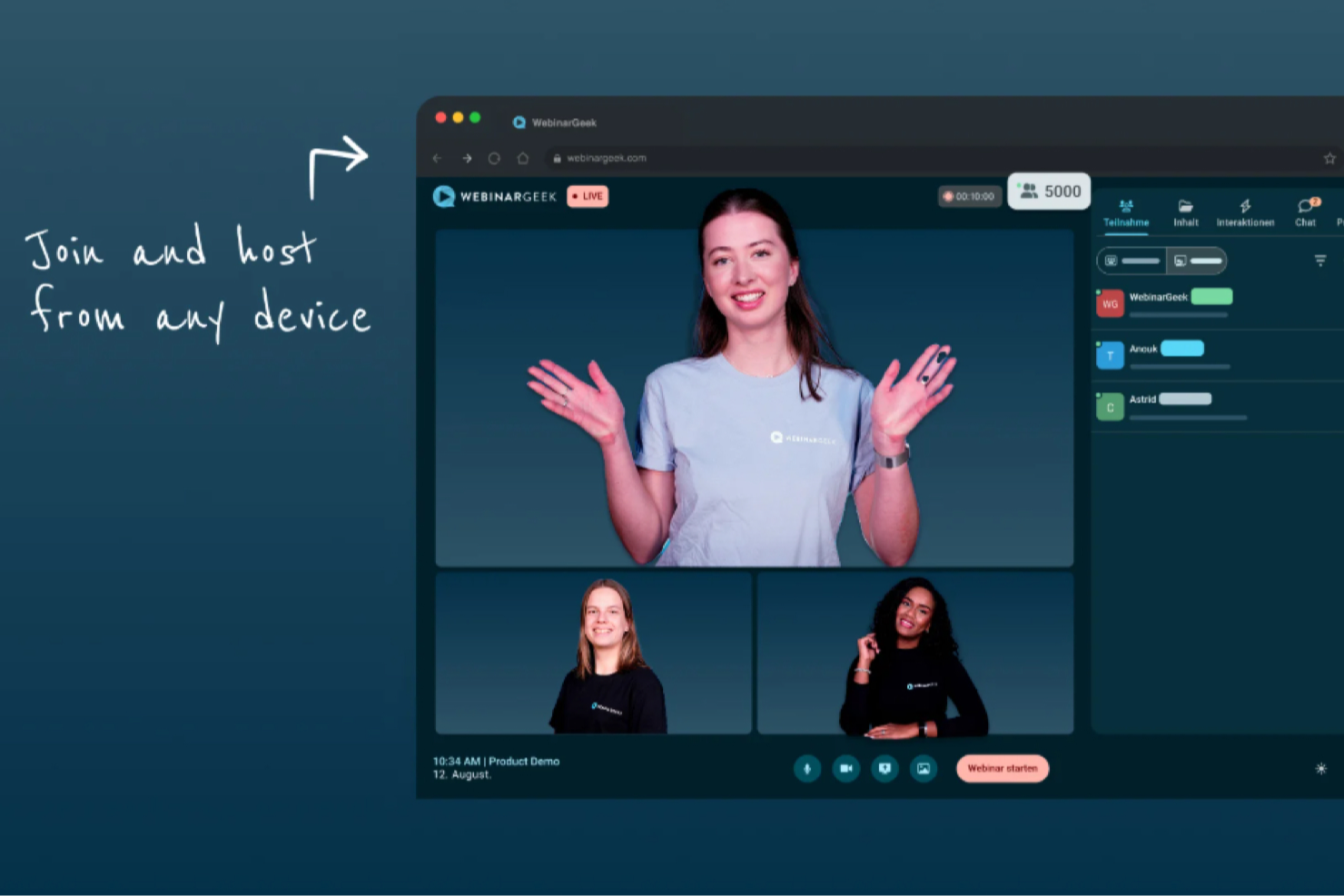
| Multi-Device Support | Both solutions work smoothly on desktop and mobile devices, so attendees can join from anywhere with a stable connection. |
| Registration Pages | Both offer customizable registration pages, allowing you to collect attendee information and brand the experience. |
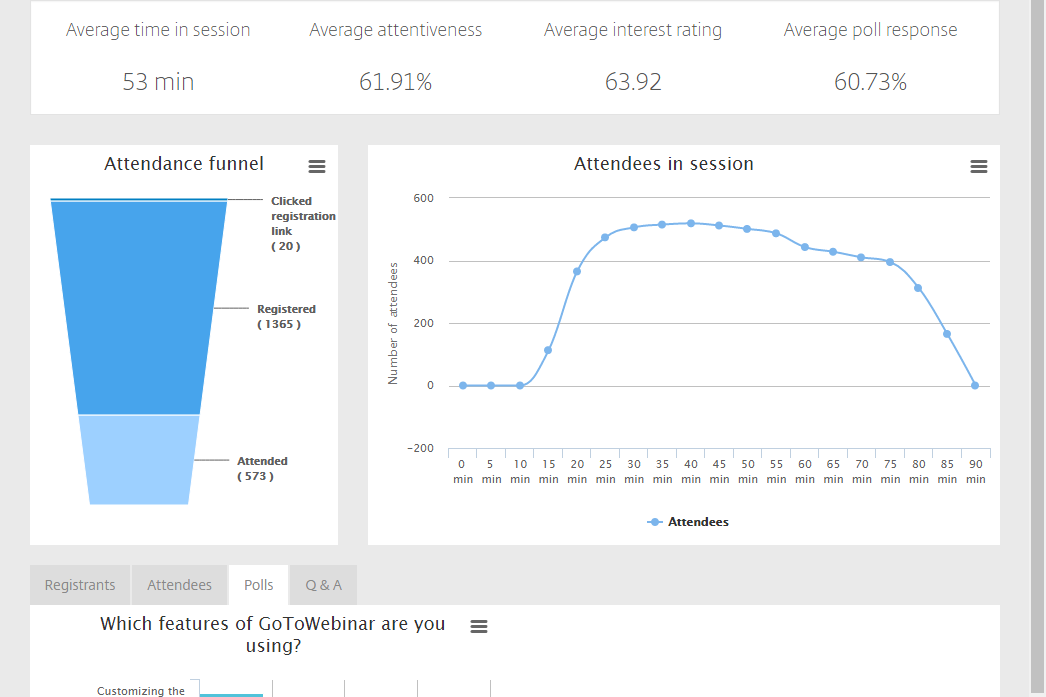
| Reporting & Analytics | Each tool provides detailed analytics dashboards, letting you track attendance, engagement, and follow-up actions. |
| Visit WebinarGeekOpens new window Read GoTo Webinar ReviewOpens new window | |