

Birdeye Review: Pros, Cons, Features and Pricing


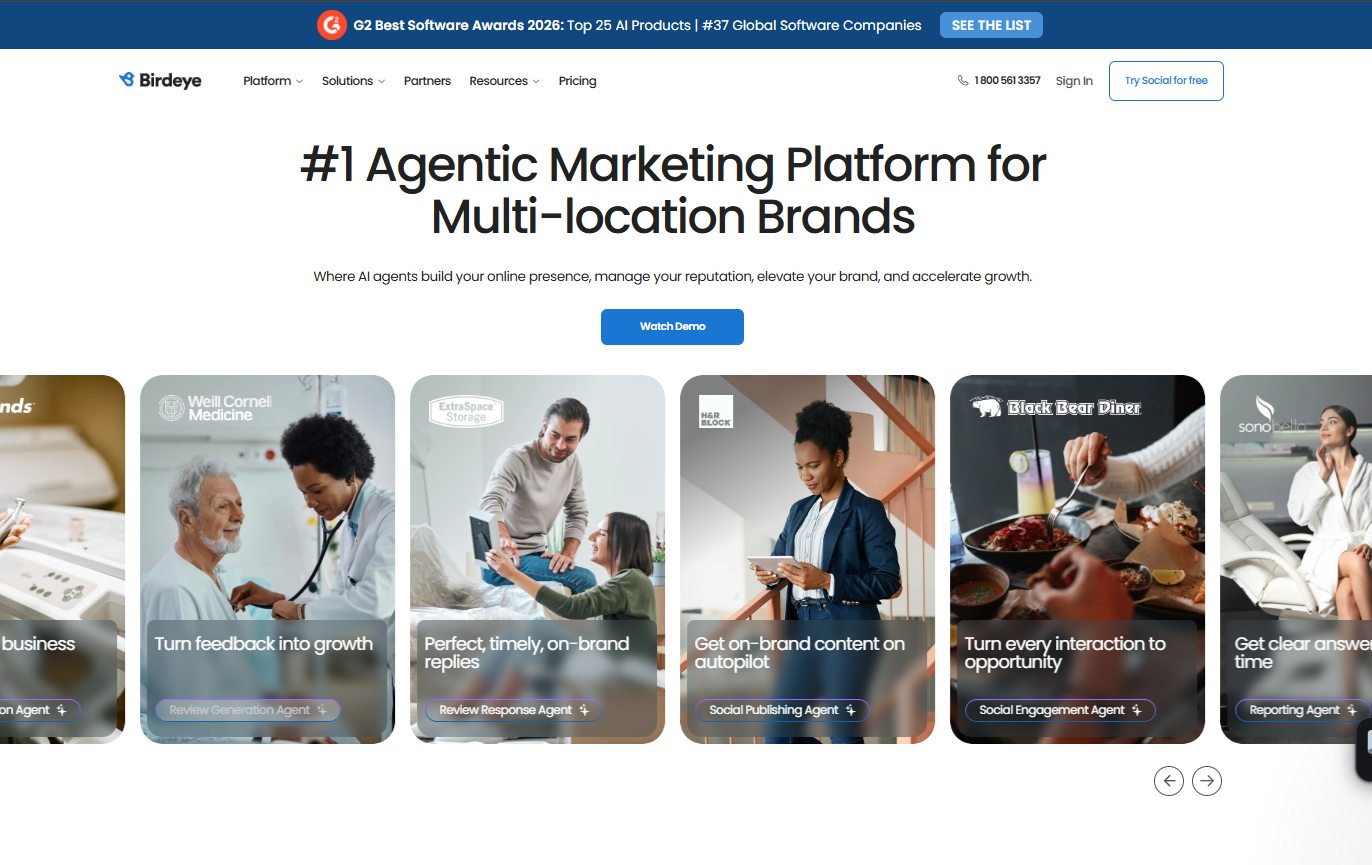
Birdeye is a reputation management software that helps businesses manage customer reviews and improve online presence. It best serves small to medium-sized businesses, especially local businesses in the hospitality and healthcare industries, like restaurants and clinics. Birdeye offers valuable insights to elevate your brand's reputation.
Birdeye addresses issues like negative reviews and customer engagement for marketing and customer service teams. In this article, I'll cover Birdeye's features, pros and cons, use cases, and pricing, so you can decide if it aligns with your reputation management needs and goals.
Birdeye Evaluation Summary
- Pricing upon request
- Free demo available
Why Trust Our Software Reviews
We’ve been testing and reviewing marketing software since 2022. As marketing experts ourselves, we know how critical and difficult it is to make the right decision when selecting software.
We invest in deep research to help our audience make better software purchasing decisions. We’ve tested more than 2,000 tools for different marketing use cases and written over 1,000 comprehensive software reviews. Learn how we stay transparent & our software review methodology.
Birdeye Overview
In my opinion, Birdeye is a solid choice for businesses seeking reputation management software. It offers a user-friendly interface and helpful features, though it may lag slightly behind competitors in onboarding and customer support. Birdeye excels in industries like healthcare and hospitality, providing valuable insights for businesses looking to enhance their online presence. While the pricing is fair, some users might find better support elsewhere. If you're deciding on a tool for managing reviews and customer interactions, Birdeye is worth considering, especially for small to medium-sized enterprises.
pros
-
You can easily manage customer reviews from one place.
-
Your team will benefit from real-time alerts for new reviews.
-
It helps improve your online visibility and presence.
cons
-
The onboarding process can be a bit challenging for new users.
-
Customer support sometimes takes longer to respond than expected.
-
The user interface might feel less intuitive compared to other tools.
-

Eloqua
Visit WebsiteThis is an aggregated rating for this tool including ratings from Crozdesk users and ratings from other sites.4.4 -
Optimizely
Visit WebsiteThis is an aggregated rating for this tool including ratings from Crozdesk users and ratings from other sites.4.2 -
Uberflip
Visit WebsiteThis is an aggregated rating for this tool including ratings from Crozdesk users and ratings from other sites.4.3




How We Test & Score Tools
We’ve spent years building, refining, and improving our software testing and scoring system. The rubric is designed to capture the nuances of software selection and what makes a tool effective, focusing on critical aspects of the decision-making process.
Below, you can see exactly how our testing and scoring works across seven criteria. It allows us to provide an unbiased evaluation of the software based on core functionality, standout features, ease of use, onboarding, customer support, integrations, customer reviews, and value for money.
Core Functionality (25% of final scoring)
The starting point of our evaluation is always the core functionality of the tool. Does it have the basic features and functions that a user would expect to see? Are any of those core features locked to higher-tiered pricing plans? At its core, we expect a tool to stand up against the baseline capabilities of its competitors.
Standout Features (25% of final scoring)
Next, we evaluate uncommon standout features that go above and beyond the core functionality typically found in tools of its kind. A high score reflects specialized or unique features that make the product faster, more efficient, or offer additional value to the user.
We also evaluate how easy it is to integrate with other tools typically found in the tech stack to expand the functionality and utility of the software. Tools offering plentiful native integrations, 3rd party connections, and API access to build custom integrations score best.
Ease of Use (10% of final scoring)
We consider how quick and easy it is to execute the tasks defined in the core functionality using the tool. High scoring software is well designed, intuitive to use, offers mobile apps, provides templates, and makes relatively complex tasks seem simple.
Onboarding (10% of final scoring)
We know how important rapid team adoption is for a new platform, so we evaluate how easy it is to learn and use a tool with minimal training. We evaluate how quickly a team member can get set up and start using the tool with no experience. High scoring solutions indicate little or no support is required.
Customer Support (10% of final scoring)
We review how quick and easy it is to get unstuck and find help by phone, live chat, or knowledge base. Tools and companies that provide real-time support score best, while chatbots score worst.
Customer Reviews (10% of final scoring)
Beyond our own testing and evaluation, we consider the net promoter score from current and past customers. We review their likelihood, given the option, to choose the tool again for the core functionality. A high scoring software reflects a high net promoter score from current or past customers.
Value for Money (10% of final scoring)
Lastly, in consideration of all the other criteria, we review the average price of entry level plans against the core features and consider the value of the other evaluation criteria. Software that delivers more, for less, will score higher.
Core Features
Review Management: Easily manage and respond to customer reviews from one centralized dashboard. This helps your team maintain a consistent and positive online presence.
Feedback Collection: Gather customer feedback through surveys and polls to strengthen customer communication. You can use these insights to improve your products and services.
Real-time Alerts: Get instant notifications when new reviews or feedback are posted. This lets your team act quickly to address customer concerns.
Online Listing Management: Ensure your business profile information is accurate across various platforms. This feature boosts your visibility, supports local SEO efforts, and helps you reach more customers.
Analytics and Reporting: Access detailed reports on customer sentiment and review trends. Use this data to generate actionable insights that inform your business strategies and decisions.

Ease of Use
Birdeye's user interface is generally straightforward, but it might take some getting used to for new users. The dashboard centralizes key features, making it easy for your team to manage reviews and gather feedback all in one place. However, some users find the navigation less intuitive compared to other platforms. If your team can invest time in initial training, you'll likely find the tools effective for managing your online reputation efficiently.
Integrations
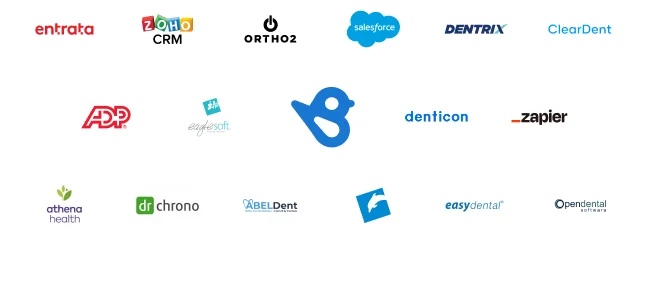
Birdeye integrates with a range of industry-specific platforms, including Dentrix, Eaglesoft, Dentech, Eclipse, Breezeworks, Rooflink, and Albiware, supporting healthcare, dental, and home services businesses.
The platform also offers an API for custom integrations and supports third-party integration tools, allowing organizations to extend Birdeye’s functionality across their existing software ecosystem.
New Product Updates from Birdeye

Birdeye Adds Yelp Messaging to Inbox
Birdeye has introduced an integration that allows users to access Yelp messaging directly from the Inbox. This enhancement simplifies the management of Yelp reviews and direct messages by consolidating them into a single platform. Highlights include:
- Yelp Reviews and Direct Messages: Users can now view and respond to Yelp reviews and messages together without switching platforms.
- Inbox Reporting: Yelp messaging is integrated into Inbox reporting, providing consolidated analytics.
- Notifications: The integration includes notification features to keep users informed of new Yelp interactions.
Visit Birdeye's official site for more details.
 for more details.
Birdeye Integrates With Freshdesk and Zendesk
Birdeye introduces integrations with Freshdesk and Zendesk, enabling automated review and survey requests directly from support interactions. These updates improve feedback collection by embedding it into existing customer service workflows and ensuring a steady flow of responses. Highlights include:
- Freshdesk Integration: Automatically sends review and survey requests based on customer interactions within Freshdesk.
- Zendesk Integration: Triggers review and survey requests within Zendesk to streamline feedback collection.
- Automated Feedback Collection: Ensures consistent review generation without manual outreach.
Visit Birdeye’s official site for more details.
Birdeye Now Integrates With Cornerstone and PPMP
Birdeye integrates with Cornerstone and PPMP to automate review requests across practice management systems. These updates help businesses streamline feedback collection and maintain a steady volume of customer reviews. Highlights include:
- Cornerstone Integration: Automate review and survey requests directly from the Cornerstone practice management system.
- PPMP Integration: Automate review requests for Australian healthcare practitioners using the PPMP system.
Visit Birdeye’s official site for more details.
Birdeye Integrates With Covetrus Ascend
Birdeye introduces the Covetrus Ascend integration, enabling automated review requests and automatic syncing of client contact data into Birdeye accounts. This improves efficiency by reducing manual outreach and ensuring veterinary practices consistently collect and manage customer feedback. Here are the details of the update:
- Automated Review Requests: Automatically sends review invitations to clients, helping practices gather more feedback with less manual effort.
- Client Data Syncing: Automatically captures and stores client contact details from Covetrus Ascend to streamline communication and review management.
Visit Birdeye’s official site for more details.
Birdeye Integrates With Jobber for Automated Customer Engagement
Birdeye integrates with Jobber to automate review requests, sync customer activity, and streamline engagement after completed jobs. These updates reduce manual follow-ups while helping teams consistently collect reviews and stay connected with customers. Highlights include:
- Automated Review Requests: Send review invites automatically after jobs are completed in Jobber.
- Customer Activity Sync: Keep customer interactions and job details aligned across both platforms.
- Improved Engagement Workflows: Strengthen follow-ups and visibility without extra admin work.
Visit Birdeye’s official site for more details.
Birdeye Specs
- API
- Brand Management
- Dashboard
- External Integrations
- Feedback Management
- Google Apps Integration
- Multi-Site
- Multi-User
- Net Promoter Score
- Notifications
- Review Monitoring
- Sentiment Analysis
- Social Media Monitoring
- Social-Media Integration


