
Smartsheet Review: Pros, Cons, Features and Pricing


Smartsheet is a marketing workflow software that helps teams manage projects and collaborate efficiently. It's ideal for marketing departments, project managers, and creative teams in industries like advertising and digital marketing. Smartsheet offers easy-to-use tools for managing complex workflows and improving team productivity.
Smartsheet addresses issues like project visibility and team collaboration for marketing teams and project managers. In this article, I'll cover Smartsheet's features, pros and cons, use cases, pricing, etc., so you can decide if this software aligns with your marketing management needs and goals.
Smartsheet Evaluation Summary
- From $9/member/month (billed annually)
- Free trial + free demo available
Why Trust Our Software Reviews
We’ve been testing and reviewing marketing software since 2022. As marketing experts ourselves, we know how critical and difficult it is to make the right decision when selecting software.
We invest in deep research to help our audience make better software purchasing decisions. We’ve tested more than 2,000 tools for different marketing use cases and written over 1,000 comprehensive software reviews. Learn how we stay transparent & our software review methodology.
Smartsheet Overview
In my opinion, Smartsheet is a solid choice for teams needing a flexible marketing workflow platform. Its spreadsheet-like interface offers powerful features, though it might feel outdated compared to more intuitive tools. Smartsheet excels in integrations and handling complex projects, making it great for project managers and marketing departments dealing with extensive data or requiring advanced reporting.
However, the onboarding process could be smoother, and its pricing might not suit smaller teams. If you're looking to compare, other tools might offer sleeker interfaces, but Smartsheet's functionality and scalability can be hard to match for those who value depth over aesthetics.
pros
-
You can manage complex projects with ease using its powerful project management tools.
-
The spreadsheet-like interface makes it easy for your team to adopt.
-
It offers extensive customization options for tailoring workflows to your needs.
cons
-
Your team might find the interface feels outdated compared to newer tools.
-
The learning curve can be steep if you're new to project management software.
-
It lacks some intuitive features found in other marketing workflow tools.
Is Smartsheet Right For Your Needs?
Who Would be a Good Fit for Smartsheet?
Smartsheet is great for marketing teams and project managers in industries like advertising and event planning. If your work involves managing large projects with many moving parts, Smartsheet's powerful project management tools and customization options help you stay organized and on track. Its spreadsheet-like interface is familiar and easy for your team to adopt, making it an excellent choice for teams that need detailed tracking and reporting.
-
Marketing Agencies
Smartsheet helps your agency manage multiple client projects with its detailed task tracking and reporting features.
-
Event Planning
You can coordinate complex schedules and logistics easily with Smartsheet's customizable workflows and timelines.
-
Construction Projects
Smartsheet's project management tools allow you to track budgets, timelines, and tasks effectively in construction projects.
-
Product Development
Your team can manage product launches and track progress with Smartsheet's robust project planning features.
-
Human Resources
HR teams can benefit from Smartsheet's ability to track recruitment processes and employee onboarding efficiently.
-
IT Departments
IT teams can use Smartsheet to manage projects and track IT infrastructure changes with its detailed task management capabilities.
Who Would be a Bad Fit for Smartsheet?
Smartsheet might not suit small businesses or startups with limited budgets and simple project management needs. If your team prefers visually appealing interfaces or needs intuitive, easy-to-learn software, Smartsheet's spreadsheet-like format could feel cumbersome. Creative teams seeking advanced design collaboration tools might also find it lacking. Its learning curve can deter teams looking for quick setup and immediate ease of use.
-
Small Startups
Smartsheet’s extensive features might overwhelm small startups looking for simple solutions without a steep learning curve.
-
Design Agencies
Agencies focusing on design might find Smartsheet lacking in visual tools for creative collaboration.
-
Retail Stores
Retail operations needing quick, day-to-day task handling might find Smartsheet’s functionality unnecessarily complex.
-
Non-Tech Savvy Teams
Teams unfamiliar with project management software may struggle with Smartsheet’s interface and require simpler tools.
-
Freelancers
Freelancers needing basic task management might find Smartsheet's features excessive for their needs.
-
Education Institutions
Educational settings that require user-friendly interfaces may find Smartsheet’s layout less appealing for educators and students.
How We Test & Score Tools
We’ve spent years building, refining, and improving our software testing and scoring system. The rubric is designed to capture the nuances of software selection and what makes a tool effective, focusing on critical aspects of the decision-making process.
Below, you can see exactly how our testing and scoring works across seven criteria. It allows us to provide an unbiased evaluation of the software based on core functionality, standout features, ease of use, onboarding, customer support, integrations, customer reviews, and value for money.
Core Functionality (25% of final scoring)
The starting point of our evaluation is always the core functionality of the tool. Does it have the basic features and functions that a user would expect to see? Are any of those core features locked to higher-tiered pricing plans? At its core, we expect a tool to stand up against the baseline capabilities of its competitors.
Standout Features (25% of final scoring)
Next, we evaluate uncommon standout features that go above and beyond the core functionality typically found in tools of its kind. A high score reflects specialized or unique features that make the product faster, more efficient, or offer additional value to the user.
We also evaluate how easy it is to integrate with other tools typically found in the tech stack to expand the functionality and utility of the software. Tools offering plentiful native integrations, 3rd party connections, and API access to build custom integrations score best.
Ease of Use (10% of final scoring)
We consider how quick and easy it is to execute the tasks defined in the core functionality using the tool. High scoring software is well designed, intuitive to use, offers mobile apps, provides templates, and makes relatively complex tasks seem simple.
Onboarding (10% of final scoring)
We know how important rapid team adoption is for a new platform, so we evaluate how easy it is to learn and use a tool with minimal training. We evaluate how quickly a team member can get set up and start using the tool with no experience. High scoring solutions indicate little or no support is required.
Customer Support (10% of final scoring)
We review how quick and easy it is to get unstuck and find help by phone, live chat, or knowledge base. Tools and companies that provide real-time support score best, while chatbots score worst.
Customer Reviews (10% of final scoring)
Beyond our own testing and evaluation, we consider the net promoter score from current and past customers. We review their likelihood, given the option, to choose the tool again for the core functionality. A high scoring software reflects a high net promoter score from current or past customers.
Value for Money (10% of final scoring)
Lastly, in consideration of all the other criteria, we review the average price of entry level plans against the core features and consider the value of the other evaluation criteria. Software that delivers more, for less, will score higher.
Core Features
Task Management
You can easily create, assign, and track tasks, ensuring your team stays on top of deadlines. This feature helps you manage workloads and prioritize effectively.
Gantt Charts
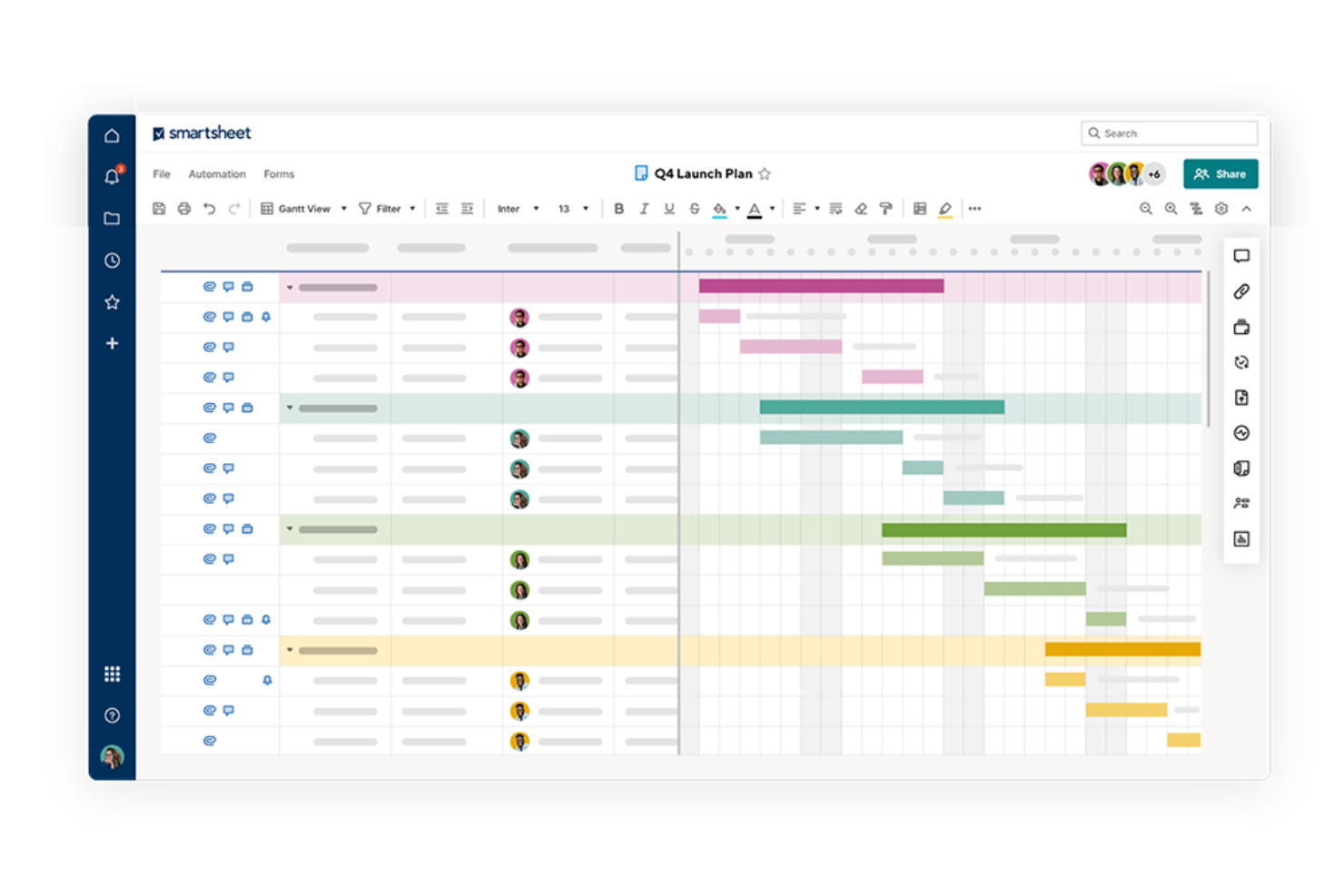
Smartsheet's Gantt charts let you visualize project timelines and dependencies at a glance. They help you plan and adjust project schedules with ease.
Dashboards
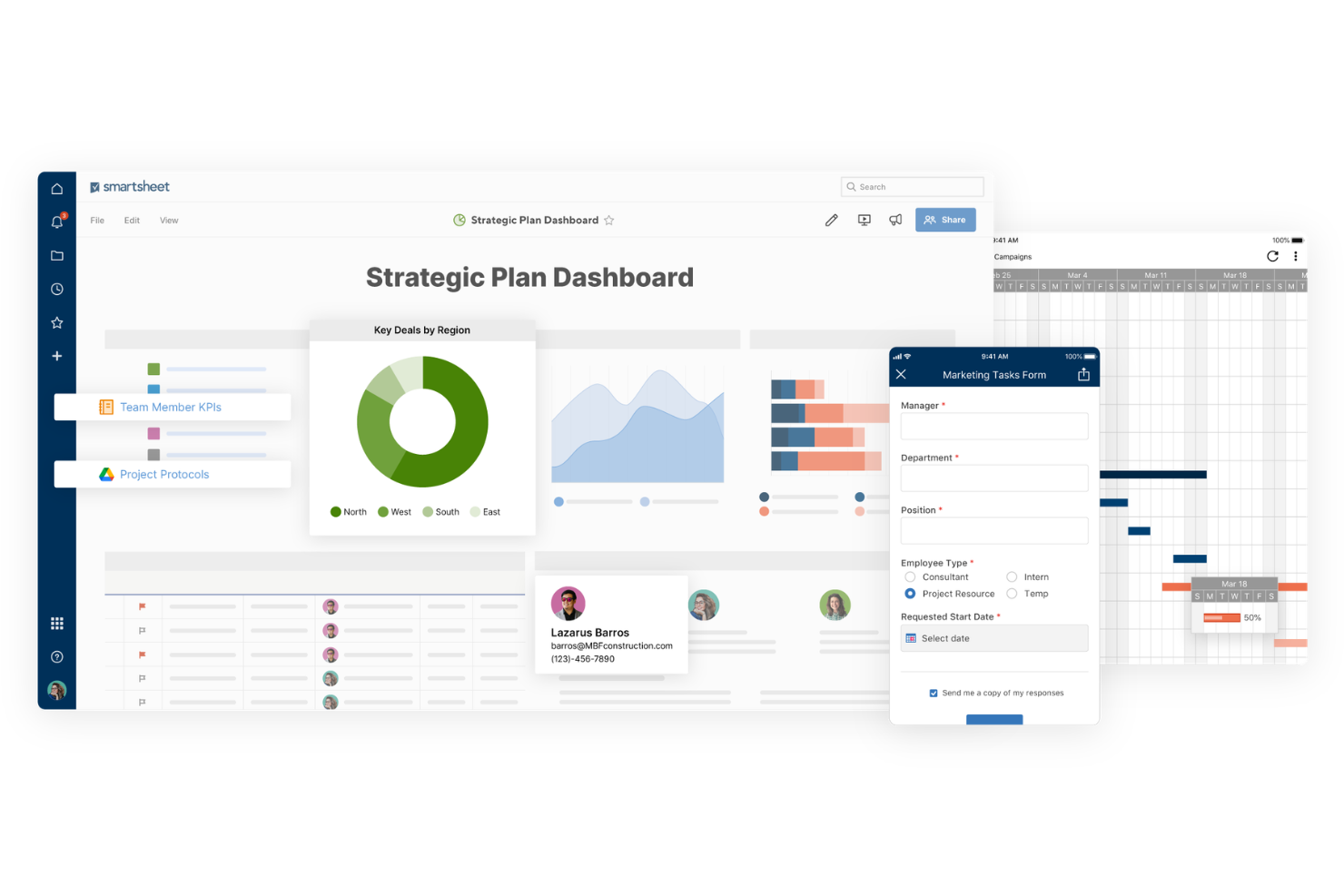
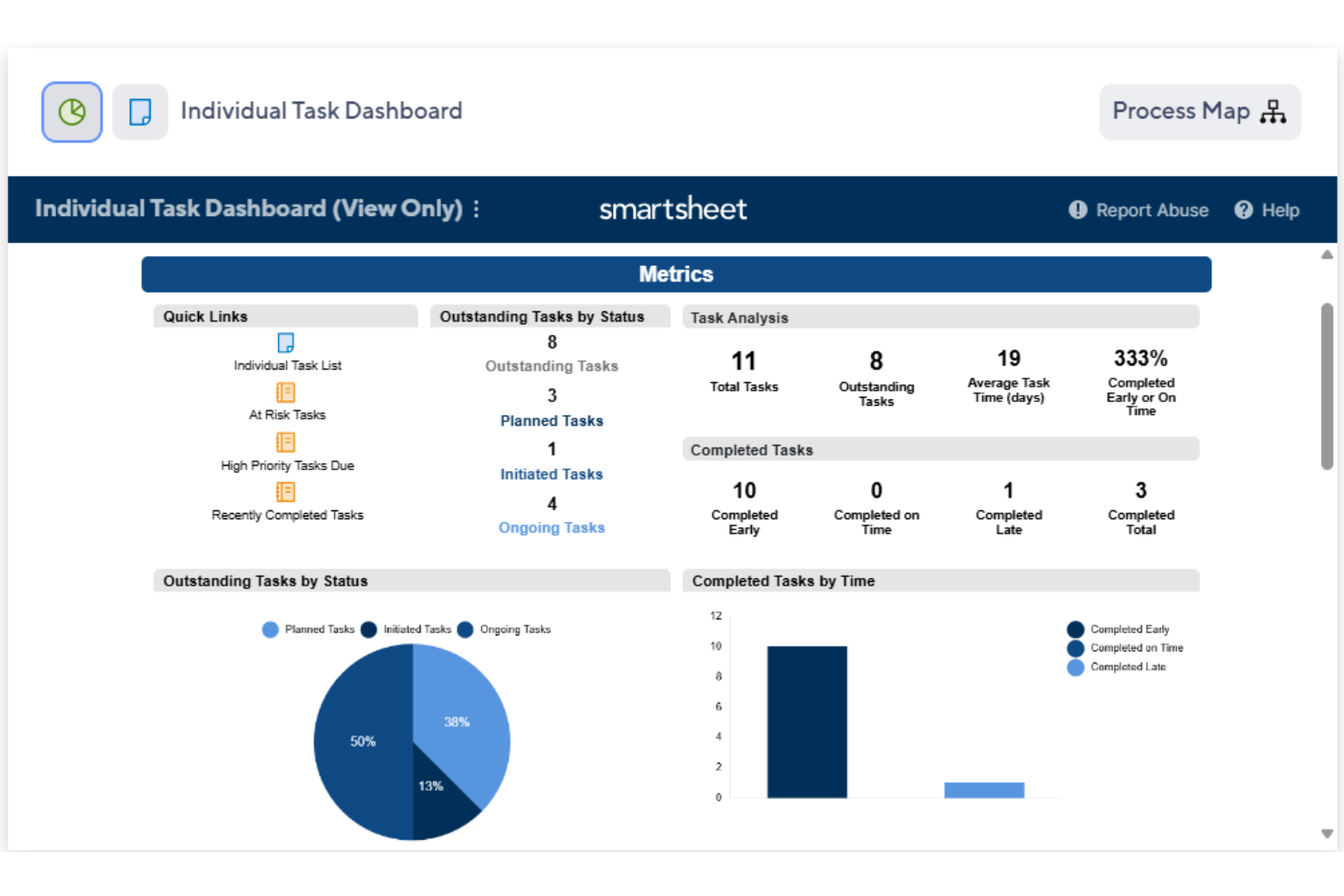
With dashboards, you get a real-time overview of project status and metrics. They keep your team informed and aligned with project goals.
Automation
Automate repetitive tasks to save time and reduce errors in your workflows. This feature allows you to focus on more strategic activities.
Reporting
Generate detailed reports to analyze progress and performance across projects. This helps you make informed decisions based on data insights.
Collaboration Tools
Smartsheet's collaboration tools let your team communicate and share files within the platform. This feature enhances team coordination and reduces email overload.
Standout Features
Customizable Templates
Smartsheet offers a range of templates that you can tailor to fit your project needs. This flexibility allows you to quickly set up projects without starting from scratch.
Resource Management
Track and allocate resources effectively to ensure your team is balanced and productive. This feature helps you avoid overloading team members and maintain project efficiency.
Ease of Use
Smartsheet's ease of use can be a mixed bag for your team. The spreadsheet-like interface offers familiarity, but it can feel clunky compared to more modern tools. While its extensive features provide depth, new users might find the learning curve steep. Once you get past the initial setup, you’ll likely appreciate its powerful project management capabilities. However, if your team prefers intuitive and sleek interfaces, Smartsheet might not be the best fit.
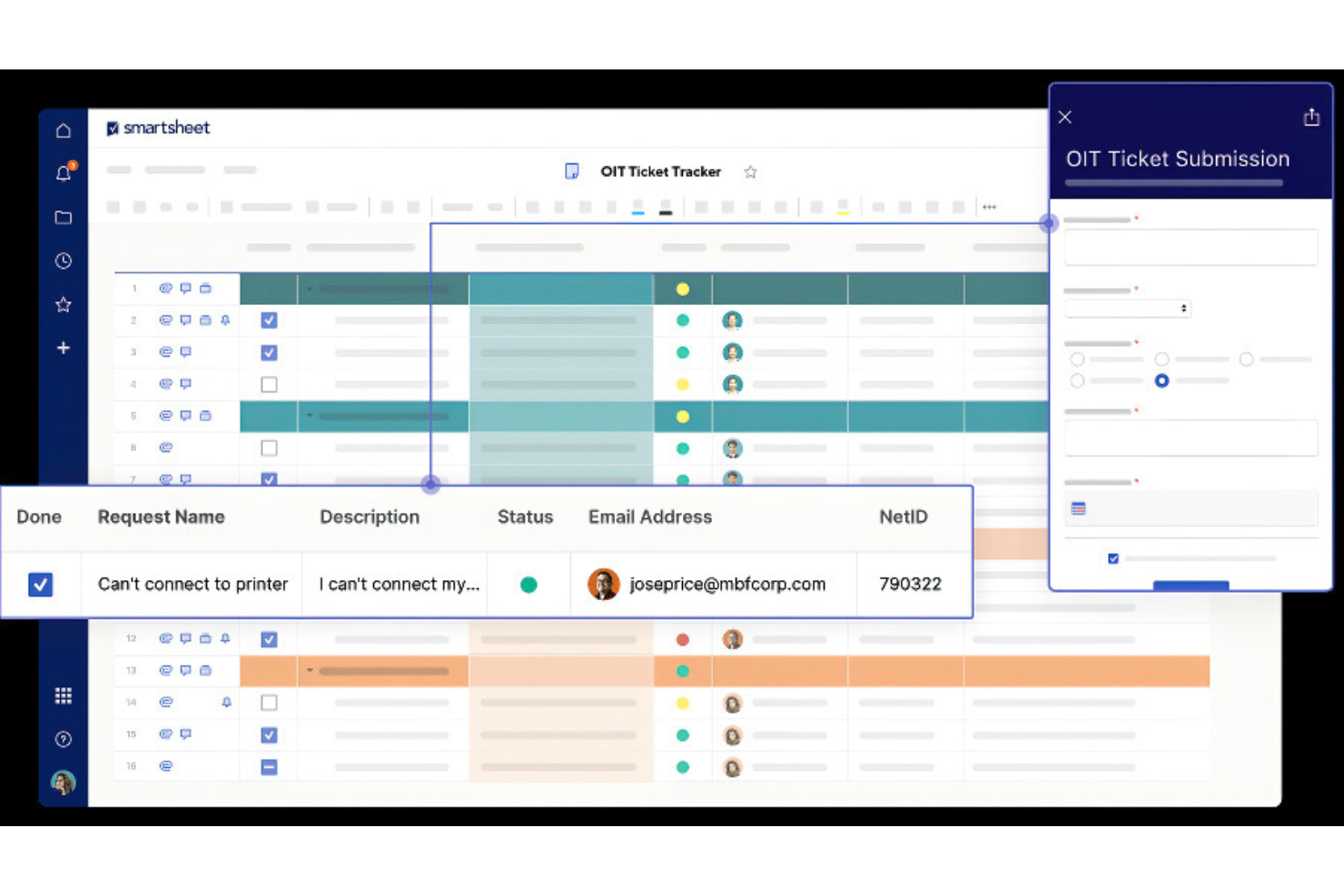
Onboarding
Smartsheet's onboarding process might challenge your team initially, as it requires time to get accustomed to its features. While the platform provides tutorials and guides, some users feel these resources don’t fully ease the transition. The learning curve can delay your team’s time to value, especially if they’re new to project management tools. However, once you navigate the setup, the platform's capabilities can become a strong asset for your projects.
Customer Support
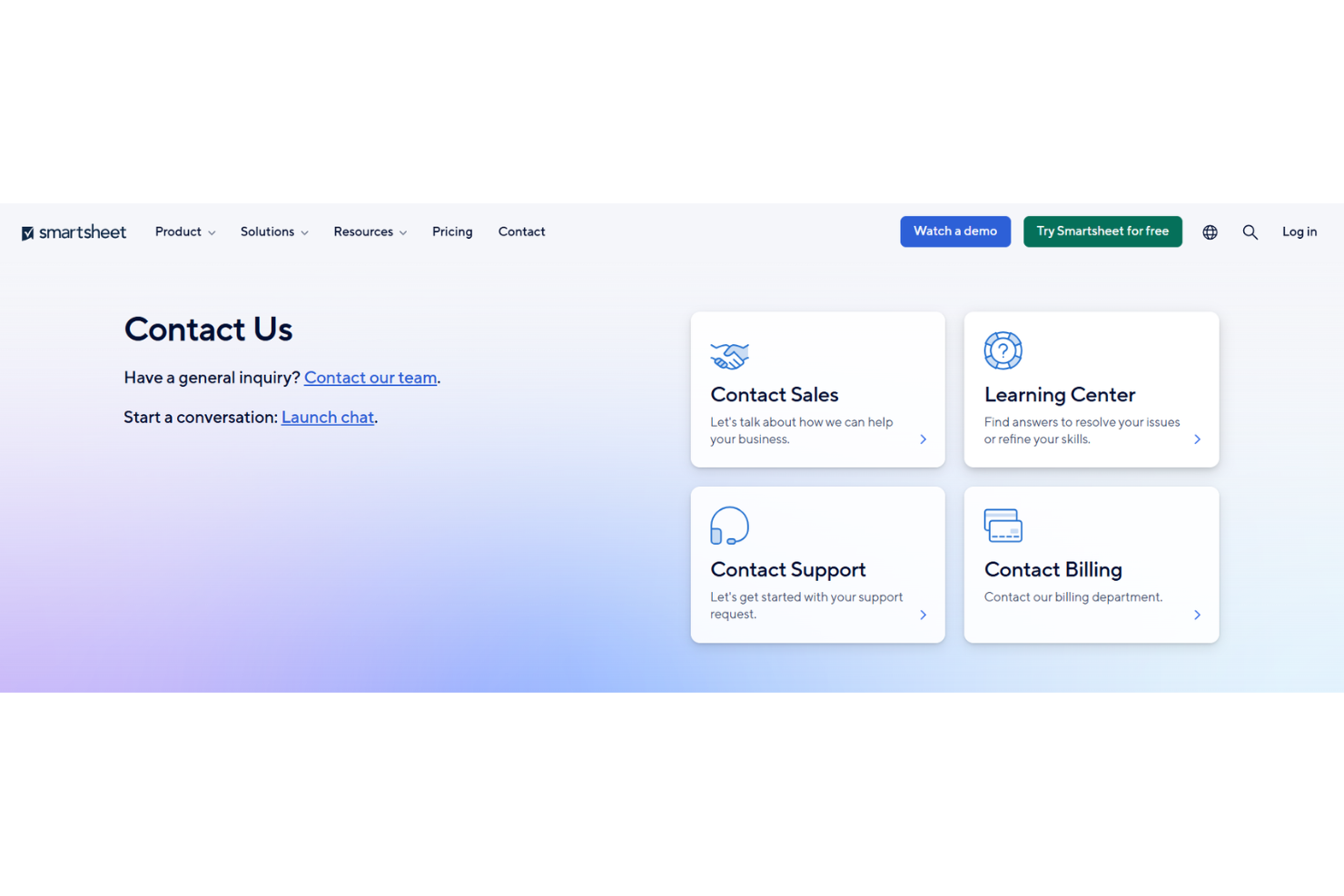
Smartsheet offers decent customer support, which can be a relief when you face issues. Users report that the support team is responsive and willing to help, though some feel the resolution times could improve. You’ll find a range of support channels, including email and phone, but advanced users might wish for more in-depth assistance. The availability of comprehensive online resources can also aid your team in troubleshooting common problems.
Integrations
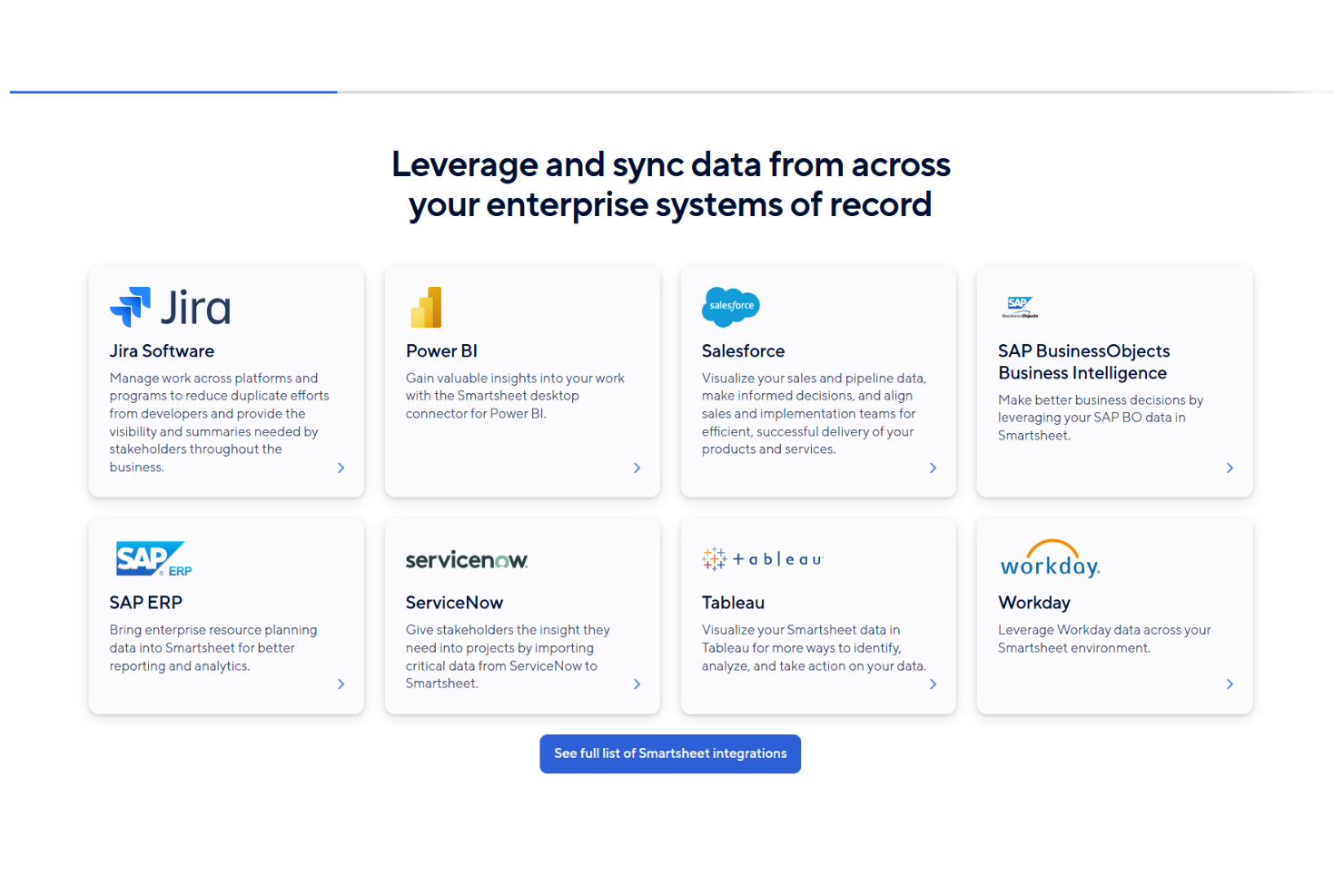
Smartsheet integrates with Microsoft Teams, Slack, Adobe Creative Cloud, Power BI, Tableau, Salesforce, Jira, Power Automate, Zapier, and Google Workspace. Smartsheet also offers an API and connects with third-party integration tools to further extend its capabilities.
Value for Money
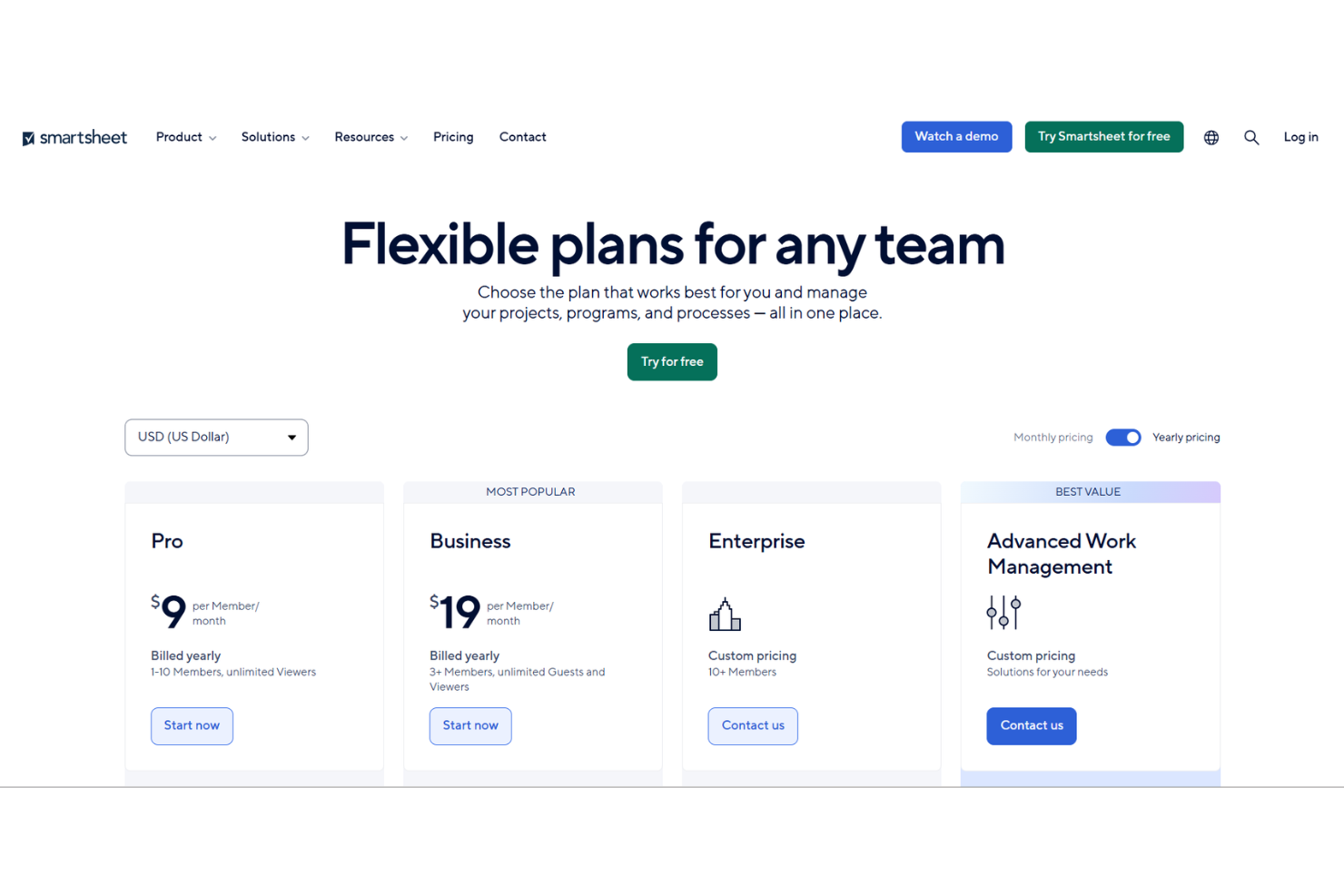
Smartsheet uses a tiered subscription model designed to scale with team size and feature needs. It offers a 30-day free trial, allowing teams to explore paid features before committing. While pricing increases with more advanced capabilities, many organizations find the Business and Enterprise plans worthwhile for their automation, reporting, and collaboration tools.
- Pro Plan: Starts at $9 per user/month (billed annually). Includes core project and task management features for individuals and small teams.
- Business Plan: Starts at $19 per user/month (billed annually). Adds unlimited automations, enhanced collaboration tools, advanced reporting, and workload tracking.
- Enterprise Plan: Custom pricing. Includes advanced security, enterprise-grade administration controls, integrations, and premium support.
New Product Updates from Smartsheet

Smartsheet Adds Direct Data Import to Existing Sheets
Smartsheet introduces direct file import to existing sheets in table view, allowing you to upload CSV, XLS, and XLSX files and map column types during import. These updates simplify data entry, eliminate manual copy-and-paste, and improve workflow efficiency when adding large datasets. Highlights include:
- Direct CSV, XLS, and XLSX Imports: Users can now quickly import these file types directly into existing sheets.
- Improved User Efficiency: With a maximum file size of 50MB, 20,000 rows, or 400 columns, larger datasets are now easily manageable.
- Customizable Column Types: During import, users can set column types, enhancing flexibility and ensuring data integrity.
Visit Smartsheet's official site for more details.
 for more details.
Smartsheet Introduces Seamless Seat Request for Elevated Access
Smartsheet has introduced a new Seat Request feature that enhances user experience by providing an efficient way to request elevated access. This update comes with two streamlined approval workflows. Here are the details of the update:
- Native Seat Request: This is a built-in option for requesting elevated access, offering users a simple and direct workflow.
- Custom Redirect: This feature allows for a customizable approval process to fit organizational needs.
- No Additional Cost: Both workflows are available to users on existing plans without any extra charges.
- Admin Decision Period: System Admins are provided a 14-day window to select their preferred workflow in the Admin Center, ensuring they can tailor the system to their operational requirements.
Visit Smartsheet's official site for more details.
Smartsheet Introduces Hierarchical Path API Endpoints
Smartsheet has released new Hierarchical Path API endpoints to enhance developer productivity. These endpoints allow querying of hierarchical path information without the need to iterate through entire workspaces. This update greatly improves efficiency for developers working in large-scale environments. Highlights include:
- Dedicated API Endpoints: These new endpoints allow developers to query hierarchical paths directly, eliminating unnecessary API calls and streamlining the workflow.
- Improved Efficiency: By reducing the number of API calls necessary, these endpoints save developers time and computational resources.
- Enhanced Scalability: The ability to query large-scale hierarchical data without iterating through entire workspaces improves scalability for extensive environments.
Visit Smartsheet's official site for more details.

Smartsheet Adds Attachments to Conversations In New Views
Smartsheet introduces Attachments in Conversations in New Views, allowing you to attach files from your computer or add URLs directly to comments. This update improves collaboration, adds context to discussions, and helps teams move work forward faster with better information sharing. Here are the details of the update:
- Upload Attachments from Computer: Users can directly upload necessary files from their computers into conversations, enriching the collaboration experience.
- Add Attachments via URL: Allows seamless inclusion of web-based resources by pasting URLs, broadening the scope of accessible content.
Visit Smartsheet's official site for more details.

Smartsheet Adds Provisional Member Settings for User and Budget Control
Smartsheet is implementing a new feature allowing organizations enhanced control over users and budgets. System Administrators can set Provisional Member defaults to automatically transition to Viewer or Guest seats or auto-upgrade to paid Member seats after the trial period, improving budget predictability and management control. Here are the details of the update:
- Provisional Member Settings: Administrators can now define defaults that automatically downgrade free-trial users to Viewer or Guest seats.
- Automatic Upgrades: The choice to automatically elevate a trial user to a paid Member seat ensures smooth transitions and improved budget management.
Visit Smartsheet's official site for more details.
Smartsheet Specs
- API
- Batch Permissions & Access
- Budgeting
- Calendar Management
- Collaboration Support
- Contact Management
- Contact Sharing
- Customer Management
- Dashboard
- Dashboards
- Data Export
- Data Import
- Data Visualization
- Dependency Tracking
- Document Sharing
- Expense Tracking
- External Integrations
- File Sharing
- Gantt Charts
- Kanban Boards
- Multi-User
- Notifications
- Project Management
- Resource Management
- Scheduling
- Task Scheduling/Tracking
- Third-Party Plugins/Add-Ons
- Time Management
- Travel Management
- Workflow Management
Smartsheet FAQs
How does Smartsheet handle data security and compliance?
Can Smartsheet be customized for my team's workflow?
Is there a mobile app for Smartsheet?
How does Smartsheet support remote teamwork?
What kind of training does Smartsheet offer?
Can I automate tasks in Smartsheet?
How scalable is Smartsheet for growing teams?
Does Smartsheet integrate with project management methodologies?
Smartsheet Company Overview & History
Smartsheet Inc., founded in 2005, is headquartered in Bellevue, Washington, and employs around 3,330 people. Known for its work management software, Smartsheet serves a diverse client base across various industries. The company was publicly traded on the NYSE under the ticker SMAR from 2018 to 2025 before being taken private by Blackstone Inc. and Vista Equity Partners for $8.4 billion. As of 2024, Smartsheet reported a revenue of $958 million, reflecting its strong market position.
Smartsheet Major Milestones
- 2005: Company founded as Navigo Technologies, Inc.
- 2010: Significant software redesign.
- 2018: Went public on the NYSE under the ticker SMAR.
- 2025: Taken private by Blackstone Inc. and Vista Equity Partners for $8.4 billion.