
SiteGround Review: Pros, Cons, Features, and Pricing Explained



SiteGround is a website builder software and hosting provider designed to help marketing managers launch and manage professional websites without technical headaches. If you're balancing limited IT resources, and the need for reliable performance, SiteGround offers a straightforward platform with strong hosting services, integrated site-building tools, and responsive support.
In this review, you'll find a clear breakdown of SiteGround's features, best and worst use cases, pros and cons, and pricing—so you can decide if it fits your team's needs and growth plans.
SiteGround Evaluation Summary

- $3.99/month
- Premium
Why Trust Our Software Reviews
We’ve been testing and reviewing marketing software since 2022. As marketing experts ourselves, we know how critical and difficult it is to make the right decision when selecting software.
We invest in deep research to help our audience make better software purchasing decisions. We’ve tested more than 2,000 tools for different marketing use cases and written over 1,000 comprehensive software reviews. Learn how we stay transparent & our software review methodology.
SiteGround Overview
SiteGround stands out for its reliable uptime, responsive support, and intuitive onboarding, making it a strong choice for teams prioritizing stability and ease of use. While its builder tools are less advanced than some other site builders, the platform's integration with popular CMS options and clear pricing structure make it easy to judge value.
Marketing managers who want straightforward site management will find SiteGround especially appealing. However, those needing highly customizable design features or advanced integrations may find it underperforms in those areas. For most small to midsize businesses, SiteGround offers a balanced, user-friendly solution with solid shared hosting and cloud hosting options.
pros
-
Reliable uptime and fast site loading speeds with built-in CDN
-
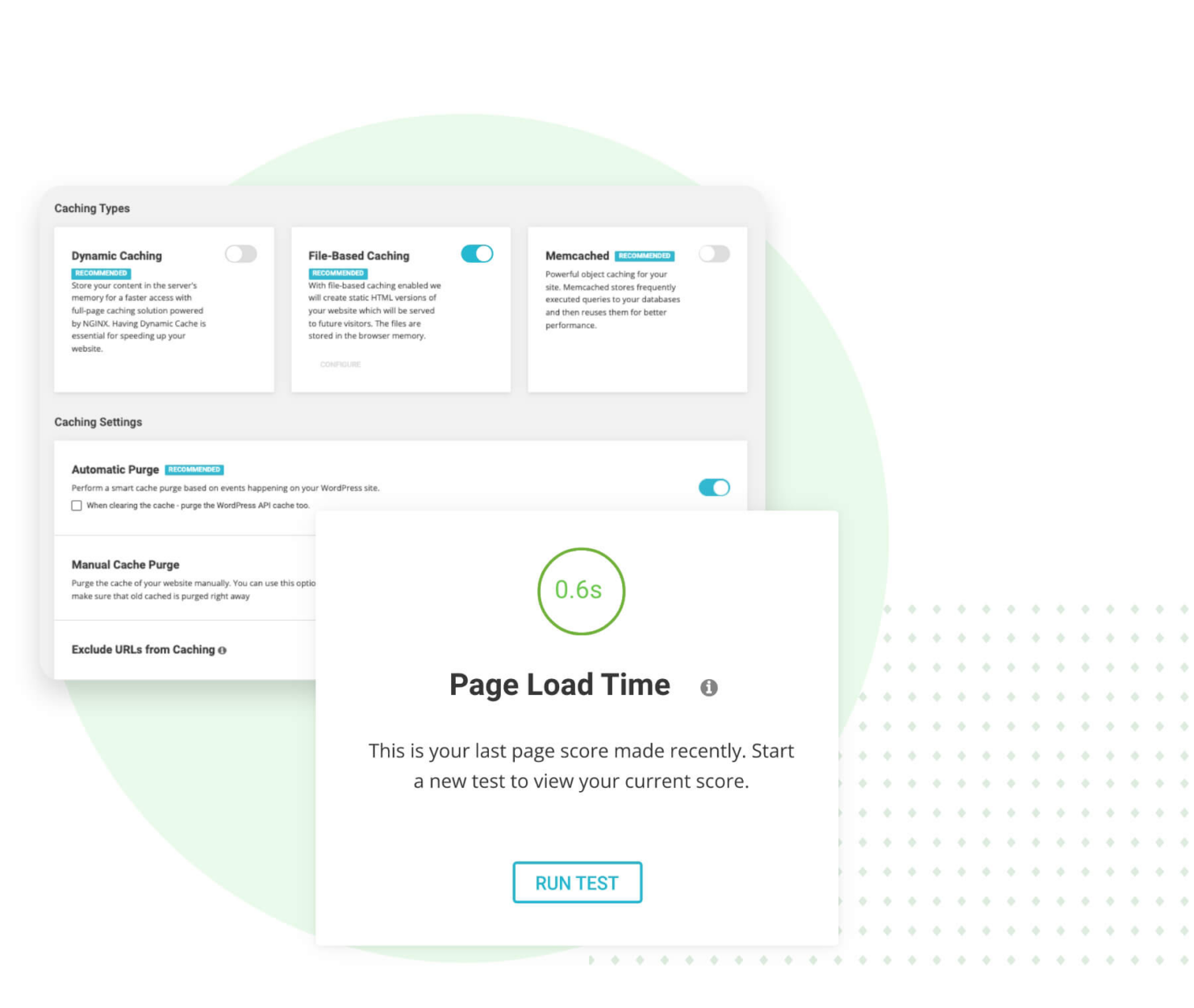
Advanced caching optimizer for superior performance
-
Modern PHP versions and server configurations for speed
cons
-
Renewal pricing increases significantly after first term
-
Limited advanced design and customization options
-
Storage and site limits on lower-tier shared hosting plans
-

Demandbase
Visit WebsiteThis is an aggregated rating for this tool including ratings from Crozdesk users and ratings from other sites.4.4 -
6sense
Visit WebsiteThis is an aggregated rating for this tool including ratings from Crozdesk users and ratings from other sites.4.3 -
AnswerThePublic
Visit Website


How We Test & Score Tools
We’ve spent years building, refining, and improving our software testing and scoring system. The rubric is designed to capture the nuances of software selection and what makes a tool effective, focusing on critical aspects of the decision-making process.
Below, you can see exactly how our testing and scoring works across seven criteria. It allows us to provide an unbiased evaluation of the software based on core functionality, standout features, ease of use, onboarding, customer support, integrations, customer reviews, and value for money.
Core Functionality (25% of final scoring)
The starting point of our evaluation is always the core functionality of the tool. Does it have the basic features and functions that a user would expect to see? Are any of those core features locked to higher-tiered pricing plans? At its core, we expect a tool to stand up against the baseline capabilities of its competitors.
Standout Features (25% of final scoring)
Next, we evaluate uncommon standout features that go above and beyond the core functionality typically found in tools of its kind. A high score reflects specialized or unique features that make the product faster, more efficient, or offer additional value to the user.
We also evaluate how easy it is to integrate with other tools typically found in the tech stack to expand the functionality and utility of the software. Tools offering plentiful native integrations, 3rd party connections, and API access to build custom integrations score best.
Ease of Use (10% of final scoring)
We consider how quick and easy it is to execute the tasks defined in the core functionality using the tool. High scoring software is well designed, intuitive to use, offers mobile apps, provides templates, and makes relatively complex tasks seem simple.
Onboarding (10% of final scoring)
We know how important rapid team adoption is for a new platform, so we evaluate how easy it is to learn and use a tool with minimal training. We evaluate how quickly a team member can get set up and start using the tool with no experience. High scoring solutions indicate little or no support is required.
Customer Support (10% of final scoring)
We review how quick and easy it is to get unstuck and find help by phone, live chat, or knowledge base. Tools and companies that provide real-time support score best, while chatbots score worst.
Customer Reviews (10% of final scoring)
Beyond our own testing and evaluation, we consider the net promoter score from current and past customers. We review their likelihood, given the option, to choose the tool again for the core functionality. A high scoring software reflects a high net promoter score from current or past customers.
Value for Money (10% of final scoring)
Lastly, in consideration of all the other criteria, we review the average price of entry level plans against the core features and consider the value of the other evaluation criteria. Software that delivers more, for less, will score higher.
Core Features
Drag-and-Drop Editor
Build pages without coding, perfect for beginners managing their first website and connecting it to a custom domain name.
AI Content Generator
Create website copy quickly using built-in AI writing tools that enhance site functionality.
SEO Optimization Tools
Manage meta titles, descriptions, and on-page SEO settings directly through intuitive site tools.
Free Daily Backups
Restore your site to a previous version with one click if needed, protecting your content investment.
Built-in CDN Integration
Global content delivery network accelerates page loading speeds by serving content from servers closest to your visitors.
Advanced Caching Optimizer
Proprietary caching technology dramatically reduces load times and improves site performance under traffic spikes.
Ease of Use
SiteGround is widely praised for its intuitive interface and straightforward setup, making it accessible for beginners with limited technical experience. The drag-and-drop builder, guided onboarding through comprehensive site tools, and clear navigation help users launch sites quickly. Many reviewers highlight the responsive support team as a key factor in resolving issues fast, whether they're tackling their first website or managing multiple domains. While advanced customization is limited compared to some hosting companies, the platform's focus on simplicity and reliability makes it a strong fit for small businesses and non-technical teams. The control panel interface offers essential functionality without overwhelming new users.

Integrations
SiteGround integrates with WordPress, popular e-commerce platforms, Joomla, and Drupal, among others.
SiteGround also offers a RESTful API and supports connections with some third-party integration tools, expanding functionality for teams with specific workflow requirements.

SiteGround Specs
- API
- Bulk Domain Management
- Calendar Management
- Dashboard
- External Integrations
- Multi-User
- Notifications
- Scheduling