

Omnisend Review: Pros, Cons, Features and Pricing


Omnisend is an email marketing automation software designed to help businesses streamline their marketing campaigns through various channels. In my opinion, it best serves e-commerce businesses and digital marketing teams that need to integrate multiple channels like email, SMS, and social media. Omnisend offers powerful automation features, making marketing campaigns efficient and effective.
Omnisend addresses common pain points like channel integration and campaign automation for marketing teams. In this article, I'll cover Omnisend's features, pros and cons, use cases, pricing, and more so you can decide if it aligns with your marketing needs and goals.
Omnisend Evaluation Summary
- From $16/month
- Free plan available
Why Trust Our Software Reviews
We’ve been testing and reviewing marketing software since 2022. As marketing experts ourselves, we know how critical and difficult it is to make the right decision when selecting software.
We invest in deep research to help our audience make better software purchasing decisions. We’ve tested more than 2,000 tools for different marketing use cases and written over 1,000 comprehensive software reviews. Learn how we stay transparent & our software review methodology.
Omnisend Overview
In my opinion, Omnisend is a solid choice for e-commerce businesses and marketing teams looking to integrate multiple channels. It offers competitive features and automation options that can simplify your marketing efforts. However, its onboarding process and customer support might not be as seamless as other email marketing platforms, which could be a consideration for smaller teams. Despite this, Omnisend stands out with its omnichannel capabilities and ease of use for those familiar with marketing automation. If your team values integration with SMS and social media alongside email, Omnisend is worth considering.
pros
-
You can easily manage campaigns across email, SMS, and social media.
-
Automation features save your team time and effort.
-
The user interface is intuitive and straightforward for your team.
cons
-
Onboarding can be challenging for your team if they're new to automation tools.
-
Customer support response times might not meet your expectations.
-
Some users find the reporting features less detailed compared to other providers.


How We Test & Score Tools
We’ve spent years building, refining, and improving our software testing and scoring system. The rubric is designed to capture the nuances of software selection and what makes a tool effective, focusing on critical aspects of the decision-making process.
Below, you can see exactly how our testing and scoring works across seven criteria. It allows us to provide an unbiased evaluation of the software based on core functionality, standout features, ease of use, onboarding, customer support, integrations, customer reviews, and value for money.
Core Functionality (25% of final scoring)
The starting point of our evaluation is always the core functionality of the tool. Does it have the basic features and functions that a user would expect to see? Are any of those core features locked to higher-tiered pricing plans? At its core, we expect a tool to stand up against the baseline capabilities of its competitors.
Standout Features (25% of final scoring)
Next, we evaluate uncommon standout features that go above and beyond the core functionality typically found in tools of its kind. A high score reflects specialized or unique features that make the product faster, more efficient, or offer additional value to the user.
We also evaluate how easy it is to integrate with other tools typically found in the tech stack to expand the functionality and utility of the software. Tools offering plentiful native integrations, 3rd party connections, and API access to build custom integrations score best.
Ease of Use (10% of final scoring)
We consider how quick and easy it is to execute the tasks defined in the core functionality using the tool. High scoring software is well designed, intuitive to use, offers mobile apps, provides templates, and makes relatively complex tasks seem simple.
Onboarding (10% of final scoring)
We know how important rapid team adoption is for a new platform, so we evaluate how easy it is to learn and use a tool with minimal training. We evaluate how quickly a team member can get set up and start using the tool with no experience. High scoring solutions indicate little or no support is required.
Customer Support (10% of final scoring)
We review how quick and easy it is to get unstuck and find help by phone, live chat, or knowledge base. Tools and companies that provide real-time support score best, while chatbots score worst.
Customer Reviews (10% of final scoring)
Beyond our own testing and evaluation, we consider the net promoter score from current and past customers. We review their likelihood, given the option, to choose the tool again for the core functionality. A high scoring software reflects a high net promoter score from current or past customers.
Value for Money (10% of final scoring)
Lastly, in consideration of all the other criteria, we review the average price of entry level plans against the core features and consider the value of the other evaluation criteria. Software that delivers more, for less, will score higher.
Core Features
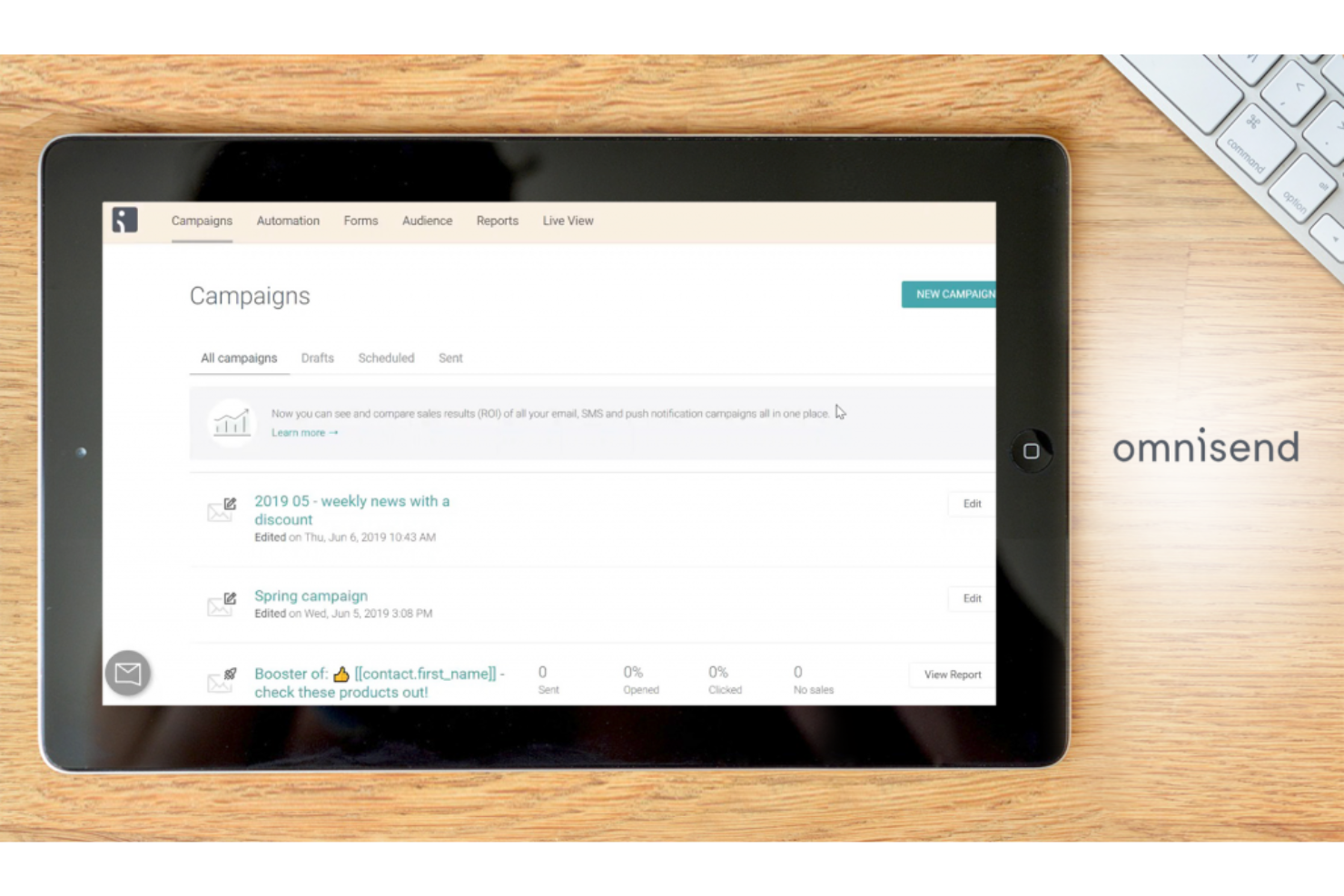
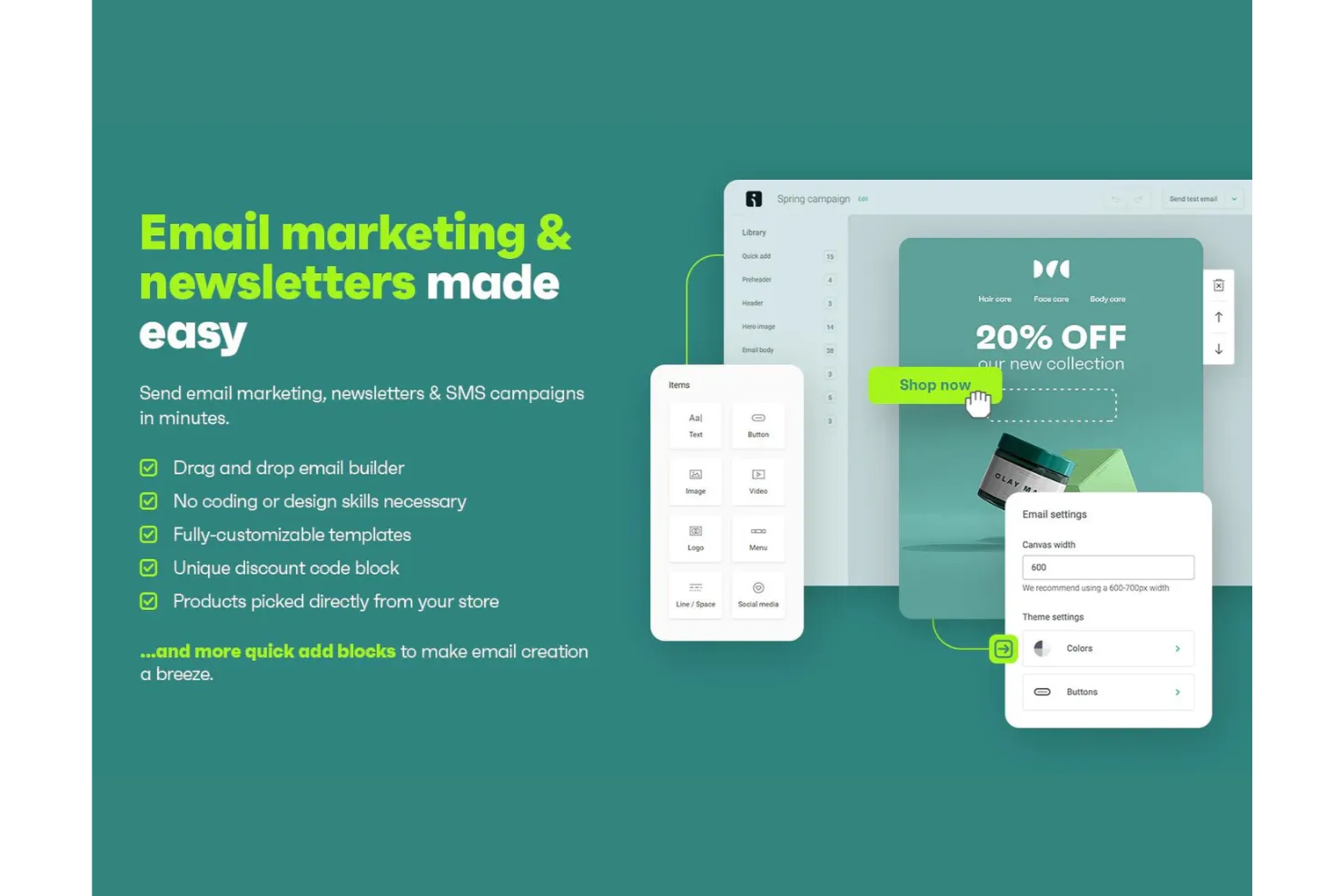
Email Campaigns: Omnisend lets you create and manage email campaigns easily, helping your team reach your subscribers effectively. Its drag-and-drop email builder makes designing emails simple and quick.
SMS Marketing: You can send targeted SMS messages alongside your email campaigns for a cohesive strategy. This feature helps you engage customers directly on their phones and promote time-sensitive offers like discount codes.
Automation Workflows: Omnisend offers pre-built automation workflows that save your team time by automating repetitive tasks, like email follow-ups. You can customize these workflows to fit your marketing strategy.
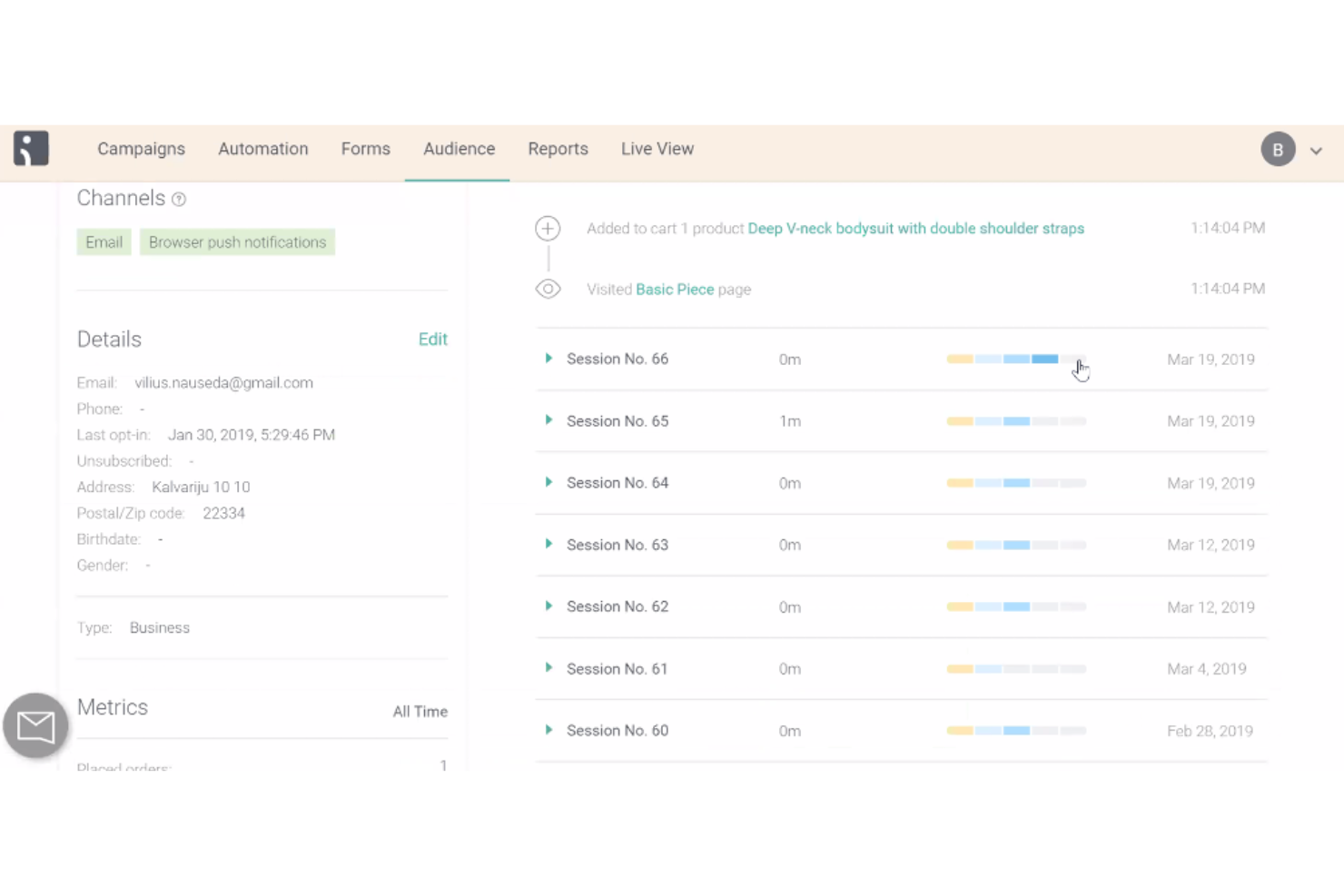
Segmentation: Omnisend lets you segment your audience based on behavior, preferences, and customer lifecycle stage. You can capture subscribers with popups and send more personalized messages.
Reporting: You can track your campaign performance with Omnisend's reporting tools. While not the most detailed, it provides essential insights into metrics like conversion rates to help you refine your strategy.
Ease of Use
Omnisend is relatively user-friendly, with an intuitive interface that makes it easy for your team to create and manage campaigns. The drag-and-drop editor simplifies email and landing page design, and pre-built automation workflows save time. However, some users find the onboarding process a bit tricky, especially if they're new to automation tools. While it’s generally straightforward, it might take your team some time to fully explore all its features and functionalities.
Integrations
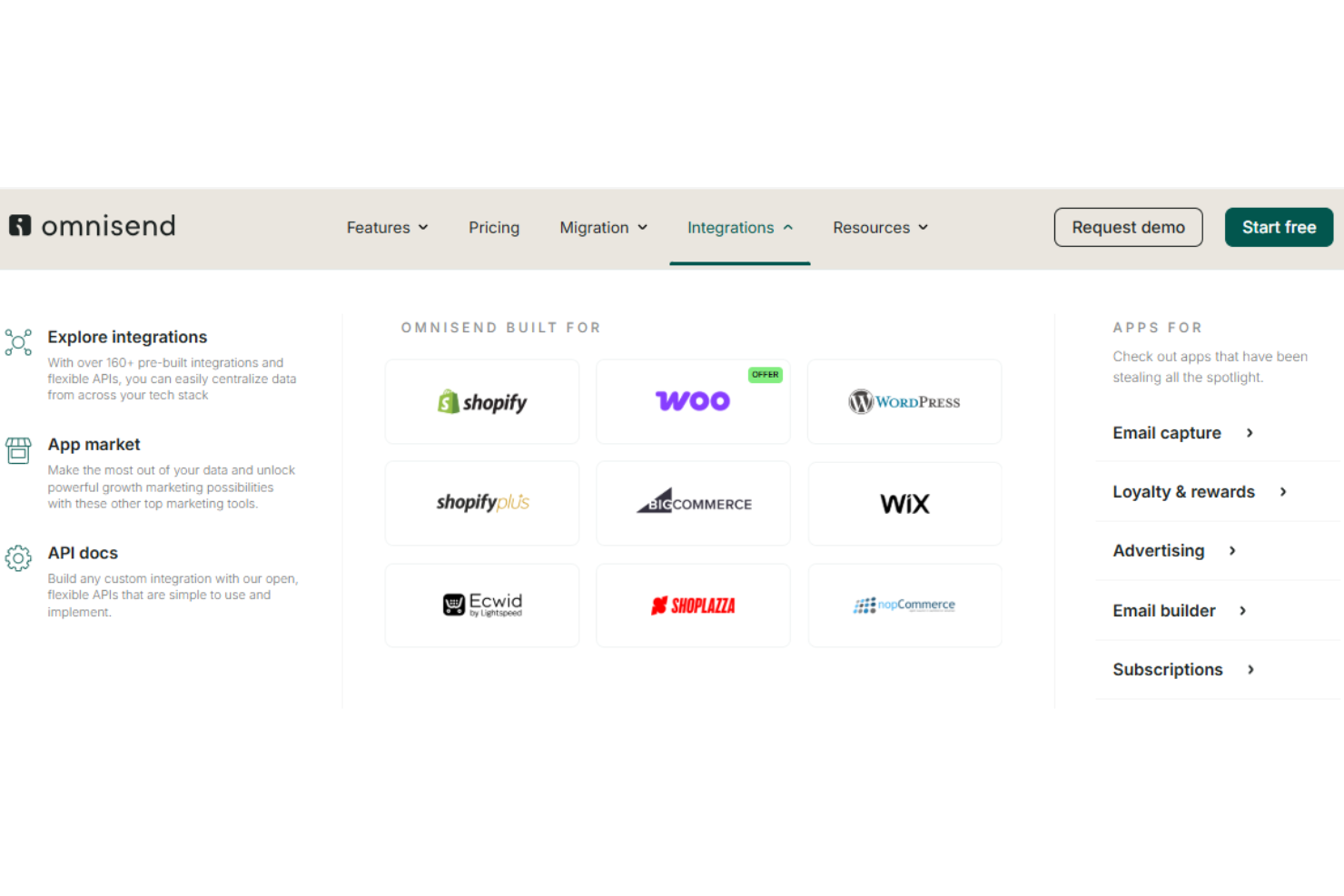
Omnisend integrates with over 160+ apps through its built-in integrations and marketplace, including major ecommerce platforms like WooCommerce, BigCommerce, Wix, WordPress, and directly to your Shopify store. It also supports connections with review and loyalty tools such as Yotpo and Loox.
Omnisend offers an API for custom integrations and connects with third-party automation tools like Zapier and Integrately to extend its functionality across many other applications.
New Product Updates from Omnisend

Omnisend Enhances Cross-Store Segment Management
Omnisend introduces Copy Segments Across Stores, enabling you to duplicate segments, rename them during copying, and send them to multiple destination stores within the same platform. This update simplifies multi-store audience management, saves setup time, and ensures consistent segmentation across brands and storefronts. Highlights include:
- Copy Segments Across Stores: Users can now duplicate customer segments from one store to another, helping ensure uniform marketing strategies across outlets.
- Rename Segments During Copying: This feature allows seamless customization and differentiation of segment names when copying, which ensures more precise management.
- Select Multiple Destination Stores: Users can select multiple target stores for a single segment copy, improving efficiency when setting up analytics and marketing campaigns.
Visit Omnisend's official site for more details.
 for more details.
Omnisend's Enhanced Email Preview In Automations Builder
Omnisend introduces Scrollable Email Preview in Automations Builder, allowing you to scroll through the full email content without leaving the automation workflow. This update improves workflow efficiency, speeds up content review, and reduces the need to switch between builders.
Visit Omnisend's official site for more details.

Omnisend Improves Universal Layouts and SMS Quiet Hours Visibility
Omnisend introduces Universal Layouts Improvements and Quiet Hours Visibility for SMS Campaigns, enhancing layout usage transparency and clearly indicating when quiet hours affect SMS scheduling. These updates improve editing confidence, reduce mistakes, and help you plan campaigns more accurately within sending limits. Here are the details of the update:
- Universal Layouts Usage and Editing Clarity: View layout usage counts, prevent accidental deletions, and see clearer editing context to manage layouts more safely.
- SMS Quiet Hours Visibility: Get clear alerts when quiet hours are active during SMS scheduling to avoid sending conflicts and improve campaign planning.
Visit Omnisend’s official site for more details.

Omnisend Integrates With Influencer Hero
Omnisend introduces Influencer Hero Integration, which allows you to connect influencer discovery, UGC capture, influencer CRM, and affiliate tracking directly into your marketing workflows. This update improves campaign targeting, simplifies influencer management, and helps you build more effective influencer-driven marketing strategies. Highlights include:
- Discover Influencers: Uncover influencers in your contact list to expand your campaign reach.
- Capture UGC: Seamlessly capture user-generated content to boost your brand’s authenticity and engagement.
- Manage Influencer CRM: Provides tools for managing influencer relationships efficiently, simplifying communication and collaboration.
- Export Influencer Profiles: Export profiles into Omnisend for detailed segmentation and targeted campaigns, maximizing marketing efforts.
Visit Omnisend's official site for more details.

Omnisend's AI-Driven Form Enhancements
Omnisend introduces AI-Generated Forms with Teasers and AI Forms Assistant, enabling you to automatically generate forms with teaser elements and copy AI-created forms more efficiently. These updates streamline form creation, reduce manual setup, and help improve signup performance through faster deployment and consistent design. Here are the details of the update:
- AI-Generated Forms with Teasers: Automatically create signup forms with teaser elements to speed up form building and improve engagement.
- AI Forms Assistant: Generate and duplicate AI-powered forms quickly, reducing manual work and ensuring consistent form setup.
Visit Omnisend’s official site for more details.

Omnisend Now Integrates With Triple Whale
Omnisend’s new Triple Whale integration connects lifecycle marketing metrics—such as revenue, CTR, delivered, clicks, and AOV—into Triple Whale’s attribution and analytics platform. This update improves reporting accuracy and helps teams analyze how email and SMS flows contribute to overall revenue, ROAS, and customer journey performance in one place.
- Unified Performance View: Combines Omnisend’s campaign and automation results with paid ads, social, and other channel data inside Triple Whale.
- Impact Measurement: Shows how email and SMS flows influence revenue, LTV, and conversion paths—not just channel-level metrics.
- Channel Optimization: Helps identify high-performing audiences, campaigns, and lifecycle flows to guide smarter budget decisions.
- Simplified Reporting: Syncs Total Revenue, Campaign Revenue, Flow Revenue, CTR, Sent, Delivered, Clicks, Unsubscribes, and AOV for easier analysis.
Visit Omnisend’s official site for more details.
Omnisend Specs
- A/B Testing
- API
- Audience Targeting
- Brand Management
- Calendar Management
- Campaign Management
- Compliance Tracking
- Contact Management
- Contact Sharing
- Conversion Tracking
- CRM Integration
- Customer Management
- Dashboard
- Data Export
- Data Import
- Data Visualization
- Email Integration
- External Integrations
- Google Apps Integration
- Lead Management
- Lead Scoring
- Link Tracking
- Marketing Automation
- Multi-User
- Notifications
- Scheduling
- Social-Media Integration
- Third-Party Plugins/Add-Ons


