

Google Analytics vs. HubSpot: Comparison and Expert Reviews for 2026

We review tools independently, and commissions help fund our testing. See our transparency policy, our methodology, or suggest a tool.
Choosing between Google Analytics and HubSpot can feel overwhelming when you’re under pressure to prove ROI, track campaigns, and make sense of scattered data. You need marketing analytics software that not only delivers clear insights but also fits your team’s workflow and budget. Both tools promise powerful reporting, but their approaches, integrations, and learning curves are very different.
In this article, you’ll get a side-by-side comparison of Google Analytics and HubSpot, including pros and cons, use cases, pricing, security, and usability. I’ll help you cut through the noise so you can confidently decide which platform is right for your marketing goals.
Google Analytics
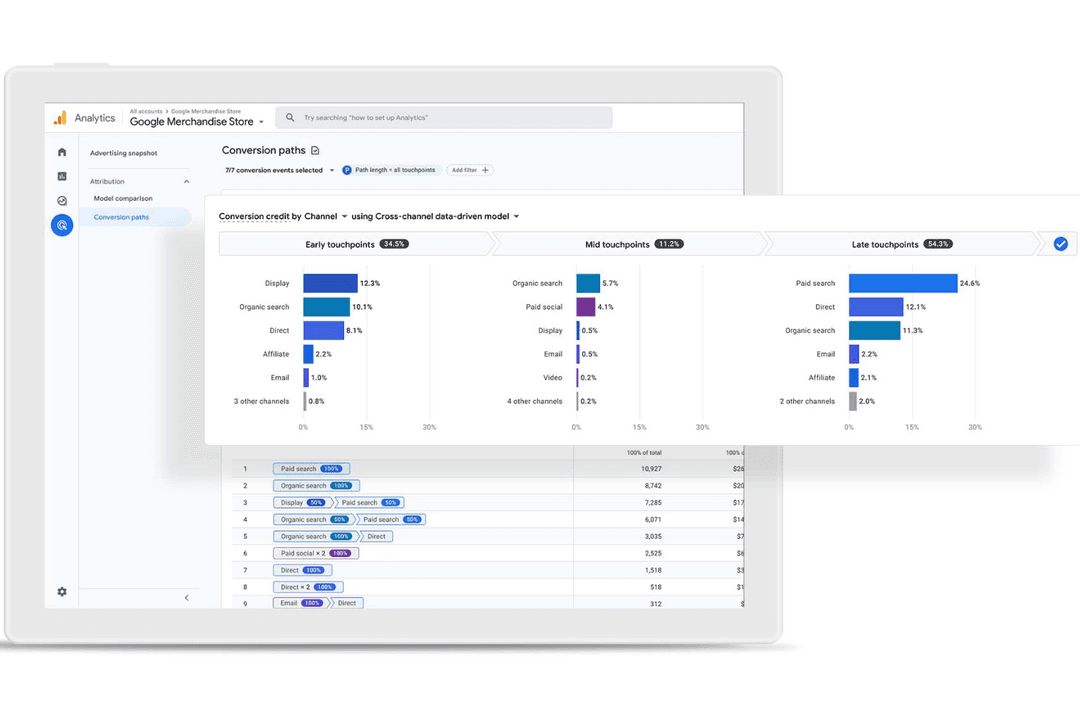
4.6/5
- Free plan available
- From $50,000/year (billed annually)
HubSpot
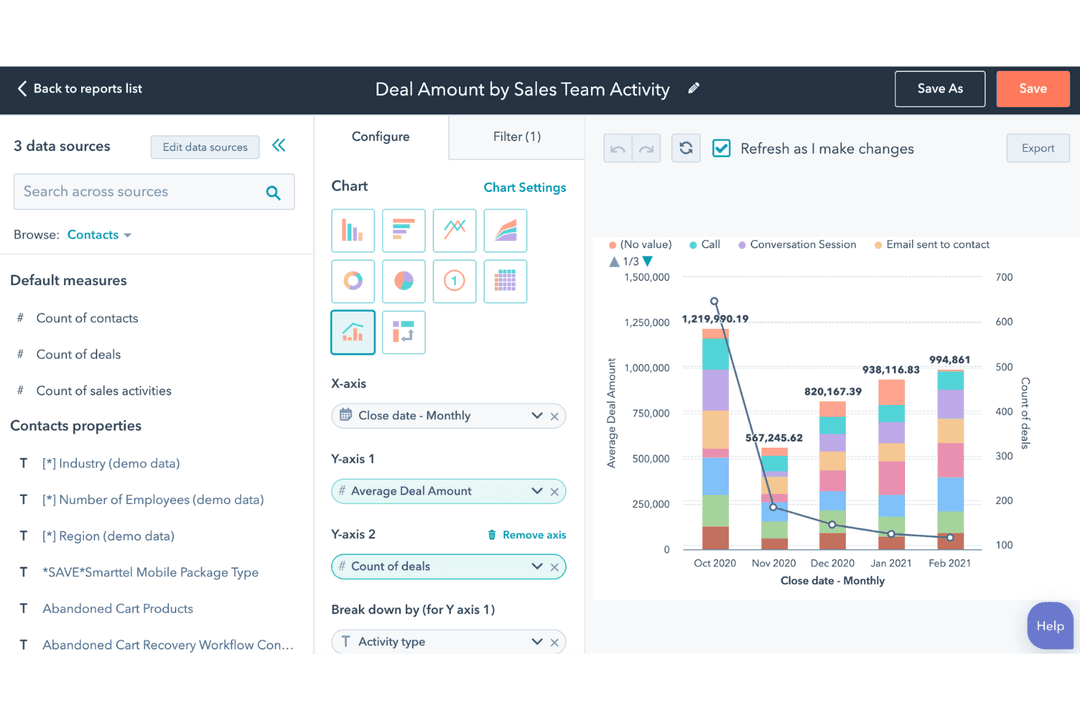
4.4/5
- Free plan available
- From $20/user/month
Why Trust Our Software Recommendations
6,700+
Reviews
20
Industry experts
16+
Evaluation factors
14
Years
Our team has been testing and reviewing software since 2012. As marketing leaders ourselves, we know how difficult—and important—it is to choose the right software.
For this guide, we evaluated tools using hands-on testing and independent research, scoring tools using our selection criteria.
Our reviews reflect our human editorial judgment, not a sales pitch.
Expert reviewers:
 Gui DrusinaCreative Director
- Shriya GhateSenior Marketing Lead
 Amanda JacquesMarketing Ops Leader

| Google Analytics | HubSpot | |
|---|---|---|
| Free Trial | Free plan available | Free plan available |
| Pricing | From $50,000/year (billed annually) | From $20/user/month |
Google Analytics vs. HubSpot Pricing & Hidden Costs
Google Analytics offers a free version with core analytics features, while its enterprise-level solution requires a custom quote and comes with advanced capabilities. HubSpot uses a tiered subscription model, where marketing analytics is bundled with other marketing tools, and costs can increase quickly as you add contacts, users, or advanced features. Both platforms may introduce hidden costs through add-ons, integrations, or the need for technical support and training.
To choose the right pricing model, map out your current and future analytics needs, including the number of users, data volume, and required integrations. Consider how each platform’s pricing structure scales as your business grows, and factor in the total cost of ownership—including onboarding, support, and any third-party tools you’ll need to get the most value from your investment.
Both Google Analytics and HubSpot offer essential marketing analytics features like website traffic tracking, user behavior analysis, and customizable dashboards. You can monitor campaign performance, set up conversion goals, and generate detailed reports with either tool. These shared features help you understand what’s working and where to optimize your marketing efforts.
Google Analytics stands out with its deep website analytics, advanced segmentation, and integration with other Google products. HubSpot, on the other hand, shines with its built-in CRM, marketing automation, and seamless lead tracking across email, social, and web. These unique strengths make each platform better suited for different marketing strategies and team needs.
| Google Analytics | HubSpot | |
|---|---|---|
| API | Yes | Yes |
| Campaign Management | No | Yes |
| Dashboard | Yes | Yes |
| Data Export | Yes | Yes |
| Data Import | Yes | Yes |
| Data Visualization | Yes | Yes |
| External Integrations | Yes | Yes |
| Multi-User | Yes | Yes |
| Notifications | Yes | Yes |
| Integration | Google Analytics | HubSpot |
| Google Ads | ✅ | ✅ |
| Salesforce | ✅ | ✅ |
| Facebook Ads | ✅ | ✅ |
| Shopify | ✅ | ✅ |
| WordPress | ✅ | ✅ |
| Mailchimp | ✅ | ✅ |
| Microsoft Dynamics | ❌ | ✅ |
| Slack | ❌ | ✅ |
| Google Search Console | ✅ | ❌ |
| LinkedIn Ads | ✅ | ✅ |
| API | ✅ | ✅ |
| Zapier | ✅ | ✅ |
Both Google Analytics and HubSpot cover the most popular marketing integrations, but HubSpot offers a broader range, especially for CRM and communication tools. With APIs and Zapier support, both platforms let you connect to hundreds of other apps, so most teams will find the integrations they need.
| Factor | Google Analytics | HubSpot |
| Data Privacy | Offers consent mode, IP anonymization (limited in GA4), and data retention controls. However, privacy compliance depends heavily on correct implementation and user consent configuration. | Provides built-in tools such as cookie consent banners, data subject request handling, and configurable data retention, along with role-based access controls. |
| Regulatory Compliance | Built on Google Cloud infrastructure that holds extensive global certifications (e.g., ISO 27001, ISO 27701, SOC 1/2/3). However, Google Analytics 4 itself requires proper setup to meet GDPR/CCPA. | Maintains GDPR and CCPA compliance support with built-in tools, documentation, and Data Processing Agreements. Also offers SOC 2 Type II certification and structured compliance programs. |
| Encryption | Encrypts data in transit and at rest within Google’s global infrastructure. | Encrypts data in transit and at rest, with additional enterprise-grade controls and security certifications (including SOC 2 Type II). |
| Uptime & Reliability | Runs on Google’s highly resilient global infrastructure with strong redundancy and availability, but does not provide a formal uptime SLA for GA users. | Provides a 99.95% uptime SLA for paid plans, along with public status reporting and incident transparency. |
HubSpot makes compliance easier with built-in tools for consent, data management, and regulatory documentation. Google Analytics, while backed by Google Cloud’s extensive certifications and secure infrastructure, requires proper configuration to meet privacy laws like GDPR and CCPA. As a result, HubSpot is more straightforward for compliance out of the box, while Google Analytics offers strong infrastructure but demands more hands-on setup.
| Factor | Google Analytics | HubSpot |
| User Interface | Offers a data-rich dashboard that can feel overwhelming for new users. | Features a clean, intuitive interface designed for marketers of all skill levels. |
| Onboarding | Provides basic tutorials but requires self-guided learning for advanced features. | Includes guided onboarding, in-app tips, and extensive training resources. |
| Setup Process | Setup can be technical, often needing developer support for full implementation. | Streamlined setup with step-by-step instructions and minimal technical requirements. |
| Customer Support | Relies on help articles and community forums for most support needs. | Offers live chat, email, and phone support, plus a large knowledge base. |
HubSpot has a more user-friendly interface for beginners and non-technical users, while Google Analytics appeals to those comfortable with data and customization. HubSpot’s guided onboarding and accessible support make it a favorite for teams seeking a quick start, while Google Analytics rewards users who want deep, customizable insights.
Google Analytics
- Free tier offers advanced analytics for most users
- Deep audience segmentation and funnel analysis tools
- Free tier offers advanced analytics for most users
- Data sampling can limit accuracy for large datasets
- Privacy and consent management require extra configuration
- Real-time reporting is limited compared to some competitors
HubSpot
- The intuitive interface makes it easy for your team to navigate and manage marketing tasks.
- Exceptional customer support ensures you get help quickly when needed.
- The onboarding process is smooth, getting your team up to speed in no time.
- Some users find it lacks certain financial-related features like budgets and expenses.
- Occasional glitches in allocations may require you to double-check assignments.
- Advanced users might find HubSpot's templated options limiting for unique customizations.
Google Analytics
- Large EnterprisesLeverage custom dashboards and advanced reporting for multiple business units.
- Content PublishersMeasure audience growth, top content, and referral traffic sources.
- Higher EducationAnalyze student recruitment campaigns and website engagement by source.
- SaaS CompaniesMonitor user engagement, onboarding flows, and conversion events.
- Digital Marketing AgenciesManage multiple client accounts and compare campaign performance across channels.
- Ecommerce BrandsTrack sales funnels, product performance, and customer journeys in detail.
HubSpot
- Digital AgenciesHubSpot Marketing’s automation tools help your team manage multiple client campaigns efficiently.
- SaaS StartupsIts detailed analytics empower you to track user engagement and optimize marketing strategies.
- E-commerce BusinessesPersonalized email marketing features allow you to enhance customer engagement and boost sales.
- Educational InstitutionsHubSpot’s CRM integration helps you manage student outreach and engagement effectively.
- Healthcare ProvidersThe platform’s content management tools aid in maintaining a strong online presence.
- Non-Profit OrganizationsIts easy-to-use interface and support make managing campaigns and donor relationships straightforward.
Who Should Use Google Analytics, and Who Should Use HubSpot?
Google Analytics is best suited for businesses that primarily need advanced, in-depth website and app analytics without paying for a full marketing platform. It works well for teams with technical resources who can handle setup, customization, and compliance configuration. It’s especially strong for high-traffic sites, search engine analytics, ecommerce tracking, and data-driven optimization.
HubSpot is ideal for businesses that want an all-in-one digital marketing platform combining analytics with social, content, and email marketing, sales, and CRM tools. It’s a better fit for teams that prioritize ease of use, built-in compliance features, and automation without heavy technical setup. It works particularly well for growing companies looking to manage the entire customer journey in one system.
| Google Analytics | HubSpot | |
|---|---|---|
| Automation | Google Analytics Lacks built-in marketing automation features. | HubSpot Includes robust marketing automation and workflow tools. |
| CRM Integrations | Google Analytics No built-in CRM functionality, relies on third-party integrations. | HubSpot Native HubSpot CRM included for seamless lead and customer management. |
| Data Focus | Google Analytics Specializes in app and web analytics with granular segmentation. Good for organic (SEO) and paid search campaigns. | HubSpot Focuses on contact, lead generation, and campaign analytics across multiple channels. |
| Pricing Model | Google Analytics Free core version, with paid enterprise tier and add-ons. | HubSpot Tiered subscription pricing bundled with marketing, CRM, and automation. |
| User Interface | Google Analytics Data-heavy dashboards with a steeper learning curve. | HubSpot Intuitive, marketer-friendly interface with guided workflows. |
| Custom Reporting | Each platform lets you build custom dashboards and reports tailored to your marketing goals and specific metrics. |
|---|---|
| Data Visualization | Each offers visual charts and graphs to make analytics insights easy to understand and share. |
| Real-Time Tracking | Both provide real-time data on website activity, website visits, and campaign performance for quick decision-making. |
| User Segmentation | Both provide attribution tools and allow you to segment users based on behavior, demographics, and interactions for deeper analysis. |
| Website Analytics | Both track website visitors, page views, user behavior, and conversion events, helping you measure website performance. |