

GoDaddy Review: Pros, Cons, Features, and Pricing Explained


GoDaddy is a website builder software and hosting tool designed to help you launch and manage a professional site quickly, even if you have limited technical skills. For marketing managers balancing tight timelines, evolving brand needs, and the pressure to deliver results, GoDaddy offers a straightforward platform with built-in marketing tools and fast setup. In this review, you’ll find a clear breakdown of GoDaddy’s features, best and worst use cases, pros and cons, and pricing—so you can decide if it fits your team’s goals and workflow.
GoDaddy Evaluation Summary

- From $4.99/year
- Free trial available
Why Trust Our Software Reviews
GoDaddy Overview
GoDaddy is a solid pick if you’re judging website builders by speed, onboarding ease, and built-in marketing tools. Its drag-and-drop editor and guided setup help you launch a site fast, while affordable pricing appeals to budget-conscious teams. However, customization and advanced integrations are limited compared to some competitors. If you’re selecting a platform for a small business, personal brand, or quick campaign site, GoDaddy’s simplicity and responsive support make it a practical choice. For highly customized or complex sites, you may find its design and integration options restrictive.
pros
-
24/7 customer support with live chat and phone
-
Fast site publishing with guided setup and templates
-
Built-in marketing tools like email and social posts
cons
-
Fewer third-party app options than some competitors
-
No access to underlying site code or advanced CSS
-
Limited control over mobile site design options
-

Demandbase
Visit WebsiteThis is an aggregated rating for this tool including ratings from Crozdesk users and ratings from other sites.4.4 -
6sense
Visit WebsiteThis is an aggregated rating for this tool including ratings from Crozdesk users and ratings from other sites.4.3 -
AnswerThePublic
Visit Website


How We Test & Score Tools
We’ve spent years building, refining, and improving our software testing and scoring system. The rubric is designed to capture the nuances of software selection and what makes a tool effective, focusing on critical aspects of the decision-making process.
Below, you can see exactly how our testing and scoring works across seven criteria. It allows us to provide an unbiased evaluation of the software based on core functionality, standout features, ease of use, onboarding, customer support, integrations, customer reviews, and value for money.
Core Functionality (25% of final scoring)
The starting point of our evaluation is always the core functionality of the tool. Does it have the basic features and functions that a user would expect to see? Are any of those core features locked to higher-tiered pricing plans? At its core, we expect a tool to stand up against the baseline capabilities of its competitors.
Standout Features (25% of final scoring)
Next, we evaluate uncommon standout features that go above and beyond the core functionality typically found in tools of its kind. A high score reflects specialized or unique features that make the product faster, more efficient, or offer additional value to the user.
We also evaluate how easy it is to integrate with other tools typically found in the tech stack to expand the functionality and utility of the software. Tools offering plentiful native integrations, 3rd party connections, and API access to build custom integrations score best.
Ease of Use (10% of final scoring)
We consider how quick and easy it is to execute the tasks defined in the core functionality using the tool. High scoring software is well designed, intuitive to use, offers mobile apps, provides templates, and makes relatively complex tasks seem simple.
Onboarding (10% of final scoring)
We know how important rapid team adoption is for a new platform, so we evaluate how easy it is to learn and use a tool with minimal training. We evaluate how quickly a team member can get set up and start using the tool with no experience. High scoring solutions indicate little or no support is required.
Customer Support (10% of final scoring)
We review how quick and easy it is to get unstuck and find help by phone, live chat, or knowledge base. Tools and companies that provide real-time support score best, while chatbots score worst.
Customer Reviews (10% of final scoring)
Beyond our own testing and evaluation, we consider the net promoter score from current and past customers. We review their likelihood, given the option, to choose the tool again for the core functionality. A high scoring software reflects a high net promoter score from current or past customers.
Value for Money (10% of final scoring)
Lastly, in consideration of all the other criteria, we review the average price of entry level plans against the core features and consider the value of the other evaluation criteria. Software that delivers more, for less, will score higher.
Core Features
Drag-and-Drop Editor
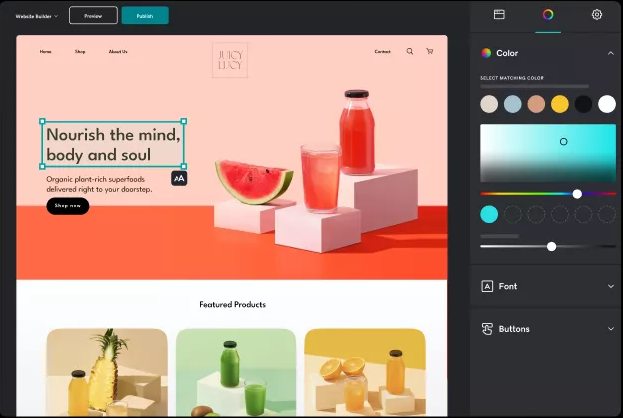
Arrange sections and content blocks visually without coding. The editor uses pre-designed layouts for fast site creation and optimized load times.
Mobile-Responsive Templates
All templates automatically adjust for mobile and tablet screens. You can preview and edit your site on any device.
Built-In Marketing Tools
Send email campaigns and schedule social posts directly from your dashboard. These tools are included in every plan.
Appointment Scheduling
Let visitors book appointments or events online and sync with your calendar. Accept payments for bookings through your site.
Content Creator Tool
Design graphics for social media, ads, and banners using a built-in editor. This tool works like a simplified version of Canva.
Basic CRM Functionality
Store and manage customer contacts from forms, bookings, and email signups. Use this database to track interactions and send updates.
Ease of Use
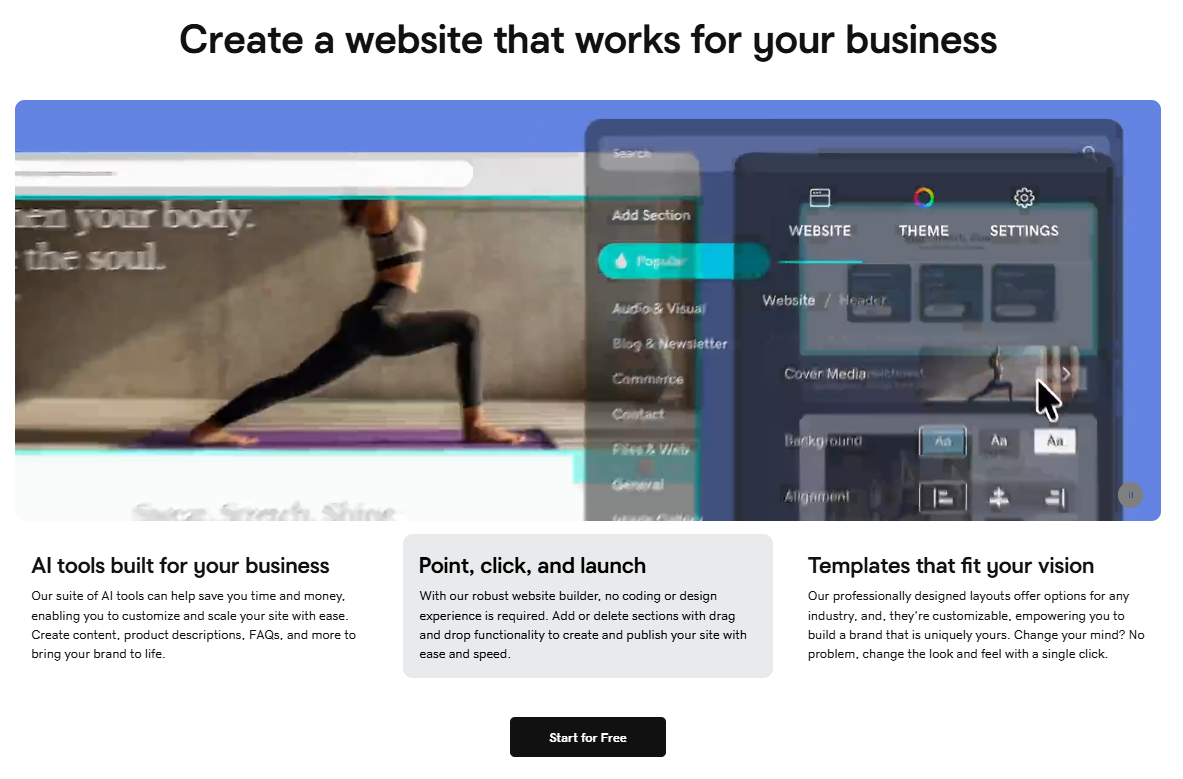
GoDaddy is widely recognized for its straightforward, beginner-friendly interface and fast onboarding, contributing to a smooth user experience. The drag-and-drop editor, guided setup, and clear navigation make it easy for non-technical users to build and update sites. Many users highlight how quickly they can publish a site, thanks to step-by-step prompts and pre-built templates. However, some users note that the simplicity comes at the expense of deeper design control and advanced customization options.
Integrations
GoDaddy natively integrates with LiveChat, GoogleWorkspace, Jotform, and Vibe.co, among others.
GoDaddy also offers an API and connects with some third-party integration tools for expanded functionality.
GoDaddy Specs
- A/B Testing
- API
- Data Export
- Data Import
- External Integrations
- Landing Pages
- Multi-User
- Third-Party Plugins/Add-Ons


