
Convoso Review: Pros, Cons, Features and Pricing


Convoso is a cloud-based telemarketing software designed to enhance call efficiency for sales and lead generation teams. In my opinion, it's best suited for call centers and sales departments in industries like real estate and insurance, where maximizing talk time is crucial. Convoso's value proposition lies in its ability to boost productivity with powerful dialing options and robust analytics.
Convoso addresses common challenges like reducing idle time and enhancing call tracking, making it great for sales and marketing teams. In this article, I'll cover Convoso's features, pros and cons, use cases, pricing, etc., so you can decide if this software aligns with your goals.
Convoso Evaluation Summary
- Pricing upon request
- Free demo available
Why Trust Our Software Reviews
Convoso Overview
In my opinion, Convoso is a solid choice for telemarketing software, particularly for sales-driven environments looking to maximize call efficiency. It excels with its user-friendly interface and powerful dialing options, which set it apart from competitors. The pricing is competitive, albeit slightly higher, but justified by the comprehensive features offered. Convoso's support team is responsive, adding to the overall positive experience. However, it may not be the best fit for smaller teams with limited budgets. For larger sales teams aiming to increase productivity and track performance effectively, Convoso is worth considering.
pros
-
The responsive customer support enhances your overall experience.
-
Your team will find the interface easy to use and navigate.
-
You can boost call efficiency with its powerful dialing options.
cons
-
You might find some advanced features require more training.
-
The software can be overwhelming for smaller teams.
-
Your team may face a learning curve during onboarding.
-

Demandbase
Visit WebsiteThis is an aggregated rating for this tool including ratings from Crozdesk users and ratings from other sites.4.4 -
6sense
Visit WebsiteThis is an aggregated rating for this tool including ratings from Crozdesk users and ratings from other sites.4.3 -
AnswerThePublic
Visit Website


How We Test & Score Tools
We’ve spent years building, refining, and improving our software testing and scoring system. The rubric is designed to capture the nuances of software selection and what makes a tool effective, focusing on critical aspects of the decision-making process.
Below, you can see exactly how our testing and scoring works across seven criteria. It allows us to provide an unbiased evaluation of the software based on core functionality, standout features, ease of use, onboarding, customer support, integrations, customer reviews, and value for money.
Core Functionality (25% of final scoring)
The starting point of our evaluation is always the core functionality of the tool. Does it have the basic features and functions that a user would expect to see? Are any of those core features locked to higher-tiered pricing plans? At its core, we expect a tool to stand up against the baseline capabilities of its competitors.
Standout Features (25% of final scoring)
Next, we evaluate uncommon standout features that go above and beyond the core functionality typically found in tools of its kind. A high score reflects specialized or unique features that make the product faster, more efficient, or offer additional value to the user.
We also evaluate how easy it is to integrate with other tools typically found in the tech stack to expand the functionality and utility of the software. Tools offering plentiful native integrations, 3rd party connections, and API access to build custom integrations score best.
Ease of Use (10% of final scoring)
We consider how quick and easy it is to execute the tasks defined in the core functionality using the tool. High scoring software is well designed, intuitive to use, offers mobile apps, provides templates, and makes relatively complex tasks seem simple.
Onboarding (10% of final scoring)
We know how important rapid team adoption is for a new platform, so we evaluate how easy it is to learn and use a tool with minimal training. We evaluate how quickly a team member can get set up and start using the tool with no experience. High scoring solutions indicate little or no support is required.
Customer Support (10% of final scoring)
We review how quick and easy it is to get unstuck and find help by phone, live chat, or knowledge base. Tools and companies that provide real-time support score best, while chatbots score worst.
Customer Reviews (10% of final scoring)
Beyond our own testing and evaluation, we consider the net promoter score from current and past customers. We review their likelihood, given the option, to choose the tool again for the core functionality. A high scoring software reflects a high net promoter score from current or past customers.
Value for Money (10% of final scoring)
Lastly, in consideration of all the other criteria, we review the average price of entry level plans against the core features and consider the value of the other evaluation criteria. Software that delivers more, for less, will score higher.
Core Features
Call Routing & Management
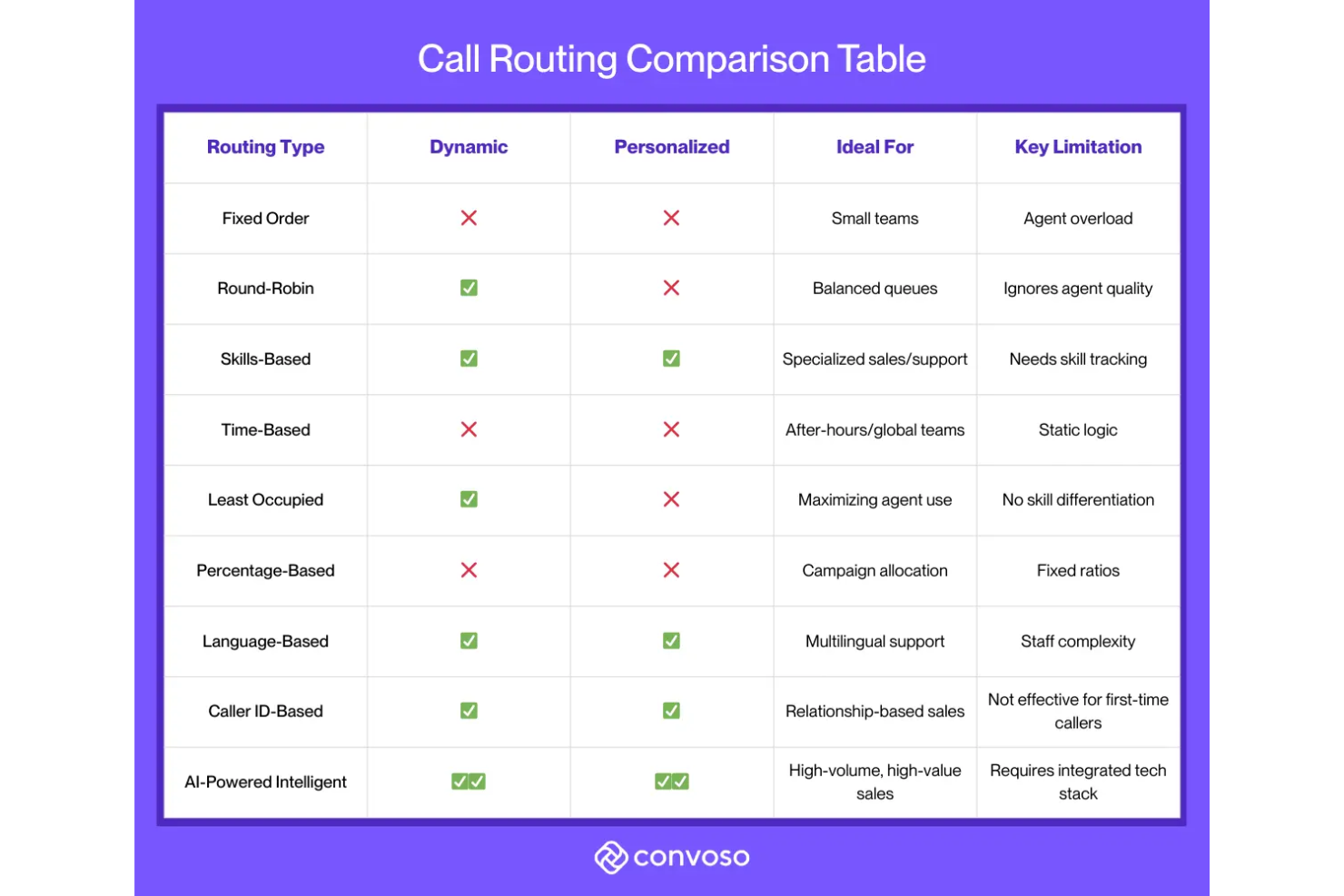
Call routing directs conversations based on skills, location, availability, or priority. It gives your team real-time visibility and coaching tools to improve performance.
Campaign Management
Campaign management supports running multiple campaigns at once, with speed-to-lead tools and list management. It helps your team respond faster and personalize outreach using CRM data.
Omnichannel
Omnichannel outreach keeps voice, text, and email communication unified within a single workflow. It allows your team to run multi-touch follow-ups without switching between tools.
Compliance
This feature includes DNC scrubbing, reassigned number checks, and dynamic disclosure scripting. It helps your team stay compliant and reduce risk in regulated outbound operations.
Reporting & Platform
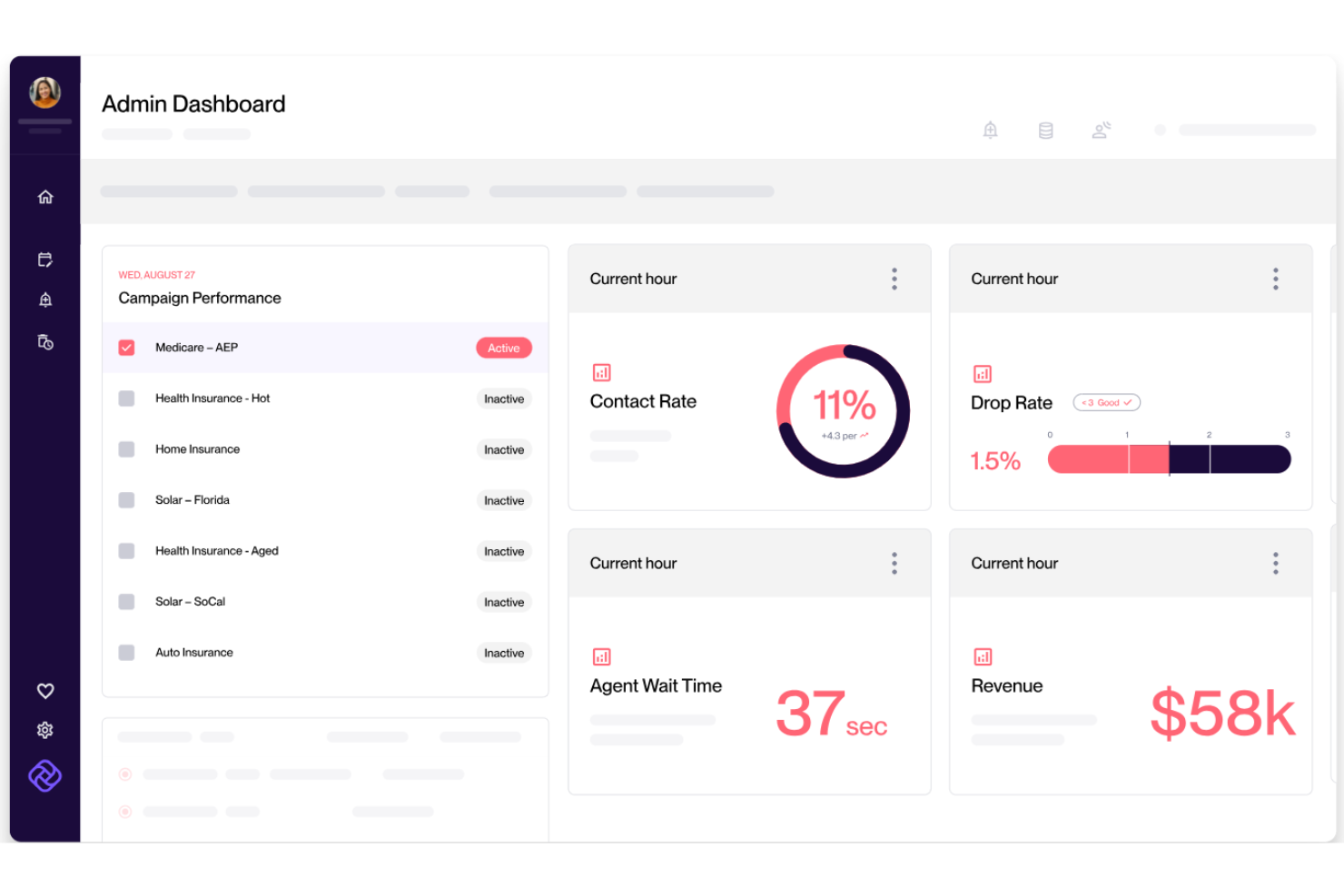
This feature provides real-time insights and historical trend views across multiple time ranges. It helps your team track performance consistently and make data-driven decisions.
Ease of Use
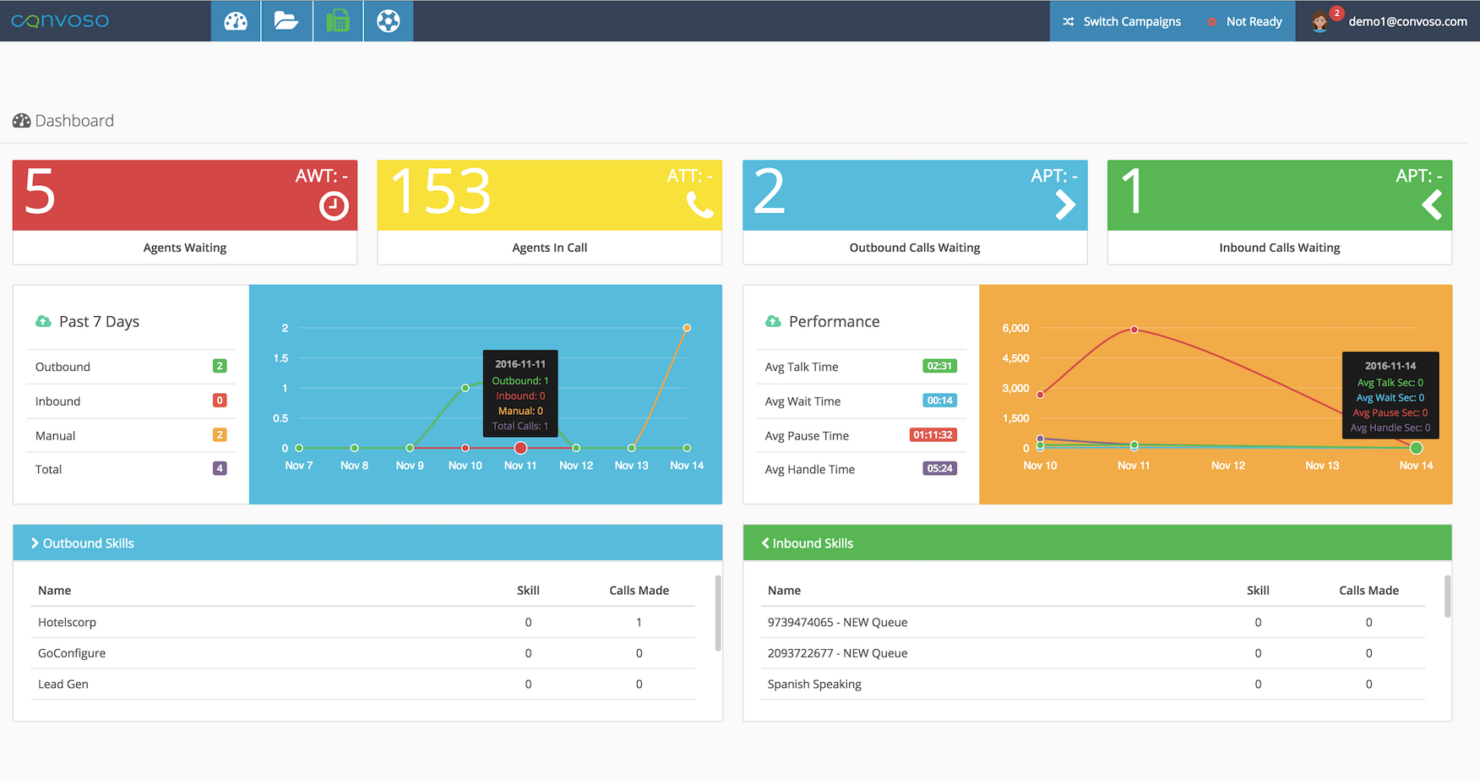
Convoso is user-friendly, offering an intuitive interface that your team will quickly adapt to. The dashboard is clear and makes navigating through features straightforward, enhancing productivity. While some advanced features may require initial training, the overall usability is smooth and efficient. User reviews often highlight the ease of managing calls and leads, making it a preferred choice for teams focused on telemarketing. If you're seeking software that's easy to learn and operate, Convoso is a strong contender.
Integrations
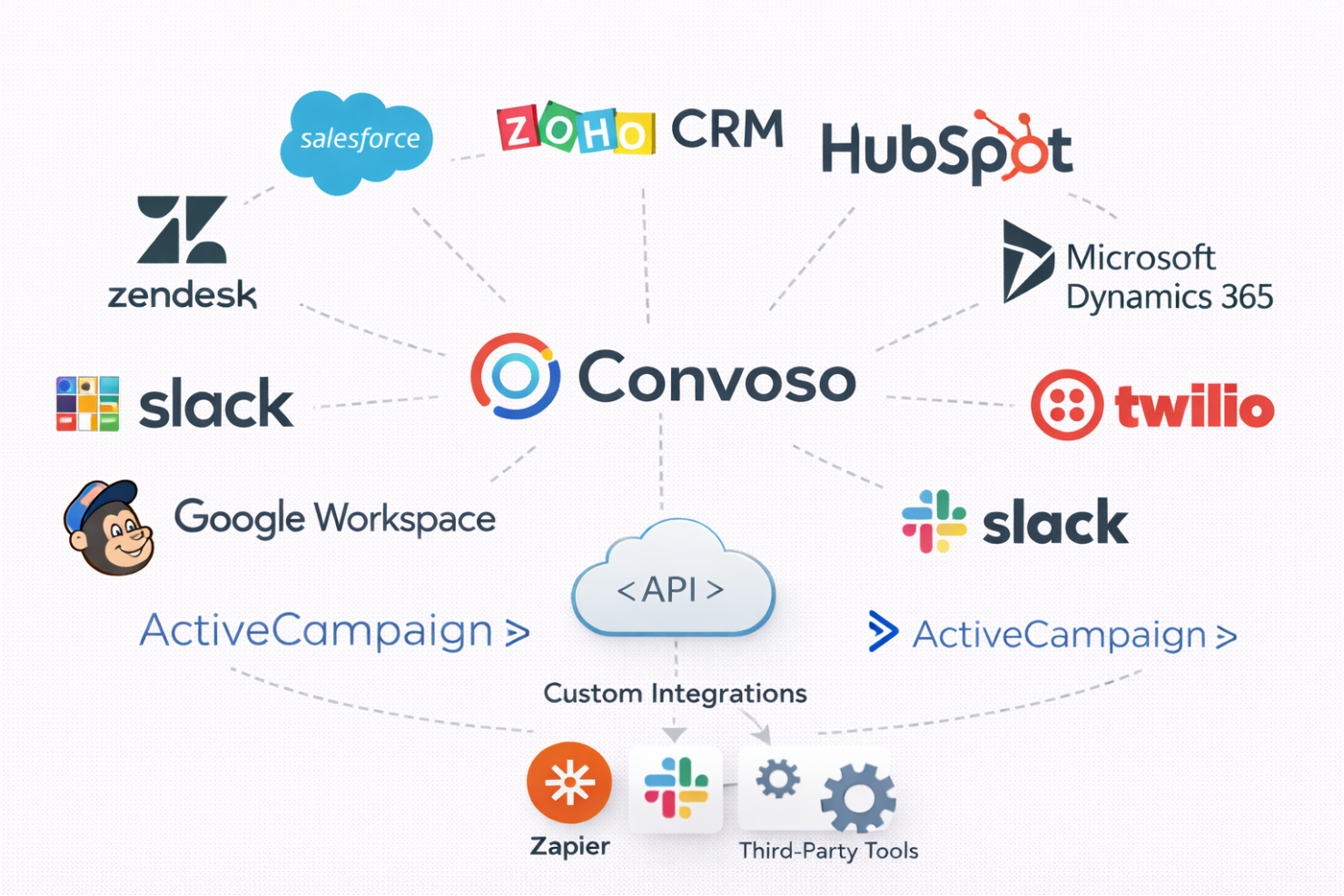
Convoso integrates with Salesforce, Zoho CRM, HubSpot, Microsoft Dynamics 365, Twilio, Slack, Mailchimp, Google Workspace, ActiveCampaign, and Zendesk.
Convoso also provides an open API, allowing connections with third-party integration tools to enhance flexibility and customization.
Convoso Specs
- API
- Auto Dialer
- Batch Permissions & Access
- Calendar Management
- Call Disposition
- Call Integration
- Call Logging
- Call Monitoring
- Call Recording
- Call Scripting
- Call Tracking
- Chat
- Click-to-Dial
- Contact Management
- Contact Sharing
- Custom Data Forms
- Customer Management
- Customer Service
- Dashboard
- Data Export
- Data Import
- Data Visualization
- Email Integration
- Escalation Management
- External Integrations
- Google Apps Integration
- Interactive Voice Response
- Knowledge Base
- Lead Management
- Lead Scoring
- Marketing Automation
- Multi-User
- Notifications
- SAP Integration
- Scheduling
- Softphone
- Supplier Management
- Support Forum
- Ticket Management