
23 Best Trade-Show Lead Capture Apps Reviewed in 2026

Best Trade-Show Lead Capture App Shortlist
Here's my pick of the 12 best software from the 23 tools reviewed.


As a marketing manager, you know the chaos of trade shows. Juggling leads, networking, and ensuring nothing slips through the cracks can be overwhelming. That's where a trade-show lead capture app comes in. It helps manage leads efficiently, so you can focus on what matters most, that is: building relationships.
I've independently tested and reviewed these tools to give you an unbiased look at the best options out there. In this article, I'll share my top picks, focusing on what each app offers and how it can benefit your team.
Based on my evaluation, the right tool can make a huge difference. Let's dive into the best solutions that can ease your trade-show challenges.
Why Trust Our Software Reviews
Best Trade-Show Lead Capture Apps Summary
This comparison chart summarizes pricing details for my top trade-show lead capture app selections to help you find the best one for your budget and business needs.
| Tool | Best For | Trial Info | Price | ||
|---|---|---|---|---|---|
| 1 | Best for event check-ins | Free plan + free demo available | From $1/attendee | Website | |
| 2 | Best for quick setup | 14-day free trial available | From $41/month (billed annually) | Website | |
| 3 | Best for attendee networking | Free demo available | Pricing upon request | Website | |
| 4 | Best for hybrid events | Free demo available | Pricing upon request | Website | |
| 5 | Best for interactive content | Free demo available | Pricing upon request | Website | |
| 6 | Best for virtual events | Free demo available | Pricing upon request | Website | |
| 7 | Best for large-scale events | Free demo available | Pricing upon request | Website | |
| 8 | Best for budget-friendly options | Free demo available | Pricing upon request | Website | |
| 9 | Best for offline data capture | Free demo available | From $8,000/year | Website | |
| 10 | Best for custom integrations | Free demo available | Pricing upon request | Website | |
| 11 | Best for small teams | Free demo available | Pricing upon request | Website | |
| 12 | Best for mobile engagement | 14-day free trial available | From $20/month (billed annually) | Website |
-

Eloqua
Visit WebsiteThis is an aggregated rating for this tool including ratings from Crozdesk users and ratings from other sites.4.3 -
Optimizely
Visit WebsiteThis is an aggregated rating for this tool including ratings from Crozdesk users and ratings from other sites.4.2 -
Uberflip
Visit WebsiteThis is an aggregated rating for this tool including ratings from Crozdesk users and ratings from other sites.4.3




Best Trade Show Lead Capture App Reviews
Below are my detailed summaries of the best trade-show lead capture apps that made it onto my shortlist. My reviews offer a detailed look at the key features, pros and cons, integrations, and ideal use cases of each tool to help you find the best one for you.
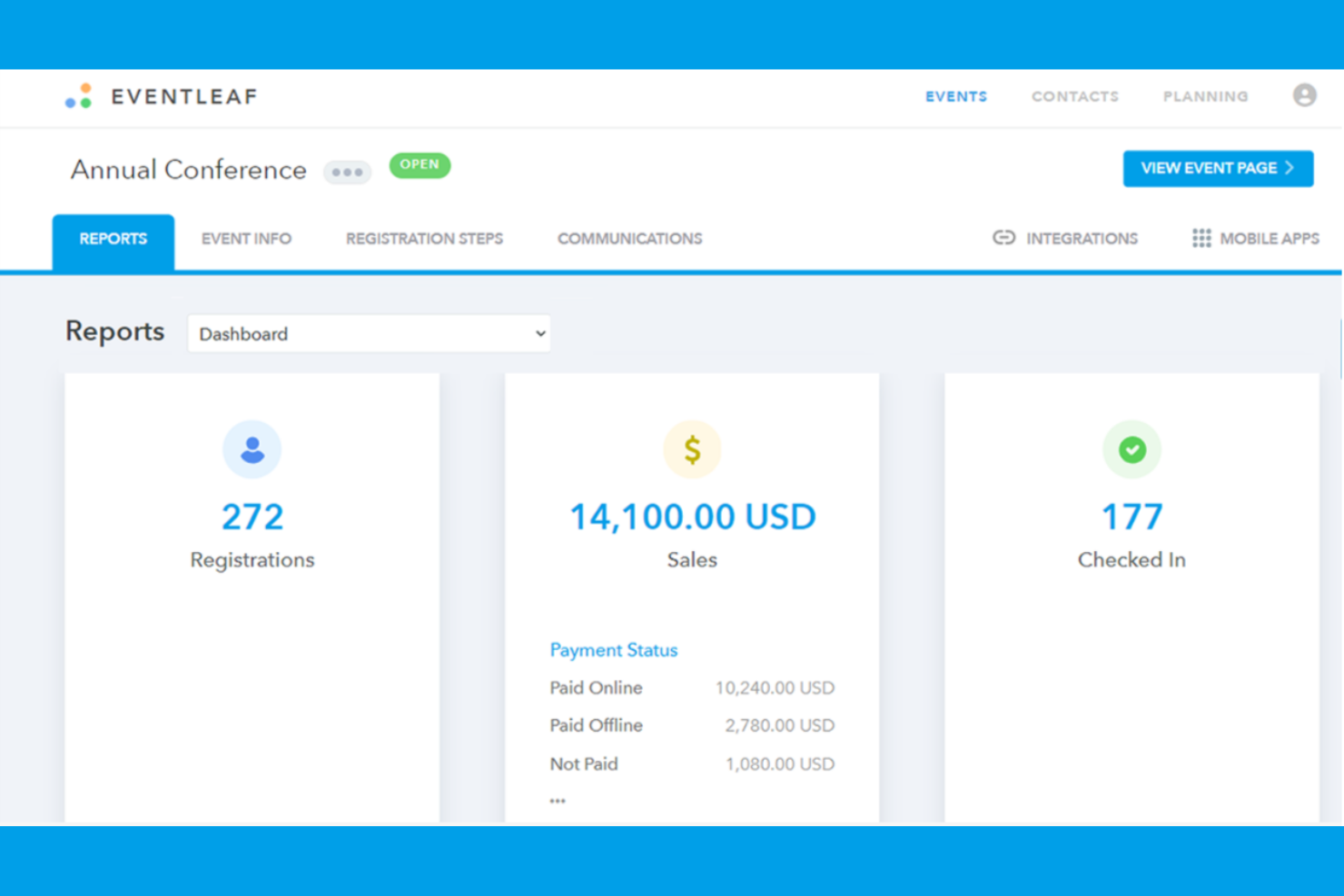
Eventleaf is a trade-show lead capture app tailored for event organizers and exhibitors who need efficient check-in solutions. It is designed to simplify attendee management and improve event engagement through easy-to-use features.
Why I picked Eventleaf: The app excels in managing event check-ins with its quick and accurate attendee tracking. You can scan trade-show badges or QR codes smoothly, reducing wait times at the entrance. This feature is ideal for large events where managing attendee flow is critical. In my experience, Eventleaf's check-in capabilities ensure you provide a smooth experience for your guests.
Standout Features and Integrations:
Features include real-time attendee tracking, customizable attendee badges, badge scanning, and instant notifications for attendees. These features help you maintain control over event logistics and improve communication with participants.
Integrations include Salesforce, Marketo, Google Analytics, HubSpot, Zapier, and more.
Pros and Cons
Pros:
- Instant attendee notifications
- Customizable badge options
- Quick attendee check-in
Cons:
- Basic reporting tools
- Clunky badge scanning at busy events

QuickTapSurvey is a lead capture app designed for businesses that need a fast and efficient way to collect data at events. It's popular among teams that value speed and ease of use in their data collection processes.
Why I picked QuickTapSurvey: The app is built for quick setup, which allows you to start capturing leads in minutes. You can create surveys and forms easily, which helps in gathering targeted information. The offline functionality allows you to capture data without an internet connection. QuickTapSurvey is well-suited for fast-paced events where time is of the essence.
Standout Features and Integrations:
Features include offline data capture, customizable surveys, and instant data synchronization. These features ensure your team can collect and access information efficiently during events.
Integrations include Salesforce, Mailchimp, Marketo, Constant Contact, Zapier, and more.
Pros and Cons
Pros:
- Ideal for fast-paced events
- Offline data capture
- Instant data synchronization
Cons:
- Limited branching logic in surveys
- Requires internet to sync

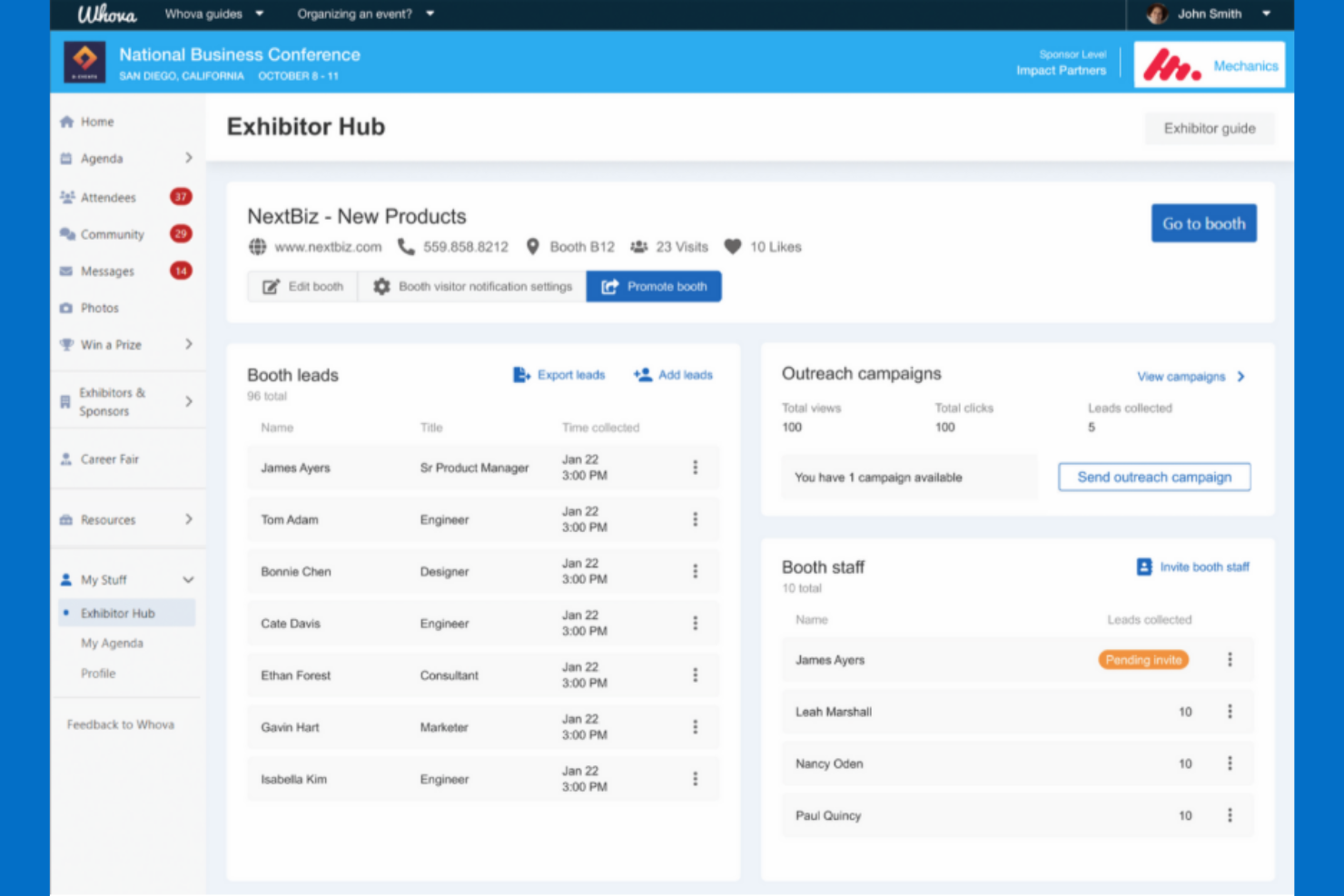
Whova is a trade-show lead retrieval app designed to strengthen networking and engagement among event attendees. It is designed for event organizers who prioritize attendee interaction and relationship building.
Why I picked Whova: The app focuses on attendee networking, providing features that facilitate connections and interactions. You can use it to create community boards and discussion topics, which encourage active participation. The app also offers attendee matchmaking, helping users find others with similar interests. In my experience, these networking tools make Whova a valuable asset for events aiming to build strong professional networks.
Standout Features and Integrations:
Features include community boards for discussions, attendee matchmaking for better connections, and live polls for real-time engagement. These features help your team foster a lively and interactive event environment.
Integrations include Eventbrite, Constant Contact, Zapier, Cvent, RegFox, and more.
Pros and Cons
Pros:
- Encourages active participation
- Attendee matchmaking tool
- Community board discussions and live polls
Cons:
- Some initial setup complexity
- Basic reporting features
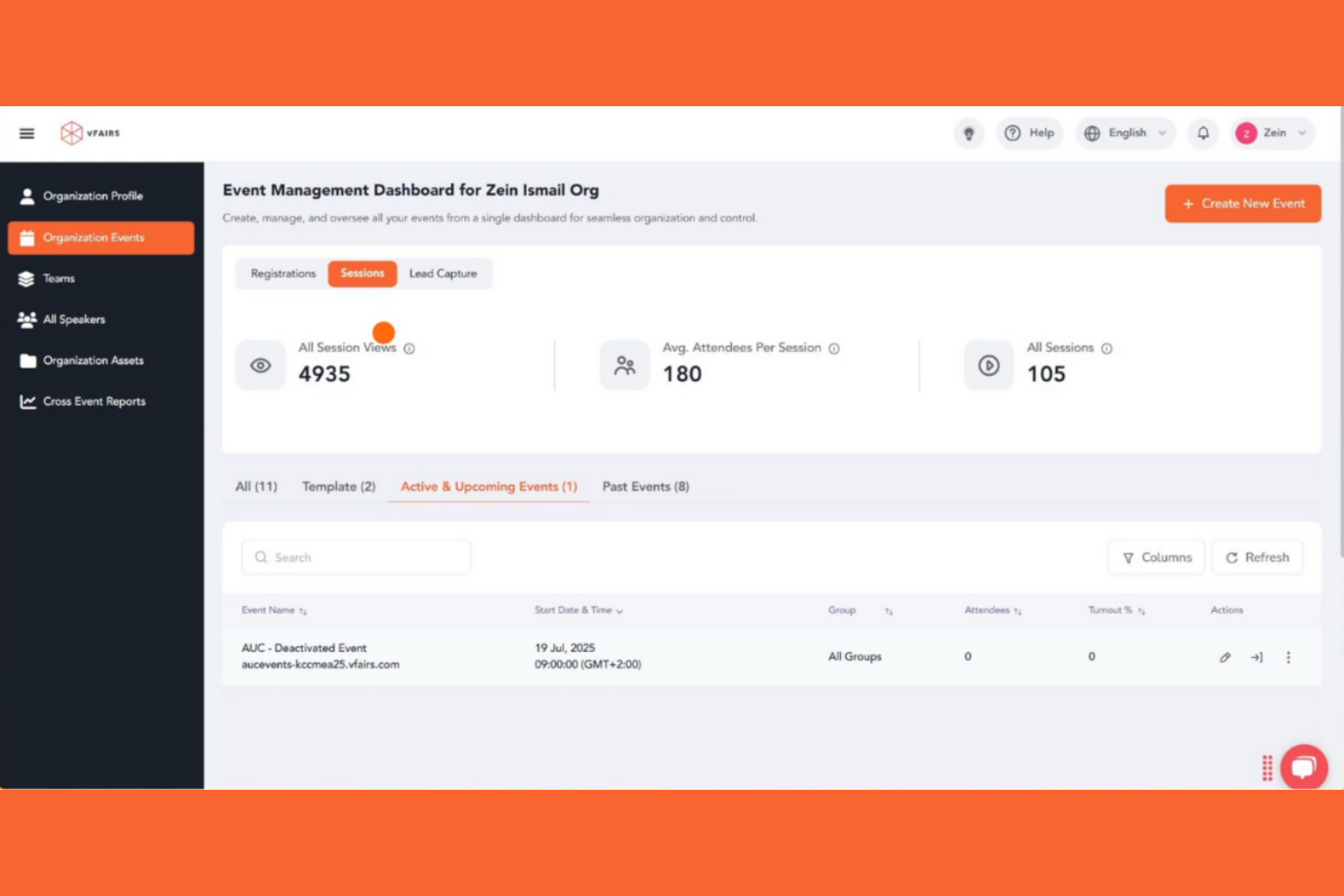
vFairs is a versatile event management platform tailored for hosting hybrid events, catering to both virtual and in-person attendees. It is designed for organizations with lead-generation strategies that look to create engaging and inclusive experiences for diverse audiences.
Why I picked vFairs: This platform is effective in managing hybrid events, offering features that serve both online and offline participants. You can create virtual booths and facilitate live streaming so that all of your attendees stay connected. The platform also supports interactive tools like Q&A sessions and polls, which have the potential to increase engagement. In my experience, vFairs' hybrid capabilities make it perfect for events aiming to reach a broad audience.
Standout Features and Integrations:
Features include virtual booth creation, live streaming capabilities, and interactive tools such as Q&A sessions and polls. These features help your team engage both in-person and virtual attendees.
Integrations include Salesforce, HubSpot, Zoom, Microsoft Teams, Mailchimp, PayPal, Stripe, Slido, and more.
Pros and Cons
Pros:
- Interactive tools
- Live streaming capabilities
- Strong hybrid event support
Cons:
- Virtual booth customization is limited
- Requires internet for full features

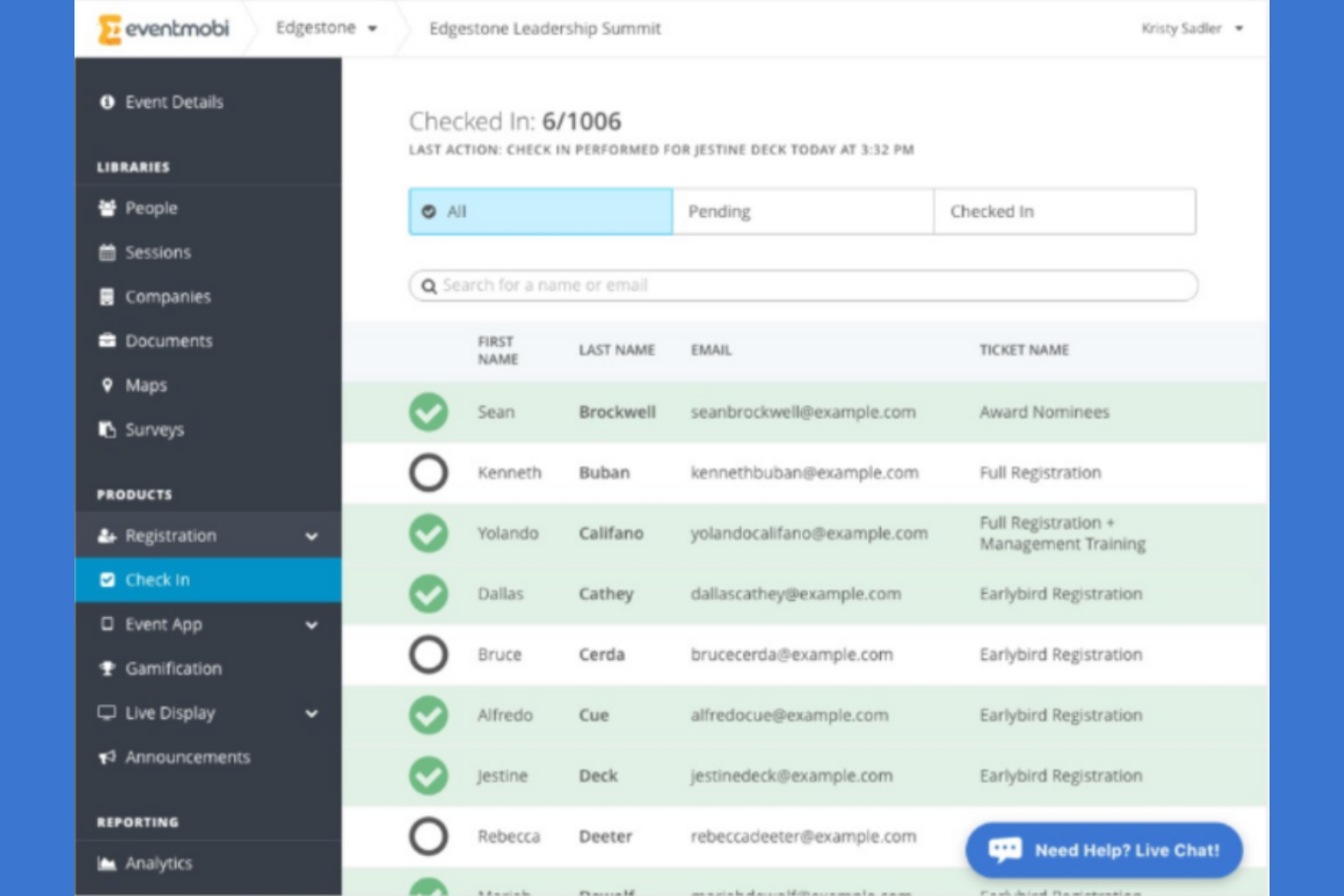
EventMobi is an event management platform designed for organizers looking to strengthen attendee engagement and improve conversion rates through interactive content. It caters to a wide range of events, offering tools that boost interaction and participation.
Why I picked EventMobi: It excels in delivering interactive content, allowing your team to create engaging experiences for attendees. You can use its features to design interactive polls and surveys, fostering active participation. The app also supports real-time updates, keeping everyone informed and involved. In my experience, EventMobi's focus on interaction makes it a strong choice for events aiming to captivate their audience.
Standout Features and Integrations:
Features include interactive polls, customizable surveys, and real-time updates. These features ensure your team can engage attendees effectively and maintain high levels of participation throughout the event.
Integrations include Salesforce, HubSpot, Marketo, Eventbrite, RegFox, Swoogo, iMIS, MemberSuite, Slack, Airtable, Notion, and more.
Pros and Cons
Pros:
- Supports active participation
- Real-time updates
- Engaging interactive content
Cons:
- Key features tied to higher pricing tiers
- Basic lead scoring and filtering
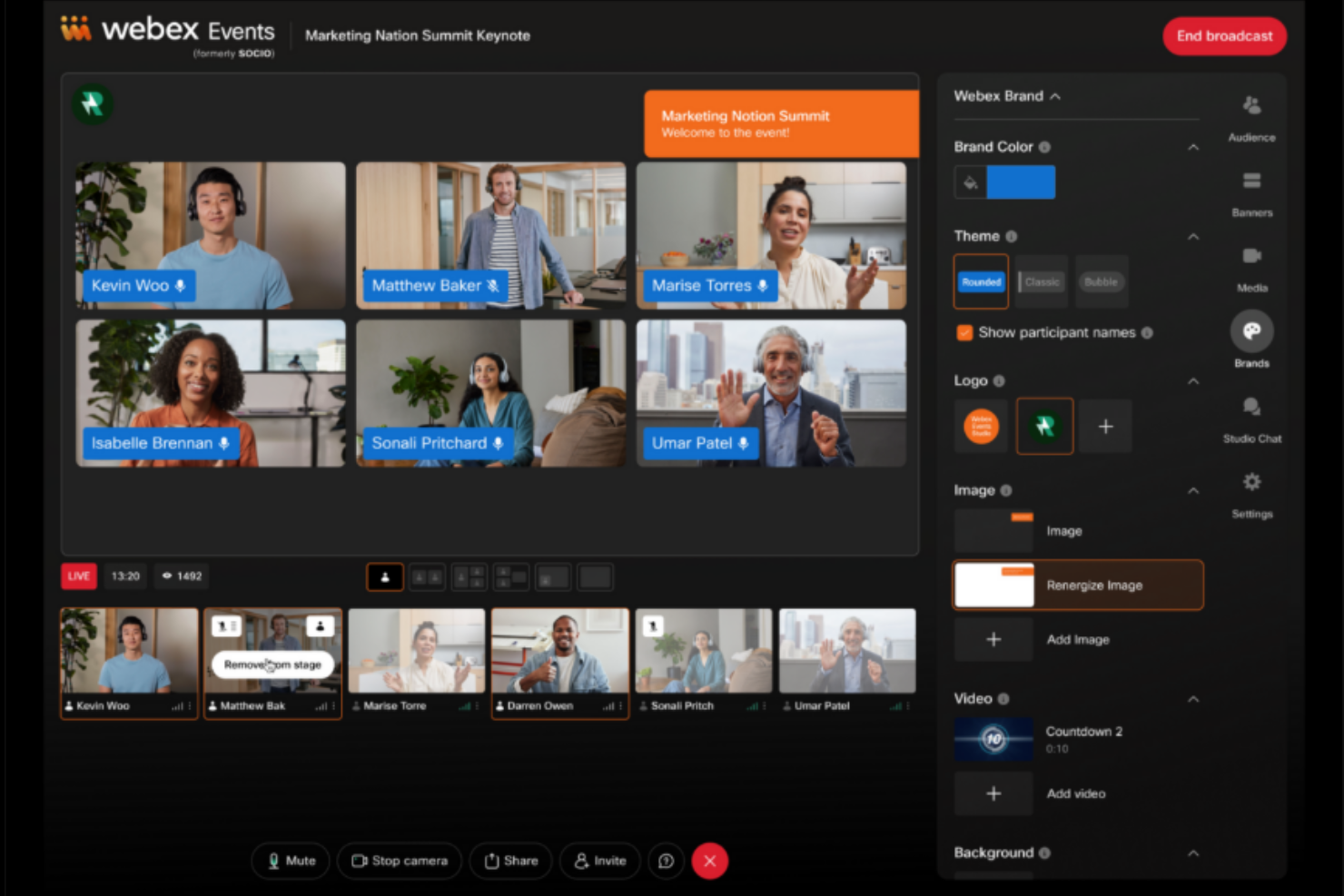
Webex Events is a lead retrieval app that caters to event organizers focusing on virtual and hybrid events. It provides tools to capture leads and engage attendees in a digital environment.
Why I picked Webex Events: The app excels in supporting virtual events, offering features that facilitate online engagement and lead capture. You can use it to create virtual booths and interactive sessions, enhancing the attendee experience. It also provides real-time analytics, providing metrics that help your team make data-driven decisions during the event. In my experience, Webex Events' virtual capabilities make it a top choice for teams transitioning to online platforms.
Standout Features and Integrations:
Features include virtual booth creation, interactive session capabilities, and real-time analytics. These features ensure your team can effectively manage and engage participants in a virtual setting.
Integrations include Zoom, Zapier, Twitch, Eventbrite, Cvent, Miro, Facebook, and more.
Pros and Cons
Pros:
- Interactive session capabilities
- Real-time analytics
- Strong virtual event support
Cons:
- On-site staff training required
- Rigid lead export and reporting

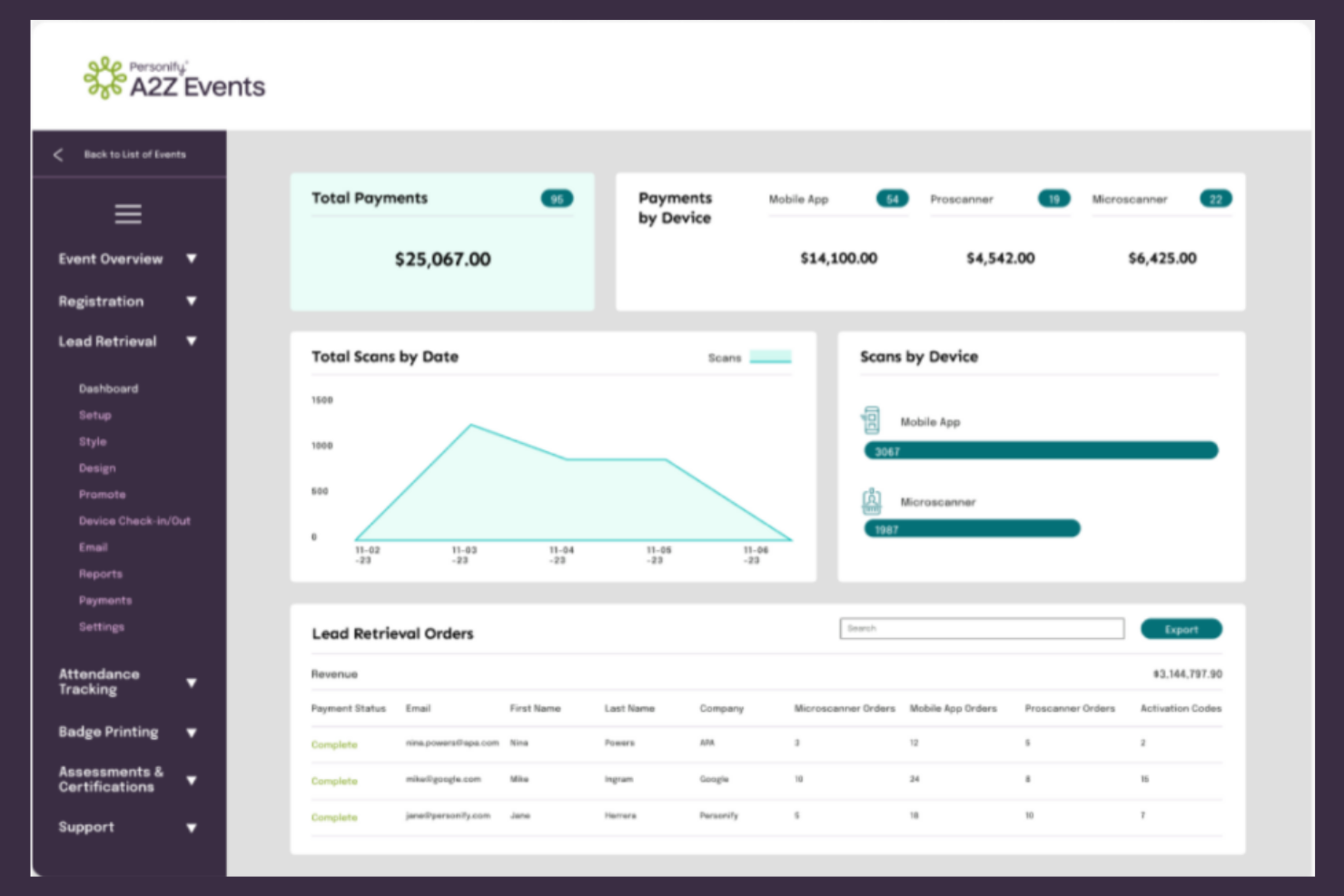
A2Z Events is an event management platform designed for large-scale events, catering to organizers who need tools for managing complex logistics. It is designed to streamline event planning and execution, smoothing operations for big gatherings.
Why I picked A2Z Events: It's tailored for large-scale event management, offering features that handle complex logistics. You can use it to manage exhibitor information, floor plans, and schedules. The platform also offers thorough reporting tools, providing insights into event performance. In my experience, A2Z Events' capabilities make it an excellent choice for handling the demands of events with a large number of leads.
Standout Features and Integrations:
Features include exhibitor management, detailed floor plan mapping, and advanced reporting tools. These features help your team maintain control over large events and ensure everything runs smoothly.
Integrations include Zapier, WildApricot, Grip, and more.
Pros and Cons
Pros:
- Efficient exhibitor management
- Detailed floor plan mapping
- Handles complex logistics
Cons:
- Basic mobile features
- Slow customer support response times
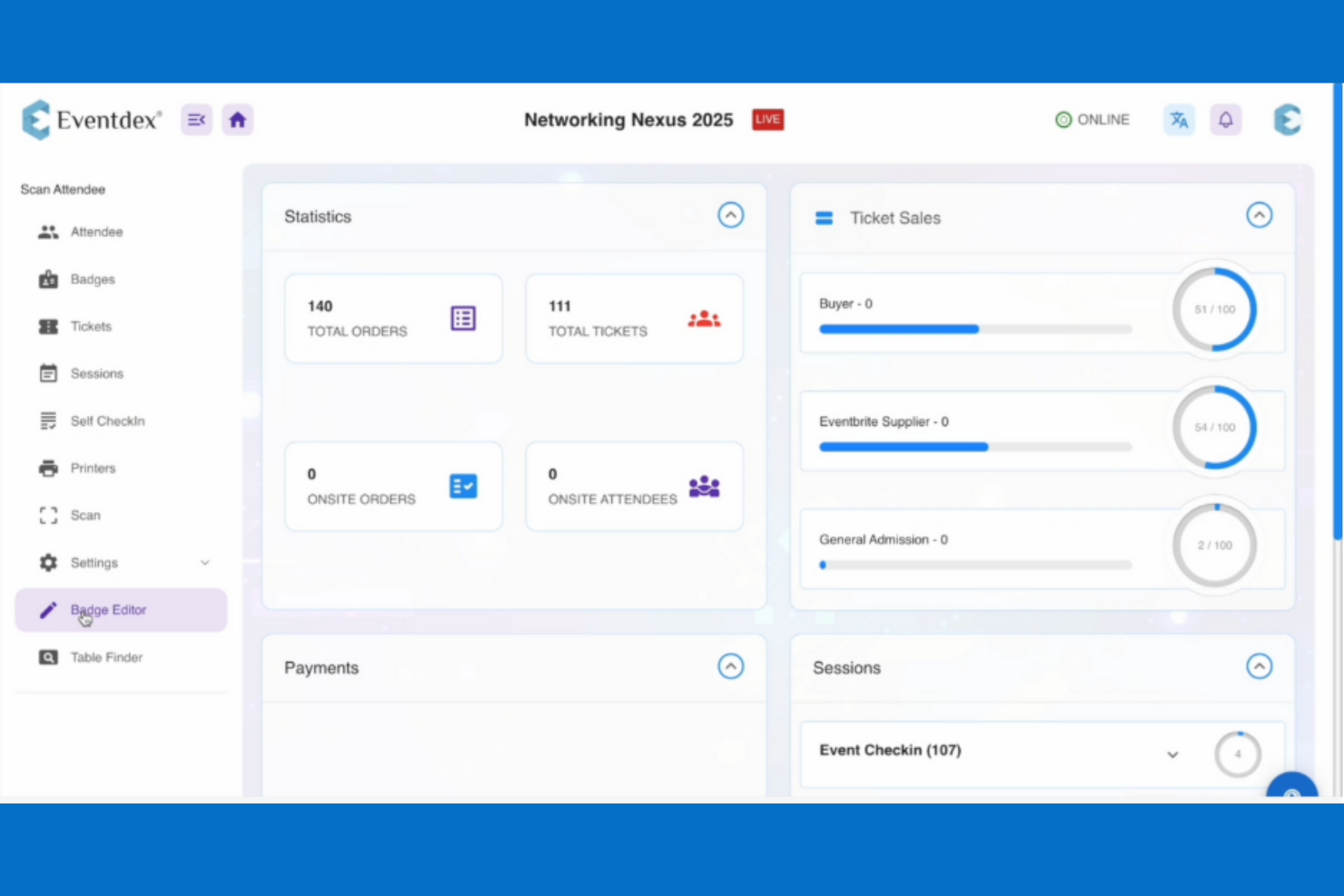
Eventdex is a trade-show lead capture app designed for event organizers seeking cost-effective solutions. It caters to users who need inclusive event management without breaking the bank.
Why I picked Eventdex: It's a budget-friendly option that offers a range of features. You can manage registrations, check-ins, and lead retrieval with ease, all within one platform. The app provides customizable forms, which allow you to tailor the lead capture process to your team's marketing strategy and your event's needs. In my experience, Eventdex's affordability combined with its functionality makes it a great choice for budget-conscious teams.
Standout Features and Integrations:
Features include customizable registration forms, real-time analytics, and mobile check-in capabilities. These features help your team efficiently manage events and capture valuable data without incurring high expenses.
Integrations include Salesforce, Zapier, PayPal, Stripe, Authorize.net, Mailchimp, TrustCommerce, and more.
Pros and Cons
Pros:
- Mobile check-in options
- Real-time analytics
- Customizable registration forms
Cons:
- Mobile app can be unstable at times
- Basic reporting tools

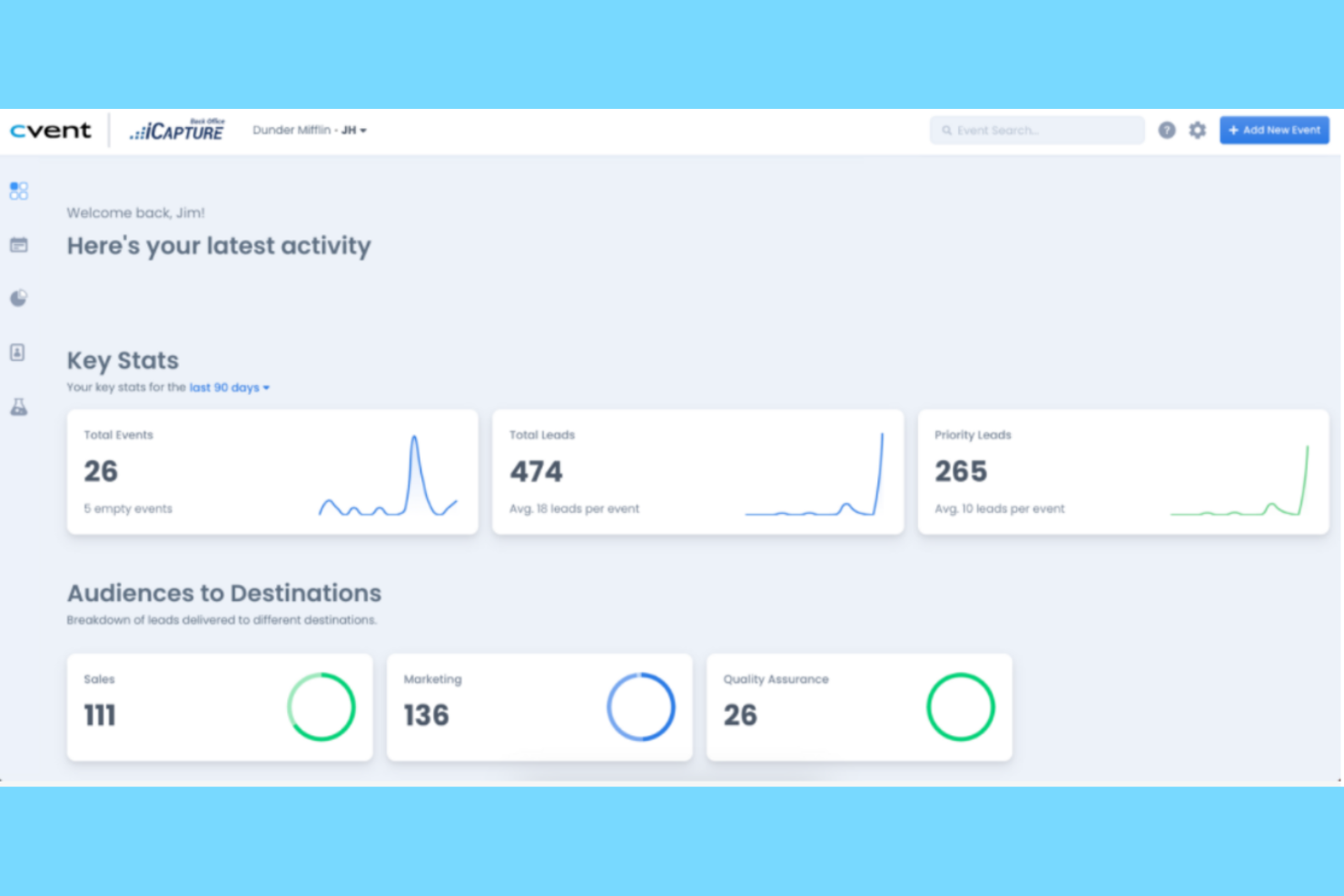
iCapture is a trade-show lead capture and software designed for marketing and sales teams at events such as trade shows and conferences. It gathers leads and integrates directly with CRM systems with the aim of enhancing your follow-up processes.
Why I picked iCapture: The software's offline data capture feature ensures you don't miss any leads, even in areas with poor connectivity. iCapture allows you to capture detailed conversation notes, which helps your team personalize follow-ups. You can also segment and score leads based on gathered data, prioritizing high-value prospects and quality leads. This feature could be useful for sales teams looking to improve engagement and close deals faster.
Standout features & integrations:
Features include capturing leads offline, storing detailed conversation notes, and segmenting leads for better follow-up prioritization. These features ensure your team can work efficiently even without internet access and maintain personalized engagement with prospects.
Integrations include Salesforce, HubSpot, Marketo, Salesforce Pardot, Eloqua, and more.
Pros and Cons
Pros:
- Segments leads efficiently
- Detailed conversation notes
- Captures leads offline
Cons:
- Occasional sync delays
- Limited customization options

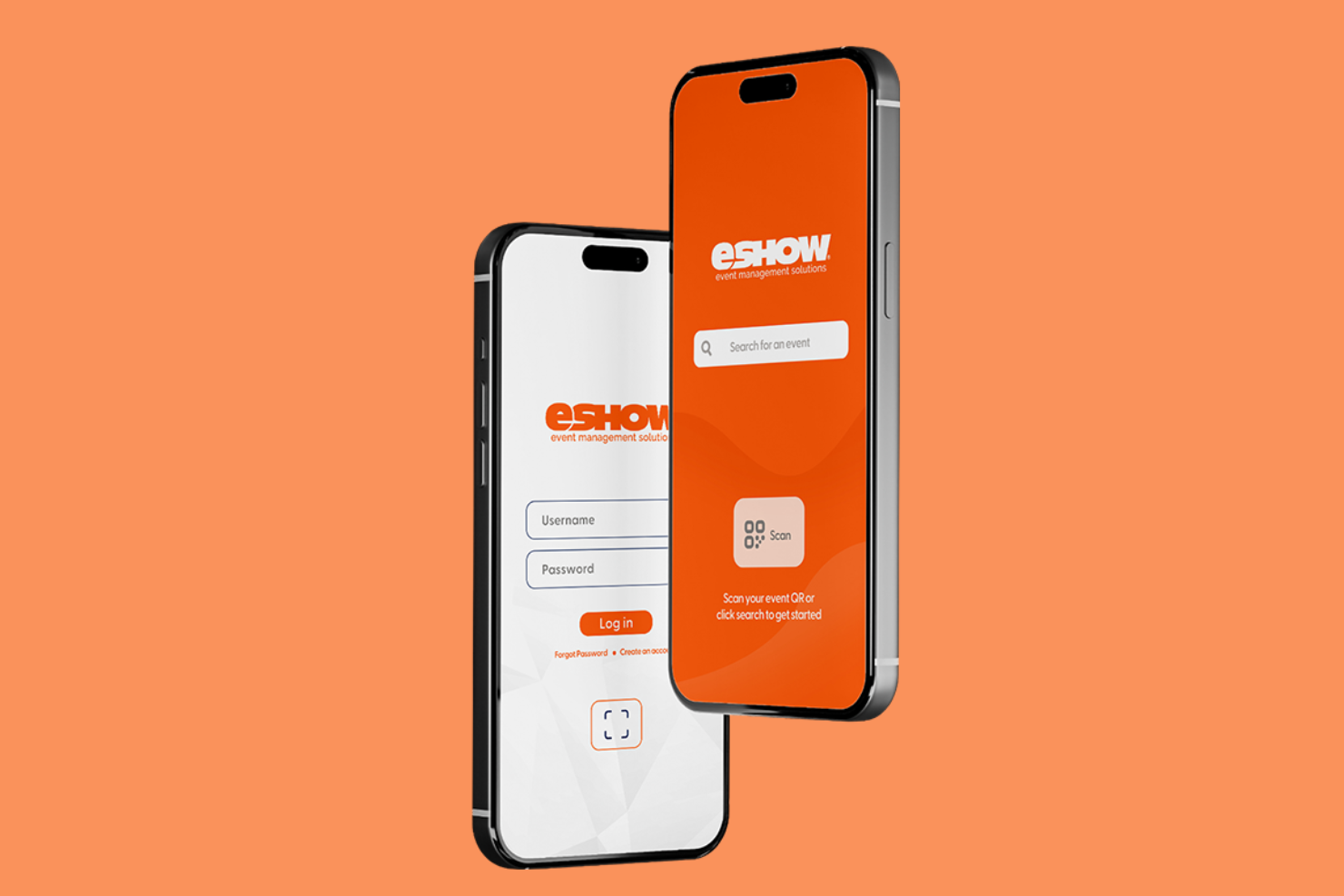
eShow is a trade-show lead capture app tailored for exhibitors at in-person, hybrid, and virtual events. It helps manage leads through its data capture and retrieval features.
Why I picked eShow: It specializes in custom integrations, allowing you to connect with various marketing automation platforms as well as AMS and CRM systems for effective data management. You can use the eCONNECT Scanner, Tablet, and Mobile App to accurately gather lead information via 2D barcodes, eliminating manual data entry. The app also provides live lead syncing and analytics, ensuring you have real-time insights. These capabilities make eShow a valuable tool for exhibitors needing customized data solutions.
Standout Features and Integrations:
Features include live lead syncing, customizable qualifiers, and analytics for real-time insights. These features ensure your team can collect and manage leads during events.
Integrations include Aptify, ATS, iMIS, Association Anywhere, and more.
Pros and Cons
Pros:
- Supports hybrid events
- Accurate lead capture
- Customizable data solutions
Cons:
- Complex initial setup
- Outdated user interface
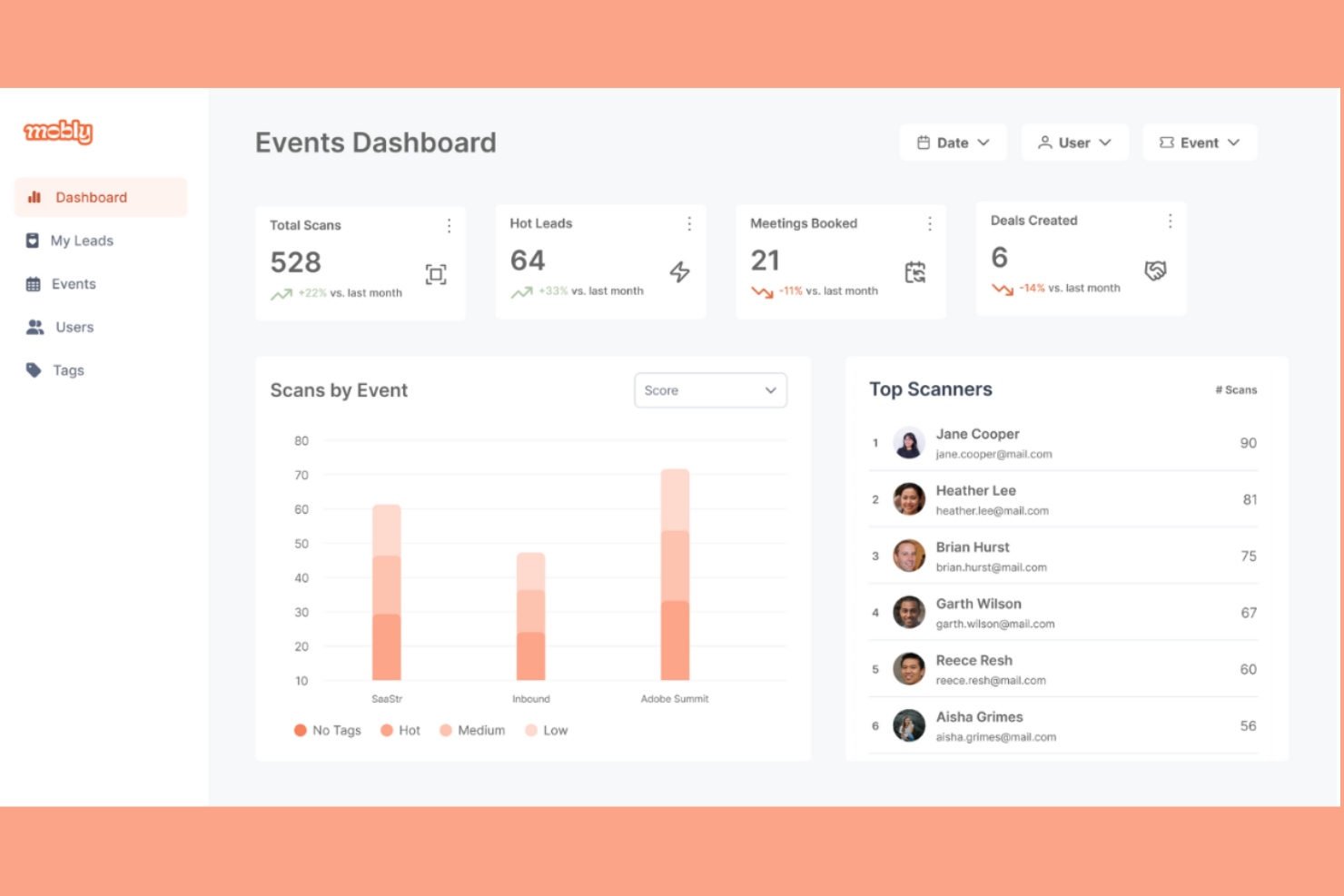
Mobly is a trade-show lead capture app tailored for small marketing and sales teams. It helps reps with lead collection and management during events, enhancing team productivity.
Why I picked Mobly: It's designed with small teams in mind, providing easy-to-use features without overwhelming complexity. You can collect leads quickly with simple forms and customizable fields, allowing your team to focus on engaging with prospects. The app also provides real-time data access, which is significant for making informed decisions on the spot for processes such as lead qualification. In my experience, Mobly's straightforward interface and workflows are perfect for teams that need a quick setup.
Standout Features and Integrations:
Features include customizable lead capture forms, real-time data access, and quick setup capabilities. These features ensure your team can swiftly adapt to event demands and focus on engagement and lead management.
Integrations include Salesforce, HubSpot, Zoho CRM, Marketo, Pipedrive, Calendly, and more.
Pros and Cons
Pros:
- Ideal for small teams
- Real-time data access
- Customizable lead forms
Cons:
- Pricing can be high for multiple devices
- Limited advanced features

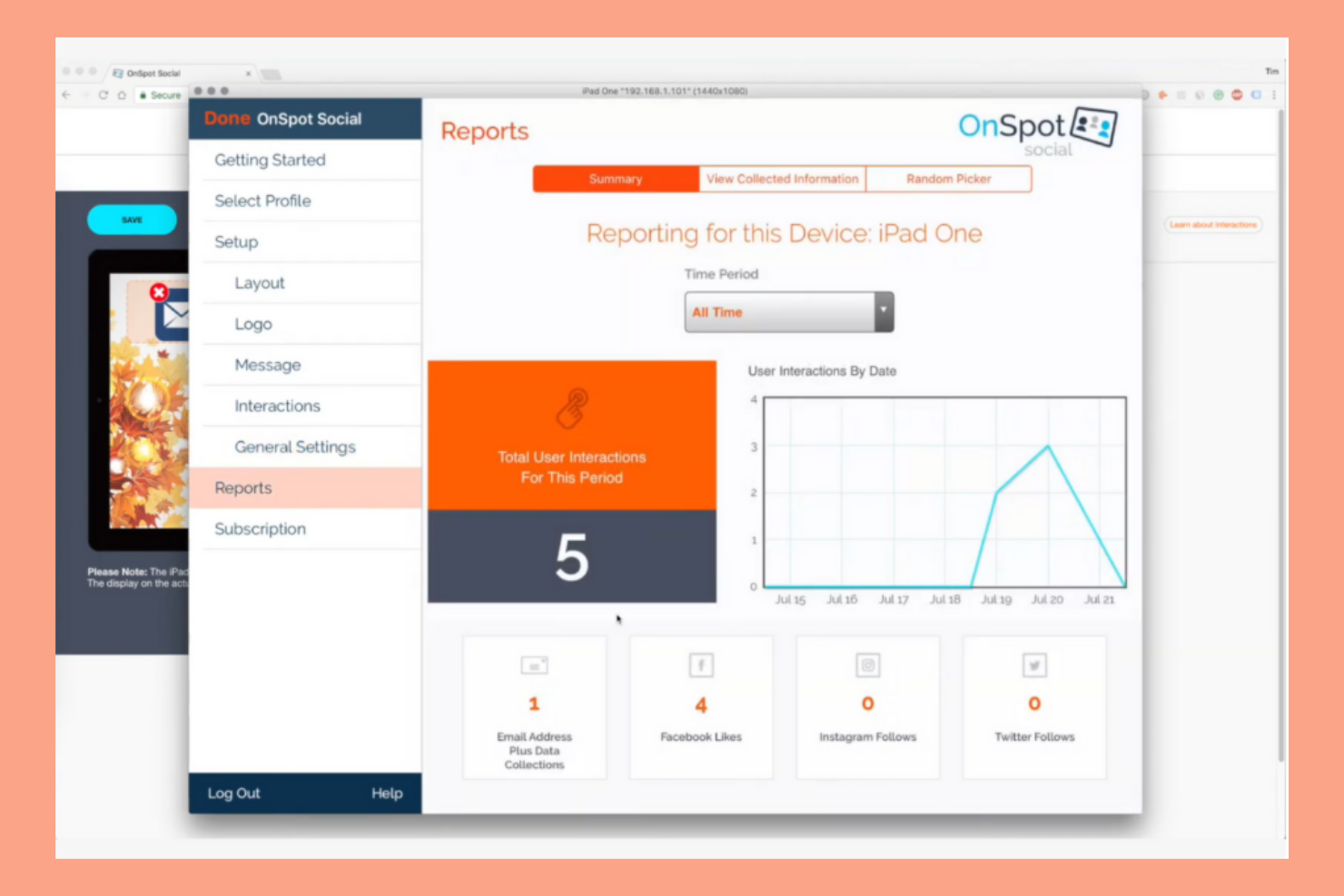
OnSpot Social is an app designed for businesses aiming to strengthen customer engagement during events through mobile devices. It's ideal for teams looking to capture leads and feedback on the go.
Why I picked OnSpot Social: The app excels in mobile engagement, allowing your team to interact with customers using tablets and smartphones. You can easily customize forms to gather specific information, which helps target your audience effectively. The app also supports multimedia content, making interactions more engaging. The product's OCR capabilities allow reps to transfer information from physical documents, such as phone numbers on business cards, onto spreadsheets by scanning them with the OnSpot Social app. In my experience, using mobile devices for lead capture boosts participation and data collection.
Standout Features and Integrations:
Features include customizable forms, multimedia content support, and real-time data collection. These features help your team engage with attendees and gather valuable insights.
Integrations include Mailchimp, Constant Contact, iContact, AWeber, and more.
Pros and Cons
Pros:
- Easy export to CRM systems
- Supports multimedia content
- Easy mobile engagement
Cons:
- Fewer advanced features
- Limited offline capabilities
Other Trade-Show Lead Capture Apps
Here are some additional trade-show lead capture app options that didn’t make it onto my shortlist, but are still worth checking out:
- Cvent
For large event management
- Eventify
For event branding customization
- Captello
For gamified lead capture
- Expo Pass
For contactless badge printing
- momencio
For post-event analytics
- Configio
For flexible ticketing option
- fielddrive
For facial recognition check-in
- WebMobi
For multilingual support
- Leadature
For real-time lead scoring
- Zuant
For offline access
- Momentive
For detailed survey creation


Related Reviews
Trade-Show Lead Capture App Selection Criteria
When selecting the best trade-show lead capture apps to include in this list, I considered common buyer needs and pain points, such as ease of use and data integration. I also used the following framework to keep my evaluation structured and fair:
Core Functionality (25% of total score)
To be considered for inclusion in this list, each solution had to fulfill these common use cases:
- Capture leads efficiently
- Sync data with CRM systems
- Provide real-time analytics
- Customize data fields
- Generate reports
Additional Standout Features (25% of total score)
To help further narrow down the competition, I also looked for unique features, such as:
- Gamification for lead engagement
- Integration with virtual event platforms
- Advanced data segmentation
- AI-driven insights
- Customizable branding options
Usability (10% of total score)
To get a sense of the usability of each system, I considered the following:
- Intuitive interface design
- User-friendly navigation
- Minimal learning curve
- Customizable dashboards
- Responsive design for mobile use
Onboarding (10% of total score)
To evaluate the onboarding experience for each platform, I considered the following:
- Availability of training videos
- Interactive product tours
- Access to templates
- Webinars for new users
- Chatbot assistance
Customer Support (10% of total score)
To assess each software provider’s customer support services, I considered the following:
- 24/7 support availability
- Multichannel support options
- Dedicated account managers
- Response time to inquiries
- Availability of a knowledge base
Value For Money (10% of total score)
To evaluate the value for money of each platform, I considered the following:
- Competitive pricing
- Flexible subscription plans
- Cost-benefit ratio
- Availability of free trials
- Transparency in pricing
Customer Reviews (10% of total score)
To get a sense of overall customer satisfaction, I considered the following when reading customer reviews:
- Overall satisfaction ratings
- Feedback on feature effectiveness
- Comments on customer support
- User-reported ease of use
- Value for money feedback
How To Choose a Trade-Show Lead Capture App
It’s easy to get bogged down in long feature lists and complex pricing structures. To help you stay focused as you work through your unique software selection process, here’s a checklist of factors to keep in mind:
| Factor | What to Consider |
|---|---|
| Scalability | Can the app grow with your business? Consider whether it can handle more leads and users as your event size increases. Avoid tools that limit growth. |
| Integrations | Does it connect with your existing tools, such as CRM or email marketing platforms? Ensure it fits into your current tech stack. |
| Customizability | Can you tailor the app to fit your specific processes and branding? Look for tools with flexible settings and options. |
| Ease of Use | Is the interface intuitive? Your team should easily navigate and use the tool without extensive training. |
| Implementation and Onboarding | How quickly can you get started? Check for support resources, such as tutorials and dedicated onboarding teams, to ease implementation. |
| Cost | Does the pricing align with your budget? Consider hidden costs, such as add-ons or user fees. Compare annual vs. monthly plans for savings. |
| Security Safeguards | Does this tool feature strong data protection and privacy features? Ensure compliance with regulations, such as GDPR, if applicable. |
| Support Availability | Is help readily available when needed? Look for 24/7 support options and multiple contact methods to ensure timely assistance. |
What Is a Trade-Show Lead Capture App?
Trade-show lead capture apps are software designed to collect and manage leads from events, such as trade shows and conferences. Marketing and sales professionals typically use these tools to efficiently gather contact information and insights from potential customers. Customizable forms, real-time analytics, and CRM integrations help with organizing leads and improving follow-up efficiency. Overall, these tools strengthen your team's ability to connect with prospects and maximize event ROI.
Features
When selecting a trade-show lead capture app, keep an eye out for the following key features:
- Lead capture: Efficiently collects contact details and information to help your team engage with prospects after the event.
- CRM integration: Syncs with existing CRM systems to ensure all lead data is centralized and accessible for follow-up.
- Customizable forms: Allows you to tailor data fields and forms to match your specific event needs and branding.
- Real-time analytics: Provides instant insights into event performance and lead quality, aiding in quick decision-making.
- Offline access: Ensures lead capture functionality even without an internet connection, preventing data loss.
- Interactive content: Engages attendees through polls and surveys, enhancing participation and data collection.
- Virtual booth capabilities: Supports hybrid or virtual events by offering digital spaces for attendee interaction.
- Security safeguards: Protect sensitive lead information with data encryption and compliance with privacy regulations.
- Custom branding: Allows customization of the app interface to reflect your company’s branding for a professional look.
- Live lead syncing: Updates lead data in real-time, ensuring your team has the latest information for follow-ups.
Benefits
Implementing a trade-show lead capture app provides several benefits for your team and your business. Here are a few you can look forward to:
- Improved lead management: Centralizes lead data, making it easier for your team to organize and prioritize follow-ups.
- Improved data accuracy: Reduces manual entry errors by capturing information directly, ensuring data integrity.
- Faster follow-up: Real-time syncing with CRM systems allows your team to quickly act on leads while they’re still hot.
- Increased engagement: Interactive content, such as polls and surveys, keeps attendees involved, providing more valuable insights.
- Cost efficiency: Saves time and resources by automating data collection and reducing the need for paper-based methods.
- Brand consistency: Custom branding options ensure the app reflects your company’s image, enhancing professionalism.
- Adaptability for any event type: Supports virtual, hybrid, and in-person events, offering flexibility in how you engage with attendees.
Costs & Pricing
Selecting a trade-show lead capture app requires an understanding of the various pricing models and plans available. Costs vary based on features, team size, add-ons, and more. The table below summarizes common plans, their average prices, and typical features included in trade-show lead capture app solutions:
Plan Comparison Table for Trade-Show Lead Capture App
| Plan Type | Average Price | Common Features |
|---|---|---|
| Free Plan | $0 | Basic lead capture, limited data storage, and essential reporting. |
| Personal Plan | $29-$99/month | Advanced lead capture, CRM integration, customizable forms, and basic analytics. |
| Business Plan | $100-$250/month | Real-time analytics, improved security features, branding options, and priority support. |
| Enterprise Plan | $200-$1000+/month | Detailed data insights, full customization, dedicated account manager, and enterprise-level security features. |
Trade-Show Lead Capture App FAQs
Here are some answers to common questions about trade-show lead capture apps:
What kind of data can I capture with these apps?
You can collect a wide range of data, including attendees’ contact information, company details, and specific interests or preferences. Many apps allow you to customize data fields to fit your needs, making it easy to gather the information that is most relevant to your marketing strategy. Consider what details will help your team in follow-up efforts and tailor your forms accordingly.
How do trade-show lead capture apps improve lead quality?
Trade-show lead capture apps boost lead quality by letting you customize qualification questions, add notes, and instantly score prospects at the booth. This means you can segment and prioritize leads before follow-up, making your outreach more effective and personalized after the event.
Can I use these apps offline?
Yes, many trade-show lead capture apps offer offline functionality, allowing you to collect data even without an internet connection. This feature is key for events held in areas with unreliable connectivity. Once you’re back online, the app will sync the collected data to your CRM or database, ensuring nothing is lost.
How do these apps integrate with my existing systems?
Most trade-show lead capture apps offer integrations with popular CRM systems, such as Salesforce and HubSpot. This integration ensures that captured leads automatically sync to your existing databases, simplifying your follow-up processes. Before purchasing, check if the app supports your current systems to avoid compatibility issues.
Are these apps secure?
Yes, reputable trade-show lead capture apps incorporate security measures, such as data encryption and compliance with privacy regulations like GDPR. It’s important to verify the security features of any app you’re considering to protect your attendees’ information. Look for apps that offer detailed security documentation and support.
What’s Next:
If you're in the process of researching a trade-show lead capture app, connect with a SoftwareSelect advisor for free recommendations.
You fill out a form and have a quick chat where they get into the specifics of your needs. Then you'll get a shortlist of software to review. They'll even support you through the entire buying process, including price negotiations.