

A Facebook ads reporting tool lets you collect, analyze, and visualize your ad campaign performance without fighting Facebook’s native reporting dashboard. If you need custom dashboards, scheduled reports across dozens of accounts, or an easy way to show clients the impact of their ad budgets, the right platform will save you hours—and make your work look better in the process.
In this guide, you’ll see which Facebook ads reporting tools deliver clarity and multi-channel visibility, so you can track ROI, spot performance gaps, and keep both your team and your clients in the loop.
Why Trust Our Software Recommendations
6,700+
Reviews
20
Industry experts
16+
Evaluation factors
14
Years
Our team has been testing and reviewing software since 2012. As marketing leaders ourselves, we know how difficult—and important—it is to choose the right software.
For this guide, we evaluated tools using hands-on testing and independent research, scoring tools using our selection criteria.
Our reviews reflect our human editorial judgment, not a sales pitch.
Expert reviewers:
 Gui DrusinaCreative Director
- Shriya GhateSenior Marketing Lead
 Amanda JacquesMarketing Ops Leader

Facebook Ads Reporting Tools Comparison Table
Compare pricing and key specs for my top Facebook ads reporting tools in the table below.
| Tool | Best For | Trial Info | Price | ||
|---|---|---|---|---|---|
| 1 | Best for analyst-grade cross-channel dashboards | 14-day free trial | From $120/month (billed annually) | Website | |
| 2 | Best for enterprise cross-channel Meta data pipelines | Free demo available | Pricing upon request | Website | |
| 3 | Best for automated marketing data mapping | Free plan + free demo available | From $100/month | Website | |
| 4 | Best for agencies scaling multi-client ad reporting | Free plan + 14-day free trial + free demo available | From $71/month (billed annually) | Website | |
| 5 | Best for scheduled client reports | 14-day free trial | From €69/month (billed annually) | Website | |
| 6 | Best for agency white-label client reporting | Free demo + 14-day free trial | From $20/client/month (billed annually) | Website | |
| 7 | Best for visual cross-channel reports | Free demo available | From $812/month (billed annually) | Website | |
| 8 | Best for multi-channel campaign reporting | Free demo + 14-day free trial | Pricing upon request | Website | |
| 9 | Best for agencies reporting across 100s of ad accounts | Free demo available | Pricing upon request | Website | |
| 10 | Best for DTC brands tracking Meta creative fatigue | Free plan available | From $219/month | Website |


Facebook Ads Reporting Tools Reviews
Below are my detailed summaries of the best Facebook ads reporting tools that made it onto my shortlist. My reviews offer a detailed look at the features, best use cases, and integrations of each tool to help you find the best one for you.
 Best for analyst-grade cross-channel dashboards
- 14-day free trial
- From $120/month (billed annually)
Visit WebsiteCustomer Rating:4.7/5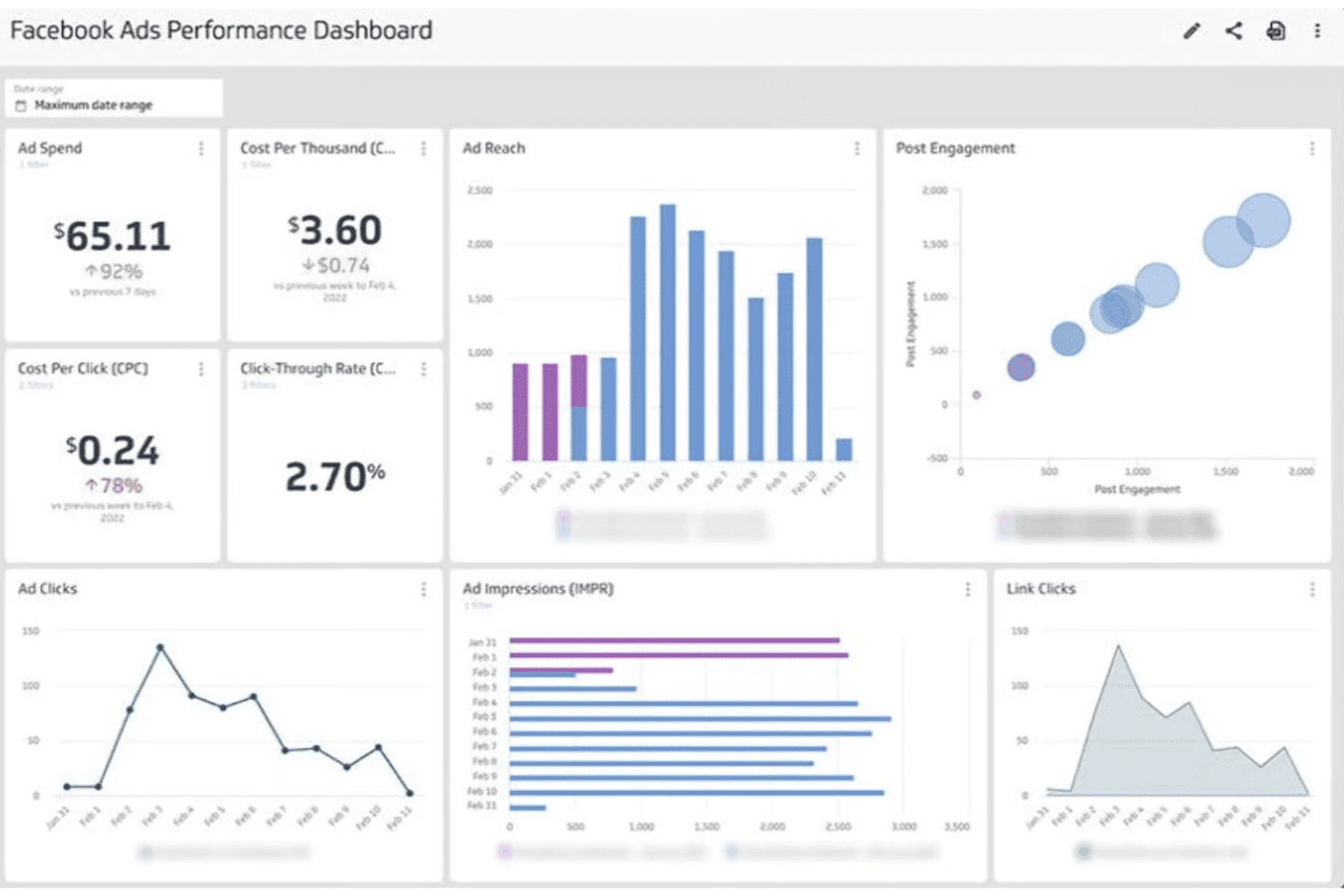
Klipfolio centralizes Facebook Ads metrics into a single performance dashboard. Klipfolio is a marketing dashboard and reporting platform that connects Facebook Ads data via the native Marketing API alongside 130+ other integrations, letting you build pixel-level custom dashboards, blend cross-channel data, and schedule reports across paid social, search, CRM, and analytics sources.
Who Is Klipfolio Best For?
Klipfolio is a strong fit for performance marketing analysts and agency teams who need to blend Facebook Ads data with multiple other channels in a single, fully customizable dashboard.
Why I Picked Klipfolio
Klipfolio earns its spot on my shortlist because of how far you can push its custom Facebook Marketing API queries, writing your own metric extractions beyond what pre-built connectors expose. I love that Data Modelling + Join is available on every plan, so you can blend Facebook Ads spend data with GA4, Salesforce, or Shopify revenue in the same dashboard without upgrading. The pixel-level dashboard builder, with 30+ chart types and Excel-like calculated fields, gives analysts the kind of granular layout control that most reporting tools reserve for enterprise tiers.
Klipfolio Key Features
- Scheduled report delivery: Automatically send dashboard snapshots as PDF or image files to stakeholders via email on a set cadence (available on Grow plan and above).
- White-label bundle: Apply a custom domain, logo, brand colors, and custom CSS/JS so clients see your agency's branding instead of Klipfolio's.
- Published dashboard links: Share live dashboards via public, unique non-indexable, or password-protected URLs without requiring recipients to log in.
- TV mode: Display dashboards on large-screen monitors or office TVs with a dedicated full-screen viewing layout built for at-a-glance monitoring.
Klipfolio Integrations
Klipfolio offers 130+ native integrations, including Facebook Ads, Google Ads, Google Analytics 4, LinkedIn Ads, Instagram, HubSpot, Salesforce, and Shopify. It also supports REST/URL, SQL, Google Sheets, Excel, and Zapier connectivity for custom data sources.
Pros and Cons
Pros:
- Agency branding with white-label dashboard bundle
- Custom Facebook API queries for advanced metrics
- Fully customizable Facebook Ads dashboards
Cons:
- Scheduled report automation requires higher plan
- No creative-level ad performance insights
Learn more about Klipfolio: Best for enterprise cross-channel Meta data pipelines
- Free demo available
- Pricing upon request
Visit WebsiteCustomer Rating:4.5/5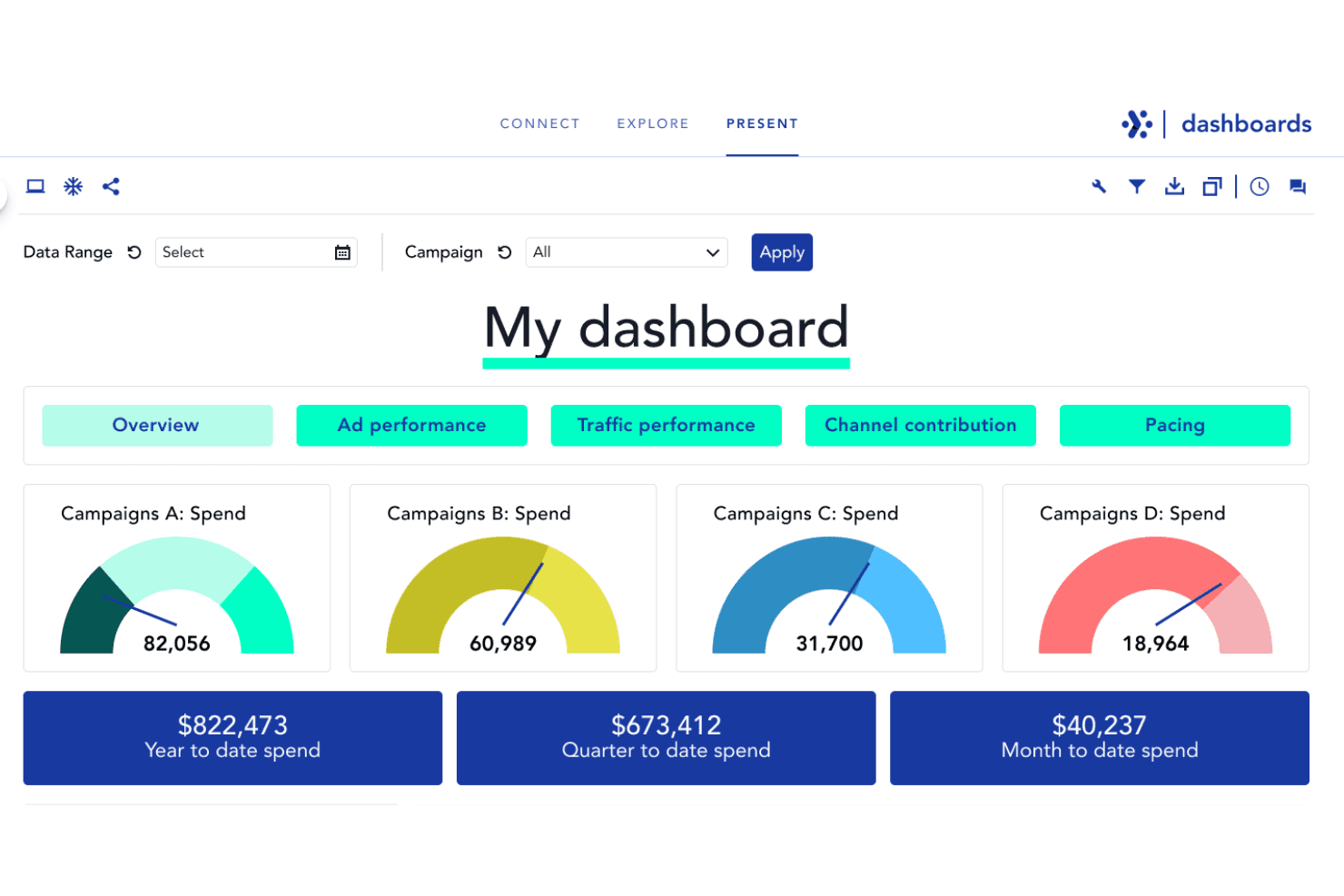
Adverity centralizes campaign spend tracking across multiple campaigns. Adverity is a marketing data integration platform that pulls Meta Ads data via the native Marketing API and routes it—alongside 600+ other data sources—into data warehouses, BI tools, and dashboards for cross-channel reporting and analysis.
Who Is Adverity Best For?
Adverity is a strong fit for enterprise marketing and data engineering teams that need to consolidate Meta Ads data alongside 600+ other sources into a central warehouse for cross-channel analysis.
Why I Picked Adverity
I picked Adverity as one of the best because its Meta Marketing API connector goes deeper than most—pulling account, campaign, ad set, and ad-level data with full breakdowns by age, gender, country, and device, across all attribution windows. What sets it apart is the 37-month historical backfill, which means you can connect a new client account and immediately model 3+ years of Meta performance data. Paired with Data Mapping, it also unifies Meta metrics with data from 600+ other sources into a single, analysis-ready dataset.
Adverity Key Features
- Cross-channel data mapping: Unifies inconsistent metric definitions across 600+ platforms—like reconciling 23 different field names for "cost"—into a single, consistent dataset for cross-channel analysis.
- 40+ data destinations: Routes Meta Ads data simultaneously to warehouses and BI tools including Snowflake, BigQuery, Redshift, Tableau, Power BI, and Looker Studio.
- Creative asset re-hosting: Downloads and stores creative images from expiring Meta CDN URLs as stable, Adverity-hosted links, so creative performance data stays accessible long-term.
- AI Transformation Copilot: Converts natural language instructions into transformation scripts, letting analysts build custom metrics without writing code from scratch.
Adverity Integrations
Adverity offers 600+ native data connectors, including Meta Ads, Google Ads, LinkedIn Ads, TikTok Ads, GA4, Salesforce, HubSpot, and Shopify. It connects to destinations such as Snowflake, BigQuery, Power BI, Tableau, and Looker Studio, with Universal Connect for custom APIs.
Pros and Cons
Pros:
- Unifies Facebook metrics with other channels
- Supports granular campaign, ad set, creative breakdowns
- Retrieves 37 months of Facebook Ads history
Cons:
- Dashboards are an optional add-on purchase
- No pre-built Facebook Ads report templates
Learn more about Adverity: Best for automated marketing data mapping
- Free plan + free demo available
- From $100/month
Visit WebsiteCustomer Rating:4.5/5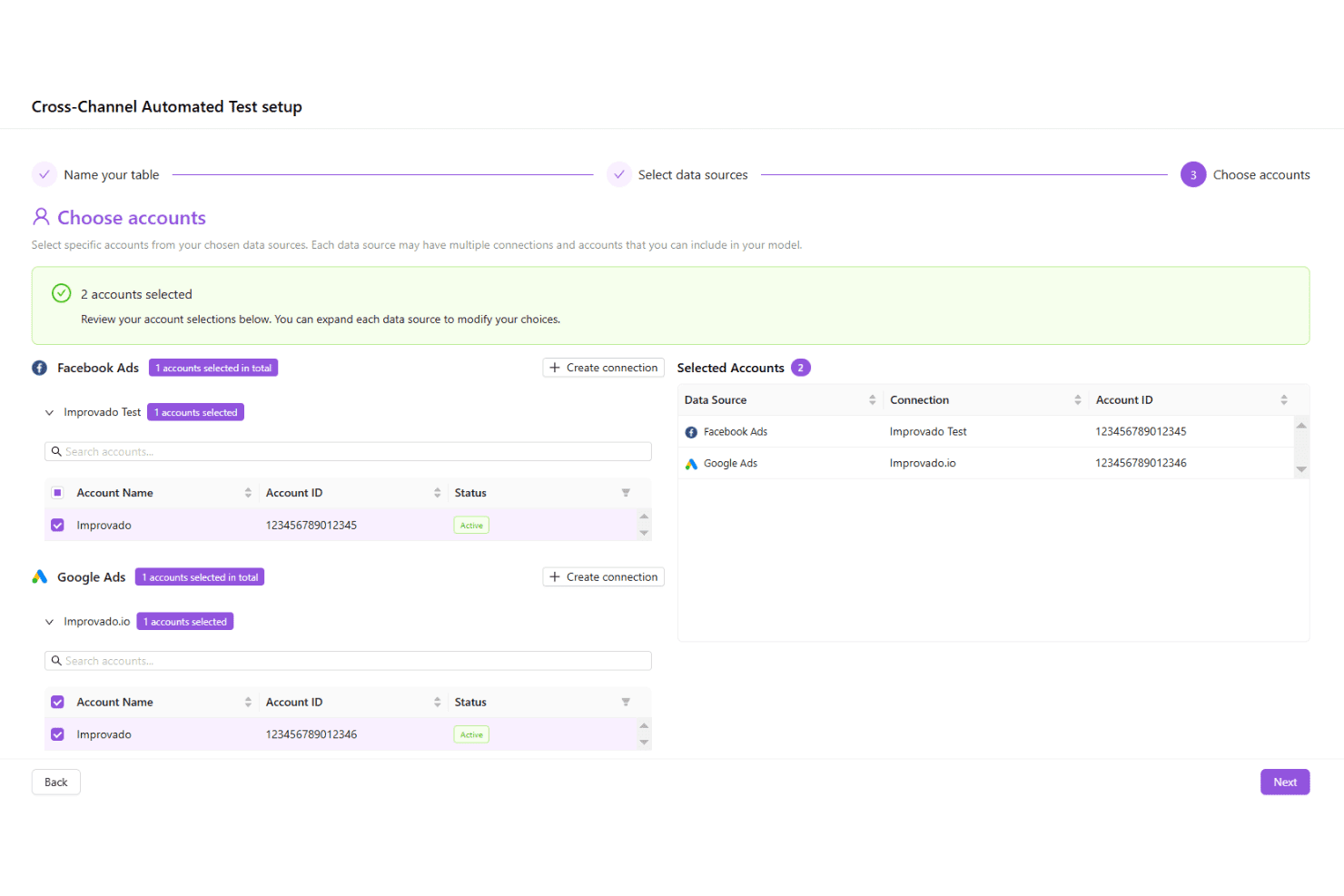
Improvado lets users select ad accounts across channels in one setup flow. Improvado is a marketing analytics and ETL platform that pulls data from 1,390+ sources—including Meta Ads at the campaign, ad set, ad, and creative level—and centralizes it for cross-channel reporting through connected BI tools or its own dashboards.
Who Is Improvado Best For?
Improvado is a strong fit for enterprise marketing teams and large agencies managing complex, multi-source data across dozens—or hundreds—of ad accounts.
Why I Picked Improvado
I've included Improvado in my top picks because its automated data mapping is genuinely in a class of its own. The Marketing Common Data Model (MCDM) normalizes metrics across 1,390+ sources automatically, so when you're blending Meta Ads data with Google Ads or Salesforce, there's no manual schema reconciliation. I also rely on its Meta Ads connection pulling 200+ fields at the creative level, with a 10-year historical backfill, which makes it easy to run meaningful trend analysis without rebuilding data pipelines from scratch.
Improvado Key Features
- AI Agent with write-back actions: The AI Agent can pause campaigns, adjust budgets, and modify targeting directly within the platform using natural language commands.
- Marketing Data Governance module: Runs 250+ pre-built data quality rules and pre-flight campaign validation checks, including naming convention enforcement and budget alignment verification.
- Multi-Touch Attribution (MTA) add-on: Stitches online and offline touchpoints across channels to connect ad spend to revenue, with support for account-based attribution for B2B journeys.
- Warehouse destination support: Sends processed data directly to Snowflake, BigQuery, Redshift, Databricks, and other major warehouses for teams that prefer querying data in their own environment.
Improvado Integrations
Improvado connects to 1,390+ data sources, including Meta Ads, Google Ads, TikTok Ads, LinkedIn Ads, GA4, Salesforce, HubSpot, Snowflake, BigQuery, and Tableau. It also supports Power BI, Looker Studio, Google Sheets, and other BI destinations.
Pros and Cons
Pros:
- AI Agent offers natural language report actions
- Cross-channel metrics normalized for fast analysis
- Captures 200+ Facebook Ads data fields
Cons:
- No dedicated white-label client portal
- Requires external BI tool for advanced visuals
Learn more about Improvado: Best for agencies scaling multi-client ad reporting
- Free plan + 14-day free trial + free demo available
- From $71/month (billed annually)
Visit WebsiteCustomer Rating:4.5/5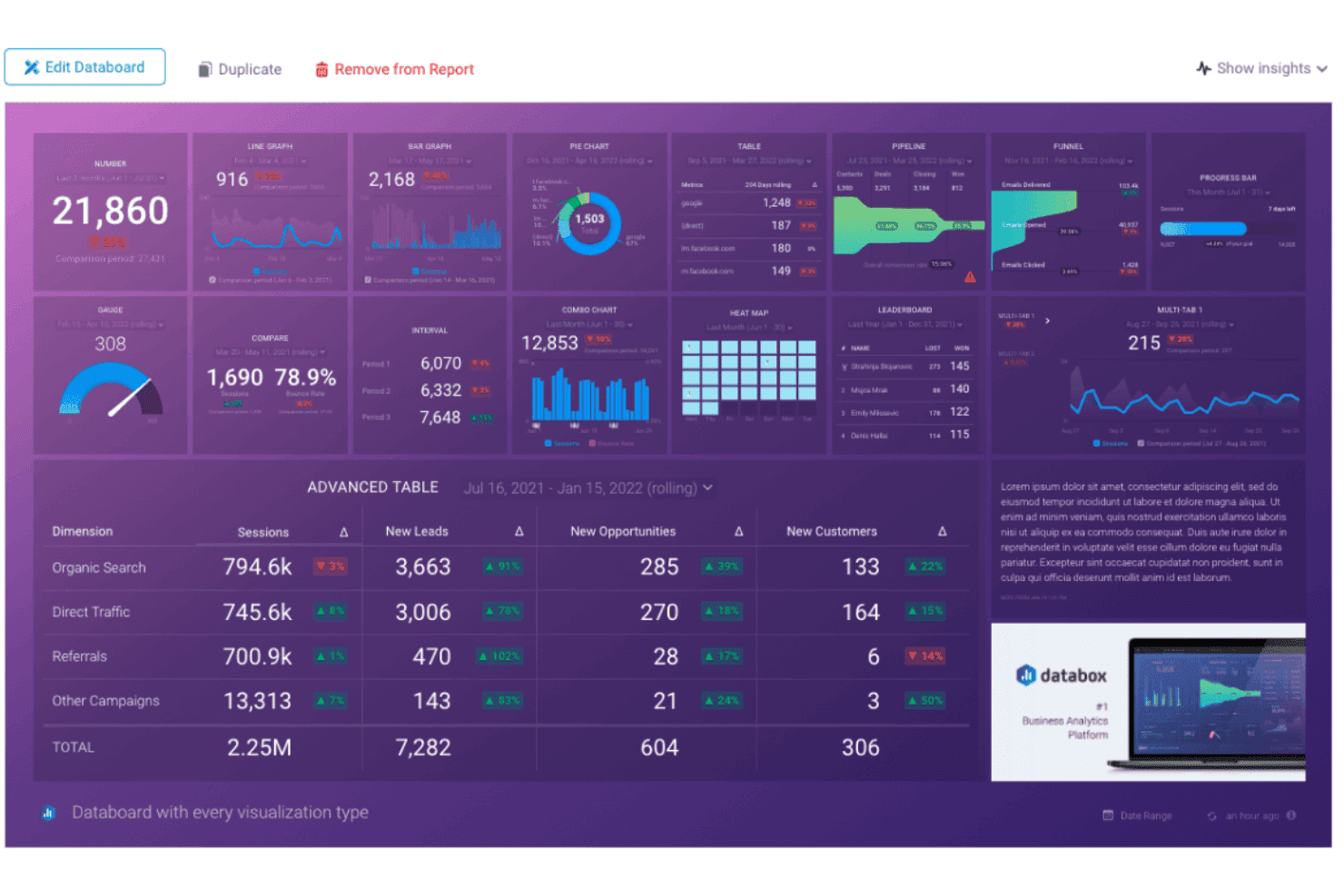
Databox centralizes metrics into a single visual analytics dashboard. Databox is a marketing analytics and reporting platform that connects Facebook Ads data alongside 130+ other sources, offering pre-built dashboards, a drag-and-drop report builder, automated scheduling, and AI-powered analysis tools.
Who Is Databox Best For?
Databox is a strong fit for digital marketing agencies managing multiple client accounts across paid social, search, and ecommerce channels.
Why I Picked Databox
Databox earns its spot on my shortlist because of how well it's built for agencies running Facebook Ads reporting across dozens of client accounts at once. I love that Agency Pro and above gives you unlimited client sub-accounts, a unified management console, and unlimited users, so scaling from 10 clients to 50 doesn't mean rebuilding your whole reporting setup. The one-click Facebook Ads dashboard templates (like the Campaign Report and Purchase & Leads Breakdown) get a new client live in minutes, and the AI-generated performance summaries mean your team isn't writing recap copy from scratch every month.
Databox Key Features
- Genie AI Analyst: Ask natural-language questions about your Facebook Ads data and get automated anomaly detection, trend analysis, and editable performance summaries.
- Metric Builder with dimension breakdowns: Build custom Facebook Ads metrics filtered by age, device, or placement at the campaign, ad set, or ad level.
- Dataset Builder: Merge and transform raw data from multiple sources into unified tables with custom formula columns for bespoke reporting logic.
- Metric alerts: Set threshold-based triggers on up to 15 metrics and receive notifications via email or Slack when performance shifts.
Databox Integrations
Databox offers 130+ native integrations, including Google Ads, Google Analytics 4, Shopify, HubSpot, Salesforce, Google BigQuery, Snowflake, Google Sheets, and Microsoft Excel. It also supports 350+ additional sources through Dataddo, plus Push API and Ingestion API connections.
Pros and Cons
Pros:
- AI generates editable monthly performance summaries
- Deep metric breakdown by campaign, ad set, ad
- Fast deployment with one-click Facebook Ads templates
Cons:
- No native creative-level or attribution analytics
- Requires reauthenticating Facebook Ads every 60 days
Learn more about Databox: Best for scheduled client reports
- 14-day free trial
- From €69/month (billed annually)
Visit WebsiteCustomer Rating:4.5/5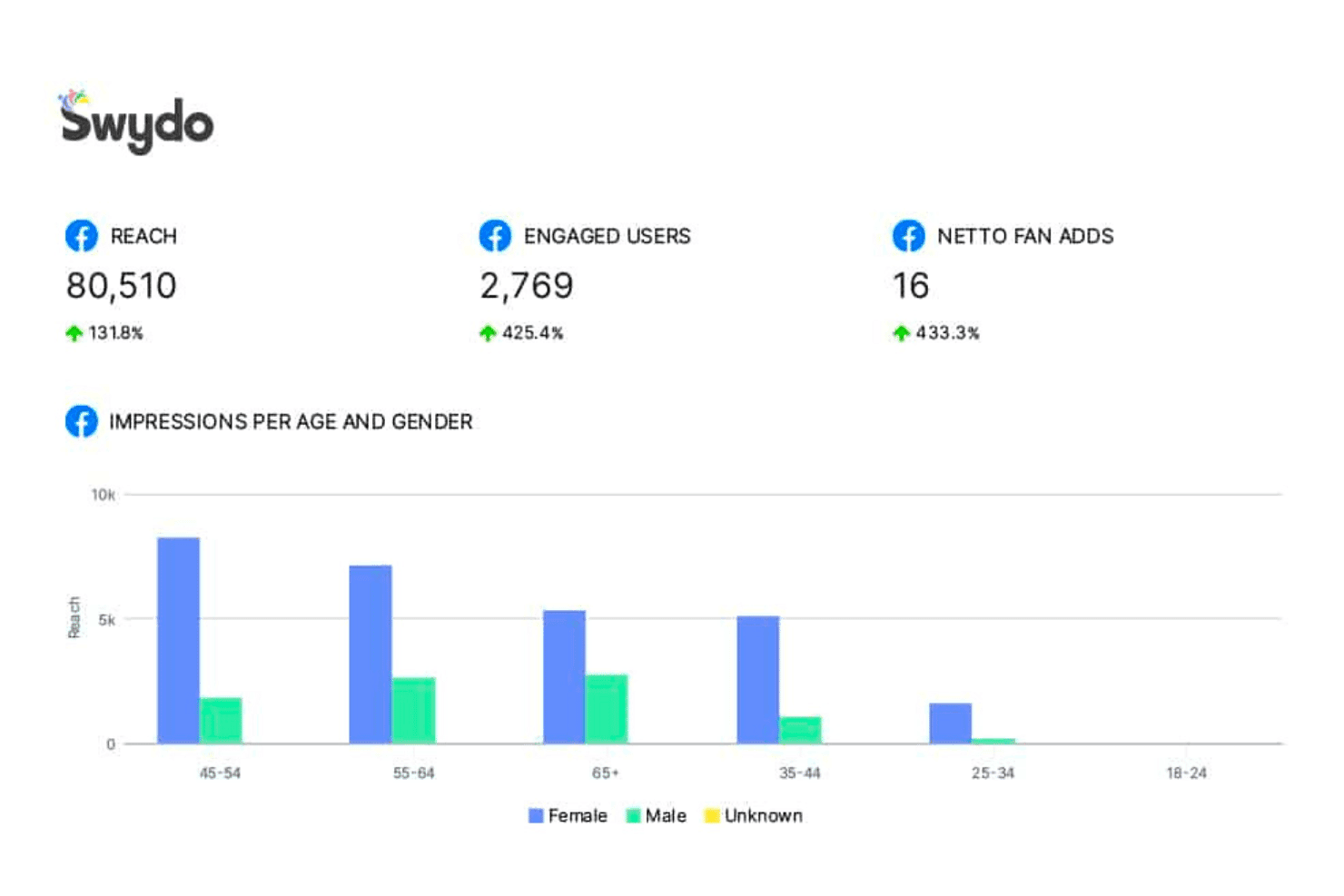
Swydo tracks Facebook reach, engagement, and audience demographics by age and gender. Swydo is a marketing reporting platform built for agencies, offering cross-channel dashboard creation, white-labeled client reports, automated scheduling, and 241+ native Facebook Ads metrics across campaign, ad set, and ad levels.
Who Is Swydo Best For?
Swydo is a strong fit for digital marketing agencies that manage recurring client reports across multiple ad accounts and need white-labeled delivery on a predictable budget.
Why I Picked Swydo
Swydo earns its spot on my shortlist because of how well it handles scheduled, recurring client reports at scale. I particularly like the dynamic template system: update one template and every linked client report reflects the change instantly, which is a real time-saver when managing a large roster. Combine that with branded PDF delivery, custom domains, and automated retry logic for failed sends, and Swydo handles the full reporting workflow without manual intervention.
Swydo Key Features
- 241+ Meta Ads metrics: Pull campaign, ad set, and ad-level data including ROAS, CPA, CPM, and video engagement metrics directly from the Meta Marketing API.
- Cross-channel data blending: Combine up to 5 ad platforms into a single widget for unified performance comparisons across Facebook Ads, Google Ads, TikTok Ads, and more.
- AI-powered report summaries: Generate natural-language performance narratives automatically, with 4,000 AI credits included per month.
- Multi-language report generation: Produce client-facing reports in 14 languages, giving international agencies flexibility in how they deliver results.
Swydo Integrations
Swydo offers 38+ native integrations, including Facebook Ads, Google Ads, Google Analytics 4, TikTok Ads, LinkedIn Ads, Microsoft Ads, Pinterest Ads, Snapchat Ads, and Google Sheets. Zapier and Make are also supported.
Pros and Cons
Pros:
- AI-generated summaries for Facebook Ads data
- White-label reports with custom domains
- Updates all linked reports from one template
Cons:
- Creative-level analytics not available
- Limited drill-down for client dashboard views
Learn more about Swydo: Best for agency white-label client reporting
- Free demo + 14-day free trial
- From $20/client/month (billed annually)
Visit WebsiteCustomer Rating:4.7/5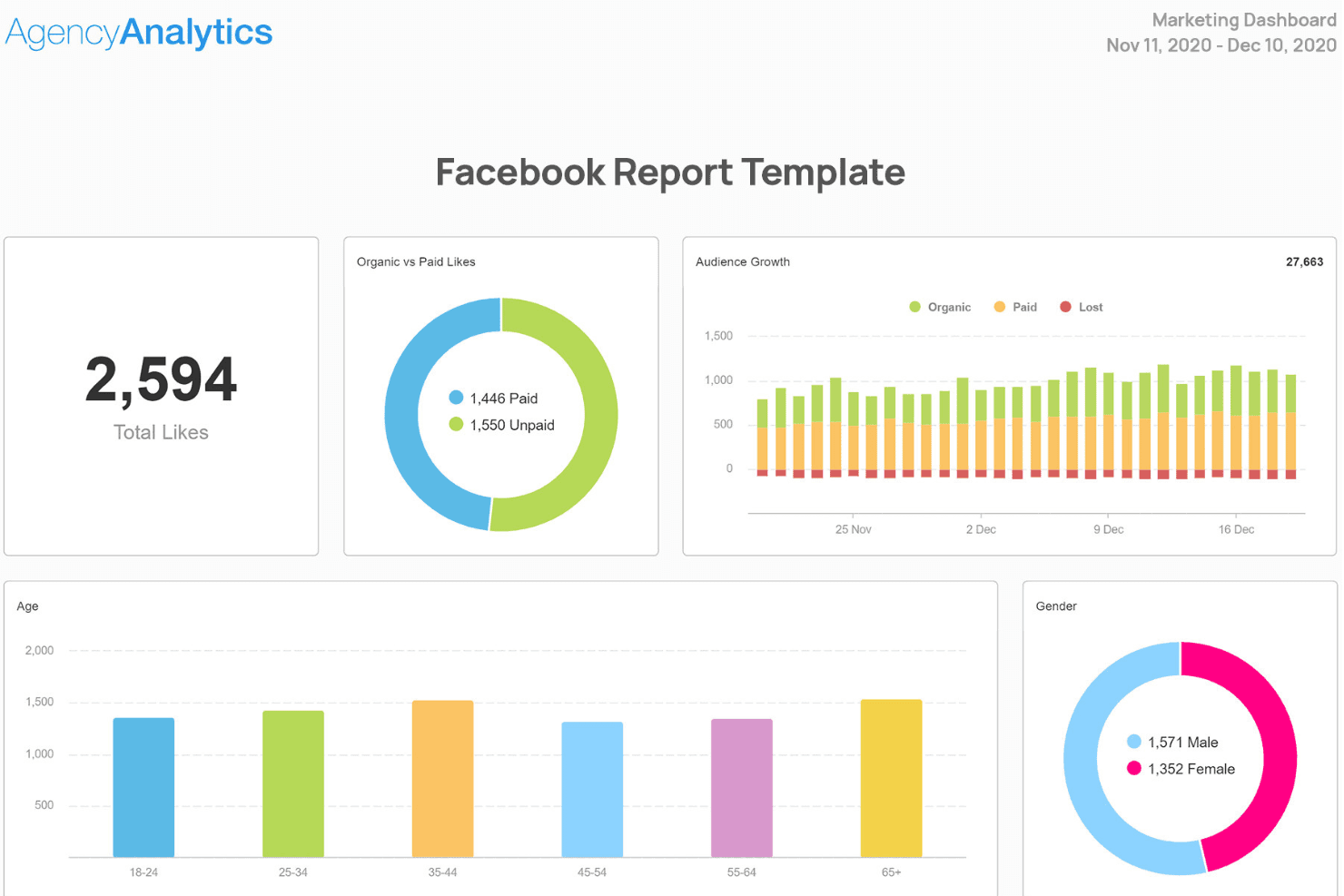
AgencyAnalytics visualizes Facebook metrics like likes, audience growth, and demographics. AgencyAnalytics is a marketing reporting platform built specifically for agencies, offering Facebook Ads reporting, white-label client dashboards, cross-channel data integration across 85+ sources, and automated report scheduling.
Who Is AgencyAnalytics Best For?
AgencyAnalytics is a natural fit for digital marketing agencies that manage Facebook Ads reporting across multiple clients and need white-labeled, client-ready dashboards without rebuilding reports from scratch each month.
Why I Picked AgencyAnalytics
AgencyAnalytics earns its spot on my shortlist because it's purpose-built for agencies that need white-labeled, client-ready Facebook Ads reporting without rebuilding everything from scratch each month. I love how Smart Reports auto-generate branded reports by pulling your top Meta Ads metrics instantly, and roll-up dashboards let you monitor performance across every client account in one view. The white-label client portal gives each client a branded login experience with your logo, domain, and colors front and center.
AgencyAnalytics Key Features
- 300+ Meta Ads metrics: Pull granular data across impressions, ROAS, CPA, video views, conversions, and demographic breakdowns at the campaign, ad set, and ad level.
- Cross-channel "Views": Combine Facebook Ads data with PPC, SEO, email, and web analytics in blended tables without exporting to a spreadsheet.
- Ask AI natural-language querying: Query live client performance data in plain language to surface trends, anomalies, and opportunities across all connected accounts.
- PPC markup: Add a custom margin percentage to Facebook Ads spend figures displayed on client-facing reports.
AgencyAnalytics Integrations
AgencyAnalytics offers 85+ native integrations, including Meta Ads, Google Ads, Google Analytics 4, LinkedIn Ads, TikTok Ads, Google Search Console, Shopify, Klaviyo, and Google Sheets. It also supports custom connectivity through its open API and optional BigQuery, Redshift, and MySQL connectors.
Pros and Cons
Pros:
- Drag-and-drop report builder with templates
- 300-plus Meta Ads metrics with hierarchy support
- Automated white-label report scheduling for clients
Cons:
- Manual reconnection needed for integration drops
- No creative-level ad fatigue analytics
Learn more about AgencyAnalytics: Best for visual cross-channel reports
- Free demo available
- From $812/month (billed annually)
Visit WebsiteCustomer Rating:4.5/5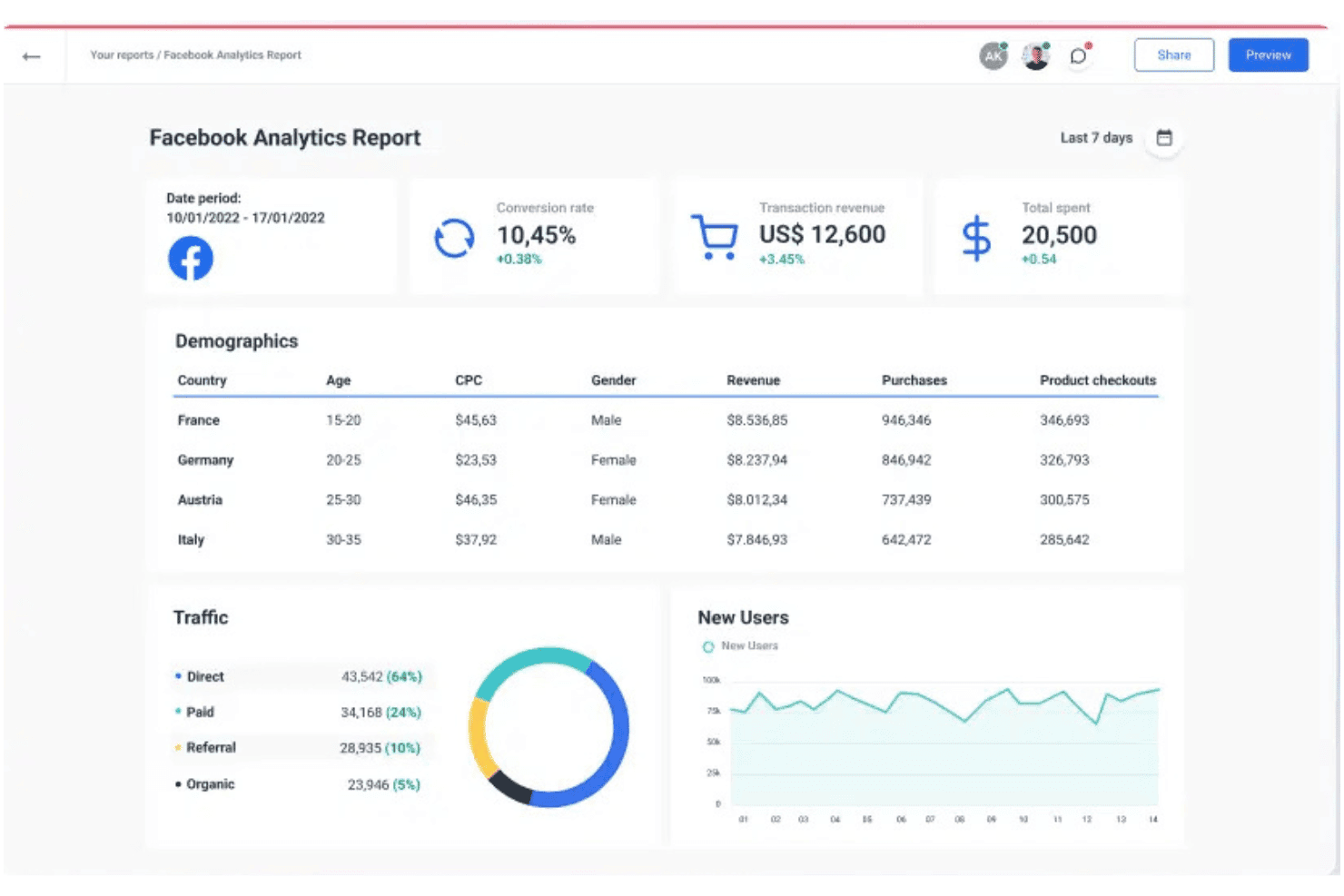
Whatagraph centralizes Facebook ad metrics into a visual analytics report. Whatagraph is a cross-channel marketing reporting platform that pulls data directly from the Meta Marketing API alongside 67 other integrations, letting you build visual dashboards, schedule automated reports, and blend data across paid, social, SEO, email, and ecommerce channels.
Who Is Whatagraph Best For?
Whatagraph is a strong fit for digital marketing agencies managing multiple client accounts who need white-label reporting across paid, social, and SEO channels.
Why I Picked Whatagraph
I've included Whatagraph in my top picks because it handles cross-channel visual reporting better than almost anything else I've tested. I love how the Linked Report Templates let you push global design or metric updates across every client report at once, which is a real advantage when you're managing Meta campaigns alongside Google, TikTok, and SEO. The Ad Creative Performance Report template goes further than most, displaying thumbnail previews of your top Meta ads alongside CPC, CPM, and engagement data in a single carousel view.
Whatagraph Key Features
- Linked Report Templates: Push global design and metric updates across every client report at once from a single template.
- No-code data blending: Combine Meta Ads data with other sources using four join types and a formula builder for custom metrics like blended ROAS.
- Scheduled PDF email delivery: Set daily, weekly, or monthly report cadences with automated PDF attachments sent directly to clients or stakeholders.
- Role-based access control: Assign Admin, Manager, Editor, or Viewer permissions to separate internal team access from client-facing views.
Whatagraph Integrations
Whatagraph offers 68 native integrations, including Facebook Ads, Google Ads, TikTok Ads, LinkedIn Ads, Google Analytics 4, BigQuery, Shopify, HubSpot, Google Sheets, and Salesforce. Its Public API supports custom and offline data sources.
Pros and Cons
Pros:
- Native Meta API integration with 300+ metrics
- Linked Report Templates for multi-client bulk updates
- Creative-level Facebook Ads analytics with thumbnails
Cons:
- No real-time anomaly alerts on base plan
- Connector reliability issues disrupt report scheduling
 Best for multi-channel campaign reporting
- Free demo + 14-day free trial
- Pricing upon request
Visit WebsiteCustomer Rating:4.3/5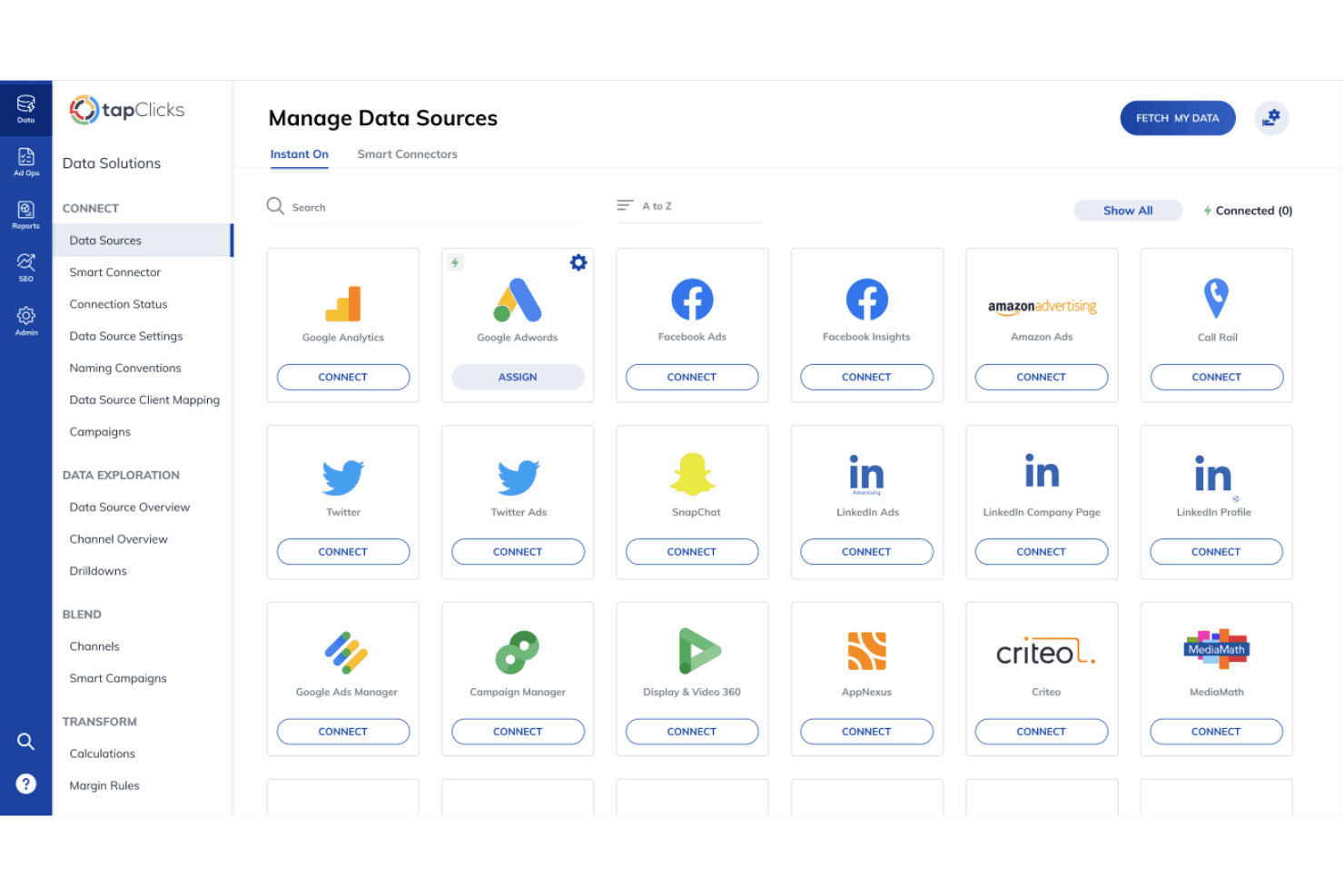
TapClicks lets users connect multiple ad platforms in one place. TapClicks is a marketing analytics and reporting platform that connects 250+ data sources—including Meta Ads at the creative level—into unified dashboards, automated report delivery, and white-labeled client portals.
Who Is TapClicks Best For?
TapClicks is best suited for digital marketing agencies managing large client rosters who need white-labeled reporting across multiple channels from a single platform.
Why I Picked TapClicks
TapClicks earns its spot on my shortlist because it's purpose-built for running reports across dozens of channels and client accounts from one place. I particularly like SmartCampaigns, which rolls up Facebook Ads data across multiple accounts into a single view, and SmartSlides, which auto-generates branded presentation decks directly from dashboard data. The 250+ native connectors mean I can blend Meta performance alongside Google Ads, GA4, and LinkedIn in a single report without manual data wrangling.
TapClicks Key Features
- AI anomaly detection: TapClicks monitors campaign performance and flags unusual shifts in spend, conversions, or ROAS directly within your dashboard.
- Custom KPI builder: Define bespoke metrics using a rules-based formula builder, or describe the metric you need in plain English using the Data Transformation Agent.
- SmartEmail™ automated recaps: TapClicks generates and delivers AI-written performance summaries to stakeholder inboxes on a scheduled cadence, no dashboard access required.
- White-labeled client portals: Give clients self-serve access to their own branded dashboards via a custom domain with your logo, colors, and theme applied throughout.
TapClicks Integrations
TapClicks offers 250+ native integrations, including Meta Ads, Google Ads, Google Analytics 4, LinkedIn Ads, TikTok Ads, HubSpot, Salesforce, Shopify, and WooCommerce. TapAPI and SmartConnector™ support custom data connections and exports to data warehouses or BI tools.
Pros and Cons
Pros:
- Auto-generates branded client presentation decks
- Offers creative-level breakdown and segmentation
- Aggregates Facebook Ads data across accounts
Cons:
- Dashboard filtering less flexible than BI tools
- Automation features gated on higher-tier plans
Learn more about TapClicks: Best for agencies reporting across 100s of ad accounts
- Free demo available
- Pricing upon request
Visit WebsiteCustomer Rating:4.2/5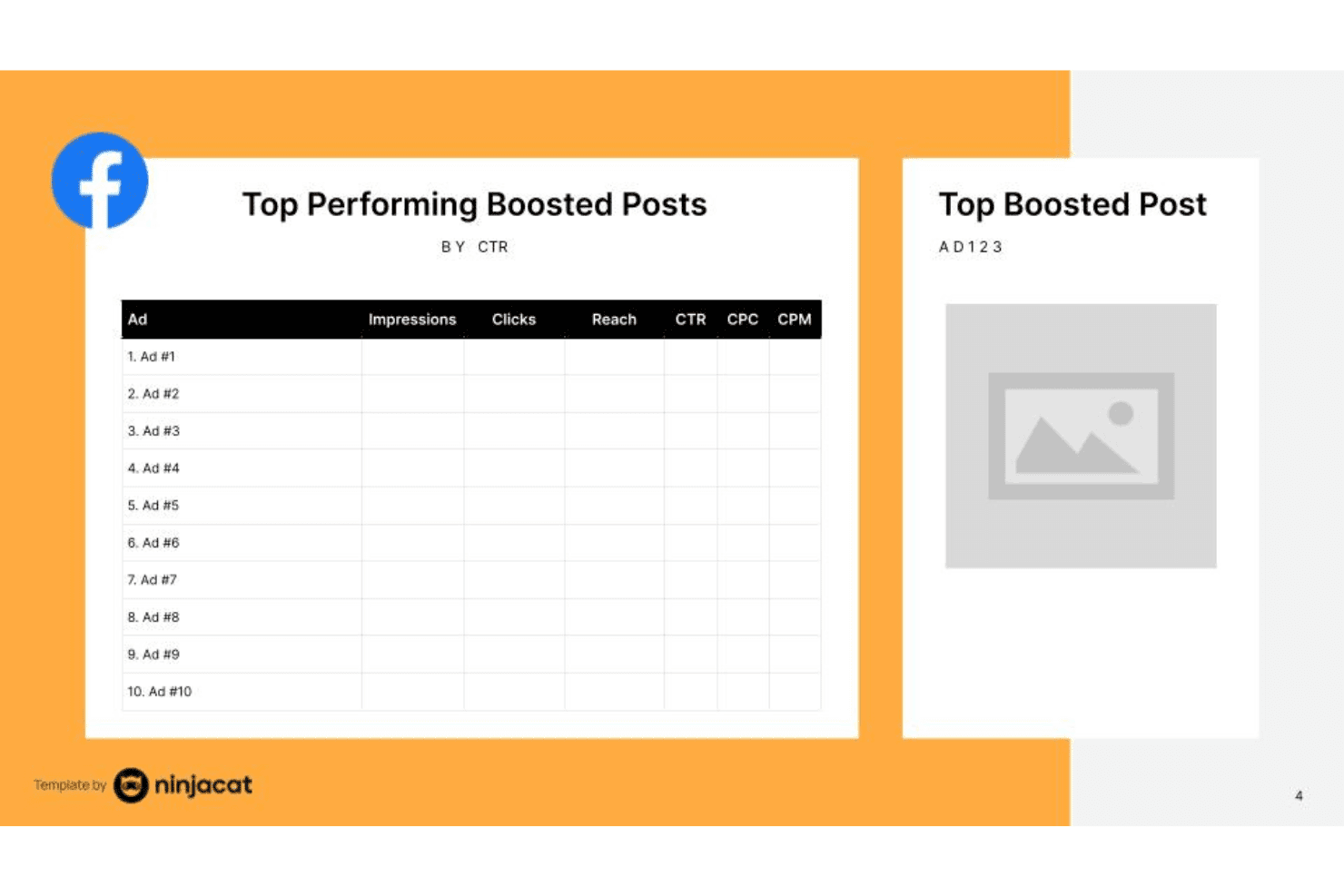
NinjaCat tracks top boosted Facebook post performance by CTR. NinjaCat is a marketing reporting and data platform built for agencies, offering a drag-and-drop report builder, 150+ native data connectors, white-label client dashboards, automated report scheduling, and an AI agent layer for campaign monitoring across Meta Ads and other channels.
Who Is NinjaCat Best For?
NinjaCat is built for mid-to-large agencies that manage reporting across dozens or hundreds of client ad accounts simultaneously.
Why I Picked NinjaCat
NinjaCat earns its spot on my shortlist because it's purpose-built for the exact problem agencies face: maintaining visibility across hundreds of Meta Ads accounts without drowning in manual reporting. I particularly like the AgentOS layer, where AI agents like Expansion Eric and Negative Nancy automatically flag budget-limited top performers and wasteful spend across all your accounts. Paired with the dedicated Facebook Ads Report Template and automated white-label delivery, my team can monitor 200 clients daily in the time it used to take to check 50.
NinjaCat Key Features
- Cross-channel data connectors: Pull data from 150+ sources—including Google Ads, LinkedIn, TikTok, and Snowflake—into a single unified view alongside your Meta Ads data.
- White-label client dashboards: Deliver fully branded, interactive dashboards to clients with custom logos, colors, and a custom domain.
- Data Cloud storage: Store and govern trillions of rows of marketing data permanently, with the ability to export to Snowflake or external BI tools.
- NinjaCademy training platform: Access 40+ on-demand courses and 10 structured learning paths to get your team up to speed on the platform.
NinjaCat Integrations
NinjaCat offers 150+ native integrations, including Meta Ads, Facebook Insights, Google Ads, Google Analytics 4, LinkedIn Ads, TikTok, and Snowflake. It also supports AI Connectors, MCP Servers, and Custom Connectors for non-native sources.
Pros and Cons
Pros:
- AI agents flag spend and campaign issues
- Automates white-label report scheduling and delivery
- Manages hundreds of Facebook ad accounts
Cons:
- Implementation takes weeks to complete setup
- No self-serve trial for testing features
Learn more about NinjaCat: Best for DTC brands tracking Meta creative fatigue
- Free plan available
- From $219/month
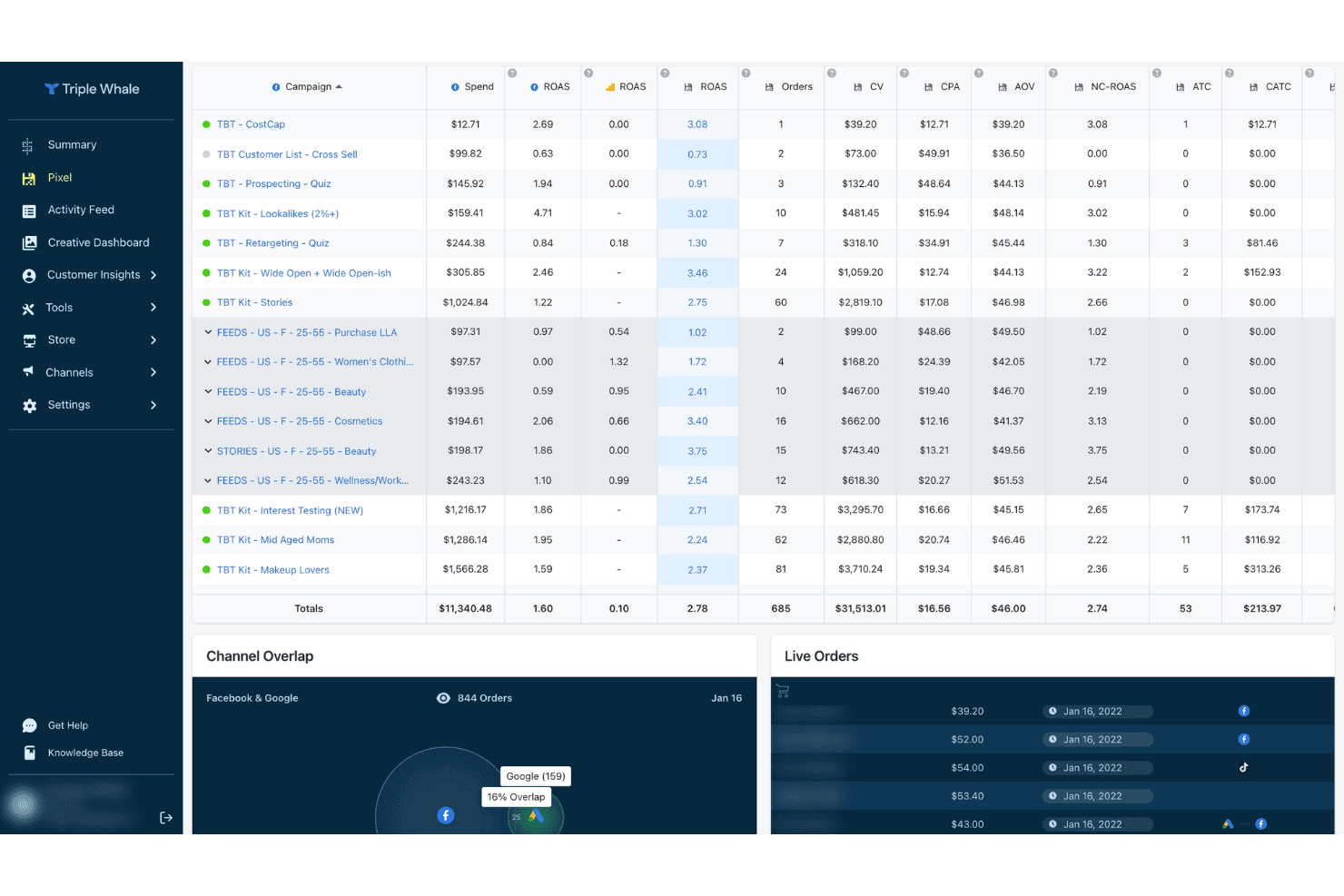
Triple Whale tracks ad campaign ROAS, spend, and orders in one dashboard. Triple Whale is an ecommerce analytics and Facebook Ads reporting platform that combines cross-channel attribution, creative-level performance analysis, and AI-powered insights through its Moby AI layer.
Who Is Triple Whale Best For?
Triple Whale is a natural fit for Shopify-based DTC brands that run significant Meta ad spend and need creative-level performance data beyond what Ads Manager provides.
Why I Picked Triple Whale
Triple Whale earns its spot on my shortlist because of how precisely it's built around Meta creative performance. The Creative Cockpit ranks your ad creatives by ROAS and CAC, flags creative fatigue before your numbers drop, and surfaces thumbnail and video-level engagement data, all in one view. On top of that, the AI-powered Creative Strategy Agent identifies early fatigue signals by analyzing copy and imagery patterns across your active Meta campaigns.
Triple Whale Key Features
- Moby AI Chat: A natural language interface that lets you ask performance questions and receive auto-generated dashboards or reports on demand.
- Cross-channel attribution dashboard: Blends Meta, Google, TikTok, and other ad channel data into a single unified performance view.
- Marketing Mix Modeling (MMM): A statistical model that measures incremental channel impact using historical data, seasonality, and offline factors, with budget simulation built in.
- Sonar Optimize: Feeds first-party conversion data back into Meta's Conversions API to improve Event Match Quality scores and ad algorithm performance.
Triple Whale Integrations
Triple Whale offers 60+ native integrations, including Meta Ads, Google Ads, TikTok Ads, Shopify, Klaviyo, Google Sheets, Snapchat Ads, Pinterest Ads, Microsoft Ads, and LinkedIn Ads. Its Data-In API supports custom data sources.
Pros and Cons
Pros:
- First-party pixel improves attribution accuracy
- AI agents deliver actionable reporting insights
- Diagnoses Meta creative fatigue automatically
Cons:
- Attribution models differ from Meta reporting
- No native white-label client portals
Learn more about Triple Whale:
Other Facebook Ads Reporting Tools
Here are some additional Facebook ads reporting tool options that didn’t make it onto my shortlist, but are still worth checking out:
- 11SupermetricsBest for flexible data destinations
- 12OviondBest for automated client dashboards
- 13ReportGardenBest for agency reporting with invoicing built in
- 14FunnelBest for cross-channel Meta data warehousing
- 15MadgicxBest for AI-driven Meta ad creative insights
- 16ReporteiBest for WhatsApp-delivered Meta Ads reports
- 17MetricoolBest for unified paid and organic social reporting
- 18Coupler.ioBest for no-code Meta Ads pipelines into any BI tool
Related Reviews
How I Evaluate Facebook Ads Reporting Tools
I split my evaluation into baseline functionality every tool must nail and the differentiators that separate a genuinely useful platform from one that just looks good in a demo.
Core Functionality (Table Stakes For This List)
When I'm selecting tools for my list, I rank each one on a scale from 0 (does not offer the functionality) to 5 (excels in this area) for each core functionality listed below. I then calculate the tool's total score into a percentage, using 65% as a benchmark to help assess its overall fit for the list.
- Meta Ads API connection: I check whether the tool syncs directly with the Meta Marketing API and pulls campaign, ad set, and ad-level data without manual CSV workarounds.
- Custom report builder: The ability to select specific metrics, dimensions, and breakdowns like placement or device matters—especially when building ROAS-focused reports for leadership.
- Dashboards and visualizations: I evaluate chart variety, KPI widgets, and interactive filters, since a dashboard that only shows static tables won't help a client grasp performance trends at a glance.
- Automated report scheduling: I look for flexible delivery options—scheduled PDFs, shared links, Google Sheets exports—so recurring client reports go out without manual effort each week.
- Multi-account management: Agencies running dozens of ad accounts need consolidated views, client folders, and role-based permissions. Tools like AgencyAnalytics and Swydo handle this differently, so I compare their approaches.
- Cross-channel integration: I evaluate how many platforms beyond Meta the tool connects to—Google Ads, GA4, TikTok, LinkedIn—and whether it can blend metrics into a single unified report.
Once I have a list of tools that meet the criteria, I consider what sets each platform apart.
Differentiating Factors (What Sets Vendors Apart)
Here's how I compare and contrast different vendors:
Standout Features
I evaluate creative-level analytics closely—thumbnail previews, video engagement breakdowns, and copy variant comparisons help paid social managers spot fatigue before it tanks performance. Attribution modeling matters just as much, especially post-iOS 14. I check whether a tool handles view-through vs. click-through comparisons and blends signals from Meta Pixel, Conversions API, and GA4. White-label client portals round out the picture; agencies running dozens of accounts need custom domains, branded logins, and color theming that make reports feel like their own product.
Beyond Features
I evaluate how quickly a tool gets you from signup to a live dashboard. Some platforms like Databox and AgencyAnalytics offer OAuth connection plus template selection that produces a working report in minutes, while others require manual configuration. Pricing structure matters just as much—per-account fees add up fast when you're managing dozens of Facebook Ads clients, so I check whether agency tiers bundle unlimited accounts or charge incrementally. I also look at data sync frequency and how each tool handles Meta API rate limits or token expirations, since a missed sync the morning of a client call erodes trust fast.
How to Choose a Facebook Ads Reporting Tool
Wondering how to narrow down Facebook ads reporting tools to the best fit for your agency or marketing team? Use this quick chart to map your number-one reporting headache to a solution to target.
| If your priority is... | Look for... |
|---|---|
| If your priority is...Consolidating dozens of client accounts | Look for...Multi-account folders and user permissions |
| If your priority is...Tracking Facebook data alongside other channels | Look for...Unified cross-channel reporting |
| If your priority is...Building custom dashboards for each client | Look for...Flexible custom report builders |
| If your priority is...Automating delivery of scheduled reports | Look for...Recurring exports to email or client links |
| If your priority is...White-labeling reports and portals | Look for...Branded domains, logins, and report theming |
How to Vet Your Shortlist
- Test custom reporting speed: Create and export a granular Facebook dashboard within one hour using your real data.
- Check multi-account setup: Set up access and permissions for at least three distinct client ad accounts during a free trial.
- Verify data freshness: Compare pulled reporting numbers for a defined campaign to Facebook Ads Manager, checking for hour or day-level lags.
- Validate white-label options: Request a sample white-label portal or PDF with your agency branding included in under 72 hours.
- Tradeoff—Breadth vs. precision: Decide whether you need a tool built for multi-channel reporting at the risk of less granular Facebook data, or one narrowly specialized in deep Meta platform analytics.
What Are Facebook Ads Reporting Tools?
Facebook ads reporting tools are software platforms that collect, analyze, and visualize data from Facebook ad campaigns. These tools let you create custom dashboards, track key metrics, and automate reporting across multiple ad accounts. Marketers and agencies use them to monitor performance trends, attribute results, and share actionable insights with teams or clients. The right tool can help you move beyond basic Facebook dashboards to get a clearer view of campaign ROI.
Features of Facebook Ads Reporting Tools
When selecting Facebook ads reporting tools, keep an eye out for the following key features:
- Meta Ads API connection: Connects directly to Meta’s API to automatically pull campaign, ad set, and ad-level data without manual intervention or file uploads.
- Custom report builder: Lets you choose and organize metrics, dimensions, and breakdowns, so you can tailor reports for different stakeholders or goals.
- Dashboards and visualizations: Offers a range of chart types, KPI widgets, and interactive filters that help you spot performance trends and outliers at a glance.
- Automated report scheduling: Delivers reports automatically on your schedule, whether as PDFs, live links, or spreadsheet exports, reducing repetitive manual work.
- Multi-account management: Provides centralized access, client folders, and permission controls to streamline reporting across several ad accounts, ideal for agencies or teams managing multiple brands.
- Cross-channel integration: Combines Facebook data with metrics from other advertising platforms, allowing for unified reporting and broader performance analysis.
- Data freshness and sync frequency: Ensures the metrics you see are current and lets you control how often data is pulled to minimize reporting lags.
- White-label reporting options: Lets you add your brand elements—like custom domains, logos, and colors—so client-facing reports feel personalized.
- Campaign performance attribution: Helps you analyze the impact of your ads by comparing different attribution models and tracking conversions from multiple sources.
- User access controls: Allows you to set different access levels and roles for teammates or clients, helping you safeguard data and manage collaboration smoothly.
Common Facebook Ads Reporting Tool AI Features
Beyond the standard Facebook ads reporting tool features listed above, many of these solutions are incorporating AI with features like:
- Automated anomaly detection: AI scans your campaign data for unexpected spikes, drops, or outliers in performance metrics. It flags unusual trends in real time, so you can investigate issues or capitalize on opportunities before they impact your results.
- Predictive performance forecasting: AI models analyze historical campaign data and current trends to project future outcomes. This helps you estimate spend, conversions, or ROAS for upcoming periods, supporting better budget allocation and goal setting.
- Creative fatigue analysis: AI reviews ad creative performance over time, identifying when images, videos, or copy are losing effectiveness. It alerts you to swap out underperforming assets before your results decline.
- Automated insights and recommendations: AI surfaces actionable suggestions based on your data, such as which audiences to target, which ads to pause, or how to adjust bids. These recommendations are tailored to your specific campaigns and goals.
- Natural language report generation: AI generates plain-language summaries of campaign performance, highlighting key wins, losses, and trends. This makes it easier to share insights with stakeholders who may not be familiar with ad metrics.
- Audience segmentation and lookalike modeling: AI analyzes your existing audience data to identify high-value segments and automatically builds lookalike audiences for future campaigns, helping you reach new prospects similar to your best customers.
Benefits of Facebook Ads Reporting Tools
Implementing Facebook ads reporting tools provides several benefits for your team and your business. Here are a few you can look forward to:
- Automated data collection: Eliminate manual CSV downloads by syncing directly with the Meta Ads API to pull detailed campaign, ad set, and ad-level data.
- Custom reporting flexibility: Build dashboards with your choice of metrics, dimensions, and breakdowns, so every report fits your stakeholders’ specific needs.
- Unified cross-channel insights: Blend Facebook data with metrics from platforms like Google Ads, TikTok, and GA4 for a consolidated view of campaign performance across channels.
- Scheduled reporting and sharing: Automate recurring report deliveries via email, live links, or spreadsheet exports, freeing your team from repetitive tasks.
- Multi-account management: Handle dozens of client or brand accounts from one place with client folders and user permissions tailored for agency workflows.
- Creative and audience analytics: Surface creative fatigue, audience segments, and predictive performance forecasts with built-in AI tools for smarter optimization.
- White-label reporting: Brand your client-facing reports or portals with custom domains, colors, and logos to deliver a professional, agency-owned experience.
Costs and Pricing
Selecting Facebook ads reporting tools requires an understanding of the various pricing models and plans available. Costs vary based on features, team size, add-ons, and more. The table below summarizes common plans, their average prices, and typical features included in Facebook ads reporting tool solutions:
Plan Comparison Table for Facebook Ads Reporting Tools
| Plan Type | Average Price | Common Features |
|---|---|---|
| Plan TypeFree Plan | Average Price$0 | Common FeaturesBasic Meta Ads API connection, limited dashboards, single-account support, and basic export or sharing options. |
| Plan TypePersonal Plan | Average Price$19-$49/user/month | Common FeaturesCustom report builder, dashboard templates, scheduled reporting, unlimited reports for one account, and basic visualizations. |
| Plan TypeBusiness Plan | Average Price$79-$199/month | Common FeaturesMulti-account management, team collaboration, advanced dashboard customization, automated scheduling, and standard cross-channel integrations. |
| Plan TypeEnterprise Plan | Average Price$299-$995+/month | Common FeaturesWhite-labeling options, priority support, API access, advanced attribution modeling, role-based permissions, and dedicated onboarding and account management. |
Facebook Ads Reporting Tools FAQs
Here are some answers to common questions about Facebook ads reporting tools:
How do Facebook ads reporting tools handle privacy and data security?
Most Facebook ads reporting tools follow strict privacy and data security standards. These platforms typically use encrypted API connections, role-based access controls, and secure cloud hosting to protect account data. It’s best to confirm a tool’s compliance with GDPR, CCPA, or other relevant regulations if your agency serves clients in regulated industries.
Can I customize reports for each client account?
Yes, most Facebook ads reporting tools let you customize dashboards and reports by client or account. You can usually pick metrics, dimensions, and visualizations tailored for each client’s needs. Some tools also save custom templates, so you can reuse your best layouts for future accounts.
What’s the difference between cross-channel integration and basic Facebook reporting?
Basic Facebook reporting tracks only Meta channel performance. Cross-channel integration combines Facebook data with results from Google Ads, LinkedIn, TikTok, and others—giving you a unified view. If you need to show total campaign impact across platforms, pick a tool designed for multi-channel reporting.
How do these tools prevent missed data syncs or reporting delays?
Many reporting tools monitor Meta API token expirations and offer alerts or auto-renew functions to help avoid sync failures. Higher-end tools may display the last data sync timestamp or let you set custom refresh intervals. Always test sync reliability during a free trial using your live accounts.
Are white-label features included in every plan?
No, white-label features—like custom domains, branded portals, and logo placement—are usually reserved for business or enterprise plans. If branded client reports are a requirement, make sure you verify which pricing tier unlocks those options before committing.
Do these tools support creative performance analysis?
Yes, several Facebook ads reporting tools include creative analytics. You can view thumbnail previews, video engagement breakdowns, and copy variant comparisons to identify fatigue or winning formats. This is especially useful for agencies optimizing high-volume ad libraries.