

Triple Whale Review 2026: Pros, Cons, Features and Pricing
I look past Triple Whale’s feature list to the real question: does its attribution give ecommerce teams clearer decisions for the price, or just another dashboard to manage?

We review tools independently, and commissions help fund our testing. See our transparency policy, our methodology, or suggest a tool.
Triple Whale is marketing attribution software for ecommerce brands that want to see how marketing touchpoints contribute to sales. It suits teams comparing channel performance before they reallocate ad spend. I’d choose it over Northbeam when you want multiple attribution models and ecommerce, creative, and product analytics in one platform.
Triple Whale Evaluation Summary
4.5/5
- Pricing upon request
- Free trial available
Why Trust Our Software Recommendations
6,700+
Reviews
20
Industry experts
16+
Evaluation factors
14
Years
Our team has been testing and reviewing software since 2012. As marketing leaders ourselves, we know how difficult—and important—it is to choose the right software.
For this guide, we evaluated tools using hands-on testing and independent research, scoring tools using our selection criteria.
Our reviews reflect our human editorial judgment, not a sales pitch.
Expert reviewers:
 Gui DrusinaCreative Director
- Shriya GhateSenior Marketing Lead
 Amanda JacquesMarketing Ops Leader

Triple Whale Overview
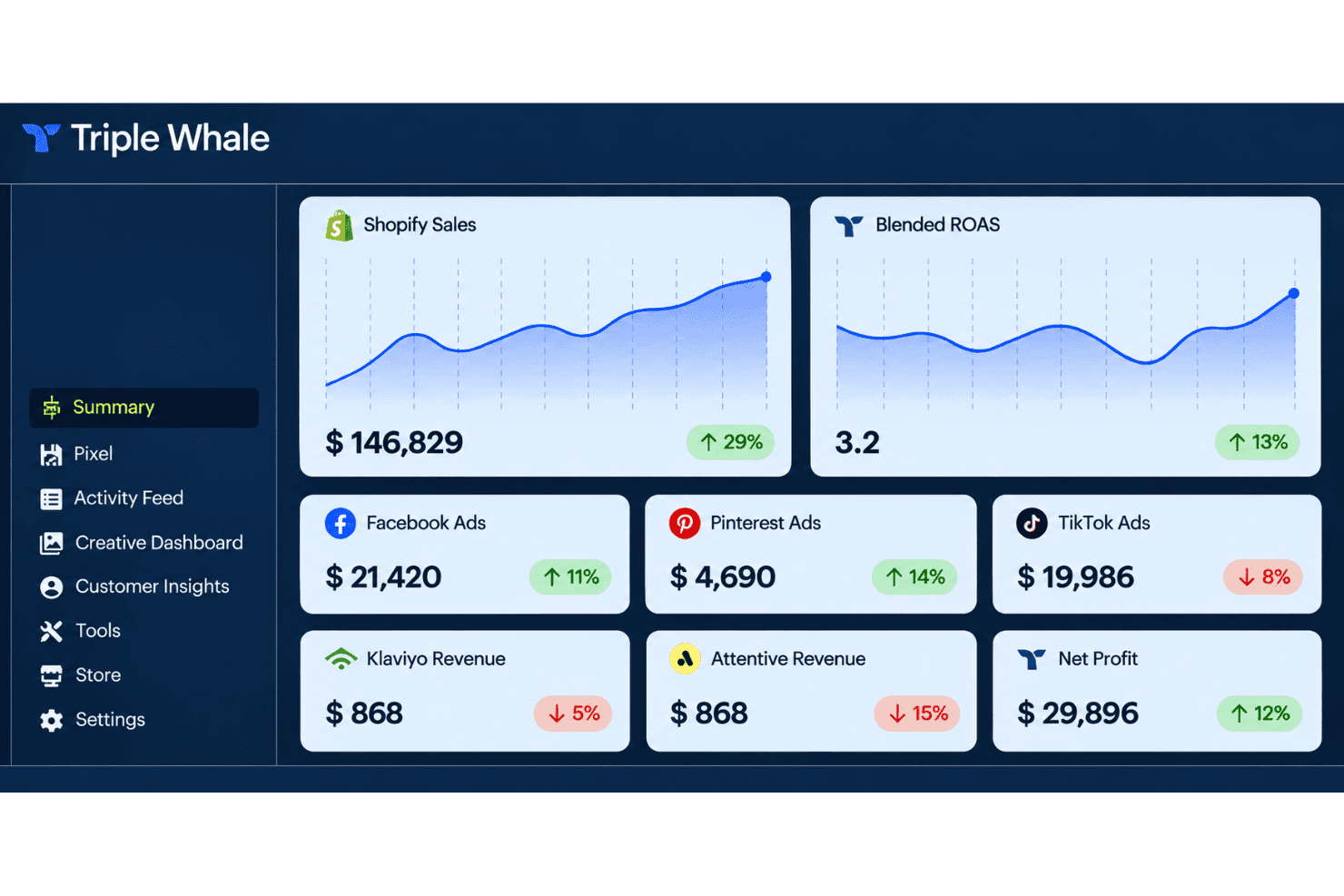
I’d choose Triple Whale when an ecommerce team needs multi-touch attribution alongside product, creative, and channel analytics in one dashboard. Its broad store, ad, and email integrations and multiple attribution models make it easier to compare performance than a single-channel view; setup usually takes about 15 minutes, though custom storefronts can need developer help. I’d judge the price carefully: plans scale with revenue, and paid plans require a 12-month commitment. The interface centralizes reporting, while dedicated success coverage is reserved for Enterprise. It’s best for growing ecommerce brands, less so for teams seeking a simple, low-cost attribution tool.
Pros
- Multiple attribution models and windows support different budget questions.
- First-party click data plus verified views supports cross-channel journey analysis.
- Users praise centralized campaign insights and clearer attribution data.
Cons
- Platform-reported view-through conversions can duplicate and inflate revenue totals.
- Some users report attribution inaccuracies and opaque pixel results.
- Revenue-scaled pricing and annual commitments can strain smaller brands.


How We Test & Score Tools
We’ve spent years building, refining, and improving our software testing and scoring system. The rubric is designed to capture the nuances of software selection and what makes a tool effective, focusing on critical aspects of the decision-making process.
Below, you can see exactly how our testing and scoring works across seven criteria. It allows us to provide an unbiased evaluation of the software based on core functionality, standout features, ease of use, onboarding, customer support, integrations, customer reviews, and value for money.
Core Functionality (25% of final scoring)
The starting point of our evaluation is always the core functionality of the tool. Does it have the basic features and functions that a user would expect to see? Are any of those core features locked to higher-tiered pricing plans? At its core, we expect a tool to stand up against the baseline capabilities of its competitors.
Standout Features (25% of final scoring)
Next, we evaluate uncommon standout features that go above and beyond the core functionality typically found in tools of its kind. A high score reflects specialized or unique features that make the product faster, more efficient, or offer additional value to the user.
We also evaluate how easy it is to integrate with other tools typically found in the tech stack to expand the functionality and utility of the software. Tools offering plentiful native integrations, 3rd party connections, and API access to build custom integrations score best.
Ease of Use (10% of final scoring)
We consider how quick and easy it is to execute the tasks defined in the core functionality using the tool. High scoring software is well designed, intuitive to use, offers mobile apps, provides templates, and makes relatively complex tasks seem simple.
Onboarding (10% of final scoring)
We know how important rapid team adoption is for a new platform, so we evaluate how easy it is to learn and use a tool with minimal training. We evaluate how quickly a team member can get set up and start using the tool with no experience. High scoring solutions indicate little or no support is required.
Customer Support (10% of final scoring)
We review how quick and easy it is to get unstuck and find help by phone, live chat, or knowledge base. Tools and companies that provide real-time support score best, while chatbots score worst.
Customer Reviews (10% of final scoring)
Beyond our own testing and evaluation, we consider the net promoter score from current and past customers. We review their likelihood, given the option, to choose the tool again for the core functionality. A high scoring software reflects a high net promoter score from current or past customers.
Value for Money (10% of final scoring)
Lastly, in consideration of all the other criteria, we review the average price of entry level plans against the core features and consider the value of the other evaluation criteria. Software that delivers more, for less, will score higher.
Core Features
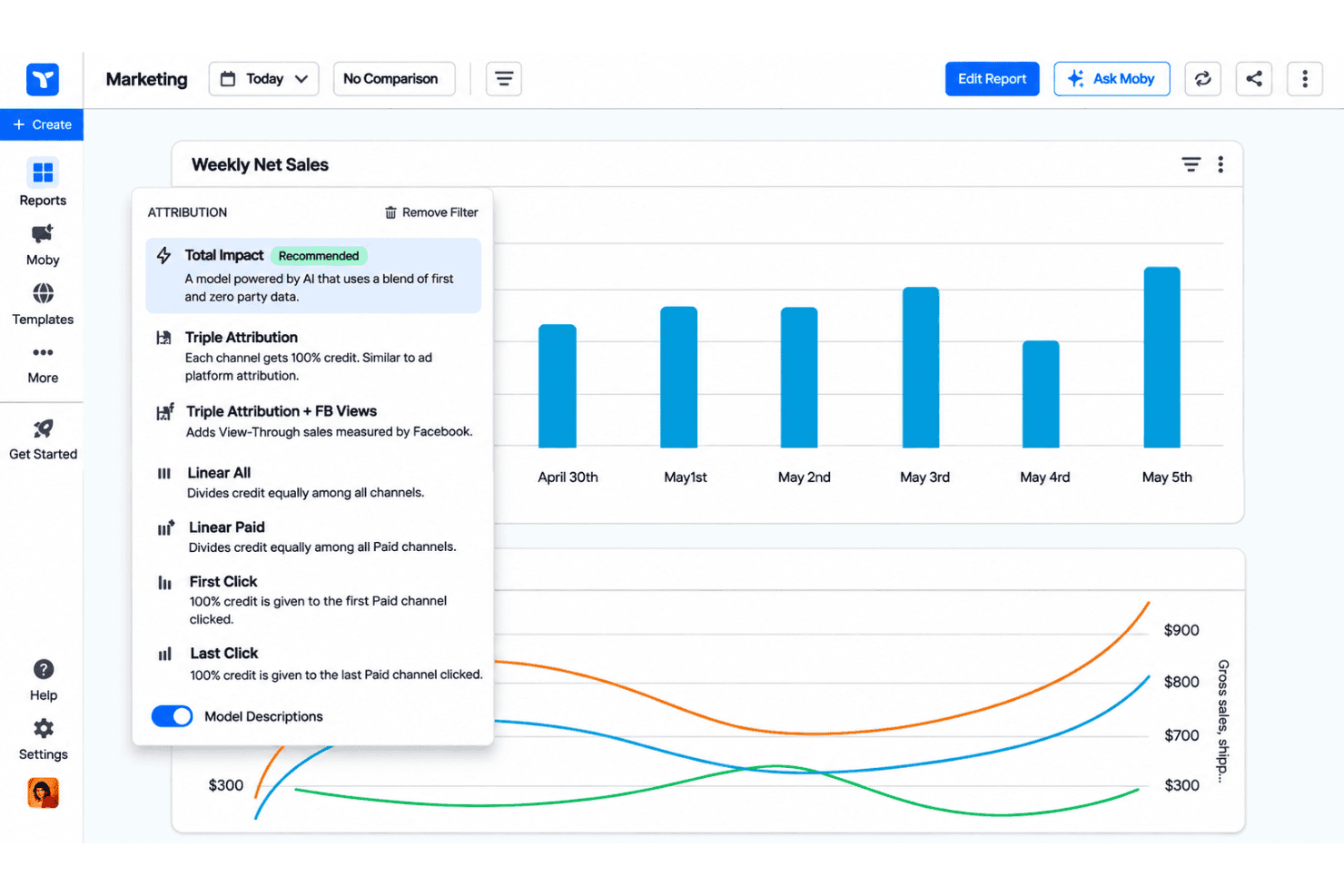
Multiple Attribution Models
Triple Whale offers eight models, including First Click, Last Click, Linear All, Linear Paid, and Total Impact. Compare first-click and last-click results to see whether social introduces buyers while search closes them.
Multi-Touch Journey Attribution
Linear All splits credit across paid, owned, and earned touchpoints, while Linear Paid focuses on paid channels. Use both views to check whether email or social assists conversions that last-click reporting credits elsewhere.
Clicks and Deterministic Views
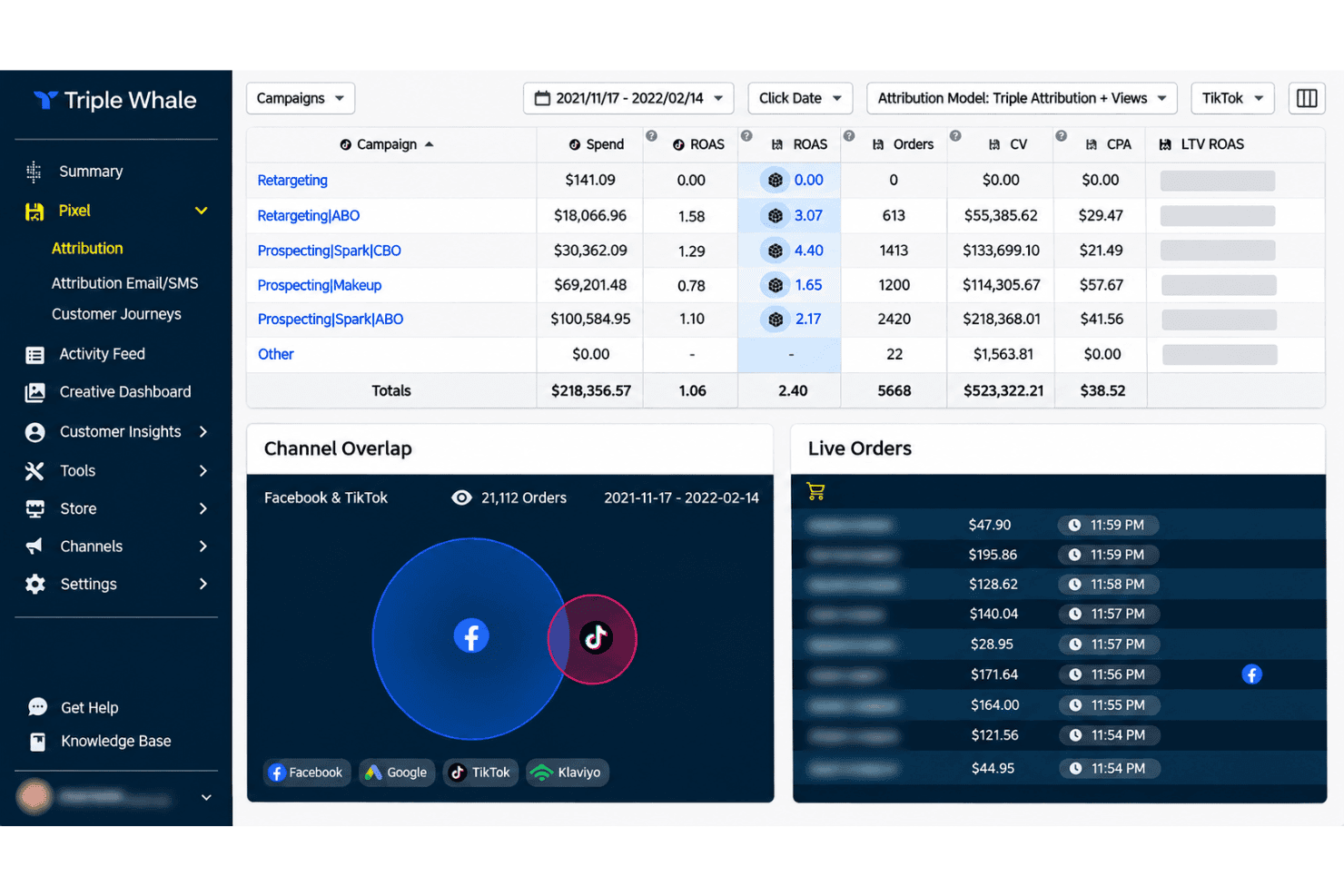
This model combines first-party click data with platform-verified ad views tied to users who later convert, then distributes credit across eligible touchpoints. It can reveal view-heavy campaigns that click-only reporting misses, while deduplicating orders so attributed revenue reconciles with Shopify totals.
Attribution Windows
Choose 1-, 7-, 14-, or 28-day windows, or Lifetime, to define how far back Triple Whale credits interactions. Compare a short window for same-day campaign decisions with a longer one for products that take more time to purchase.
Triple Pixel First-Party Data
Triple Pixel supplies first-party click data that Triple Whale uses to connect marketing touchpoints with orders. This gives your team a consistent data input for comparing channels instead of relying only on each ad platform’s attribution.
Total Impact Attribution
Total Impact combines first-party data with zero-party signals, including post-purchase survey responses, to assign credit across the customer journey. If a survey identifies a podcast as influential, this model can account for that reported influence alongside tracked clicks.
Ease of Use
Triple Whale is relatively easy to use for an ecommerce attribution platform, with a dashboard that centralizes store, advertising, and email data. You can compare eight attribution models and multiple lookback windows in one place, although interpreting the results requires care. I'd recommend checking Triple Pixel attribution data against store orders before making major budget decisions to ensure the reporting aligns with your sales activity.
Integrations
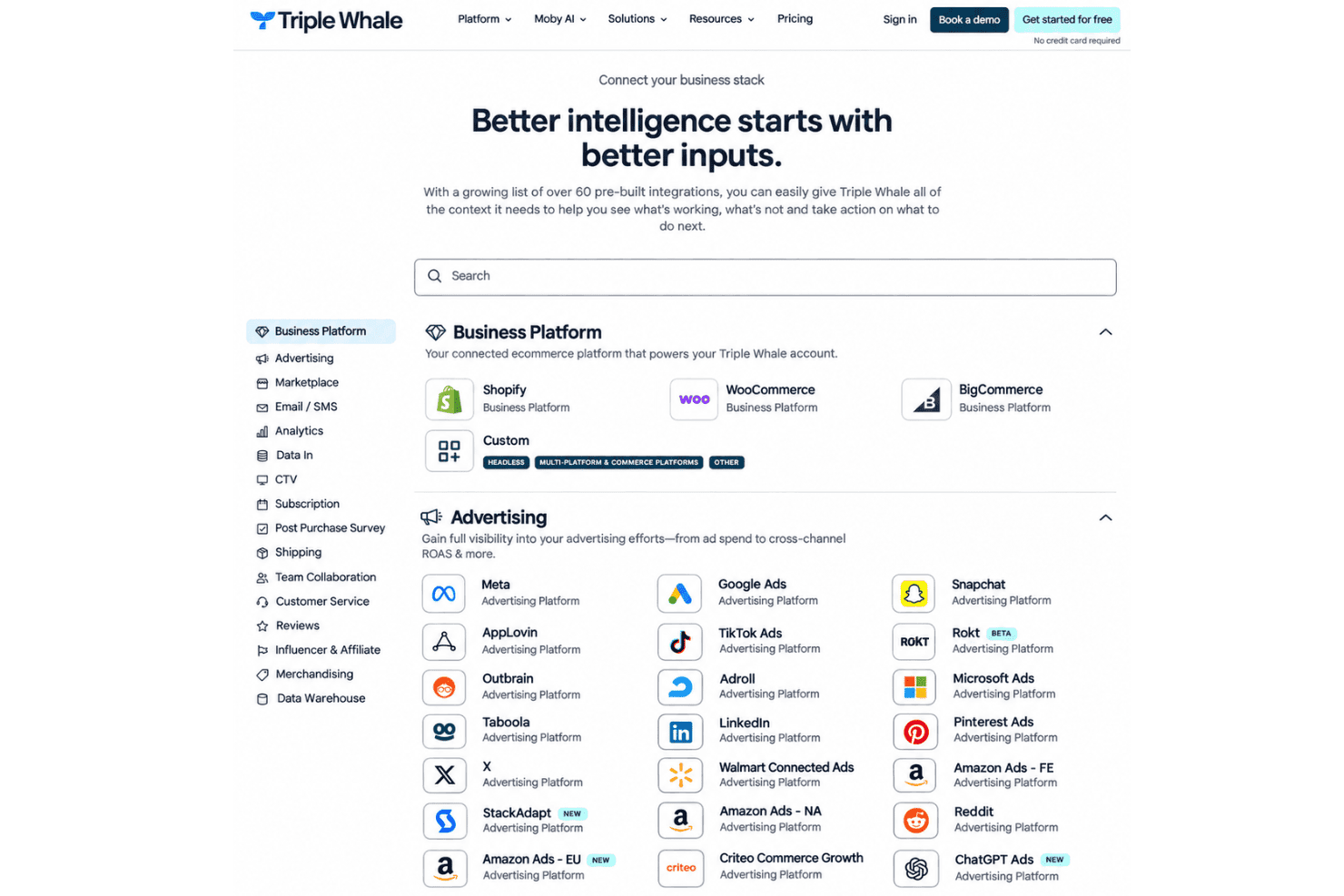
Triple Whale integrates with Shopify, WooCommerce, BigCommerce, Meta, Google Ads, TikTok Ads, Snapchat, Klaviyo, Gorgias, and AppLovin. It also provides APIs for importing external data, accessing analytics, and building custom integrations.
Triple Whale Specs
- A/B Testing: Yes
- AI Integration: Yes
- Analytics: Yes
- API: Yes
- Comparative Reporting: Yes
- Conversion Tracking: Yes
- Custom Reports: Yes
- Dashboard: Yes
- Dashboards: No
- Data Export: Yes
- Data Import: Yes
- Data Mining: Yes
- Data Visualization: Yes
- External Integrations: Yes
- Feedback Management: No
- Forecasting: Yes
- Historical Data Analysis: Yes
- Keyword Tracking: Yes
- Link Tracking: Yes
- Multi-Site: Yes
- Multi-User: Yes
- Notifications: Yes
- Process Reporting: No
- Real-time Alerts: Yes
- Referral Tracking: Yes
- Reports: Yes
- Scenario Planning: Yes
- SEO: Yes
- Time Series Modeling: No
- Visualization: No
- Workflow Management: No


