
TapClicks Review: Pros, Cons, Features, and Pricing
TapClicks stands out for unified marketing analytics and reporting, but may be best suited for agencies needing scalable, customizable dashboards over basic automation tools.

We review tools independently, and commissions help fund our testing. See our transparency policy, our methodology, or suggest a tool.
TapClicks is a marketing automation software for marketing teams and agencies that need to unify campaign data across dozens of channels. I'd mainly consider it if you're managing multiple clients or ad platforms and spending too much time pulling reports manually. Compared to a general BI tool like Domo, TapClicks comes pre-loaded with marketing-specific connectors and report templates. Your team can get up and running without needing a dedicated data engineer.
TapClicks Evaluation Summary
4.3/5
- Pricing upon request
- Free demo available
Why Trust Our Software Recommendations
6,700+
Reviews
20
Industry experts
16+
Evaluation factors
14
Years
Our team has been testing and reviewing software since 2012. As marketing leaders ourselves, we know how difficult—and important—it is to choose the right software.
For this guide, we evaluated tools using hands-on testing and independent research, scoring tools using our selection criteria.
Our reviews reflect our human editorial judgment, not a sales pitch.
Expert reviewers:
 Gui DrusinaCreative Director
- Shriya GhateSenior Marketing Lead
 Amanda JacquesMarketing Ops Leader

TapClicks Overview
If you’re judging TapClicks against other marketing automation software, I think its customizable dashboards, deep analytics, and wide integration options set it apart for agencies and multi-client environments. The interface is intuitive, and onboarding is straightforward, but pricing can be high for smaller teams, and some advanced automation features feel limited.
In my experience, TapClicks excels when you need to consolidate data from many sources and automate complex reporting, but if you’re selecting a tool for simple campaign automation, you might find it more than you need.
Pros
- Offers AI-powered insights for campaign optimization
- Automates complex reporting and recurring client presentations
- Centralizes multi-channel marketing data in one dashboard
Cons
- Occasional delays in syncing large data sets
- Pricing may be high for small or single-brand teams
- Advanced automation features are less flexible than some competitors
Is TapClicks Right For Your Needs?
Who Would be a Good Fit for TapClicks?
TapClicks is a strong choice for organizations that manage multiple brands, clients, or campaigns and need to centralize analytics, automate reporting, and deliver insights at scale. Agencies, enterprise marketing teams, and departments with complex data needs will appreciate its customizable dashboards, AI-powered recommendations, and ability to handle high data volumes. If your team spends hours consolidating reports or presenting campaign results to stakeholders, TapClicks can save time and improve accuracy.
- Marketing Analytics DepartmentsAdvanced visualization and AI insights help optimize campaigns at scale.
- Retail ChainsAggregates data from multiple stores and marketing platforms.
- Media CompaniesAutomated reporting and campaign tracking fit high-volume ad operations.
- Franchise NetworksCentralized dashboards make it easy to compare performance across locations.
- Enterprise Marketing TeamsIt handles large data volumes and complex cross-channel analytics.
- Digital Marketing AgenciesTapClicks supports multi-client management and automated client reporting.
Who Would be a Bad Fit for TapClicks?
TapClicks may not be the best option for small businesses, single-brand teams, or those seeking lightweight automation tools. If your needs are limited to basic campaign automation or you have a tight budget, TapClicks’s advanced features and pricing may be more than you require. Teams with simple workflows or minimal reporting needs might find the platform unnecessarily complex.
- Event Marketing TeamsLacks specialized tools for event registration or attendee engagement.
- In-House Creative TeamsTapClicks focuses on analytics, not creative workflow or asset management.
- StartupsEarly-stage teams may not need advanced analytics or automation.
- Nonprofit OrganizationsBudget constraints and simple reporting needs make it less practical.
- Solo MarketersThe platform’s scale and complexity aren’t justified for one user.
- Small BusinessesPricing and feature set are overkill for basic marketing needs.
How We Test & Score Tools
We’ve spent years building, refining, and improving our software testing and scoring system. The rubric is designed to capture the nuances of software selection and what makes a tool effective, focusing on critical aspects of the decision-making process.
Below, you can see exactly how our testing and scoring works across seven criteria. It allows us to provide an unbiased evaluation of the software based on core functionality, standout features, ease of use, onboarding, customer support, integrations, customer reviews, and value for money.
Core Functionality (25% of final scoring)
The starting point of our evaluation is always the core functionality of the tool. Does it have the basic features and functions that a user would expect to see? Are any of those core features locked to higher-tiered pricing plans? At its core, we expect a tool to stand up against the baseline capabilities of its competitors.
Standout Features (25% of final scoring)
Next, we evaluate uncommon standout features that go above and beyond the core functionality typically found in tools of its kind. A high score reflects specialized or unique features that make the product faster, more efficient, or offer additional value to the user.
We also evaluate how easy it is to integrate with other tools typically found in the tech stack to expand the functionality and utility of the software. Tools offering plentiful native integrations, 3rd party connections, and API access to build custom integrations score best.
Ease of Use (10% of final scoring)
We consider how quick and easy it is to execute the tasks defined in the core functionality using the tool. High scoring software is well designed, intuitive to use, offers mobile apps, provides templates, and makes relatively complex tasks seem simple.
Onboarding (10% of final scoring)
We know how important rapid team adoption is for a new platform, so we evaluate how easy it is to learn and use a tool with minimal training. We evaluate how quickly a team member can get set up and start using the tool with no experience. High scoring solutions indicate little or no support is required.
Customer Support (10% of final scoring)
We review how quick and easy it is to get unstuck and find help by phone, live chat, or knowledge base. Tools and companies that provide real-time support score best, while chatbots score worst.
Customer Reviews (10% of final scoring)
Beyond our own testing and evaluation, we consider the net promoter score from current and past customers. We review their likelihood, given the option, to choose the tool again for the core functionality. A high scoring software reflects a high net promoter score from current or past customers.
Value for Money (10% of final scoring)
Lastly, in consideration of all the other criteria, we review the average price of entry level plans against the core features and consider the value of the other evaluation criteria. Software that delivers more, for less, will score higher.
Core Features
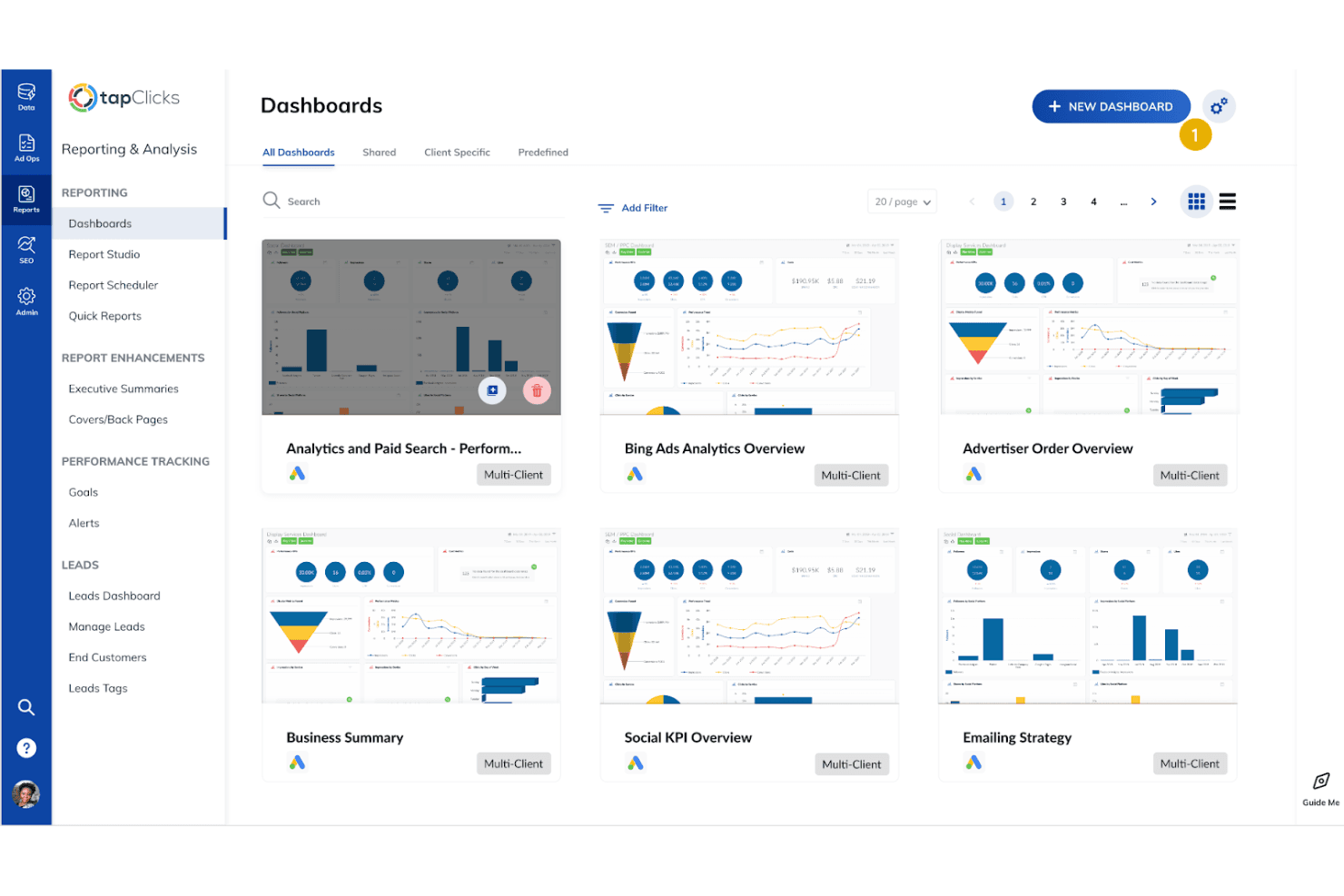
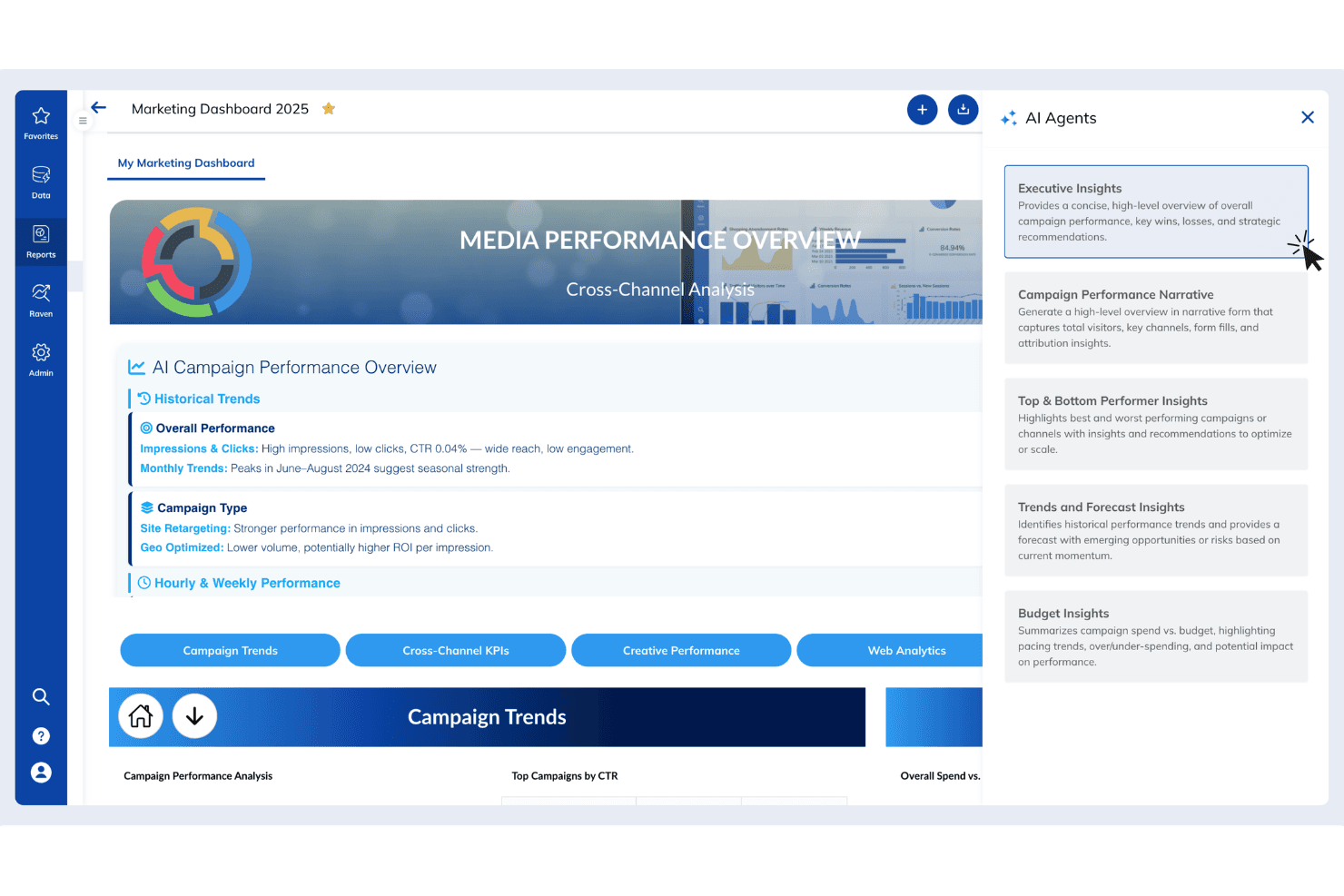
AI-Powered Reporting
Generate automated, client-ready reports and presentations in seconds with AI-driven insights.
Unified Data Management
Aggregate and blend marketing data from thousands of sources into a single dashboard for real-time analysis.
Automated Workflows
Automate campaign orders, reporting cycles, and performance updates to eliminate repetitive manual tasks.
Customizable Dashboards
Build and tailor dashboards to visualize performance metrics across channels, brands, or clients.
Smart Storytelling
Transform analytics into branded, executive-ready visuals and summaries that highlight campaign impact.
Performance Analytics
Access real-time, omni-channel analytics with AI recommendations to optimize campaigns and drive better results.
Standout Features
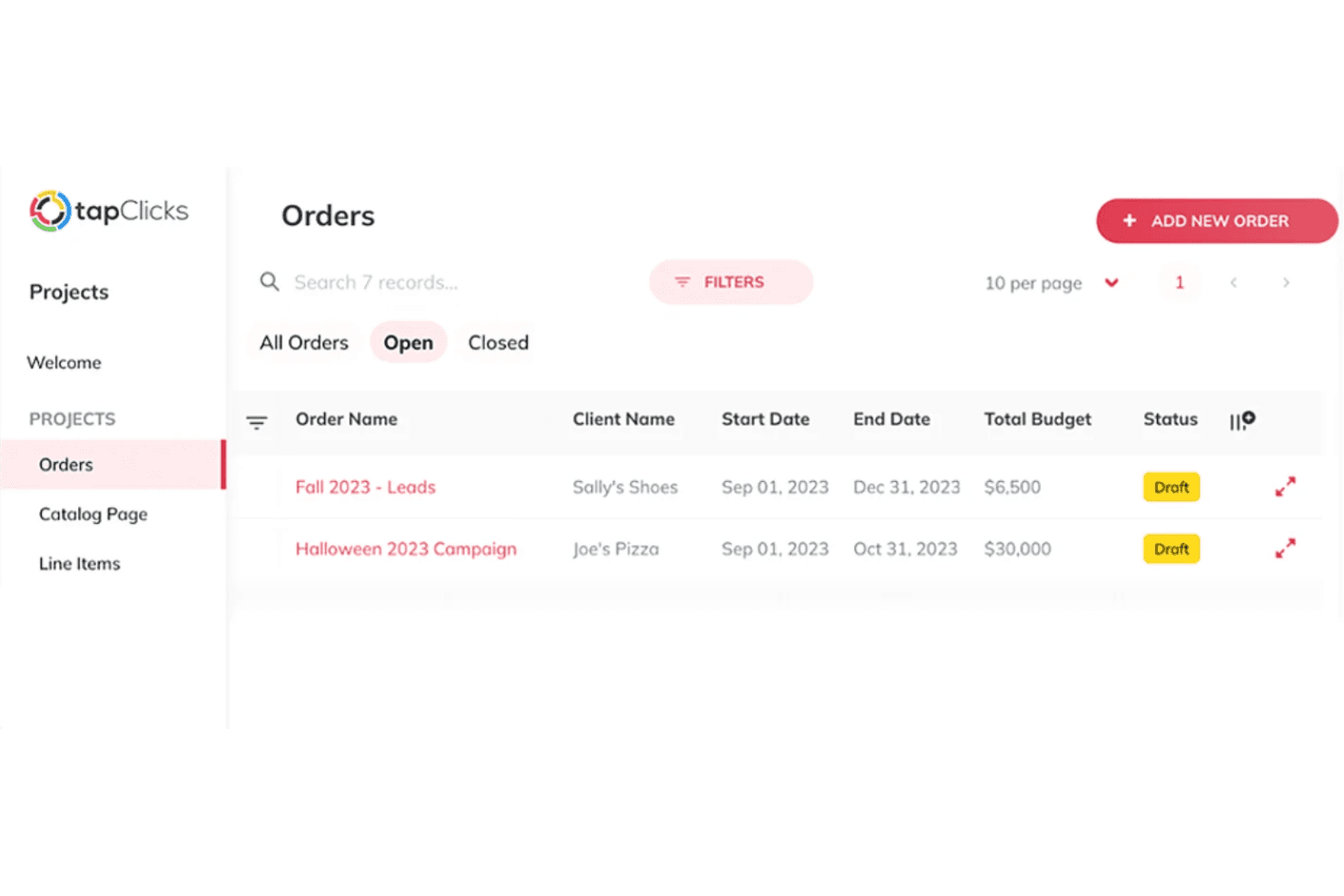
Order Management Automation
TapClicks lets you automate the entire campaign order process, from intake to fulfillment, with customizable workflows. This is especially valuable for agencies or media companies managing high volumes of campaign requests.
White-Label Client Portals
You can create branded, self-service portals for clients to access real-time dashboards and reports. This feature helps agencies deliver a professional, on-demand analytics experience without extra manual effort.
Ease of Use
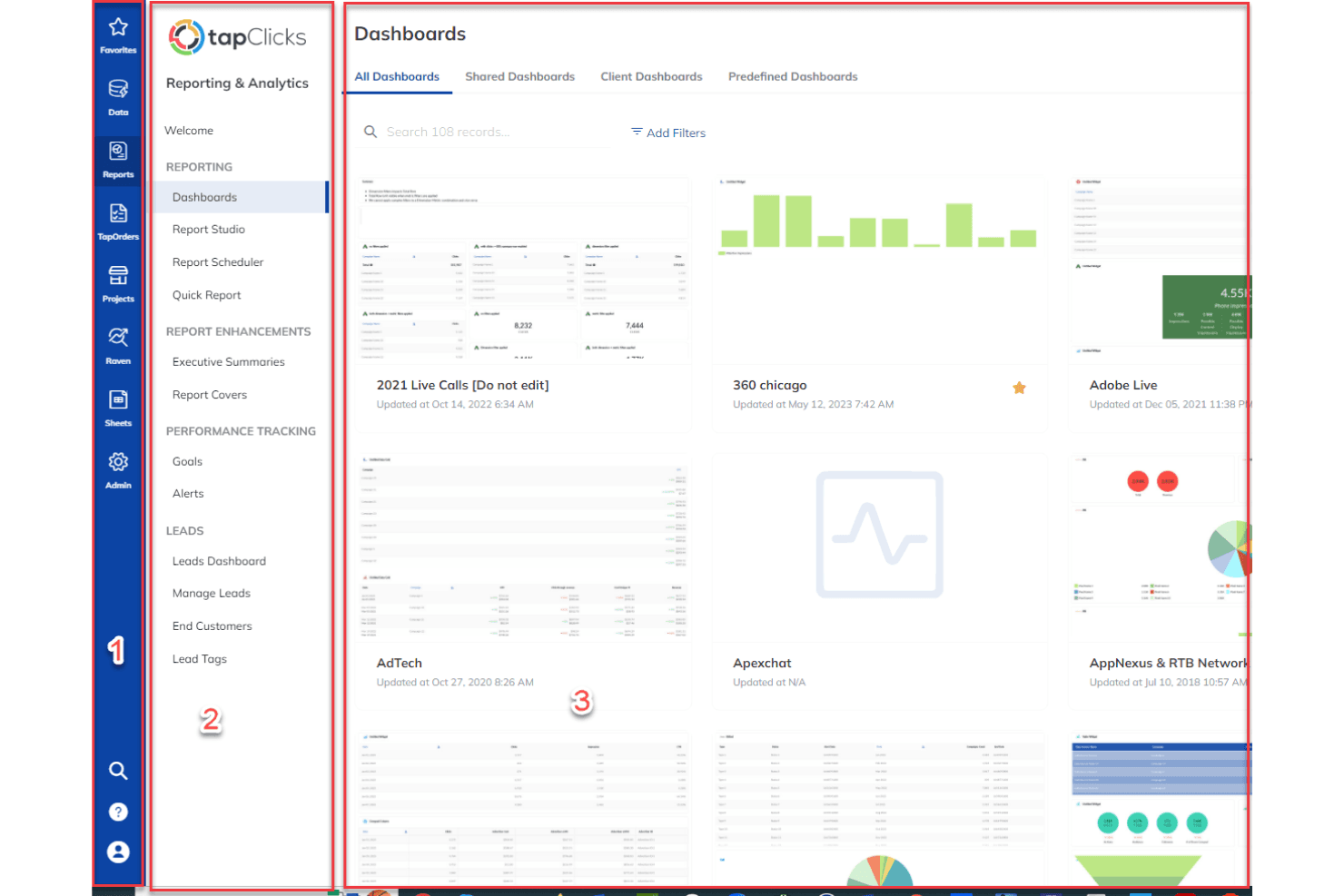
TapClicks offers a clean, intuitive interface that makes navigating dashboards and building reports straightforward, even for users new to marketing analytics. Most users find onboarding quick, with guided setup and helpful support resources. Customizing dashboards and automating workflows is simple, though some advanced features may require extra training.
Overall, TapClicks balances powerful capabilities with a user-friendly design, making it accessible for both technical and non-technical marketing teams.
Onboarding
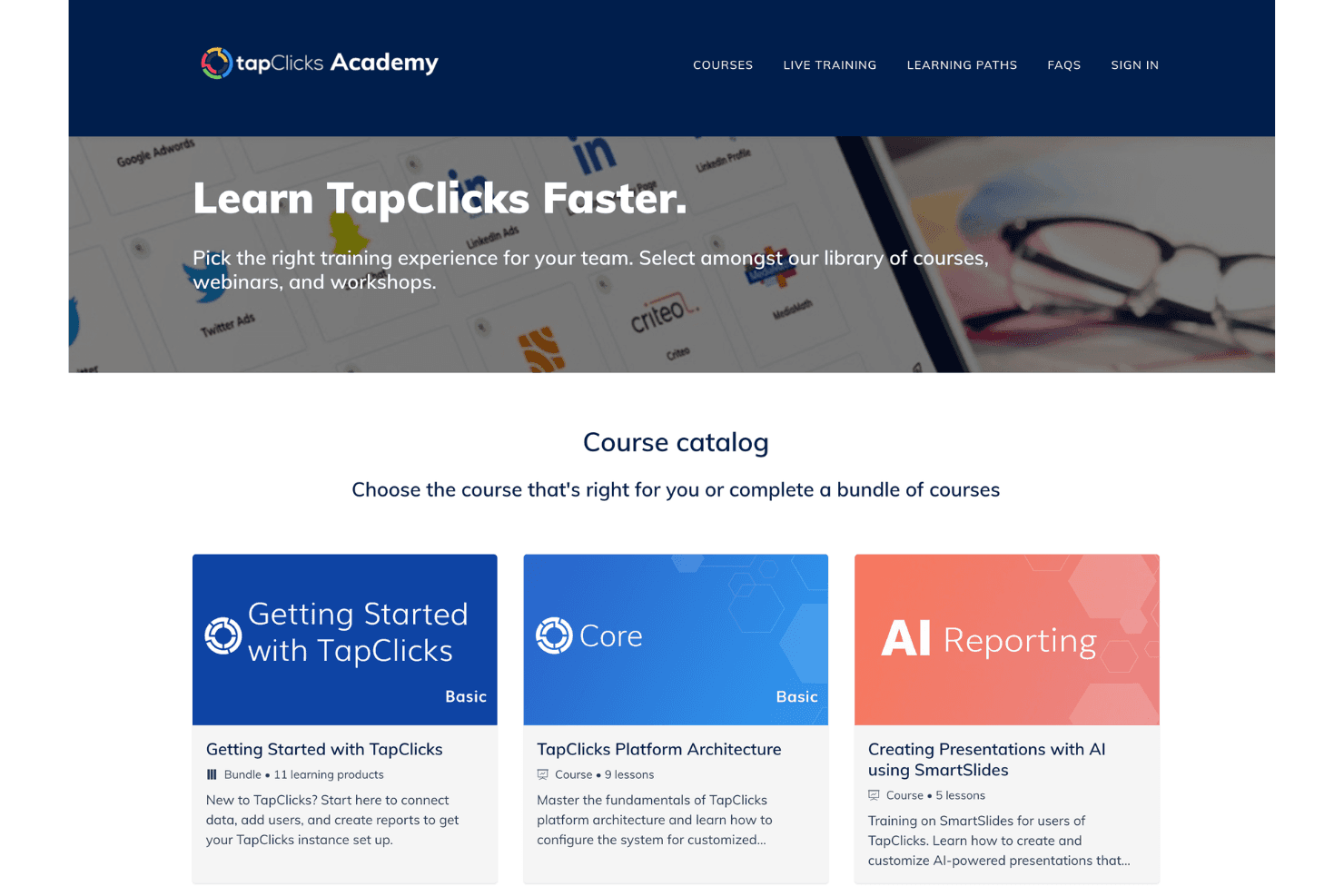
TapClicks provides a structured onboarding process with dedicated account managers, step-by-step guides, and video tutorials, which help new users get up to speed quickly. Many users mention that the initial setup is smooth, especially with personalized support and responsive customer service.
The platform’s resource library and live training sessions make it easier to master advanced features. Overall, TapClicks delivers a supportive onboarding experience that shortens the time to value for most teams.
Customer Support
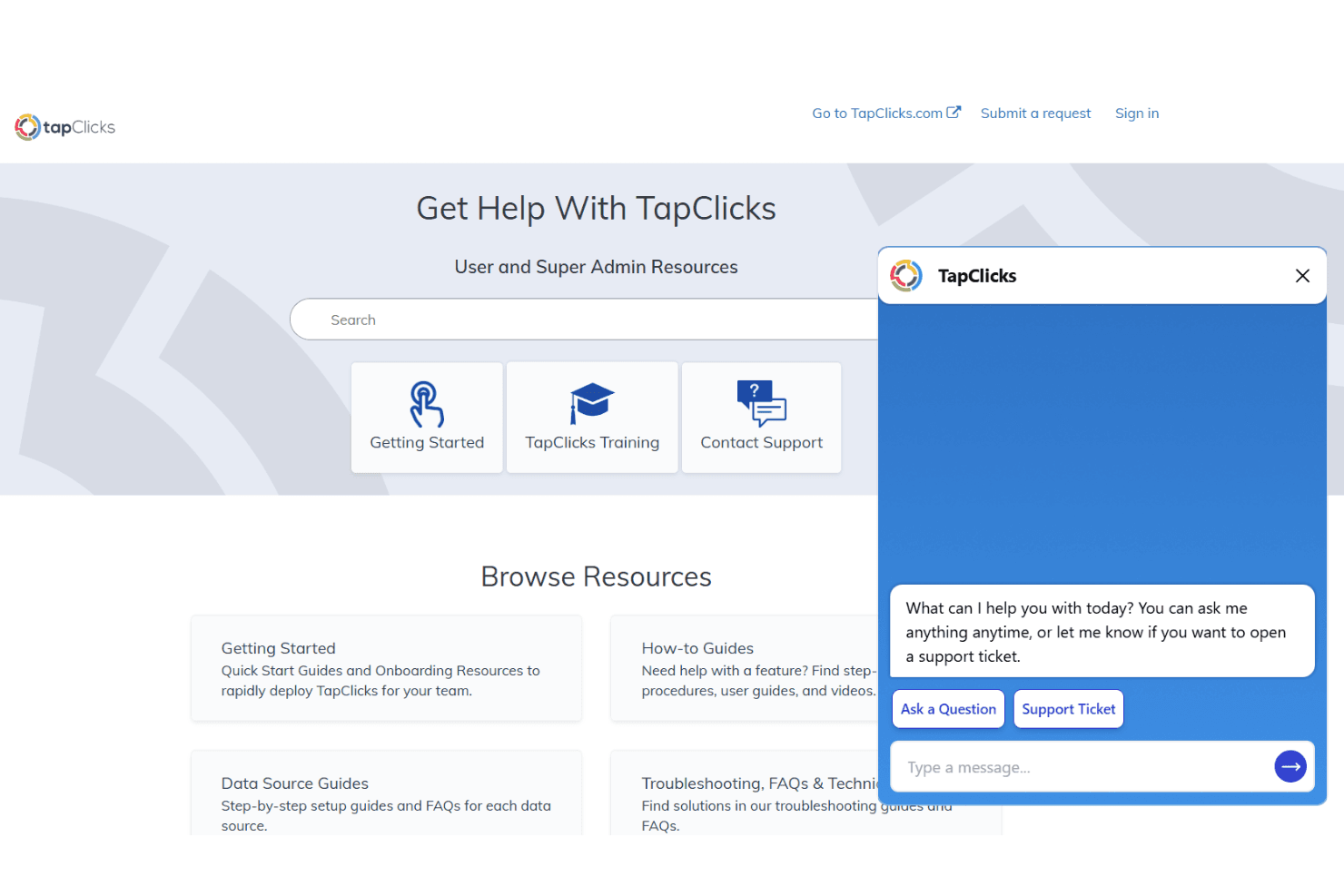
TapClicks is known for responsive customer support, offering live chat, email, and phone assistance alongside a detailed knowledge base. Users often highlight the helpfulness of support staff and the quick turnaround on technical issues. Dedicated account managers and proactive outreach add value for larger teams.
While some users report occasional delays during peak times, most find the support team knowledgeable and committed to resolving problems efficiently.
Integrations
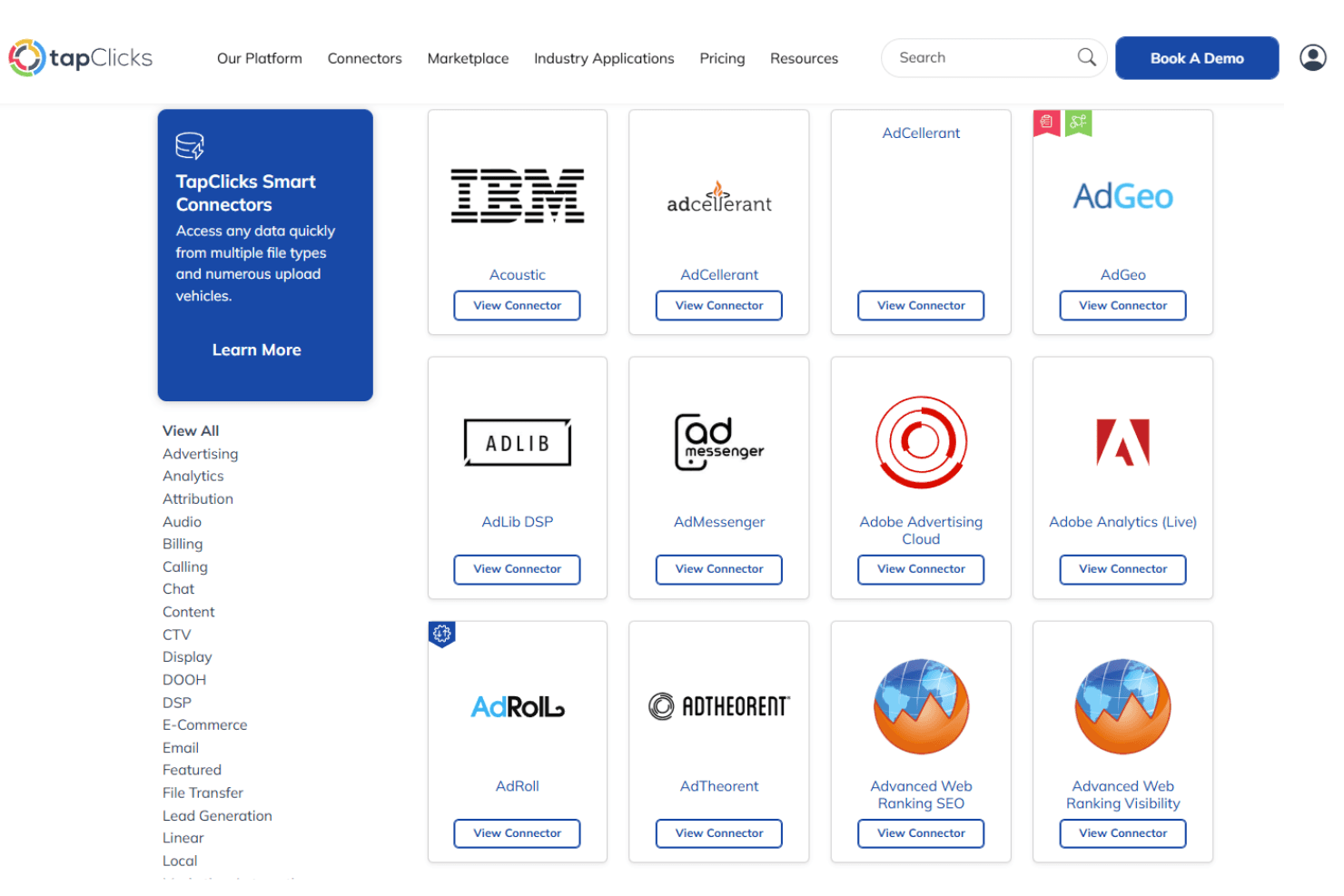
TapClicks integrates with Google Analytics 4, Amazon Ads, Snowflake, Apple Search Ads, Choozle, Delacon, Adobe Analytics, Advanced Web Ranking, TapOverdrive, and AgencyAnalytics, among others.
TapClicks also offers an API and supports custom data connections through its SmartConnector for additional integration flexibility.
Value for Money
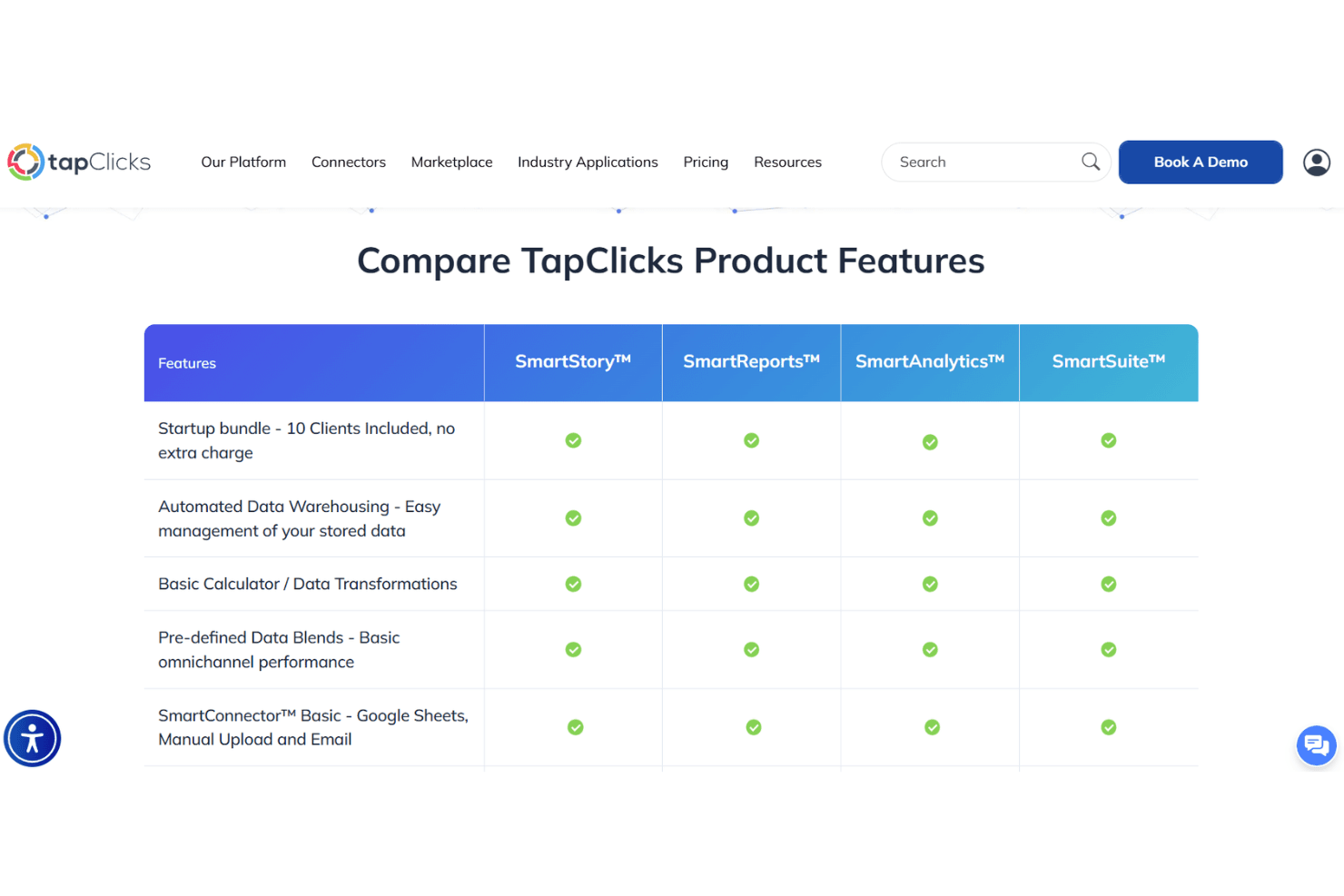
TapClicks delivers strong value for agencies and enterprise teams by combining reporting, analytics, and automation into one platform. With core modules like SmartReports™, SmartAnalytics™, SmartStory™, and SmartSuite™, you get end-to-end visibility—from data aggregation to AI-powered insights—without needing multiple tools. The inclusion of data warehousing, integrations, and automation features helps streamline workflows and reduce manual work, making it a practical investment for teams managing complex marketing data at scale. The modules include:
- SmartReports™: Automated reporting and scheduled report delivery.
- SmartAnalytics™: Advanced dashboards and performance analysis tools.
- SmartStory™: AI-generated insights and narrative reporting.
- SmartSuite™: Unified access to reporting, analytics, and workflow capabilities.
TapClicks Specs
- A/B Testing: Yes
- AI Integration: Yes
- Analytics: Yes
- API: Yes
- Comparative Reporting: Yes
- Conversion Tracking: Yes
- Custom Reports: Yes
- Dashboard: Yes
- Dashboards: Yes
- Data Export: Yes
- Data Import: Yes
- Data Mining: Yes
- Data Visualization: Yes
- External Integrations: Yes
- Feedback Management: Yes
- Forecasting: Yes
- Historical Data Analysis: Yes
- Keyword Tracking: Yes
- Link Tracking: Yes
- Multi-Site: Yes
- Multi-User: Yes
- Notifications: Yes
- Process Reporting: Yes
- Real-time Alerts: Yes
- Referral Tracking: Yes
- Reports: Yes
- Scenario Planning: Yes
- SEO: Yes
- Time Series Modeling: Yes
- Visualization: Yes
- Workflow Management: Yes
TapClicks FAQs
TapClicks Company Overview & History
TapClicks is a marketing operations platform headquartered in San Jose, California. The company serves agencies, brands, media companies, and enterprises with unified data management, analytics, and reporting solutions. TapClicks is known for its AI-powered tools and deep expertise across multiple marketing verticals, supporting clients like 1SEO Digital Agency, Bonneville International, and Data Drive Marketing. The platform processes billions in ad spend and connects to over 10,000 data sources, but specific workforce size and financial details are not publicly disclosed.
TapClicks Major Milestones
- 2009: TapClicks is founded in San Jose, California.
- 2012: Launch of TapOrders, one of its early core products.
- 2015: Introduction of SmartReports for automated marketing reporting.
- 2016: Launch of SmartAnalytics to expand data visualization and insights.
- 2018: Expansion into workflow automation with TapWorkflow.
- 2020: Introduction of SmartStory, adding AI-driven narrative insights.
- 2023: Continued expansion of AI capabilities with TapAI and enhanced integrations.