

Hootsuite Review: Pros, Cons, Features & Pricing
Picking social media management software can be challenging. This is my in-depth Hootsuite review for your consideration.

We review tools independently, and commissions help fund our testing. See our transparency policy, our methodology, or suggest a tool.
Hootsuite is a social media management software built for teams that need to schedule content, monitor brand mentions, and measure performance across multiple social channels from a single dashboard. I'd consider it over Buffer if your team manages more than a handful of profiles and needs stronger analytics and multi-user collaboration features without stepping up to an enterprise-tier price point.
Hootsuite Evaluation Summary
4.1/5
- From $99/month (billed annually)
- 14-day free trial
Why Trust Our Software Recommendations
6,700+
Reviews
20
Industry experts
16+
Evaluation factors
14
Years
Our team has been testing and reviewing software since 2012. As marketing leaders ourselves, we know how difficult—and important—it is to choose the right software.
For this guide, we evaluated tools using hands-on testing and independent research, scoring tools using our selection criteria.
Our reviews reflect our human editorial judgment, not a sales pitch.
Expert reviewers:
 Gui DrusinaCreative Director
- Shriya GhateSenior Marketing Lead
 Amanda JacquesMarketing Ops Leader

Hootsuite Overview
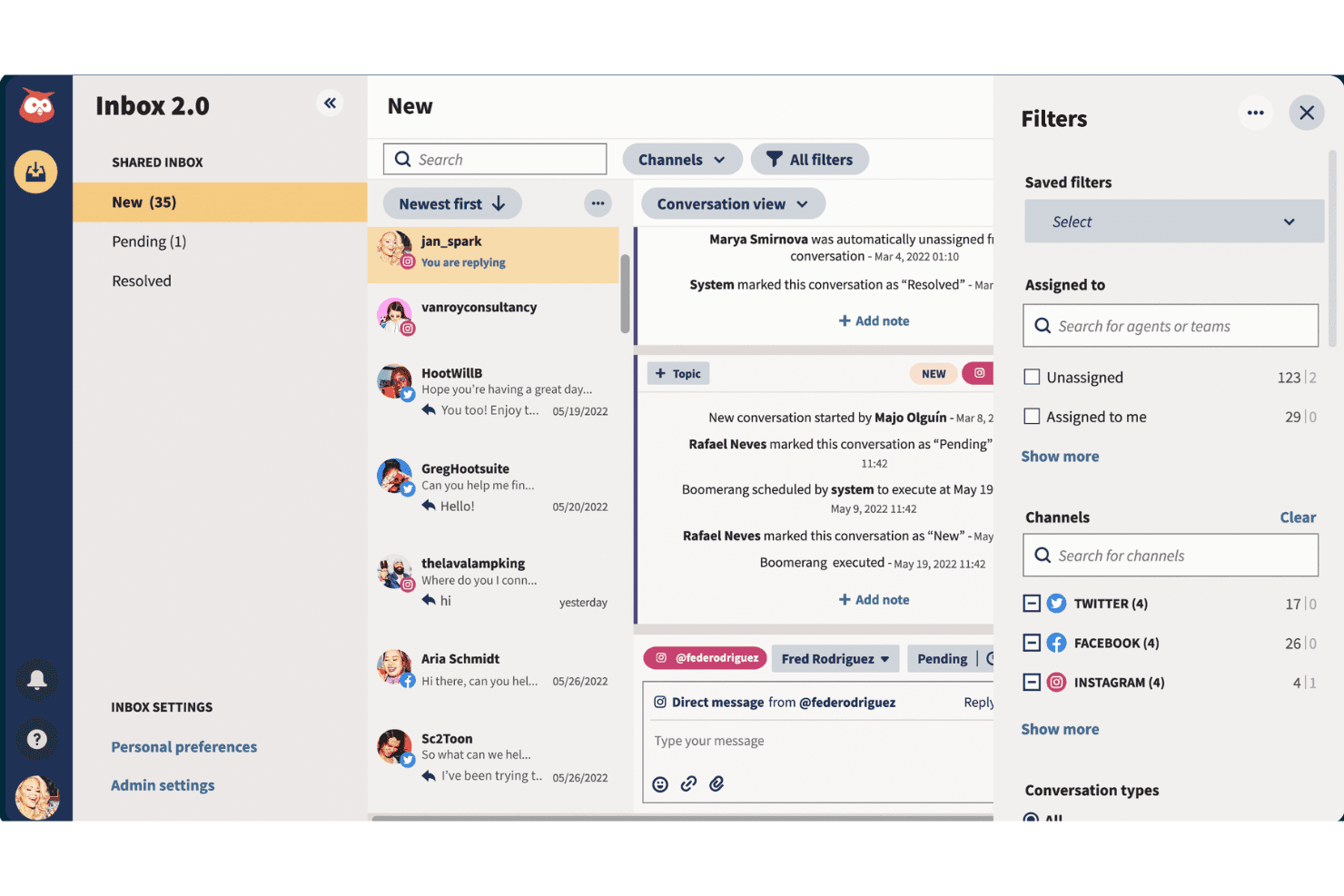
Hootsuite excels with its comprehensive analytics and social listening capabilities, making it ideal for businesses aiming to enhance their social media strategy.
Pros
- Hootsuite's analytics tools help you understand your audience better.
- The social listening feature lets your team engage effectively with your audience.
- You can manage multiple social media accounts from a single dashboard.
Cons
- The interface can feel cluttered and overwhelming to new users.
- Some users find the mobile app less intuitive than the desktop version.
- Advanced features come with a learning curve, especially for smaller teams.
Is Hootsuite Right For Your Needs?
Who Would be a Good Fit for Hootsuite?
Marketing teams in industries like retail, hospitality, and tech would benefit from Hootsuite. Its analytics tools help you understand your audience, making it ideal for businesses that need to track performance across multiple platforms. The social listening feature is great for customer service teams who need to engage with audiences promptly. If you’re managing multiple social accounts, Hootsuite’s centralized dashboard streamlines your workflow, saving time and effort.
- Retail MarketingHootsuite helps you schedule and track promotions across various social platforms, boosting your sales.
- Tech StartupsIt lets your team manage social media presence efficiently, crucial for brand building.
- Customer Service TeamsThe social listening feature helps your team respond quickly to customer inquiries.
- Public Relations AgenciesHootsuite’s analytics tools offer insights into campaign performance, helping you adjust strategies.
- Content CreatorsYou can plan and schedule posts in advance, ensuring consistent content delivery.
- Event PlannersHootsuite allows you to engage with attendees in real-time, enhancing event experiences.
Who Would be a Bad Fit for Hootsuite?
Small businesses with limited social media activity might find Hootsuite overwhelming and unnecessary. If your team only manages one or two social accounts and doesn’t need extensive analytics, Hootsuite’s comprehensive features could be more than you need. New users might struggle with the interface, and simpler tools could serve you better without the learning curve.
- Small Local ShopsWith minimal social media needs, you might find Hootsuite’s features excessive.
- FreelancersManaging single accounts won’t require Hootsuite’s extensive capabilities.
- Non-Tech Savvy TeamsThe interface can be confusing, making it hard for you to navigate.
- Budget-Conscious StartupsIf you’re looking to minimize costs, simpler solutions might fit your needs.
- Occasional Social Media UsersYou won’t need Hootsuite’s advanced features if you rarely post.
- One-Person Marketing TeamsManaging basic social tasks could be simpler with less complex tools.
How We Test & Score Tools
We’ve spent years building, refining, and improving our software testing and scoring system. The rubric is designed to capture the nuances of software selection and what makes a tool effective, focusing on critical aspects of the decision-making process.
Below, you can see exactly how our testing and scoring works across seven criteria. It allows us to provide an unbiased evaluation of the software based on core functionality, standout features, ease of use, onboarding, customer support, integrations, customer reviews, and value for money.
Core Functionality (25% of final scoring)
The starting point of our evaluation is always the core functionality of the tool. Does it have the basic features and functions that a user would expect to see? Are any of those core features locked to higher-tiered pricing plans? At its core, we expect a tool to stand up against the baseline capabilities of its competitors.
Standout Features (25% of final scoring)
Next, we evaluate uncommon standout features that go above and beyond the core functionality typically found in tools of its kind. A high score reflects specialized or unique features that make the product faster, more efficient, or offer additional value to the user.
We also evaluate how easy it is to integrate with other tools typically found in the tech stack to expand the functionality and utility of the software. Tools offering plentiful native integrations, 3rd party connections, and API access to build custom integrations score best.
Ease of Use (10% of final scoring)
We consider how quick and easy it is to execute the tasks defined in the core functionality using the tool. High scoring software is well designed, intuitive to use, offers mobile apps, provides templates, and makes relatively complex tasks seem simple.
Onboarding (10% of final scoring)
We know how important rapid team adoption is for a new platform, so we evaluate how easy it is to learn and use a tool with minimal training. We evaluate how quickly a team member can get set up and start using the tool with no experience. High scoring solutions indicate little or no support is required.
Customer Support (10% of final scoring)
We review how quick and easy it is to get unstuck and find help by phone, live chat, or knowledge base. Tools and companies that provide real-time support score best, while chatbots score worst.
Customer Reviews (10% of final scoring)
Beyond our own testing and evaluation, we consider the net promoter score from current and past customers. We review their likelihood, given the option, to choose the tool again for the core functionality. A high scoring software reflects a high net promoter score from current or past customers.
Value for Money (10% of final scoring)
Lastly, in consideration of all the other criteria, we review the average price of entry level plans against the core features and consider the value of the other evaluation criteria. Software that delivers more, for less, will score higher.
Core Features
Post Scheduling
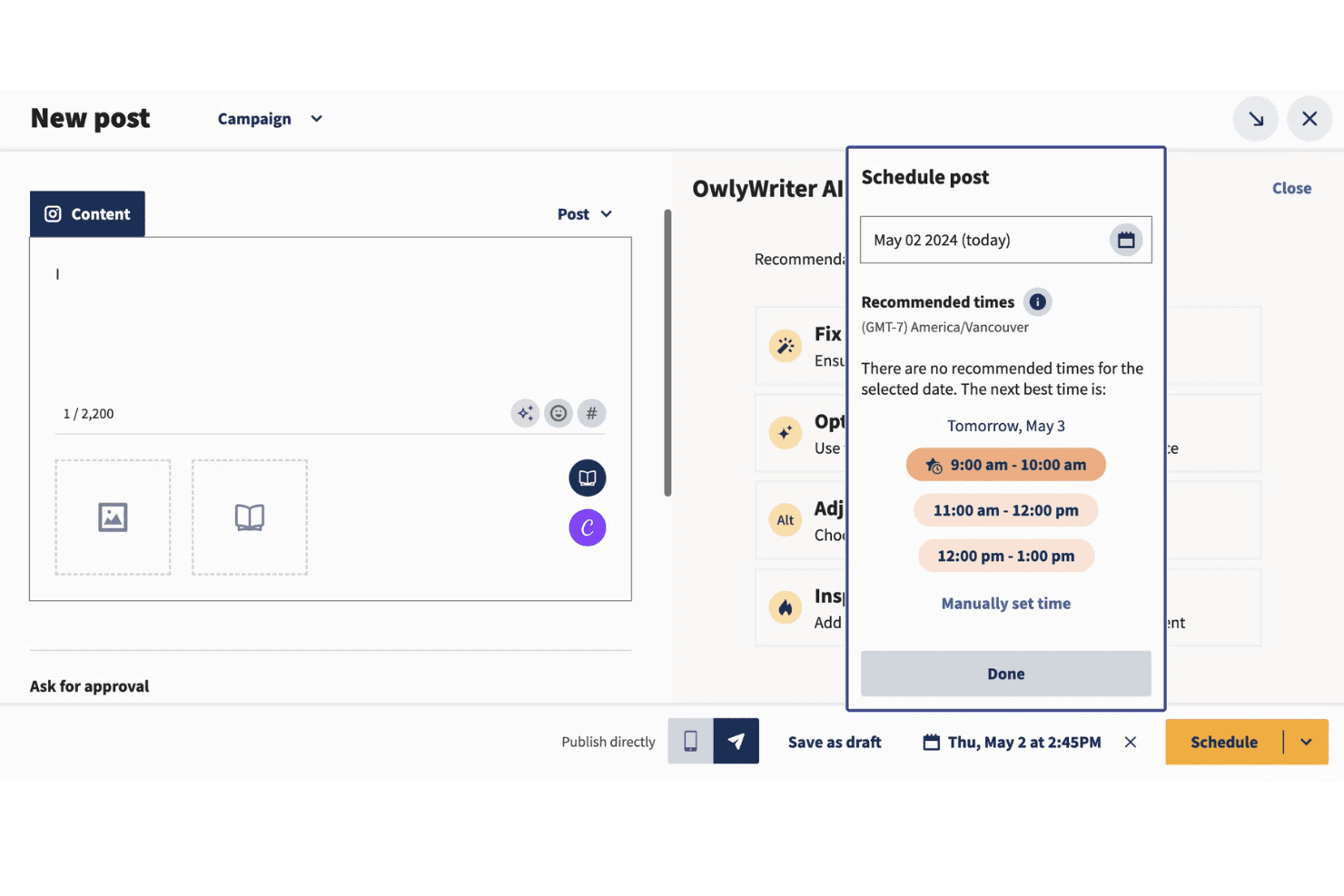
Hootsuite's social media scheduling tool lets you schedule posts across multiple platforms, ensuring consistent content delivery. You can plan weeks in advance, keeping your social media presence active even when you're busy.
Content Calendar
This feature provides a visual overview of your scheduled posts, helping you manage timing and content strategy effectively. It makes it easy for your team to collaborate and adjust plans as needed.
Analytics Reports
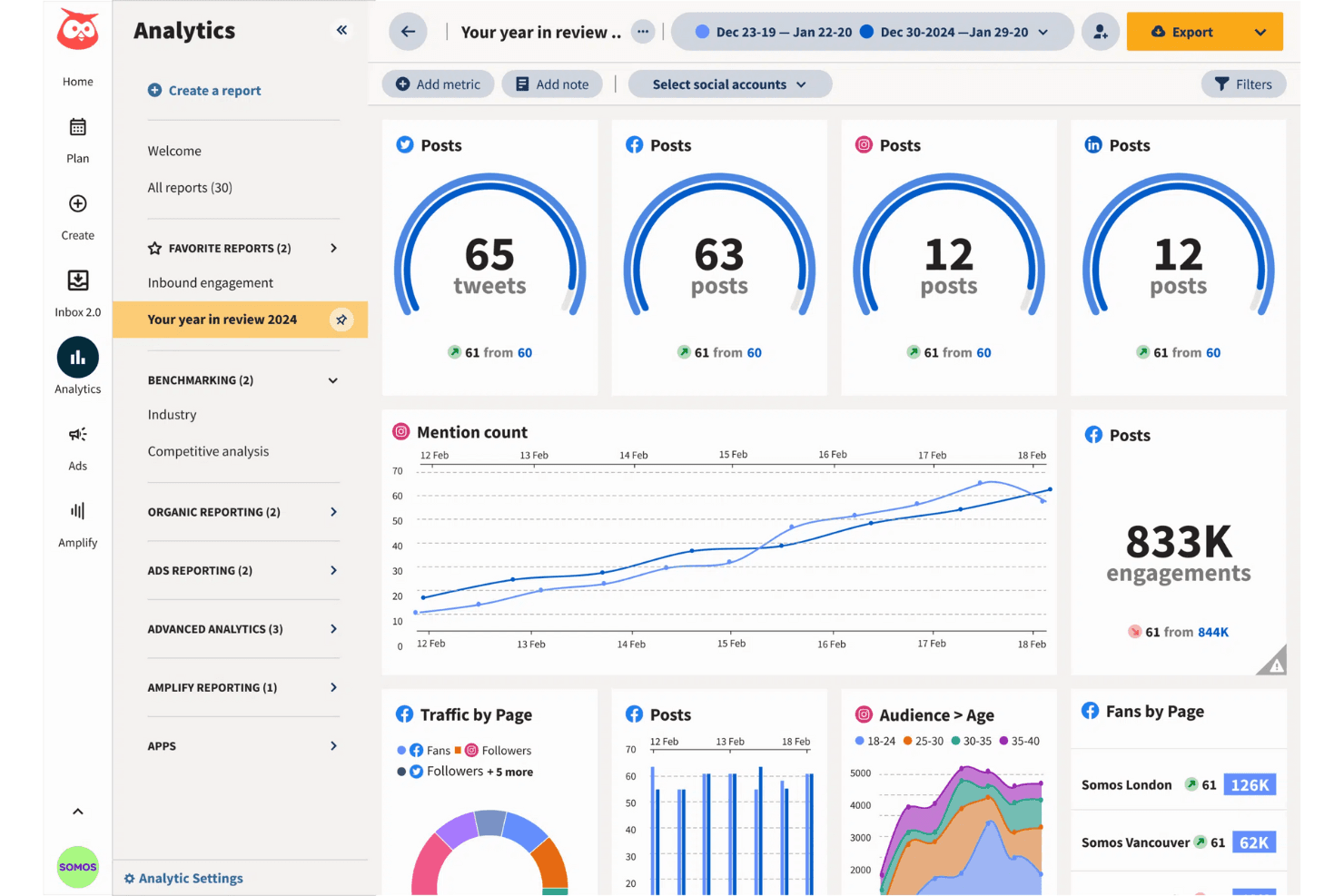
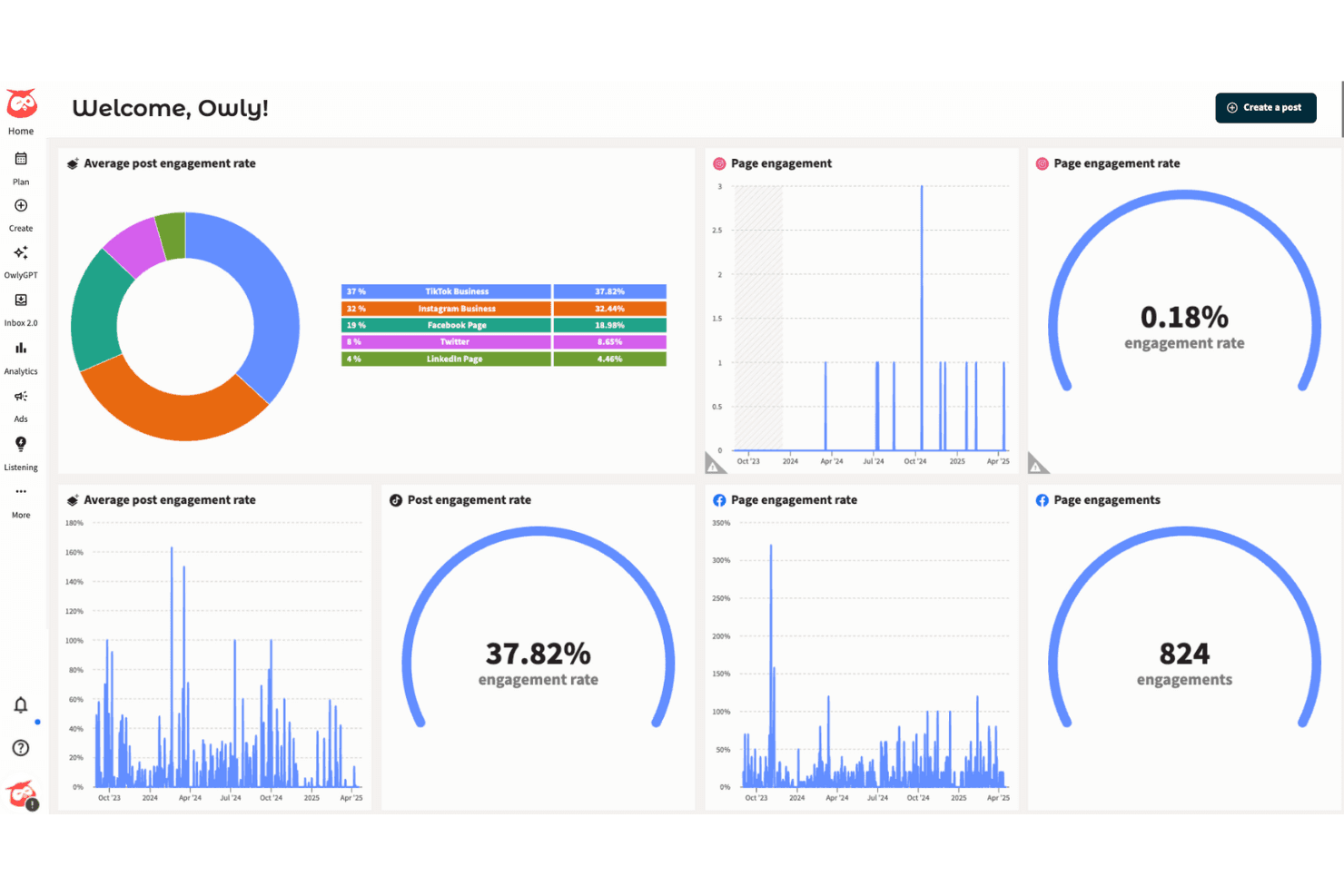
Hootsuite's tools give you insights into your social media performance, helping you understand what works and what doesn't. You can track metrics like engagement and reach to refine your strategy.
Social Listening
This tool lets you monitor conversations about your brand, allowing you to engage with your audience in real time. It's invaluable for customer service and reputation management.
Team Collaboration
Hootsuite supports multiple users, enabling your team to work together efficiently on social media tasks. You can assign roles and permissions, ensuring everyone knows their responsibilities.
Streamlined Dashboard
Manage all your social accounts from one place, simplifying your workflow and saving time. The dashboard's user-friendly design helps you navigate tasks quickly.
Standout Features
Advanced Analytics
Dive deeper into your data with customizable reports that highlight specific metrics important to your business. This feature helps you make informed decisions based on comprehensive insights.
Bulk Scheduling
Upload and schedule hundreds of posts at once, making it perfect for campaigns or busy periods. This saves your team significant time and effort, allowing you to focus on strategy rather than logistics.
Social Media Courses and Certifications
Unlike many competitors, Hootsuite provides its own education platform, Hootsuite Academy. It offers courses and certifications in social media strategy, content marketing, and social advertising, adding educational value beyond its tools.
Ease of Use
Hootsuite offers a robust set of features that can initially feel overwhelming, especially for new users. Its interface is packed with tools, which might require some time to navigate comfortably. However, once you get the hang of it, the centralized dashboard simplifies managing multiple social accounts. The visual content calendar and drag-and-drop functionality make planning posts straightforward. Your team will appreciate the efficiency it brings, though a learning curve is expected.
Onboarding
Hootsuite’s onboarding process is thorough, with plenty of resources to help you get started. While the initial setup can take some time, the platform offers tutorials and a knowledge base to guide you. Webinars and community forums provide additional support, ensuring your team can leverage features effectively. Though the learning curve exists, the available resources help you find value relatively quickly, making the transition smoother for new users.
Customer Support
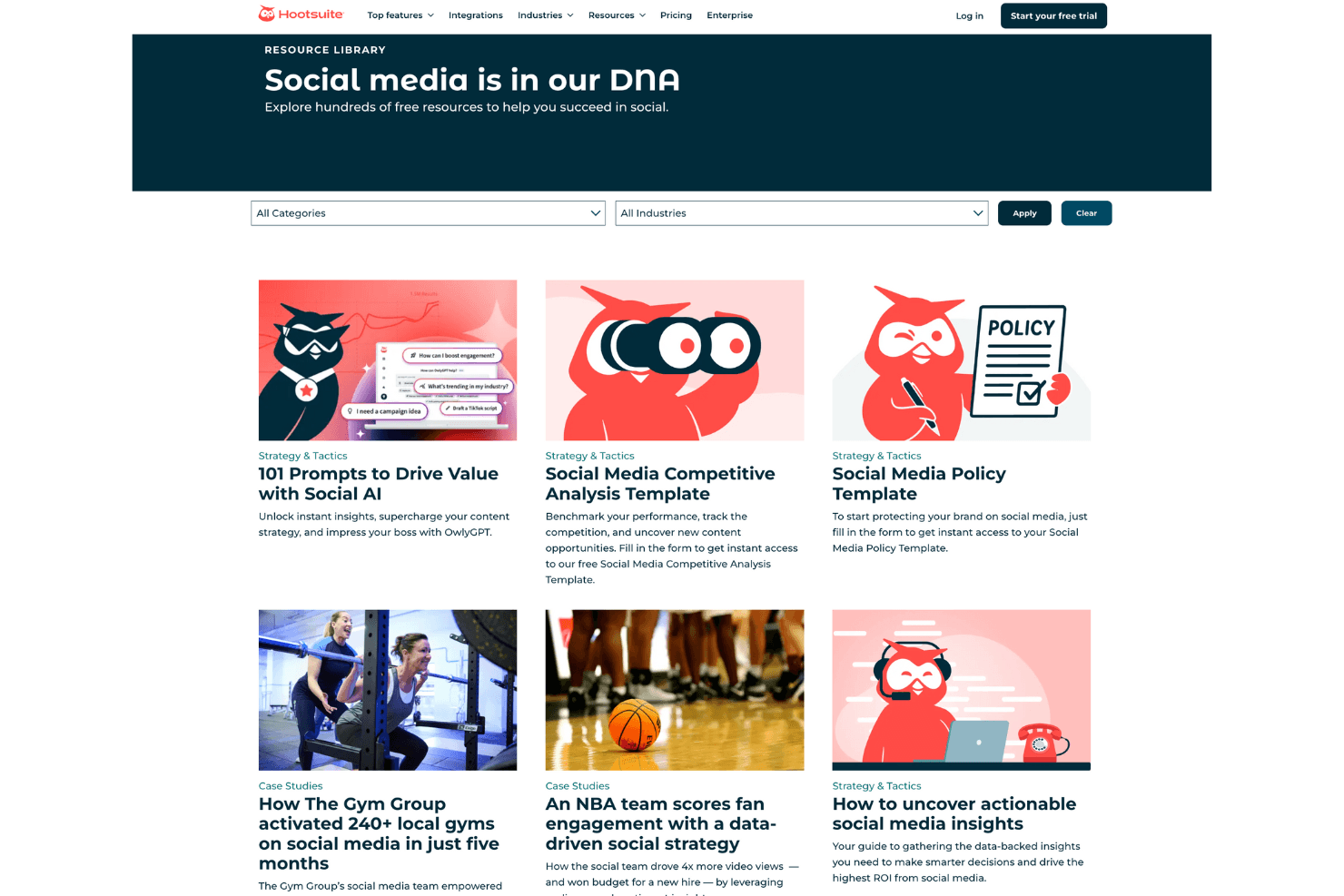
Hootsuite offers solid customer support with various channels to assist you, including live chat and email. Their responsive team helps resolve issues promptly, and the comprehensive knowledge base answers many common questions. While some users mention occasional delays, the overall sentiment is positive, with support staff providing helpful solutions. The availability of community forums also allows you to connect with other users for additional insights and troubleshooting tips.
Integrations
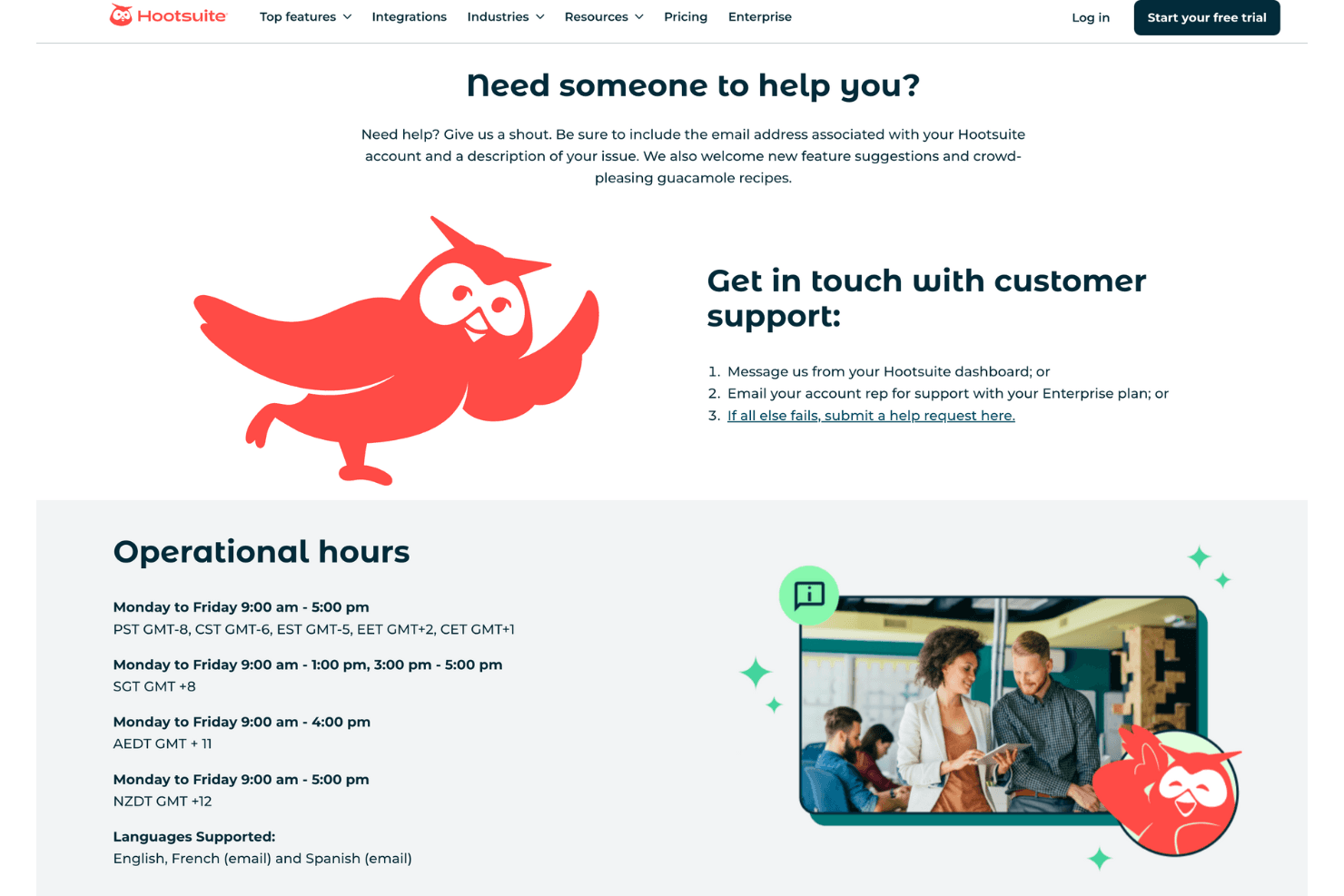
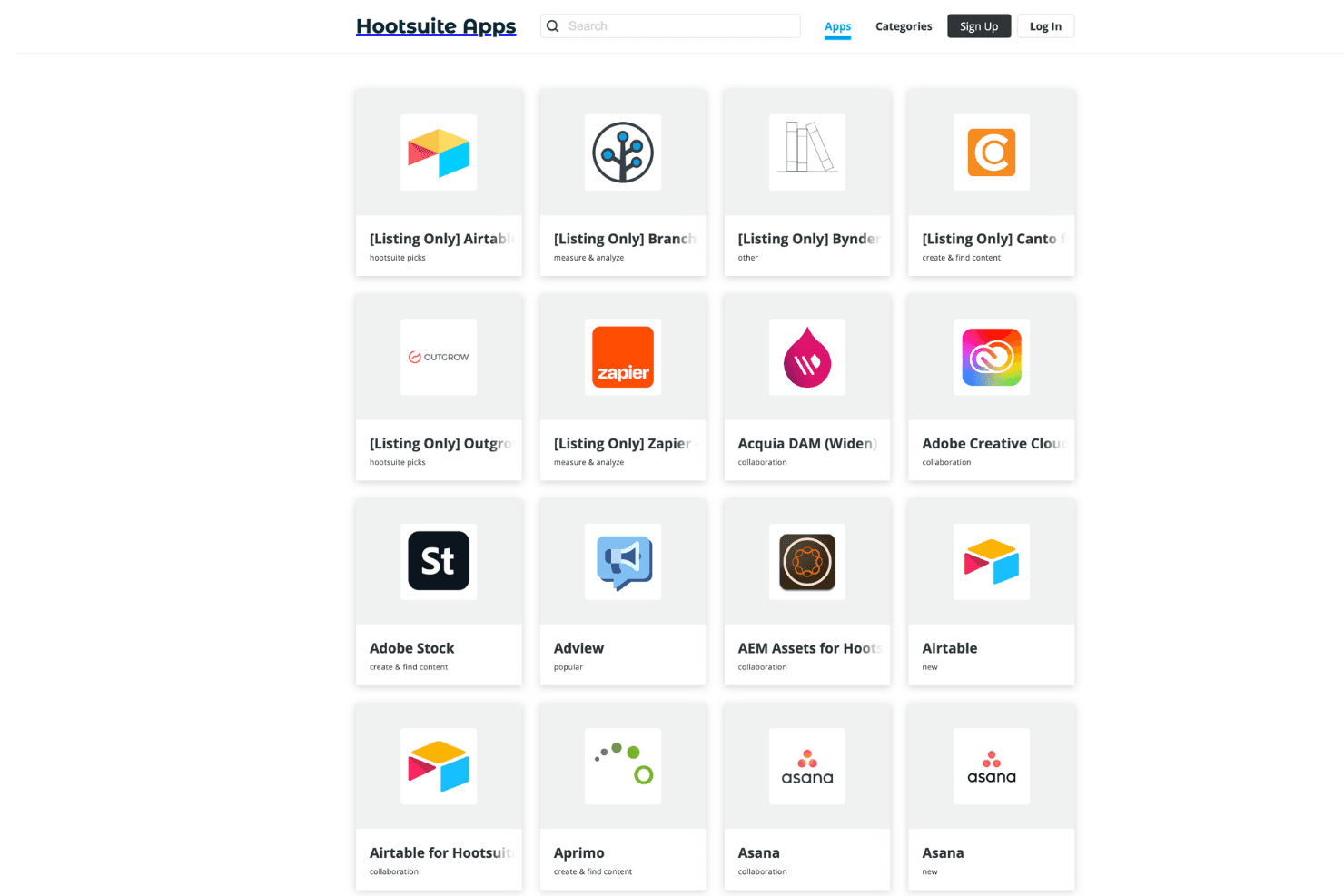
Integrations include Instagram, Facebook, TikTok, X (Twitter), YouTube, LinkedIn, Pinterest, Threads, Google My Business, Salesforce, Vidyard, and Dropbox.
Value for Money
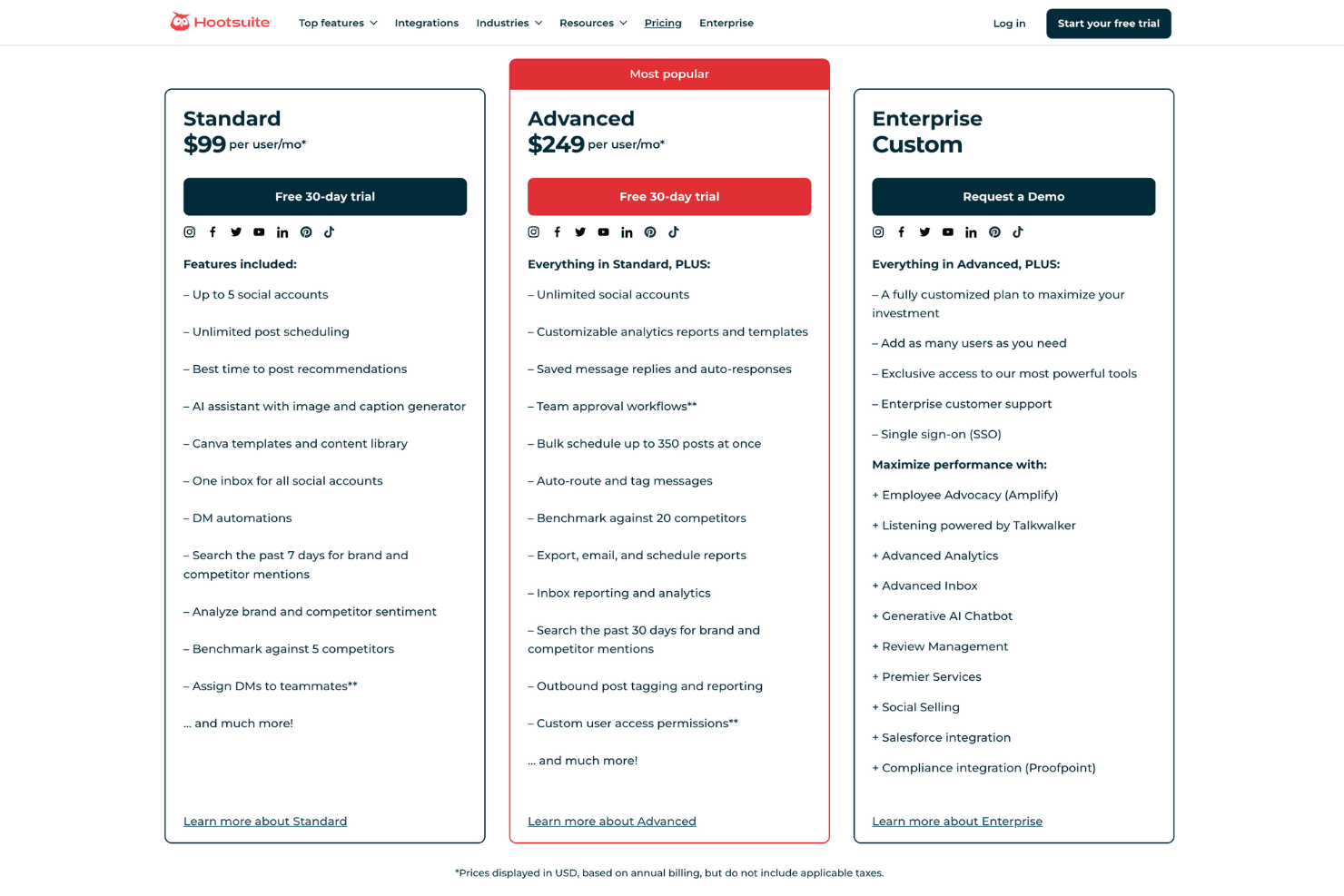
Hootsuite pricing offers flexibility with varied plans that cater to different needs. While the Standard plan provides essential features for smaller teams, the Advanced and Enterprise plans deliver more robust tools for larger organizations. Users find value in its advanced analytics and scheduling capabilities, justifying the cost for businesses aiming for comprehensive social media management.
- Standard Plan: Unlimited post scheduling, sentiment analysis, and AI content generation.
- Advanced Plan: Adds team collaboration tools, link in bio tool, and custom-branded URLs.
- Enterprise Custom Plan: Advanced content management, employee advocacy, and custom pricing.
Hootsuite Specs
- Analytics: No
- API: No
- Approval Workflows: No
- Audience Targeting: No
- Brand Management: No
- Calendar Management: Yes
- Campaign Management: No
- Collaboration Support: No
- Conversion Tracking: No
- Custom Reports: No
- Dashboard: No
- Data Export: No
- Data Import: No
- Data Visualization: No
- External Integrations: No
- Feedback Management: No
- Keyword Tracking: No
- Knowledge Base: No
- Landing Pages: No
- Link Tracking: No
- Marketing Automation: No
- Multi-Account: No
- Multi-User: No
- Notifications: No
- Review Monitoring: No
- Scheduling: No
- Sentiment Analysis: No
- Social Media Monitoring: No
- Social-Media Integration: No
- Third-Party Plugins/Add-Ons: No
- Workflow Management: No
Hootsuite FAQs
Hootsuite Company Overview & History
Hootsuite is a social media management platform headquartered in Vancouver, Canada, with around 1,400 employees and 18 million users worldwide. You can use it to schedule posts, monitor engagement, and analyze performance across multiple social channels. The company went public via Canada’s ASX/NZX, generated about US $350 million in 2024, and is valued near US $690 million after raising roughly US $300 million in funding. Hootsuite is known for serving large organizations, including Fortune 1000 clients like HBO, Sony Music, and Virgin, and has grown through key acquisitions and awards.
Hootsuite Major Milestones
- 2008: Founded in Vancouver and launched BrightKit
- 2009: Added Facebook and LinkedIn support; spun off from Invoke Media
- 2012: Raised US $20 million (valued at US $200 million); acquired Seesmic
- 2013: Secured US $165 million Series B; surpassed millions of users
- 2014: Raised US $60 million; acquired Zeetl; ranked a unicorn
- 2016: Became cash-flow positive; expanded enterprise client base
- 2021: Acquired Sparkcentral
- 2024: Announced acquisition of Talkwalker to enhance AI-powered social listening
What's Next?
Subscribe to The CMO newsletter for more insights on the latest marketing tools, industry thought leadership, and expert advice.