

Emplifi Review: Pros, Cons, Features, and Pricing Explained
Emplifi stands out for unifying social media management and customer experience, but its advanced features may suit larger teams better than small businesses seeking simplicity.

We review tools independently, and commissions help fund our testing. See our transparency policy, our methodology, or suggest a tool.
Emplifi is a social media marketing software built for enterprise marketing teams that need to manage publishing, social listening, influencer marketing, and customer care from one platform. I'd consider it if your team needs deeper AI-powered analytics and built-in social commerce capabilities than Sprout Social offers, while still keeping cross-channel reporting unified in a single workspace.
Emplifi Evaluation Summary
4.4/5
- From $1,249/month
- Free demo available
Why Trust Our Software Recommendations
6,700+
Reviews
20
Industry experts
16+
Evaluation factors
14
Years
Our team has been testing and reviewing software since 2012. As marketing leaders ourselves, we know how difficult—and important—it is to choose the right software.
For this guide, we evaluated tools using hands-on testing and independent research, scoring tools using our selection criteria.
Our reviews reflect our human editorial judgment, not a sales pitch.
Expert reviewers:
 Gui DrusinaCreative Director
- Shriya GhateSenior Marketing Lead
 Amanda JacquesMarketing Ops Leader

Emplifi Overview
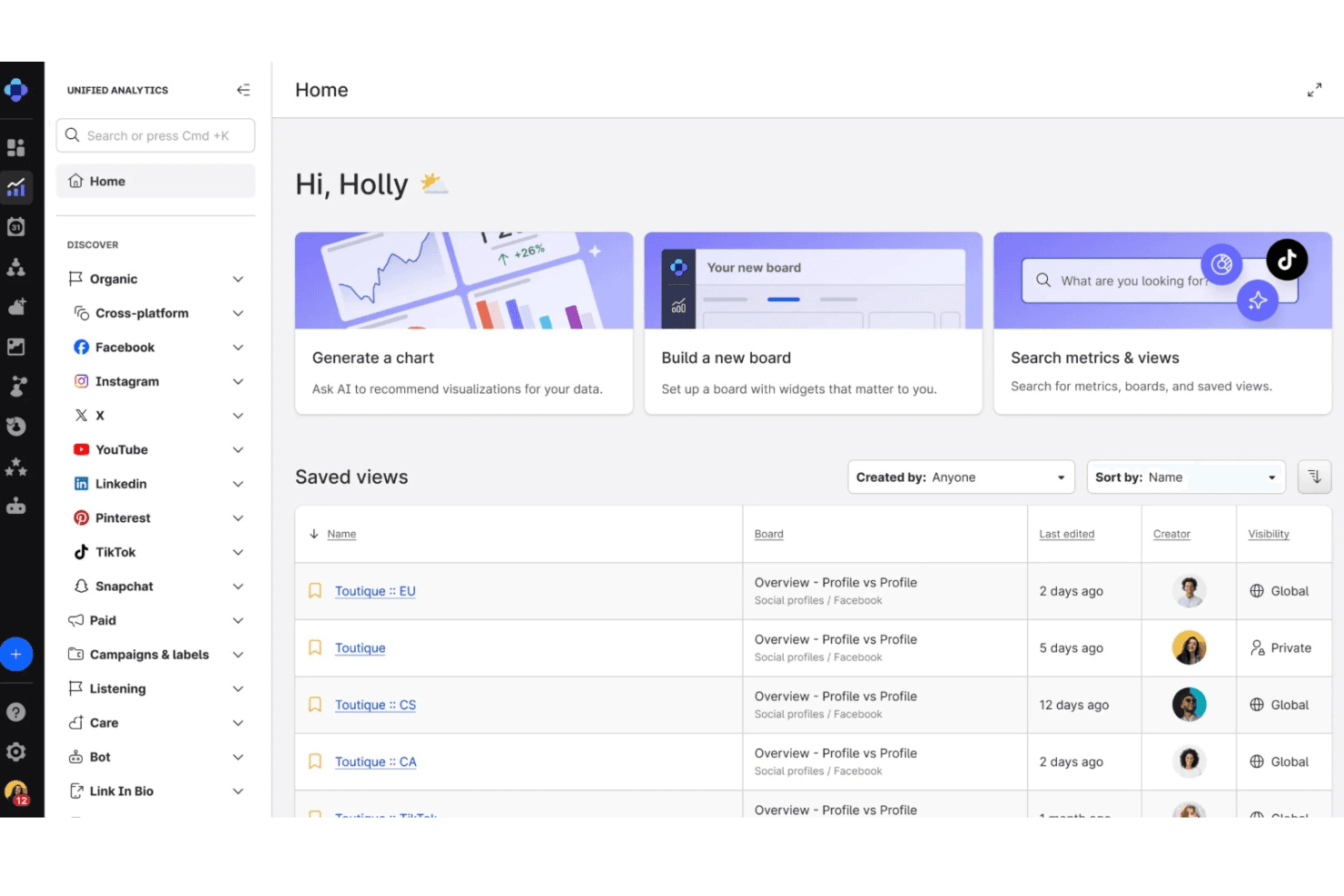
If you’re judging Emplifi against other Social Media Marketing Software, I think its unified analytics, influencer management, and customer care tools give it an edge for brands managing high-volume engagement. The interface is modern and onboarding is straightforward, but pricing can be steep for smaller teams.
I’ve found its integration options and responsive support make it a strong pick for enterprise or multi-brand environments, though lighter users may find some features more than they need. If you’re selecting a platform for complex, multi-channel campaigns, Emplifi is worth serious consideration.
Pros
- Strong customer support and onboarding resources.
- Advanced analytics and AI-powered insights for campaigns.
- Unified platform for social, commerce, and care workflows.
Cons
- Sentiment analysis accuracy can be inconsistent.
- Some reporting features are less intuitive than competitors.
- Pricing is high for small or mid-sized teams.
Is Emplifi Right For Your Needs?
Who Would be a Good Fit for Emplifi?
Emplifi is best suited for organizations that need to manage complex, multi-channel social media operations and value unified analytics, influencer management, and customer care in one platform. Large brands, agencies, and teams with high engagement volumes will benefit from its advanced reporting, AI-powered insights, and strong onboarding support. If your business relies on social commerce, influencer partnerships, or rapid customer response, Emplifi’s feature set is designed to handle these demands at scale.
- Customer Service TeamsIntegrated social care features enable fast, coordinated responses to customer inquiries.
- Influencer Marketing DepartmentsInfluencer discovery and campaign tracking are built into the platform.
- Hospitality ChainsUnified inbox and review management simplify guest engagement across locations.
- Agencies Managing Multiple ClientsMulti-account management and reporting streamline workflows for agency teams.
- Global Marketing TeamsCentralized analytics and multi-language support help manage campaigns across regions.
- Enterprise Retail BrandsEmplifi’s social commerce and customer care tools support high-volume engagement and product catalogs.
Who Would be a Bad Fit for Emplifi?
Emplifi may not be the best choice for smaller businesses, teams with limited budgets, or those seeking lightweight, single-channel solutions. Its advanced features and pricing are often more than what small teams or niche industries require. If your needs are basic or your resources are limited, you might find Emplifi’s platform overwhelming or cost-prohibitive.
- Niche B2B IndustriesIndustries with low social engagement may not benefit from Emplifi’s capabilities.
- Single-Channel TeamsTeams focused on just one social platform won’t use most features.
- Startups With Limited BudgetsHigh costs and enterprise focus don’t align with early-stage needs.
- Nonprofit OrganizationsBudget constraints and simpler requirements make Emplifi less practical.
- Solo Social Media ManagersAdvanced analytics and multi-user tools are unnecessary for solo users.
- Small Local BusinessesThe platform’s pricing and feature set exceed most local needs.
How We Test & Score Tools
We’ve spent years building, refining, and improving our software testing and scoring system. The rubric is designed to capture the nuances of software selection and what makes a tool effective, focusing on critical aspects of the decision-making process.
Below, you can see exactly how our testing and scoring works across seven criteria. It allows us to provide an unbiased evaluation of the software based on core functionality, standout features, ease of use, onboarding, customer support, integrations, customer reviews, and value for money.
Core Functionality (25% of final scoring)
The starting point of our evaluation is always the core functionality of the tool. Does it have the basic features and functions that a user would expect to see? Are any of those core features locked to higher-tiered pricing plans? At its core, we expect a tool to stand up against the baseline capabilities of its competitors.
Standout Features (25% of final scoring)
Next, we evaluate uncommon standout features that go above and beyond the core functionality typically found in tools of its kind. A high score reflects specialized or unique features that make the product faster, more efficient, or offer additional value to the user.
We also evaluate how easy it is to integrate with other tools typically found in the tech stack to expand the functionality and utility of the software. Tools offering plentiful native integrations, 3rd party connections, and API access to build custom integrations score best.
Ease of Use (10% of final scoring)
We consider how quick and easy it is to execute the tasks defined in the core functionality using the tool. High scoring software is well designed, intuitive to use, offers mobile apps, provides templates, and makes relatively complex tasks seem simple.
Onboarding (10% of final scoring)
We know how important rapid team adoption is for a new platform, so we evaluate how easy it is to learn and use a tool with minimal training. We evaluate how quickly a team member can get set up and start using the tool with no experience. High scoring solutions indicate little or no support is required.
Customer Support (10% of final scoring)
We review how quick and easy it is to get unstuck and find help by phone, live chat, or knowledge base. Tools and companies that provide real-time support score best, while chatbots score worst.
Customer Reviews (10% of final scoring)
Beyond our own testing and evaluation, we consider the net promoter score from current and past customers. We review their likelihood, given the option, to choose the tool again for the core functionality. A high scoring software reflects a high net promoter score from current or past customers.
Value for Money (10% of final scoring)
Lastly, in consideration of all the other criteria, we review the average price of entry level plans against the core features and consider the value of the other evaluation criteria. Software that delivers more, for less, will score higher.
Core Features
Unified Content Calendar
Plan, schedule, and publish posts across multiple social channels from one dashboard. This helps teams coordinate campaigns and avoid content gaps.
Advanced Social Analytics and Benchmarking
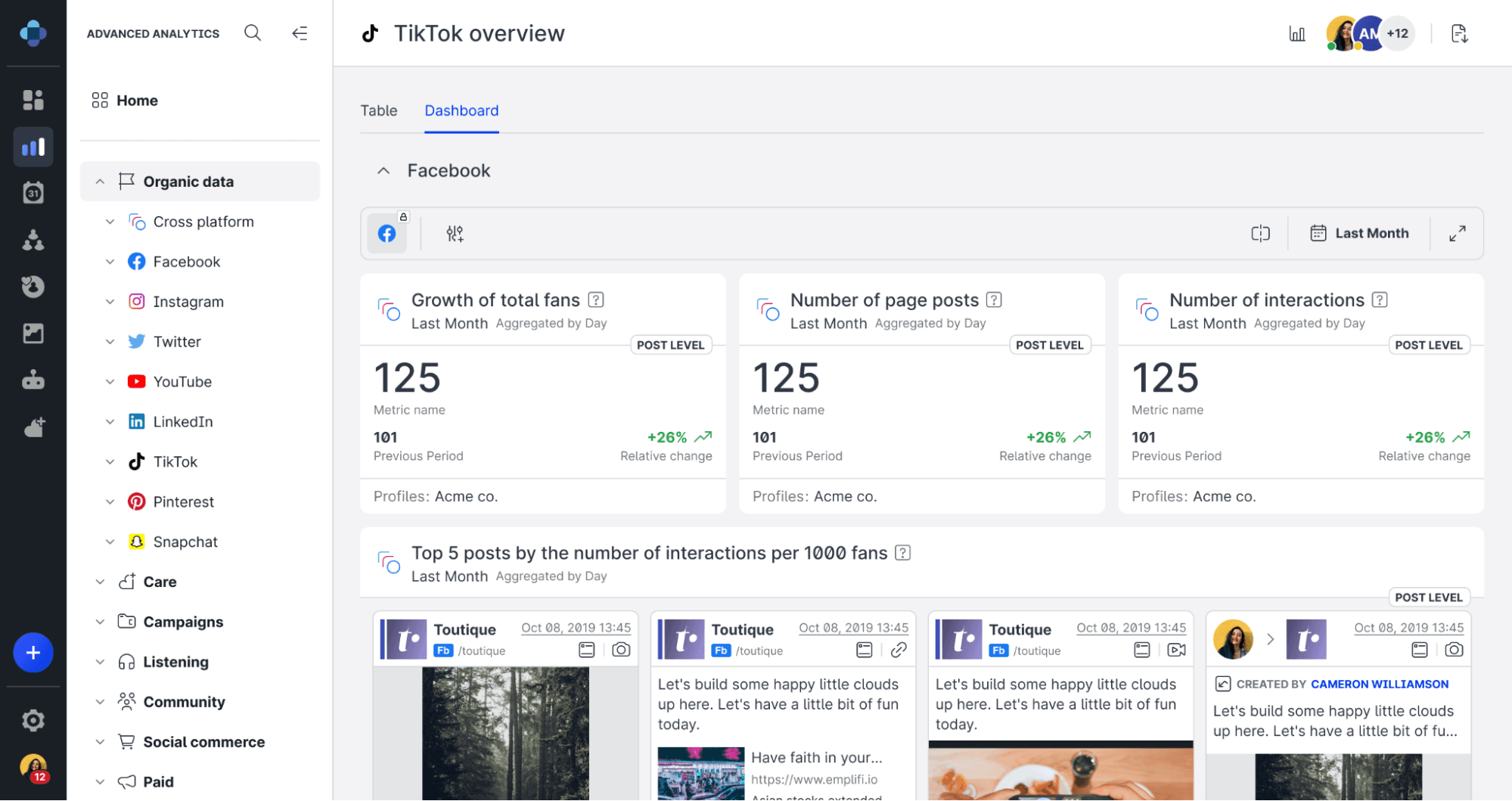
Track engagement, reach, sentiment, and campaign performance while comparing results against competitors. This helps teams identify trends, measure success, and refine strategies using data.
Influencer Discovery and Management
Find, vet, and manage influencer partnerships directly within the platform. Track influencer content performance and ROI in real time.
Social Customer Care
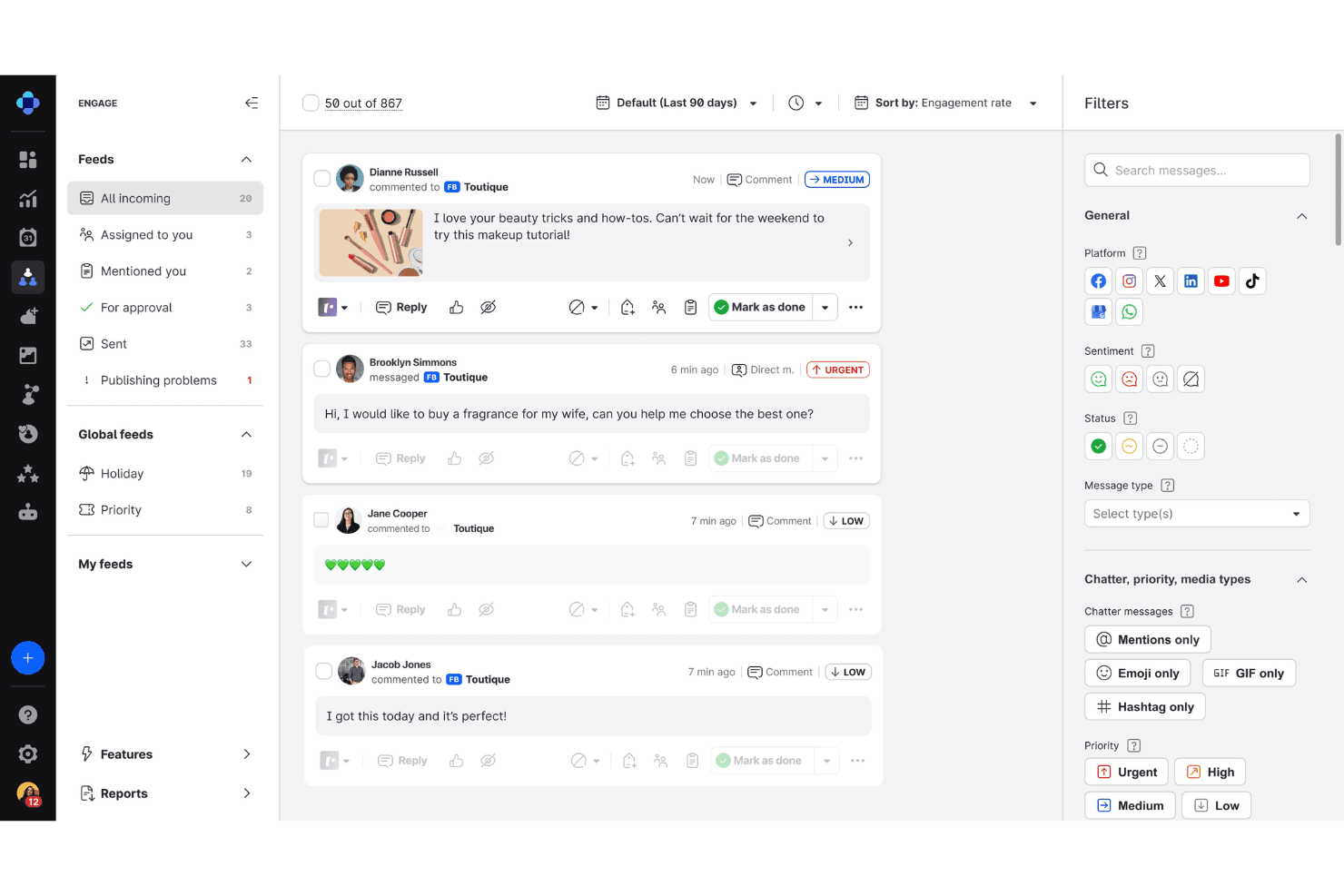
Monitor and respond to messages, comments, and reviews from all channels in a unified inbox. Assign conversations to team members for faster, coordinated responses.
Customer Intelligence and Social Listening
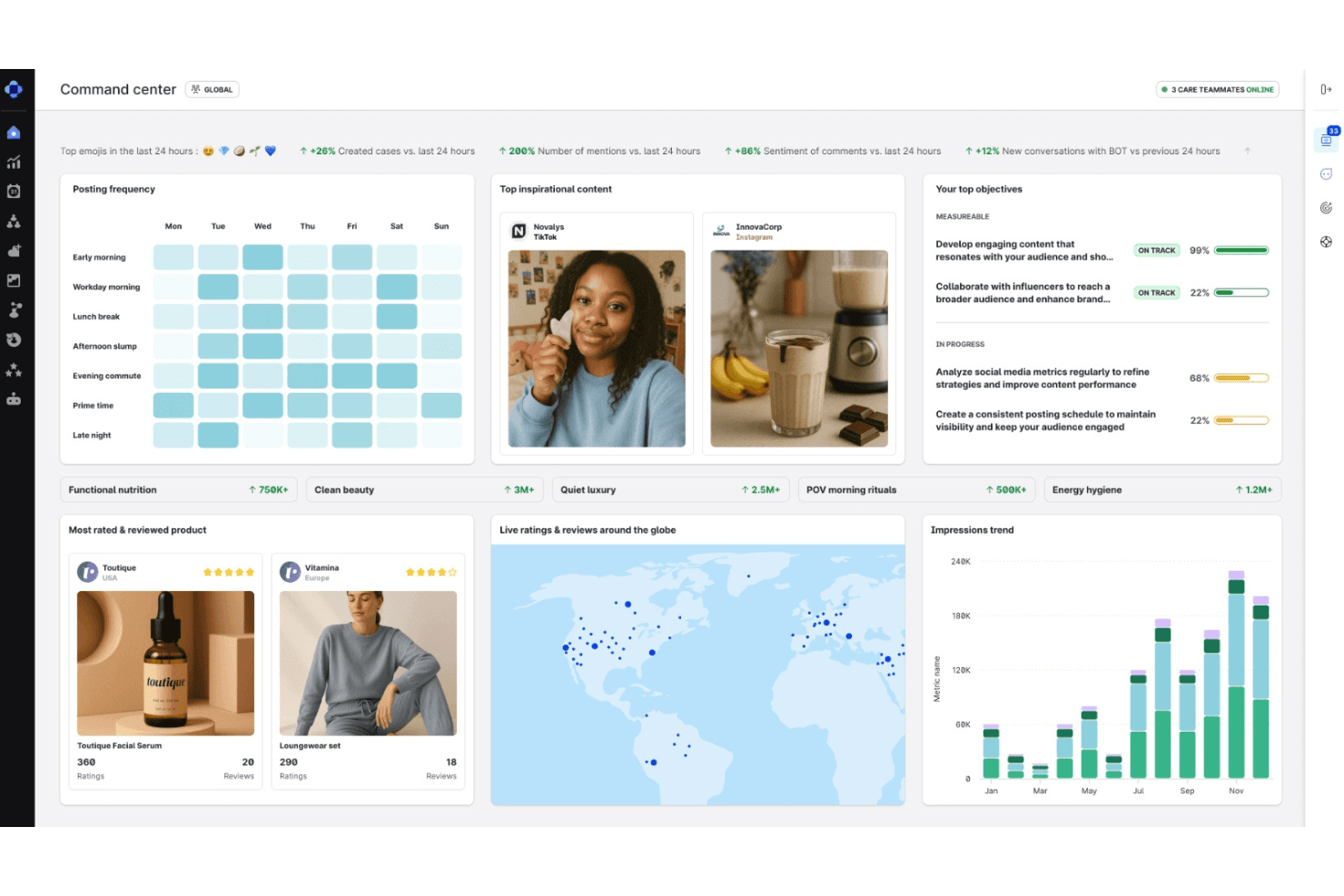
Analyze audience behavior, sentiment, and feedback across channels to uncover insights and emerging trends. This helps teams make informed decisions and improve customer experience.
Automated Reporting
Generate scheduled or on-demand reports with customizable metrics and visualizations. Share insights easily with stakeholders to demonstrate campaign impact.
Standout Features
AI-Powered Content Recommendations
Emplifi analyzes your audience data and campaign history to suggest optimal post times, formats, and topics. This helps teams boost engagement by tailoring content to what resonates most.
Visual Asset Library
Store, organize, and reuse branded images, videos, and creative assets within the platform. Teams can quickly access approved content, ensuring brand consistency across all social channels.
Ease of Use
Emplifi offers a clean, modern interface that makes navigating complex workflows feel straightforward, even for larger teams. Users often mention the intuitive dashboard and clear content calendar as highlights, while onboarding resources help new users get up to speed quickly.
Some advanced analytics and reporting tools require extra clicks to access, but overall, the platform balances depth with accessibility better than most enterprise-focused solutions.
Onboarding
Emplifi’s onboarding stands out for its guided setup, live training sessions, and detailed help center, which users say shortens the learning curve. Dedicated account managers and responsive support help teams configure workflows and dashboards to match their needs. Many reviewers highlight the proactive outreach and personalized onboarding calls, making it easier for new users to realize value quickly and avoid common setup pitfalls.
Customer Support
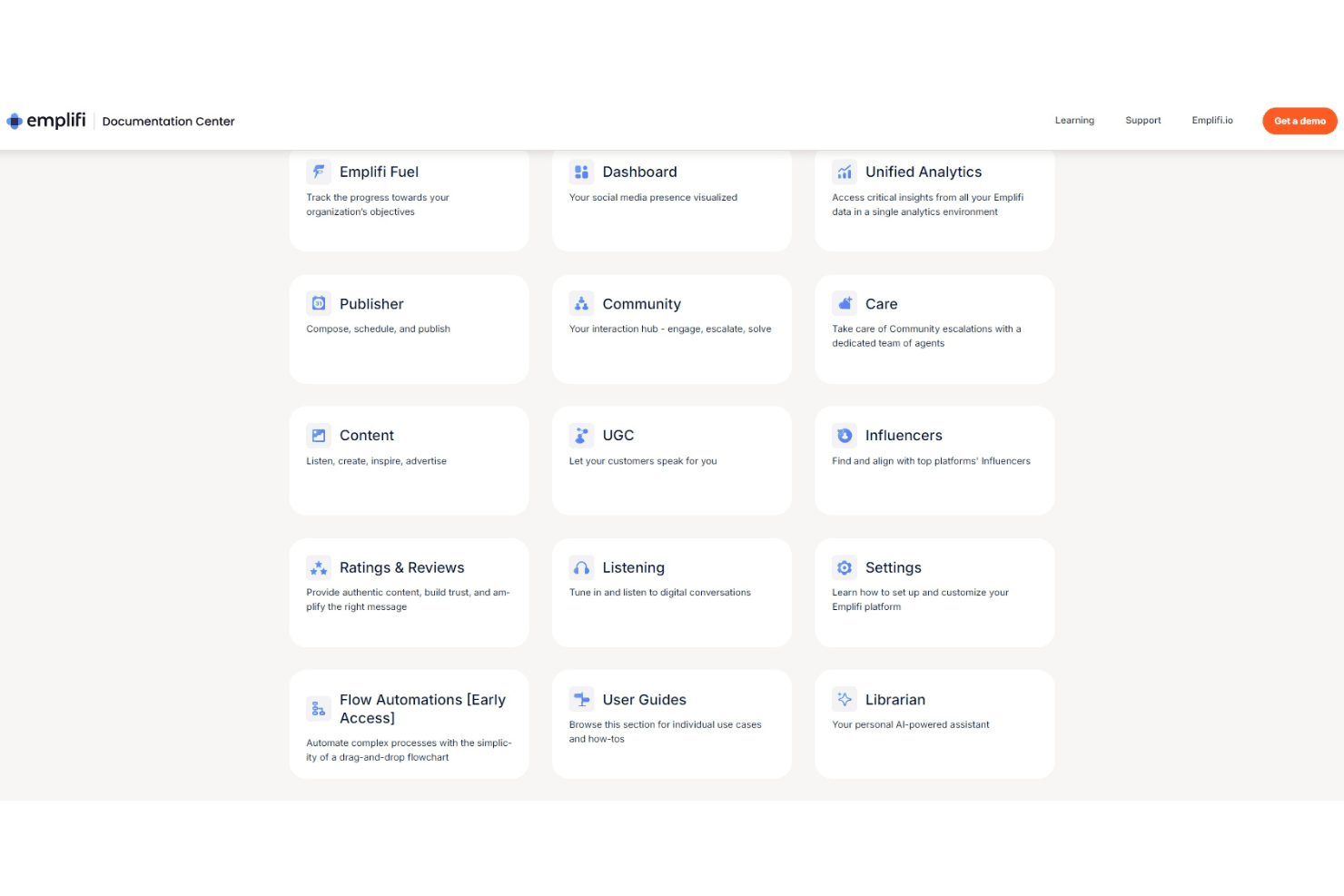
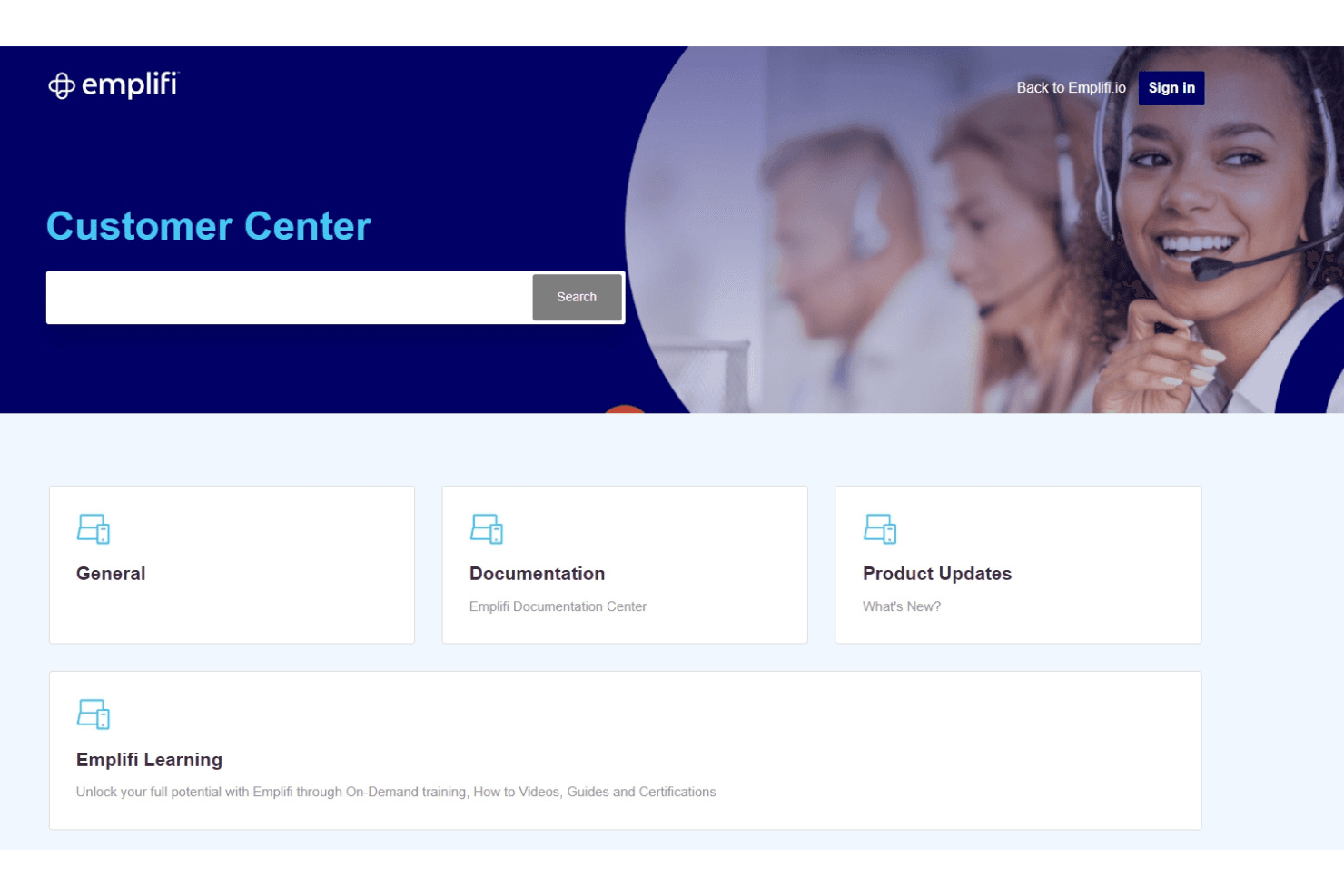
Emplifi’s customer support earns high marks for its responsiveness and knowledgeable staff, with users frequently noting quick turnaround times on tickets and helpful troubleshooting. Support is available through multiple channels, including live chat, email, and phone, which gives teams flexibility when issues arise. The availability of dedicated account managers and a robust online resource library further enhances the support experience, making it easy for users to resolve questions and maximize platform value.
Integrations
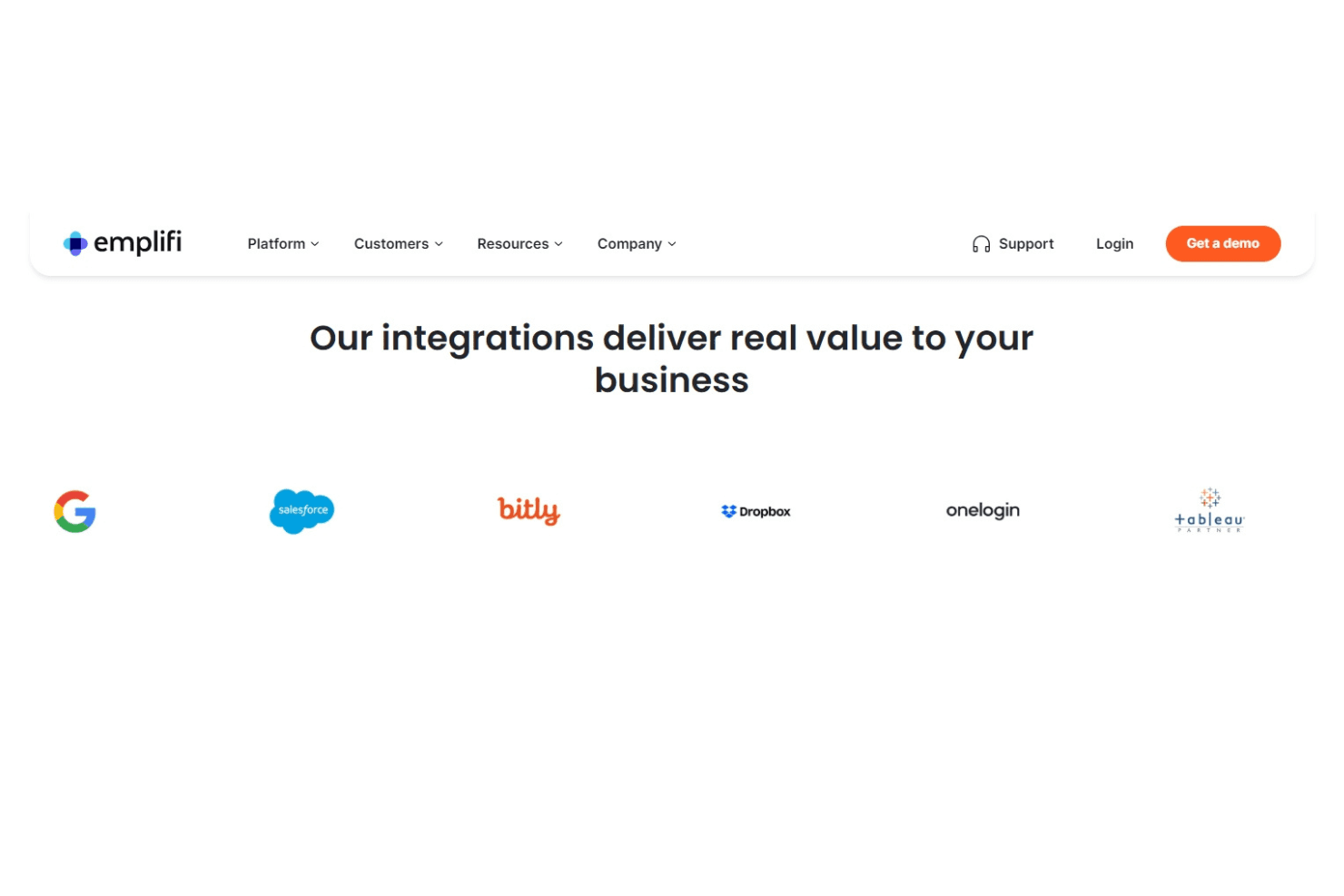
Emplifi integrates with Google, Salesforce, Bitly, Dropbox, Onelogin, and Tableau, among others.
Emplifi also offers direct API access for custom integrations and connecting with third-party tools.
Value for Money
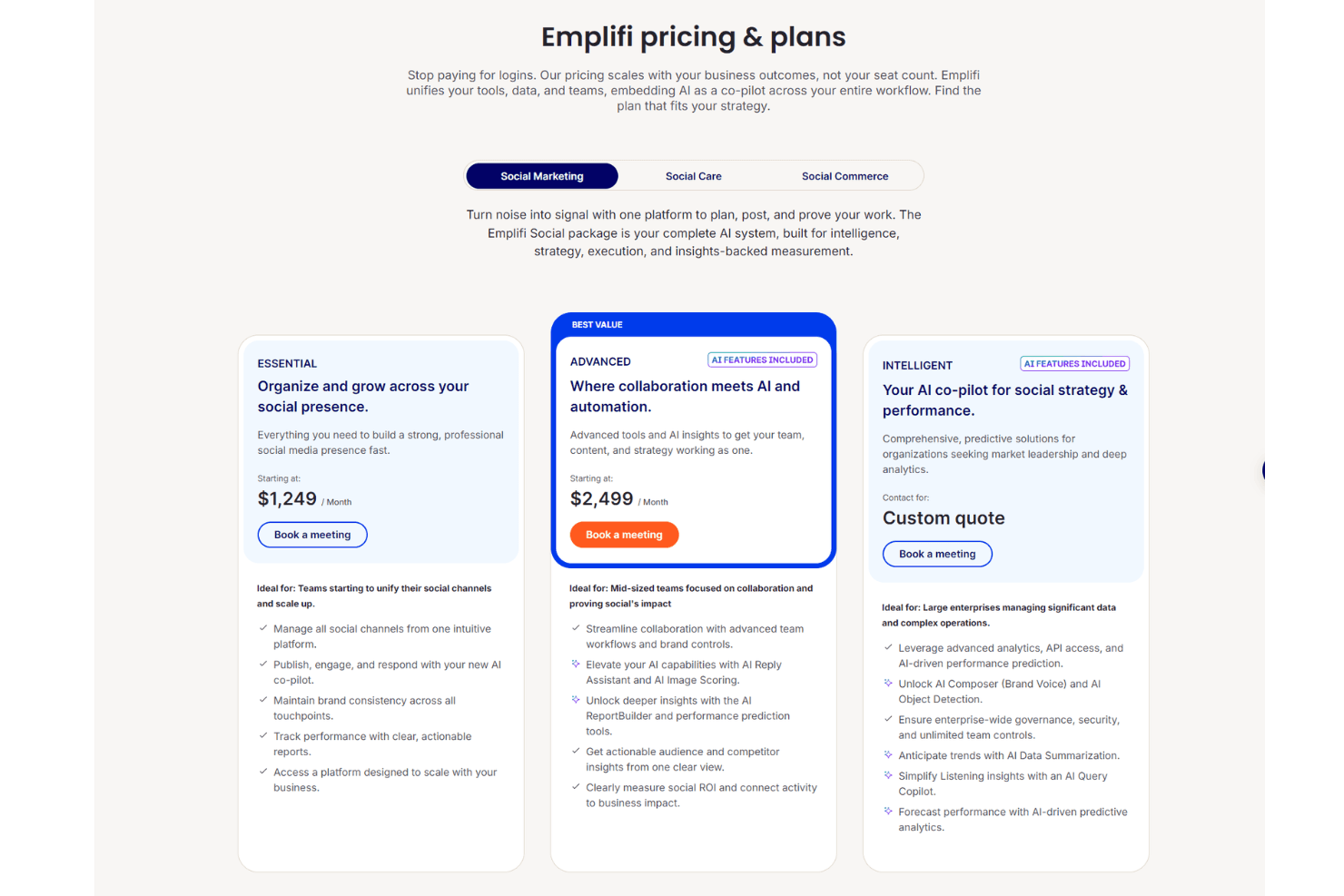
Emplifi is priced at a premium, which users say is justified for large teams needing advanced analytics, social commerce, and unified care features. Smaller businesses may find the cost high, but the platform’s depth, scalability, and dedicated support make it a strong investment for brands with complex social needs.
- Essential: Core publishing, engagement, and analytics for small teams.
- Advanced: Adds influencer management, advanced reporting, and social commerce tools.
- Intelligent: Custom solutions, dedicated account management, and enhanced security for large organizations.
Emplifi Specs
- Analytics: Yes
- API: Yes
- Approval Workflows: Yes
- Audience Targeting: Yes
- Brand Management: Yes
- Calendar Management: Yes
- Campaign Management: Yes
- Collaboration Support: Yes
- Conversion Tracking: Yes
- Custom Reports: Yes
- Dashboard: Yes
- Data Export: Yes
- Data Import: Yes
- Data Visualization: Yes
- External Integrations: Yes
- Feedback Management: Yes
- Keyword Tracking: Yes
- Knowledge Base: No
- Landing Pages: No
- Link Tracking: No
- Marketing Automation: Yes
- Multi-Account: Yes
- Multi-User: Yes
- Notifications: Yes
- Review Monitoring: Yes
- Scheduling: Yes
- Sentiment Analysis: Yes
- Social Media Monitoring: Yes
- Social-Media Integration: No
- Third-Party Plugins/Add-Ons: Yes
- Workflow Management: Yes
Emplifi FAQs
Emplifi Company Overview & History
Emplifi is a global customer experience platform that helps brands connect with customers across every digital touchpoint. Headquartered in the United States, Emplifi supports over 20,000 brands and manages 4 billion customer interactions per month. The company brings together more than 30 years of combined experience from its legacy brands and has built over 50 AI-powered products and features in-house. Notable clients include Benefit Cosmetics, Toyota, Kimpton Hotels, Stanley, and Bath & Body Works.
Emplifi Major Milestones
- 1995: Company origins trace back to the founding of its legacy brands.
- 2021: Emplifi brand launched, unifying social marketing, commerce, and care solutions.
- 2022: Recognized as a Leader in social media marketing by Forrester Wave™.
- 2023: Surpassed 20,000 global brand customers and 4 billion monthly CX interactions.