

An AI design generator is a tool that uses artificial intelligence to create graphics, visuals, and marketing assets with minimal manual input—helping you work faster, stay on brand, and keep creative teams moving.
If you’re comparing the best AI design generators, you want to know which tools deliver real value, integrate easily with your workflow, and offer reliable results, not just hype. In this guide, you’ll find my top picks, what makes each option unique, and how they fit different creative demands so you can confidently choose the right tool for your team.
Why Trust Our Software Recommendations
6,700+
Reviews
20
Industry experts
16+
Evaluation factors
14
Years
Our team has been testing and reviewing software since 2012. As marketing leaders ourselves, we know how difficult—and important—it is to choose the right software.
For this guide, we evaluated tools using hands-on testing and independent research, scoring tools using our selection criteria.
Our reviews reflect our human editorial judgment, not a sales pitch.
Expert reviewers:
 Gui DrusinaCreative Director
- Shriya GhateSenior Marketing Lead
 Amanda JacquesMarketing Ops Leader

AI Design Generator Comparison Table
This comparison table summarizes pricing details for my top AI design generator selections:
| Tool | Best For | Trial Info | Price | ||
|---|---|---|---|---|---|
| 1 | Best for automated infographic creation | Free plan available | From $15/user/month | Website | |
| 2 | Best for commercial brand safety | Free plan available | From $9.99/month | Website | |
| 3 | Best for high-fidelity original artwork | Not available | From $10/month | Website | |
| 4 | Best for instant custom brand kits | Free plan available | From $96/year | Website | |
| 5 | Best for social media post designs | 7-day free trial | From $32/month | Website | |
| 6 | Best for brand-consistent marketing visuals | Free trial + free plan available | From $144/user/year (billed annually) | Website | |
| 7 | Best for ad creative variation at scale | Free trial available | From $39/month | Website | |
| 8 | Best for advanced typography control | Free plan available | From $14/month (billed annually) | Website | |
| 9 | Best for multi-channel campaign assets | Free plan available | From $9.90/month | Website | |
| 10 | Best for research-driven visual campaigns | Free plan available | From $20/month | Website |


Best AI Design Generator Reviews
Below are my detailed summaries of the best AI design generators that made it onto my shortlist. My reviews offer a detailed look at the features, best use cases, and capabilities of each platform to help you find the best one for you.
 Best for automated infographic creation
- Free plan available
- From $15/user/month
Visit WebsiteCustomer Rating:4.6/5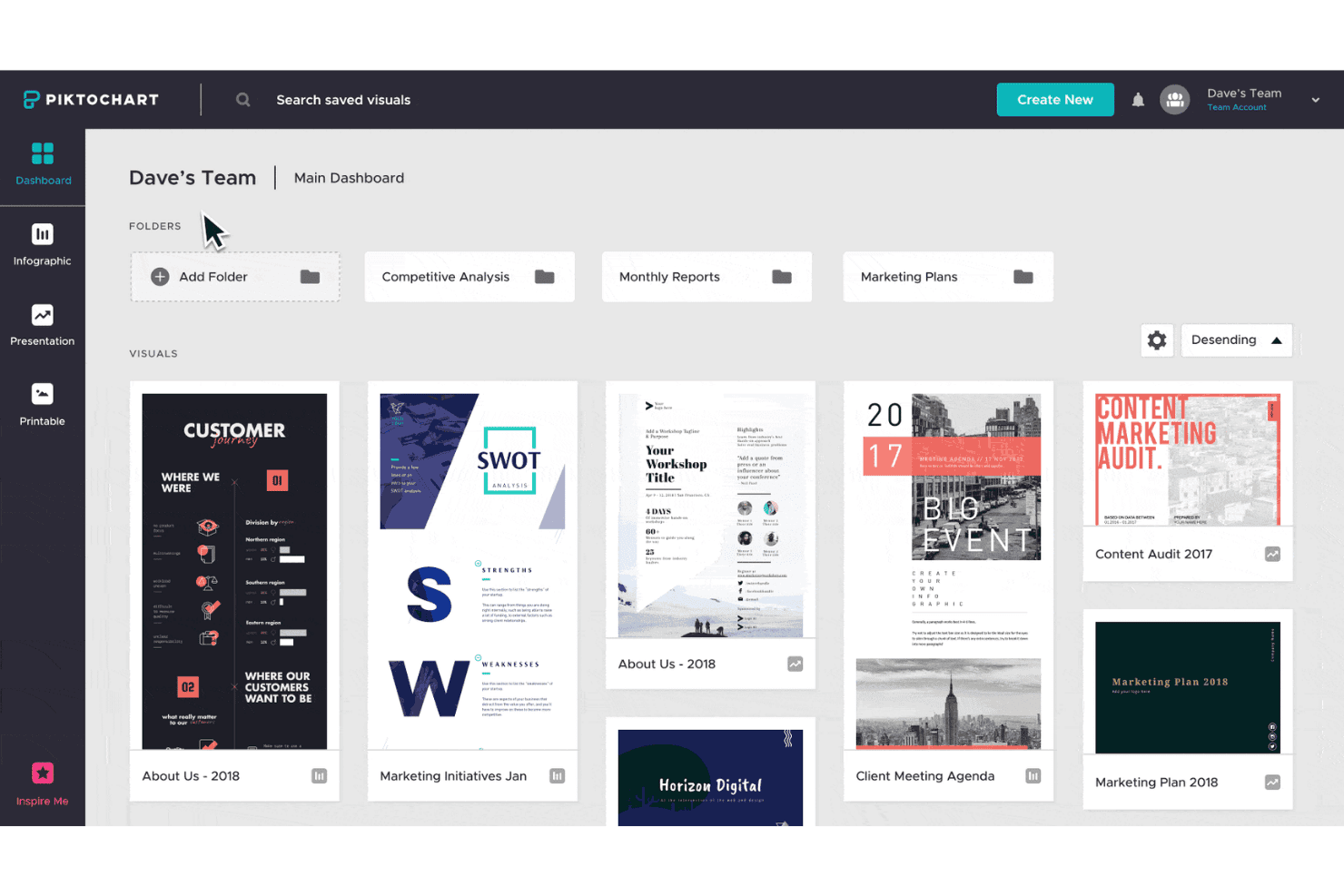
Piktochart offers a team dashboard where users can organize visuals into folders and access infographic, presentation, and printable templates. Piktochart is an AI graphic design generator that converts text prompts and uploaded documents into infographics, presentations, reports, and social media graphics using a template-based generation system.
Who Is Piktochart Best For?
Piktochart is a strong fit for content marketers and non-designers who need to turn data, reports, or written content into polished visual assets quickly.
Why I Picked Piktochart
Piktochart earns its spot on my shortlist because the document-to-visual feature is genuinely impressive: upload a PDF or DOCX and it pulls out key points, structures a layout, and produces a ready-to-edit infographic in about 10 seconds. I also like the AI Outline feature, which organizes raw ideas into a logical structure before any layout is applied. That two-step approach (outline first, design second) produces infographics that actually communicate clearly, not just visually formatted text dumps.
Piktochart Key Features
- Text-to-image AI generator: Lets you create visuals from simple prompts within select formats like banners and Instagram posts.
- Extensive template library: Offers more than 100 editable templates covering posters, social media, reports, and presentations.
- Brand kit application: Lets you set your brand’s fonts, colors, and logo designs for use across designs on Business plans.
- Chart and data import: Supports importing data from Google Sheets, Excel, and CSV files to create visual graphs and charts.
Piktochart Integrations
Native integrations are not clearly documented.
Pros and Cons
Pros:
- Offers infographic template varieties
- Structures content before layout generation
- Fast document-to-infographic conversion
Cons:
- Weak output options for ad creative formats
- AI image generation is limited
Learn more about Piktochart: Best for commercial brand safety
- Free plan available
- From $9.99/month
Visit WebsiteCustomer Rating:4.4/5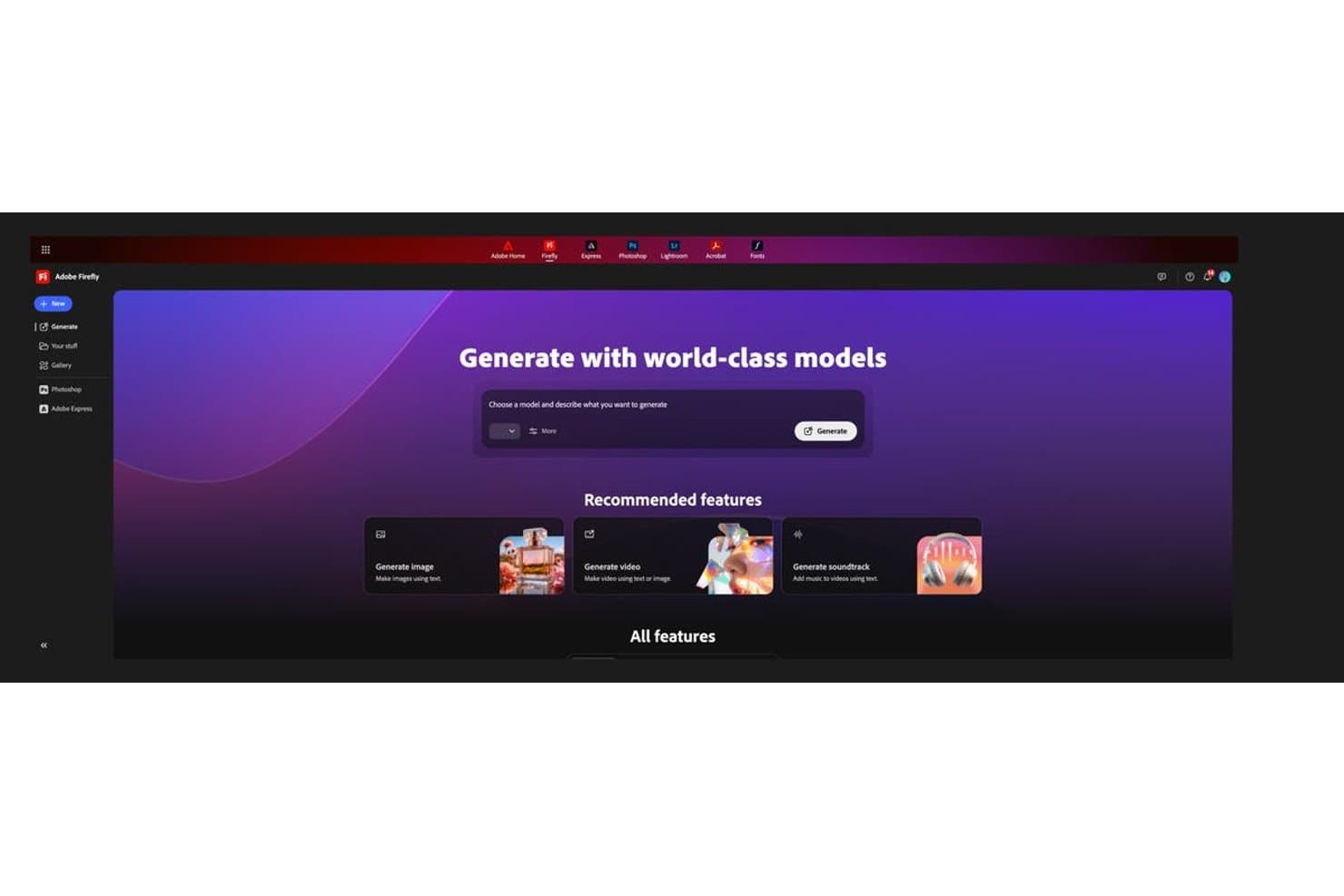
Adobe Firefly offers a centralized AI generation hub with options to generate images and videos using text prompts. Adobe Firefly is an AI creative generation platform that produces images, editable vector graphics, video, and audio from text prompts, with multi-model access and deep integration across the Adobe Creative Cloud suite.
Who Is Adobe Firefly Best For?
It's a strong fit for brand designers and marketing teams at mid-to-large organizations that need AI-generated assets cleared for use in paid advertising and commercial campaigns.
Why I Picked Adobe Firefly
Adobe Firefly earns its spot on my shortlist because it's the only AI design generator that backs outputs with IP indemnification, where Adobe accepts copyright liability if a generated asset is legally challenged. I lean on this specifically when producing visuals for paid campaigns, where legal exposure is real. The Custom Models feature also lets me train Firefly on approved brand imagery, so generations come from a controlled, licensed dataset rather than a broad, unknown training pool.
Adobe Firefly Key Features
- Firefly AI Assistant: Instantly picks the right tool for your creative task without manual switching.
- Editable vector graphics: Generates SVG files you can refine in Illustrator, maintaining full layer and node control.
- Firefly Boards: Visual workspace for brainstorming, storyboarding, and sharing team concepts on an infinite canvas.
- Multilingual prompt support: Accepts text prompts in over 100 languages for global creative campaigns.
Adobe Firefly Integrations
Adobe Firefly offers native integrations with Adobe Creative Cloud apps like Photoshop, Illustrator, Premiere Pro, and Adobe Express. An API is available for custom integrations.
Pros and Cons
Pros:
- Custom Models trained on brand imagery
- Generates editable vector SVGs natively
- IP indemnification covers commercial asset usage
Cons:
- Requires Creative Cloud subscription for full access
- Limited standalone template library for marketers
Learn more about Adobe Firefly: Best for high-fidelity original artwork
- Not available
- From $10/month
Visit WebsiteCustomer Rating:4.4/5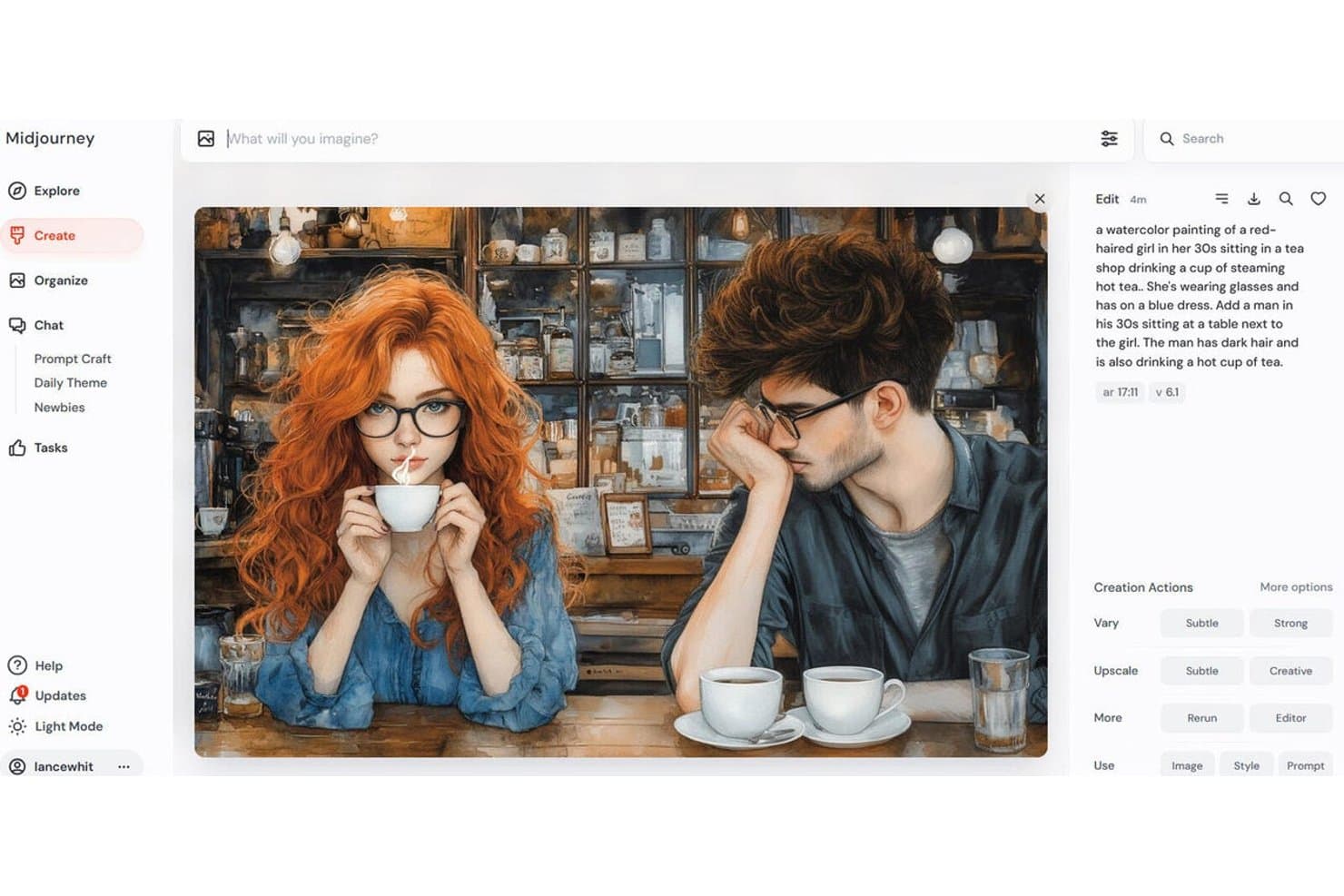
Midjourney offers a watercolor art generation feature, shown here producing a detailed scene of two people drinking tea in a vintage shop. Midjourney is a text-to-image AI art generator that produces high-fidelity visuals from text prompts, with multiple generation models, style and character reference controls, inpainting, outpainting, and a video generation model.
Who Is Midjourney Best For?
Midjourney is a strong fit for brand designers and content marketers who prioritize raw image quality and artistic fidelity over templated design workflows.
Why I Picked Midjourney
Midjourney earns its spot on my shortlist because the image quality it produces is genuinely in a different league. I use Style Reference (Sref) and Moodboards to maintain visual consistency across concept batches, which matters when I'm building out a campaign's look before moving into a design tool. The level of cinematic detail, lighting, texture, and composition that Midjourney generates out of the box is something I haven't reliably replicated in other tools.
Midjourney Key Features
- Discord and web interfaces: Generate images using prompts on both Discord and the web platform.
- Inpainting and outpainting tools: Edit or extend regions of images directly in the web editor.
- Batch variation and permutation prompts: Create multiple image variations at once for rapid ideation.
- Niji model for art styles: Switch to a specialized art model for distinct stylistic control.
Midjourney Integrations
Native integrations are not clearly documented.
Pros and Cons
Pros:
- Style references enforce visual consistency
- Multiple AI models for varied visual styles
- Produces photorealistic imagery
Cons:
- Outputs are flat images, not editable layers
- No template system for marketing formats
Learn more about Midjourney:
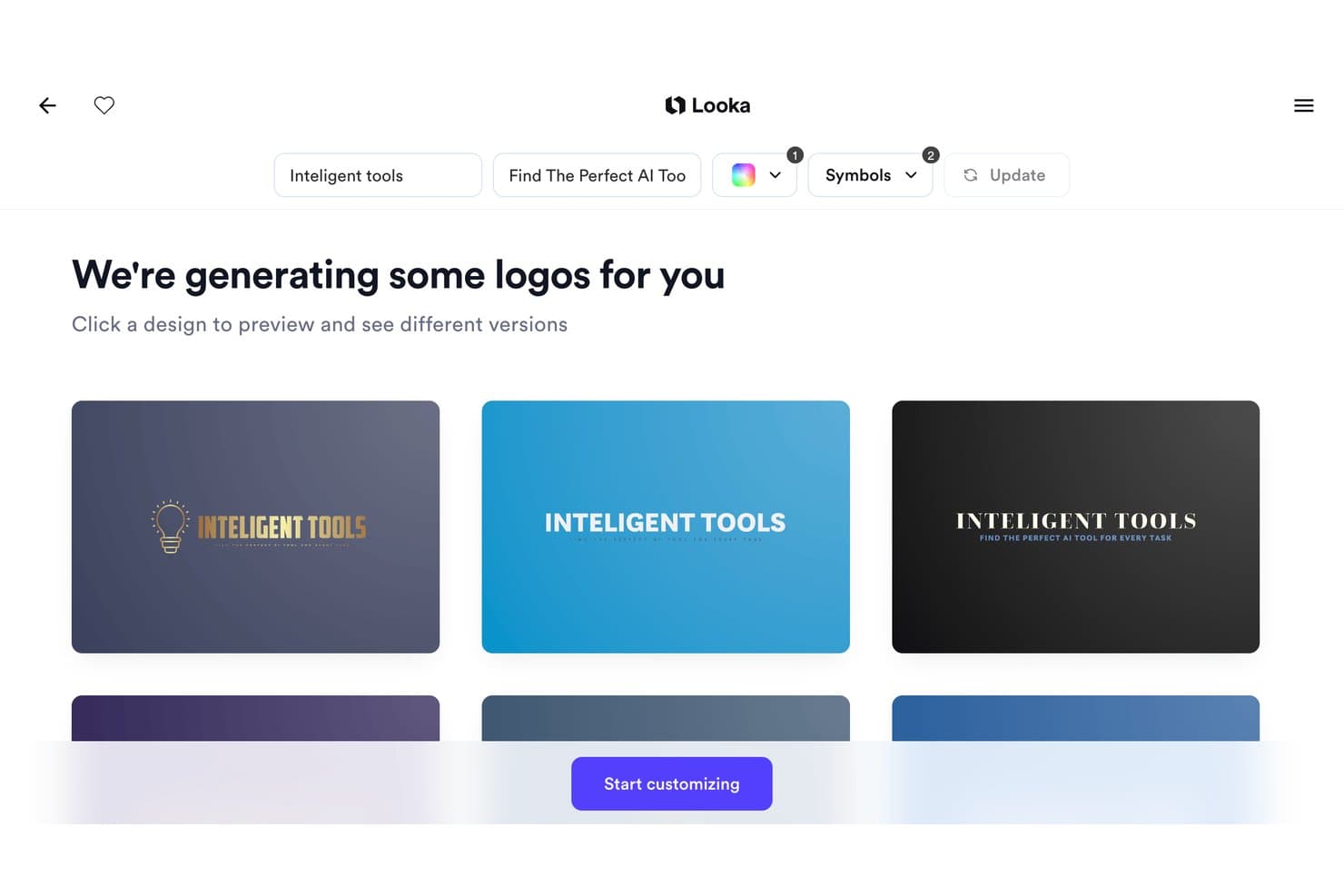
Looka offers an AI-powered logo generator that produces multiple branded logo designs instantly based on your company name and tagline. Looka is an AI-powered logo and brand identity generator that produces custom logos and 300+ branded asset templates based on your business name, industry, and visual preferences.
Who Is Looka Best For?
Looka is a natural fit for early-stage startups and solopreneurs who need a complete brand identity without the budget or timeline for a professional designer.
Why I Picked Looka
I've included Looka in my top picks because its Brand Kit auto-applies your logo, colors, and fonts across 300+ asset templates the moment your logo is finalized. In practice, that means I can go from a generated logo to a complete set of business cards, email signatures, and social media profiles without rebuilding brand specifications from scratch each time. The Brand Guidelines document it generates also locks in font pairings and color usage rules automatically.
Looka Key Features
- AI-powered logo maker: Generates custom logo concepts based on your business name, industry, and design preferences.
- Template library for business assets: Offers 300+ pre-designed templates including invoices, flyers, and social media graphics.
- Multiple logo file formats: Exports logo files in PNG, SVG, EPS, and PDF for versatile use across channels.
- Social media asset generation: Automatically creates correctly-sized logos and graphics for major social platforms.
Looka Integrations
Native integrations are not clearly documented.
Pros and Cons
Pros:
- Offers brand guidelines document creation
- Auto-applies brand assets across templates
- Generates complete brand kits from logos
Cons:
- No collaborative editing for design teams
- Limited generative AI image creation
Learn more about Looka:
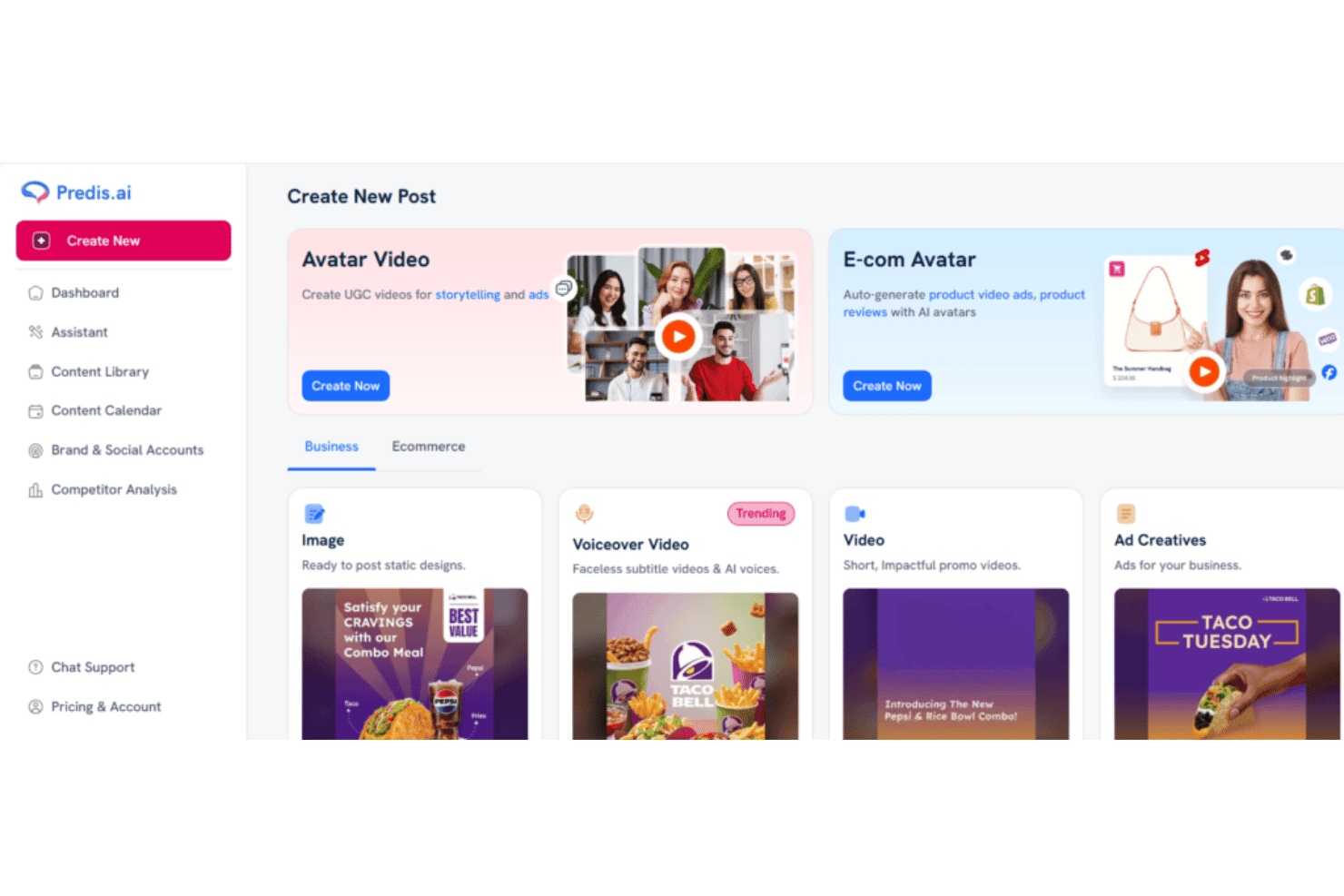
Predis.ai offers a 'Create New Post' dashboard with options for Avatar Video, E-com Avatar, Image, Voiceover Video, Video, and Ad Creatives content types. Predis.ai is an AI content generation platform that produces social media posts, carousels, video reels, and ad creatives from text prompts, with built-in brand kits, multi-format resizing, and native scheduling across major social platforms.
Who Is Predis.ai Best For?
Predis.ai is a strong fit for solo creators, small marketing teams, and social media managers who need to publish consistent, on-brand content across multiple platforms without a dedicated designer.
Why I Picked Predis.ai
Predis.ai earns its spot on my shortlist because its carousel generation is genuinely impressive. I've published Predis-generated LinkedIn and Instagram carousels that outperformed manually designed versions, because the tool builds complete multi-slide sequences from a single text prompt with consistent styling and proper text hierarchy. I also like how brand kits are automatically enforced across every output, so logos, colors, and fonts apply without any manual setup per post.
Predis.ai Key Features
- Multi-model AI image generation: Generates visuals using a mix of Google Veo, Gemini, ByteDance, and proprietary models based on a single prompt.
- Editable design layers: Lets you modify text, images, and layout elements in a built-in editor after generation.
- Automated multi-platform resizing: Automatically adapts a design to fit Instagram, Facebook, TikTok, Pinterest, and YouTube Shorts.
- Direct social publishing: Supports instant scheduling and publishing to major social and ecommerce platforms without leaving the app.
Predis.ai Integrations
Predis.ai offers native integrations with Instagram Ads, TikTok Ads, LinkedIn Ads, YouTube Ads, Pinterest Ads, and offers an API for custom integrations.
Pros and Cons
Pros:
- Native scheduling built into the platform
- Multi-brand kits auto-applied to every output
- Strong social-specific carousel and reel generation
Cons:
- Limited editing controls for complex designs
- Image quality lags behind dedicated AI generators
Learn more about Predis.ai: Best for brand-consistent marketing visuals
- Free trial + free plan available
- From $144/user/year (billed annually)
Visit WebsiteCustomer Rating:4.6/5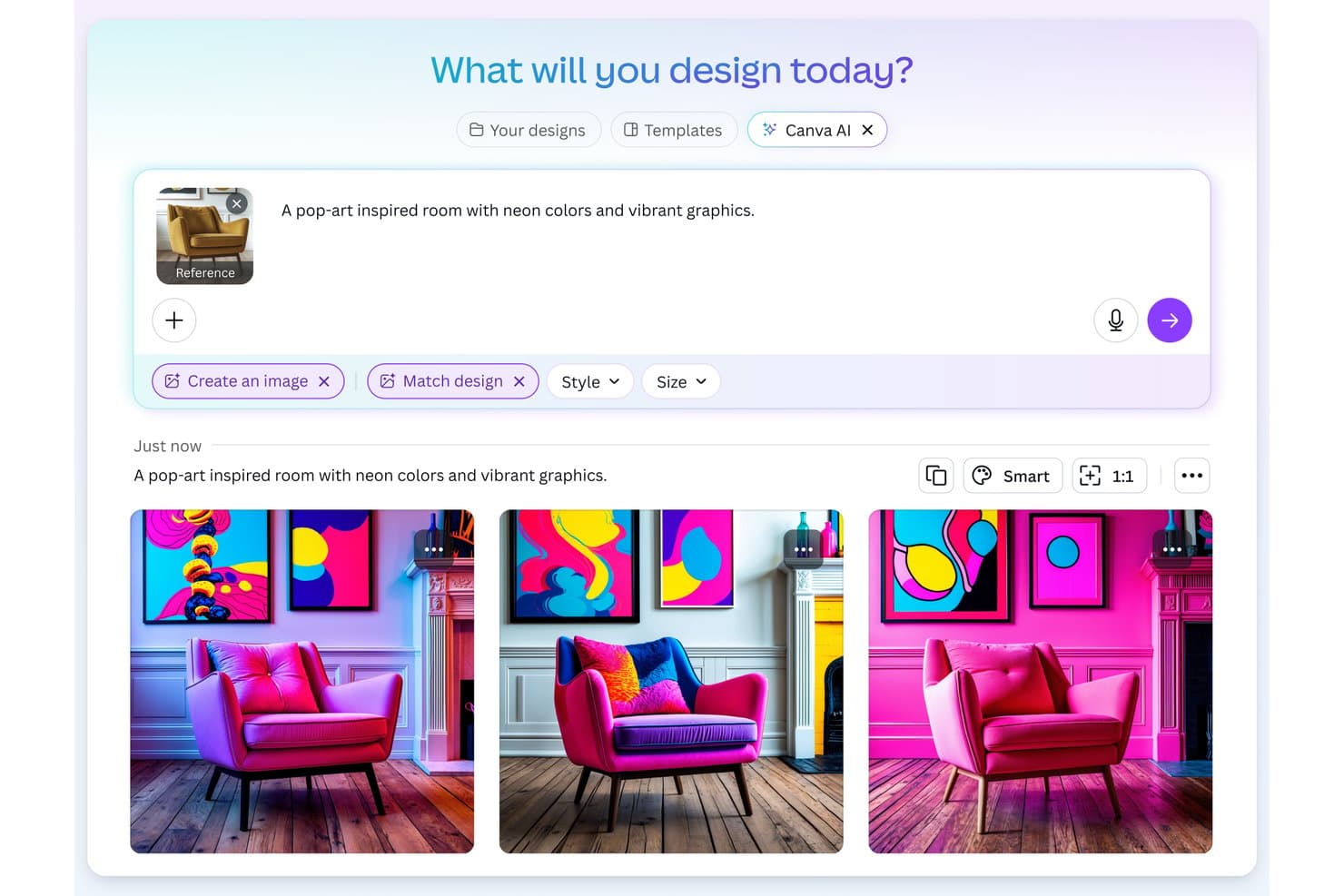
Canva offers an AI image generation feature that transforms text prompts and reference images into designs. Canva's Magic Design is an AI design generator built into Canva's editor that turns text prompts into fully editable designs across social media graphics, presentations, videos, and marketing materials.
Who Is Canva Best For?
Canva is a strong fit for marketing teams and content creators who need to produce brand-consistent visuals at volume without relying on a dedicated design team.
Why I Picked Canva
I picked Canva because no other AI design generator bakes brand enforcement directly into the generation step the way it does. When I run a prompt through Magic Design, my Brand Kit colors, fonts, and logo apply to the output in one click, so the result looks on-brand from the start rather than requiring cleanup after. The multi-brand kit support (up to 100 kits on the Business plan) lets me manage distinct visual identities across separate campaigns without manual re-theming each time.
Canva Key Features
- Magic Design for presentations: Instantly generates complete slide decks from a prompt that include outlines, topics, and sample content.
- AI video generator: Combines video clips, images, and music into short marketing videos with AI-powered editing.
- Layer-based design editor: Lets you edit every AI-generated element, from text layers to images, directly in the browser.
- Content Planner publishing: Schedule and publish generated graphics and videos directly to connected social platforms.
Canva Integrations
Canva offers native integrations with Google Drive, Dropbox, Meta (Facebook and Instagram), Slack, and HubSpot. It also connects with Zapier and provides an API for custom integrations.
Pros and Cons
Pros:
- One-click resizing across multiple ad formats
- Massive library of marketing-ready templates
- Brand Kit applies across all AI outputs
Cons:
- Limited prompt control for advanced image generation
- AI image quality lags behind dedicated generators
Learn more about Canva: Best for ad creative variation at scale
- Free trial available
- From $39/month
Visit WebsiteCustomer Rating:4.1/5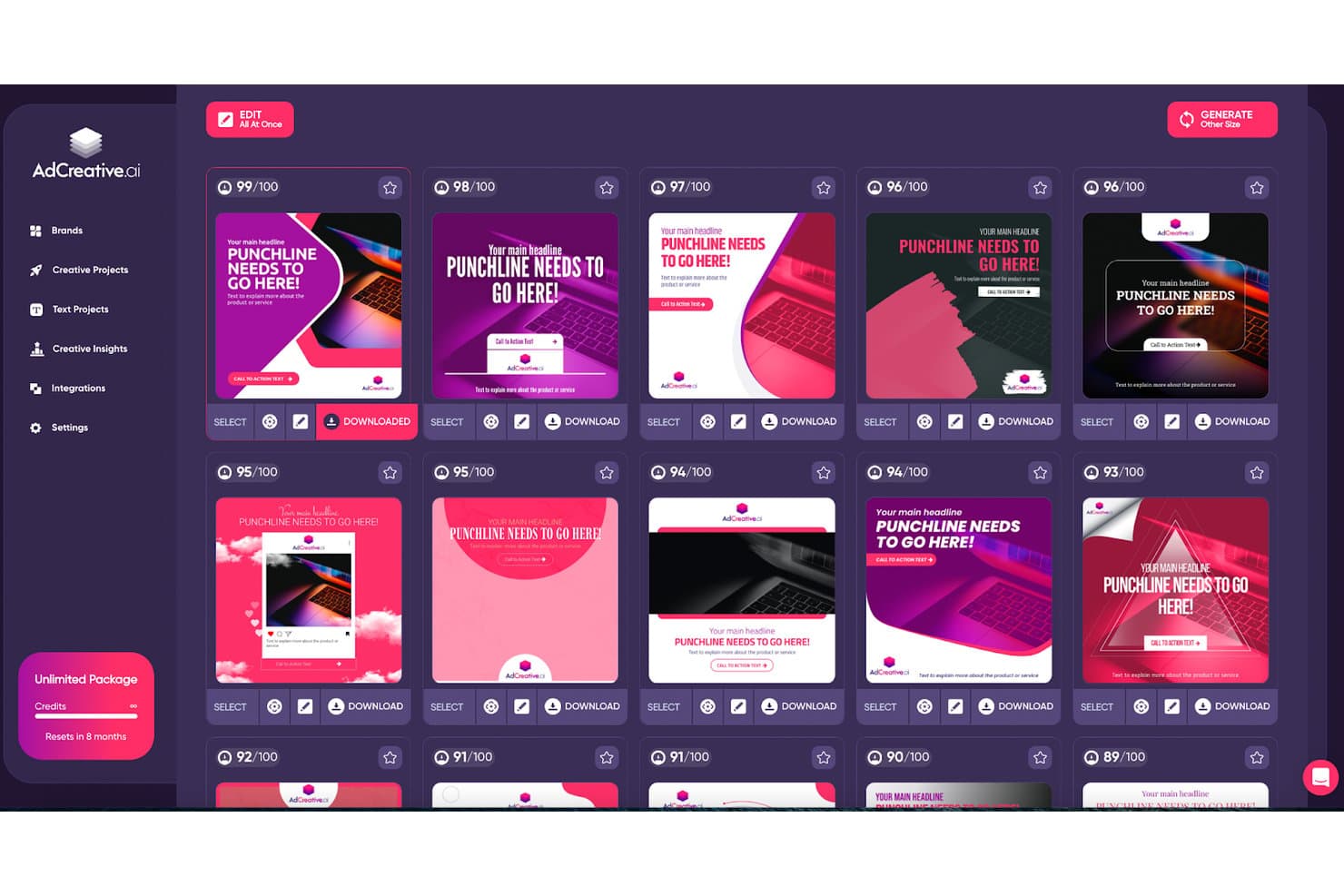
AdCreative.ai displays an AI-scored grid of generated ad creatives with download and edit options. AdCreative.ai is an AI-powered ad creative platform that generates conversion-focused static ads, social posts, product photoshoots, and video creatives, with built-in predictive scoring to evaluate creative performance before launch.
Who Is AdCreative.ai Best For?
It's a strong fit for performance marketing teams and agencies managing multiple brands or clients who need high volumes of ad creatives across Meta and Google campaigns.
Why I Picked AdCreative.ai
AdCreative.ai earns its spot on my shortlist because of how it handles creative volume. I can generate hundreds of ad variants in one session, and the Batch Creatives feature automatically exports them across every platform size, so I'm not manually resizing for Meta, Google, and LinkedIn separately. What I really like is the Creative Scoring AI, which predicts performance before I spend a cent on media.
AdCreative.ai Key Features
- Brand kit training: Upload logos, color palettes, and style guides to guide the AI in creating consistent, on-brand assets.
- AI video generation: Produce video ads, UGC-style clips, and product showcase videos automatically using AI-driven workflows.
- Creative insight reports: Access analytics on asset performance, creative fatigue, and competitor ad trends to inform future campaigns.
- Multi-channel export: Send generated assets directly to ad platforms like Meta, Google, and LinkedIn, or download in PNG, JPG, PDF, and MP4 formats.
AdCreative.ai Integrations
AdCreative.ai offers native integrations with Meta Ads, Google Ads, LinkedIn Ads, and Zapier, and provides an API for custom integrations.
Pros and Cons
Pros:
- Strong multi-brand kit support for agencies
- Creative scoring predicts ad performance pre-launch
- Generates hundreds of ad variants quickly
Cons:
- Outputs can look repetitive across accounts
- Post-generation editing options are fairly limited
Learn more about AdCreative.ai: Best for advanced typography control
- Free plan available
- From $14/month (billed annually)
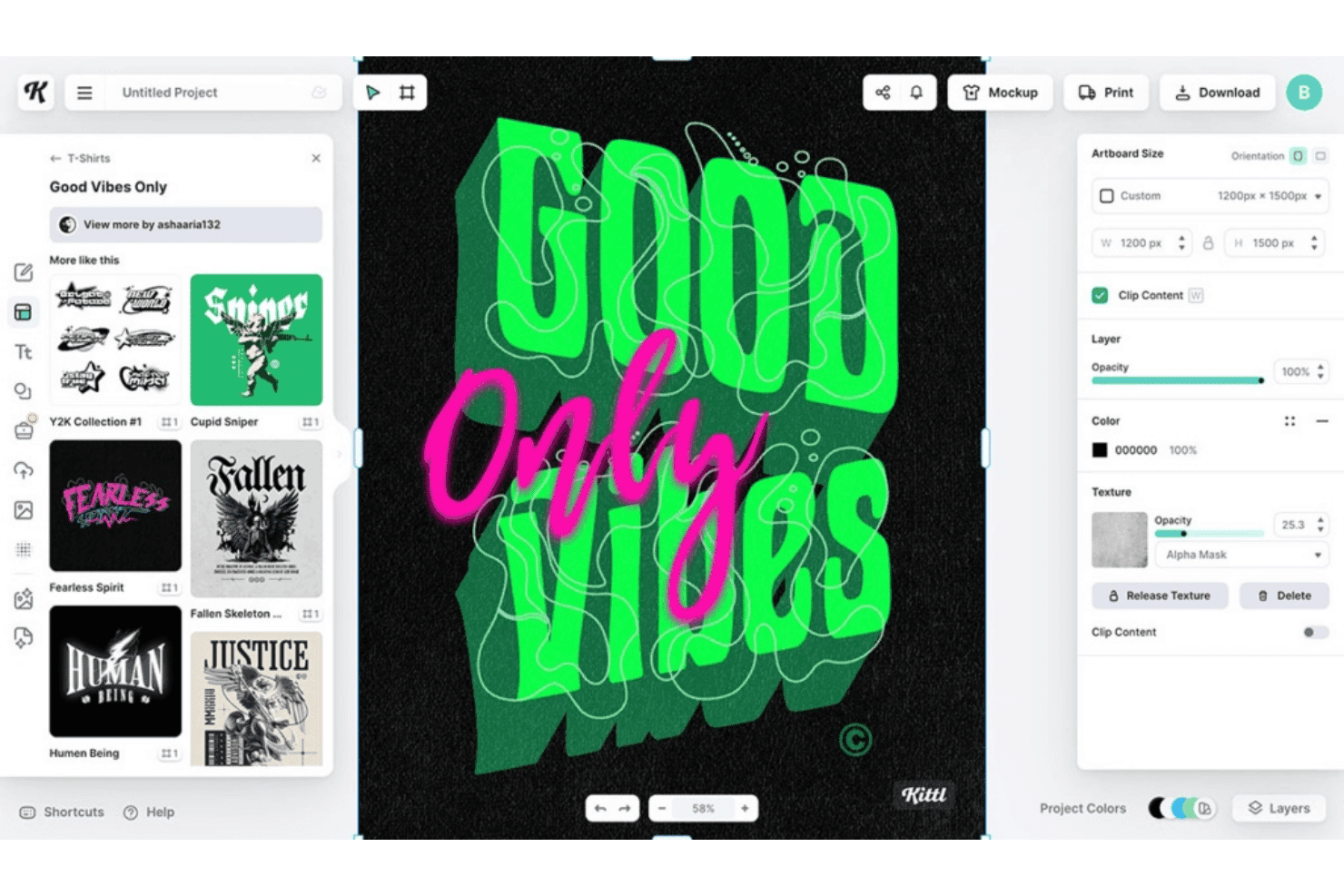
Kittl offers a graphic design editor with customizable t-shirt templates, texture controls, and layering tools for creating bold typographic designs. Kittl is a browser-based AI design platform that combines text-to-image and vector generation across 20+ AI models with a full design editor, template library, and typography tools built for marketing and branded asset creation.
Who Is Kittl Best For?
Kittl suits brand designers and content creators who need precise control over typography and vector assets for logos, merchandise, and print-on-demand projects.
Why I Picked Kittl
Kittl earns its spot on my shortlist because no other AI design generator comes close to its layerable text effects system. I can apply curved text, editable shadows, and vintage lettering to a single word simultaneously, where Canva limits you to one effect at a time. I also rely on Kittl's AI Vector Generator when I need prompt-generated artwork that stays fully editable as vector paths, not flattened pixels.
Kittl Key Features
- AI video generator: Transform static images into animation-ready MP4 clips directly on the design canvas.
- Multi-model AI selection: Switch between 20+ leading AI generation models, including Google Imagen 4 and DALL·E 3, inside a single workflow.
- Infinite canvas workspaces: Create and manage complex, multi-part visual projects on an unlimited-size design area.
- Instant background remover: Remove image backgrounds with a single click using AI processing, then continue editing in the same editor.
Kittl Integrations
Native integrations are not clearly documented.
Pros and Cons
Pros:
- AI vector output stays fully editable
- Access to 20+ AI generation models
- Layerable text effects unmatched by competitors
Cons:
- No built-in social media publishing tools
- Limited brand kit enforcement across AI outputs
Learn more about Kittl:
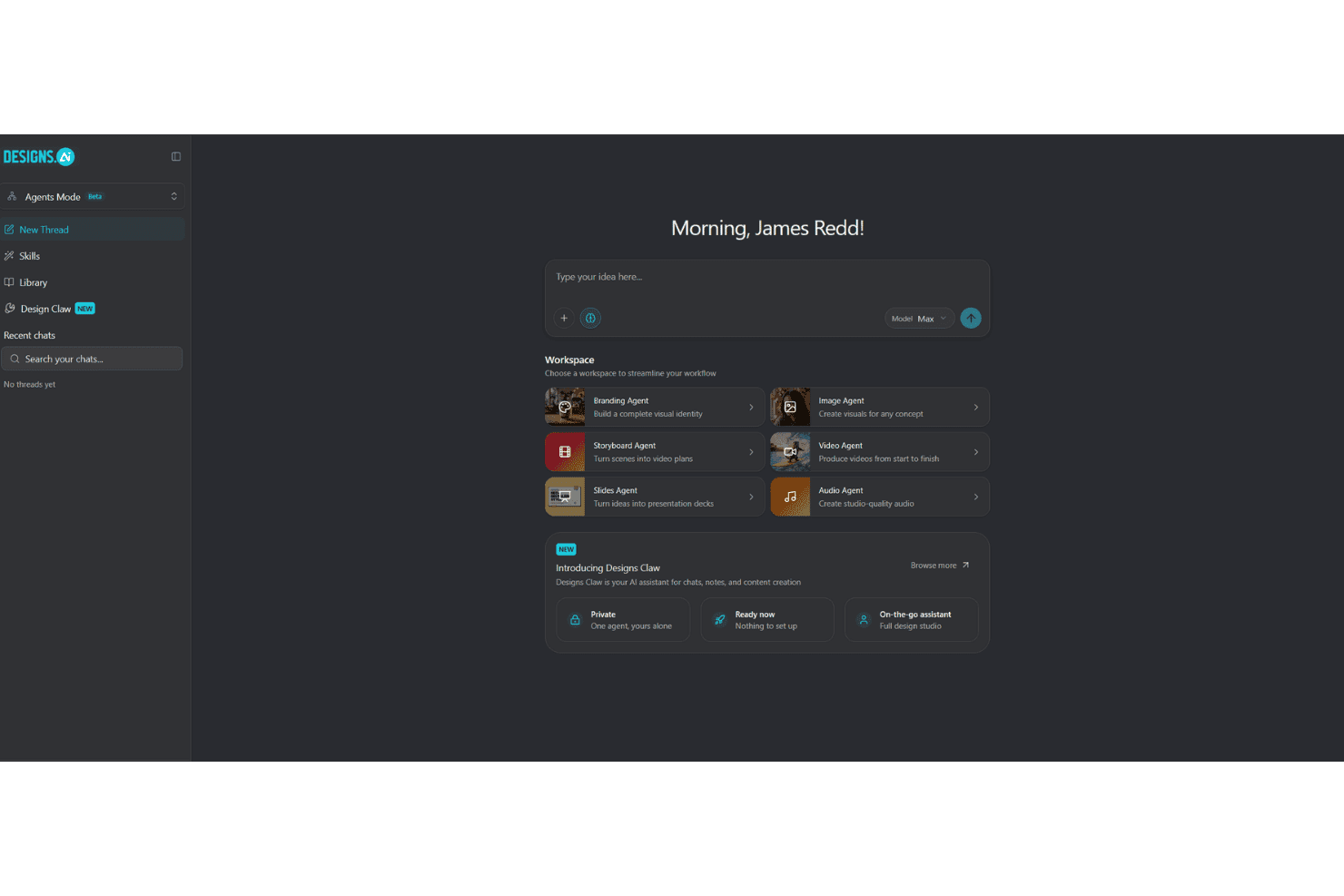
Designs.ai offers an AI-powered Agents Mode workspace with specialized agents for branding, image, video, audio, storyboard, and slides creation. Designs.ai is an AI creative suite that generates images, videos, presentations, and audio assets through specialist AI agents, with built-in brand kit controls and access to multiple LLMs including Claude, Gemini, and OpenAI's ChatGPT.
Who Is Designs.ai Best For?
Designs.ai is a strong fit for content marketers and social media teams who need to produce branded visuals across multiple formats without a dedicated design resource.
Why I Picked Designs.ai
I've included Designs.ai in my top picks because it covers image, video, slides, and audio generation through dedicated AI agents, all in one workspace. What I find especially useful is the one-click brand extraction: paste a URL and your brand colors, fonts, and logo auto-apply across every output you generate. The 1-click resize then adapts each asset across social, web, and print formats without manual reworking.
Designs.ai Key Features
- AI agent chat workspace: Route projects or prompts to specialist AI agents for image, video, slide, and audio generation in a central hub.
- Text-to-design generation: Enter prompts to instantly generate layouts that include images, text, and calls-to-action.
- 20,000+ editable templates: Access a wide template library covering ads, posts, videos, presentations, and branded graphics.
- Multilingual support: Create and edit content in over 15 languages across both text and audio outputs.
Designs.ai Integrations
Native integrations are not clearly documented.
Pros and Cons
Pros:
- Resizes assets across platform formats instantly
- One-click brand extraction from a URL
- Generates images, video, audio, and slides
Cons:
- Limited native third-party integrations available
- AI image quality trails dedicated generators
Learn more about Designs.ai:
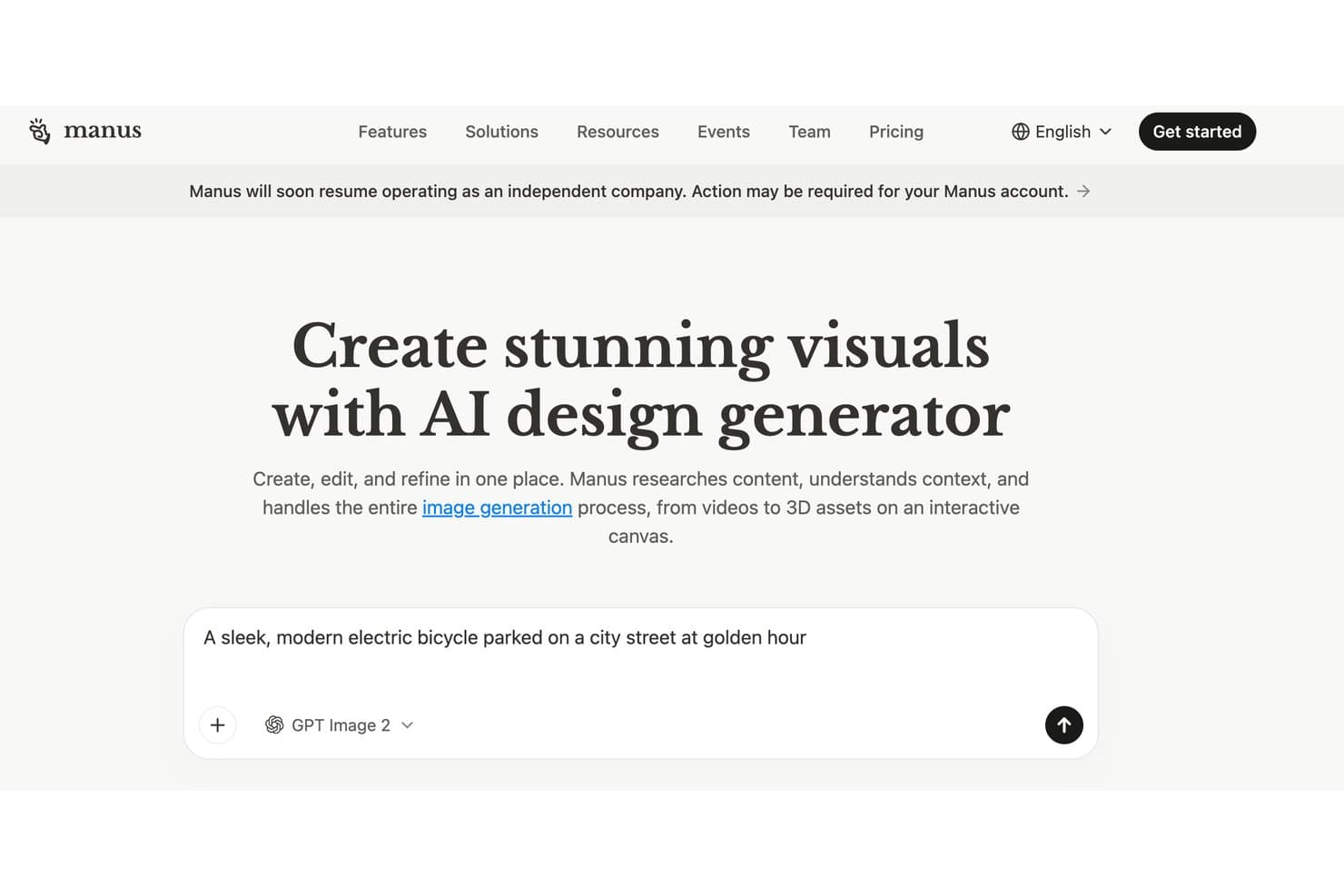
Manus offers an AI design generator that creates, edits, and refines visuals, including images, videos, and 3D assets on an interactive canvas. Manus is an agentic AI design generator that combines a built-in research agent with multi-modal visual generation (images, video, and 3D) and an interactive canvas editor for post-generation editing.
Who Is Manus Best For?
Manus is a strong fit for content marketers and brand teams who need campaign visuals grounded in real-time research rather than static prompts alone.
Why I Picked Manus
I picked Manus as one of the best because no other AI design generator I've used actually researches before it creates. Before generating a single asset, Manus browses websites, watches videos, and analyzes documents to ground its visual output in real context. I've used this to brief campaign visuals against competitor landing pages without ever leaving the tool. The interactive canvas then lets me click into any element to swap backgrounds, adjust colors, or layer in text.
Manus Key Features
- Multi-modal output: Generate not just images but also videos and 3D objects for a range of visual marketing needs.
- API access: Integrate Manus-generated assets directly into your existing workflows using the available API.
- Team credit pools: Share monthly generation credits among team members, adjustable based on project needs.
- One-click background removal: Instantly remove backgrounds from generated visuals within the design editor.
Manus Integrations
Native integrations are not clearly documented.
Pros and Cons
Pros:
- Editable canvas for post-generation refinements
- Outputs images, video, and 3D assets
- Researches web context before generating visuals
Cons:
- Credit-based model limits high-volume output
- No documented brand kit controls
Learn more about Manus:
Other AI Design Generators
Here are some additional AI design generator options that didn’t make it onto my shortlist, but are still worth checking out:
- 11GammaBest for executive presentation decks
- 12VistaCreateBest for dynamic marketing video templates
- 13VismeBest for collaborative branded content design
- 14UizardBest for UI and app mockup generation
- 15PicsartBest for mobile-first creative editing
- 16RecraftBest for vector-based graphic generation
- 17Smartly.ioBest for dynamic creatives
- 18BrandmarkBest for instant AI logo generation
- 19IdeogramBest for text-heavy creative designs
How I Evaluate AI Design Generators
To earn a spot on this list, a tool needs to do more than slap "AI" on a template library—it has to meaningfully accelerate how marketers create on-brand visuals, ads, and campaign assets. I split my evaluation into core functionality every tool must cover and the differentiating factors that separate the best from the rest.
Core Functionality (Table Stakes for This List)
When I'm selecting tools for my list, I rank each one on a scale from 0 (does not offer the functionality) to 5 (excels in this area) for each core functionality listed below. Then, I calculate the tool's total score into a percentage. Each tool needs to achieve a minimum total score of 65% to be considered for inclusion.
- AI Image Generation: I evaluate prompt flexibility and output quality—whether a tool can turn a brief like "minimalist product hero for a skincare launch" into a polished, usable image.
- Design Template System: Marketing teams need templates for ads, social posts, and banners. I look for libraries that AI can auto-populate, not just static layouts you fill in manually.
- Brand Kit Controls: I check whether you can upload logos, lock brand colors, and set fonts so every AI-generated asset stays on brand without constant manual fixes.
- Multi-Format Output: A single design often needs to live across Instagram, Google Display, and email headers. I look for smart resizing that adapts layouts, not just crops them.
- Editable AI Outputs: I evaluate how much control you get after generation—whether you can swap backgrounds, adjust text layers, or use AI inpainting to refine specific elements.
- Marketing Asset Export: Export needs to match where assets are going. I check for PNG, JPG, PDF, and MP4 support, plus platform-optimized specs for channels like Meta or Google Ads.
Once I have a list of tools that meet the criteria, I consider what sets each platform apart.
Differentiating Factors (What Sets Vendors Apart)
Here's how I compare and contrast different vendors:
Standout Features
Text-to-design prompting is a major differentiator. I look for tools that generate complete layouts with typography, composition, and CTA placement from a single prompt—not just isolated images. Editable vector output also matters when your design team needs to refine AI drafts in tools like Figma or Illustrator rather than working with flat PNGs. I evaluate multi-format resizing closely, checking whether a tool can take one ad concept and intelligently adapt it across dozens of platform-specific dimensions without breaking the layout.
Beyond Features
Commercial usage rights matter a lot here. I check whether AI-generated assets are fully owned by you or subject to licensing restrictions that could create legal risk in paid campaigns. Workflow integrations are equally important—if your team publishes through a social scheduler or manages ads in Meta or Google, direct publishing connections save real time. I also evaluate data privacy policies, especially whether uploaded brand assets are used to train the vendor's AI models.
How to Choose AI Design Generators
It’s easy to get bogged down in long feature lists and complex pricing structures. To help you stay focused as you work through your unique software selection process, here’s a checklist of factors to keep in mind:
| Factor | What to Consider |
|---|---|
| FactorScalability | What to ConsiderCan the tool handle your team’s current and projected asset volume? Think about growth: will you need to generate hundreds of creatives per month or just a few? |
| FactorIntegrations | What to ConsiderDoes it connect to your primary marketing and design platforms (like social schedulers, CMS, Figma)? Consider the pain of manual uploads versus smooth automation. |
| FactorCustomizability | What to ConsiderWill you be able to enforce your brand guidelines? Ask how flexible the tool is around logo usage, color palettes, and creative direction. |
| FactorEase of use | What to ConsiderWho will use the tool most—designers, marketers, or both? Demo the UI or try a free version to see if you’re comfortable moving from idea to export quickly. |
| FactorImplementation and onboarding | What to ConsiderHow fast can your team get up and running? Check if the vendor offers migration support, onboarding guides, or live training to accelerate adoption. |
| FactorCost | What to ConsiderDoes the pricing model fit your production needs? Weigh credit limits, user seats, or unlimited tiers against your expected campaign volumes and projected ROI. |
| FactorSecurity safeguards | What to ConsiderAre your assets and brand data protected? Review not just access controls but also how files are stored, encrypted, and if the tool meets industry certifications. |
| FactorSupport availability | What to ConsiderWhat happens when you hit a technical issue? Make sure you’ll have easy access to responsive support—especially if you’re running campaigns on tight deadlines. |
What Are AI Design Generators?
AI design generators are software platforms that use artificial intelligence to create marketing visuals, layouts, and graphics from simple prompts or editable templates. These tools help marketing and creative teams produce campaign-ready assets in multiple formats, maintain brand consistency, and accelerate the design process—even if you don’t have formal design experience.
Features of AI Design Generators
When selecting an AI design generator, keep an eye out for the following key features:
- AI image generation: Generates visuals from text prompts or reference images, making it possible to create campaign-ready graphics quickly and without hands-on design skills.
- Editable templates: Offers customizable layouts specifically designed for marketing assets like ads, social posts, email headers, and website banners, letting you start fast and stay on brand.
- Brand kit controls: Allows you to upload and apply your logo, fonts, colors, and brand guidelines, so every generated asset automatically aligns with your organization’s identity.
- Multi-format export: Lets you resize or export assets for multiple platforms (social, web, print, video) with a single click, reducing time spent on repetitive resizing.
- Layer-based editing: Enables you to fine-tune generated assets by editing elements such as text, backgrounds, and objects—great for both designers and non-designers who need extra control.
- Text-to-design prompting: Uses plain language instructions to create entire layouts with suggested headlines, typography, CTA placement, and image arrangements.
- Asset versioning: Provides the ability to track, compare, and revert to earlier versions of your designs, making team collaboration and creative reviews straightforward.
- Collaboration tools: Supports real-time commenting, feedback, and file sharing for distributed teams working on campaigns together.
- Data privacy controls: Gives you control over how your uploads and generated content are stored, shared, or used to train AI models, keeping your brand assets protected.
- Platform integrations: Connects with your existing design, publishing, or campaign management tools to help automate workflows and maintain a connected marketing stack.
Benefits of AI Design Generators
Implementing an AI design generator provides several benefits for your team and your business. Here are a few you can look forward to:
- Faster asset creation: AI-driven image and layout generation dramatically speeds up the process of producing campaign-ready visuals from initial concepts.
- Consistent brand identity: Built-in brand kit controls ensure logos, fonts, and colors are correctly applied across every asset, even at scale.
- Reduced design bottlenecks: Non-designers can produce high-quality, on-brand graphics without waiting for a designer’s time or skill set.
- Easy multi-channel adaptation: Multi-format output and resizing tools make it simple to generate assets perfectly sized for social posts, ads, websites, or print.
- On-demand creative variation: Quickly iterate creative concepts or ad variations using editable templates and flexible prompt-based generation.
- Improved team collaboration: Real-time commenting, asset versioning, and shared workspaces help teams co-create and refine designs from anywhere.
- Protected brand assets: Data privacy controls and compliance features keep your proprietary content and uploads secure through every stage of the creative workflow.
Costs and Pricing of AI Design Generators
Selecting an AI design generator requires an understanding of the various pricing models and plans available. Costs vary based on features, team size, add-ons, and more. The table below summarizes common plans, their average prices, and typical features included in AI design generator solutions:
Plan Comparison Table for AI Design Generators
| Plan Type | Average Price | Common Features |
|---|---|---|
| Plan TypeFree Plan | Average Price$0 | Common FeaturesLimited template access, basic AI generation, standard export options, and watermarked designs. |
| Plan TypePersonal Plan | Average Price$5-$25/user/month | Common FeaturesFull template library, higher image limits, custom brand kit, standard editing tools, and limited integrations. |
| Plan TypeBusiness Plan | Average Price$20-$60/user/month | Common FeaturesMulti-user access, advanced brand controls, collaboration tools, multi-format export, and priority support. |
| Plan TypeEnterprise Plan | Average Price$50-$150/user/month | Common FeaturesCustom integrations, API access, enterprise security, dedicated onboarding, admin controls, and SLA-backed support. |
AI Design Generator FAQs
Here are some answers to common questions about AI design generators:
Can AI design generators handle custom brand guidelines?
Yes, many AI design generators let you upload logos, fonts, and color palettes so each asset matches your brand standards. Look for those with brand kit features if brand consistency is critical.
Are AI design generators suitable for non-designers?
Yes, these tools are built for both non-designers and creative professionals. Intuitive interfaces, editable templates, and prompt-based generation make it easy for marketers and founders without design backgrounds to create professional assets.
What types of assets can AI design generators produce?
AI design generators can create social posts, ads, banners, email headers, presentations, and even print-ready materials. The exact range depends on the platform and plan.
Is the content generated by AI design generators commercially usable?
Most paid plans grant rights to use generated visuals in marketing and commercial projects. Always review the specific usage and licensing terms of each tool before publishing.
How do AI design generators support team collaboration?
Features like shared workspaces, real-time commenting, and asset versioning let teams co-create and give feedback without endless file transfers or email chains. This is especially helpful for remote and distributed teams.
Do AI design generators integrate with other marketing tools?
Many platforms offer integrations with publishing tools, design platforms, and campaign managers like Figma, Canva, or popular social scheduling apps. Check integration options based on your workflow.