

ClickUp Rezension 2026: Hauptfunktionen, Vorteile, Nachteile und Preise
ClickUp bietet umfassende Anpassungsmöglichkeiten und einen All-in-One-Arbeitsbereich, mit dem Teams Projekte, Aufgaben und Arbeitsabläufe auf einer einzigen Plattform verwalten können.

Wir bewerten Tools unabhängig, und Provisionen helfen, unsere Tests zu finanzieren. Siehe unsere Transparenz-Richtlinie, unsere Methodik oder schlagen Sie ein Tool vor.
ClickUp is a product management tool built for cross-functional teams that need to manage tasks, documentation, goals, and sprints in a single workspace. If you've outgrown Asana but don't want to pay for multiple specialized tools, ClickUp gives you more views, deeper customization, and built-in docs and time tracking that Asana requires integrations to match.
ClickUp Evaluation Summary
4.6/5
- From $7/user/month (billed annually)
- Free plan available
Warum Sie unseren Software-Empfehlungen vertrauen können
6,700+
Reviews
20
Industry experts
16+
Evaluation factors
14
Years
Unser Team testet und bewertet Software seit 2012. Als Marketingführungskräfte wissen wir selbst, wie schwierig – und wichtig – es ist, die richtige Software auszuwählen.
Für diesen Leitfaden haben wir Tools mithilfe von praktischen Tests und unabhängiger Recherche bewertet und dabei unsere Bewertungskriterien angewendet.
Unsere Bewertungen spiegeln unser menschliches redaktionelles Urteilsvermögen wider, keine Verkaufsstrategie.
Expertenprüfer:
 Gui DrusinaKreativdirektor
- Shriya GhateSenior Marketing Lead
 Amanda JacquesMarketing Ops Leiterin

ClickUp Overview
If you’re judging ClickUp against other product management tools, you’ll notice its customization, automation, and all-in-one workspace outperform most alternatives—especially for teams juggling complex projects or cross-functional campaigns. I think ClickUp’s pricing is competitive for the feature set, and its integrations cover most marketing stacks. The interface can feel busy, and onboarding takes effort, but once set up, you get granular control over tasks, docs, and reporting.
I’d suggest ClickUp is best for teams who want to tailor workflows and don’t mind investing time upfront to get the most out of their platform.
Pros
- Customizable workflows fit complex marketing and product teams
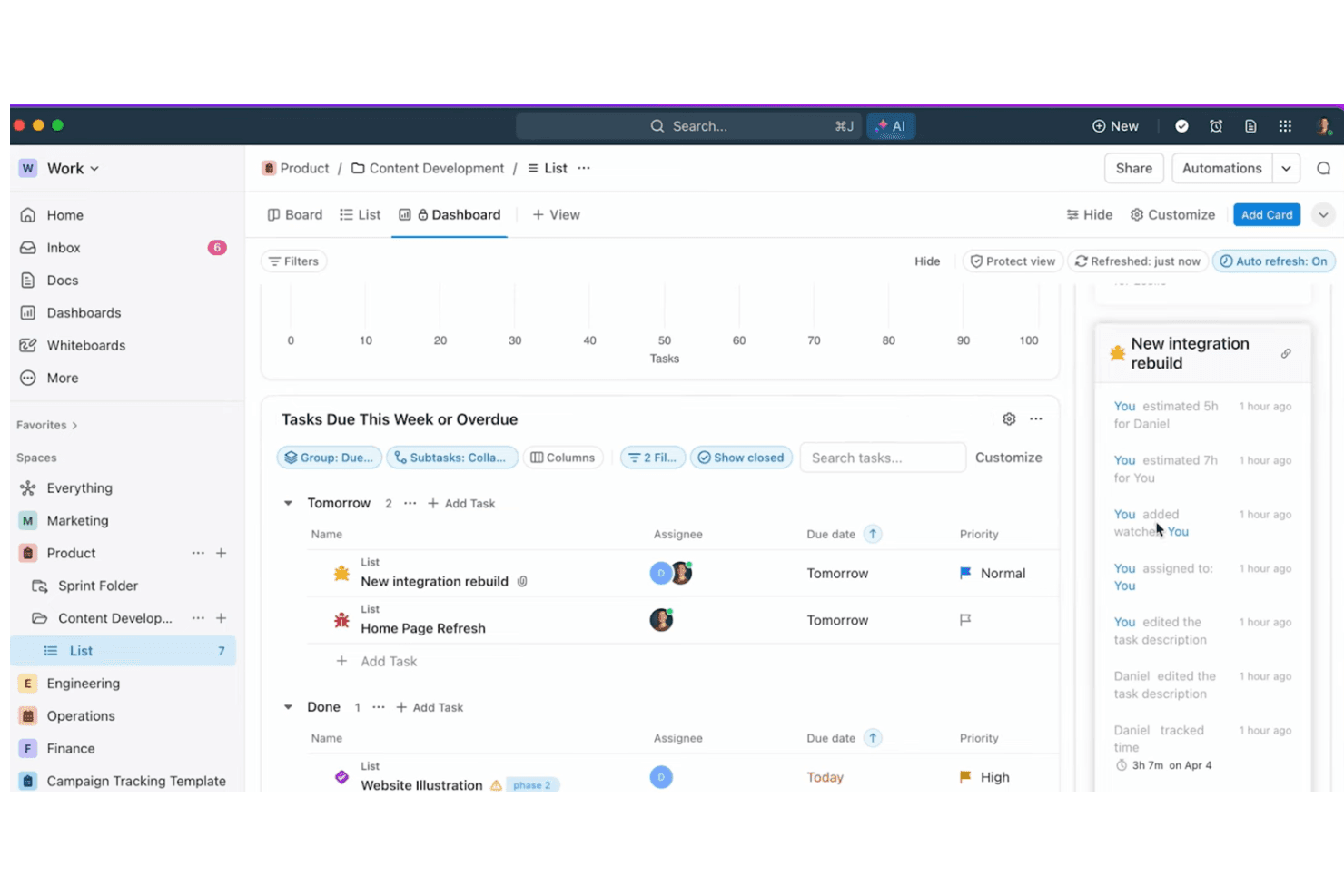
- Built-in docs, dashboards, and whiteboards in one workspace
- Automation reduces repetitive manual work for project managers
Cons
- Interface can feel crowded with too many features visible
- Time tracking and scheduling lack depth compared to others
- Onboarding and setup require significant initial effort
Is ClickUp Right For Your Needs?
Who Would be a Good Fit for ClickUp?
ClickUp is a strong choice for teams that need customizable workflows, centralized documentation, and automation to manage complex projects. I think it’s especially valuable for organizations with cross-functional collaboration, recurring campaigns, or detailed reporting needs. ClickUp’s flexibility and all-in-one workspace make it a good fit for fast-growing companies, creative teams, and those who want to consolidate multiple tools into one platform.
- Marketing AgenciesClickUp’s campaign templates and client dashboards help manage multiple projects at once.
- Product TeamsCustom fields and roadmaps support detailed product planning and feature tracking.
- Remote TeamsBuilt-in chat, docs, and whiteboards keep distributed teams aligned.
- StartupsScalable pricing and modular features grow with expanding teams.
- Creative DepartmentsAsset management and proofing tools streamline creative review cycles.
- Operations TeamsAutomations and recurring tasks simplify process management and reporting.
Who Would be a Bad Fit for ClickUp?
ClickUp packs a huge range of features into one platform, which can make the interface feel cluttered and overwhelming at first. Many users say the customization options are a double-edged sword—powerful, but easy to overcomplicate. Once you invest time in setup and training, navigation becomes more intuitive, and you can streamline views to match your workflow. I think ClickUp rewards teams willing to learn, but it’s not the fastest tool to master.
- Small Retail ShopsClickUp’s feature set is overkill for basic inventory and scheduling.
- Construction FirmsLacks advanced Gantt and resource allocation for field-heavy projects.
- Legal DepartmentsMissing legal-specific workflows and compliance tracking tools.
- Healthcare ProvidersDoesn’t offer HIPAA compliance or medical record integrations.
- FreelancersToo complex and costly for solo project tracking needs.
- Finance TeamsLimited financial reporting and audit trail features compared to specialized tools.
Wie wir Tools testen und bewerten
Wir haben jahrelang unser Software-Test- und Bewertungssystem aufgebaut, verfeinert und verbessert. Das Bewertungsraster wurde entwickelt, um die Feinheiten der Softwareauswahl zu erfassen und aufzuzeigen, was ein Tool effektiv macht. Dabei konzentrieren wir uns auf kritische Aspekte des Entscheidungsprozesses. Im Folgenden können Sie genau nachvollziehen, wie unsere Tests und Bewertungen über sieben Kriterien hinweg funktionieren. Dies ermöglicht eine unparteiische Bewertung der Software basierend auf Kernfunktionen, besonderen Merkmalen, Benutzerfreundlichkeit, Onboarding, Kundenservice, Integrationen, Kundenrezensionen und Preis-Leistung.
Kernfunktionen (25% der Gesamtbewertung)
Der Ausgangspunkt unserer Bewertung ist stets die Kernfunktionalität des Tools. Verfügt es über die grundlegenden Merkmale und Funktionen, die ein Nutzer erwarten würde? Sind einige dieser Kernfunktionen nur in hochpreisigen Tarifen verfügbar? Im Kern erwarten wir, dass ein Tool den Basisfunktionen der Konkurrenz standhält.
Besondere Merkmale (25% der Gesamtbewertung)
Als nächstes bewerten wir außergewöhnliche, herausragende Funktionen, die über die übliche Kernfunktionalität hinausgehen. Eine hohe Punktzahl spiegelt spezialisierte oder einzigartige Merkmale wider, die das Produkt schneller, effizienter oder wertvoller für den Nutzer machen. Wir bewerten außerdem, wie einfach es ist, das Tool in andere häufig verwendete Anwendungen im Tech-Stack zu integrieren, um die Funktionalität und den Nutzen der Software zu erweitern. Tools, die viele native Integrationen, Drittanbieter-Anbindungen sowie API-Zugriff für eigene Integrationen bieten, schneiden am besten ab.
Benutzerfreundlichkeit (10% der Gesamtbewertung)
Wir berücksichtigen, wie schnell und einfach sich Aufgaben, die zu den Kernfunktionen gehören, mit dem Tool ausführen lassen. Hoch bewertete Software ist gut gestaltet, intuitiv bedienbar, bietet mobile Apps, Vorlagen und lässt auch komplexe Aufgaben einfach erscheinen.
Onboarding (10% der Gesamtbewertung)
Uns ist bewusst, wie wichtig eine schnelle Akzeptanz im Team für eine neue Plattform ist. Daher bewerten wir, wie leicht sich das Tool mit minimaler Einweisung erlernen und anwenden lässt und wie schnell Teammitglieder auch ohne Vorerfahrung loslegen können. Eine hohe Punktzahl deutet darauf hin, dass kaum oder gar keine Unterstützung notwendig ist.
Kundenservice (10% der Gesamtbewertung)
Wir prüfen, wie schnell und einfach es ist, bei Problemen Hilfe per Telefon, Live-Chat oder Wissensdatenbank zu erhalten. Tools und Unternehmen, die Support in Echtzeit anbieten, erhalten die besten Bewertungen; Chatbots schneiden am schlechtesten ab.
Kundenrezensionen (10% der Gesamtbewertung)
Neben unseren eigenen Tests und Bewertungen berücksichtigen wir den Net Promoter Score aktueller und ehemaliger Kunden. Wir prüfen, wie wahrscheinlich sie sich erneut für das Tool bezüglich der Kernfunktionen entscheiden würden. Hoch bewertete Software spiegelt einen hohen Net Promoter Score der Nutzer wider.
Preis-Leistung (10% der Gesamtbewertung)
Abschließend bewerten wir unter Berücksichtigung aller anderen Kriterien den Durchschnittspreis der Einsteiger-Tarife im Verhältnis zu den Kernfunktionen sowie den Wert der anderen bewerteten Aspekte. Software, die mehr für weniger bietet, wird besser bewertet.
Core Features
Tasks and Subtasks
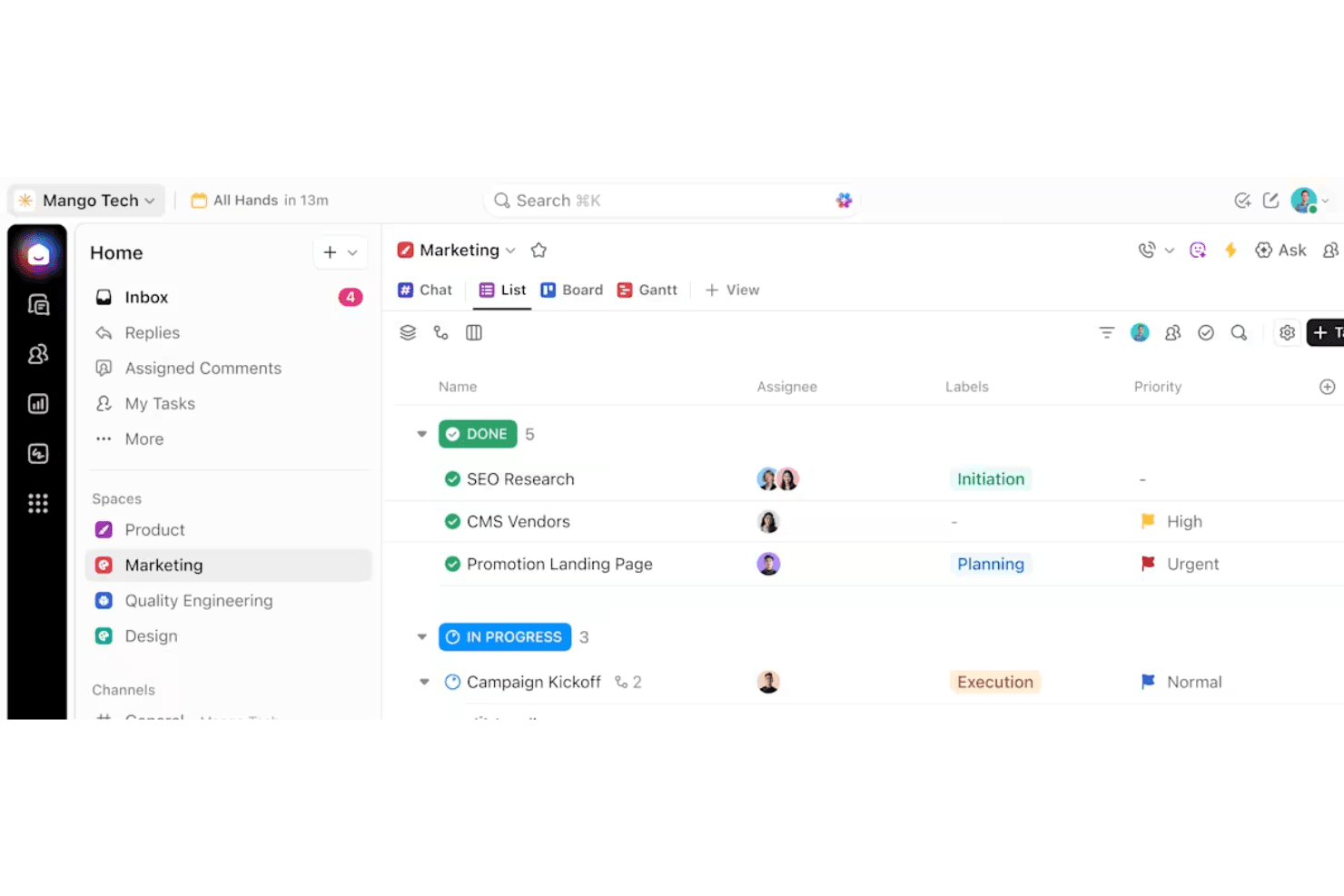
Organize work with nested tasks, custom statuses, and priorities. Assign owners, set due dates, and track progress visually.
Docs and Wikis
Create, edit, and share documents directly in your workspace. Link docs to tasks for easy reference and team collaboration.
Dashboards
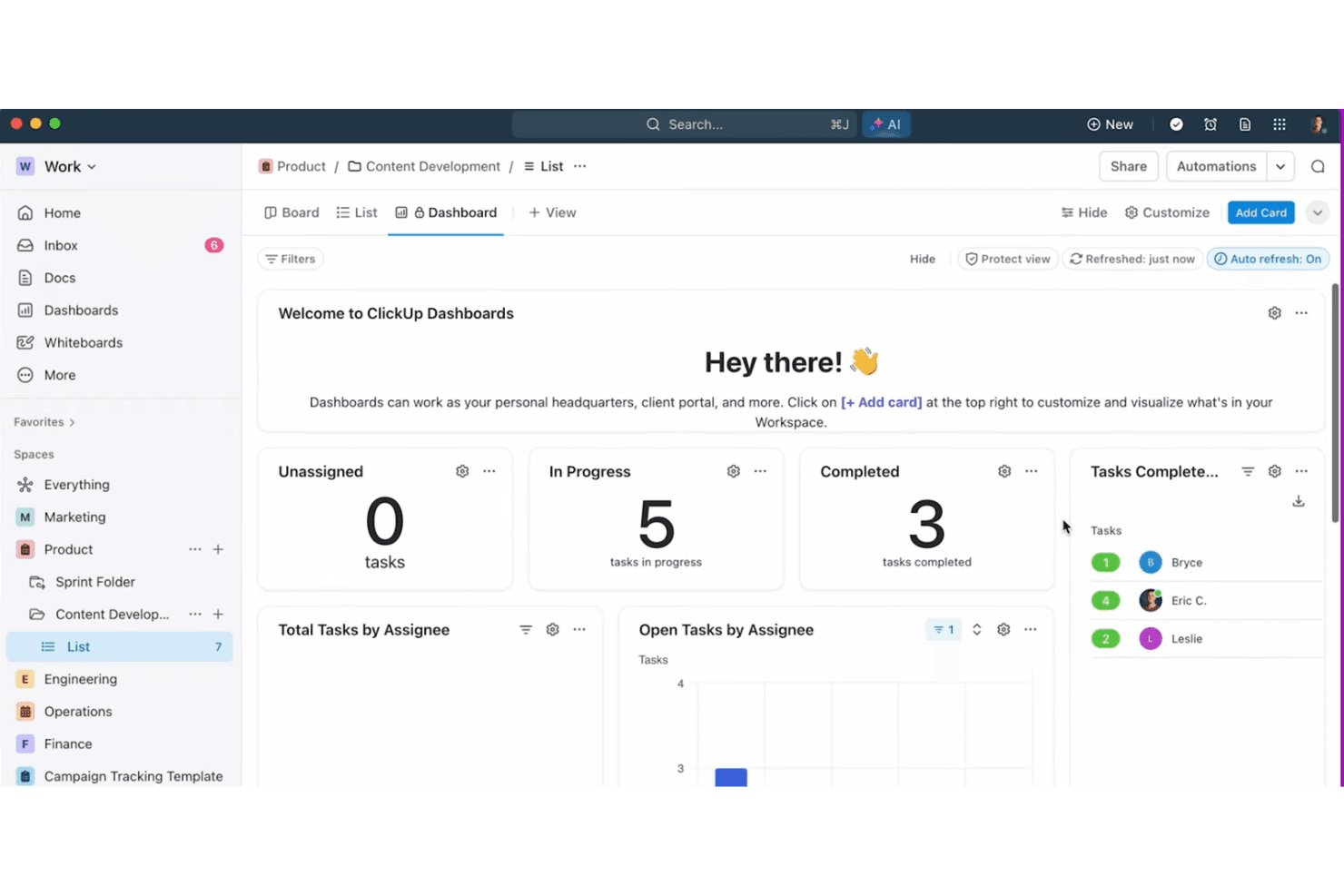
Build custom dashboards with widgets for tasks, goals, and time tracking. Visualize project health and team workload at a glance.
Whiteboards
Map out ideas, workflows, and project plans visually. Collaborate in real time with drag-and-drop elements and sticky notes.
Automations
Set up triggers and actions to automate repetitive steps. Use prebuilt or custom automations to save time on routine work.
Goals and Milestones
Track objectives, key results, and project milestones in one place. Connect goals to tasks for real-time progress updates.
Standout Features
Custom Views
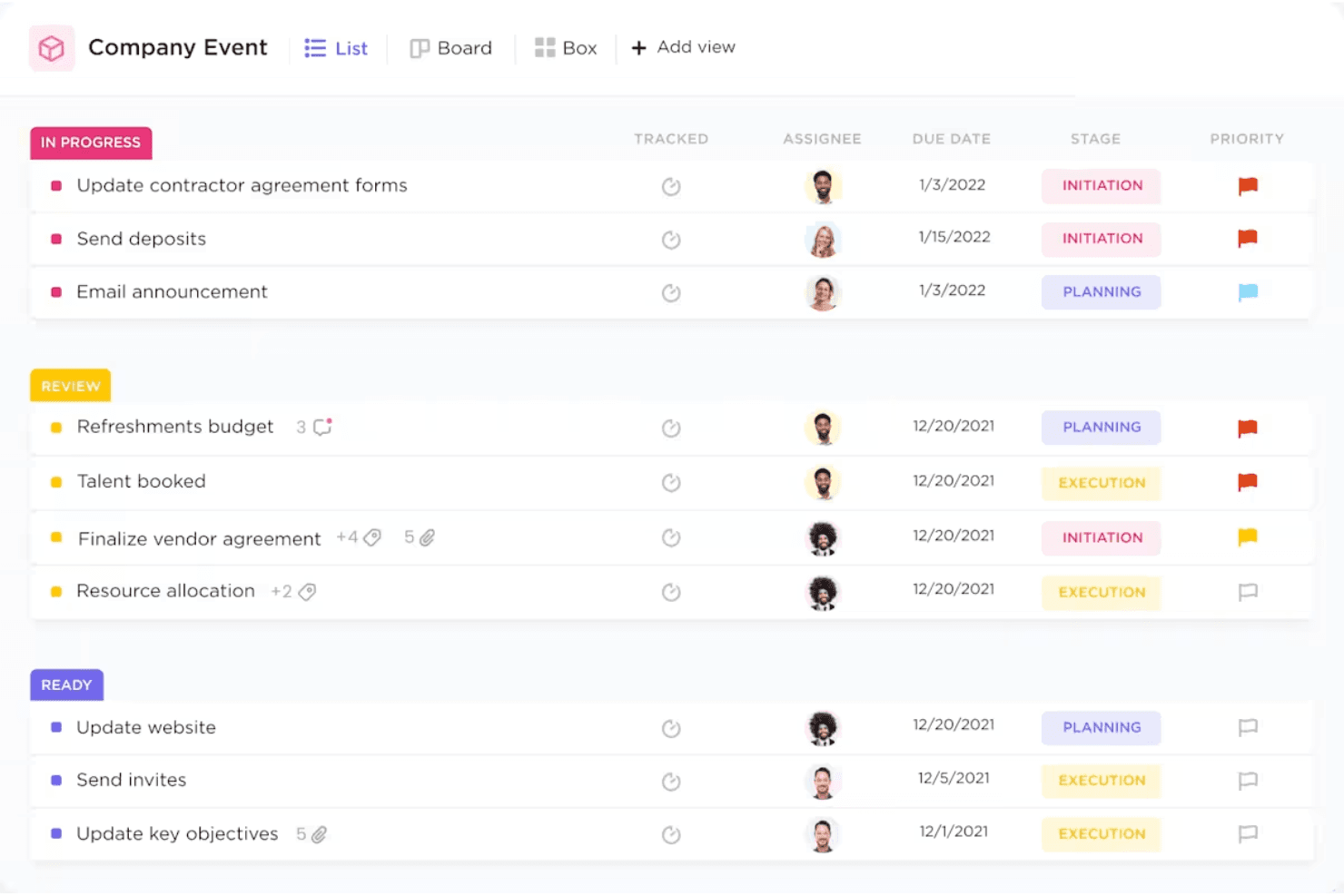
Choose from list, board, calendar, Gantt, or mind map views for any project. This flexibility lets teams visualize work in the way that fits their process best.
ClickApps
Enable or disable modular features like time tracking, sprints, or dependencies per workspace. You can tailor ClickUp to match your team’s workflow without cluttering the interface.
Ease of Use
ClickUp packs a huge range of features into one platform, which can make the interface feel cluttered and overwhelming at first. Many users say the customization options are a double-edged sword—powerful, but easy to overcomplicate. Once you invest time in setup and training, navigation becomes more intuitive, and you can streamline views to match your workflow.
I think ClickUp rewards teams willing to learn, but it’s not the fastest tool to master.
Onboarding
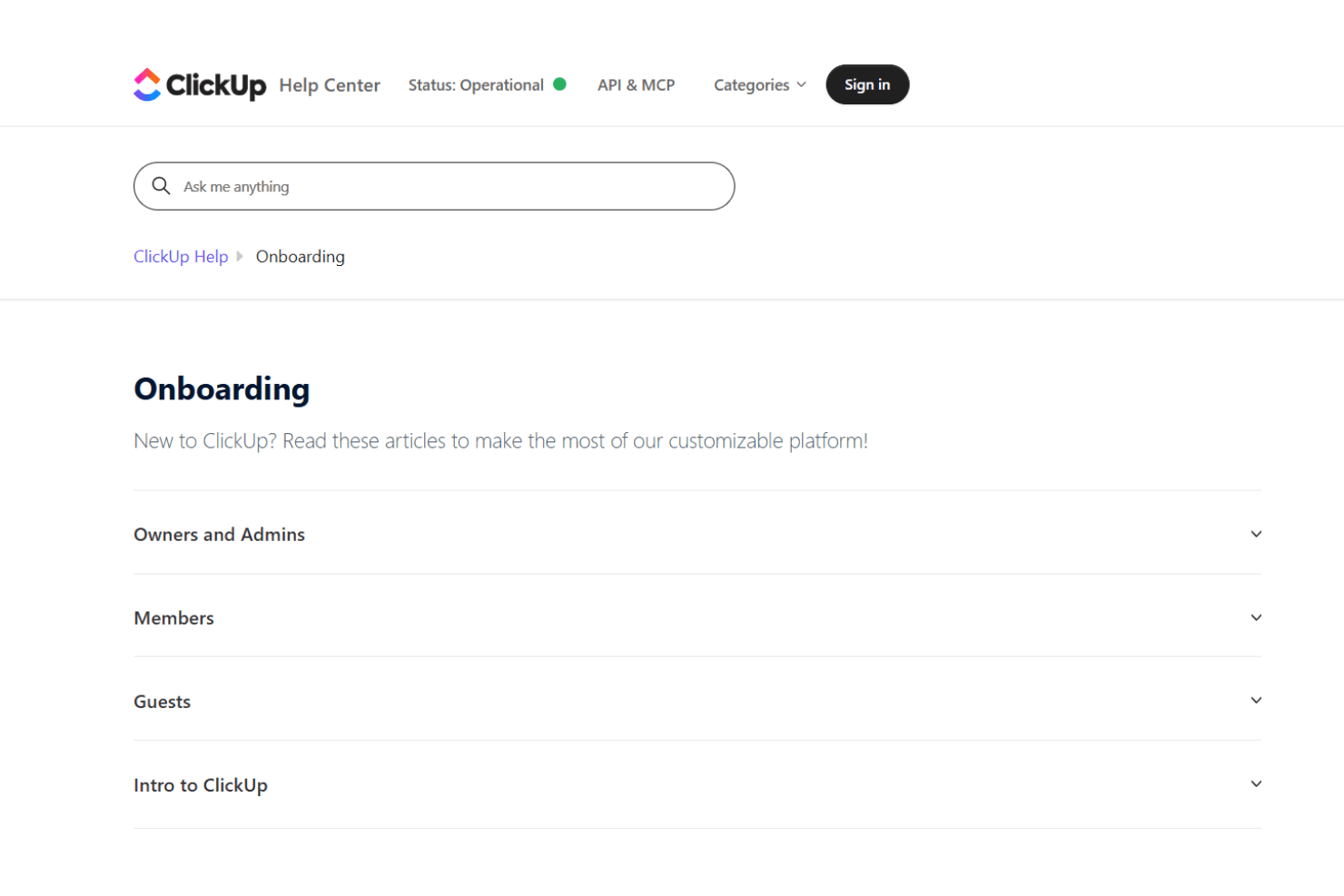
ClickUp’s onboarding experience is thorough but can feel overwhelming due to the sheer number of features and settings. New users get access to guided tours, video tutorials, and a detailed help center, which helps shorten the learning curve. Many users mention that initial setup takes time, but the available templates and onboarding checklists make it easier to get started. I think teams with dedicated admins or project leads will get the most value from ClickUp’s onboarding resources.
Customer Support
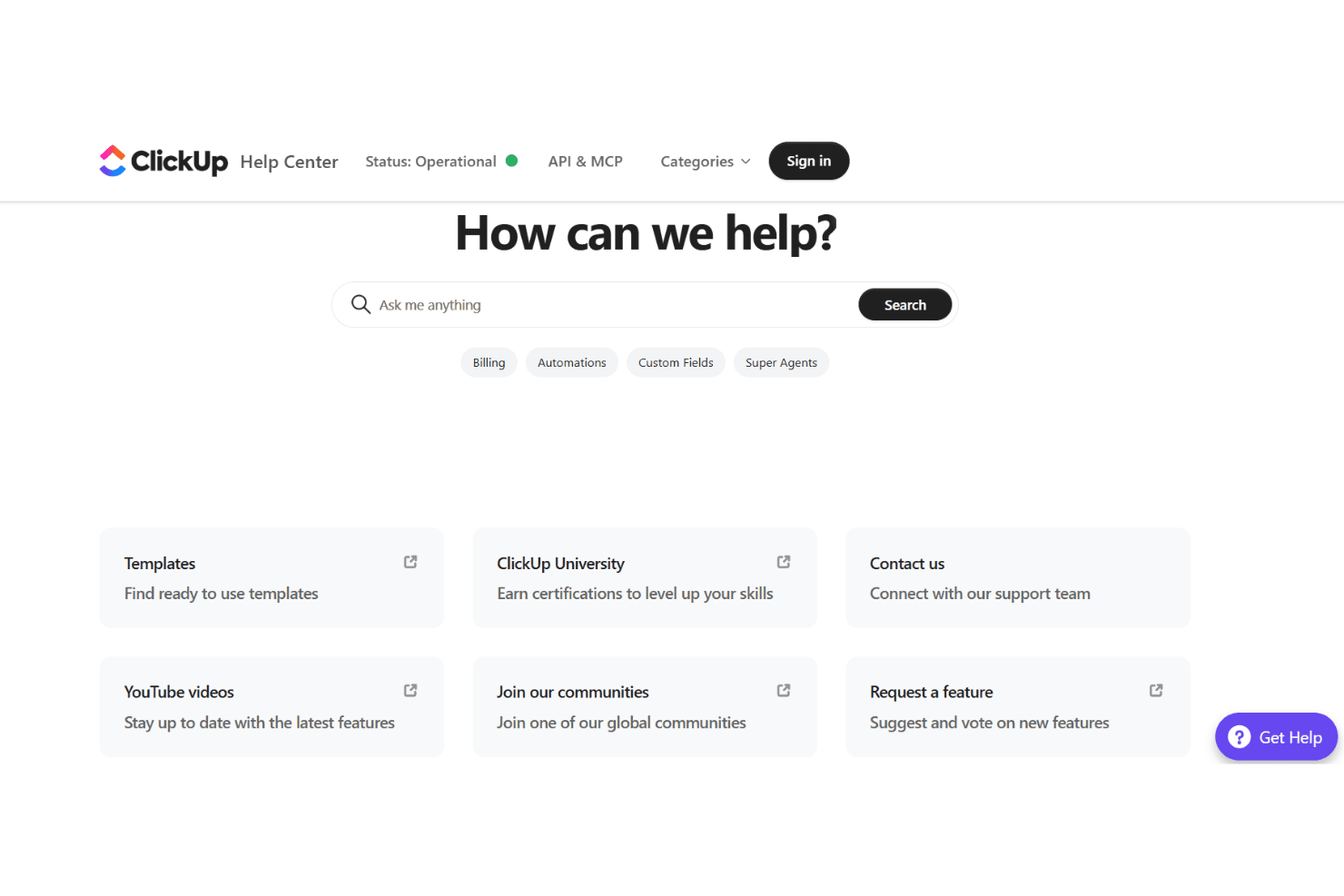
ClickUp offers 24/7 live chat, a robust help center, and an active community forum, which most users find helpful for troubleshooting and learning. Many users praise the quick response times and detailed support articles, though some mention delays during peak times or with complex issues. I think the variety of support channels and self-serve resources make it easy to find answers, but larger teams may want to consider premium support for faster, more personalized help.
Integrations
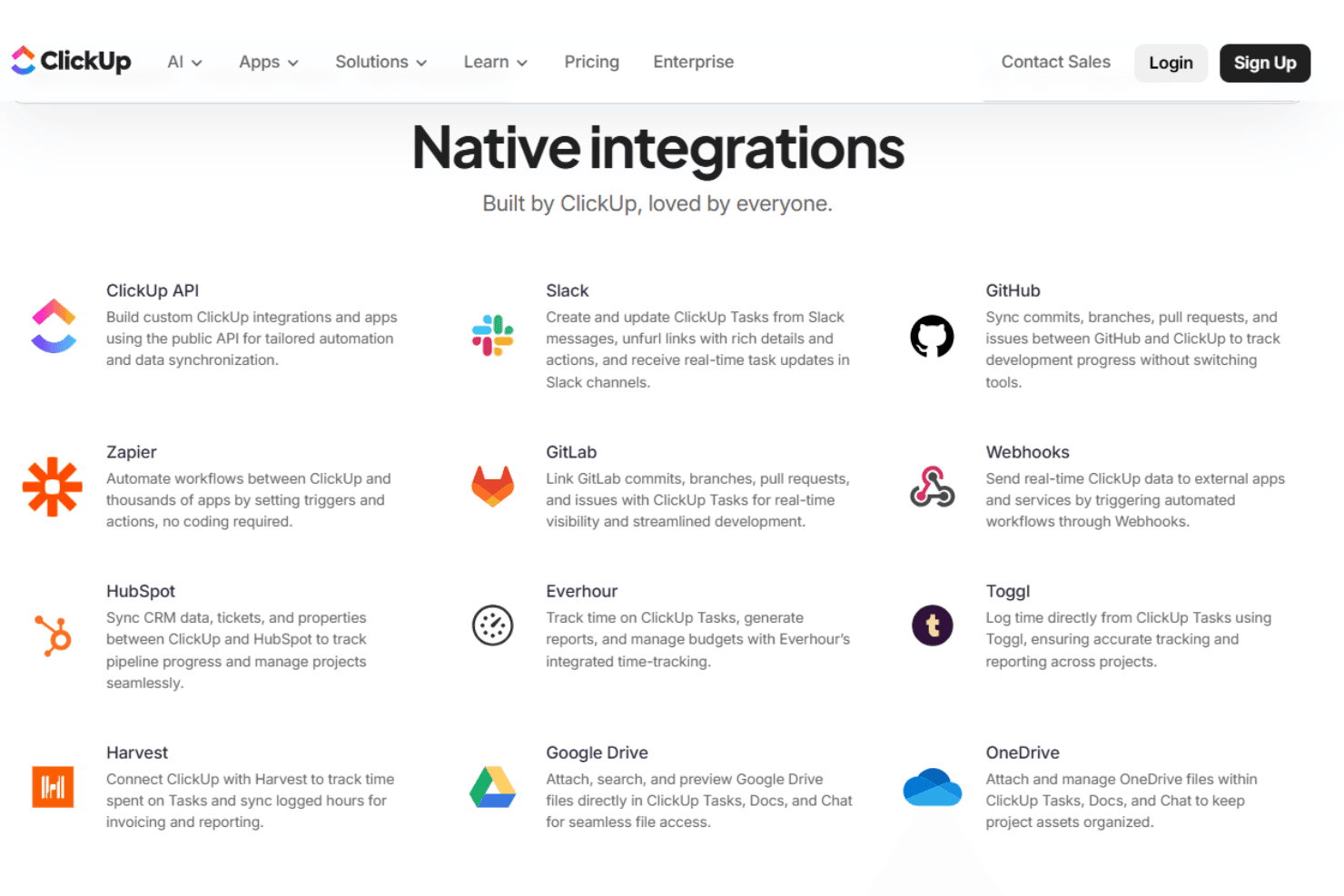
ClickUp integrates with Slack, Google Drive, Zoom, Microsoft Teams, GitHub, Dropbox, Outlook, Zapier, HubSpot, and OneDrive, among others.
ClickUp also offers an open API and connects with third-party integration tools for even more flexibility.
Value for Money
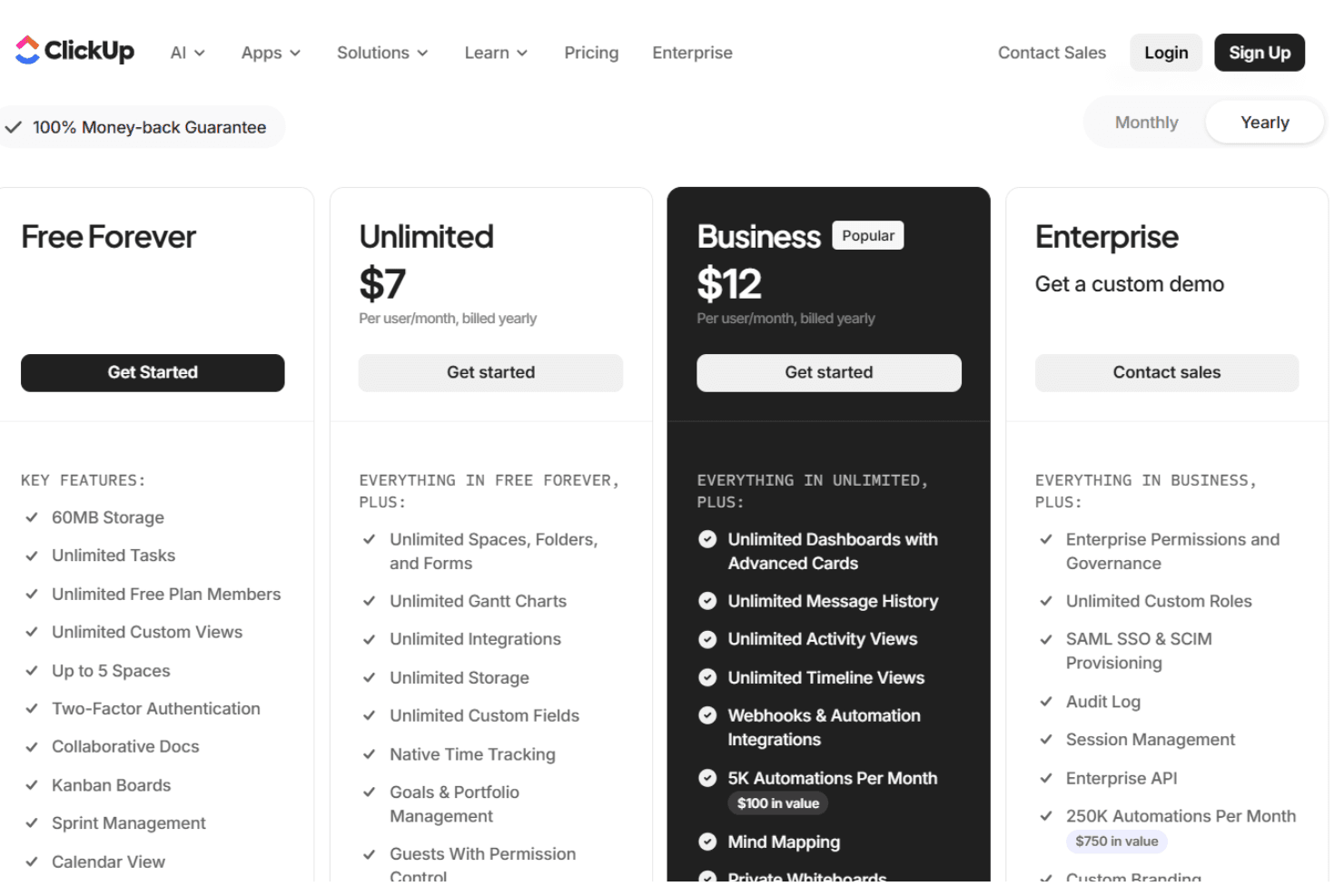
ClickUp is widely seen as offering strong value, especially for teams that want a feature-rich platform at a competitive price. The free plan is generous, and paid tiers unlock advanced features like automations, custom permissions, and advanced reporting. Many users feel the flexibility and depth justify the cost, especially as teams grow.
- Free Forever: Unlimited tasks and members, limited storage, basic features.
- Unlimited: Adds unlimited storage, integrations, and advanced reporting.
- Business: Includes advanced automations, time tracking, and custom permissions.
- Enterprise: Offers advanced security, white labeling, and dedicated support.
ClickUp Specs
- API: Yes
- Batch Permissions & Access: Yes
- Budgeting: No
- Calendar Management: Yes
- Collaboration Support: Yes
- Contact Management: No
- Contact Sharing: No
- Customer Management: Yes
- Dashboard: Yes
- Dashboards: No
- Data Export: Yes
- Data Import: Yes
- Data Visualization: Yes
- Dependency Tracking: No
- Document Sharing: No
- Expense Tracking: No
- External Integrations: Yes
- File Sharing: Yes
- Gantt Charts: Yes
- Kanban Boards: Yes
- Multi-User: Yes
- Notifications: Yes
- Project Management: Yes
- Resource Management: Yes
- Scheduling: Yes
- Task Scheduling/Tracking: Yes
- Third-Party Plugins/Add-Ons: Yes
- Time Management: Yes
- Travel Management: No
- Workflow Management: Yes
ClickUp FAQs
ClickUp Company Overview & History
ClickUp is headquartered in San Diego, California, with team members across the United States, Canada, Ireland, the United Kingdom, Australia, and globally. The company is known for its mission to maximize human productivity by converging software, AI, and human collaboration into a single platform. ClickUp is not affiliated with or owned by other companies and focuses solely on its flagship product. Millions of teams worldwide, including notable enterprise clients, rely on ClickUp, and the company is recognized for its energetic, growth-focused work culture and industry leadership.
ClickUp Major Milestones
- 2017: ClickUp is founded and begins development of its all-in-one productivity platform.
- 2018: Hosts major user meetups in New York and launches early product versions.
- 2019: Expands internationally with events in Prague and grows its global workforce.
- 2020: Releases ClickUp 3.0 and hosts a major event in San Francisco.
- 2025: Launches new AI-driven features like Super Agents and Ambient Agents.