

Octoboard Review: Pros, Cons, Features, and Pricing
Octoboard stands out for its user-friendly dashboards and automated reporting, making it ideal for teams seeking actionable insights, though it may lack advanced customization for power users.

We review tools independently, and commissions help fund our testing. See our transparency policy, our methodology, or suggest a tool.
Octoboard is a marketing intelligence software for marketing agencies and in-house teams that need to automate client reporting across multiple data sources and channels. I'd mainly consider it over Whatagraph if you're managing a large client roster and need broad data connector coverage without paying a premium for every additional report or user seat.
Octoboard Evaluation Summary
3/5
- From €25/month
- 14-day free trial
Why Trust Our Software Recommendations
6,700+
Reviews
20
Industry experts
16+
Evaluation factors
14
Years
Our team has been testing and reviewing software since 2012. As marketing leaders ourselves, we know how difficult—and important—it is to choose the right software.
For this guide, we evaluated tools using hands-on testing and independent research, scoring tools using our selection criteria.
Our reviews reflect our human editorial judgment, not a sales pitch.
Expert reviewers:
 Gui DrusinaCreative Director
- Shriya GhateSenior Marketing Lead
 Amanda JacquesMarketing Ops Leader

Octoboard Overview
If you’re judging Octoboard against other intelligence software, I think its automated reporting, easy onboarding, and wide range of integrations make it a strong pick for agencies and marketing teams who want quick, visual insights without a steep learning curve. The interface is intuitive, and pricing is transparent, but customization options can feel limited if you need highly tailored dashboards.
In my experience, Octoboard is best for teams that value speed and simplicity over deep technical control—especially when you need to deliver polished reports to clients or execs with minimal setup.
Pros
- White-label portals enhance client-facing deliverables
- Real-time dashboards support multi-channel marketing analytics
- Automated client reporting saves significant time for agencies
Cons
- Dashboard visualizations offer fewer customization options
- Pricing increases quickly as you add more users or clients
- Advanced data transformations are limited compared to some tools
Is Octoboard Right For Your Needs?
Who Would be a Good Fit for Octoboard?
Octoboard is a strong choice for agencies, marketing teams, and client-facing departments that need to automate reporting and present unified analytics from multiple sources. Its white-label features, real-time dashboards, and automated report scheduling make it especially useful for organizations that deliver regular insights to clients or executives. If your team values quick setup, visual reporting, and multi-channel data aggregation, Octoboard is likely to fit your workflow well.
- Consulting FirmsScheduled, branded reports make client deliverables more professional.
- Social Media ManagersReal-time social analytics support fast content and engagement decisions.
- In-House Marketing TeamsMulti-channel dashboards simplify campaign tracking and reporting.
- Franchise OperationsCentralized analytics help monitor performance across multiple locations.
- Small to Mid-Sized BusinessesPre-built dashboard templates reduce setup time for lean teams.
- Digital Marketing AgenciesAutomated reporting and white-label portals streamline client communications.
Who Would be a Bad Fit for Octoboard?
Octoboard may not suit organizations with highly complex data needs, large enterprise IT departments, or those requiring deep customization and advanced analytics. If your team needs granular data modeling, custom integrations, or advanced visualization options, you might find Octoboard’s feature set limiting compared to more technical intelligence platforms.
- Healthcare OrganizationsMissing HIPAA compliance and industry-specific integrations.
- Product Development TeamsNo support for product analytics or cohort analysis.
- Large E-Commerce RetailersDashboard customization and integration depth may not meet complex needs.
- Data Science TeamsFew options for custom metrics or predictive analytics.
- Financial Services FirmsLack of advanced security and compliance features may be a concern.
- Enterprise IT DepartmentsLimited data transformation and modeling restrict advanced analytics projects.
How We Test & Score Tools
We’ve spent years building, refining, and improving our software testing and scoring system. The rubric is designed to capture the nuances of software selection and what makes a tool effective, focusing on critical aspects of the decision-making process.
Below, you can see exactly how our testing and scoring works across seven criteria. It allows us to provide an unbiased evaluation of the software based on core functionality, standout features, ease of use, onboarding, customer support, integrations, customer reviews, and value for money.
Core Functionality (25% of final scoring)
The starting point of our evaluation is always the core functionality of the tool. Does it have the basic features and functions that a user would expect to see? Are any of those core features locked to higher-tiered pricing plans? At its core, we expect a tool to stand up against the baseline capabilities of its competitors.
Standout Features (25% of final scoring)
Next, we evaluate uncommon standout features that go above and beyond the core functionality typically found in tools of its kind. A high score reflects specialized or unique features that make the product faster, more efficient, or offer additional value to the user.
We also evaluate how easy it is to integrate with other tools typically found in the tech stack to expand the functionality and utility of the software. Tools offering plentiful native integrations, 3rd party connections, and API access to build custom integrations score best.
Ease of Use (10% of final scoring)
We consider how quick and easy it is to execute the tasks defined in the core functionality using the tool. High scoring software is well designed, intuitive to use, offers mobile apps, provides templates, and makes relatively complex tasks seem simple.
Onboarding (10% of final scoring)
We know how important rapid team adoption is for a new platform, so we evaluate how easy it is to learn and use a tool with minimal training. We evaluate how quickly a team member can get set up and start using the tool with no experience. High scoring solutions indicate little or no support is required.
Customer Support (10% of final scoring)
We review how quick and easy it is to get unstuck and find help by phone, live chat, or knowledge base. Tools and companies that provide real-time support score best, while chatbots score worst.
Customer Reviews (10% of final scoring)
Beyond our own testing and evaluation, we consider the net promoter score from current and past customers. We review their likelihood, given the option, to choose the tool again for the core functionality. A high scoring software reflects a high net promoter score from current or past customers.
Value for Money (10% of final scoring)
Lastly, in consideration of all the other criteria, we review the average price of entry level plans against the core features and consider the value of the other evaluation criteria. Software that delivers more, for less, will score higher.
Core Features
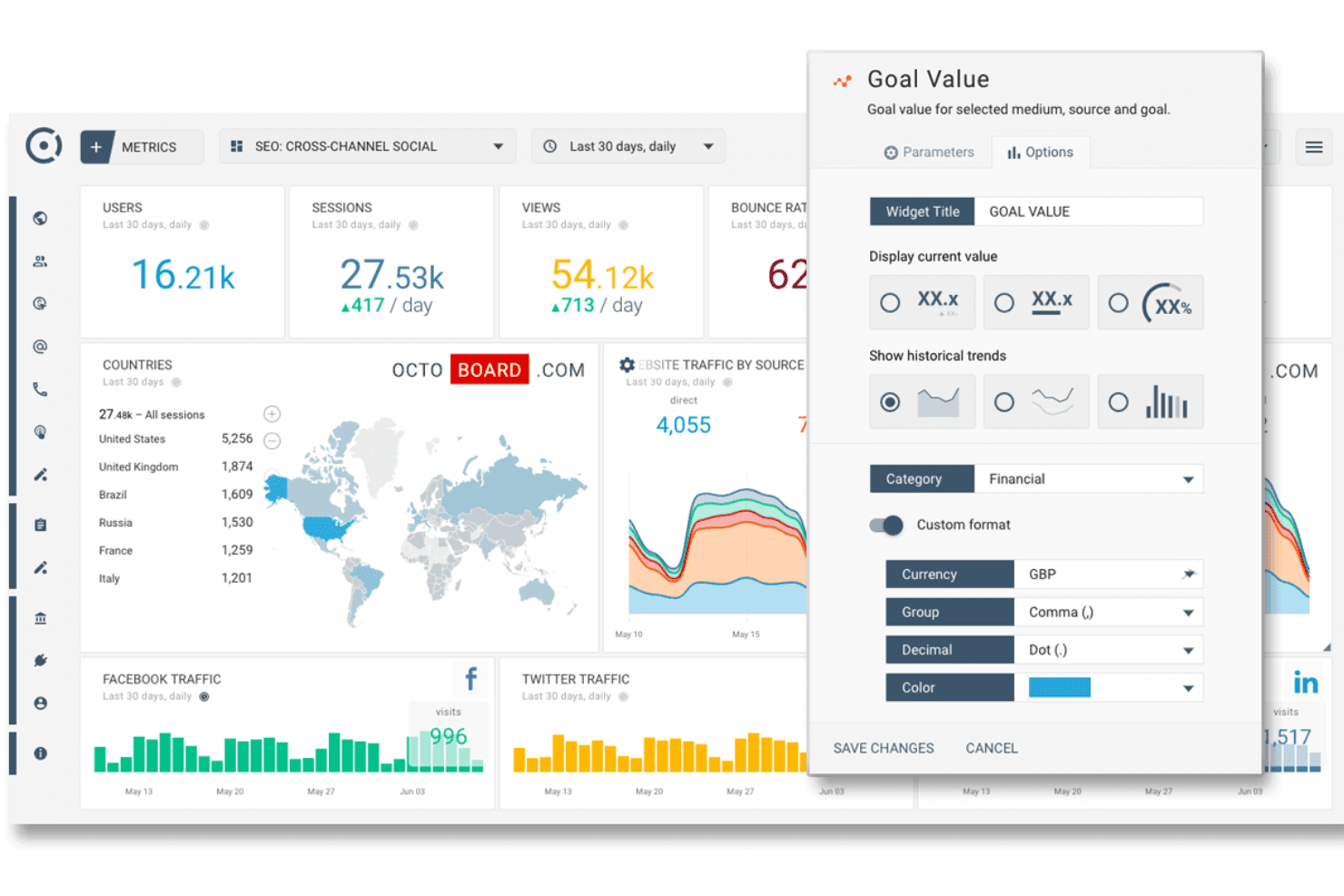
Real-Time Marketing Dashboards
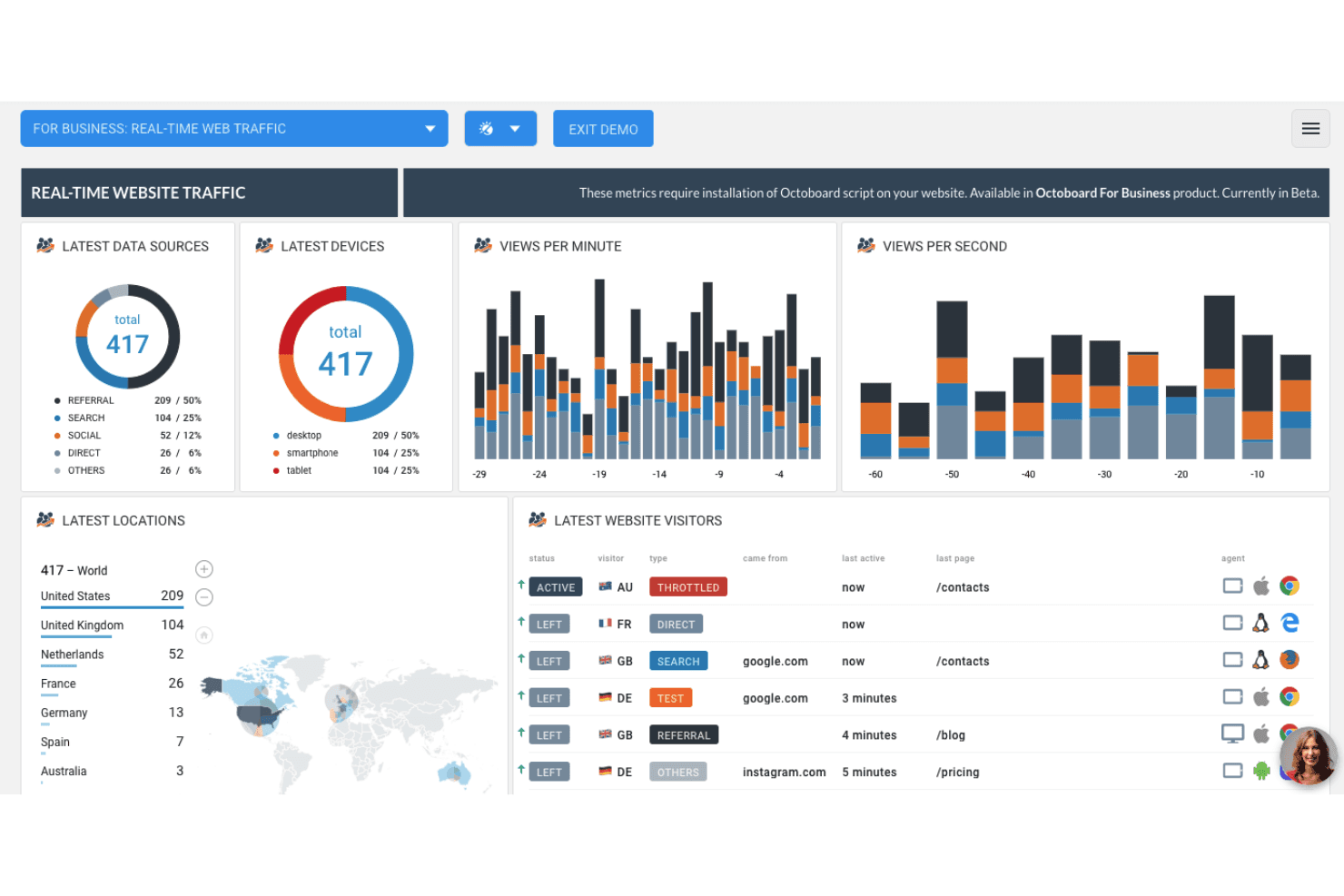
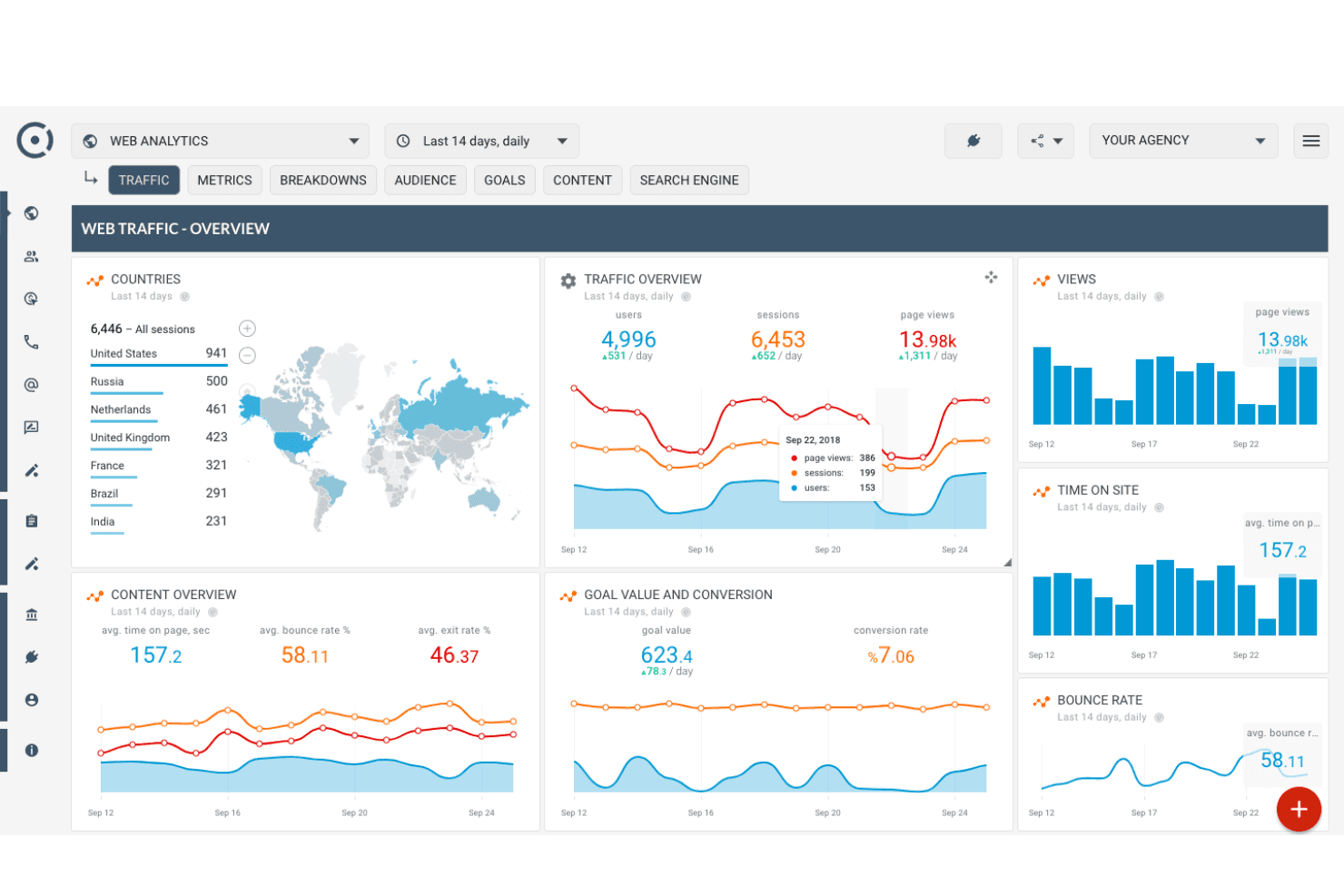
Visualize multi-channel marketing data in live dashboards for instant insights. Users can monitor campaign performance and website analytics in one place.
Automated SEO, PPC, SEM Reports
Schedule and deliver branded reports to clients or stakeholders automatically. This saves time and ensures consistent, up-to-date reporting.
White Label Client Portals
Create custom-branded portals for clients to access their analytics. This feature helps agencies deliver a professional, client-focused experience.
Keyword Rank Tracker
Track keyword rankings and SEO performance across search engines. Users can quickly spot trends and adjust strategies as needed.
Customer Segmentation and Analytics
Segment customers by behavior, engagement, or demographics for targeted analysis. This supports more personalized marketing and retention efforts.
Live Web Page Heatmaps
See how visitors interact with your website through real-time heatmaps. This helps teams identify high- and low-engagement areas for optimization.
Standout Features
Automated Data Storytelling
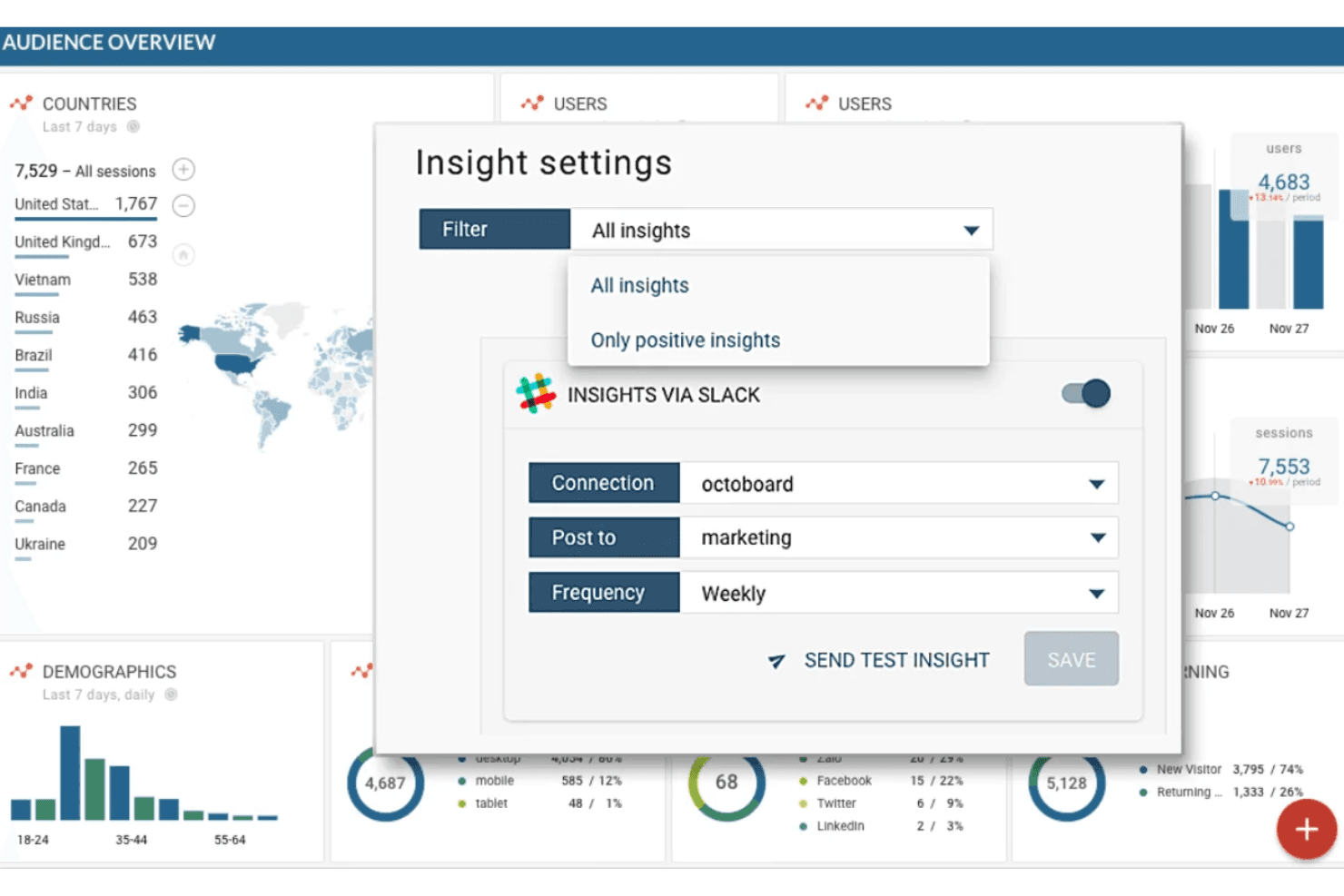
Octoboard automatically generates narrative insights alongside your data visualizations. This helps users and clients quickly understand trends and key takeaways without manual analysis.
Multi-Client Management Workspace
Manage multiple client accounts and reporting schedules from a single dashboard. Agencies can easily switch between clients, set permissions, and automate deliverables at scale.
Ease of Use
Octoboard is user-friendly, with a clean interface and intuitive dashboard setup that most teams can navigate without training. Users often mention how quickly they can build reports and automate recurring tasks, thanks to pre-built templates and drag-and-drop widgets.
While advanced users may want deeper customization, I think most marketing teams will appreciate how little time it takes to get actionable insights and deliver polished reports to clients or stakeholders.
Onboarding
Octoboard’s onboarding is straightforward, with guided setup flows and plenty of in-app tips that help new users get started fast. Many users highlight the helpful documentation, video tutorials, and responsive support team, which make it easy to connect data sources and launch dashboards quickly.
I think most teams will reach value within days, not weeks, especially since the platform walks you through key steps and offers live chat for quick troubleshooting.
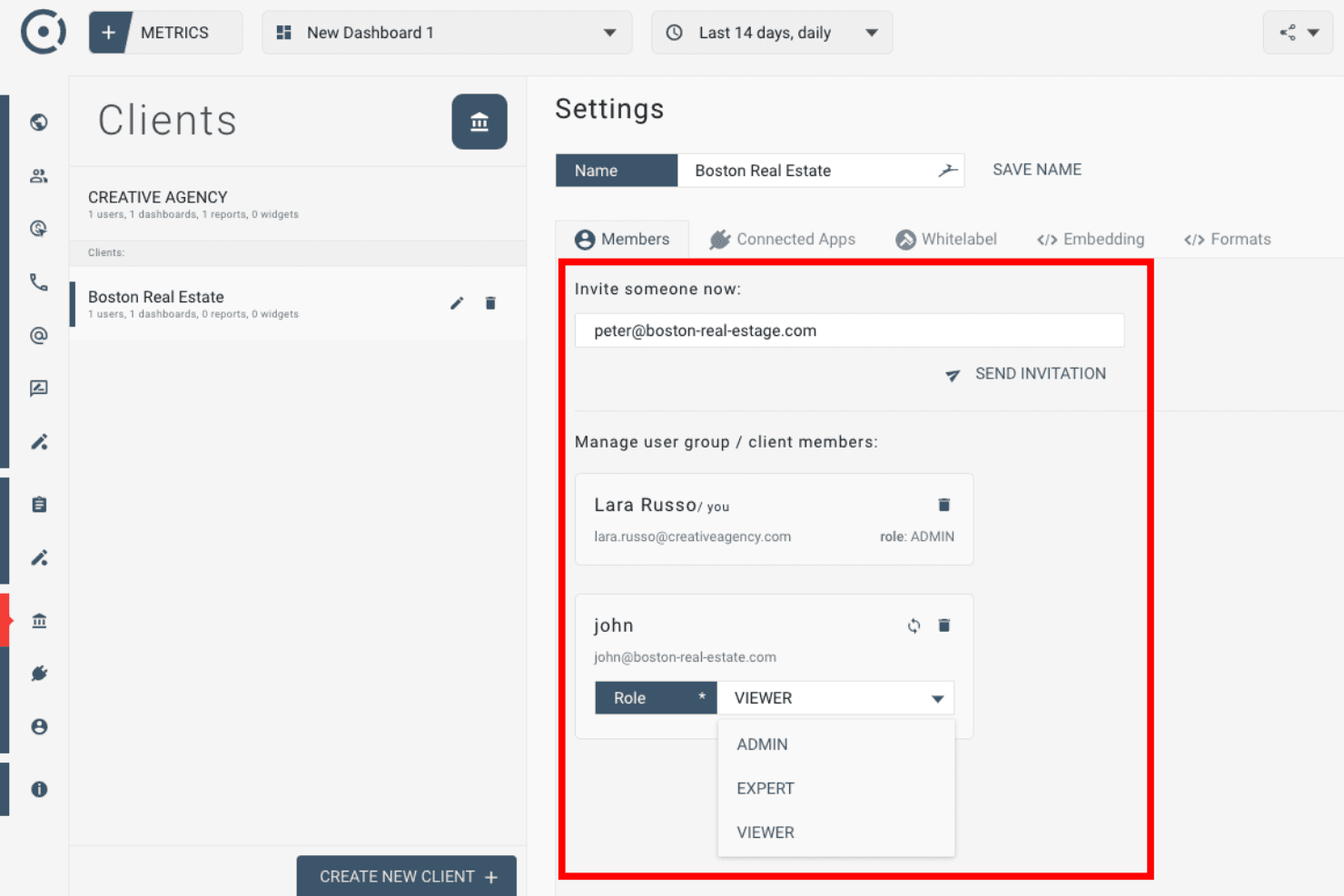
Customer Support
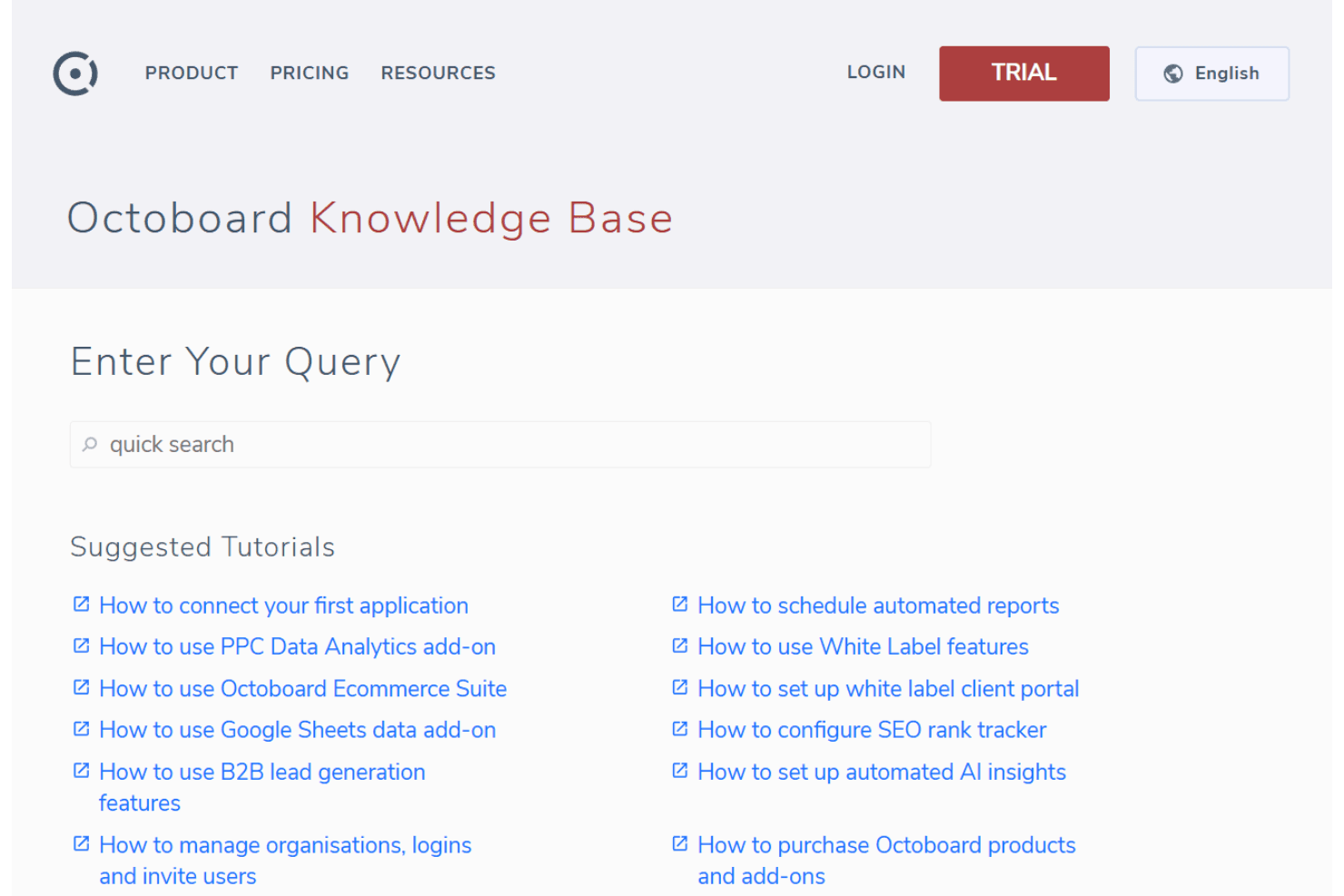
Octoboard’s customer support gets high marks for responsiveness and helpfulness, especially through live chat and email. Users often mention quick turnaround times and knowledgeable agents who resolve issues without much back-and-forth. The platform also offers a detailed help center and video guides, so most questions are answered without needing to wait. I think this level of support is a real asset for teams that want fast answers and minimal downtime.
Integrations
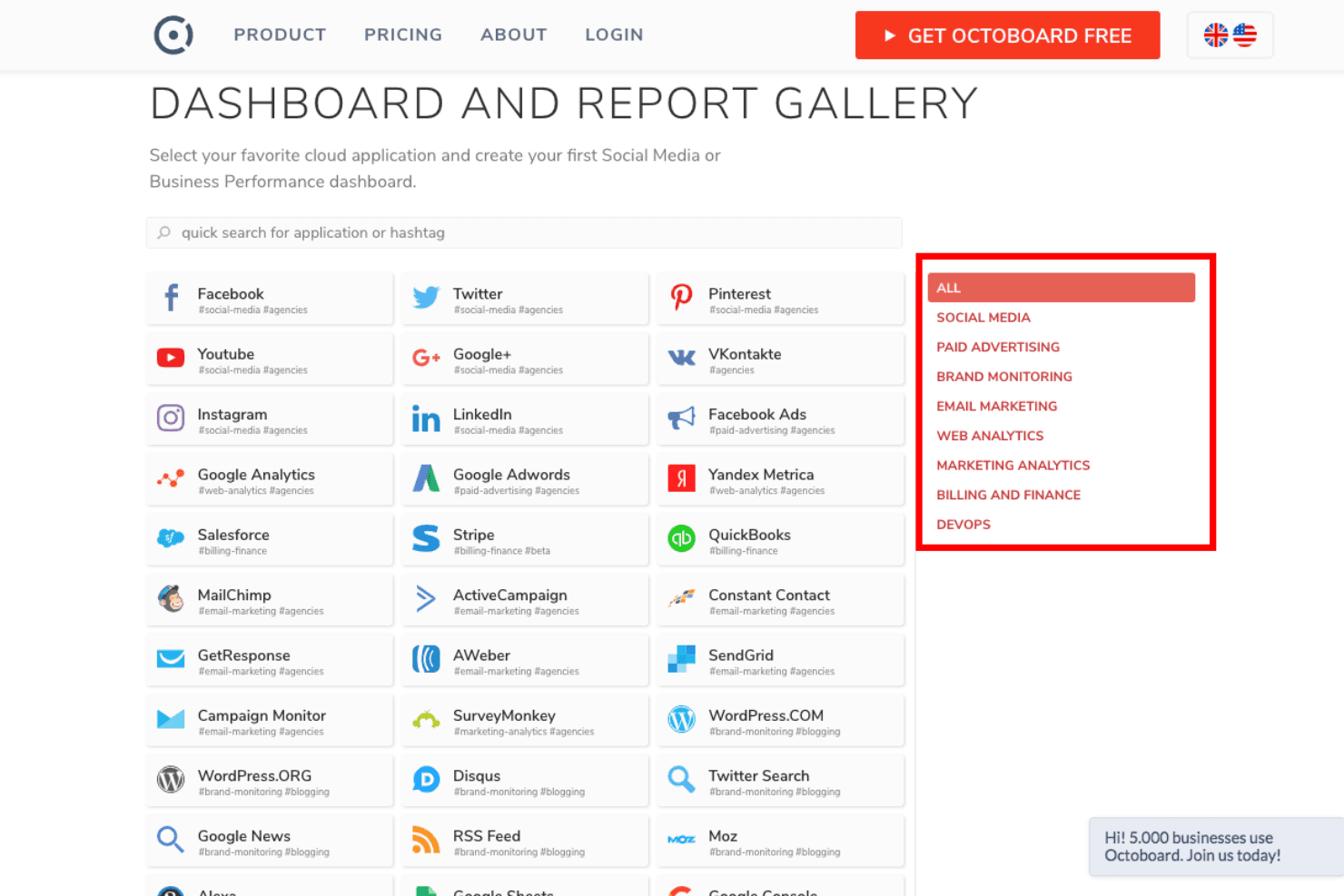
Octoboard integrates with Google Analytics, Facebook Ads, Google Ads, LinkedIn, Instagram, Twitter, YouTube, Stripe, WooCommerce, and Google Sheets, among others.
Octoboard also offers an API and supports sending data to Google Sheets and Google BigQuery for further integration and automation.
Value for Money
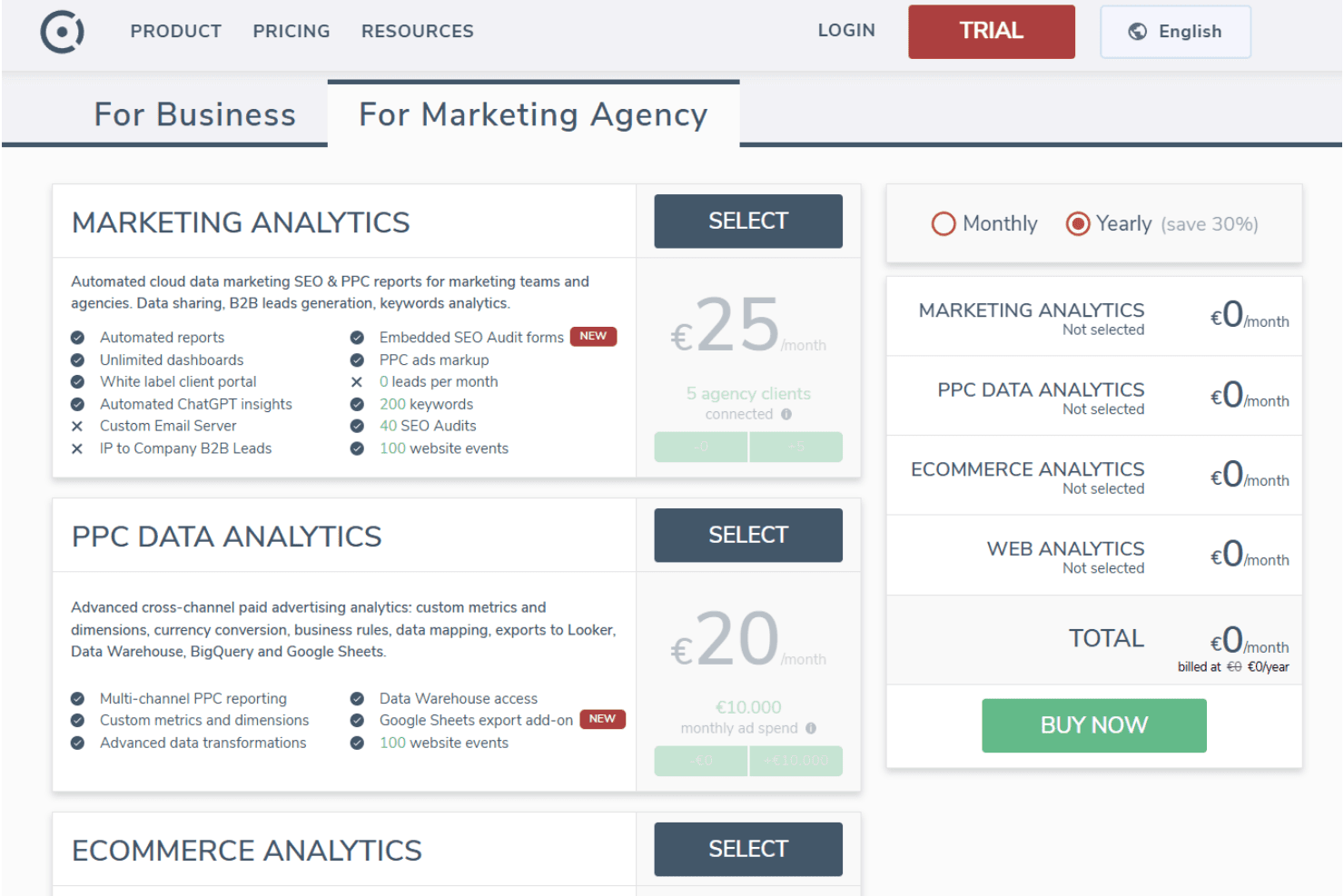
Octoboard is seen as a good value, especially for agencies and teams managing multiple clients, thanks to its automated reporting and white-label capabilities. Pricing is modular and transparent, letting users pay based on the analytics packages they need, which makes it flexible for both small teams and growing agencies.
- Marketing Analytics: Automated reports, unlimited dashboards, white-label client portal, and SEO/PPC insights.
- PPC Data Analytics: Multi-channel PPC reporting, custom metrics, and data warehouse integrations.
- Ecommerce Analytics: Real-time sales tracking, customer segmentation, and product/order analysis.
- Web Analytics: Real-time dashboards, geo-location data, funnel analytics, and performance insights.
Octoboard Specs
- 2-Factor Authentication: Yes
- A/B Testing: Yes
- Analytics: Yes
- API: Yes
- BitCoin: Yes
- Conversion Tracking: Yes
- Dashboard: Yes
- Data Export: Yes
- Data Import: Yes
- Data Visualization: Yes
- Design Templates: Yes
- External Integrations: Yes
- Inventory Tracking: Yes
- Keyword Tracking: Yes
- Marketing Automation: Yes
- Multi-User: Yes
- Notifications: Yes
- Order Management: Yes
- Payment Gateway Integration: Yes
- Payment Processor: Yes
- PayPal: Yes
- Product Catalog: Yes
- Review Monitoring: Yes
- SAP Integration: Yes
- Scheduling: Yes
- Stripe: Yes
- Third-Party Plugins/Add-Ons: Yes
Octoboard FAQs
Octoboard Company Overview & History
Octoboard is a marketing, ecommerce, and web analytics software company focused on helping businesses and agencies turn cloud data into actionable insights. The company offers solutions for marketing analytics, customer segmentation, paid advertising analytics, and real-time dashboards. Octoboard is headquartered in London, UK, but the website does not disclose the size of its workforce or any affiliations with other companies. There is no public information available about its financials, notable clients, or additional products.
Octoboard Major Milestones
- 2016: Octoboard founded and began developing its analytics platform.
- 2017: Official launch of the Octoboard product for marketing teams and agencies.
- 2020: Expanded features to include ecommerce analytics and advanced PPC data analytics.
- 2022: Introduced AI-powered data insights and integration with Google BigQuery.