

Media buying platforms are digital tools that help you plan, purchase, and optimize advertising across channels like display, video, CTV, and retail media. If you’re choosing a solution that helps your team scale campaigns, adapt to privacy changes, and reach audiences where it counts, you’re in the right place. This guide highlights what marketing leaders need to know—so you can compare top platforms, features, and use cases that actually fit your strategy.
Why Trust Our Software Recommendations
6,700+
Reviews
20
Industry experts
16+
Evaluation factors
14
Years
Our team has been testing and reviewing software since 2012. As marketing leaders ourselves, we know how difficult—and important—it is to choose the right software.
For this guide, we evaluated tools using hands-on testing and independent research, scoring tools using our selection criteria.
Our reviews reflect our human editorial judgment, not a sales pitch.
Expert reviewers:
 Gui DrusinaCreative Director
- Shriya GhateSenior Marketing Lead
 Amanda JacquesMarketing Ops Leader

Media Buying Platforms Comparison Table
This comparison table summarizes pricing details for my top media buying platforms selections:
| Tool | Best For | Trial Info | Price | ||
|---|---|---|---|---|---|
| 1 | Best for intent data across Microsoft properties | Not available | Pricing upon request | Website | |
| 2 | Best for real-time data-driven audience targeting | Free demo available | Pricing upon request | Website | |
| 3 | Best for customizable audience segments | Not available | Pricing upon request | Website | |
| 4 | Best for omnichannel buying with CTV integrations | Not available | Pricing upon request | Website | |
| 5 | Best for cookieless audience activation | Not available | Pricing upon request | Website | |
| 6 | Best for self-serve campaign management | Free demo available | Pricing upon request | Website | |
| 7 | Best for consolidated campaign controls | Not available | Pricing upon request | Website | |
| 8 | Best for access to Amazon audiences and inventory | Not available | Pricing upon request | Website | |
| 9 | Best for cross-channel premium inventory access | Not available | Pricing upon request | Website | |
| 10 | Best for workflow and measurement across Google | Not available | Pricing upon request | Website |


Media Buying Platforms Reviews
Below are my detailed summaries of the best media buying platforms that made it onto my shortlist. My reviews offer a detailed look at the features, best use cases, and capabilities of each platform to help you find the best one for you.
 Best for intent data across Microsoft properties
- Not available
- Pricing upon request
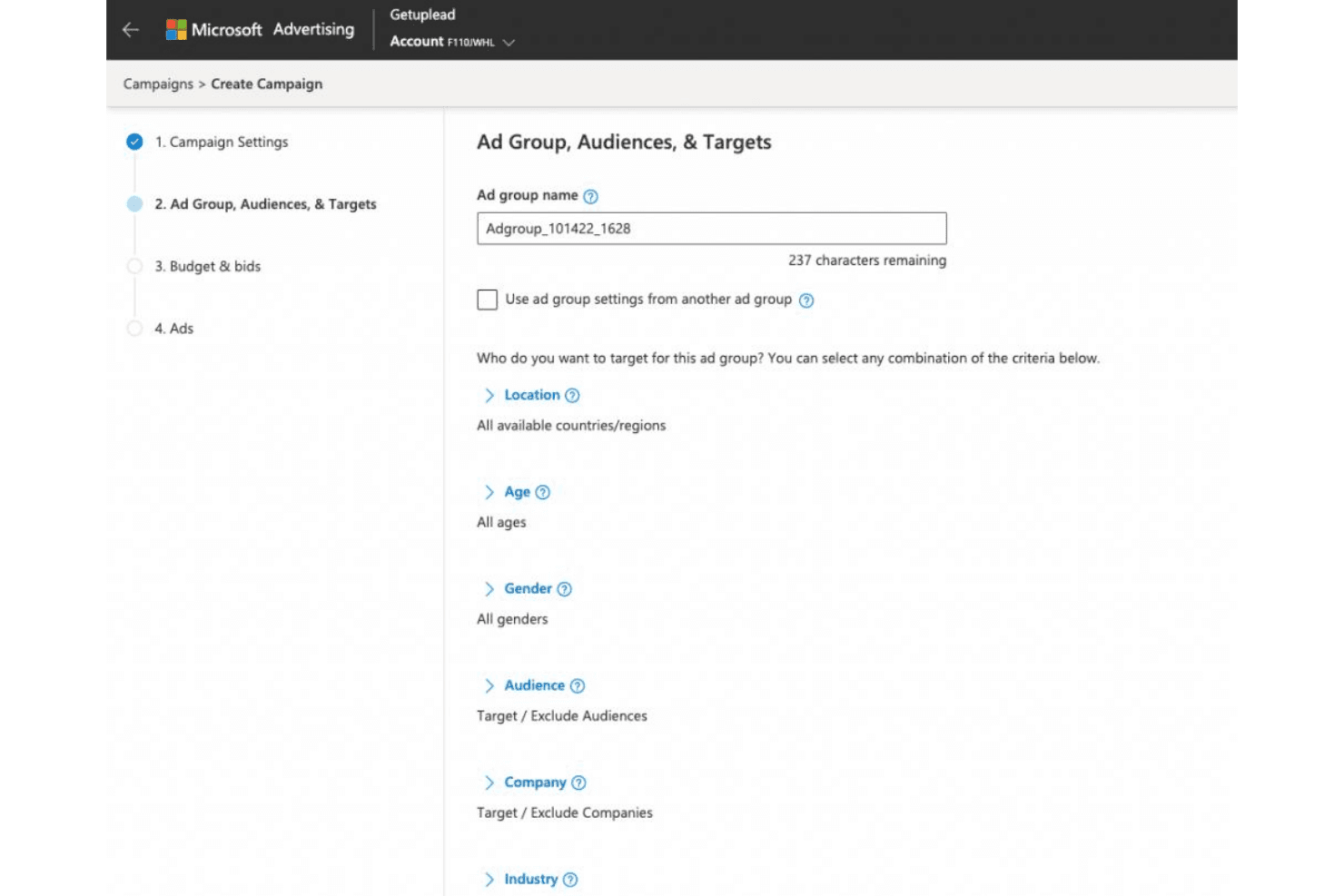
Microsoft Advertising lets users define ad group audiences and targeting criteria. Microsoft Advertising is a cross-channel media buying platform that combines search, display, native, video, CTV, retail media, and gaming inventory with programmatic bidding, audience targeting, and AI-driven campaign optimization tools.
Who Is Microsoft Advertising Best For?
It's a strong fit for paid media managers and agency teams running B2B campaigns who need access to LinkedIn audience signals alongside search and display inventory.
Why I Picked Microsoft Advertising
I've included Microsoft Advertising in my top picks because the intent signals from Bing searches, Edge browsing, and Outlook activity create a first-party data layer that independent DSPs can't replicate. I particularly like the LinkedIn audience overlay, which lets me layer job function, industry, and company size directly onto search campaigns. In practice, that means I can reach someone actively searching on Bing and confirm they're a director-level buyer in financial services at the same time.
Microsoft Advertising Key Features
- Microsoft Audience Network: Native and display placements span MSN, Outlook, Edge, and partner sites.
- Retail media with PromoteIQ: Run sponsored product ads directly on third-party retailer sites.
- Performance Max campaigns: Use AI-driven optimization for automated bidding and cross-channel delivery.
- Bulk campaign management: Edit, duplicate, or optimize large volumes of campaigns using Microsoft Advertising Editor.
Microsoft Advertising Integrations
Microsoft Advertising has native integrations across the Microsoft ecosystem, and an API is also available for custom integrations.
Pros and Cons
Pros:
- Strong first-party intent signals from Bing users
- Lower CPCs than Google on comparable queries
- Exclusive LinkedIn audience data on search campaigns
Cons:
- Limited programmatic display and CTV inventory access
- Smaller reach than Google across search inventory
Learn more about Microsoft Advertising: Best for real-time data-driven audience targeting
- Free demo available
- Pricing upon request
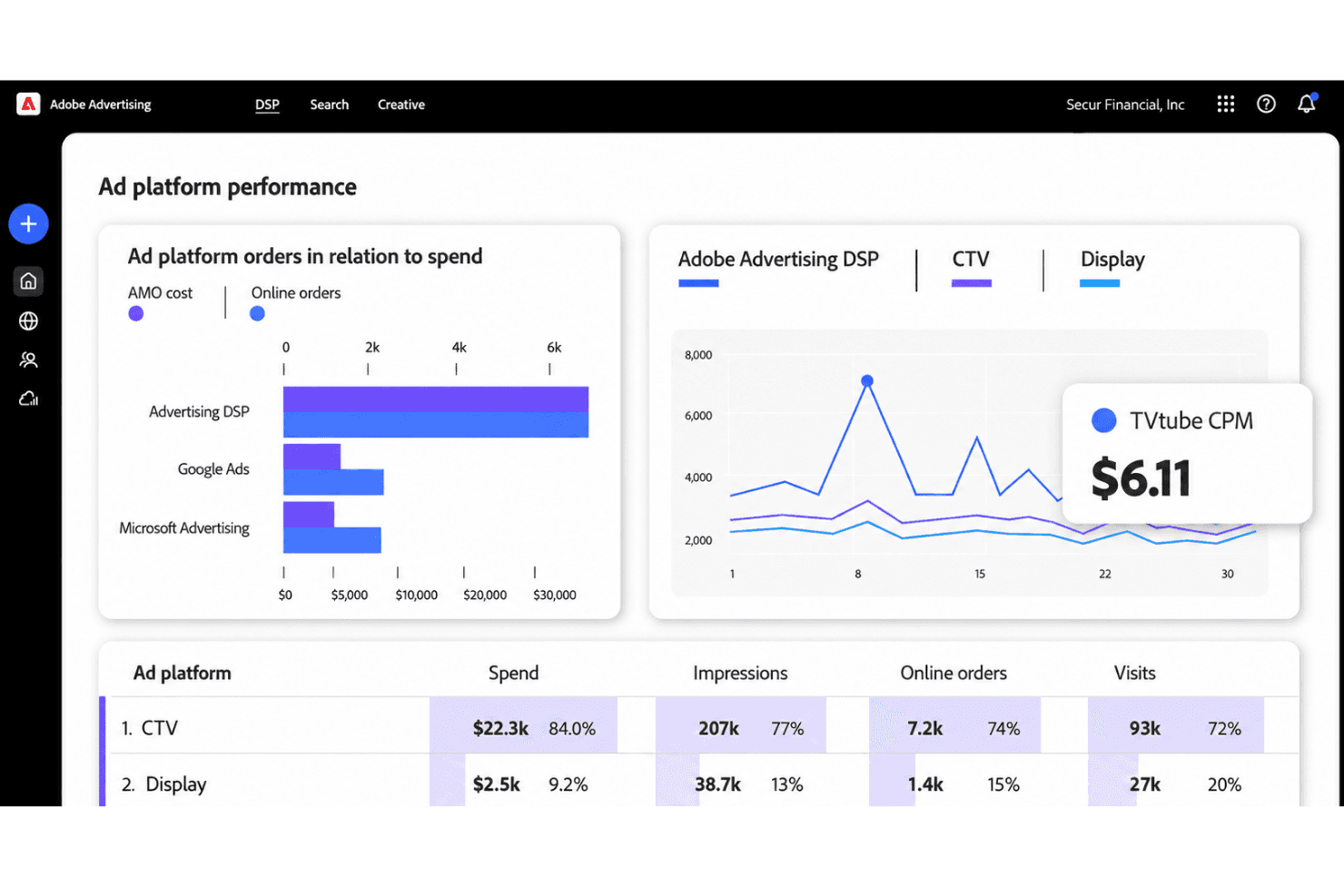
Adobe Advertising tracks ad spend, impressions, and orders across platforms. Adobe Advertising is a DSP that unifies programmatic media buying across display, video, CTV, audio, and search, with integrated first-party data activation, dynamic creative optimization, and cross-channel campaign management.
Who Is Adobe Advertising Best For?
Adobe Advertising is a strong fit for enterprise marketing teams and agencies that already operate within the Adobe Experience Cloud ecosystem.
Why I Picked Adobe Advertising
Adobe Advertising earns its spot on my shortlist because of how it handles first-party data activation. I particularly like that it connects directly to Adobe Real-Time CDP, letting me push authenticated audience segments into the DSP without manual data exports. The LiveRamp integration for cross-device identity resolution also means I can apply frequency caps and measure attribution across a user's known devices natively.
Adobe Advertising Key Features
- Campaign Home interface: Centralized dashboard for campaign setup, monitoring, and optimization across multiple channels.
- Dynamic creative optimization: Automated generation and testing of creative assets tailored to audience segments.
- Advanced media quality suite: Built-in tools for brand safety, viewability checks, and fraud protection during media buying.
- Custom attribution and reporting: Multi-touch attribution modeling and real-time analytics with detailed conversion tracking.
Adobe Advertising Integrations
Adobe Advertising offers native integrations with Adobe Analytics, Adobe Real-Time Customer Data Platform, LiveRamp, and more. An API is available for custom integrations.
Pros and Cons
Pros:
- Pre-bid brand safety filtering via DoubleVerify
- Unified CTV, display, and audio buying
- Native CDP data activation for cookieless targeting
Cons:
- Advanced optimization needs substantial campaign data
- Best value comes within the Adobe ecosystem
Learn more about Adobe Advertising:
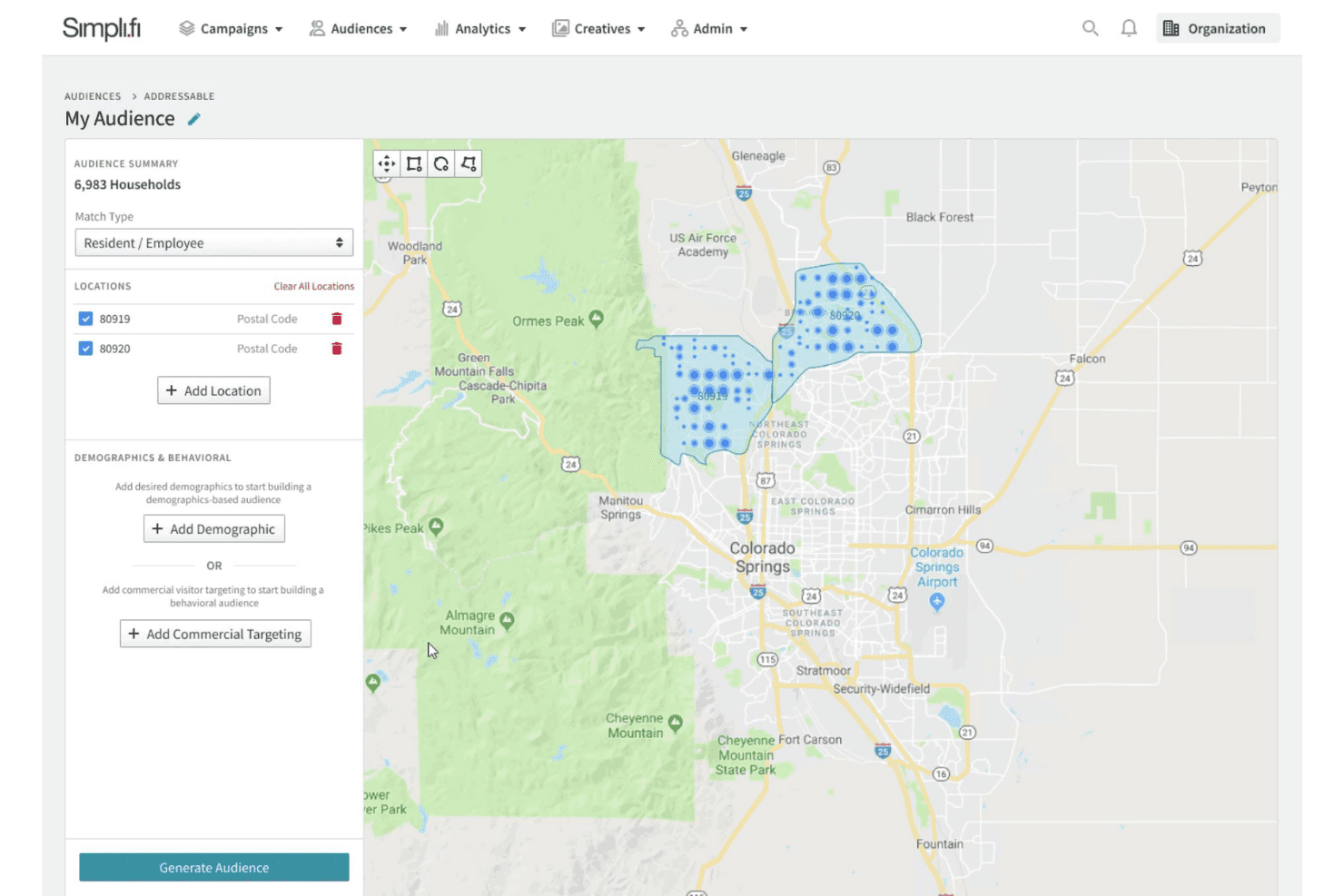
Simpli.fi lets users build addressable audiences by postal code on a map. Simpli.fi is a demand-side platform (DSP) for programmatic media buying across CTV, display, video, mobile, native, audio, and DOOH, with a core focus on hyperlocal and household-level audience targeting powered by unstructured data and Signal-Level AI.
Who Is Simpli.fi Best For?
Simpli.fi is a strong fit for agencies and media teams running location-based or multi-location campaigns that require precise, address-level audience targeting.
Why I Picked Simpli.fi
Simpli.fi earns its spot on my shortlist because the audience targeting here goes well beyond standard DSP options. I can draw precise geo-fences at the address level, activate first-party CRM lists through LiveRamp, and layer in B2B intent signals from Bombora, all within a single campaign setup. The platform's Signal-Level AI then learns which attributes are actually predicting conversions per location and adjusts delivery in real time, which keeps audience segments accurate as campaigns run.
Simpli.fi Key Features
- Multi-channel media buying: Access inventory across CTV, display, video, mobile, audio, and digital out-of-home from one platform.
- Campaign pacing and budget controls: Manage spending at the line-item or campaign level with flight date and pacing options.
- Mapping tool for geo targeting: Draw and manage granular, custom geo-fences directly on an interactive map interface.
- Real-time API reporting integration: Sync campaign performance data with third-party analytics tools such as Improvado and AgencyAnalytics.
Simpli.fi Integrations
Simpli.fi offers native integrations with LiveRamp, Bombora, and provides an API for custom integrations.
Pros and Cons
Pros:
- Unified CTV, display, and DOOH buying
- Real-time AI-driven bid optimization
- Granular address-level geo-targeting capability
Cons:
- Broad media capabilities add platform complexity
- Limited self-serve onboarding documentation available
Learn more about Simpli.fi: Best for omnichannel buying with CTV integrations
- Not available
- Pricing upon request
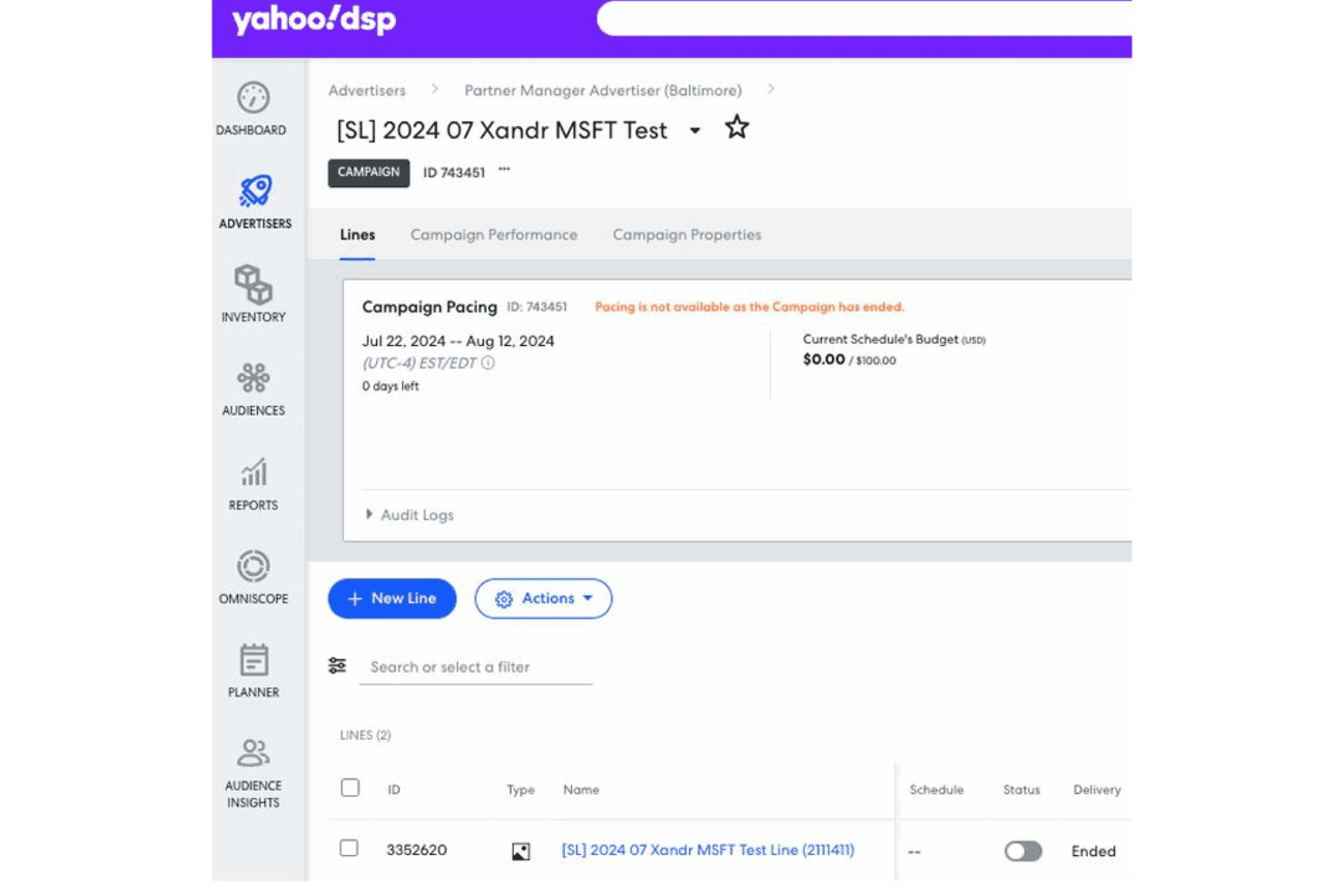
Yahoo DSP lets users monitor campaign pacing, budget, and line items. Yahoo DSP is a demand-side platform that lets media buyers purchase programmatic ad inventory across display, video, CTV, native, audio, and DOOH channels using proprietary audience data, AI-driven optimization, and direct publisher access.
Who Is Yahoo DSP Best For?
Yahoo DSP is a strong fit for programmatic traders and agency media buyers running large-scale, cross-channel campaigns who need direct access to premium CTV and video inventory.
Why I Picked Yahoo DSP
Yahoo DSP earns its spot on my shortlist because of how it handles CTV inventory access specifically. Yahoo Backstage gives my team direct-to-publisher buying paths to networks like Warner Bros. Discovery, Fox, Paramount, and Netflix, cutting out supply chain hops that inflate CPMs. On top of that, Unified TV lets me plan, activate, and measure linear and streaming campaigns in one view, rather than stitching together separate platforms.
Yahoo DSP Key Features
- Agentic AI workflow automation: Automates repetitive campaign tasks so teams can focus on higher-level strategy.
- Yahoo Identity Solutions: Links first-party and third-party data for targeting in a cookieless environment.
- Budget pacing and controls: Lets users manage spend with automated pacing, daily caps, and KPI-driven budget allocation.
- Customizable campaign dashboards: Offers configurable dashboards for monitoring performance metrics and detailed reporting.
Yahoo DSP Integrations
Yahoo DSP offers native integrations with audience data providers like LiveRamp, AWS Clean Rooms, Snowflake, and measurement partners such as DoubleVerify, IAS, and more. An API is available for custom integrations.
Pros and Cons
Pros:
- Unified linear and streaming TV planning
- Proprietary Yahoo audience data at scale
- Direct access to premium CTV inventory
Cons:
- Pixel and targeting-rule setup can feel cumbersome
- Large API reports face row limits
Learn more about Yahoo DSP:
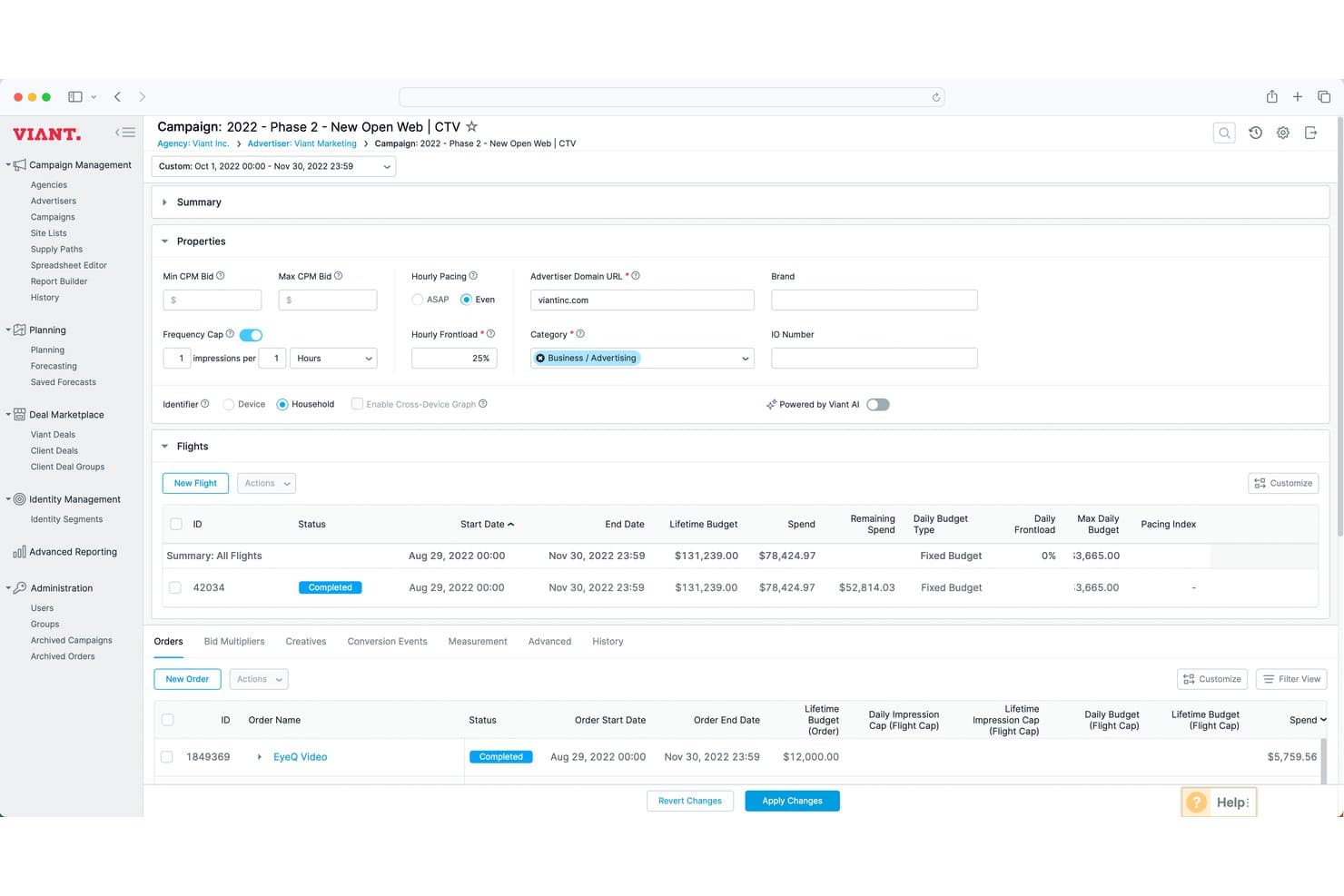
Viant DSP offers a detailed campaign management view with flight scheduling, budget tracking, and order-level performance data. Viant DSP is an omnichannel demand-side platform built around people-based identity resolution, enabling programmatic media buying across CTV, display, mobile, audio, in-game, and DOOH without relying on third-party cookies.
Who Is Viant DSP Best For?
Viant DSP is a strong fit for mid-market to enterprise agencies and brand-direct advertisers running large-scale programmatic campaigns across multiple channels.
Why I Picked Viant DSP
I've included Viant DSP in my top picks because of how it handles audience targeting without relying on third-party cookies. The Household ID™ technology links millions of U.S. households to over one billion connected devices, giving my team real cross-device reach and frequency control across CTV and beyond. On top of that, access to a wide range of audience attributes from multiple data partners means I can build precise audience segments that hold up even as cookie-based targeting erodes.
Viant DSP Key Features
- Omnichannel campaign management: Build and manage campaigns for CTV, mobile, audio, DOOH, and desktop from a single workflow.
- Bulk editing and API access: Make large-scale campaign changes with spreadsheet-based uploads and programmatic management.
- Advanced measurement tools: Access multi-touch attribution, foot-traffic attribution, and conversion lift analyses for performance tracking.
- Third-party data marketplace integration: Tap into 70+ audience data partners directly within the DSP for enriched targeting.
Viant DSP Integrations
Native integrations include Xandr, PubMatic, Index Exchange, and Magnite for supply; LiveRamp, and Snowflake for data onboarding; along with an API for custom integrations.
Pros and Cons
Pros:
- Foot traffic attribution connects ads to visits
- Strong CTV access across premium direct inventory
- Cookieless targeting via 115M household IDs
Cons:
- Household-level identity is heavily U.S.-centric
- Better suited to managed service than self-serve
Learn more about Viant DSP: Best for self-serve campaign management
- Free demo available
- Pricing upon request
Visit WebsiteCustomer Rating:4.8/5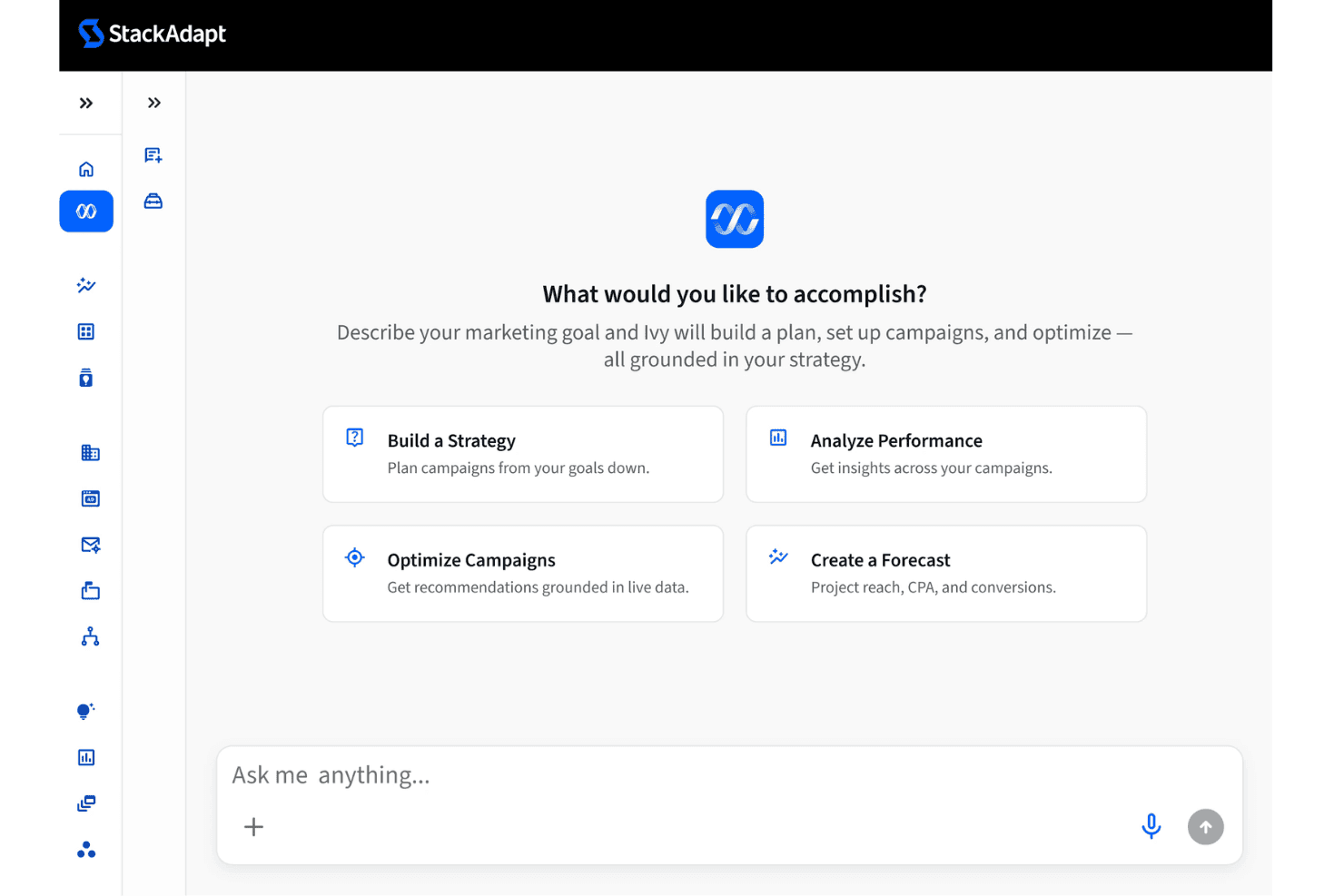
StackAdapt's Ivy AI assistant helps users build, optimize, and forecast campaigns. StackAdapt is a self-serve demand-side platform (DSP) built for programmatic advertising across native, display, video, CTV, DOOH, audio, in-game, and email channels, with AI-driven bidding, audience targeting, and campaign management in a single interface.
Who Is StackAdapt Best For?
StackAdapt is a strong fit for independent agencies and in-house paid media teams that want direct, hands-on control over programmatic campaigns without a managed-service requirement.
Why I Picked StackAdapt
StackAdapt earns its spot on my shortlist because the self-serve model genuinely puts campaign control in your hands from day one. I can sign up, load a credit card, and launch programmatic campaigns across display, CTV, and audio without waiting on a managed service team. What I find especially useful is Ivy Studio, the platform's AI hub, which handles real-time bid optimization and pacing so I'm not manually adjusting every line item.
StackAdapt Key Features
- First-party data hub: Centralizes onboarding and activation of proprietary audience data for targeting without third-party cookies.
- Dynamic creative optimization: Automatically personalizes ad creative variations in real time based on user context and engagement.
- Multi-channel campaign orchestration: Runs campaigns across display, video, CTV, DOOH, audio, in-game, and email from a single workflow.
- Custom attribution reporting: Supports multi-touch conversion paths and custom attribution models for detailed campaign performance insights.
StackAdapt Integrations
StackAdapt offers native integrations with iHeartMedia, Broadsign, Vistar Media, Bombora, LiveRamp, Samba TV, and provides an API for custom integrations.
Pros and Cons
Pros:
- AI-driven bid optimization responds to real-time performance signals
- Native CTV and DOOH inventory without third-party add-ons
- Strong self-serve controls for independent campaign management
Cons:
- Audience overlap visibility is limited
- Reporting UI can slow down with large data volumes
Learn more about StackAdapt: Best for consolidated campaign controls
- Not available
- Pricing upon request
Visit WebsiteCustomer Rating:4.4/5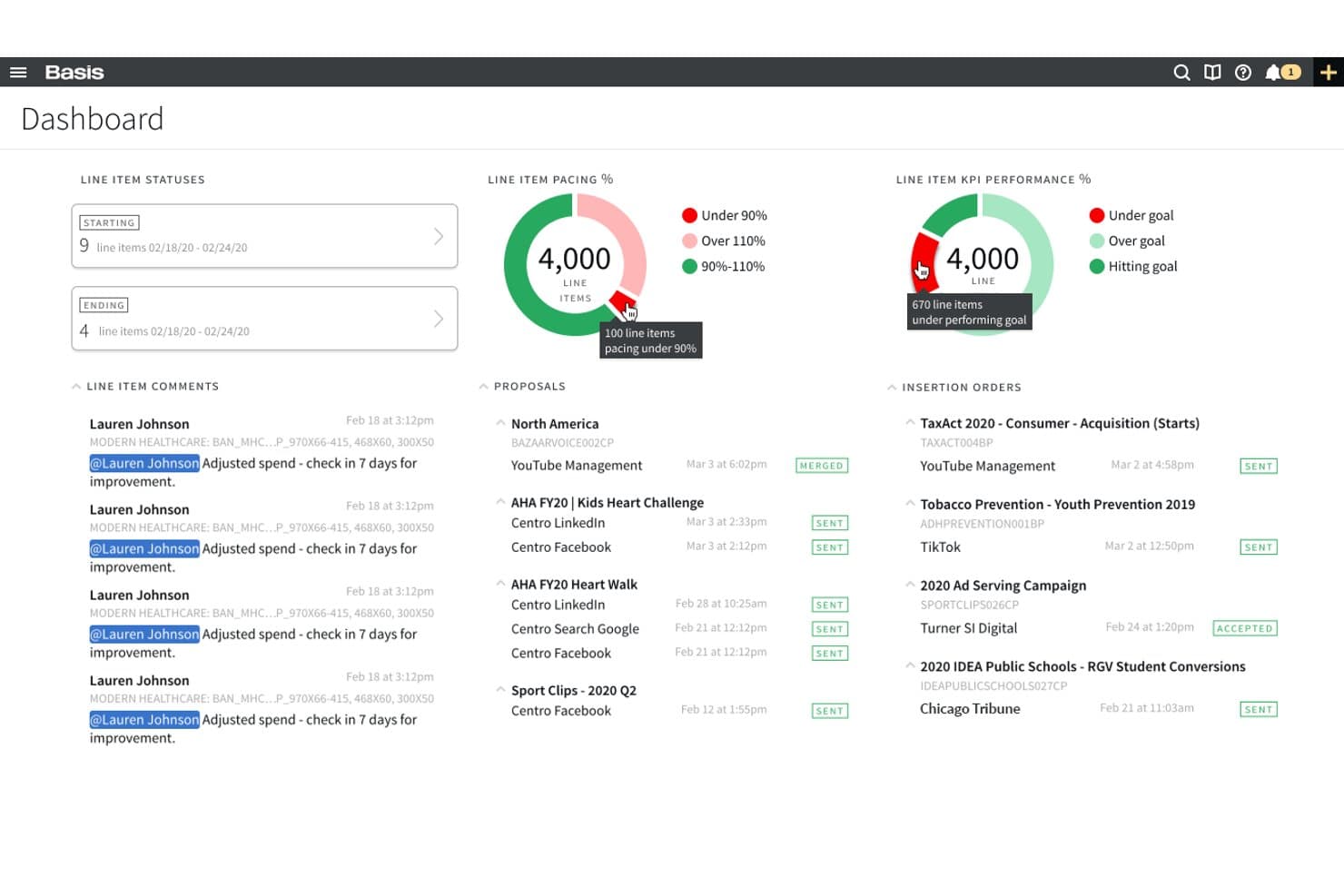
Basis offers a centralized dashboard displaying line item statuses, pacing percentages, KPI performance, proposals, and insertion orders for simplified media buying management. Basis is an omnichannel media buying platform that unifies programmatic DSP, paid search, social, CTV, DOOH, and site direct buying with campaign management, automated workflows, and cross-channel reporting in a single system.
Who Is Basis Best For?
Basis is a strong fit for independent and regional agencies managing omnichannel campaigns across programmatic, search, social, and direct channels for multiple clients.
Why I Picked Basis
Basis earns its spot on my shortlist because it genuinely consolidates every buying channel into one operating system. I can run programmatic, paid search, social, and site direct buys without platform-switching, and the Communication Portal keeps campaign approvals, documents, and history centralized alongside active campaigns. The automated billing reconciliation, which pushes actuals directly into ERP systems, is a capability I rarely see built natively into a DSP.
Basis Key Features
- Multi-channel DSP activation: Centralizes buying for display, video, CTV, DOOH, audio, and native inventory through one interface.
- AI-driven campaign planning: Uses Compass AI to generate omnichannel strategies directly from media briefs.
- Integrated data marketplace: Connects with 100+ data partners for audience enrichment and targeting.
- Unified campaign reporting: Combines performance data from search, social, direct, and programmatic buys in a single dashboard.
Basis Integrations
Basis offers native integrations with platforms like Google Ads, Meta, Xandr, Magnite, PubMatic, Index Exchange, OpenX, Tubi, and Peacock. An API is available for custom integrations.
Pros and Cons
Pros:
- Built-in Communication Portal centralizes client approvals
- Automated billing reconciliation reduces manual invoicing errors
- Unifies DSP, search, and social natively
Cons:
- Inventory transparency can be inconsistent
- Reporting customization is less flexible than competitors
Learn more about Basis: Best for access to Amazon audiences and inventory
- Not available
- Pricing upon request
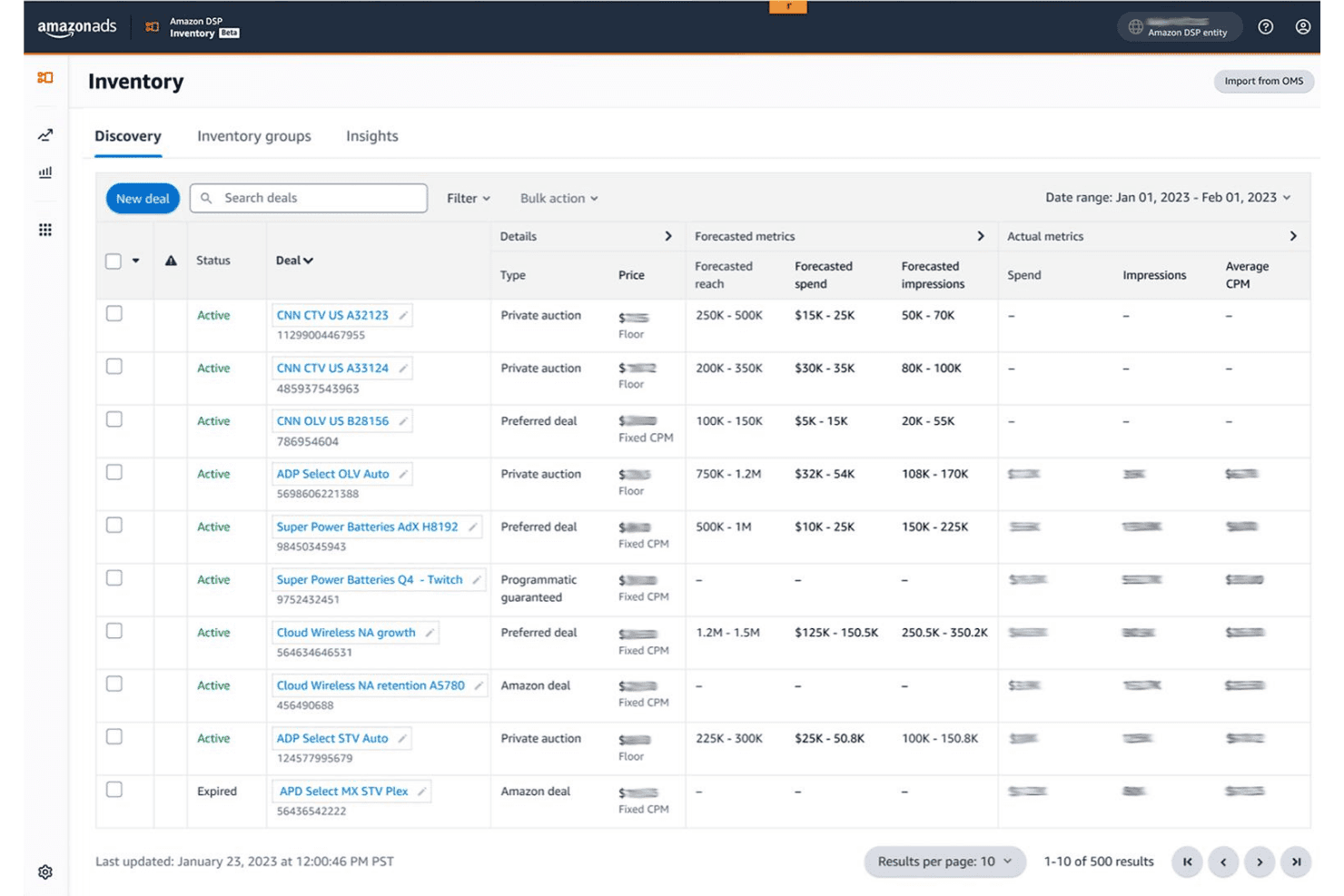
Amazon DSP lets users discover and manage inventory deals in one place. Amazon DSP is a demand-side platform that lets you programmatically buy display, video, CTV, and audio ads across Amazon-owned properties and third-party inventory, using Amazon's first-party shopping and streaming data for audience targeting.
Who Is Amazon DSP Best For?
It's a strong fit for enterprise brands and agencies running large-scale programmatic campaigns who need access to Amazon's shopper data and premium streaming inventory.
Why I Picked Amazon DSP
Amazon DSP earns its spot on my shortlist because no other DSP gives you targeting built on actual purchase intent data at this scale. I can reach audiences segmented by real Amazon shopping behavior, not modeled proxies, which makes campaign targeting far more precise. I also get direct access to premium streaming inventory across Prime Video, Netflix, and Spotify from a single buying interface, cutting out separate publisher-by-publisher negotiations.
Amazon DSP Key Features
- Cross-device frequency management: Set and control frequency caps across campaigns, channels, and devices within the platform.
- Offline sales lift measurement: Track and attribute offline sales directly linked to digital ad campaigns for eligible advertisers.
- Amazon Marketing Cloud integration: Access advanced analytics, custom audience creation, and data clean room tools within the Amazon ecosystem.
- Consolidated campaign management hub: Manage multiple campaigns with new streamlined workflows, line-item setup, and machine learning-powered recommendations.
Amazon DSP Integrations
Amazon DSP offers native integrations with Amazon Marketing Cloud for advanced analytics and supports integrations with verification partners like DoubleVerify, Integral Ad Science, and MOAT. An API is available for custom integrations.
Pros and Cons
Pros:
- Off-Amazon inventory extends reach beyond Amazon properties
- Reaches audiences across Prime Video and Twitch
- Unmatched access to Amazon shopper purchase data
Cons:
- Campaign builds involve many configuration layers
- Reporting lacks granularity outside Amazon properties
Learn more about Amazon DSP: Best for cross-channel premium inventory access
- Not available
- Pricing upon request
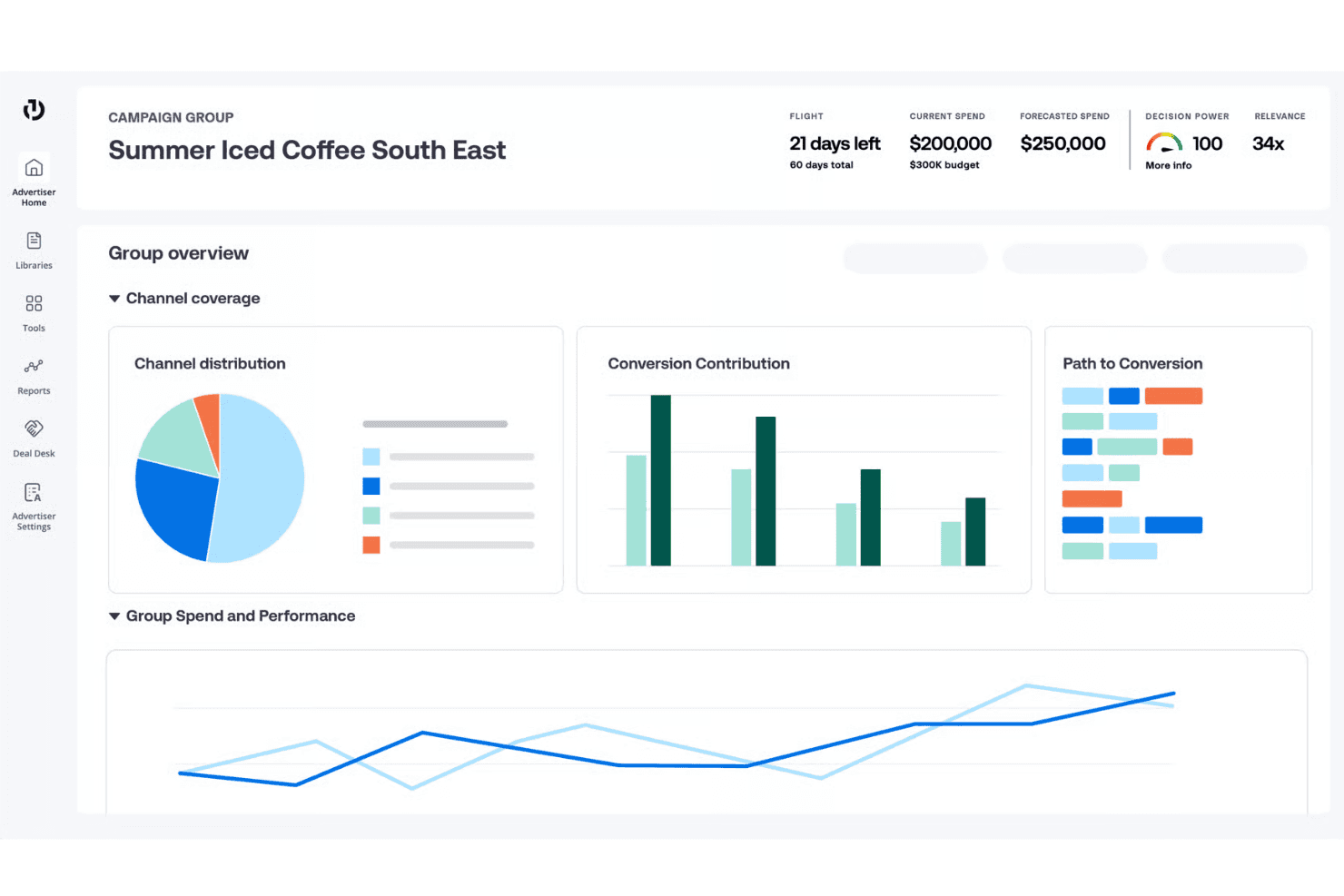
The Trade Desk tracks campaign spend, forecasts, and channel performance. The Trade Desk is an independent demand-side platform for programmatic media buying across display, video, CTV, audio, native, mobile, and digital out-of-home inventory, with AI-driven bidding, audience targeting, and cross-channel campaign management.
Who Is The Trade Desk Best For?
The Trade Desk is a strong fit for agencies and enterprise marketing teams running large-scale programmatic campaigns across multiple channels and inventory sources.
Why I Picked The Trade Desk
The Trade Desk earns its spot on my shortlist because of the sheer breadth of premium inventory it connects to across CTV, audio, display, video, DOOH, native, and mobile. I particularly like OpenPath, which gives my team direct access to publisher supply without an additional SSP layer, cutting fees and improving transparency on where spend actually goes. On top of that, the Kokai AI engine evaluates up to 15 million ad opportunities per second, so bid decisions happen at a scale no manual process can replicate.
The Trade Desk Key Features
- Custom attribution modeling: Build and analyze custom multi-touch conversion paths for campaign measurement.
- Retail data marketplace: Access first-party audience and sales data directly from major retailers for targeting and measurement.
- Brand safety controls: Use pre-bid and post-bid verification with partners like IAS and DoubleVerify to filter out fraud and ensure viewability.
- First-party data onboarding: Integrate with native CDP and clean room partners to activate proprietary audience data while maintaining privacy compliance.
The Trade Desk Integrations
The Trade Desk offers native integrations with IAS, DoubleVerify, MOAT, LiveRamp, and Amazon Web Services. An API is available for custom integrations.
Pros and Cons
Pros:
- Transparent supply path with direct publisher access
- Cookieless targeting via UID2.0 natively supported
- Unmatched premium CTV and DOOH inventory access
Cons:
- Interface requires a dedicated programmatic trader
- High minimum spend excludes smaller advertisers
Learn more about The Trade Desk: Best for workflow and measurement across Google
- Not available
- Pricing upon request
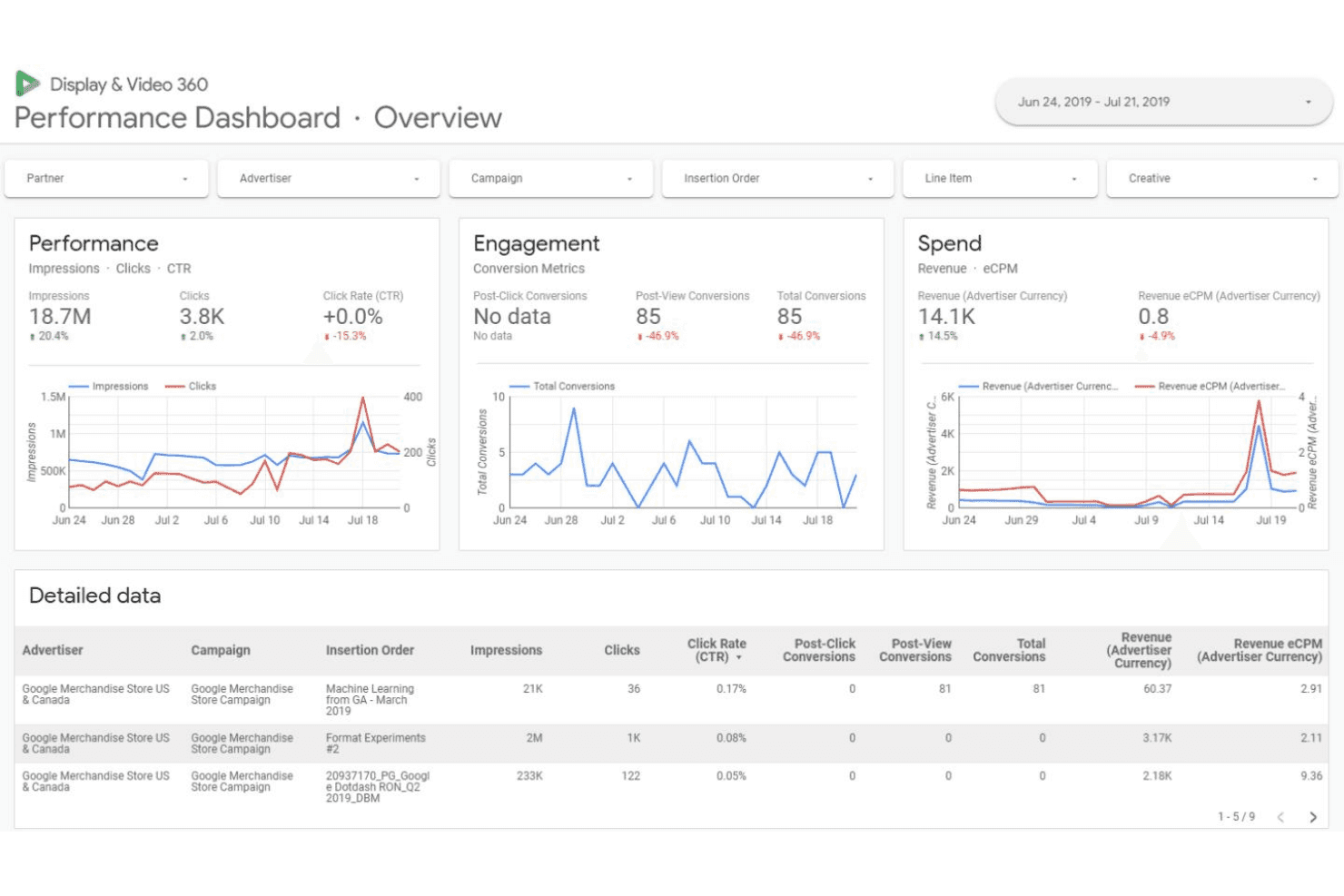
Google Display & Video 360 tracks campaign performance across impressions, clicks, and revenue. Google Display & Video 360 is an enterprise DSP that consolidates programmatic and reserved media buying across display, video, CTV, audio, and YouTube into a single platform with integrated audience management, creative tools, and cross-channel measurement.
Who Is Google Display & Video 360 Best For?
It's a strong fit for enterprise agencies and large brands running substantial programmatic budgets across multiple channels within the Google ecosystem.
Why I Picked Google Display & Video 360
Google Display & Video 360 earns its spot on my shortlist because no other DSP ties measurement and buying workflow together the way it does inside the Google stack. I particularly like how reach forecasting uses a shared metric across TV and digital video, letting my team plan unified budgets without reconciling conflicting numbers. The SDF bulk editing capability means I can push changes across thousands of line items at once, a real operational advantage when managing large multi-campaign setups.
Google Display & Video 360 Key Features
- Premium inventory access: Includes programmatic buying on YouTube Reserve, Google Preferred, and Advanced TV alongside open exchanges.
- Creative workspace: Lets teams collaborate on ad creatives, preview assets, and apply formats for various devices within one platform.
- Audience discovery and management: Builds audiences using first-party and Google data, with advanced segmentation and lookalike modeling.
- Custom reporting integrations: Connects campaign data directly to BigQuery, supporting granular analytics and custom dashboard creation.
Google Display & Video 360 Integrations
Native integrations include Google Analytics 360, Campaign Manager 360, Google Ads Data Hub, Data Studio, and BigQuery. An API is available for custom integrations.
Pros and Cons
Pros:
- Advanced audience segmentation using Google signals
- Unified measurement across Google Marketing Platform
- Deep YouTube and Google inventory access
Cons:
- Steep setup complexity for non-Google campaigns
- Requires significant budget to access premium features
Learn more about Google Display & Video 360:
Other Media Buying Platforms
Here are some additional media buying platforms options that didn’t make it onto my shortlist, but are still worth checking out:
- 11Commerce MaxBest for retail and commerce-driven ad campaigns
- 12Adform FLOWBest for full-stack programmatic advertising
- 13QuantcastBest for AI-powered real-time audience insights
- 14SmartyAds DSPBest for white-label DSP customization
- 15SkaiBest for omnichannel retail media campaigns
- 16Zeta Marketing PlatformBest for integrating customer data across channels
- 17ChoozleBest for simplified self-serve activation
- 18InfillionBest for unified audience journey management
- 19Roku AdvertisingBest for direct access to Roku TV audiences
- 20Nexxen DSPBest for creative storytelling & data-driven video
How I Evaluate Media Buying Platforms
I split my evaluation into baseline requirements—RTB, cross-channel inventory, and audience targeting—and differentiators like first-party data activation and AI-driven bid optimization.
Core Functionality (Table Stakes for This List)
When I'm selecting tools for my list, I rank each one on a scale from 0 (does not offer the functionality) to 5 (excels in this area) for each core functionality listed below. I then calculate the tool's total score into a percentage, using 65% as a benchmark to help assess its overall fit for the list.
- Multi-Channel Inventory Access: I check whether a platform connects to display, video, CTV, audio, and mobile inventory through major exchanges and direct publisher integrations.
- Programmatic Bidding & RTB: Real-time bidding across multiple exchanges matters, and I look for support for PMPs and programmatic guaranteed deals alongside open auction.
- Campaign Setup & Management: I evaluate how a platform handles budget pacing, flight scheduling, frequency capping, dayparting, and creative rotation across campaigns.
- Audience Targeting: Targeting should span demographic, behavioral, contextual, and geo segments, with options to onboard first-party data or tap third-party marketplaces.
- Bid & Budget Optimization: I look for algorithmic bidding that can optimize toward multiple KPIs at once, not just single-metric rules like target CPA or ROAS alone.
- Reporting & Analytics: Dashboards should go beyond impressions and clicks to include custom attribution views, scheduled exports, and data warehouse or API access.
Once I have a list of tools that meet the criteria, I consider what sets each platform apart.
Differentiating Factors (What Sets Vendors Apart)
Here's how I compare and contrast different vendors:
Standout Features
First-party data activation is a major differentiator. I look for platforms with native CDP integrations and clean room compatibility so teams can onboard and model proprietary audiences without relying on third-party cookies. Cross-channel orchestration also matters: running CTV, display, video, and DOOH campaigns from one interface saves time and improves frequency management. I also evaluate custom attribution modeling, since moving beyond last-click to multi-touch or incrementality testing gives you a clearer picture of what's actually driving conversions.
Beyond Features
Pricing transparency is something I always evaluate. Whether a platform charges a percentage of media spend, a flat SaaS fee, or CPM markups changes how your budget works at scale. Supply path quality also matters: platforms with direct publisher integrations and supply path optimization reduce reseller hops, so more of your spend reaches actual inventory. I also check for privacy and identity readiness, especially cookieless targeting support through frameworks like UID2.0 or ID5, since that directly affects campaign reach as third-party cookies phase out.
How to Choose Media Buying Platforms
Choosing the right media buying platform means matching your campaign needs to the platform features and supply options that best help you execute at scale. Here’s how to focus your decision:
| If your priority is... | Look for... |
|---|---|
| If your priority is...Maximizing cross-channel reach | Look for...Platforms with unified campaign management |
| If your priority is...Cookieless audience targeting | Look for...ID-based and clean room data support |
| If your priority is...Flexible campaign execution | Look for...Bulk editing and multi-user workflows |
| If your priority is...Minimizing non-working media costs | Look for...Direct publisher integrations and SPO |
| If your priority is...Fast analytics and optimization | Look for...Real-time dashboards and API export options |
How to Vet Your Shortlist
- Request a supply path transparency report: Ask vendors to provide an example showing publisher sources and reseller hops for a past campaign.
- Run a test media plan with first-party data: Upload your own list or segment and verify onboarding, modeling, and targeting capabilities within a trial plan.
- Audit cross-channel metrics delivery: Set up a pilot campaign and confirm you can pull unified performance data across display, video, and CTV within two days.
- Obtain a compliance and privacy worksheet: Request the vendor’s documentation on GDPR, CCPA, and cookieless ID frameworks compatibility.
- Filter by managed service vs. true self-serve: Decide whether you want hands-on platform access or a high-touch service team—with real workflow and control tradeoffs.
What Are Media Buying Platforms?
Media buying platforms are digital tools that let you plan, purchase, and manage ad campaigns across multiple channels such as display, video, audio, and connected TV. These platforms support real-time bidding, advanced audience targeting, insertion orders, and budget optimization while providing unified reporting. They help marketers manage requests for proposals, access diverse inventory sources, build brand awareness, and oversee campaign performance from a single interface.
Features of Media Buying Platforms
When selecting media buying platforms, keep an eye out for the following key features:
- Multi-channel inventory access: Supports digital media buying across display, video, CTV, audio, and more from one platform, providing broader campaign reach.
- Real-time bidding (RTB): Supports live auctions for ad inventory, so you can compete for impressions efficiently and adjust your strategy instantly.
- Audience targeting: Enables segmentation by demographics, behavior, interests, and geography, ensuring your ads reach the most relevant users.
- Budget and pacing controls: Lets you set campaign budgets, define daily or total spend limits, and manage delivery schedules to avoid overspend or exhausted budgets.
- Creative assignment and management: Simplifies uploading, storing, and deploying ad creative for multiple formats, making it easier to refresh or rotate assets.
- Frequency capping: Limits how often your audience sees the same ad, preventing ad fatigue and improving user experience.
- Campaign reporting and analytics: Provides dashboards and exportable reports so you can track key performance metrics like impressions, clicks, spend, conversions, and ROI.
- Integration with third-party data providers: Expands targeting and analytics capabilities by connecting to external data sources and enriching your audience profiles.
- Direct publisher and exchange integrations: Connects with major ad exchanges, publishers, and supply-side platforms to increase access to quality inventory and transparent supply paths.
- Workflow management and permissions: Allows teams to assign roles, approve campaigns, and collaborate securely, supporting multi-user environments and audit tracking.
Common Media Buying Platforms AI Features
Beyond the standard media buying platforms features listed above, many of these solutions are incorporating AI with features like:
- Predictive audience modeling: Uses AI to analyze historical and real-time data, identifying new audience segments likely to convert and automatically expanding targeting pools.
- Automated bid optimization: Continuously adjusts bids in real time based on performance signals, budget constraints, and predicted outcomes to maximize campaign efficiency.
- Creative performance analysis: Applies machine learning to evaluate which ad creatives drive the best results, recommending or auto-rotating top performers for better engagement.
- Anomaly detection and alerting: Monitors campaign data for unusual patterns or outliers, instantly flagging issues like sudden spend spikes or drops in performance.
- Dynamic budget allocation: AI reallocates spend across channels, campaigns, or audiences on the fly, prioritizing investments where they’re most likely to deliver results.
- Natural language reporting: Generates plain-language campaign summaries and insights, making complex analytics accessible to all team members without manual interpretation.
Benefits of Media Buying Platforms
Implementing media buying platforms provides several benefits for your team and your business. Here are a few you can look forward to:
- Centralized campaign management: Run digital advertising, paid social, and other cross-channel campaigns from one interface, reducing time spent switching between tools.
- Access to diverse inventory: Buy ad space across display, video ads, CTV, audio, and more through publishers, exchanges, and ad networks within a unified environment.
- Improved budget control: Use built-in pacing, spend limits, and dynamic bidding features to make sure every dollar is working toward your goals and media mix.
- Advanced targeting precision: Reach specific audiences using demographic, behavioral, geographic, and contextual targeting, plus onboard first-party data for even greater segmentation.
- Unified reporting and analytics: Monitor key performance indicators in real-time dashboards, making performance evaluation and optimization much faster.
- Seamless team collaboration: Help media planners assign permissions, approve campaigns, and document workflows to support multi-user operations and stronger audit trails.
- Enhanced privacy and compliance: Tap into identity resolution, clean room integrations, and privacy frameworks to prepare for a cookieless ad landscape.
Costs and Pricing of Media Buying Platforms
Selecting media buying platforms requires an understanding of the various pricing models and plans available. Costs vary based on features, team size, add-ons, and more. The table below summarizes common plans, their average prices, and typical features included in media buying platforms solutions:
Plan Comparison Table for Media Buying Platforms
| Plan Type | Average Price | Common Features |
|---|---|---|
| Plan TypeFree Plan | Average Price$0 | Common FeaturesLimited campaign access, basic reporting tools, support resources, and restricted inventory reach. |
| Plan TypePersonal Plan | Average Price$100-$500/month | Common FeaturesSingle user access, standard targeting options, moderate reporting, and capped budget or impression limits. |
| Plan TypeBusiness Plan | Average Price$1,000-$5,000/month | Common FeaturesMulti-user collaboration, advanced targeting, premium inventory, full analytics suite, and custom data onboarding. |
| Plan TypeEnterprise Plan | Average Price$10,000+/month | Common FeaturesDedicated account management, custom integrations, SLA support, enterprise compliance, and unrestricted inventory access. |
Media Buying Platforms FAQs
Here are some answers to common questions about media buying platforms:
How do media buying platforms support cookieless targeting?
Media buying platforms offer ID-based solutions, clean room integrations, and partnerships with privacy-focused identifiers like UID2.0, so you can reach audiences even as third-party cookies go away. This approach keeps your targeting effective while meeting compliance requirements.
Can small teams use media buying platforms effectively?
Yes, many platforms offer self-serve options, intuitive dashboards, and scaled-down packages designed for in-house marketers without dedicated programmatic teams. Look for user-based pricing and accessible support resources.
What inventory types can I access through these platforms?
You can access display, video, connected TV (CTV), audio, digital out-of-home (DOOH), and sometimes native ad placements. Inventory is often sourced directly from major publishers and open exchanges within a single workflow.
How do these platforms ensure brand safety?
Media buying platforms integrate with verification tools like IAS and DoubleVerify, as well as provide built-in pre-bid and post-bid controls to block fraud, filter inappropriate content, and meet contextual brand requirements.
Are contracts flexible or is there a minimum spend?
Contract terms vary—some platforms require minimum monthly spend commitments while others offer flexible SaaS-style plans. Always ask for clear terms and any tech fee pass-through disclosures before onboarding.