

Os construtores de e-mails por arrastar e largar facilitam a criação de e-mails visualmente apelativos e alinhados com a sua marca, sem depender de recursos de desenvolvimento ou de editores pouco práticos. Quer esteja a criar anúncios de produtos, newsletters ou sequências de nutrição, estas ferramentas podem poupar tempo e reduzir os obstáculos para a sua equipa.
Com 10 anos de experiência a liderar equipas de marketing e a testar dezenas de plataformas através do nosso sistema interno de avaliação, selecionei os melhores construtores de e-mails por arrastar e largar que equilibram flexibilidade, facilidade de utilização e desempenho. Eis o que funciona realmente.
Why Trust Our Software Recommendations
6,700+
Reviews
20
Industry experts
16+
Evaluation factors
14
Years
Our team has been testing and reviewing software since 2012. As marketing leaders ourselves, we know how difficult—and important—it is to choose the right software.
For this guide, we evaluated tools using hands-on testing and independent research, scoring tools using our selection criteria.
Our reviews reflect our human editorial judgment, not a sales pitch.
Expert reviewers:
 Gui DrusinaCreative Director
- Shriya GhateSenior Marketing Lead
 Amanda JacquesMarketing Ops Leader

Tabela de comparação de construtores de e-mails por arrastar e largar
Esta tabela de comparação resume os detalhes de preços das minhas principais escolhas de construtores de e-mails por arrastar e largar:
| Tool | Best For | Trial Info | Price | ||
|---|---|---|---|---|---|
| 1 | Best for ecommerce email with live product blocks | Free plan + free demo available | From $16/month | Website | |
| 2 | Best for dynamic content personalization | Free plan + 30-day free trial + free demo available | From $25/month | Website | |
| 3 | Best for design customization | Free plan + free trial available | From $19/user/month (billed annually) | Website | |
| 4 | Best for interactive elements | Free version available | From $12.50/month | Website | |
| 5 | Best for small businesses | 14-day free trial + free plan + free demo available | From $4/month (billed annually) | Website | |
| 6 | Best for AI-built email templates | Free plan available | From $29/month | Website | |
| 7 | Best for event promotions | 14-day free trial + free demo available | From $12/month | Website | |
| 8 | Best for transactional emails | Free plan available | From $9/month | Website | |
| 9 | Best for cross-channel marketing | 14-day free trial + free demo available | Pricing upon request | Website | |
| 10 | Best for creative templates | Free plan + free trial available | From $25/month (billed annually) | Website |


Avaliação dos melhores construtores de e-mails por arrastar e largar
Abaixo encontrará os meus resumos detalhados dos melhores construtores de e-mails por arrastar e largar que entraram na minha lista de seleção. As minhas avaliações apresentam uma análise detalhada das principais funcionalidades, vantagens & desvantagens, integrações e casos de utilização ideais de cada ferramenta, para o ajudar a encontrar a melhor opção para si.
 Best for ecommerce email with live product blocks
- Free plan + free demo available
- From $16/month
Visit WebsiteCustomer Rating:4.6/5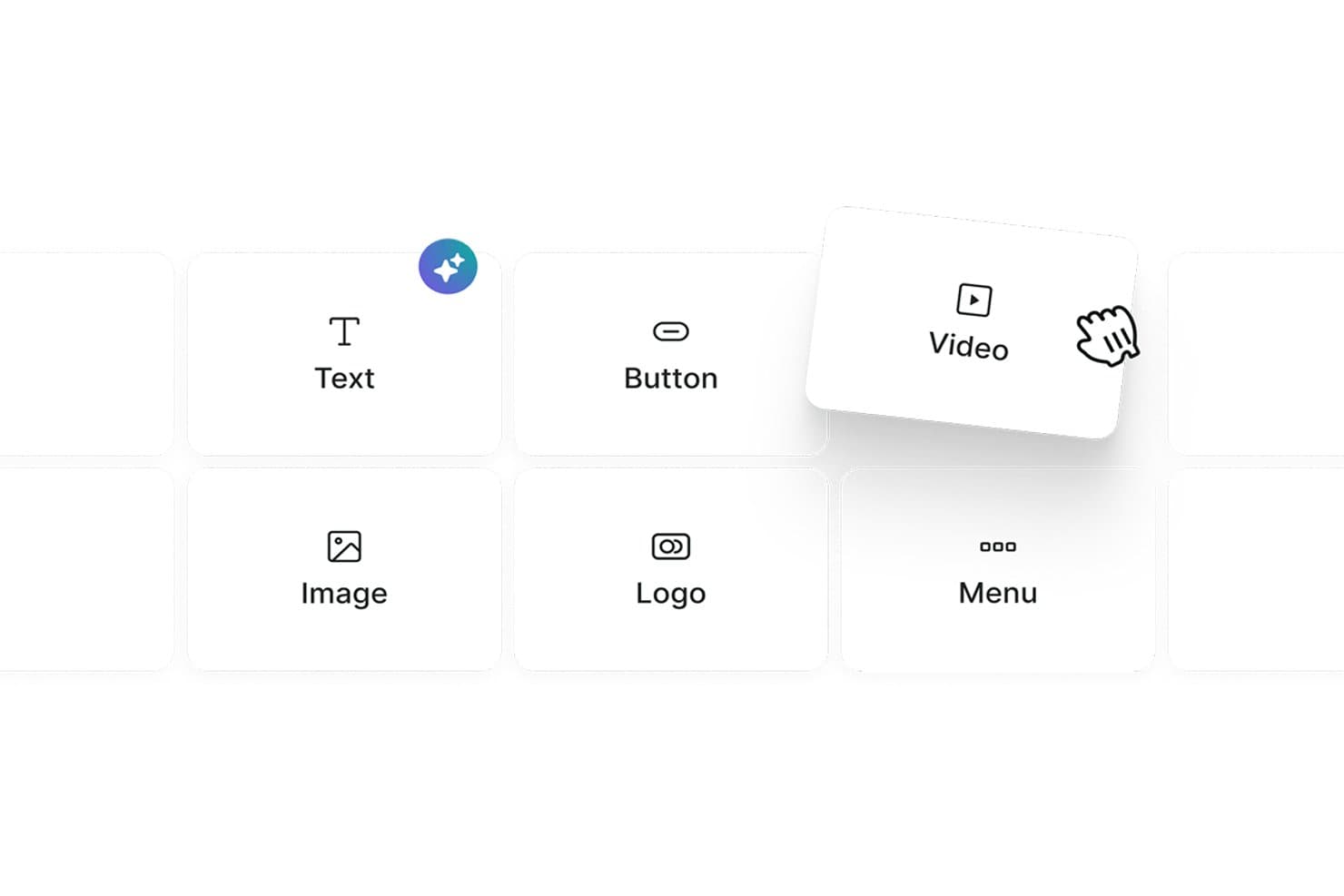
Omnisend lets users drag and drop content blocks like Text, Button, and Video. Omnisend is an ecommerce-focused email marketing platform with a drag-and-drop builder that includes live product blocks, discount codes, product recommender blocks, and omnichannel automation across email, SMS, and web push.
Who Is Omnisend Best For?
Omnisend is a natural fit for ecommerce marketers who want to drag live product blocks, discount codes, and personalized product recommendations directly into their emails.
Why I Picked Omnisend
Omnisend earns its spot on my shortlist because of its live product blocks, which let me drag real store items, complete with synced images, prices, and links, directly into an email. I also rely on the discount code block and AI Product Recommender, which surfaces personalized suggestions based on individual shopper behavior without any manual setup. No other builder I've tested makes it this fast to build a promotional email that's already pre-loaded with the right products.
Omnisend Key Features
- AI subject line generator: Produces and A/B tests subject line and preheader variants using AI directly within the campaign workflow.
- Conditional content blocks: Show or hide entire email sections per recipient based on purchase history, tags, or signup source.
- Per-device visibility controls: Toggle individual content blocks on or off for mobile vs. desktop display within the builder.
- Omnichannel automation: Build unified workflows that sequence email, SMS, and web push notifications from a single automation editor.
Omnisend Integrations
Omnisend offers 280+ tested integrations, including native connections to Shopify, WooCommerce, BigCommerce, Wix, Canva, Facebook Custom Audiences, Google Customer Match, Gorgias, and Yotpo. Its Open API supports custom integrations.
Pros and Cons
Pros:
- Per-device visibility controls in the editor
- AI product recommender personalizes email content instantly
- Live product blocks sync with ecommerce stores
Cons:
- Lacks real-time team collaboration features
- No native multi-client inbox preview
Learn more about Omnisend: Best for dynamic content personalization
- Free plan + 30-day free trial + free demo available
- From $25/month
Visit WebsiteCustomer Rating:4.6/5
Klaviyo’s builder inserts dynamic product blocks from live feeds. Klaviyo is designed to support marketers who want to build effective email campaigns without coding. As a drag-and-drop email builder for dynamic content personalization, it helps businesses across industries create emails tailored to customer behavior and preferences. By addressing challenges like data unification and segmentation, Klaviyo provides the tools needed to develop targeted campaigns that align with audience activity and interests.
Why I Picked Klaviyo
I chose Klaviyo for dynamic content personalization within its drag-and-drop builder. It allows you to insert product feeds, conditional blocks, and customer-specific details directly into your emails, so each recipient sees content based on their behavior and profile data. The interface makes it easy to arrange these elements without coding, while built-in automation connects your designs to segmented flows and campaigns.
Klaviyo Key Features
In addition to dynamic content personalization, Klaviyo offers:
- Customizable Templates: Easily adjust backgrounds, text styles, and fonts to match your brand's aesthetic.
- Responsive Design: Ensure your emails look great on any device with built-in mobile optimization.
- Dynamic Content Blocks: Personalize your emails with various content blocks like text, images, and buttons.
- Preview & Test: See how your emails will appear in recipients' inboxes before sending them out.
Klaviyo Integrations
Integrations include Shopify, Magento, WooCommerce, BigCommerce, Salesforce Commerce Cloud, Stripe, Facebook, Instagram, Google Ads, and Eventbrite (via Zapier or API connections).
Pros and Cons
Pros:
- Reports of inconsistent and slow customer support
- Omnichannel capabilities support varied customer outreach
- Campaign builder supports advanced triggers and conditional logic
- Real-time data activation enhances customer engagement
Cons:
- Pricing may be high for growing businesses
Learn more about Klaviyo: Best for design customization
- Free plan + free trial available
- From $19/user/month (billed annually)
Visit WebsiteCustomer Rating:4.7/5
Flodesk helps creatives design stunning, on-brand emails effortlessly. Flodesk features an elegant drag and drop email builder that empowers users to create visually stunning emails with ease. The builder emphasizes design flexibility, allowing small business owners and creatives to craft on-brand layouts without coding.
Why I picked Flodesk: The drag and drop email builder in Flodesk makes it easy to create stunning, on-brand emails without any design experience. You can customize fonts, colors, and layouts effortlessly using a variety of stylish templates. The builder’s focus on visual design makes it ideal for users who prioritize aesthetic appeal in their email marketing.
Standout features & integrations:
Features include customizable templates, a simple drag and drop editor, and unlimited emails. The platform allows you to create visually striking emails effortlessly. You can also manage your email list and track engagement with basic analytics tools.
Integrations include Shopify, Instagram, Facebook, WordPress, Zapier, Squarespace, Stripe, Google Sheets, Acuity Scheduling, and HoneyBook.
Pros and Cons
Pros:
- Strong focus on aesthetics
- Simple interface for beginners
- Excellent design flexibility
Cons:
- Not ideal for large businesses
- Lacks extensive automation
Learn more about Flodesk: Best for interactive elements
- Free version available
- From $12.50/month
Visit WebsiteCustomer Rating:4.8/5
Stripo helps teams create dynamic, visually engaging emails with ease. Stripo offers a flexible drag and drop email builder that makes it easy to design visually engaging emails. Users can customize layouts by simply dragging elements like text, images, and buttons into place.
Why I picked Stripo: This tool features a drag and drop email builder that makes it easy to add and arrange dynamic content like image carousels and countdown timers without any technical skills. You can visually build complex designs and save custom modules for future use, streamlining your workflow. The builder also supports responsive previews to ensure your emails look great on all devices.
Standout features & integrations:
Features include a library of ready-to-use templates, AMP support for dynamic emails, and a built-in HTML editor. You can customize templates to match your brand's style effortlessly. The HTML editor allows for advanced customization, giving you more control over your email design.
Integrations include Mailchimp, HubSpot, Salesforce, Gmail, Outlook, SendGrid, Constant Contact, GetResponse, Campaign Monitor, and ActiveCampaign.
Pros and Cons
Pros:
- Built-in HTML editor
- AMP support for dynamic emails
- Supports interactive content
Cons:
- Limited automation features
- Limited customer support hours
Learn more about Stripo: Best for small businesses
- 14-day free trial + free plan + free demo available
- From $4/month (billed annually)
Visit WebsiteCustomer Rating:4.3/5
Zoho Campaigns lets you easily design professional emails with no coding. Zoho Campaigns features a powerful drag and drop email builder that makes designing emails quick and easy. Users can customize layouts using pre-built elements like text blocks, images, buttons, and columns.
Why I picked Zoho Campaigns: Zoho Campaigns offers an intuitive drag and drop email builder that’s ideal for small businesses. It allows users to create polished, professional emails with ease using pre-designed elements—no design skills required. The builder streamlines the layout process, helping teams save time while maintaining brand consistency. With its simplicity and flexibility, it's a valuable tool for crafting engaging campaigns quickly and effectively.
Standout features & integrations:
Features include customizable templates, A/B testing, and advanced segmentation. You can personalize emails using dynamic content, which helps in targeting specific audience groups. The automation features support drip campaigns and trigger-based emails, enhancing user engagement.
Integrations include Zoho CRM, Shopify, WordPress, G Suite, Salesforce, Slack, Eventbrite, SurveyMonkey, Zendesk, and QuickBooks.
Pros and Cons
Pros:
- Supports multiple languages
- Customizable templates
- Easy to use for beginners
Cons:
- Limited customer support hours
- Occasional email delivery delays
Learn more about Zoho Campaigns: Best for AI-built email templates
- Free plan available
- From $29/month
Visit WebsiteCustomer Rating:4.2/5
Elastic Email helps you build clean emails fast using AI-built templates. For teams seeking to elevate their email marketing strategies with a versatile tool, Elastic Email offers a solution that combines ease of use with powerful functionality. Particularly appealing to marketers and businesses across industries, this platform addresses the need for visually compelling, effective email campaigns without requiring extensive technical expertise. By offering a drag-and-drop email builder, Elastic Email simplifies the creation of marketing emails, ensuring your communication stands out in crowded inboxes.
Why I Picked Elastic Email
I picked Elastic Email for its AI-built email templates, which make it easy to generate ready-to-use designs without starting from scratch. Its intuitive drag-and-drop email builder supports this by letting you adjust layouts and create visually clear emails with minimal effort. Additionally, automated email flows help streamline your marketing processes, ensuring timely, relevant communication with your audience. Together, these features make Elastic Email a practical option for users who need a reliable email builder for their marketing needs.
Elastic Email Key Features
In addition to AI-built email templates, Elastic Email offers:
- Customizable Signup Forms: Allows you to create forms that integrate seamlessly with your email campaigns, capturing leads directly from your website.
- 24/7 Support: Provides around-the-clock assistance to ensure that any issues you encounter are promptly resolved.
- Developer-Friendly API: Offers scalability and customization options for businesses with specific integration needs.
- Security and Compliance: Ensures your email marketing adheres to the latest data protection regulations, safeguarding your customer information.
Elastic Email Integrations
Integrations include Hubspot, Shopify, WooCommerce, WordPress, Magento, Salesforce, Mailchimp, Google Analytics, Microsoft Dynamics, and Zapier. Additionally, Elastic Email offers a developer-friendly API for custom integration needs.
Pros and Cons
Pros:
- Supports seamless API integration for developers
- Features automated email flows for efficient marketing
- Delivers strong analytics tools for campaign insights
Cons:
- Occasional deliverability issues with emails landing in spam
- Limited native integrations compared to competitors
Learn more about Elastic Email: Best for event promotions
- 14-day free trial + free demo available
- From $12/month
Visit WebsiteCustomer Rating:4.2/5
Constant Contact helps businesses quickly create branded emails with ease. Constant Contact is an email marketing platform designed for small to medium-sized businesses, featuring a user-friendly drag and drop email builder. It enables users to create visually appealing emails quickly by arranging text, images, and buttons without any coding.
Why I picked Constant Contact: This tool excels in simplifying email creation with its drag and drop email builder, making it easy to design custom layouts for any campaign. You can quickly build event invitations using pre-made templates and visual elements, no design skills needed. The builder supports seamless customization, helping you capture attention and drive engagement. Its intuitive interface allows for efficient editing, so you can launch campaigns faster and with confidence.
Standout features & integrations:
Features include customizable templates, social media sharing, and survey tools. You can also use the image library to enhance your emails with visuals. The reporting tools provide insights into campaign performance, helping you refine your strategies.
Integrations include Shopify, WordPress, QuickBooks, Salesforce, Eventbrite, Facebook, Instagram, Google Ads, Hootsuite, and Canva.
Pros and Cons
Pros:
- Good deliverability rates
- Detailed reporting features
- Easy setup for campaigns
Cons:
- Learning curve for beginners
- Limited template customization
Learn more about Constant Contact:

Brevo helps businesses design transactional emails quickly and professionally. Brevo features a user-friendly drag and drop email builder that helps businesses create professional emails with ease. Users can design transactional messages like order confirmations and password resets by simply arranging elements visually.
Why I picked Brevo: Its drag and drop email builder makes it easy to create and customize transactional emails like order confirmations and password resets. You can visually design layouts using pre-built elements, ensuring consistency and professionalism across messages. The builder’s simplicity allows teams of all sizes to quickly set up and manage email content without technical expertise.
Standout features & integrations:
Features include a drag and drop email editor, advanced analytics, and automation workflows. The editor allows you to design professional emails effortlessly. You can use analytics to gain insights into email performance and make data-driven decisions.
Integrations include Shopify, WooCommerce, Magento, Salesforce, WordPress, PrestaShop, Zapier, Slack, Google Analytics, and Facebook.
Pros and Cons
Pros:
- Supports A/B testing
- User-friendly interface
- Easy automation setup
Cons:
- Requires technical setup for advanced features
- Can be feature-heavy for beginners
Learn more about Brevo: Best for cross-channel marketing
- 14-day free trial + free demo available
- Pricing upon request

Braze enables teams to craft engaging, on-brand emails without coding. Braze includes a drag and drop email builder that helps marketing teams design engaging, on-brand emails with ease. The builder allows users to customize content blocks, images, and CTAs without coding, streamlining the email creation process.
Why I picked Braze: Its drag and drop email builder makes it easy to design personalized, data-driven email campaigns as part of a cross-channel strategy. You can quickly create dynamic layouts tailored to specific user segments using real-time data. The builder’s flexibility supports seamless integration into broader engagement efforts across multiple marketing channels.
Standout features & integrations:
Features include real-time analytics, personalized messaging, and campaign orchestration. You can track user interactions and adjust your strategies based on real-time data. The platform also offers tools for creating personalized user journeys, enhancing engagement, and retention.
Integrations include Salesforce, Shopify, Segment, Amplitude, mParticle, Adjust, Branch, AppsFlyer, Adobe Analytics, and Mixpanel.
Pros and Cons
Pros:
- Scalable for large teams
- Data-driven personalization
- Real-time messaging features
Cons:
- Complex setup process
- High initial learning curve
Learn more about Braze : 10Best for creative templates
Beefree
- Free plan + free trial available
- From $25/month (billed annually)

Beefree lets marketers design stunning, code-free emails effortlessly. Beefree is an email design platform built around a flexible drag and drop email builder that empowers marketers and designers to create stunning emails with ease. The builder offers a wide variety of customizable blocks and templates for quick layout design.
Why I picked Beefree: This tool is ideal for users who prioritize creativity in email design, thanks to its intuitive drag and drop editor. It allows you to experiment with layouts and content blocks effortlessly, enabling unique and visually striking campaigns. The editor supports quick customization, making it easy to bring your creative vision to life without any coding.
Standout features & integrations:
Features include a mobile-responsive design, real-time collaboration, and a preview function. You can see how your emails will look on different devices, ensuring they always appear professional. The collaboration features allow your team to work together seamlessly, speeding up the design process.
Integrations include Mailchimp, HubSpot, Gmail, ActiveCampaign, Constant Contact, Mailgun, SendGrid, Amazon SES, GetResponse, and Salesforce.
Pros and Cons
Pros:
- Mobile-responsive design
- Real-time collaboration features
- Great for creative teams
Cons:
- Limited support for large campaigns
- Basic analytics options
Learn more about Beefree:
Outros construtores de e-mails por arrastar e largar
Eis algumas opções adicionais de construtores de e-mails por arrastar e largar que não entraram na minha lista de seleção, mas que ainda vale a pena conhecer:
- 11DyspatchBest for modular design
- 12DragitBest for ease of use
- 13Mailchimp Best for marketing automation
- 14MailerLiteBest for small teams
- 15MailerSendBest for transactional messaging
- 16UnlayerBest for embedding in apps
- 17PostcardsBest for design variety
How I Evaluate Drag and Drop Email Builders
I evaluate every tool against a baseline—does it actually let a non-coder build a send-ready campaign?—then look at what sets it apart for specific team types and use cases.
Core Functionality (Table Stakes For This List)
When I'm selecting tools for my list, I rank each one on a scale from 0 (does not offer the functionality) to 5 (excels in this area) for each core functionality listed below. Then, I calculate the tool's total score into a percentage. Each tool needs to achieve a minimum total score of 65% to be considered for inclusion.
- Visual Drag-and-Drop Editor: I evaluate how naturally blocks snap into place—whether I can drop in a hero image, reorder CTAs, and adjust padding without touching code.
- Pre-Built Email Templates: A solid template library should cover real campaign needs like product launches, event invitations, and weekly newsletters, not just a handful of generic layouts.
- Responsive Design Output: I check whether emails render cleanly across mobile and desktop by previewing in multiple clients, since a two-column layout that collapses poorly on a phone kills engagement.
- Reusable Content Blocks: Teams running high-volume sends need saved modules—headers, footers, product cards—they can pull into any new campaign without rebuilding from scratch each time.
- Image & Asset Management: I look for a built-in media library where you can upload, organize, and resize brand assets directly in the builder instead of toggling to an external tool.
- HTML Export or Send Integration: Whether you're exporting clean HTML into Mailchimp or sending natively through HubSpot, I evaluate how easily the finished email moves from builder to inbox.
Once I have a list of tools that meet this criteria, I consider what sets each platform apart.
Differentiating Factors (What Sets Vendors Apart)
Here's how I compare and contrast different vendors:
Standout Features
Dynamic personalization is a big differentiator—I look for conditional blocks that swap images or CTAs based on recipient data, not just basic merge tags. Brand kit enforcement pairs well with collaboration features, especially when multiple marketers or stakeholders touch emails before sending. Locked templates and approval workflows keep campaigns consistent without bottlenecking production. AI-assisted copy generation is also worth evaluating for teams running high-volume sends who need quick subject line or body text suggestions.
Beyond Features
Integration depth matters—I evaluate whether a builder connects natively with your existing ESP, CRM, or CDP so finished emails flow directly into campaign workflows. Email client rendering is another factor I consider closely, since an email that looks great in the builder but breaks in Outlook defeats the purpose. Pricing structure also plays a role, particularly how plans scale with team size or send volume as your email program grows.
Como escolher um construtor de e-mails por arrastar e largar
É fácil ficar confuso com listas extensas de funcionalidades e estruturas de preços complexas. Para o ajudar a manter-se focado enquanto percorre o seu processo específico de seleção de software, eis uma lista de fatores a ter em conta:
| Fator | O que considerar |
| Escalabilidade | A ferramenta consegue acompanhar o crescimento da sua empresa? Considere os limites de utilizadores e se suporta um aumento do volume de e-mails. |
| Integrações | Estabelece ligação com as suas ferramentas existentes, como plataformas de CRM ou de comércio eletrónico? Verifique a compatibilidade e a facilidade de integração. |
| Personalização | Até que ponto pode adaptar os modelos e os fluxos de trabalho à sua marca? Procure opções de design flexíveis. |
| Facilidade de utilização | A interface é intuitiva para a sua equipa? Uma curva de aprendizagem acentuada pode prejudicar a produtividade. |
| Implementação e integração inicial | Com que rapidez pode a sua equipa começar a utilizá-la eficazmente? Procure recursos como tutoriais e apoio durante a configuração. |
| Custo | Os planos de preços estão dentro do seu orçamento? Considere os custos a longo prazo e compare as funcionalidades incluídas em cada nível. |
| Medidas de segurança | Oferece encriptação e proteção de dados? Garanta a conformidade com as normas do setor para proteger informações sensíveis. |
| Disponibilidade do apoio | Que opções de apoio estão disponíveis se surgirem problemas? Procure apoio 24 horas por dia, 7 dias por semana, e vários métodos de contacto. |
O que é um construtor de e-mails por arrastar e largar?
Os construtores de e-mails com funcionalidade de arrastar e largar são ferramentas que permitem aos utilizadores criar modelos de e-mail, bastando arrastar e largar elementos num editor visual, sem necessidade de programar em HTML. Os profissionais de marketing, os proprietários de pequenas empresas e os designers utilizam normalmente estas ferramentas para simplificar o design de e-mails e melhorar a comunicação da marca. Funcionalidades como a personalização de modelos, o design responsivo e as opções de integração ajudam a criar e-mails visualmente apelativos e funcionais sem necessidade de conhecimentos de programação. De um modo geral, estas ferramentas facilitam a criação e a gestão eficiente de campanhas de e-mail por parte dos utilizadores.
Funcionalidades dos construtores de e-mails com arrastar e largar
Ao selecionar um construtor de e-mails com funcionalidade de arrastar e largar, tenha em atenção as seguintes funcionalidades principais:
- Editor de arrastar e largar: Permite aos utilizadores criar e ajustar facilmente os layouts dos e-mails, movendo os elementos sem necessidade de programação.
- Personalização de modelos: Disponibiliza modelos pré-concebidos que podem ser adaptados à imagem e ao estilo da sua marca.
- Design responsivo: Garante que os e-mails têm um bom aspeto em todos os dispositivos, ajudando a melhorar o envolvimento e a legibilidade dos utilizadores.
- Fluxos de trabalho automatizados: Permite criar campanhas de e-mail automatizadas com base em acionadores, poupando tempo e assegurando uma comunicação consistente.
- Testes A/B: Permite testar diferentes versões dos e-mails para otimizar o desempenho e o envolvimento.
- Análise avançada: Fornece informações sobre o desempenho das campanhas de e-mail, ajudando a aperfeiçoar as estratégias e a melhorar os resultados.
- Opções de personalização: Permite utilizar conteúdo dinâmico e personalização para aumentar o envolvimento e a resposta dos destinatários.
- Capacidades de integração: Liga-se a outras ferramentas, como plataformas de CRM e de comércio eletrónico, para simplificar os fluxos de trabalho e a gestão de dados.
- Colaboração em tempo real: Permite a colaboração da equipa nos designs de e-mail, acelerando o processo de criação.
- Agendamento de e-mails: Permite aos utilizadores planear e agendar e-mails para os momentos de envio ideais, maximizando o impacto.
Vantagens dos construtores de e-mails com arrastar e largar
A implementação de um construtor de e-mails com funcionalidade de arrastar e largar proporciona várias vantagens à sua equipa e à sua empresa. Eis algumas das vantagens que pode esperar:
- Poupança de tempo: Crie e envie rapidamente e-mails sem programação, graças ao editor de arrastar e largar.
- Maior consistência do design: Utilize modelos personalizáveis para manter uma imagem de marca consistente em todas as comunicações.
- Maior envolvimento: As opções de personalização e o design responsivo garantem que os seus e-mails são relevantes para os destinatários e têm um bom aspeto em qualquer dispositivo.
- Maior produtividade: Os fluxos de trabalho automatizados e as funcionalidades de agendamento permitem à sua equipa concentrar-se noutras tarefas enquanto os e-mails são enviados automaticamente.
- Decisões baseadas em dados: A análise avançada fornece informações valiosas sobre o desempenho das campanhas, ajudando a aperfeiçoar as estratégias.
- Colaboração: As funcionalidades de colaboração em tempo real permitem que os membros da equipa trabalhem em conjunto de forma eficiente em projetos de e-mail.
- Integração com ferramentas: Ligue-se facilmente a plataformas de CRM e a outras plataformas para melhorar os seus esforços de marketing e a gestão de dados.
Custos e preços dos construtores de e-mails com arrastar e largar
A seleção de um construtor de e-mails com funcionalidade de arrastar e largar requer uma compreensão dos vários modelos de preços e planos disponíveis. Os custos variam consoante as funcionalidades, o tamanho da equipa, os complementos e outros fatores. A tabela abaixo resume os planos comuns, os respetivos preços médios e as funcionalidades normalmente incluídas nas soluções de construção de e-mails com arrastar e largar:
Tabela de comparação de planos para construtores de e-mails com arrastar e largar
| Tipo de plano | Preço médio | Funcionalidades comuns |
| Plano gratuito | $0 | Modelos básicos, envios de e-mail limitados e análise básica. |
| Plano pessoal | $10-$30/ utilizador/mês | Modelos personalizáveis, editor de arrastar e largar e automatização básica. |
| Plano empresarial | $40-$100/ utilizador/mês | Análise avançada, testes A/B e capacidades de integração. |
| Plano empresarial avançado | $150-$300/ utilizador/mês | Suporte personalizado, automatização avançada e relatórios abrangentes. |
Perguntas frequentes sobre construtores de e-mail de arrastar e largar
Aqui estão algumas respostas a perguntas comuns sobre construtores de e-mail de arrastar e largar:
Como posso criar uma assinatura de e-mail utilizando um construtor de e-mail de arrastar e largar?
Criar uma assinatura de e-mail num construtor de e-mail de arrastar e largar é simples. Normalmente, pode encontrar uma secção ou módulo de assinaturas no editor. Personalize-a com o seu nome, cargo e informações de contacto. Algumas ferramentas permitem adicionar imagens ou ligações para perfis nas redes sociais, para uma personalização ainda maior.
Como posso adicionar/remover hiperligações ao texto?
Para adicionar ou remover hiperligações num texto, realce o texto ao qual pretende adicionar ou retirar a ligação no seu construtor de e-mail de arrastar e largar. Utilize o ícone de ligação na barra de ferramentas para inserir um URL ou remover uma ligação existente. Verifique novamente se as suas ligações direcionam para as páginas corretas antes de finalizar o e-mail.
Porque é que os meus botões aparecem de forma diferente no Outlook?
Os botões podem aparecer de forma diferente no Outlook devido à forma como este interpreta os e-mails HTML. Para garantir a consistência, utilize tipos de letra padrão e evite estilos complexos. Teste os seus e-mails em vários clientes para ver como são apresentados. Alguns construtores disponibilizam opções para personalizar os e-mails para clientes específicos, incluindo o Outlook.
O que é o modo escuro para e-mails?
O modo escuro é uma definição de apresentação que altera o fundo para cores escuras, reduzindo o cansaço visual em ambientes com pouca luz. Alguns construtores de e-mail permitem criar e-mails tendo o modo escuro em consideração. Consulte as definições do seu construtor para encontrar opções de pré-visualização e ajuste dos e-mails, de modo a garantir a compatibilidade com o modo escuro.
Posso editar imagens num construtor de arrastar e largar?
Sim, a maioria dos construtores de e-mail de arrastar e largar disponibiliza ferramentas básicas de edição de imagens. Pode redimensionar, recortar ou adicionar filtros diretamente no editor. Para edições mais avançadas, poderá ter de utilizar software externo antes de carregar a imagem para o seu construtor de e-mail.